instrument cluster MAZDA MX5 MIATA 2016 Owner's Guide
[x] Cancel search | Manufacturer: MAZDA, Model Year: 2016, Model line: MX5 MIATA, Model: MAZDA MX5 MIATA 2016Pages: 526, PDF Size: 10.44 MB
Page 183 of 526
4–79
When Driving
i-ACTIVSENSE
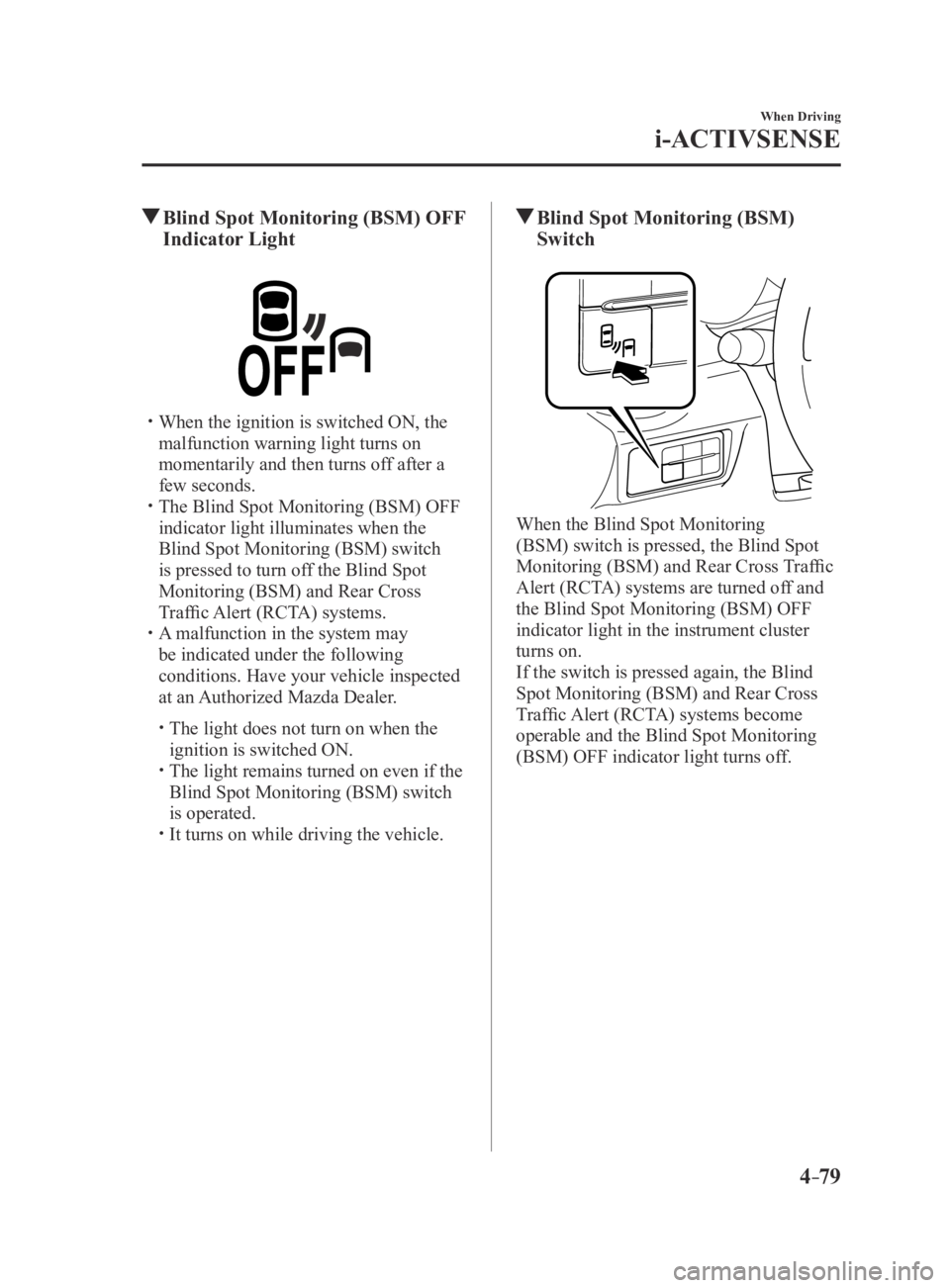
Blind Spot Monitoring (BSM) OFF
Indicator Light
When the ignition is switched ON, the
malfunction warning light turns on
momentarily and then turns off after a
few seconds.
The Blind Spot Monitoring (BSM) OFF
indicator light illuminates when the
Blind Spot Monitoring (BSM) switch
is pressed to turn off the Blind Spot
Monitoring (BSM) and Rear Cross
Traffic Alert (RCTA) systems.
A malfunction in the system may
be indicated under the following
conditions. Have your vehicle inspected
at an Authorized Mazda Dealer.
The light does not turn on when the
ignition is switched ON. The light remains turned on even if the
Blind Spot Monitoring (BSM) switch
is operated.
It turns on while driving the vehicle.
Blind Spot Monitoring (BSM)
Switch
When the Blind Spot Monitoring
(BSM) switch is pressed, the Blind Spot
Monitoring (BSM) and Rear Cross Traffic
Alert (RCTA) systems are turned off and
the Blind Spot Monitoring (BSM) OFF
indicator light in the instrument cluster
turns on.
If the switch is pressed again, the Blind
Spot Monitoring (BSM) and Rear Cross
Traffic Alert (RCTA) systems become
operable and the Blind Spot Monitoring
(BSM) OFF indicator light turns off.
MX-5_8EU4-EA-15D_Edition3.indb 792015/10/21 16:53:31
Page 195 of 526
4–91
When Driving
Cruise Control
NOTE
The cruise control speed setting cannot
be performed under the following
conditions:
(Automatic transmission)
The selector lever is in the P or N
position. (Manual transmission)
The shift lever is in the neutral
position. The parking brake is applied.
Release the SET/ switch at the desired
speed, otherwise the speed will continue
decreasing while the SET/
switch is
pressed and held (except when the
accelerator pedal is depressed).
On a steep grade, the vehicle may
momentarily slow down while ascending
or speed up while descending.
The cruise contr ol will cancel if the
vehicle speed decreases below 21 km/h
(13 mph) when the cruise control is
activated, such as when climbing a
steep grade.
The cruise control may cancel at about
15 km/h (9 mph) below the preset speed,
such as when climbing a long, steep
grade.
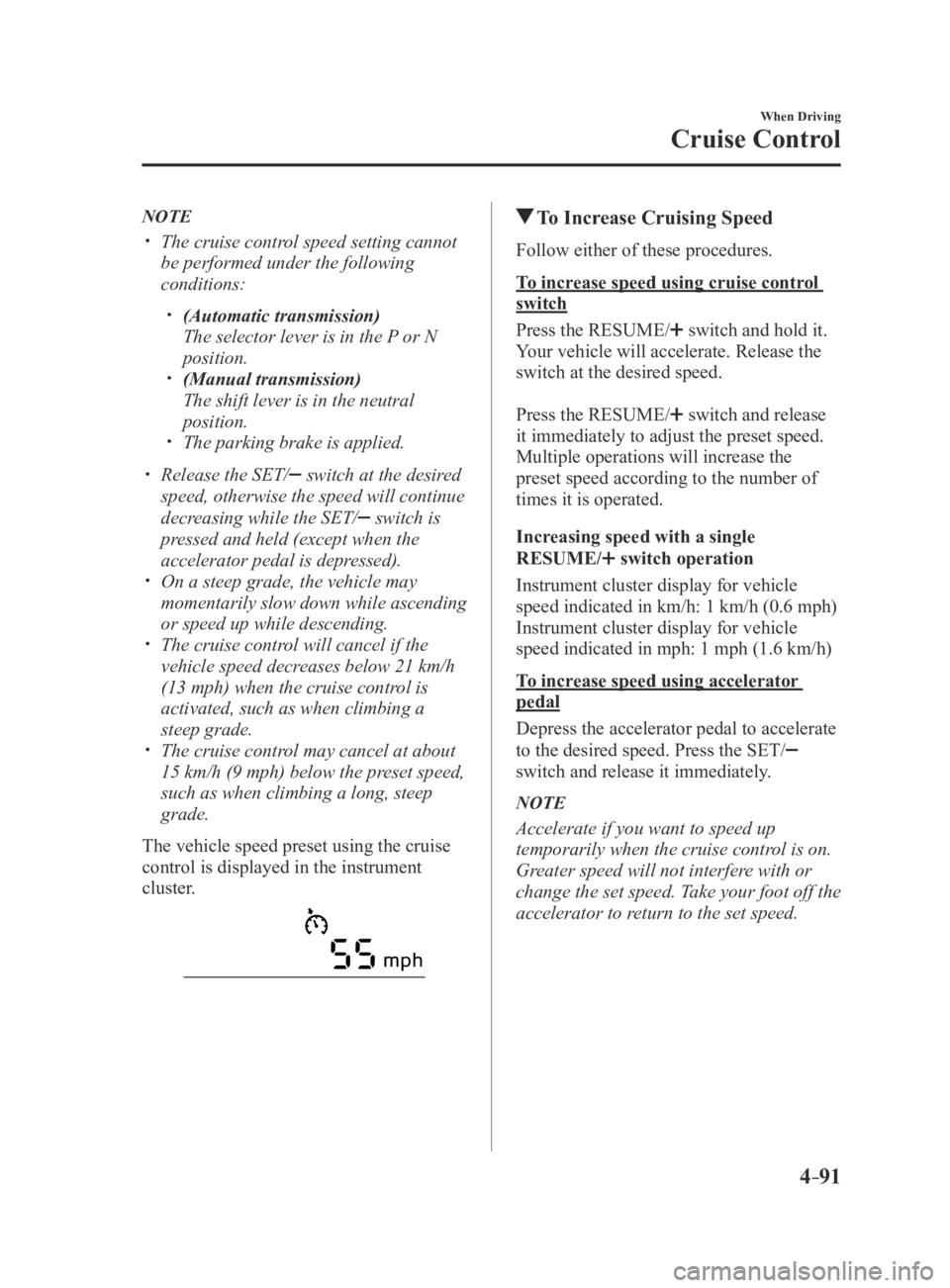
The vehicle speed preset using the cruise
control is displayed in the instrument
cluster.
To Increase Cruising Speed
Follow either of these procedures.
To increase speed using cruise control
switch
Press the RESUME/
switch and hold it.
Your vehicle will accelerate. Release the
switch at the desired speed.
Press the RESUME/
switch and release
it immediately to adjust the preset speed.
Multiple operations will increase the
preset speed according to the number of
times it is operated.
Increasing speed with a single
RESUME/
switch operation
Instrument cluster display for vehicle
speed indicated in km/h: 1 km/h (0.6 mph)
Instrument cluster display for vehicle
speed indicated in mph: 1 mph (1.6 km/h)
To increase speed using accelerator
pedal
Depress the accelerator pedal to accelerate
to the desired speed. Press the SET/
switch and release it immediately.
NOTE
Accelerate if you want to speed up
temporarily when the cruise control is on.
Greater speed will not interfere with or
change the set speed. Take your foot off the
accelerator to return to the set speed.
MX-5_8EU4-EA-15D_Edition4.indb 912016/01/20 11:05:23
Page 196 of 526

4–92
When Driving
Cruise Control
To Decrease Cruising Speed
Press the SET/ switch and hold it. The
vehicle will gradually slow.
Release the switch at the desired speed.
Press the SET/
switch and release it
immediately to adjust the preset speed.
Multiple operations will decrease the
preset speed according to the number of
times it is operated.
Decreasing speed with a single SET/
switch operation
Instrument cluster display for vehicle
speed indicated in km/h: 1 km/h (0.6 mph)
Instrument cluster display for vehicle
speed indicated in mph: 1 mph (1.6 km/h)
To Resume Cruising Speed at
More Than 25 km/h (16 mph)
If some other method besides the OFF/
CANCEL switch was used to cancel
cruising speed (such as applying the brake
pedal) and the system is still activated, the
most recent set speed will automatically
resume when the RESUME/
switch is
pressed.
If vehicle speed is below 25 km/h (16
mph), increase the vehicle speed up to 25
km/h (16 mph) or more and press the
RESUME/
switch.
To Temporarily Cancel
To temporarily cancel the system, use one
of these methods:
Slightly depress the brake pedal. (Manual transmission)
Depress the clutch pedal. Press the OFF/CANCEL switch.
If the RESUME/ switch is pressed when
the vehicle speed is 25 km/h (16 mph) or
higher, the system reverts to the previously
set speed.
NOTE
If any of the following conditions occur ,
the cruise control system is temporarily
canceled.
The parking brake is applied. (Automatic transmission)
The selector lever is in the P or N
position. (Manual transmission)
The shift lever is in the neutral
position.
When the cruise control system is
temporarily canceled by even one of the
applicable cancel conditions, the speed
cannot be re-set.
(Automatic transmission)
The cruise control cannot be cancelled
while driving in manual mode (selector
lever shifted from D to M position).
Therefore, engine braking will not
be applied even if the transmission
is shifted down to a lower gear. If
deceleration is required, lower the set
speed or depress the brake pedal.
To Deactivate
When a cruising speed has been set
(cruise set indicator light (green) turns
on)
Long-press the OFF/CANCEL switch or
press the OFF/CANCEL switch 2 times.
When a cruising speed has not been set
(cruise main indicator light (amber)
turns on)
Press the OFF/CANCEL switch.
MX-5_8EU4-EA-15D_Edition4.indb 922016/01/20 11:05:24
Page 197 of 526
 monitors the air pressure of all\
four tires. If
the air")
4–93
When Driving
Tire Pressure Monitoring System
*Some models.
Tire Pressure Monitoring System*
The Tire Pressure Monitoring System (TPMS) monitors the air pressure of all\
four tires. If
the air pressure of one or more tires is too low, the system warns the driver by indicating the
tire pressure monitoring system warning light in the instrument cluster \
and operating a beep
sound. The system monitors the tire pressures indirectly using the data sent from the ABS
wheel speed sensors.
To allow the system to operate correctly, the system needs to be initialized with the specified
tire pressure (value on the tire pressure label). Follow the procedure\
and perform the
initialization.
Refer to Tire Pressure Monitoring System Initialization on page 4-96.
The warning light flashes when the system has a malfunction.
Refer to Warning Lights on page 4-16.
ABS wheel speed sensor
MX-5_8EU4-EA-15D_Edition3.indb 932015/10/21 16:53:40
Page 200 of 526
4–96
When Driving
Tire Pressure Monitoring System
Tire Pressure Monitoring System
Initialization
In the following cases, system
initialization must be performed so that the
system operates normally.
A tire pressure is adjusted. Tire rotation is performed. A tire or wheel is replaced. The battery is replaced or completely
drained. The tire pressure monitoring system
warning light is illuminated.
Initialization method
1. Park the car in a safe place and firmly
apply the parking brake.
2. Let the tires cool, then adjust the tire
pressure of all four (4) tires to the
specified pressure indicated on the tire
pressure label located on the driver's
door frame (door open).
Refer to Tires on page 9-8.
3. Switch the ignition ON.
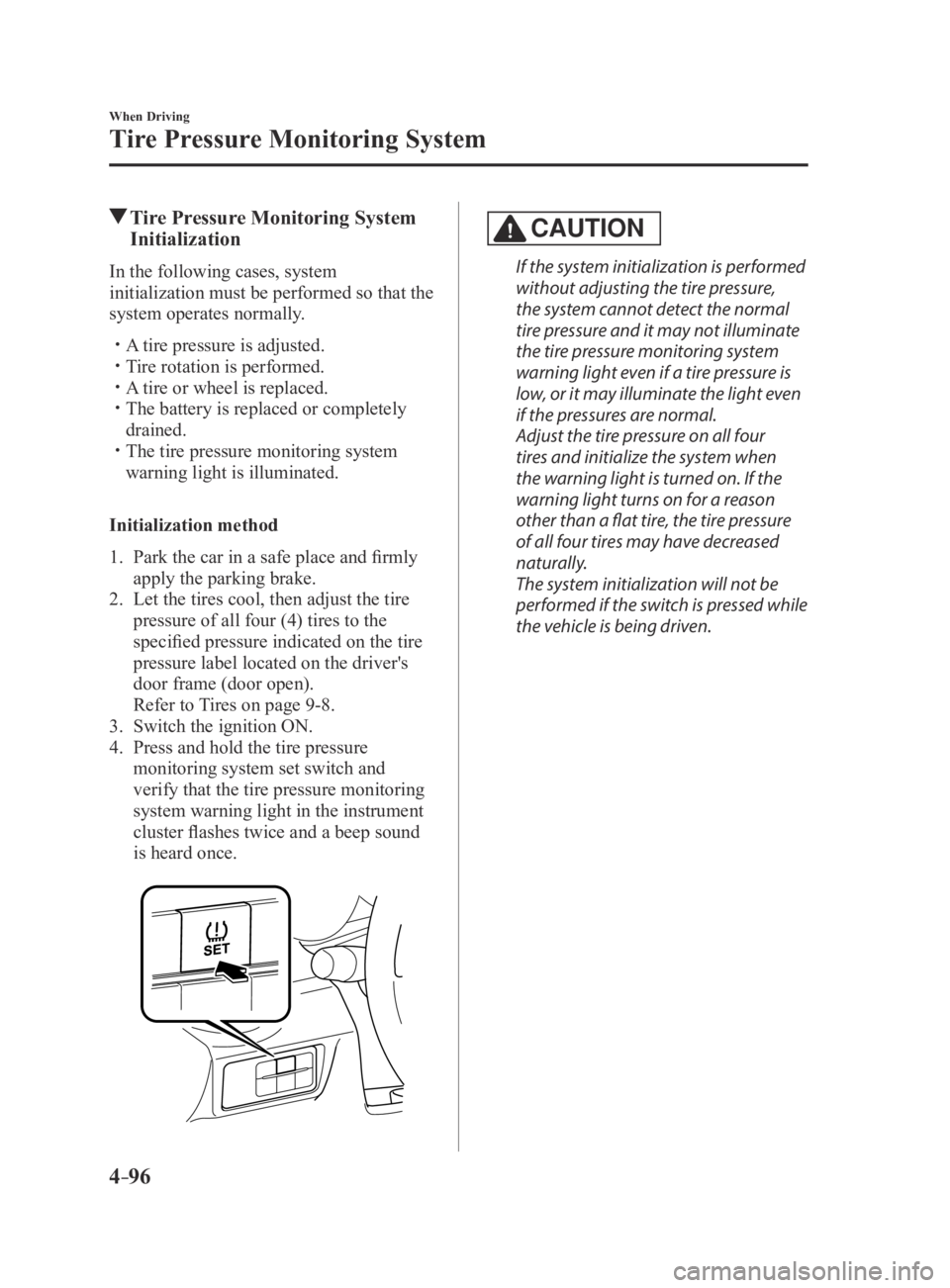
4. Press and hold the tire pressure
monitoring system set switch and
verify that the tire pressure monitoring
system warning light in the instrument
cluster flashes twice and a beep sound
is heard once.
CAUTION
If the system initialization is performed
without adjusting the tire pressure,
the system cannot detect the normal
tire pressure and it may not illuminate
the tire pressure monitoring system
warning light even if a tire pressure is
low, or it may illuminate the light even
if the pressures are normal.
Adjust the tire pressure on all four
tires and initialize the system when
the warning light is turned on. If the
warning light turns on for a reason
other than a flat tire, the tire pressure
of all four tires may have decreased
naturally.
The system initialization will not be
performed if the switch is pressed while
the vehicle is being driven.
MX-5_8EU4-EA-15D_Edition4.indb 962016/01/20 11:05:24
Page 342 of 526

Follow Schedule 1 if the vehicle is operated mainly where none of the fo\
llowing conditions")
6–4
Maintenance and Care
Scheduled Maintenance
Scheduled Maintenance (U.S.A., Canada, and Puerto
Rico)
Follow Schedule 1 if the vehicle is operated mainly where none of the fo\
llowing conditions
(severe driving conditions)apply.
Repeated short-distance driving Driving in dusty conditions Driving with extended use of brakes Driving in areas where salt or other corrosive materials are used Driving on rough or muddy roads Extended periods of idling or low-speed operation Driving for long periods in cold temperatures or extremely humid climate\
s Driving in extremely hot conditions Driving in mountainous conditions continually
If any do apply, follow Schedule 2. (Canada and Puerto Rico residents follow Schedule 2.)
Vehicles using Engine Oil Flexible Maintenance
Engine Oil Flexible Maintenance is available for U.S.A. and Puerto Rico residents whose
vehicle is operated mainly where none of the following conditions apply:\
Extended periods of idling or low-speed operation such as police car, taxi or driving
school car Driving in dusty conditions
If any do apply, follow Schedule 2 with engine oil fixed maintenance.
Once engine oil flexible maintenance is selected, the vehicle calculates the remaining oil life
based on engine operating conditions. The vehicle lets you know when an oil change is due
by illuminating the wrench indicator light in the instrument cluster. Change the oil as soon
as possible within the next 500 km (300 mile) or 15 days. Refer page 6-20 for the details.
Mazda Genuine 0W-20 Oil and Castrol
® 0W-20 Oil are required to achieve optimum
performance.
NOTE
Please ensure that the Flexible Oil Maintenance Setting is reset after each Oil and Filter
replacement. For maintenance guidelines beyond the miles/months listed, follow the ma\
intenance
intervals provided in the Scheduled Maintenance Tables.
MX-5_8EU4-EA-15D_Edition3.indb 42015/10/21 16:55:03
Page 358 of 526
6–20
Maintenance and Care
Scheduled Maintenance
Maintenance Monitor
Maintenance Monitor (Type A audio)
“Oil Change” with a flexible setting*1 is available. Consult your Authorized Mazda Dealer
when you want to change the setting*2. Once the system turns on, the wrench indicator light
in the instrument cluster will be illuminated when remaining oil life be\
comes less than 500
km (300 mile), or remaining days are less than 15 (whichever comes first).
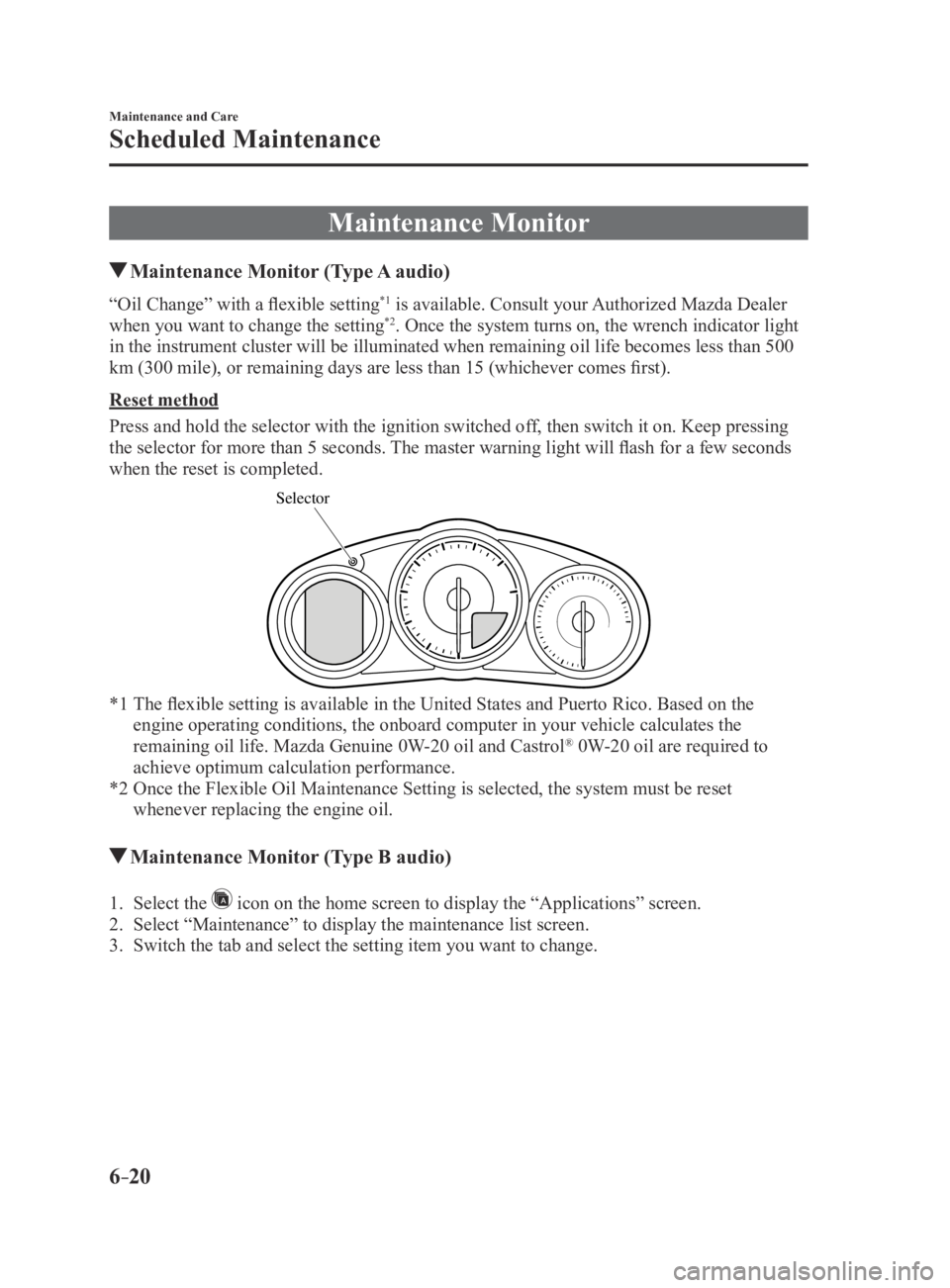
Reset method
Press and hold the selector with the ignition switched off, then switch it on. Keep pressing
the selector for more than 5 seconds. The master warning light will flash for a few seconds
when the reset is completed.
Selector
*1 The flexible setting is available in the United States and Puerto Rico. Based on the
engine operating conditions, the onboard computer in your vehicle calcul\
ates the
remaining oil life. Mazda Genuine 0W-20 oil and Castrol® 0W-20 oil are required to
achieve optimum calculation performance.
*2 Once the Flexible Oil Maintenance Setting is selected, the system must b\
e reset
whenever replacing the engine oil.
Maintenance Monitor (Type B audio)
1. Select the icon on the home screen to display the “Applications” screen.
2. Select “Maintenance” to display the maintenance list screen.
3. Switch the tab and select the setting item you want to change.
MX-5_8EU4-EA-15D_Edition3.indb 202015/10/21 16:55:06
Page 359 of 526
6–21
Maintenance and Care
Scheduled Maintenance
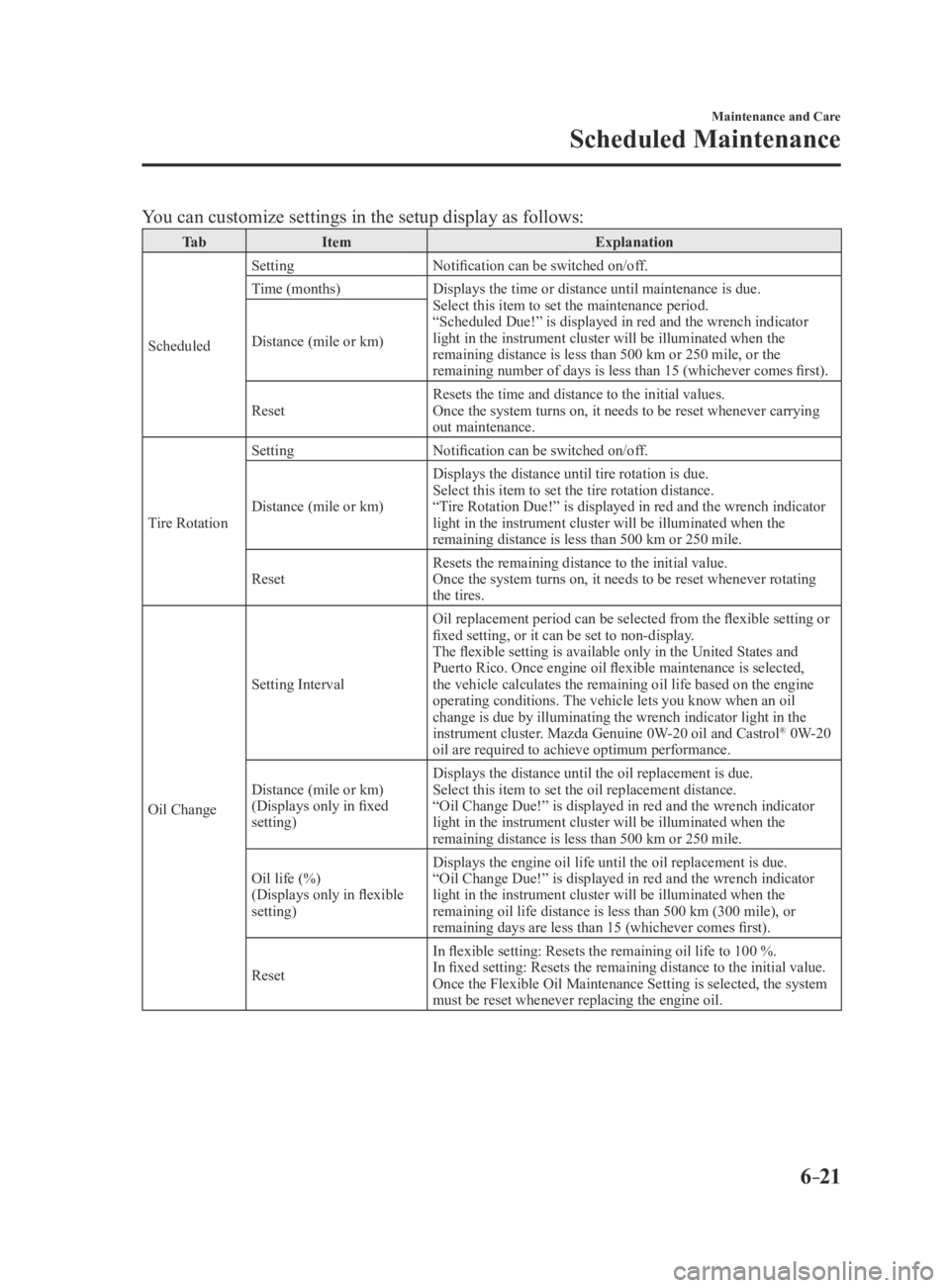
You can customize settings in the setup display as follows:
Ta bItem Explanation
Scheduled Setting
Notification can be switched on/off.
Time (months) Displays the time or distance until maintenance is due.
Select this item to set the maintenance period.
“Scheduled Due!” is displayed in red and the wrench indicator
light in the instrument cluster will be illuminated when the
remaining distance is less than 500 km or 250 mile, or the
remaining number of days is less than 15 (whichever comes first).
Distance (mile or km)
Reset
Resets the time and distance to the initial values.
Once the system turns on, it needs to be reset whenever carrying
out maintenance.
Tire Rotation Setting
Notification can be switched on/off.
Distance (mile or km) Displays the distance until tire rotation is due.
Select this item to set the tire rotation distance.
“Tire Rotation Due!” is displayed in red and the wrench indicator
light in the instrument cluster will be illuminated when the
remaining distance is less than 500 km or 250 mile.
Reset Resets the remaining distance to the initial value.
Once the system turns on, it needs to be reset whenever rotating
the tires.
Oil Change Setting Interval
Oil replacement period can be selected from the flexible setting or
fixed setting, or it can be set to non-display.
The flexible setting is available only in the United States and
Puerto Rico. Once engine oil flexible maintenance is selected,
the vehicle calculates the remaining oil life based on the engine
operating conditions. The vehicle lets you know when an oil
change is due by illuminating the wrench indicator light in the
instrument cluster. Mazda Genuine 0W-20 oil and Castrol
® 0W-20
oil are required to achieve optimum performance.
Distance (mile or km)
(Displays only in fixed
setting) Displays the distance until the oil replacement is due.
Select this item to set the oil replacement distance.
“Oil Change Due!” is displayed in red and the wrench indicator
light in the instrument cluster will be illuminated when the
remaining distance is less than 500 km or 250 mile.
Oil life (%)
(Displays only in flexible
setting) Displays the engine oil life until the oil replacement is due.
“Oil Change Due!” is displayed in red and the wrench indicator
light in the instrument cluster will be illuminated when the
remaining oil life distance is less than 500 km (300 mile), or
remaining days are less than 15 (whichever comes first).
Reset In flexible setting: Resets the remaining oil life to 100 %.
In fixed setting: Resets the remaining distance to the initial value.
Once the Flexible Oil Maintenance Setting is selected, the system
must be reset whenever replacing the engine oil.
MX-5_8EU4-EA-15D_Edition3.indb 212015/10/21 16:55:07
Page 377 of 526

6–39
Maintenance and Care
Owner Maintenance
The following conditions indicate that the
battery power is low:
The KEY indicator light (green) flashes
in the instrument cluster for about 30
seconds after the engine is turned off.
The system does not operate and
the operation indicator light on the
transmitter does not flash when the
buttons are pressed.
The system's operational range is
reduced.
Replacing the battery at an Authorized
Mazda Dealer is recommended to prevent
damage to the key. If replacing the battery
by yourself, follow the instruction below.
Replacing the key battery
1. Press the knob and pull out the
auxiliary key.
Knob
2. Twist a tape-wrapped flathead
screwdriver in the direction of the
arrow and open the cover slightly.
Cove r
3. Insert the tape-wrapped flathead
screwdriver into the gap and slide it in
the direction of the arrow.
Cover
Gap
4. Twist the flathead screwdriver in the
direction of the arrow and remove the
cover.
Cover
MX-5_8EU4-EA-15D_Edition3.indb 392015/10/21 16:55:18
Page 394 of 526

6–56
Maintenance and Care
Owner Maintenance
Fuse Panel Description
Fuse block (Engine compartment)
DESCRIPTIONFUSE
RATING PROTECTED COMPONENT
1 ENG IG3 5 A —
2 ENG IG2 5 A —
3 HORN2 7.5 AHorn
4 C/U IG1 15 AFor protection of various circuits
5 ENG IG1 7.5 AEngine control system
6 — — —
7 INTERIOR 15 AOverhead light
8 ENG
B7.5 A
Engine control system
9 AUDIO2 15 AAudio system
10 METER1 10 AInstrument cluster
11 SRS1 7.5 AAir bag
12 — — —
13 RADIO 7.5 AAudio system
14 ENGINE3 20 AEngine control system
15 ENGINE1 10 AEngine control system
16 ENGINE2 15 AEngine control system
17 AUDIO1 25 AAudio system
MX-5_8EU4-EA-15D_Edition3.indb 562015/10/21 16:55:30