radio MAZDA MX5 MIATA 2017 Owner's Guide
[x] Cancel search | Manufacturer: MAZDA, Model Year: 2017, Model line: MX5 MIATA, Model: MAZDA MX5 MIATA 2017Pages: 568, PDF Size: 16.58 MB
Page 277 of 568

5 –55 Interior Features
Audio System ApplicationsNOTE
Depending on the grade and specification,
the screen display may differ.
Select the icon on the home screen to
display the Applications screen. The
following information can be verified. Top screen Item Function
HD Radio™ Traffic
Map — —
Fuel Economy
Monitor Fuel
Consumption
Settings Refer to Fuel
Economy
Monitor on
page 4-69 .
Vehicle
Status
Monitor Maintenance Scheduled
Maintenance
Tire Rotation
Oil Change Refer to
Maintenance
Monitor
(Type B
audio) on
page 6-20 .
Warning
Guidance Warnings
currently
active can be
verified. Refer to If
a Warning
Light Turns
On or
Flashes on
page 7-33 .Audio Control Switch
Operation
Adjusting the Volume To increase the volume, press up the
volume switch (
).
To decrease the volume, press down the
volume switch (
).
MX-5_8FR4-EA-16J_Edition1.indb 55 2016/08/11 20:29:17
Page 278 of 568

5 –56 Interior Features
Audio System Seek SwitchAM/FM radio
Press the seek switch ( , ). The radio
switches to the next/previous stored station
in the order that it was stored.
Press and hold the seek switch (
, ) to
seek all usable stations at a higher or lower
frequency whether programmed or not.
Radio stations which have been previously
stored in the auto memory tuning (Type
A)/favorite radio (Type B) can be called
up by pressing the seek switch (
, )
while any radio station stored in the auto
memory tuning (Type A)/favorite radio
(Type B) is being received. Radio stations
can be called up in the order they were
stored with each press of the switch
(
, ).
USB Audio/Bluetooth ®
Audio /CD
Press the seek switch ( ) to skip forward
to the beginning of the next track.
Press the seek switch (
) within a few
seconds after playback begins to track
down to the beginning of the previous
track.
Press the seek switch (
) after a few
seconds have elapsed to start playback
from the beginning of the current track.
Press and hold the seek switch (
, ) to
continuously switch the tracks up or down. Pandora ®
/Aha™/Stitcher™ Radio
(Type B)
Press the seek switch (
) to skip forward
to the beginning of the next track.
Press and hold the seek switch (
) to
evaluate the playback of the current song
as “Like”.
Press and hold the seek switch (
) to
evaluate the playback of the current song
as “Dislike”.
MX-5_8FR4-EA-16J_Edition1.indb 56 2016/08/11 20:29:18
Page 296 of 568
5 –74 Interior Features
Bluetooth ®
Bluetooth ®
Bluetooth ®
Hands-Free outline
When a Bluetooth ®
device (mobile phone) is connected to the vehicle's Bluetooth ®
unit via
radio wave transmission, a call can be made or received by pressing the talk button, pick-
up button, or hang-up button on the audio remote control switch, or by operating the center
display. For example, even if a device (mobile phone) is in your coat pocket, a call can be
made without taking the device (mobile phone) out and operating it directly.
Bluetooth ®
audio outline
When a portable audio unit equipped with the Bluetooth ®
communication function is paired
to the vehicle, you can listen to music stored on the paired portable audio device from the
vehicle's speakers. It is not necessary to connect the portable audio device to the vehicle's
external input terminal. After programming, operate the vehicle audio control panel to play/
stop the audio.
NOTE
For your safety, a device can be paired only when the vehicle is parked. If the vehicle
starts to move, the pairing procedure will end. Park the vehicle in a safe place before
pairing.
The communication range of a Bluetooth ®
equipped device is about 10 meters (32 ft) or
less.
Basic audio operation is available using voice commands even if Bluetooth ®
is not
connected.
For safety reasons, operation of the center display is disabled while the vehicle is being
driven. However, items not displayed in gray can be operated using the commander
switch while the vehicle is being driven.
MX-5_8FR4-EA-16J_Edition1.indb 74 2016/08/11 20:29:21
Page 315 of 568

5 –93 Interior Features
Bluetooth ®
NOTE
The following functions can be used for
the Hands-free or audio.
Hands-free: Phone calls and E-mail/
SMS
Audio: Bluetooth ®
audio, Pandora ®
,
Aha™, Stitcher™ radio
Disconnecting a device
1. Select the icon on the home screen
to display the Settings screen.
2. Select the tab.
3. Select .
4. Turn the Bluetooth ®
setting on.
5. Select the device name which is
currently connected.
6. Select .
Deleting a device
Selecting and deleting devices
1. Select the icon on the home screen
to display the Settings screen.
2. Select the tab.
3. Select .
4. Turn the Bluetooth ®
setting on.
5. Select the device name which you
would like to delete.
6. Select .
7. Select . Deleting all devices
1. Select the icon on the home screen
to display the Settings screen.
2. Select the tab.
3. Select .
4. Select .
5. Select .
6. Select .
Changing PIN code
PIN code (4 digits) can be changed.
1. Select the icon on the home screen
to display the Settings screen.
2. Select the tab.
3. Select .
4. Select .
5. Select .
6. Input the new PIN code to be set.
7. Select .
Available Language (Type B)
The Bluetooth ®
Hands-Free System
applies to the following languages:
English
Spanish
French
Refer to Settings on page 5-53 .
MX-5_8FR4-EA-16J_Edition1.indb 93 2016/08/11 20:29:25
Page 318 of 568

5 –96 Interior Features
Bluetooth ®
*Some models.Entertainment (audio) related command Voice command Function Corresponding audio
source
(Go to/Play) AM (Radio) Switches the audio source to AM radio. All
(Go to/Play) FM (Radio) Switches the audio source to FM radio. All
(Go to/Play) Bluetooth (Audio) Switches the audio source to BT audio. All
(Go to/Play) Pandora Switches the audio source to Pandora ®
All
(Go to/Play) Aha (Radio) Switches the audio source to Aha™ Radio. All
(Go to/Play) Stitcher Switches the audio source to Stitcher™ Radio. All
(Go to/Play) USB 1 Switches the audio source to USB 1. All
(Go to/Play) USB 2 Switches the audio source to USB 2. All
Play Playlist {Playlist name} Plays the selected playlist. USB
Play Artist {Artist name} Plays the selected artist. USB
Play Album {Album name} Plays the selected album. USB
Play Genre {Genre name} Plays the selected genre. USB
Play Folder {Folder name} Plays the selected folder. USB
Navigation related command *
For the navigation screen voice commands, refer to the separate navigation system manual.
NOTE
Some commands cannot be used depending on the grade and specific ation.
Some commands cannot be used depending on the device connection conditions and the
use conditions.
The commands are examples of the available commands.
MX-5_8FR4-EA-16J_Edition1.indb 96 2016/08/11 20:29:26
Page 339 of 568
5 –117 Interior Features
Bluetooth ®
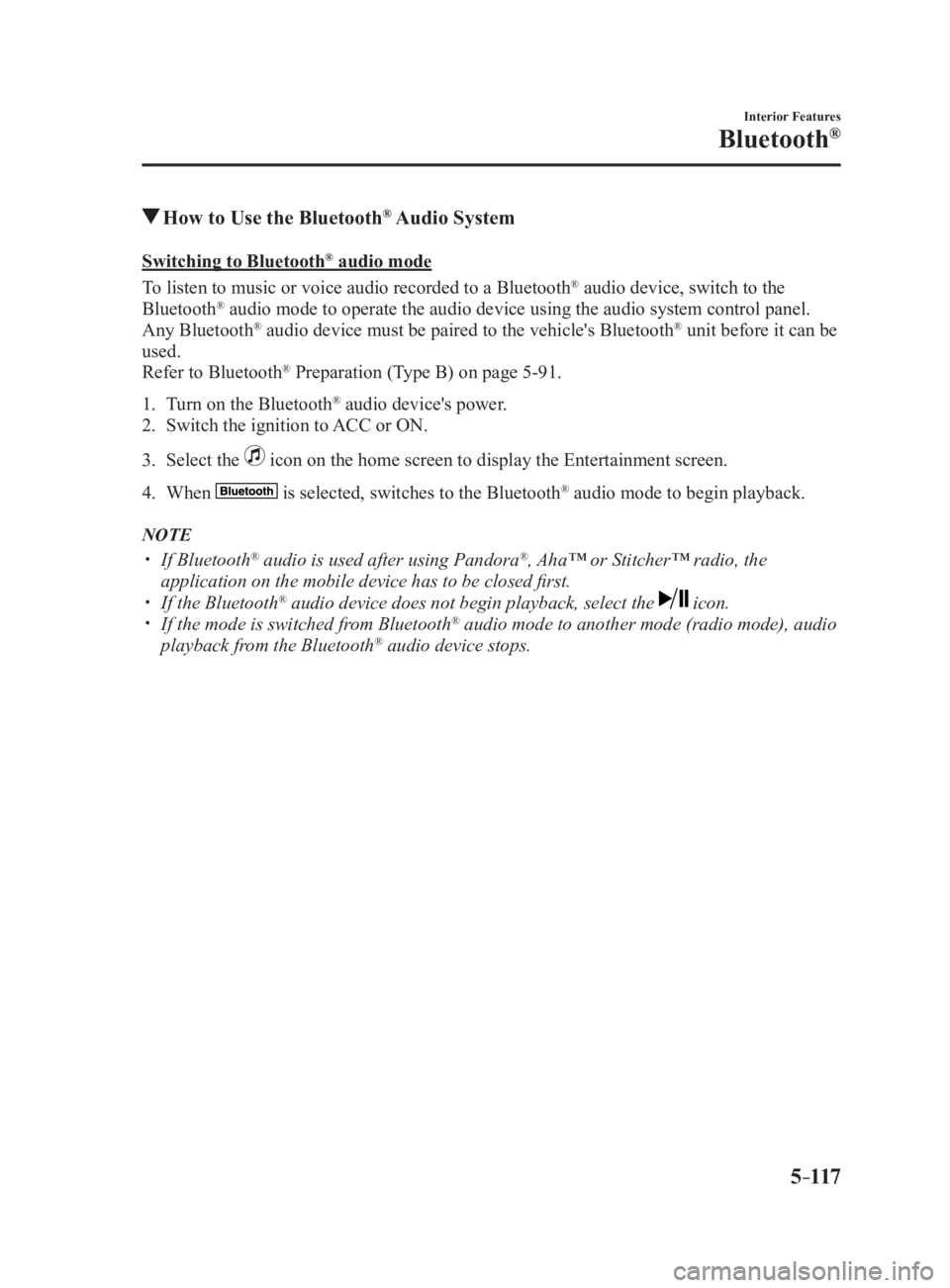
How to Use the Bluetooth ®
Audio SystemSwitching to Bluetooth ®
audio mode
To listen to music or voice audio recorded to a Bluetooth ®
audio device, switch to the
Bluetooth ®
audio mode to operate the audio device using the audio system control panel.
Any Bluetooth ®
audio device must be paired to the vehicle's Bluetooth ®
unit before it can be
used.
Refer to Bluetooth ®
Preparation (Type B) on page 5-91 .
1. Turn on the Bluetooth ®
audio device's power.
2. Switch the ignition to ACC or ON.
3. Select the icon on the home screen to display the Entertainment screen.
4. When is selected, switches to the Bluetooth ®
audio mode to begin playback.
NOTE
If Bluetooth ®
audio is used after using Pandora ®
, Aha™ or Stitcher™ radio, the
application on the mobile device has to be closed first.
If the Bluetooth ®
audio device does not begin playback, select the icon.
If the mode is switched from Bluetooth ®
audio mode to another mode (radio mode), audio
playback from the Bluetooth ®
audio device stops.
MX-5_8FR4-EA-16J_Edition1.indb 117 2016/08/11 20:29:31
Page 342 of 568
5 –120 Interior Features
Bluetooth ®
How to Use Pandora ®
What is Pandora ®
?
Pandora ® *1
is free personalized Internet radio. Simply enter a favorite artist, track, genre,
and Pandora ®
will create a personalized station that plays their music and more like it.
Rate songs by giving thumbs-up and thumbs-down feedback to furt her refine your station,
discover new music and help Pandora ®
play only music you like.
*1 Pandora ®
, the Pandora ®
logo, and the Pandora ®
trade dress are trademarks or registered
trademarks of Pandora Media, Inc., used with permission.
NOTE
To operate Pandora ®
from your Bluetooth ®
device, perform the following in advance:
Create Pandora ®
account on the Web.
Create Pandora ®
station using Pandora ®
application.
Install Pandora ®
application on your device.
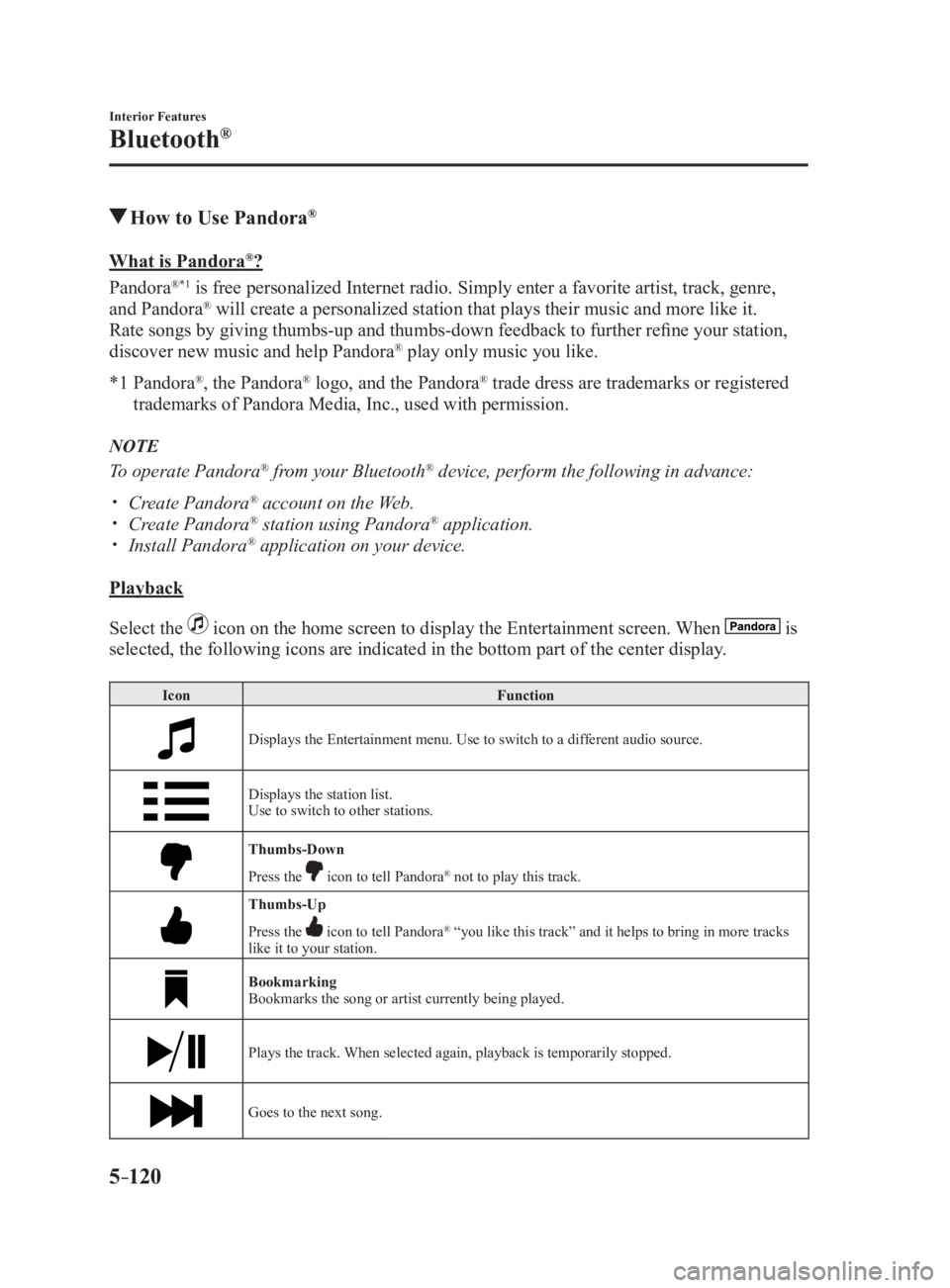
Playback
Select the icon on the home screen to display the Entertainment screen. When is
selected, the following icons are indicated in the bottom part of the center display. Icon Function
Displays the Entertainment menu. Use to switch to a different audio source.
Displays the station list.
Use to switch to other stations.
Thumbs-Down
Press the icon to tell Pandora ®
not to play this track.
Thumbs-Up
Press the icon to tell Pandora ®
“you like this track” and it helps to bring in more tracks
like it to your station.
Bookmarking
Bookmarks the song or artist currently being played.
Plays the track. When selected again, playback is temporarily stopped.
Goes to the next song.
MX-5_8FR4-EA-16J_Edition1.indb 120 2016/08/11 20:29:32
Page 343 of 568
5 –121 Interior Features
Bluetooth ®
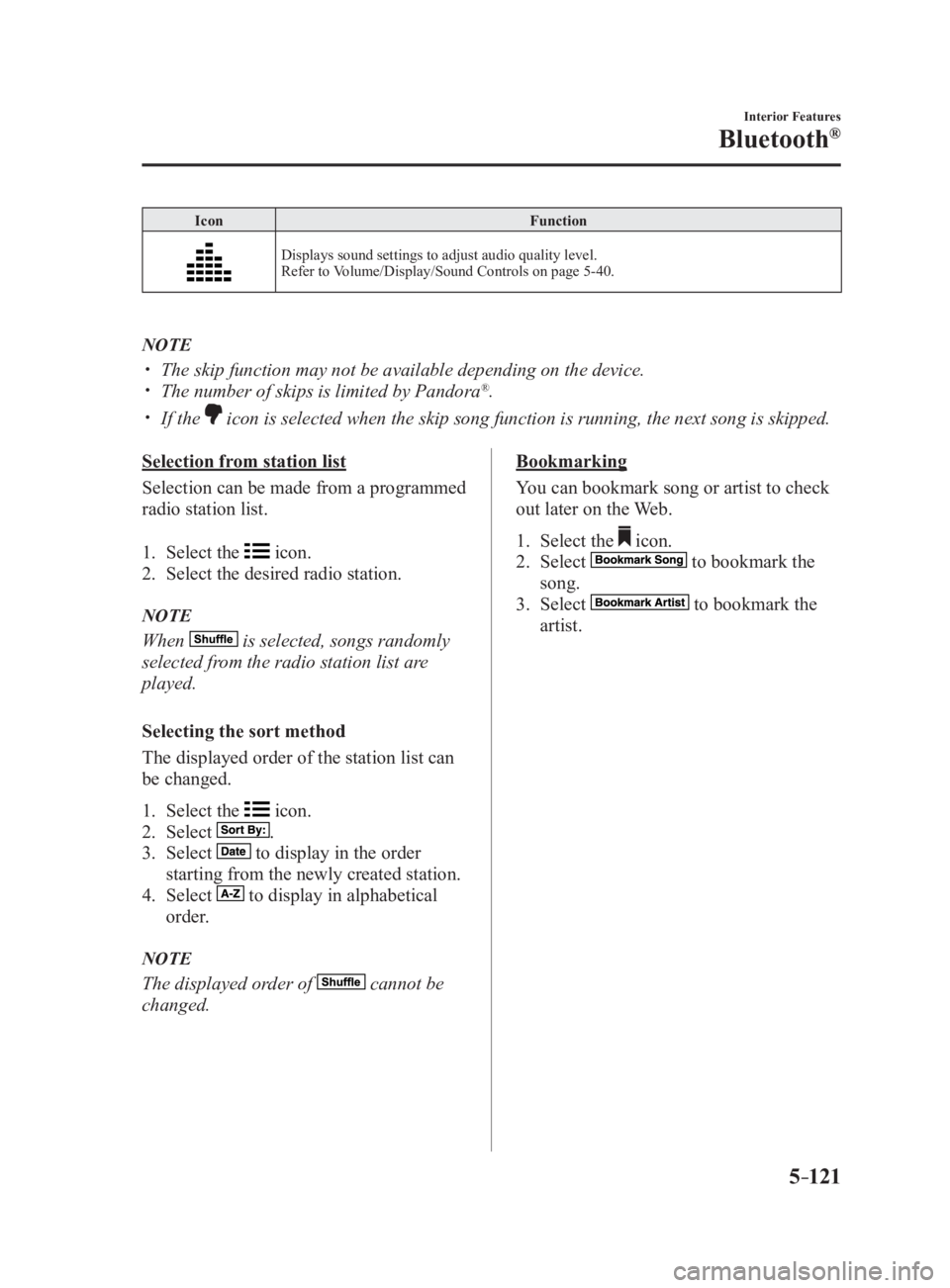
Icon Function
Displays sound settings to adjust audio quality level.
Refer to Volume/Display/Sound Controls on page 5-40 .
NOTE
The skip function may not be available depending on the device.
The number of skips is limited by Pandora ®
.
If the icon is selected when the skip song function is running, the next song is skipped.
Selection from station list
Selection can be made from a programmed
radio station list.
1. Select the icon.
2. Select the desired radio station.
NOTE
When is selected, songs randomly
selected from the radio station list are
played.
Selecting the sort method
The displayed order of the station list can
be changed.
1. Select the icon.
2. Select .
3. Select to display in the order
starting from the newly created station.
4. Select to display in alphabetical
order.
NOTE
The displayed order of cannot be
changed. Bookmarking
You can bookmark song or artist to check
out later on the Web.
1. Select the icon.
2. Select to bookmark the
song.
3. Select to bookmark the
artist.
MX-5_8FR4-EA-16J_Edition1.indb 121 2016/08/11 20:29:32
Page 344 of 568

5 –122 Interior Features
Bluetooth ®
How to Use Aha™What is Aha™?
Aha *1
is an application which can be used to enjoy various Internet content such as Internet
radio and podcasts.
Stay connected to your friends activities by getting updates fr om Facebook and Twitter.
Using the location-based service, nearby services and destinations can be searched or real-
time local information can be obtained.
For details on Aha, refer to “http://www.aharadio.com/”.
*1 Aha, the Aha logo, and the Aha trade dress are trademarks or registered trademarks of
Harman International Industries, Inc., used with permission.
NOTE
The service content provided by Aha varies depending on the country in which the user
resides. In addition, the service is not available in some countries.
To operate Aha from your Bluetooth ®
device, perform the following in advance:
Install the Aha application to your device.
Create an Aha account for your device.
Log onto Aha using your device.
Select the preset station on your device.
Playback
Select the icon on the home screen to display the Entertainment screen. When is
selected, the following icons are displayed at the bottom of the center display. The displayed
icon differs depending on the selected station.
In addition, icons other than the following icons may be displayed. Icon Function
Displays the Entertainment menu. Use to switch to a different audio source.
Displays the main menu.
Use to switch to other stations.
Displays the content list.
Use to switch to other desired content on the station.
Shout
Records voice.
Records voice and posts it as playable audio to Facebook and ot her social stations.
MX-5_8FR4-EA-16J_Edition1.indb 122 2016/08/11 20:29:32
Page 348 of 568

5 –126 Interior Features
Bluetooth ®
How to Use Stitcher™ RadioWhat is Stitcher™ Radio?
Stitcher™ *1
radio is an application which can be used to listen to Internet radio or stream
podcasts.
Recommended content is automatically selected by registering co ntent which you put into
your favorites, or by pressing the Like or Dislike button.
For details on Stitcher™ Radio, refer to “http://stitcher.com/”.
*1 Stitcher™, the Stitcher™ logo, and the Stitcher™ trade dress ar e trademarks or
registered trademarks of Stitcher, Inc., used with permission.
NOTE
To operate Stitcher™ Radio from your Bluetooth ®
device, perform the following in advance:
Install the Stitcher™ Radio application to your device.
Create a Stitcher™ Radio account for your device.
Log onto Stitcher™ Radio using your device.
Playback
Select the icon on the home screen to display the Entertainment screen. When is
selected, the following icons are indicated in the bottom part of the center display. Icon Function
Displays the Entertainment menu. Use to switch to a different audio source.
Displays the station list.
Use to switch to other stations.
Dislike
Evaluates the current program as “Dislike”.
Like
Evaluates the current program as “Like”.
Adds the current station to your favorites or deletes the current station from your favorites.
Reverses for 30 seconds.
MX-5_8FR4-EA-16J_Edition1.indb 126 2016/08/11 20:29:33