tire MAZDA MX5 MIATA 2023 Owner's Manual
[x] Cancel search | Manufacturer: MAZDA, Model Year: 2023, Model line: MX5 MIATA, Model: MAZDA MX5 MIATA 2023Pages: 503, PDF Size: 6.98 MB
Page 207 of 503

The functions of the LDWS have limitations:
Always stay on course using the steering wheel and drive with care. The system is not
designed to compensate for a driver’s lack of caution and if you rely too much on the LDWS it
could lead to an accident. The driver is res ponsible for assuring lane changes and other
maneuvers. Always pay attention to the direction in which the vehicle is traveling and the
vehicle’s surroundings.
CAUTION
Do not modify the suspension. If the vehicle height or the damping force of the suspensions is
changed, the LDWS may not operate correctly.
NOTE
If your vehicle deviates from its traffi c lane, the LDWS operates (warning sound and
indicator light). Steer the vehicle adequately to drive the vehicle to the center of the lane.
When the turn signal lever is operated for a lane change, the LDWS warning is
automatically canceled. The LDWS warning becomes operable when the turn signal lever
is returned and the system detects the white or yellow lines.
If the steering wheel, accelerator pedal, or brake pedal is operated abruptly and the
vehicle moves close to a white or yellow line, the system determines that the driver is
making a lane change and the LDWS warning is automatically canceled.
The LDWS may not operate during the period immediately after the vehicle has deviated
from its lane and the LDWS has operated, or the vehicle deviates from its lane repeatedly
within a short period of time.
The LDWS does not operate if it does not dete ct the white or yellow lines of the traffic
lane.
Under the following conditions, the LDWS may not be able to detect white or yellow lines
correctly and the LDWS may not operate correctly.
If an object placed on the dashboard is reflected in the windshield and picked up by the
camera.
Heavy luggage is loaded in the luggage compartment the vehicle is inclined.
The tire pressures are not adjusted to the specified pressure.
When the vehicle is driven on the entry and exit to or from the rest area or tollgate of a
highway.
The white or yellow lines are less visible because of dirt or paint flaking.
The vehicle ahead is running near a white or yellow line and the line is less visible.
A white or yellow line is less visible because of bad weather (rain, fog, or snow).
The vehicle is driven on a temporary lane or section with a closed lane due to
construction.
When Driving
i-ACTIVSENSE
4-80
MX-5_8LE7-EA-22K_Edition1_old 2022-8-4 8:12:24
Page 218 of 503

Stop sign
Sign recognized and
displayed at same time
Instrument cluster
WA R N I N G
Always check the traffic signs visually while driving.
The TSR helps prevent the driver from overlookin g traffic signs and provides support for safer
driving. Depending on the weath er conditions or problems with
traffic signs, a
traffic sign
may not be recognized or a traffic sign different from the actual traffic sign may be displayed.
Always make it your responsibility as a driver to check the actual
traffic signs. Otherwise, it
could result in an accident.
NOTE
The TSR does not operate if there is a malf unction in the Forward Sensing Camera (FSC).
Under the following conditions, the TSR may not operate normally.
An object placed on the dashboard is reflected in the windshield and picked up by the
camera.
Heavy luggage is loaded in the luggage compartment or on the rear seat and the
vehicle is tilted.
The tire pressures are not adjusted to the specified pressure.
Tires other than standard tires are equipped.
The vehicle is driven on the ramp and surrounding area to or from a rest area or a
tollgate on a highway.
When surrounding brightness suddenly changes such as when entering or exiting a
tunnel.
When Driving
i-ACTIVSENSE
4-91
MX-5_8LE7-EA-22K_Edition1_old 2022-8-4 8:12:24
Page 228 of 503
If you suddenly come close to a vehicle ahead.
2-wheeled vehicles, pedestrians, animals or standing trees.
Vehicle is driven with some of the tires having significant wear.
During the SCBS brake control, the brake pedal may move rearward or become stiff. The
brakes are operating, but continue to depress the brake pedal.
(Manual transmission)
If the vehicle is stopped by the Smart City Brake Support (SCBS) operation and the clutch
pedal is not depressed, the engine stops.
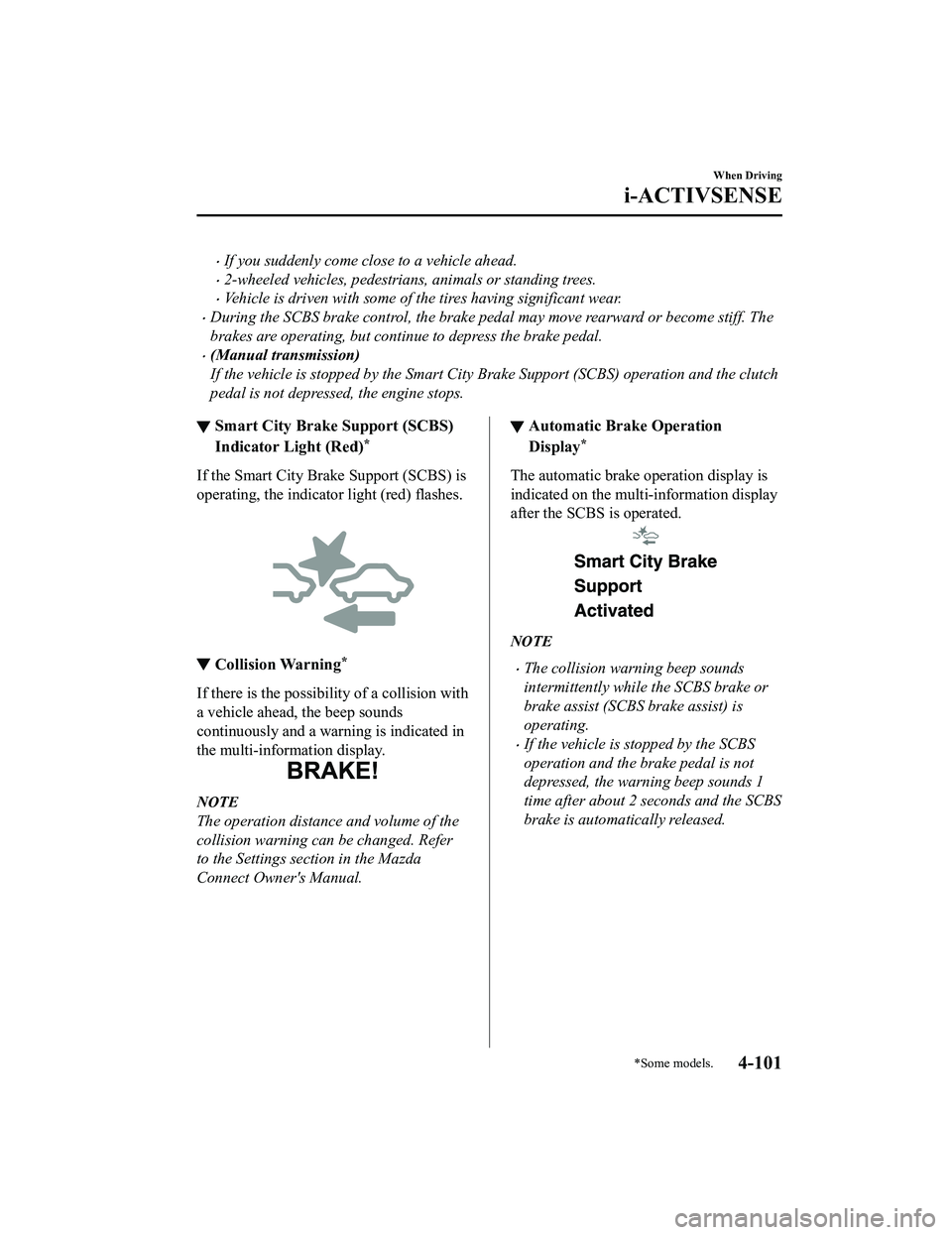
▼Smart City Brake Support (SCBS)
Indicator Light (Red)*
If the Smart City Br
ake Support (SCBS) is
operating, the indicator light (red) flashes.
▼ Collision Warning*
If there is the possibility of a collision with
a vehicle ahead, the beep sounds
continuously and a warning is indicated in
the multi-information display.
NOTE
The operation distance and volume of the
collision warning can be changed. Refer
to the Settings se
ction in the Mazda
Connect Owner's Manual.
▼ Automatic Brake Operation
Display*
The automatic brake operation display is
indicated on the multi-information display
after the SCBS is operated.
NOTE
The collision warning beep sounds
intermittently while the SCBS brake or
brake assist (SCBS brake assist) is
operating.
If the vehicle is stopped by the SCBS
operation and the brake pedal is not
depressed, the warning beep sounds 1
time after about 2 seconds and the SCBS
brake is automatically released.
When Driving
i-ACTIVSENSE
*Some models.4-101
MX-5_8LE7-EA-22K_Edition1_old
2022-8-4 8:12:24
Page 231 of 503

Heed the following cautions to assure the correct operation of the Forward Sensing Camera
(FSC).
Be careful not to scratch the Forward Sensing Camera (FSC) lens or allow it to get dirty.
Do not remove the Forward Sensing Camera (FSC) cover.
Do not place objects on the dashboard which reflect light.
Always keep the windshield glass around the camera clean by removing dirt or fogging.
Use the windshield defroster to remove fogging on the windshield.
Consult an Authorized Mazda Dealer regardi ng cleaning the interior side of the
windshield around the Forw ard Sensing Camera (FSC).
Consult an Authorized Mazda Dealer before performing repairs around the Forward
Sensing Camera (FSC).
The Forward Sensing Camera (FSC) is installe d to the windshield. Consult an Authorized
Mazda Dealer for windshield repair and replacement.
When cleaning the wind shield, do not allow glass cleaners or similar cleaning fluids to
get on the Forward Sensing Camera (FSC) le ns. In addition, do not touch the Forward
Sensing Camera (FSC) lens.
When performing repairs around the rearv iew mirror, consult an Authorized Mazda
Dealer.
Consult an Authorized Mazda Dealer regarding cleaning of the camera lens.
Do not hit or apply strong force to the Forward Sensing Camera (FSC) or the area around
it. If the Forward Sensing Camera (FSC) is severely hit or if there are cracks or damage
caused by flying gravel or debris in the area around it, stop using the following systems
and consult an Authorized Mazda Dealer.
High Beam Control System (HBC)
Lane Departure Warning System (LDWS)
Traffic Sign Recognition System (TSR)
Smart City Brake Support (SCBS)
The direction in which the Forward Sensing Camera (FSC) is pointed has been finely
adjusted. Do not change the installation posi tion of the Forward Sensing Camera (FSC) or
remove it. Otherwise, it could result in damage or malfunction.
Always use tires for all wheels that are of the specified size, and the same manufacturer,
brand, and tread pattern. In addition, do no t use tires with significantly different wear
patterns on the same vehicle as the system may not operate normally.
The Forward Sensing Camera (FSC) includes a function for detecting a soiled windshield
and informing the driver, however, depending on the conditions, it may not detect plastic
shopping bags, ice or snow on the windshield. In such cases, the system cannot accurately
determine a vehicle ahead and may not be able to operate normally. Always drive carefully
and pay attention to the road ahead.
When Driving
i-ACTIVSENSE
4-104
MX-5_8LE7-EA-22K_Edition1_old 2022-8-4 8:12:24
Page 232 of 503

NOTE
In the following cases, the Forward Sensing Camera (FSC) cannot detect target objects
correctly, and each system may be unable to operate normally.
The height of the vehicle ahead is low.
You drive your vehicle at the same speed as the vehicle ahead.
Headlights are not turned on during the night or when going through a tunnel.
In the following cases, the Forward Sensing Camera (FSC) may not be able to detect
target objects correctly.
Under bad weather condition, such as rain, fog and snow.
The window washer is being used or the windshield wipers are not used when it's
raining.
Ice, fog, snow, frost, rainfall, dirt, or foreign matter such as a plastic bag is stuck on the
windshield.
Trucks with low loading platforms and vehicl es with an extremely low or high profile.
When driving next to walls with no patterning (including fences and longitudinally
striped walls).
The taillights of the vehicle ahead are turned off.
A vehicle is outside the illumi nation range of the headlights.
The vehicle is making a sharp turn, or ascending or descending a steep slope.
Entering or exiting a tunnel.
Heavy luggage is loaded causing the vehicle to tilt.
Strong light is shone at the front of the vehicle (back light or high-beam light from
on-coming vehicles).
There are many light emitters on the vehicle ahead.
When the vehicle ahead is not equipped with taillights or the taillights are turned off at
nighttime.
Elongated luggage or cargo is loaded onto installed roof rails and covers the Forward
Sensing Camera (FSC).
Exhaust gas from the vehicle in front, sand, snow, and water vapor rising from
manholes and grating, and water splashed into the air.
When towing a malfunctioning vehicle.
The vehicle is driven with tires having significantly different wear.
The vehicle is driven on down slopes or bumpy roads.
There are water puddles on the road.
The surroundings are dark such as during the night, early evening, or early morning, or
in a tunnel or indoor parking lot.
The illumination brightness of the headlights is reduced or the headlight illumination is
weakened due to dirt or a deviated optical axis.
The target object enters the blind spot of the Forward Sensing Camera (FSC).
A person or object bursts onto the road from the shoulder or cuts right in front of you.
When Driving
i-ACTIVSENSE
4-105
MX-5_8LE7-EA-22K_Edition1_old 2022-8-4 8:12:24
Page 233 of 503

You change lanes and approach a vehicle ahead.
When driving extremely close to the target object.
Tire chains or a temporary spare tire is installed.
The vehicle ahead has a special shape. For example, a vehicle towing a trailer house or
a boat, or a vehicle carrier carrying a vehicle with its front pointed rearward.
If the Forward Sensing Camera (FSC) cannot operate normally due to backlight or fog,
the system functions related to the Forward Sensing Camera (FSC) are temporarily
stopped and the following warning lights turn on. However, this does not indicate a
malfunction.
High Beam Control System (HBC) warning light (amber)
Lane Departure Warning System (LDW S) warning indication/warning light
Smart City Brake Support (SCBS) warn ing indication/warning light (amber)
If the Forward Sensing Camera (FSC) cannot operate normally due to high temperatures,
the system functions related to the Forward Sensing Camera (FSC) are temporarily
stopped and the following warn ing lights turn on. However, this does not indicate a
malfunction. Cool down the area around the Forward Sensing Camera (FSC) such as by
turning on the air conditioner.
High Beam Control System (HBC) warning light (amber)
Lane Departure Warning System (LDW S) warning indication/warning light
Smart City Brake Support (SCBS) warn ing indication/warning light (amber)
If the Forward Sensing Camera (FSC) detects that the windshield is dirty or foggy, the
system functions related to the Forward Sensing Camera (FSC) are temporarily stopped
and the following warning lights turn on. Ho wever, this does not indicate a problem.
Remove the dirt from the windshield or press the defroster switch and defog the
windshield.
High Beam Control System (HBC) warning light (amber)
Lane Departure Warning System (LDW S) warning indication/warning light
Smart City Brake Support (SCBS) warn ing indication/warning light (amber)
If there are recognizable cracks or damage caused by flying gravel or debris on the
windshield, always have the windshield replaced. Consult an Authorized Mazda Dealer
for replacement.
When Driving
i-ACTIVSENSE
4-106
MX-5_8LE7-EA-22K_Edition1_old 2022-8-4 8:12:24
Page 241 of 503

Tire Pressure Monitoring System
The Tire Pressure Monitoring System (TPMS) monitors the pressure for each tire.
If tire pressure is too low in one or more tires, the system will inform the driver via the
warning light in the instrument cluster and by the warning beep sound.
Refer to Contact Authorized Mazda Dealer and Have Vehicle Inspected on page 7-36.
Refer to Taking Action on page 7-40.
Refer to Tire Inflation Pressure Warning Beep on page 7-50.
The tire pressure sensors installed on each wheel send tire pressure data by radio signal to
the receiver unit in the vehicle.
Tire pressure sensors
NOTE
When the ambient temperature is low due to seasonal changes, tire temperatures are also
lower. When the tire temperature decreases, the air pressure decreases as well. The TPMS
warning light may illumina te more frequently. Visually inspect the tires daily before driving,
and check tire pressures monthly with a tire pressure gauge. When checking tire pressures,
use of a digital tire pressure gauge is recommended.
TPMS does not alleviate your need to check the pressure and condition of all four tires
regularly.
When Driving
Tire Pressure Monitoring System
4-114
MX-5_8LE7-EA-22K_Edition1_old 2022-8-4 8:12:24
Page 242 of 503

CAUTION
Each tire, including the spare (if provided), should be checked monthly when cold and
inflated to the inflation pressure recommended by the vehicle manufacturer on the vehicle
placard or tire inflation pressure label. (If your vehicle has tires of a different size than the
size indicated on the vehicle placard or tire inflation pressure label, you should determine
the proper tire inflation pressure for those tires.)
As an added safety feature, your vehicle ha s been equipped with a tire pressure monitoring
system (TPMS) that illuminates a low tire pre ssure telltale when one or more of your tires is
significantly under-inflated. Accordingly, when th e low tire pressure telltale illuminates, you
should stop and check your tires as soon as possible, and inflate them to the proper
pressure. Driving on a significantly under-in flated tire causes the tire to overheat and can
lead to tire failure. Under-inflation also reduce s fuel efficiency and tire tread life, and may
affect the vehicle's handling and stopping ability.
Please note that the TPMS is not a substitute for proper tire maintenance, and it is the
driver's responsibility to maintain correct ti re pressure, even if under-inflation has not
reached the level to trigger illumination of the TPMS low tire pressure telltale.
Your vehicle has also been equipped with a TPMS malfunction indicator to indicate when
the system is not operating properly.
The TPMS malfunction indicator is combined with the low tire pressure telltale. When the
system detects a malfunction, the telltale wi ll flash for approximately one minute and then
remain continuously illuminated. This sequen ce will continue upon subsequent vehicle
start-ups as long as the malfunction exists. When the malfunction indicator is illuminated,
the system may not be able to detect or signal low tire pressure as intended. TPMS
malfunctions may occur for a variety of reasons, including the installation of replacement
or alternate tires or wheels on the vehicle th at prevent the TPMS from functioning properly.
Always check the TPMS malfunction telltale after replacing one or more tires or wheels on
your vehicle to ensure that the replacement or alternate tires and wheels allow the TPMS to
continue to function properly.
To avoid false readings, the system samples fo r a little while before indicating a problem. As
a result it will not instantaneously regi ster a rapid tire deflation or blow out.
When Driving
Tire Pressure Monitoring System
4-115
MX-5_8LE7-EA-22K_Edition1_old 2022-8-4 8:12:24
Page 243 of 503

▼System Error Activation
When the warning light
flashes, there may
be a system malfunction. Consult an
Authorized Mazda Dealer.
A system error activation may occur in the
following cases:
When there is equipment or a device
near the vehicle using the same radio
frequency as that of the tire pressure
sensors.
When a metallic device such as a
non-genuine navigation system is
equipped near the center of the
dashboard, which may block radio
signals from the tire pressure sensor to
the receiver unit.
When using the following devices in the
vehicle that may cause radio
interference with the receiver unit.
A digital device such as a personal
computer.
A current converter device such as a
DC-AC converter.
When excess snow or ice adheres to the
vehicle, especially around the wheels.
When the tire pressure sensor batteries
are exhausted.
When using a wheel with no tire
pressure sensor installed.
When using tires with steel wire
reinforcement in the sidewalls.
When using tire chains.
▼Tires and Wheels
CAUTION
When inspecting or adjusting the tire air
pressures, do not apply excessive force to
the stem part of the wheel unit. The stem
part could be damaged.
Changing tires and wheels
The following procedure allows the TPMS
to recognize a tire pressure sensor's unique
ID signal code whenever tires or wheels
are changed, such as changing to and from
winter tires.
NOTE
Each tire pressure sensor has a unique ID
signal code. The signal code must be
registered with the TPMS before it can
work. The easiest way to
do it is to have
an Authorized Mazda Dealer, change your
tire and complete ID signal code
registration.
When having tires changed at an
Authorized Mazda Dealer
When an Authorized Mazda Dealer,
changes your vehicle's tires, they will
complete the tire pressure sensor ID signal
code registration.
When Driving
Tire Pressure Monitoring System
4-116
MX-5_8LE7-EA-22K_Edition1_old 2022-8-4 8:12:24
Page 244 of 503

When changing tires yourself
If you or someone else changes tires, you
or someone else can also undertake the
steps for the TPMS to complete the ID
signal code registration.
1. After tires have been changed, switch
the ignition ON, then back to ACC or
OFF.
2. Wait for about 15 minutes.
3. After about 15 minutes, drive the vehicle at a speed of at least 25 km/h
(16 mph) for 10 minutes and the tire
pressure sensor ID signal code will be
registered automatically.
NOTE
If the vehicle is driven within about 15
minutes of changing tires, the tire pressure
monitoring system warning light will flash
because the sensor ID signal code would
not have been registered. If this happens,
park the vehicle fo r about 15 minutes,
after which the sensor ID signal code will
register upon driving the vehicle for 10
minutes.
Replacing tires and wheels
CAUTION
When replacing/repairing the tires or
wheels or both, have the work done by
an Authorized Mazda Dealer, or the tire
pressure sensors may be damaged.
The wheels equipped on your Mazda are
specially designed for installation of the
tire pressure sensors. Do not use
non-genuine wheels, otherwise it may
not be possible to install the tire pressure
sensors.
Be sure to have the tire pressure sensors
installed whenever tires or wheels are
replaced.
When having a tire or wheel or both
replaced, the following types of tire
pressure sensor installations are possible.
The tire pressure sensor is removed
from the old wheel and installed to the
new one.
The same tire pressure sensor is used
with the same wheel. Only the tire is
replaced.
A new tire pressure sensor is installed to
a new wheel.
NOTE
The tire pressure sensor ID signal code
must be registered when a new tire
pressure sensor is purchased. For
purchase of a tire pressure sensor and
registration of the tire pressure sensor
ID signal code, consult an Authorized
Mazda Dealer.
When reinstalling a previously removed
tire pressure sensor to a wheel, replace
the grommet (seal between valve body/
sensor and wheel) for the tire pressure
sensor.
When Driving
Tire Pressure Monitoring System
4-117
MX-5_8LE7-EA-22K_Edition1_old 2022-8-4 8:12:24