service MERCEDES-BENZ A CLASS 2012 Owner's Manual
[x] Cancel search | Manufacturer: MERCEDES-BENZ, Model Year: 2012, Model line: A CLASS, Model: MERCEDES-BENZ A CLASS 2012Pages: 356, PDF Size: 4.96 MB
Page 218 of 356
while driving will distract you from traffic con-
ditions. You could then lose control of the
vehicle. There is a risk of an accident.
Only
operate these devices if road traffic con-
ditions permit. If you are unsure about the
surrounding conditions, pull over to a safe
location and make entries only while the vehi-
cle is stationary.
When telephoning, you must observe the
legal requirements for the country in which
you are currently driving.
X Switch on your mobile phone and audio
system or COMAND Online, see the sepa-
rate operating instructions.
X Place a mobile phone in the mobile phone
bracket ( Y page 279), or establish a Blue-
tooth ®
connection with the audio system
or
COMAND Online (see the separate oper-
ating instructions).
X Press the =
or ; button on the steer-
ing wheel to select the Tel menu.
You will see one of the following display mes-
sages in the multifunction display:
R Please
enter PIN: the mobile phone has
been placed in the mobile phone bracket
and the PIN has not been entered.
When you enter your PIN via the mobile
phone, LINGUATRONIC, the audio system
or COMAND Online, the mobile phone
searches for a network.
R Telephone ready or the name of the net-
work provider: the mobile phone has found
a network and is ready to receive.
R Telephone No service: there is no net-
work available or the mobile phone is
searching for a network.
i You can obtain further information about
suitable mobile phones and connecting
mobile phones via Bluetooth ®
:
R from any Mercedes Benz Service Centre
R on the Internet at: http://
www.mercedes-benz.com/connect Accepting a call
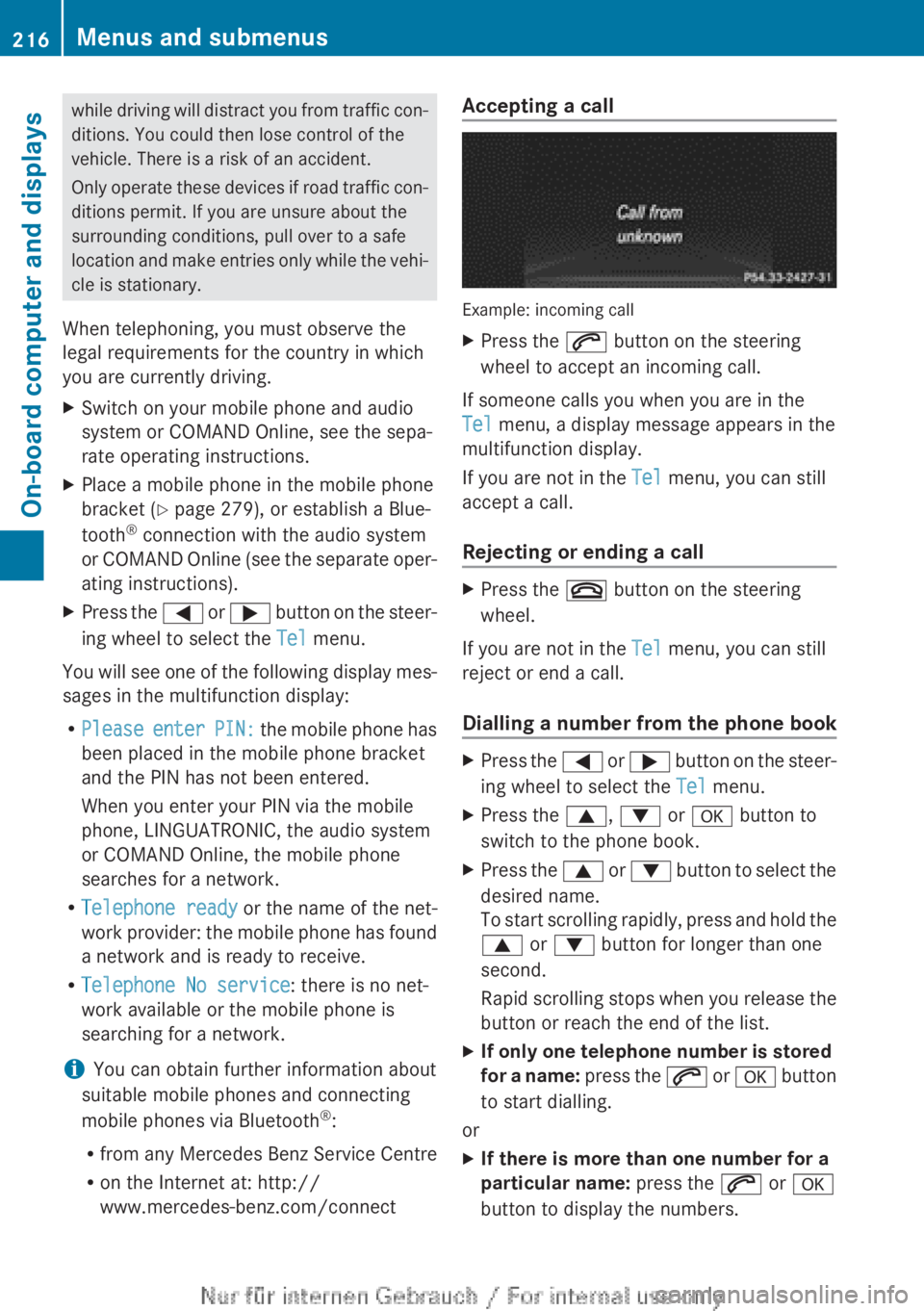
Example: incoming call
X
Press the 6 button on the steering
wheel to accept an incoming call.
If someone calls you when you are in the
Tel menu, a display message appears in the
multifunction display.
If you are not in the Tel menu, you can still
accept a call.
Rejecting or ending a call X
Press the ~ button on the steering
wheel.
If you are not in the Tel menu, you can still
reject or end a call.
Dialling a number from the phone book X
Press the =
or ; button on the steer-
ing wheel to select the Tel menu.
X Press the 9, : or a button to
switch to the phone book.
X Press the 9
or : button to select the
desired name.
To start scrolling rapidly, press and hold the
9 or : button for longer than one
second.
Rapid scrolling stops when you release the
button or reach the end of the list.
X If only one telephone number is stored
for
a name: press the 6 or a button
to start dialling.
or
X If there is more than one number for a
particular name: press the 6 or a
button to display the numbers. 216
Menus and submenus
On-board computer and displays
Page 221 of 356
Further information on the distance warning
function (
Y page 62).
Activating/deactivating ATTENTION
ASSIST X
Press the = or ; button on the steer-
ing wheel to select the Assist. menu.
X Press the 9 or : button to select
ATTENTION ASSIST.
X Press the a button.
The current selection is displayed.
X To activate/deactivate: press the a
button again.
When ATTENTION ASSIST is deactivated,
the é
symbol appears in the multifunc-
tion display in the assistance graphics dis-
play.
For further information about ATTENTION
ASSIST, see ( Y page 195).
Activating/deactivating Blind Spot
Assist X
Press the =
or ; button on the steer-
ing wheel to select the Assist. menu.
X Press the 9 or : button to select
Blind Spot Assist.
X Press the a button.
The current selection is displayed.
X To activate/deactivate: press the a
button again.
For further information about Blind Spot
Assist, see (Y page 197).
When the Blind Spot Assist Sensors
deactivated message is shown, the radar
sensors are deactivated.
X Switch on the radar sensor system
(Y page 223). Activating/deactivating Lane Keeping
Assist X
Press the =
or ; button on the steer-
ing wheel to select the Assist. menu.
X Press the 9 or : button to select
Lane Keeping Assist.
X Press the a button.
The current selection is displayed.
X Press a to confirm.
X Press the : or 9 button to set Off,
Standard or Adaptive.
X Press the a button to save the setting.
When
Lane Keeping Assist is activated, the
multifunction display shows the lane mark-
ings as bright lines in the assistance
graphic.
For further information about Lane Keeping
Assist, see (Y page 199). Service menu
In the
Serv. menu, you have the following
options:
R Calling up display messages in the mes-
sage memory
(Y page 229)
R Restarting the tyre pressure loss warning
system (Y page 323)
R Calling up the service due date
(Y page 289) Menus and submenus
219
On-board computer and displays Z
Page 222 of 356
Settings menu
Introduction In the
Settings menu, you have the following
options:
R changing the instrument cluster settings
R changing the light settings
R changing the vehicle settings
R changing the auxiliary heating settings
(Y page 224)
R changing the convenience settings
R restoring the factory settings
Instrument cluster Selecting the unit of measurement for dis-
tance
You
can determine whether the multifunction
display shows some messages in miles or kil-
ometres.
X Press the =
or ; button on the steer-
ing wheel to select the Settings menu.
X Press the :
or 9 button to select the
Inst. cluster submenu.
X Press a to confirm.
X Press the :
or 9 button to select the
Display unit Speed-/odometer: func-
tion.
You will see the selected setting km or
miles.
X Press the a button to save the setting.
The selected unit of measurement for dis-
tance applies to:
R the digital speedometer in the Trip menu
R the total distance recorder and the trip
meter R
the trip computer
R the current consumption and the range
R the navigation instructions in the Navi
menu
R cruise control
R SPEEDTRONIC
R DISTRONIC PLUS
R ASSYST PLUS service interval display
Switching the additional speedometer
on/off
Only
vehicles with manual transmission have
this function.
X Press the =
or ; button on the steer-
ing wheel to select the Settings menu.
X Press the :
or 9 button to select the
Inst. cluster submenu.
X Press a to confirm.
X Press : or 9 to select the Dig.
speedo [mph]: function.
You will see the selected setting: Activa‐
ted or Deactivated.
X Press the a button to save the setting.
i The speed is displayed in mph.
i Vehicles for the United Kingdom: this
function is unavailable.
The Dig.
speedo [mph] function allows you
to choose whether the status area in the mul-
tifunction display always shows the speed in
mph instead of the outside temperature.
Selecting the permanent display function
i Vehicles for the United Kingdom: this
function is unavailable.
You can determine whether the multifunction
display permanently shows your speed or the
outside temperature.
X Press the =
or ; button on the steer-
ing wheel to select the Settings menu.
X Press the :
or 9 button to select the
Inst. cluster submenu.
X Press a to confirm.220
Menus and submenus
On-board computer and displays
Page 224 of 356
qualified specialist workshop, e.g. a
Mercedes-Benz Service Centre.
Switching Adaptive Highbeam Assist on/
off
This
function is only available on vehicles with
the Intelligent Light System.
X Press the =
or ; button on the steer-
ing wheel to select the Settings menu.
X Press the :
or 9 button to select the
Lights submenu.
X Press a to confirm.
X Press the :
or 9 button to select the
Adapt. main beam function.
If the Adapt. main beam function has
been switched on, the cone of light and the
_ symbol in the multifunction display
are shown in orange.
X Press the a button to save the setting.
For further information about Adaptive High-
beam Assist, see ( Y page 110).
Setting the brightness of the ambient
lighting
X Press the =
or ; button on the steer-
ing wheel to select the Settings menu.
X Press the :
or 9 button to select the
Lights submenu.
X Press a to confirm.
X Press the :
or 9 button to select the
Amb. light +/- function.
You will see the selected setting.
X Press a to confirm.
X Press the :
or 9 button to adjust the
brightness to any level from Off toLevel
5 (bright).
X Press the a or %
button to save the
setting.
Activating/deactivating the surround
lighting and exterior lighting delayed
switch-off
If you have activated the Surround light‐
ing function and the light switch is set to Ã, the following functions are activated
when it is dark:
R
surround lighting: the exterior lighting
remains lit for 40 seconds after unlocking
with the key. If you start the engine, the
surround lighting is switched off and auto-
matic headlamp mode is activated
(Y page 105).
R exterior lighting delayed switch-off: the
exterior lighting remains lit for
60
seconds after the engine is switched off.
If you close all the doors and the tailgate,
the exterior lighting goes off after
15 seconds.
X Press the =
or ; button on the steer-
ing wheel to select the Settings menu.
X Press the :
or 9 button to select the
Lights submenu.
X Press a to confirm.
X Press the :
or 9 button to select the
Surround lighting function.
When the Surround lighting function is
activated, the light cone and the area
around the vehicle are displayed in orange
in the multifunction display.
X Press the a button to save the setting.
Deactivating delayed switch-off of the exte-
rior lighting temporarily:
X Before leaving the vehicle, turn the key to
position 0 in the ignition lock.
X Turn the key to position 2 in the ignition
lock.
The exterior lighting delayed switch-off is
deactivated.
Delayed switch-off of the exterior lighting is
reactivated the next time you start the
engine.
i Depending on your vehicle's equipment,
when the surround lighting and delayed
switch-off exterior lighting are on, the fol-
lowing light up:
R side lamps
R foglamps222
Menus and submenus
On-board computer and displays
Page 231 of 356
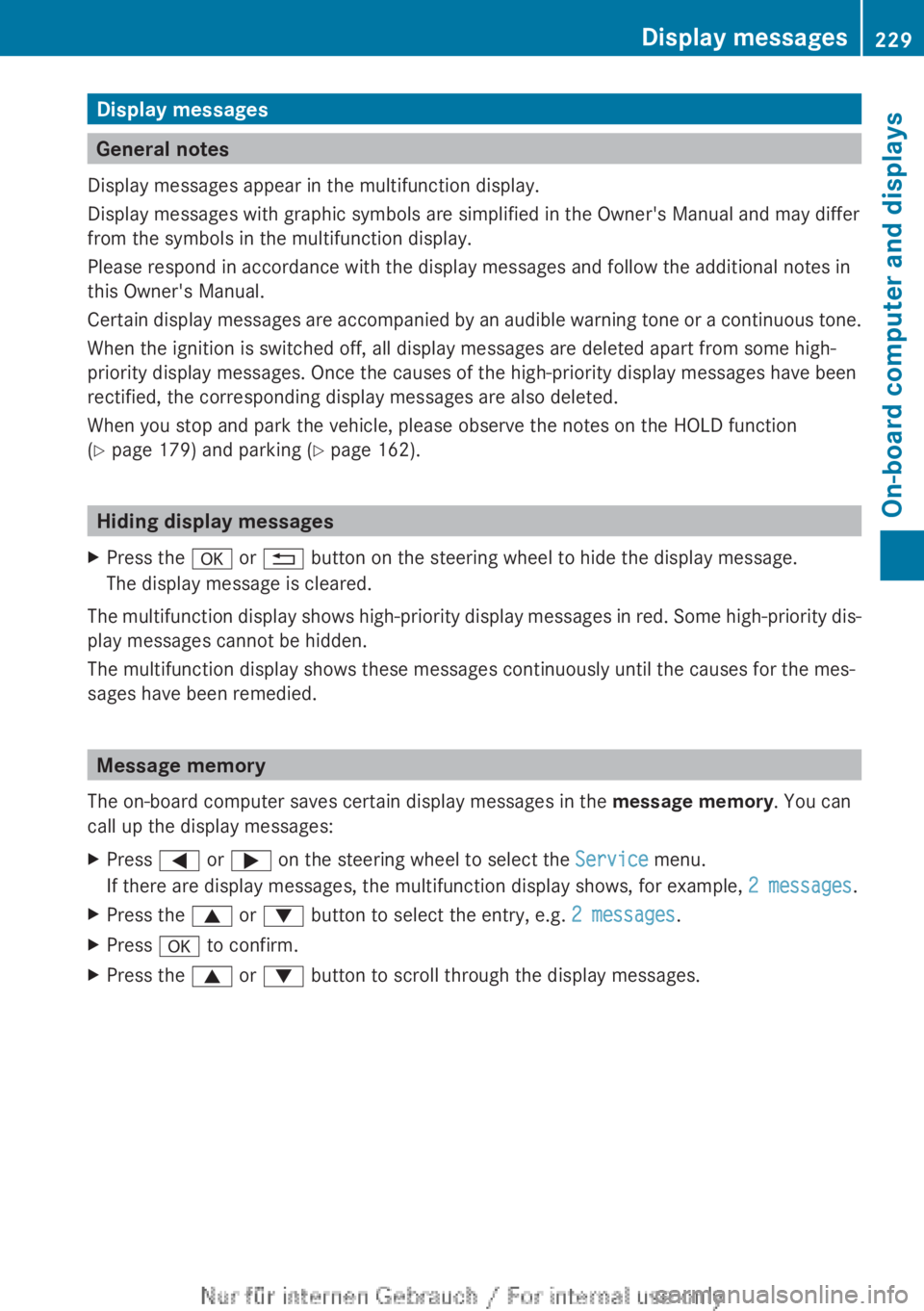
Display messages
General notes
Display messages appear in the multifunction display.
Display messages with graphic symbols are simplified in the Owner's Manual and may differ
from the symbols in the multifunction display.
Please respond in accordance with the display messages and follow the additional notes in
this Owner's Manual.
Certain
display messages are accompanied by an audible warning tone or a continuous tone.
When the ignition is switched off, all display messages are deleted apart from some high-
priority display messages. Once the causes of the high-priority display messages have been
rectified, the corresponding display messages are also deleted.
When you stop and park the vehicle, please observe the notes on the HOLD function
(Y page 179) and parking ( Y page 162).Hiding display messages
X Press the a or % button on the steering wheel to hide the display message.
The display message is cleared.
The multifunction display shows high-priority display messages in red. Some high-priority dis-
play messages cannot be hidden.
The multifunction display shows these messages continuously until the causes for the mes-
sages have been remedied. Message memory
The on-board computer saves certain display messages in the message memory. You can
call up the display messages:
X Press = or ; on the steering wheel to select the Service menu.
If there are display messages, the multifunction display shows, for example, 2 messages.
X Press the 9 or : button to select the entry, e.g. 2 messages.
X Press a to confirm.
X Press the 9 or : button to scroll through the display messages. Display messages
229
On-board computer and displays Z
Page 258 of 356
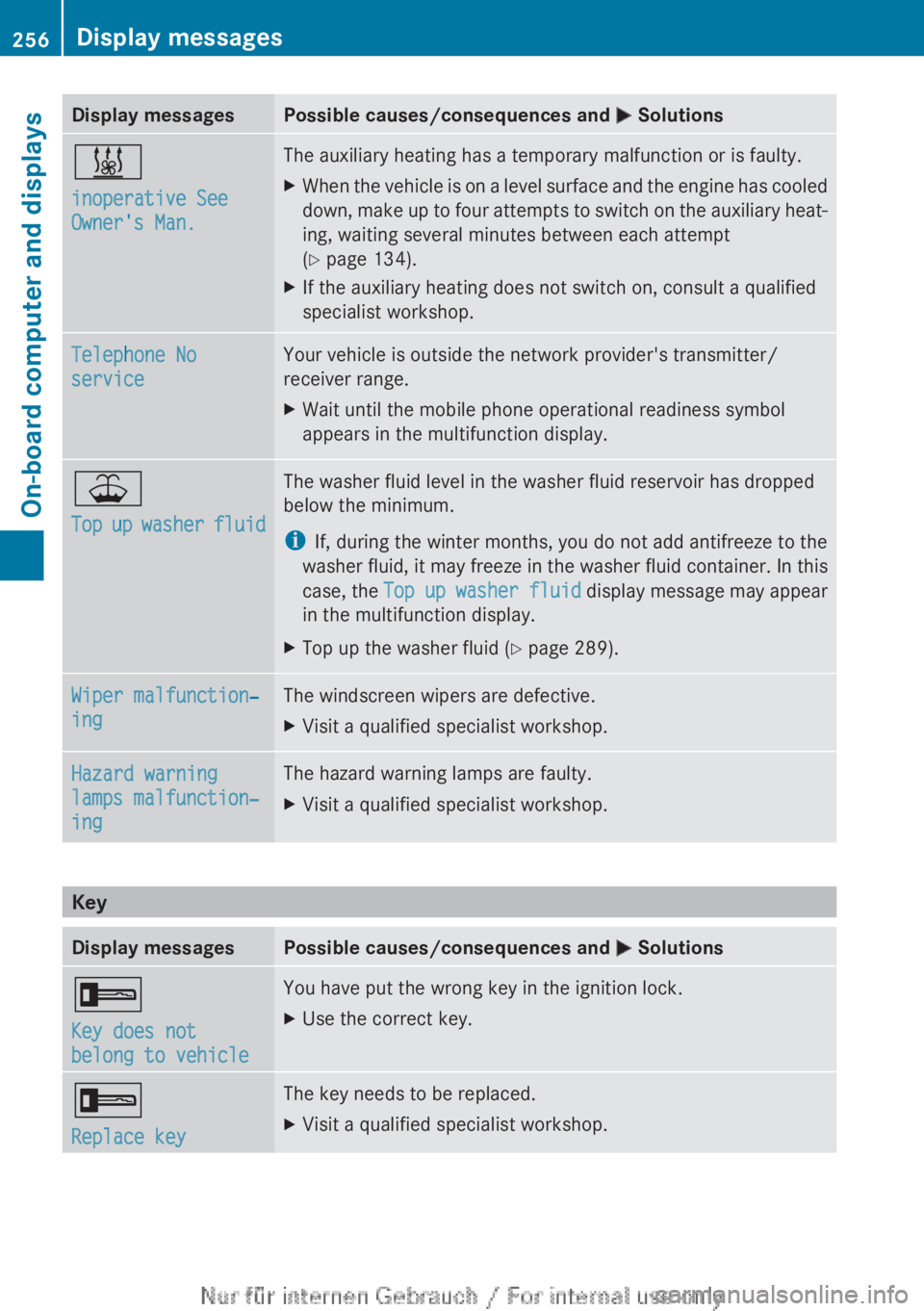
Display messages Possible causes/consequences and
M Solutions&
inoperative See
Owner's Man. The auxiliary heating has a temporary malfunction or is faulty.
X
When the vehicle is on a level surface and the engine has cooled
down,
make up to four attempts to switch on the auxiliary heat-
ing, waiting several minutes between each attempt
(Y page 134).
X If the auxiliary heating does not switch on, consult a qualified
specialist workshop. Telephone No
service Your vehicle is outside the network provider's transmitter/
receiver range.
X
Wait until the mobile phone operational readiness symbol
appears in the multifunction display. ¥
Top
up washer fluid The washer fluid level in the washer fluid reservoir has dropped
below the minimum.
i
If, during the winter months, you do not add antifreeze to the
washer
fluid, it may freeze in the washer fluid container. In this
case, the Top up washer fluid display message may appear
in the multifunction display.
X Top up the washer fluid ( Y page 289).Wiper malfunction‐
ing The windscreen wipers are defective.
X
Visit a qualified specialist workshop. Hazard warning
lamps malfunction‐
ing The hazard warning lamps are faulty.
X
Visit a qualified specialist workshop. Key
Display messages Possible causes/consequences and
M Solutions+
Key does not
belong to vehicle You have put the wrong key in the ignition lock.
X
Use the correct key. +
Replace key The key needs to be replaced.
X
Visit a qualified specialist workshop.256
Display messages
On-board computer and displays
Page 282 of 356
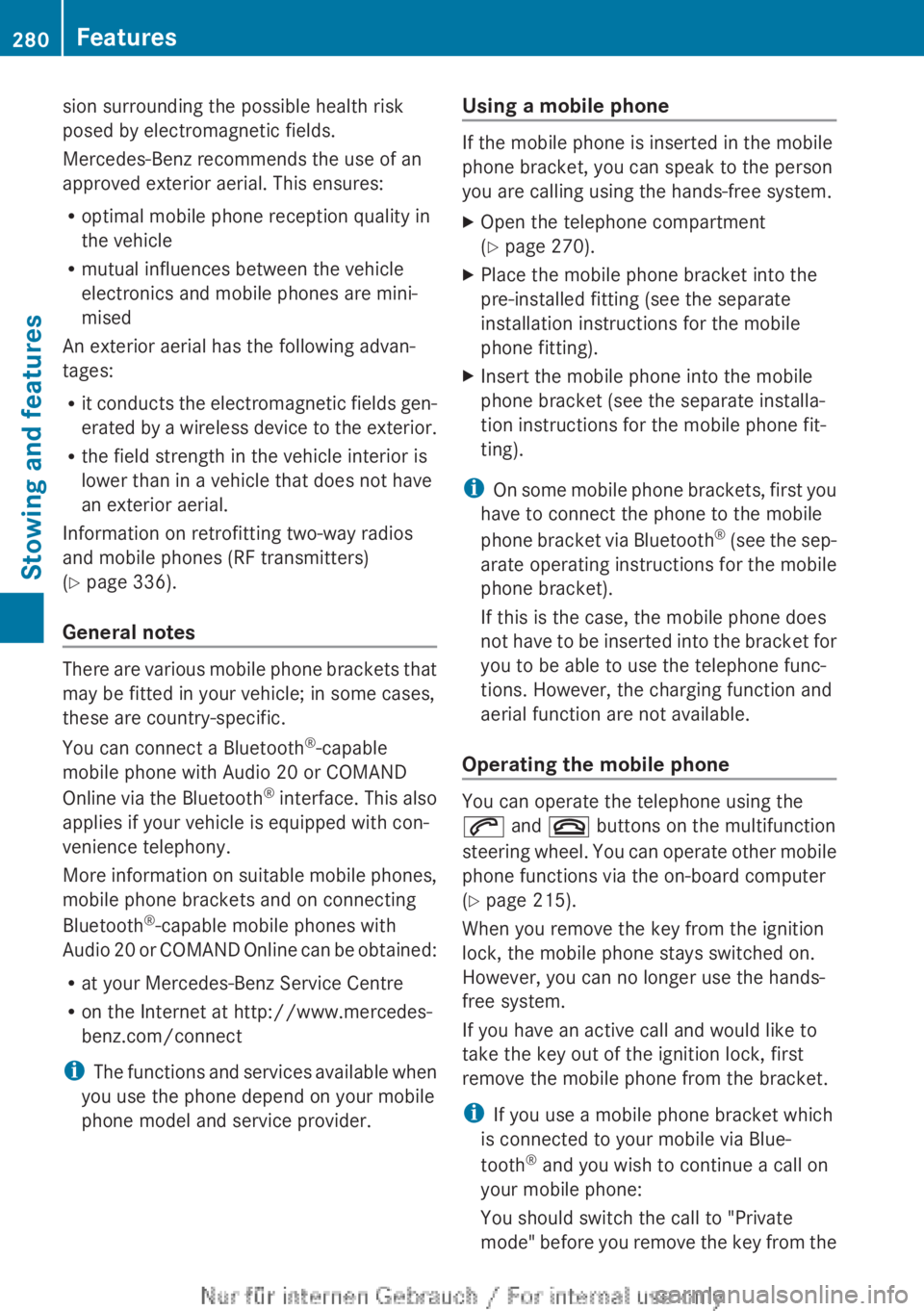
sion surrounding the possible health risk
posed by electromagnetic fields.
Mercedes-Benz recommends the use of an
approved exterior aerial. This ensures:
R
optimal mobile phone reception quality in
the vehicle
R mutual influences between the vehicle
electronics and mobile phones are mini-
mised
An exterior aerial has the following advan-
tages:
R it
conducts the electromagnetic fields gen-
erated by a wireless device to the exterior.
R the field strength in the vehicle interior is
lower than in a vehicle that does not have
an exterior aerial.
Information on retrofitting two-way radios
and mobile phones (RF transmitters)
(Y page 336).
General notes There are various mobile phone brackets that
may be fitted in your vehicle; in some cases,
these are country-specific.
You can connect a Bluetooth
®
-capable
mobile phone with Audio 20 or COMAND
Online
via the Bluetooth ®
interface. This also
applies if your vehicle is equipped with con-
venience telephony.
More information on suitable mobile phones,
mobile phone brackets and on connecting
Bluetooth ®
-capable mobile phones with
Audio 20 or COMAND Online can be obtained:
R at your Mercedes-Benz Service Centre
R on the Internet at http://www.mercedes-
benz.com/connect
i The functions and services available when
you use the phone depend on your mobile
phone model and service provider. Using a mobile phone If the mobile phone is inserted in the mobile
phone bracket, you can speak to the person
you are calling using the hands-free system.
X
Open the telephone compartment
(Y page 270).
X Place the mobile phone bracket into the
pre-installed fitting (see the separate
installation instructions for the mobile
phone fitting).
X Insert the mobile phone into the mobile
phone bracket (see the separate installa-
tion instructions for the mobile phone fit-
ting).
i On
some mobile phone brackets, first you
have to connect the phone to the mobile
phone bracket via Bluetooth ®
(see the sep-
arate operating instructions for the mobile
phone bracket).
If this is the case, the mobile phone does
not have to be inserted into the bracket for
you to be able to use the telephone func-
tions. However, the charging function and
aerial function are not available.
Operating the mobile phone You can operate the telephone using the
6 and ~ buttons on the multifunction
steering
wheel. You can operate other mobile
phone functions via the on-board computer
(Y page 215).
When you remove the key from the ignition
lock, the mobile phone stays switched on.
However, you can no longer use the hands-
free system.
If you have an active call and would like to
take the key out of the ignition lock, first
remove the mobile phone from the bracket.
i If you use a mobile phone bracket which
is connected to your mobile via Blue-
tooth ®
and you wish to continue a call on
your mobile phone:
You should switch the call to "Private
mode" before you remove the key from the 280
Features
Stowing and features
Page 285 of 356
Useful information ............................
284
Engine compartment ........................ 284
Service ............................................... 289
Care .................................................... 290 283Maintenance and care
Page 286 of 356
Useful information
i This Owner's Manual describes all mod-
els,
series and optional equipment for your
vehicle that were available at the time of
going to press. National variations are pos-
sible. Note that your vehicle may not be
equipped with all of the functions descri-
bed. This is also the case for systems and
functions relevant to safety.
i Read the information on qualified special-
ist workshops: (Y page 24). Engine compartment
Bonnet
Important safety notes G
WARNING
An unlocked bonnet may open while driving
and
block your view. There is a risk of an acci-
dent.
Never unlock the bonnet while driving. G
WARNING
When being opened and closed, the bonnet
may suddenly fall into the closed position.
There
is a risk of injury to persons in the range
of movement of the bonnet.
Open and close the bonnet only when nobody
is in the range of movement. G
WARNING
Certain components in the engine compart-
ment could be very hot, e.g. the engine, the
radiator and parts of the exhaust system.
There is a risk of injury when accessing the
engine compartment.
As far as possible, allow the engine to cool
down and only touch the following compo-
nents. G
WARNING
If you open the bonnet while the engine is
overheating or while there is a fire in the engine compartment, you could come into
contact with hot gases or other leaking
service products. There is a danger of injury.
Allow an overheating engine to cool down
before
opening the bonnet. If there is a fire in
the engine compartment, leave the bonnet
closed and notify the fire brigade. G
WARNING
There are parts in the engine compartment
that
move. Certain components may continue
to run even if the ignition is switched off or
may suddenly start again, e.g. the radiator
fan. There is a danger of injury.
If you need to access the engine compart-
ment:
R switch off the ignition
R never enter the danger area of moving com-
ponents, e.g. the rotation area of the fan
R keep items of clothing away from moving
parts G
WARNING
The ignition system and the fuel injection sys-
tem operate with a high voltage. If you touch
the live components, you could receive an
electric shock. There is a danger of injury.
Never touch components of the ignition sys-
tem or the fuel injection system when the
ignition is switched on.
Active bonnet (pedestrian protection) Operating principle
!
Once
triggered, an active bonnet must be
reset at a qualified specialist workshop,
e.g. a Mercedes-Benz Service Centre. The
active bonnet function will then be availa-
ble again. The additional pedestrian pro-
tection provided by the active bonnet will
then be restored.
The active bonnet is only available in certain
countries.
The active bonnet can reduce the risk of injury
to pedestrians in certain accident situations. 284
Engine compartment
Maintenance and care
Page 289 of 356
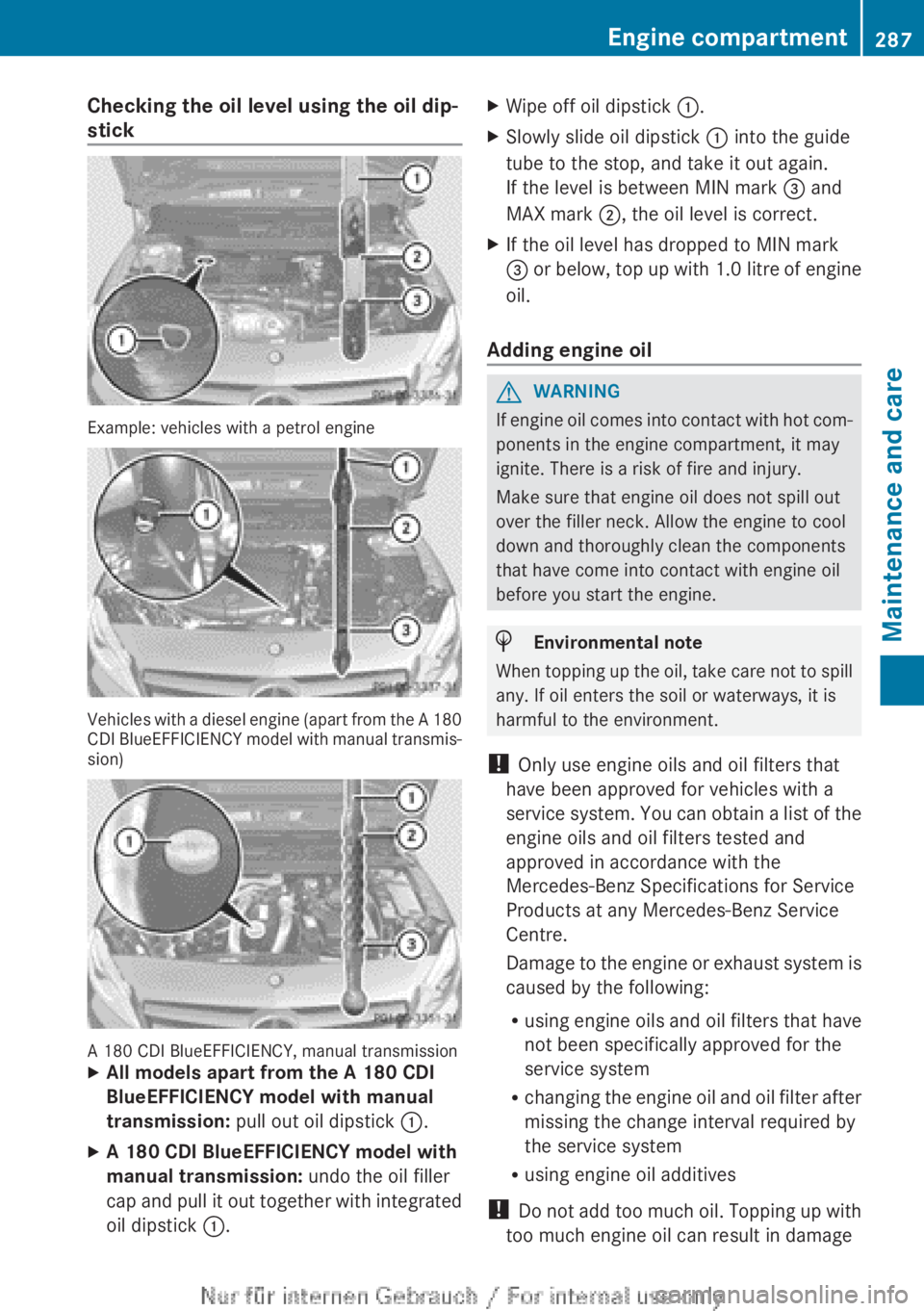
Checking the oil level using the oil dip-
stick
Example: vehicles with a petrol engine
Vehicles with a diesel engine (apart from the A 180
CDI
BlueEFFICIENCY model with manual transmis-
sion) A 180 CDI BlueEFFICIENCY, manual transmission
X
All models apart from the A 180 CDI
BlueEFFICIENCY model with manual
transmission: pull out oil dipstick :.
X A 180 CDI BlueEFFICIENCY model with
manual transmission: undo the oil filler
cap
and pull it out together with integrated
oil dipstick :. X
Wipe off oil dipstick :.
X Slowly slide oil dipstick : into the guide
tube to the stop, and take it out again.
If the level is between MIN mark = and
MAX mark ;, the oil level is correct.
X If the oil level has dropped to MIN mark
=
or below, top up with 1.0 litre of engine
oil.
Adding engine oil G
WARNING
If engine oil comes into contact with hot com-
ponents in the engine compartment, it may
ignite. There is a risk of fire and injury.
Make sure that engine oil does not spill out
over the filler neck. Allow the engine to cool
down and thoroughly clean the components
that have come into contact with engine oil
before you start the engine. H
Environmental note
When topping up the oil, take care not to spill
any. If oil enters the soil or waterways, it is
harmful to the environment.
! Only use engine oils and oil filters that
have been approved for vehicles with a
service
system. You can obtain a list of the
engine oils and oil filters tested and
approved in accordance with the
Mercedes-Benz Specifications for Service
Products at any Mercedes-Benz Service
Centre.
Damage to the engine or exhaust system is
caused by the following:
R using engine oils and oil filters that have
not been specifically approved for the
service system
R changing the engine oil and oil filter after
missing the change interval required by
the service system
R using engine oil additives
! Do not add too much oil. Topping up with
too much engine oil can result in damage Engine compartment
287
Maintenance and care Z