fuel MERCEDES-BENZ A CLASS 2012 Owner's Guide
[x] Cancel search | Manufacturer: MERCEDES-BENZ, Model Year: 2012, Model line: A CLASS, Model: MERCEDES-BENZ A CLASS 2012Pages: 356, PDF Size: 4.96 MB
Page 213 of 356
?
Menu bar
A Drive program (Y page 152)
B Transmission position ( Y page 152)
X To show the menu bar ?: press the
= or ; button on the steering wheel.
Menu bar ?
disappears after a few seconds.
Text field = shows the selected menu or
submenu as well as display messages.
i You can set the time using the audio sys-
tem or COMAND Online; see the separate
operating instructions.
The following messages may appear in the
multifunction display:
Z Gearshift recommendation, for
manual transmission
(Y
page 151) or automatic trans-
mission ( Y page 156)
XjY Active Parking Assist
(Y page 186)
¯ Cruise control ( Y page 168)
È SPEEDTRONIC ( Y page 171)
_ Adaptive Highbeam Assist
(Y page 110)
¤ ECO start/stop function
(Y page 146)
ë HOLD function ( Y page 179)
120 km/h! Maximum permissible speed
exceeded
(only for certain coun-
tries) Menus and submenus
Menu overview
Operating the on-board computer
(Y page 209).
Depending on the equipment fitted in the
vehicle, you can call up the following menus:
R Trip menu (Y page 211)
R Navi menu (navigation instructions)
(Y page 213)
R Audio menu (Y page 214) R
Tel (telephone) menu ( Y page 215)
R Assist (Assistance) menu (Y page 217)
R Serv. menu (Y page 219)
R Settings menu (Y page 220)
R AMG menu in AMG vehicles ( Y page 226)
The Audio, Navi
and Tel menus differ slightly
in vehicles with Audio 5, Audio 20 and in vehi-
cles with COMAND Online. The examples
given in this Owner's Manual apply to vehicles
equipped with COMAND Online. Trip menu
Standard display X
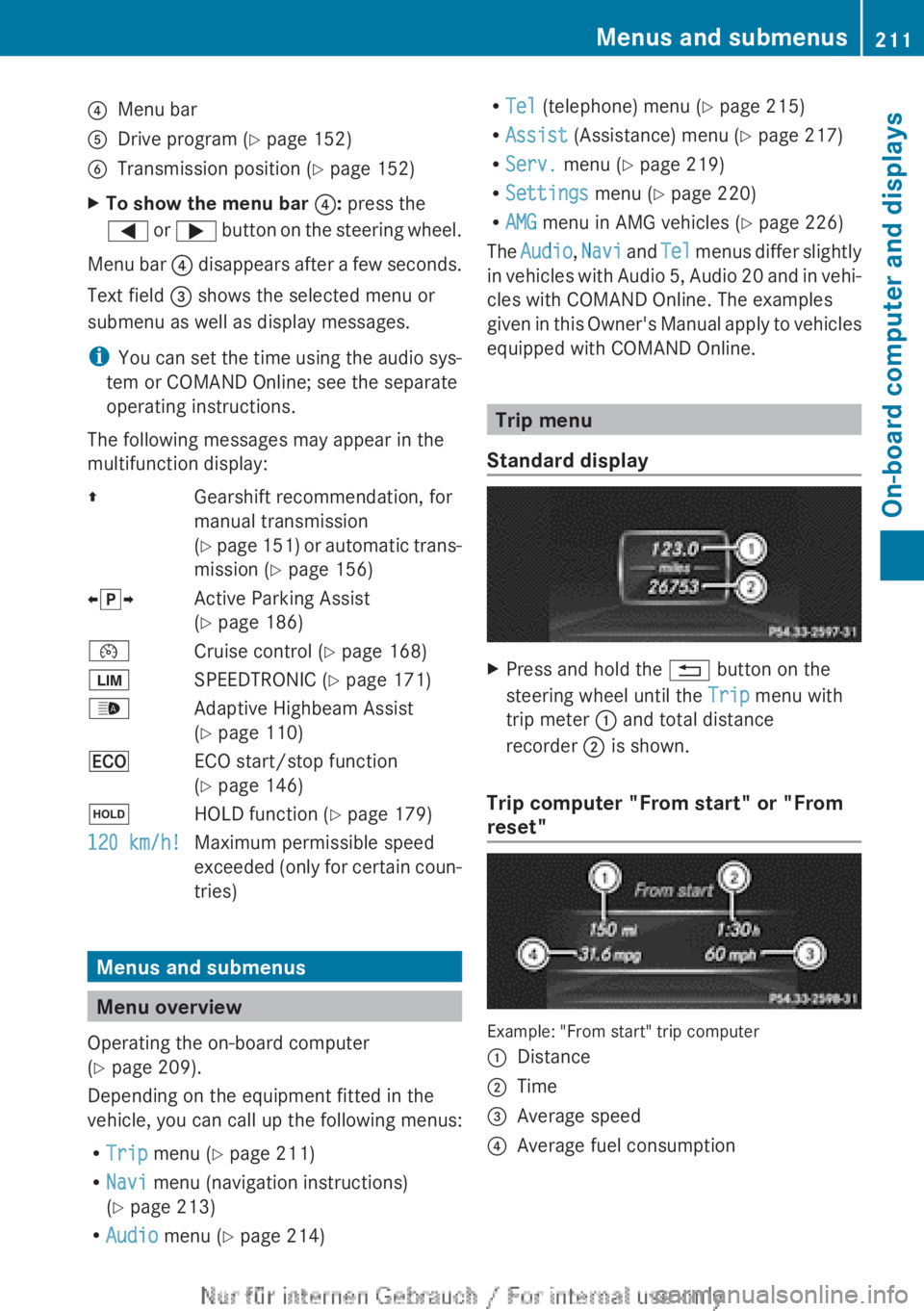
Press and hold the % button on the
steering wheel until the Trip menu with
trip meter : and total distance
recorder ; is shown.
Trip computer "From start" or "From
reset" Example: "From start" trip computer
:
Distance
; Time
= Average speed
? Average fuel consumption Menus and submenus
211
On-board computer and displays Z
Page 214 of 356
X
Press the = or ; button on the steer-
ing wheel to select the Trip menu.
X Press the 9 or : button to select
From start or From reset.
The values in the From start submenu are
calculated from the start of a journey, whilst
the values in the From reset submenu are
calculated from the last time the submenu
was reset ( Y page 213).
The From start trip computer is automati-
cally reset when:
R the
ignition has been switched off for more
than four hours.
R 999 hours have been exceeded.
R 9,999 kilometres have been exceeded.
The From reset trip computer is automati-
cally reset if the value exceeds 9,999 hours
or 99,999 kilometres.
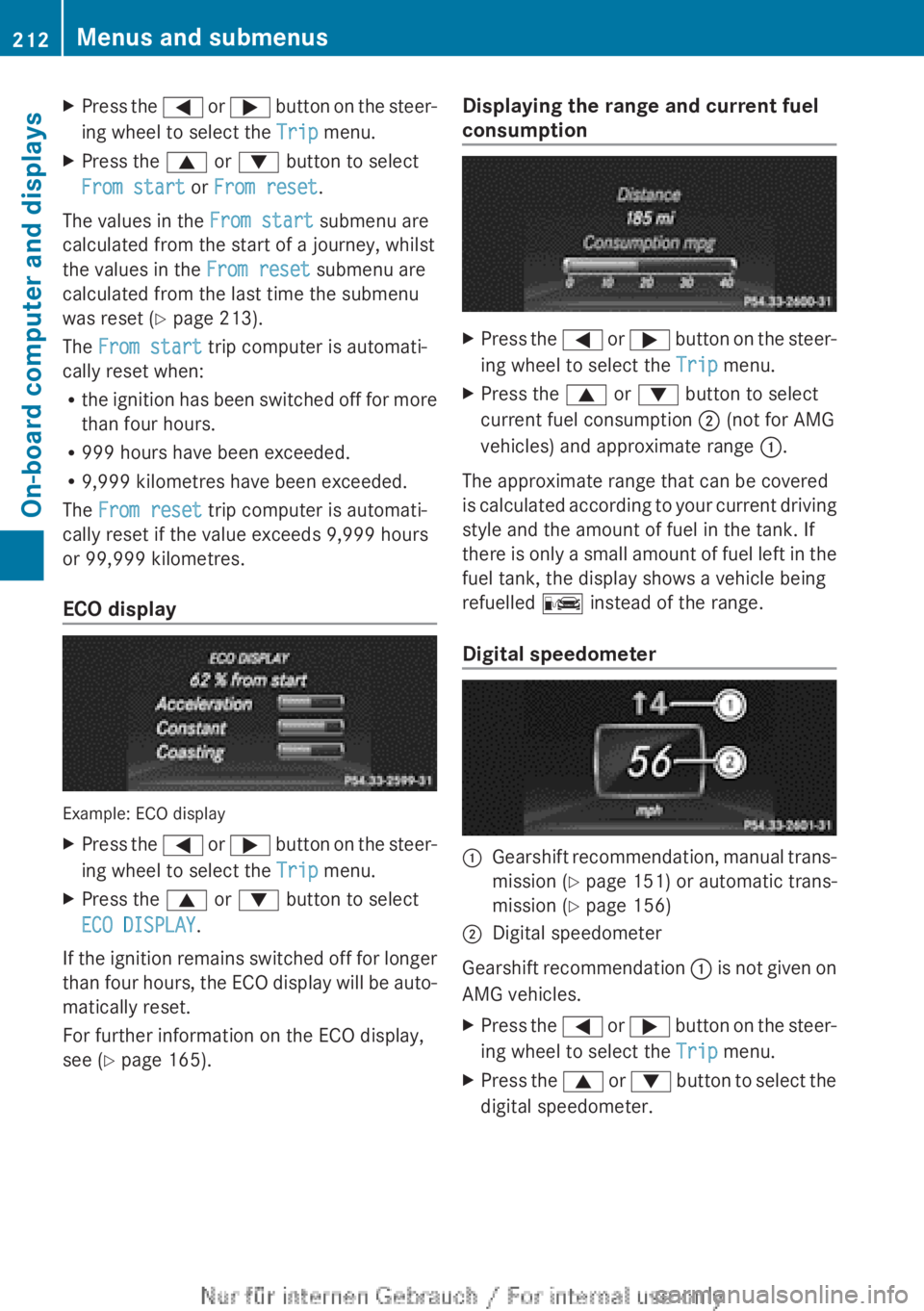
ECO display Example: ECO display
X
Press the =
or ; button on the steer-
ing wheel to select the Trip menu.
X Press the 9 or : button to select
ECO DISPLAY.
If the ignition remains switched off for longer
than
four hours, the ECO display will be auto-
matically reset.
For further information on the ECO display,
see ( Y page 165). Displaying the range and current fuel
consumption X
Press the =
or ; button on the steer-
ing wheel to select the Trip menu.
X Press the 9 or : button to select
current fuel consumption ; (not for AMG
vehicles) and approximate range :.
The approximate range that can be covered
is
calculated according to your current driving
style and the amount of fuel in the tank. If
there is only a small amount of fuel left in the
fuel tank, the display shows a vehicle being
refuelled C instead of the range.
Digital speedometer :
Gearshift recommendation, manual trans-
mission
(Y page 151) or automatic trans-
mission ( Y page 156)
; Digital speedometer
Gearshift recommendation :
is not given on
AMG vehicles.
X Press the =
or ; button on the steer-
ing wheel to select the Trip menu.
X Press the 9
or : button to select the
digital speedometer. 212
Menus and submenus
On-board computer and displays
Page 247 of 356
Display messages Possible causes/consequences and
M Solutions4
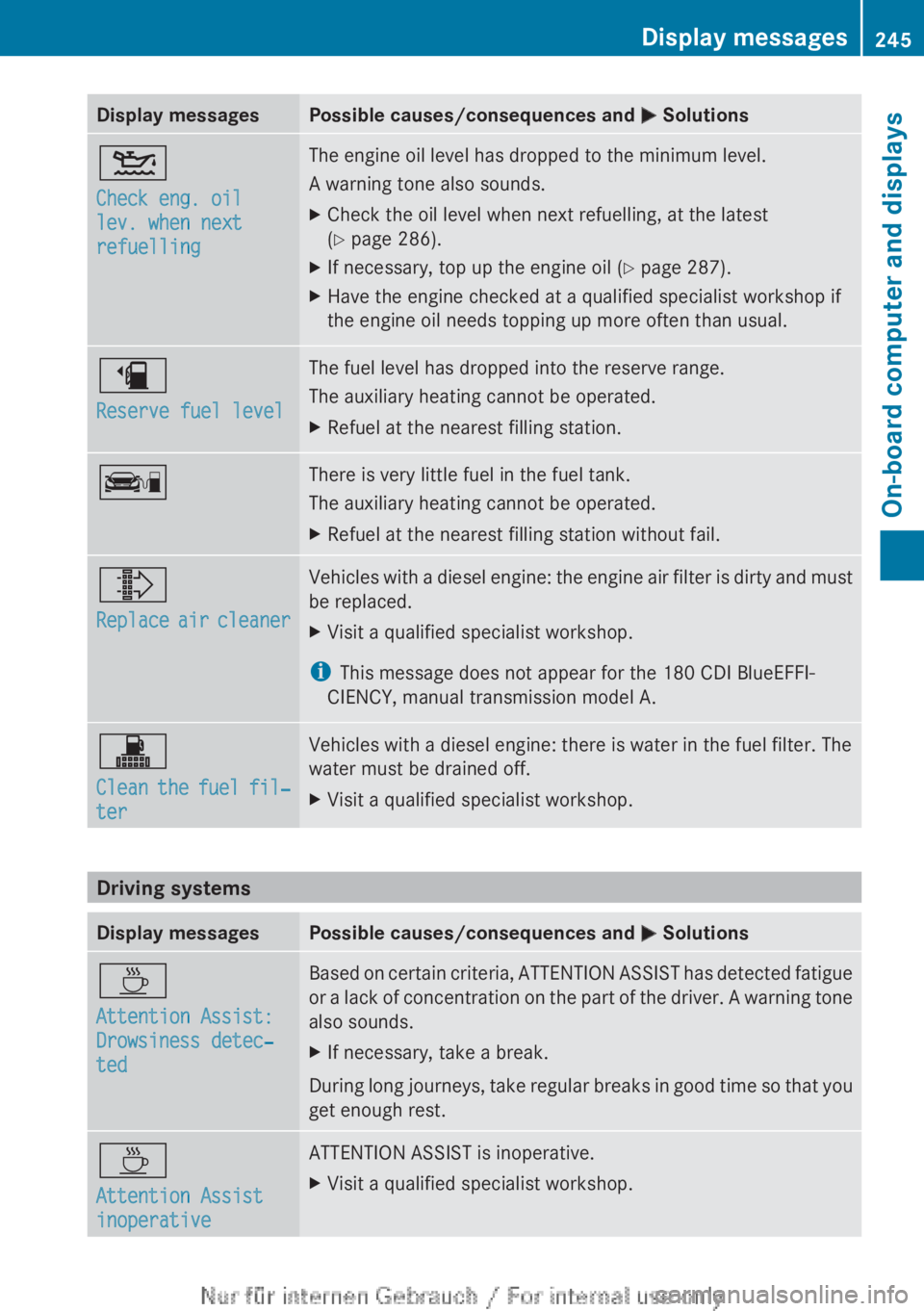
Check eng. oil
lev. when next
refuelling The engine oil level has dropped to the minimum level.
A warning tone also sounds.
X
Check the oil level when next refuelling, at the latest
(Y page 286).
X If necessary, top up the engine oil (Y page 287).
X Have the engine checked at a qualified specialist workshop if
the engine oil needs topping up more often than usual. æ
Reserve fuel level The fuel level has dropped into the reserve range.
The auxiliary heating cannot be operated.
X
Refuel at the nearest filling station. ç There is very little fuel in the fuel tank.
The auxiliary heating cannot be operated.
X
Refuel at the nearest filling station without fail. ¸
Replace
air cleaner Vehicles with a diesel engine: the engine air filter is dirty and must
be replaced.
X
Visit a qualified specialist workshop.
i This message does not appear for the 180 CDI BlueEFFI-
CIENCY, manual transmission model A. !
Clean
the fuel fil‐
ter Vehicles with a diesel engine: there is water in the fuel filter. The
water must be drained off.
X
Visit a qualified specialist workshop. Driving systems
Display messages Possible causes/consequences and
M SolutionsÀ
Attention Assist:
Drowsiness detec‐
ted Based on certain criteria, ATTENTION ASSIST has detected fatigue
or
a lack of concentration on the part of the driver. A warning tone
also sounds.
X If necessary, take a break.
During long journeys, take regular breaks in good time so that you
get enough rest. À
Attention Assist
inoperative ATTENTION ASSIST is inoperative.
X
Visit a qualified specialist workshop. Display messages
245
On-board computer and displays Z
Page 257 of 356
Display messages Possible causes/consequences and
M Solutionsj
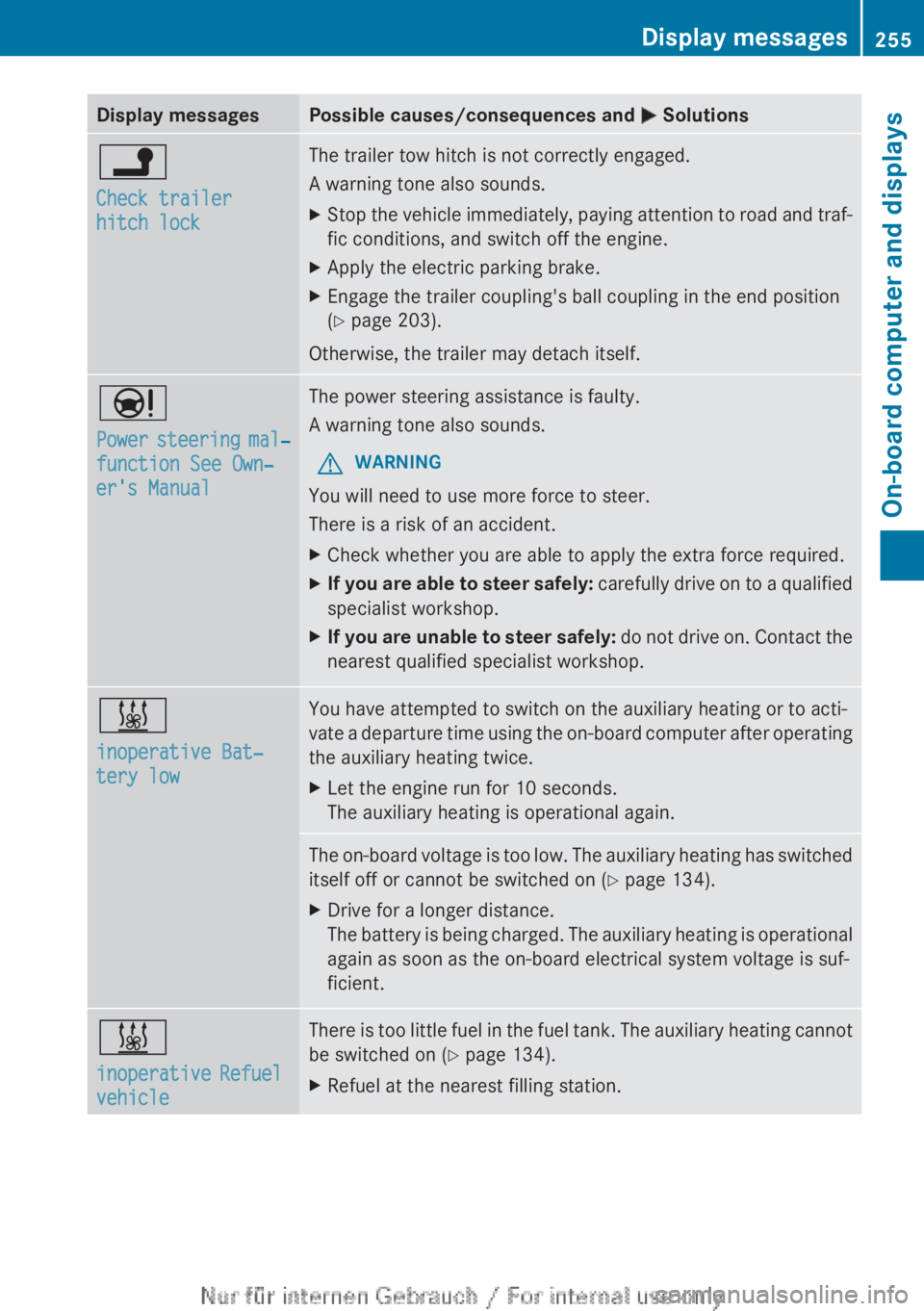
Check trailer
hitch lock The trailer tow hitch is not correctly engaged.
A warning tone also sounds.
X
Stop the vehicle immediately, paying attention to road and traf-
fic conditions, and switch off the engine.
X Apply the electric parking brake.
X Engage the trailer coupling's ball coupling in the end position
(Y page 203).
Otherwise, the trailer may detach itself. Ð
Power
steering mal‐
function See Own‐
er's Manual The power steering assistance is faulty.
A warning tone also sounds.
G WARNING
You will need to use more force to steer.
There is a risk of an accident.
X Check whether you are able to apply the extra force required.
X If you are able to steer safely:
carefully drive on to a qualified
specialist workshop.
X If you are unable to steer safely:
do not drive on. Contact the
nearest qualified specialist workshop. &
inoperative Bat‐
tery low You have attempted to switch on the auxiliary heating or to acti-
vate
a departure time using the on-board computer after operating
the auxiliary heating twice.
X Let the engine run for 10 seconds.
The auxiliary heating is operational again. The on-board voltage is too low. The auxiliary heating has switched
itself off or cannot be switched on
(Y page 134).
X Drive for a longer distance.
The
battery is being charged. The auxiliary heating is operational
again as soon as the on-board electrical system voltage is suf-
ficient. &
inoperative
Refuel
vehicle There is too little fuel in the fuel tank. The auxiliary heating cannot
be switched on (
Y page 134).
X Refuel at the nearest filling station. Display messages
255
On-board computer and displays Z
Page 266 of 356
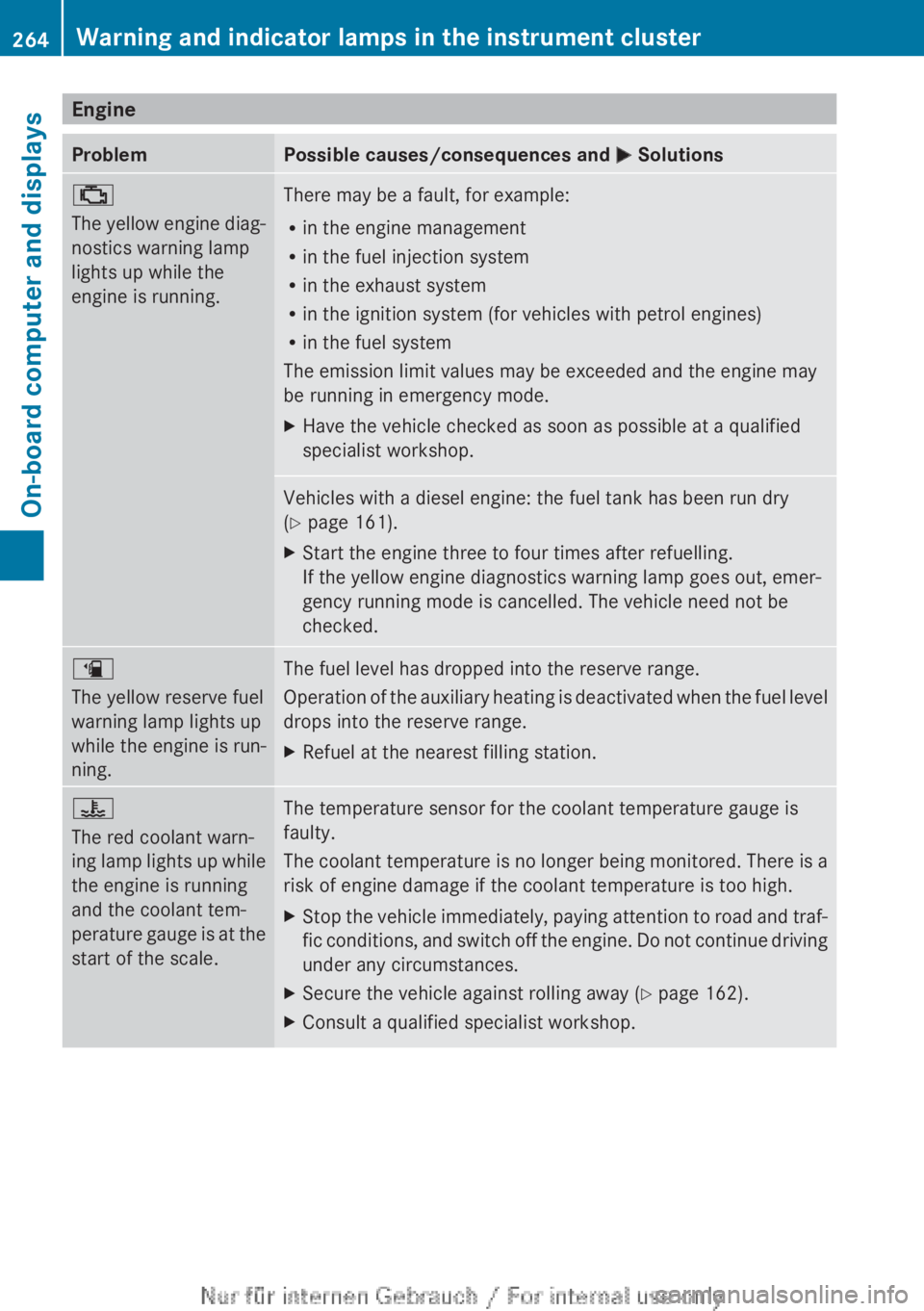
Engine
Problem Possible causes/consequences and
M Solutions;
The
yellow engine diag-
nostics warning lamp
lights up while the
engine is running. There may be a fault, for example:
R
in the engine management
R in the fuel injection system
R in the exhaust system
R in the ignition system (for vehicles with petrol engines)
R in the fuel system
The emission limit values may be exceeded and the engine may
be running in emergency mode.
X Have the vehicle checked as soon as possible at a qualified
specialist workshop. Vehicles with a diesel engine: the fuel tank has been run dry
(Y page 161).
X
Start the engine three to four times after refuelling.
If the yellow engine diagnostics warning lamp goes out, emer-
gency running mode is cancelled. The vehicle need not be
checked. æ
The yellow reserve fuel
warning lamp lights up
while the engine is run-
ning.
The fuel level has dropped into the reserve range.
Operation
of the auxiliary heating is deactivated when the fuel level
drops into the reserve range.
X Refuel at the nearest filling station. ?
The red coolant warn-
ing
lamp lights up while
the engine is running
and the coolant tem-
perature gauge is at the
start of the scale. The temperature sensor for the coolant temperature gauge is
faulty.
The
coolant temperature is no longer being monitored. There is a
risk of engine damage if the coolant temperature is too high.
X Stop the vehicle immediately, paying attention to road and traf-
fic
conditions, and switch off the engine. Do not continue driving
under any circumstances.
X Secure the vehicle against rolling away ( Y page 162).
X Consult a qualified specialist workshop.264
Warning and indicator lamps in the instrument cluster
On-board computer and displays
Page 286 of 356
Useful information
i This Owner's Manual describes all mod-
els,
series and optional equipment for your
vehicle that were available at the time of
going to press. National variations are pos-
sible. Note that your vehicle may not be
equipped with all of the functions descri-
bed. This is also the case for systems and
functions relevant to safety.
i Read the information on qualified special-
ist workshops: (Y page 24). Engine compartment
Bonnet
Important safety notes G
WARNING
An unlocked bonnet may open while driving
and
block your view. There is a risk of an acci-
dent.
Never unlock the bonnet while driving. G
WARNING
When being opened and closed, the bonnet
may suddenly fall into the closed position.
There
is a risk of injury to persons in the range
of movement of the bonnet.
Open and close the bonnet only when nobody
is in the range of movement. G
WARNING
Certain components in the engine compart-
ment could be very hot, e.g. the engine, the
radiator and parts of the exhaust system.
There is a risk of injury when accessing the
engine compartment.
As far as possible, allow the engine to cool
down and only touch the following compo-
nents. G
WARNING
If you open the bonnet while the engine is
overheating or while there is a fire in the engine compartment, you could come into
contact with hot gases or other leaking
service products. There is a danger of injury.
Allow an overheating engine to cool down
before
opening the bonnet. If there is a fire in
the engine compartment, leave the bonnet
closed and notify the fire brigade. G
WARNING
There are parts in the engine compartment
that
move. Certain components may continue
to run even if the ignition is switched off or
may suddenly start again, e.g. the radiator
fan. There is a danger of injury.
If you need to access the engine compart-
ment:
R switch off the ignition
R never enter the danger area of moving com-
ponents, e.g. the rotation area of the fan
R keep items of clothing away from moving
parts G
WARNING
The ignition system and the fuel injection sys-
tem operate with a high voltage. If you touch
the live components, you could receive an
electric shock. There is a danger of injury.
Never touch components of the ignition sys-
tem or the fuel injection system when the
ignition is switched on.
Active bonnet (pedestrian protection) Operating principle
!
Once
triggered, an active bonnet must be
reset at a qualified specialist workshop,
e.g. a Mercedes-Benz Service Centre. The
active bonnet function will then be availa-
ble again. The additional pedestrian pro-
tection provided by the active bonnet will
then be restored.
The active bonnet is only available in certain
countries.
The active bonnet can reduce the risk of injury
to pedestrians in certain accident situations. 284
Engine compartment
Maintenance and care
Page 294 of 356
pressure cleaner nozzle. Information about
the correct distance is available from the
equipment manufacturer.
Move the high-pressure cleaner nozzle
around when cleaning your vehicle.
Do
not aim directly at any of the following:
R tyres
R door gaps, roof gaps, joints etc.
R electrical components
R battery
R connectors
R lights
R seals
R trim elements
R ventilation slots
Damaged seals or electrical components
can lead to leaks or failures.
Cleaning the wheels !
Do
not use acidic wheel cleaning products
to remove brake dust. This could damage
wheel bolts and brake components.
! Do not park up the vehicle for an extended
period straight after cleaning it, particularly
after having cleaned the wheels with wheel
cleaner. Wheel cleaners could cause
increased corrosion of the brake discs and
brake pads/linings. For this reason, you
should drive for a few minutes after clean-
ing. Braking heats the brake discs and the
brake pads/linings, thus drying them. The
vehicle can then be parked up.
Cleaning the paintwork !
Do not affix:
R stickers
R films
R magnetic plates or similar items
to painted surfaces. You could otherwise
damage the paintwork. X
Remove impurities immediately, where
possible, whilst avoiding rubbing too hard.
X Soak insect remains with insect remover
and rinse off the treated areas afterwards.
X Soak bird droppings with water and rinse
off the treated areas afterwards.
X Remove coolant, brake fluid, tree resin,
oils, fuels and greases by rubbing gently
with a cloth soaked in petroleum ether or
lighter fluid.
X Use tar remover to remove tar stains.
X Use silicone remover to remove wax.
The following cannot always be completely
repaired:
R scratches
R corrosive deposits
R areas affected by corrosion
R damage caused by inadequate care
In
such cases, visit a qualified specialist work-
shop.
Care and treatment of matt paintwork !
Never polish the vehicle or the light alloy
wheels. Polishing makes the paintwork
shiny.
! The following may cause the paint to
become shiny and thus reduce the matt
effect:
R Vigorous rubbing with unsuitable mate-
rials.
R Frequent use of car washes.
R Washing the vehicle in direct sunlight.
! Never use paint cleaner, buffing or pol-
ishing products, or gloss preserver, e.g.
wax. These products are only suitable for
high-gloss surfaces. Their use on vehicles
with matt finish leads to considerable sur-
face damage (shiny, spotted areas).
Always have paintwork repairs carried out
at a qualified specialist workshop.
! Do
not use wash programs with a hot wax
treatment under any circumstances. 292
Care
Maintenance and care
Page 306 of 356
and a tyre pressure that is too low can signif-
icantly impair the vehicle's braking and driv-
ing
characteristics. There is a risk of accident.
Do not continue driving. Contact a qualified
specialist workshop.
i In your vehicle, you will find a sticker with
the Mercedes-Benz Service24h telephone
number, e.g. on the B-pillar on the driver's
side.
X Correct the tyre pressure if it is still at least
130
kPa (1.3 bar/19 psi) (see the fuel filler
flap for values).
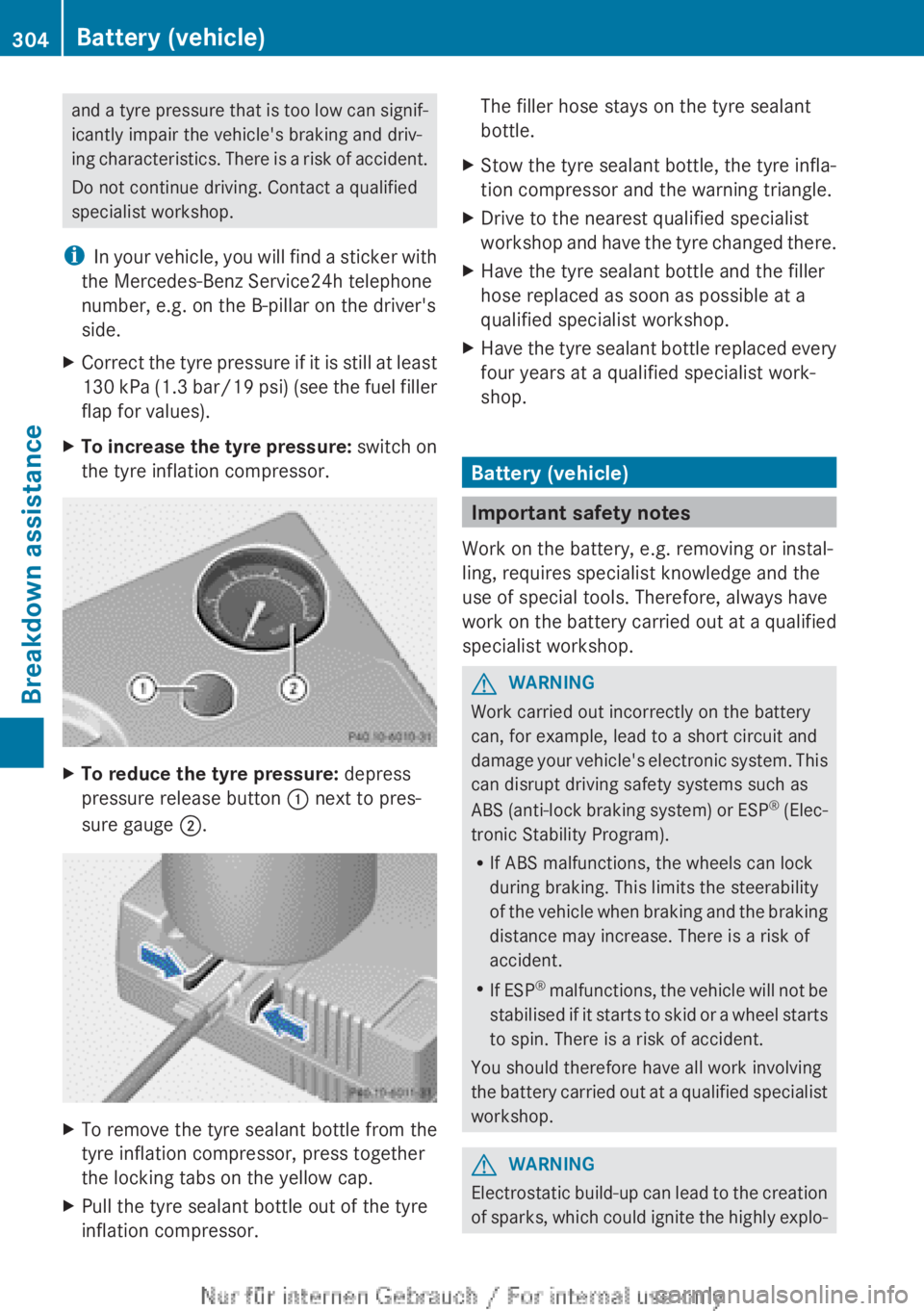
X To increase the tyre pressure:
switch on
the tyre inflation compressor. X
To reduce the tyre pressure: depress
pressure release button : next to pres-
sure gauge ;.X
To remove the tyre sealant bottle from the
tyre inflation compressor, press together
the locking tabs on the yellow cap.
X Pull the tyre sealant bottle out of the tyre
inflation compressor. The filler hose stays on the tyre sealant
bottle.
X Stow the tyre sealant bottle, the tyre infla-
tion compressor and the warning triangle.
X Drive to the nearest qualified specialist
workshop
and have the tyre changed there.
X Have the tyre sealant bottle and the filler
hose replaced as soon as possible at a
qualified specialist workshop.
X Have the tyre sealant bottle replaced every
four years at a qualified specialist work-
shop. Battery (vehicle)
Important safety notes
Work on the battery, e.g. removing or instal-
ling, requires specialist knowledge and the
use of special tools. Therefore, always have
work
on the battery carried out at a qualified
specialist workshop. G
WARNING
Work carried out incorrectly on the battery
can, for example, lead to a short circuit and
damage
your vehicle's electronic system. This
can disrupt driving safety systems such as
ABS (anti-lock braking system) or ESP ®
(Elec-
tronic Stability Program).
R If ABS malfunctions, the wheels can lock
during braking. This limits the steerability
of the vehicle when braking and the braking
distance may increase. There is a risk of
accident.
R If ESP ®
malfunctions, the vehicle will not be
stabilised if it starts to skid or a wheel starts
to spin. There is a risk of accident.
You should therefore have all work involving
the battery carried out at a qualified specialist
workshop. G
WARNING
Electrostatic build-up can lead to the creation
of
sparks, which could ignite the highly explo-304
Battery (vehicle)
Breakdown assistance
Page 310 of 356
Jump-starting
For the jump-starting procedure, use only the jump-starting connection point, consisting of a
positive terminal and an earth point, in the engine compartment. G
WARNING
Battery acid is caustic. There is a risk of injury.
Avoid contact with the skin, eyes or clothing. Do not inhale any battery gases. Do not lean over
the battery. Keep children away from batteries. Wash battery acid immediately with water and
seek medical attention. G
WARNING
During charging and jump-starting, explosive gases can escape from the battery. There is a risk
of an explosion.
Particularly avoid fire, naked flames, creating sparks and smoking. Ensure there is sufficient
ventilation while charging and jump-starting. Do not lean over a battery. G
WARNING
During the charging process, a battery produces hydrogen gas. If a short circuit occurs or sparks
are created, the hydrogen gas can ignite. There is a risk of an explosion.
R Make sure that the positive terminal of a connected battery does not come into contact with
vehicle parts.
R Never place metal objects or tools on a battery.
R It
is important that you observe the described order of the battery terminals when connecting
and disconnecting a battery.
R When jump-starting, make sure that the battery poles with identical polarity are connected.
R It is particularly important to observe the described order when connecting and disconnecting
the jump leads.
R Never connect or disconnect the battery terminals while the engine is running. G
WARNING
A discharged battery can freeze at temperatures below freezing point. When jump-starting the
vehicle
or charging the battery, gases can escape from the battery. There is a risk of an explosion.
Allow the frozen battery to thaw out before charging it or jump-starting. G
WARNING
Non-combusted fuel can collect in the exhaust system and ignite. There is a risk of fire. Avoid
repeated and lengthy starting attempts.
! Vehicles
with a petrol engine: avoid repeated and lengthy starting attempts. Otherwise,
the non-combusted fuel may damage the catalytic converter.
If the indicator/warning lamps do not light up at low temperatures, it is very likely that the
discharged battery has frozen. In this case you may neither jump-start the vehicle nor charge
the battery. The service life of a battery that has been thawed could be reduced. The starting 308
Jump-starting
Breakdown assistance
Page 320 of 356
Useful information
i This Owner's Manual describes all mod-
els,
series and optional equipment for your
vehicle that were available at the time of
going to press. National variations are pos-
sible. Note that your vehicle may not be
equipped with all of the functions descri-
bed. This is also the case for systems and
functions relevant to safety.
i Read the information on qualified special-
ist workshops: (Y page 24). Important safety notes
G
WARNING
If wheels and tyres of the wrong size are used,
the wheel brakes or suspension components
may be damaged. There is a risk of an acci-
dent.
Always replace wheels and tyres with those
that fulfil the specifications of the original
part.
When replacing wheels, make sure to fit the
correct:
R designation
R type
When replacing tyres, make sure to fit the
correct:
R designation
R manufacturer
R type G
WARNING
A flat tyre severely impairs the driving, steer-
ing
and braking characteristics of the vehicle.
There is a risk of accident.
Tyres without run-flat characteristics:
R do not drive with a flat tyre.
R immediately replace the flat tyre with your
emergency spare wheel or spare wheel, or
consult a qualified specialist workshop. Tyres with run-flat characteristics:
R
pay attention to the information and warn-
ing notices on MOExtended tyres (tyres
with run-flat characteristics).
Accessories that are not approved for your
vehicle by Mercedes-Benz or that are not
being
used correctly can impair the operating
safety.
Before purchasing and using non-approved
accessories, visit a qualified specialist work-
shop and enquire about:
R suitability
R legal stipulations
R factory recommendations
Information on dimensions and types of
wheels and tyres for your vehicle can be
found ( Y page 329).
Information on air pressure for the tyres on
your vehicle can be found:
R on the tyre pressure label on the fuel filler
flap
R under "Tyre pressure"
Modification work on the brake system and
wheels is not permitted. The use of wheel
spacers or brake dust shields is not permit-
ted. This invalidates the general operating
permit for the vehicle.
i Further information on wheels and tyres
can be obtained at any qualified specialist
workshop. Operation
Information on driving
R Check
the tyre pressures when the vehicle
is heavily laden and, if necessary, adjust.
R While driving, pay attention to vibrations,
noises and unusual handling characteris-
tics, e.g. pulling to one side. This may indi-
cate that the wheels or tyres are damaged.
If you suspect that a tyre is defective,
reduce your speed immediately. Stop the
vehicle as soon as possible to check the318
Operation
Wheels and tyres