ignition MERCEDES-BENZ A-CLASS HATCHBACK 2008 Workshop Manual
[x] Cancel search | Manufacturer: MERCEDES-BENZ, Model Year: 2008, Model line: A-CLASS HATCHBACK, Model: MERCEDES-BENZ A-CLASS HATCHBACK 2008Pages: 305, PDF Size: 5.43 MB
Page 194 of 305
Service
191
specialist workshop, e.g. a Mercedes-Benz
Service Centre.
X
To switch the switched power supply on
or off: turn the key in the ignition lock to
position 2or 0, respectively. Trailer with 7-pin connector
If your trailer has a 7-pin connector, you can
connect it to the 13-pin socket on the ball
coupling using an adapter or, if necessary, an
adapter cable. Both of these can be obtained
at a qualified specialist workshop, e.g. at a
Mercedes-Benz Service Centre.
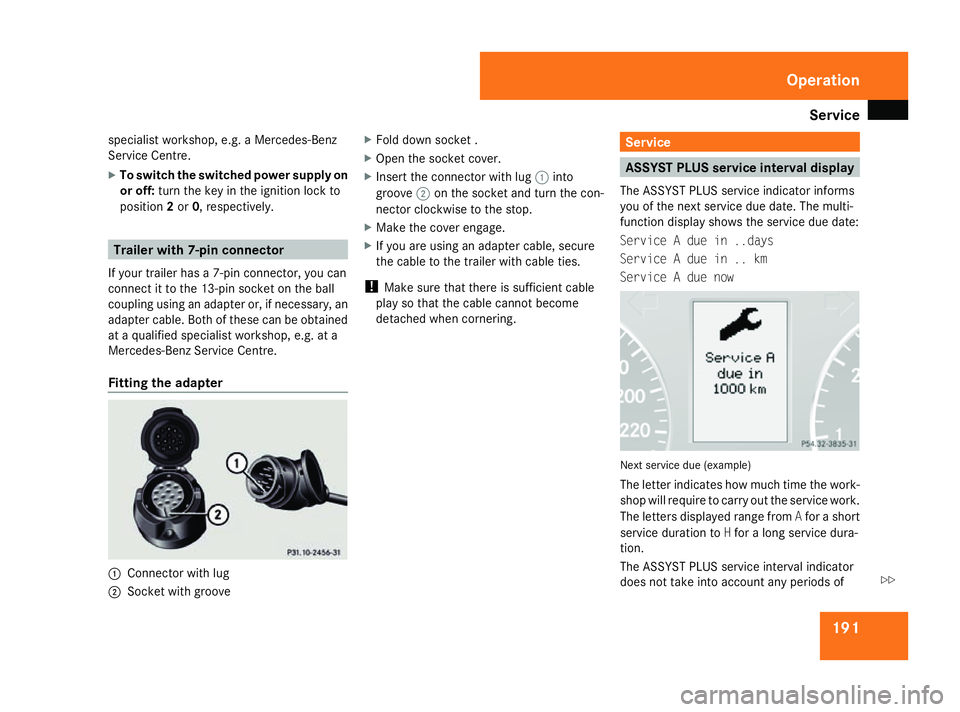
Fitting the adapter 1
Connector with lug
2 Socket with groove X
Fold down socket .
X Open the socket cover.
X Insert the connector with lug 1into
groove 2on the socket and turn the con-
nector clockwise to the stop.
X Make the cover engage.
X If you are using an adapter cable, secure
the cable to the trailer with cable ties.
! Make sure that there is sufficient cable
play so that the cable cannot become
detached when cornering. Service
ASSYST PLUS service interval display
The ASSYST PLUS service indicator informs
you of the next service due date. The multi-
function display shows the service due date:
Service A due in ..days
Service A due in .. km
Service A due now Next service due (example)
The letter indicates how much time the work-
shop will require to carry out the service work.
The letters displayed range from
Afor a short
service duration to Hfor a long service dura-
tion.
The ASSYST PLUS service interval indicator
does not take into account any periods of Operation
169_AKB; 2; 4, en-GB
wdomann,
Version: 2.10.6 2008-07-16T08:52:06+02:00 - Seite 191 ZDateiname: 6515_0315_02_buchblock.pdf; preflight
Page 195 of 305
Care
192
time during which the battery is disconnec-
ted.
Maintaining the time-dependent service
schedule:
X Note down the service due date displayed
before disconnecting the battery.
or
X Subtract the battery disconnection periods
from the service date shown on the display
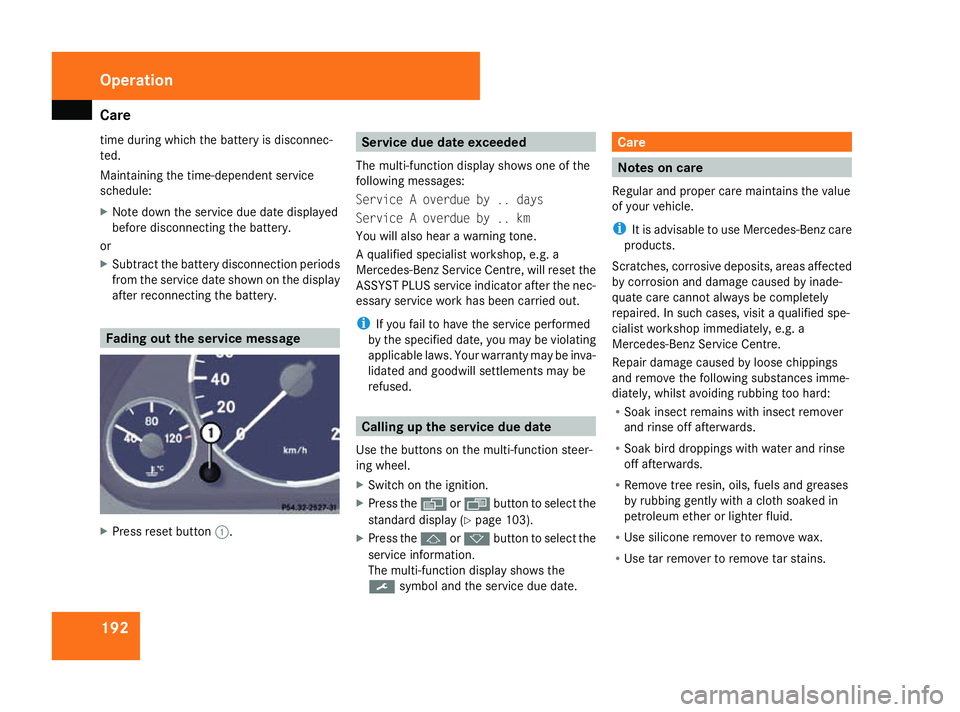
after reconnecting the battery. Fading out the service message
X
Press reset button 1. Service due date exceeded
The multi-function display shows one of the
following messages:
Service A overdue by .. days
Service A overdue by .. km
You will also hear a warning tone.
A qualified specialist workshop, e.g. a
Mercedes-Benz Service Centre, will reset the
ASSYST PLUS service indicator after the nec-
essary service work has been carried out.
i If you fail to have the service performed
by the specified date, you may be violating
applicable laws. Your warranty may be inva-
lidated and goodwill settlements may be
refused. Calling up the service due date
Use the buttons on the multi-function steer-
ing wheel.
X Switch on the ignition.
X Press the èorÿ button to select the
standard display (Y page 103).
X Press the jork button to select the
service information.
The multi-function display shows the
9 symbol and the service due date. Care
Notes on care
Regular and proper care maintains the value
of your vehicle.
i It is advisable to use Mercedes-Benz care
products.
Scratches, corrosive deposits, areas affected
by corrosion and damage caused by inade-
quate care cannot always be completely
repaired. In such cases, visit a qualified spe-
cialist workshop immediately, e.g. a
Mercedes-Benz Service Centre.
Repair damage caused by loose chippings
and remove the following substances imme-
diately, whilst avoiding rubbing too hard:
R Soak insect remains with insect remover
and rinse off afterwards.
R Soak bird droppings with water and rinse
off afterwards.
R Remove tree resin, oils, fuels and greases
by rubbing gently with a cloth soaked in
petroleum ether or lighter fluid.
R Use silicone remover to remove wax.
R Use tar remover to remove tar stains. Operation
169_AKB; 2; 4, en-GB
wdomann,
Version: 2.10.6
2008-07-16T08:52:06+02:00 - Seite 192 Dateiname: 6515_0315_02_buchblock.pdf; preflight
Page 197 of 305

Care
194Do not aim directly at any of the following:
R
tyres
R door joint
R electrical components
R Battery
R connectors
R lights
R seals
R trim elements
Damaged seals or electrical components
can lead to failures or leaks.
Cleaning the wiper blades and the out-
side of the windscreen G
Risk of injury
Before cleaning the windscreen or wiper
blades, turn the key in the ignition to 0.
Otherwise, the windscreen wipers may
move and injure you. X
Turn the key to position 1(Y page 62) in
the ignition lock.
X Set the windscreen wipers to position
I(Y page 83) on the combination switch.
X Turn the key to position 0(Y page 62) or
remove it when the wiper arms are vertical.
! Only fold the windscreen wipers away
from the windscreen when vertical, other-
wise you will damage the bonnet.
X Fold the wiper arms away from the wind-
screen.
X Wipe the windscreen and wiper blades with
a damp, lint-free cloth (e.g. a microfibre
cloth) and cleaning agent.
X Fold the wiper arms back on to the wind-
screen before the ignition is switched on.
! Do not clean the wiper blades too often
as this will result in damage to the surface
coating, leading to wiper noise.
Cleaning the windows !
Do not use dry cloths, abrasive products,
solvents or cleaning agents containing sol-
vents to clean the inside of the windows.
Clean the insides of the windows with a
damp cloth or commercially-available glass cleaner. Avoid touching the inside of the
rear windscreen and the side windows with
hard objects, e.g. ice scrapers or rings. You
could otherwise cause damage to the win-
dows, rear window heating or aerial on the
rear window.
i Anti-glare film retrofitted to the insides of
the windows could interfere with radio or
mobile phone reception, especially if it is
conductive or metal-coated film. Informa-
tion about anti-glare film can be obtained
from any Mercedes-Benz Service Centre.
Cleaning the headlamps X
Clean the plastic lenses of the headlamps
with a damp sponge.
! Only use washer fluid which is suitable for
plastic lamp lenses. Unsuitable washer
fluid could damage the plastic lamp lenses
of the headlamps.
Therefore, do not use:
R dry cloths
R abrasive products
R solvents
R cleaning products containing solvents Operation
169_AKB; 2; 4, en-GB
wdomann
,V ersion: 2.10.6
2008-07-16T08:52:06+02:00 - Seite 194 Dateiname: 6515_0315_02_buchblock.pdf; preflight
Page 212 of 305
Display
messages 209Display messages Possible cause/consequence Possible solution
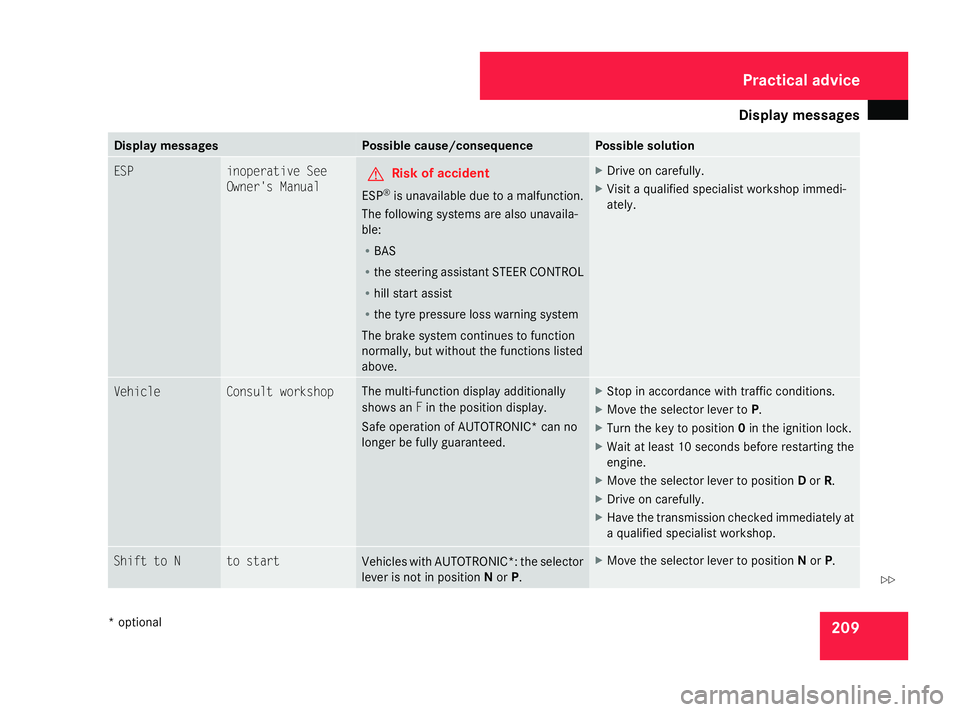
ESP inoperative See
Owner's Manual G
Risk of accident
ESP ®
is unavailable due to a malfunction.
The following systems are also unavaila-
ble:
R BAS
R the steering assistant STEER CONTROL
R hill start assist
R the tyre pressure loss warning system
The brake system continues to function
normally, but without the functions listed
above. X
Drive on carefully.
X Visit a qualified specialist workshop immedi-
ately. Vehicle Consult workshop The multi-function display additionally
shows an
Fin the position display.
Safe operation of AUTOTRONIC* can no
longer be fully guaranteed. X
Stop in accordance with traffic conditions.
X Move the selector lever to P.
X Turn the key to position 0in the ignition lock.
X Wait at least 10 seconds before restarting the
engine.
X Move the selector lever to position Dor R.
X Drive on carefully.
X Have the transmission checked immediately at
a qualified specialist workshop. Shift to N to start
Vehicles with AUTOTRONIC*: the selector
lever is not in position
Nor P. X
Move the selector lever to position Nor P. Practical advice
* optional
169_AKB; 2; 4, en-GB
wdomann
,V ersion: 2.10.6
2008-07-16T08:52:06+02:00 - Seite 209 ZDateiname: 6515_0315_02_buchblock.pdf; preflight
Page 223 of 305
Display
messages 220 Display messages Possible cause/consequence Possible solution
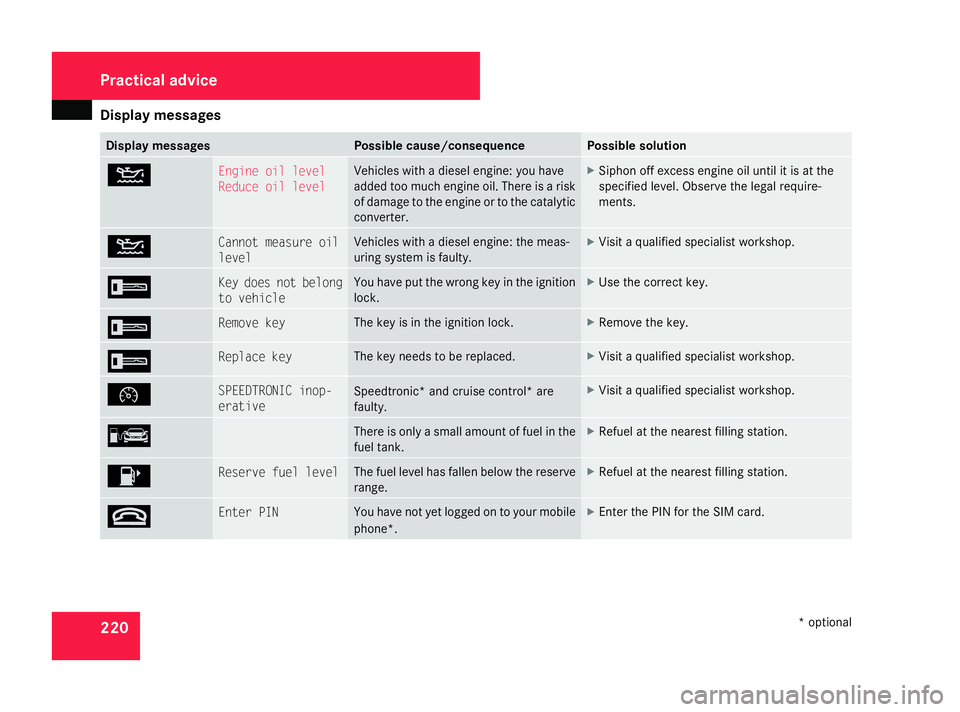
N Engine oil level
Reduce oil level Vehicles with a diesel engine:
you have
added too much engine oil. There is a risk
of damage to the engine or to the catalytic
converter. X
Siphon off excess engine oil until it is at the
specified level. Observe the legal require-
ments. N Cannot measure oil
level Vehicles with a diesel engine: the meas-
uring system is faulty. X
Visit a qualified specialist workshop. I Key does not belong
to vehicle You have put the wrong key in the ignition
lock. X
Use the correct key. I Remove key The key is in the ignition lock. X
Remove the key. I Replace key The key needs to be replaced. X
Visit a qualified specialist workshop. Ñ SPEEDTRONIC inop-
erative
Speedtronic* and cruise control* are
faulty. X
Visit a qualified specialist workshop. ¿ There is only a small amount of fuel in the
fuel tank. X
Refuel at the nearest filling station. 4 Reserve fuel level The fuel level has fallen below the reserve
range. X
Refuel at the nearest filling station. t Enter PIN You have not yet logged on to your mobile
phone*. X
Enter the PIN for the SIM card. Practical advice
* optional
169_AKB; 2; 4, en-GB
wdomann
,V ersion: 2.10.6
2008-07-16T08:52:06+02:00 - Seite 220 Dateiname: 6515_0315_02_buchblock.pdf; preflight
Page 230 of 305
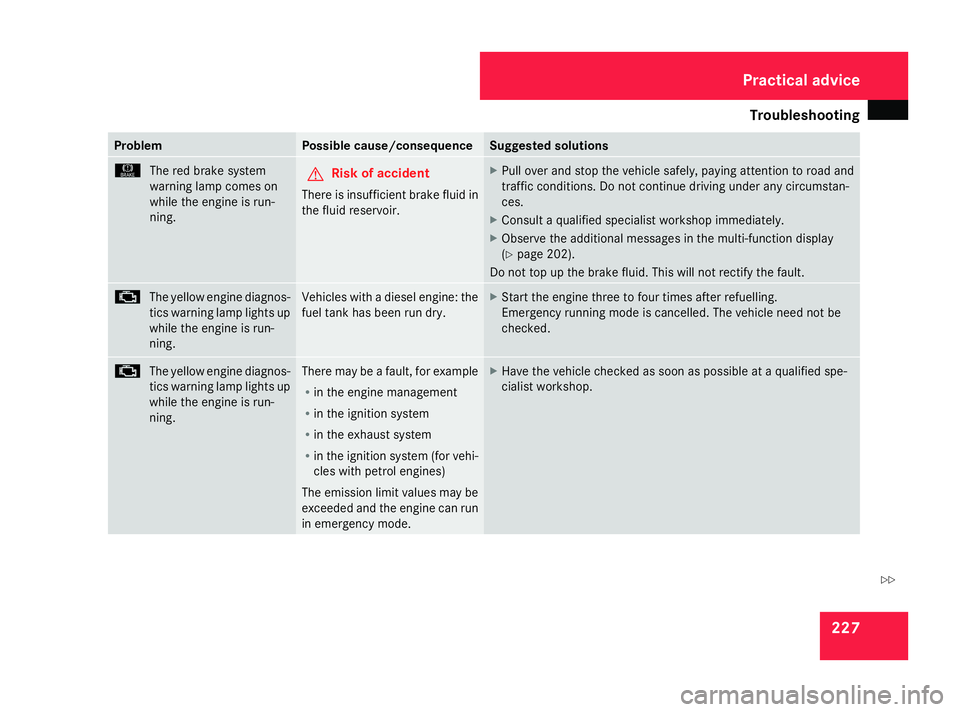
Troubleshooting
227Problem Possible cause/consequence Suggested solutions
H
The red brake system
warning lamp comes on
while the engine is run-
ning. G
Risk of accident
There is insufficient brake fluid in
the fluid reservoir. X
Pull over and stop the vehicle safely, pa ying attention to road and
traffic conditions. Do not continue driving under any circumstan-
ces.
X Consult a qualified specialist workshop immediately.
X Observe the additional messages in the multi-function display
(Y page 202).
Do not top up the brake fluid. This will not rectify the fault. ±
The yellow engine diagnos-
tics warning lamp lights up
while the engine is run-
ning. Vehicles with a diesel engine: the
fuel tank has been run dry. X
Start the engine three to four times after refuelling.
Emergency running mode is cancelled. The vehicle need not be
checked. ±
The yellow engine diagnos-
tics warning lamp lights up
while the engine is run-
ning. There may be a fault, for example
R
in the engine management
R in the ignition system
R in the exhaust system
R in the ignition system (for vehi-
cles with petrol engines)
The emission limit values may be
exceeded and the engine can run
in emergency mode. X
Have the vehicle checked as soon as possible at a qualified spe-
cialist workshop. Practical advice
169_AKB; 2; 4, en-GB
wdomann
,V ersion: 2.10.6
2008-07-16T08:52:06+02:00 - Seite 227 ZDateiname: 6515_0315_02_buchblock.pdf; preflight
Page 234 of 305
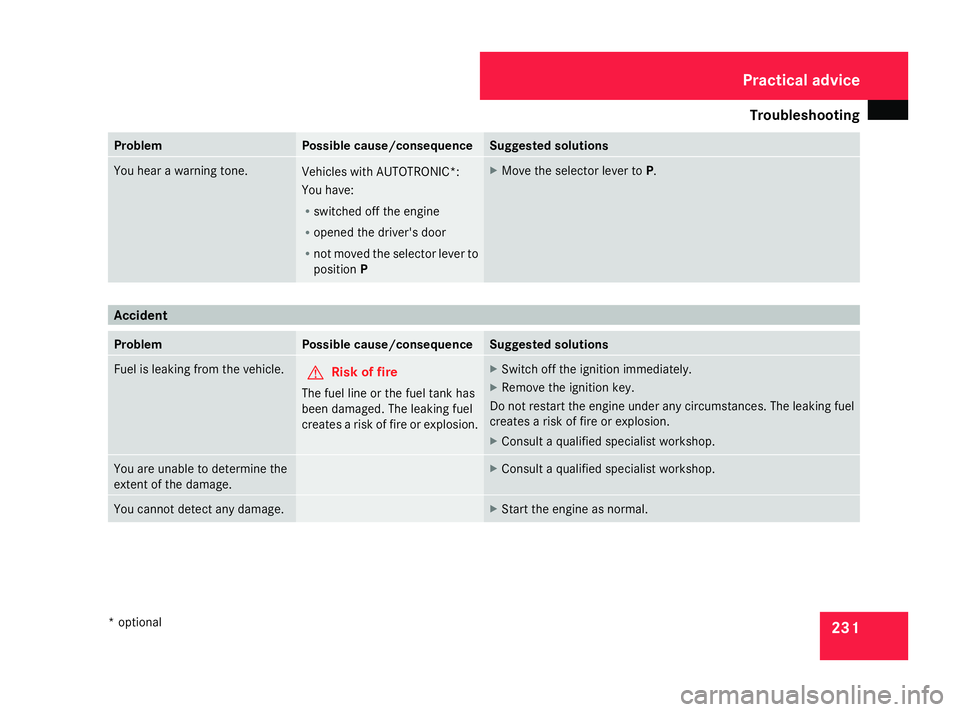
Troubleshooting
231Problem Possible cause/consequence Suggested solutions
You hear a warning tone.
Vehicles with AUTOTRONIC*:
You have:
R
switched off the engine
R opened the driver's door
R not moved the selector lever to
position P X
Move the selector lever to P.Accident
Problem Possible cause/consequence Suggested solutions
Fuel is leaking from the vehicle.
G
Risk of fire
The fuel line or the fuel tank has
been damaged. The leaking fuel
creates a risk of fire or explosion. X
Switch off the ignition immediatel y.
X Remove the ignition key.
Do not restart the engine under any circumstances. The leaking fuel
creates a risk of fire or explosion.
X Consult a qualified specialist workshop. You are unable to determine the
extent of the damage. X
Consult a qualified specialist workshop. You cannot detect any damage. X
Start the engine as normal. Practical advice
* optional
169_AKB; 2; 4, en-GB
wdomann
,V ersion: 2.10.6
2008-07-16T08:52:06+02:00 - Seite 231 ZDateiname: 6515_0315_02_buchblock.pdf; preflight
Page 235 of 305
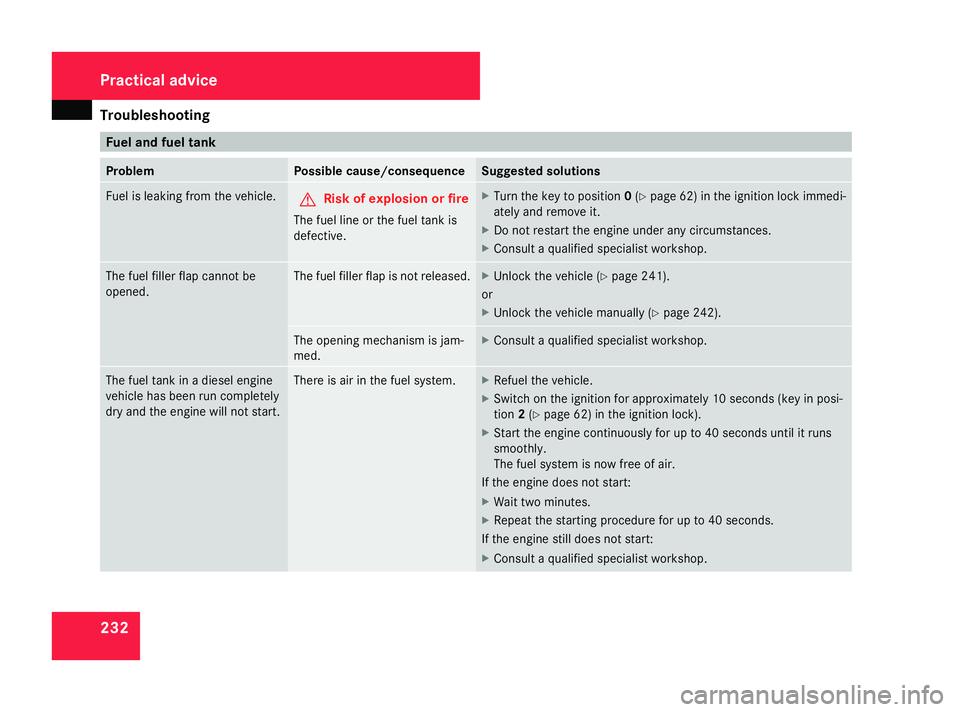
Troubleshooting
232 Fuel and fuel tank
Problem Possible cause/consequence Suggested solutions
Fuel is leaking from the vehicle.
G
Risk of explosion or fire
The fuel line or the fuel tank is
defective. X
Turn the key to position 0(Y page 62) in the ignition lock immedi-
atel y and remove it.
X Do not restart the engine under any circumstances.
X Consult a qualified specialist workshop. The fuel filler flap cannot be
opened. The fuel filler flap is not released. X
Unlock the vehicle (Y page 241).
or
X Unlock the vehicle manually (Y page 242). The opening mechanism is jam-
med. X
Consult a qualified specialist workshop. The fuel tank in a diesel engine
vehicle has been run completely
dry and the engine will not start. There is air in the fuel system. X
Refuel the vehicle.
X Switch on the ignition for approximately 10 seconds (key in posi-
tion 2(Y page 62) in the ignition lock).
X Start the engine continuously for up to 40 seconds until it runs
smoothly.
The fuel system is now free of air.
If the engine does not start:
X Wait two minutes.
X Repeat the starting procedure for up to 40 seconds.
If the engine still does not start:
X Consult a qualified specialist workshop. Practical advice
169_AKB; 2; 4, en-GB
wdomann
,V ersion: 2.10.6
2008-07-16T08:52:06+02:00 - Seite 232 Dateiname: 6515_0315_02_buchblock.pdf; preflight
Page 236 of 305
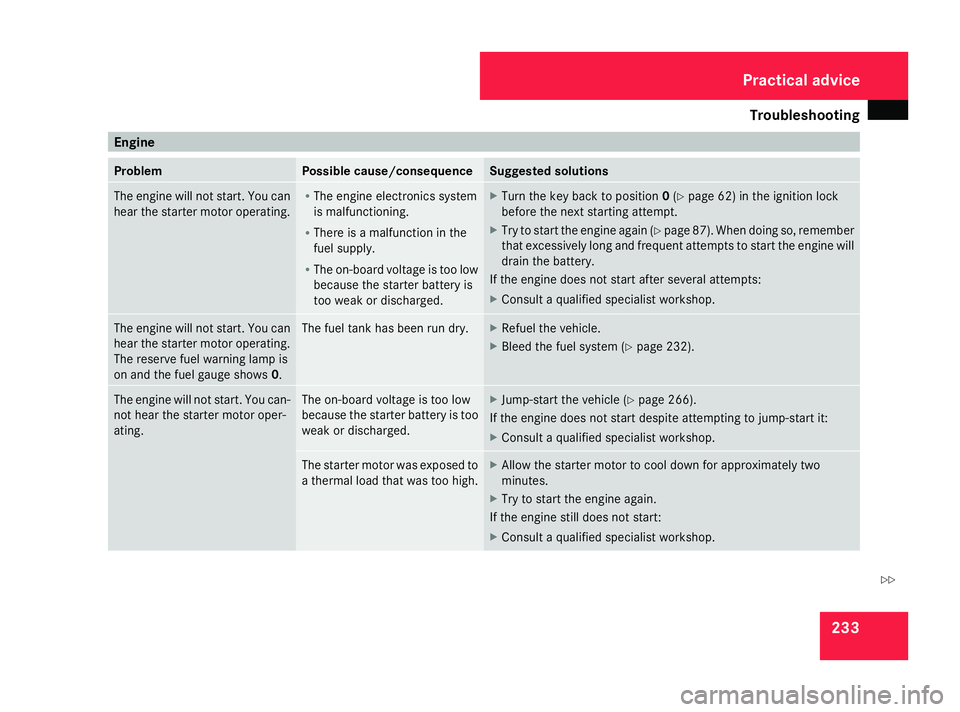
Troubleshooting
233Engine
Problem Possible cause/consequence Suggested solutions
The engine will not start. You can
hear the starter motor operating. R
The engine electronics system
is malfunctioning.
R There is a malfunction in the
fuel supply.
R The on-board voltage is too low
because the starter batter y is
too weak or discharged. X
Turn the key back to position 0(Y page 62) in the ignition lock
before the next starting attempt.
X Try to start the engine again (Y page 87). When doing so, remember
that excessively long and frequent attempts to start the engine will
drain the battery.
If the engine does not start after several attempts:
X Consult a qualified specialist workshop. The engine will not start. You can
hear the starter motor operating.
The reserve fuel warning lamp is
on and the fuel gauge shows 0. The fuel tank has been run dry. X
Refuel the vehicle.
X Bleed the fuel system (Y page 232).The engine will not start. You can-
not hear the starter motor oper-
ating. The on-board voltage is too low
because the starter battery is too
weak or discharged. X
Jump-start the vehicle (Y page 266).
If the engine does not start despite attempting to jump-start it:
X Consult a qualified specialist workshop. The starter motor was exposed to
a thermal load that was too high. X
Allow the starter motor to cool down for approximately two
minutes.
X Try to start the engine again.
If the engine still does not start:
X Consult a qualified specialist workshop. Practical advice
169_AKB; 2; 4, en-GB
wdomann
,V ersion: 2.10.6
2008-07-16T08:52:06+02:00 - Seite 233 ZDateiname: 6515_0315_02_buchblock.pdf; preflight
Page 238 of 305
Troubleshooting
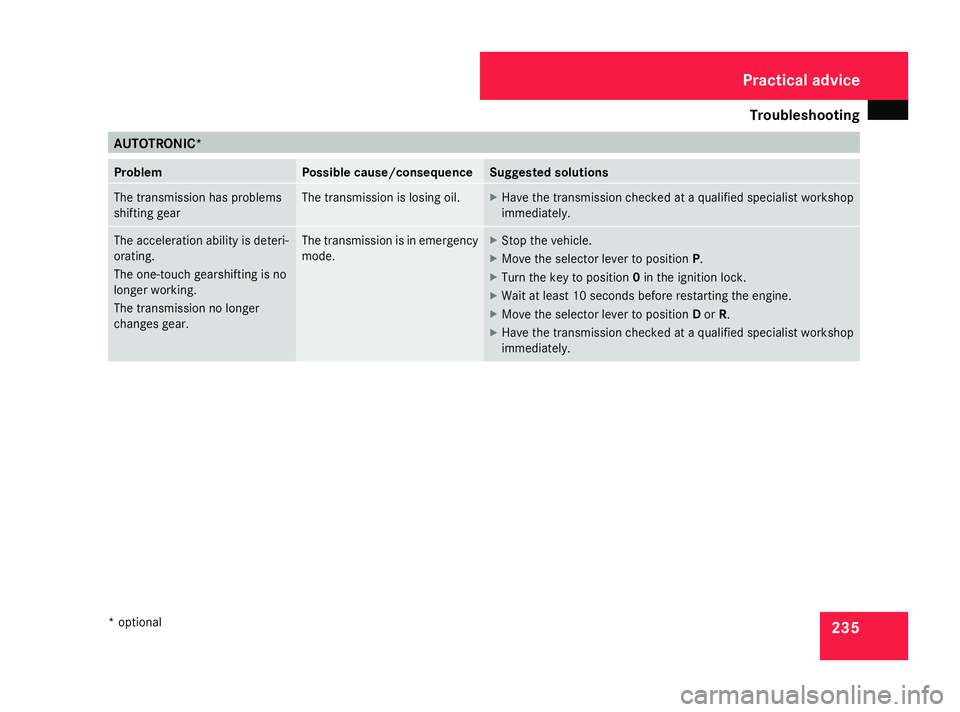
235AUTOTRONIC*
Problem Possible cause/consequence Suggested solutions
The transmission has problems
shifting gear The transmission is losing oil. X
Have the transmission checked at a qualified specialist workshop
immediatel y. The acceleration ability is deteri-
orating.
The one-touch gearshifting is no
longer working.
The transmission no longer
changes gear. The transmission is in emergency
mode. X
Stop the vehicle.
X Move the selector lever to position P.
X Turn the key to position 0in the ignition lock.
X Wait at least 10 seconds before restarting the engine.
X Move the selector lever to position Dor R.
X Have the transmission checked at a qualified specialist workshop
immediately. Practical advice
* optional
169_AKB; 2; 4, en-GB
wdomann
,V ersion: 2.10.6
2008-07-16T08:52:06+02:00 - Seite 235 ZDateiname: 6515_0315_02_buchblock.pdf; preflight