wheel MERCEDES-BENZ A-CLASS HATCHBACK 2015 User Guide
[x] Cancel search | Manufacturer: MERCEDES-BENZ, Model Year: 2015, Model line: A-CLASS HATCHBACK, Model: MERCEDES-BENZ A-CLASS HATCHBACK 2015Pages: 417, PDF Size: 11.91 MB
Page 24 of 417
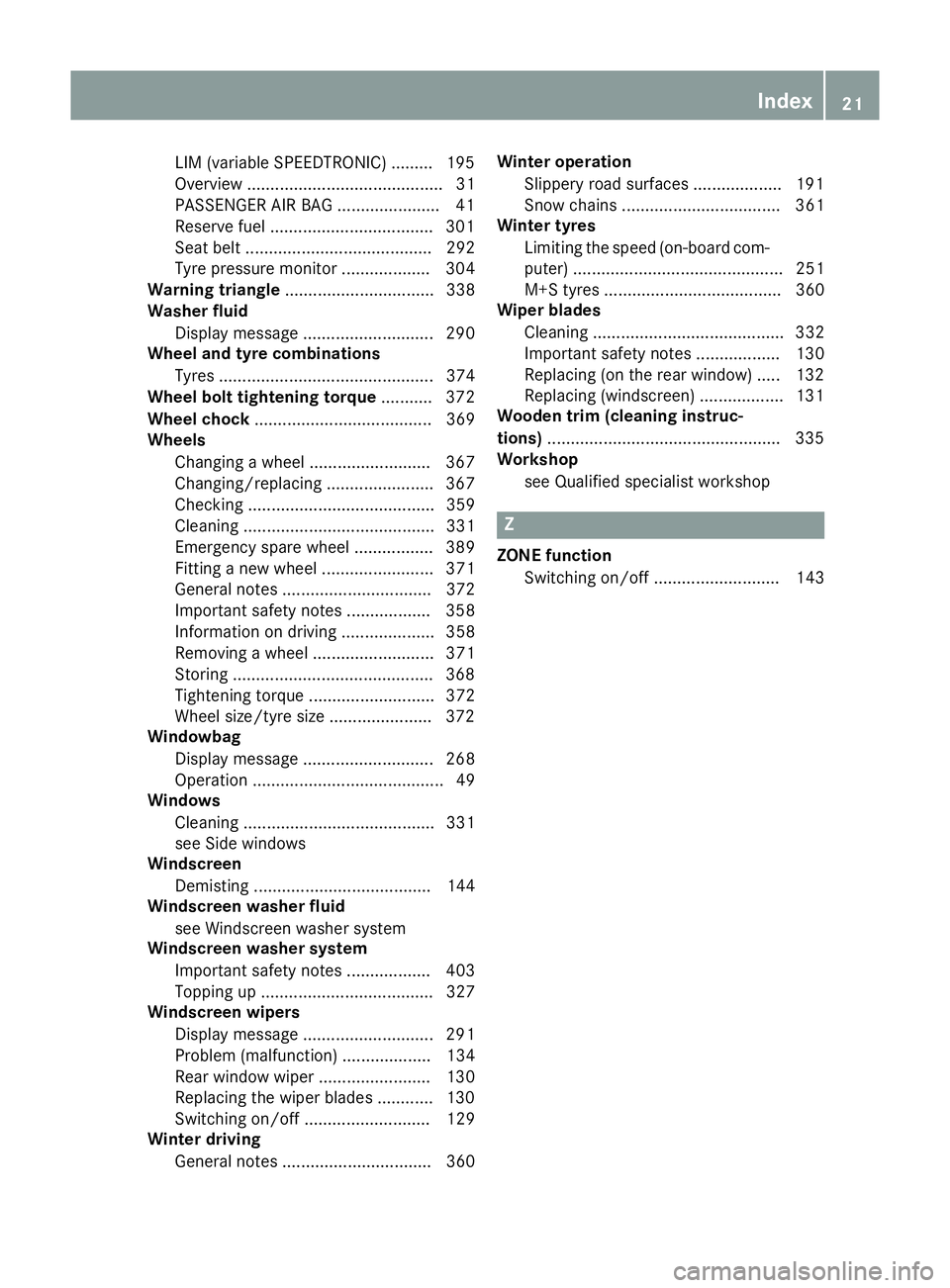
LIM (variable SPEEDTRONIC) .........1
95
Overview .......................................... 31
PASSENGER AIR BAG ..................... .41
Reserve fuel .................................. .301
Seat belt ........................................ 292
Tyre pressure monitor ................... 304
Warning triangle ................................ 338
Washer fluid
Display message ............................ 290
Wheel and tyre combinations
Tyres .............................................. 374
Wheel bolt tightening torque ........... 372
Wheel chock ...................................... 369
Wheels
Changing a wheel .......................... 367
Changing/replacing ....................... 367
Checking ........................................ 359
Cleaning ......................................... 331
Emergency spare wheel ................. 389
Fitting a new wheel ........................ 371
General notes ................................ 372
Important safety notes .................. 358
Information on driving .................... 358
Removing a wheel .......................... 371
Storing .......................................... .368
Tightening torque ........................... 372
Wheel size/tyre size ..................... .372
Windowbag
Display message ............................ 268
Operation ......................................... 49
Windows
Cleaning ......................................... 331
see Side windows
Windscreen
Demisting ...................................... 144
Windscreen washer fluid
see Windscreen washer system
Windscreen washer system
Important safety notes .................. 403
Topping up ..................................... 327
Windscreen wipers
Display message ............................ 291
Problem (malfunction) ................... 134
Rear window wiper ........................ 130
Replacing the wiper blades ............ 130
Switching on/off ........................... 129
Winter driving
General notes ................................ 360 Winter operation
Slippery road surfaces ................... 191
Snow chains .................................. 361
Winter tyres
Limiting the speed (on-board com-
puter) ............................................. 251
M+S tyres ...................................... 360
Wiper blades
Cleaning ......................................... 332
Important safety notes .................. 130
Replacing (on the rear window) ..... 132
Replacing (windscreen) .................. 131
Wooden trim (cleaning instruc-
tions) ................................................. .335
Workshop
see Qualified specialist workshop Z
ZONE function Switching on/off ........................... 143 Index
21
Page 26 of 417
Do not install accessories such as audio
systems in these areas. Do not carry out
repairs or welding. You could impair the
operating efficiency of the restraint sys-
tems.
Have accessories retrofitted at a qualified
specialist workshop.
You could jeopardise the operating safety of
your vehicle if you use parts, tyres and wheels
as well as accessories relevant to safety
which have not been approved by Mercedes- Benz. This could lead to malfunctions in
safety-relevant systems, e.g. the brake sys-
tem. Only use genuine Mercedes-Benz parts
or parts of equal quality. Only use tyres,
wheels and accessories that have been spe-
cifically approved for your vehicle.
Mercedes-Benz tests genuine parts and con-
version parts and accessories that have been
specifically approved for your vehicle for their reliability, safety and suitability. Despite
ongoing market research, Mercedes-Benz is
unable to assess other parts. Mercedes-Benz
therefore accepts no responsibility for the
use of such parts in Mercedes-Benz vehicles, even if they have been officially approved or
independently approved by a testing centre.
In Germany, certain parts are only officially
approved for installation or modification if
they comply with legal requirements. This
also applies to some other countries. All gen- uine Mercedes-Benz parts meet the approval
requirements. The use of non-approved parts
may invalidate the vehicle's general operating permit.
This is the case:
R if they cause a change of the vehicle type
from that for which the vehicle's general
operating permit was granted
R if other road users could be endangered
R if the emission or noise levels are adversely
affected
Always specify the vehicle identification num- ber (VIN) (Y page 396) when ordering genu-
ine Mercedes-Benz parts. Owner's Manual
Vehicle equipment
This Owner's Manual describes all models
and all standard and optional equipment
available for your vehicle at the time of pub-
lication of the Owner's Manual. Country-spe- cific differences are possible. Note that your
vehicle may not be fitted with all features
described. This is also the case for systems
and functions relevant to safety. Therefore,
the equipment on your vehicle may differ from
that in the descriptions and illustrations.
The original purchase contract documenta-
tion for your vehicle contains a list of all of the
systems in your vehicle.
Should you have any questions concerning
equipment and operation, please consult a
Mercedes-Benz Service Centre.
The Owner's Manual and Service Booklet are important documents and should kept in the
vehicle. Operating safety
Declarations of conformity
Wireless vehicle components The following information applies to all com-
ponents of the vehicle and the information
systems and communication devices integra-
ted into the vehicle which receive and/or
transmit radio waves:
The components of this vehicle that receive
and/or transmit radio waves are compliant
with the basic requirements and all other rel- evant conditions of Directive 1999/5/EC.
You can obtain further information from any
Mercedes-Benz Service Centre.
Electromagnetic compatibility The electromagnetic compatibility of the vehi-
cle components has been checked and certi-fied according to the currently valid version of
Regulation ECE-R 10. Introduction
23 Z
Page 28 of 417
R
traffic rules and regulations
R laws and safety standards pertaining to
motor vehicles Implied warranty
! Follow the instructions in this manual
about the proper operation of your vehicle
as well as about possible vehicle damage.
Damage to your vehicle that arises from
culpable contraventions against these
instructions are not covered either by
Mercedes-Benz implied warranty or by the
New or Used-Vehicle Warranty. QR code for rescue card
The QR code is secured in the fuel filler flap
and on the opposite side on the B-pillar. In the
event of an accident, rescue services can use the QR code to quickly find the appropriate
rescue card for your vehicle. The current res-
cue card contains, in a compact form, the
most important information about your vehi-
cle, e.g. the routing of the electric cables.
You can find more information under http:// portal.aftersales.i.daimler.com/public/
content/asportal/en/communication/
informationen_fuer/QRCode.html. Data stored in the vehicle
A wide range of electronic components in
your vehicle contain data memories.
These data memories temporarily or perma-
nently store technical information about:
R the vehicle's operating state
R events
R faults
In general, this technical information docu-
ments the state of a component, a module, a
system or the surroundings. These include, for example:
R operating conditions of system compo-
nents, e.g. fluid levels
R the vehicle's status messages and those of
its individual components, e.g. number of
wheel revolutions/speed, deceleration in
movement, lateral acceleration, accelera-
tor pedal position
R malfunctions and defects in important sys-
tem components, e.g. lights, brakes
R vehicle reactions and operating conditions
in special driving situations, e.g. airbag
deployment, intervention of stability con-
trol systems
R ambient conditions, e.g. outside tempera-
ture
This data is of an exclusively technical nature and can be used to:
R assist in detecting and rectifying faults and
defects
R analyse vehicle functions, e.g. after an acci-
dent
R optimise vehicle functions
The data cannot be used to trace the vehicle's movements.
When your vehicle is serviced, technical infor-
mation can be read from the event data mem- ory and fault data memory.
Services include, for example:
R repair services
R service processes
R warranty events
R quality assurance
The vehicle is read out by employees of the
service network (including the manufacturer)
using special diagnostic testers. You can
obtain more information there, if required.
After a fault has been rectified, the informa-
tion is deleted from the fault memory or is
continually overwritten.
When operating the vehicle, situations are
conceivable in which this technical data, in
connection with other information (if neces- Introduction
25 Z
Page 30 of 417

Cockpit
................................................. 28
Instrument cluster ..............................30
Multifunction steering wheel .............32
Centre console .................................... 34
Door control panel .............................. 37
Overhead control panel ......................38 27At a glance
Page 31 of 417
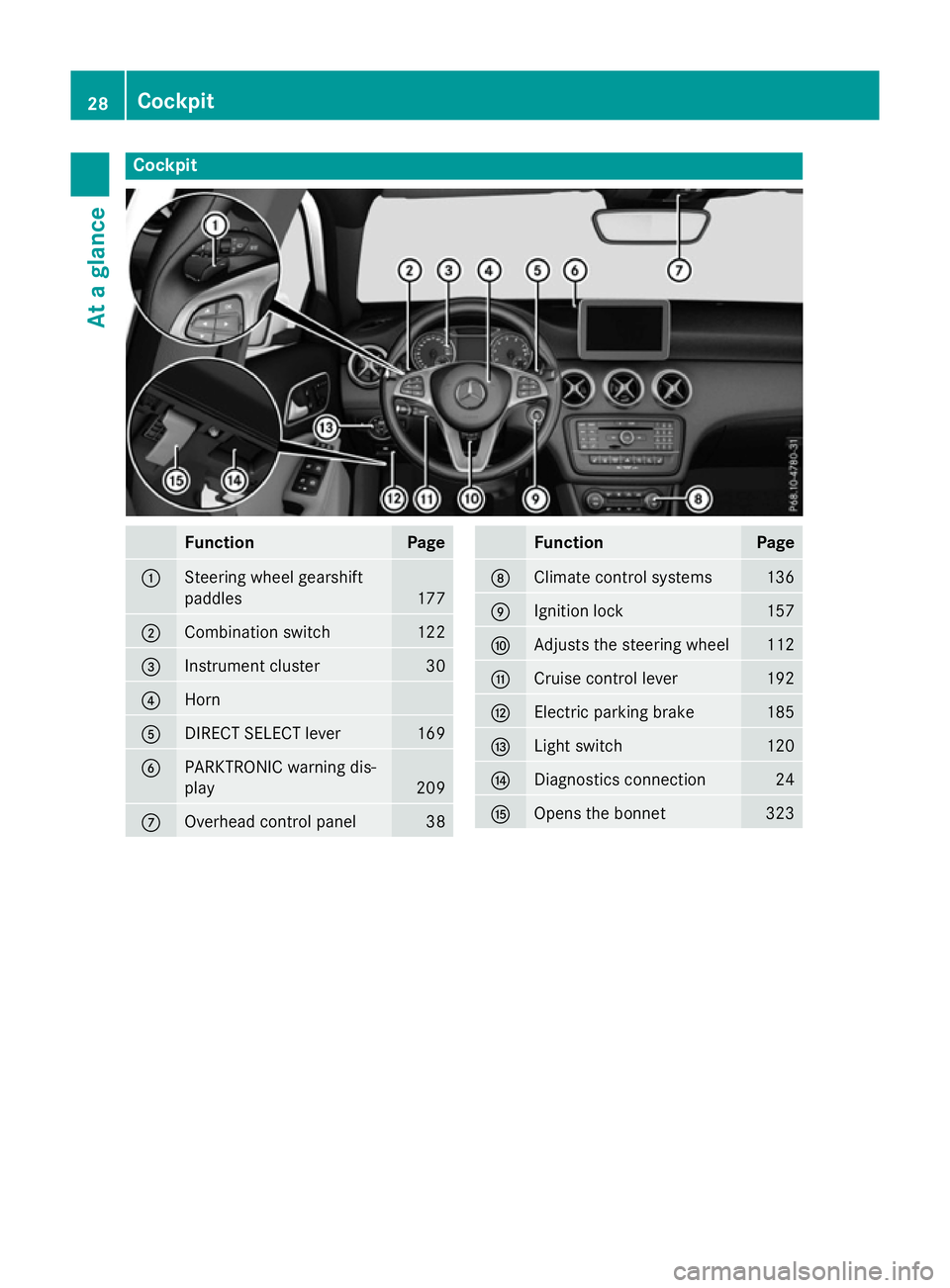
Cockpit
Function Page
:
Steering wheel gearshift
paddles
177
;
Combination switch 122
=
Instrument cluster 30
?
Horn
A
DIRECT SELECT lever 169
B
PARKTRONIC warning dis-
play
209
C
Overhead control panel 38 Function Page
D
Climate control systems 136
E
Ignition lock 157
F
Adjusts the steering wheel 112
G
Cruise control lever 192
H
Electric parking brake 185
I
Light switch 120
J
Diagnostics connection 24
K
Opens the bonnet 32328
CockpitAt a glance
Page 32 of 417
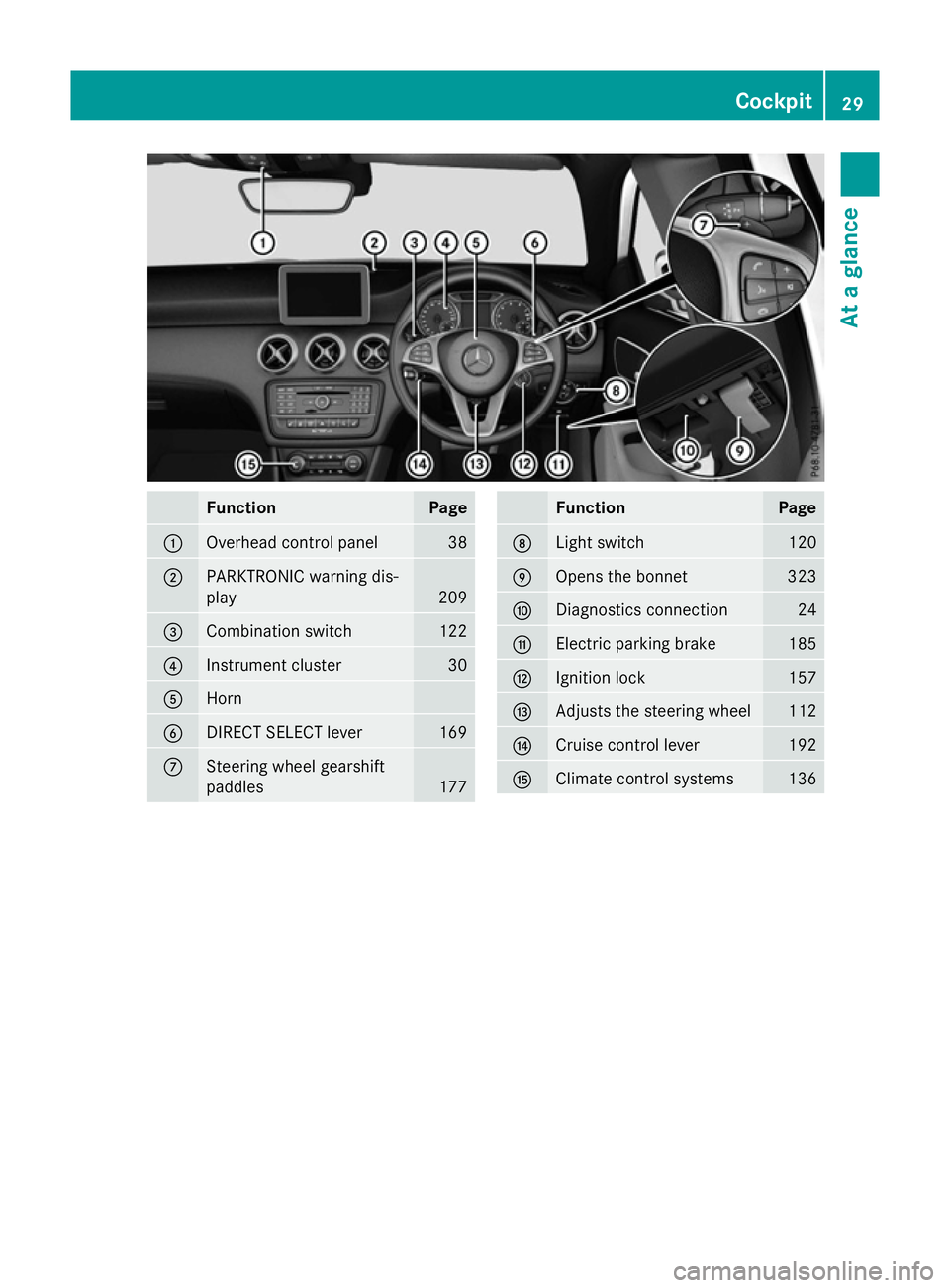
Function Page
:
Overhead control panel 38
;
PARKTRONIC warning dis-
play 209
=
Combination switch 122
?
Instrument cluster 30
A
Horn
B
DIRECT SELECT lever 169
C
Steering wheel gearshift
paddles
177 Function Page
D
Light switch 120
E
Opens the bonnet 323
F
Diagnostics connection 24
G
Electric parking brake 185
H
Ignition lock 157
I
Adjusts the steering wheel 112
J
Cruise control lever 192
K
Climate control systems 136Cockpit
29At a glance
Page 35 of 417
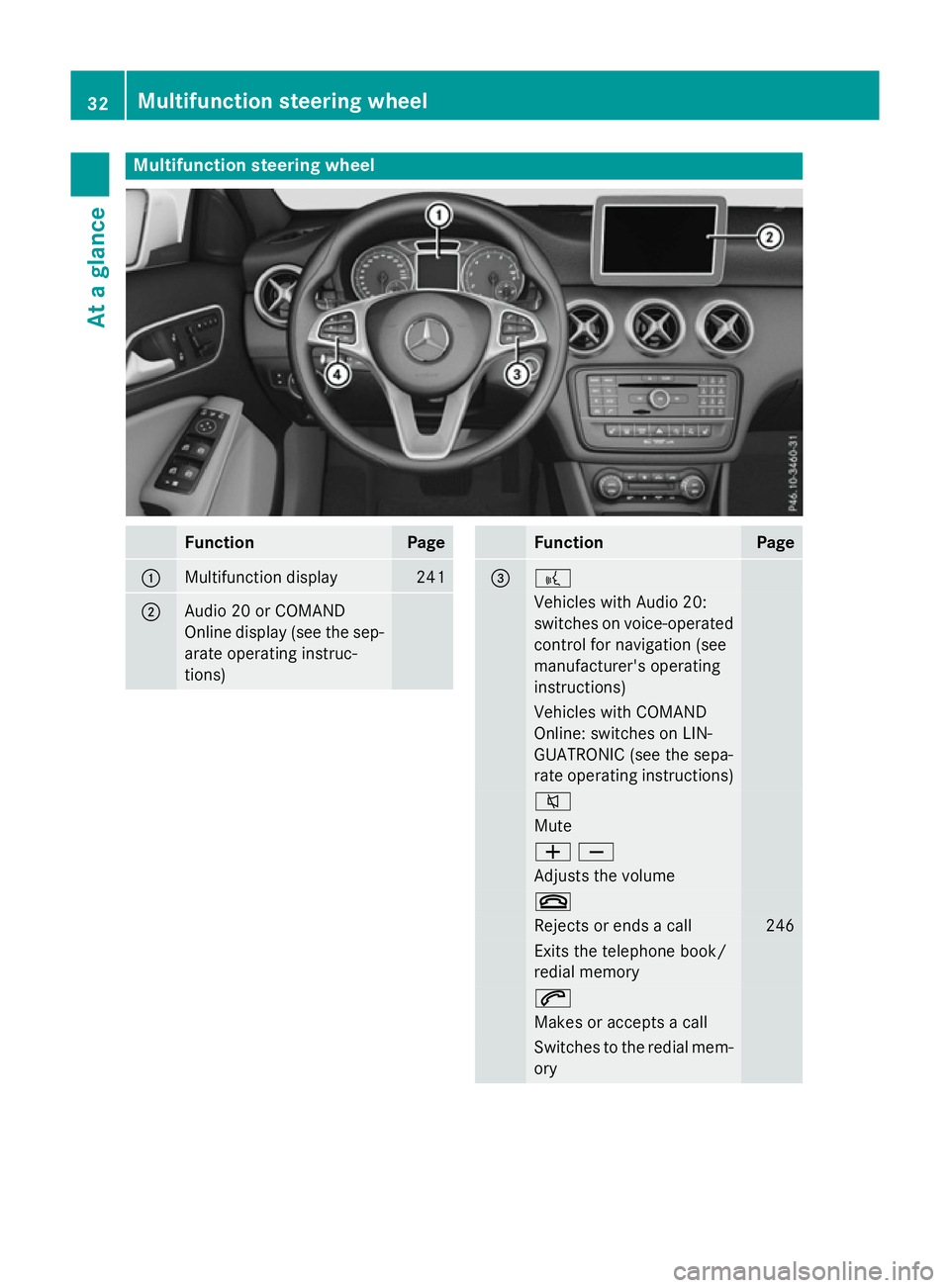
Multifunction steering wheel
Function Page
:
Multifunction display 241
;
Audio 20 or COMAND
Online display (see the sep-
arate operating instruc-
tions) Function Page
= ?
Vehicles with Audio 20:
switches on voice-operated
control for navigation (see
manufacturer's operating
instructions) Vehicles with COMAND
Online: switches on LIN-
GUATRONIC (see the sepa-
rate operating instructions)
8
Mute
WX
Adjusts the volume
~
Rejects or ends a call 246
Exits the telephone book/
redial memory 6
Makes or accepts a call
Switches to the redial mem-
ory 32
Multifunction steering wheelAt a glance
Page 36 of 417
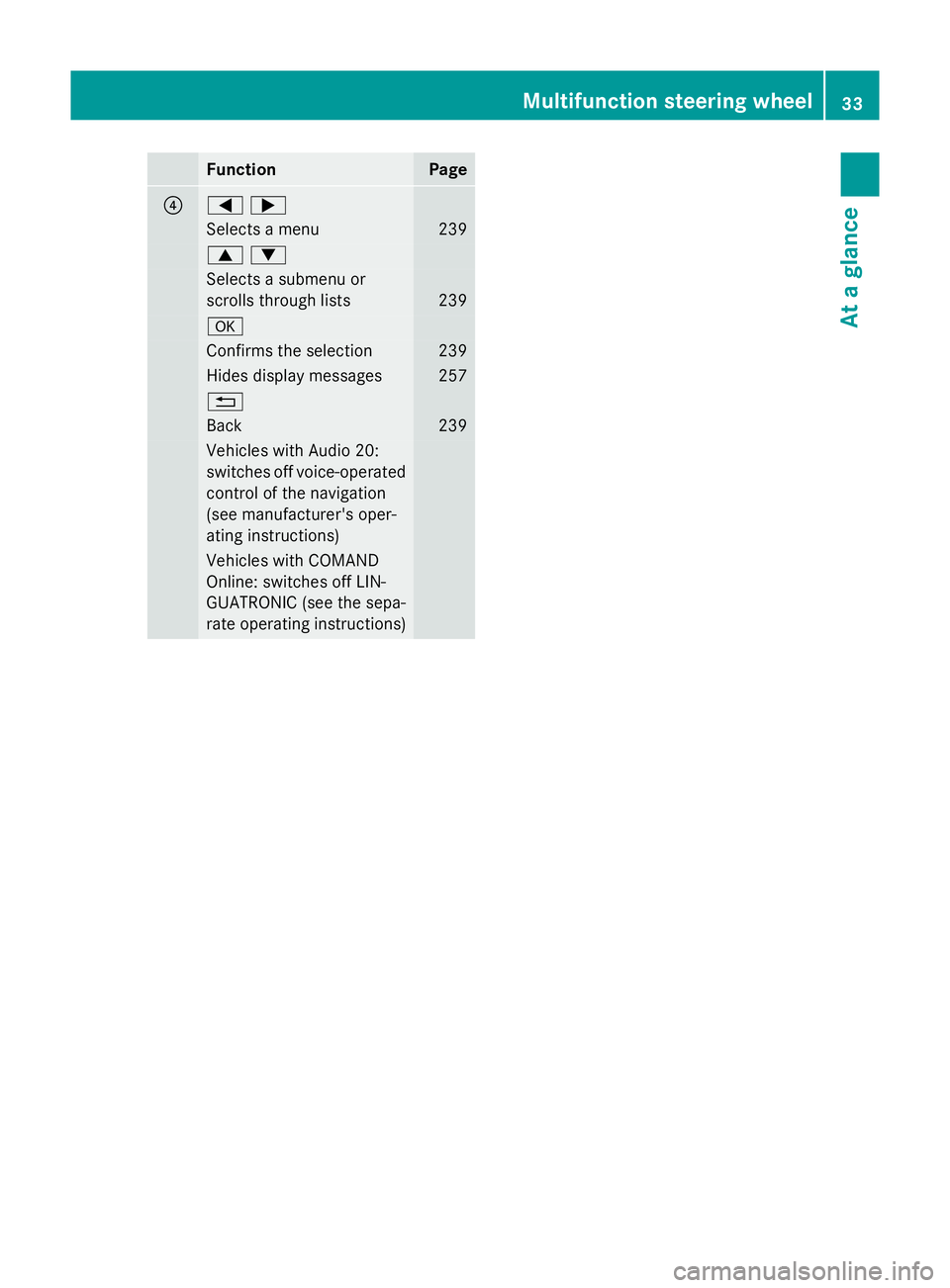
Function Page
?
=;
Selects a menu 239
9:
Selects a submenu or
scrolls through lists
239
a
Confirms the selection 239
Hides display messages 257
%
Back 239
Vehicles with Audio 20:
switches off voice-operated
control of the navigation
(see manufacturer's oper-
ating instructions) Vehicles with COMAND
Online: switches off LIN-
GUATRONIC (see the sepa-
rate operating instructions) Multifunction steering wheel
33At a glance
Page 43 of 417
Useful information
i This Owner's Manual describes all mod-
els, series and optional equipment for your
vehicle that were available at the time of
going to press. National variations are pos- sible. Note that your vehicle may not be
equipped with all of the functions descri-
bed. This is also the case for systems and
functions relevant to safety.
i Read the information on qualified special-
ist workshops: (Y page 24). Panic alarm
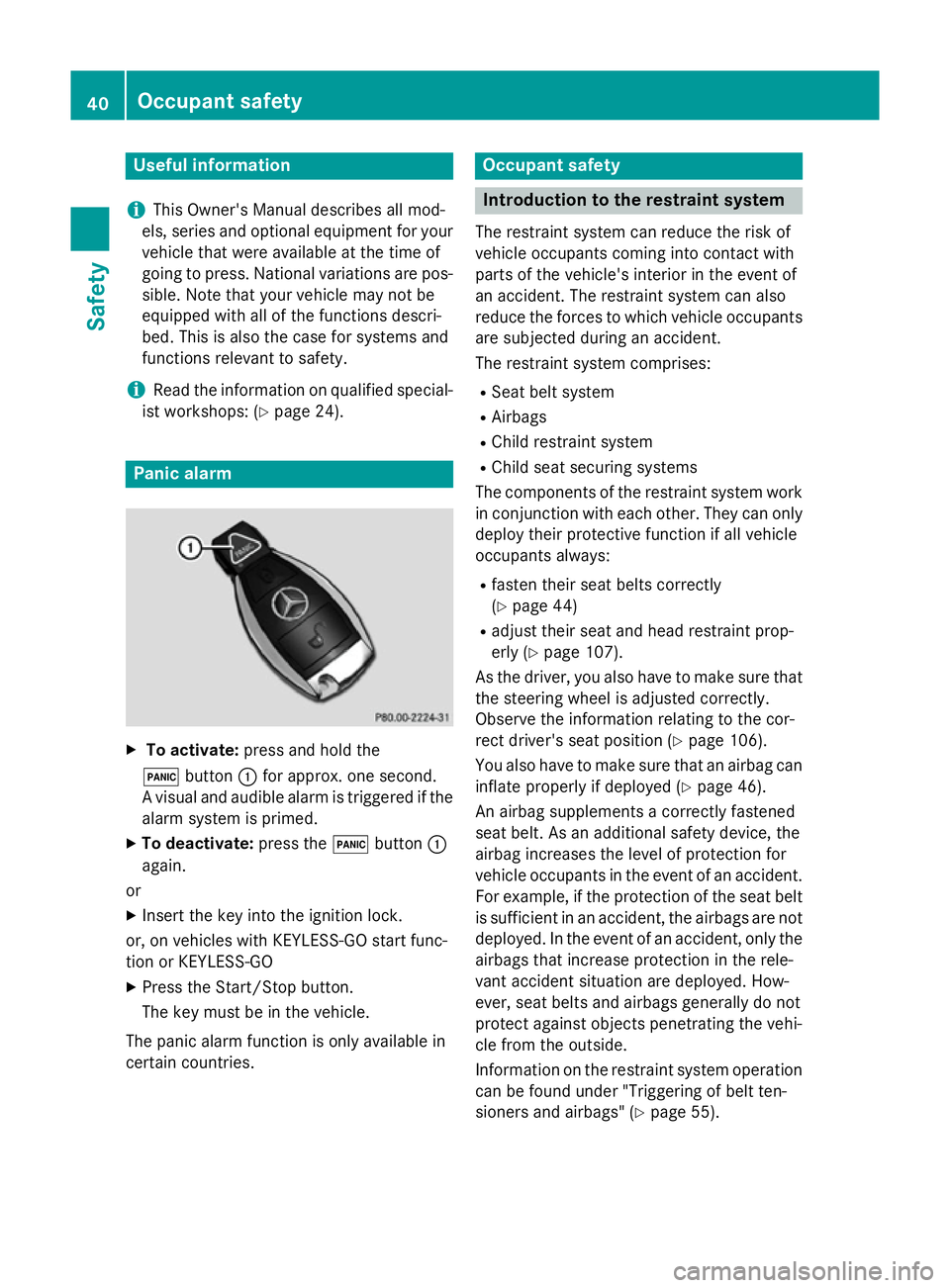
X
To activate: press and hold the
! button :for approx. one second.
A visual and audible alarm is triggered if the alarm system is primed.
X To deactivate: press the!button :
again.
or
X Insert the key into the ignition lock.
or, on vehicles with KEYLESS-GO start func-
tion or KEYLESS ‑GO
X Press the Start/Stop button.
The key must be in the vehicle.
The panic alarm function is only available in
certain countries. Occupant safety
Introduction to the restraint system
The restraint system can reduce the risk of
vehicle occupants coming into contact with
parts of the vehicle's interior in the event of
an accident. The restraint system can also
reduce the forces to which vehicle occupants
are subjected during an accident.
The restraint system comprises:
R Seat belt system
R Airbags
R Child restraint system
R Child seat securing systems
The components of the restraint system work
in conjunction with each other. They can only
deploy their protective function if all vehicle
occupants always:
R fasten their seat belts correctly
(Y page 44)
R adjust their seat and head restraint prop-
erly (Y page 107).
As the driver, you also have to make sure that
the steering wheel is adjusted correctly.
Observe the information relating to the cor-
rect driver's seat position (Y page 106).
You also have to make sure that an airbag can inflate properly if deployed (Y page 46).
An airbag supplements a correctly fastened
seat belt. As an additional safety device, the
airbag increases the level of protection for
vehicle occupants in the event of an accident.
For example, if the protection of the seat belt is sufficient in an accident, the airbags are not
deployed. In the event of an accident, only the airbags that increase protection in the rele-
vant accident situation are deployed. How-
ever, seat belts and airbags generally do not
protect against objects penetrating the vehi-
cle from the outside.
Information on the restraint system operation
can be found under "Triggering of belt ten-
sioners and airbags" (Y page 55).40
Occupant safetySafety
Page 49 of 417
light up continuously or flash. A warning tone
may also sound.
The 7 seat belt warning lamp goes out and
the warning tone stops as soon as the driver's
and the co-driver's seat belts have been fas-
tened.
i For more information on the
7seat
belt warning lamp, see "Warning and indi-
cator lamps in the instrument cluster, seat
belt" (Y page 292).
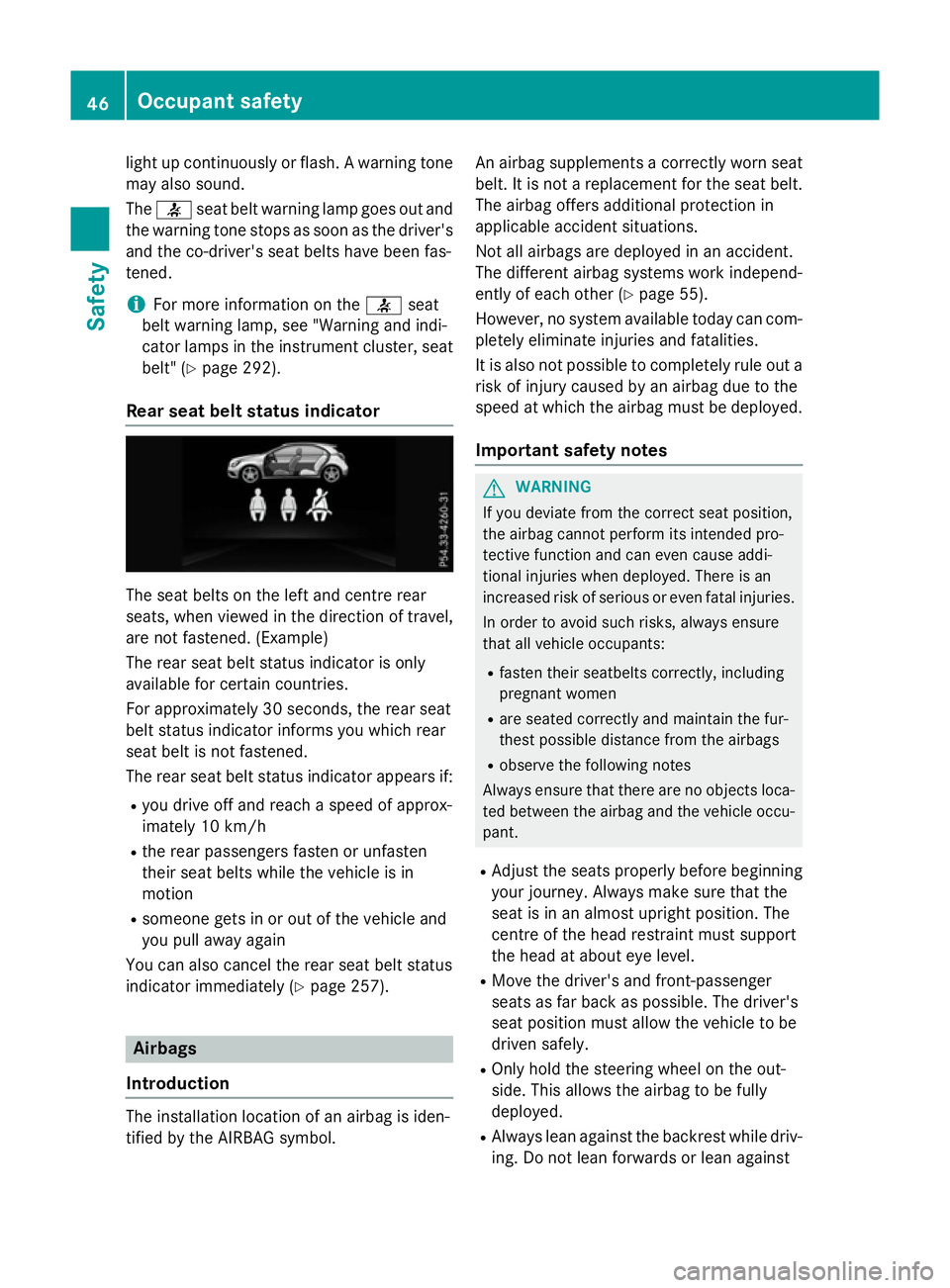
Rear seat belt status indicator The seat belts on the left and centre rear
seats, when viewed in the direction of travel,
are not fastened. (Example)
The rear seat belt status indicator is only
available for certain countries.
For approximately 30 seconds, the rear seat
belt status indicator informs you which rear
seat belt is not fastened.
The rear seat belt status indicator appears if:
R you drive off and reach a speed of approx-
imately 10 km/h
R the rear passengers fasten or unfasten
their seat belts while the vehicle is in
motion
R someone gets in or out of the vehicle and
you pull away again
You can also cancel the rear seat belt status
indicator immediately (Y page 257).Airbags
Introduction The installation location of an airbag is iden-
tified by the AIRBAG symbol. An airbag supplements a correctly worn seat
belt. It is not a replacement for the seat belt.
The airbag offers additional protection in
applicable accident situations.
Not all airbags are deployed in an accident.
The different airbag systems work independ-
ently of each other (Y page 55).
However, no system available today can com- pletely eliminate injuries and fatalities.
It is also not possible to completely rule out a
risk of injury caused by an airbag due to the
speed at which the airbag must be deployed.
Important safety notes G
WARNING
If you deviate from the correct seat position,
the airbag cannot perform its intended pro-
tective function and can even cause addi-
tional injuries when deployed. There is an
increased risk of serious or even fatal injuries.
In order to avoid such risks, always ensure
that all vehicle occupants:
R fasten their seatbelts correctly, including
pregnant women
R are seated correctly and maintain the fur-
thest possible distance from the airbags
R observe the following notes
Always ensure that there are no objects loca-
ted between the airbag and the vehicle occu-
pant.
R Adjust the seats properly before beginning
your journey. Always make sure that the
seat is in an almost upright position. The
centre of the head restraint must support
the head at about eye level.
R Move the driver's and front-passenger
seats as far back as possible. The driver's
seat position must allow the vehicle to be
driven safely.
R Only hold the steering wheel on the out-
side. This allows the airbag to be fully
deployed.
R Always lean against the backrest while driv-
ing. Do not lean forwards or lean against 46
Occupant safetySafety