air condition MERCEDES-BENZ A-CLASS HATCHBACK 2018 User Guide
[x] Cancel search | Manufacturer: MERCEDES-BENZ, Model Year: 2018, Model line: A-CLASS HATCHBACK, Model: MERCEDES-BENZ A-CLASS HATCHBACK 2018Pages: 609, PDF Size: 10.73 MB
Page 149 of 609
#
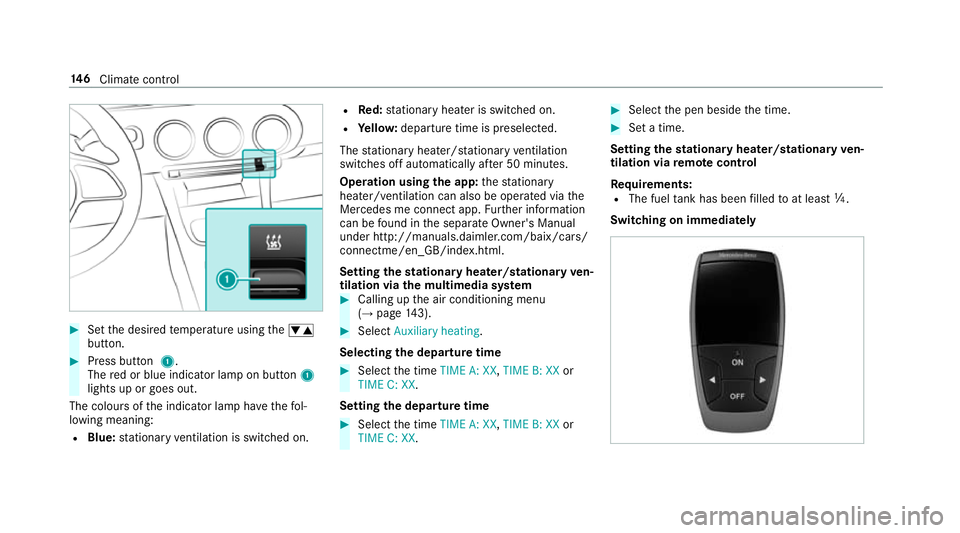
Set the desired temp erature using thew
button. #
Press button 1.
The red or blue indicator lamp on button 1
lights up or goes out.
The colours of the indicator lamp ha vethefo l‐
lowing meaning:
R Blue: stationary ventilation is switched on. R
Red:stationary heater is swit ched on.
R Yello w: departure time is preselected.
The stationary heater/ stationary ventilation
switches off au tomatical lyafte r 50 minutes.
Operation using the app: thest ationary
heater/ ventilation can also be operated via the
Mercedes me connect app. Further information
can be found in the separate Owner's Manual
under http://manuals.daimler.com/baix/cars/
connectme/en_GB/index.html.
Setting thest ationary heater/stationary ven‐
tilation via the multimedia sy stem #
Calling up the air conditioning menu
(→ page 143). #
Select Auxiliary heating.
Selecting the departu retime #
Select the time TIME A: XX, TIME B: XXor
TIME C: XX.
Setting the departu retime #
Select the time TIME A: XX, TIME B: XXor
TIME C: XX. #
Select the pen beside the time. #
Set a time.
Setting thest ationary heater/stationary ven‐
tilation via remo tecont rol
Re quirements:
R The fuel tank has been filled toat least Õ.
Swit ching on immediately 14 6
Climate cont rol
Page 158 of 609
St
arting theve hicle via Remo teOnline serv‐
ices Cooling or heating
theve hicle interior before
commencing your journey
% This function is not available in all countries.
If yo ustart theve hicle via your smartphone, the
pr ev iously selec ted air conditioning adjustment
is active.
Ensure thefo llowing before starting the engine:
R the legal stipulations in the area where your
ve hicle is par ked allow engine starting via
smartphone.
R it is safe tostart and runth e engine where
yo ur vehicle is par ked.
R the fuel tank is su fficiently filled.
R thest ar ter battery is suf ficiently charge d.
% You can also set thete mp erature with your
smartphone. In form ation on Mercedes me
connect and other services: http://
www.mercedes.me
This function is not available for all models. Charging
the bat tery before commencing
yo ur journey
R Ifth eve hicle battery is discharged, you
re cei vea message on your smartphone.
R You can then start theve hicle with the
smartphone tocharge the batter y.
R The vehicle is automatically switched off
af te rte n minu tes.
Ensure thefo llowing before starting the engine:
R the legal stipulations in the area where your
ve hicle is par ked allow engine starting via
smartphone.
R it is safe tostart and runth e engine where
yo ur vehicle is par ked.
R the fuel tank is su fficiently filled. St
arting theve hicle &
WARNING Risk of crushing or entrap‐
ment due tounin tentional starting of the
engine
Limbs could be crushed or trapped if the
engine is star ted unintentionally during
service or maintenance work. #
Alw ays secure the engine against unin‐
te ntional starting before car rying out
maintenance or repair work. Re
quirements:
R park position jis selected.
R the anti- theft alarm sy stem is not activated.
R the panic alarm is not activated.
R the hazard warning lights are switched off.
R the bonn etis closed.
R the doors are closed and loc ked.
R the windo wsand sliding sun roof are closed. #
Start theve hicle using the smartphone: Driving and parking
15 5
Page 192 of 609
Ac
tivating/deactivating ESP ®
(Electronic Sta‐
bility Prog ram) Multimedia sy
stem:
, © .
Settings .
Quick access
% ESP®
can only be activated/deactivated
using quick access when at least one other
function is available in quick access. ESP ®
can otherwise be found in theAssistance
menu. #
Select ESP.
A prom ptappears. #
Select Onorå Off.
ESP ®
is deactivated if theå ESP®
OFF warn‐
ing lamp lights up continuously in the instrument
clus ter.
Obser vethe information on warning lamps and
display messages which may be shown in the
instrument clus ter. Fu
nction of ESP ®
Crosswind Assist ESP
®
Crosswind Assist de tects sudden gu sts of
side wind and helps the driver tokeep theve hi‐
cle in the lane:
R ESP ®
Crosswind Assist is active at vehicle
speeds between 80 km/h and 200 km/h
when driving stra ight ahead or cornering
slightly.
R The vehicle is stabilised bymeans of individ‐
ual brake application on one side. Fu
nction of ESP ®
trailer stabilisation &
WARNING Risk of accident in poor road
and weather conditions
In poor road and weather conditions, the
trailer stabilisation cannot pr event lu rching of
th eve hicle/trailer combination. Trailers with
a high centre of gr avity may tip over before
ESP ®
de tects this. #
Alw ays adapt your driving style to suit
th e cur rent road and weather condi‐
tions. When driving with a trailer, ESP
®
can stabilise
yo ur vehicle if the trailer begins toswer vefrom
side toside:
R ESP ®
trailer stabilisation is active abo ve
speeds of 65 km/h.
R Slight swerving is reduced bymeans of a tar‐
ge ted, individual brake application on one
side.
R Intheeve nt of se vere swerving, the engine
output is also reduced and all wheels are
braked.
ESP ®
trailer stabilisation may be impaired or
may not function if:
R The trailer is not connec ted cor rectly or is
not de tected prope rly by theve hicle. Driving and parking
18 9
Page 198 of 609
R
Assi stance thro ugh po wer-assis tedsteering if
it de tects a swerving manoeuvre.
R Activation byan abrupt steering mo vement
during a swerving manoeuvre.
R Assis tance du ring swerving and stra ightening
of theve hicle.
R Reaction from a speed of appr oximately
20 km/h up toa speed of appr oximately
70 km/h.
Yo u can pr eventthe assis tance at any time by
actively steering. &
WARNING Risk of an accident despi te
Evasive Steering Assist
Evasive Steering Assist cann otalw ays clearly
identify objects and complex traf fic situa‐
tions.
In addition, thesteering support of Evasive
St eering Assist is general lynot su fficient to
avo id a collision. In such cases Evasive
Steering Assist can:
R give an unnecessary warning or pr ovide
assis tance
R not gi veawa rning or not pr ovide assis‐
ta nce #
Alw ays pay careful attention tothe traf‐
fi c situation; do not rely on Ev asive
St eering Assist alone. #
Beready tobrake and take evasive
action, if necessar y. #
Preve ntthe assis tance byactively steer‐
ing in non-critical driving situations. #
Drive at an appropriate speed if pedes‐
trians are close tothe path of your vehi‐
cle. Sy
stem limitations
Fu ll sy stem per form ance is not available for a
fe w seconds af ter switching on the ignition or
af te r driving off The sy
stem may be impaired or may not function
in thefo llowing situations:
R In sno w,rain, fog, heavy spr ay, if there is
gl are, in direct sunlight or in greatlyvarying
light conditions.
R Ifth e sensors are dirty, mis ted up, damaged
or co vered.
R Ifth e sensors are impaired due tointer fer‐
ence from other radar sources, e.g. strong
ra dar reflections in multi-s torey car par ks.
R If a loss of tyre pressure or a defective tyre
has been de tected and displ ayed.
R In complex traf fic situations whe reobjects
cannot always be clearly identified.
R For pede strians or vehicles if they mo ve
qu ickly into the sensor de tection range.
R For pede strians who are hidden by other
objects.
R Ifth e typical outline of a pedestrian cann ot
be distinguished from the bac kground
R If a pedestrian is not de tected as su ch, e.g.
due tospecial clo thing or other objects.
R On bends with a tight radius. Driving and parking
19 5
Page 204 of 609
th
eve hicle in front driving off again within 30
seconds. If a critical situation is de tected when
driving off, a visual and acoustic warning is given
indicating that the driver must now take control
of theve hicle. The vehicle is not accelerated any
fur ther.
Ac tive Dis tance Assi stDISTRONIC is only an aid.
The driver is responsible forke eping a safe dis‐
ta nce totheve hicle in front, forve hicle speed
and for braking in good time.
Sy stem limitations
The sy stem may be impaired or may not function
in thefo llowing ins tances:
R In sno w,rain, fog, heavy spr ay, if there is
gl are, in direct sunlight or in great lyvarying
light conditions.
R The windsc reen in the area of the camera is
dirty, mis ted up, damaged or co vered.
R Ifth era dar sensors are dirty or co vered.
R On slippery roads, braking or accelerating
can cause one or se veral wheels tolose trac‐
tion and theve hicle could then skid. R
In multi-s torey car par ksor on roads with
st eep uphill or downhill gradients.
R Narrow vehicles, such as bicycles and mo tor‐
cycles, are not de tected.
Do not use Active Dis tance Assi stDISTRONIC in
th ese situations. &
WARNING Risk of accident from acceler‐
ation or braking byActive Dis tance
Assi stDISTRONIC
Ac tive Dis tance Assi stDISTRONIC may accel‐
erate or brake in thefo llowing cases, for
ex ample:
R Ifth eve hicle pulls away using Active Dis‐
ta nce Assi stDISTRONIC.
R Ifth estored speed is called up and is
considerably faster or slo werth an the
cur rently driven speed.
R IfAc tive Dis tance Assi stDISTRONIC no
longer de tects a vehicle in front or does
not react toreleva nt objects. #
Alw ays carefully obser vethe traf fic con‐
ditions and be ready tobrake at all
times. #
Take into account the tra ffic situation
before calling up thestored speed. &
WARNING Risk of accident due toinsuf‐
fi cient decele ration byActive Dis tance
Assi stDISTRONIC
Ac tive Dis tance Assi stDISTRONIC brakes
yo ur vehicle with up to50 % of the maximum
possible deceleration. If this decele ration is
not su fficient, Active Dis tance Assi st
DISTRONIC alerts you with a visual and
acoustic warning. #
Inthese cases, adjust your speed and
ke ep a suf ficient di stance. #
Brake theve hicle yourself and/or take
ev asive action. Driving and parking
201
Page 205 of 609
&
WARNING Risk of accident if de tection
function of Active Dis tance Assi st
DISTRONIC is impaired
Ac tive Dis tance Assi stDISTRONIC does not
re act or has a limited reaction:
R when driving on a dif fere nt lane or when
ch anging lanes
R topedestrians, animals, bicycles or sta‐
tionary vehicles, or unexpected obs tacles
R tocompl extraf fic conditions
R tooncoming vehicles and crossing traf fic
As a result, Active Dis tance Assi st
DISTRONIC may nei ther give warnings nor
inter vene in su chsituations. #
Alw ays obser vethe tra ffic conditions
carefully and react accordin gly. Operating
Active Di stance Assist DIST RONIC
Re quirements:
R The vehicle has been star ted.
R The elect ric pa rking brake is released. R
ESP ®
is activated and is not inter vening.
R The transmission is in position h.
R All doors and the bonn etare closed.
R Check of thera dar sensor sy stem has been
successfully comple ted.
R Parking Assist PARKTRONIC is not being
used topark theve hicle or toexit from a
parking space.
R The vehicle does not skid. Switching between
Active Di stance Assist
DIST RONIC and the limiter #
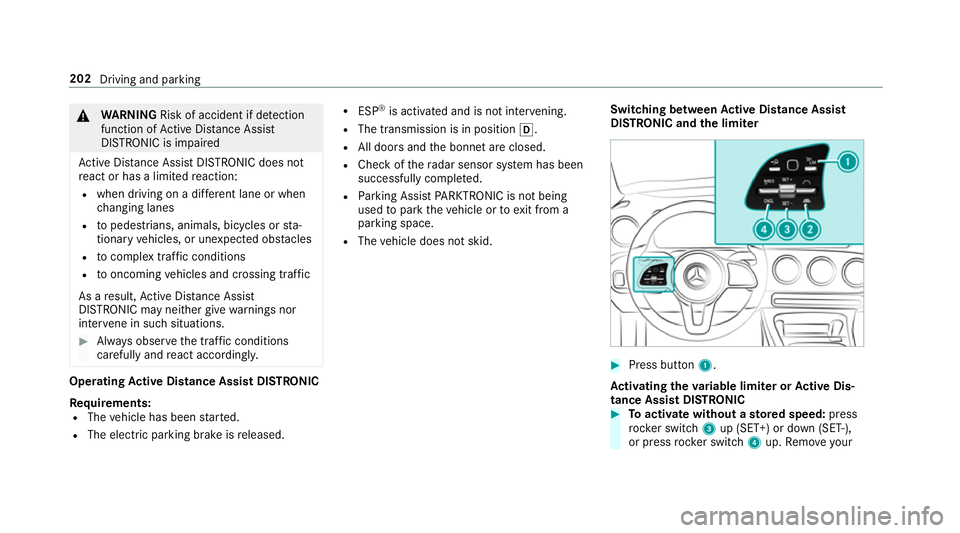
Press button 1.
Ac tivating the variable limi ter or Active Dis‐
tance Assi stDISTRONIC #
Toactivate with out astored speed: press
rock er switch 3up (SET+) or down (SET-),
or press rocker switch 4up. Remo veyour 202
Driving and parking
Page 209 of 609
is
responsible for complying with road traf fic
re gulations and driving at a suitable speed.
In dif ficult conditions (e.g. unclear roads, nar row
lanes, wetro ad sur faces, snow or ice) or when
driving wi tha trailer, the speed adjustment made
by the sy stem may not alw ays be suitable. In
th ese situations the driver must inter vene
acco rdingly. &
WARNING Risk of accident in spi teof
ro ute-based speed adjustment
Ro ute-based speed adjustment might mal‐
function or be temp orarily una vailable in the
fo llowing situations:
R If map data is not up todate or available
R Ifyo u do not follow the selected route
guidance
R Ifth e set route is re-planned
R Inroad con stru ction areas
R When towing a trailer
R In bad weather or road conditions
R Ifth e accelerator pedal is depressed #
Adjust the speed tothe traf fic situation. Setting
route-based speed adjustment Re
quirements:
R Active Dis tance Assi stDISTRONIC is acti va‐
te d.
Multimedia sy stem:
, © .
Settings .
Assis-
tance .
Route speed adapt. #
Activate or deacti vate the function.
When the function is active, theve hicle
speed is adjus ted depending on thero ute
eve nts ahead.
% Further information on thero ute-based
speed adap tation (→ page 205). Ac
tive Steering Assist Fu
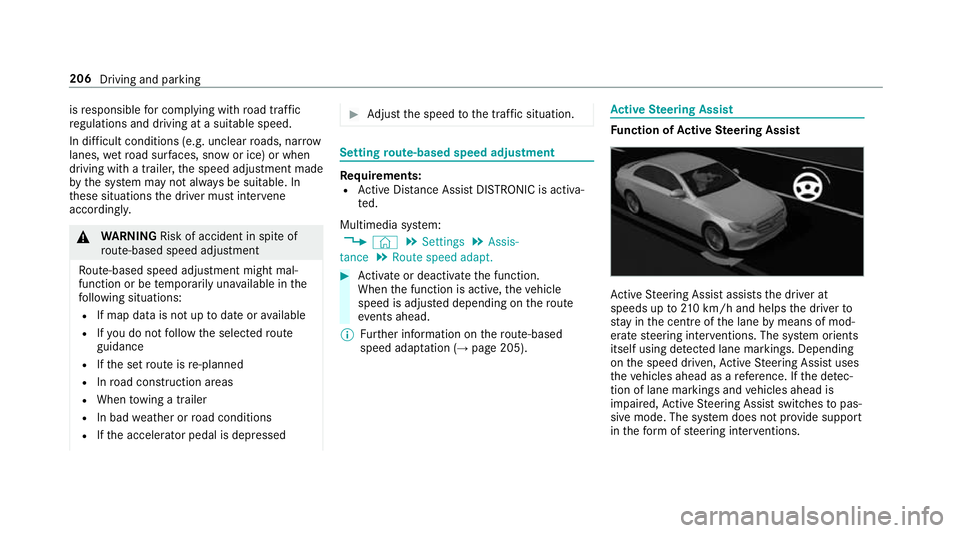
nction of Active Steering Assist Ac
tive Steering Assist assists the driver at
speeds up to210 km/h and helps the driver to
st ay inthe cent reofthe lane bymeans of mod‐
erate steering inter ventions. The sy stem orients
itself using de tected lane markings. Depending
on the speed driven, Active Steering Assist uses
th eve hicles ahead as a refere nce. If the de tec‐
tion of lane markings and vehicles ahead is
impaired, Active Steering Assist switches topas‐
sive mode. The sy stem does not pr ovide support
in thefo rm ofsteering inter ventions. 206
Driving and pa rking
Page 210 of 609
R
The driver is requ ired tokeep their hands on
th esteering wheel at all times and be able to
inter vene at any time tocor rect the course of
th eve hicle and keep it in lane.
R The status of Active Steering Assist is dis‐
pla yed in thest atus bar of the multifunction
displa y.
Ste ering and touch de tection
The driver is requ ired tokeep their hands on the
st eering wheel at all times and tobe able to
inter vene at any time. The driver mu stexpect a
ch ange from active topassive mode or vice
ve rsa at any time. If
th e sy stem reaches a sy stem limitation or the
driver has not steered theve hicle for a consider‐
able period of time or has remo vedth eir hands
from thesteering wheel, the sy stem will,
depending on the situation, firs t alert the driver
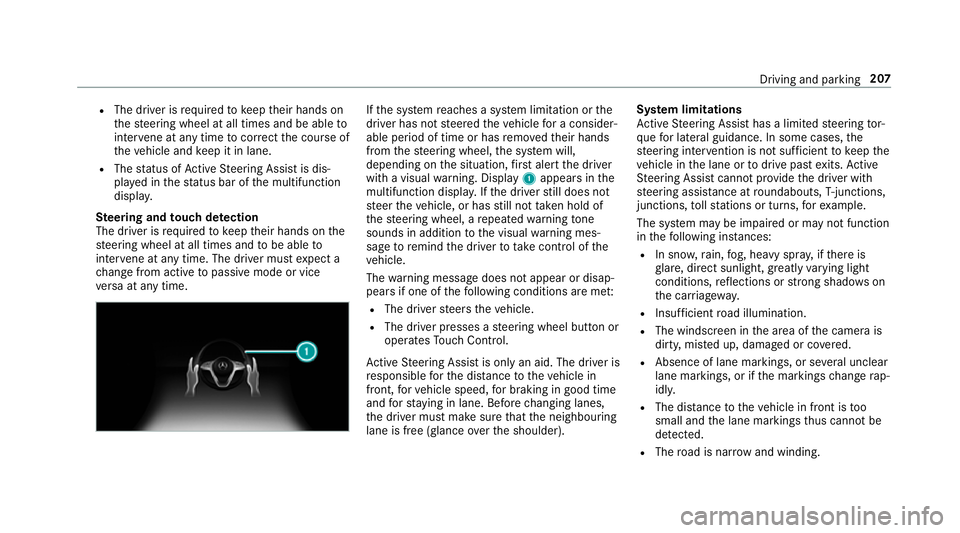
with a visual warning. Display 1appears in the
multifunction displa y.Ifth e driver still does not
st eer theve hicle, or has still not take n hold of
th esteering wheel, a repeated warning tone
sounds in addition tothe visual warning mes‐
sage toremind the driver totake control of the
ve hicle.
The warning message does not appear or disap‐
pears if one of thefo llowing conditions are me t:
R The driver steers theve hicle.
R The driver presses a steering wheel button or
operates Touch Control.
Ac tive Steering Assist is only an aid. The driver is
re sponsible forth e dis tance totheve hicle in
front, forve hicle speed, for braking in good time
and forst ay ing in lane. Before changing lanes,
th e driver must make sure that the neighbouring
lane is free (glance over the shoulder). Sy
stem limitations
Ac tive Steering Assist has a limited steering tor‐
qu efo r lateral guidance. In some cases, the
st eering inter vention is not su fficient tokeep the
ve hicle in the lane or todrive past exits. Active
St eering Assist cann otprov ide the driver with
st eering assis tance at roundabouts, T-junctions,
junctions, tollst ations or turns, forex ample.
The sy stem may be impaired or may not function
in thefo llowing ins tances:
R In sno w,rain, fog, heavy spr ay, if there is
gl are, direct sunlight, greatlyvarying light
conditions, reflections or stro ng shado wson
th e car riag ew ay.
R Insuf ficient road illumination.
R The windsc reen in the area of the camera is
dirty, mis ted up, damaged or co vered.
R Absence of lane markings, or se veral unclear
lane markings, or if the markings change rap‐
idl y.
R The dis tance totheve hicle in front is too
small and the lane markings thus cannot be
de tected.
R The road is nar row and winding. Driving and parking
207
Page 212 of 609
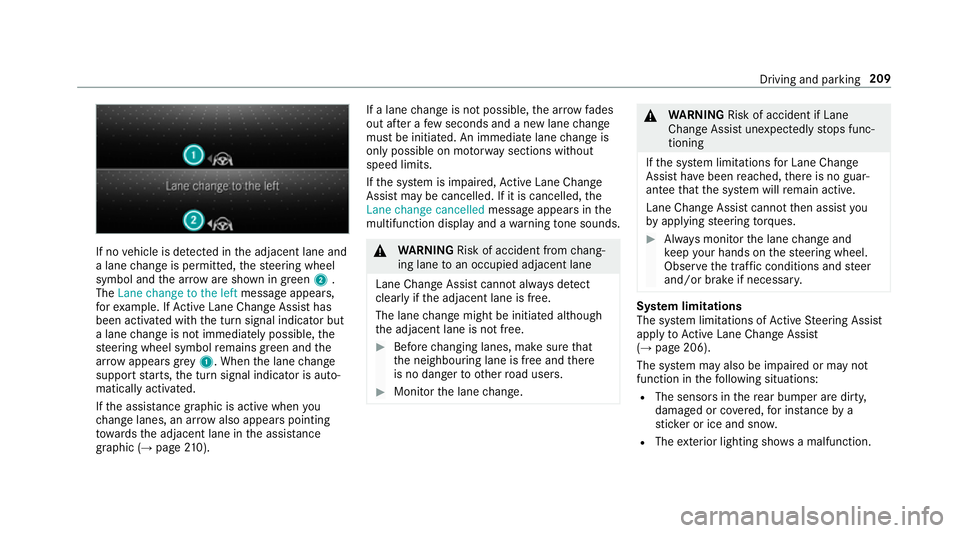
If no
vehicle is de tected in the adjacent lane and
a lane change is permit ted, thesteering wheel
symbol and the ar row are shown in green 2.
The Lane change to the left message appears,
fo rex ample. If Active Lane Change Assi sthas
been activated with the turn signal indicator but
a lane change is not immediately possible, the
st eering wheel symbol remains green and the
ar row appears grey 1 . When the lane change
suppo rtstarts, the turn signal indicator is auto‐
matically activated.
If th e assis tance graphic is acti vewhen you
ch ange lanes, an ar rowalso appears pointing
to wa rdsth e adjacent lane in the assis tance
graphic (→ page 210). If a lane
change is not possible, the ar row fa des
out af ter a few seconds and a new lane change
must be initiated. An immediate lane change is
on ly possible on mo torw ay sections without
speed limits.
If th e sy stem is impaired, Active Lane Change
Assi stmay be cancelled. If it is cancelled, the
Lane change cancelled message appears inthe
multifunction display and a warning tone sounds. &
WARNING Risk of accident from chang‐
ing lane toan occupied adjacent lane
Lane Chan geAssi stcannot al ways detect
clear lyifth e adjacent lane is free.
The lane change might be initiated although
th e adjacent lane is not free. #
Before changing lanes, make sure that
th e neighbouring lane is free and there
is no danger to otherroad users. #
Monitor the lane change. &
WARNING Risk of accident if Lane
Change Assi stunexpectedly stops func‐
tioning
If th e sy stem limitations for Lane Change
Assist ha vebeen reached, there is no guar‐
antee that the sy stem will remain active.
Lane Change Assist cannot then assist you
by applying steering torques. #
Alw ays monitor the lane change and
ke ep your hands on thesteering wheel.
Obser vethe tra ffic conditions and steer
and/or brake if necessar y. Sy
stem limitations
The sy stem limitations of Active Steering Assist
apply toActive Lane Change Assi st
( → page 206).
The sy stem may also be impaired or may not
function in thefo llowing situations:
R The sensors in there ar bumper are dirty,
damaged or co vered, for ins tance by a
st icke r or ice and sno w.
R The exterior lighting sho wsa malfunction. Driving and parking
209
Page 224 of 609
R
The camera lens is obstructed, dirty or mis‐
te d up. Obser vethe no tes on cleaning the
re ve rsing camera (→ page 432).
R The camera or rear of your vehicle is dam‐
aged. In this case, ha vethe camera and its
position and setting checked at a qualified
specialist workshop.
% Do not use there ve rsing camera in these
types of situation. You could otherwise injure
ot hers or collide with objects when parking
th eve hicle.
If th eve hicle is car rying a heavy load, leaving the
st andard height can result in inaccuracies in the
guide lines and in the display of thege nerated
ima ges, depending on tech nical conditions.
The field of vision and other functions of the
re ve rsing camera may be restricted due toaddi‐
tional accesso ries on there ar of theve hicle (e.g.
licence plate brac ket or bicycle rack ).
% The contrast of the display may be impaired
by direct sunlight or by other light sources,
e.g. when driving out of a garage . In this
case, pay particular attention. %
Have the display repaired or replaced if, for
ex ample, pixel er rors considerably restrict its
use. 360° Came
ra Fu
nction of the 360° Camera
The 360° Camera is a sy stem that consists of
fo ur cameras. The cameras co verth e immediate
ve hicle sur roundings. The sy stem assists you,
e.g. when parking or at exits with reduced visibil‐
ity.
The 360° Camera is only an aid. It is not a sub‐
st itute foryo ur attention tothe sur roundings.
The responsibility for safe manoeuvring and
parking remains with you. Make sure that there
are no persons, animals or objects etc., in the
manoeuvring area while manoeuvring and park‐
ing.
The sy stem evaluates images from thefo llowing
cameras:
R Reversing camera
R Front camera
R Two side cameras in the outside mir rors Vi
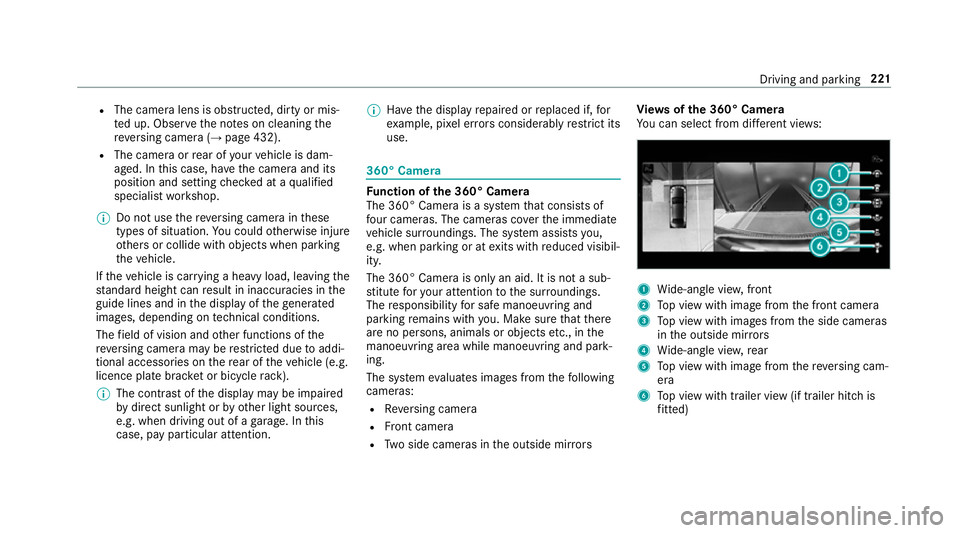
ew s of the 360° Camera
Yo u can select from dif fere nt vie ws: 1
Wide-angle vie w,front
2 Top view with image from the front camera
3 Top view with images from the side cameras
in the outside mir rors
4 Wide-angle vie w,rear
5 Top view with image from there ve rsing cam‐
era
6 Top view with trailer view (if trailer hitch is
fi tted) Driving and pa
rking 221