stop start MERCEDES-BENZ A-CLASS HATCHBACK 2018 User Guide
[x] Cancel search | Manufacturer: MERCEDES-BENZ, Model Year: 2018, Model line: A-CLASS HATCHBACK, Model: MERCEDES-BENZ A-CLASS HATCHBACK 2018Pages: 609, PDF Size: 10.73 MB
Page 184 of 609
Electric pa
rking brake Electric parking brake function (app
lying
automatically) &
WARNING Risk of accident and inju ry
due tochildren left unat tended in the
ve hicle
If yo u lea vechildren unat tended in theve hi‐
cle, they may be able toset theve hicle in
motion, forex ample by:
R releasing the parking brake.
R shifting the automatic transmission out of
park position jor shifting manual trans‐
mission into idle position.
R starting the engine.
In addition, they may operate vehicle equip‐
ment and become trapped. #
Never lea vechildren and animals unat‐
te nded in theve hicle. #
When leaving theve hicle, alw aysta ke
th eke y with you and lock theve hicle.
This also applies tothe digital vehicle ke
y if the "Digital Vehicle Key" function
is activated via Mercedes me connect. Ve
hicles with manual transmission:
When theve hicle comes toast andstill, the elec‐
tric parking brake is applied if one of thefo llow‐
ing conditions is fulfilled:
R The engine is switched off.
R The driver's door is opened.
The elect ric pa rking brake is also applied while
th eve hicle is kept stationary bythe HOLD func‐
tion if one of thefo llowing conditions is fulfilled:
R The engine is switched off.
R The seat belt tongue is not inser ted in the
seat belt buckle of the driver's seat and the
driver's door is opened.
R There is a sy stem malfunction.
R The po wer supp lyis insuf ficient.
R The vehicle is stationary for a lengt hyperiod.
When the electric parking brake is applied, the
re d! indicator lamp appears in the instru‐
ment clus ter. If
th e electric parking brake is not applied when
th e driver's door is opened, theRisk of vehicle
rolling away Apply parking brake See Owner's
Manual message appears.
The electric parking brake is not automatically
applied if the engine is switched off bythe ECO
st art/ stop function.
% Toprev ent application: pull the handle of the
electric parking brake.
Ve hicles with automatic transmission:
The electric parking brake is applied if the trans‐
mission is in position jand one of thefo llow‐
ing conditions is fulfilled:
R The engine is switched off.
R The seat belt tongue is not inser ted in the
seat belt buckle of the driver's seat and the
driver's door is opened.
% Toprev ent application: pull the handle of the
electric parking brake.
In thefo llowing situations, the electric parking
brake is also applied:
R Active Dis tance Assi stDISTRONIC is bringing
th eve hicle toast andstill. Driving and parking
181
Page 212 of 609
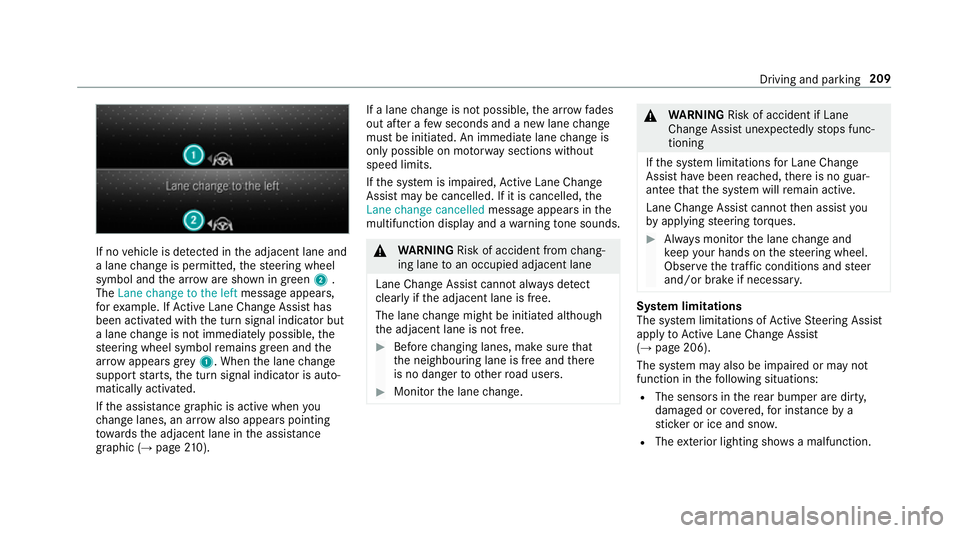
If no
vehicle is de tected in the adjacent lane and
a lane change is permit ted, thesteering wheel
symbol and the ar row are shown in green 2.
The Lane change to the left message appears,
fo rex ample. If Active Lane Change Assi sthas
been activated with the turn signal indicator but
a lane change is not immediately possible, the
st eering wheel symbol remains green and the
ar row appears grey 1 . When the lane change
suppo rtstarts, the turn signal indicator is auto‐
matically activated.
If th e assis tance graphic is acti vewhen you
ch ange lanes, an ar rowalso appears pointing
to wa rdsth e adjacent lane in the assis tance
graphic (→ page 210). If a lane
change is not possible, the ar row fa des
out af ter a few seconds and a new lane change
must be initiated. An immediate lane change is
on ly possible on mo torw ay sections without
speed limits.
If th e sy stem is impaired, Active Lane Change
Assi stmay be cancelled. If it is cancelled, the
Lane change cancelled message appears inthe
multifunction display and a warning tone sounds. &
WARNING Risk of accident from chang‐
ing lane toan occupied adjacent lane
Lane Chan geAssi stcannot al ways detect
clear lyifth e adjacent lane is free.
The lane change might be initiated although
th e adjacent lane is not free. #
Before changing lanes, make sure that
th e neighbouring lane is free and there
is no danger to otherroad users. #
Monitor the lane change. &
WARNING Risk of accident if Lane
Change Assi stunexpectedly stops func‐
tioning
If th e sy stem limitations for Lane Change
Assist ha vebeen reached, there is no guar‐
antee that the sy stem will remain active.
Lane Change Assist cannot then assist you
by applying steering torques. #
Alw ays monitor the lane change and
ke ep your hands on thesteering wheel.
Obser vethe tra ffic conditions and steer
and/or brake if necessar y. Sy
stem limitations
The sy stem limitations of Active Steering Assist
apply toActive Lane Change Assi st
( → page 206).
The sy stem may also be impaired or may not
function in thefo llowing situations:
R The sensors in there ar bumper are dirty,
damaged or co vered, for ins tance by a
st icke r or ice and sno w.
R The exterior lighting sho wsa malfunction. Driving and parking
209
Page 216 of 609
*
NO
TEDama gefrom auto matic braking If one of
thefo llowing functions is switched
on, theve hicle brakes automatically in cer‐
ta in situations:
R Active Brake Assi st
R Active Dis tance Assi stDISTRONIC
R HOLD function
R Active Parking Assist
To avo id damage totheve hicle, deactivate
th ese sy stems in thefo llowing or similar sit‐
uations: #
During towing #
In a car wash Re
quirements:
R The vehicle is stationar y.
R The driver's door is closed or the seat belt on
th e driver's side is fastened.
R The engine is running or has been au tomati‐
cally switched off bythe ECO start/ stop
function. R
The electric parking brake is released.
R Active Dis tance Assi stDISTRONIC is deacti‐
va ted.
R The transmission is in position h,kori.
Ac tivating the HOLD function #
Dep ress the brake pedal and af ter a short
time quickly depress fur ther until theë
display appears in the multifunction displa y. #
Release the brake pedal.
Deactivating the HOLD function #
Depress the accelerator pedal topull away.
or #
Depress the brake pedal until theë dis‐
play disappears from the multifunction dis‐
pla y.
The HOLD function is deactivated in thefo llow‐
ing situations:
R Active Dis tance Assi stDISTRONIC is acti va‐
te d.
R The transmission is switched toposition j.R
The vehicle is secured with the electric park‐
ing brake.
In thefo llowing situations, theve hicle is held by
th e transmission position jorby the electric
parking brake:
R The seat belt is unfas tened and the driver's
door is opened.
R The drive sy stem is switched off.
R There is a malfunction in the sy stem or the
po we r supp lyis insuf ficient. St
art-off assi st Fu
nction of thest art-off assi st
The start-off assist enables optimal vehicle
acceleration from a standstill. Forth is, a suitably
high-grip road sur face is requ ired, the tyres and
ve hicle must also be in good condition.
Do not activate thest art-off assist on public
ro ads.
Be sure toobser vethe saf ety no tes and informa‐
tion on ESP ®
. Driving and parking
213
Page 232 of 609
Please no
tethat you are responsible forth eve hi‐
cle and sur roundings during the entire parking
procedure. #
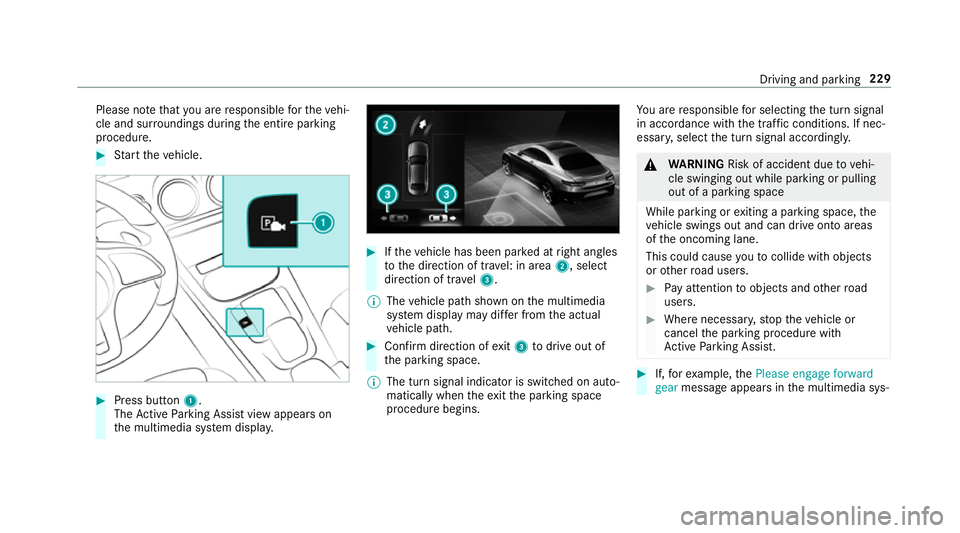
Start theve hicle. #
Press button 1.
The Active Parking Assist view appears on
th e multimedia sy stem displa y. #
Ifth eve hicle has been par ked at right angles
to the direction of tra vel: in area 2, select
direction of tra vel3.
% The vehicle path shown on the multimedia
sy stem display may dif fer from the actual
ve hicle path. #
Confirm direction of exit3 todrive out of
th e parking space.
% The turn signal indicator is switched on auto‐
matically when theex itth e parking space
procedure begins. Yo
u are responsible for selecting the turn signal
in accordance with the traf fic conditions. If nec‐
essar y,select the turn signal accordingly. &
WARNING Risk of accident due tovehi‐
cle swinging out while parking or pulling
out of a parking space
While parking or exiting a parking space, the
ve hicle swings out and can drive onto areas
of the oncoming lane.
This could cause youto collide wi thobjects
or other road users. #
Pay attention toobjects and other road
users. #
Where necessar y,stop theve hicle or
cancel the parking procedure with
Ac tive Parking Assist. #
If,forex ample, thePlease engage forward
gear message appears in the multimedia sys‐ Driving and parking
229
Page 256 of 609
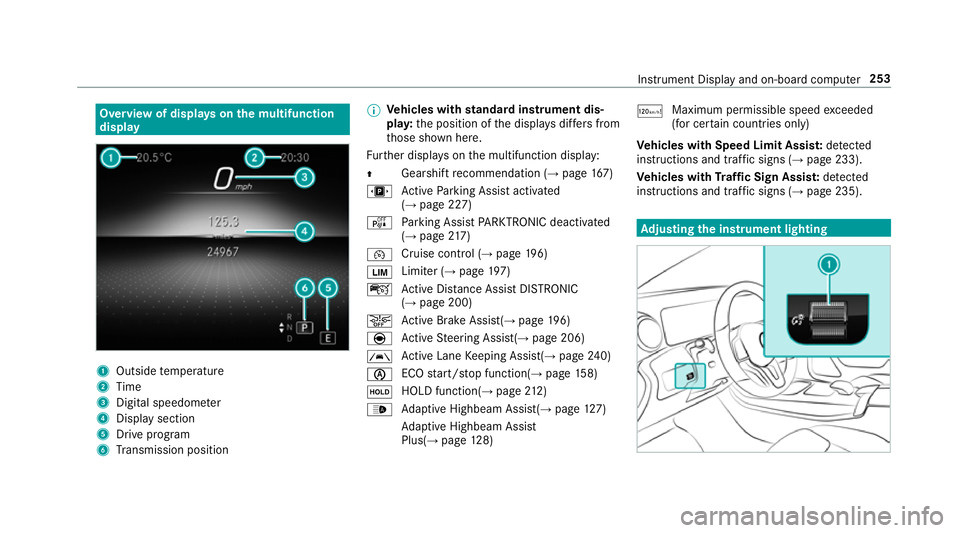
Overview of displa
yson the multifunction
display 1
Outside temp erature
2 Time
3 Digital speedome ter
4 Displ aysection
5 Drive program
6 Transmission position %
Ve
hicles with standard instrument dis‐
pla y:the position of the displa ysdiffers from
th ose shown here.
Fu rther displa yson the multifunction display:
Z Gearshift
recommendation (→ page 167)
u Active Parking Assist activated
(→ page 227)
é Parking Assist PARKTRONIC deacti vated
( → page 217)
¯ Cruise
control (→ page 196)
È Limi
ter (→ page 197)
ç Active Dis tance Assi stDISTRONIC
(→ page 200)
æ Ac
tive Brake Assi st(→ page 196)
è Active Steering Assis t(→ page 206)
à Ac
tive Lane Keeping Assist(→ page240)
è ECO
start/ stop function(→ page158)
ë HOLD function(→
page212)
_ Ad
aptive Highbeam Assist(→ page127)
Ad aptive Highbeam Assist
Plus(→ page128) ð
Ma
ximum pe rmissible speed exceeded
(for cer tain countries only)
Ve hicles with Speed Limit Assis t:de tected
instructions and traf fic signs (→ page 233).
Ve hicles with Traf fic Sign Assis t:de tected
instructions and traf fic signs (→ page 235). Ad
justing the in stru ment lighting Instrument Displ
ayand on-board computer 253
Page 264 of 609
Note
s on operating saf ety &
WARNING Risk of di stra ction from infor‐
mation sy stems and communications
equipment
If yo u operate information and communica‐
tion equipment integ rated in theve hicle
when driving, you will be distracted from the
traf fic situation. This could also cause youto
lose control of theve hicle. #
Only operate this equipment when the
traf fic situation permits. #
Ifyo u cannot be sure of this, stop the
ve hicle whilst paying attention toroad
and traf fic conditions and ope rate the
equipment with theve hicle stationar y. &
WARNING Risk of di stra ction from oper‐
ating mobile communication equipment
while theve hicle is in motion
If yo u operate mobile communication equip‐
ment when driving, you will be distracted from
the tra ffic situation. This could also
cause youto lose control of theve hicle. #
Only operate this equipment when the
ve hicle is stationar y. Fo
ryo ur ow n sa fety, al ways obser vethefo llow‐
ing points when operating mobile communica‐
tions equipment and especially your voice con‐
trol sy stem:
R Obser vethe legal requ irements forth e coun‐
try in which you are driving.
R While driving, on ly operate mobile communi‐
cations equipment and your voice control
sy stem when the tra ffic conditions permit it.
Yo u may otherwise be distracted from the
traf fic conditions and cause an accident,
inju ring yourself and others.
R Ifyo u use thevo ice control sy stem in an
emer gency your voice can change and your
te lephone call, e.g. an emer gency call, can
th ereby be unnecessarily dela yed.
R Familiarise yourself with thevo ice control
sy stem functions before starting the journe y. Operation
Overview of operating
the multifunction
st eering wheel LINGU
ATRO NIC is operational appr oximately
th irty seconds af terth e ignition is switched on. LINGU
ATRO NIC 261
Page 296 of 609
R
Starting sc reen forth e media display
R Visual style (→ page 311)
R DYNA MIC SELECT drive program
(→ page 161)
R Eco start/ stop setting (→ page159)
R Navigation sy stem settings
% Atheme conta insthe cur rently acti veset‐
tings in theve hicle.
Calling up themes
Multimedia sy stem:
, © #
When the home screen is shown, swipe up
until THEMES appears. #
Select a theme.
Creating new themes
Re quirements:
R The settings which are tobe sa ved in the
th eme are active.
The overview sho wsthe settings which can
be sa ved in a theme (→ page 292). Multimedia sy
stem:
, © .
THEMES #
Select WSet theme. #
Select an entry screen. #
Select Continuer. #
Select an image. #
Enter the names into the entry field and con‐
fi rm with a. #
Tosave ath eme: select Save.
Selecting additional settings #
Select Advanced settings . #
Activate or deacti vate the settings.
When the maximum number that can be
sa ve d is reached: #
Select afromthe prom pt. #
Select a theme that should be overwritten. #
Select an entry screen. #
Select Continue r. #
Select an image. #
Enter the names into the entry field and con‐
fi rm with a. #
Tosave ath eme: select Save.
Creating using theß
ß rocker switch or but‐
ton #
Press and hold the bottom section of the
ß rocker switch on thesteering wheel.
or #
Press and hold theß button next tothe
to uchpad. #
Select Set theme. #
Select an entry sc reen. #
Select Continue r. #
Select an image. #
Ente rth e names into the entry field and con‐
fi rm with a. #
Tosave ath eme: select Save. MBUX multimedia sy
stem 293
Page 303 of 609
Global sear
ch Global sear
chove rview
Yo u can use theglobal sear chinthe home
screen and in the notifications.
The global sear chprov ides sear chresults forthe
fo llowing categories and their sub-categories:
R Navigation
R Media
R Telephone, social media, In Car Of fice
In Car Of fice is not available in all countries.
R User inter face and Digi tal Owner's Manual
R Internet
This enables youto sear chforto wns, roads and
to urist att ractions wi th the navigation sy stem,
fo rex ample.
% You can also sear chfor 3 wordaddresses
(→ page 332).
When you en ter a 3 wordaddress in the
gl obal sear ch, separate each of thewo rds
with a space or a full stop.
During the entry process the most likely sugges‐
tions are shown beneath the sear chfield. When yo
u en ter "S", "Stuttgart", "S teak" and "Sandra"
are shown, forex ample. If you select "Stuttgart",
yo ure cei vethe suggestions "S tarbuc ks", "S teak"
and "City railw ay",forex ample.
The sear chresults in the list are shown, sor ted
according tocatego ry. Next tothe category is
th e number of results. You will be shown the
best results from each categor y.Ad ditional
re sults can be found af ter selecting there spec‐
tive categor y.
If yo u confirm an entry with OK, all categories
and the number of results will be shown in a
summar y.After selecting a category you can
select the sear chresults within the categor y.
When you select a sear chresult the de tailed
view opens. In the de tailed view you can choose
whe ther and which actions youwa nttocar ryout
with there spective sear chresult. Forex ample,
yo u can start route guidance or place a call to
somebody. The actions are named cor respond‐
ingly. The sear
chcan be car ried out with thefo llowing
input me thods:
R Entering characters using the on-screen key‐
pad
R Entering characters with handwriting recog‐
nition
R Dictation function
Using the global sear ch
Multimedia sy stem:
, © #
Select ªSearch .
or #
Call up the notifications (→ page 299). #
Select Search. #
Ente rth e sear chterm into the sear chfield.
During the entry process theth re e most
likely suggestions are of fere d beneath the
sear chfield.
In the list on theright, theto p two sear ch
re sults are shown for each categor y.
% Use thech aracter input function 300
MBUX multimedia sy stem
Page 326 of 609
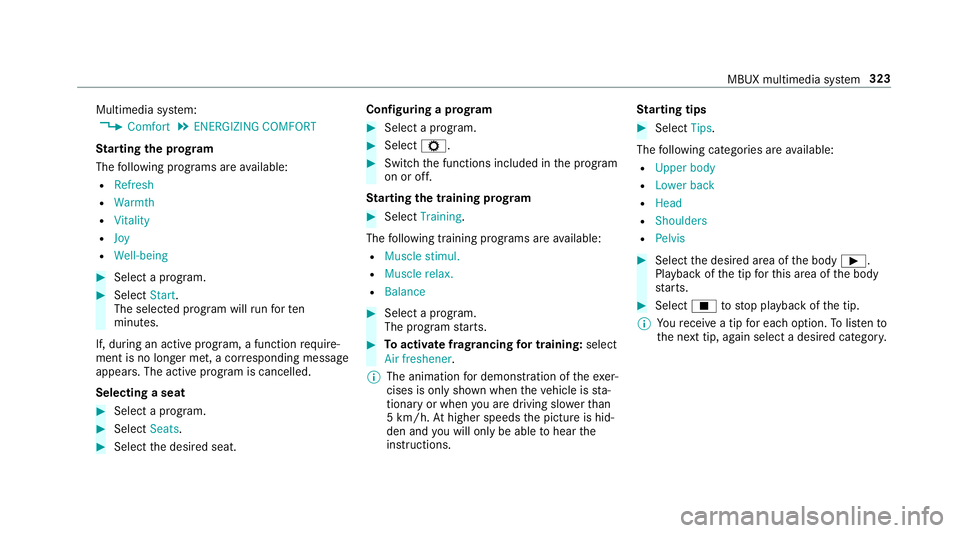
Multimedia sy
stem:
, Comfort .
ENERGIZING COMFORT
St arting the prog ram
The following programs are available:
R Refresh
R Warmth
R Vitality
R Joy
R Well-being #
Select a program. #
Select Start.
The selec ted prog ram will runfo rten
minutes.
If, during an active program, a function require‐
ment is no longer met, a cor responding message
appears . The acti veprogram is cancelled.
Selecting a seat #
Select a program. #
Select Seats. #
Select the desired seat. Configuring a prog
ram #
Select a program. #
Select Z. #
Switch the functions included in the program
on or off.
St arting the training prog ram #
Select Training.
The following training prog rams are available:
R Muscle stimul.
R Muscle relax.
R Balance #
Select a program.
The program starts. #
Toactivate frag rancing for training: select
Air freshener .
% The animation for demonstration of theexe r‐
cises is only shown when theve hicle is sta‐
tionary or when you are driving slo werth an
5 km/h. Athigher speeds the picture is hid‐
den and you will on lybe able tohear the
instructions. St
arting tips #
Select Tips.
The following categories are available:
R Upper body
R Lower back
R Head
R Shoulders
R Pelvis #
Select the desired area of the body Ì.
Playback of the tip forth is area of the body
st arts. #
Select Étostop playback of the tip.
% Youre cei vea tip for each option. Tolistento
th e next tip, again select a desired categor y. MBUX multimedia sy
stem 323
Page 369 of 609
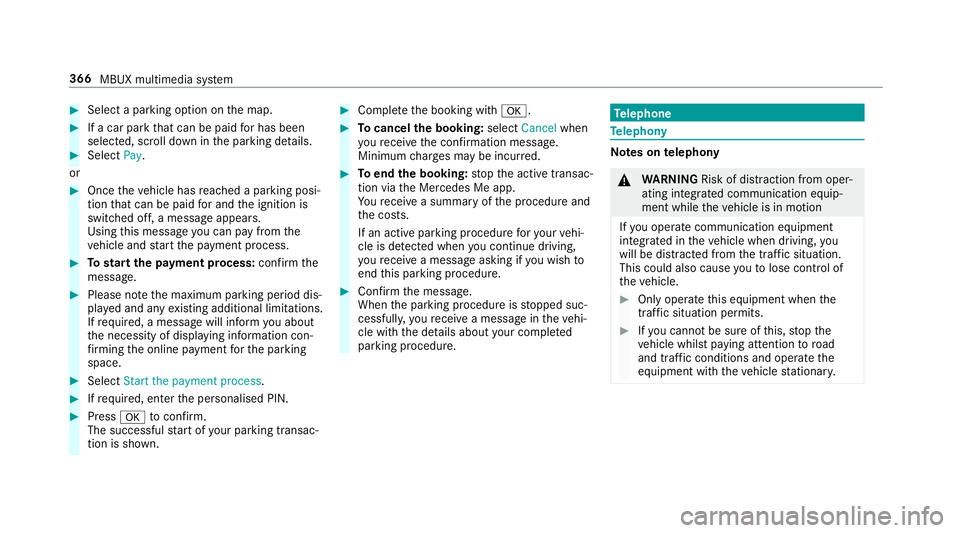
#
Select a pa rking option on the map. #
If a car park that can be paid for has been
selected, scroll down in the parking de tails. #
Select Pay.
or #
Once theve hicle has reached a parking posi‐
tion that can be paid for and the ignition is
switched off, a message appears.
Using this message you can pay from the
ve hicle and start the payment process. #
Tostart the payment process: confirm the
messa ge. #
Please no tethe maximum parking period dis‐
pla yed and any existing additional limitations.
If re qu ired, a message will inform you about
th e necessity of displaying information con‐
fi rm ing the online payment forth e parking
space. #
Select Start the payment process. #
Ifre qu ired, enter the personalised PIN. #
Press atoconfirm.
The successful start of your parking transac‐
tion is shown. #
Comple tethe booking with a. #
Tocancel the booking: selectCancel when
yo ure cei vethe confi rmation message.
Minimum charge s may be incur red. #
Toend the booking: stop the active transac‐
tion via the Mercedes Me app.
Yo ure cei vea summary of the procedure and
th e costs.
If an active parking procedure foryo ur vehi‐
cle is de tected when you continue driving,
yo ure cei vea message asking if you wish to
end this parking procedure. #
Confirm the message.
When the parking procedure is stopped suc‐
cessfull y,yo ure cei vea message in theve hi‐
cle with the de tails about your co mpleted
parking procedure. Te
lephone Te
lephony Note
s ontelephony &
WARNING Risk of di stra ction from oper‐
ating integrated communication equip‐
ment while theve hicle is in motion
If yo u operate communication equipment
integrated in theve hicle when driving, you
will be distracted from the tra ffic situation.
This could also cause youto lose control of
th eve hicle. #
Only operate this equipment when the
traf fic situation permits. #
Ifyo u cannot be sure of this, stop the
ve hicle whilst paying attention toroad
and traf fic conditions and ope rate the
equipment with theve hicle stationar y. 366
MBUX multimedia sy stem