stop start MERCEDES-BENZ A-CLASS HATCHBACK 2018 Owner's Manual
[x] Cancel search | Manufacturer: MERCEDES-BENZ, Model Year: 2018, Model line: A-CLASS HATCHBACK, Model: MERCEDES-BENZ A-CLASS HATCHBACK 2018Pages: 609, PDF Size: 10.73 MB
Page 387 of 609
R
Mercedes-Benz Link is connected tothe mul‐
timedia sy stem via theç USB port using
a suitable cable (→ page 409).
% The firs t acti vation of Me rcedes-Benz Link
on the multimedia sy stem must be car ried
out when theve hicle is stationary for saf ety
re asons.
Multimedia sy stem:
, © .
Mercedes me & Apps .
Smart-
phone .
Mercedes-Benz Link .
Start
Mercedes-Benz Link #
Alternative: If Mercedes-Benz Link is active
(e.g. when music is being pla yed or the navi‐
ga tion sy stem is being used), you can call up
th e application using the|, zor%
buttons (→ page 288).
Ac cepting/rejecting the data pr otection reg‐
ulations
Fo rth e initial start of the application: a message
with the data pr otection pr ovisions appears. #
Select Accept & start . Quitting Mercedes-Benz Link #
Press theò button.
% Mercedes-Benz Link starts automatically
when it is connec ted with the sy stem using a
cable. If Mercedes-Benz Link was not dis‐
pla yed in thefo re ground before disconnect‐
ing, the application starts in the bac kground
when reconnected. You can call up
Mercedes-Benz Link using the main menu.
Yo u can find more information in the Mercedes-
Benz Link control box operating instructions.
Calling up Mercedes-Benz Link sound set‐
tings
Multimedia sy stem:
, © .
Mercedes me & Apps .
Smart-
phone .
Mercedes-Benz Link .
Z #
Select sound settings.
Ending Mercedes-Benz Link #
Disconnect the connecting cable between
Mercedes-Benz Link and the multimedia sys‐
te m. %
Mercedes-Benz recommends disconnecting
th e connecting cable only when theve hicle
is stationar y. Apple CarPlay™
Overview of Apple CarPlay™
&
WARNING Risk of di stra ction from infor‐
mation sy stems and communications
equipment
If yo u operate information and communica‐
tion equipment integ rated in theve hicle
when driving, you will be distracted from the
traf fic situation. This could also cause youto
lose control of theve hicle. #
Only operate this equipment when the
traf fic situation permits. #
Ifyo u cannot be sure of this, stop the
ve hicle whilst paying attention toroad
and traf fic conditions and ope rate the
equipment with theve hicle stationar y. 384
MBUX multimedia sy stem
Page 457 of 609
#
Vehicles with automatic transmission
must not be tow- star ted. #
Vehicles with automatic transmission must
not be tow- star ted.
Ve hicles with manual transmission #
Obser vethe no tes on towing away
( → page 450). #
If necessar y,allow the engine and exhaust
sy stem tocool down. #
Switch the ignition on. #
Enga gesecond gear. #
Release the electric parking brake. #
Tow- start theve hicle while the clutch pedal
is fully depressed. #
Slowly release the clutch pedal. #
Immediately shift toneutral if the engine
st arts. #
Pull over and stop theve hicle, paying atten‐
tion toroad and traf fic conditions. #
Remo vetheto w bar. #
Remo vetheto wing eye. #
Have theve hicle checked at a qualified spe‐
cialist workshop. Electrical fuses
Note
s on electrical fuses &
WARNING Risk of accident and inju ry
due to ov erloaded lines
If yo u manipulate or bridge a faulty fuse or if
yo ure place it with a fuse with a higher
amperage, the electric line could be overloa‐
ded.
This could result in a fire. #
Alw aysre place faulty fuses with speci‐
fi ed new fuses conta iningthe cor rect
amperage. *
NO
TEDama gedue toincor rect fuses Electrical components or sy
stems may be
damaged byincor rect fuses, or their func‐
tionality may be significant lyimpaired. #
Only use fuses that ha vebeen appr oved
by Mercedes-Benz and which ha vethe
cor rect fuse rating. Blown fuses mu
stbe replaced with fuses of the
same rating, which you can recognise bythe col‐
our and fuse rating. The fuse ratings and fu rther
information tobe obser ved are lis ted in the fuse
assignment diagram.
Fu se assignment diag ram: onthe fuse box in
th e engine compartment (→ page 455).
* NO
TEDama geor malfunctions caused
by moisture Moisture may cause dama
getothe electrical
sy stem or cause it tomalfunction. #
When the fuse box is open, make sure
th at no moisture can enter the fuse
box. #
When closing the fuse box, make sure
th at the seal of the lid is positioned cor‐
re ctly on the fuse box. 454
Breakdown assis tance
Page 514 of 609
Display messages
Possible causes/consequences and M
MSolutions
Active Brake Assist Func-
tions limited See Owner's
Manual *
Ve hicles with Driving Assistance Package: Active Brake Assi stwith cross-traf fic function, Evasi veSteering
Assist or PRE‑SAFE ®
PLUS is malfunctioning.
Ve hicles without Driving Assistance Package: Active Brake Assi stis malfunctioning. #
Consult a qualified specialist workshop.
Active Brake Assist Func-
tions currently limited See
Owner's Manual *
Ve hicles with the Driving Assistance Package: Active Brake Assi stwith cross-traf fic function, Evasi veSteering
Assist or PRE‑SAFE ®
PLUS are temp orarily una vailable or only partially available.
Ve hicles without the Driving Assistance pa ckage: Active Brake Assi stistemp orarily una vailable.
The ambient conditions are outside the sy stem limits . #
Drive on.
As soon as the ambient conditions are within the sy stem limits, the sy stem will become available again. #
Ifth e display message does not disappear, stop theve hicle while paying attention toroad and traf fic conditions
and restart the engine.
PRE-SAFE inoperative See
Owner's Manual *
PRE‑SAFE ®
functions are malfunctioning. #
Consult a qualified specialist workshop.
Mercedes me connect
Services limited See Own-
er's Manual *S
ervice limited.
At least one of the main functions of the Mercedes me connect sy stem is malfunctioning. #
Obser vethe no tes on the diagnostics connection (→ page 25). #
Consult a qualified specialist workshop. Display messages and
warning/indicator lamps 511
Page 515 of 609
Display messages
Possible causes/consequences and M
MSolutions
G Inoperative *A
t least one main function of the Mercedes me connect sy stem or of the SOS emer gency call sy stem is malfunc‐
tioning. #
Consult a qualified specialist workshop. Driving sy
stems Display messages
Possible causes/consequences and M
MSolutions
Active Blind Spot Assist
not available when towing
a trailer See Owner's Man-
ual *W
hen you es tablish the electrical connection tothe trailer, Active Blind Spot Assi stis una vailable. #
Press the left-hand Touch Control and ackn owledge the display message.
Blind Spot Assist currently
unavailable See Owner's
Manual *B
lind Spot Assist is temp orarily una vailable.
The sy stem limits ha vebeen reached (→ page 237). #
Drive on.
Once the cause of the problem is no longer present, the sy stem will be available again.
or #
Ifth e display message does not disappear, stop theve hicle while paying attention toroad and traf fic conditions
and restart the engine. 512
Displaymessa ges and warning/indicator lamps
Page 516 of 609
Display messages
Possible causes/consequences and M
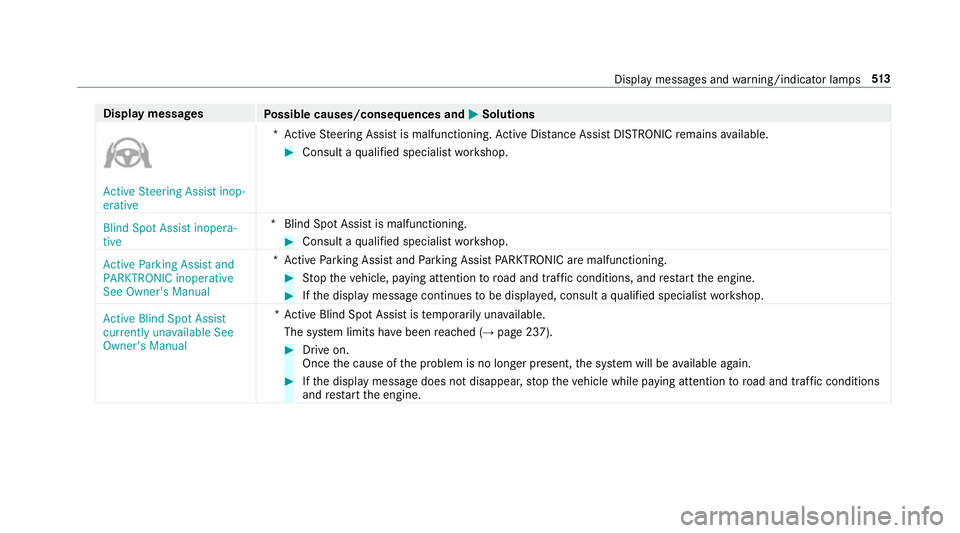
MSolutions Active Steering Assist inop-
erative
*A
ctive Steering Assist is malfunctioning. Active Dis tance Assi stDISTRONIC remains available. #
Consult a qualified specialist workshop.
Blind Spot Assist inopera-
tive *B
lind Spot Assist is malfunctioning. #
Consult a qualified specialist workshop.
Active Parking Assist and
PARKTRONIC inoperative
See Owner's Manual *A
ctive Parking Assist and Parking Assist PARKTRONIC are malfunctioning. #
Stop theve hicle, paying attention toroad and traf fic conditions, and restart the engine. #
Ifth e display message continues tobe displa yed, consult a qualified specialist workshop.
Active Blind Spot Assist
currently unavailable See
Owner's Manual *A
ctive Blind Spot Assi stistemp orarily una vailable.
The sy stem limits ha vebeen reached (→ page 237). #
Drive on.
Once the cause of the problem is no longer present, the sy stem will be available again. #
Ifth e display message does not disappear, stop theve hicle while paying attention toroad and traf fic conditions
and restart the engine. Display messages and
warning/indicator lamps 513
Page 520 of 609
Display messages
Possible causes/consequences and M
MSolutions #
Restart the engine. Currently unavailable Cam-
era view restricted
*T
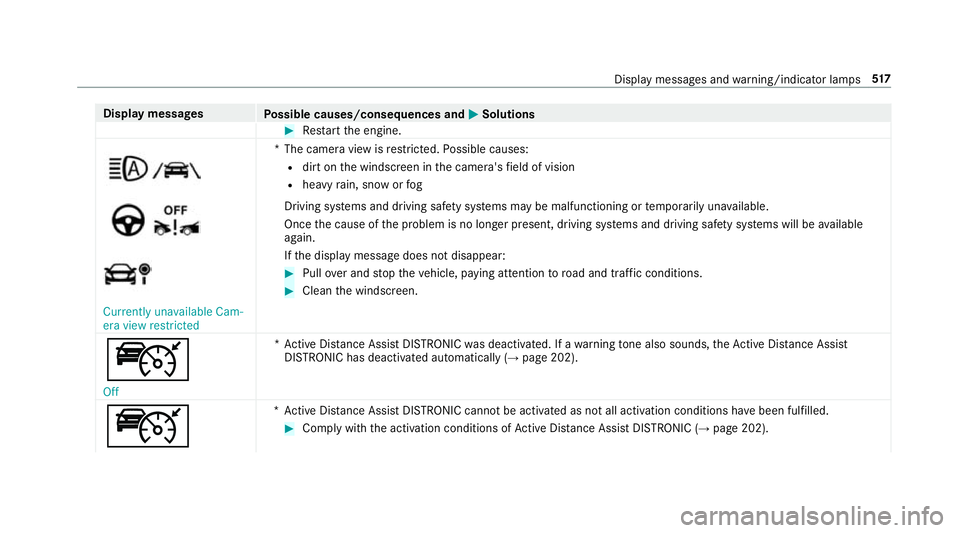
he camera view is restricted. Possible causes:
R dirt on the windscreen in the camera's field of vision
R heavy rain, snow or fog
Driving sy stems and driving saf ety sy stems may be malfunctioning or temp orarily una vailable.
Once the cause of the problem is no longer present, driving sy stems and driving saf ety sy stems will be available
again.
If th e display message does not disappear: #
Pull over and stop theve hicle, paying attention toroad and traf fic conditions. #
Clean the windscreen.
ç Off *A
ctive Dis tance Assi stDISTRONIC was deactivated. If a warning tone also sounds, theAc tive Dis tance Assi st
DISTRONIC has deacti vated automatically (→ page 202).
ç *A
ctive Dis tance Assi stDISTRONIC cannot be acti vated as not all activation conditions ha vebeen fulfilled. #
Comply with the activation conditions of Active Dis tance Assi stDISTRONIC (→ page 202). Displ
aymessa ges and warning/indicator lamps 517
Page 531 of 609
Display messages
Possible causes/consequences and M
MSolutions
AdBlue system fault Engine
start not possible Ty
res Display messages
Possible causes/consequences and M MSolutions
Tyre pressure Check tyres *T
he tyre pressure loss warning sy stem has de tected a significant loss in pressure. &
WARNING Risk of an accident due toinsuf ficient tyre pressure
Ty res with insuf ficient tyre pressure pose thefo llowing risks:
R The tyres may bur st, especially as the load and vehicle speed increase.
R The tyres may wearexc essively and/or une venly, which may greatly impair tyre traction.
R ‑ The driving characteristics, steering and braking may be greatly impaired.
Yo u could then lose control of theve hicle. #
Obser vethere commended tyre pressures. #
Adjust the tyre pressure if necessar y. #
Stop theve hicle, paying attention toroad and traf fic conditions. #
Check the tyre pressure (→ page 459) andthe tyres. #
When the tyre pressure is cor rect, restart the tyre pressure loss warning sy stem (→ page 467). 528
Display messages and warning/indicator lamps
Page 532 of 609
Display messages
Possible causes/consequences and M
MSolutions
h Warning tyre defect *T
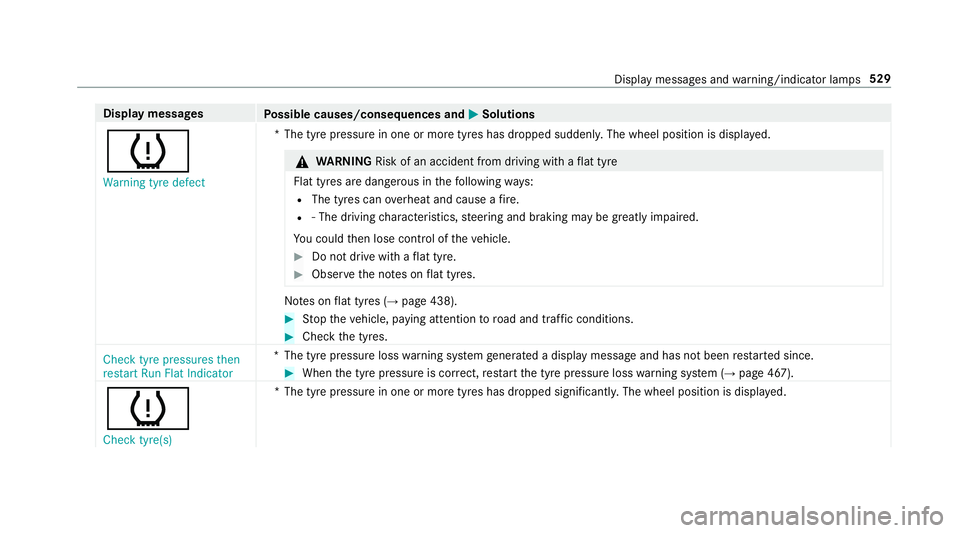
he tyre pressure in one or more tyres has dropped suddenly. The wheel position is displa yed. &
WARNING Risk of an accident from driving wi thaflat tyre
Flat tyres are dangerous in thefo llowing ways:
R The tyres can overheat and cause a fire.
R ‑ The driving characteristics, steering and braking may be greatly impaired.
Yo u could then lose control of theve hicle. #
Do not drive with a flat tyre. #
Obse rveth e no tes on flat tyres. No
tes on flat tyres (→ page 438). #
Stop theve hicle, paying attention toroad and traf fic conditions. #
Check the tyres.
Check tyre pressures then
restart Run Flat Indicator *T
he tyre pressure loss warning sy stem generated a displ aymessa geand has not been restar ted since. #
When the tyre pressure is cor rect, restart the tyre pressure loss warning sy stem (→ page 467).
h
Check tyre(s) *T
he tyre pressure in one or more tyres has dropped significantl y.The wheel position is displa yed. Display messages and
warning/indicator lamps 529
Page 533 of 609
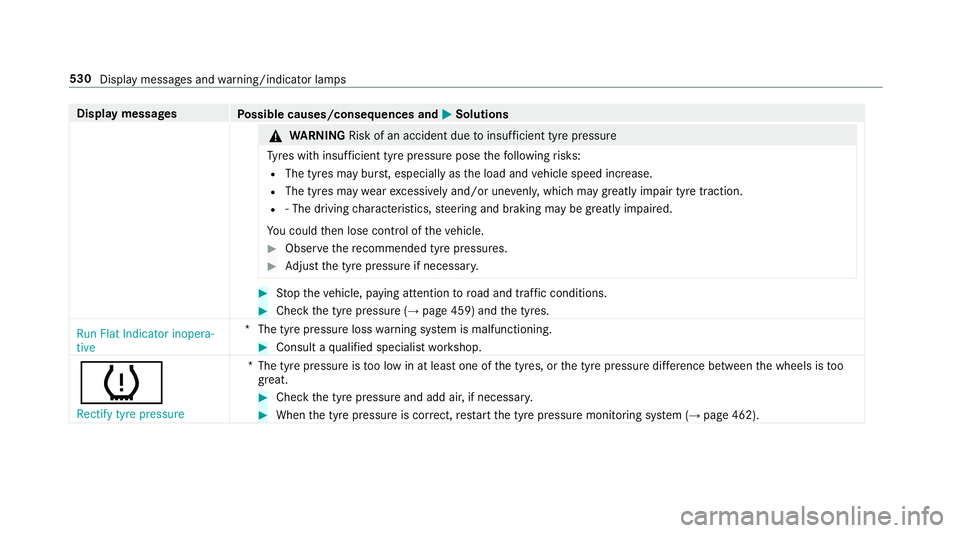
Display messages
Possible causes/consequences and M
MSolutions &
WARNING Risk of an accident due toinsuf ficient tyre pressure
Ty res with insuf ficient tyre pressure pose thefo llowing risks:
R The tyres may bur st, especially as the load and vehicle speed increase.
R The tyres may wearexc essively and/or une venly, which may greatly impair tyre traction.
R ‑ The driving characteristics, steering and braking may be greatly impaired.
Yo u could then lose control of theve hicle. #
Obser vethere commended tyre pressures. #
Adjust the tyre pressure if necessar y. #
Stop theve hicle, paying attention toroad and traf fic conditions. #
Check the tyre pressure (→ page 459) andthe tyres.
Run Flat Indicator inopera-
tive *T
he tyre pressure loss warning sy stem is malfunctioning. #
Consult a qualified specialist workshop.
h Rectify tyre pressure *T
he tyre pressure is too low in at least one of the tyres, or the tyre pressure dif fere nce between the wheels is too
great. #
Check the tyre pressure and add air, if necessar y. #
When the tyre pressure is cor rect, restart the tyre pressure monitoring sy stem (→ page 462). 530
Display messages and warning/indicator lamps
Page 536 of 609
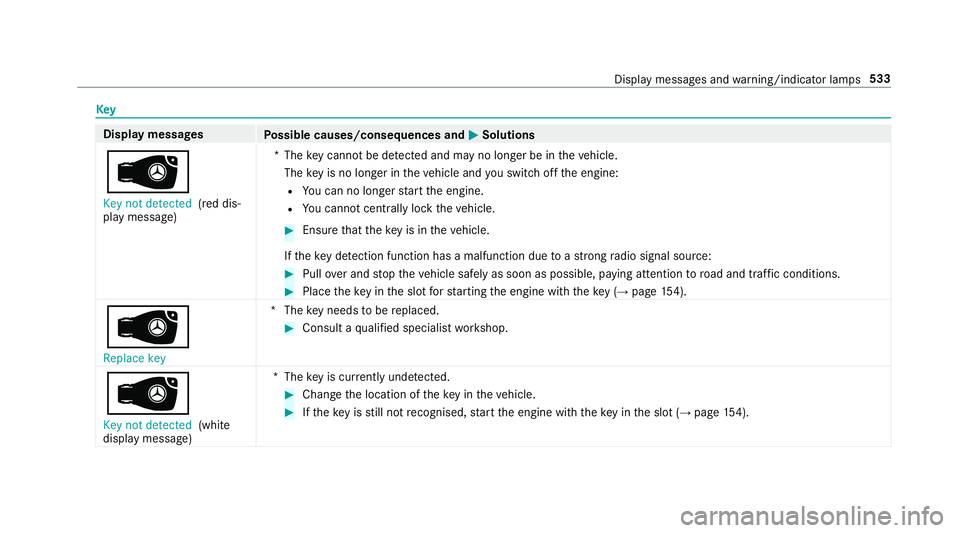
Key
Display messages
Possible causes/consequences and M
MSolutions
 Key not detected (red dis‐
play message) *T
hekey cannot be de tected and may no longer be in theve hicle.
The key is no lon ger in theve hicle and you swit choff the engine:
R You can no lon gerst art the engine.
R You cannot centrally lock theve hicle. #
Ensure that theke y is in theve hicle.
If th eke y de tection function has a malfunction due toast ro ng radio signal source: #
Pull over and stop theve hicle safely as soon as possible, paying attention toroad and traf fic conditions. #
Place theke y in the slot forst arting the engine with theke y (→ page 154).
Â
Replace key *T
hekey needs tobe replaced. #
Consult a qualified specialist workshop.
 Key not detected (white
display message) *T
hekey is cur rently und etected. #
Change the location of theke y in theve hicle. #
Ifth eke y is still not recognised, start the engine with theke y in the slot (→ page154). Displ
aymessa ges and warning/indicator lamps 533