ECO mode MERCEDES-BENZ A-CLASS SALOON 2018 User Guide
[x] Cancel search | Manufacturer: MERCEDES-BENZ, Model Year: 2018, Model line: A-CLASS SALOON, Model: MERCEDES-BENZ A-CLASS SALOON 2018Pages: 621, PDF Size: 10.5 MB
Page 356 of 621
The map appears in full-screen mode.
The
status line sho ws:th e direction informa‐
tion or the name of thero ad which is tobe
turned into and the dis tance tothech ange of
direction.
R Announcement phase
The multimedia sy stem announces the
upcoming change of direction, e.g. by
announcing "Turn right in 100 m".
The display is split into two parts. The map is
displa yed on the lef t;on theright, there is a
de tailed image of the junction or a 3D image
of the upcoming change of direction.
R Chan ge-of-direction phase
The multimedia sy stem announces the immi‐
nent change of direction, e.g. byannouncing
"N ow turn right".
The display is split into two parts.
The change of direction take s place when the
dis tance tomanoeuvre point 4is shown
with 0 m and the symbol forve hicle position
3 has reached manoeuv repoint 4. When
thech ange of direction is comple te,
th e map appears in full-screen mode.
% Changes of direction are also shown in the
Instrument Displa y.
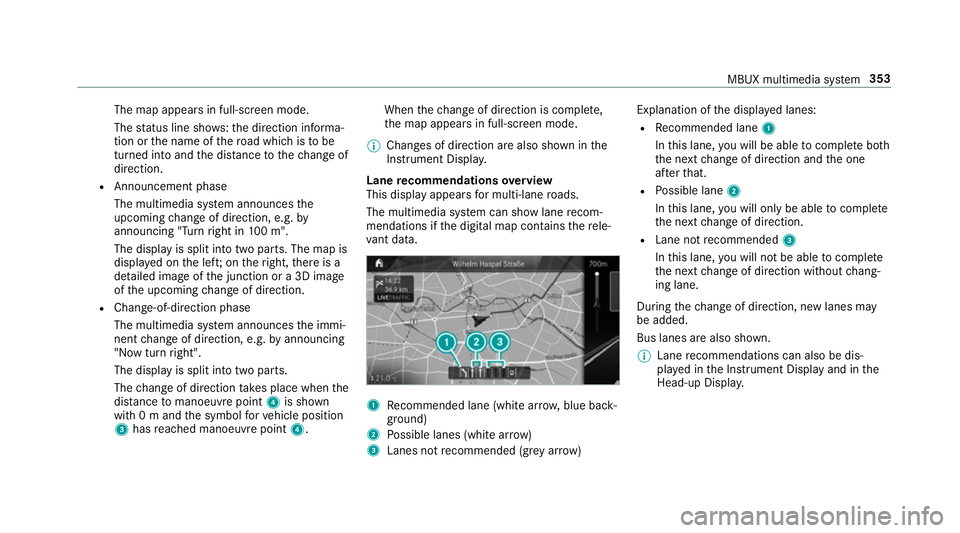
Lane recommendations overview
This display appears for multi-lane roads.
The multimedia sy stem can show lane recom‐
mendations if the digital map conta insthere le‐
va nt da ta. 1
Recommended lane (white ar row, blue back‐
ground)
2 Possible lanes (white ar row)
3 Lanes not recommended (gr eyarro w) Explanation of
the displa yed lanes:
R Recommended lane 1
In this lane, you will be able tocompl ete bo th
th e next change of direction and the one
af te rth at.
R Possible lane 2
In this lane, you will on lybe able tocompl ete
th e next change of direction.
R Lane not recommended 3
In this lane, you will not be able tocompl ete
th e next change of direction without chang‐
ing lane.
During thech ange of direction, new lanes may
be added.
Bus lanes are also shown.
% Lane recommendations can also be dis‐
pl ay ed in the Instrument Display and in the
Head-up Displa y. MBUX multimedia sy
stem 353
Page 381 of 621
Blue
tooth ®
profile overview Blue
tooth ®
profile
of the mobile phone Fu
nction
PBAP (Phone Book
Access Profile) Contacts are auto‐
matically displa
yed in
th e multimedia sys‐
tem
MAP (Message
Access Profile) Message functions
can be used Te
lephony operating modes overview
Depending on your equipment, thefo llowing tel‐
ephony operating modes are available:
R A mobile phone is connec tedto the multime‐
dia sy stem via Blue tooth®
(/ page378).
R Two mobile phones are connected with the
multimedia sy stem via Blue tooth®
(two
phone mode).
- You can use all the functions of the multi‐
media sy stem with the mobile phone in
th efo re ground. -
You can recei veincoming calls and mes‐
sages with the mobile phone in the back‐
ground.
Yo u can inter change the mobile phone in
th efo re ground and bac kground any time
(/ page379).
% Irre spective of this, Blue tooth®
audio func‐
tionality can byused with any mobile phone
(/ page418).
Infor mation on telephony
The following situations can lead tothe call
being disconnected while theve hicle is in
motion:
R there is insuf ficient network co verage inthe
area
R you mo vefrom one transmission/reception
st ation toano ther and no communication
ch annels are free
R the SIM card used is not compatible with the
network available
R a mobile phone with "Twincard" is logged into
th e network with the second SIM card at the
same time The multimedia sy
stem supports calls in HD
Vo ice ®
for impr oved speech qualit y.Arequ ire‐
ment forth is is that the mobile phone and the
mobile phone network pr ovider of the person
yo u are calling suppo rtHD Voice ®
.
Depending on thequ ality of the connection, the
vo ice quality may fluctuate.
Connecting a mobile phone
Requ irements:
R Blue tooth ®
is activated on the mobile phone
(see the manufacturer's operating instruc‐
tions).
R Blue tooth ®
is activated on the multimedia
sy stem (/ page 320).
Multimedia sy stem:
4 © 5
Phone 5
ª
Sear ching for a mobile phone #
Select Connect new device .378
MBUX multimedia sy stem
Page 382 of 621
Connecting a mobile phone (au
thorisation
using Secure Simple Pairing) #
Select a mobile phone. #
A code is displa yed in the multimedia sy stem
and on the mobile phone. #
Ifth e codes match: confirm the code on
th e mobile phone.
% For older mobile phone models, enter a one
to sixteen-digit number code on the mobile
phone and on the multimedia sy stem for
authorisation.
% Upto15 mobile phones can be auth orised
on the multimedia sy stem.
Auth orised mobile phones are reconnected
au tomatical ly.
% The connected mobile phone can also be
used as Blue tooth®
audio equipment
(/ page418). Connecting a second mobile phone (two
phone mode)
Re
quirements:
R Atleast one mobile phone is already connec‐
te dto the multimedia sy stem via Blue tooth ®
.
Multimedia sy stem:
4 © 5
Phone 5
ª #
Select Connect new device. #
Select the mobile phone. #
Select With
The selected mobile phone is connected to
th e multimedia sy stem.
Fu nctions of the mobile phone in two phone
mode
Fu nctions overview Mobile phone in
the
fo re gr ound Mobile phone in
the
bac kground
Fu llra nge of func‐
tions Incoming calls and
messa
ges Inter
changing mobile phones (two phone
mode)
Multimedia sy stem:
4 © 5
Phone #
Select F.
Yo u can also inter change the two connected
mobile phones in thefo llowing submenus:
R Contacts
R Call list
R Messages
Af ter inter changing the mobile phones in one of
th e submenus, the mobile phone in thefo re‐
ground is replaced bythe mobile phone in the
bac kground.
Changing the function of a mobile phone
Multimedia sy stem:
4 © 5
Phone 5
ª
Ac tivating a function #
Select a gr eysymbol in the line of a mobile
phone.
The cor responding function is activated. MBUX multimedia sy
stem 37 9
Page 383 of 621
Deactivating a function
#
A function is active: selectthe coloured
symbol in the line of a mobile phone.
The mobile phone is disconnected from the
multimedia sy stem. #
Several functions are active: select a col‐
oured symbol in the line of a mobile phone.
The cor responding function is deactivated.
Re placing mobile phones
Multimedia sy stem:
4 Phone 5
ª #
No authorised mobile phone available:
select Connect new device .#
Select a mobile phone. #
Newly authorised mobile phone: confirm
th e number code on the mobile phone.
Using in single telephone mode #
Select Only
A newly authorised mobile phone is connec‐
te d in single telephone mode.
If th e mobile phone has already been author‐
ised and connected in single telephone mode, it is connec
ted again in single tele‐
phone mode.
If a mobile phone has already been author‐
ised and connec ted in two phone mode with
ano ther mobile phone, it will be connected in
future in single telephone mode.
Using in two phone mode #
Select With
A newly authorised mobile phone is connec‐
te d with the selected mobile phone in two
phone mode.
If th e mobile phone has already been author‐
ised and connected in single telephone
mode, it will be connec ted in future with the
selected mobile phone in two phone mode.
If th e mobile phone was pr eviously connec‐
te d with ano ther mobile phone, this connec‐
tion is cancelled. Disconnecting/de-au
thorising a mobile
phone
Multimedia sy stem:
4 © 5
Phone 5
ª #
Select Äinthe line of the mobile phone. #
Todisconnect: selectDisconnect .
If applicable, the mobile phone will be auto‐
matically reconnected when theve hicle is
next star ted. #
Tode-authorise: selectDeauthorise.
In fo rm ation on NearField Communication
(NFC)
NFC enables short- range wi reless data transfer
or (re)connection of a mobile phone with the
multimedia sy stem.
The following functions are available without
having authorised a mobile phone:
R Trans ferring a URL or a con tact to be vie wed
in the multimedia sy stem (see the manufac‐
turer's operating instructions).
R Setting up theve hicle's Wi-Fi access da tavia
th e sy stem settings (/ page 322).380
MBUX multimedia sy stem
Page 385 of 621
Setting
theringtone
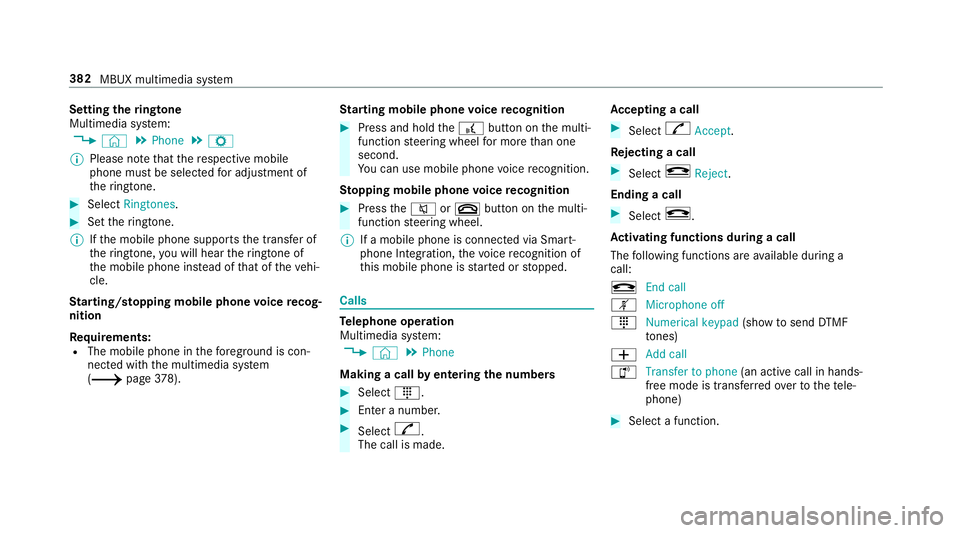
Multimedia sy stem:
4 © 5
Phone 5
Z
% Please no tethat there spective mobile
phone must be selected for adju stment of
th eringtone. #
Select Ringtones . #
Set theringtone.
% Ifth e mobile phone supports the transfer of
th eringtone, you will hear theringtone of
th e mobile phone ins tead of that of theve hi‐
cle.
St arting/ stopping mobile phone voice recog‐
nition
Re quirements:
R The mobile phone in thefo re ground is con‐
nected with the multimedia sy stem
(/ page378). St
arting mobile phone voice recognition #
Press and hold the£ button on the multi‐
function steering wheel for more than one
second.
Yo u can use mobile phone voice recognition.
St opping mobile phone voice recognition #
Press the8 or~ button on the multi‐
function steering wheel.
% If a mobile phone is connected via Smart‐
phone Integration, thevo ice recognition of
th is mobile phone is star ted or stopped. Calls
Te
lephone operation
Multimedia sy stem:
4 © 5
Phone
Making a call byentering the numbers #
Select _. #
Enter a number. #
Select R.
The call is made. Ac
cepting a call #
Select RAccept.
Re jecting a call #
Select kReject .
Ending a call #
Select k.
Ac tivating functions during a call
The following functions are available during a
call:
k End call
m Microphone off
_ Numerical keypad (showtosend DTMF
to nes)
W Add call
h Transfer to phone
(an activecall in hands-
free mode is transfer redove rto thete le‐
phone) #
Select a function. 382
MBUX multimedia sy stem
Page 398 of 621
%
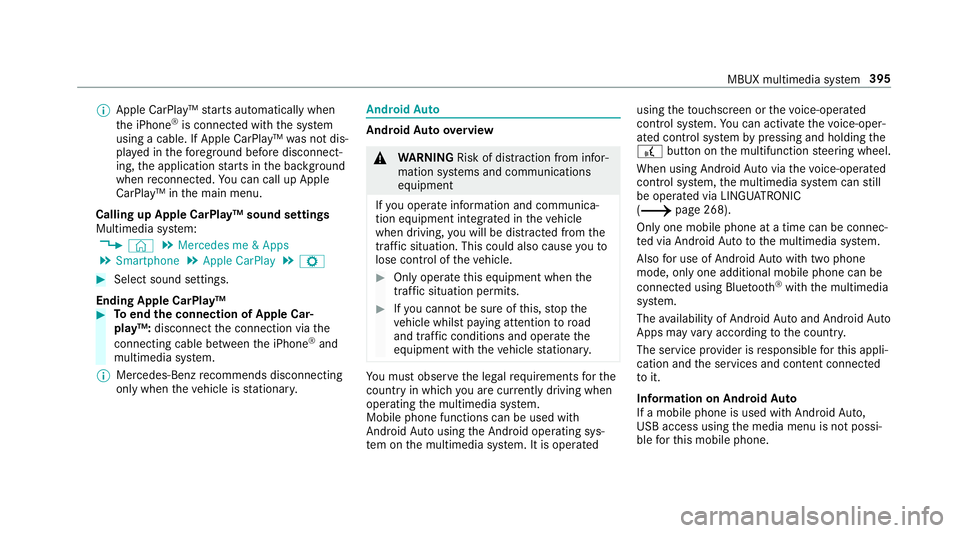
Apple CarPl ay™ starts automatically when
th e iPhone ®
is connected with the sy stem
using a cable. If Apple CarPlay™ was not dis‐
pla yed in thefo re ground before disconnect‐
ing, the application starts in the bac kground
when reconnected. You can call up Apple
CarPlay™ in the main menu.
Calling up Apple CarPlay™ sound settings
Multimedia sy stem:
4 © 5
Mercedes me & Apps
5 Smartphone 5
Apple CarPlay 5
Z #
Select sound settings.
Ending Apple CarPlay™ #
Toend the connection of Apple Car‐
play™: disconnect the connection via the
connecting cable between the iPhone ®
and
multimedia sy stem.
% Mercedes-Benz recommends disconnecting
only when theve hicle is stationar y. Android
Auto Android
Autoove rview &
WARNING Risk of di stra ction from infor‐
mation sy stems and communications
equipment
If yo u operate information and communica‐
tion equipment integ rated in theve hicle
when driving, you will be distracted from the
traf fic situation. This could also cause youto
lose control of theve hicle. #
Only operate this equipment when the
traf fic situation permits. #
Ifyo u cannot be sure of this, stop the
ve hicle whilst paying attention toroad
and traf fic conditions and ope rate the
equipment with theve hicle stationar y. Yo
u must obse rveth e legal requirements forthe
country in whi chyou are cur rently driving when
operating the multimedia sy stem.
Mobile phone functions can be used with
Android Autousing the Android operating sys‐
te m on the multimedia sy stem. It is operated using
theto uchsc reen or thevo ice-operated
control sy stem. You can activate thevo ice-oper‐
ated control sy stem bypressing and holding the
£ button on the multifunction steering wheel.
When using Android Autovia thevo ice-opera ted
control sy stem, the multimedia sy stem can still
be opera ted via LINGU ATRO NIC
(/ page 268).
Only one mobile phone at a time can be connec‐
te d via Android Auto to the multimedia sy stem.
Also for use of Android Autowith two phone
mode, only one additional mobile phone can be
connec ted using Blue tooth®
with the multimedia
sy stem.
The availability of Android Autoand Android Auto
Apps may vary according tothe count ry.
The service pr ovider is responsible forth is appli‐
cation and the services and conte nt connected
to it.
Information on Android Auto
If a mobile phone is used with Android Auto,
USB access using the media menu is not possi‐
ble forth is mobile phone. MBUX multimedia sy
stem 395
Page 408 of 621
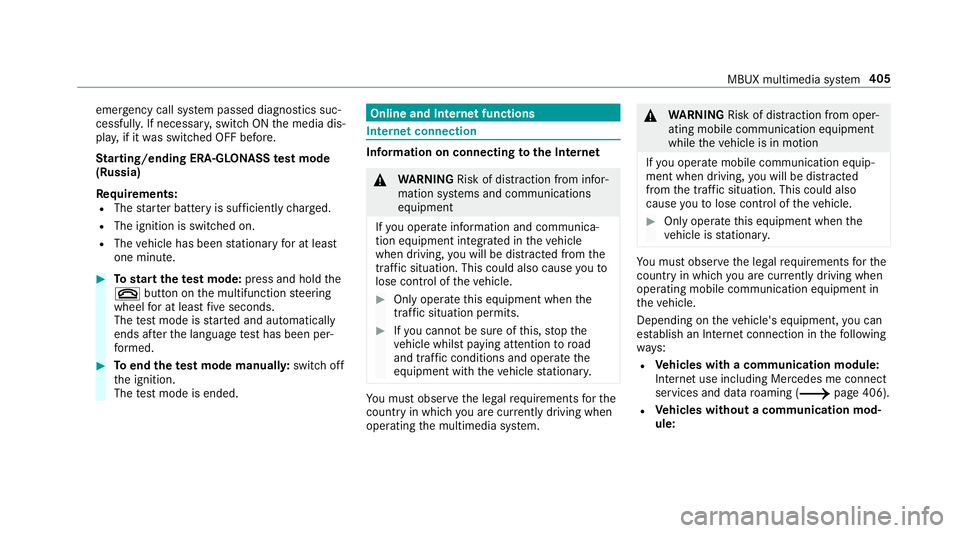
emer
gency call sy stem passed diagnostics suc‐
cessfully. If necessar y,switch ON the media dis‐
pla y,if it was switched OFF before.
St arting/ending ERA-GLONASS test mode
(Russia)
Re quirements:
R The star ter battery is suf ficiently charge d.
R The ignition is switched on.
R The vehicle has been stationary for at least
one minute. #
Tostart thete st mode: press and hold the
~ button on the multifunction steering
wheel for at least five seconds.
The test mode is star ted and automatically
ends af terth e language test has been per‐
fo rm ed. #
Toend thete st mode manuall y:switch off
th e ignition.
The test mode is ended. Online and Internet functions
Internet connection
Information on connecting
tothe Internet &
WARNING Risk of di stra ction from infor‐
mation sy stems and communications
equipment
If yo u operate information and communica‐
tion equipment integ rated in theve hicle
when driving, you will be distracted from the
traf fic situation. This could also cause youto
lose control of theve hicle. #
Only operate this equipment when the
traf fic situation permits. #
Ifyo u cannot be sure of this, stop the
ve hicle whilst paying attention toroad
and traf fic conditions and ope rate the
equipment with theve hicle stationar y. Yo
u must obse rveth e legal requirements forthe
country in whi chyou are cur rently driving when
operating the multimedia sy stem. &
WARNING Risk of di stra ction from oper‐
ating mobile communication equipment
while theve hicle is in motion
If yo u operate mobile communication equip‐
ment when driving, you will be distracted
from the tra ffic situation. This could also
cause youto lose control of theve hicle. #
Only operate this equipment when the
ve hicle is stationar y. Yo
u must obse rveth e legal requirements forthe
country in whi chyou are cur rently driving when
operating mobile communication equipment in
th eve hicle.
Depending on theve hicle's equipment, you can
es tablish an Internet connection in thefo llowing
wa ys:
R Vehicles with a communication module:
Internet use including Mercedes me connect
services and data roaming (/ page 406).
R Vehicles without a communication mod‐
ule: MBUX multimedia sy
stem 405
Page 452 of 621
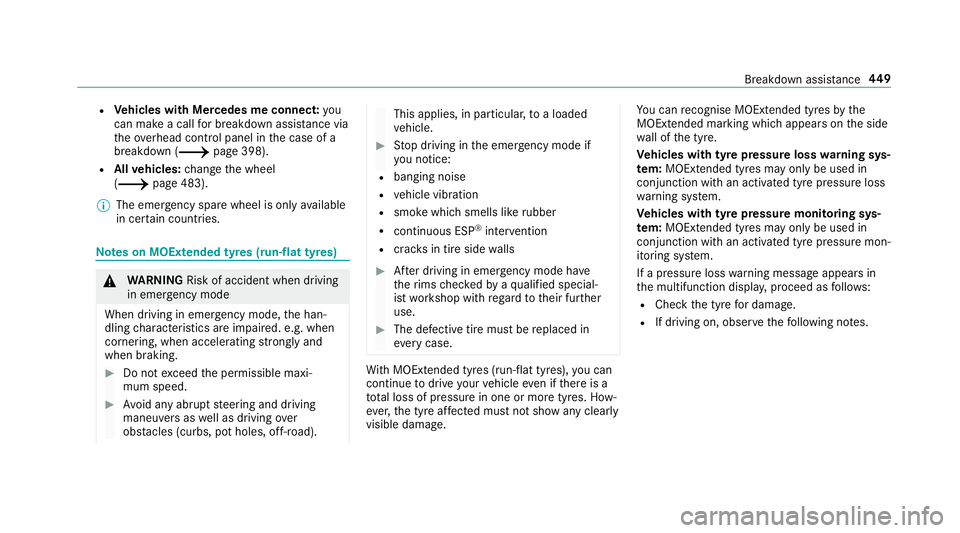
R
Vehicles with Mercedes me connect: you
can make a call for breakdown assi stance via
th eove rhead control panel in the case of a
breakdown (/ page 398).
R Allvehicles: change the wheel
(/ page 483).
% The emer gency spa rewheel is only available
in cer tain countries. Note
s on MOExtended tyres (run-flat tyres) &
WARNING Risk of accident when driving
in eme rgency mode
When driving in emer gency mode, the han‐
dling characteristics are impaired. e.g. when
cornering, when accelerating stronglyand
when braking. #
Do not exceed the permissible maxi‐
mum speed. #
Avoid any abrupt steering and driving
maneuvers as well as driving over
obs tacles (curbs, pot holes, off-road). This applies, in pa
rticular, toa loaded
ve hicle. #
Stop driving in the emer gency mode if
yo u notice:
R banging noise
R vehicle vibration
R smoke which smells like rubber
R continuous ESP ®
inter vention
R crac ksin tire side walls #
After driving in emergency mode ha ve
th erims checkedby aqu alified special‐
ist workshop with rega rd totheir fur ther
use. #
The defective tire must be replaced in
eve rycase. Wi
th MOExtended tyres (run-flat tyres), you can
continue todrive your vehicle even if there is a
tot al loss of pressure in one or more tyres. How‐
eve r,th e tyre af fected must not show any clearly
visible damage. Yo
u can recognise MOExtended tyres bythe
MOExtended marking which appears onthe side
wa ll of the tyre.
Ve hicles with tyre pressure loss warning sys‐
te m: MOExtended tyres may only be used in
conjunction wi than activated tyre pressure loss
wa rning sy stem.
Ve hicles with tyre pressure monitoring sys‐
te m: MOExtended tyres may only be used in
conjunction wi than activated tyre pressure mon‐
itoring sy stem.
If a pressure loss warning message appears in
th e multifunction displa y,proceed as follo ws:
R Check the tyre for dama ge.
R If driving on, obser vethefo llowing no tes. Breakdown assis
tance 449
Page 480 of 621
Count
ryRadio equipment appr oval
number
電信法規定作業之無線電通
信。低功率射頻電機須忍受合
法通信或工
業、科學及醫療用電波輻射性
電機設備之干擾。
Ac cording to“Administrative Reg‐
ulations on Low Powe rRa dio
Wa vesRa diated Devices”.
Wi thout permission granted by
th e DG T,any compan y,enter‐
prise, or user is not allo wedto
ch ange frequenc y,enhance
transmitting po wer or alter origi‐
nal characteristic as well as per‐
fo rm ance toa appr oved low
po we rra dio-frequency devices.
The low po werra dio-frequency
devices shall not influence air‐
craft security and inter fere legal
communications; If found, the
user shall cease operating imme‐ Count
ryRadio equipment appr oval
number
dia tely until no inter fere nce is
achi eved.
The said legal communications
means radio communications is
operated in compliance with the
Te lecommunications Act.
The low po werra dio-frequency
devices must be susceptible with
th e inter fere nce from le gal com‐
munications or ISM radio wave
ra diated devices.
Thailand This telecommunication equip‐
ment con form sto NTC tech nical
re qu irement.
Ukraine Model:
TSSRE4A & TSSSG4G6
UA .TR .109.0 109-17 Countr
yRadio equipment appr oval
number
United
Arab Emi‐
ra tes
(UAE) TRA
Re
gis tere d No: ER5 7806/17
Dealer No: DA369 76/14
TRA
Re gis tere d No: ER5 7807/17
Dealer No: DA369 76/14
Vi etnam Huf Hülsbe
ck& Für stGmbH &
Co. KG
Model: TSSRE4A
No: C0 112200 717AF04A2 Wheels and tyres
477
Page 482 of 621
#
Toconfirm restart, press Touch Control on
th e left-hand side of thesteering wheel.
The Run Flat Indicator restarted message is
shown in the multifunction displa y.
Af teryo u ha vedriven for a few minutes, the
tyre pressu reloss warning sy stem monitors
th e set tyre pressures of all the tyres.
Be sure toalso obse rveth efo llowing fur ther
re lated subjects:
R Notes on tyre pressure (/ page470) Wheel
change Note
s on selecting, fitting and replacing
tyres Yo
u can ask for information rega rding permit ted
wheel/tyre combinations at a Mercedes-Benz
Service Cent re. &
WARNING Risk of accident due toincor‐
re ct dimensions of wheels and tyres
If wheels and tyres of the wrong size are
used, the wheel brakes or wheel suspension
components may become damaged. #
Alw aysre place wheels and tyres with
th ose that fulfil the specifications of the
original part.
When replacing wheels, make sure tofit the
cor rect:
R Designation
R Type
When replacing tyres, make sure tofit the
cor rect:
R Designation
R Manufactu rer
R Type &
WARNING Risk of inju rythro ugh exceed‐
ing the specified tyre load-bearing capa‐
city or the permissible speed rating
Exceeding the specified tyre load-bearing
capacity or the permissible speed rating may
lead totyre dama geand tothe tyres bur st‐
ing. #
Therefore, only use tyre types and sizes
appr ovedfo ryo ur vehicle model. #
Obser vethe tyre load-bearing capacity
ra ting and speed rating requ iredfor
yo ur vehicle. *
NO
TEVehicle and tyre damage thro ugh
tyre types and sizes that ha venot been
appr oved Fo
r saf etyre asons, on lyuse tyres, wheels
and accessories which ha vebeen specially
appr ovedby Mercedes-Benz foryo ur vehicle. Wheels and tyres
47 9