display MERCEDES-BENZ AMG GT COUPE 2018 COMAND Manual
[x] Cancel search | Manufacturer: MERCEDES-BENZ, Model Year: 2018, Model line: AMG GT COUPE, Model: MERCEDES-BENZ AMG GT COUPE 2018Pages: 174, PDF Size: 4.14 MB
Page 27 of 174
Switching the text reader function of
the handwriting recognition on/off
You can switch the text reader function of the
handwriting recognition on or off.
XPressVehiclein the main function bar.
The vehicle menu is displayed.
XTo select System Settings: slide6, turn
and press the controller.
A menu appears.
XTo select Touchpad: turn and press the con-
troller.
XTo select Read Out Handwriting Recog‐nition: turn and press the controller.
The text reader function is switched on Oor
off ª.
Entering characters
Requirement: an input line for text, numbers or
characters has been selected.
XUse one finger to draw the desired character
on the touch-sensitive surface.
The character recognized is entered in the
input line. You can draw the next character on
the touch-sensitive surface.
If the character can be interpreted in different
ways, these options are displayed.
More information on the character suggestions
(
Ypage 25).
Character suggestions
XTo select a character suggestion: turn the
controller.
The selected character is entered instead of
the automatically recognized character. Char-
acter entry can be continued.
Inserting a space
Requirement: an input line for text, numbers or
characters has been selected.
XUse your finger to touch the touch-sensitive
surface and swipe to the right.
A space is entered into the input line.
Deleting characters
Requirement: an input line for text, numbers or
characters has been selected.
XUse your finger to touch the touch-sensitive
surface and swipe to the left.
The character last entered is deleted.
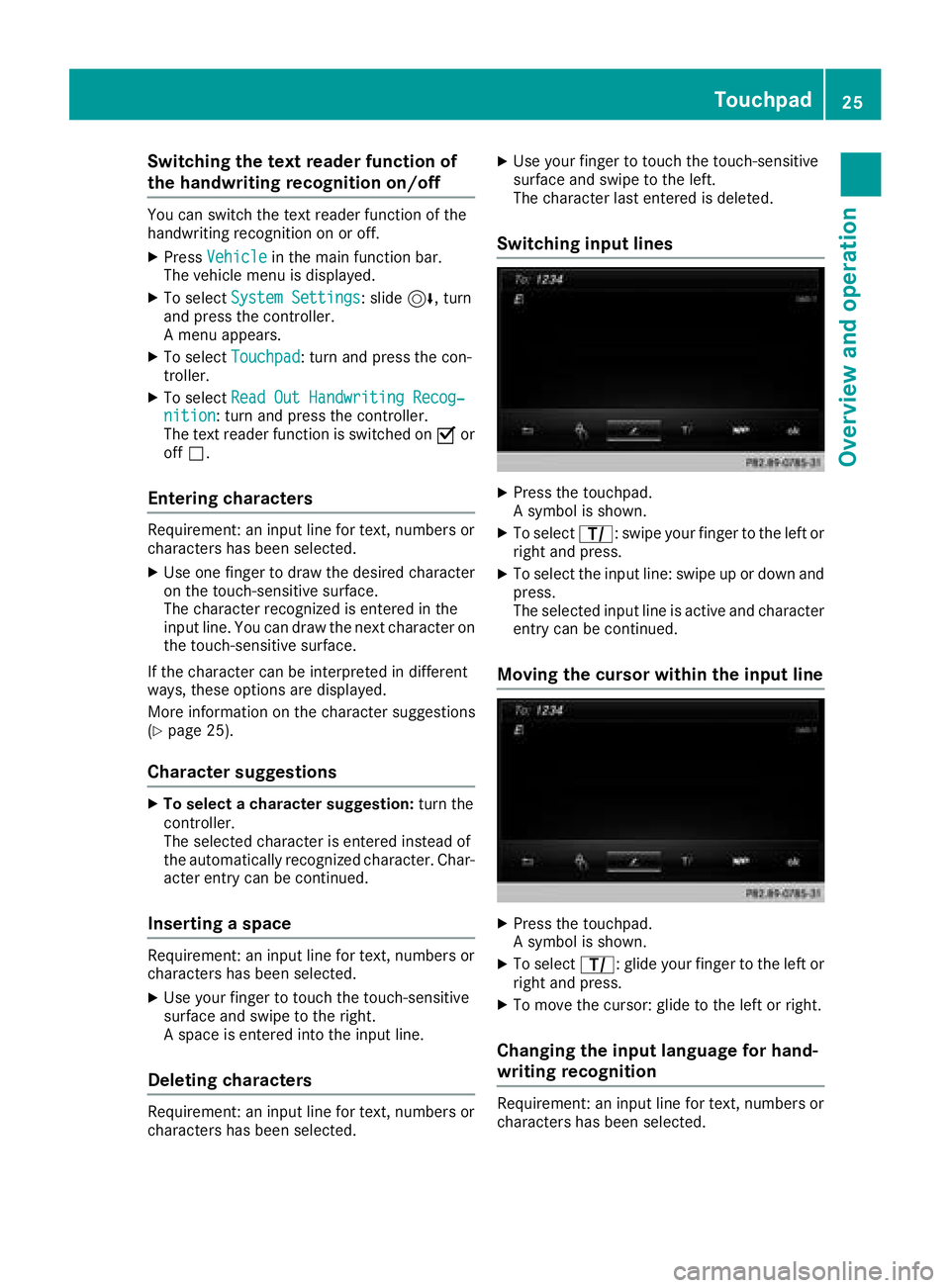
Switching input lines
XPress the touchpad.
A symbol is shown.
XTo select p: swipe your finger to the left or
right and press.
XTo select the input line: swipe up or down and press.
The selected input line is active and character
entry can be continued.
Moving the cursor within the input line
XPress the touchpad.
A symbol is shown.
XTo select p: glide your finger to the left or
right and press.
XTo move the cursor: glide to the left or right.
Changing the input language for hand-
writing recognition
Requirement: an input line for text, numbers or
characters has been selected.
Touchpad25
Overview and operation
Page 28 of 174
XPress the touchpad.
A symbol is shown.
XTo selectB: swipe your finger to the left or
right and press.
The list of available input languages appears.
XTo select a language: swipe up or down and
press.
The input language for handwriting recogni-
tion has been changed.
Searching in lists
The phone book search is used as an example.
You determine the first letter of the contact you
are looking for with the first character you enter.
XDraw the letter on the touchpad surface.
The first contact with the selected first char-
acter is highlighted in the phone book.
Further information on handwriting recogni-
tion on the touchpad (
Ypage 24).
XDraw additional letters on the touchpad sur-
face one after another.
XTo complete the search and return to the
phone book: press the touchpad.
Switching between the controller and
the touchpad as input device
Requirement: an input line for text, numbers or
characters has been selected.
XTo switch from character entry using the
controller to handwriting recognition on
the touchpad: use one finger to press the
touchpad.
Handwriting recognition on the touchpad is
active.
XTo switch from handwriting recognition
on the touchpad to character entry using
the controller: press the controller.
Character entry using the controller is active.
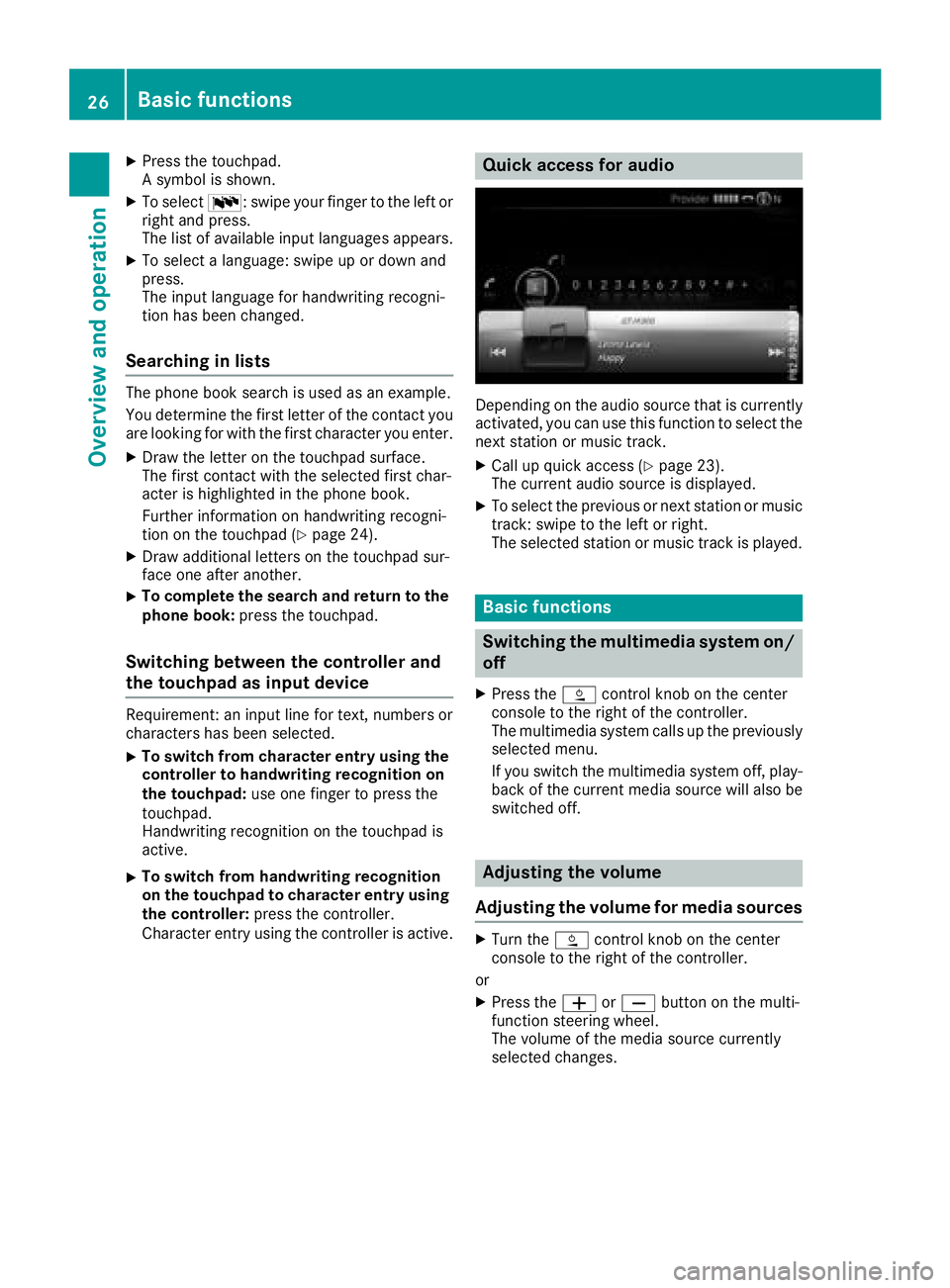
Quick access for audio
Depending on the audio source that is currently
activated, you can use this function to select the
next station or music track.
XCall up quick access (Ypage 23).
The current audio source is displayed.
XTo select the previous or next station or music
track: swipe to the left or right.
The selected station or music track is played.
Basic functions
Switching the multimedia system on/
off
XPress the Äcontrol knob on the center
console to the right of the controller.
The multimedia system calls up the previously
selected menu.
If you switch the multimedia system off, play- back of the current media source will also be
switched off.
Adjusting the volume
Adjusting the volume for media sources
XTurn the Äcontrol knob on the center
console to the right of the controller.
or
XPress the WorX button on the multi-
function steering wheel.
The volume of the media source currently
selected changes.
26Basic functions
Overview and operation
Page 29 of 174
Adjusting the volumefor traffic
announcements and navigati on
announcements
During traffic or navigation announcements :
XTurn theÄ control knob on th ecenter
console to th eright of th econtroller .
or
XPress th eW orX buttonon th emulti-
function steering wheel.
iYou can set th evolume for navigation
announcements to be differen tfrom th evol -
ume of th erespective media source .
Adjusting the volumefor phone calls
You can adjust thevolume for hands-free mod e
during atelephon ecall .
XTurn th eÄ control knob on th ecenter
console to th eright of th econtroller .
or
XPress th eW orX buttonon th emulti-
function steering wheel.
iSetting th evolume for th eVoic eControl
Syste mvoice output ;see th eseparat eoper -
ating instructions.
Switching the sound on oroff
Media source sound
XPress th e8 buttonon th emultifunction
steering wheel.
iIf th eaudio output is switched off ,th estatus
lin ewill sho wthe8 symbol. If you switch
th emedia source or chang eth evolume, th e
soun dis automatically switched on .
iEven if thesoun dis switched off ,you will still
hear navigation system announcements .
Switching navigationannouncements
off and onagain
XTo switch off navigation announcements:
press th e8 buttonon th emultifunction
steering whee lduring th eannouncement.
The Spoken drivin grecommendations
hav ebee ndeactivated.message
appears.
XTo switch navigation announcement son
again: switch th emultimedia system off and
then on again (
Ypage 26).
or
XStart ane wrout ecalculation (Ypage 54).
or
XWhil erout eguidance is active ,sho wthe
men uand select +(Ypage 71).
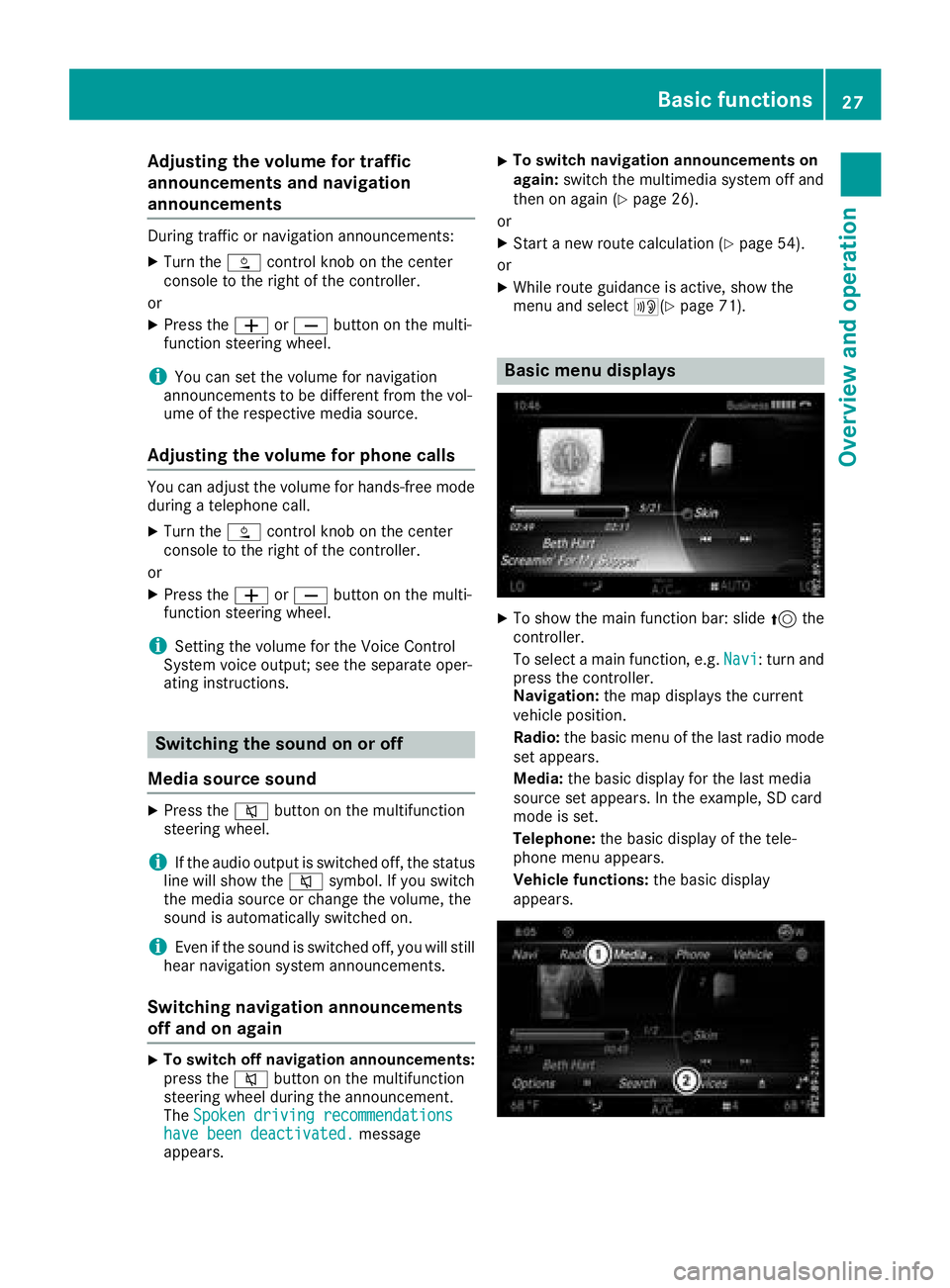
Basic menu displays
XTo showthemain function bar: slid e5 the
controller .
To select amain function ,e.g. Navi
:tur nand
press th econtroller .
Navigation: themap displays th ecurren t
vehicl eposition .
Radio :th ebasic men uof th elast radi omod e
set appears.
Media: thebasic display for th elast media
source set appears. In th eexample, SD car d
mod eis set .
Telephone: thebasic display of th etele-
phone men uappears.
Vehicle functions: thebasic display
appears.
Basic functions27
Overview and operation
Page 30 of 174
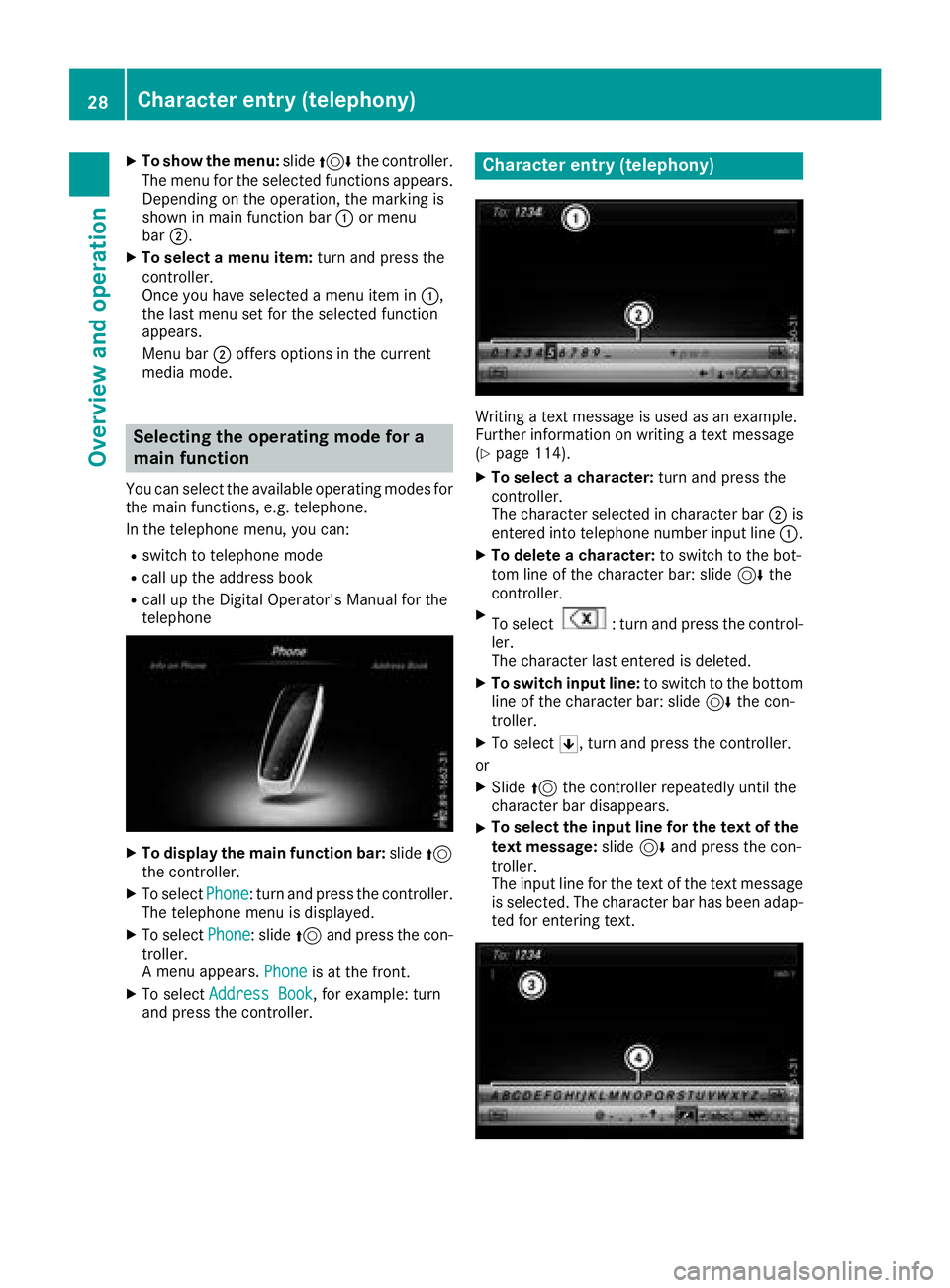
XTo show the menu:slide4 the controller.
The menu for the selected functions appears.
Depending on the operation, the marking is
shown in main function bar :or menu
bar ;.
XTo select a menu item: turn and press the
controller.
Once you have selected a menu item in :,
the last menu set for the selected function
appears.
Menu bar ;offers options in the current
media mode.
Selecting the operating mode for a
main function
You can select the available operating modes for
the main functions, e.g. telephone.
In the telephone menu, you can:
Rswitch to telephone mode
Rcall up the address book
Rcall up the Digital Operator's Manual for the
telephone
XTo display the main function bar: slide5
the controller.
XTo select Phone: turn and press the controller.
The telephone menu is displayed.
XTo select Phone: slide5and press the con-
troller.
A menu appears. Phone
is at the front.
XTo selectAddress Book, for example: turn
and press the controller.
Character entry (telephony)
Writing a text message is used as an example.
Further information on writing a text message
(
Ypage 114).
XTo select a character: turn and press the
controller.
The character selected in character bar ;is
entered into telephone number input line :.
XTo delete a character:to switch to the bot-
tom line of the character bar: slide 6the
controller.
XTo select: turn and press the control-
ler.
The character last entered is deleted.
XTo switch input line: to switch to the bottom
line of the character bar: slide 6the con-
troller.
XTo select 5, turn and press the controller.
or
XSlide 5the controller repeatedly until the
character bar disappears.
XTo select the input line for the text of the
text message: slide6and press the con-
troller.
The input line for the text of the text message
is selected. The character bar has been adap- ted for entering text.
28Character entry (telephony)
Overview and operation
Page 31 of 174
XTo select a character:turn and press the
controller.
The character selected in character bar ?is
entered into text message input line =.
XTo delete a character:to switch to the bot-
tom line of the character bar: slide 6the
controller.
XTo select: turn and press the control-
ler.
The character last entered is deleted.
XTo delete a whole entry: to switch to the
bottom line of the character bar: slide 6the
controller.
XTo select: turn the controller.
XPress and hold the controller until the entire
entry is deleted.
XTo change the country setting of the char-
acter bar: to switch to the bottom line of the
character bar: slide 6the controller.
XTo select B, turn and press the controller.
The available languages are displayed.
XTurn and press the controller.
Functions in the character bar
RÄ
Switches between digits and symbols
R*
Switches the character bar to uppercase/
lowercase letters
RB
Changes the country setting for the character
bar
R
Deletes a character/an entry
R45
Selects the input line
R23
Moves the cursor within the input line
R¬
Confirms an entry
R&
Cancels input
RS
Inserts a paragraph
Ry
Uses a text template
Character entry (navigation)
Character entry options
You can enter characters using the controller or
the touchpad. With the controller, you enter
characters using a character bar. To enter using the touchpad, draw the character in the entry
field. The multimedia system supports this using
a handwriting recognition function.
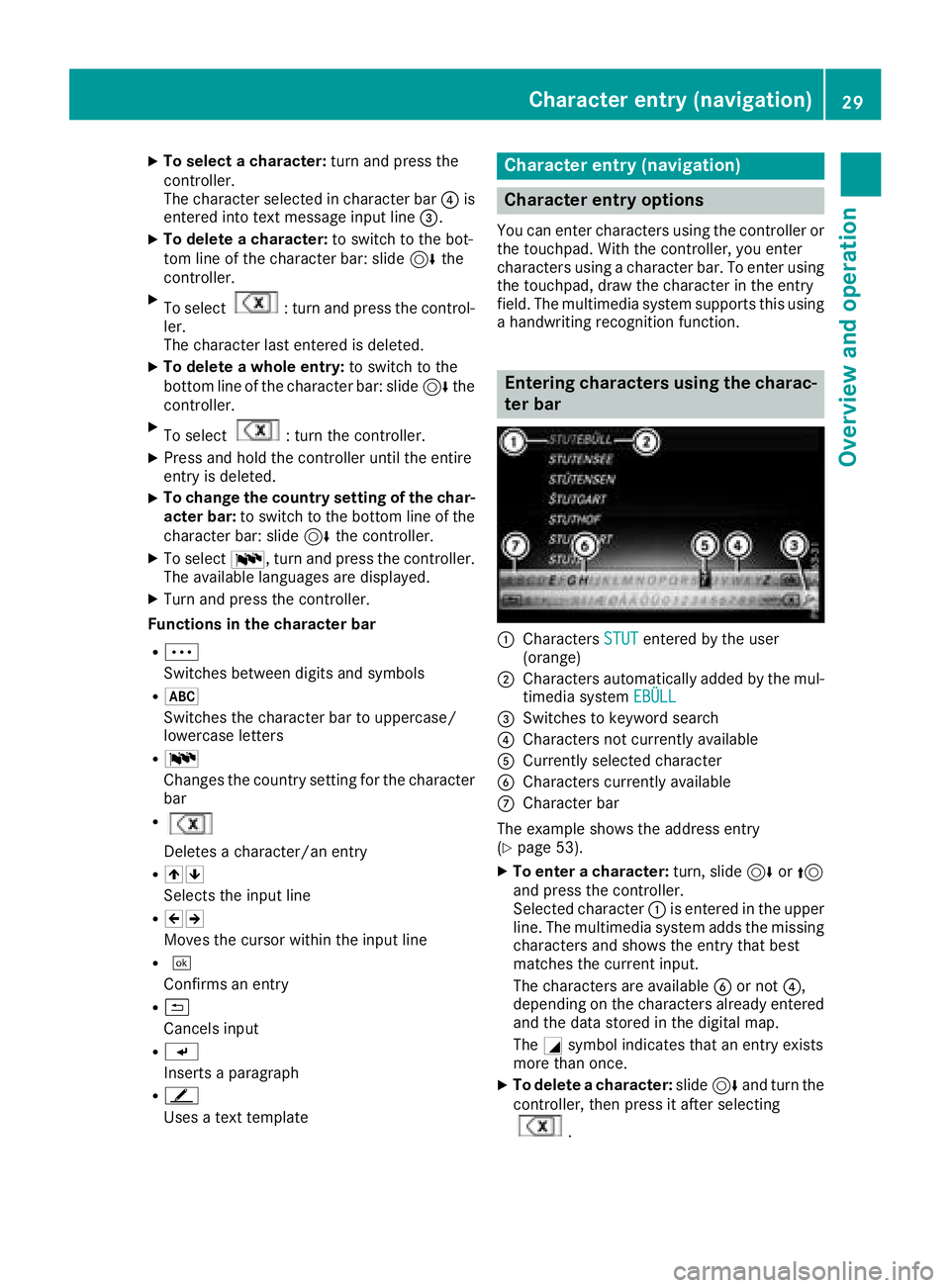
Entering characters using the charac-
ter bar
:Characters STUTentered by the user
(orange)
;Characters automatically added by the mul-
timedia system EBÜLL
=Switches to keyword search
?Characters not currently available
ACurrently selected character
BCharacters currently available
CCharacter bar
The example shows the address entry
(
Ypage 53).
XTo enter a character: turn, slide6or5
and press the controller.
Selected character :is entered in the upper
line. The multimedia system adds the missing
characters and shows the entry that best
matches the current input.
The characters are available Bor not ?,
depending on the characters already entered and the data stored in the digital map.
The Gsymbol indicates that an entry exists
more than once.
XTo delete a character: slide6and turn the
controller, then press it after selecting
.
Character entry (navigation)29
Overview and operation
Page 33 of 174
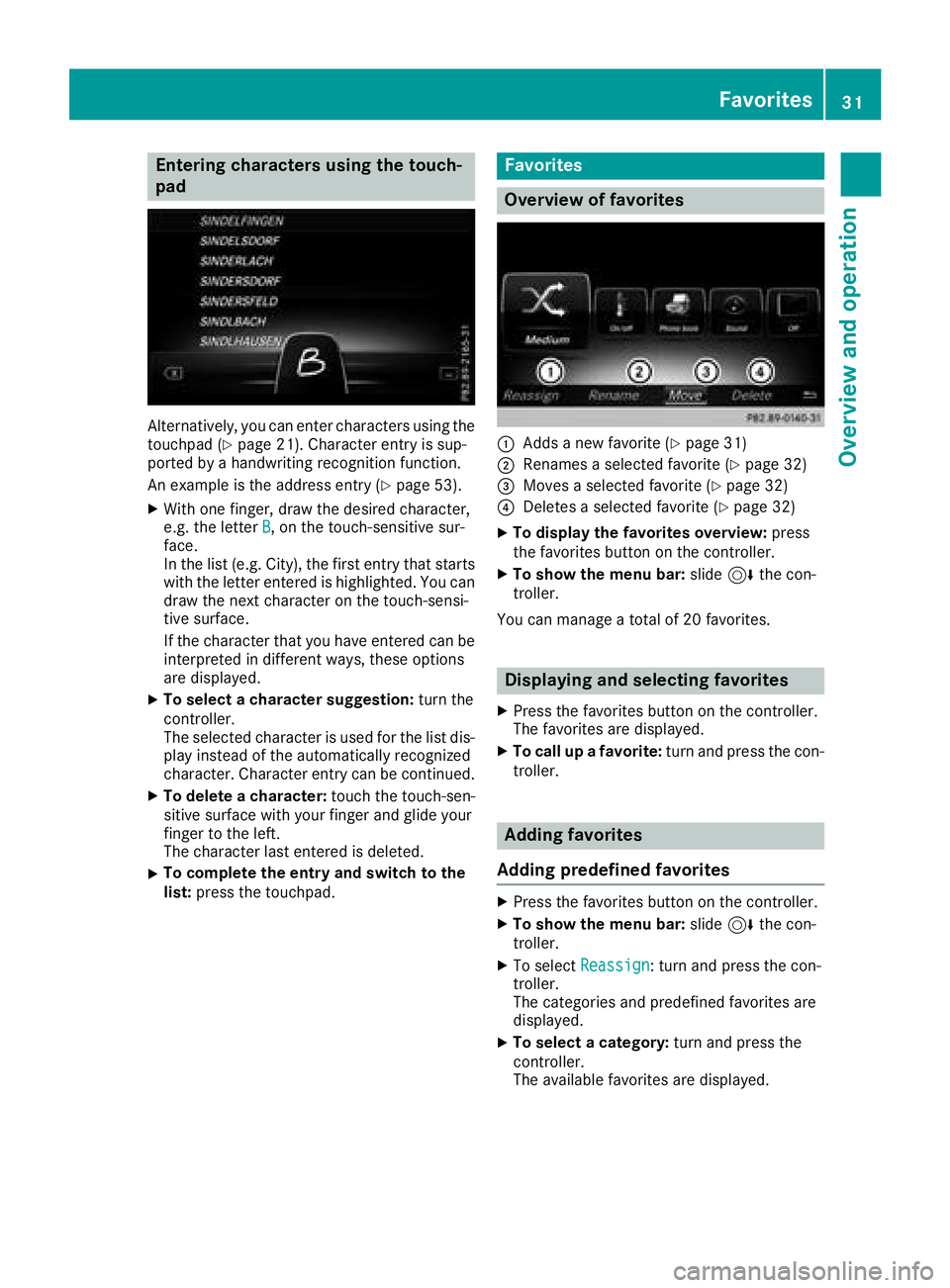
Entering characters using the touch-
pad
Alternatively, you can enter characters using the
touchpad (Ypage 21). Character entry is sup-
ported by a handwriting recognition function.
An example is the address entry (
Ypage 53).
XWith one finger, draw the desired character,
e.g. the letter B, on the touch-sensitive sur-
face.
In the list (e.g. City), the first entry that starts
with the letter entered is highlighted. You can
draw the next character on the touch-sensi-
tive surface.
If the character that you have entered can be
interpreted in different ways, these options
are displayed.
XTo select a character suggestion: turn the
controller.
The selected character is used for the list dis-
play instead of the automatically recognized
character. Character entry can be continued.
XTo delete a character: touch the touch-sen-
sitive surface with your finger and glide your
finger to the left.
The character last entered is deleted.
XTo complete the entry and switch to the
list: press the touchpad.
Favorites
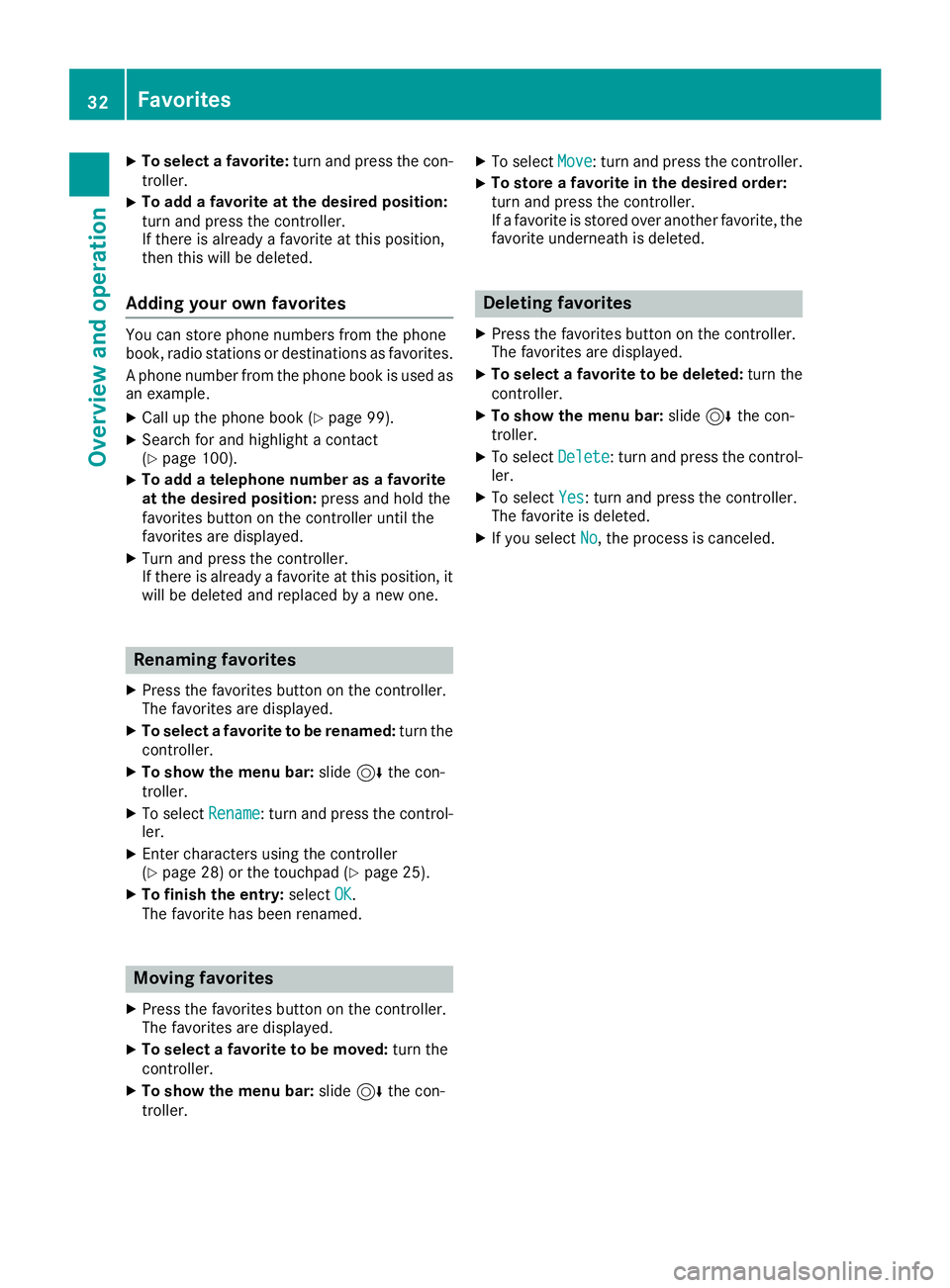
Overview of favorites
:Adds a new favorite (Ypage 31)
;Renames a selected favorite (Ypage 32)
=Moves a selected favorite (Ypage 32)
?Deletes a selected favorite (Ypage 32)
XTo display the favorites overview: press
the favorites button on the controller.
XTo show the menu bar: slide6the con-
troller.
You can manage a total of 20 favorites.
Displaying and selecting favorites
XPress the favorites button on the controller.
The favorites are displayed.
XTo call up a favorite: turn and press the con-
troller.
Adding favorites
Adding predefined favorites
XPress the favorites button on the controller.
XTo show the menu bar: slide6the con-
troller.
XTo select Reassign: turn and press the con-
troller.
The categories and predefined favorites are
displayed.
XTo select a category: turn and press the
controller.
The available favorites are displayed.
Favorites31
Overview and operation
Page 34 of 174
XTo select a favorite:turn and press the con-
troller.
XTo add a favorite at the desired position:
turn and press the controller.
If there is already a favorite at this position,
then this will be deleted.
Adding your own favorites
You can store phone numbers from the phone
book, radio stations or destinations as favorites.
A phone number from the phone book is used as
an example.
XCall up the phone book (Ypage 99).
XSearch for and highlight a contact
(Ypage 100).
XTo add a telephone number as a favorite
at the desired position: press and hold the
favorites button on the controller until the
favorites are displayed.
XTurn and press the controller.
If there is already a favorite at this position, it
will be deleted and replaced by a new one.
Renaming favorites
XPress the favorites button on the controller.
The favorites are displayed.
XTo select a favorite to be renamed: turn the
controller.
XTo show the menu bar: slide6the con-
troller.
XTo select Rename: turn and press the control-
ler.
XEnter characters using the controller
(Ypage 28) or the touchpad (Ypage 25).
XTo finish the entry: selectOK.
The favorite has been renamed.
Moving favorites
XPress the favorites button on the controller.
The favorites are displayed.
XTo select a favorite to be moved: turn the
controller.
XTo show the menu bar: slide6the con-
troller.
XTo select Move: turn and press the controller.
XTo store a favorite in the desired order:
turn and press the controller.
If a favorite is stored over another favorite, the
favorite underneath is deleted.
Deleting favorites
XPress the favorites button on the controller.
The favorites are displayed.
XTo select a favorite to be deleted: turn the
controller.
XTo show the menu bar: slide6the con-
troller.
XTo select Delete: turn and press the control-
ler.
XTo select Yes: turn and press the controller.
The favorite is deleted.
XIf you select No, the process is canceled.
32Favorites
Overviewand operation
Page 35 of 174
Your multimediasyste mequipment
These operatin ginstruction sdescribe all th e
standar dan doptional equipment of your multi-
media system, as available at th etime of going
to press. Country-specifi cdifference sare pos -
sible. Bear in min dthat your vehicle may no t
feature all function sdescribed here. Thi salso
applies to safety-relevan tsystems an dfunc-
tions.
Read th einformation on qualifie dspecialis t
workshop sin th evehicle Operator's Manual.
Important safet ynotes
GWARNING
If you operat emobile communication equip-
men twhen driving, you may be distracted
from th etraffic situation .You could also los e
contro lof th evehicle. There is aris kof an
accident.
Only operat ethis equipment when th evehicle
is stationary.
GWARNING
SD cards are small parts .The ycan be swal -
lowe dan dcause choking. Thi sposes an
increase dris kof injury or eve nfatal injury.
Kee pth eSD car dout of th ereach of children .
If aSD car dis swallowed, see kmedical atten-
tion immediately.
You mus tobserv eth elegal requirements fo rth e
country in whic hyou are currentl ydrivin gwhen
operatin gmobile communication sequipment in
th evehicle.
Display settings
Setting th ebrightness
The brightness detecte dby th edisplay ligh tsen -
sor affects th esetting option sfo rthis function .
XPressVehicl ein themain function bar .
The vehicle men uis displayed.
XTo switch to th emen ubar :slid e6 thecon-
troller.
XTo selec tSystem Settings:turn an dpress
th econtroller .
A men uappears .
XTo selec tDispla y:turn an dpress th econ-
troller.
A men uappears .
XSelectBrightness.
A contro lappears .
XSelectth edesire dbrightness.
Display design
The display feature soptimize ddesign sfo rday-
time an dnight-time operation .You can set th e
design by manually selecting day or night design
or opt fo ran automatic setting .
XPressVehicl ein themain function bar .
The vehicle men uis displayed.
XTo switch to th emen ubar :slid e6 thecon-
troller.
XTo selec tSystem Settings:turn an dpress
th econtroller .
A men uappears .
XTo selec tDispla y:turn an dpress th econ-
troller.
A men uappears .
XSelectDa yMode,Nigh tModeor Auto.
The #dot indicates th ecurren tsetting .
DesignExplanation
DayModeThe display is set perma-
nently to day design .
NightModeThe display is set perma-
nently to night design .
AutomaticThe multimedia syste m
evaluates th edat aof th e
ligh tsensor an dautomat -
ically switches over th e
display design .
Switching thedisplay on/of f
Switching off th edisplay
XPress Vehicl ein themain function bar .
The vehicle men uis displayed.
XTo selec tDispla yOff:slid e6 ,turn an d
press th econtroller .
The display goe sout .
Display settings33
System settings
Z
Page 36 of 174
XTo switch the display on again:press the
controller.
Time settings
General information
The multimedia system can automatically set
the time and date.
The following navigation system functions
require the time, time zone and summer/stand-
ard time to be set correctly in order to work
properly:
Rroute guidance on routes with time-depend-
ent traffic guidance
Rcalculation of expected time of arrival
Switching automatic time on and off
The Automatic Time Settingsfunction is
used to activate or deactivate the automatic
setting of the time and date. This function is
activated when the vehicle leaves the factory.
XPress Vehiclein the main function bar.
The vehicle menu is displayed.
XTo switch to the menu bar: slide 6the con-
troller.
XTo select Time: turn and press the controller.
A menu appears.
XTo activate Oor deactivate ªAutomaticTime Settings: turn and press the control-
ler.
Setting the time zone
To set the time zone, the Automatic TimeSettingsfunction must be activated.
XPressVehiclein the main function bar.
The vehicle menu is displayed.
XTo switch to the menu bar: slide 6the con-
troller.
XTo select Time: turn and press the controller.
A menu appears.
XTo select Time Zone:: turn and press the
controller.
A list of countries appears. The #dot indi-
cates the current setting.
XSelect the country you are currently in by
turning and pressing the controller.
The country is accepted.
A time zone list may also be displayed,
depending on the country selected.
XTo select the desired time zone: turn and
press the controller.
The time zone is accepted.
A list of available options for setting summer
time appears (
Ypage 34).
Setting summer and standard time
Using the Daylight Saving Timefunction,
you can set the automatic changeover to sum-
mer time or switch the summer time settings on and off. The changeover to summer time advan-
ces the time by one hour.
The Daylight
SavingTimefunction or Auto‐maticoption is not available in all countries.
XPressVehiclein the main function bar.
The vehicle menu is displayed.
XTo switch to the menu bar: slide 6the con-
troller.
XTo select Time: turn and press the controller.
A menu appears.
XTo select Daylight Saving Time: turn and
press the controller.
A list of available options for setting summer
time appears.
XTo select Automatic,Onor Off: turn and
press the controller.
SettingFunction
AutomaticThe summer and
standard time are
automatically
changed over.
OnThe clock is advanced
one hour ahead of
standard time.
OffThe standard time for
the chosen time zone
is selected.
34Time settings
System settings
Page 37 of 174
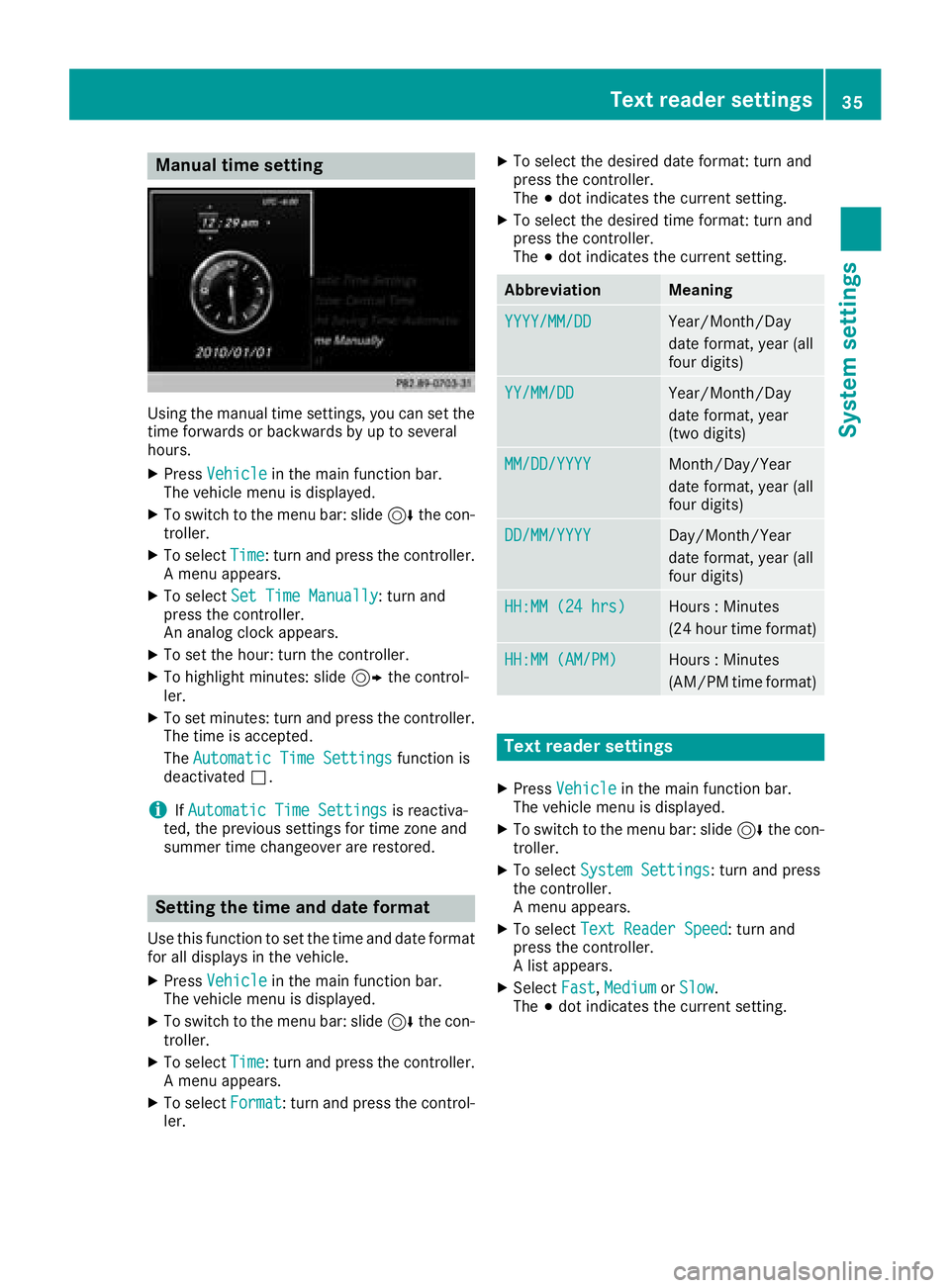
Manual time setting
Using the manual time settings, you can set the
time forwards or backwards by up to several
hours.
XPressVehiclein the main function bar.
The vehicle menu is displayed.
XTo switch to the menu bar: slide 6the con-
troller.
XTo select Time: turn and press the controller.
A menu appears.
XTo select Set Time Manually: turn and
press the controller.
An analog clock appears.
XTo set the hour: turn the controller.
XTo highlight minutes: slide 9the control-
ler.
XTo set minutes: turn and press the controller. The time is accepted.
The Automatic Time Settings
function is
deactivated ª.
iIfAutomatic Time Settingsis reactiva-
ted, the previous settings for time zone and
summer time changeover are restored.
Setting the time and date format
Use this function to set the time and date format for all displays in the vehicle.
XPress Vehiclein the main function bar.
The vehicle menu is displayed.
XTo switch to the menu bar: slide 6the con-
troller.
XTo select Time: turn and press the controller.
A menu appears.
XTo select Format: turn and press the control-
ler.
XTo select the desired date format: turn and
press the controller.
The #dot indicates the current setting.
XTo select the desired time format: turn and
press the controller.
The #dot indicates the current setting.
AbbreviationMeaning
YYYY/MM/DDYear/Month/Day
date format, year (all
four digits)
YY/MM/DDYear/Month/Day
date format, year
(two digits)
MM/DD/YYYYMonth/Day/Year
date format, year (all
four digits)
DD/MM/YYYYDay/Month/Year
date format, year (all
four digits)
HH:MM (24 hrs)Hours : Minutes
(24 hour time format)
HH:MM (AM/PM)Hours : Minutes
(AM/PM time format)
Text reader settings
XPress Vehiclein the main function bar.
The vehicle menu is displayed.
XTo switch to the menu bar: slide 6the con-
troller.
XTo select System Settings: turn and press
the controller.
A menu appears.
XTo select Text Reader Speed: turn and
press the controller.
A list appears.
XSelect Fast,Mediumor Slow.
The #dot indicates the current setting.
Text reader settings35
System settings
Z