instrument cluster MERCEDES-BENZ AMG GT COUPE 2018 Owner's Manual
[x] Cancel search | Manufacturer: MERCEDES-BENZ, Model Year: 2018, Model line: AMG GT COUPE, Model: MERCEDES-BENZ AMG GT COUPE 2018Pages: 294, PDF Size: 4.76 MB
Page 4 of 294
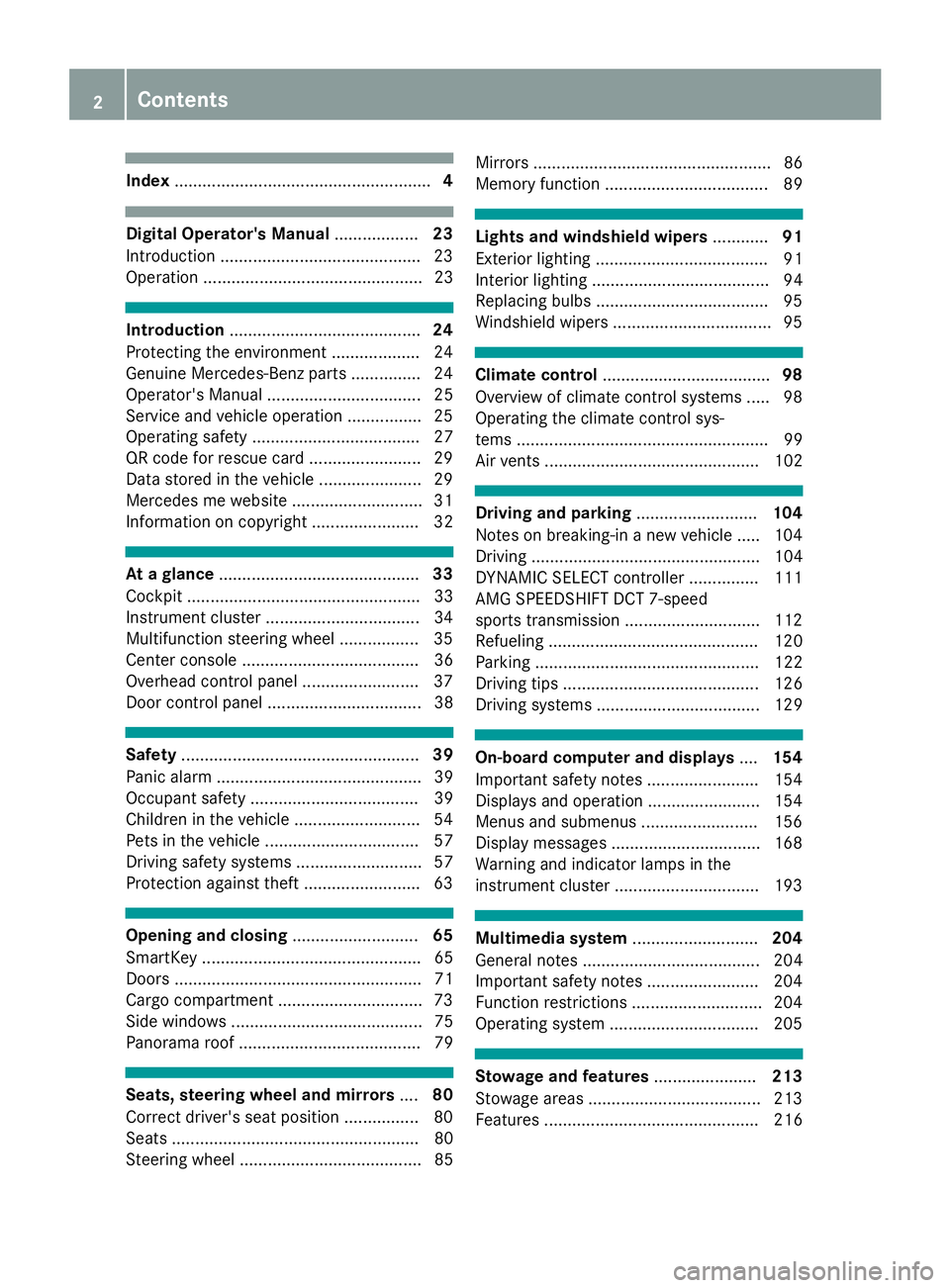
Index....................................................... 4
Digital Operator's Manual..................23
Introduction .......................................... .23
Operation ............................................... 23
Introduction ......................................... 24
Protecting the environment ...................2 4
Genuine Mercedes-Benz parts .............. .24
Operator's Manual ................................. 25
Service and vehicle operation ................2 5
Operating safety .................................... 27
QR code for rescue card ........................ 29
Data stored in the vehicle ......................2 9
Mercedes me website ............................3 1
Information on copyright ....................... 32
At a glance ........................................... 33
Cockpit .................................................. 33
Instrument cluster .................................3 4
Multifunction steering wheel ................. 35
Center console ...................................... 36
Overhead control panel .........................3 7
Door control panel ................................. 38
Safety ................................................... 39
Panic alarm ............................................ 39
Occupant safety .................................... 39
Children in the vehicle ........................... 54
Pets in the vehicle ................................. 57
Driving safety systems ........................... 57
Protection against theft .........................6 3
Opening and closing...........................65
SmartKey ............................................... 65
Doors ..................................................... 71
Cargo compartment .............................. .73
Side windows ......................................... 75
Panorama roof ....................................... 79
Seats, steering wheel and mirrors ....80
Correct driver's seat position ................ 80
Seats ..................................................... 80
Steering wheel ....................................... 85 Mirrors ................................................... 86
Memory function ................................... 89
Lights and windshield wipers
............91
Exterior lighting ..................................... 91
Interior lighting ...................................... 94
Replacing bulbs ..................................... 95
Windshield wipers .................................. 95
Climate control .................................... 98
Overview of climate control systems ..... 98
Operating the climate control sys-
tems ...................................................... 99
Air vents .............................................. 102
Driving and parking ..........................104
Notes on breaking-in a new vehicle ..... 104
Driving ................................................. 104
DYNAMIC SELECT controller ............... 111
AMG SPEEDSHIFT DCT 7-speed
sports transmission ............................. 112
Refueling ............................................. 120
Parking ................................................ 122
Driving tips .......................................... 126
Driving systems ................................... 129
On-board computer and displays ....154
Important safety notes ........................ 154
Displays and operation ........................ 154
Menus and submenus ......................... 156
Display messages ................................ 168
Warning and indicator lamps in the
instrument cluster ............................... 193
Multimedia system ...........................204
General notes ...................................... 204
Important safety notes ........................ 204
Function restrictions ............................ 204
Operating system ................................ 205
Stowage and features ......................213
Stowage areas ..................................... 213
Features .............................................. 216
2Contents
Page 10 of 294
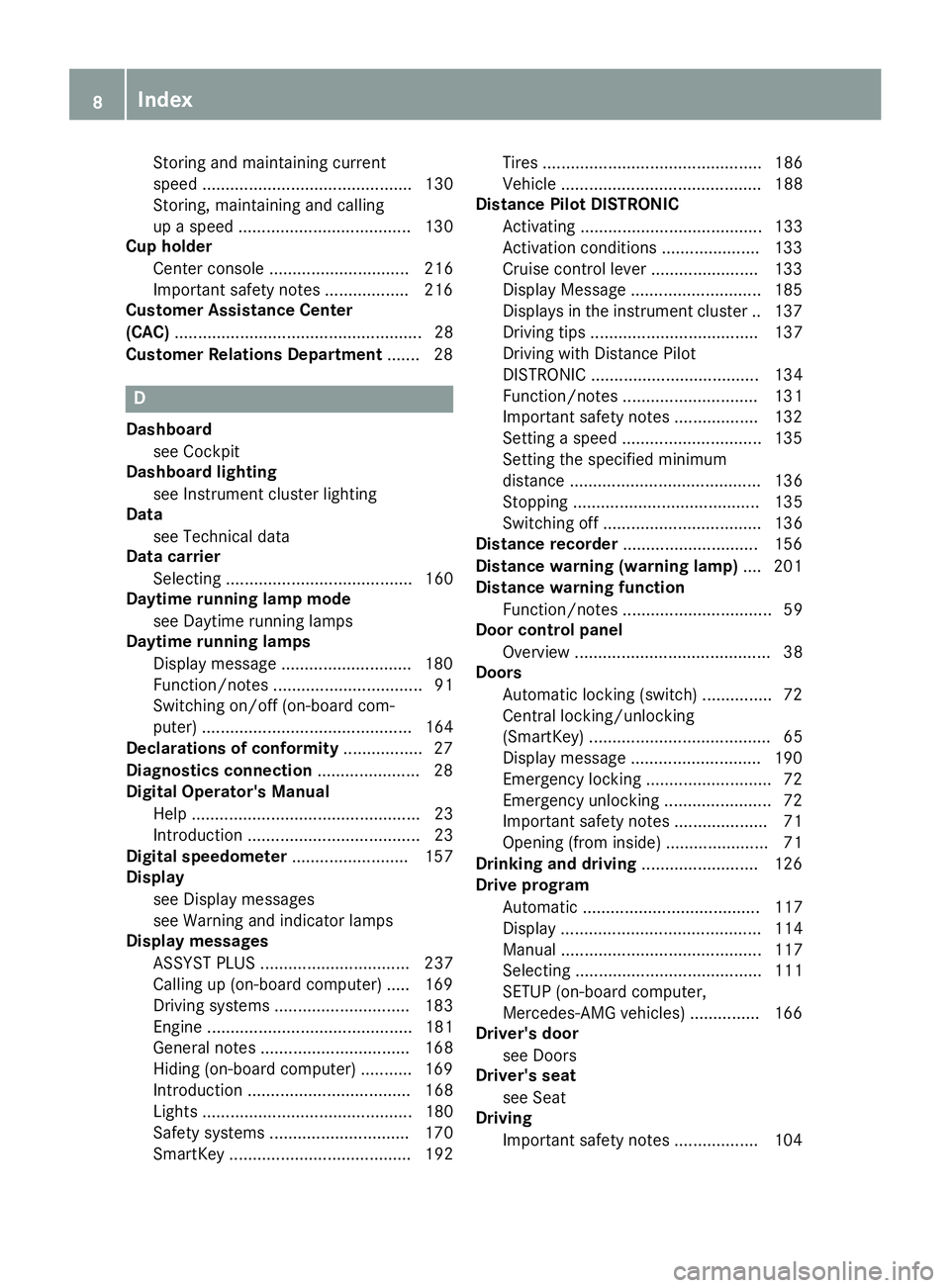
Storing and maintaining current
speed ............................................. 130
Storing, maintaining and calling
up a speed ..................................... 130
Cup holder
Center console .............................. 216
Important safety notes .................. 216
Customer Assistance Center
(CAC) ..................................................... 28
Customer Relations Department ....... 28
D
Dashboard
see Cockpit
Dashboard lighting
see Instrument cluster lighting
Data
see Technical data
Data carrier
Selecting ........................................ 160
Daytime running lamp mode
see Daytime running lamps
Daytime running lamps
Display message ............................ 180
Function/notes ................................ 91
Switching on/off (on-board com-
puter) ............................................. 164
Declarations of conformity ................. 27
Diagnostics connection ...................... 28
Digital Operator's Manual
Help ................................................. 23
Introduction ..................................... 23
Digital speedometer ......................... 157
Display
see Display messages
see Warning and indicator lamps
Display messages
ASSYST PLUS ................................ 237
Calling up (on-board computer) ..... 169
Driving systems ............................. 183
Engine ............................................ 181
General notes ................................ 168
Hiding (on-board computer) ........... 169
Introduction ................................... 168
Lights ............................................. 180
Safety systems .............................. 170
SmartKey ....................................... 192 Tires ............................................... 186
Vehicle ........................................... 188
Distance Pilot DISTRONIC
Activating ....................................... 133
Activation conditions ..................... 133
Cruise control lever ....................... 133
Display Message ............................ 185
Displays in the instrument cluster .. 137
Driving tips .................................... 137
Driving with Distance Pilot
DISTRONIC .................................... 134
Function/notes ............................. 131
Important safety notes .................. 132
Setting a speed .............................. 135
Setting the specified minimum
distance ......................................... 136
Stopping ........................................ 135
Switching off .................................. 136
Distance recorder ............................. 156
Distance warning (warning lamp) .... 201
Distance warning function
Function/notes ................................ 59
Door control panel
Overview .......................................... 38
Doors
Automatic locking (switch) ............... 72
Central locking/unlocking
(SmartKey) ....................................... 65
Displa y me
ssage ............................ 190
Emergency locking ........................... 72
Emergency unlocking ....................... 72
Important safety notes .................... 71
Opening (from inside) ...................... 71
Drinking and driving ......................... 126
Drive program
Automatic ...................................... 117
Display ........................................... 114
Manual ........................................... 117
Selecting ........................................ 111
SETUP (on-board computer,
Mercedes-AMG vehicles) ............... 166
Driver's door
see Doors
Driver's seat
see Seat
Driving
Important safety notes .................. 104
8Index
Page 14 of 294
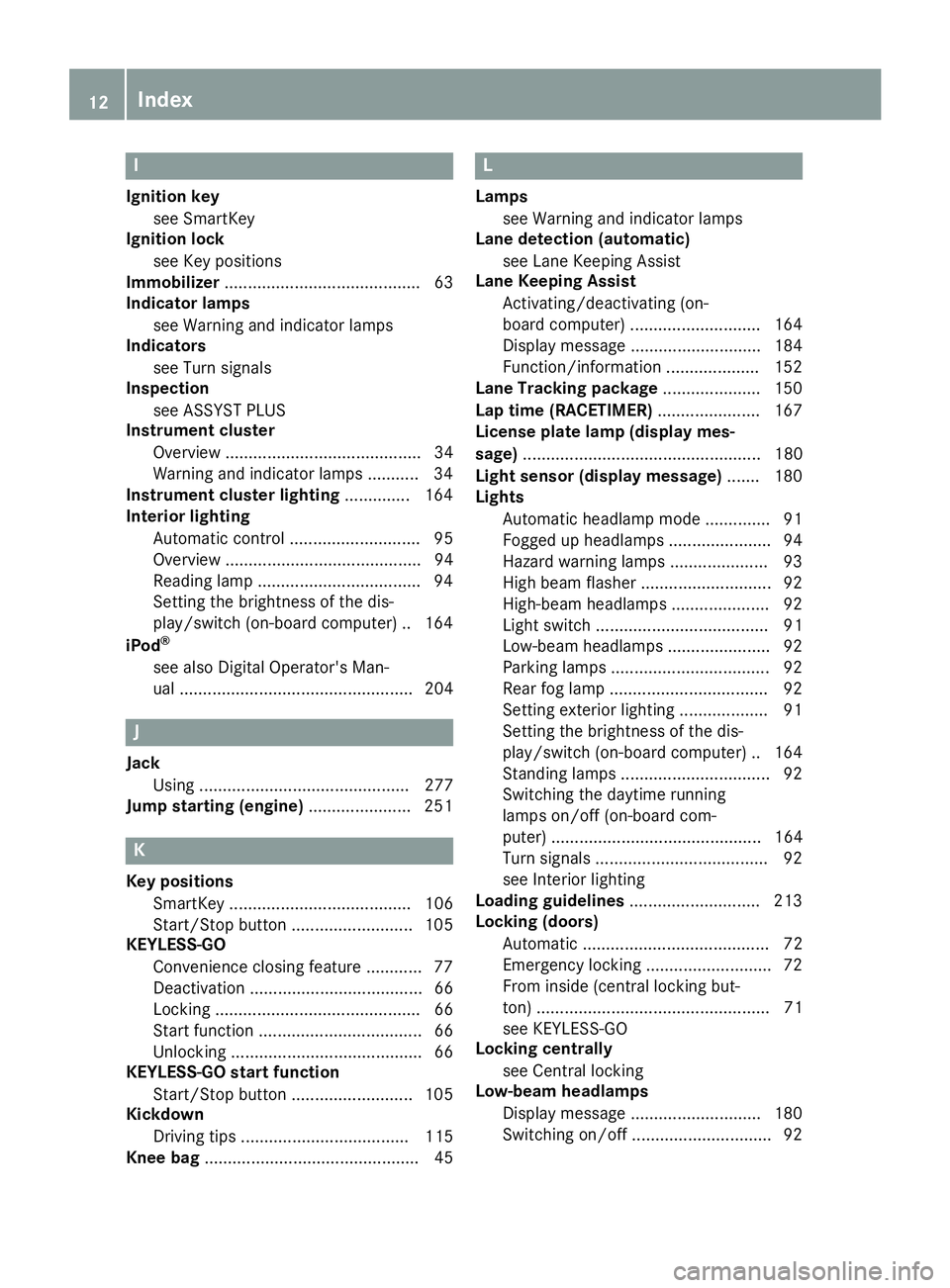
I
Ignition keysee SmartKey
Ignition lock
see Key positions
Immobilizer .......................................... 63
Indicator lamps
see Warning and indicator lamps
Indicators
see Turn signals
Inspection
see ASSYST PLUS
Instrument cluster
Overview .......................................... 34
Warning and indicator lamps .......... .34
Instrument cluster lighting .............. 164
Interior lighting
Automatic control ............................ 95
Overview .......................................... 94
Reading lamp .................................. .94
Setting the brightness of the dis-
play/switch (on-board computer) .. 164
iPod
®
see also Digital Operator's Man-
ual .................................................. 204
J
Jack Using ............................................. 277
Jump starting (engine) ...................... 251
K
Key positions
SmartKey ....................................... 106
Start/Stop button .......................... 105
KEYLESS-GO
Convenience closing feature ............ 77
Deactivation ..................................... 66
Locking ............................................ 66
Start function ................................... 66
Unlocking ......................................... 66
KEYLESS-GO start function
Start/Stop button .......................... 105
Kickdown
Driving tips .................................... 115
Knee bag .............................................. 45
L
Lamps
see Warning and indicator lamps
Lane detection (automatic)
see Lane Keeping Assist
Lane Keeping Assist
Activating/deactivating (on-
board computer) ............................ 164
Display message ............................ 184
Function/information .................... 152
Lane Tracking package ..................... 150
Lap time (RACETIMER) ...................... 167
License plate lamp (display mes-
sage) ................................................... 180
Light sensor (display message) ....... 180
Lights
Automatic headlamp mode .............. 91
Fogged up headlamps ...................... 94
Hazard warning lamps ..................... 93
High beam flasher ............................ 92
High-beam headlamps ..................... 92
Light switch ..................................... 91
Low-beam headlamps ...................... 92
Parking lamps .................................. 92
Rear fog lamp .................................. 92
Setting exterior lighting ................... 91
Setting the brightness of the dis-
play/switch (on-board computer) .. 164
Standing lamps ................................ 92
Switching the daytime running
lamps on/off (on-board com-
puter) ............................................. 164
Turn signals ..................................... 92
see Interior lighting
Loading guidelines ............................ 213
Locking (doors)
Automatic ........................................ 72
Emergency locking ........................... 72
From inside (central locking but-
ton) .................................................. 71
see KEYLESS-GO
Locking centrally
see Central locking
Low-beam headlamps
Display message ............................ 180
Switching on/off .............................. 92
12Index
Page 16 of 294
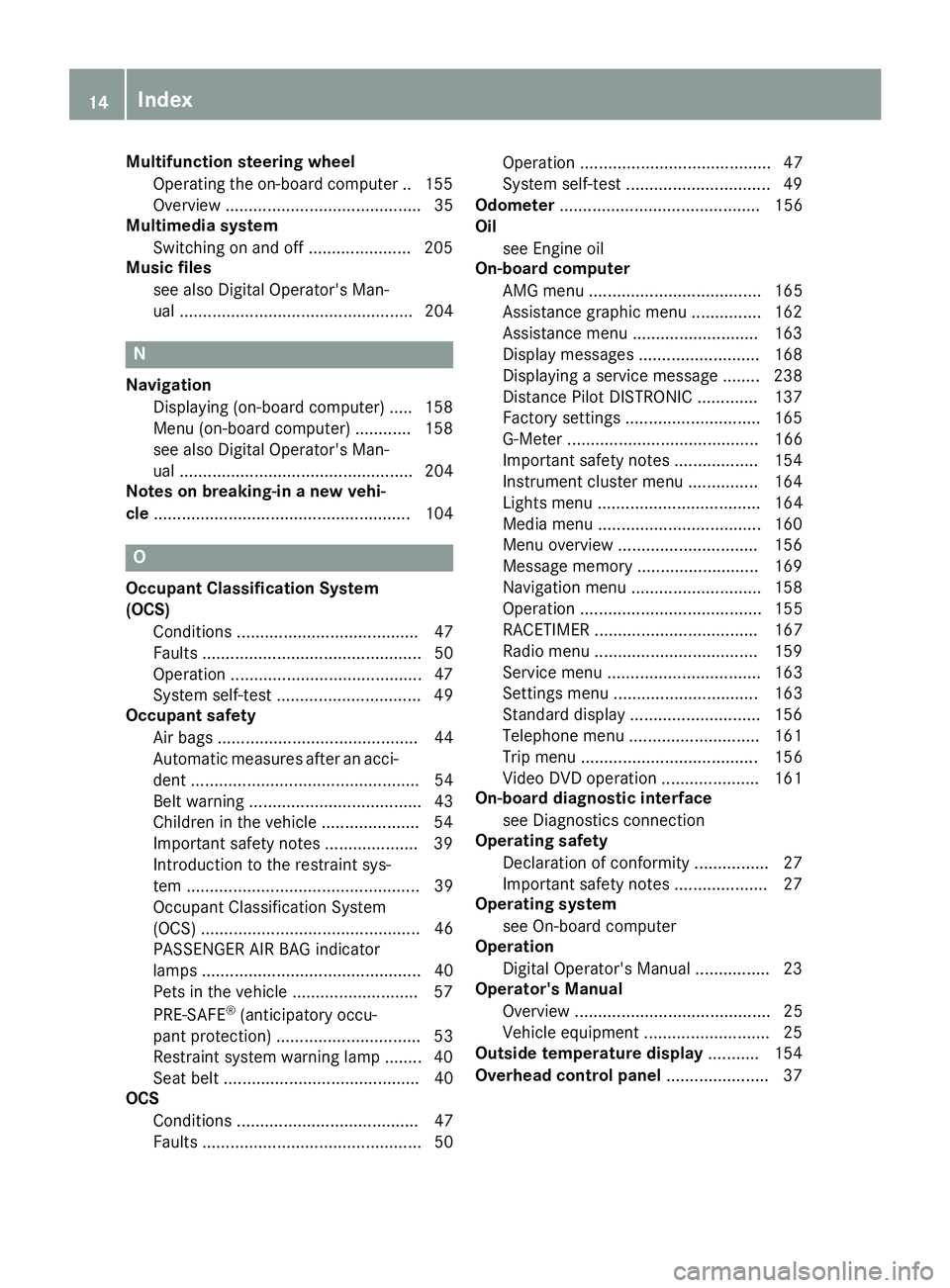
Multifunction steering wheelOperating the on-board computer .. 155
Overview .......................................... 35
Multimedia system
Switching on and off ...................... 205
Music files
see also Digital Operator's Man-
ual .................................................. 204
N
NavigationDisplaying (on-board computer) ..... 158
Menu (on-board computer) ............ 158
see also Digital Operator's Man-
ual .................................................. 204
Notes on breaking-in a new vehi-
cle ....................................................... 104
O
Occupant Classification System
(OCS)
Conditions ....................................... 47
Faults ............................................... 50
Operation .........................................4 7
System self-test ............................... 49
Occupant safety
Air bags ........................................... 44
Automatic measures after an acci-
dent ................................................. 54
Belt warning ..................................... 43
Children in the vehicle ..................... 54
Important safety notes .................... 39
Introduction to the restraint sys-
tem .................................................. 39
Occupant Classification System
(OCS) ............................................... 46
PASSENGER AIR BAG indicator
lamps ............................................... 40
Pets in the vehicle ........................... 57
PRE-SAFE
®(anticipatory occu-
pant protection) ............................... 53
Restraint system warning lamp ........ 40
Seat belt .......................................... 40
OCS
Conditions ....................................... 47
Faults ............................................... 50 Operation ......................................... 47
System self-test ............................... 49
Odometer ........................................... 156
Oil
see Engine oil
On-board computer
AMG menu ..................................... 165
Assistance graphic menu ............... 162
Assistance menu ........................... 163
Display messages .......................... 168
Displaying a service message ........ 238
Distance Pilot DISTRONIC ............. 137
Factory settings ............................. 165
G-Meter ......................................... 166
Important safety notes .................. 154
Instrument cluster menu ............... 164
Lights menu ................................... 164
Media menu ................................... 160
Menu overview .............................. 156
Message memory .......................... 169
Navigation menu ............................ 158
Operation ....................................... 155
RACETIMER ................................... 167
Radio menu ................................... 159
Service menu ................................. 163
Settings menu ............................... 163
Standard display ............................ 156
Telephone menu ............................ 161
Trip menu ...................................... 156
Video DVD operation ..................... 161
On-board diagnostic interface
see Diagnostics connection
Operating safety
Declaration of conformity ................ 27
Importa
nt safety notes .................... 27
Operating system
see On-board computer
Operation
Digital Operator's Manual ................ 23
Operator's Manual
Overview .......................................... 25
Vehicle equipment ........................... 25
Outside temperature display ........... 154
Overhead control panel ...................... 37
14Index
Page 21 of 294
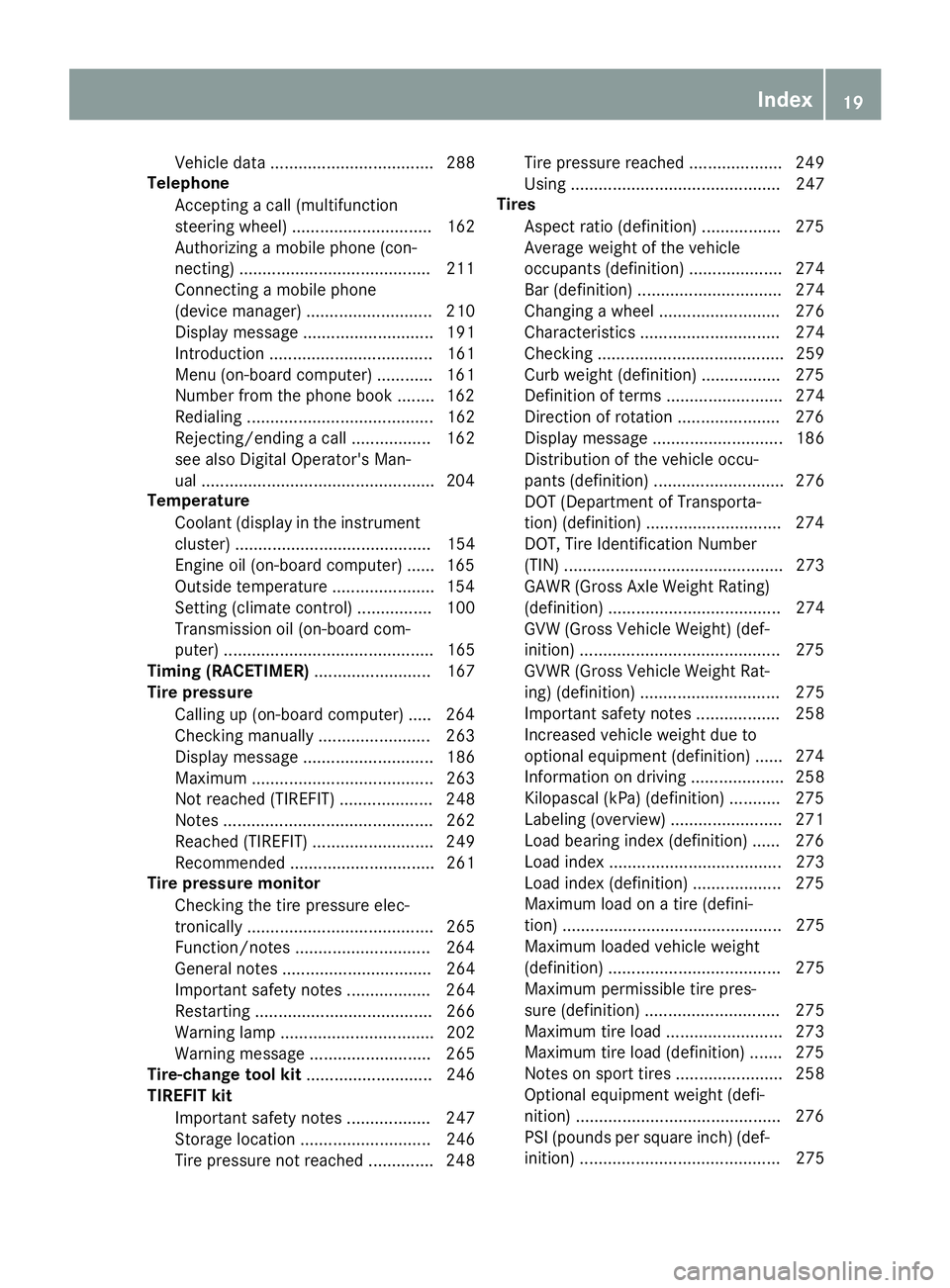
Vehicle data ................................... 288
Telephone
Accepting a call (multifunction
steering wheel) .............................. 162
Authorizing a mobile phone (con-
necting) .........................................2 11
Connecting a mobile phone
(device manager) ........................... 210
Display message ............................ 191
Introduction ................................... 161
Menu (on-board computer) ............ 161
Number from the phone book ........1 62
Redialing ........................................ 162
Rejecting/ending a call ................. 162
see also Digital Operator's Man-
ual ..................................................2 04
Temperature
Coolant (display in the instrument
cluster) .......................................... 154
Engine oil (on-board computer) ...... 165
Outside temperature ......................1 54
Setting (climate control) ................ 100
Transmission oil (on-board com-
puter) ............................................. 165
Timing (RACETIMER) ......................... 167
Tire pressure
Calling up (on-board computer) ..... 264
Checking manually ........................ 263
Display message ............................ 186
Maximum ....................................... 263
Not reached (TIREFIT) .................... 248
Notes ............................................. 262
Reached (TIREFIT) .......................... 249
Recommended ............................... 261
Tire pressure monitor
Checking the tire pressure elec-
tronically ........................................ 265
Function/notes .............................2 64
General notes ................................ 264
Important safety notes .................. 264
Restarting ...................................... 266
Warning lamp ................................. 202
Warning message .......................... 265
Tire-change tool kit ........................... 246
TIREFIT kit
Important safety notes .................. 247
Storage location ............................ 246
Tire pressure not reached .............. 248 Tire pressure reached .......
............. 249
Usi
ng ............................................. 247
Tires
Aspect ratio (definition) ................. 275
Average weight of the vehicle
occupants (definition) .................... 274
Bar (definition) ............................... 274
Changing a wheel .......................... 276
Characteristics .............................. 274
Checking ........................................ 259
Curb weight (definition) ................. 275
Definition of terms ......................... 274
Direction of rotation ......................2 76
Display message ............................ 186
Distribution of the vehicle occu-
pants (definition) ............................ 276
DOT (Department of Transporta-
tion) (definition) .............................2 74
DOT, Tire Identification Number
(TIN) ............................................... 273
GAWR (Gross Axle Weight Rating)
(definition) ..................................... 274
GVW (Gross Vehicle Weight) (def-
inition) ...........................................2 75
GVWR (Gross Vehicle Weight Rat-
ing) (definition) .............................. 275
Important safety notes .................. 258
Increased vehicle weight due to
optional equipment (definition) ...... 274
Information on driving .................... 258
Kilopascal (kPa) (definition) ........... 275
Labeling (overview) ........................ 271
Load bearing index (definition) ...... 276
Load index ..................................... 273
Load index (definition) ................... 275
Maximum load on a tire (defini-
tion) ............................................... 275
Maximum loaded vehicle weight
(definition) ..................................... 275
Maximum permissible tire pres-
sure (definition) ............................. 275
Maximum tire load ......................... 273
Maximum tire load (definition) ....... 275
Notes on sport tires ....................... 258
Optional equipment weight (defi-
nition) ............................................ 276
P
SI (pounds per square inch) (def-
inition) ........................................... 275
Index19
Page 26 of 294
Protecting the environment
General notes
HEnvironmental note
Daimler's declared policy is one of compre-
hensive environmental protection.
The objectives are for the natural resources
that form the basis of our existence on this
planet to be used sparingly and in a manner
that takes the requirements of both nature
and humanity into account.
You too can help to protect the environment
by operating your vehicle in an environmen-
tally responsible manner.
Fuel consumption and the rate of engine,
transmission, brake and tire wear are affected by these factors:
Roperating conditions of your vehicle
Ryour personal driving style
You can influence both factors. You should
bear the following in mind:
Operating conditions:
Ravoid short trips as these increase fuel con-
sumption.
Ralways make sure that the tire pressures
are correct.
Rdo not carry any unnecessary weight.
Rremove roof racks once you no longer need
them.
Ra regularly serviced vehicle will contribute
to environmental protection. You should
therefore adhere to the service intervals.
Ralways have service work carried out at a
qualified specialist workshop.
Personal driving style:
Rdo not depress the accelerator pedal when
starting the engine.
Rdo not warm up the engine when the vehicle
is stationary.
Rdrive carefully and maintain a safe distance
from the vehicle in front.
Ravoid frequent, sudden acceleration and
braking.
Rchange gear in good time and use each gear
only up to Ôof its maximum engine speed.
Rswitch off the engine in stationary traffic.
Rkeep an eye on the vehicle's fuel consump-
tion.
Environmental concerns and recom-
mendations
Wherever the Operator's Manual requires you to
dispose of materials, first try to regenerate or re-
use them. Observe the relevant environmental
rules and regulations when disposing of materi-
als. In this way you will help to protect the envi-
ronment.
Genuine Mercedes-Benz parts
HEnvironmental note
Daimler AG also supplies reconditioned major
assemblies and parts which are of the same
quality as new parts. They are covered by the
same Limited Warranty entitlements as new
parts.
!Air bags and Emergency Tensioning Devi-
ces, as well as control units and sensors for
these restraint systems, may be installed in
the following areas of your vehicle:
Rdoors
Rdoor pillars
Rdoor sills
Rseats
Rcockpit
Rinstrument cluster
Rcenter console
Do not install accessories such as audio sys-
tems in these areas. Do not carry out repairs or welding. You could impair the operating
efficiency of the restraint systems.
Have aftermarket accessories installed at a
qualified specialist workshop.
You could jeopardize the operating safety of
your vehicle if you use parts, tires and wheels as
well as accessories relevant to safety which
have not been approved by Mercedes-Benz. This
could lead to malfunctions in safety-relevant
24Genuine Mercedes-Benz parts
Introduction
Page 35 of 294
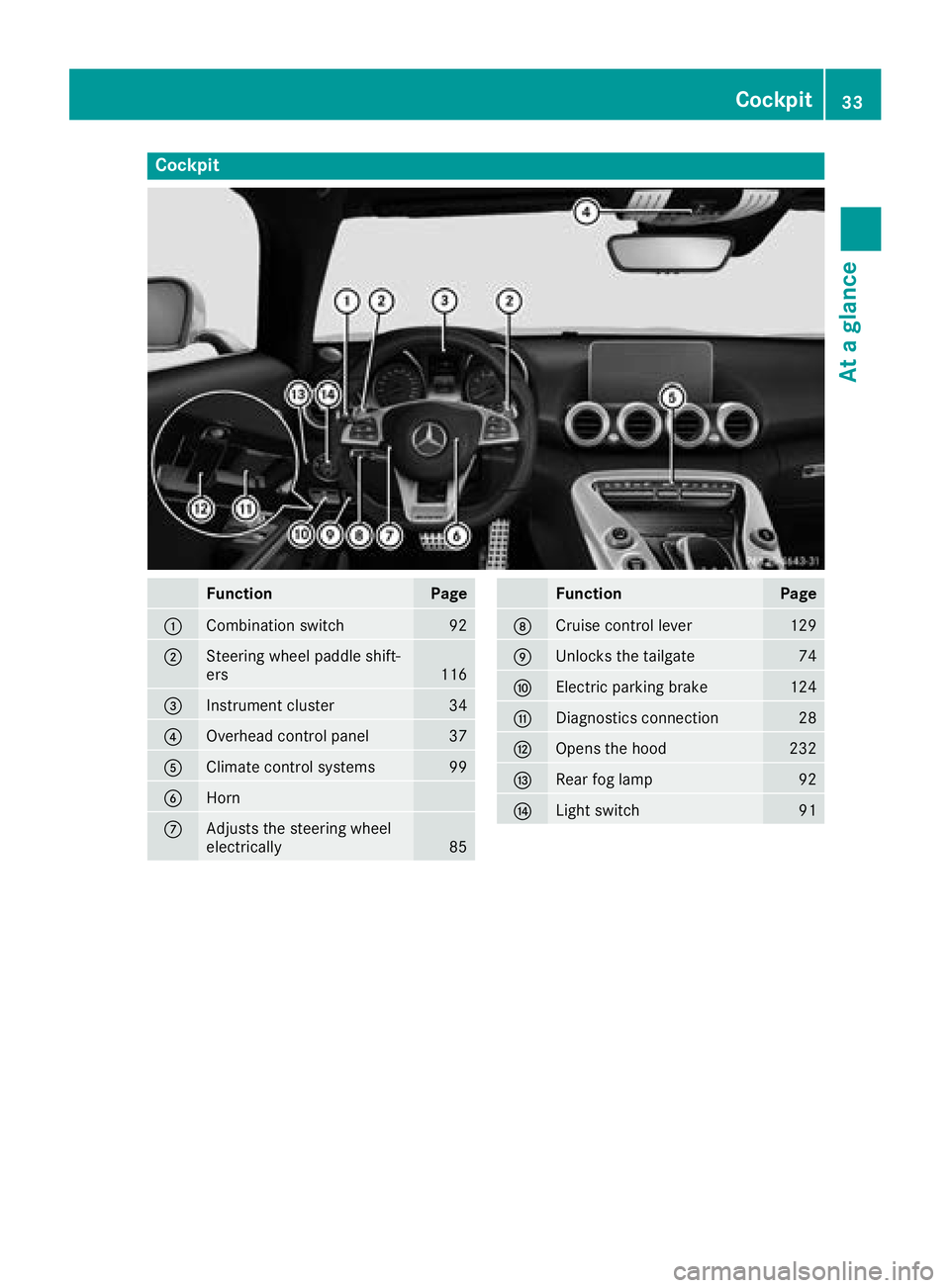
Cockpit
FunctionPage
:Combination switch92
;Steering wheel paddle shift-
ers116
=Instrument cluster34
?Overhead control panel37
AClimate control systems99
BHorn
CAdjusts the steering wheel
electrically85
FunctionPage
DCruise control lever129
EUnlocks the tailgate74
FElectric parking brake124
GDiagnostics connection28
HOpens the hood232
IRear fog lamp92
JLight switch91
Cockpit33
At a glance
Page 36 of 294
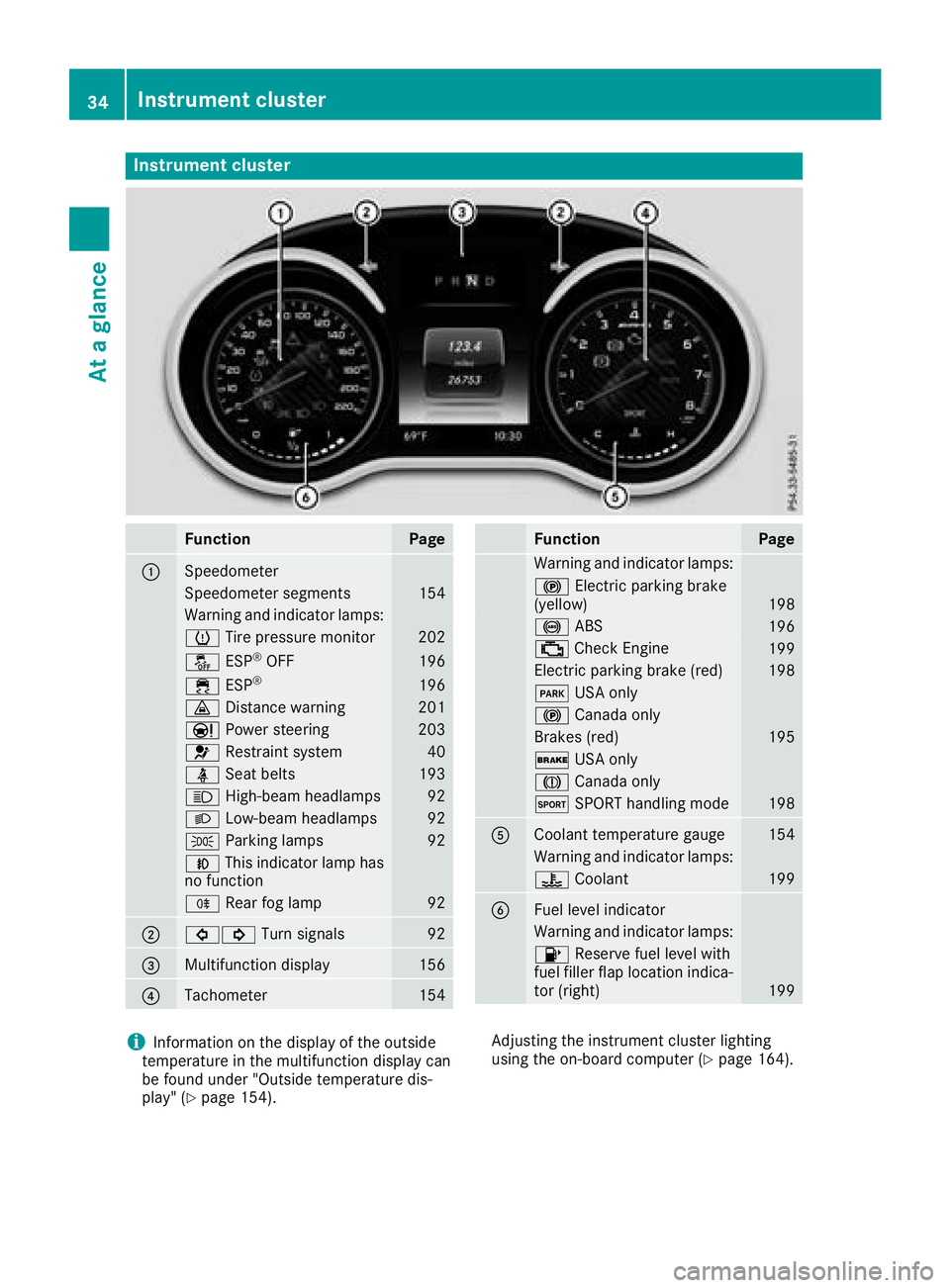
Instrument cluster
FunctionPage
:Speedometer
Speedometer segments154
Warning and indicator lamps:
h Tirepressur emonitor20 2
å ESP®OF F196
÷ ESP®19 6
· Distanc ewarning20 1
Ð Powersteering20 3
6 Restrain tsystem40
ü Seat belt s193
K High-beam headlamps92
LLow-beam headlamps92
TParking lamp s92
NThis indicator lamp has
no function
R Rear fog lamp92
;#! Turn signals92
=Multifunction display156
?Tachometer154
FunctionPag e
Warning and indicator lamps:
! Electric parking brak e
(yellow)19 8
! ABS196
; CheckEngin e199
Electric parking brak e(red)19 8
F USAonly
! Canad aonly
Brake s(red)19 5
$ USAonly
J Canad aonly
M SPORT handlin gmod e198
ACoolan ttemperature gauge15 4
Warning and indicator lamps:
? Coolan t199
BFue llevel indicator
Warning and indicator lamps:
8 Reserve fuel level wit h
fuel filler flap location indica-
to r(right )
199
iInformation on th edisplay of th eoutside
temperature in th emultifunction display can
be foun dunder "Outside temperature dis-
play" (
Ypage 154). Adjusting th
einstrumen tcluste rlighting
usin gth eon-board computer (
Ypage 164).
34Instrument cluster
At a glance
Page 42 of 294
Restraint system warning lamp
The functions of the restraint system are
checked after the ignition is switched on and at
regular intervals while the engine is running.
Therefore, malfunctions can be detected in
good time.
The6 restraint system warning lamp on the
instrument cluster lights up when the ignition is
switched on. It goes out no later than a few sec-
onds after the vehicle is started. The compo-
nents of the restraint system are in operational
readiness.
A malfunction has occurred if the 6restraint
system warning lamp:
Rdoes not light up after the ignition is switched
on
Rdoes not go out after a few seconds with the
engine running
Rlights up again while the engine is running
GWARNING
If the restraint system is malfunctioning,
restraint system components may be trig-
gered unintentionally or may not deploy as
intended during an accident. This can affect
for example the Emergency Tensioning
Device or the air bag. This poses an increased
risk of injury or even fatal injury.
Have the restraint system checked and
repaired in a qualified specialist workshop as
soon as possible.
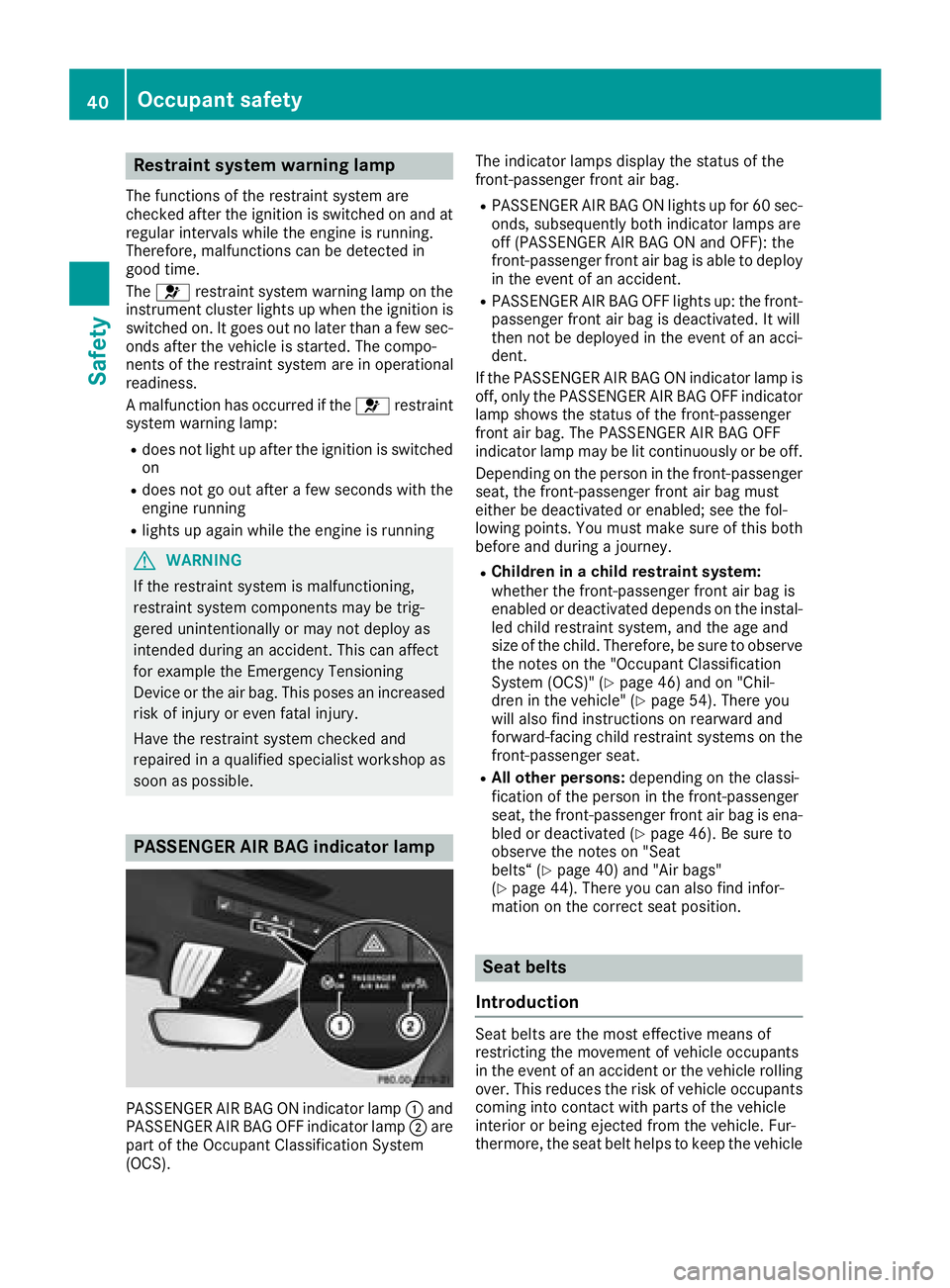
PASSENGER AIR BAG indicator lamp
PASSENGER AIR BAG ON indicator lamp :and
PASSENGER AIR BAG OFF indicator lamp ;are
part of the Occupant Classification System
(OCS). The indicator lamps display the status of the
front-passenger front air bag.
RPASSENGER AIR BAG ON lights up for 60 sec-
onds, subsequently both indicator lamps are
off (PASSENGER AIR BAG ON and OFF): the
front-passenger front air bag is able to deploy
in the event of an accident.
RPASSENGER AIR BAG OFF lights up: the front-
passenger front air bag is deactivated. It will
then not be deployed in the event of an acci-
dent.
If the PASSENGER AIR BAG ON indicator lamp is
off, only the PASSENGER AIR BAG OFF indicator lamp shows the status of the front-passenger
front air bag. The PASSENGER AIR BAG OFF
indicator lamp may be lit continuously or be off.
Depending on the person in the front-passenger
seat, the front-passenger front air bag must
either be deactivated or enabled; see the fol-
lowing points. You must make sure of this both
before and during a journey.
RChildren in a child restraint system:
whether the front-passenger front air bag is
enabled or deactivated depends on the instal-led child restraint system, and the age and
size of the child. Therefore, be sure to observe
the notes on the "Occupant Classification
System (OCS)" (
Ypage 46) and on "Chil-
dren in the vehicle" (Ypage 54). There you
will also find instructions on rearward and
forward-facing child restraint systems on the
front-passenger seat.
RAll other persons: depending on the classi-
fication of the person in the front-passenger
seat, the front-passenger front air bag is ena-
bled or deactivated (
Ypage 46). Be sure to
observe the notes on "Seat
belts“ (
Ypage 40) and "Air bags"
(Ypage 44). There you can also find infor-
mation on the correct seat position.
Seat belts
Introduction
Seat belts are the most effective means of
restricting the movement of vehicle occupants
in the event of an accident or the vehicle rolling over. This reduces the risk of vehicle occupants
coming into contact with parts of the vehicle
interior or being ejected from the vehicle. Fur-
thermore, the seat belt helps to keep the vehicle
40Occupant safety
Safety
Page 51 of 294
cates that the front-passenger front air bag is
activated.
If children are traveling in the vehicle, be sure to
observe the notes on "Children in the vehicle"
(
Ypage 54).
When the Occupant Classification System
(OCS) is malfunctioning, the red 6restraint
system warning lamp on the instrument cluster
and the PASSENGER AIR BAG OFF indicator
lamp light up simultaneously. The front-
passenger front air bag is deactivated in this
case and does not deploy during an accident.
Have the Occupant Classification System (OCS)
checked and repaired immediately at a qualified
specialist workshop. Mercedes-Benz recom-
mends that you use an authorized Mercedes-
Benz Center for this purpose.
If the front-passenger seat, the seat cover or the
seat cushion are damaged, have the necessary
repair work carried out at a qualified specialist
workshop. Mercedes-Benz recommends that
you use an authorized Mercedes-Benz Center
for this purpose.
For safety reasons, Mercedes-Benz recom-
mends that you only use seat accessories that
have been approved by Mercedes-Benz.
If the driver's air bag deploys, this does not
mean that the front-passenger front air bag will
also deploy. The Occupant Classification Sys-
tem (OCS) categorizes the occupant on the
front-passenger seat. Depending on that result,
the front-passenger front air bag is either ena-
bled or deactivated.
System self-test
GDANGER
If both the PASSENGER AIR BAG OFF and
PASSENGER AIR BAG ON indicator lamps do
not light up during the system self-test, the
system is malfunctioning. The front-
passenger front air bag might be triggered
unintentionally or might not be triggered at all
in the event of an accident with high deceler-
ation. This poses an increased risk of injury or
even fatal injury.
In this case the front-passenger seat may not
be used. Do not install a child restraint system
on the front-passenger seat. Have the Occu-
pant Classification System (OCS) checked
and repaired immediately at a qualified spe-
cialist workshop.
GWARNING
If the PASSENGER AIR BAG OFF indicator
lamp remains lit after the system self-test, the
front-passenger front air bag is disabled. It will
not be deployed in the event of an accident. In
this case, the front-passenger front air bag
cannot perform its intended protective func-
tion, e.g. when a person is seated in the front-
passenger seat.
That person could, for example, come into
contact with the vehicle's interior, especially
if the person is sitting too close to the dash-
board. This poses an increased risk of injury or
even fatal injury.
When the front-passenger seat is occupied,
always ensure that:
Rthe classification of the person in the front-
passenger seat is correct and the front-
passenger front air bag is enabled or disa-
bled in accordance with the person in the
front-passenger seat
Rthe person is seated properly with a cor-
rectly fastened seatbelt
Rthe front-passenger seat has been moved
as far back as possible
If the PASSENGER AIR BAG OFF indicator
lamp remains lit when it should not, the front-
passenger seat may not be used. Do not
install a child restraint system on the front-
passenger seat. Have the Occupant Classifi-
cation System (OCS) checked and repaired
immediately at a qualified specialist work-
shop.
GWARNING
Objects between the seat surface and the
child restraint system could affect OCS oper- ation. This could result in the front-passenger
air bag not functioning as intended during an
accident. This poses an increased risk of
injury or even fatal injury.
Do not place any objects between the seat
surface and the child restraint system. The
Occupant safety49
Safety
Z