ECU MERCEDES-BENZ AMG GT COUPE 2020 Service Manual
[x] Cancel search | Manufacturer: MERCEDES-BENZ, Model Year: 2020, Model line: AMG GT COUPE, Model: MERCEDES-BENZ AMG GT COUPE 2020Pages: 433, PDF Size: 7.81 MB
Page 230 of 433
Connecting a mobile phone (au
thorisation
using Secure Simple Pairing) #
Select the mobile phone.
A code is displa yed in the multimedia sy stem
and on the mobile phone. #
Ifth e codes match: confirm the code on
th e mobile phone.
Connecting a mobile phone (authorisation by
entering a passk ey) #
Select the mobile phone. #
Choose a one tosixteen-digit number combi‐
nation as a passk ey. #
On the multimedia sy stem: enter the pass‐
ke y and select a. #
On the mobile phone: enterthe passk ey
again and con firm.
% Upto15 mobile phones can be auth orised
on the multimedia sy stem.
Auth orised mobile phones are reconnected
au tomatical ly. Connecting a second mobile phone (two
phone mode)
Re
quirements:
R Atleast one mobile phone is already connec‐
te dto the multimedia sy stem via Blue tooth ®
.
Multimedia sy stem:
4 Telephone 5
ª Devices #
Select Connect new device. #
Select Start search on the system.
The available mobile phones are displa yed. #
Select the mobile phone. #
Answer theHow would you like to connect
the new device? prompt. #
Toreplace the cur rently connected
mobile phone: selectPhone 1.
The cur rently connected mobile phone is
re placed bythe new mobile phone.
or #
Toconnect the second mobile phone:
select Phone 2.
The new mobile phone is connec ted as
Phone 2. If two mobile phones ha vealready been connec
ted, the second telephone is
re placed bythe new mobile phone.
or #
Touse the mobile phone as an audio
source: selectAudio source (/page 267).
% A mobile phone can be operated bo thas an
audio source as well as telephone in parallel.
% The type of connection forth e connected
mobile phone, forex ample as Phone 1,
Phone 2 or asAudio source , can berede‐
fi ned at any time. (/ page 227).
Fu nctions of the mobile phone in two phone
mode
Fu nctions overview Mobile phone in
the
fo re gr ound Mobile phone in
the
bac kground
Fu llra nge of func‐
tions Incoming calls In
terc hanging mobile phones (two phone
mode)
Re quirements: Multimedia sy
stem 227
Page 234 of 433
#
Connect the mobile phone with the multime‐
dia sy stem via Secure Simple Pairing or the
passk ey (/page 226).
% Ifth e mobile phone supports the Blue tooth®
SA P profile, this is connecte d in preference. #
Ifre qu ired enter and confi rmthe SIM card
PIN.
Only forth e Blue tooth®
SA P profile: the
re ception and call quality are impr oved when
th eve hicle's exterior aerial is connected. #
Only forth e Blue tooth®
SA P profile: if
desired, confirm thequ ery for setting up the
mobile hotspot via business telephony and
make the settings (/ page 253).
% Ifth e mobile phone is connected using the
Blu etoo th®
SA P profile, calls cannot be
made on the mobile phone, since the SIM
card is being used bytheve hicle.
% Ifth e mobile phone is connected using the
Blu etoo th®
SA P profile, this telephone will
no longer ha veany telephony and Internet
functions and it cannot recei veany more
mobile phone data. Tocontinue touse In ter‐ net functions on
the mobile phone, you can
connect it with theve hicle hotspot. In this
wa y,the mobile phone accesses its own
mobile phone data again, albeit using Wi-Fi.
Fo rth is reason, to avoid additional costs,
switch off the automatic download of soft‐
wa reupdates via Wi-Fi on your mobile
phone.
Swit ching between the Blu etooth ®
SA P and
HFP profiles: #
Toswitch toBlue tooth ®
HFP profile: select
th eh symbol in the line of the mobile
phone in theª device manager. #
Toswitch toBlue tooth ®
SA P profile: select
th e symbol in
the line of the mobile
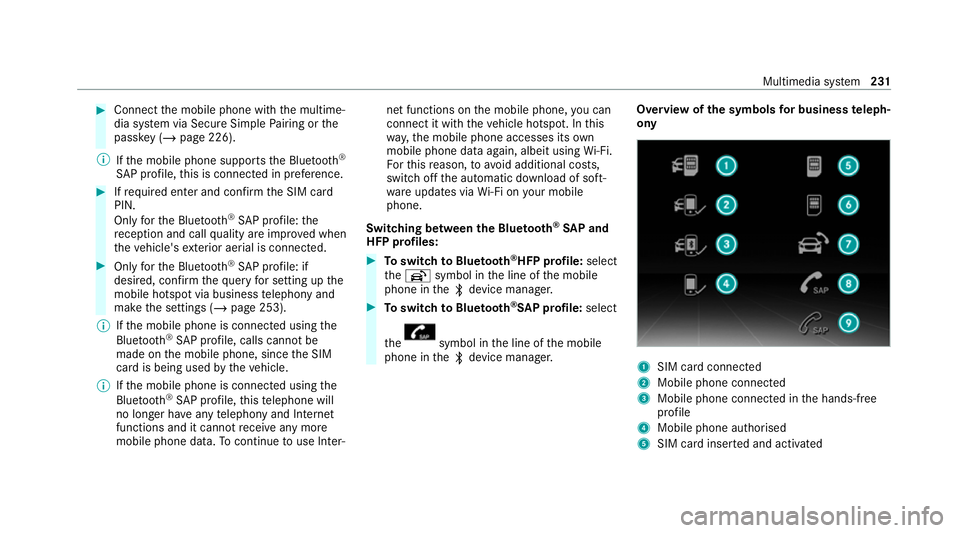
phone in theª device manager. Overview of
the symbols for business teleph‐
ony 1
SIM card connected
2 Mobile phone connected
3 Mobile phone connected in the hands-free
profile
4 Mobile phone authorised
5 SIM card inser ted and activated Multimedia sy
stem 231
Page 250 of 433
in
the second stage toenable an optimal
service.
An ove rview of the data transmit ted can be
fo und in there spective term s of use for
Mercedes me connect services. These can be
obtained in the Mercedes me Portal: https://
me.secure.mercedes-benz.com
Data processing
The data transmitted within the scope of the call
is dele ted from the processing sy stem af terthe
call is finished, in so far as this data is not being
used forot her activated Mercedes me connect
services.
The incident-specific data is processed and
st ored in the Mercedes-Benz Cus tomer Centre
and, if requ ired toprocess the incident, forw ar‐
ded tothe service partner authorised bythe
Mercedes-Benz Cus tomer Centre. Please take
no te ofthe data pr otection information on the
Mercedes me Internet page at https://
www.mercedes.me or in there corded message
immediately af ter calling the Mercedes-Benz
Cus tomer Centre. %
The recorded message is not available in
eve rycountr y. Mercedes me connect
Information on Mercedes me connect
%
Mercedes me connect is not available in
eve rycountr y.Find out at a Mercedes-Benz
service centre if these functions are availa‐
ble in your count ry.
Mercedes me connect consists of multiple serv‐
ices.
Yo u can use thefo llowing services via the multi‐
media sy stem, forex ample:
R Accident and Breakdown Management
R Mercedes-Benz emergency call sy stem (auto‐
matic emer gency call and SOS button in the
ov erhead control panel)
The Mercedes-Benz Cus tomer Centre and the
Mercedes-Benz emer gency call centre are availa‐
ble foryo u around the cloc k. Yo
u can call the Mercedes-Benz Cus tomer
Centre using the multimedia sy stem
(/ page 244).
Please note that Mercedes me connect is a
Mercedes-Benz service. In emer gencies, alwa ys
call the national emer gency services firs t using
th est andard national emer gency service phone
numbe rs. In emergencies, you can also use the
Mercedes-Benz emer gency call sy stem
(/ page 248).
Information on Mercedes me connect Acci‐
dent and Breakdown Management
The Accident and Breakdown Management can
include thefo llowing functions:
R Supplement tothe Mercedes-Benz emer‐
ge ncy call sy stem (/ page248)
If necessa ry,th e conta ct person at the
Mercedes-Benz emer gency call centre for‐
wa rdsth e call toMercedes me connect Acci‐
dent and Breakdown Management. Forw ard‐
ing the call is ho wever not possible in all
countries.
R Breakdown assi stance byate ch nician on
location and/or theto wing away oftheve hi‐ Multimedia sy
stem 247
Page 251 of 433
cle
tothe nearest Mercedes-Benz service
cent re
Yo u may be charge dfo rth ese services.
More information about Mercedes me connect
services can be obtained in the Mercedes me
Po rtal: https://me.secure.mercedes-benz.com
Data trans ferre d during Mercedes me con‐
nect call serv ices
The data transfer red during a Mercedes me con‐
nect call depends on:
R The reason for initiation of the call
R The service that is selec ted in thevo ice con‐
trol sy stem
R The activated Mercedes me connect services
Which data is transfer redfo rth e services can be
ta ke n from the cur rently valid term s of use.
These can be obtained in the Mercedes me por‐
ta l: https://me.secure.mercedes-benz.com Mercedes-Benz emer
gency call sy stem Information on
the Mercedes-Benz emer‐
ge ncy call sy stem
The Mercedes-Benz emer gency call sy stem only
functions in areas where mobile phone co verage
is available from the mobile phone network pro‐
viders. Insuf ficient network co verage from the
mobile phone network pr oviders may result in an
emergency call not being transmitted.
The Mercedes-Benz emer gency call sy stem is
av ailable for at least tenye ars starting from the
manufacturing date.
The ignition must be switched on before an auto‐
matic emergency call can be made.
% The Mercedes-Benz emerge ncy call system
is activated at thefa ctor y.
Overview of the Mercedes-Benz emer gency
call sy stem
The Mercedes-Benz emer gency call sy stem can
help todecisively reduce the time between an
accident and the ar riva l of emer gency services
at the site of the accident. It helps locate an
accident site in places that are dif ficult to
access. The emer
gency call can be made au tomatical ly
( / page 248) or manually (/ page249). On ly
make emer gency calls if you or others are in
need of rescue. Do not make an emergency call
in theeve nt of a breakdown or a similar situa‐
tion.
Displ ays in the media display
SOS READY : eCallavailable
SOS NOT READY: the ignition is not on or eCall
is not available.
During an active emer gency call, Gappears
in the displa y.
Yo u can find more information on there gional
av ailability of eCall at: https://www.mercedes-
benz-mobile.com/ext ra/ecall/
% Ifth ere is a malfunction in the emer gency
call sy stem (e.g. a fault with the speaker,
microphone, airbag, SOS button), a cor re‐
sponding message appears inthe multifunc‐
tion display of the instrument clus ter.
Tr iggering an automatic emer gency call
Re quirements:
R The ignition is switched on. 248
Multimedia sy stem
Page 257 of 433
%
Ifth e pr ovider is recognised cor rectly, the
cor rect settings are alre ady entered. Ifthe
access data is not cor rect, you can adjust
th is using the predefined settings. #
Toselect the predefined access data of
th e mobile phone network pr ovider: select
th eö Connectivity submenu. #
Select Predefined settings.
A list of count ries appears. #
Select the count ryofyour mobile phone net‐
wo rkprov ider.
The list of available pr oviders appears. #
Select your mobile phone network pr ovider.
When an overview of the pr ovider settings
appears, make the necessary settings. #
Select Confirm settings.
A confi rmation for successful configura tion
appears.
% Toavo id possible additional costs, set the
access data in the manual confi guration set‐
tings, e.g. theAllow roaming option, accord‐
ing to yo ur data tariff. You can contact your mobile phone network pr
ovider toobtain the
precise access data. #
Confirm the connection with theve hicle hot‐
spot using the security key (/ page187).
% Onlyfor connections using the Blue tooth®
SA P profile: if you use a mobile phone to
pr ov ide the mobile hotspot forth eve hicle,
th is telephone will no longer ha veany teleph‐
ony and Internet functions and it cannot
re cei veany more mobile phone data. Tocon‐
tinue touse In tern et functions on the mobile
phone, you can connect it with theve hicle
hotspot. In this wa y,the mobile phone
accesses its own mobile phone da ta again,
albeit using Wi-Fi. Forth is reason, toavo id
additional costs, switch off the automatic
download of software updates via Wi-Fi on
yo ur mobile phone.
% Setting up the mobile hotspot at a later time
is also possible using theSystem menu
(/ page 184). If requ ired, you can call up
and adjust the access data at a later time in
th e same menu. Switching
the Blu etoo th®
pr ofile
Requ irements:
R The mobile phone supports the DUN and
PA N Blue tooth®
profiles.
Multimedia sy stem:
4 System 5
ö Connectivity
5 Internet settings #
Toswitch from DUN toPAN: select the
mobile phone. #
Select ¥. #
Select Change configuration. #
Activate OAutomatic configuration.
The Internet connection is au tomatical lycon‐
fi gured using thePA N Blue tooth®
profile. #
Toswitch from PANto DUN: select the
mobile phone. #
Select ¥. #
Select Change configuration. #
Deactivate ªAutomatic configuration. #
Select Configure settings using COMAND .254
Multimedia sy stem
Page 300 of 433
#
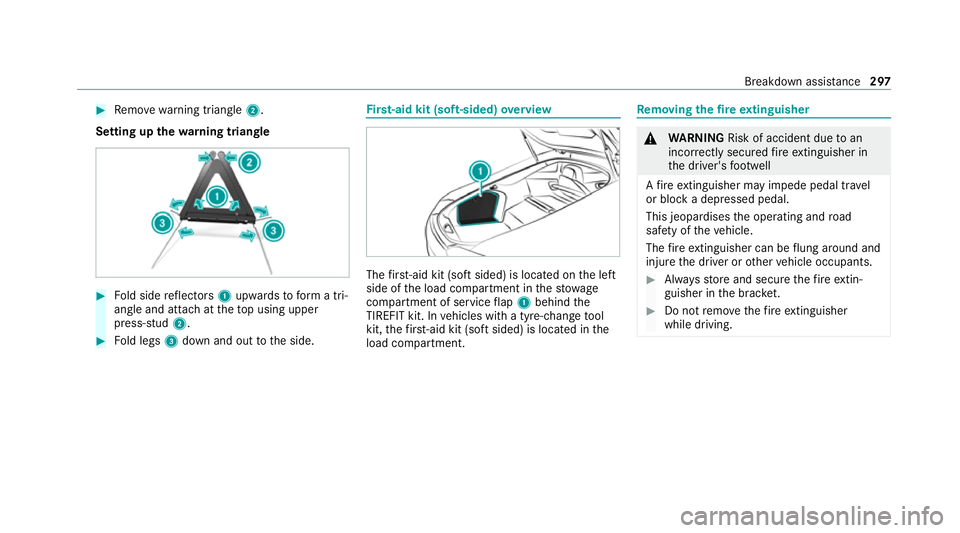
Remo ve wa rning triangle 2.
Setting up thewa rning triangle #
Fold side reflectors 1upwards toform a tri‐
angle and attach at theto p using upper
press-stud 2. #
Fold legs 3down and out tothe side. Fi
rs t-aid kit (soft-sided) overview The
firs t-aid kit (soft sided) is located on the left
side of the load compartment in thestow age
compartment of service flap 1 behind the
TIREFIT kit. In vehicles with a tyre-change tool
kit, thefirs t-aid kit (soft sided) is located in the
load compartment. Re
moving the fire extinguisher &
WARNING Risk of accident due toan
incor rectly secu redfire extinguisher in
th e driver's foot we ll
A fire extinguisher may impede pedal tr avel
or block a depressed pedal.
This jeopardises the operating and road
saf ety of theve hicle.
The fire extinguisher can be flung around and
injure the driver or other vehicle occupants. #
Alw aysst ore and secure thefire extin‐
guisher in the brac ket. #
Do not remo vethefire extinguisher
while driving. Breakdown assi
stance 297
Page 310 of 433
R
When connecting and disconnecting the bat‐
te ry, alw ays obser vethe sequence of battery
te rm inals desc ribed.
Obser vethe additional following points when
ch arging the battery:
R Only use battery charge rs tested and
appr ovedfo r Mercedes-Benz.
R Read the battery charge r's operating instruc‐
tions before charging the batter y.
Obser vethe additional following points during
st arting assis tance:
R Starting assis tance may only be pr ovided
using vehicles, batteries or other jump start
devices with a nominal voltage of 12V.
R The vehicles must not touch.
R Take care toconnect only battery term inals
of identical polarity.
R Obser vethe sequence described for con‐
necting and disconnecting the jumper
cables. R
Vehicles with a petrol engine: jump-start
th eve hicle only when the engine and exhaust
sy stem are cold. St
arting assi stance and charging the 12 V
battery Re
quirements:
R The vehicle is secured with the electric park‐
ing brake.
R Vehicles with automatic transmission: the
transmission is in position j.
R The ignition and all electrical consumers are
switched off.
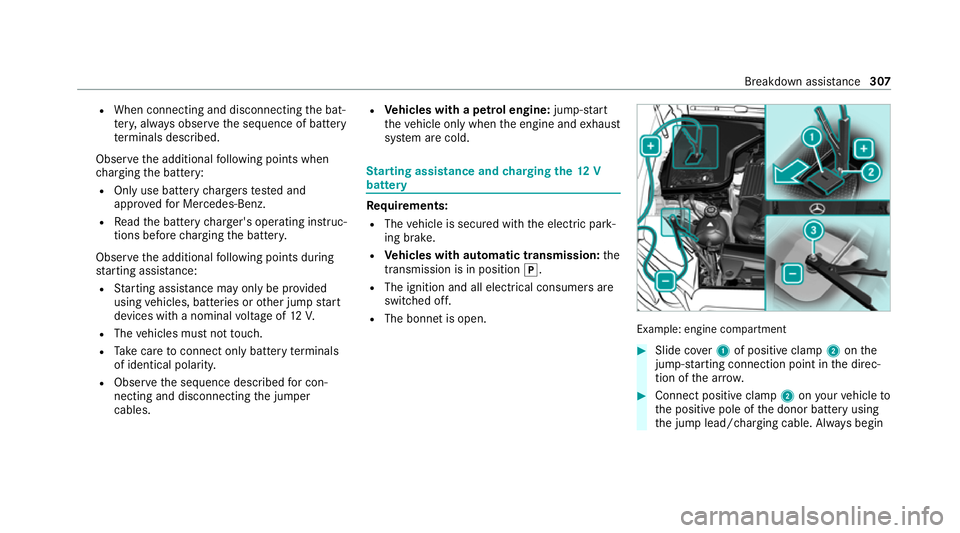
R The bonnet is open. Example: engine compartment
#
Slide co ver1 of positive clamp 2onthe
jump-s tarting connection point in the direc‐
tion of the ar row. #
Connect positive clamp 2onyour vehicle to
th e positive pole of the donor battery using
th e jump lead/charging cable. Alw ays begin Breakdown assis
tance 307
Page 314 of 433
&
WARNING Risk of accident due tolimi‐
te d saf ety-re lated functions during the
to wing process
Saf ety-re lated functions are limited or no lon‐
ge rav ailable in thefo llowing situations:
R the ignition is switched off.
R the brake sy stem or po werst eering sys‐
te m is malfunctioning.
R the energy supply or the on-board electri‐
cal sy stem is malfunctioning.
When your vehicle is then towe daw ay, signif‐
icantly more ef fort may be requ ired tosteer
and brake than is norm allyrequ ired. #
Use a tow bar. #
Make sure that thesteering wheel can
mo vefreely before towing theve hicle
aw ay. *
NO
TEDama gedue toexcessive tracti ve
po wer If
yo u pull away sharpl y,the tractive po wer
may be too high and theve hicles could be
damaged. #
Pull away slowly and smoo thly. Loading the
vehicle for transport #
Obser vethe no tes on towing away
( / page 309). #
Connect theto w bar totheto wing eye in
order toload theve hicle. #
Shift the automatic transmission toposition
i.
% The automatic transmission may be loc ked
in position jintheeve nt of damage tothe
electrics. Toshift toi , pr ovide the on-
board electrical sy stem with po wer
( / page 307). #
Load theve hicle onto the transpor ter. #
Shift the automatic transmission toposition
j. #
Use the electric parking brake tosecure the
ve hicle against rolling away. #
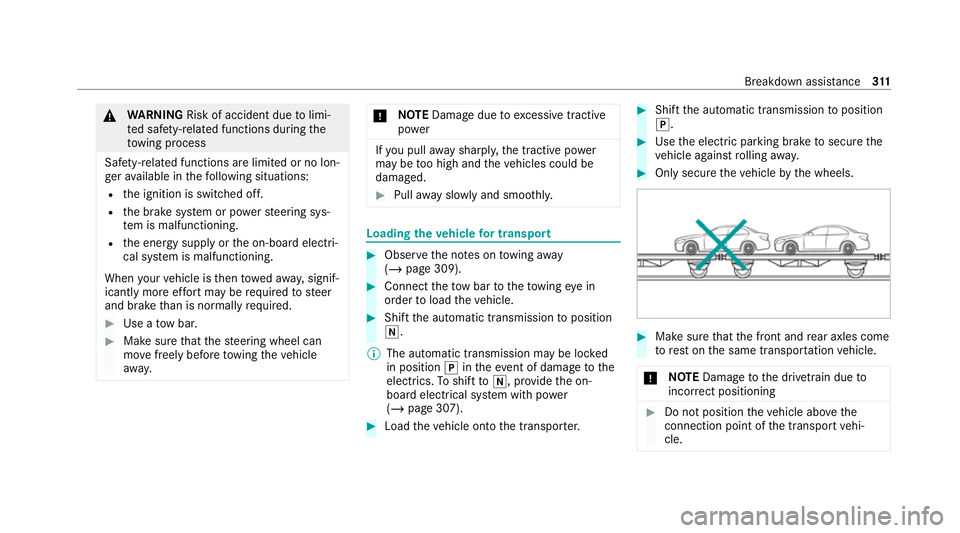
Only secure theve hicle bythe wheels. #
Make sure that the front and rear axles come
to rest on the same transpor tation vehicle.
* NO
TEDama getothe driv etra in due to
incor rect positioning #
Do not position theve hicle abo vethe
connection point of the transport vehi‐
cle. Breakdown assis
tance 311
Page 316 of 433
Electrical fuses
Note
s on electrical fuses &
WARNING Risk of accident and inju ry
due to ov erloaded lines
If yo u manipulate or bridge a faulty fuse or if
yo ure place it with a fuse with a higher
amperage, the electric line could be overloa‐
ded.
This could result in a fire. #
Alw aysre place faulty fuses with speci‐
fi ed new fuses conta iningthe cor rect
amperage. *
NO
TEDama gedue toincor rect fuses Electrical components or sy
stems may be
damaged byincor rect fuses, or their func‐
tionality may be significant lyimpaired. #
Only use fuses that ha vebeen appr oved
by Mercedes-Benz and which ha vethe
cor rect fuse rating. Blown fuses mu
stbe replaced with fuses of the
same rating, which you can recognise bythe col‐
our and fuse rating. The fuse ratings and fu rther
information tobe obser ved can be found in the
fuse assignment diagram.
Fu se assignment diag ram: onthe fuse box in
th e load compartment (/ page314).
* NO
TEDama geor malfunctions caused
by moisture Moisture may cause dama
getothe electrical
sy stem or cause it tomalfunction. #
When the fuse box is open, make sure
th at no moisture can enter the fuse
box. #
When closing the fuse box, make sure
th at the seal of the lid is positioned cor‐
re ctly on the fuse box. If
th e newly inser ted fuse also blo ws, ha vethe
cause traced and rectified at a qualified special‐
ist workshop.
Ensure thefo llowing before replacing a fuse:
R The vehicle is secured against rolling away. R
All electrical consumers are switched off.
R The ignition is switched off.
The electrical fuses are located in various fuse
bo xes:
R Fuse box in the front passenger foot we ll
(/ page 313)
R Fuse box in the load compartment on the
left-hand side of theve hicle, when vie wed in
th e direction of tra vel (/ page 314) Opening an
d closing the fuse box in the front
passenger foot we ll Obser
vethe no tes on electrical fuses
(/ page 313). Breakdown assis
tance 313
Page 348 of 433
Display messages
Possible causes/consequences and M MSolutions &
WARNING Risk of injury orfata l injury when using a child restra int sy stem while the front passenger airbag
is enabled
If yo u secure a child in a child restra int sy stem on the front passenger seat and the front passenger airbag is
enabled, the front passenger airbag may deploy in theeve nt of an accident.
The child could be stru ck bythe airbag. #
Both before and during the journe y,ensure that thest atus of the front passenger airbag is cor rect.
NEVER use a rear wa rdfacing child restra int on a seat pr otected byan ACTIVE AIRB AGin front of it, DE ATH or
SERIOUS INJU RYtothech ild can occur. #
Stop theve hicle immediately in accordance with the traf fic conditions. #
Check thest atus of the automatic front passenger airbag actuation (/ page41). #
If necessar y,consult a qualified specialist workshop immediatel y.
PRE-SAFE inoperative See
Owner's Manual *
The PRE‑SAFE ®
functions are malfunctioning. #
Consult a qualified specialist workshop. Display messages and
warning/indicator lamps 345