light MERCEDES-BENZ AMG GT R-ROADSTER 2020 Owners Manual
[x] Cancel search | Manufacturer: MERCEDES-BENZ, Model Year: 2020, Model line: AMG GT R-ROADSTER, Model: MERCEDES-BENZ AMG GT R-ROADSTER 2020Pages: 441, PDF Size: 7.76 MB
Page 5 of 441
Symbols
........................................................ 5At
agl ance .................................................... 6
Cockpit ........................................................... 6
Indica tor and warning lamps .......................... .8
Overhead contro l panel ................................ 10
Door control panel and seat adjustment ....... 12
Emergencies and breakdowns ...................... 14Digital Owner's Manual
.............................16
Calling up the Digital Owner's Manual ..........16 Genera
l notes............................................. 17
Pr otection of the environment ......................17
Ta ke -ba ckof end-of-life vehicles ...................17
Mercedes-Benz GenuineParts ....................... 18
Owner's Manual ............................................ 19
Operating saf ety .......................................... .19
Declaration of conformity ............................. 20
Diagno stics connection ................................ 24
Qualified specialist workshop ....................... 25
Ve hicle registration ....................................... 25
Cor rect use of theve hicle ............................26 Information on
the REA CHregulation ........... 26
No tesfo r persons with electronic medi‐
cal aids ......................................................... 26
Implied warranty .......................................... .27
QR code forre scue card ...............................27
Data storage .................................................27
Copyright ...................................................... 30 Occupant saf
ety......................................... 31
Re stra int sy stem ...........................................31
Seat belts ..................................................... 33
Airbags ......................................................... 39
PRE-SAFE ®
sy stem ....................................... 46
Safely transporting children in theve hi‐
cle ................................................................. 47
No tes on pets in theve hicle .........................59 Opening and closing
.................................. 60
Ke y .............................................................. .60
Doo rs............................................................ 63
Load compa rtment ....................................... 67
Side windo ws............................................... 68
Anti-theft pr otection .....................................71 Seats and
stowing ...................................... 75
No tes on the cor rect driver's seat posi‐
tion ............................................................... 75
Seats ............................................................ 75
St eering wheel ..............................................81
Easy entry and exitfeature .......................... .83
Operating the memory function .................... 84
St ow age areas .............................................. 85
Soc kets ......................................................... 89
Fitting/removing thefloor mats ...................90 Light and sight
........................................... 91
Exterior lighting ............................................. 91
Interior lighting .............................................95
Wi ndsc reen wipers and windscreen
wa sher sy stem ..............................................96
Mir rors .......................................................... 97 Climate control
......................................... 101
Overview of climate contro l systems ..........1 01
Operating the climate control sy stem ......... 101 2
Contents
Page 6 of 441
Driving and pa
rking ................................. 104
Driving ........................................................ 104
Ra cetrack opera tion .................................... 11 3
DY NA MIC SELECT switch ............................1 17
Au tomatic transmission .............................. 11 9
Re fuelling .................................................... 12 3
Pa rking ...................................................... .125
Driving and driving saf ety sy stems .............. 131
Ve hicle towing instructions ........................ .161 Instrument display and on-board
compu
ter.................................................. 16 2
No tes on the instrument display and on-
board computer .......................................... 16 2
Instrument display overview ...................... .163
Overview of the buttons on thesteering
wheel ..........................................................1 64
Operating the on-board computer .............. 16 4
Overview of what is shown on the multi‐
function display .......................................... 16 5
Ad justing the instrument lighting ................1 65LING
UATRONIC ......................................... 16 6
No tes on operating saf ety ...........................1 66Operation ...................................................
16 6
Using LINGU ATRO NIC ef fectively ................ 16 8
Essential voice commands .......................... 16 8 Multimedia sy
stem .................................. 18 0
Overview and operation .............................. 180
Sy stem settings .......................................... 189
AMG TR ACKPA CE ...................................... .199
Na vigation .................................................. 204
Te lephone .................................................. .230
Online and Internet functions ..................... 257
Media ........................................................ .264
Ra dio .......................................................... 276
TV ............................................................... 279
Sound ......................................................... 286 Main
tenance and care ............................. 289
ASS YST PLUS service inter val display ........ 289
Engine compartment .................................. 290
Cleaning and care ...................................... .296 Breakdown assi
stance ............................ 302
Emergency ................................................. .302 Flat tyre ...................................................... 304
Battery (vehicle) ..........................................
310
To w- starting or towing away ....................... 315
Electrical fuses ............................................ 319 Wheels and tyres
..................................... 321
No tes on noise or unusual handling char‐
acteristics .................................................. .321
No tes on regular lyinspecting wheels and
tyres .......................................................... .321
No tes on snow chains ................................ .321
Ty re pressure .............................................. 322
Wheel change ............................................ .325
Emer gency spa rewheel .............................. 335 Te
ch nical data .......................................... 338
No tes on tech nical da ta.............................. 338
On-board electronics .................................. 338
Ra dio equipment appr ovals forth eve hi‐
cle components .......................................... 338
Ve hicle identification plate, VIN and
engine number overview ............................ 338
Operating fluids .......................................... 340
Ve hicle data ................................................ 345 Contents
3
Page 10 of 441
1
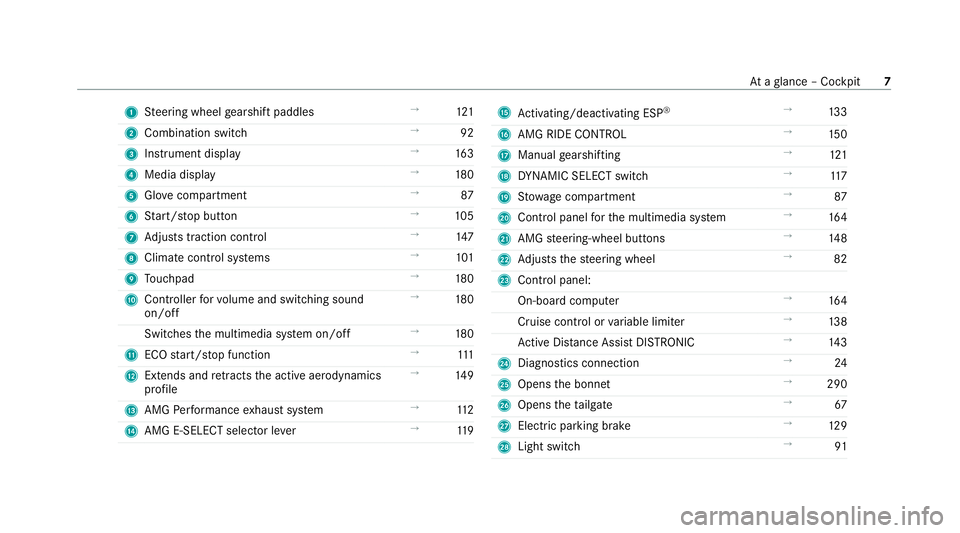
Steering wheel gearshift paddles →
121
2 Combination swit ch →
92
3 Instrument display →
16 3
4 Media display →
180
5 Glovecompa rtment →
87
6 Start/ stop button →
105
7 Adjusts traction control →
147
8 Climate cont rol sy stems →
101
9 Touchpad →
180
A Controller forvo lume and switching sound
on/off →
180
Switches the multimedia sy stem on/off →
180
B ECO start/ stop function →
111
C Extends and retracts the active aerodynamics
profile →
14 9
D AMG Performance exhaust sy stem →
11 2
E AMG E-SELECT selector le ver→
11 9 F
Activating/deactivating ESP ®
→
13 3
G AMG RIDE CONTROL →
15 0
H Manual gearshifting →
121
I DYNA MIC SELECT switch →
11 7
J Stow age compartment →
87
K Control panel forth e multimedia sy stem →
16 4
L AMG steering-wheel buttons →
14 8
M Adjusts thesteering wheel →
82
N Control panel:
On-board computer →
16 4
Cruise contro l orvariable limiter →
13 8
Ac tive Dis tance Assi stDISTRONIC →
14 3
O Diagno stics connection →
24
P Opens the bonn et →
290
Q Opens theta ilgate →
67
R Electric pa rking brake →
12 9
S Light switch →
91 At
aglance – Cockpit 7
Page 12 of 441

1
Õ Traction control →
391
2 #! Turn signal lights →
92
3 p Engine operating temp erature →
392
4 K High beam →
92
L Low beam →
91
T Standing lights →
91
5 R Rear fog light →
92
6 | Active ae rodynamics profile →
14 9
7 ÿ Coolant temp erature →
392
8 Coolant temp erature display →
16 3
9 L Distance warning →
397
A ü Seat belt →
389
B h Tyre pressure monitoring sy stem →
401
C Ù Electric po werst eering →
391
D ! Electric pa rking brake (yellow) →
395 E
! Electric parking brake (red) →
395
F 6 Restra int sy stem →
389
G J Brakes (red) →
395
H 8 Reser vefuel with fuel filler flap location
indicator →
392
I Fuel le vel →
16 3
J ä AMG RIDE CONTROL →
397
K J Brakes (yellow) →
395
L # Electrical fault →
392
M ; Engine diagnostics →
392
N Æ ESP®
SPORT →
398
¤ ESP®
OFF →
398
O ! ABS →
398
P å ESP®
OFF →
398
÷ ESP®
→
398 At
aglance – Indicator and warning lamps 9
Page 14 of 441
1
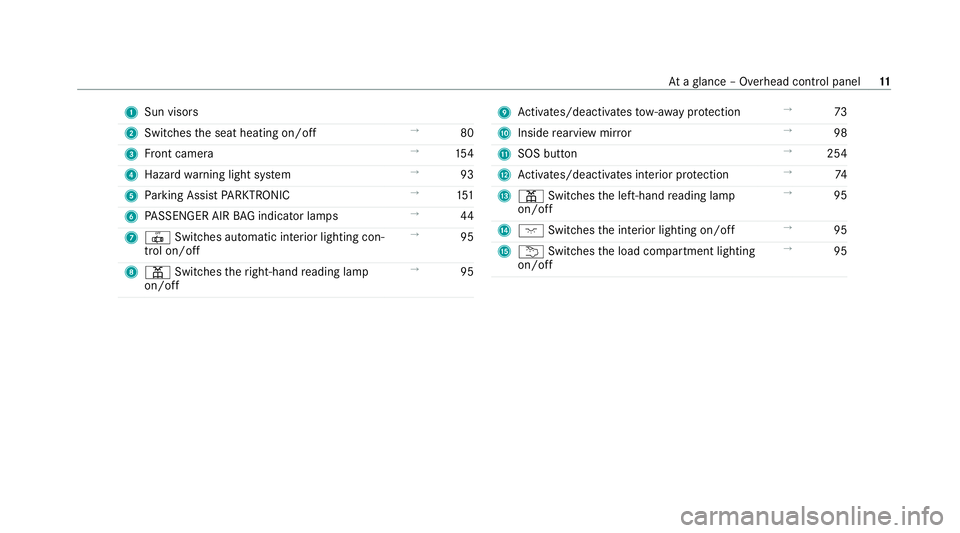
Sun visors
2 Switches the seat heating on/off →
80
3 Front camera →
154
4 Haza rdwa rning light sy stem →
93
5 Parking Assist PARKTRONIC →
151
6 PASSENGER AIR BAG indicator lamps →
44
7 | Switches au tomatic interior lighting con‐
trol on/off →
95
8 p Switches theright-hand reading lamp
on/off →
95 9
Activates/deacti vatesto w- aw ay protection →
73
A Inside rearview mir ror →
98
B SOS button →
254
C Activates/deacti vates interior pr otection →
74
D p Switches the left-hand reading lamp
on/off →
95
E c Switches the interior lighting on/off →
95
F u Switches the load compartment lighting
on/off →
95 At
aglance – Overhead control panel 11
Page 18 of 441
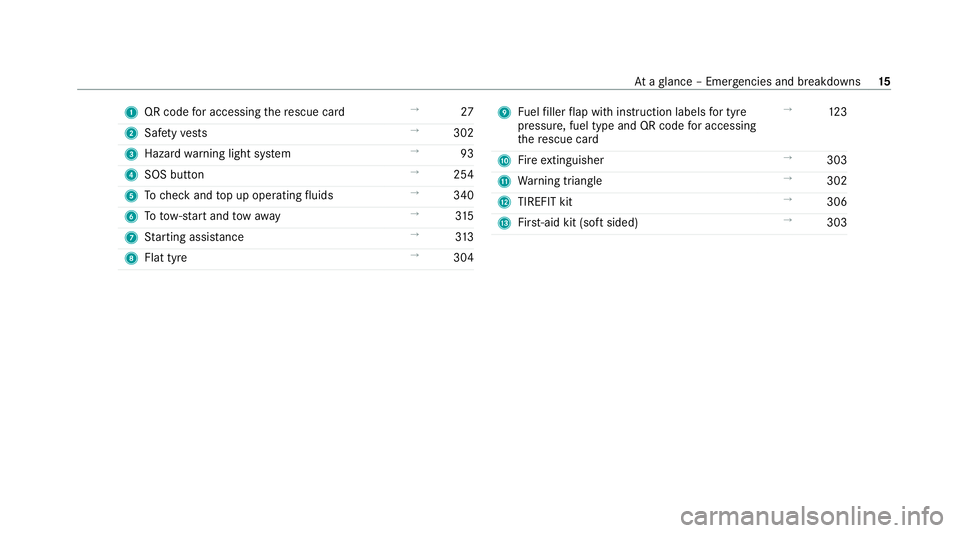
1
QR code for accessing there scue card →
27
2 Safetyve sts →
302
3 Hazard warning light sy stem →
93
4 SOS button →
254
5 Tocheck and top up operating fluids →
340
6 Totow- start and tow aw ay →
315
7 Starting assis tance →
313
8 Flat tyre →
304 9
Fuelfiller flap with instruction labels for tyre
pressu re, fuel type and QR code for accessing
th ere scue card →
12 3
A Fire extinguisher →
303
B Warning triangle →
302
C TIREFIT kit →
306
D First-aid kit (so ftsided) →
303 At
aglance – Emer gencies and breakdowns 15
Page 19 of 441
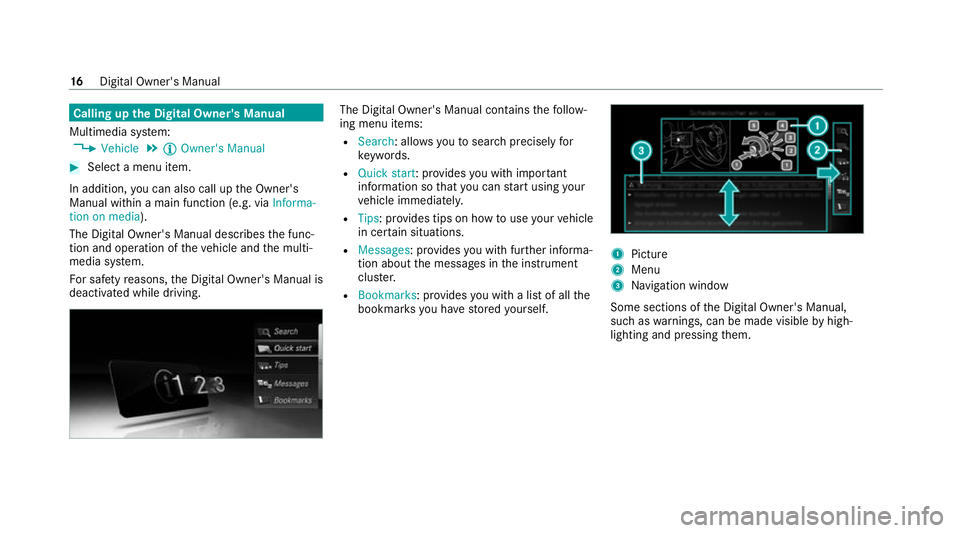
Calling up
the Digital Owner's Manual
Multimedia sy stem:
4 Vehicle 5
Õ Owner's Manual #
Select a menu item.
In addition, you can also call up the Owner's
Manual within a main function (e.g. via Informa-
tion on media).
The Digital Owner's Manual describes the func‐
tion and operation of theve hicle and the multi‐
media sy stem.
Fo r saf etyre asons, the Digital Owner's Manual is
deactivated while driving. The Digital Owner's Manual conta
insthefo llow‐
ing menu items:
R Search: allo wsyouto sear chprecisely for
ke ywords.
R Quick start: pr ovides you with important
information so that you can start using your
ve hicle immediately.
R Tips: pr ovides tips on how touse your vehicle
in cer tain situations.
R Messages : provides you with fur ther informa‐
tion about the messages in the instrument
clus ter.
R Bookmarks : provides you with a list of all the
bookmar ksyou ha vestored yourself. 1
Picture
2 Menu
3 Navigation window
Some sections of the Digital Owner's Manual,
such as warnings, can be made visible byhigh‐
lighting and pressing them. 16
Digital Owner's Manual
Page 31 of 441

In
general, this information documents thest ate
of a component part, a module, a sy stem or the
sur roundings such as:
R operating status of sy stem components (e.g.
fi ll le vels, battery status, tyre pressure)
R status messages concerning theve hicle or
its individual components (e.g. number of
wheel revo lutions/speed, longitudinal accel‐
eration, lateral acceleration, display of fas‐
te ned seat belts)
R malfunctions or faults in impor tant sy stem
components (e.g. lights, brakes)
R information on events leading tovehicle
damage
R system reactions in special driving situations
(e.g. airbag deployment, inter vention of sta‐
bility control sy stems)
R ambient conditions (e.g. temp erature, rain
sensor)
In addition toprov iding the actual control unit
function, this data assists the manufacturer in
de tecting and rectifying faults and optimising
ve hicle functions. The majority of this data is te
mp orary and is only processed in theve hicle
itself. Only a small portion of the data is stored
in theeve nt or fault memor y.
When your vehicle is serviced, tech nical da ta
from theve hicle can be read out byservice net‐
wo rkemplo yees (e.g. workshops, manufactur‐
ers) or third parties (e.g. breakdown services).
Services include, forex ample, repair services,
maintenance processes, warranty claims and
qu ality assurance measures. The read out is per‐
fo rm ed via the legally prescribed port forthe
diagnostics connection in theve hicle. The
re spective service network locations or third
parties collect, process and use the data. They
document tech nical statuses of theve hicle,
assist in finding faults and impr oving quality and
are transmitted tothe manufacturer, if neces‐
sar y.Fu rthermore, the manufacturer is subject
to product liability. Forth is, the manufacturer
requ irestech nical da tafrom vehicles.
Fa ult memories in theve hicle can be reset by a
service outlet as part of repair or maintenance
wo rk. Depending on
the selected equipment, you can
import data into vehicle con venience and info‐
ta inment functions yourself.
This includes, forex ample:
R multimedia data such as music, films or pho‐
to sfo r playback in an integrated multimedia
sy stem
R address book data for use in connection with
an integrated hands-free sy stem or an inte‐
grated navigation sy stem
R entered navigation destinations
R data about the use of internet services
This data can be sa ved locally in theve hicle or it
is located on a device which you ha veconnected
to theve hicle (e.g. a smartphone, USB flash
drive or MP3 pla yer). If this data is stored in the
ve hicle, you can dele teit at any time. This data
is sent tothird parties only at your requ est, par‐
ticular lywhen you use online services in accord‐
ance with the settings that you ha veselected.
Yo u can store or change con venience settings/
individualisations in theve hicle at any time. 28
General no tes
Page 32 of 441
Depending on
the equipment, this includes, for
ex ample:
R settings forth e seat and steering wheel posi‐
tions
R suspension and climate control settings
R customisations such as interior lighting
If yo ur vehicle is accordingly equipped, you can
connect your smartphone or ano ther mobile end
device totheve hicle. You can cont rolth is by
means of the control elements integrated in the
ve hicle. Images and audio from the smartphone
can be output via the multimedia sy stem. Cer‐
tai n information is simultaneously trans ferred to
yo ur smartphone.
Depending on the type of integration, this can
include:
R general vehicle data
R position data
This allo wsyouto use selected apps on your
smartphone, such as navigation or music play‐
bac k.There is no fur ther interaction between the
smartphone and theve hicle; in particular, vehi‐
cle data is not directly accessible. Which type of fur
ther data processing occurs is de term ined by
th e pr ovider of the specific app used. Which set‐
tings you can make, if an y,depends on the spe‐
cific app and the operating sy stem of your
smartphone. Online services
Wire
less network connection
If yo ur vehicle has a wireless network connec‐
tion, it enables data tobe exc hanged between
yo ur vehicle and additional sy stems. The wire‐
less network connection is enabled via theve hi‐
cle's transmission and reception unit or via con‐
nected mobile end devices (e.g. sma rtphones).
Online functions can be used via the wireless
network connection. This includes online serv‐
ices and applications/apps pr ovided bythe man‐
ufacturer or other pr oviders.
Manu factu rer's se rvices
Re garding online services of the manufacturer,
th e individual functions are described bythe
manufacturer in a suita ble place (e.g. Owner's
Manual, website of the manufacturer) along with
th ere leva nt da taprotection information. Per‐ sonal data may be used
forth e pr ovision of
online services. Data is exchanged via a secure
connection, e.g. the manufacturer's designated
IT sy stems. Personal data is collected, pro‐
cessed and used via the pr ovision of services
exc lusively on the basis of legal permissions or
with prior consent.
The services and functions (sometimes subject
to afe e) can usually be activated or deactivated.
In some cases, this also applies tothe entire
ve hicle's data connection. This excludes, in par‐
ticular, legally prescribed functions and services.
Third part y services
If it is possible touse online services from other
pr ov iders, these services are there sponsibility
of the pr ovider in question and subject tothat
pr ov ider's data pr otection conditions and terms
of use. The manufacturer has no influence on
th e conte ntexc hanged.
Fo rth is reason, please ask the service pr ovider
fo r information about the type, extent and pur‐
pose of the collection and use of personal data
when services are pr ovided bythird parties. General no
tes29
Page 35 of 441
te
m wa rning lamp lights up. It goes out no later
th an a few seconds af terth eve hicle is star ted.
The components of there stra int sy stem are then
functional. Malfunctioning
restra int sy stem A malfunction has occur
red in there stra int sys‐
te m if:
R the6 restra int sy stem warning lamp does
not light up when the ignition is switched on
R the6 restra int sy stem warning lamp
lights up continuously or repeatedly during a
journey &
WARNING Risk of injury duetomalfunc‐
tions in there stra int sy stem
Components in there stra int sy stem may be
activated unintentionally or not deploy as
intended in an accident. #
Have there stra int sy stem checked and
re paired immediately at a qualified spe‐
cialist workshop. Fu
nction of there stra int sy stem in an acci‐
dent How
there stra int sy stem works is de term ined by
th e se verity of the impact de tected and the type
of accident anticipated:
R Frontal impact
R Rear impact
R Side impact
R Rollover
The activation thre sholds forth e components of
th ere stra int sy stem are de term ined based on
th eev aluation of the sensor values measured at
va rious points in theve hicle. This process is pre-
em ptive in nature. The triggering/deployment of
th e components of there stra int sy stem must
ta ke place in good time at thest art of the colli‐
sion.
Fa ctors whi chcan only be seen and measu red
af te r a collision has occur red do not play a deci‐
sive role in the deployment of an airbag. Nordo
th ey prov ide an indication of airbag deployment.
The vehicle may be deformed significantly with‐
out an airbag being deplo yed. This is the case if only parts which are
relatively easily deformed
are af fected and thera te ofvehicle deceleration
is not high. Con versely, an airbag may be
deplo yedev en though theve hicle suf fers only
minor deformation. If very rigid vehicle parts
such as longitudinal members are hit, this may
re sult in suf ficiently high le vels of vehicle decel‐
eration.
Depending on the de tected deployment situa‐
tion, the components of there stra int sy stem can
be activated or deplo yed independently of each
ot her:
R Seat belt tensioner: frontal impact, rear
impact, side impact, rollo ver
R Driver's airbag, front passenger airbag: fron‐
talimpact
R Knee airbag: frontal impact
R Side airbag: side impact
R Window airbag: side impact, rollo ver,frontal
impact
The front passenger airbag can only be depl oyed
in an accident if thePA SSENGER AIR BAG OFF
indicator lamp is off. If the front passenger seat 32
Occupant saf ety