light MERCEDES-BENZ AMG GT S 2017 C190 Comand Manual
[x] Cancel search | Manufacturer: MERCEDES-BENZ, Model Year: 2017, Model line: AMG GT S, Model: MERCEDES-BENZ AMG GT S 2017 C190Pages: 226, PDF Size: 6.39 MB
Page 86 of 226
relevant times must be correctly stored in
the database.
Change of direction
Overview
Changes of direction have three phases:
RPreparation phase
RAnnouncement phase
RChange-of-direction phase
Changes in direction are also shown in the
multifunction display of the instrument clus-
ter (see the vehicle Operator's Manual).
Preparation phase
COMAND prepares you for the upcoming
change of direction, e.g. with the announce-
ment "Prepare to turn right". You see the full-
screen map.
Announcement phase
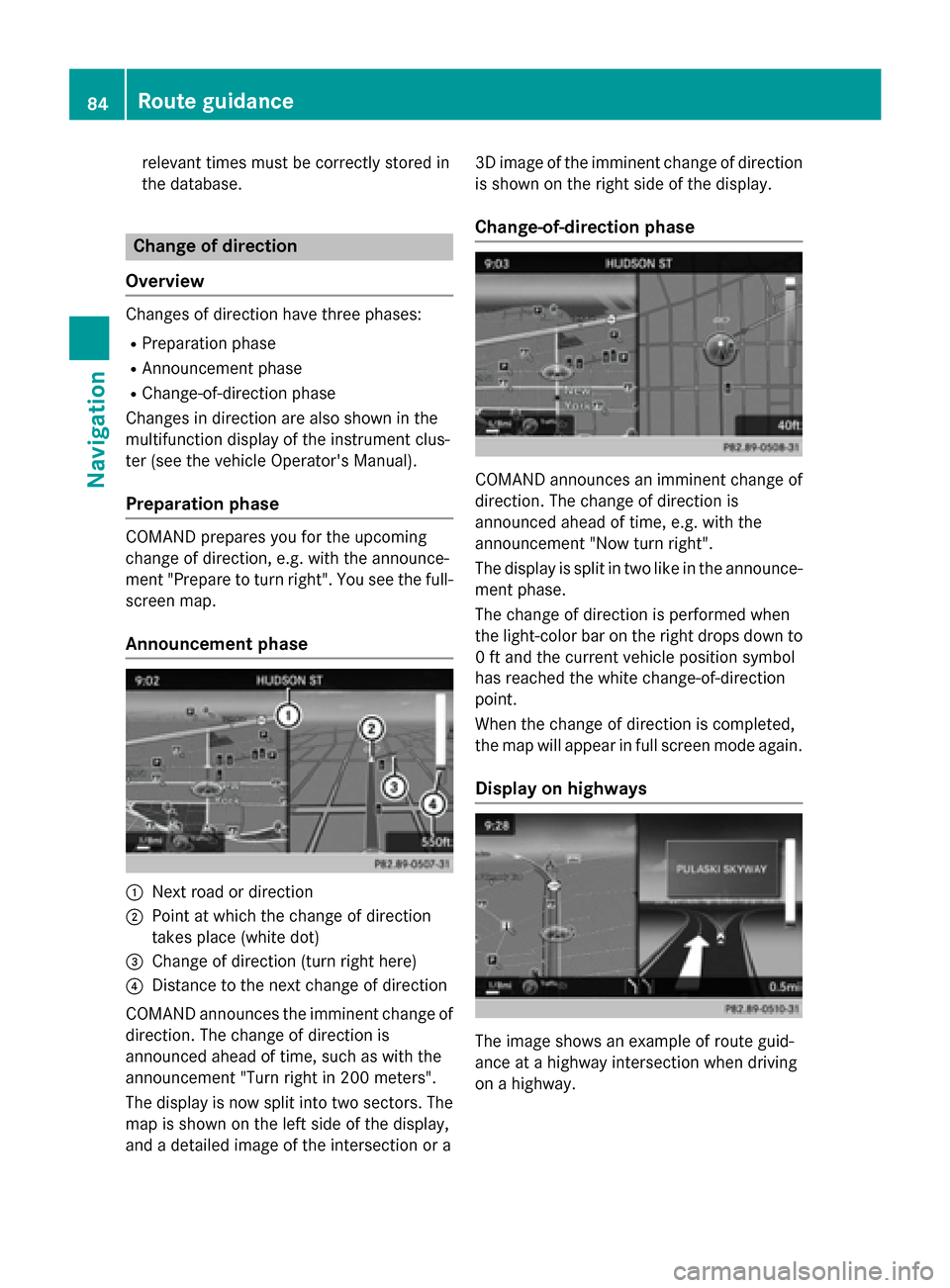
:Next road or direction
;Point at which the change of direction
takes place (white dot)
=Change of direction (turn right here)
?Distance to the next change of direction
COMAND announces the imminent change of
direction. The change of direction is
announced ahead of time, such as with the
announcement "Turn right in 200 meters".
The display is now split into two sectors. The
map is shown on the left side of the display,
and a detailed image of the intersection or a 3D image of the imminent change of direction
is shown on the right side of the display.
Change-of-direction phase
COMAND announces an imminent change of
direction. The change of direction is
announced ahead of time, e.g. with the
announcement "Now turn right".
The display is split in two like in the announce-ment phase.
The change of direction is performed when
the light-color bar on the right drops down to
0 ft and the current vehicle position symbol
has reached the white change-of-direction
point.
When the change of direction is completed,
the map will appear in full screen mode again.
Display on highways
The image shows an example of route guid-
ance at a highway intersection when driving
on a highway.
84Route guidance
Navigation
Page 87 of 226
Lane recommendations
Display on multi-lane roads
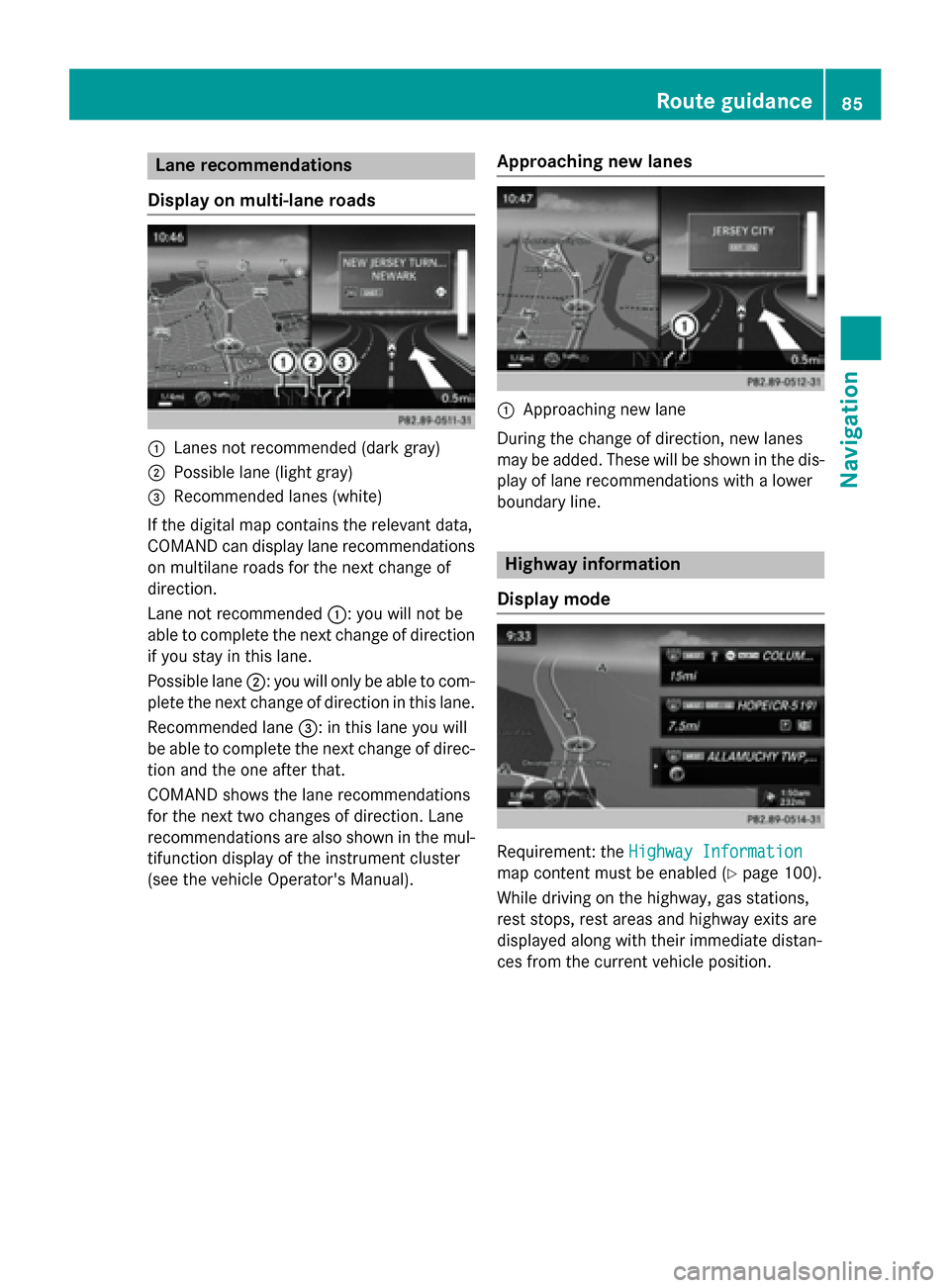
:Lanes not recommended (dark gray)
;Possible lane (light gray)
=Recommended lanes (white)
If the digital map contains the relevant data,
COMAND can display lane recommendations
on multilane roads for the next change of
direction.
Lane not recommended :: you will not be
able to complete the next change of direction
if you stay in this lane.
Possible lane ;: you will only be able to com-
plete the next change of direction in this lane.
Recommended lane =: in this lane you will
be able to complete the next change of direc-
tion and the one after that.
COMAND shows the lane recommendations
for the next two changes of direction. Lane
recommendations are also shown in the mul- tifunction display of the instrument cluster
(see the vehicle Operator's Manual).
Approaching new lanes
:Approaching new lane
During the change of direction, new lanes
may be added. These will be shown in the dis-
play of lane recommendations with a lower
boundary line.
Highway information
Display mode
Requirement: the Highway Information
map content must be enabled (Ypage 100).
While driving on the highway, gas stations,
rest stops, rest areas and highway exits are
displayed along with their immediate distan-
ces from the current vehicle position.
Route guidance85
Navigation
Z
Page 88 of 226
Calling up the selection mode
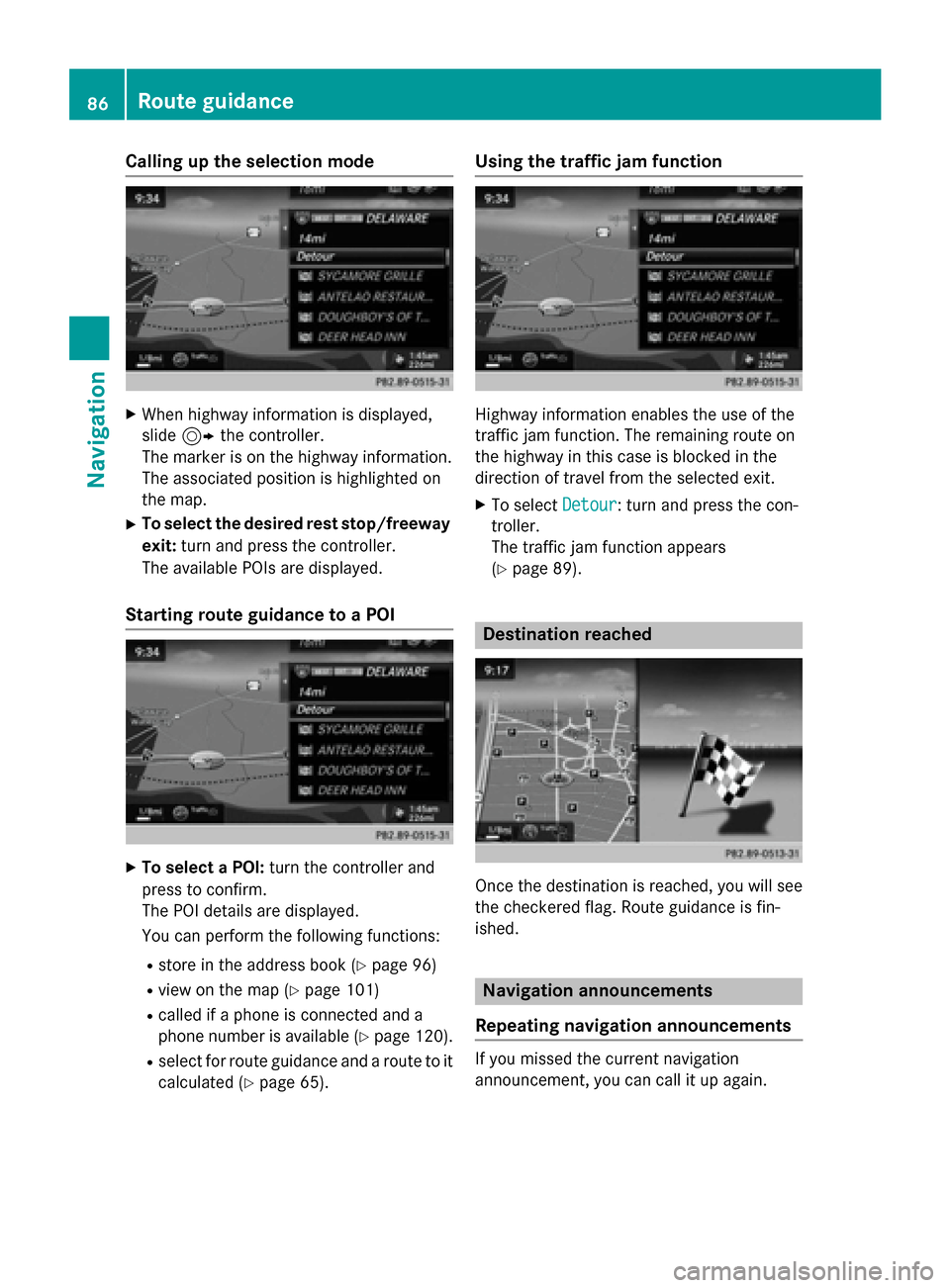
XWhen highway information is displayed,
slide9 the controller.
The marker is on the highway information.
The associated position is highlighted on
the map.
XTo select the desired rest stop/freeway
exit: turn and press the controller.
The available POIs are displayed.
Starting route guidance to a POI
XTo select a POI: turn the controller and
press to confirm.
The POI details are displayed.
You can perform the following functions:
Rstore in the address book (Ypage 96)
Rview on the map (Ypage 101)
Rcalled if a phone is connected and a
phone number is available (
Ypage 120).
Rselect for route guidance and a route to it
calculated (
Ypage 65).
Using the traffic jam function
Highway information enables the use of the
traffic jam function. The remaining route on
the highway in this case is blocked in the
direction of travel from the selected exit.
XTo select Detour: turn and press the con-
troller.
The traffic jam function appears
(
Ypage 89).
Destination reached
Once the destination is reached, you will see
the checkered flag. Route guidance is fin-
ished.
Navigation announcements
Repeating navigation announcements
If you missed the current navigation
announcement, you can call it up again.
86Route guidance
Navigation
Page 94 of 226
Displaying real-time traffic reports
Starting asearc hfor traffic reports
XTo switch to navigation mode: slide5
th econtroller .
XTo selectNav i:turn and press th econtrol-
ler .
The map displays th ecurren tvehicle posi-
tion or th enavigation men uappears .
XIf thenavigation men uappears ,press th e
controller .
The map shows th evehicle' scurren tposi-
tion .
XTo show th emenu :slid e6 thecontrol-
ler .
XTo selec tTraffi c:turn and press th econ-
troller.
If satellit esignal scanno tbe received or
there are no traffic reports ,you will see a
message to this effect .
XTo close thereport: press th econtroller .
Traffic symbol information
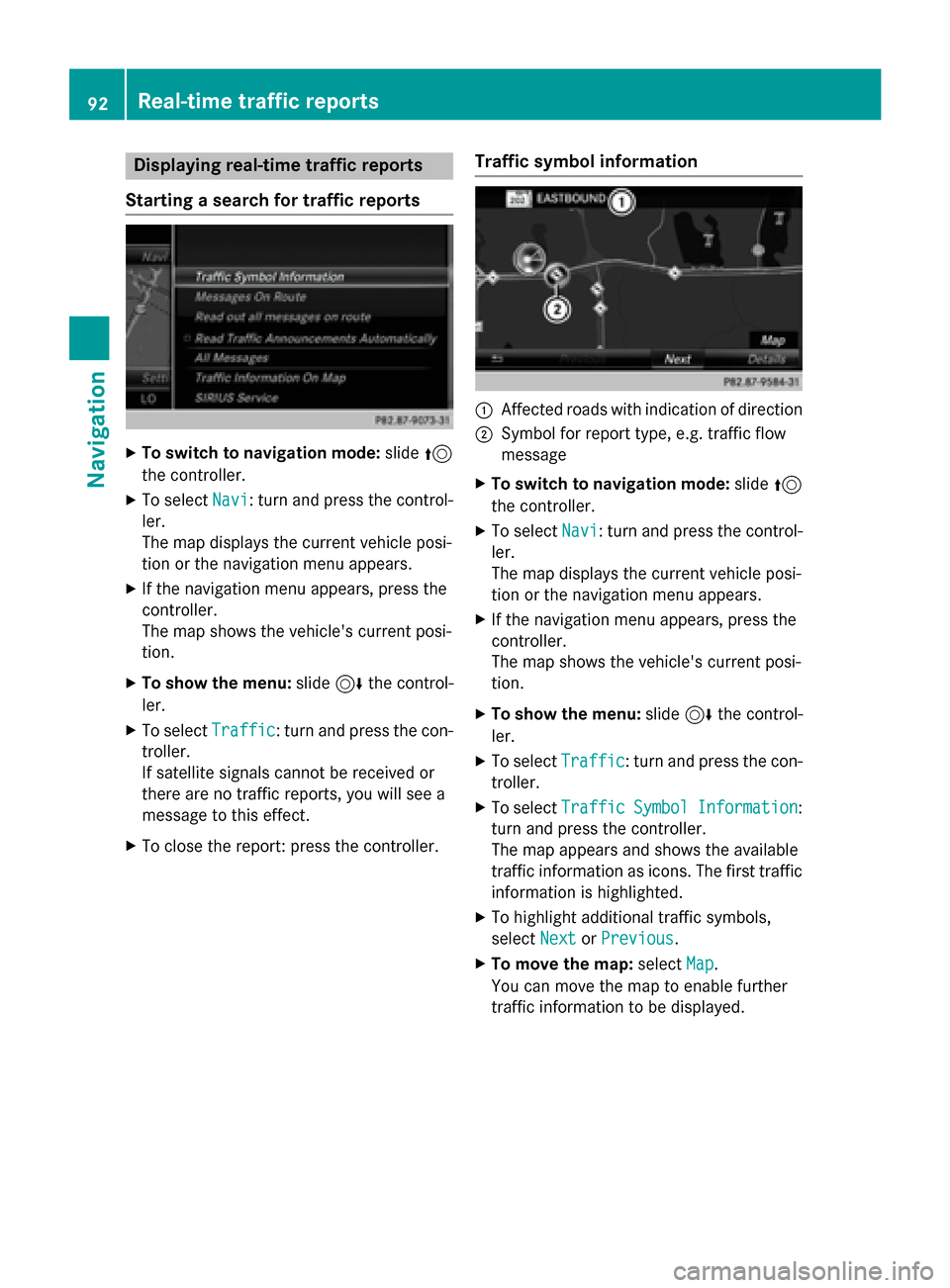
:Affected roads wit hindication of direction
;Symbol fo rrepor ttype, e.g. traffic flo w
message
XTo switch to navigation mode: slide5
th econtroller .
XTo selectNav i:turn and press th econtrol-
ler .
The map displays th ecurren tvehicle posi-
tion or th enavigation men uappears .
XIf thenavigation men uappears ,press th e
controller .
The map shows th evehicle' scurren tposi-
tion .
XTo show th emenu :slid e6 thecontrol-
ler .
XTo selec tTraffi c:turn and press th econ-
troller.
XTo selec tTraffi cSymbolInformation:
turn and press th econtroller .
The map appears and shows th eavailable
traffic information as icons. The first traffic
information is highlighted.
XTo highlight additional traffic symbols ,
selec tNex t
orPrevious.
XTo move th emap: selectMap.
You can move th emap to enable further
traffic information to be displayed .
92Real-time traffic reports
Navigation
Page 99 of 226
XTo show the menu:slide6the control-
ler.
XTo select Position: turn and press the
controller.
XSelect Save.
The current vehicle position is saved in
"Last destinations".
Saving the crosshair position
XTo switch to navigation mode: slide5
the controller.
XTo select Navi: turn and press the control-
ler.
The map displays the current vehicle posi-
tion or the navigation menu appears.
XIf the navigation menu appears, press the
controller.
The map shows the vehicle's current posi-
tion.
XTo display the crosshair: press the con-
troller.
XMove the map to the desired position
(
Ypage 60).
XTo show the menu: press the controller.
XTo select Position: turn and press the
controller.
XSelect Save.
The crosshair position is saved in the last
destinations.
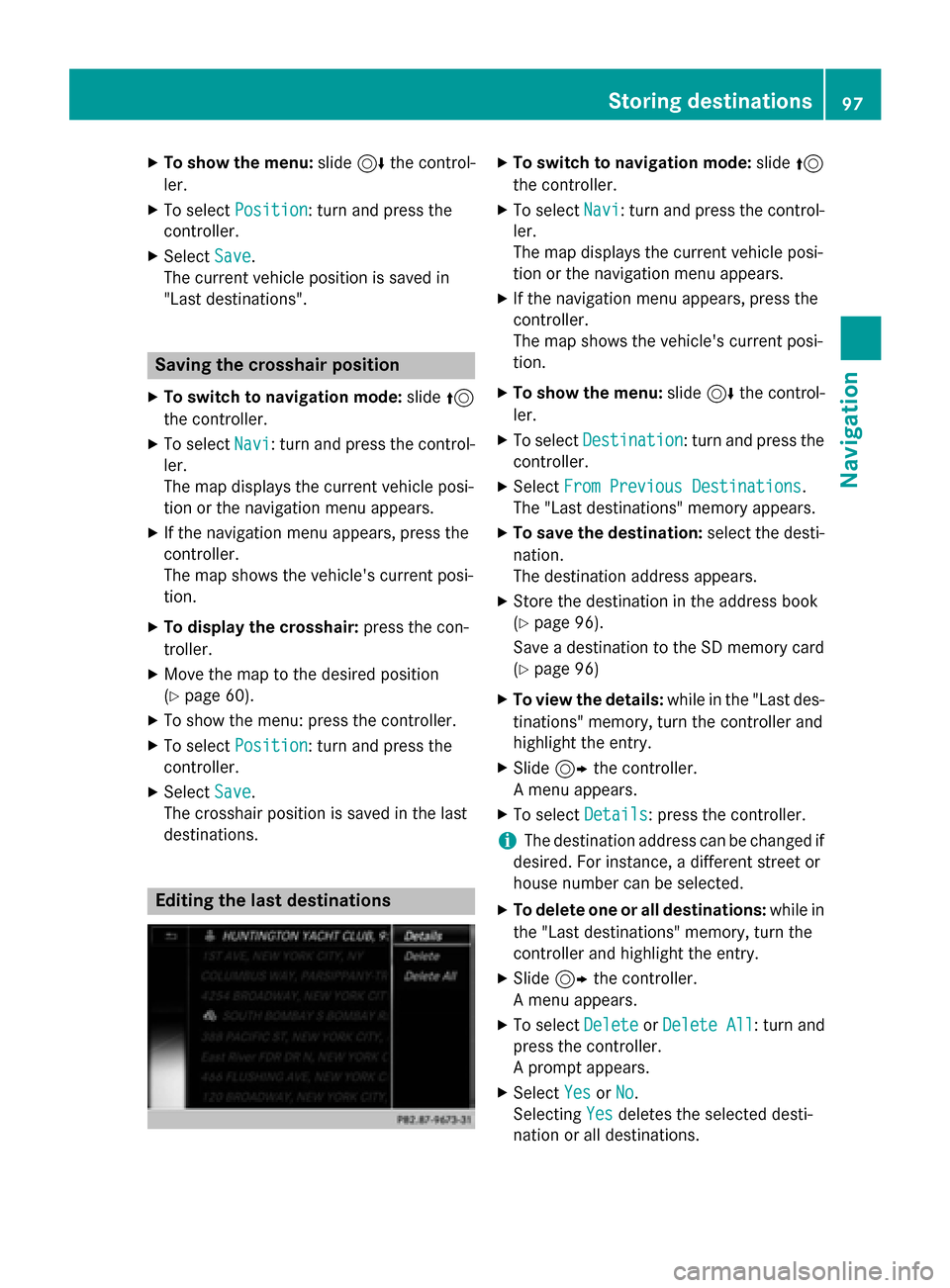
Editing the last destinations
XTo switch to navigation mode: slide5
the controller.
XTo select Navi: turn and press the control-
ler.
The map displays the current vehicle posi-
tion or the navigation menu appears.
XIf the navigation menu appears, press the
controller.
The map shows the vehicle's current posi-
tion.
XTo show the menu: slide6the control-
ler.
XTo select Destination: turn and press the
controller.
XSelect From Previous Destinations.
The "Last destinations" memory appears.
XTo save the destination: select the desti-
nation.
The destination address appears.
XStore the destination in the address book
(
Ypage 96).
Save a destination to the SD memory card
(
Ypage 96)
XTo view the details: while in the "Last des-
tinations" memory, turn the controller and
highlight the entry.
XSlide 9the controller.
A menu appears.
XTo select Details: press the controller.
iThe destination address can be changed if
desired. For instance, a different street or
house number can be selected.
XTo delete one or all destinations: while in
the "Last destinations" memory, turn the
controller and highlight the entry.
XSlide 9the controller.
A menu appears.
XTo select DeleteorDelete All: turn and
press the controller.
A prompt appears.
XSelect YesorNo.
Selecting Yes
deletes the selected desti-
nation or all destinations.
Storing destinations97
Navigation
Z
Page 109 of 226
be displayed, e.g. weather at the destina-
tion.
iAlternatively you can call up this function
using the touchpad (
Ypage 25).
XTo exit Drive Information: press the con-
troller.
XPress the %button.
Route flight
XCall up the navigation menu (Ypage 105).
XTurn the controller until Route Flightis
brought to the front.
XPress the controller.
The route will then be flown along from a
helicopter view.
iAlternatively you can call up this function
using the touchpad (
Ypage 25).
XTo exit the route flight: press the control-
ler.
XPress the %button.
Info on navigation
XCall up the navigation menu (Ypage 105).
XTurn the controller until InfoonNaviga‐
tionis brought to the front.
XPress the controller.
The Digital Operator's Manual is opened at
the section on navigation.
iAlternatively you can call up this function
using the touchpad (
Ypage 25).
Navigation functions107
Navigation
Z
Page 120 of 226
De-authorizing (disconnecting)a
mobile phone
Mercedes-Ben zUSA, LL Crecommends de-
authorization in COMAN Dand on th emobile
phone .Subsequen tauthorization may other -
wise fail .
XTo showthemain function bar :slid e5
th econtroller .
XTo selectPhone:turn and press th econ-
troller.
The telephon emen uis displayed .
XTo showthemen ubar :slid e6 thecon-
troller.
XTo selec tConnec tDevice:turn and press
th econtroller .
XTo highlight th edesire dmobile phone in th e
devic elist :turn th econtroller .
XTo selectG: slide9 thecontroller .
XTo selectDeauthorize:turn and press th e
controller .
A prompt appears ,askin gwhether you
really wish to de-authoriz ethis device.
XTo selec tYes:turn and press th econtroller .
The mobile phone is de-authorized.
iBefore re-authorizin gth emobile phone ,
you should also delete th edevic enam eMB
Bluetoothfrom your mobile phone's Blue-
toot h®list.
Displaying connection detail s
XTo showthemain function bar :slid e5
th econtroller .
XTo selectPhone:turn and press th econ-
troller.
The telephon emen uis displayed .
XTo switch to th emen ubar in th etelephon e
menu: slid e6 thecontroller .
XTo selectConnec tDevice:turn and press
th econtroller .
XTo highlight th edesire dmobile phone in th e
devic elist :turn th econtroller .
XTo selectG: slide9 thecontroller .
XTo selectDetail s:turn and press th econ-
troller.
The following information concernin gth e
selecte dmobile phone is shown :
RBluetooth®devicenam e
RBluetoot h®address
RAvailabilit ystatus (shown after ane w
search )
RAuthorization status
XTo close th edetailed display :slid e8
th econtroller .
Reception an dtransmission volume
Once th emobile phone has been authorized,
you can optimize th etransmissio nand recep-
tion volume settings. To fin dout about th e
bes tpossible setting sfo ryour mobile phone ,
visit www.mercedes-benz-mobile.com .
Or cal lth eMercedes-Ben zCustomer Assis -
tanc eCente rat 1-800-FOR-MERCedes
(1-800-367-6372 ) (USA) or Customer Rela-
tions at 1-800-387-0100 (Canada).
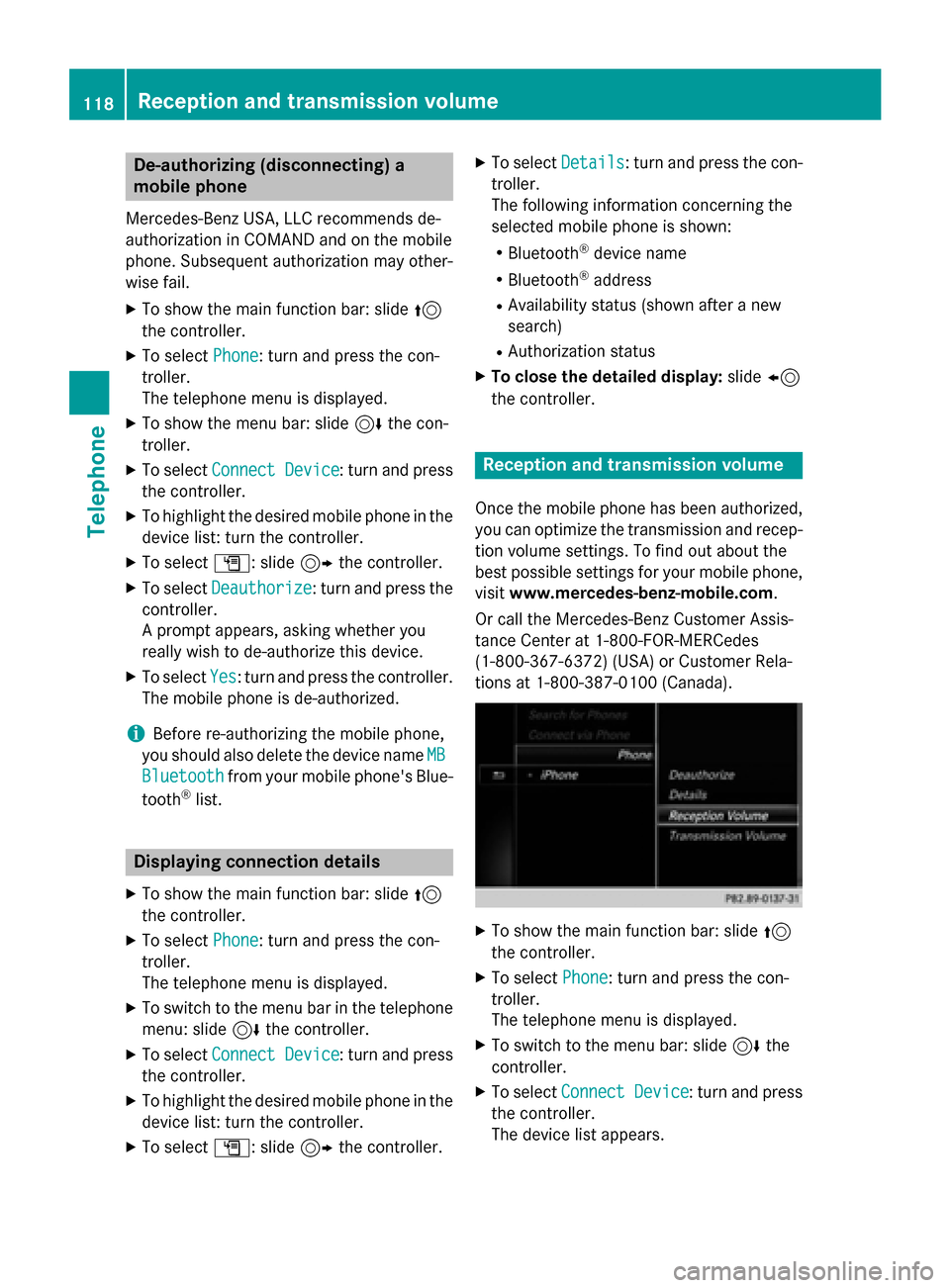
XTo show the main function bar: slide 5
the controller.
XTo select Phone: turn and press the con-
troller.
The telephone menu is displayed.
XTo switch to the menu bar: slide 6the
controller.
XTo select Connect Device: turn and press
the controller.
The device list appears.
118Reception and transmission volume
Telephone
Page 121 of 226
XTo highlight the desired mobile phone in the
device list: turn the controller.
XTo selectG: slide 9the controller.
XTo select Reception VolumeorTrans‐
mission Volume: turn and press the con-
troller.
XTo select a volume setting: turn the con-
troller.
XTo accept changes: press the controller.
iIncorrect settings may have an impact on
the quality of calls.
Using the telephone
Accepting a call
XTo select Accept: press the controller.
or
XPress 6on the multifunction steering
wheel.
The call is accepted.
Additional functions available during a call
(
Ypage 120).
Adjusting the call volume (
Ypage 118).
Further information about ending a call
(
Ypage 123).
iYou can also accept the call by using a
voice command in the Voice Control Sys-
tem (see the vehicle Operator's Manual).
iIf the phone number of the caller is trans-
ferred, it appears in the display. If the
phone number is saved in the phone book,
the contact's name is also displayed. If the
phone number is not transferred, Unknown
is shown in the display.
Rejecting a call
XTo selectReject: turn the controller and
press to confirm.
or
XPress ~on the multifunction steering
wheel.
Making a call
Using the telephone menu
XTo show the main function bar: slide 5
the controller.
XTo select Phone: turn and press the con-
troller.
The telephone menu is displayed.
XTo select all numbers one after the other in
the telephone menu: turn and press the
controller each time.
XTo select win the telephone menu: turn
and press the controller.
The call is made.
Further information about ending a call
(
Ypage 123).
Using the touchpad
XTo display the main function bar: slide 5
the controller.
XTo select Phone: turn and press the con-
troller.
The telephone menu is displayed.
XTo select n: turn and press the control-
ler.
XDraw all the numbers on the touch-sensi-
tive surface one after another.
XTo select win the telephone menu: turn
and press the controller.
The call is made.
Further information about the touchpad
(
Ypage 27).
Using favorites
This function can be used when a telephone
number has been added as a favorite. Further
information about adding favorites
(
Ypage 35).
XPress the favorites button on the controller. The favorites are displayed.
XTo select a telephone number: turn the con-
troller.
XTo make a call: press the controller.
Using the telephone119
Telephone
Z
Page 122 of 226
Redial
XTo show the main function bar: slide5
the controller.
XTo select Phone: turn and press the con-
troller.
The telephone menu is displayed.
XTo select win the telephone menu: turn
and press the controller.
The list of outgoing calls is displayed. The
most recently dialed number is at the top.
XTo select an entry and make a call: turn and
press the controller.
Further information about ending a call
(
Ypage 123).
Using call lists
XTo show the main function bar: slide 5
the controller.
XTo select Phone: turn and press the con-
troller.
The telephone menu is displayed.
XTo switch to the menu bar: slide 6the
controller.
XTo select Call Lists: turn and press the
controller.
XTo select Calls ReceivedorCalls
Dialed: turn and press the controller.
The relevant list is displayed.
XTo select an entry and make a call: turn and
press the controller.
Further information about ending a call
(
Ypage 123).
Using the phone book
XTo show the main function bar: slide 5
the controller.
XTo select Phone: turn and press the con-
troller.
The telephone menu is displayed.
XTo select Namein the telephone menu: turn
and press the controller.
XSearch for a contact (Ypage 124).
XTo make a call: press the controller. Further information about ending a call
(
Ypage 123).
Using speed dial
XTo show the main function bar: slide
5
the controller.
XTo select Phone: turn and press the con-
troller.
The telephone menu is displayed.
XTo highlight a number from the character
bar: turn the controller.
XPress the controller for longer than two
seconds.
The telephone menu displays the selected
entry. The number is dialed.
Further information on setting up speed dial
(
Ypage 136).
Further information about ending a call
(
Ypage 123).
Functions available during a call
Overview
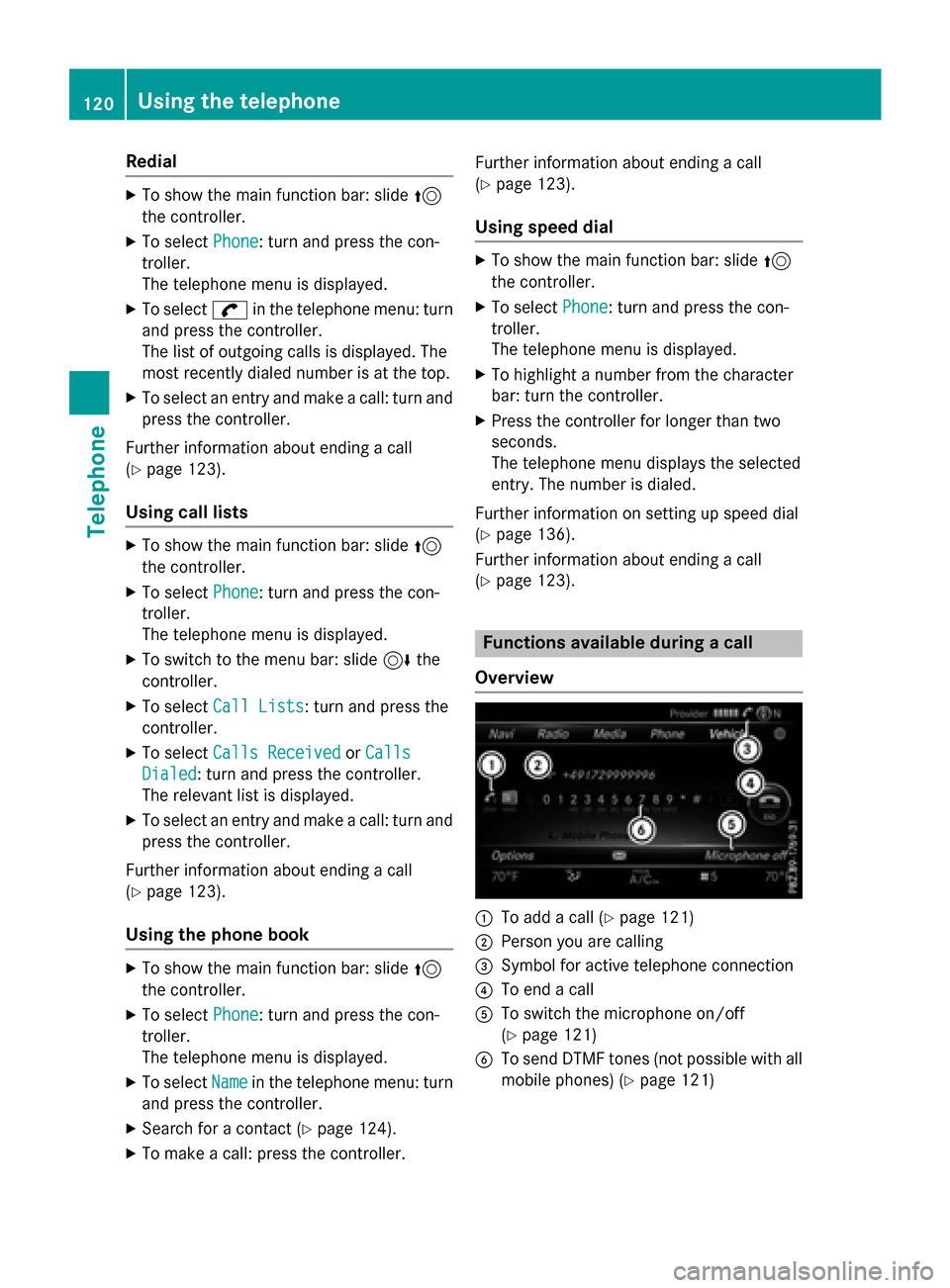
:To add a call (Ypage 121)
;Person you are calling
=Symbol for active telephone connection
?To end a call
ATo switch the microphone on/off
(
Ypage 121)
BTo send DTMF tones (not possible with all
mobile phones) (
Ypage 121)
120Using the telephone
Telephone
Page 124 of 226
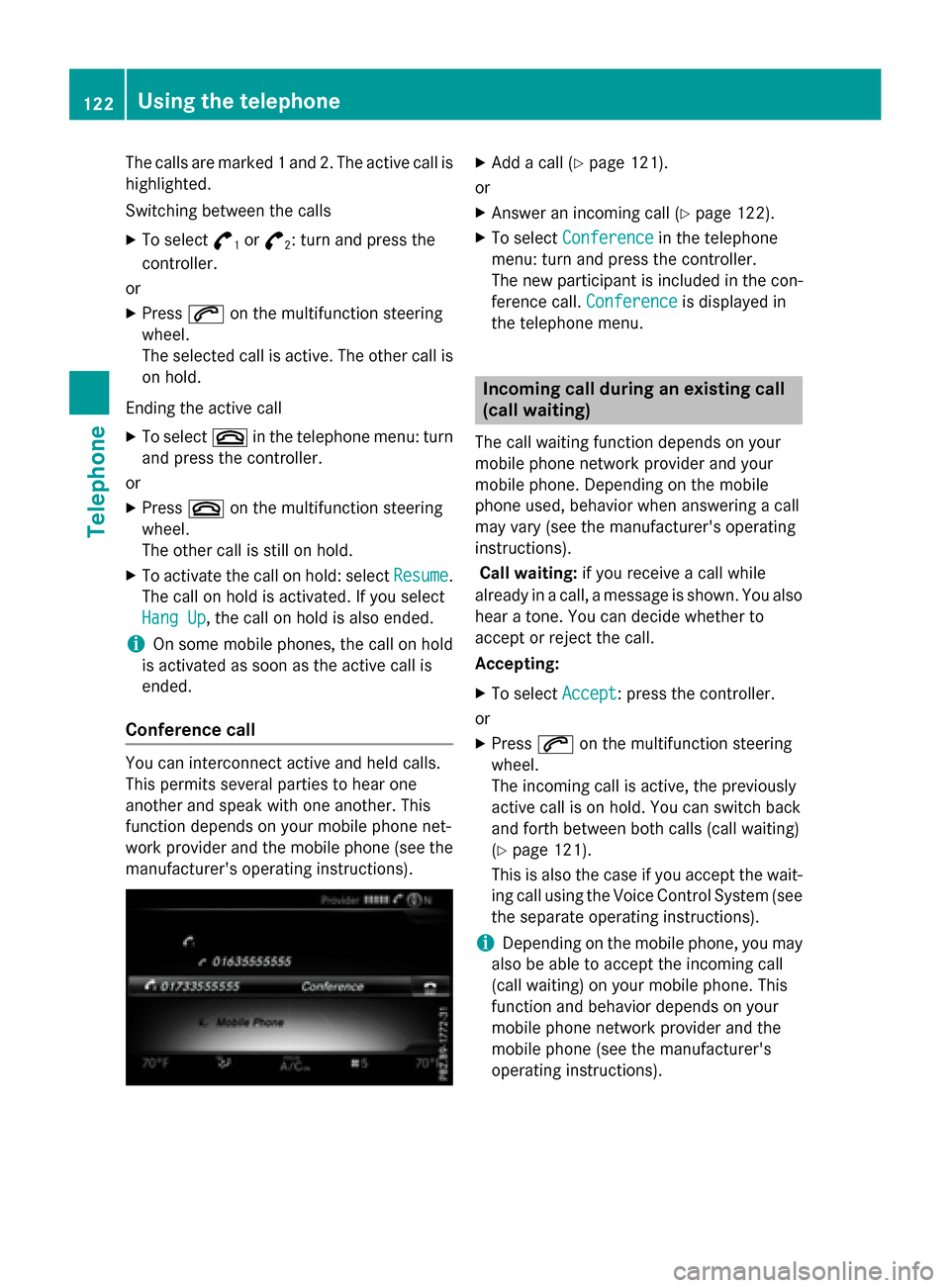
The calls are marked 1 and 2. The active call is
highlighted.
Switching between the calls
XTo select°1or°2: turn and press the
controller.
or
XPress 6on the multifunction steering
wheel.
The selected call is active. The other call is
on hold.
Ending the active call
XTo select ~in the telephone menu: turn
and press the controller.
or
XPress ~on the multifunction steering
wheel.
The other call is still on hold.
XTo activate the call on hold: select Resume.
The call on hold is activated. If you select
Hang Up
, the call on hold is also ended.
iOn some mobile phones, the call on hold
is activated as soon as the active call is
ended.
Conference call
You can interconnect active and held calls.
This permits several parties to hear one
another and speak with one another. This
function depends on your mobile phone net-
work provider and the mobile phone (see the manufacturer's operating instructions).
XAdd a call (Ypage 121).
or
XAnswer an incoming call (Ypage 122).
XTo select Conferencein the telephone
menu: turn and press the controller.
The new participant is included in the con-
ference call. Conference
is displayed in
the telephone menu.
Incoming call during an existing call
(call waiting)
The call waiting function depends on your
mobile phone network provider and your
mobile phone. Depending on the mobile
phone used, behavior when answering a call
may vary (see the manufacturer's operating
instructions).
Call waiting: if you receive a call while
already in a call, a message is shown. You also
hear a tone. You can decide whether to
accept or reject the call.
Accepting:
XTo select Accept: press the controller.
or
XPress 6on the multifunction steering
wheel.
The incoming call is active, the previously
active call is on hold. You can switch back
and forth between both calls (call waiting)
(
Ypage 121).
This is also the case if you accept the wait-
ing call using the Voice Control System (see
the separate operating instructions).
iDepending on the mobile phone, you may
also be able to accept the incoming call
(call waiting) on your mobile phone. This
function and behavior depends on your
mobile phone network provider and the
mobile phone (see the manufacturer's
operating instructions).
122Using the telephone
Telephone