door lock MERCEDES-BENZ B-CLASS 2012 Owner's Guide
[x] Cancel search | Manufacturer: MERCEDES-BENZ, Model Year: 2012, Model line: B-CLASS, Model: MERCEDES-BENZ B-CLASS 2012Pages: 340, PDF Size: 3.09 MB
Page 153 of 340
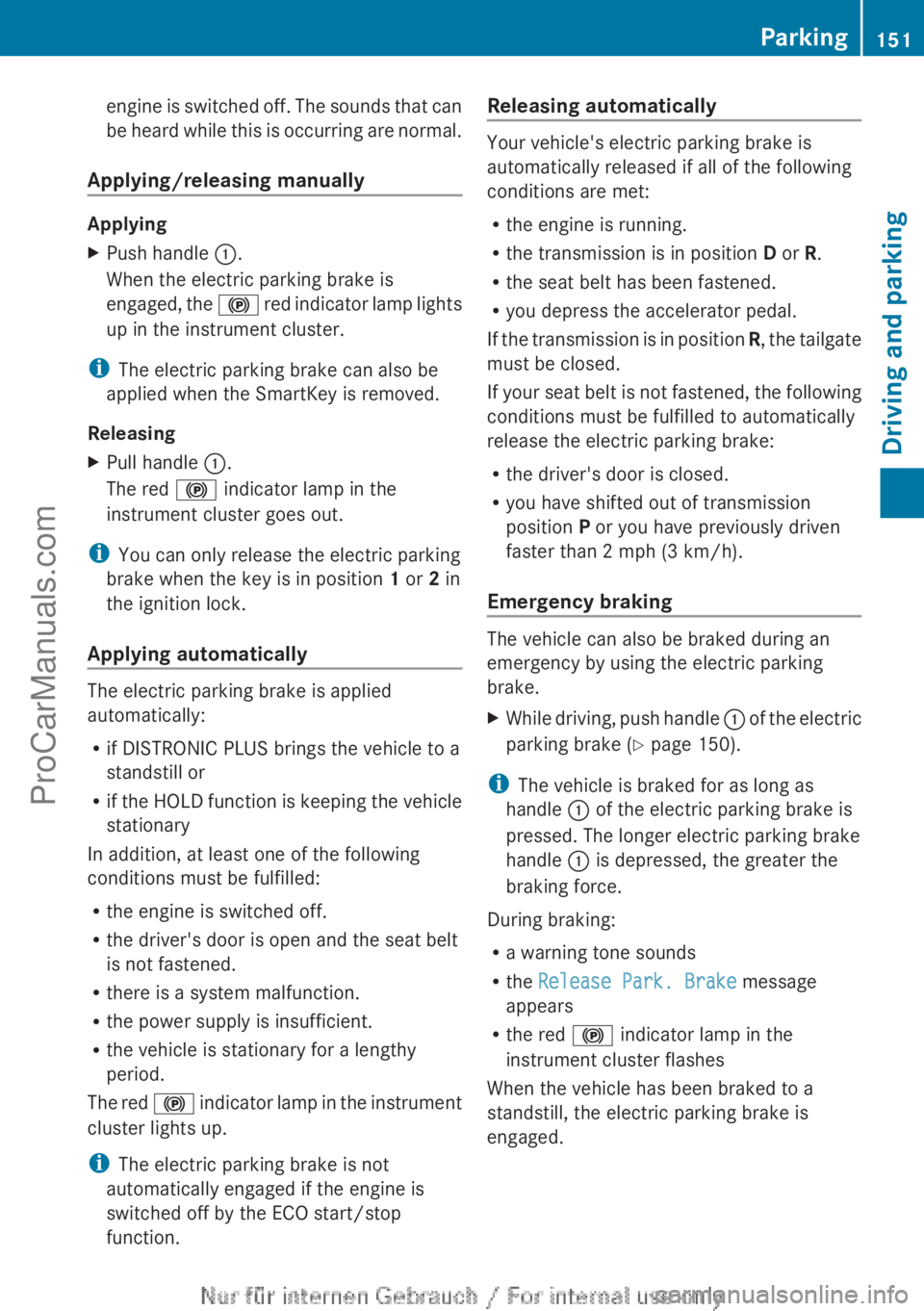
engine is switched off. The sounds that can
be heard
while
this is occurring are normal.
Applying/releasing manually Applying
X
Push handle :.
When the electric parking brake is
engaged, the !
red indicator lamp lights
up in the instrument cluster.
i The electric parking brake can also be
applied when the SmartKey is removed.
Releasing
X Pull handle :.
The red ! indicator lamp in the
instrument cluster goes out.
i You can only release the electric parking
brake when the key is in position 1 or 2 in
the ignition lock.
Applying automatically The electric parking brake is applied
automatically:
R
if DISTRONIC PLUS brings the vehicle to a
standstill or
R if the HOLD
function is keeping the vehicle
stationary
In addition, at least one of the following
conditions must be fulfilled:
R the engine is switched off.
R the driver's door is open and the seat belt
is not fastened.
R there is a system malfunction.
R the power supply is insufficient.
R the vehicle is stationary for a lengthy
period.
The red ! indicator lamp in the instrument
cluster lights up.
i The electric parking brake is not
automatically engaged if the engine is
switched off by the ECO start/stop
function. Releasing automatically Your vehicle's electric parking brake is
automatically released if all of the following
conditions are met:
R
the engine is running.
R the transmission is in position D or R.
R the seat belt has been fastened.
R you depress the accelerator pedal.
If the transmission
is in position R, the tailgate
must be closed.
If your seat belt is not fastened, the following
conditions must be fulfilled to automatically
release the electric parking brake:
R the driver's door is closed.
R you have shifted out of transmission
position P or you have previously driven
faster than 2 mph (3 km/h).
Emergency braking The vehicle can also be braked during an
emergency by using the electric parking
brake.
X
While driving, push handle : of the
electric
parking brake ( Y page 150).
i The vehicle is braked for as long as
handle : of the electric parking brake is
pressed. The longer electric parking brake
handle : is depressed, the greater the
braking force.
During braking:
R a warning tone sounds
R the Release Park. Brake message
appears
R the red ! indicator lamp in the
instrument cluster flashes
When the vehicle has been braked to a
standstill, the electric parking brake is
engaged. Parking
151
Driving and parking Z
ProCarManuals.com
Page 200 of 340
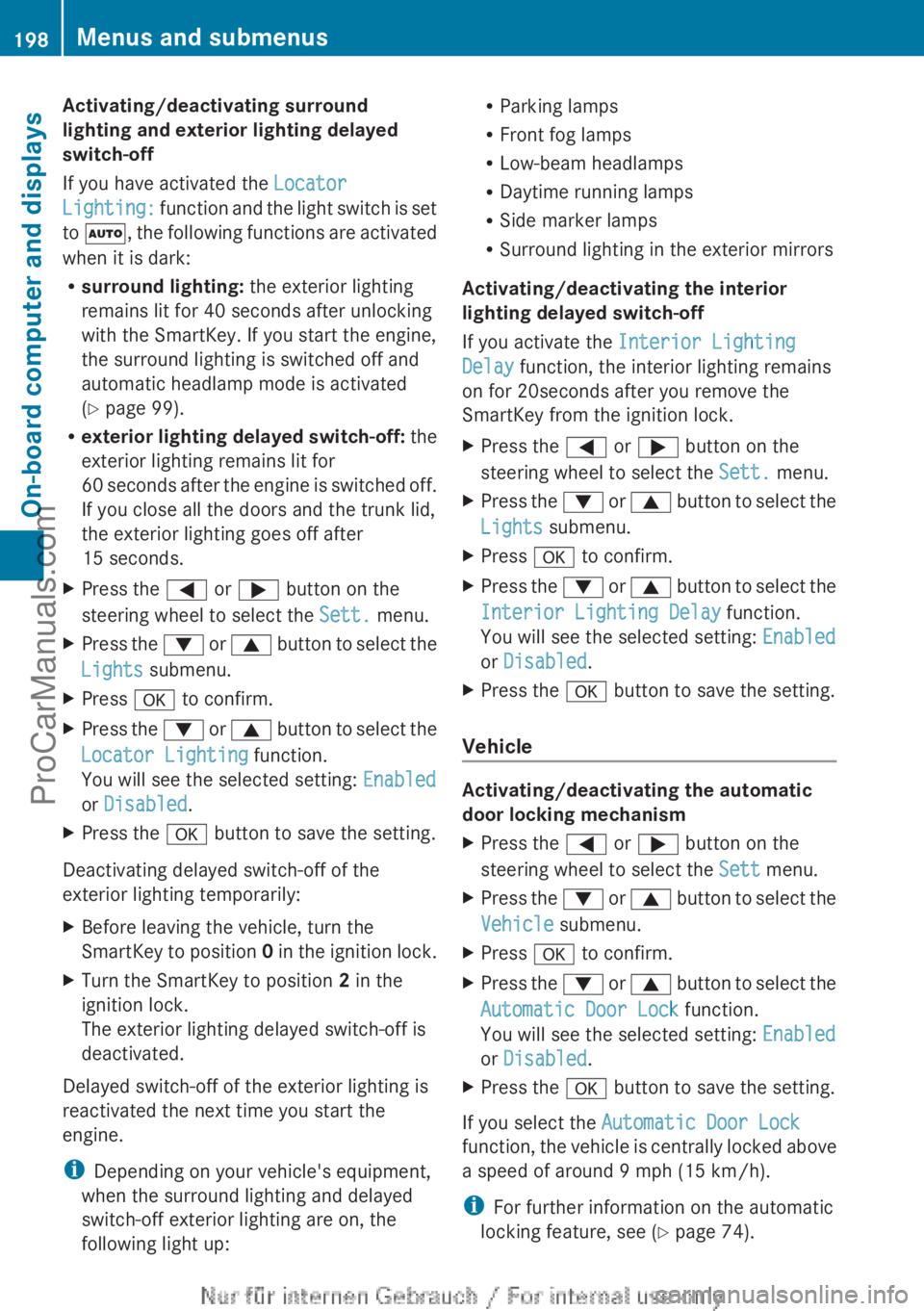
Activating/deactivating surround
lighting and exterior lighting delayed
switch-off
If you have activated the
Locator
Lighting: function
and
the light switch is set
to Ã, the following functions are activated
when it is dark:
R surround lighting: the exterior lighting
remains lit for 40 seconds after unlocking
with the SmartKey. If you start the engine,
the surround lighting is switched off and
automatic headlamp mode is activated
(Y page 99).
R exterior lighting delayed switch-off: the
exterior lighting remains lit for
60 seconds after the engine is switched off.
If you close all the doors and the trunk lid,
the exterior lighting goes off after
15 seconds.
X Press the = or ; button on the
steering wheel to select the Sett. menu.
X Press the :
or 9
button to select the
Lights submenu.
X Press a to confirm.
X Press the : or 9
button to select the
Locator Lighting function.
You will see the selected setting: Enabled
or Disabled.
X Press the a button to save the setting.
Deactivating delayed switch-off of the
exterior lighting temporarily:
X Before leaving the vehicle, turn the
SmartKey to position 0
in the ignition lock.
X Turn the SmartKey to position 2 in the
ignition lock.
The exterior lighting delayed switch-off is
deactivated.
Delayed switch-off of the exterior lighting is
reactivated the next time you start the
engine.
i Depending on your vehicle's equipment,
when the surround lighting and delayed
switch-off exterior lighting are on, the
following light up: R
Parking lamps
R Front fog lamps
R Low-beam headlamps
R Daytime running lamps
R Side marker lamps
R Surround lighting in the exterior mirrors
Activating/deactivating the interior
lighting delayed switch-off
If you activate the Interior Lighting
Delay function, the interior lighting remains
on for 20seconds after you remove the
SmartKey from the ignition lock.
X Press the = or ; button on the
steering wheel to select the Sett. menu.
X Press the : or 9
button to select the
Lights submenu.
X Press a to confirm.
X Press the :
or 9
button to select the
Interior Lighting Delay function.
You will see the selected setting: Enabled
or Disabled.
X Press the a button to save the setting.
Vehicle Activating/deactivating the automatic
door locking mechanism
X
Press the = or ; button on the
steering wheel to select the Sett menu.
X Press the :
or 9
button to select the
Vehicle submenu.
X Press a to confirm.
X Press the :
or 9
button to select the
Automatic Door Lock function.
You will see the selected setting: Enabled
or Disabled.
X Press the a button to save the setting.
If you select the Automatic Door Lock
function, the
vehicle
is centrally locked above
a speed of around 9 mph (15 km/h).
i For further information on the automatic
locking feature, see ( Y page 74).198
Menus and submenus
On-board computer and displays
ProCarManuals.com
Page 201 of 340
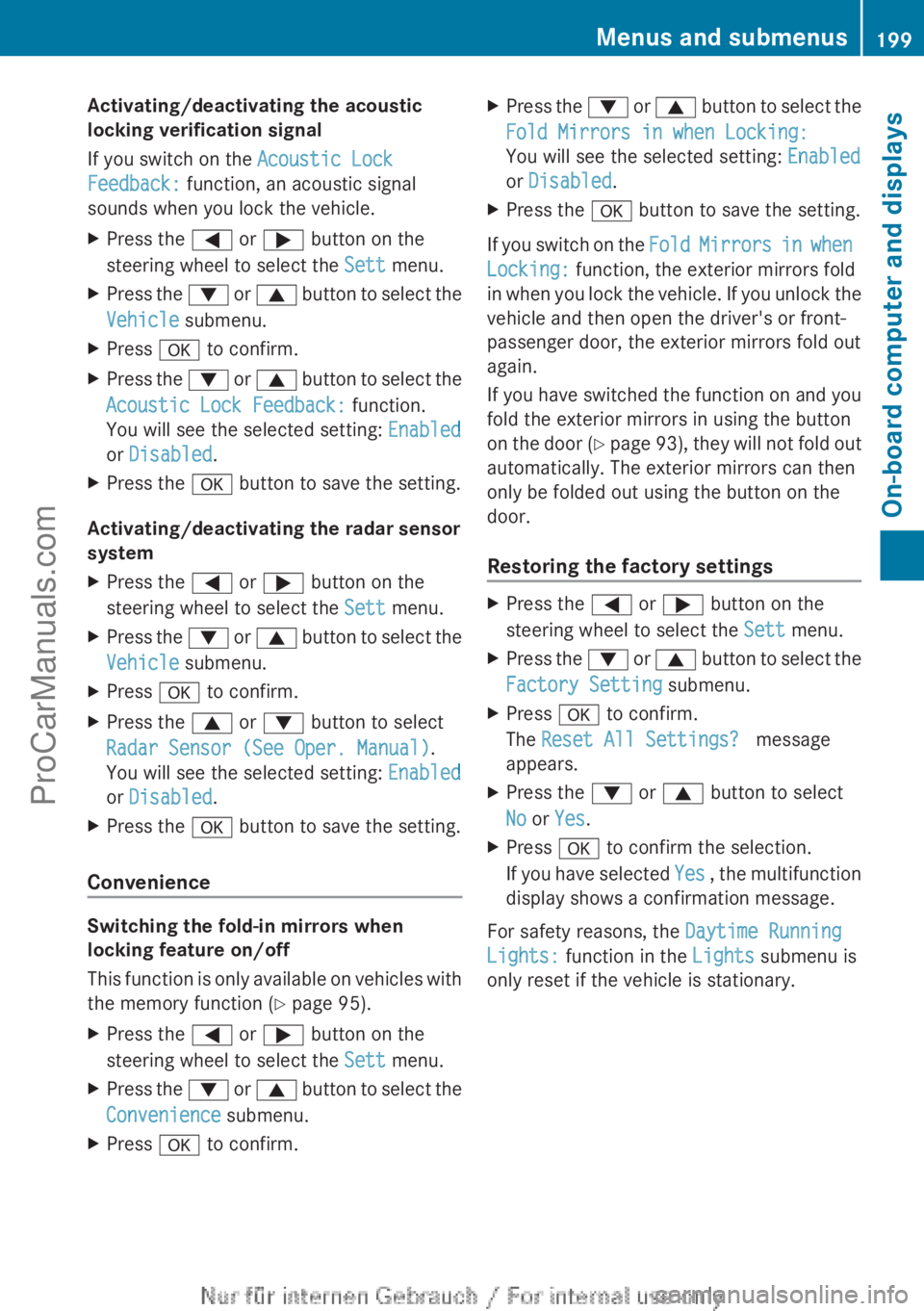
Activating/deactivating the acoustic
locking verification signal
If you switch on the Acoustic Lock
Feedback: function, an acoustic signal
sounds when you lock the vehicle.
X
Press the = or ; button on the
steering wheel to select the Sett menu.
X Press the : or 9 button to select the
Vehicle submenu.
X Press a to confirm.
X Press the :
or 9
button to select the
Acoustic Lock Feedback: function.
You will see the selected setting: Enabled
or Disabled.
X Press the a button to save the setting.
Activating/deactivating the radar sensor
system
X Press the = or ; button on the
steering wheel to select the Sett menu.
X Press the : or 9
button to select the
Vehicle submenu.
X Press a to confirm.
X Press the 9 or : button to select
Radar Sensor (See Oper. Manual).
You will see the selected setting: Enabled
or Disabled.
X Press the a button to save the setting.
Convenience Switching the fold-in mirrors when
locking feature on/off
This function
is
only available on vehicles with
the memory function ( Y page 95).
X Press the = or ; button on the
steering wheel to select the Sett menu.
X Press the : or 9
button to select the
Convenience submenu.
X Press a to confirm. X
Press the : or 9
button to select the
Fold Mirrors in when Locking:
You will see the selected setting: Enabled
or Disabled.
X Press the a button to save the setting.
If you switch on the Fold Mirrors in
when
Locking: function, the exterior mirrors fold
in when you lock the vehicle. If you unlock the
vehicle and then open the driver's or front-
passenger door, the exterior mirrors fold out
again.
If you have switched the function on and you
fold the exterior mirrors in using the button
on the door (Y page 93), they will not fold out
automatically. The exterior mirrors can then
only be folded out using the button on the
door.
Restoring the factory settings X
Press the = or ; button on the
steering wheel to select the Sett menu.
X Press the : or 9
button to select the
Factory Setting submenu.
X Press a to confirm.
The Reset All Settings? message
appears.
X Press the : or 9 button to select
No or Yes.
X Press a to confirm the selection.
If you have
selected Yes , the multifunction
display shows a confirmation message.
For safety reasons, the Daytime Running
Lights: function in the Lights submenu is
only reset if the vehicle is stationary. Menus and submenus
199
On-board computer and displays Z
ProCarManuals.com
Page 222 of 340
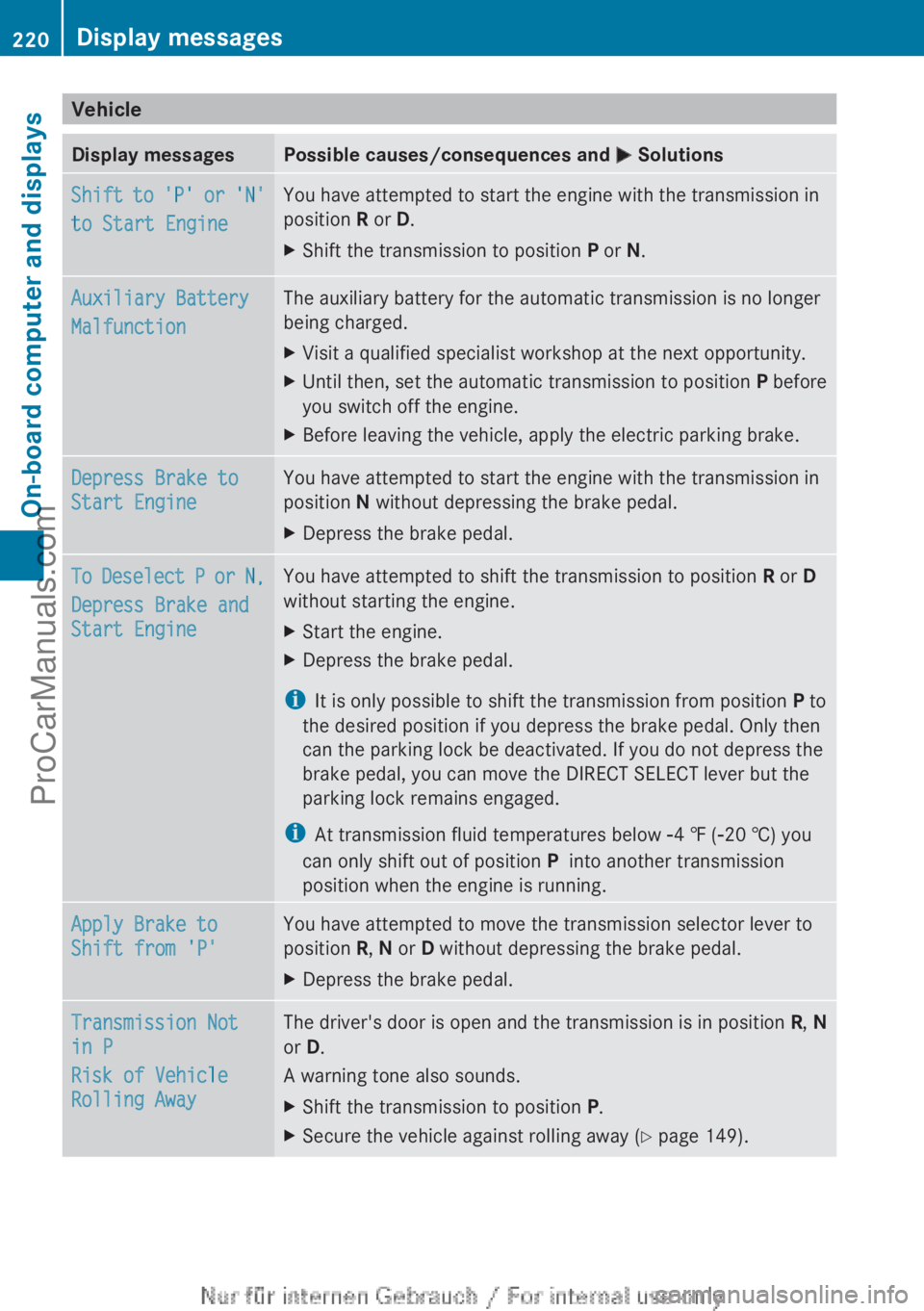
Vehicle
Display messages Possible causes/consequences and
M SolutionsShift to 'P' or 'N'
to Start Engine You have attempted to start the engine with the transmission in
position R or D.
X
Shift the transmission to position P or N.Auxiliary Battery
Malfunction The auxiliary battery for the automatic transmission is no longer
being charged.
X
Visit a qualified specialist workshop at the next opportunity.
X Until then, set the automatic transmission to position P before
you switch off the engine.
X Before leaving the vehicle, apply the electric parking brake. Depress Brake to
Start Engine You have attempted to start the engine with the transmission in
position N without depressing the brake pedal.
X
Depress the brake pedal. To Deselect P or N,
Depress Brake and
Start Engine You have attempted to shift the transmission to position
R or D
without starting the engine.
X Start the engine.
X Depress the brake pedal.
i It is only possible to shift the transmission from position P to
the desired position if you depress the brake pedal. Only then
can the parking lock be deactivated. If you do not depress the
brake pedal, you can move the DIRECT SELECT lever but the
parking lock remains engaged.
i At transmission fluid temperatures below Ò4 ‡ (Ò20 †) you
can only shift out of position P into another transmission
position when the engine is running. Apply Brake to
Shift from 'P' You have attempted to move the transmission selector lever to
position R, N or D without depressing the brake pedal.
X
Depress the brake pedal. Transmission Not
in P
Risk of Vehicle
Rolling Away The driver's door is open and the transmission is in position
R, N
or D.
A warning tone also sounds.
X Shift the transmission to position P.
X Secure the vehicle against rolling away ( Y page 149).220
Display messagesOn-board computer and displays
ProCarManuals.com
Page 224 of 340
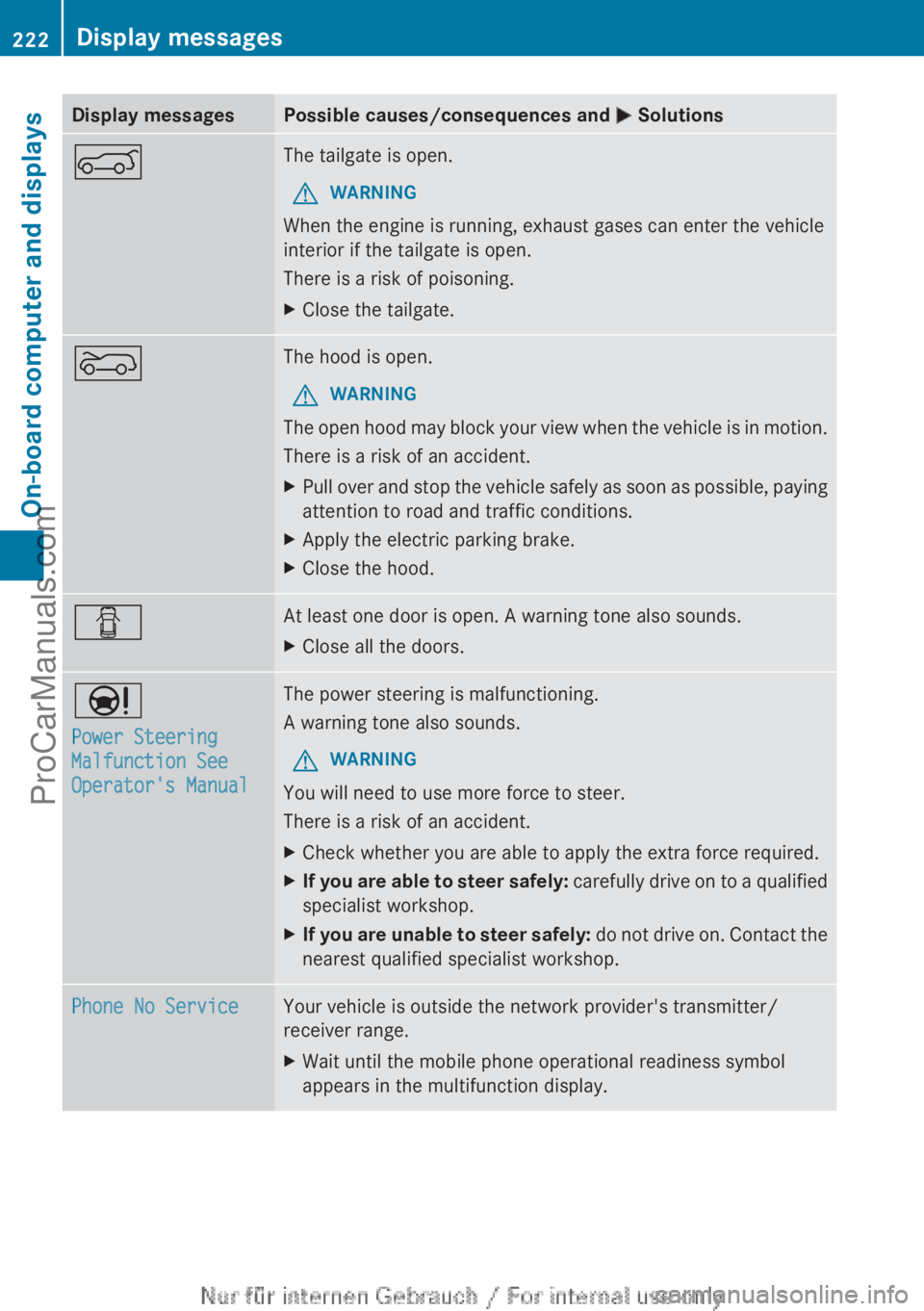
Display messages Possible causes/consequences and
M SolutionsA The tailgate is open.
G WARNING
When the engine is running, exhaust gases can enter the vehicle
interior if the tailgate is open.
There is a risk of poisoning.
X Close the tailgate. ? The hood is open.
G WARNING
The open hood may block your view when the vehicle is in motion.
There is a risk of an accident.
X Pull over and stop the vehicle safely as soon as possible, paying
attention to road and traffic conditions.
X Apply the electric parking brake.
X Close the hood. C At least one door is open. A warning tone also sounds.
X
Close all the doors. Ð
Power Steering
Malfunction See
Operator's Manual The power steering is malfunctioning.
A warning tone also sounds.
G WARNING
You will need to use more force to steer.
There is a risk of an accident.
X Check whether you are able to apply the extra force required.
X If you are able to steer safely:
carefully drive
on to a qualified
specialist workshop.
X If you are unable to steer safely: do not
drive on. Contact the
nearest qualified specialist workshop. Phone No Service Your vehicle is outside the network provider's transmitter/
receiver range.
X
Wait until the mobile phone operational readiness symbol
appears in the multifunction display.222
Display messages
On-board computer and displays
ProCarManuals.com
Page 238 of 340
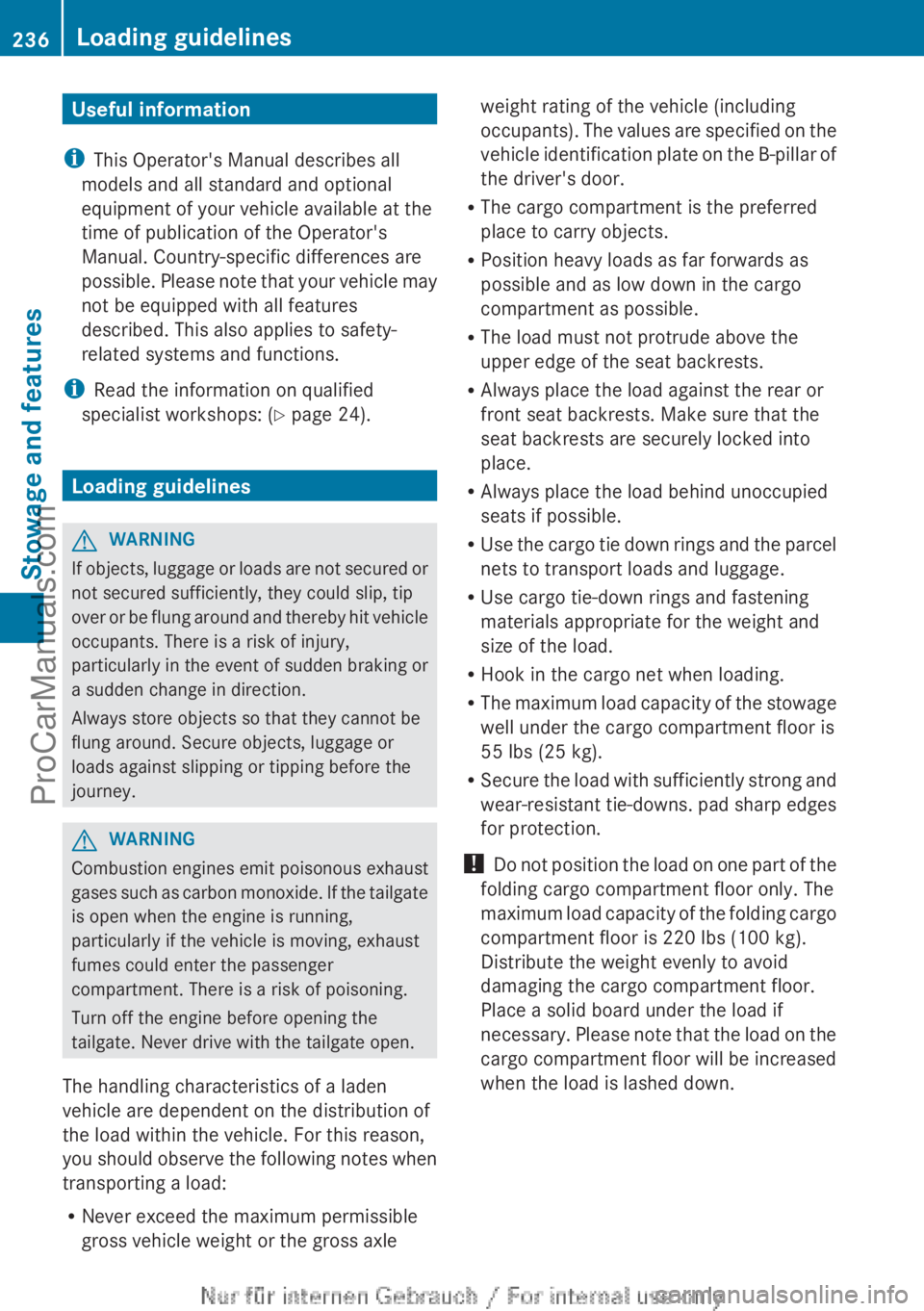
Useful information
i This Operator's Manual describes all
models and all standard and optional
equipment of your vehicle available at the
time of publication of the Operator's
Manual. Country-specific differences are
possible. Please note
that your vehicle may
not be equipped with all features
described. This also applies to safety-
related systems and functions.
i Read the information on qualified
specialist workshops: ( Y page 24).Loading guidelines
G
WARNING
If objects, luggage or loads are not secured or
not secured sufficiently, they could slip, tip
over or be
flung around and thereby hit vehicle
occupants. There is a risk of injury,
particularly in the event of sudden braking or
a sudden change in direction.
Always store objects so that they cannot be
flung around. Secure objects, luggage or
loads against slipping or tipping before the
journey. G
WARNING
Combustion engines emit poisonous exhaust
gases such as
carbon monoxide. If the tailgate
is open when the engine is running,
particularly if the vehicle is moving, exhaust
fumes could enter the passenger
compartment. There is a risk of poisoning.
Turn off the engine before opening the
tailgate. Never drive with the tailgate open.
The handling characteristics of a laden
vehicle are dependent on the distribution of
the load within the vehicle. For this reason,
you should observe the following notes when
transporting a load:
R Never exceed the maximum permissible
gross vehicle weight or the gross axle weight rating of the vehicle (including
occupants). The
values
are specified on the
vehicle identification plate on the B-pillar of
the driver's door.
R The cargo compartment is the preferred
place to carry objects.
R Position heavy loads as far forwards as
possible and as low down in the cargo
compartment as possible.
R The load must not protrude above the
upper edge of the seat backrests.
R Always place the load against the rear or
front seat backrests. Make sure that the
seat backrests are securely locked into
place.
R Always place the load behind unoccupied
seats if possible.
R Use the cargo tie down rings and the parcel
nets to transport loads and luggage.
R Use cargo tie-down rings and fastening
materials appropriate for the weight and
size of the load.
R Hook in the cargo net when loading.
R The maximum load capacity of the stowage
well under the cargo compartment floor is
55 lbs (25 kg).
R Secure the load with sufficiently strong and
wear-resistant tie-downs. pad sharp edges
for protection.
! Do not position the load on one part of the
folding cargo compartment floor only. The
maximum load capacity of the folding cargo
compartment floor is 220 lbs (100 kg).
Distribute the weight evenly to avoid
damaging the cargo compartment floor.
Place a solid board under the load if
necessary. Please note that the load on the
cargo compartment floor will be increased
when the load is lashed down. 236
Loading guidelines
Stowage and features
ProCarManuals.com
Page 250 of 340
Only use the cup holder when the vehicle is
stationary. Only use the cup holder for
containers of the right size. Always close the
container, particularly if the liquid is hot.
G
WARNING
If objects in the passenger compartment are
stowed incorrectly, they can slide or be
thrown around and hit vehicle occupants.
There is a risk of injury, particularly in the
event of sudden braking or a sudden change
in direction.
R Always stow objects
so that they cannot be
thrown around in such situations.
R Always make sure that objects do not
protrude from stowage spaces, parcel nets
or stowage nets.
R Close the lockable stowage spaces while
driving.
R Stow and secure objects that are heavy,
hard, pointy, sharp-edged, fragile or too
large in the cargo compartment.
! Only use the cup holders for containers of
the right size and which have lids. The
drinks could otherwise spill.
The stowage compartments in the doors
provide space for bottles:
R front: capacity up to 51 fl. oz. (1.5 l)
R rear: capacity up to 17 fl. oz. (0.5 l)
Cup holder in the front-compartment
center console The cup holder and the rubber mat
underneath can be removed for cleaning.
Clean them
with
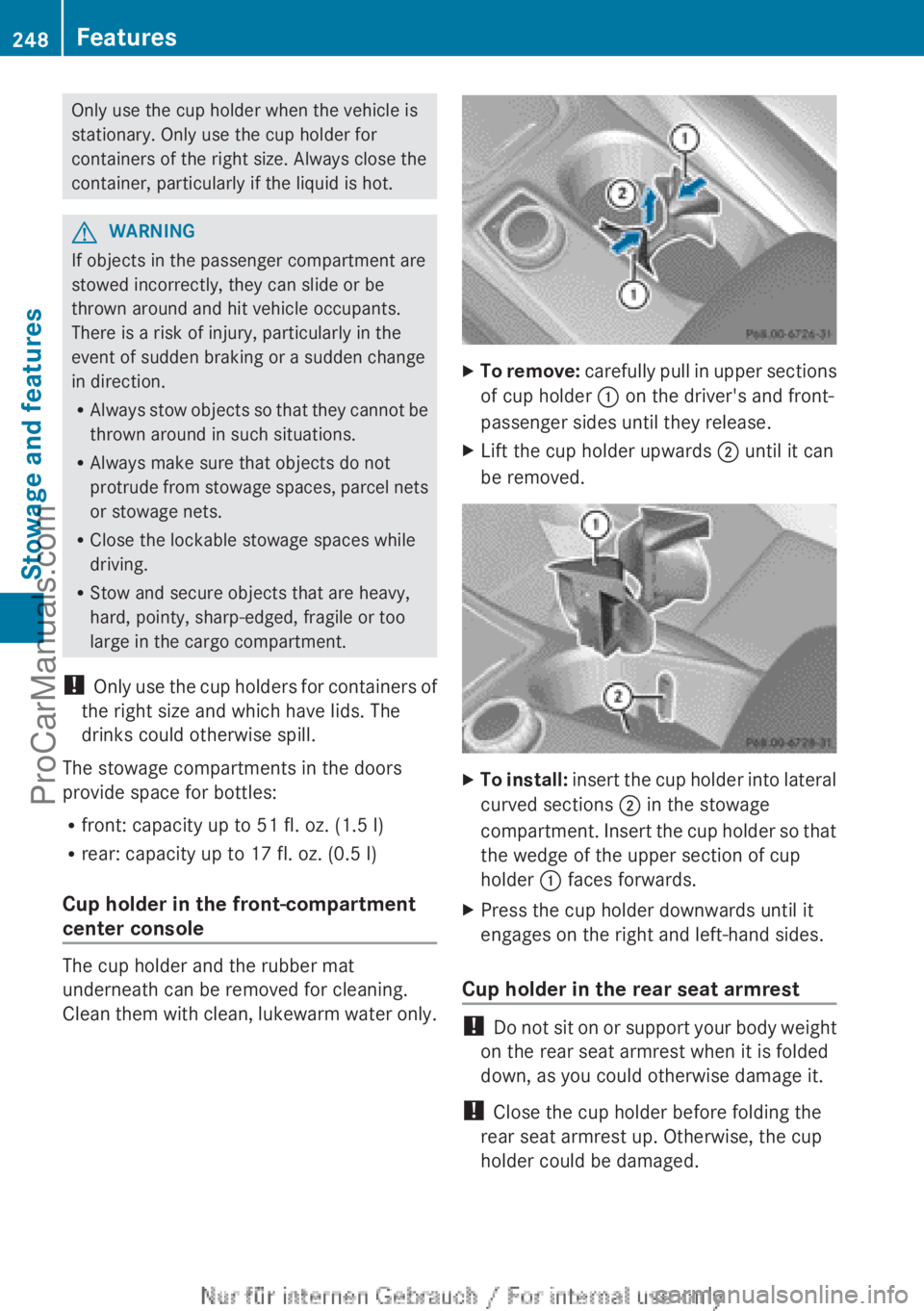
clean, lukewarm water only. X
To remove: carefully pull in upper sections
of cup holder : on the driver's and front-
passenger sides until they release.
X Lift the cup holder upwards ;
until it can
be removed. X
To install: insert the cup holder into lateral
curved sections ;
in the stowage
compartment. Insert the cup holder so that
the wedge of the upper section of cup
holder : faces forwards.
X Press the cup holder downwards until it
engages on the right and left-hand sides.
Cup holder in the rear seat armrest !
Do not sit
on or support your body weight
on the rear seat armrest when it is folded
down, as you could otherwise damage it.
! Close the cup holder before folding the
rear seat armrest up. Otherwise, the cup
holder could be damaged. 248
Features
Stowage and features
ProCarManuals.com
Page 259 of 340
i
Information on specific commands such
as "Address entry" or "Sending" can be
found on the website.
Calling up destination addresses
X Switch on the ignition.
The destination address is loaded into the
vehicle's navigation system.
A display message appears, asking
whether navigation should be started.
X Select Yes by sliding XVY and turning
cVd the COMAND controller and press
W to confirm.
The system calculates the route and
subsequently starts the route guidance
with the address entered.
i If you
select No
, the address can be stored
in the address book.
i If you have sent more than one
destination address, each individual
destination must be confirmed separately.
i Destination addresses are loaded in the
same order as the order in which they were
sent. If you have multiple Mercedes-Benz
vehicles with mbrace and active mbrace
accounts:
if multiple vehicles are registered under the
same e-mail address, the destination will
be sent to all the vehicles.
Vehicle remote opening You can use the vehicle remote opening if you
have unintentionally locked your vehicle and
a replacement
SmartKey
is not available. The
vehicle can be opened by the Mercedes-Benz
Customer Assistance Center.
The vehicle can be immediately opened
remotely within four days of the ignition being
turned off. After this time, the remote opening
may be delayed by 15 to 60 minutes. After
30 days the vehicle can no longer be opened
remotely.
X Contact the following service hotlines: R
USA: Mercedes-Benz Customer
Assistance Center at
1-800-FOR-MERCedes
(1-800-367-6372) or 1-866-990-9007
R Canada: Customer Service at
1-888-923-8367
You will be asked for your password.
X Return to your vehicle at the time agreed
upon with the Mercedes-Benz Customer
Assistance Center.
USA only: alternatively, the vehicle can be
opened via:
R the Internet, under the "Owners Online"
section
R the telephone application (e.g. iPhone ®
,
Blackberry)
To do this, you will need your identification
number and password.
i Vehicle remote
opening
is only possible if
the corresponding mobile phone network
is accessible.
Vehicle remote closing The remote closing feature can be used when
you
have
forgotten
to lock the vehicle and you
are no longer nearby. The vehicle can then be
locked by the Mercedes-Benz Customer
Assistance Center.
The vehicle can be immediately remotely
locked within four days of the ignition being
turned off. After this time, the remote closing
may be delayed by 15 to 60 minutes. After
30 days the vehicle can no longer be closed
remotely.
X Contact the following service hotlines:
R
USA: Mercedes-Benz Customer
Assistance Center at
1-800-FOR-MERCedes
(1-800-367-6372) or 1-866-990-9007
R Canada: Customer Service at
1-888-923-8367
You will be asked for your PIN.
The next time you are inside the vehicle and
you switch on the ignition, the Doors Features
257
Stowage and features Z
ProCarManuals.com
Page 263 of 340
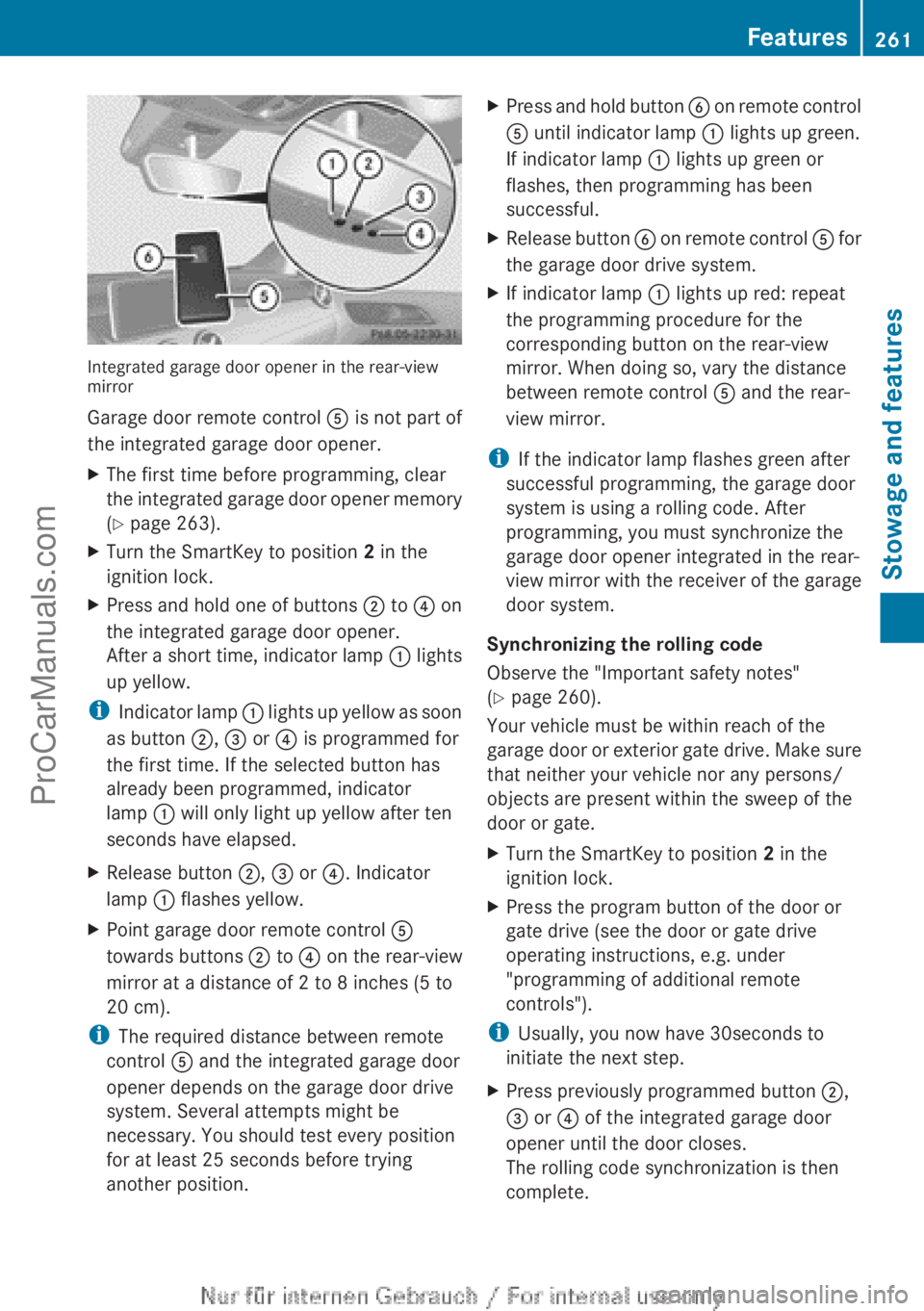
Integrated garage door opener in the rear-view
mirror
Garage door remote control
A is not part of
the integrated garage door opener.
X The first time before programming, clear
the integrated garage
door opener memory
(Y page 263).
X Turn the SmartKey to position 2 in the
ignition lock.
X Press and hold one of buttons ; to ? on
the integrated garage door opener.
After a short
time, indicator lamp : lights
up yellow.
i Indicator lamp
:
lights up yellow as soon
as button ;, = or ? is programmed for
the first time. If the selected button has
already been programmed, indicator
lamp : will only light up yellow after ten
seconds have elapsed.
X Release button ;, = or ?. Indicator
lamp : flashes yellow.
X Point garage door remote control A
towards buttons ; to ? on the rear-view
mirror at a distance of 2 to 8 inches (5 to
20 cm).
i The required distance between remote
control A and the integrated garage door
opener depends on the garage door drive
system. Several attempts might be
necessary. You should test every position
for at least 25 seconds before trying
another position. X
Press
and hold button
B on remote
control
A until indicator lamp : lights up green.
If indicator lamp : lights up green or
flashes, then programming has been
successful.
X Release button B on remote
control A for
the garage door drive system.
X If indicator lamp : lights up red: repeat
the programming procedure for the
corresponding button on the rear-view
mirror. When doing so, vary the distance
between remote control A and the rear-
view mirror.
i If the indicator lamp flashes green after
successful programming, the garage door
system is using a rolling code. After
programming, you must synchronize the
garage door opener integrated in the rear-
view mirror
with
the receiver of the garage
door system.
Synchronizing the rolling code
Observe the "Important safety notes"
(Y page 260).
Your vehicle must be within reach of the
garage door or exterior gate drive. Make sure
that neither your vehicle nor any persons/
objects are present within the sweep of the
door or gate.
X Turn the SmartKey to position 2 in the
ignition lock.
X Press the program button of the door or
gate drive (see the door or gate drive
operating instructions, e.g. under
"programming of additional remote
controls").
i Usually, you now have 30seconds to
initiate the next step.
X Press previously programmed button ;,
=
or ? of the integrated garage door
opener until the door closes.
The rolling code synchronization is then
complete. Features
261
Stowage and features Z
ProCarManuals.com
Page 264 of 340
Notes on programming the remote
control
Canadian radio frequency laws require a
"break" (or interruption) of the transmission
signals after
broadcasting
for a few seconds.
Therefore, these signals may not last long
enough for the integrated garage door
opener. The signal is not recognized during
programming. Comparable with Canadian
law, some U.S. garage door openers also
feature a "break".
Proceed as follows:
R if you live in Canada
R if you have difficulties programming the
garage door opener (regardless of where
you live) when using the programming
steps
X Press and hold one of buttons ; to ? on
the integrated garage door opener.
After a short
time, indicator lamp : lights
up yellow.
X Release the button.
Indicator lamp : flashes yellow.
X Press button B of garage door remote
control A for two
seconds, then release it
for two seconds.
X Press button B again for two seconds.
X Repeat this sequence on button B of
remote control A until indicator lamp :
lights up green.
If indicator lamp : turns red, repeat the
process.
X Continue with the other programming
steps (see above).
Problems when programming
If you are experiencing problems
programming the integrated garage door
opener on the rear-view mirror, take note of
the following instructions:
R Check the
transmitter
frequency of garage
door drive remote control A. This can
usually be found on the back of the remote
control. The integrated garage door opener is
compatible with devices that have units
which operate in the frequency range of
280to 433
MHz.
R Replace the batteries in garage door
remote control A. This increases the
likelihood that garage door remote control
A
will transmit a strong and precise signal
to the integrated garage door opener in the
rear-view mirror.
R When programming, hold remote control
A at varying distances and angles from the
button that you are programming. Try
various angles at a distance between 2and
12 inches (5to 30 cm) or at the same angle
but at varying distances.
R If another remote control for the same
garage door drive is available, repeat the
same programming steps with this remote
control. Before performing these steps,
make sure that new batteries have been
installed in garage door drive remote
control A.
R Note that some remote controls only
transmit for a limited amount of time (the
indicator lamp on the remote control goes
out). Press button B on remote control
A again before transmission ends.
R Align the antenna cable of the garage door
opener unit. This can improve signal
reception/transmission.
Opening/closing the garage door After it has been programmed, the integrated
garage door opener performs the function of
the garage door system remote control.
Please also read the operating instructions
for the garage door system.
X
Turn the SmartKey to position 2 in the
ignition lock.
X Press button ;, = or ? which you have
programmed to operate the garage door.
Garage door system with a fixed code:
indicator lamp : lights up green.262
Features
Stowage and features
ProCarManuals.com