instrument cluster MERCEDES-BENZ B-CLASS 2012 Owners Manual
[x] Cancel search | Manufacturer: MERCEDES-BENZ, Model Year: 2012, Model line: B-CLASS, Model: MERCEDES-BENZ B-CLASS 2012Pages: 340, PDF Size: 3.09 MB
Page 9 of 340
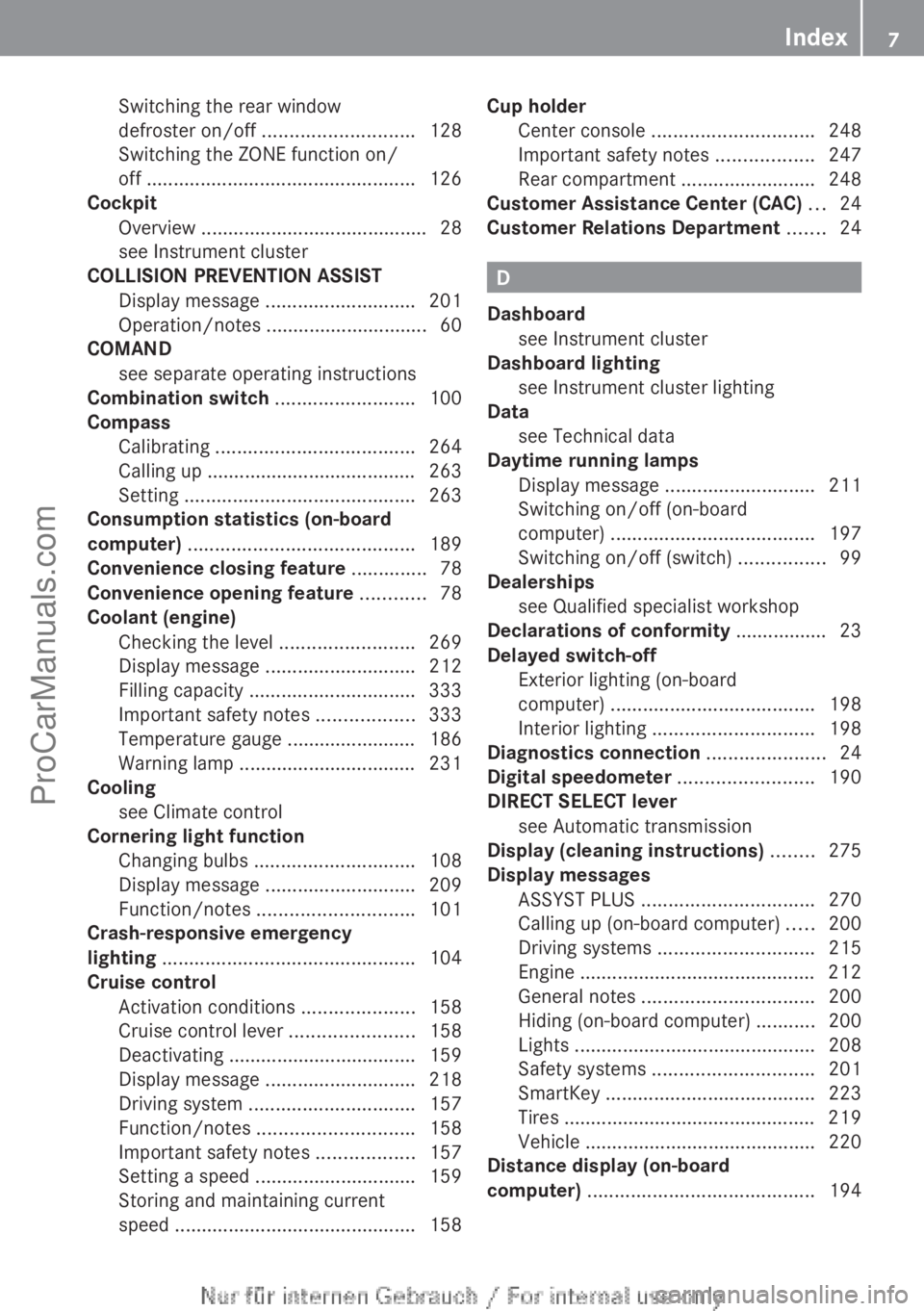
Switching the rear window
defroster on/off
............................ 128
Switching the ZONE function on/
off
.................................................. 126
Cockpit
Overview .......................................... 28
see Instrument cluster
COLLISION PREVENTION ASSIST
Display message ............................ 201
Operation/notes .............................. 60
COMAND
see separate operating instructions
Combination switch ..........................100
Compass Calibrating ..................................... 264
Calling up ....................................... 263
Setting ........................................... 263
Consumption statistics (on-board
computer) .......................................... 189
Convenience closing feature ..............78
Convenience opening feature ............78
Coolant (engine) Checking the level ......................... 269
Display message ............................ 212
Filling capacity ............................... 333
Important safety notes .................. 333
Temperature gauge ........................ 186
Warning lamp ................................. 231
Cooling
see Climate control
Cornering light function
Changing bulbs .............................. 108
Display message ............................ 209
Function/notes ............................. 101
Crash-responsive emergency
lighting ............................................... 104
Cruise control Activation conditions .....................158
Cruise control lever .......................158
Deactivating ................................... 159
Display message ............................ 218
Driving system ............................... 157
Function/notes ............................. 158
Important safety notes .................. 157
Setting a speed .............................. 159
Storing and maintaining current
speed ............................................. 158Cup holder
Center console .............................. 248
Important safety notes ..................247
Rear compartment
.........................248
Customer Assistance Center (CAC) ...24
Customer Relations Department .......24 D
Dashboard see Instrument cluster
Dashboard lighting
see Instrument cluster lighting
Data
see Technical data
Daytime running lamps
Display message ............................ 211
Switching on/off (on-board
computer) ...................................... 197
Switching on/off (switch) ................ 99
Dealerships
see Qualified specialist workshop
Declarations of conformity ................. 23
Delayed switch-off Exterior lighting (on-board
computer) ...................................... 198
Interior lighting .............................. 198
Diagnostics connection ......................24
Digital speedometer .........................190
DIRECT SELECT lever see Automatic transmission
Display (cleaning instructions) ........275
Display messages ASSYST PLUS ................................ 270
Calling up (on-board computer) ..... 200
Driving systems ............................. 215
Engine ............................................ 212
General notes ................................ 200
Hiding (on-board computer) ........... 200
Lights ............................................. 208
Safety systems .............................. 201
SmartKey ....................................... 223
Tires ............................................... 219
Vehicle ........................................... 220
Distance display (on-board
computer) .......................................... 194 Index
7
ProCarManuals.com
Page 13 of 340
Important safety notes ..................
266
Opening ......................................... 266
Hydroplaning ..................................... 156I
Ignition lock see Key positions
Immobilizer .......................................... 64
Indicator lamps see Warning and indicator lamps
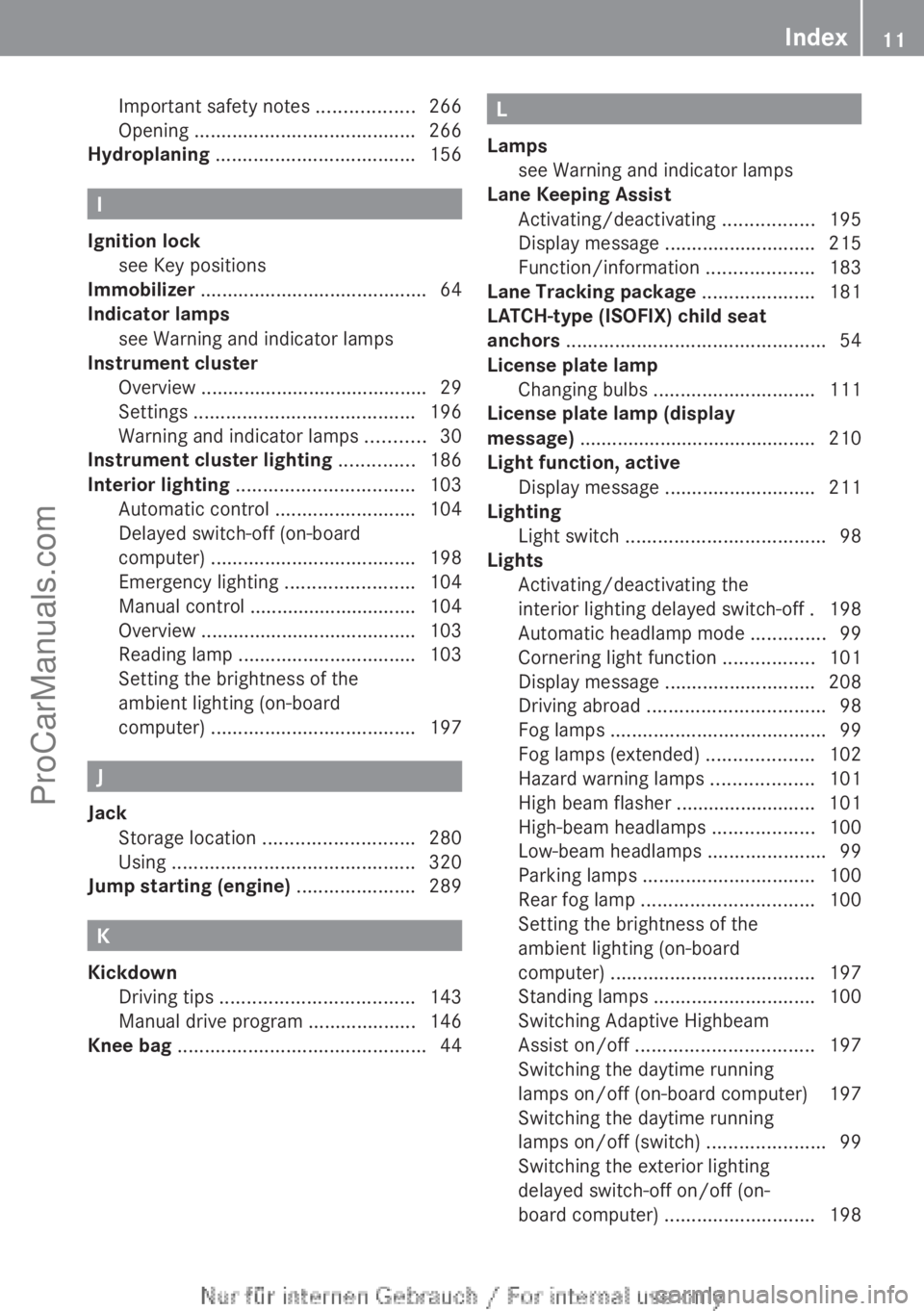
Instrument cluster
Overview .......................................... 29
Settings ......................................... 196
Warning and indicator lamps ...........30
Instrument cluster lighting .............. 186
Interior lighting ................................. 103
Automatic control .......................... 104
Delayed switch-off (on-board
computer) ...................................... 198
Emergency lighting ........................ 104
Manual control ............................... 104
Overview ........................................ 103
Reading lamp ................................. 103
Setting the brightness of the
ambient lighting (on-board
computer) ...................................... 197J
Jack Storage location ............................ 280
Using ............................................. 320
Jump starting (engine) ...................... 289K
Kickdown Driving tips .................................... 143
Manual drive program .................... 146
Knee bag .............................................. 44 L
Lamps see Warning and indicator lamps
Lane Keeping Assist
Activating/deactivating
.................195
Display message ............................ 215
Function/information .................... 183
Lane Tracking package .....................181
LATCH-type (ISOFIX) child seat
anchors ................................................ 54
License plate lamp Changing bulbs .............................. 111
License plate lamp (display
message) ............................................ 210
Light function, active Display message ............................ 211
Lighting
Light switch ..................................... 98
Lights
Activating/deactivating the
interior lighting delayed switch-off . 198
Automatic headlamp mode .............. 99
Cornering light function .................101
Display message ............................ 208
Driving abroad ................................. 98
Fog lamps ........................................ 99
Fog lamps (extended) ....................102
Hazard warning lamps ................... 101
High beam flasher .......................... 101
High-beam headlamps ...................100
Low-beam headlamps ...................... 99
Parking lamps ................................ 100
Rear fog lamp ................................ 100
Setting the brightness of the
ambient lighting (on-board
computer) ...................................... 197
Standing lamps .............................. 100
Switching Adaptive Highbeam
Assist on/off ................................. 197
Switching the daytime running
lamps on/off (on-board computer) 197
Switching the daytime running
lamps on/off (switch) ...................... 99
Switching the exterior lighting
delayed switch-off on/off (on-
board computer) ............................ 198 Index
11
ProCarManuals.com
Page 15 of 340
N
Navigation Menu (on-board computer) ............ 191
see separate operating instructions
Notes on breaking-in a new vehicle 134O
Occupant safety Children in the vehicle .....................50
Important safety notes .................... 38
Oil
see Engine oil
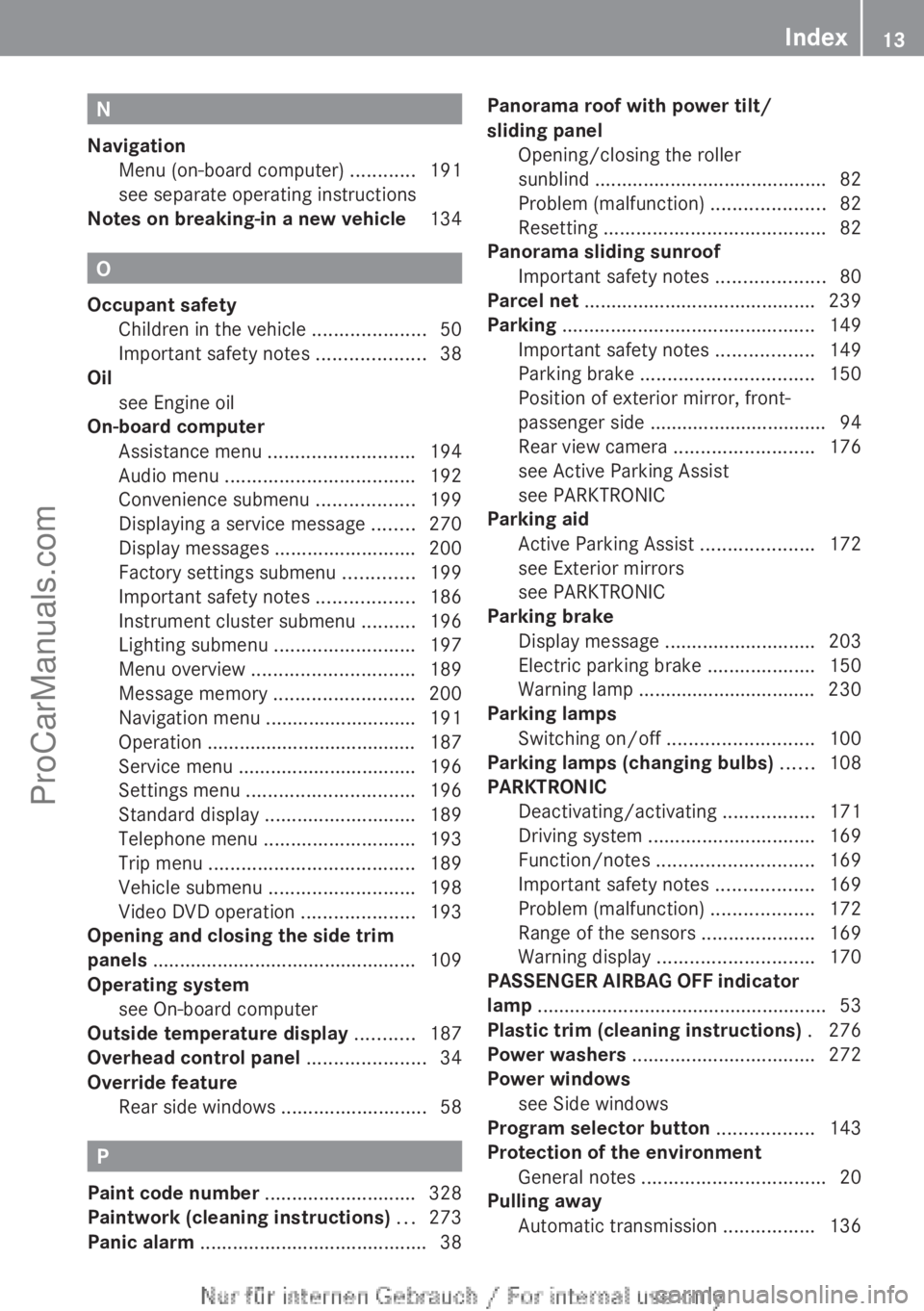
On-board computer
Assistance menu ........................... 194
Audio menu ................................... 192
Convenience submenu .................. 199
Displaying a service message ........ 270
Display messages ..........................200
Factory settings submenu ............. 199
Important safety notes .................. 186
Instrument cluster submenu ..........196
Lighting submenu .......................... 197
Menu overview .............................. 189
Message memory .......................... 200
Navigation menu ............................ 191
Operation ....................................... 187
Service menu ................................. 196
Settings menu ............................... 196
Standard display ............................ 189
Telephone menu ............................ 193
Trip menu ...................................... 189
Vehicle submenu ........................... 198
Video DVD operation ..................... 193
Opening and closing the side trim
panels ................................................. 109
Operating system see On-board computer
Outside temperature display ...........187
Overhead control panel ......................34
Override feature Rear side windows ........................... 58P
Paint code number ............................ 328
Paintwork (cleaning instructions) ...273
Panic alarm .......................................... 38Panorama roof with power tilt/
sliding panel
Opening/closing the roller
sunblind ........................................... 82
Problem (malfunction) .....................82
Resetting ......................................... 82
Panorama sliding sunroof
Important safety notes .................... 80
Parcel net
........................................... 239
Parking ............................................... 149
Important safety notes .................. 149
Parking brake ................................ 150
Position of exterior mirror, front-
passenger side ................................. 94
Rear view camera .......................... 176
see Active Parking Assist
see PARKTRONIC
Parking aid
Active Parking Assist .....................172
see Exterior mirrors
see PARKTRONIC
Parking brake
Display message ............................ 203
Electric parking brake ....................150
Warning lamp ................................. 230
Parking lamps
Switching on/off ........................... 100
Parking lamps (changing bulbs) ......108
PARKTRONIC Deactivating/activating ................. 171
Driving system ............................... 169
Function/notes ............................. 169
Important safety notes .................. 169
Problem (malfunction) ...................172
Range of the sensors ..................... 169
Warning display ............................. 170
PASSENGER AIRBAG OFF indicator
lamp ...................................................... 53
Plastic trim (cleaning instructions) . 276
Power washers .................................. 272
Power windows see Side windows
Program selector button .................. 143
Protection of the environment General notes .................................. 20
Pulling away
Automatic transmission ................. 136 Index
13
ProCarManuals.com
Page 17 of 340

(vehicles without the EASY-
VARIO-PLUS system)
.....................240
Folding the backrest (rear
compartment) forwards/back
(vehicles with the EASY-VARIO-
PLUS system) ................................ 241
Seat belts
Adjusting the height ......................... 48
Belt force limiters ............................ 49
center rear-compartment seat
.........48
Cleaning ......................................... 277
Correct usage .................................. 46
Emergency Tensioning Devices ........ 49
Fastening ......................................... 47
Important safety guidelines .............45
Releasing ......................................... 48
Safety guidelines ............................. 40
Warning lamp ................................. 224
Warning lamp (function) ................... 49
Seats
Adjusting (electrically) .....................88
Adjusting (manually) ........................ 88
Adjusting the 4-way lumbar
support ............................................ 90
Adjusting the head restraint ............ 89
Cleaning the cover ......................... 276
Correct driver's seat position ........... 86
Important safety notes .................... 87
Seat heating problem ...................... 91
Storing settings (memory function) .. 95
Switching seat heating on/off ......... 91
Sensors (cleaning instructions) .......275
Service menu (on-board computer) . 196
Service products Brake fluid ..................................... 332
Coolant (engine) ............................ 333
Engine oil ....................................... 332
Fuel ................................................ 330
Important safety notes .................. 329
Refrigerant (air-conditioning
system) .......................................... 334
Washer fluid ................................... 334
Service work
see ASSYST PLUS
Settings
Factory (on-board computer) ......... 199
On-board computer ....................... 196
Setting the air distribution ...............126Setting the airflow
............................ 126
Side impact air bag ............................. 44
Side marker lamp (display
message) ............................................ 211
Side windows Cleaning ......................................... 274
Convenience closing feature ............ 78
Convenience opening feature
..........78
Important safety information ........... 77
Opening/closing .............................. 77
Problem (malfunction) .....................79
Resetting ......................................... 79
Sliding sunroof
see Panorama roof with power
tilt/sliding panel
SmartKey
Changing the battery ....................... 70
Changing the programming ............. 69
Checking the battery ....................... 70
Convenience closing feature ............ 78
Convenience opening feature .......... 78
Display message ............................ 223
Door central locking/unlocking ....... 68
Important safety notes .................... 68
Loss ................................................. 72
Mechanical key ................................ 69
Positions (ignition lock) ................. 135
Problem (malfunction) .....................72
Starting the engine ........................ 135
SmartKey positions (ignition lock) ..135
Snow chains ...................................... 301
Sockets Center console .............................. 251
Luggage compartment ................... 251
Points to observe before use ......... 250
Rear compartment ......................... 251
Specialist workshop ............................ 24
Speed, controlling see Cruise control
Speedometer
Activating/deactivating the
additional speedometer .................196
Digital ............................................ 190
In the Instrument cluster ................. 29
Segments ...................................... 187
Selecting the unit of measurement 196
see Instrument cluster Index
15
ProCarManuals.com
Page 22 of 340

Protection of the environment
General notes
H
Environmental note
Daimler's declared policy is one of
comprehensive environmental protection.
The objectives are for the natural resources
that form the basis of our existence on this
planet to be used sparingly and in a manner
that takes the requirements of both nature
and humanity into account.
You too can help to protect the environment
by operating your vehicle in an
environmentally responsible manner.
Fuel consumption and the rate of engine,
transmission, brake and
tire wear are affected
by these factors:
R operating conditions of your vehicle
R your personal driving style
You can influence both factors. You should
bear the following in mind:
Operating conditions:
R avoid short trips as these increase fuel
consumption.
R always make sure that the tire pressures
are correct.
R do not carry any unnecessary weight.
R remove roof racks once you no longer need
them.
R a regularly serviced vehicle will contribute
to environmental protection. You should
therefore adhere to the service intervals.
R always have service work carried out at a
qualified specialist workshop.
Personal driving style:
R do not depress the accelerator pedal when
starting the engine.
R do not warm up the engine when the vehicle
is stationary.
R drive carefully and maintain a safe distance
from the vehicle in front.
R avoid frequent, sudden acceleration and
braking. R
change gear in
good time and use each gear
only up to Ô of its maximum engine speed.
R switch off the engine in stationary traffic.
R keep an eye on the vehicle's fuel
consumption. Environmental concerns and
recommendations
Wherever the operating instructions require
you to dispose of materials, first try to
regenerate or re-use them. Observe the
relevant environmental rules and regulations
when disposing of materials. In this way you
will help to protect the environment. Genuine Mercedes-Benz parts
H
Environmental note
Daimler AG also supplies reconditioned major
assemblies and parts which are of the same
quality as new
parts. They are covered by the
same Limited Warranty entitlements as new
parts.
! Air bags and Emergency Tensioning
Devices, as well as control units and
sensors for these restraint systems, may be
installed in the following areas of your
vehicle:
R doors
R door pillars
R door sills
R seats
R cockpit
R instrument cluster
R center console
Do not install accessories such as audio
systems in these areas. Do not carry out
repairs or welding. You could impair the
operating efficiency of the restraint
systems. 20
Introduction
ProCarManuals.com
Page 29 of 340
Dashboard ...........................................
28
Instrument cluster ..............................29
Multifunction steering wheel .............31
Center console .................................... 32
Overhead control panel ......................34
Door control panel .............................. 35 27At a glance
ProCarManuals.com
Page 30 of 340
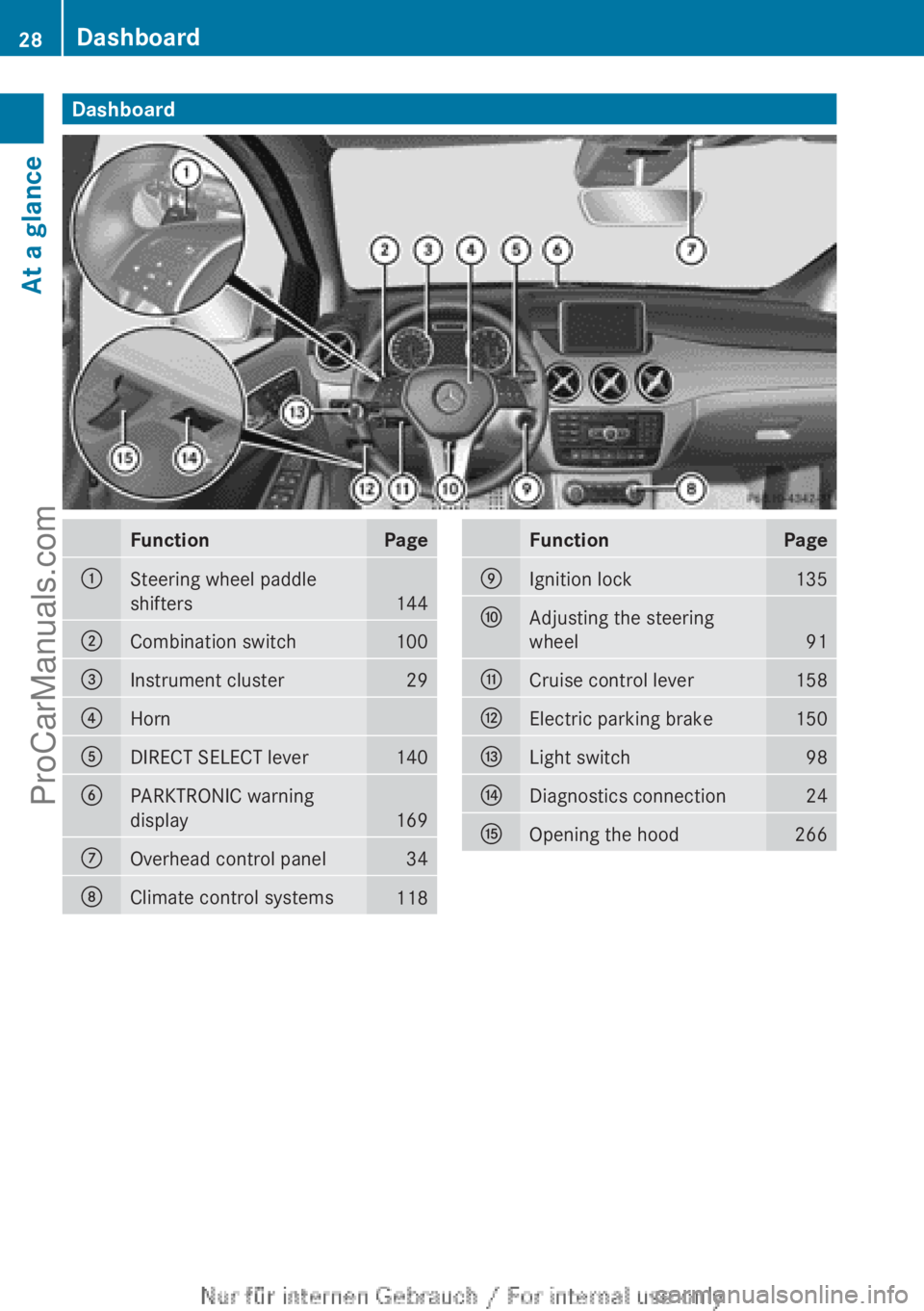
Dashboard
Function Page
:
Steering wheel paddle
shifters
144
;
Combination switch 100
=
Instrument cluster 29
?
Horn
A
DIRECT SELECT lever 140
B
PARKTRONIC warning
display
169
C
Overhead control panel 34
D
Climate control systems
118 Function Page
E
Ignition lock 135
F
Adjusting the steering
wheel
91
G
Cruise control lever 158
H
Electric parking brake 150
I
Light switch 98
J
Diagnostics connection 24
K
Opening the hood 26628
DashboardAt a glance
ProCarManuals.com
Page 31 of 340
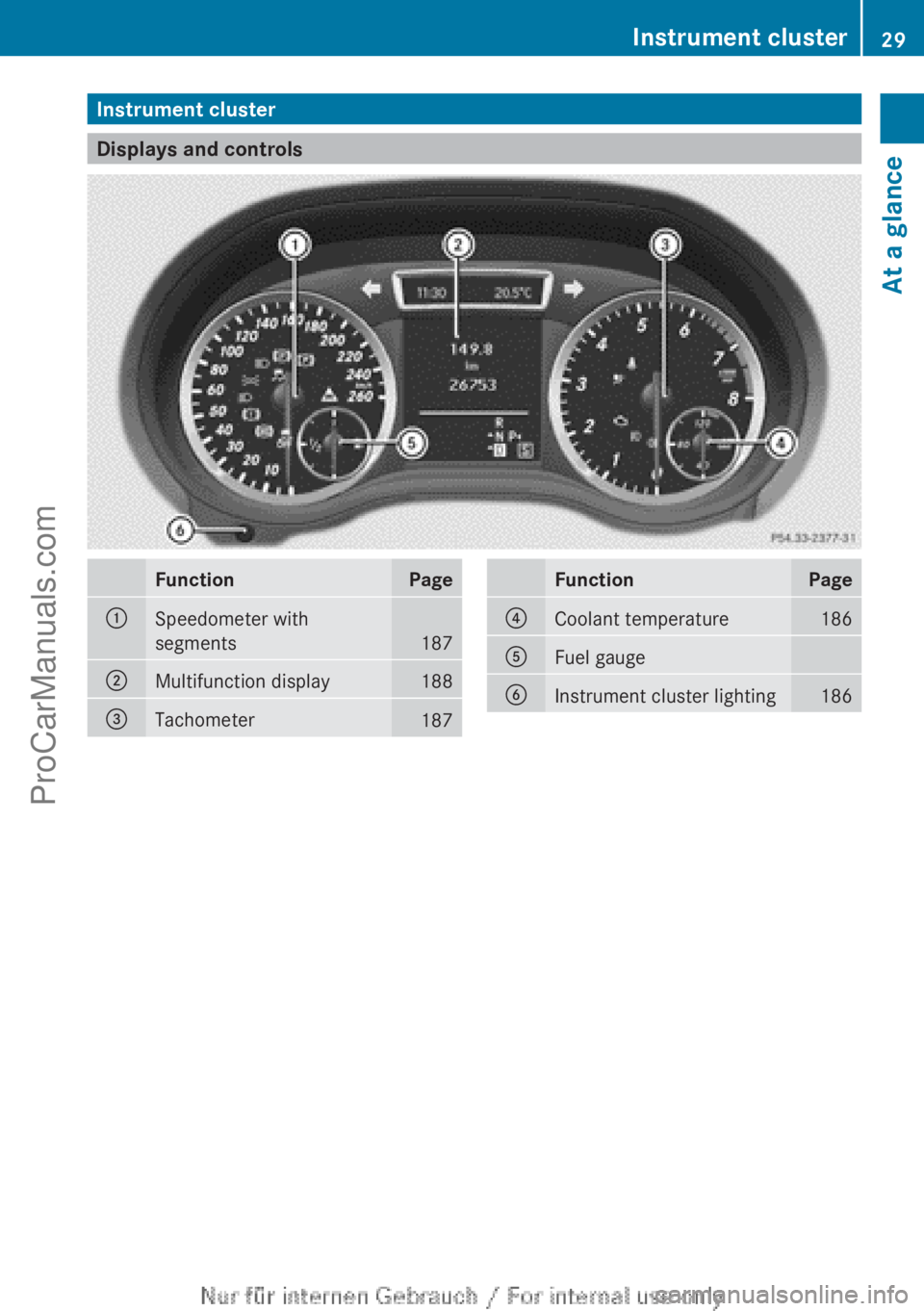
Instrument cluster
Displays and controls
Function Page
:
Speedometer with
segments
187
;
Multifunction display 188
=
Tachometer
187 Function Page
?
Coolant temperature 186
A
Fuel gauge
B
Instrument cluster lighting 186Instrument cluster
29At a glance
ProCarManuals.com
Page 32 of 340
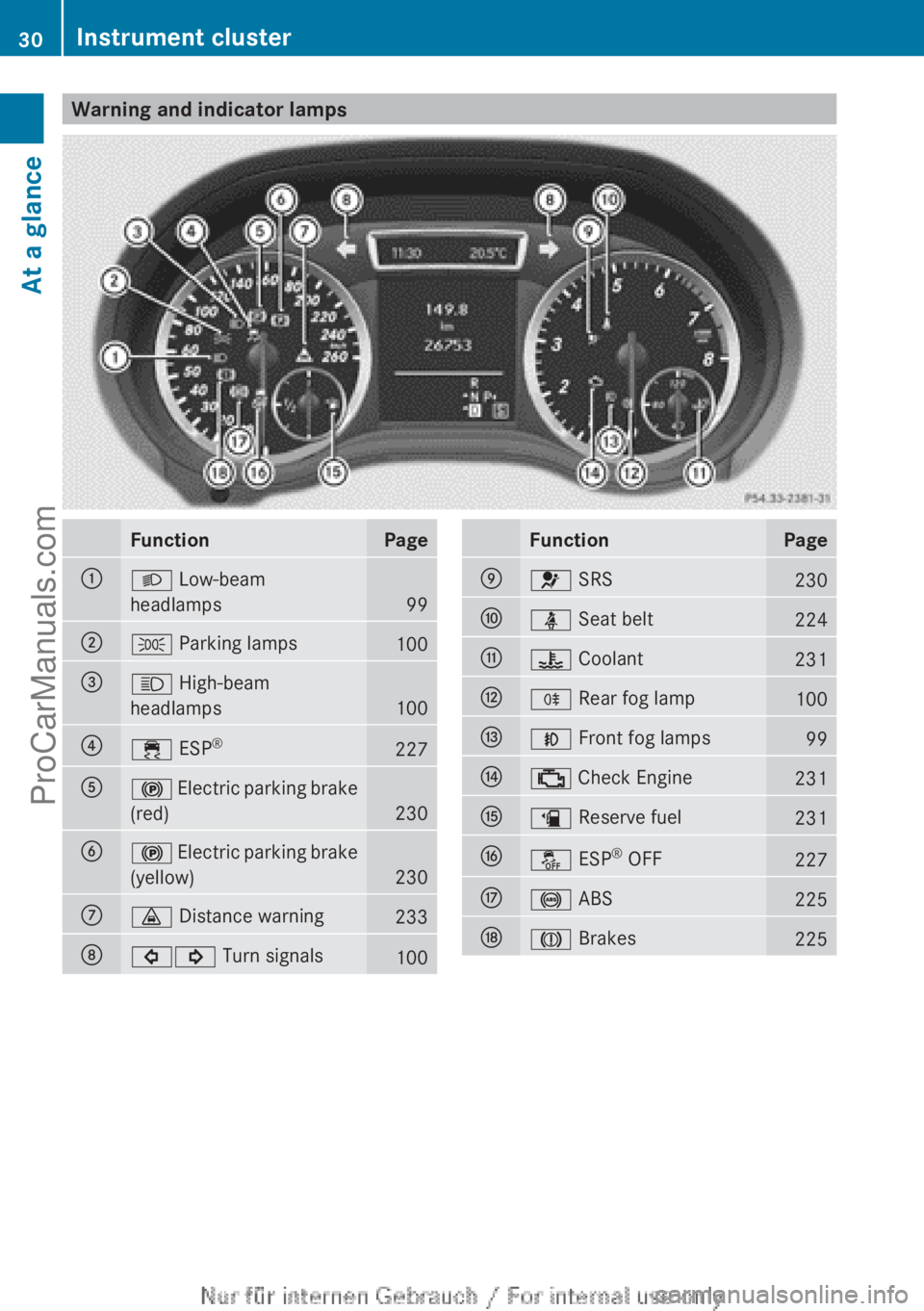
Warning and indicator lamps
Function Page
:
L Low-beam
headlamps
99
;
T Parking lamps
100
=
K High-beam
headlamps
100
?
÷ ESP
® 227
A
! Electric parking brake
(red)
230
B
!
Electric parking brake
(yellow) 230
C
· Distance warning
233
D
#! Turn signals
100 Function Page
E
6 SRS
230
F
ü Seat belt
224
G
? Coolant
231
H
R Rear fog lamp
100
I
N Front fog lamps
99
J
; Check Engine
231
K
æ Reserve fuel
231
L
å ESP
®
OFF 227
M
! ABS
225
N
J Brakes
22530
Instrument clusterAt a glance
ProCarManuals.com
Page 41 of 340
R
Emergency Tensioning Device
for the front
seat belts and the outer seat belts in the
rear
R Seat belt force limiters for the front seat
belts and the outer seat belts in the rear
SRS reduces the risk of occupants coming
into contact with parts of the vehicle's interior
in the event of an accident. It can also reduce
the effect of the forces to which occupants
are subjected during an accident.
SRS warning lamp G
WARNING
The SRS self-check has detected a
malfunction if the 6 SRS indicator lamp:
R does not light up at all
R does not go out after approximately four
seconds after the engine is started
R lights up
after
the engine is started or while
the vehicle is in motion
For your safety, Mercedes-Benz strongly
recommends that you have the system
checked as soon as possible at a qualified
specialist workshop. SRS may otherwise fail
to activate when it is needed in the event of
an accident, which could lead to serious or
fatal injuries. SRS might also be activated
unexpectedly and unnecessarily, which could
also result in injury.
In addition, work carried out improperly on
SRS may render SRS inoperative or cause
unintended air bag deployment. Work on the
SRS system should only be carried out by
qualified specialist personnel. Consult a
qualified specialist workshop.
If it is necessary to modify an air bag system
to accommodate a person with disabilities,
contact an authorized Mercedes-Benz Center
for details. USA only: for further information,
contact our Customer Assistance Center at
1-800-FOR-MERCedes (1-800-367-6372).
The 6 SRS warning lamp in the instrument
cluster lights up when the ignition is switched on. It goes out no later than a few seconds
after the engine is started.
SRS
functions are
checked regularly when the
ignition is switched on or the engine is
running. Therefore, malfunctions can be
detected in good time.
Triggering of Emergency Tensioning
Device and air bags During the first stage of a collision, the air bag
control unit evaluates important physical
data relating to vehicle deceleration or
acceleration, such as:
R
duration
R direction
R magnitude
Based on the evaluation of this data, the air
bag control unit pre-emptively triggers the
Emergency Tensioning Device in the first
stage.
If there is an even higher rate of vehicle
deceleration or acceleration in a longitudinal
direction, the front
air bags are also deployed.
Your vehicle has adaptive, two-stage front air
bags. The air bag control unit evaluates
vehicle deceleration or acceleration in the
event of a collision. In the first deployment
stage, the front air bag is filled with enough
propellant gas to reduce the risk of injuries.
The front air bag is fully deployed if a second
deployment threshold is reached within a few
milliseconds.
The Emergency Tensioning Device and air bag
triggering thresholds are variable and are
adapted to the detected rate of deceleration
or acceleration of the vehicle. This process is
pre-emptive in nature. The triggering process
must take place in good time at the start of
the collision.
The rate of vehicle deceleration or
acceleration and the direction of the force are
essentially determined by:
R the distribution of forces during the
collision
R the collision angle Occupant safety
39
Safety Z
ProCarManuals.com