address MERCEDES-BENZ B-Class 2016 W246 Comand Manual
[x] Cancel search | Manufacturer: MERCEDES-BENZ, Model Year: 2016, Model line: B-Class, Model: MERCEDES-BENZ B-Class 2016 W246Pages: 246, PDF Size: 6.73 MB
Page 102 of 246
XTo switch to navigation mode:press the
ß button.
XTo show the menu: slide6the control-
ler.
XTo select Destination: turn and press the
controller.
XSelect From Previous Destinations.
The "Last destinations" memory appears.
XTo save the destination: select the desti-
nation.
The destination address appears.
XStore the destination in the address book
(
Ypage 98).
XSave the destination to the SD card
(
Ypage 99).
XTo view the details: while in the "Last des-
tinations" memory, turn the controller and
highlight the entry.
XSlide 9the controller.
A menu appears.
XTo select Details: press the controller.
iThe destination address can be changed if
desired.
XTo delete one or all destinations: while in
the "Last destinations" memory, turn the
controller and highlight the entry.
XSlide 9the controller.
A menu appears.
XTo select DeleteorDelete All: turn and
press the controller.
A prompt appears.
XSelect YesorNo.
Selecting Yes
deletes the selected desti-
nation or all destinations.
Map functions
General notes
Company logos displayed on the map are
trademarks of the respective companies and
used solely for the purpose of indicating the
locations of these companies. The use of such
logos on the map does not indicate approval of, support of or advertising by these compa-
nies for the navigation system itself.
Map settings
Setting the map scale
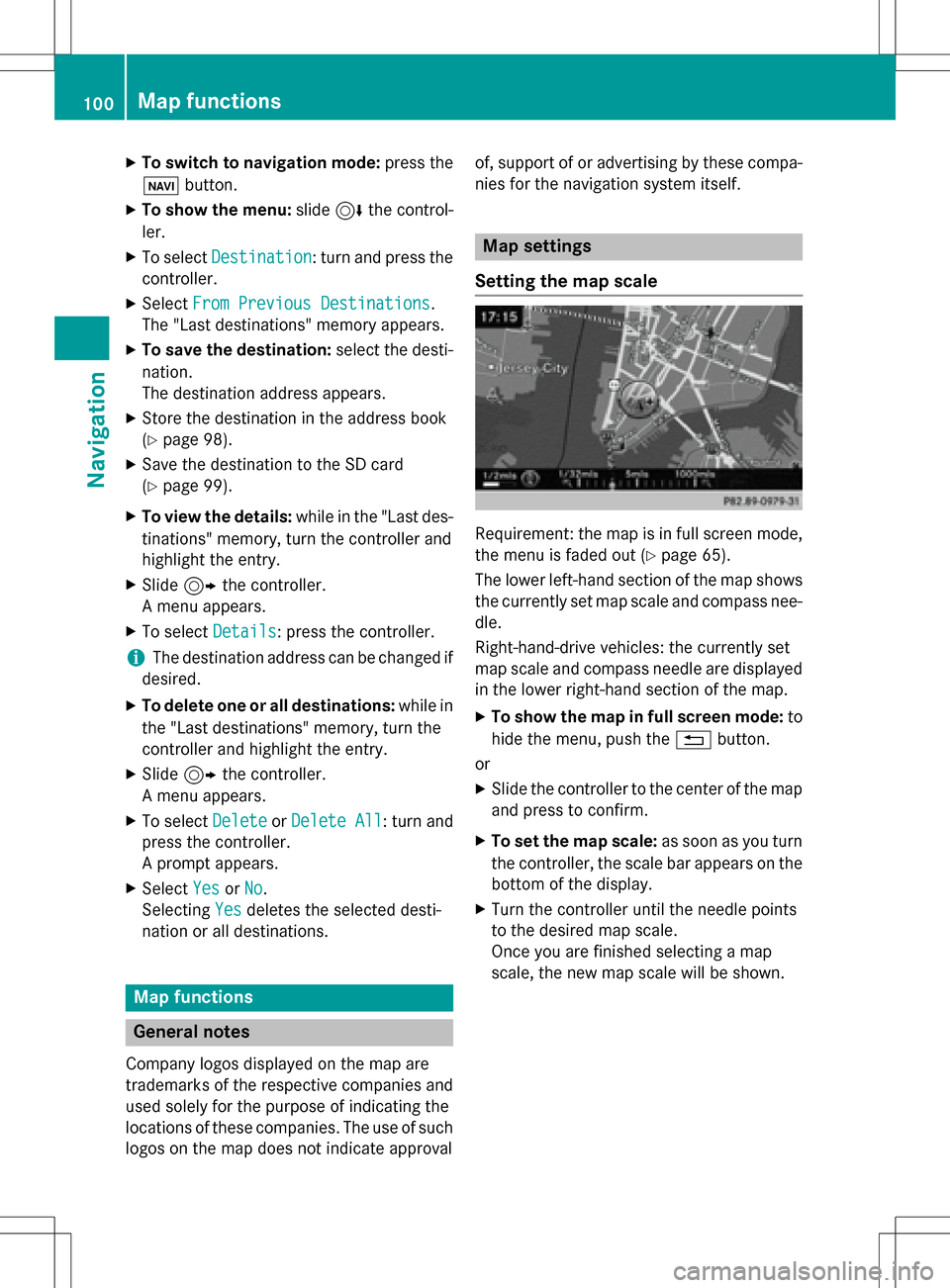
Requirement: the map is in full screen mode,
the menu is faded out (
Ypage 65).
The lower left-hand section of the map shows
the currently set map scale and compass nee-
dle.
Right-hand-drive vehicles: the currently set
map scale and compass needle are displayed
in the lower right-hand section of the map.
XTo show the map in full screen mode: to
hide the menu, push the %button.
or
XSlide the controller to the center of the map
and press to confirm.
XTo set the map scale: as soon as you turn
the controller, the scale bar appears on the bottom of the display.
XTurn the controller until the needle points
to the desired map scale.
Once you are finished selecting a map
scale, the new map scale will be shown.
100Map functions
Navigation
Page 106 of 246
Satellite maps are shown in map scales from
2 miles to 1000 miles.
Other functions:
RMoving the map (Ypage 66)
RChanging the map scale (Ypage 100)
Building images
In small map scales(1/32 mil e,1/16 mile),
important buildings are depicted realistically
on the map. Other buildings are shown as
models.
Avoiding an area
General notes
COMAND enables you to avoid areas you do
not wish to drive through.
If you activate or deactivate a route block
while route guidance is active, COMAND will
calculate a new route. If you activate or deac-
tivate a route block while route guidance is
inactive, COMAND will use the new setting for
the next route guidance.
The calculated route may include an area to
be avoided if:
Ryour destination is located in such an area.
Rthere is no alternative route available
Highways within blocked areas are always
taken into consideration in the route calcula-
tion.
Avoiding a new area
XTo switch to navigation mode: press the
Ø button.
XTo show the menu: slide6the control-
ler.
XTo select Options: turn and press the con-
troller.
XSelect Route Settings.
XSelectAvoid Options.
XSelectAvoid Area.
XSelectAvoid New Area.
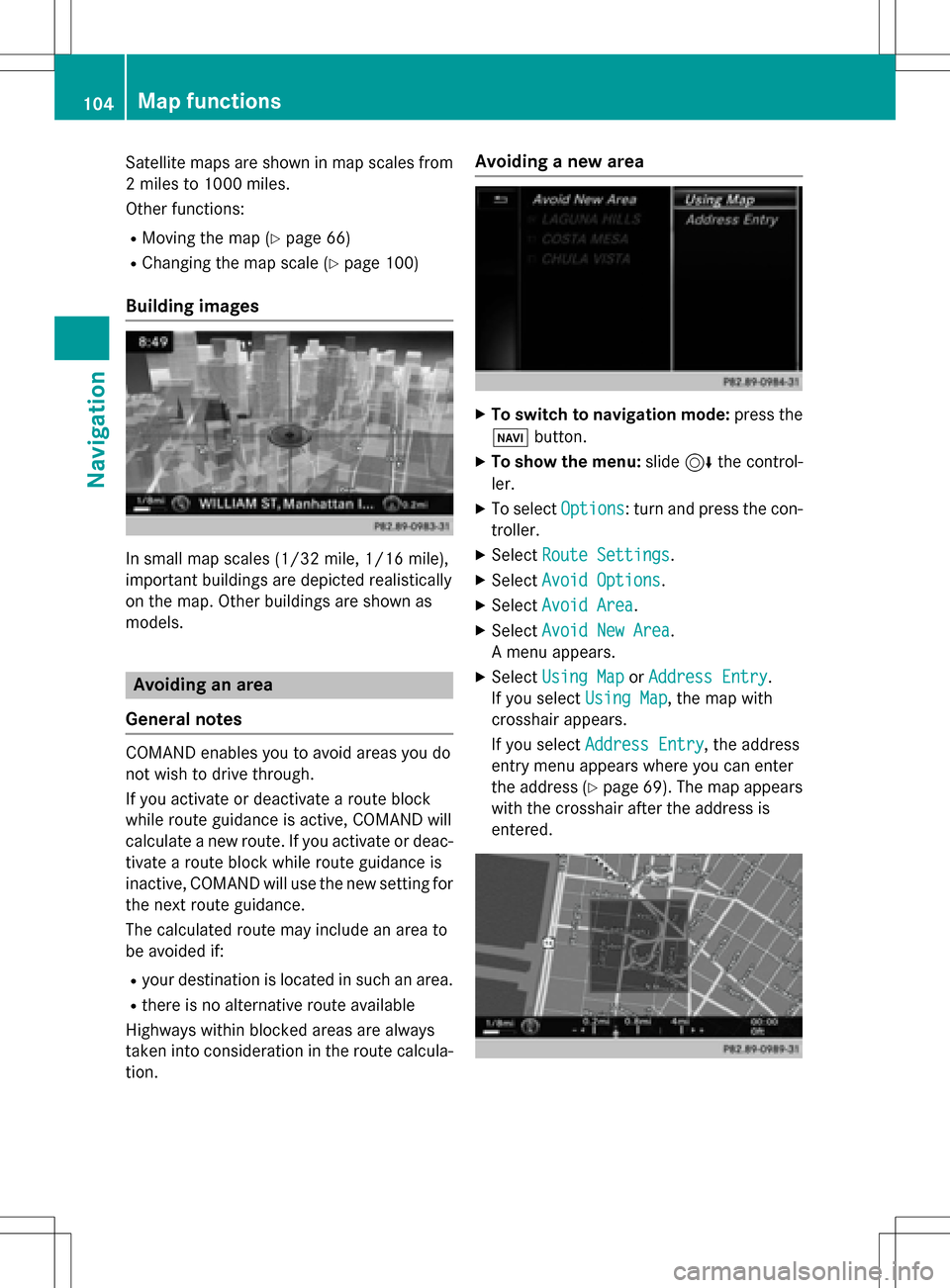
A menu appears.
XSelect Using MaporAddress Entry.
If you select Using Map
, the map with
crosshair appears.
If you select Address Entry
, the address
entry menu appears where you can enter
the address (
Ypage 69). The map appears
with the crosshair after the address is
entered.
104Map functions
Navigation
Page 113 of 246
Your COMAND equipment................112
Important safet ynotes .................... .112
General notes .................................... 112
Telephon emenu overview ...............113
Connecting/disconnecting a
mobile phone .................................... .114
Setting th ereception an dtrans-
missio nvolume ................................ .118
Usin gth etelephon e........................ .119
Mobile phone voice recognition ......123
Phone book ........................................ 123
Address book .................................... 127
Importing contact s.......................... .133
Cal llist s............................................ .135
Speed dial list s.................................. 137
Messages (text messages an de-
mails) ................................................ .137
MirrorLink
®........................................ 144
Apple CarPla y
®.................................. 146
111
Telephone
Page 120 of 246
Only one mobile phone can be connected at
any one time for telephony. The currently
connected mobile phone is indicated by the#
dot in the device list.
iYou can only switch to another authorized
mobile phone if you are not currently mak-
ing a call.
De-authorizing (disconnecting) a
mobile phone
Mercedes-Benz USA, LLC recommends de-
authorization in COMAND and on the mobile
phone. Subsequent authorization may other-
wise fail.
XTo call up the telephone menu: press the
% button.
XTo switch to the menu bar: slide 6the
controller.
XTo select Conn. Device: turn and press
the controller.
The device list is displayed.
XTo highlight the desired mobile phone in the
device list: turn the controller.
XTo select G: slide 9the controller.
XTo select Deauthorize: turn and press the
controller.
A prompt appears, asking whether you
really wish to de-authorize this device.
XTo select Yes: turn and press the controller.
The mobile phone is de-authorized.
or
XTo select No: turn and press the controller.
The process is canceled.
Displaying connection details
XTo call up the telephone menu: press the
% button.
XTo switch to the menu bar: slide 6the
controller.
XTo select Conn. Device: turn and press
the controller.
The device list is displayed.
XTo highlight the desired mobile phone: turn
the controller.
XTo select G: slide 9the controller.
XTo select Details: turn and press the con-
troller.
The following information concerning the
selected mobile phone is shown:
RBluetooth®device name
RBluetooth®address
RAuthorization status
XTo close the detailed display: slide9
the controller.
Setting the reception and transmis-
sion volume
Once the mobile phone has been authorized,
you can optimize the transmission and recep- tion volume settings. To find out about the
best possible settings for your mobile phone,
visit www.mercedes-benz-mobile.com .
You can also obtain more information by call-
ing.
In the USA, you can get in touch with the
Mercedes-Benz Customer Assistance Center
on 1-800-FOR-MERCedes (1-800-367-6372).
In Canada, you can get in touch with the Cus- tomer Relations Center on 1-800-387-0100.
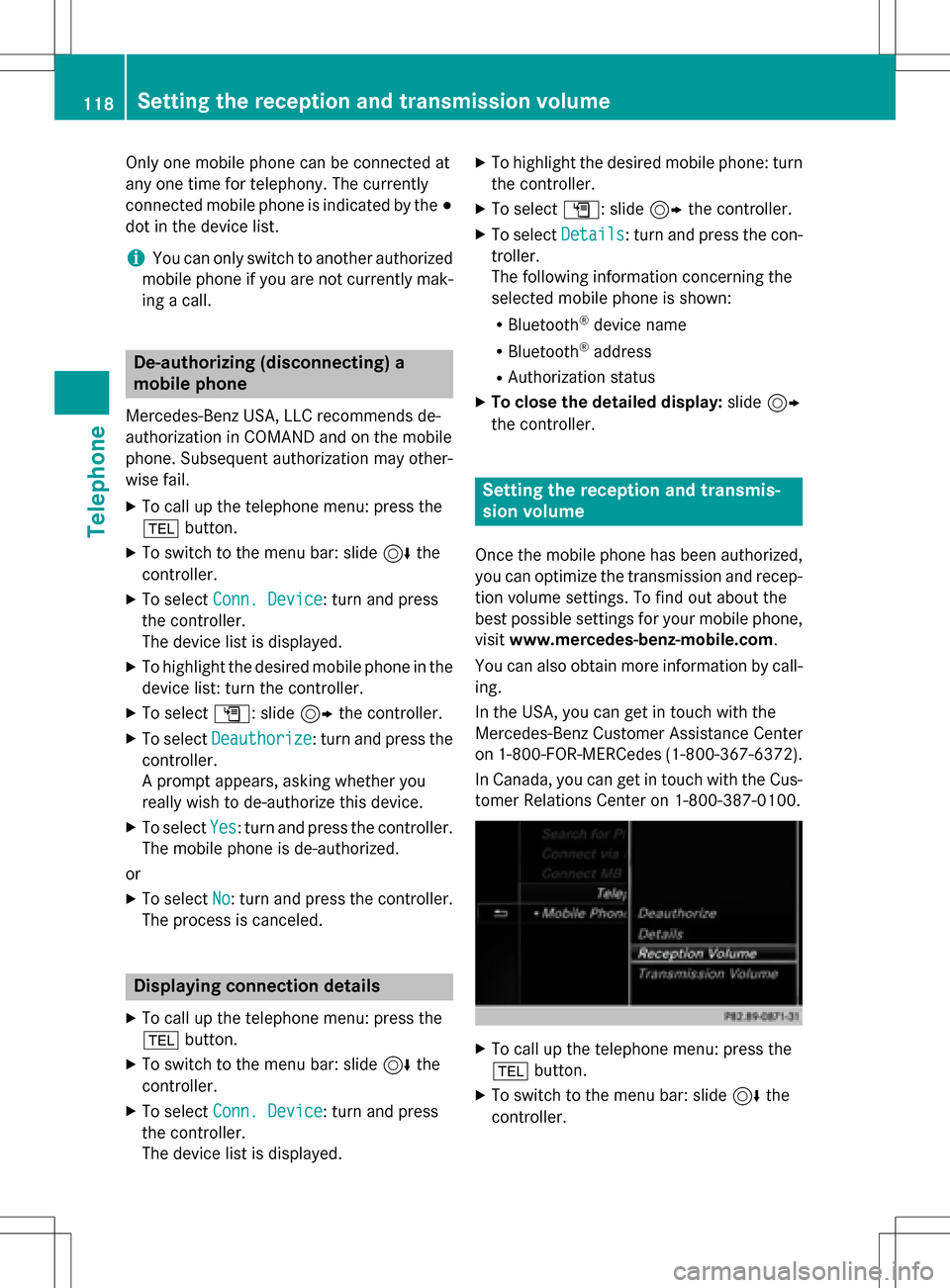
XTo call up the telephone menu: press the
% button.
XTo switch to the menu bar: slide 6the
controller.
118Setting the reception and transmission volume
Telephone
Page 125 of 246
Rejecting:
XTo selectReject: turn and press the con-
troller.
or
XPress ~on the multifunction steering
wheel.
The behavior after the call is rejected
depends on your mobile phone and mobile
phone network provider.
Option 1: The originally active call is ended
and the incoming call is accepted.
Option 2: Both calls are ended.
Ending an active call
XTo select =in the telephone menu: turn
and press the controller.
or
XPress ~on the multifunction steering
wheel.
The active call is ended.
Mobile phone voice recognition
You can start or end voice recognition on your mobile phone with this function. Further infor-
mation on the voice recognition service; see
the manufacturer's operating instructions.
To start the mobile phone voice recogni-
tion:
XConnect the mobile phone to COMAND
(
Ypage 114).
XPress and hold the óbutton on the mul-
tifunction steering wheel for more than one second.
You can now use the mobile phone voice
recognition.
To end the mobile phone voice recogni-
tion:
XPress xon the multifunction steering
wheel.
The mobile phone voice recognition is stop-
ped.
Phone book
Introduction
The phone book displays the contacts from
the address book which have a phone num-
ber.
The mobile phone's telephone book is auto-
matically displayed in COMAND after connec-
tion (default setting). You can deactivate
automatic calling up (
Ypage 132).
In the telephone book, you can:
RCreate new contacts (Ypage 125)
RAdd information to contacts (Ypage 126)
RSearch for contacts (Ypage 124)
RStore contacts (Ypage 126)
RDelete contacts (Ypage 127)
Further information on importing contacts
(
Ypage 133).
When you import, save, edit or add contacts,
they will be permanently saved in COMAND.
These contacts will remain there even when
you connect COMAND to a different mobile
phone. You can view these contacts even
without a mobile phone.
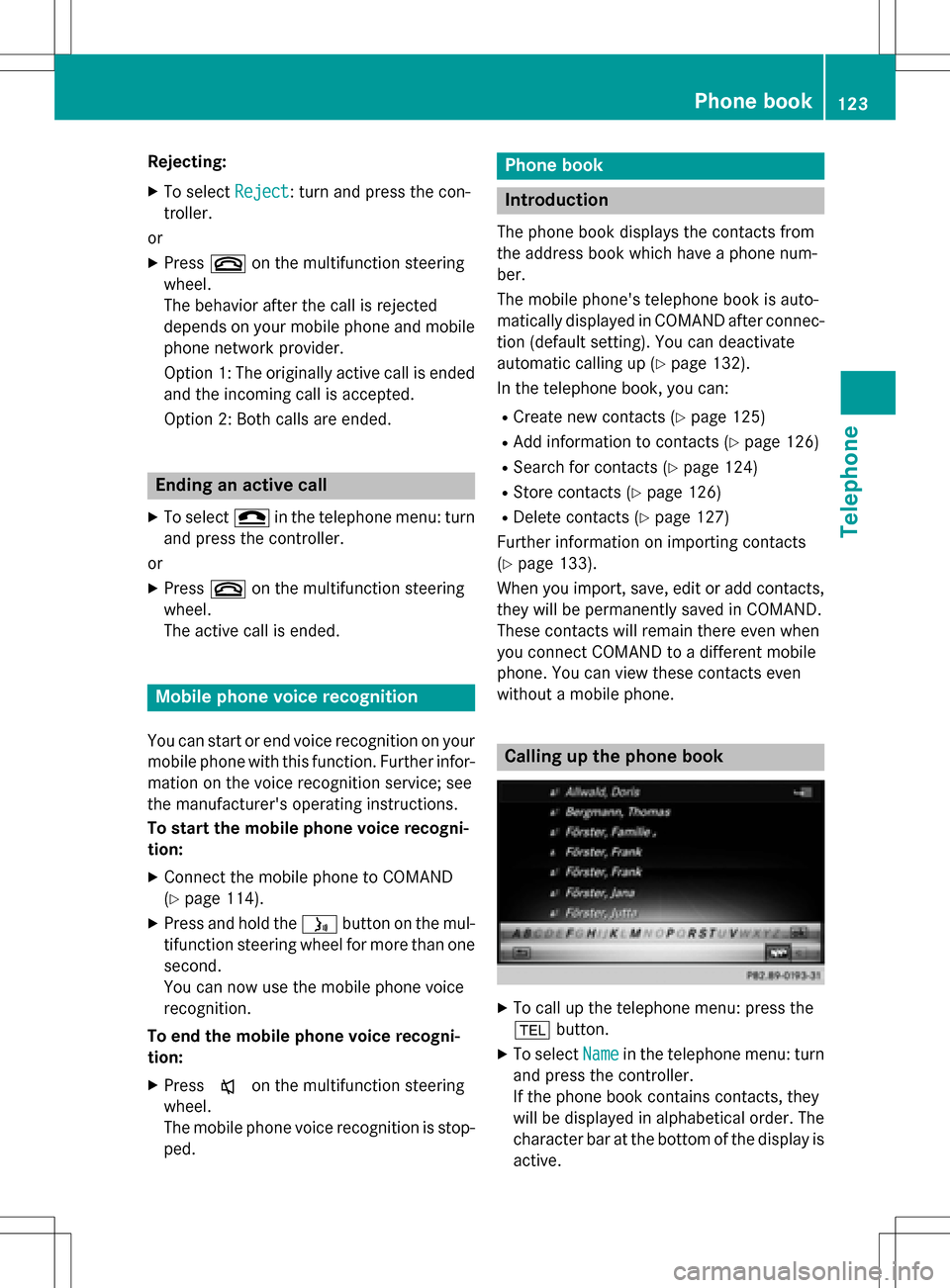
Calling up the phone book
XTo call up the telephone menu: press the
% button.
XTo select Namein the telephone menu: turn
and press the controller.
If the phone book contains contacts, they
will be displayed in alphabetical order. The character bar at the bottom of the display is
active.
Phone book123
Telephone
Z
Page 127 of 246
Using the number keypad on the upper
section of the center console
You determine the first letter of the contact
you are looking for with the first character you
enter.
XFor example, to enter the letter C: press the
l number key briefly three times in suc-
cession.
The character appears the first time the key
is pressed and shows all the available char-
acters. It switches to the next character
each time the key is pressed.
Using the touchpad
You determine the first letter of the contact
you are looking for with the first character you
enter.
XDraw the letter on the touchpad surface.
The first contact with the selected first
character is highlighted in the phone book.
Further information on handwriting recog-
nition on the touchpad (
Ypage 27).
XDraw additional letters on the touchpad
surface one after another.
XTo complete the search and return to the
phone book: press the touchpad.
XTo select and call the contact: glide up or
down and press.
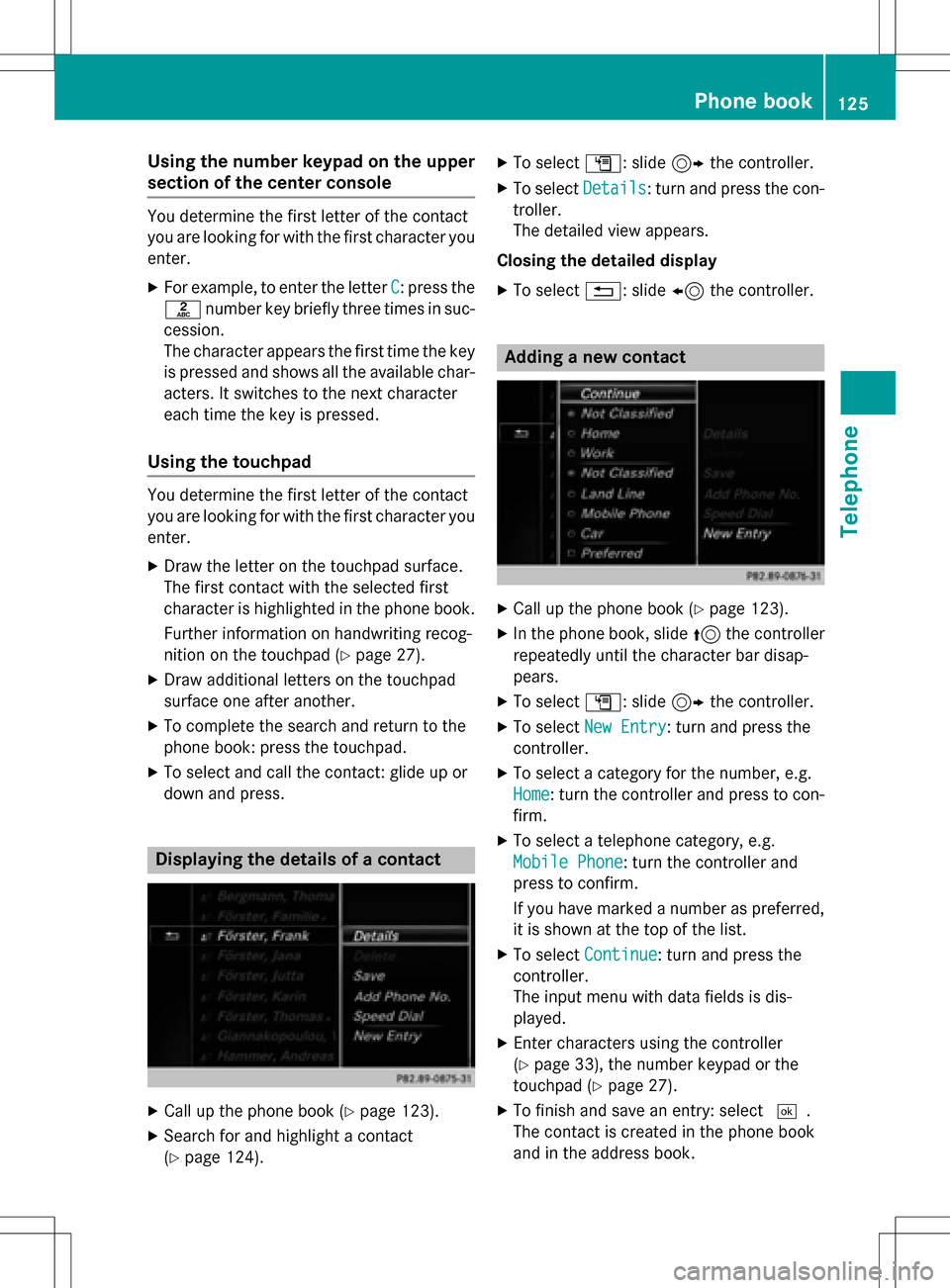
Displaying the details of a contact
XCall up the phone book (Ypage 123).
XSearch for and highlight a contact
(
Ypage 124).
XTo select G: slide 9the controller.
XTo select Details: turn and press the con-
troller.
The detailed view appears.
Closing the detailed display
XTo select %: slide 8the controller.
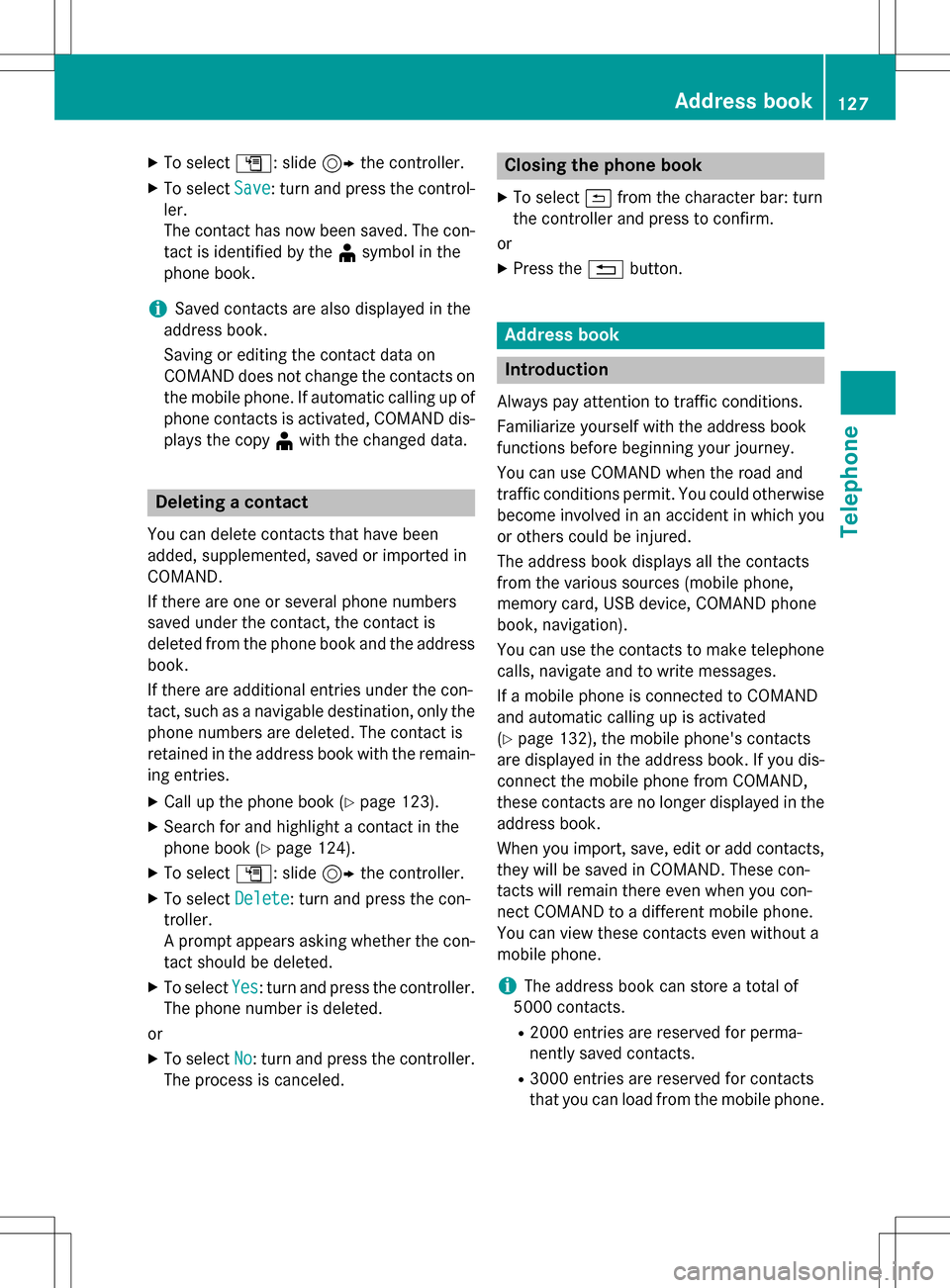
Adding a new contact
XCall up the phone book (Ypage 123).
XIn the phone book, slide 5the controller
repeatedly until the character bar disap-
pears.
XTo select G: slide 9the controller.
XTo select New Entry: turn and press the
controller.
XTo select a category for the number, e.g.
Home
: turn the controller and press to con-
firm.
XTo select a telephone category, e.g.
Mobile Phone
: turn the controller and
press to confirm.
If you have marked a number as preferred,
it is shown at the top of the list.
XTo select Continue: turn and press the
controller.
The input menu with data fields is dis-
played.
XEnter characters using the controller
(
Ypage 33), the number keypad or the
touchpad (
Ypage 27).
XTo finish and save an entry: select ¬.
The contact is created in the phone book
and in the address book.
Phone book125
Telephone
Z
Page 129 of 246
XTo selectG: slide 9the controller.
XTo select Save: turn and press the control-
ler.
The contact has now been saved. The con-
tact is identified by the ¥symbol in the
phone book.
iSaved contacts are also displayed in the
address book.
Saving or editing the contact data on
COMAND does not change the contacts on
the mobile phone. If automatic calling up of
phone contacts is activated, COMAND dis-
plays the copy ¥with the changed data.
Deleting a contact
You can delete contacts that have been
added, supplemented, saved or imported in
COMAND.
If there are one or several phone numbers
saved under the contact, the contact is
deleted from the phone book and the address
book.
If there are additional entries under the con-
tact, such as a navigable destination, only the
phone numbers are deleted. The contact is
retained in the address book with the remain-
ing entries.
XCall up the phone book (Ypage 123).
XSearch for and highlight a contact in the
phone book (
Ypage 124).
XTo select G: slide 9the controller.
XTo select Delete: turn and press the con-
troller.
A prompt appears asking whether the con-
tact should be deleted.
XTo select Yes: turn and press the controller.
The phone number is deleted.
or
XTo select No: turn and press the controller.
The process is canceled.
Closing the phone book
XTo select &from the character bar: turn
the controller and press to confirm.
or
XPress the %button.
Address book
Introduction
Always pay attention to traffic conditions.
Familiarize yourself with the address book
functions before beginning your journey.
You can use COMAND when the road and
traffic conditions permit. You could otherwise
become involved in an accident in which you
or others could be injured.
The address book displays all the contacts
from the various sources (mobile phone,
memory card, USB device, COMAND phone
book, navigation).
You can use the contacts to make telephone
calls, navigate and to write messages.
If a mobile phone is connected to COMAND
and automatic calling up is activated
(
Ypage 132), the mobile phone's contacts
are displayed in the address book. If you dis- connect the mobile phone from COMAND,
these contacts are no longer displayed in the
address book.
When you import, save, edit or add contacts,
they will be saved in COMAND. These con-
tacts will remain there even when you con-
nect COMAND to a different mobile phone.
You can view these contacts even without a
mobile phone.
iThe address book can store a total of
5000 contacts.
R2000 entries are reserved for perma-
nently saved contacts.
R3000 entries are reserved for contacts
that you can load from the mobile phone.
Address book127
Telephone
Z
Page 130 of 246
iBefore selling your vehicle, delete the
contacts saved in COMAND using the reset function (
Ypage 51).
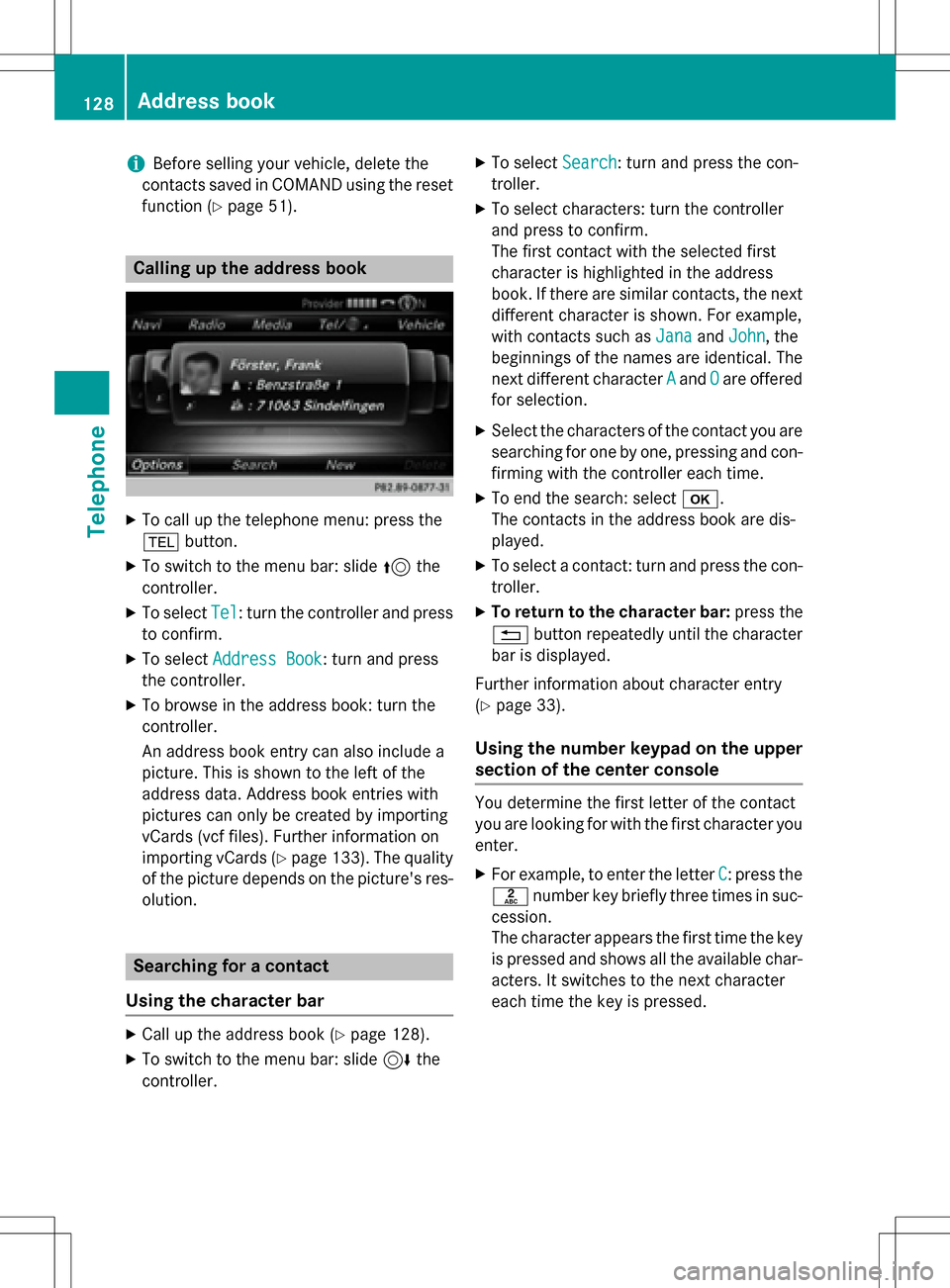
Calling up the address book
XTo call up the telephone menu: press the
% button.
XTo switch to the menu bar: slide 5the
controller.
XTo select Tel: turn the controller and press
to confirm.
XTo select Address Book: turn and press
the controller.
XTo browse in the address book: turn the
controller.
An address book entry can also include a
picture. This is shown to the left of the
address data. Address book entries with
pictures can only be created by importing
vCards (vcf files). Further information on
importing vCards (
Ypage 133). The quality
of the picture depends on the picture's res-
olution.
Searching for a contact
Using the character bar
XCall up the address book (Ypage 128).
XTo switch to the menu bar: slide 6the
controller.
XTo select Search: turn and press the con-
troller.
XTo select characters: turn the controller
and press to confirm.
The first contact with the selected first
character is highlighted in the address
book. If there are similar contacts, the next
different character is shown. For example,
with contacts such as Jana
andJohn, the
beginnings of the names are identical. The
next different character A
andOare offered
for selection.
XSelect the characters of the contact you are
searching for one by one, pressing and con- firming with the controller each time.
XTo end the search: select b.
The contacts in the address book are dis-
played.
XTo select a contact: turn and press the con-
troller.
XTo return to the character bar: press the
% button repeatedly until the character
bar is displayed.
Further information about character entry
(
Ypage 33).
Using the number keypad on the upper
section of the center console
You determine the first letter of the contact
you are looking for with the first character you
enter.
XFor example, to enter the letter C: press the
l number key briefly three times in suc-
cession.
The character appears the first time the key
is pressed and shows all the available char-
acters. It switches to the next character
each time the key is pressed.
128Address book
Telephone
Page 131 of 246
Using the touchpad
You determine the first letter of the contact
you are looking for with the first character you
enter.
XDraw the letter on the touchpad surface.
The first contact with the selected first
character is highlighted in the address
book.
Further information on handwriting recog-
nition on the touchpad (
Ypage 27).
XDraw additional letters on the touchpad
surface one after another.
XTo complete the search and return to the
address book: press the touchpad.
XTo select and call the contact: glide up or
down and press.
Adding a new contact
You can enter address data directly into the
address book. If you store telephone num-
bers in the COMAND phone book, these are
also saved in the address book. If you store a
navigation destination, COMAND creates an
address book entry which includes the com-
plete navigable address data.
XCall up the address book (Ypage 128).
XTo switch to the menu bar: slide 6the
controller.
XTo select New: turn and press the controller.
The surname and first name input lines are
displayed.
XEnter characters using the controller
(
Ypage 33), the number keypad or the
touchpad (
Ypage 27).
XTo save the surname and first name: select b.
The details for the contact are displayed.
XTo add a desired entry (e.g. Add E-Mail
Address): turn and press the controller.
Depending on the type of entry, the corre-
sponding input menu appears.
XEnter characters using the controller
(
Ypage 33), the number keypad or the
touchpad (
Ypage 27).
XTo finish and save an entry: select b.
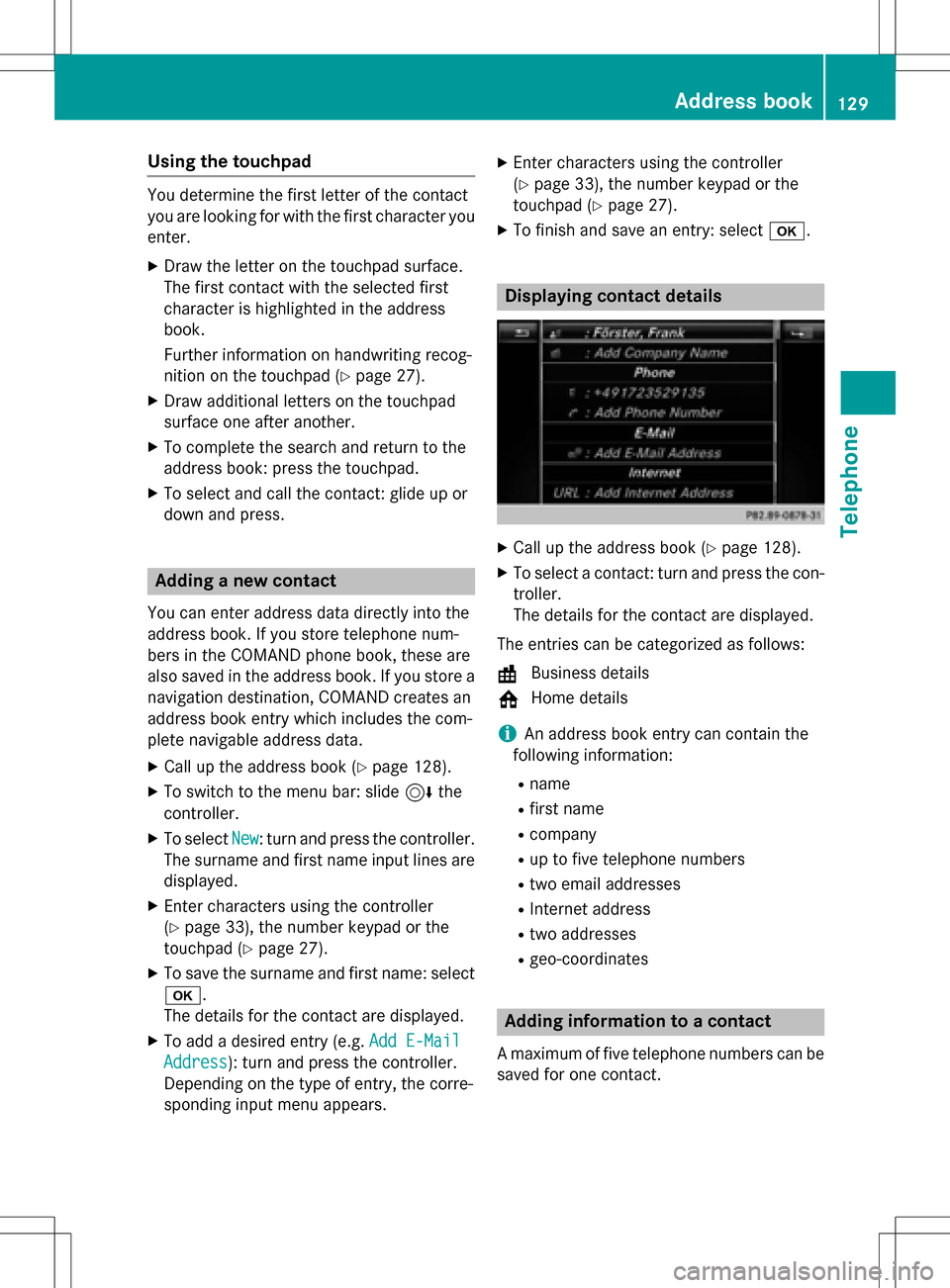
Displaying contact details
XCall up the address book (Ypage 128).
XTo select a contact: turn and press the con-
troller.
The details for the contact are displayed.
The entries can be categorized as follows:
\ Business details
6 Home details
iAn address book entry can contain the
following information:
Rname
Rfirst name
Rcompany
Rup to five telephone numbers
Rtwo email addresses
RInternet address
Rtwo addresses
Rgeo-coordinates
Adding information to a contact
A maximum of five telephone numbers can be
saved for one contact.
Address book129
Telephone
Z
Page 132 of 246

XCallup the address book (Ypage 128).
XTo select a contact: turn and press the con-
troller.
The details for the contact are displayed.
XTo add the desired entry (e.g. AddE-Mail
Address): turn and press the controller.
Dependin g on the type of entry, the corre-
spondin g input menu appears.
XEnter characters using the controller
(
Ypage 33), the number keypad or the
touchpad (
Ypage 27).
XTo finish and save an entry: select b.
Starting route guidance to an address
or geo-coordinates
Ifan addr esswith a ZIP code is save d,the
addr ess can beused for route guidance. Ifthe
ZIP co decannot beassigned to an exact
addr ess, you can adjust the destination sub-
sequent lyusing the controller.
XCall up the address book (Ypage 128).
XTo select a contact: turn and press the con-
troller.
The details for the contact are displayed.
XTo select the address or geo-coordinates:
turn and press the controller.
The navigation menu is displayed.
XTo selectStart: slide6and press the
controller.
The route to the destination address is cal-
culated and route guidance starts.
Making a call
XCall up the address book (Ypage 128).
XTo select a contact: turn and press the con-
troller.
The details for the contact are displayed.
XTo select a telephone number: turn and
press the controller.
The number isdialed. Further information
about the functions during a call
(
Ypage 120).
Sending text messages
XCall up the address book (Ypage 128).
XTo select a contact: turn and press the con-
troller.
The details for the contact are displayed.
XTo highlight the telephone number: turn the controller.
XTo select G: slide 9the controller.
XTo select Send Text Message: turn and
press the controller.
The entry fiel dsfor a text message are dis-
played (
Ypage 141).
Observe the requirements for the message
function (
Ypage 138).
Sending an e-mail
XCall up the address book (Ypage 128).
XSe lect an entry: turn and press the control-
ler.
The details for the contact are displayed.
XTo select an e-mail address: turn and press
the controller.
The entry fiel dsfor an e-mail are displayed
(
Ypage 142).
Observe the requirements for the message
function (
Ypage 138).
Displaying sub-entry information
XCall up the address book (Ypage 128).
XSe lect an entry: turn and press the control-
ler.
The details for the contact are displayed.
XTo highlight the desired entry: turn the con-
troller.
XTo select G: slide 9the controller.
XTo select Details: turn and press the con-
troller.
The displayisshown in full.
XTo close the detailed display: press the
% button.
130Address book
Telephone