address MERCEDES-BENZ B-Class 2016 W246 Comand Manual
[x] Cancel search | Manufacturer: MERCEDES-BENZ, Model Year: 2016, Model line: B-Class, Model: MERCEDES-BENZ B-Class 2016 W246Pages: 246, PDF Size: 6.73 MB
Page 133 of 246
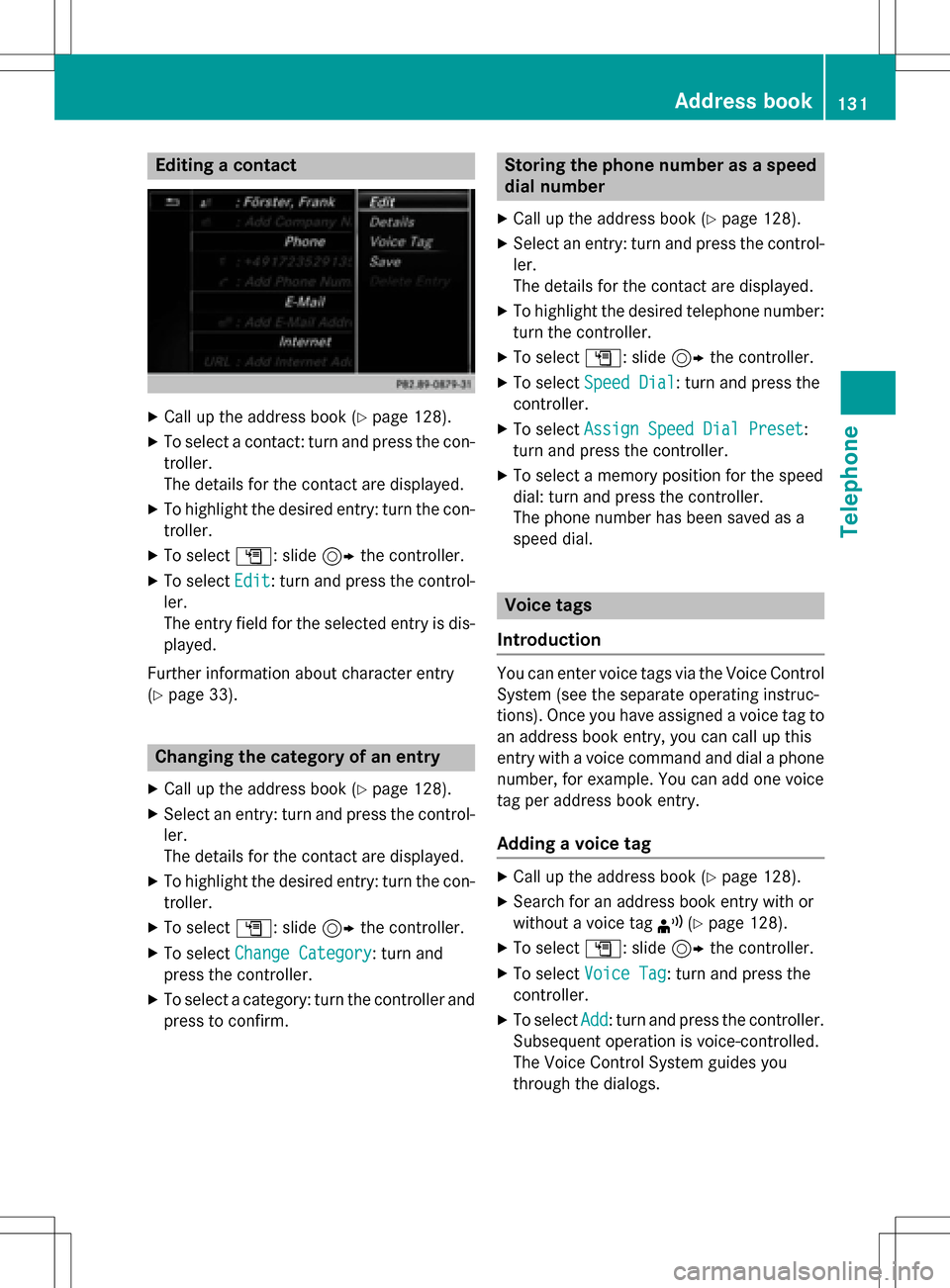
Editing a contact
XCall up the address book (Ypage 128).
XTo select a contact: turn and press the con-
troller.
The details for the contact are displayed.
XTo highlight the desired entry: turn the con-
troller.
XTo selectG: slide 9the controller.
XTo select Edit: turn and press the control-
ler.
The entry field for the selected entry is dis-
played.
Further information about character entry
(
Ypage 33).
Changing the category of an entry
XCall up the address book (Ypage 128).
XSelect an entry: turn and press the control-
ler.
The details for the contact are displayed.
XTo highlight the desired entry: turn the con-
troller.
XTo select G: slide 9the controller.
XTo select Change Category: turn and
press the controller.
XTo select a category: turn the controller and
press to confirm.
Storing the phone number as a speed
dial number
XCall up the address book (Ypage 128).
XSelect an entry: turn and press the control-
ler.
The details for the contact are displayed.
XTo highlight the desired telephone number:
turn the controller.
XTo select G: slide 9the controller.
XTo select Speed Dial: turn and press the
controller.
XTo select Assign Speed Dial Preset:
turn and press the controller.
XTo select a memory position for the speed
dial: turn and press the controller.
The phone number has been saved as a
speed dial.
Voice tags
Introduction
You can enter voice tags via the Voice Control
System (see the separate operating instruc-
tions). Once you have assigned a voice tag to
an address book entry, you can call up this
entry with a voice command and dial a phone
number, for example. You can add one voice
tag per address book entry.
Adding a voice tag
XCall up the address book (Ypage 128).
XSearch for an address book entry with or
without a voice tag ¦(
Ypage 128).
XTo select G: slide 9the controller.
XTo select Voice Tag: turn and press the
controller.
XTo select Add: turn and press the controller.
Subsequent operation is voice-controlled.
The Voice Control System guides you
through the dialogs.
Address book131
Telephone
Z
Page 134 of 246
Deletingavoice ta g
XCall up th eaddress boo k (Ypage 128).
XSearchfo ran address boo kentr ywit h a
voic eta g (
Ypage 128).
XTo selec tG: slide9 thecontroller .
XTo selectVoice Tag:turn and press th e
controller .
XTo selectDelete:turn and press th econ-
troller.
XTo selec tYes:turn and press th econtroller .
The voic eta gis deleted.
or
XTo selec tNo:turn and press th econtroller .
The process is canceled.
Listenin gto avoice ta g
XSearchfo ran address boo kentr ywit h a
voic eta g (
Ypage 128).
XTo selec tG: slide9 thecontroller .
XTo selectVoice Tag:turn and press th e
controller .
XTo selectListen:turn and press th econ-
troller.
You hear th evoic etag.
Changin gth edisplay an dsorting cri-
teri afor contact s
XCall up theaddress boo k (Ypage 128).
XTo switch to th emen ubar :slid e6 the
controller .
XTo selectOption s:turn and press th econ-
troller.
XTo selec tDispla yandSorting:turn and
press th econtroller .
You hav eth efollowing options:
RLas tName,FirstName(default setting )
The contact sare sorte dby surnam eand
displayed wit h acomma.
RLas tNam eFirst Nam e
The contact sare sorte dby surnam eand
displayed without acomma.
RFirst Nam eLas tNam e
The contact sare sorte dby first nam eand
displayed without acomma.
XTo selec tth erequire doption :turn and
press th econtroller .
The contact sare sorte dand displayed
accordin gto th eselection .
Automatically importing contact s
from th ephone
Dependin gon th emobile phone used ,you
can set whether th econtact sshould be called
up automatically after th emobile phone is
connecte dto COMAND.
XConnect amobile phone (Ypage 114).
XCall up theaddress boo k (Ypage 128).
XTo switch to th emen ubar :slid e6 the
controller .
XTo selectOption s:turn and press th econ-
troller.
XTo selec tAutomaticall yImport Con ‐
tacts fromPhone:turn and press th e
controller .
You can allow Oor suppres sª theauto-
matic download .If th efunction is deacti -
vated, contact swhic hhav ealready been
called up will continue to be displayed .
Saving acontact
Saved contact sare indicated in th ephone
boo kby differen tsymbols (
Ypage 124).
XCall up th eaddress boo k (Ypage 128).
XTo select acontact :turn and press th econ-
troller.
The details fo rth econtact are displayed .
XTo selectG: slide9 thecontroller .
XTo selectSav e:turn and press th econtrol-
ler .
The contact has no wbeen saved.
132Address book
Telephone
Page 135 of 246
iIf the saved address book entry contains a
phone number, the entry is also displayed
in the phone book.
Saving or editing the contact data on
COMAND does not change the contacts on
the mobile phone. If automatic download-
ing of phone contacts is activated,
COMAND displays the copy ¥with the
changed data. To add additional data, such
as additional phone numbers or e-mail
addresses, select this contact. In this way,
you avoid creating additional copies of the
mobile phone entry.
Deleting a name
XCall up the address book (Ypage 128).
XSearch for a contact (Ypage 128).
XTo select G: slide 9the controller.
XTo select Delete Entry: turn and press
the controller.
XTo select Yes: turn and press the controller.
The contact is deleted.
or
XTo select No: turn and press the controller.
The process is canceled.
Closing the address book
XPress the %button.
Importing contacts
Information and requirements
Contacts can be imported as vCards (vcf
files). A vCard is an electronic business card.
A memory card, USB device or a Bluetooth
®
connection can be used for importing.
iUp to 2000 entries can be imported into
the address book. A message notifies you
when the maximum number is reached. In
order to be able to then import new con- tacts, you have to delete existing contacts
(
Ypage 133).
SourceRequirements
Memory cardThe SD memory card is
inserted. It contains
importable contact details.
USB deviceThe USB device is inserted
into the USB port. It con-
tains importable contact
details.
Bluetooth®
connection
If the sending of vCards is
supported via Bluetooth®,
vCards can be received on
mobile phones or net-
books, for example.
Bluetooth
®must be activa-
ted in COMAND and on the
respective device (see the
manufacturer's operating
instructions).
Importing from the memory card or
USB device
Contacts imported from the memory card or
from a USB device are identified by the ¯
symbol.
The following conditions must be fulfilled in
order to import vCards:
RvCards (vcf files) may be located in the main
directory or in folders. COMAND allows you
to select the relevant folders directly.
RvCards must have the file extension ".vcf".
iCOMAND supports vCards in versions 2.1
and 3.0.
Importing contacts133
Telephone
Z
Page 136 of 246
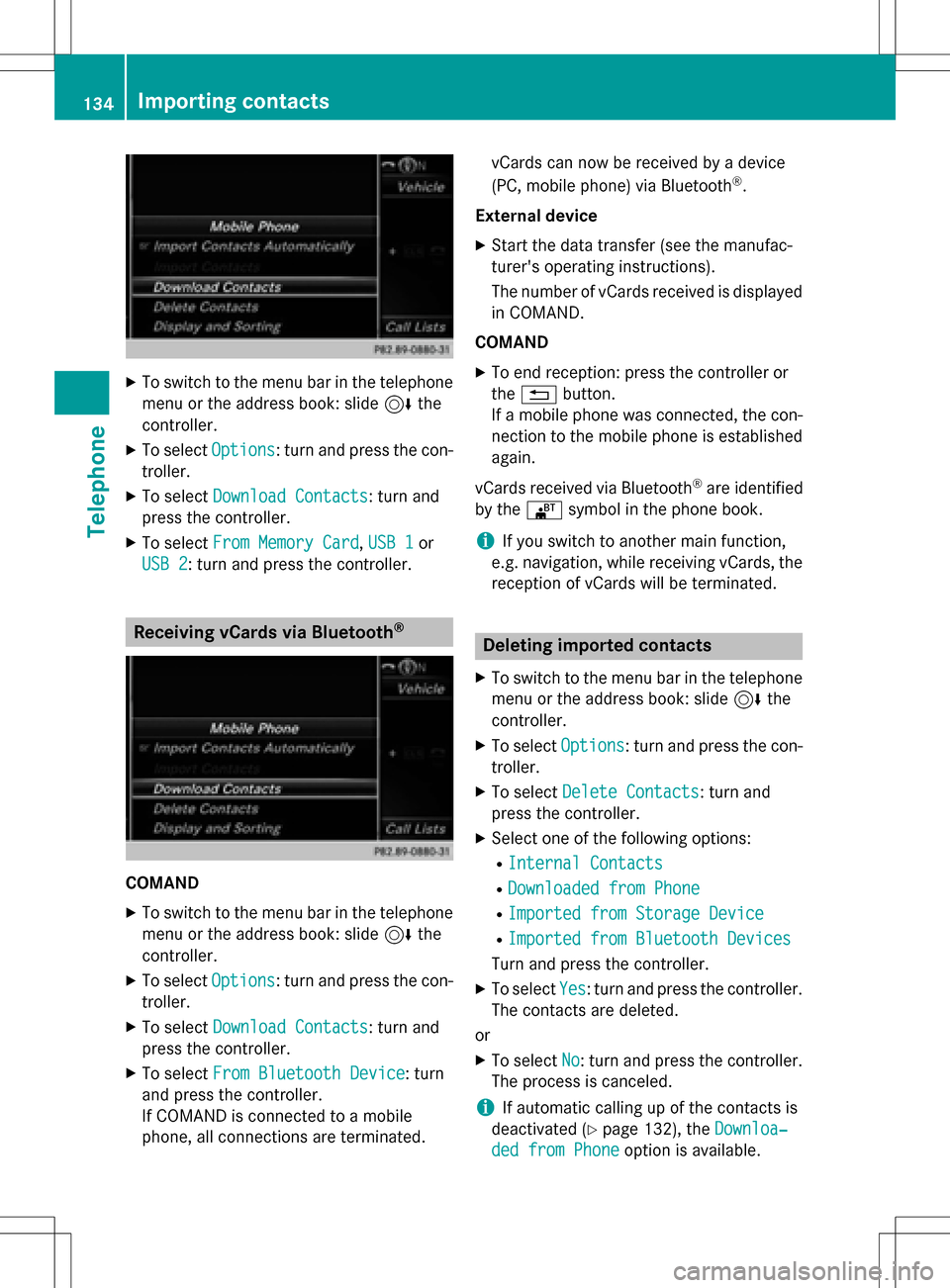
XTo switch to the menu bar in the telephonemenu or the address book: slide 6the
controller.
XTo select Options: turn and press the con-
troller.
XTo select Download Contacts: turn and
press the controller.
XTo select From Memory Card,USB 1or
USB 2
: turn and press the controller.
Receiving vCards via Bluetooth®
COMAND
XTo switch to the menu bar in the telephone menu or the address book: slide 6the
controller.
XTo select Options: turn and press the con-
troller.
XTo select Download Contacts: turn and
press the controller.
XTo select From Bluetooth Device: turn
and press the controller.
If COMAND is connected to a mobile
phone, all connections are terminated. vCards can now be received by a device
(PC, mobile phone) via Bluetooth
®.
External device
XStart the data transfer (see the manufac-
turer's operating instructions).
The number of vCards received is displayed in COMAND.
COMAND
XTo end reception: press the controller or
the % button.
If a mobile phone was connected, the con-
nection to the mobile phone is established again.
vCards received via Bluetooth
®are identified
by the ®symbol in the phone book.
iIf you switch to another main function,
e.g. navigation, while receiving vCards, the reception of vCards will be terminated.
Deleting imported contacts
XTo switch to the menu bar in the telephone
menu or the address book: slide 6the
controller.
XTo select Options: turn and press the con-
troller.
XTo select Delete Contacts: turn and
press the controller.
XSelect one of the following options:
RInternal Contacts
RDownloaded from Phone
RImported from Storage Device
RImported from Bluetooth Devices
Turn and press the controller.
XTo select Yes: turn and press the controller.
The contacts are deleted.
or
XTo select No: turn and press the controller.
The process is canceled.
iIf automatic calling up of the contacts is
deactivated (
Ypage 132), the Downloa‐
ded from Phoneoption is available.
134Importing contacts
Telephone
Page 137 of 246
Call lists
Introduction
If your mobile phone supports the PBAP Blue-
tooth®profile, the call lists from the mobile
phone are displayed in COMAND.
If the mobile phone call lists cannot be dis-
played, COMAND generates its own call lists. These are not the same as the call lists in your
mobile phone.
The Call list option is not available unless a
mobile phone is connected to COMAND.
If the contact for an incoming call is not saved
in the address book, you can use the call list
to save the telephone number. You can save
this telephone number as a new contact in the
address book or add it to an existing contact
(
Ypage 136).
iIf you connect a different mobile phone to
COMAND, the call lists from the new mobile
phone are displayed.
Opening the call list and selecting an
entry
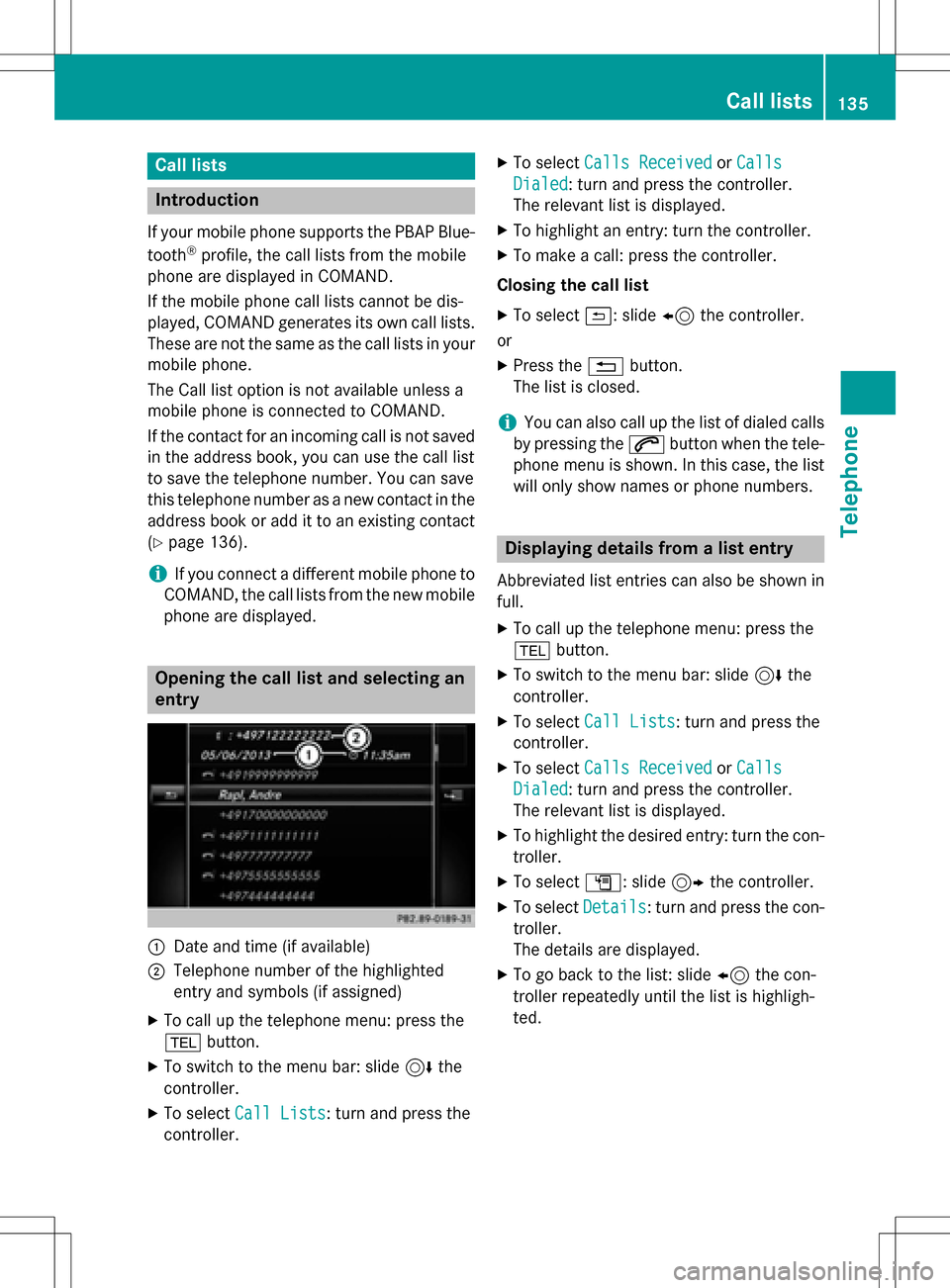
:Date and time (if available)
;Telephone number of the highlighted
entry and symbols (if assigned)
XTo call up the telephone menu: press the
% button.
XTo switch to the menu bar: slide 6the
controller.
XTo select Call Lists: turn and press the
controller.
XTo select Calls ReceivedorCalls
Dialed: turn and press the controller.
The relevant list is displayed.
XTo highlight an entry: turn the controller.
XTo make a call: press the controller.
Closing the call list
XTo select &: slide 8the controller.
or
XPress the %button.
The list is closed.
iYou can also call up the list of dialed calls
by pressing the 6button when the tele-
phone menu is shown. In this case, the list
will only show names or phone numbers.
Displaying details from a list entry
Abbreviated list entries can also be shown in
full.
XTo call up the telephone menu: press the
% button.
XTo switch to the menu bar: slide 6the
controller.
XTo select Call Lists: turn and press the
controller.
XTo select Calls ReceivedorCalls
Dialed: turn and press the controller.
The relevant list is displayed.
XTo highlight the desired entry: turn the con-
troller.
XTo select G: slide 9the controller.
XTo select Details: turn and press the con-
troller.
The details are displayed.
XTo go back to the list: slide 8the con-
troller repeatedly until the list is highligh-
ted.
Call lists135
Telephone
Z
Page 138 of 246
Saving telephone numbers
Adding new entries to the address book
XTo call up the telephone menu: press the
% button.
XTo switch to the menu bar: slide 6the
controller.
XTo select Call Lists: turn and press the
controller.
XTo select Calls ReceivedorCalls
Dialed: turn and press the controller.
The relevant list is displayed.
XTo highlight the desired telephone number:
turn the controller.
XTo select G: slide 9the controller.
XTo select Save: turn and press the control-
ler.
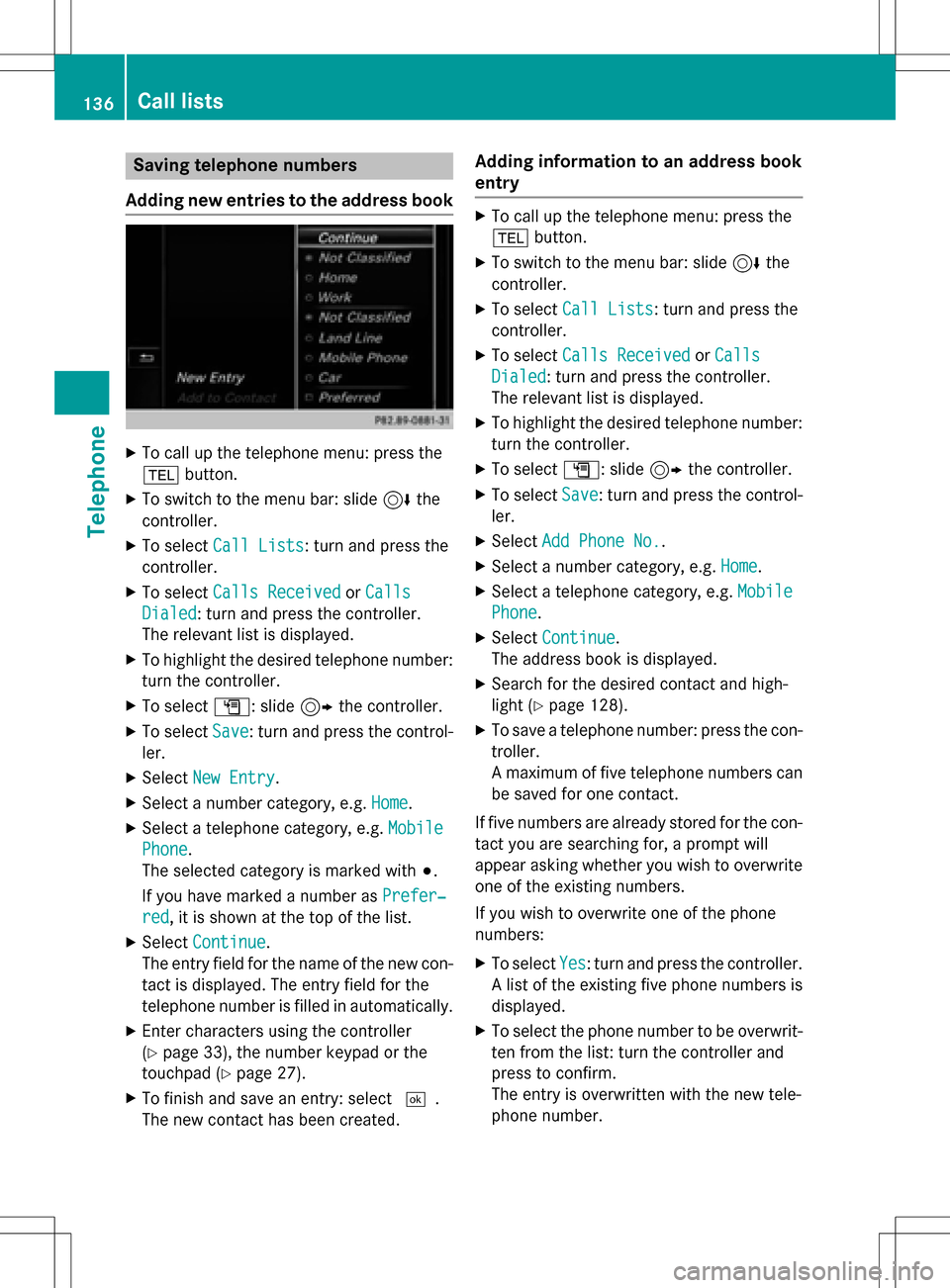
XSelect New Entry.
XSelect a number category, e.g. Home.
XSelect a telephone category, e.g. Mobile
Phone.
The selected category is marked with #.
If you have marked a number as Prefer‐
red, it is shown at the top of the list.
XSelectContinue.
The entry field for the name of the new con-
tact is displayed. The entry field for the
telephone number is filled in automatically.
XEnter characters using the controller
(
Ypage 33), the number keypad or the
touchpad (
Ypage 27).
XTo finish and save an entry: select ¬.
The new contact has been created.
Adding information to an address book
entry
XTo call up the telephone menu: press the
% button.
XTo switch to the menu bar: slide 6the
controller.
XTo select Call Lists: turn and press the
controller.
XTo select Calls ReceivedorCalls
Dialed: turn and press the controller.
The relevant list is displayed.
XTo highlight the desired telephone number:
turn the controller.
XTo select G: slide 9the controller.
XTo select Save: turn and press the control-
ler.
XSelect Add Phone No..
XSelect a number category, e.g. Home.
XSelect a telephone category, e.g. Mobile
Phone.
XSelectContinue.
The address book is displayed.
XSearch for the desired contact and high-
light (
Ypage 128).
XTo save a telephone number: press the con-
troller.
A maximum of five telephone numbers can
be saved for one contact.
If five numbers are already stored for the con-
tact you are searching for, a prompt will
appear asking whether you wish to overwrite
one of the existing numbers.
If you wish to overwrite one of the phone
numbers:
XTo select Yes: turn and press the controller.
A list of the existing five phone numbers is
displayed.
XTo select the phone number to be overwrit-
ten from the list: turn the controller and
press to confirm.
The entry is overwritten with the new tele-
phone number.
136Call lists
Telephone
Page 141 of 246
Only the messages that are new on the
mobile phone are displayed.
ROff
The messages are not displayed auto-
matically. You can display the 100 new-
est text messages from the mobile phone
using the Download
option in the mes-
sage menu.
XTo select the required option: turn and
press the controller.
Configuring the e-mails displayed
XCall up the settings menu for messages
(
Ypage 138).
XTo highlight an e-mail account: turn the
controller.
XTo select G: slide 9the controller.
XTo select Automatic Download: turn and
press the controller.
A menu with the following options is shown:
RAll Messages
All the messages are displayed.
RNew Messages
Only the messages that are new on the
mobile phone are displayed.
ROff
The messages are not displayed auto-
matically. You can display the 100 new-
est text messages from the mobile phone
using the Download
option in the mes-
sage menu.
XTo select the required option: turn and
press the controller.
Configuring an e-mail account
XCall up the settings menu for messages
(
Ypage 138).
XTo select an e-mail account: turn and press
the controller.
The e-mail account is now configured. E-
mails can now be received and sent in
COMAND.
Deactivating the e-mail function
XCall up the settings menu for messages
(
Ypage 138).
XTo select E-Mail Off: turn and press the
controller.
E-mail reception is deactivated.
Changing the displayed name of the e-
mail account
XCall up the settings menu for messages
(
Ypage 138).
XTo highlight an e-mail account: turn the
controller.
XTo select G: slide 9the controller.
XTo select Own E-Mail Address: turn and
press the controller.
The input menu for entering your own e-
mail address is displayed.
Downloading messages manually
XTo call up the telephone menu: press the
% button.
XTo switch to the menu bar: slide 6the
controller.
XTo select 1: turn and press the controller.
The message menu is displayed.
XTo switch to the menu bar: slide 6the
controller.
XTo select Download: turn and press the
controller.
Downloading text messages and e-mails
from the phone
XSelect From the Phone.
The messages are downloaded. If you have
selected Automatic Download
in the e-
mail settings, manual downloading is not
possible.
Updating from the e-mail server by the
mobile phone
XSelect From the E-Mail Server.
The e-mails in the mobile phone are upda-
ted.
Messages (text messages and e-mails)139
Telephone
Z
Page 144 of 246
XTo enter a phone number from the phone
book: select theÆsymbol.
The contacts from the address book which
have a phone number are displayed.
XSearch for and select an entry
(
Ypage 124).
The number is copied to the recipient line.
Entering text and sending text messages
XTo select an input line for text: select 5in
the character bar.
XEnter characters.
COMAND contains templates which you
can use when writing your messages
(
Ypage 143).
XTo send the text message: select OK.
Answering a text message
Observe the requirements for the message
function (
Ypage 138).
XDisplay the message (Ypage 140).
XPress the controller.
XTo selectReply: turn and press the con-
troller.
The text message input menu is displayed.
The addressee's details are automatically
filled in using the details in the original
message.
Writing e-mails
Writing a new e-mail
Observe the requirements for the message
function (
Ypage 138).
XTo call up the telephone menu: press the
% button.
XTo switch to the menu bar: slide 6the
controller.
XTo select 1: turn and press the controller.
The message menu is displayed.
XTo switch to the menu bar: slide 6the
controller.
XTo select New: turn and press the controller.
XTo select E-Mail: turn and press the con-
troller.
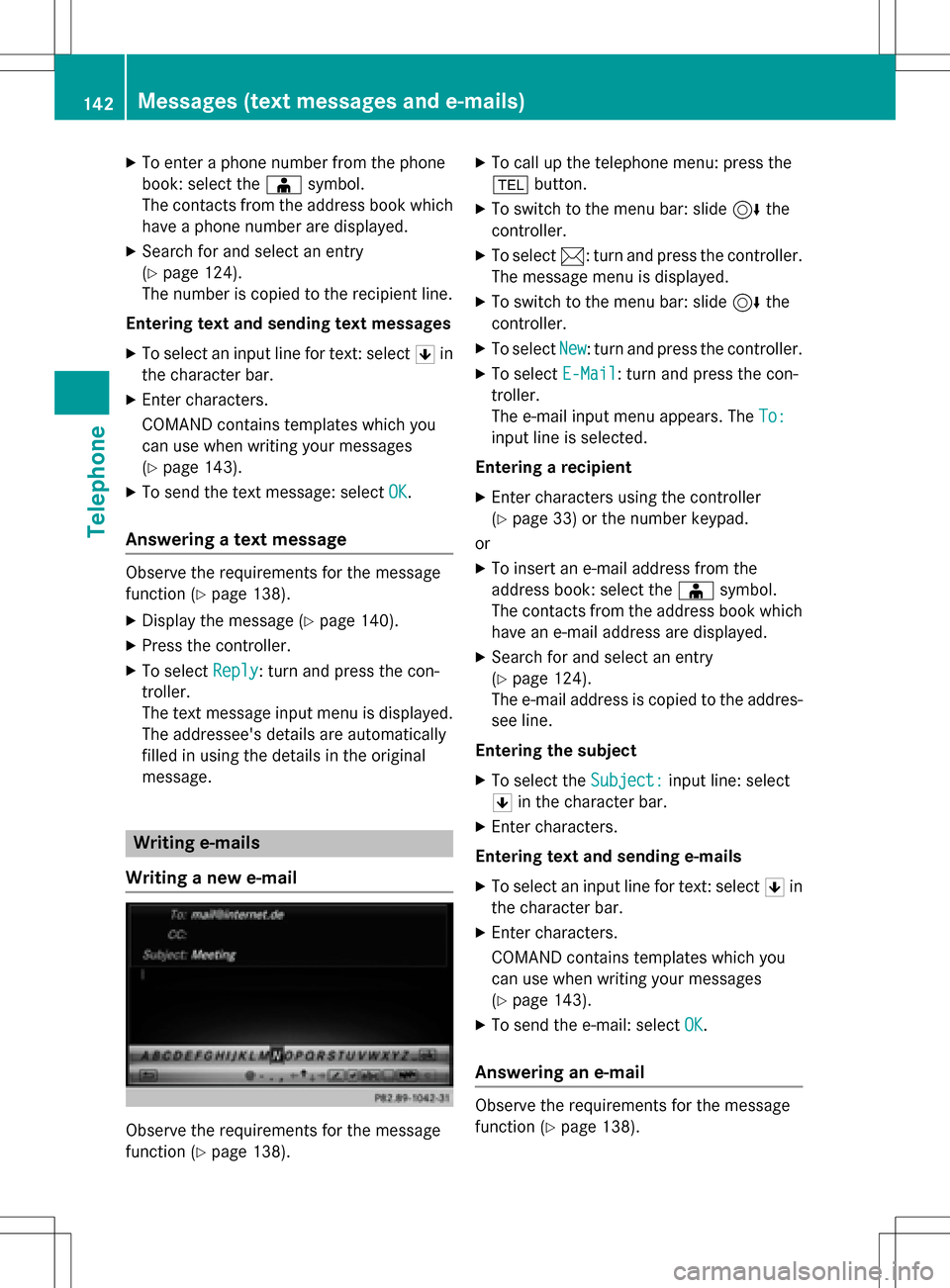
The e-mail input menu appears. The To:
input line is selected.
Entering a recipient
XEnter characters using the controller
(
Ypage 33) or the number keypad.
or
XTo insert an e-mail address from the
address book: select the Æsymbol.
The contacts from the address book which
have an e-mail address are displayed.
XSearch for and select an entry
(
Ypage 124).
The e-mail address is copied to the addres-
see line.
Entering the subject
XTo select the Subject:input line: select
5 in the character bar.
XEnter characters.
Entering text and sending e-mails
XTo select an input line for text: select 5in
the character bar.
XEnter characters.
COMAND contains templates which you
can use when writing your messages
(
Ypage 143).
XTo send the e-mail: select OK.
Answering an e-mail
Observe the requirements for the message
function (
Ypage 138).
142Messages (text messages and e-mails)
Telephone
Page 145 of 246
XDisplay the message (Ypage 140).
XTo call up a menu: press the controller.
XTo selectReply: turn and press the con-
troller.
The e-mail input menu appears. The
addressee's details are automatically filled
in using the details in the original message.
When replying to an e-mail, you can also
select Reply
toAllinstead of Reply. In this
case, the reply is sent not just to the sender
but to all those who received the original mes- sage.
Forwarding an e-mail
Observe the requirements for the message
function (
Ypage 138).
XDisplay the message (Ypage 140).
XTo call up a menu: press the controller.
XTo select Forward: turn and press the con-
troller.
The input menu appears. The subject line is automatically filled in with the same details
as those in the original message.
Text templates
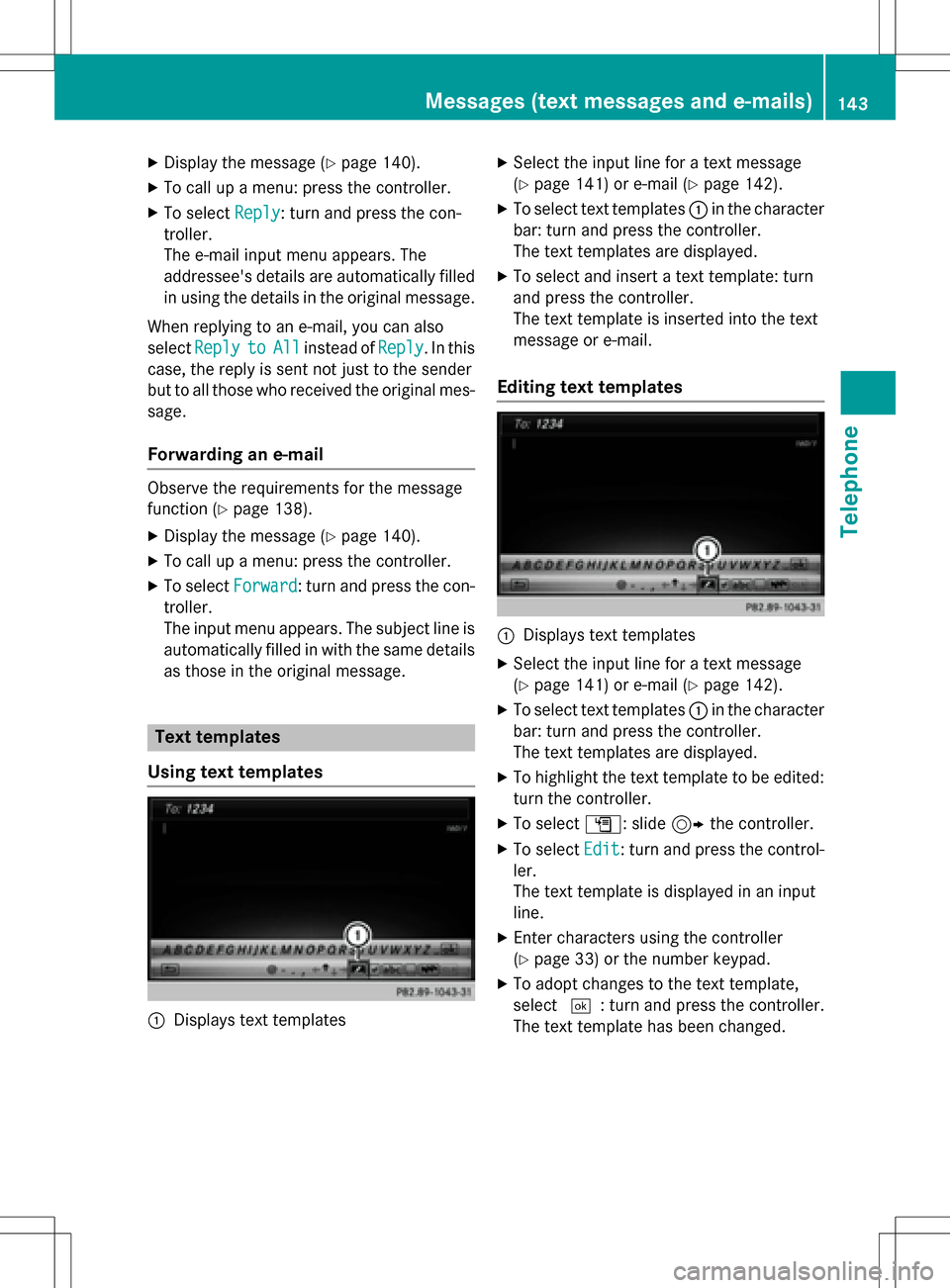
Using text templates
:Displays text templates
XSelect the input line for a text message
(
Ypage 141) or e-mail (Ypage 142).
XTo select text templates :in the character
bar: turn and press the controller.
The text templates are displayed.
XTo select and insert a text template: turn
and press the controller.
The text template is inserted into the text
message or e-mail.
Editing text templates
:Displays text templates
XSelect the input line for a text message
(
Ypage 141) or e-mail (Ypage 142).
XTo select text templates :in the character
bar: turn and press the controller.
The text templates are displayed.
XTo highlight the text template to be edited: turn the controller.
XTo select G: slide 9the controller.
XTo select Edit: turn and press the control-
ler.
The text template is displayed in an input
line.
XEnter characters using the controller
(
Ypage 33) or the number keypad.
XTo adopt changes to the text template,
select ¬: turn and press the controller.
The text template has been changed.
Messages (text messages and e-mails)143
Telephone
Z
Page 146 of 246
Calling a text message sender
XDisplay the message (Ypage 140).
XTo call up a menu: press the controller.
XTo selectCallSender: turn and press the
controller.
The call is made.
Using a phone number in the text
Numbers in text messages that are highligh-
ted can be used.
XTo select a usable telephone number while
the message is displayed: turn the control-
ler.
XTo select Use: press the controller.
XTo selectCall: turn and press the control-
ler.
The call is made.
iIt is possible that a highlighted numerical
sequence may not contain a telephone
number.
iYou can use the "New entry" or "Add no."
functions to save this telephone number or
to add it to an existing entry.
Storing sender as a new contact
Storing the sender of a text message
XTo call up the menu when a text message is displayed: press the controller.
XTo select SaveNumber: turn and press the
controller.
XSelect a number category, e.g. Home.
XSelect a telephone category, e.g. Mobile
Phone.
XSelectContinue.
The input line for the name of the new con-
tact is displayed. The input line for the tele-
phone number is filled in automatically.
XEnter characters using the controller
(
Ypage 33) or the number keypad.
XTo finish the entry: select OK.
The new contact has been created.
Saving the sender of an e-mail
XTo call up the menu when an e-mail is dis-
played: press the controller.
XTo select Save Sender's E-Mail
Address: turn and press the controller.
The input line for the name of the new con-
tact is displayed. The input line for the e-
mail address is filled in automatically.
XEnter characters using the controller
(
Ypage 33) or the number keypad.
XTo finish the entry: select OK.
The new contact has been created.
Deleting messages
XCall up the message folder (Ypage 140).
XTo select the message: turn and press the
controller.
XTo select G: slide 9the controller.
XTo select Delete: turn and press the con-
troller.
XTo select Yes: turn and press the controller.
The message is deleted from the mobile
phone and COMAND.
or
XTo select No: turn and press the controller.
The process is canceled.
iThis delete function is not supported by all
mobile phones. The Delete
failed.mes-
sage then appears.
MirrorLink®
Introduction
MirrorLink®is standard for the connection
between COMAND and your mobile phone.
With MirrorLink
®, the content of the display
144MirrorLink®
Telephone