light MERCEDES-BENZ B-Class 2017 W246 Manual PDF
[x] Cancel search | Manufacturer: MERCEDES-BENZ, Model Year: 2017, Model line: B-Class, Model: MERCEDES-BENZ B-Class 2017 W246Pages: 290, PDF Size: 19.81 MB
Page 138 of 290
their traction. There is an increased danger of
skidding and accidents.
Do not increase the recuperation level on slip- pery road surfaces.
Have your vehicle winter-proofed at a qualified
specialist workshop at the onset of winter.
Drive particularly carefully on slippery road sur- faces. Avoid sudden acceleration, steering and
braking maneuvers. Do not use cruise control.
If the vehicle threatens to skid or cannot be
stopped when moving at low speed:
X Shift the DIRECT SELECT lever to position N.
The outside temperature indicator is not
designed to serve as an ice-warning device and is therefore unsuitable for that purpose.
Changes in the outside temperature are dis-
played after a short delay.
Indicated temperatures just above the freezing
point do not guarantee that the road surface is
free of ice. The road may still be icy, especially in
wooded areas or on bridges.
You should pay special attention to road condi-
tions when temperatures are around freezing
point.
For more information on driving with snow
chains, see (Y page 259).
For more information on driving with summer
tires, see (Y page 259).
Observe the notes in the "Winter operation" sec-
tion (Y page 259). Driving systems
Cruise control
General notes Cruise control maintains a constant road speed
for you. It brakes automatically in order to avoid
exceeding the set speed. Change into transmis-
sion position D-
(Y page 115) on long and steep
downhill gradients. This increases recuperation
in overrun mode. This relieves the load on the
brake system and prevents the brakes from
overheating and wearing too quickly.
When the engine is running, you can use the
cruise control lever to limit the speed to any
speed between 20 mph (30 km/h) and the tech-
nically permitted maximum speed of the vehicle. Use cruise control only if road and traffic con-
ditions make it appropriate to maintain a steady
speed for a prolonged period.
The speed indicated in the speedometer may
differ slightly from the speed stored.
Important safety notes If you fail to adapt your driving style, cruise con-
trol can neither reduce the risk of an accident
nor override the laws of physics. Cruise control
cannot take into account the road, traffic and
weather conditions. Cruise control is only an
aid. You are responsible for the distance to the
vehicle in front, for vehicle speed, for braking in
good time and for staying in your lane.
Do not use cruise control:
R in road and traffic conditions which do not
allow you to maintain a constant speed e.g. in
heavy traffic or on winding roads
R on slippery road surfaces. Braking or accel-
erating could cause the drive wheels to lose
traction and the vehicle could then skid
R in poor visibility, e.g. due to fog, heavy rain or
snow
If there is a change of drivers, advise the new
driver of the speed stored.
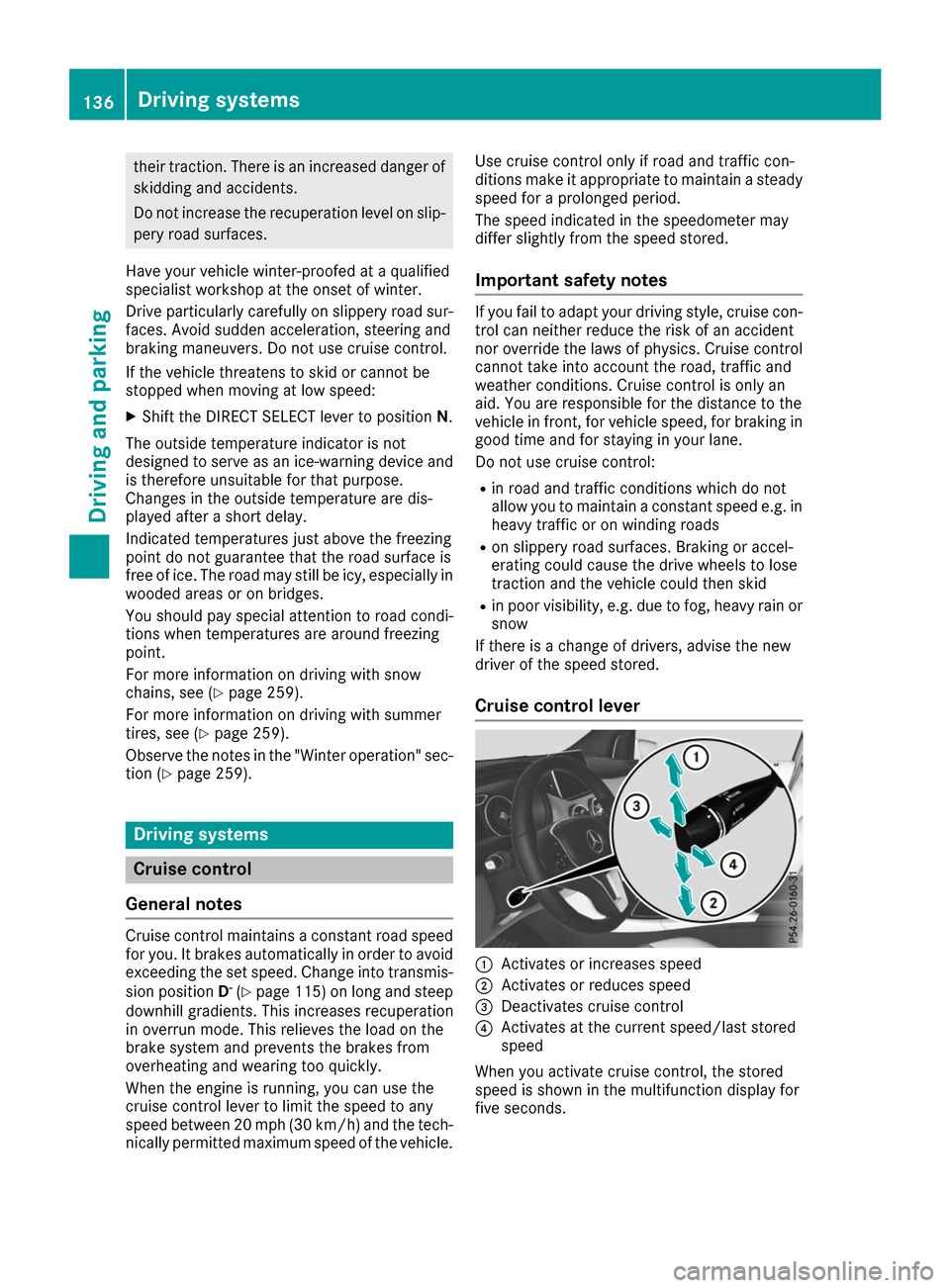
Cruise control lever 0043
Activates or increases speed
0044 Activates or reduces speed
0087 Deactivates cruise control
0085 Activates at the current speed/last stored
speed
When you activate cruise control, the stored
speed is shown in the multifunction display for
five seconds. 136
Driving systemsDriving an
d parking
Page 142 of 290
Range
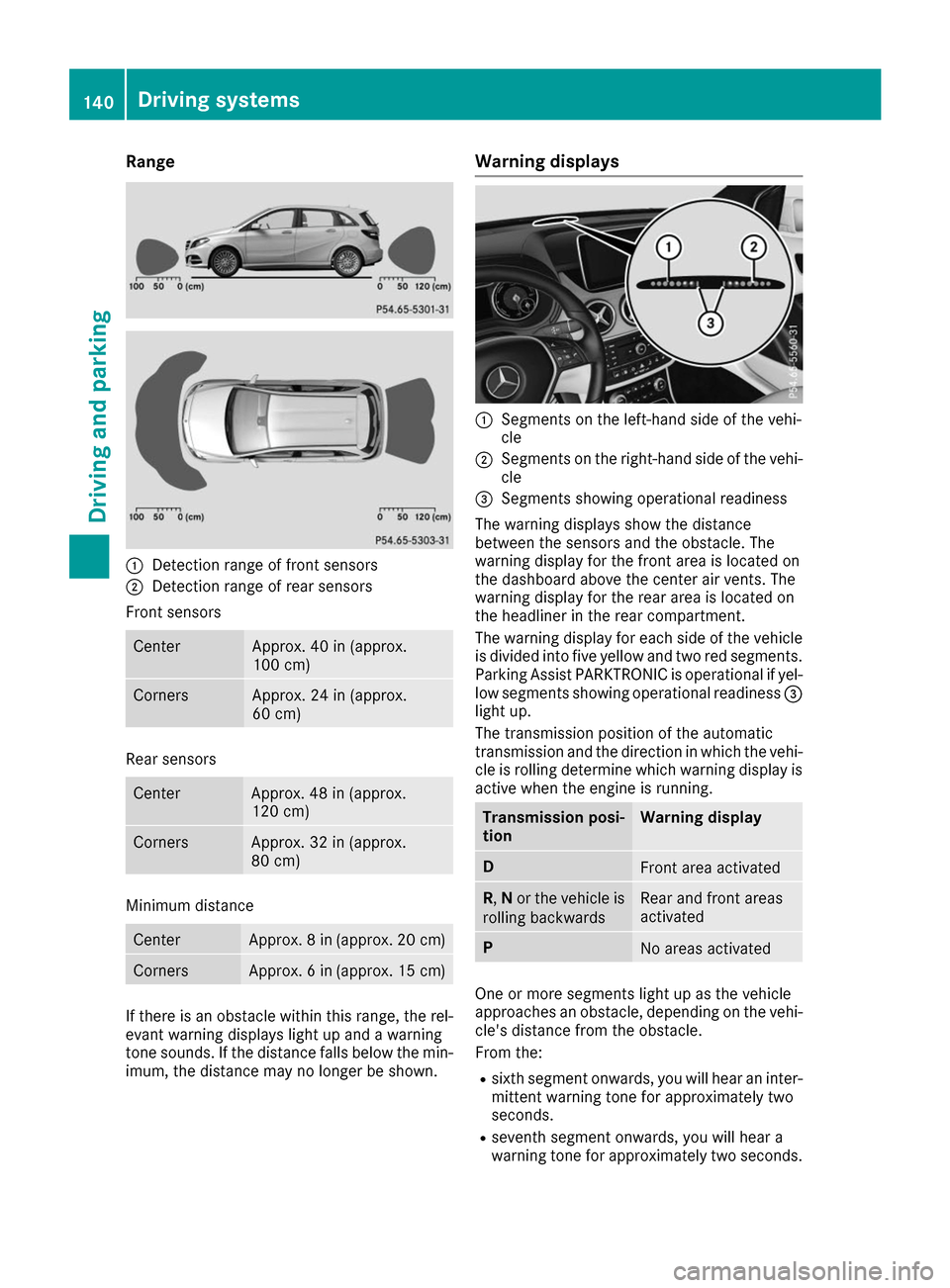
0043
Detection range of front sensors
0044 Detection range of rear sensors
Front sensors Center Approx. 40 in (approx.
100 cm) Corners Approx. 24 in (approx.
60 cm) Rear sensors
Center Approx. 48 in (approx.
120 cm)
Corners Approx. 32 in (approx.
80 cm)
Minimum distance
Center Approx. 8 in (approx. 20 cm)
Corners Approx. 6 in (approx. 15 cm)
If there is an obstacle within this range, the rel-
evant warning displays light up and a warning
tone sounds. If the distance falls below the min- imum, the distance may no longer be shown. Warning displays
0043
Segments on the left-hand side of the vehi-
cle
0044 Segments on the right-hand side of the vehi-
cle
0087 Segments showing operational readiness
The warning displays show the distance
between the sensors and the obstacle. The
warning display for the front area is located on
the dashboard above the center air vents. The
warning display for the rear area is located on
the headliner in the rear compartment.
The warning display for each side of the vehicle
is divided into five yellow and two red segments.
Parking Assist PARKTRONIC is operational if yel-
low segments showing operational readiness 0087
light up.
The transmission position of the automatic
transmission and the direction in which the vehi-
cle is rolling determine which warning display is active when the engine is running. Transmission posi-
tion Warning display
D
Front area activated
R,
Nor the vehicle is
rolling backwards Rear and front areas
activated
P
No areas activated
One or more segments light up as the vehicle
approaches an obstacle, depending on the vehi-
cle's distance from the obstacle.
From the:
R sixth segment onwards, you will hear an inter-
mittent warning tone for approximately two
seconds.
R seventh segment onwards, you will hear a
warning tone for approximately two seconds. 140
Driving systemsDriving and parking
Page 143 of 290
This indicates that you have now reached the
minimum distance.
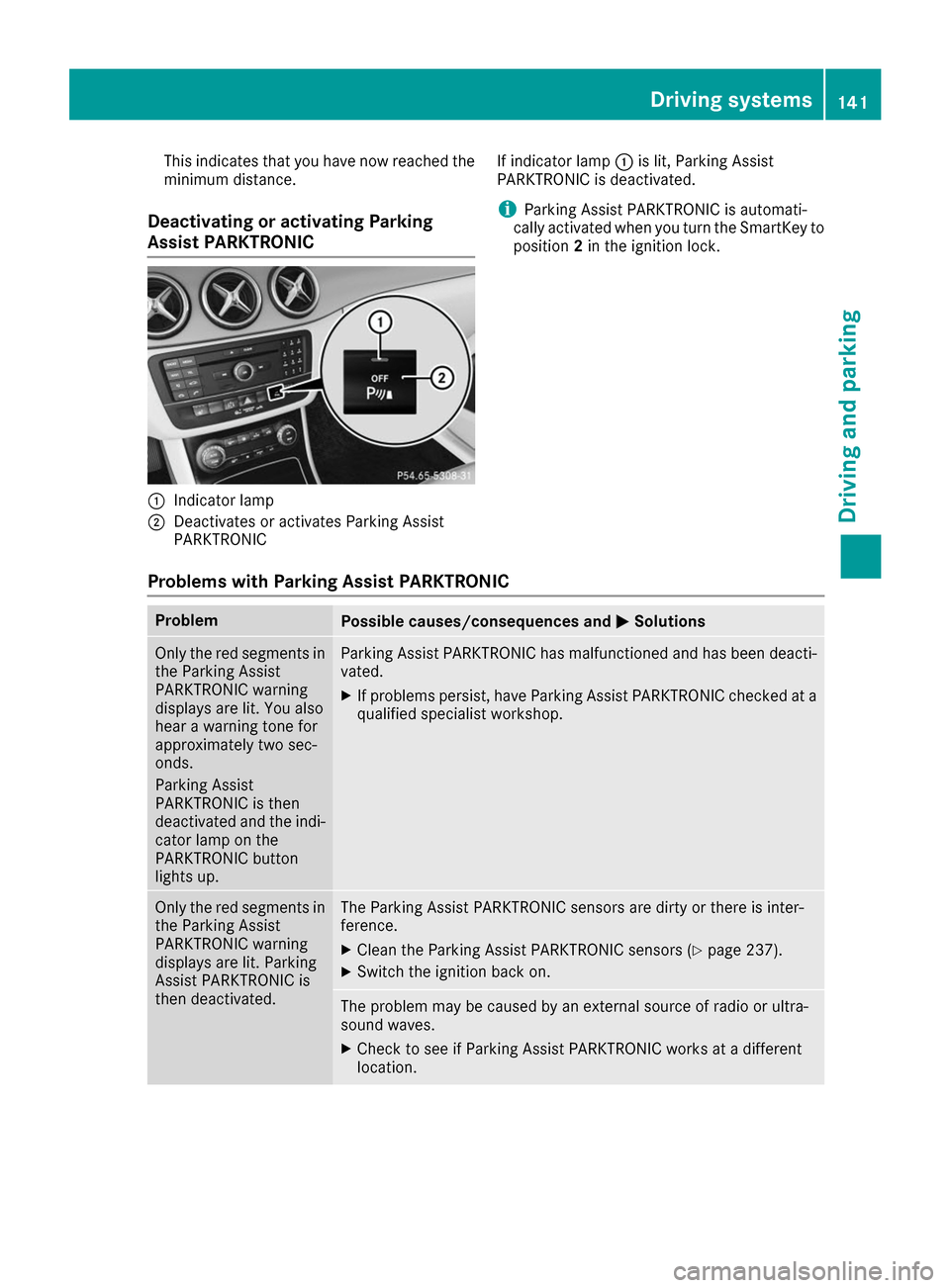
Deactivating or activating Parking
Assist PARKTRONIC 0043
Indicator lamp
0044 Deactivates or activates Parking Assist
PARKTRONIC If indicator lamp
0043is lit, Parking Assist
PARKTRONIC is deactivated.
i Parking Assist PARKTRONIC is automati-
cally activated when you turn the SmartKey to
position 2in the ignition lock.
Problems with Parking Assist PARKTRONIC Problem
Possible causes/consequences and
0050 0050Solutions Only the red segments in
the Parking Assist
PARKTRONIC warning
displays are lit. You also
hear a warning tone for
approximately two sec-
onds.
Parking Assist
PARKTRONIC is then
deactivated and the indi-
cator lamp on the
PARKTRONIC button
lights up. Parking Assist PARKTRONIC has malfunctioned and has been deacti-
vated.
X If problems persist, have Parking Assist PARKTRONIC checked at a
qualified specialist workshop. Only the red segments in
the Parking Assist
PARKTRONIC warning
displays are lit. Parking
Assist PARKTRONIC is
then deactivated. The Parking Assist PARKTRONIC sensors are dirty or there is inter-
ference.
X Clean the Parking Assist PARKTRONIC sensors (Y page 237).
X Switch the ignition back on. The problem may be caused by an external source of radio or ultra-
sound waves.
X Check to see if Parking Assist PARKTRONIC works at a different
location. Driving systems
141Driving and parking Z
Page 147 of 290
useful, for example when you recognize that it is
already possible to pull out of the parking space.
Canceling Parking Pilot X
Stop the movement of the multifunction
steering wheel or steer yourself.
Parking Pilot is canceled immediately. The
Parking
Parking Pilot PilotCanceled
Canceled message appears
in the multifunction display.
or
X Press the PARKTRONIC button (Y page 141).
Parking Assist PARKTRONIC is switched off
and Parking Pilot is immediately canceled.
The Parking Pilot Canceled
Parking Pilot Canceled message
appears in the multifunction display.
Parking Pilot is canceled automatically when: R the electric parking brake is engaged
R transmission position Pis selected
R parking using Parking Pilot is no longer pos-
sible
R you are driving faster than 6 mph (10 km/h)
R a wheel spins, ESP ®
intervenes or fails. In
such cases the 00E5warning lamp lights up in
the instrument cluster
A warning tone sounds. The parking symbol dis-
appears and the multifunction display shows the
Parking Pilot Canceled Parking Pilot Canceled message.
When Parking Pilot is canceled, you must steer
and brake again yourself.
If a system malfunction occurs, the vehicle is
braked to a standstill. To drive on, depress the
accelerator again. Rear view camera
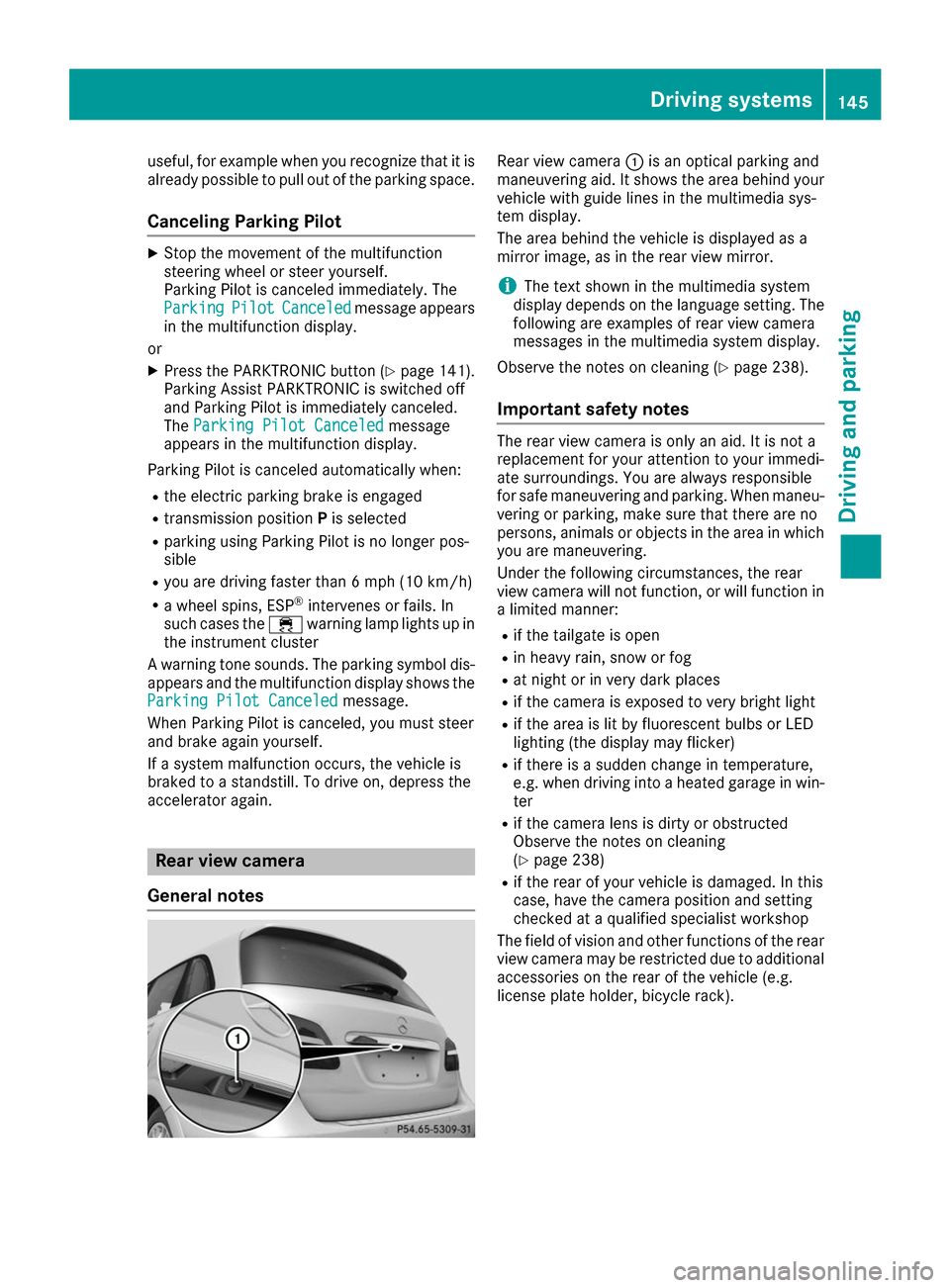
General notes Rear view camera
0043is an optical parking and
maneuvering aid. It shows the area behind your vehicle with guide lines in the multimedia sys-
tem display.
The area behind the vehicle is displayed as a
mirror image, as in the rear view mirror.
i The text shown in the multimedia system
display depends on the language setting. The following are examples of rear view camera
messages in the multimedia system display.
Observe the notes on cleaning (Y page 238).
Important safety notes The rear view camera is only an aid. It is not a
replacement for your attention to your immedi-
ate surroundings. You are always responsible
for safe maneuvering and parking. When maneu-
vering or parking, make sure that there are no
persons, animals or objects in the area in which you are maneuvering.
Under the following circumstances, the rear
view camera will not function, or will function in
a limited manner:
R if the tailgate is open
R in heavy rain, snow or fog
R at night or in very dark places
R if the camera is exposed to very bright light
R if the area is lit by fluorescent bulbs or LED
lighting (the display may flicker)
R if there is a sudden change in temperature,
e.g. when driving into a heated garage in win-
ter
R if the camera lens is dirty or obstructed
Observe the notes on cleaning
(Y page 238)
R if the rear of your vehicle is damaged. In this
case, have the camera position and setting
checked at a qualified specialist workshop
The field of vision and other functions of the rear
view camera may be restricted due to additional
accessories on the rear of the vehicle (e.g.
license plate holder, bicycle rack). Driving systems
145Driving and parking Z
Page 149 of 290
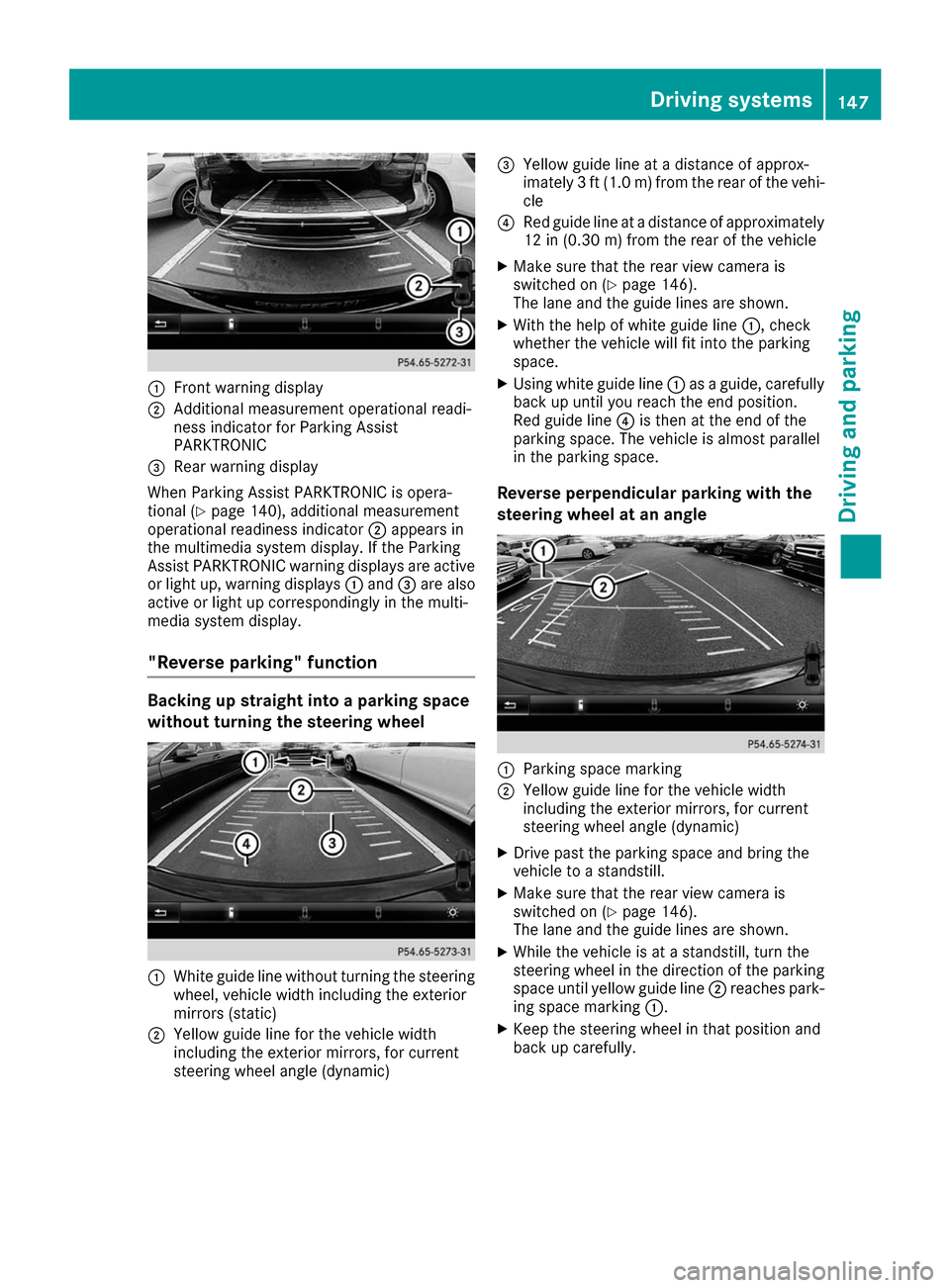
0043
Front warning display
0044 Additional measurement operational readi-
ness indicator for Parking Assist
PARKTRONIC
0087 Rear warning display
When Parking Assist PARKTRONIC is opera-
tional (Y page 140), additional measurement
operational readiness indicator 0044appears in
the multimedia system display. If the Parking
Assist PARKTRONIC warning displays are active
or light up, warning displays 0043and 0087are also
active or light up correspondingly in the multi-
media system display.
"Reverse parking" function Backing up straight into a parking space
without turning the steering wheel 0043
White guide line without turning the steering
wheel, vehicle width including the exterior
mirrors (static)
0044 Yellow guide line for the vehicle width
including the exterior mirrors, for current
steering wheel angle (dynamic) 0087
Yellow guide line at a distance of approx-
imately 3 ft (1.0 m) from the rear of the vehi-
cle
0085 Red guide line at a distance of approximately
12 in (0.30 m) fromthe rear of the vehicle
X Make sure that the rear view camera is
switched on (Y page 146).
The lane and the guide lines are shown.
X With the help of white guide line 0043, check
whether the vehicle will fit into the parking
space.
X Using white guide line 0043as a guide, carefully
back up until you reach the end position.
Red guide line 0085is then at the end of the
parking space. The vehicle is almost parallel
in the parking space.
Reverse perpendicular parking with the
steering wheel at an angle 0043
Parking space marking
0044 Yellow guide line for the vehicle width
including the exterior mirrors, for current
steering wheel angle (dynamic)
X Drive past the parking space and bring the
vehicle to a standstill.
X Make sure that the rear view camera is
switched on (Y page 146).
The lane and the guide lines are shown.
X While the vehicle is at a standstill, turn the
steering wheel in the direction of the parking
space until yellow guide line 0044reaches park-
ing space marking 0043.
X Keep the steering wheel in that position and
back up carefully. Driving systems
147Driving and parking Z
Page 153 of 290
case if the vehicles are driving on the inner side
of their lane.
Due to the nature of the system:
R warnings may be issued in error when driving
close to crash barriers or similar solid lane
borders.
R warnings may be interrupted when driving
alongside particularly long vehicles, e.g.
trucks, for a prolonged time.
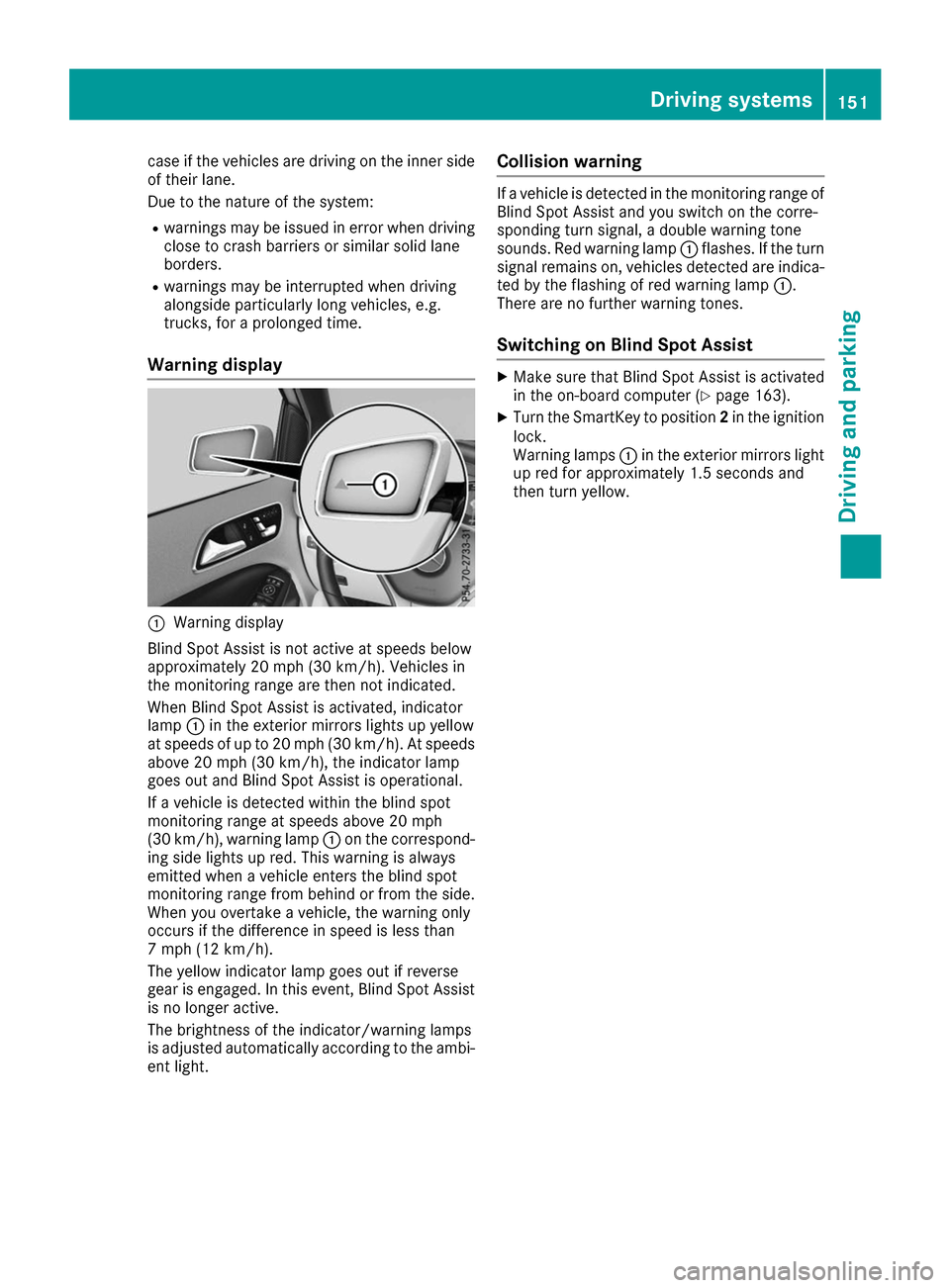
Warning display 0043
Warning display
Blind Spot Assist is not active at speeds below
approximately 20 mph (30 km/h). Vehicles in
the monitoring range are then not indicated.
When Blind Spot Assist is activated, indicator
lamp 0043in the exterior mirrors lights up yellow
at speeds of up to 20 mph (30 km/h). At speeds
above 20 mph (30 km/h), the indicator lamp
goes out and Blind Spot Assist is operational.
If a vehicle is detected within the blind spot
monitoring range at speeds above 20 mph
(30 km/h), warning lamp 0043on the correspond-
ing side lights up red. This warning is always
emitted when a vehicle enters the blind spot
monitoring range from behind or from the side.
When you overtake a vehicle, the warning only
occurs if the difference in speed is less than
7 mph (12 km/h).
The yellow indicator lamp goes out if reverse
gear is engaged. In this event, Blind Spot Assist is no longer active.
The brightness of the indicator/warning lamps
is adjusted automatically according to the ambi-
ent light. Collision warning If a vehicle is detected in the monitoring range of
Blind Spot Assist and you switch on the corre-
sponding turn signal, a double warning tone
sounds. Red warning lamp 0043flashes. If the turn
signal remains on, vehicles detected are indica-
ted by the flashing of red warning lamp 0043.
There are no further warning tones.
Switching on Blind Spot Assist X
Make sure that Blind Spot Assist is activated
in the on-board computer (Y page 163).
X Turn the SmartKey to position 2in the ignition
lock.
Warning lamps 0043in the exterior mirrors light
up red for approximately 1.5 seconds and
then turn yellow. Driving systems
151Driving and parking Z
Page 154 of 290
Important safety notes
G
WARNING
If you operate information systems and com-
munication equipment integrated in the vehi- cle while driving, you will be distracted from
traffic conditions. You could also lose control of the vehicle. There is a risk of an accident.
Only operate the equipment when the traffic
situation permits. If you are not sure that this
is possible, park the vehicle paying attention
to traffic conditions and operate the equip-
ment when the vehicle is stationary.
You must observe the legal requirements for the country in which you are currently driving whenoperating the on-board computer. G
WARNING
If the instrument cluster has failed or mal-
functioned, you may not recognize function
restrictions in systems relevant to safety. The operating safety of your vehicle may be
impaired. There is a risk of an accident.
Drive on carefully. Have the vehicle checked
at a qualified specialist workshop immedi-
ately.
The on-board computer only shows messages or
warnings from certain systems in the multifunc- tion display. You should therefore make sure
your vehicle is operating safely at all times.
If the operating safety of your vehicle is
impaired, pull over as soon as it is safe to do so. Contact a qualified specialist workshop.
For an overview, see the instrument panel illus-
tration (Y page 32). Displays and operation
Instrument cluster lighting
The light sensor in the instrument cluster auto-
matically controls the brightness of the multi-
function display. In daylight, the displays in the
instrument cluster are not illuminated.
The lighting in the instrument cluster, in the dis-
plays and the controls in the vehicle interior can be adjusted using the brightness control knob. The brightness control knob is located on the
bottom left of the instrument cluster
(Y
page 32).
X Turn the brightness control knob clockwise or
counter-clockwise.
If the light switch is set to the 0058,0060or
0058 position, the brightness is dependent
upon the brightness of the ambient light. READY indicator
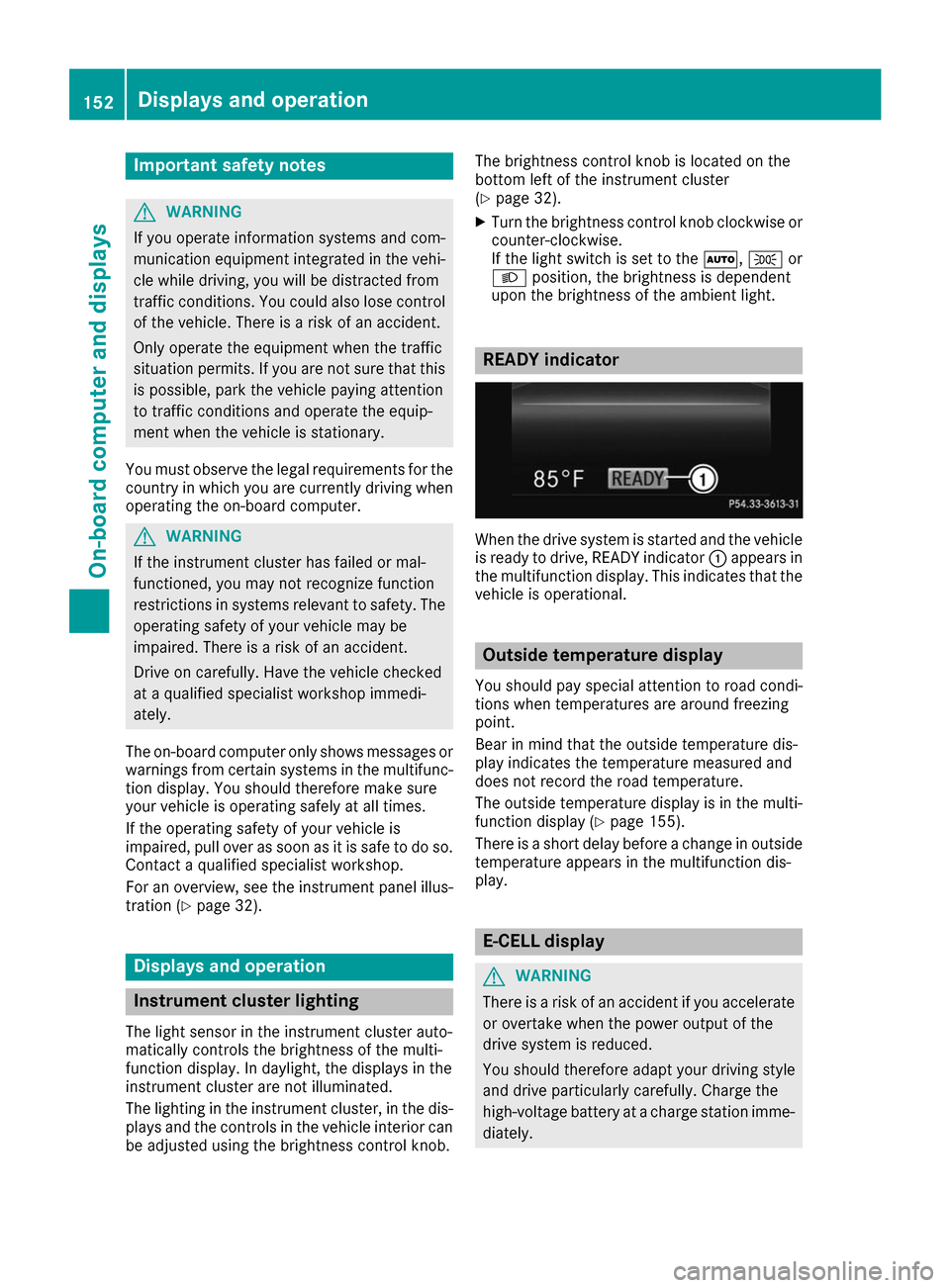
When the drive system is started and the vehicle
is ready to drive, READY indicator 0043appears in
the multifunction display. This indicates that the vehicle is operational. Outside temperature display
You should pay special attention to road condi-
tions when temperatures are around freezing
point.
Bear in mind that the outside temperature dis-
play indicates the temperature measured and
does not record the road temperature.
The outside temperature display is in the multi-
function display (Y page 155).
There is a short delay before a change in outside
temperature appears in the multifunction dis-
play. E-CELL display
G
WARNING
There is a risk of an accident if you accelerate or overtake when the power output of the
drive system is reduced.
You should therefore adapt your driving style
and drive particularly carefully. Charge the
high-voltage battery at a charge station imme- diately. 152
Displays and operationOn-board computer and displays
Page 156 of 290
i
The
Energy Flow
Energy Flow menu can also be dis-
played in the COMAND/Audio display.
The condition of charge of the high-voltage bat- tery has dropped into the reserve range if the
drive system is running and:
R the Drive Battery Reserve Level
Drive Battery Reserve Level mes-
sage appears in the display
R the indicator lamp in the instrument cluster
lights up
Charge the high-voltage battery from a condi-
tion of charge of less than 20% at:
R an electrical outlet
R a charging station
The braking performance of the electric motor
using recuperative braking is, in some operating
modes, either reduced or not effective:
R when the condition of charge of the high-volt-
age battery increases
R if the high-voltage battery is not yet at a nor-
mal operating temperature
R when the vehicle is almost stationary
R in transmission position N
R during and after ESP stability control
If you do not make an additional effort to apply
the brake yourself, the braking effect may not be
sufficient. If necessary, counteract the reduced regenerative braking effect by applying the
brake yourself. Operating the on-board computer
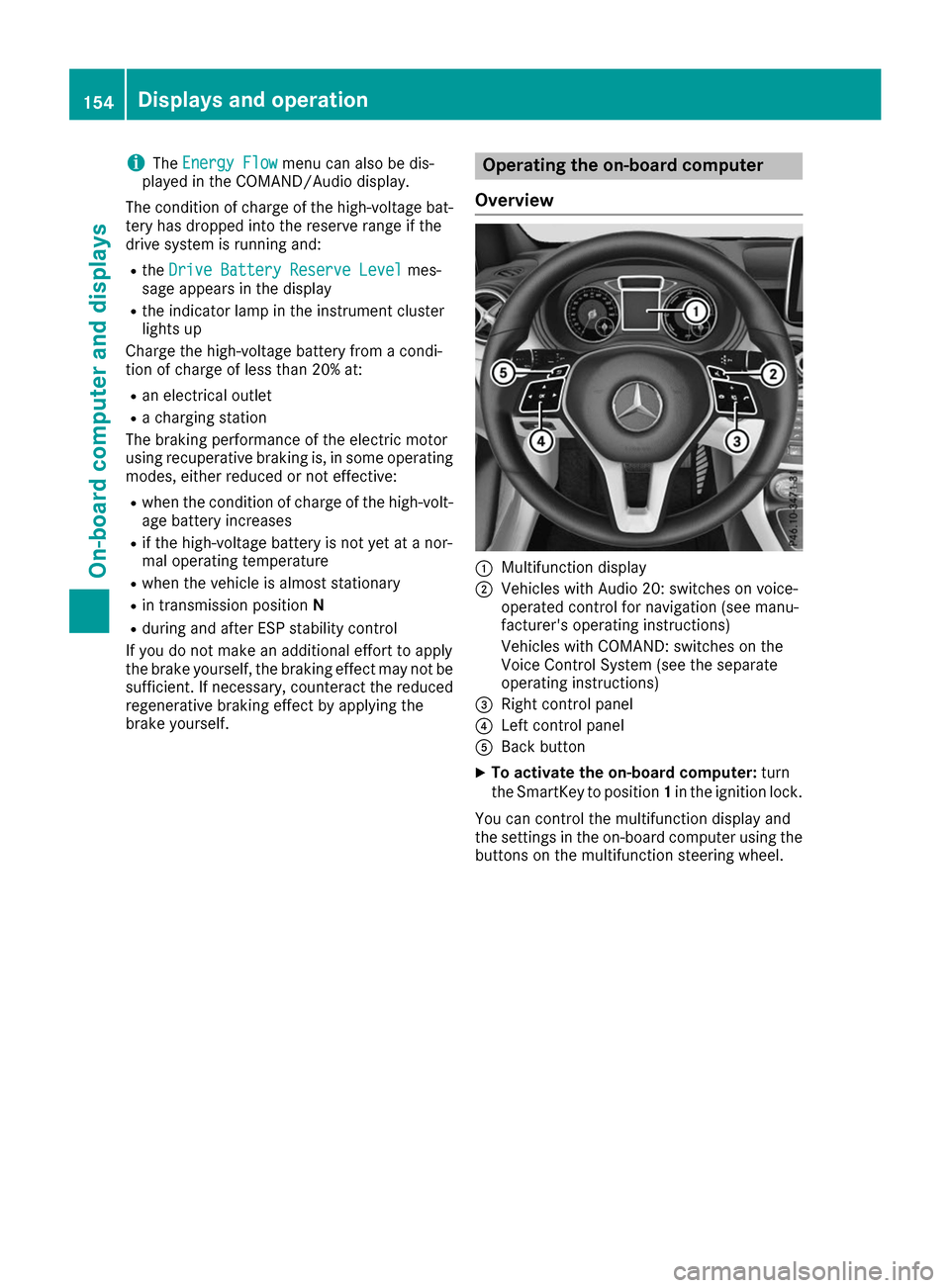
Overview 0043
Multifunction display
0044 Vehicles with Audio 20: switches on voice-
operated control for navigation (see manu-
facturer's operating instructions)
Vehicles with COMAND: switches on the
Voice Control System (see the separate
operating instructions)
0087 Right control panel
0085 Left control panel
0083 Back button
X To activate the on-board computer: turn
the SmartKey to position 1in the ignition lock.
You can control the multifunction display and
the settings in the on-board computer using the buttons on the multifunction steering wheel. 154
Displays and operationOn-board computer and displays
Page 158 of 290
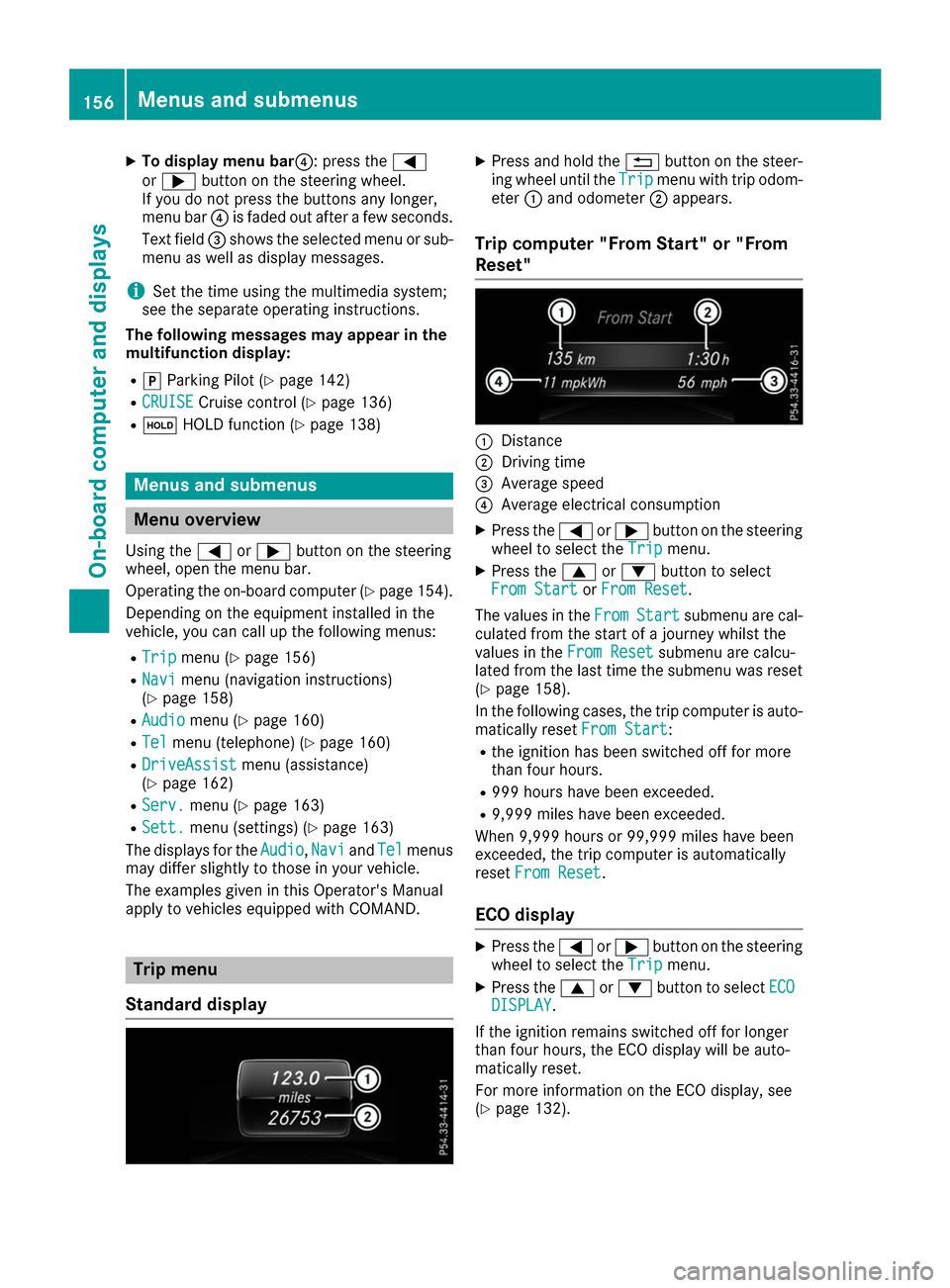
X
To display menu bar 0085: press the0059
or 0065 button on the steering wheel.
If you do not press the buttons any longer,
menu bar 0085is faded out after a few seconds.
Text field 0087shows the selected menu or sub-
menu as well as display messages.
i Set the time using the multimedia system;
see the separate operating instructions.
The following messages may appear in the
multifunction display:
R 005D Parking Pilot (Y page 142)
R CRUISE
CRUISE Cruise control (Y page 136)
R 00D9 HOLD function (Y page 138) Menus and submenus
Menu overview
Using the 0059or0065 button on the steering
wheel, open the menu bar.
Operating the on-board computer (Y page 154).
Depending on the equipment installed in the
vehicle, you can call up the following menus:
R Trip
Trip menu (Y page 156)
R Navi Navi menu (navigation instructions)
(Y page 158)
R Audio
Audio menu (Y page 160)
R Tel
Tel menu (telephone) (Y page 160)
R DriveAssist
DriveAssist menu (assistance)
(Y page 162)
R Serv.
Serv. menu (Y page 163)
R Sett.
Sett. menu (settings) (Y page 163)
The displays for the Audio
Audio,Navi
NaviandTel
Tel menus
may differ slightly to those in your vehicle.
The examples given in this Operator's Manual
apply to vehicles equipped with COMAND. Trip menu
Standard display X
Press and hold the 0038button on the steer-
ing wheel until the Trip Tripmenu with trip odom-
eter 0043and odometer 0044appears.
Trip computer "From Start" or "From
Reset" 0043
Distance
0044 Driving time
0087 Average speed
0085 Average electrical consumption
X Press the 0059or0065 button on the steering
wheel to select the Trip Tripmenu.
X Press the 0063or0064 button to select
From Start
From Start orFrom Reset
From Reset.
The values in the From
FromStart
Start submenu are cal-
culated from the start of a journey whilst the
values in the From Reset From Resetsubmenu are calcu-
lated from the last time the submenu was reset
(Y page 158).
In the following cases, the trip computer is auto-
matically reset From Start
From Start:
R the ignition has been switched off for more
than four hours.
R 999 hours have been exceeded.
R 9,999 miles have been exceeded.
When 9,999 hours or 99,999 miles have been
exceeded, the trip computer is automatically
reset From Reset From Reset.
ECO display X
Press the 0059or0065 button on the steering
wheel to select the Trip Tripmenu.
X Press the 0063or0064 button to select ECO ECO
DISPLAY
DISPLAY.
If the ignition remains switched off for longer
than four hours, the ECO display will be auto-
matically reset.
For more information on the ECO display, see
(Y page 132). 156
Menus and submenusOn-board computer and displays
Page 159 of 290
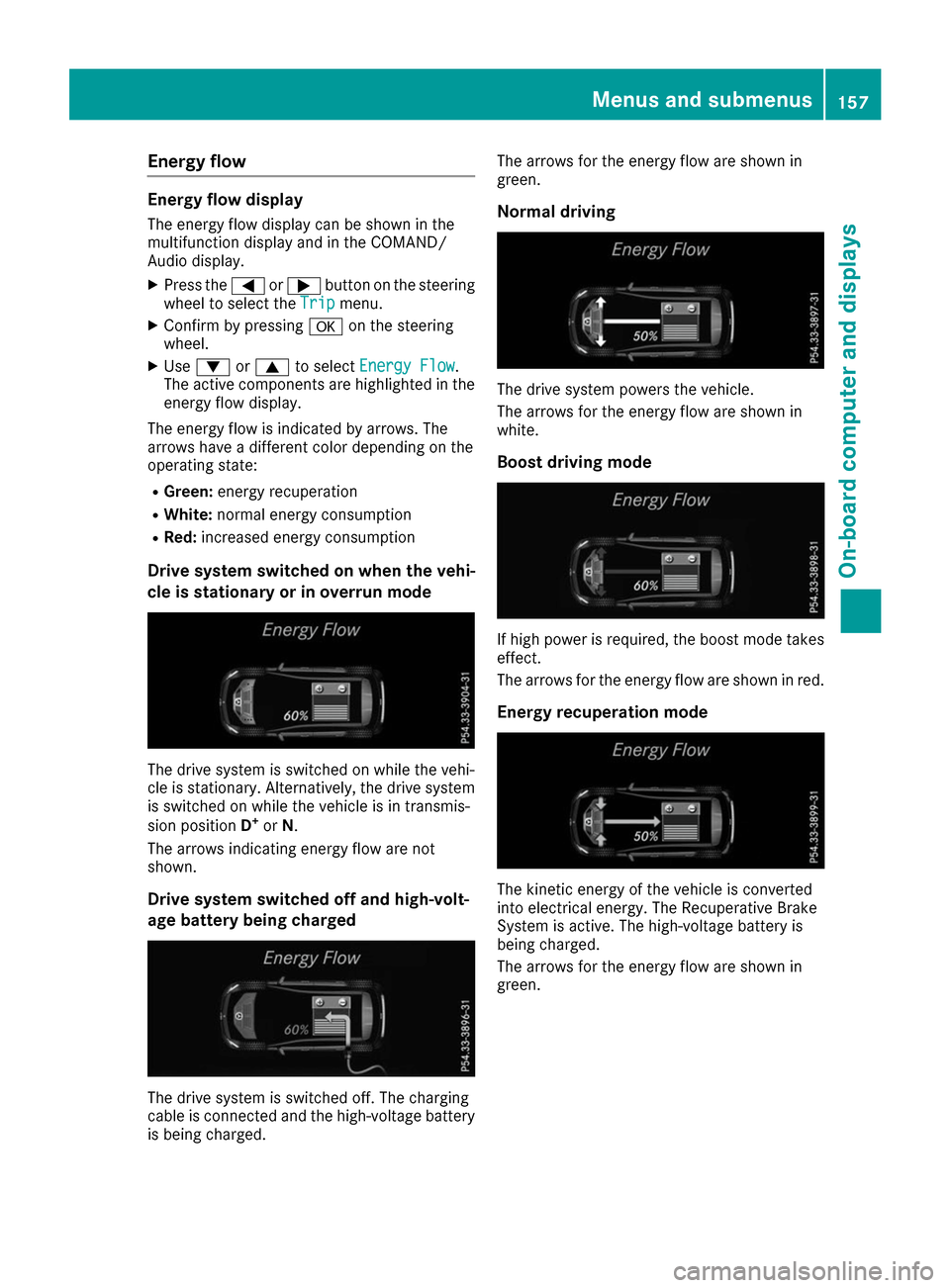
Energy flow
Energy flow display
The energy flow display can be shown in the
multifunction display and in the COMAND/
Audio display.
X Press the 0059or0065 button on the steering
wheel to select the Trip
Trip menu.
X Confirm by pressing 0076on the steering
wheel.
X Use 0064 or0063 to select Energy Flow
Energy Flow.
The active components are highlighted in the
energy flow display.
The energy flow is indicated by arrows. The
arrows have a different color depending on the
operating state:
R Green: energy recuperation
R White: normal energy consumption
R Red: increased energy consumption
Drive system switched on when the vehi-
cle is stationary or in overrun mode The drive system is switched on while the vehi-
cle is stationary. Alternatively, the drive system is switched on while the vehicle is in transmis-
sion position D+
or N.
The arrows indicating energy flow are not
shown.
Drive system switched off and high-volt-
age battery being charged The drive system is switched off. The charging
cable is connected and the high-voltage battery
is being charged. The arrows for the energy flow are shown in
green.
Normal driving The drive system powers the vehicle.
The arrows for the energy flow are shown in
white.
Boost driving mode If high power is required, the boost mode takes
effect.
The arrows for the energy flow are shown in red.
Energy recuperation mode The kinetic energy of the vehicle is converted
into electrical energy. The Recuperative Brake
System is active. The high-voltage battery is
being charged.
The arrows for the energy flow are shown in
green. Menus and submenus
157On-board computer and displays Z