radio MERCEDES-BENZ B-Class 2017 W246 Owner's Manual
[x] Cancel search | Manufacturer: MERCEDES-BENZ, Model Year: 2017, Model line: B-Class, Model: MERCEDES-BENZ B-Class 2017 W246Pages: 290, PDF Size: 19.81 MB
Page 11 of 290
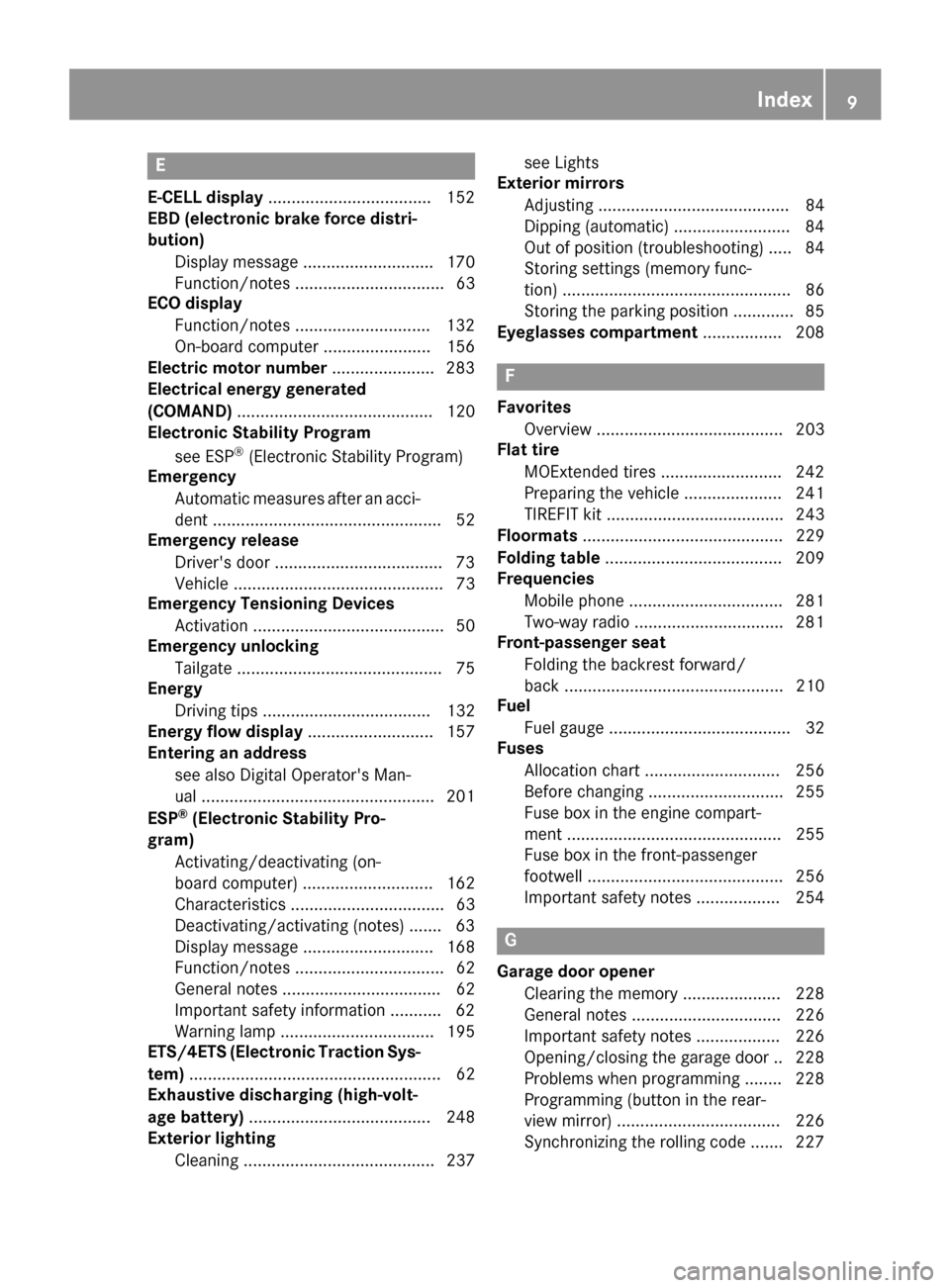
E
E ‑CELL display .................................. .152
EBD (electronic brake force distri-
bution)
Display message ............................ 170
Function/notes ................................ 63
ECO display
Function/notes ............................ .132
On-board computer ....................... 156
Electric motor number ......................283
Electrical energy generated
(COMAND) .......................................... 120
Electronic Stability Program
see ESP ®
(Electronic Stability Program)
Emergency
Automatic measures after an acci-
dent ................................................. 52
Emergency release
Driver's door ................................... .73
Vehicle .............................................73
Emergency Tensioning Devices
Activation ........................................ .50
Emergency unlocking
Tailgat e............................................ 75
Energy
Driving tips .................................... 132
Energy flow display ........................... 157
Entering an address
see also Digital Operator's Man-
ual.................................................. 201
ESP ®
(Electronic Stability Pro-
gram)
Activating/deactivating (on-
board computer) ............................ 162
Characteristics ................................. 63
Deactivating/activating (notes) ....... 63
Display message ............................ 168
Function/note s................................ 62
General notes .................................. 62
Important safety information ........... 62
Warning lamp ................................. 195
ETS/4ETS (Electronic Traction Sys-
tem) ...................................................... 62
Exhaustive discharging (high-volt-
age battery) ....................................... 248
Exterior lighting
Cleaning ......................................... 237 see Lights
Exterior mirrors
Adjusting ......................................... 84
Dipping (automatic) ......................... 84
Out of position (troubleshooting) ..... 84
Storing settings (memory func-
tion) ................................................. 86
Storing the parking position ............. 85
Eyeglasses compartment ................. 208 F
Favorites Overview ........................................ 203
Flat tire
MOExtended tire s.......................... 242
Preparing the vehicle ..................... 241
TIREFIT kit ...................................... 243
Floormats ........................................... 229
Folding table ...................................... 209
Frequencies
Mobile phone ................................. 281
Two-way radio ................................ 281
Front-passenger seat
Folding the backrest forward/
back ............................................... 210
Fuel
Fuel gaug e....................................... 32
Fuses
Allocation chart ............................. 256
Before changing ............................. 255
Fuse box in the engine compart-
ment .............................................. 255
Fuse box in the front-passenger
footwell .......................................... 256
Important safety notes .................. 254 G
Garage door opener Clearing the memory ..................... 228
General notes ................................ 226
Important safety notes .................. 226
Opening/closing the garage doo r..2 28
Problems when programming ....... .228
Programming (button in the rear-
view mirror) ................................... 226
Synchronizing the rolling code ....... 227 Index
9
Page 16 of 290
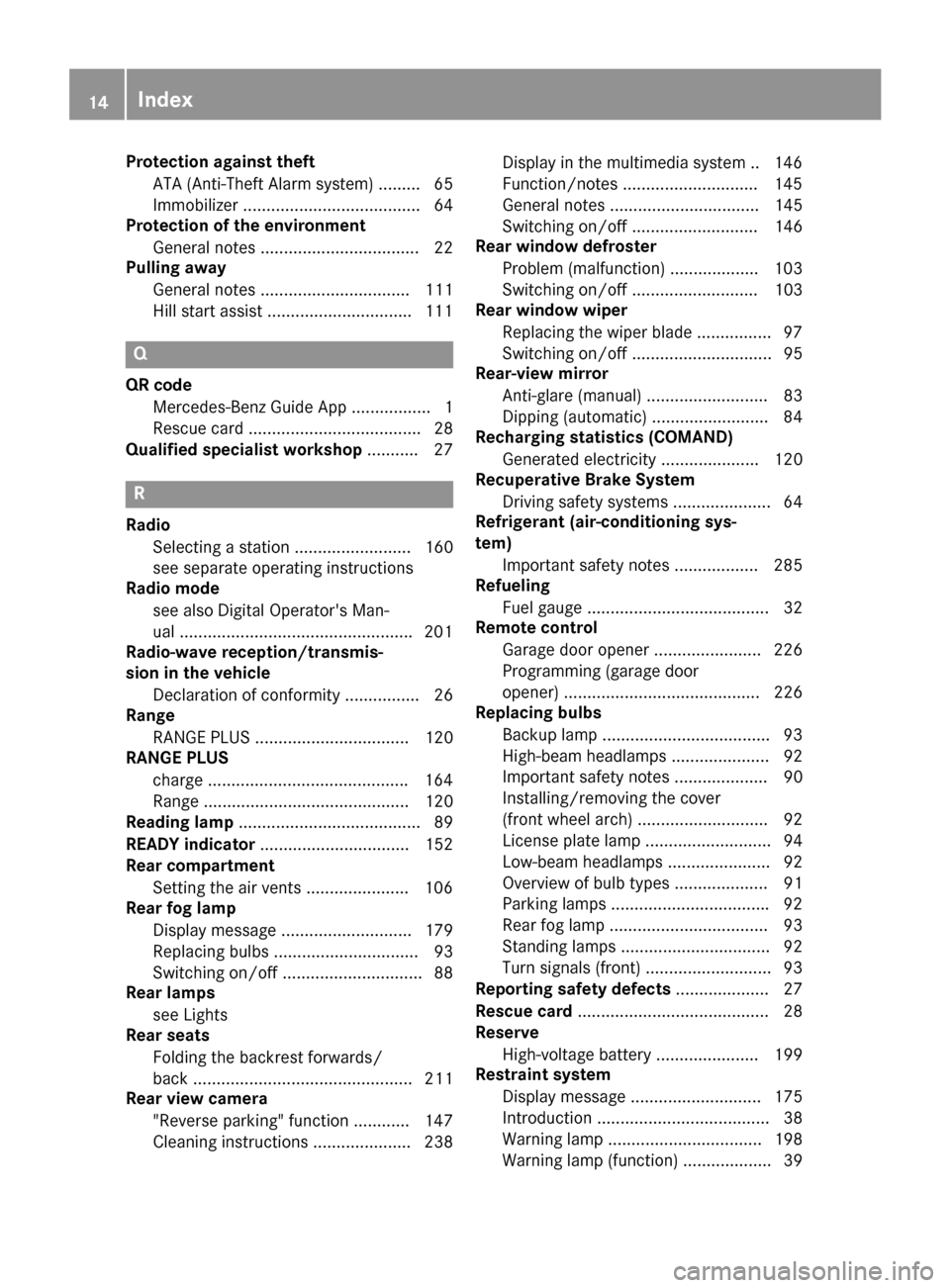
Protection against theft
ATA (Anti-Theft Alarm system) ......... 65
Immobilizer ...................................... 64
Protection of the environment
General notes ..................................22
Pulling away
General notes ................................ 111
Hill start assist ...............................1 11Q
QR code Mercedes-Benz Guide App ................. 1
Rescue card ..................................... 28
Qualified specialist workshop ........... 27R
Radio Selecting a station ......................... 160
see separate operating instructions
Radio mode
see also Digital Operator's Man-
ual ................................................. .201
Radio-wave reception/transmis-
sion in the vehicle
Declaration of conformity ................ 26
Range
RANGE PLUS ................................. 120
RANGE PLUS
charge .......................................... .164
Range ............................................ 120
Reading lamp ....................................... 89
READY indicator ................................ 152
Rear compartment
Setting the air vents ..................... .106
Rear fog lamp
Display message ............................ 179
Replacing bulbs ............................... 93
Switching on/off .............................. 88
Rear lamps
see Lights
Rear seats
Folding the backrest forwards/
back ............................................... 211
Rear view camera
"Reverse parking" function ............ 147
Cleaning instructions ..................... 238 Display in the multimedia system .. 146
Function/notes ............................
.145
General notes ................................ 145
Switching on/off ........................... 146
Rear window defroster
Problem (malfunction) ................... 103
Switching on/off ........................... 103
Rear window wiper
Replacing the wiper blade ................ 97
Switching on/off .............................. 95
Rear-view mirror
Anti-glare (manual) .......................... 83
Dipping (automatic) ......................... 84
Recharging statistics (COMAND)
Generated electricity ..................... 120
Recuperative Brake System
Driving safety systems ..................... 64
Refrigerant (air-conditioning sys-
tem)
Important safety notes .................. 285
Refueling
Fuel gauge ....................................... 32
Remote control
Garage door opener ....................... 226
Programming (garage door
opener) .......................................... 226
Replacing bulbs
Backup lamp ................................... .93
High-beam headlamps ..................... 92
Important safety notes .................... 90
Installing/removing the cover
(front wheel arch) ............................ 92
License plate lamp ........................... 94
Low-beam headlamps ...................... 92
Overview of bulb types .................... 91
Parking lamps ................................. .92
Rear fog lamp .................................. 93
Standing lamps ................................ 92
Turn signals (front) .......................... .93
Reporting safety defects .................... 27
Rescue card ......................................... 28
Reserve
High-voltage battery ...................... 199
Restraint system
Display message ............................ 175
Introduction ..................................... 38
Warning lamp ................................. 198
Warning lamp (function) ................... 39 14
Index
Page 19 of 290
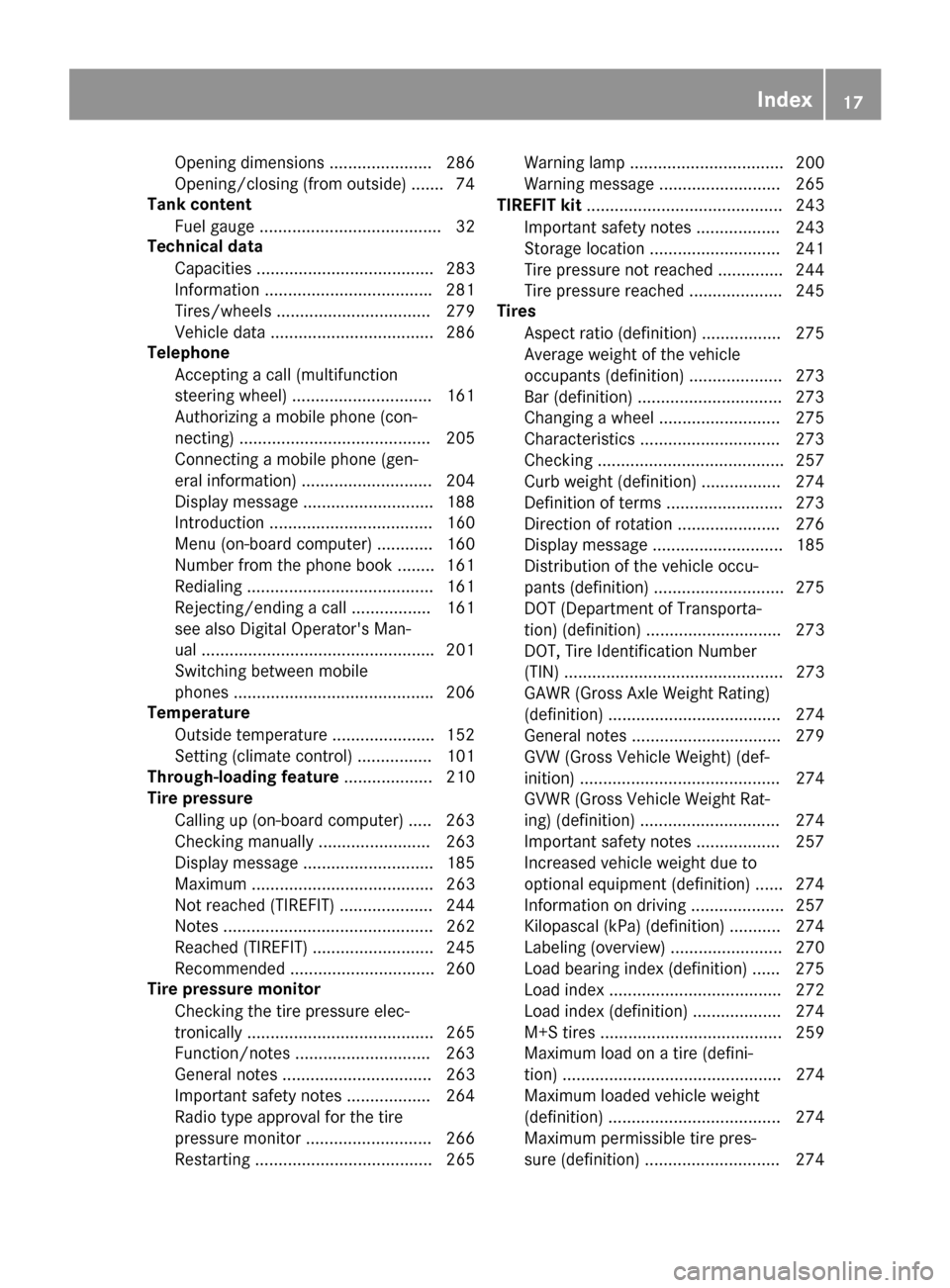
Opening dimensions ......................2
86
Opening/closing (from outside) ....... 74
Tank content
Fuel gauge ....................................... 32
Technical data
Capacities ...................................... 283
Information ................................... .281
Tires/wheels ................................. 279
Vehicle data ................................... 286
Telephone
Accepting a call (multifunction
steering wheel) .............................. 161
Authorizing a mobile phone (con-
necting) ......................................... 205
Connecting a mobile phone (gen-
eral information) ............................ 204
Display message ............................ 188
Introduction ................................... 160
Menu (on-board computer) ............ 160
Number from the phone book ....... .161
Redialing ........................................ 161
Rejecting/ending a call ................. 161
see also Digital Operator's Man-
ual ................................................. .201
Switching between mobile
phones .......................................... .206
Temperature
Outside temperature ..................... .152
Setting (climate control) ................ 101
Through-loading feature ................... 210
Tire pressure
Calling up (on-board computer) ..... 263
Checking manually ........................ 263
Display message ............................ 185
Maximum ....................................... 263
Not reached (TIREFIT) .................... 244
Notes ............................................. 262
Reached (TIREFIT) .......................... 245
Recommended ............................... 260
Tire pressure monitor
Checking the tire pressure elec-
tronically ........................................ 265
Function/notes ............................ .263
General notes ................................ 263
Important safety notes .................. 264
Radio type approval for the tire
pressure monitor ........................... 266
Restarting ...................................... 265 Warning lamp ................................. 200
Warning message .......................... 265
TIREFIT kit .......................................... 243
Important safety notes .................. 243
Storage location ............................ 241
Tire pressure not reached .............. 244
Tire pressure reached .................... 245
Tires
Aspect ratio (definition) ................. 275
Average weight of the vehicle
occupants (definition) .................... 273
Bar (definition) ............................... 273
Changing a wheel .......................... 275
Characteristics .............................. 273
Checking ........................................ 257
Curb weight (definition) ................. 274
Definition of terms ......................... 273
Direction of rotatio n...................... 276
Display message ............................ 185
Distribution of the vehicle occu-
pants (definition) ............................ 275
DOT (Department of Transporta-
tion) (definition) ............................. 273
DOT, Tire Identification Number
(TIN) ............................................... 273
GAWR (Gross Axle Weight Rating)
(definition) ..................................... 274
General notes ................................ 279
GVW (Gross Vehicle Weight) (def-
inition) ........................................... 274
GVWR (Gross Vehicle Weight Rat-
ing) (definition) .............................. 274
Important safety notes .................. 257
Increased vehicle weight due to
optional equipment (definition) ...... 274
Information on driving .................... 257
Kilopascal (kPa) (definition) ........... 274
Labeling (overview) ........................ 270
Load bearing index (definition) ...... 275
Load index ..................................... 272
Load index (definition) ................... 274
M+S tire s....................................... 259
Maximum load on a tire (defini-
tion) ............................................... 274
Maximum loaded vehicle weight
(definition) ..................................... 274
Maximum permissible tire pres-
sure (definition) ............................. 274 Index
17
Page 20 of 290
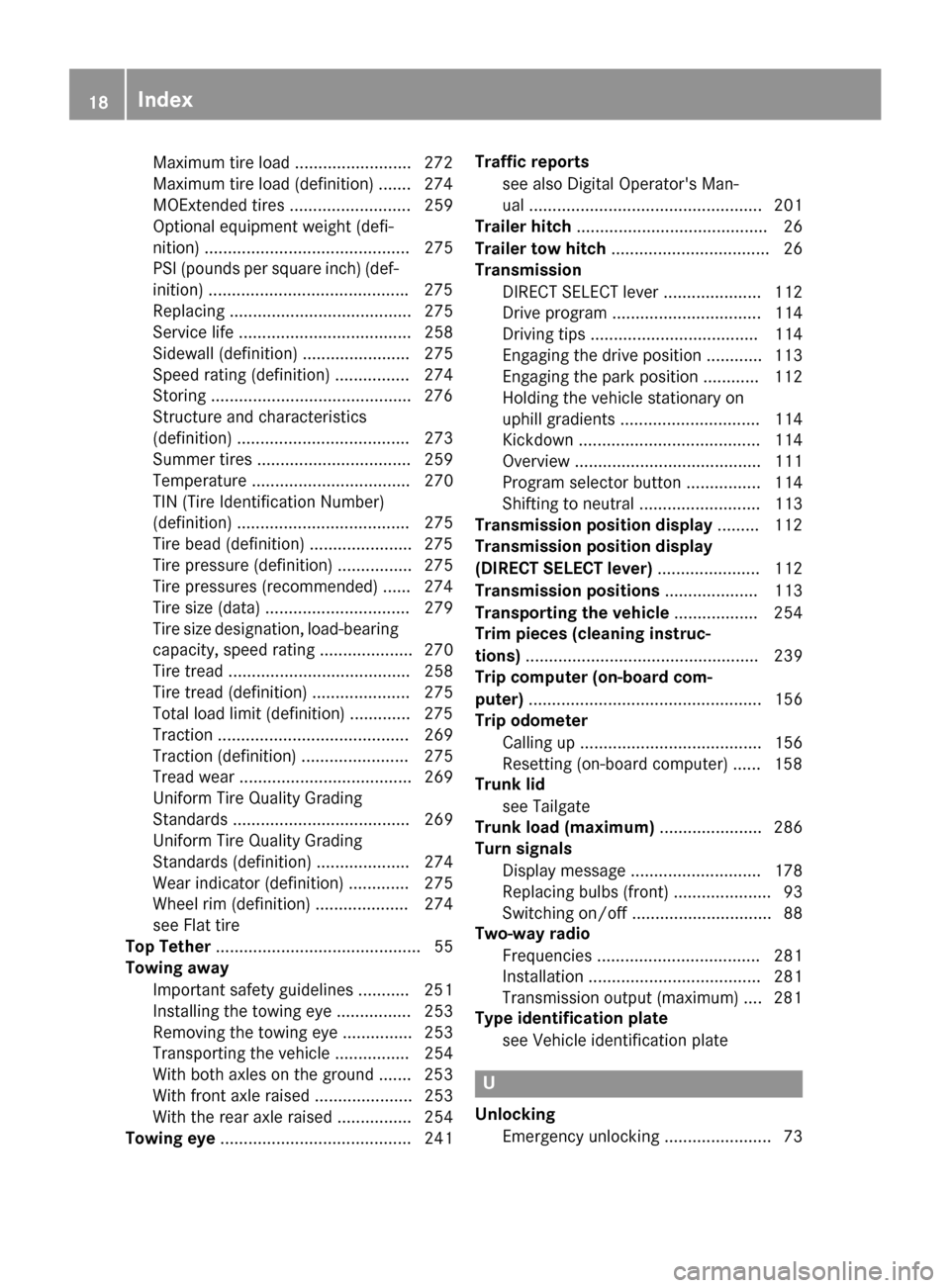
Maximum tire load .........................2
72
Maximum tire load (definition) ....... 274
MOExtended tires .......................... 259
Optional equipment weight (defi-
nition) ............................................ 275
PSI (pounds per square inch) (def-
inition) .......................................... .275
Replacing ....................................... 275
Service life ..................................... 258
Sidewall (definition) ....................... 275
Speed rating (definition) ................ 274
Storing .......................................... .276
Structure and characteristics
(definition) ..................................... 273
Summer tires ................................. 259
Temperature .................................. 270
TIN (Tire Identification Number)
(definition) ..................................... 275
Tire bead (definition) ..................... .275
Tire pressure (definition) ................ 275
Tire pressures (recommended) ...... 274
Tire size (data) ............................... 279
Tire size designation, load-bearing capacity, speed rating .................... 270
Tire tread ....................................... 258
Tire tread (definition) ..................... 275
Total load limit (definition) ............. 275
Traction ......................................... 269
Traction (definition) ....................... 275
Tread wea r..................................... 269
Uniform Tire Quality Grading
Standards ...................................... 269
Uniform Tire Quality Grading
Standards (definition) .................... 274
Wear indicator (definition) ............. 275
Wheel rim (definition) .................... 274
see Flat tire
Top Tether ............................................ 55
Towing away
Important safety guidelines ........... 251
Installing the towing eye ................ 253
Removing the towing eye ............... 253
Transporting the vehicle ................ 254
With both axles on the ground ....... 253
With front axle raised ..................... 253
With the rear axle raised ................ 254
Towing eye ......................................... 241 Traffic reports
see also Digital Operator's Man-
ual .................................................. 201
Trailer hitch ......................................... 26
Trailer tow hitch .................................. 26
Transmission
DIRECT SELECT lever ..................... 112
Drive program ................................ 114
Driving tips .................................... 114
Engaging the drive position ............ 113
Engaging the park position ............ 112
Holding the vehicle stationary on
uphill gradients .............................. 114
Kickdown ....................................... 114
Overview ........................................ 111
Program selector button ................ 114
Shifting to neutral .......................... 113
Transmission position display ......... 112
Transmission position display
(DIRECT SELECT lever) ...................... 112
Transmission positions .................... 113
Transporting the vehicle .................. 254
Trim pieces (cleaning instruc-
tions) .................................................. 239
Trip computer (on-board com-
puter) .................................................. 156
Trip odometer
Calling up ....................................... 156
Resetting (on-board computer) ...... 158
Trunk lid
see Tailgate
Trunk load (maximum) ...................... 286
Turn signals
Display message ............................ 178
Replacing bulbs (front) ..................... 93
Switching on/of f.............................. 88
Two-way radio
Frequencies ................................... 281
Installation ..................................... 281
Transmission output (maximum) .... 281
Type identification plate
see Vehicle identification plate U
Unlocking Emergency unlocking ....................... 73 18
Index
Page 32 of 290
R
iPod ®
and iTunes ®
are registered trademarks
of Apple Inc.
R Logic7 ®
is a registered trademark of Harman
International Industries.
R Microsoft ®
and Windows media ®
are regis-
tered trademarks of Microsoft Corporation.
R SIRIUS ®
is a registered trademark of Sirius
XM Radio Inc.
R HD Radio™ is a registered trademark of iBiq-
uity Digital Corporation.
R Gracenote ®
is a registered trademark of
Gracenote, Inc.
R ZAGAT Survey ®
and related brands are regis-
tered trademarks of Zagat Survey, LLC. 30
Information on copyrightIntroduction
Page 69 of 290
Locking and unlocking
You can start, lock or unlock the vehicle using
KEYLESS-GO. To do this, you only need carry the
SmartKey with you. You can combine the func-
tions of KEYLESS-GO with those of a conven-
tional SmartKey. Unlock the vehicle by using
KEYLESS-GO, for instance, and lock it using the 0037 button on the SmartKey.
The driver's door and the door at which the han-
dle is used, must both be closed. The SmartKey
must be outside the vehicle. When locking or
unlocking with KEYLESS-GO, the distance
between the SmartKey and the corresponding
door handle must not be greater than 3 ft (1 m).
A check which periodically establishes a radio
connection between the vehicle and the Smart-
Key determines whether a valid SmartKey is in
the vehicle. This occurs, for example:
R when starting the drive system
R while driving
R when the external door handles are touched
R during convenience closing X
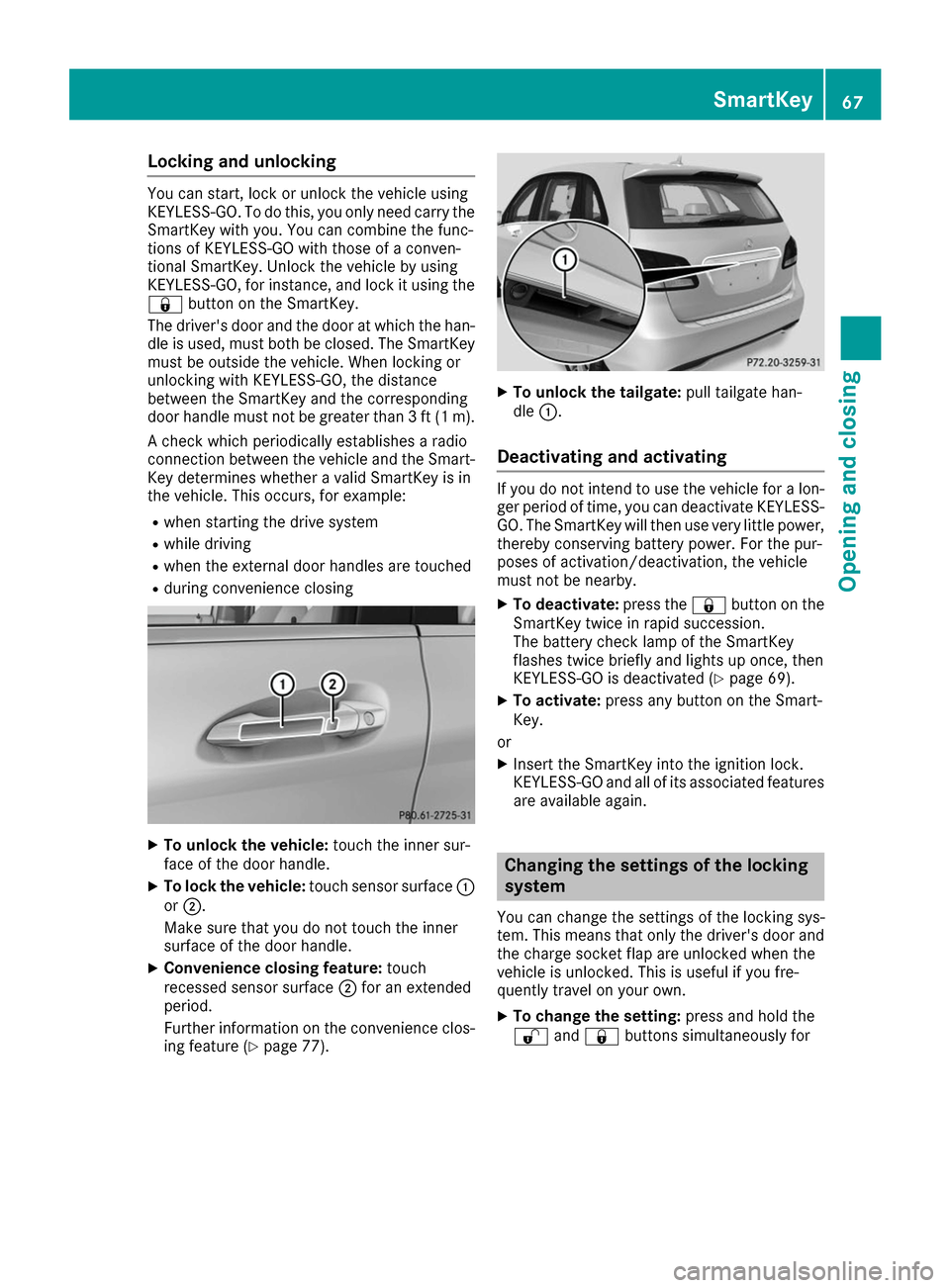
To unlock the vehicle: touch the inner sur-
face of the door handle.
X To lock the vehicle: touch sensor surface 0043
or 0044.
Make sure that you do not touch the inner
surface of the door handle.
X Convenience closing feature: touch
recessed sensor surface 0044for an extended
period.
Further information on the convenience clos-
ing feature (Y page 77). X
To unlock the tailgate: pull tailgate han-
dle 0043.
Deactivating and activating If you do not intend to use the vehicle for a lon-
ger period of time, you can deactivate KEYLESS-
GO. The SmartKey will then use very little power, thereby conserving battery power. For the pur-
poses of activation/deactivation, the vehicle
must not be nearby.
X To deactivate: press the0037button on the
SmartKey twice in rapid succession.
The battery check lamp of the SmartKey
flashes twice briefly and lights up once, then
KEYLESS-GO is deactivated (Y page 69).
X To activate: press any button on the Smart-
Key.
or X Insert the SmartKey into the ignition lock.
KEYLESS-GO and all of its associated features
are available again. Changing the settings of the locking
system
You can change the settings of the locking sys-
tem. This means that only the driver's door and
the charge socket flap are unlocked when the
vehicle is unlocked. This is useful if you fre-
quently travel on your own.
X To change the setting: press and hold the
0036 and0037 buttons simultaneously for SmartKey
67Opening and closing Z
Page 72 of 290
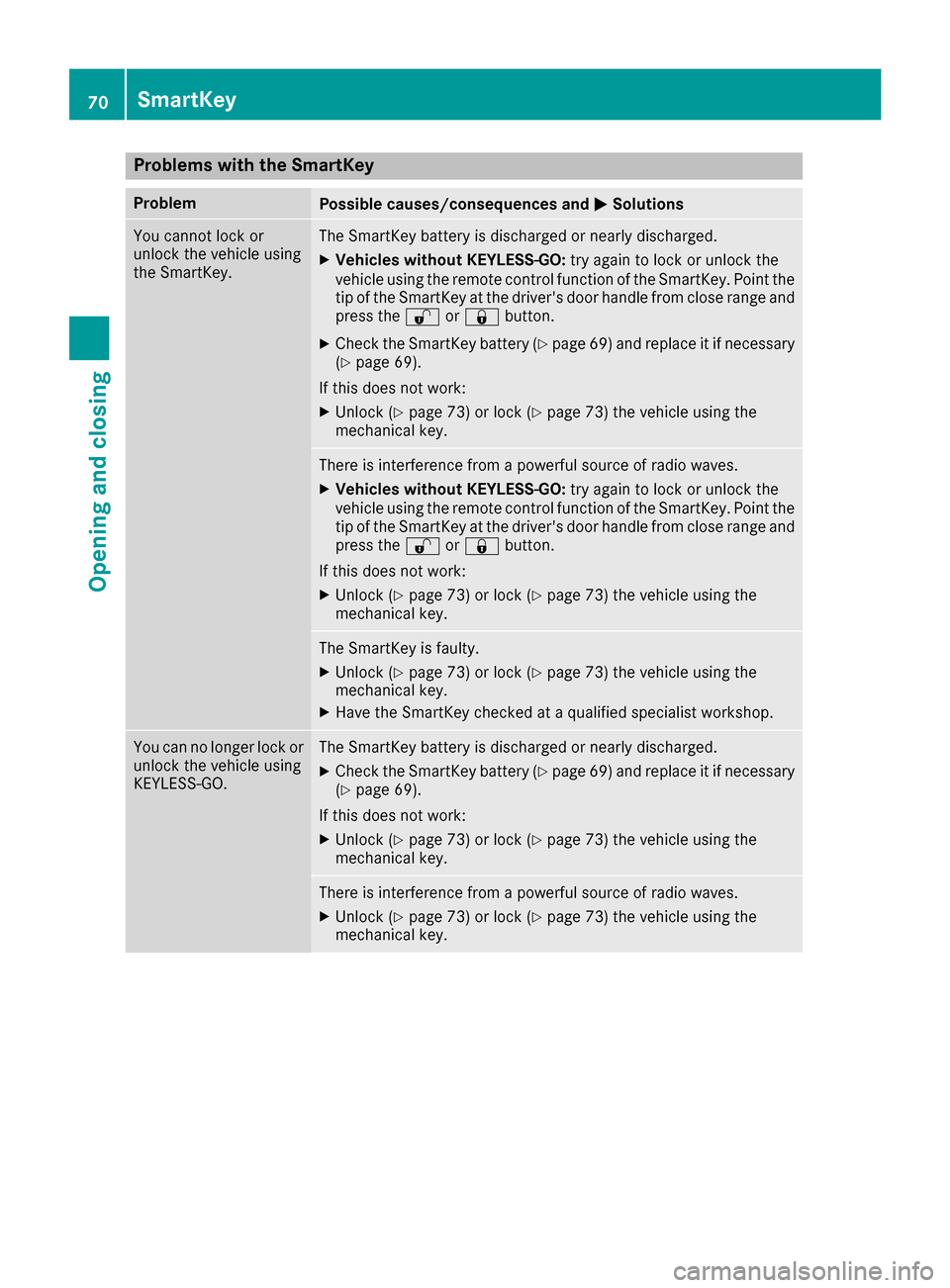
Problems with the SmartKey
Problem
Possible causes/consequences and
0050
0050Solutions You cannot lock or
unlock the vehicle using
the SmartKey. The SmartKey battery is discharged or nearly discharged.
X Vehicles without KEYLESS-GO: try again to lock or unlock the
vehicle using the remote control function of the SmartKey. Point the tip of the SmartKey at the driver's door handle from close range and
press the 0036or0037 button.
X Check the SmartKey battery (Y page 69) and replace it if necessary
(Y page 69).
If this does not work: X Unlock (Y page 73) or lock (Y page 73) the vehicle using the
mechanical key. There is interference from a powerful source of radio waves.
X Vehicles without KEYLESS-GO: try again to lock or unlock the
vehicle using the remote control function of the SmartKey. Point the
tip of the SmartKey at the driver's door handle from close range and press the 0036or0037 button.
If this does not work: X Unlock (Y page 73) or lock (Y page 73) the vehicle using the
mechanical key. The SmartKey is faulty.
X Unlock (Y page 73) or lock (Y page 73) the vehicle using the
mechanical key.
X Have the SmartKey checked at a qualified specialist workshop. You can no longer lock or
unlock the vehicle using
KEYLESS-GO. The SmartKey battery is discharged or nearly discharged.
X Check the SmartKey battery (Y page 69) and replace it if necessary
(Y page 69).
If this does not work: X Unlock (Y page 73) or lock (Y page 73) the vehicle using the
mechanical key. There is interference from a powerful source of radio waves.
X Unlock (Y page 73) or lock (Y page 73) the vehicle using the
mechanical key. 70
SmartKeyOpening and closing
Page 73 of 290
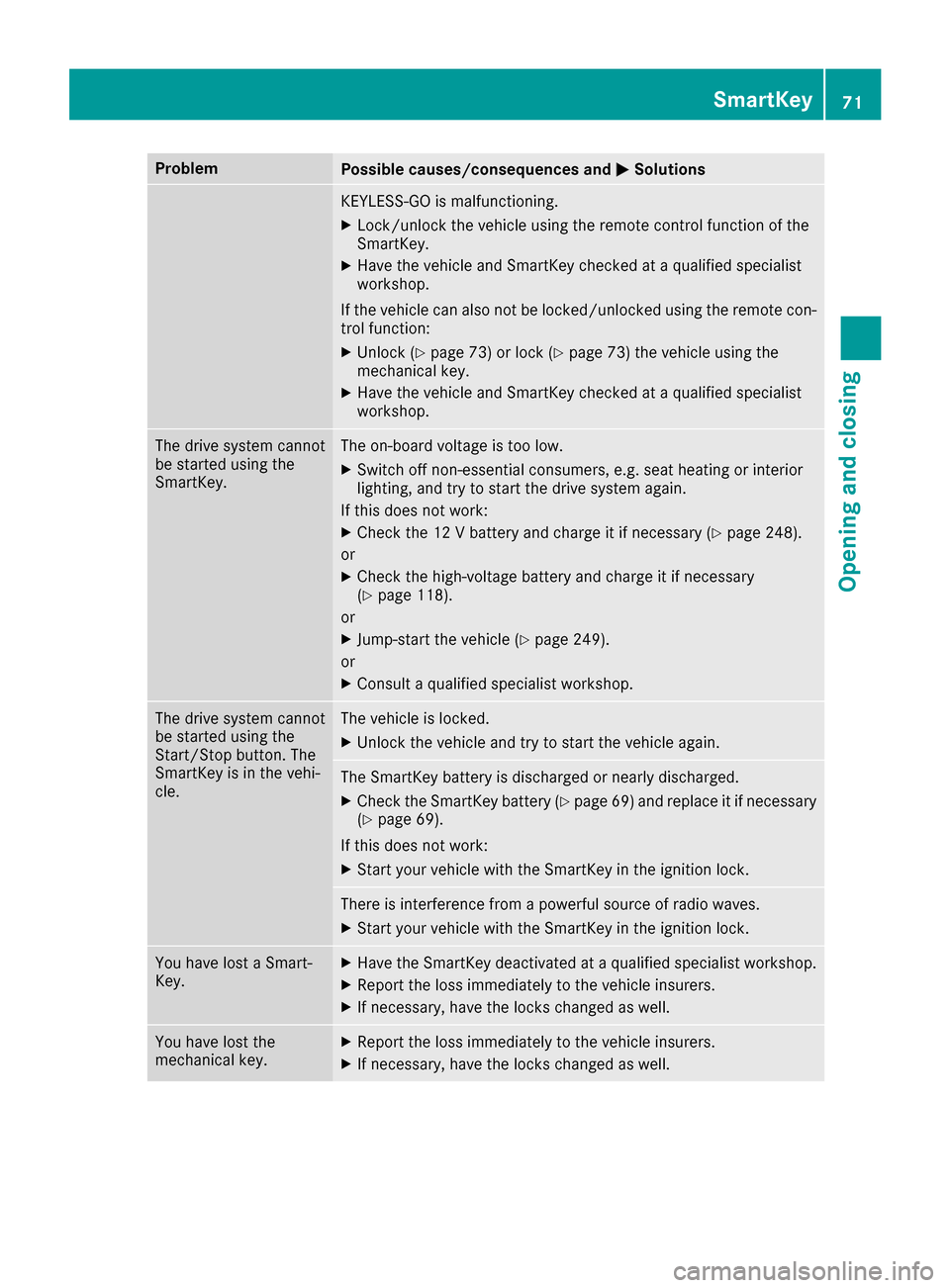
Problem
Possible causes/consequences and
0050
0050Solutions KEYLESS-GO is malfunctioning.
X Lock/unlock the vehicle using the remote control function of the
SmartKey.
X Have the vehicle and SmartKey checked at a qualified specialist
workshop.
If the vehicle can also not be locked/unlocked using the remote con-
trol function:
X Unlock (Y page 73) or lock (Y page 73) the vehicle using the
mechanical key.
X Have the vehicle and SmartKey checked at a qualified specialist
workshop. The drive system cannot
be started using the
SmartKey. The on-board voltage is too low.
X Switch off non-essential consumers, e.g. seat heating or interior
lighting, and try to start the drive system again.
If this does not work:
X Check the 12 V battery and charge it if necessary (Y page 248).
or
X Check the high-voltage battery and charge it if necessary
(Y page 118).
or
X Jump-start the vehicle (Y page 249).
or
X Consult a qualified specialist workshop. The drive system cannot
be started using the
Start/Stop button. The
SmartKey is in the vehi-
cle. The vehicle is locked.
X Unlock the vehicle and try to start the vehicle again. The SmartKey battery is discharged or nearly discharged.
X Check the SmartKey battery (Y page 69) and replace it if necessary
(Y page 69).
If this does not work: X Start your vehicle with the SmartKey in the ignition lock. There is interference from a powerful source of radio waves.
X Start your vehicle with the SmartKey in the ignition lock. You have lost a Smart-
Key. X
Have the SmartKey deactivated at a qualified specialist workshop.
X Report the loss immediately to the vehicle insurers.
X If necessary, have the locks changed as well. You have lost the
mechanical key. X
Report the loss immediately to the vehicle insurers.
X If necessary, have the locks changed as well. SmartKey
71Opening and closing Z
Page 111 of 290
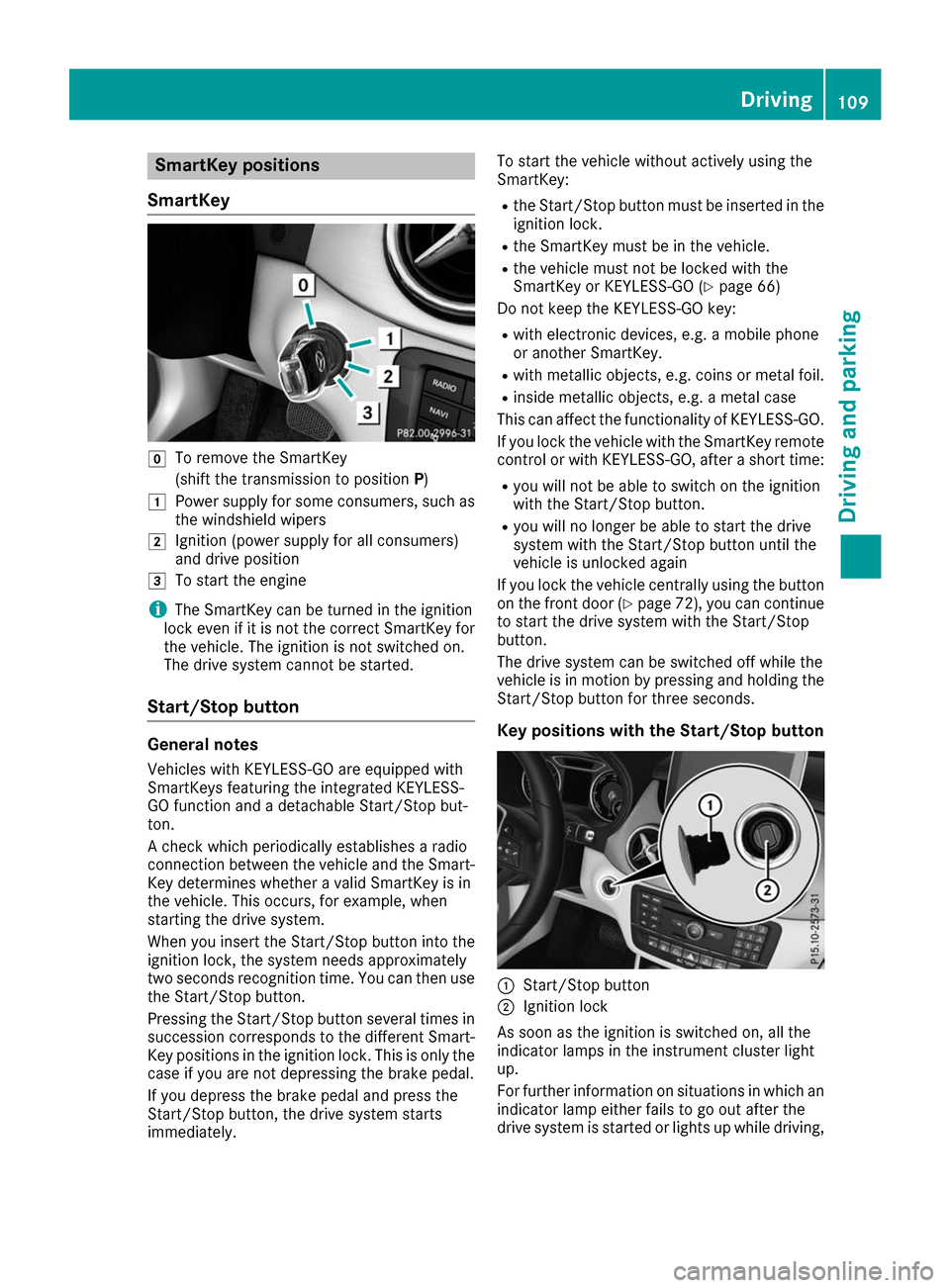
SmartKey positions
SmartKey 005A
To remove the SmartKey
(shift the transmission to position P)
0047 Power supply for some consumers, such as
the windshield wipers
0048 Ignition (power supply for all consumers)
and drive position
0049 To start the engine
i The SmartKey can be turned in the ignition
lock even if it is not the correct SmartKey for
the vehicle. The ignition is not switched on.
The drive system cannot be started.
Start/Stop button General notes
Vehicles with KEYLESS-GO are equipped with
SmartKeys featuring the integrated KEYLESS-
GO function and a detachable Start/Stop but-
ton.
A check which periodically establishes a radio
connection between the vehicle and the Smart-
Key determines whether a valid SmartKey is in
the vehicle. This occurs, for example, when
starting the drive system.
When you insert the Start/Stop button into the
ignition lock, the system needs approximately
two seconds recognition time. You can then use the Start/Stop button.
Pressing the Start/Stop button several times in
succession corresponds to the different Smart- Key positions in the ignition lock. This is only the
case if you are not depressing the brake pedal.
If you depress the brake pedal and press the
Start/Stop button, the drive system starts
immediately. To start the vehicle without actively using the
SmartKey:
R
the Start/Stop button must be inserted in the
ignition lock.
R the SmartKey must be in the vehicle.
R the vehicle must not be locked with the
SmartKey or KEYLESS-GO (Y page 66)
Do not keep the KEYLESS-GO key:
R with electronic devices, e.g. a mobile phone
or another SmartKey.
R with metallic objects, e.g. coins or metal foil.
R inside metallic objects, e.g. a metal case
This can affect the functionality of KEYLESS-GO.
If you lock the vehicle with the SmartKey remote
control or with KEYLESS-GO, after a short time:
R you will not be able to switch on the ignition
with the Start/Stop button.
R you will no longer be able to start the drive
system with the Start/Stop button until the
vehicle is unlocked again
If you lock the vehicle centrally using the button
on the front door (Y page 72), you can continue
to start the drive system with the Start/Stop
button.
The drive system can be switched off while the
vehicle is in motion by pressing and holding the Start/Stop button for three seconds.
Key positions with the Start/Stop button 0043
Start/Stop button
0044 Ignition lock
As soon as the ignition is switched on, all the
indicator lamps in the instrument cluster light
up.
For further information on situations in which an indicator lamp either fails to go out after the
drive system is started or lights up while driving, Driving
109Driving and parking Z
Page 124 of 290
Displaying the range and destination acces-
sibility via navigation mode:
X To switch to navigation mode: press the
00CB button.
The map shows the vehicle's current position.
or
X From one of the other main functions: slide
5 the controller (e. g. in radio mode).
The main function bar is displayed.
X To select Navi
Navi from the main function bar:
turn and press the controller.
The map shows the vehicle's current position.
X To call up e-Navigator: press the00CBbut-
ton.
X To select Range on Map
Range on Map in the navigation
menu: turn and press the controller.
The range and destination accessibility are
displayed on the navigation map.
Displaying the range and destination acces- sibility via Mercedes-Benz Apps:
X Switch on the multimedia system (see sepa-
rate operating instructions).
X Set access data and connect to the Internet
(see separate operating instructions)
X To call up the telephone menu: press the
002B button.
X To switch to the main function bar: slide 5
the controller.
X To select Tel/
Tel/00A7: press the controller.
X To select Internet
Internet: turn and press the con-
troller.
The menu with the Internet functions is dis-
played.
X To select Mercedes-Benz Apps
Mercedes-Benz Apps: turn and
press the controller.
The available Mercedes-Benz Apps
Mercedes-Benz Apps are dis-
played.
X To call up the e-Navigator App: turn and
press the controller.
The navigation map is displayed showing the
range and destination accessibility
Showing the view levels on the map:
X To display the menu: slide6and press
the controller when the map appears.
The menu of the view levels opens. You may
choose from the following view levels: R
available charging stations
R current route
R current vehicle position with vehicle direc-
tion
Exiting the map display:
X Press the 0038button on the controller.
or
X To select 0038: slide 6and press the con-
troller. Charging the high-voltage battery via
the electrical outlet
Charging cable Important safety notes
! Only use the charging cable to charge the
high-voltage battery. Do not use the charging
cable for other purposes. It may otherwise be damaged.
The vehicle is supplied with a single-phase 12 A charging cable. Only use the charging cable
included with the vehicle, which has been
approved for vehicle use.
Pay attention to the "Important safety notes"
(Y page 117).
If you use the supplied 12 A charging cable to
charge a high-voltage battery:
R the charge time increases considerably
R electrical consumption increases considera-
bly
Where possible, charge the high-voltage battery at a charging station (Y page 125). Only then
can certified electrical energy consumption lev- els be reached.
i The charging process can vary depending on
the charging station. Therefore, always
observe the local information.
Stowing the charging cable
The charging cable can be stowed in a bag in the trunk of the vehicle. To do so, the bag must be
secured to the cargo tie-down rings using the
retaining strap provided. 122
High-voltage batteryDriving and pa
rking