light switch MERCEDES-BENZ B-CLASS HATCHBACK 2008 Service Manual
[x] Cancel search | Manufacturer: MERCEDES-BENZ, Model Year: 2008, Model line: B-CLASS HATCHBACK, Model: MERCEDES-BENZ B-CLASS HATCHBACK 2008Pages: 305, PDF Size: 5.1 MB
Page 94 of 305

Transmission
91Manual transmission
5-speed manual transmission Vehicles without ECO Start-Stop-Function* (5-
speed manual transmission)
Vehicles with ECO Start-Stop-Function* Neutral Nwith ECO Start-Stop-Func-
tion*activated
The transmission must be in neutral
Nfor the
engine to switch off when:
X the engine is running below a certain
speed.
X the brake pedal is depressed.
X the clutch pedal is not depressed.
Engaging reverse gear
! Only engage reverse gear when the vehi-
cle is stationary, otherwise the transmis-
sion could be damaged.
X Move the gear lever to the right and then
back. 6-speed manual transmission Vehicles without ECO Start-Stop-Function* (6-
speed manual transmission)
!
When shifting between 5thand 6thgear,
you should always push the gear lever all
the way to the right. Otherwise, you could
shift unintentionally into thirdorfourth
gear and damage the transmission.
Do not exceed the maximum speed for the
individual gears.
If you shift down at too high a speed (trans-
mission braking), this can cause the engine
to overrev, leading to engine damage.
! On long and steep downhill gradients,
especially when the vehicle is laden, you
must shift to a lower gear in time. This will Controls
* optional
245_AKB; 2; 7, en-GB
wdomann,
Version: 2.11.4 2008-10-17T11:22:31+02:00 - Seite 91 ZDateiname: 6515_1640_02_buchblock.pdf; preflight
Page 99 of 305
Instrument cluster
96 could cause the drive wheels to lose their
grip and the vehicle could skid.
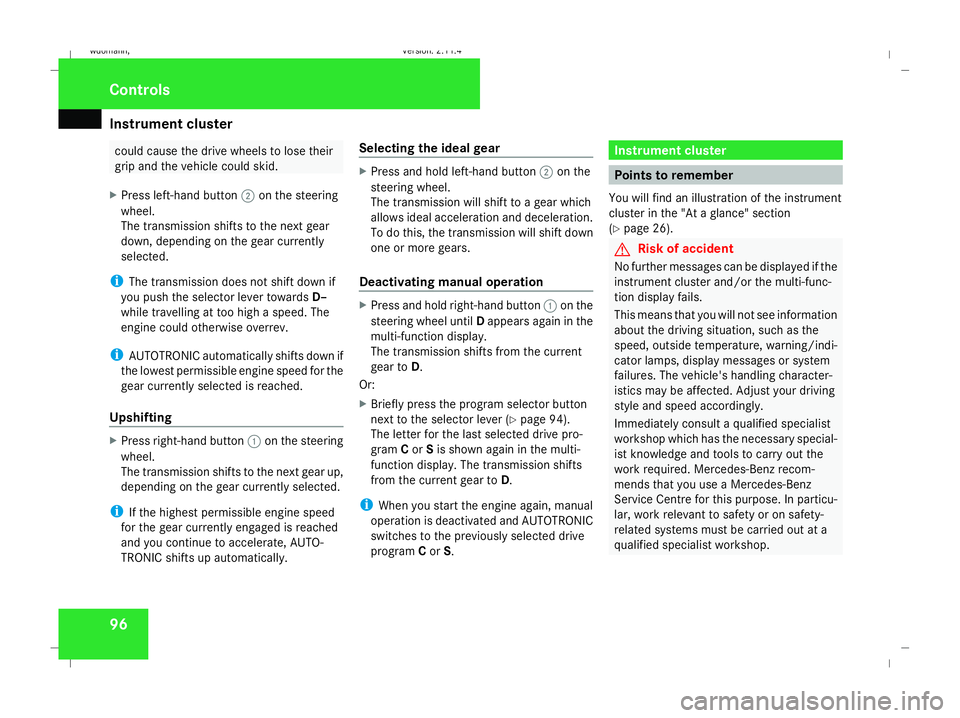
X Press left-hand button 2on the steering
wheel.
The transmission shifts to the next gear
down, depending on the gear currently
selected.
i The transmission does not shift down if
you push the selector lever towards D–
while travelling at too high a speed. The
engine could otherwise overrev.
i AUTOTRONIC automatically shifts down if
the lowest permissible engine speed for the
gear currently selected is reached.
Upshifting X
Press right-hand button 1on the steering
wheel.
The transmission shifts to the next gear up,
depending on the gear currently selected.
i If the highest permissible engine speed
for the gear currently engaged is reached
and you continue to accelerate, AUTO-
TRONIC shifts up automatically. Selecting the ideal gear X
Press and hold left-hand button 2on the
steering wheel.
The transmission will shift to a gear which
allows ideal acceleration and deceleration.
To do this, the transmission will shift down
one or more gears.
Deactivating manual operation X
Press and hold right-hand button 1on the
steering wheel until Dappears again in the
multi-function display.
The transmission shifts from the current
gear to D.
Or:
X Briefly press the program selector button
next to the selector lever (Y page 94).
The letter for the last selected drive pro-
gram Cor Sis shown again in the multi-
function display. The transmission shifts
from the current gear to D.
i When you start the engine again, manual
operation is deactivated and AUTOTRONIC
switches to the previously selected drive
program Cor S. Instrument cluster
Points to remember
You will find an illustration of the instrument
cluster in the "At a glance" section
(Y page 26). G
Risk of accident
No further messages can be displayed if the
instrument cluster and/or the multi-func-
tion display fails.
This means that you will not see information
about the driving situation, such as the
speed, outside temperature, warning/indi-
cator lamps, display messages or system
failures. The vehicle's handling character-
istics may be affected. Adjust your driving
style and speed accordingly.
Immediately consult a qualified specialist
workshop which has the necessary special-
ist knowledge and tools to carry out the
work required. Mercedes-Benz recom-
mends that you use a Mercedes-Benz
Service Centre for this purpose. In particu-
lar, work relevant to safety or on safety-
related systems must be carried out at a
qualified specialist workshop. Cont
rols
245_AKB; 2; 7, en-GB
wdomann,
Version: 2.11.4
2008-10-17T11:22:31+02:00 - Seite 96 Dateiname: 6515_1640_02_buchblock.pdf; preflight
Page 100 of 305
Instrument cluster
97Activating the multi-function display
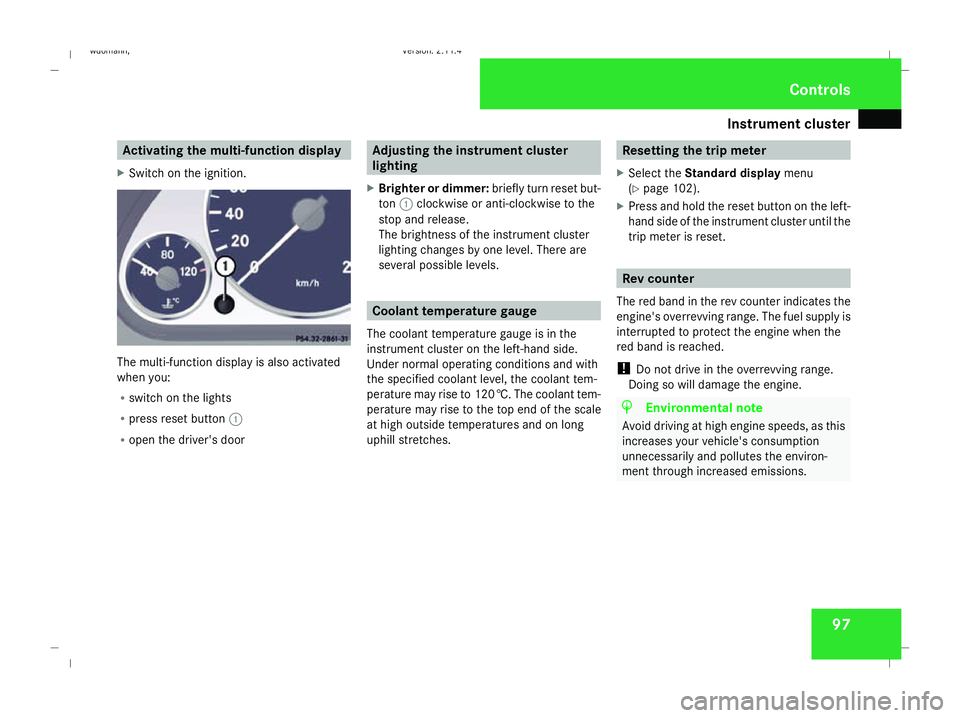
X Switch on the ignition. The multi-function display is also activated
when you:
R switch on the lights
R press reset button 1
R open the driver's door Adjusting the instrument cluster
lighting
X Brighter or dimmer: briefly turn reset but-
ton 1clockwise or anti-clockwise to the
stop and release.
The brightness of the instrument cluster
lighting changes by one level. There are
several possible levels. Coolant temperature gauge
The coolant temperature gauge is in the
instrument cluster on the left-hand side.
Under normal operating conditions and with
the specified coolant level, the coolant tem-
perature may rise to 120 †. The coolant tem-
perature may rise to the top end of the scale
at high outside temperatures and on long
uphill stretches. Resetting the trip meter
X Select the Standard display menu
(Y page 102).
X Press and hold the reset button on the left-
hand side of the instrument cluster until the
trip meter is reset. Rev counter
The red band in the rev counter indicates the
engine's overrevving range. The fuel supply is
interrupted to protect the engine when the
red band is reached.
! Do not drive in the overrevving range.
Doing so will damage the engine. H
Environmental note
Avoid driving at high engine speeds, as this
increases your vehicle's consumption
unnecessarily and pollutes the environ-
ment through increased emissions. Controls
245_AKB; 2; 7, en-GB
wdomann
, Version: 2.11.4 2008-10-17T11:22:31+02:00 - Seite 97 ZDateiname: 6515_1640_02_buchblock.pdf; preflight
Page 102 of 305
On-board computer
994
jk
Scrolls back/forth within a menu
jkAudio 5*:
Press briefly:
in theAudio* menu,
selects an audio track or, depending
on the settings, selects a stored or
the next/previous station. jkAudio 20*, Audio 50
APS* and COMAND APS*:
Press briefly:
in theAudio*/
DVD*menu, selects a stored station,
an audio track or a video scene*.
In the Telephone* menu: switches
to the phone book and selects a
name or a telephone number. jkAudio 20*, Audio 50
APS* and COMAND APS*:
Press and hold:
in theAudio*/
DVD* menu, selects the next/previ-
ous station or selects an audio track
using rapid scrolling.
In the Telephone* menu: starts
rapid scrolling through the phone
book. 5
èÿ
Selects a menu: scrolls back and
forth
Several functions are combined thematically
in the menus.
In the
Audio*/DVD* menu you will find func-
tions used to operate the radio* or CD
player*, for instance. The functions can be
used either to call up information or to change
settings for your vehicle.
You can think of the configuration of the
menus and the functions within a menu as a
circle: X
Press the èorÿ button repeatedly
to call up individual menus in sequence.
X Press the korj button to call up
the functions within a menu.
Unlike other menus, the Settingsmenu con-
tains a number of submenus (Y page 105). Multi-function display
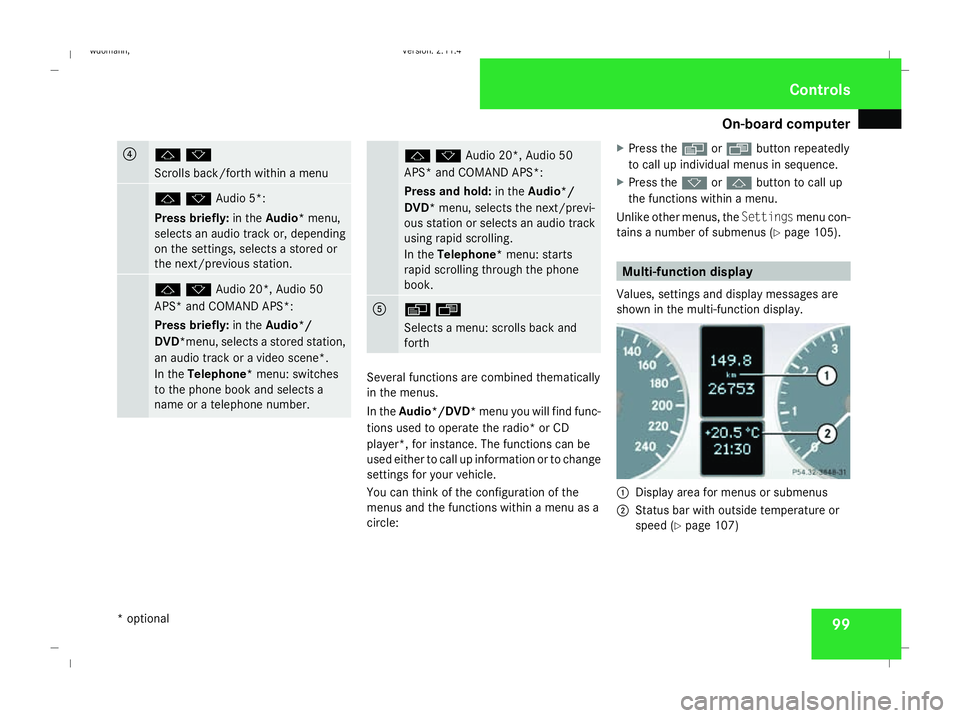
Values, settings and display messages are
shown in the multi-function display. 1
Display area for menus or submenus
2 Status bar with outside temperature or
speed (Y page 107) Controls
* optional
245_AKB; 2; 7, en-GB
wdomann,
Version: 2.11.4 2008-10-17T11:22:31+02:00 - Seite 99 ZDateiname: 6515_1640_02_buchblock.pdf; preflight
Page 105 of 305
On-board computer
102
R
digital speedometer or outside tempera-
ture
R ASSYST PLUS service interval display
(Y page 191)
R engine oil level* (Y page 172)
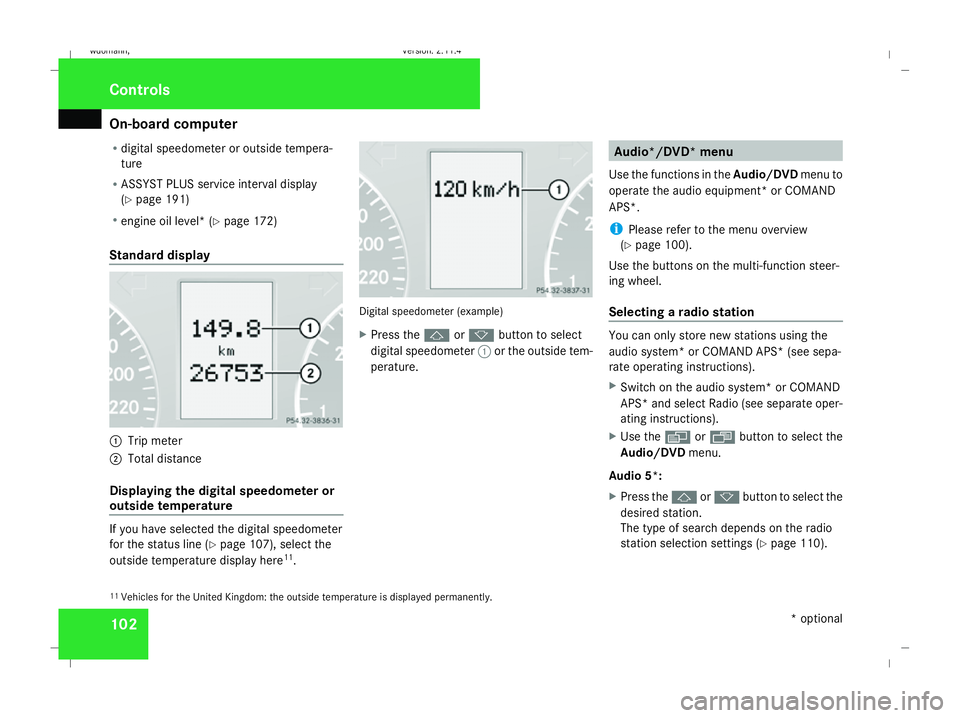
Standard display 1
Trip meter
2 Total distance
Displaying the digital speedometer or
outside temperature If you have selected the digital speedometer
for the status line (Y
page 107), select the
outside temperature display here 11
. Digital speedometer (example)
X
Press the jork button to select
digital speedometer 1or the outside tem-
perature. Audio*/DVD* menu
Use the functions in the Audio/DVDmenu to
operate the audio equipment *or COMAND
APS*.
i Please refer to the menu overview
(Y page 100).
Use the buttons on the multi-function steer-
ing wheel.
Selecting a radio station You can only store new stations using the
audio system* or COMAND APS* (see sepa-
rate operating instructions).
X Switch on the audio system* or COMAND
APS* and select Radio (see separate oper-
ating instructions).
X Use the èor· button to select the
Audio/DVD menu.
Audio 5*:
X Press the jork button to select the
desired station.
The type of search depends on the radio
station selection settings (Y page 110).
11 Vehicles for the United Kingdom: the outside temperature is displayed permanently. Controls
* optional
245_AKB; 2; 7, en-GB
wdomann,
Version: 2.11.4 2008-10-17T11:22:31+02:00 - Seite 102Dateiname: 6515_1640_02_buchblock.pdf; preflight
Page 106 of 305
On-board computer
103
The next stored station is selected, or the
station search starts.
Audio 20*, Audio 50 APS*or COMAND
APS*:
X To select a stored station: briefly press
the j ork button.
X To select a channel from the channel
list: press and hold the jork but-
ton.
X To select a station using the station
search (only if no station list is received):
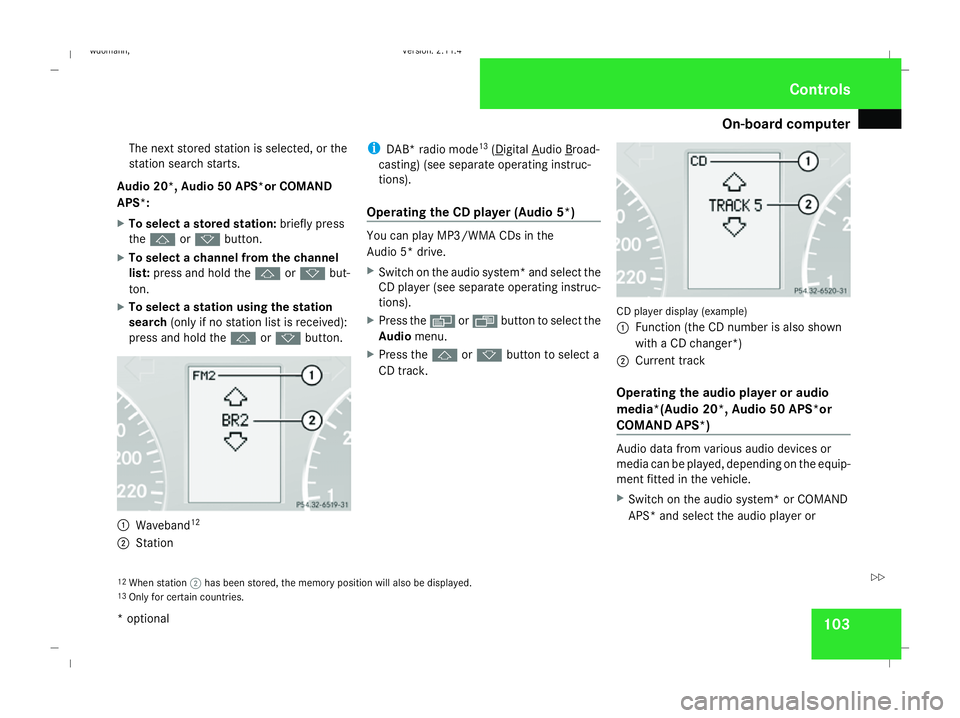
press and hold the jork button. 1
Waveband 12
2 Station i
DAB* radio mode 13
( Digital Audio Broad-
casting) (see separate operating instruc-
tions).
Operating the CD player (Audio 5*) You can play MP3/WMA CDs in the
Audio 5* drive.
X
Switch on the audio system* and select the
CD player (see separate operating instruc-
tions).
X Press the èor· button to select the
Audio menu.
X Press the jork button to select a
CD track. CD player display (example)
1
Function (the CD number is also shown
with a CD changer*)
2 Current track
Operating the audio player or audio
media*(Audio 20*, Audio 50 APS*or
COMAND APS*) Audio data from various audio devices or
media can be played, depending on the equip-
ment fitted in the vehicle.
X
Switch on the audio system* or COMAND
APS* and select the audio player or
12 When station ;has been stored, the memory position will also be displayed.
13 Only for certain countries. Controls
* optional
245_AKB; 2; 7, en-GB
wdomann
, Version: 2.11.4 2008-10-17T11:22:31+02:00 - Seite 103 ZDateiname: 6515_1640_02_buchblock.pdf; preflight
Page 107 of 305
On-board computer
104medium (see separate operating instruc-
tions).
X Use the èor· button to select the
Audio/DVD menu.
X To select next/previous track: briefly
press the jork button.
X To select a track from the track list
(rapid scrolling): press and hold the
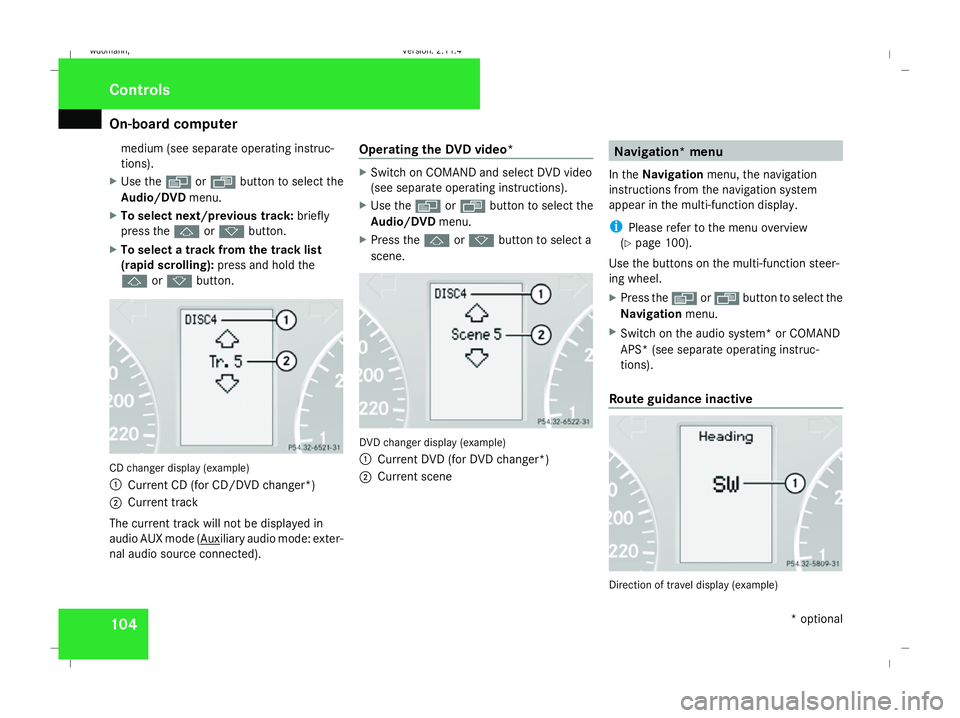
j ork button. CD changer display (example)
1
Current CD (for CD/DVD changer*)
2 Current track
The current track will not be displayed in
audio AUX mode ( Auxiliary audio mode: exter-
nal audio source connected). Operating the DVD video* X
Switch on COMAND and select DVD video
(see separate operating instructions).
X Use the èor· button to select the
Audio/DVD menu.
X Press the jork button to select a
scene. DVD changer display (example)
1
Current DVD (for DVD changer*)
2 Current scene Navigation* menu
In the Navigation menu, the navigation
instructions from the navigation system
appear in the multi-function display.
i Please refer to the menu overview
(Y page 100).
Use the buttons on the multi-function steer-
ing wheel.
X Press the èorÿ button to select the
Navigation menu.
X Switch on the audio system* or COMAND
APS* (see separate operating instruc-
tions).
Route guidance inactive Direction of travel display (example)Controls
* optional
245_AKB; 2; 7, en-GB
wdomann
, Version: 2.11.4 2008-10-17T11:22:31+02:00 - Seite 104Dateiname: 6515_1640_02_buchblock.pdf; preflight
Page 108 of 305
On-board computer
105
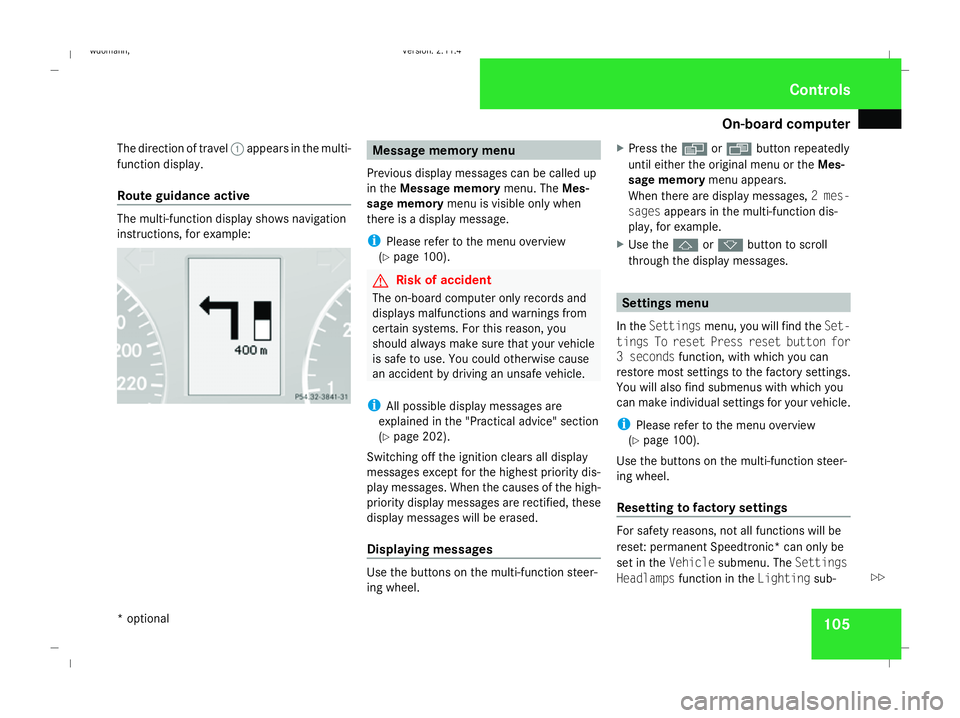
The direction of travel
1appears in the multi-
function display.
Route guidance active The multi-function display shows navigation
instructions, for example: Message memory menu
Previous display messages can be called up
in the Message memory menu. TheMes-
sage memory menu is visible only when
there is a display message.
i Please refer to the menu overview
(Y page 100). G
Risk of accident
The on-board computer only records and
displays malfunctions and warnings from
certain systems. For this reason, you
should always make sure that your vehicle
is safe to use. You could otherwise cause
an accident by driving an unsafe vehicle.
i All possible display messages are
explained in the "Practical advice" section
(Y page 202).
Switching off the ignition clears all display
messages except for the highest priority dis-
play messages. When the causes of the high-
priority display messages are rectified, these
display messages will be erased.
Displaying messages Use the buttons on the multi-function steer-
ing wheel. X
Press the èor· button repeatedly
until either the original menu or the Mes-
sage memory menu appears.
When there are display messages, 2 mes-
sages appears in the multi-function dis-
play, for example.
X Use the jork button to scroll
through the display messages. Settings menu
In the Settings menu, you will find the Set-
tings To reset Press reset button for
3 seconds function, with which you can
restore most settings to the factory settings.
You will also find submenus with which you
can make individual settings for your vehicle.
i Please refer to the menu overview
(Y page 100).
Use the buttons on the multi-function steer-
ing wheel.
Resetting to factory settings For safety reasons, not all functions will be
reset: permanent Speedtronic* can only be
set in the
Vehiclesubmenu. The Settings
Headlamps function in the Lightingsub- Controls
* optional
245_AKB; 2; 7, en-GB
wdomann
,V ersion: 2.11.4
2008-10-17T11:22:31+02:00 - Seite 105 ZDateiname: 6515_1640_02_buchblock.pdf; preflight
Page 110 of 305
On-board computer
107Lighting submenu
R
Constant headlamp mode (daytime driv-
ing lights) (Y page 108)
R Surround lighting* (Y page 109)
R Exterior lighting delayed switch-off*
(Y page 109)
R Interior lighting delayed switch-off
(Y page 109) Vehicle submenu
R
Permanent Speedtronic* (Y page 119)
R Radio station selection *( Ypage 110)
R Automatic locking feature (Y page 110)Convenience submenu*
R
Fold the exterior mirrors in when locking
the vehicle* (Y page 110) Selecting the unit of measurement for
distance
The selected unit of measurement for dis-
tance applies to:
R the total distance recorder and the trip
meter
R the trip computer
R the digital speedometer 15
R the navigation instruction in the Naviga-
tion* menu
R Speedtronic*
X Press the èor· button to select the
Settings menu.
X Press the jbutton to select submenus.
X Press the æorç button to select the
Inst. cluster submenu.
X Press the jbutton to select Display
unit Speed/odom.
X Press æorç to select km(kilome-
tres) or milesas the unit of measurement
for distance.
X Press the j,èorÿ button to
select a different display. Selecting the language X
Press the èor· button to select the
Settings menu.
X Press the jbutton to select submenus.
X Press the æorç button to select the
Inst. cluster submenu.
X Press the jbutton to select Lan-
guage.
X Press the æorç button to select the
desired language.
X Press the j,èorÿ button to
select a different display.
Selecting the status line display Vehicles for the United Kingdom: this func-
tion is not available.
X
Press the èor· button to select the
Settings menu.
X Press the jbutton to select submenus.
X Press the æorç button to select the
Instr. cluster submenu.
X Press the jbutton to select Status
line display .
15 Vehicles for the United Kingdom: the digital speedometer always displays km/h. Controls
* optional
245_AKB; 2; 7, en-GB
wdomann
,V ersion: 2.11.4
2008-10-17T11:22:31+02:00 - Seite 107 ZDateiname: 6515_1640_02_buchblock.pdf; preflight
Page 111 of 305
On-board computer
108
X
Press the æorç button to select the
status line display: outside temperature
(Outside temp.) or speed ( Speed).
The selected display now appears con-
stantly in the lower multi-function display.
When you scroll through the Operation
menu (Y page 101), you will see the display
you have not selected.
X Press the j,èorÿ button to
select a different display.
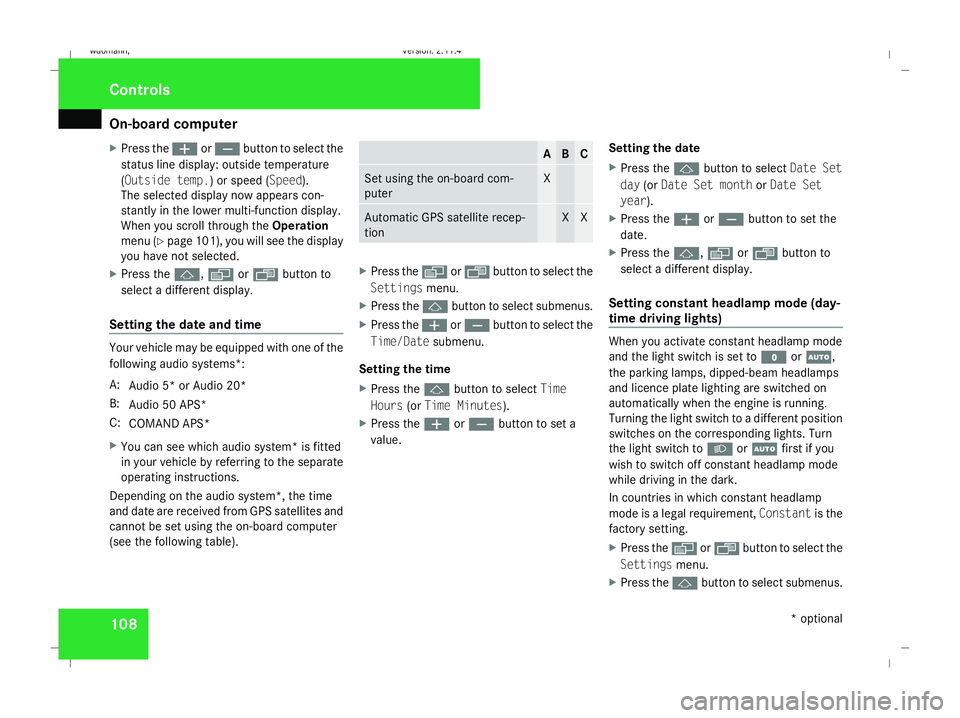
Setting the date and time Your vehicle may be equipped with one of the
following audio systems *:
A: Audio 5* or Audio 20*
B: Audio 50 APS*
C: COMAND APS*
X You can see which audio system *is fitted
in your vehicle by referring to the separate
operating instructions.
Depending on the audio system*, the time
and date are received from GPS satellites and
cannot be set using the on-board computer
(see the following table). A B C
Set using the on-board com-
puter X
Automatic GPS satellite recep-
tion X X
X
Press the èor· button to select the
Settings menu.
X Press the jbutton to select submenus.
X Press the æorç button to select the
Time/Date submenu.
Setting the time
X Press the jbutton to select Time
Hours (orTime Minutes).
X Press the æorç button to set a
value. Setting the date
X
Press the jbutton to select Date Set
day (orDate Set month orDate Set
year ).
X Press the æorç button to set the
date.
X Press the j,èorÿ button to
select a different display.
Setting constant headlamp mode (day-
time driving lights) When you activate constant headlamp mode
and the light switch is set to
MorU,
the parking lamps, dipped-beam headlamps
and licence plate lighting are switched on
automatically when the engine is running.
Turning the light switch to a different position
switches on the corresponding lights. Turn
the light switch to BorU first if you
wish to switch off constant headlamp mode
while driving in the dark.
In countries in which constant headlamp
mode is a legal requirement, Constantis the
factory setting.
X Press the èor· button to select the
Settings menu.
X Press the jbutton to select submenus. Controls
* optional
245_AKB; 2; 7, en-GB
wdomann,
Version: 2.11.4 2008-10-17T11:22:31+02:00 - Seite 108Dateiname: 6515_1640_02_buchblock.pdf; preflight