service interval MERCEDES-BENZ B-CLASS HATCHBACK 2011 Owners Manual
[x] Cancel search | Manufacturer: MERCEDES-BENZ, Model Year: 2011, Model line: B-CLASS HATCHBACK, Model: MERCEDES-BENZ B-CLASS HATCHBACK 2011Pages: 329, PDF Size: 7.91 MB
Page 7 of 329
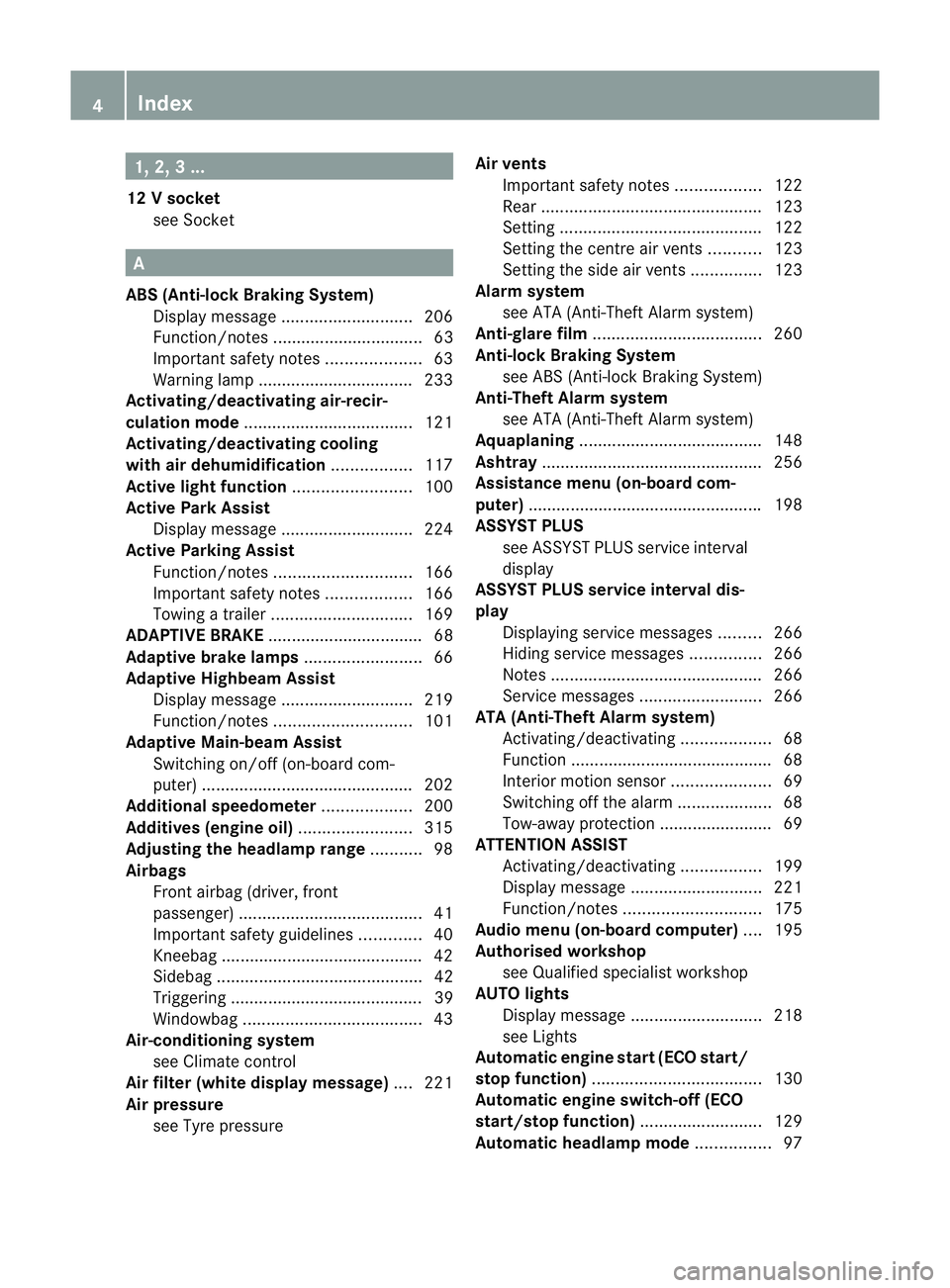
1, 2, 3 ...
12 Vsocket
see Socket A
ABS (Anti-lock Braking System) Display message ............................ 206
Function/notes ................................ 63
Important safety notes ....................63
Warning lamp ................................. 233
Activating/deactivating air-recir-
culation mode .................................... 121
Activating/deactivating cooling
with air dehumidification .................117
Active light function .........................100
Active Park Assist Display message ............................ 224
Active Parking Assist
Function/notes ............................. 166
Important safety notes ..................166
Towing atrailer .............................. 169
ADAPTIVE BRAKE ................................. 68
Adaptive brake lamps .........................66
Adaptive Highbeam Assist Display message ............................ 219
Function/notes ............................. 101
Adaptive Main-beam Assist
Switching on/off (on-board com-
puter) ............................................. 202
Additional speedometer ...................200
Additives (engine oil) ........................315
Adjusting the headlamp range ...........98
Airbags Front airbag (driver, front
passenger )....................................... 41
Important safety guidelines .............40
Kneebag .......................................... .42
Sidebag ............................................ 42
Triggering ......................................... 39
Windowba g...................................... 43
Air-conditioning system
see Climate control
Airf ilter (white display message) ....221
Air pressure see Tyre pressure Airv
ents
Important safet ynotes .................. 122
Rea r............................................... 123
Setting ........................................... 122
Setting the centre air vents ...........123
Setting the side air vents ...............123
Alarm system
see ATA (Anti-Theft Alarm system)
Anti-glare film .................................... 260
Anti-loc kBraking System
see ABS (Anti-lock Braking System)
Anti-Theft Alarm system
see ATA (Anti-Theft Alarm system)
Aquaplaning ....................................... 148
Ashtray ............................................... 256
Assistance menu (on-board com-
puter) ................................................. .198
ASSYST PLUS see ASSYST PLUS service interval
display
ASSYST PLUS service interval dis-
play
Displaying service messages .........266
Hiding service messages ...............266
Notes ............................................. 266
Service messages ..........................266
ATA (Anti-Theft Alarm system)
Activating/deactivating ...................68
Function .......................................... .68
Interior motion sensor .....................69
Switching off the alarm ....................68
Tow-away protection ........................ 69
ATTENTIO NASSIST
Activating/deactivating .................199
Display message ............................ 221
Function/notes ............................. 175
Audio menu (on-board computer) ....195
Authorised workshop see Qualified specialist workshop
AUTO lights
Display message ............................ 218
see Lights
Automatic engine start (ECO start/
stop function) .................................... 130
Automatic engine switch-off (ECO
start/stop function) ..........................129
Automatic headlamp mode ................97 4
Index
Page 11 of 329
Setting for driving on the right/
left
................................................. 201
Switching on/off .............................. 97
DIRECT SELECTl ever
see Automatic transmission
Displa y(cleaning instructions) ........271
Display message General information .......................205
Hiding (on-board computer) ...........205
Display messages
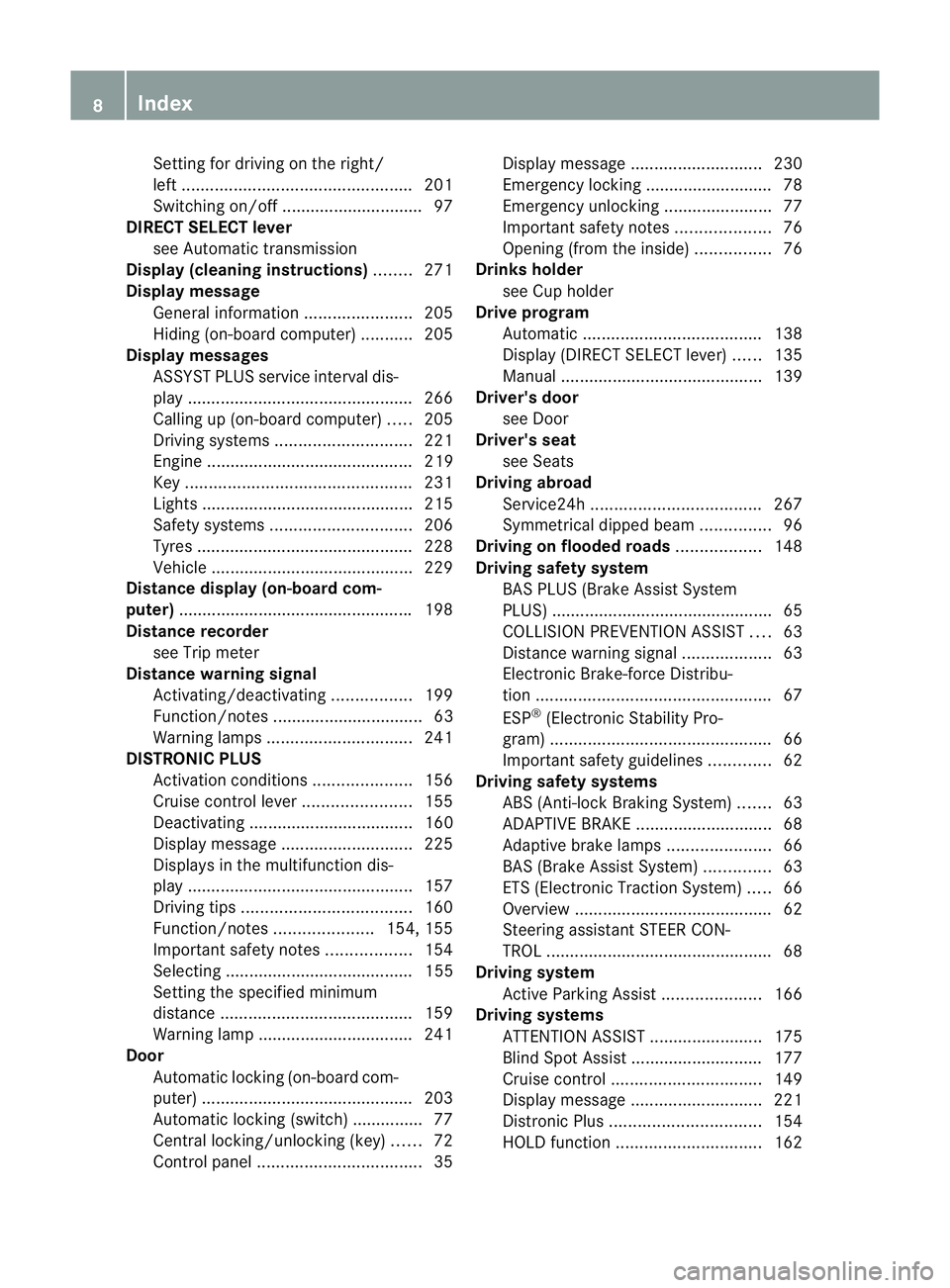
ASSYST PLUS service interval dis-
play................................................ 266
Calling up (on-board computer) .....205
Driving systems ............................. 221
Engine ............................................ 219
Key ................................................ 231
Lights ............................................ .215
Safety systems .............................. 206
Tyres .............................................. 228
Vehicle .......................................... .229
Distance display (on-board com-
puter) ................................................. .198
Distance recorder see Trip meter
Distance warning signal
Activating/deactivating .................199
Function/notes ................................ 63
Warning lamps ............................... 241
DISTRONIC PLUS
Activatio ncondition s..................... 156
Cruise control leve r....................... 155
Deactivating ................................... 160
Display message ............................ 225
Displays in the multifunctio ndis-
play ................................................ 157
Drivin gtips .................................... 160
Function/notes .....................154, 155
Important safety notes ..................154
Selecting ........................................ 155
Setting the specified minimum
distance ......................................... 159
Warning lamp ................................. 241
Door
Automatic locking (on-board com-
puter) ............................................. 203
Automatic locking (switch) .............. .77
Central locking/unlocking (key) ......72
Control pane l................................... 35Display message
............................ 230
Emergency locking ........................... 78
Emergency unlocking .......................77
Important safety notes ....................76
Opening (from the inside) ................76
Drinks holder
see Cuph older
Drive program
Automatic ...................................... 138
Display (DIRECT SELECT lever) ......135
Manual .......................................... .139
Driver's door
see Door
Driver's seat
see Seats
Driving abroad
Service24h .................................... 267
Symmetrical dipped bea m............... 96
Driving on flooded roads ..................148
Driving safety system BAS PLUS (Brake Assist System
PLUS) .............................................. .65
COLLISION PREVENTION ASSIST ....63
Distance warning signa l................... 63
Electronic Brake-force Distribu-
tion .................................................. 67
ESP ®
(Electroni cStability Pro-
gram) ............................................... 66
Important safety guidelines .............62
Driving safety systems
ABS (Anti-lock Braking System) .......63
ADAPTIVE BRAKE ............................. 68
Adaptive brake lamps ......................66
BAS (Brake Assist System) ..............63
ETS (Electronic Traction System) .....66
Overview .......................................... 62
Steering assistant STEER CON-
TRO L................................................ 68
Driving system
Active Parking Assist .....................166
Driving systems
ATTENTION ASSIST ........................175
Blind Spot Assist ............................ 177
Cruise control ................................ 149
Display message ............................ 221
Distronic Plu s................................ 154
HOLD function ............................... 1628
Index
Page 23 of 329
Protection of the environment
Notes
H
Environmental note
Daimler's declared policy is one of compre-
hensive environmental protection.
Our objectives are to use the natural resour-
ces which form the basis of our existence on
this planet sparingly and in a manner which
takes the requirements of both nature and
humanity into consideration.
You too can help to protect the environment
by operating your vehicle in an environmen-
tally-responsible manner.
Fuel consumption and the rate of engine,
transmission, brake and tyre wear depend on
the following factors:
R operating conditions of your vehicle
R your personal driving style
You can influence both factors. Therefore,
please bear the following in mind:
Operating conditions:
R avoid short trips, as these increase fuel
consumption.
R observe the correct tyre pressure.
R do not carry any unnecessary weight in the
vehicle.
R monitor the vehicle's fuel consumption.
R remove the roof rack once you no longer
need it.
R a regularly serviced vehicle will contribute
to environmental protection. You should
therefore adhere to the service intervals.
R all maintenance work should be carried out
at a qualified specialist workshop.
Personal driving style:
R do not depress the accelerator pedal when
starting the engine.
R do not warm up the engine when the vehicle
is stationary.
R drive carefully and maintain a safe distance
from the vehicle in front.
R avoid frequent, sudden acceleration. R
change gear in good time and use each gear
only up to Ôof its maximum engine speed.
R switch off the engine in stationary traffic. Returning an end-of-life vehicle
Mercedes-Benz will take back your
Mercedes-Benz to dispose of it in an environ-
mentally responsible manner, in accordance
with the European Union (EU) End of Life
Vehicles Directive.
The End of Life Vehicles Directive applies to
vehicles with a gross vehicle weight of up to
3.5 t, in accordance with national regulations.
For several years, Mercedes-Benz has been
meeting all the legal requirements for a
design which allows for recycling and re-use.
There is a network of return points and dis-
assembly plants which can recycle your vehi-
cle in an environmentally-responsible man-
ner. The options for recycling vehicles and
parts are constantly being developed and
improved. This means that your Mercedes-
Benz will also continue to meet even the
increased recycling quotas in the future in
good time. You can obtain further information
from your national Mercedes-Benz homepage
or your national hotline number. Vehicle equipment
This Owner's Manual describes all models
and all standard and optional equipment of
your vehicle available at the time of publica-
tion of the Owner's Manual. Country-specific
deviations are possible. Please note that your
vehicle may not be equipped with all features
described. This is also the case for systems
and functions relevant to safety. The equip-
ment in your vehicle may therefore differ from
that shown in the descriptions and illustra-
tions.
All the systems found in your vehicle are listed
in the original purchase agreement of your
vehicle. 20
Introduction
Page 117 of 329
Useful information
i This Owner's Manual describes all models
and all standard and optional equipment
available to your vehicle at the time of pub-
lication of the Owner's Manual. Country-
specific deviations are possible. Please
note that your vehicle may not be equipped
with all features described. This also
applies to safety-relevan tsystems and
functions.
i Please read the information on qualified
specialist workshops (Y page 22).Overview of climate control systems
Important safety notes
G
WARNING
Observe the settings recommended on the
following pages. The windows could other-
wise mis tup. This may preven tyou from
observing the traffic conditions, thereby caus-
ing an accident.
THERMATIC automatic climate control/
THERMOTRONIC automatic climate control
controls the temperature and the humidity of
the vehicle interior and filters out undesirable
substances from the air.
THERMATIC/THERMOTRONIC automatic cli-
mate control is only operational when the
engine is running 7
.O ptimum operation is only
achieved if you drive with the side windows
and panorama sliding sunroof closed.
i Ventilate the vehicle for a brief period
during warm weather, e.g. using the con-
venience opening feature (Y page 81). This
will speed up the cooling process and the
desired vehicle interior temperature will be
reached more quickly.
i The integrated filter can filter out most
particles of dust and completely filters out pollen.
Aclogged filter reduces the amount
of air supplied to the vehicle interior .For
this reason, you should always observe the
interval for replacing the filter, which is
specified in the Service Booklet .As it
depends on environmental conditions, e.g.
heavy air pollution, the interval may be
shorter than stated in the Service Booklet.
7 THERMOTRONIC automatic climate control: the residual heat function can only be activated/deactivated
when the ignition is switched off. 114
Overview of climate control systemsClimate control
Page 195 of 329
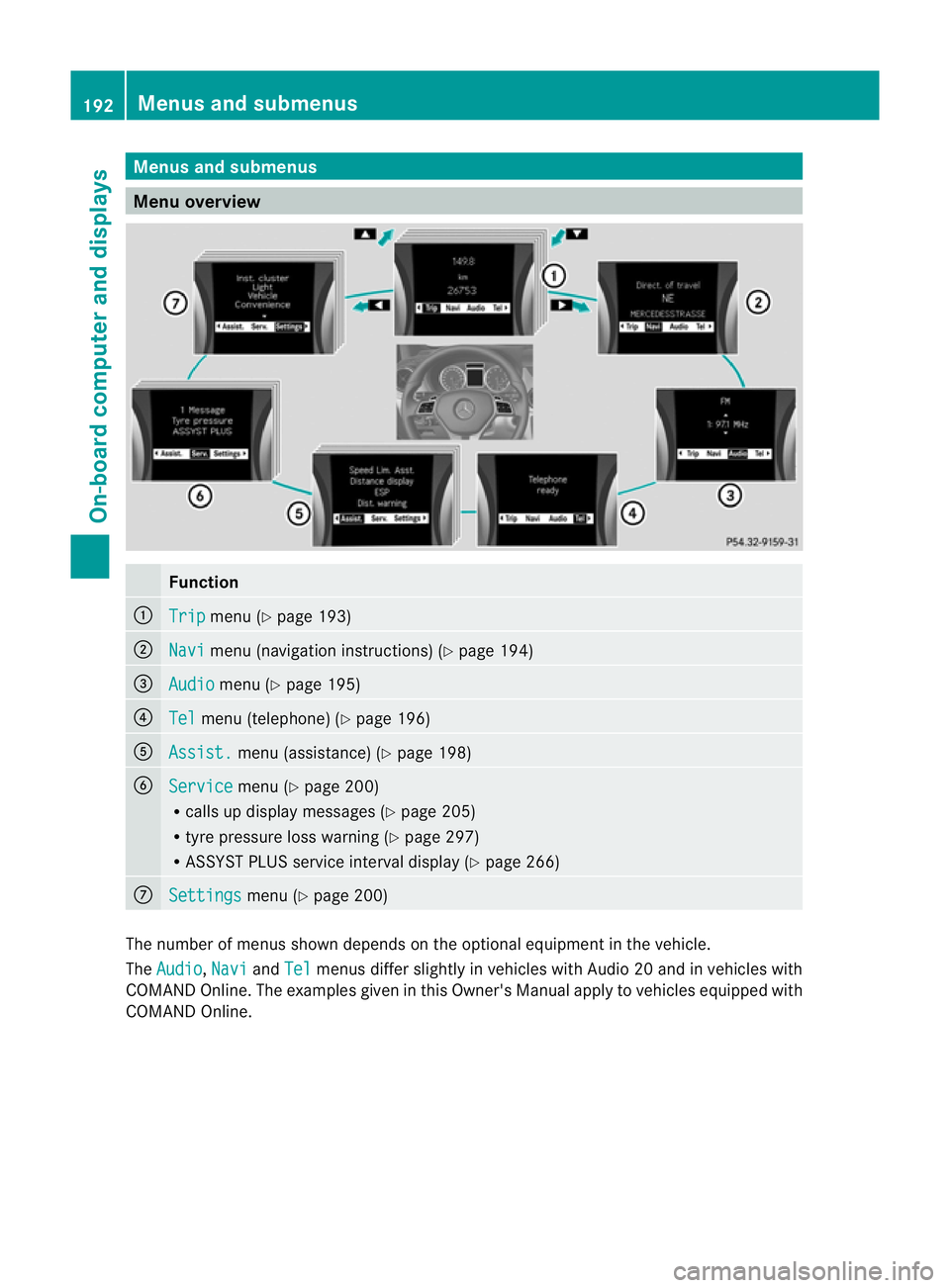
Menus and submenus
Menu overview
Function
:
Trip menu (Y
page 193) ;
Navi menu (navigatio
ninstructions) (Y page 194) =
Audio menu (Y
page 195) ?
Tel menu (telephone) (Y
page 196)A
Assist. menu (assistance) (Y
page 198)B
Service menu (Y
page 200)
R calls up display messages (Y page 205)
R tyre pressure loss warning (Y page 297)
R ASSYST PLUS service interval display (Y page 266)C
Settings menu (Y
page 200) The numbe
rofmenus shown depends on the optional equipment in the vehicle.
The Audio ,
Navi and
Tel menus differ slightly in vehicles with Audio 20 and in vehicles with
COMAND Online. The examples given in this Owner's Manual apply to vehicles equipped with
COMAND Online. 192
Menus and submenusOn-board computer and displays
Page 203 of 329
X
Press a.
The curren tselection is displayed.
X Press the abutton to confirm.
X Press :or9 to set Off ,
Standard or
Adaptive .
X Press the abutton to save the setting.
If Lane Keeping Assist is activated
(Y page 180)a nd the ignition is switched on,
the à symbol appears in the multifunction
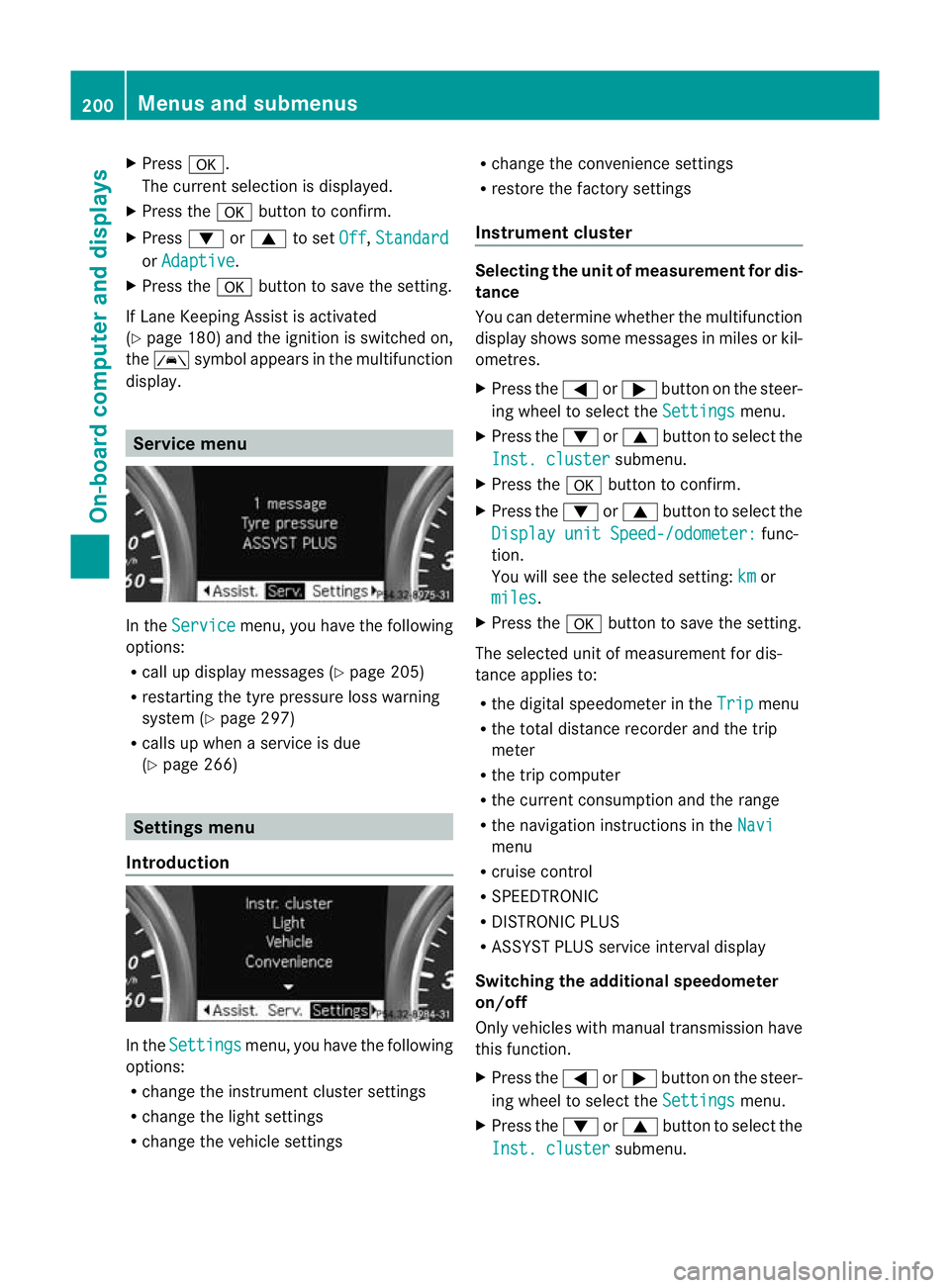
display. Service menu
In the
Service menu, you have the following
options:
R call up display messages (Y page 205)
R restarting the tyre pressure loss warning
system (Y page 297)
R calls up when a service is due
(Y page 266) Settings menu
Introduction In the
Settings menu, you have the following
options:
R change the instrument cluster settings
R change the light settings
R change the vehicle settings R
change the convenience settings
R restore the factory settings
Instrument cluster Selecting the uni
tofmeasurement for dis-
tance
You can determine whether the multifunction
display shows some messages in miles or kil-
ometres.
X Press the =or; button on the steer-
ing wheel to selec tthe Settings menu.
X Press the :or9 button to select the
Inst. cluster submenu.
X Press the abutton to confirm.
X Press the :or9 button to select the
Display unit Speed-/odometer: func-
tion.
You will see the selected setting: km or
miles .
X Press the abutton to save the setting.
The selected unit of measurement for dis-
tance applies to:
R the digital speedometer in the Trip menu
R the total distance recorder and the trip
meter
R the trip computer
R the current consumption and the range
R the navigation instructions in the Navi menu
R cruise control
R SPEEDTRONIC
R DISTRONIC PLUS
R ASSYST PLUS service interval display
Switching the additional speedometer
on/off
Only vehicles with manual transmission have
this function.
X Press the =or; button on the steer-
ing wheel to select the Settings menu.
X Press the :or9 button to select the
Inst. cluster submenu.200
Menus and submenusOn-board computer and displays
Page 267 of 329
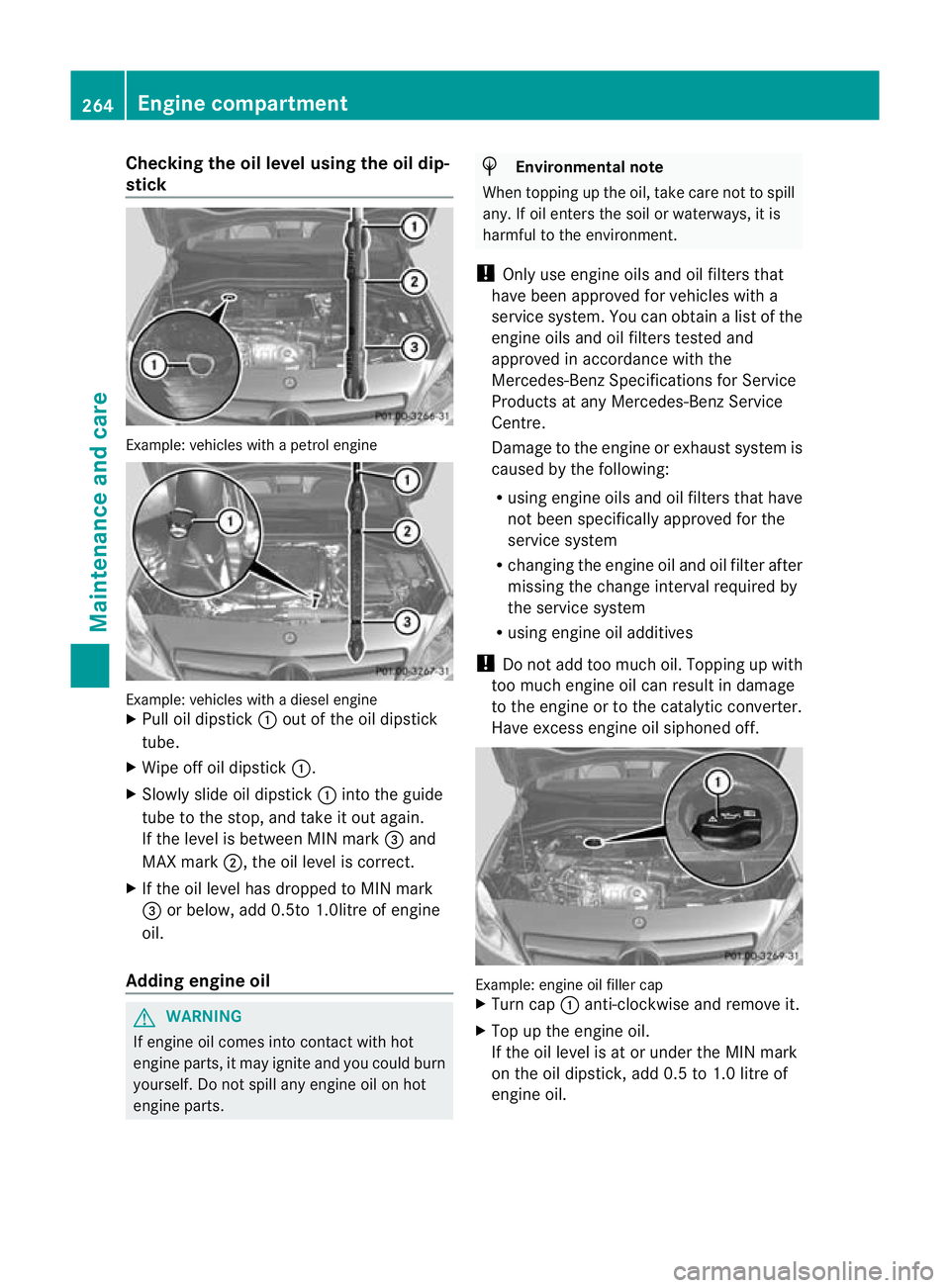
Checking the oil level using the oil dip-
stick
Example
:vehicles with a petrol engine Example: vehicles with a diesel engine
X
Pull oil dipstick :out of the oil dipstick
tube.
X Wipe off oil dipstick :.
X Slowly slide oil dipstick :into the guide
tube to the stop, and take it out again.
If the level is between MIN mark =and
MAX mark ;, the oil level is correct.
X If the oil level has dropped to MIN mark
= or below, add 0.5to 1.0litre of engine
oil.
Adding engine oil G
WARNING
If engine oil comes into contact with hot
engine parts, it may ignite and you could burn
yourself. Do not spill any engine oil on hot
engine parts. H
Environmental note
When topping up the oil, take care not to spill
any. If oil enters the soil or waterways, it is
harmful to the environment.
! Only use engine oils and oil filters that
have been approved for vehicles with a
service system. You can obtain a list of the
engine oils and oil filters tested and
approved in accordance with the
Mercedes-Benz Specifications for Service
Products at any Mercedes-Benz Service
Centre.
Damage to the engine or exhaust system is
caused by the following:
R using engine oils and oil filters that have
not been specifically approved for the
service system
R changing the engine oil and oil filter after
missing the change interval required by
the service system
R using engine oil additives
! Do not add too much oil. Topping up with
too much engine oil can result in damage
to the engine or to the catalytic converter.
Have excess engine oil siphoned off. Example: engine oil filler cap
X
Turn cap :anti-clockwise and remove it.
X Top up the engine oil.
If the oil level is at or under the MIN mark
on the oil dipstick, add 0.5 to 1.0 litre of
engine oil. 264
Engine compartmentMaintenance and care
Page 269 of 329
X
To open: pull cap:upwards by the tab.
X Top up with the premixed washe rfluid.
X To close: press cap :onto the filler neck
until it engages.
The washer fluid reservoir is used for both the
windscreen washer system and the headlamp
cleaning system.
For further information on windscreen
washer fluid/antifreeze (Y page 316).Maintenance
ASSYST PLUS service interval display
Service messages The ASSYST PLUS service interval display
informs you of the nex
tservice due date.
The multifunction display shows a service
message for a few seconds, e.g.:
Next service A due in .. days Service A due
Service A overdue by .. days
The letter indicates which service is due.
Astands for a minor service and
B for a major
service. A number or another letter may be
displayed after the letter. This figure indicates
any necessary additional maintenance work
to be performed.
If you report this displayed information to a
qualified specialist workshop, for example a
Mercedes-Benz Service Centre, they can
infor myou of the costs the service will incur.
Information on the type of service and service
intervals (see separate Service Booklet).
The ASSYST PLUS service interval display
does not take into account any periods of
time during which the battery is disconnec-
ted. Maintaining the time-dependent service
schedule:
X
Note down the service due date displayed
in the multifunction display before discon-
necting the battery.
or
X After reconnecting the battery, subtract
the battery disconnection periods from the
service date shown on the display.
i The ASSYST PLUS service interval display
does not show any information on the
engine oil level. Observe the notes on the
engine oil level (Y page 263).
Hiding aservice message X
Press %ora.
Displaying service messages X
Switch the ignitio non.
X Press the =or; button to select the
Serv. menu.
X Press the 9or: button to select the
ASSYST PLUS submenu and confirm by
pressing the abutton.
The service due date appears in the multi-
functio ndisplay.
Points to remember Resetting the ASSYST PLUS service inter-
val display
!
If the ASSYST PLUS service interval dis-
play has been inadvertently reset, this set-
ting can be corrected at a qualified special-
ist workshop.
Have service work carried out as described
in the Service Booklet. This may otherwise
lead to increased wear and damage to the
major assemblies or the vehicle.
Aq ualified specialist workshop, e.g. a
Mercedes-Ben zService Centre, will reset the
ASSYST PLUS service interval display after
the service work has been carried out. 266
MaintenanceMaintenance and care
Page 284 of 329
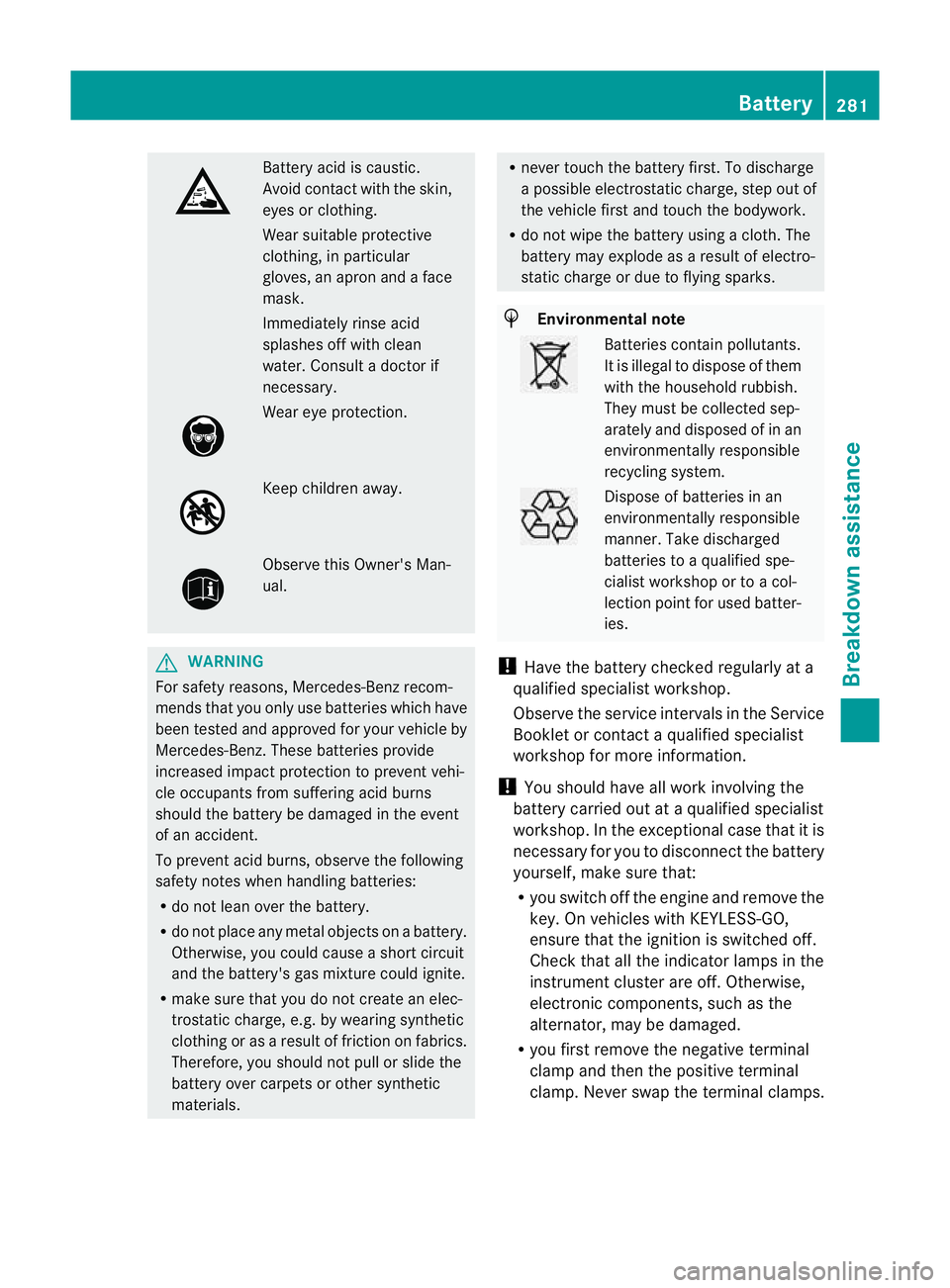
Battery acid is caustic.
Avoid contact with the skin,
eyes or clothing.
Wea
rsuitable protective
clothing, in particular
gloves, an apro nand a face
mask.
Immediately rinse acid
splashes off with clean
water. Consult a doctor if
necessary. Wear eye protection.
Keep children away.
Observe this Owner's Man-
ual.
G
WARNING
For safety reasons, Mercedes-Benz recom-
mends tha tyou only use batteries which have
been tested and approved for your vehicle by
Mercedes-Benz. These batteries provide
increased impact protection to prevent vehi-
cle occupants from suffering acid burns
should the battery be damaged in the event
of an accident.
To prevent acid burns, observe the following
safety notes when handling batteries:
R do not lean over the battery.
R do not place any metal objects on a battery.
Otherwise, you could cause a short circuit
and the battery's gas mixture could ignite.
R make sure that you do not create an elec-
trostatic charge, e.g. by wearing synthetic
clothing or as a result of friction on fabrics.
Therefore, you should not pull or slide the
battery over carpets or other synthetic
materials. R
never touch the battery first. To discharge
a possible electrostatic charge, step out of
the vehicle first and touch the bodywork.
R do not wipe the battery using a cloth. The
battery may explode as a result of electro-
static charge or due to flying sparks. H
Environmental note Batteries contain pollutants.
It is illegal to dispose of them
with the household rubbish.
They must be collected sep-
arately and disposed of in an
environmentally responsible
recycling system.
Dispose of batteries in an
environmentally responsible
manner
.Take discharged
batteries to a qualified spe-
cialis tworkshop or to a col-
lection point for used batter-
ies.
! Have the battery checked regularly at a
qualified specialist workshop.
Observe the service intervals in the Service
Booklet or contact a qualified specialist
workshop for more information.
! You should have all work involving the
battery carried out at aqualified specialist
workshop. In the exceptional case that it is
necessary for you to disconnect the battery
yourself, make sure that:
R you switch off the engine and remove the
key. On vehicles with KEYLESS-GO,
ensure that the ignition is switched off.
Chec kthat all the indicator lamps in the
instrument cluster are off. Otherwise,
electronic components, such as the
alternator, may be damaged.
R you first remove the negative terminal
clamp and then the positive terminal
clamp. Never swap the terminal clamps. Battery
281Breakdown assistance Z
Page 316 of 329
If you use fuels withou
tthese additives for a
longer period of time, there may be a build-up
of carbon deposits. These will form especially
on the inlet valves and in the combustion
chamber.
This could lead to engine running problems,
e.g.:
R longer engine warm-up phase
R uneven idle
R engine noise
R misfiring
R loss of power
In areas where petrol with the required addi-
tives is not available, carbon deposits can
build up. In this case, Mercedes-Ben zrecom-
mends the use of additives that have been
approved for Mercedes-Benzv ehicles; see
http://bevo.mercedes-benz.com.
Consult a Mercedes-Benz Service Centre to
view a list of approved products. Observe the
instructions for use in the product descrip-
tion.
Do no tmix other fuel additives with fuel. This
causes unnecessary costs and could damage
the engine.
Diesel (EN 590) Fuel grade
G
WARNING
Do not use petrol to refuel vehicles with a die-
sel engine. Do not mix diesel with petrol. This
would result in damage to the fuel system and
engine, which could lead to a vehicle fire.
! When refuelling, only use diesel fuel that
conforms to the European standard EN 590
or is of equivalen tquality. Fuel that does
not conform to EN 590 can lead to
increased wear as well as damage to the
engine and exhaust system.
! Do no tuse the following:
R marine diesel
R heating oil R
bio-diesel
R vegetable oil
R petrol
R paraffin
R kerosene
Do not mix these fuels with diesel fuels and
do not use any special additives. Other-
wise, this can lead to damage to the engine.
This excludes flow improver; see "Low out-
side temperatures".
! Vehicles with adiesel particle filter: in
countries outside the EU, only refuel with
low-sulphur Euro diesel with a sulphur con-
ten tunde r50p pm; otherwise the emission
control system could be damaged.
! Vehicles without adiesel particle fil-
ter: in countries where only diesel fuel with
a high sulphur conten tis available, you will
need to carry out your vehicle's oil change
at shorter intervals. More information
aboutt he interval for oil change can be
obtained from any qualified specialist
workshop.
Usually you will find information about the
fuel grade on the pump. If you cannot find the
label on the petrol pump, ask the filling sta-
tion staff.
i For more information, contact a qualified
specialist workshop.
Information on refuelling (Y page 141).
Low outside temperatures
In winter months, diesel fuel with an improved
cold flow quality is available. In Europe, the
EN 590 standard defines various climate-
dependent temperature categories. Malfunc-
tions can be avoided by refuelling with diesel
fuel that corresponds to the climatic specifi-
cations outlined in EN 590. At unusually low
outside temperatures, it is possible that the
flow characteristics of the diesel fuel could be
insufficient .Accordingly, diesel fuel from
warmer areas may not be suitable for opera-
tion in colder climati cconditions. Service products and capacities
313Technical data Z