playback MERCEDES-BENZ C-Class 2012 W204 Comand Manual
[x] Cancel search | Manufacturer: MERCEDES-BENZ, Model Year: 2012, Model line: C-Class, Model: MERCEDES-BENZ C-Class 2012 W204Pages: 234, PDF Size: 6.74 MB
Page 223 of 234
X
Sel ect Displa yTra ckInformation us
ing the 9: buttons andpressthe
9 button toconfi rm.
The functi onissw itche don O oroff ª,
de pe ndi ng on the previous statu s. Vide
oDVD mode Gen
eral informati on
Here youwi llfind further informa tion onthe
fol lowi ng topi cs:
R sa fety notes (Ypage 154)
R notes onDVDs (Y pa ge 186) DVD
playbackcondit ions
Playback problems mayoccurwhen playing
cop ieddisc s.Ther eis alarge varietyof disc s,
DV Da uth oring sof twar e,writ ingsoftwar eand
writ ersavailab le.This varietymean sth at
th ere isno guaran teeth at theRear Seat
En tertainm entS yst em will beable toplay
vid eo DVDs that you havecopied yourself.
You willfind further informationinthe Video
section (Ypage 187). Information regarding
COMAND alsoapplies tothe Rear Seat
En tert ainment System. Function
restrictions
Dependin gon the DVD ,it is possible that
cert ainfunct ionsoractions described inthis
section willbetemporarily blockedormay not
funct ionatall. Assoon asyou trytoactivate
these functionsoractions ,you willsee the
K symbol inthe display . Inserting
andremoving aCD/DV D
X Proc eed asdes cribed inthe"Au dio CD/
DV Da ndMP3 mode"sec tion
(Y page 216) . Sw
itchin gto video DVD mode
X Inse rtavid eo DVD.
The RearSea tEnterta inmentSys tem load s
the disc.
If disc mod ewa sthe last mod esel ecte d,it
wi llnow beacti ve.
If it wa snot, switch onvideo DVD modeas
de scri bedin the followi ng instructio n.
X Sel ect Disc in
the menu using the
9=; buttons onthe rem ote
contro land confi rmbypre ssing the 9
bu tton.
If the video DVD fulfills the play ba ck
cri teri a,the filme ithe rstar tsautoma tically
or the menu saved onthe DVD appe ars. If
the DVD menu appe ars, yo umu ststa rtthe
fi lm ma nua lly.
X Sel ect the corr espo ndi ngmenu itemi nthe
DVD menu. Hiding/show
ingthe navigation menu
X To show: pressthe9 or: button
on the remote control.
X To hide: press the9 or: button.
or
X Wait forapproximately eightseconds. Navigation
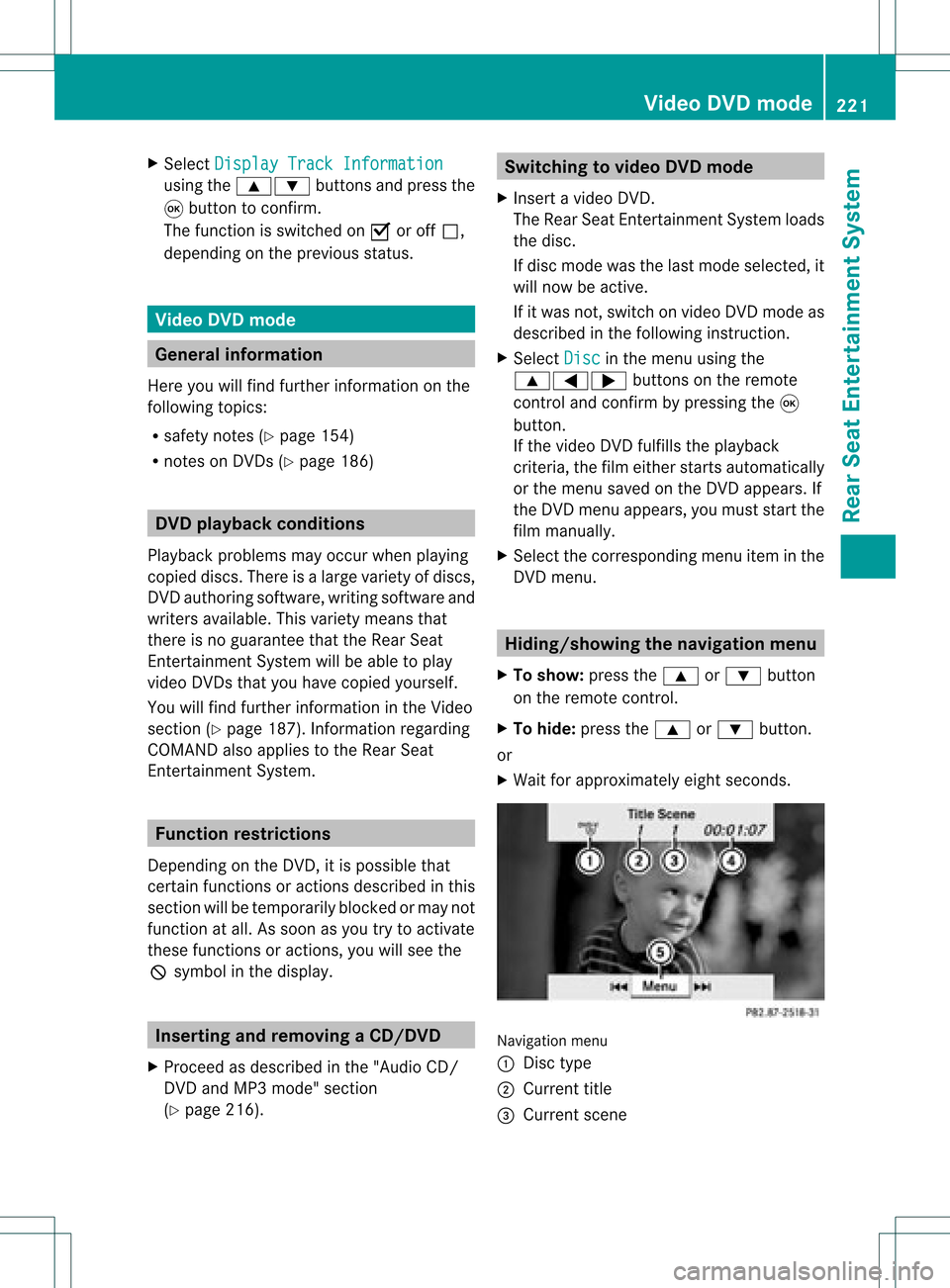
menu
: Disc type
; Current title
= Current scene Video
DVDmode
221RearSeatEnterta inment System Z
Page 224 of 234
?
Track time
A Toshow themenu Showing/hiding
themenu
X To show: pressthe9button onthe
remot econt rol.
or
X Select Menu while
thenavigation menuis
shown andpress the9button toconf irm.
X To hide: press the9 button ,select
Full Screen and
press the9button to
conf irm. Menu
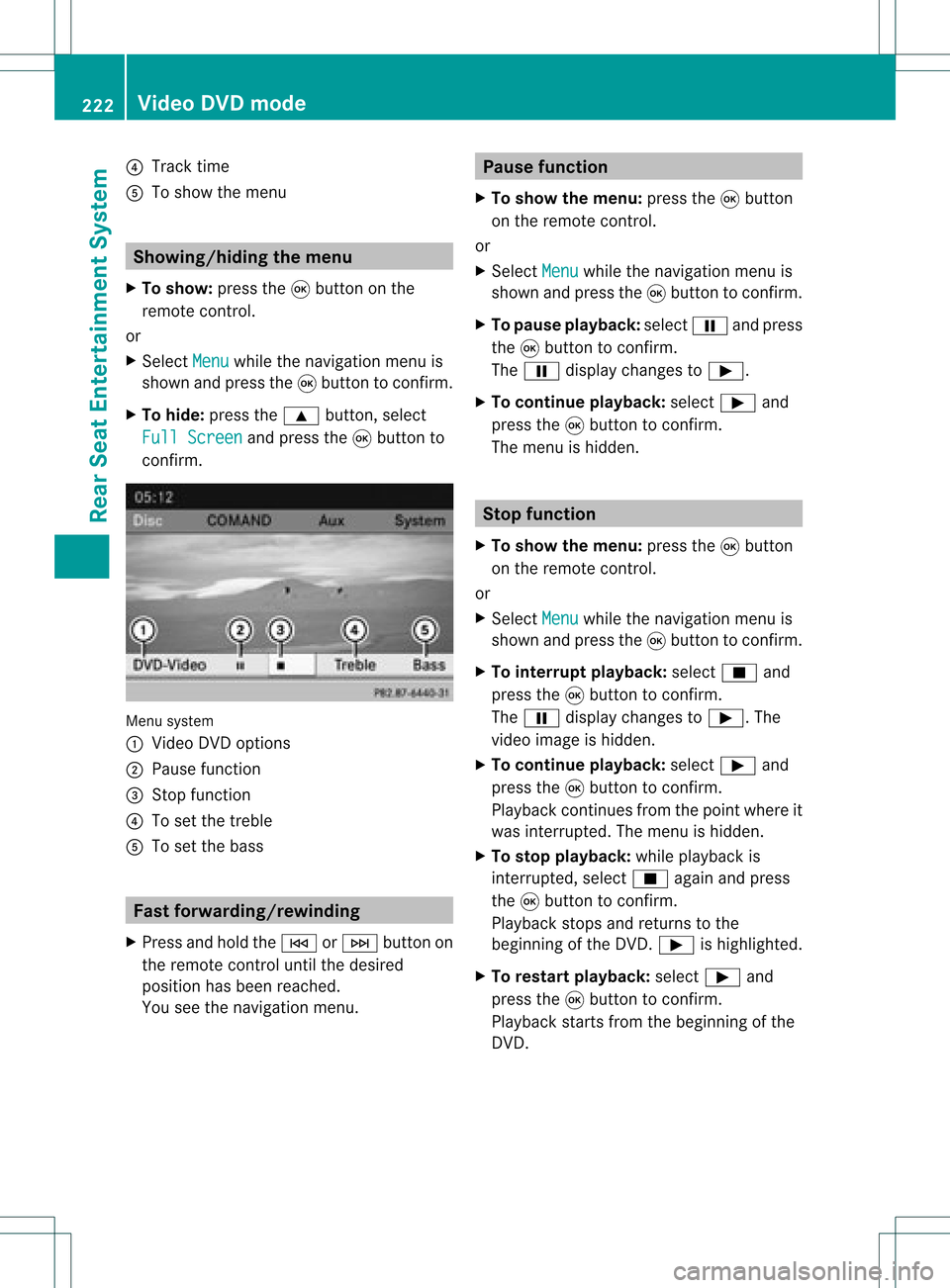
system
: Video DVDoptions
; Pause function
= Stop funct ion
? Toset the treble
A Toset the bass Fast
forwar ding/rewinding
X Press andhold theE orF button on
the remote controluntil thedesired
position hasbeen reached.
You seethenavigation menu. Pause
function
X To show themenu: pressthe9button
on the remote control.
or
X Select Menu while
thenavigation menuis
shown andpress the9button toconf irm.
X To pause playback: selectËandpress
the 9button toconf irm.
The Ë display changes toÌ.
X To continue playback: selectÌand
press the9button toconf irm.
The menu ishidden. Stop
function
X To show themenu: pressthe9button
on the remote control.
or
X Select Menu while
thenavigation menuis
shown andpress the9button toconf irm.
X To interr uptplayback: selectÉand
press the9button toconf irm.
The Ë display changes toÌ.T he
video image ishidden.
X To continue playback: selectÌand
press the9button toconfirm .
Play back continues fromthepoint where it
was interrupted. Themenu ishidden.
X To stop playback: whileplayback is
interrupted, selectÉagain andpress
the 9button toconfirm .
Play back stops andreturns tothe
beginning ofthe DVD .Ì ishighlighted.
X To restar tplayback: selectÌand
press the9button toconfirm .
Play back starts fromthebeginning ofthe
DVD . 222
Video
DVDmodeRear SeatEnterta inment System
Page 231 of 234
playback.
Ifno video image isavailable
from theAUX source connected, youwill
see anaudio menu.
Displaying AUX X
Select thescre enbyturn ingthe scro ll
wheel onremot econ trol(Y page 210)until
"L REAR "(left scre en)or"REAR R"(right
scre en)ishighl ighted inthe windo w.
X Sel ect Aux in
the menu using the
9=; buttons onthe rem ote
contro land pressthe 9button toconfi rm.
X Sel ect Source from
theAUX menu and
pre ssthe 9button toconfi rm.
X Sel ect Displa yAux and
pressthe 9
bu tton toconfi rm.
Yo uwi llsee and hearthe cont entofthe
video source ifit is switched toplay back. If
no video image isavaila blefrom theAUX
source connected, youwillsee anaudi o
menu. Adjust
ingtreble andbass
X Select Treble or
Bass in
the AUX menu
and press the9button onthe remote
cont roltoconfirm .
An adjustment scaleappea rs.
X Select asettin gusing the9 or:
button andpress the9button toconfirm . Adjust
ingthe brightness, contrastor
colo r
X Select Display Aux or
Disc Drive Aux in
the AUX menu andpress the9button
to confirm .
X Select Brightness ,
Contrast or
Color and
press the9button toconfirm .
An adjustment scaleappea rs.
X Select asettin gusing the9 or:
button andpress the9button toconfirm . Changing
thepicture format
X Select Display Aux or
Disc Drive Aux in
the AUX menu andpress the9button
to confirm .
X Select 16:9Optimized ,
4:3 or
Widescreen using
the9: buttons
and press the9button toconfirm .
The dotinfront ofamenu itemindicates
the current setting. AUX
mode
229RearSeatEnterta inment System Z