control MERCEDES-BENZ C-Class 2013 W204 Comand Manual
[x] Cancel search | Manufacturer: MERCEDES-BENZ, Model Year: 2013, Model line: C-Class, Model: MERCEDES-BENZ C-Class 2013 W204Pages: 274, PDF Size: 4.07 MB
Page 110 of 274

X
To show the menu: press00A1the COMAND
controller.
X Select Navi
Navi in the main function bar by
sliding 00A0005Band turning 0082005B0083the COMAND
controller and press 00A1to confirm.
X Select Map Settings
Map Settings and press00A1to
confirm.
The map settings menu appears.
X Select Highway Information
Highway Information and press
00A1 to confirm.
Depending on the previous status, switch
the option on 0073or off 0053. Example: city model
Switching city view on/off
When the city model is switched on, the map
shows buildings as 3D models.
X To show the menu: press00A1the COMAND
controller.
X Select Navi Naviin the main function bar by
sliding 00A0005Band turning 0082005B0083the COMAND
controller and press 00A1to confirm.
X Select Map Settings
Map Settings and press00A1to
confirm.
The map settings menu appears.
X Select City
City (3D) (3D)and press 00A1to confirm.
Depending on the previous status, switch
the option on 0073or off 0053.
i The city model is only shown for "Bird's-
eye view" or "3D map".
It is available in the 0.05 mi and 0.1 mi map
scales. The data required for displaying buildings
is not available for all cities.
Example: intersecting roads on city routes/
highways
Showing/hiding intersecting streets
If route guidance is inactive, intersecting
streets can be shown on the upper edge of
the display.
X
To show the menu: press00A1the COMAND
controller.
X Select Navi
Navi in the main function bar by
sliding 00A0005Band turning 0082005B0083the COMAND
controller and press 00A1to confirm.
X Select Map Settings Map Settings and press00A1to
confirm.
The map settings menu appears.
X Select Next Intersecting Street Next Intersecting Street and
press 00A1to confirm.
Depending on the previous status, switch
the option on 0073or off 0053. 108
Map operation and map settingNavigation
Page 111 of 274

Traffic information on the map
0043
Speed & Flow
0044 Free Flow
0087 Traffic incidents
If you subscribe to the SIRIUS XM Satellite
Radio Traffic Message Service, traffic
information can be displayed on the map. You
can select three categories for the display.
X To switch the display on/off: press00A1
the COMAND controller to show the menu.
X Select Navi
Navi in the main function bar by
sliding 00A0005Band turning 0082005B0083the COMAND
controller and press 00A1to confirm.
X Select Traffic Traffic Information Information On
OnMap
Map and
press 00A1to confirm.
X Select Incidents
Incidents and/orSpeed & Flow
Speed & Flow
and/or Free Flow
Free Flow and press00A1to
confirm.
Depending on the previous status, switch
the option on 0073or off 0053. Traffic
information Display on the map
Traffic
incidents Road sections with traffic
incidents are illustrated
with a yellow line and
arrows.
Speed &
Flow Road sections with traffic
jams are displayed with
yellow or red car icons.
Yellow car symbols: traffic
jams, average speed
25 - 45 mph (40 - 72 km/h).
Red car icons: traffic jam,
average speed 5 - 20 mph
(8 - 32 km/h) Free Flow Free flowing road sections
are illustrated with a green
line and arrows.
Additional settings
Avoiding an area
General information COMAND enables you to avoid areas you do
not wish to drive through.
If you activate or deactivate a route block
while route guidance is active, COMAND will
calculate a new route. If you activate or
deactivate a route block while route guidance
is inactive, COMAND will use the new setting
for the next route guidance.
The calculated route may include an area to
be avoided if:
R
your destination is located in such an area.
R the route uses roads that lead through an
area to be avoided.
i Highways within blocked areas are always
taken into consideration in the route
calculation. Additional settings
109Navigation Z
Page 112 of 274

Defining an area for the first time
Calling up the area menu
X
To switch on navigation mode: press the
00BE function button.
X To show the menu: press00A1the COMAND
controller.
X Select Navi Naviin the main function bar by
sliding 00A0005Band turning 0082005B0083the COMAND
controller and press 00A1to confirm.
X Select Avoid Area
Avoid Area and press00A1to
confirm.
If you have not previously blocked an area,
a menu appears. X
Select Using Map Using Map ,From Memory
From Memory orFrom
From
Personal POIs
Personal POIs and press00A1to confirm.
If you select Using Map
Using Map , the map with the
crosshair appears.
If you select From Memory
From Memory orFrom From
Personal POIs
Personal POIs , either the destination
memory or the list of categories for POIs
appears.
R Destination memory (Y page 63)
R List of categories for personal POIs
(Y page 79)
X Select the desired destination or personal
POI and press 00A1to confirm.
X When the destination address is displayed,
select Cont.
Cont. and press 00A1to confirm.
The map appears.
The crosshair marks the center of the area
that is to be avoided. X
To scroll the map: slide009E005B009F,00A0005B0064 or
009A005B0081 the COMAND controller.
X To set the map scale: as soon as you turn
0082005B0083 the COMAND controller, the scale bar
appears. Turning clockwise zooms out from
the map; turning counter-clockwise zooms
in.
X Turn 0082005B0083 until the desired scale is set.
X To apply a block: press00A1the COMAND
controller.
A red square appears on the map. X
To adjust the size of the square: turn
0082005B0083 the COMAND controller.
The square is enlarged or reduced.
X To confirm the settings: press00A1.
The list appears. The previously selected
area to be avoided has been added and
activated.
You can also determine additional areas to be
avoided (Y page 110).
Defining further areas Calling up the list of areas
X
To switch on navigation mode: press the
00BE function button.
X To show the menu: press00A1the COMAND
controller.
X Select Navi Naviin the main function bar by
sliding 00A0005Band turning 0082005B0083the COMAND
controller and press 00A1to confirm. 110
Additional settingsNavigation
Page 113 of 274

X
Select Avoid New Area
Avoid New Area and press00A1to
confirm.
If you have already selected one or more
areas to avoid, a list of areas appears. Example: list of areas
i
Available positions in the list are named
Empty
Empty and are shown in gray.
X Select Avoid New Area
Avoid New Area by turning0082005B0083
the COMAND controller and press 00A1to
confirm.
A menu appears. X
Select Using Map
Using Map ,From Memory From Memory orFrom
From
Personal POIs
Personal POIs and press00A1to confirm.
If you select Using Map
Using Map , the map with the
crosshair appears.
If you select From Memory
From Memory orFrom From
Personal POIs
Personal POIs, either the destination
memory or the list of categories for POIs
appears. R
Destination memory (Y page 63)
R List of categories for personal POIs
(Y page 79)
X Select the desired destination or personal
POI and press 00A1to confirm.
X When the destination address is displayed,
select Continue Continue and press00A1to confirm.
The map appears.
X To avoid a new area: call up the area menu
again (Y page 110).
Switching an avoided area on/off X
Call up the area list (Y page 110).
X Select an entry in the list by turning 0082005B0083
the COMAND controller and press 00A1to
confirm.
The avoided area is switched on 0073or off
0053 depending on the previous status.
Displaying and changing an avoided
area X
Call up the area list (Y page 110).
X Select an entry in the list by turning 0082005B0083
the COMAND controller.
X Slide 005B009Fthe COMAND controller and
press 00A1to confirm.
X Select Display /
Display / Change Changeand press 00A1to
confirm.
The area to be avoided is indicated in the
map.
X To change the location of the area: slide
009E005B009F ,00A0005B0064 or009A005B0081 the COMAND
controller.
The area is moved on the map.
X To adjust the size of the area: turn
0082005B0083 the COMAND controller.
The area is enlarged or reduced.
X To confirm the change: press00A1the
COMAND controller.
The list appears and the change is entered. Additional settings
111Navigation Z
Page 114 of 274

Deleting a set area
X
Call up the area list ( Ypage 110).
X Select an entry in the list by turning 0082005B0083
the COMAND controller.
X Slide 005B009Fthe COMAND controller and
press 00A1to confirm.
X Select Delete
Delete and press 00A1to confirm.
A query appears asking whether the entry
should be deleted.
X Select Yes
Yes orNo No.
If you select Yes
Yes, the entry is deleted.
If you select No
No , the process will be
canceled. SIRIUS XM service
Displaying SIRIUS XM service
information You can display the SIRIUS XM service
information.
X To show the menu: press00A1the COMAND
controller.
X Select Navi
Navi in the main function bar by
sliding 00A0005Band turning 0082005B0083the COMAND
controller and press 00A1to confirm.
X Select SIRIUS Service
SIRIUS Service and press00A1to
confirm.
The window on the right half of the display
shows the telephone number of the
provider (SIRIUS XM) and the serial number
of your service module.
Registering for the SIRIUS XM traffic
report service X
Call the traffic report provider's phone
number shown on the screen.
i You can also have the satellite service
activated online. To do so, visit the SIRIUS
XM Radio website at
http://www.sirius.com (USA) or
http://www.siriuscanada.com
(Canada). Once the connection has been established:
X
Follow the instructions of the operator.
The activation process may take up to ten
minutes.
If registration is not included when
purchasing the system, your credit card
details will be required to activate your
account. Compass function
In the compass view, you can see the current
direction of travel, the current height above
sea level and the coordinates of the vehicle
position, for example.
X To switch on navigation mode: press the
00BE function button.
X To show the menu: press00A1the COMAND
controller.
X Select Position Position in the navigation system
menu bar by sliding 005B0064and turning 0082005B0083
the COMAND controller and press 00A1to
confirm.
X Select Compass
Compass and press 00A1to confirm. Example: compass
0043
Current direction of travel
0044 Current height above average sea level
(rounded)
0087 Current vehicle position: longitude
coordinates
0085 Number of GPS satellites currently being
used 112
Additional settingsNavigation
Page 115 of 274

0083
Current vehicle position: latitude
coordinates
0084 Currently set steering angle of the front
wheels
i To display current elevation 0044, the
system must be able to receive at least four
satellites. Steering angle 0084can be a
maximum of 35° in both directions.
X To exit the display: confirmBack
Back by
pressing 00A1or press the 0041back button. Showing the map data version
X
To show the map data menu: press00A1
the COMAND controller.
X Select Navi
Navi in the main function bar by
sliding 00A0005Band turning 0082005B0083the COMAND
controller and press 00A1to confirm.
X Select Map Version
Map Version and press00A1to
confirm.
The map data version number is shown.
Information about new versions of the
digital map can be obtained from an
authorized Mercedes-Benz Center. Updating the digital map
Introduction The digital maps generated by the map
software become outdated in the same way
as conventional road maps. Optimal route
guidance can only be provided by the navigation system in conjunction with the
most up-to-date map software.
Information about new versions of the digital
map can be obtained from an authorized
Mercedes-Benz Center. You can have the
digital map updated there with a DVD, or you
can update it yourself.
Important safety notes
G
WARNING
Never leave the engine running in an enclosed
space. The exhaust gases contain carbon
monoxide. Inhaling exhaust gases constitutes
a health hazard and could lead to loss of
consciousness or even death.
Carrying out a manual update i
The update process can take a long time
(over an hour), depending on the size of the
digital map. During this time, you will only
be able to switch on radio mode and to
accept incoming calls. The update will be
completed more quickly if the vehicle is
stationary.
If you start the update with the engine
switched off and the starter battery has
insufficient power, COMAND may
automatically switch off. This protects the
battery. If this occurs, restart the update
with the engine running.
X Insert the DVD:
R
in the single DVD drive (Y page 192)
R in the DVD changer (Y page 192)
COMAND checks whether the digital map
on the DVD is compatible with the
navigation system and system software.
A prompt then appears asking if you want
to install the database. Versions of the
database currently installed and the Additional settings
113Navigation Z
Page 116 of 274
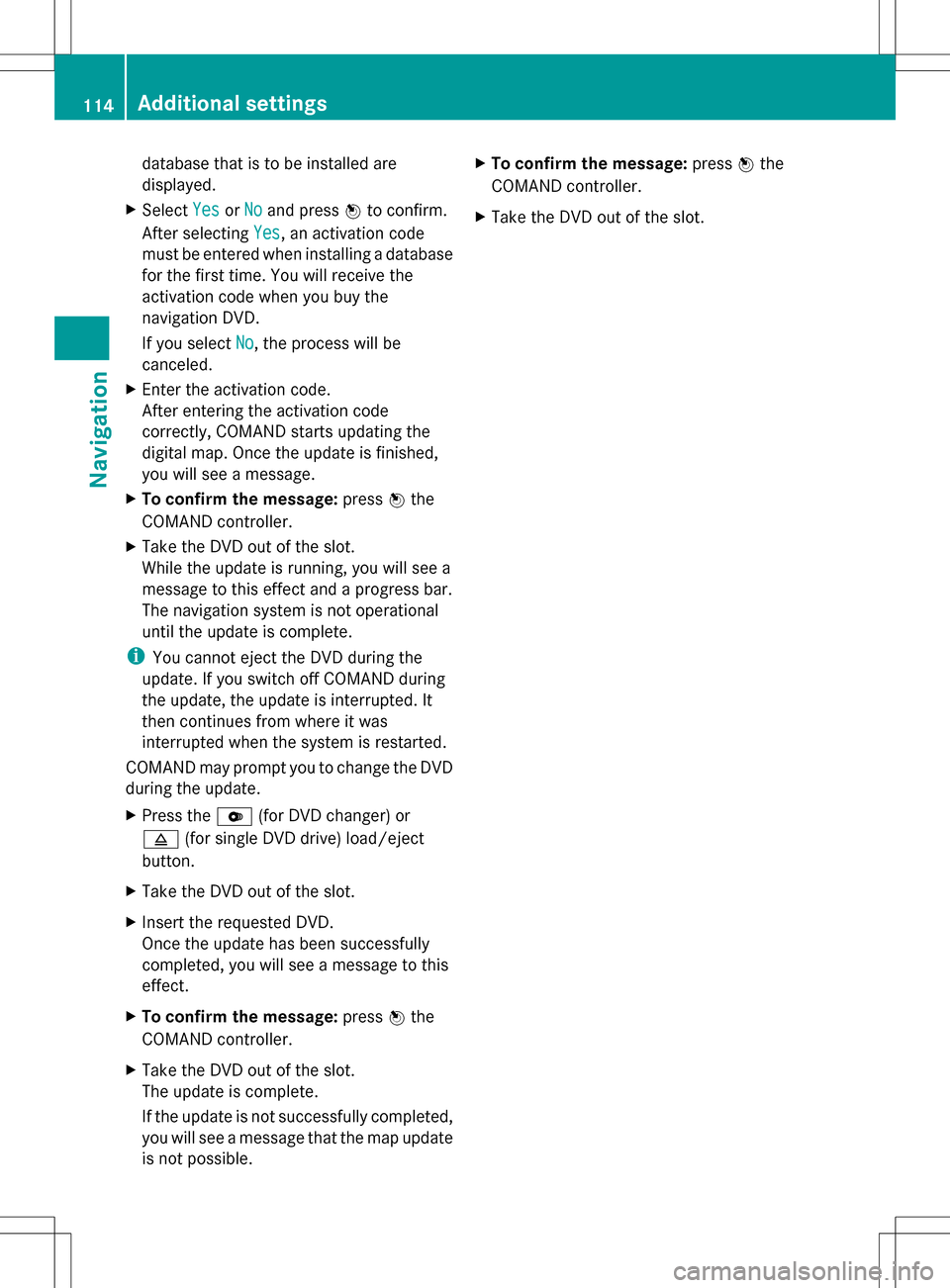
database that is to be installed are
displayed.
X Select Yes YesorNo
No and press 00A1to confirm.
After selecting Yes
Yes, an activation code
must be entered when installing a database
for the first time. You will receive the
activation code when you buy the
navigation DVD.
If you select No No, the process will be
canceled.
X Enter the activation code.
After entering the activation code
correctly, COMAND starts updating the
digital map. Once the update is finished,
you will see a message.
X To confirm the message: press00A1the
COMAND controller.
X Take the DVD out of the slot.
While the update is running, you will see a
message to this effect and a progress bar.
The navigation system is not operational
until the update is complete.
i You cannot eject the DVD during the
update. If you switch off COMAND during
the update, the update is interrupted. It
then continues from where it was
interrupted when the system is restarted.
COMAND may prompt you to change the DVD
during the update.
X Press the 0065(for DVD changer) or
0062 (for single DVD drive) load/eject
button.
X Take the DVD out of the slot.
X Insert the requested DVD.
Once the update has been successfully
completed, you will see a message to this
effect.
X To confirm the message: press00A1the
COMAND controller.
X Take the DVD out of the slot.
The update is complete.
If the update is not successfully completed,
you will see a message that the map update
is not possible. X
To confirm the message: press00A1the
COMAND controller.
X Take the DVD out of the slot. 114
Additional settingsNavigation
Page 118 of 274
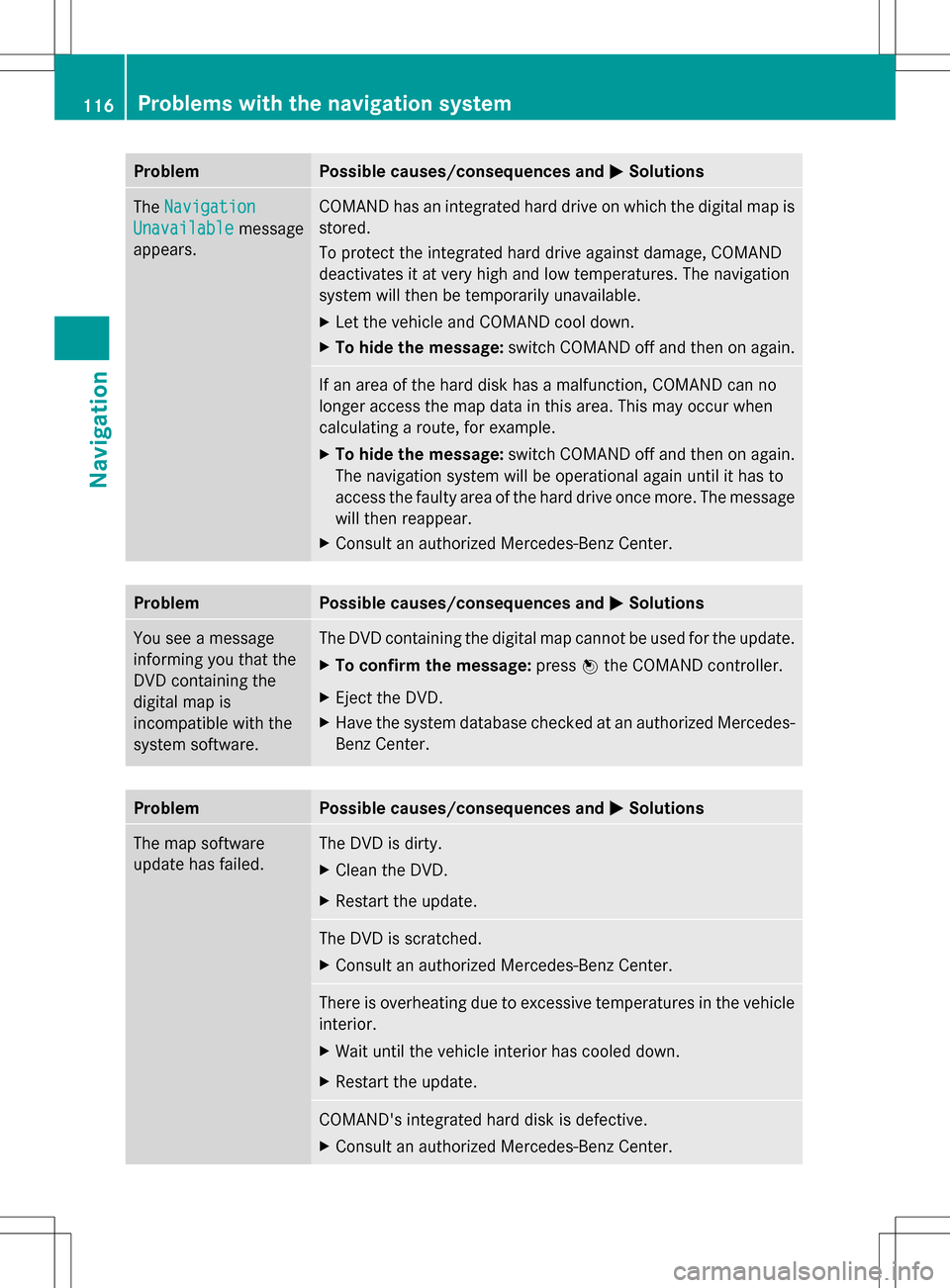
Problem Possible causes/consequences and
0050
0050Solutions The
Navigation
Navigation
Unavailable
Unavailable message
appears. COMAND has an integrated hard drive on which the digital map is
stored.
To protect the integrated hard drive against damage, COMAND
deactivates it at very high and low temperatures. The navigation
system will then be temporarily unavailable.
X
Let the vehicle and COMAND cool down.
X To hide the message: switch COMAND off and then on again. If an area of the hard disk has a malfunction, COMAND can no
longer access the map data in this area. This may occur when
calculating a route, for example.
X
To hide the message: switch COMAND off and then on again.
The navigation system will be operational again until it has to
access the faulty area of the hard drive once more. The message
will then reappear.
X Consult an authorized Mercedes-Benz Center. Problem Possible causes/consequences and
0050 0050Solutions You see a message
informing you that the
DVD containing the
digital map is
incompatible with the
system software. The DVD containing the digital map cannot be used for the update.
X
To confirm the message: press00A1the COMAND controller.
X Eject the DVD.
X Have the system database checked at an authorized Mercedes-
Benz Center. Problem Possible causes/consequences and
0050 0050Solutions The map software
update has failed. The DVD is dirty.
X
Clean the DVD.
X Restart the update. The DVD is scratched.
X
Consult an authorized Mercedes-Benz Center. There is overheating due to excessive temperatures in the vehicle
interior.
X
Wait until the vehicle interior has cooled down.
X Restart the update. COMAND's integrated hard disk is defective.
X
Consult an authorized Mercedes-Benz Center. 116
Problems with the navigation systemNavigation
Page 122 of 274
Your COMAND equipment
These operating instructions describe all the
standard and optional equipment for your
COMAND system, as available at the time of
going to print. Country-specific differences
are possible. Please note that your COMAND
system may not be equipped with all the
features described. General notes
Introduction
COMAND provides telephony via the
Bluetooth ®
interface.
When connecting Bluetooth ®
-capable mobile
phones with PBAP (Phone BookAccess
Profile), the contacts are automatically
downloaded to COMAND.
With a suitable mobile phone, you can use the
hands-free system and receive vCards via the
Bluetooth ®
interface.
You can use the text message (SMS) function
(receiving and reading) if the mobile phone
supports the MAP (Message AccessProfile)
Bluetooth ®
profile.
You can obtain more detailed information
about suitable mobile phones and about
connecting Bluetooth ®
-capable mobile
phones to COMAND on the Internet at
http://www.mbusa-mobile.com. Or call
the Mercedes-Benz Customer Assistance
center at
1-800-FOR-MERCedes(1-800-367-6372) for
the USA or at 1-800-387-0100 for Canada. Safety notes
G
WARNING
The driver must always concentrate on the
road. For your safety and the safety of others,
we recommend that you pull over to a safe
location and stop before placing or taking a
telephone call. If you choose to use the mobile phone while driving, please use the hands-
free device and only use the mobile phone
when weather, road and traffic conditions
permit.
Some jurisdictions prohibit the driver from
using a mobile phone while driving a vehicle.
Bear in mind that at a speed of only 30 mph
(approximately 50 km/h), the vehicle covers
a distance of 44 feet (approximately 14 m) per
second.
G
WARNING
Excessive electromagnetic radiation may
constitute a health hazard to yourself and
others.
There is scientific discussion surrounding the
possible health risks posed by
electromagnetic fields. You can reduce this
risk by using an exterior aerial.
Therefore, only use mobile communication
equipment if it is connected to the exterior
aerial of the vehicle. Call disconnection while the vehicle is
in motion
A call may be disconnected if:
R there is insufficient network coverage in
certain areas.
R you move from one transmitter/receiver
area (cell) into another and no channels are
free.
R you use a SIM card which is not compatible
with the network available. Operating options
You can operate the telephone by:
R using the COMAND controller:
Turn 0082005B
Slide 009E005B or00A0005B 0064 120
General notesTelephone
Page 123 of 274
Press
00A1
R using the 006Aor007F button and using
the telephone keypad on COMAND
R using the 006Aor007F button on the
multifunction steering wheel
R using the Voice Control System (see the
separate Voice Control System operating
instructions)
Unless stated otherwise, the descriptions and
illustrations in this section refer to COMAND. Function restrictions
The telephone is not ready for use in the
following situations:
R the telephone automatically tries to log on
to a network. If no network is available, you
may not be able to make a " 911"
emergency call. If you attempt to make an
outgoing call, the No NoService
Service message will
appear for a short while. 911 emergency call
G
WARNING
The 911 emergency call system is a public
service. Using it without due cause is a
criminal offense.
The following requirements must be fulfilled
for a 911emergency call:
R the mobile phone must be switched on.
R a network must be available.
R a valid and operational SIM card must be
inserted in the mobile phone.
R the mobile phone is connected to COMAND
via Bluetooth ®
.
If you cannot make an emergency call, you
must arrange rescue measures yourself. X
Enter the number on COMAND
(Y page 128).
X Press 006A.
The telephone makes the connection.
X Wait until the emergency call center
answers and describe the emergency
situation. Telephony via the Bluetooth
®
interface Conditions
For telephony via COMAND's Bluetooth ®
interface, a Bluetooth ®
-capable mobile
phone is required.
On COMAND
X Activate the Bluetooth ®
function in
COMAND (Y page 40).
On the mobile phone
X Switch on the mobile phone and enter the
PIN when prompted to do so (see the
mobile phone operating instructions).
X Activate Bluetooth ®
functions and, where
necessary, Bluetooth ®
visibility on the
mobile phone (see the mobile phone
operating instructions).
The battery of the mobile phone should
always be kept sufficiently charged in order
to prevent malfunctions.
In preparation for telephoning via the
Bluetooth ®
interface, you should check the
following items on your mobile phone (see the
mobile phone operating instructions):
R Hands-Free Profile
The mobile phone must support Hands-
Free Profile 1.0 or above.
R Bluetooth ®
visibility
On certain mobile phones, the device itself
must be made "visible" to other devices, as
well as activating the Bluetooth ®
function
(see the mobile phone operating
instructions). Telephony via the Bluetooth
®
interface 121Telephone Z