media files MERCEDES-BENZ C-Class 2015 W205 Comand Manual
[x] Cancel search | Manufacturer: MERCEDES-BENZ, Model Year: 2015, Model line: C-Class, Model: MERCEDES-BENZ C-Class 2015 W205Pages: 214, PDF Size: 5.16 MB
Page 178 of 214
X
Select a track.
The basic display appears and playback
starts. MEDIA REGISTER
General notes
i Keep your original music files, photos and
video files in a secure location. An error in
COMAND may result in the loss of music
files stored in the MEDIA REGISTER.
Mercedes-Benz is not liable for any loss of
data.
You can store music files, photos or video files
in the MEDIA REGISTER. The memory has a
capacity of 10 GB. Switching on the MEDIA REGISTER
X Press the 00FDbutton repeatedly until the
MEDIA REGISTER is switched on.
Pressing the button repeatedly changes
the operating mode in the following order:
R Disc
Disc;
R Memory Card Memory Card;
R Media Register
Media Register;
R USB 1
USB 1 (vehicles without Media Interface)
R Media Interface 1
Media Interface 1 (vehicles without
Media Interface)
R USB 2
USB 2 (vehicles without Media Interface)
R Media Interface 2
Media Interface 2 (vehicles with
Media Interface) R
Bluetooth Audio Bluetooth Audio;
R Aux Aux .
Playback begins at the point last listened to.
If there are no files, you will see a message to
this effect.
Further options for switching on:
R Using the number keypad: (Y page 165)
R Using the main function bar: (Y page 165)
R Using the device list: (Y page 165)
R Using the 00FDbutton: (Y page 164) MEDIA REGISTER basic display
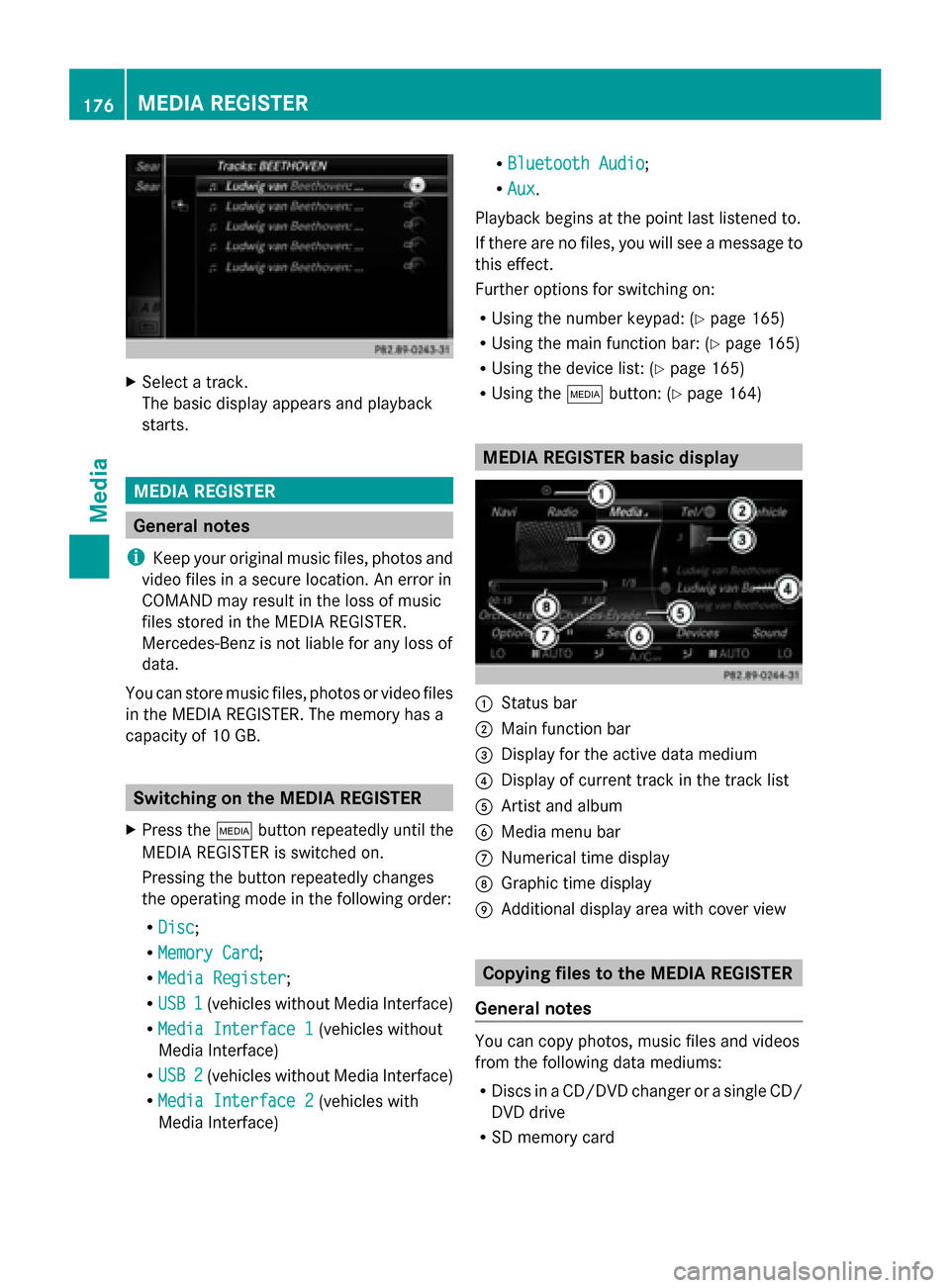
0043
Status bar
0044 Main function bar
0087 Display for the active data medium
0085 Display of current track in the track list
0083 Artist and album
0084 Media menu bar
006B Numerical time display
006C Graphic time display
006D Additional display area with cover view Copying files to the MEDIA REGISTER
General notes You can copy photos, music files and videos
from the following data mediums:
R
Discs in a CD/DVD changer or a single CD/
DVD drive
R SD memory card 176
MEDIA REGISTERMedia
Page 179 of 214
R
USB storage device
R MP3
i Data can only be copied from an MP3
player if this can be configured as a mass
storage device.
Video files from DVD-V cannot be copied.
While copying, several functions will not be
available. If this is the case, you will see a
message to this effect.
1. Selecting a data medium X
To switch on media mode: keep pressing
the 00FD button until the required media
mode has been switched on.
X Slide 00520064the controller.
The media menu bar appears.
X To select Options
Options: turn and press the con-
troller. X
Select Save Files to Media Register Save Files to Media Register .
The media list appears. A data medium
from which files can be copied is selected
automatically.
i The Save Files to Media Register Save Files to Media Register
function can be accessed from any media
application.
X Select the displayed data medium.
The data medium is loaded.
If the data medium contains files that can
be copied, a selection menu appears. 2. Selecting files
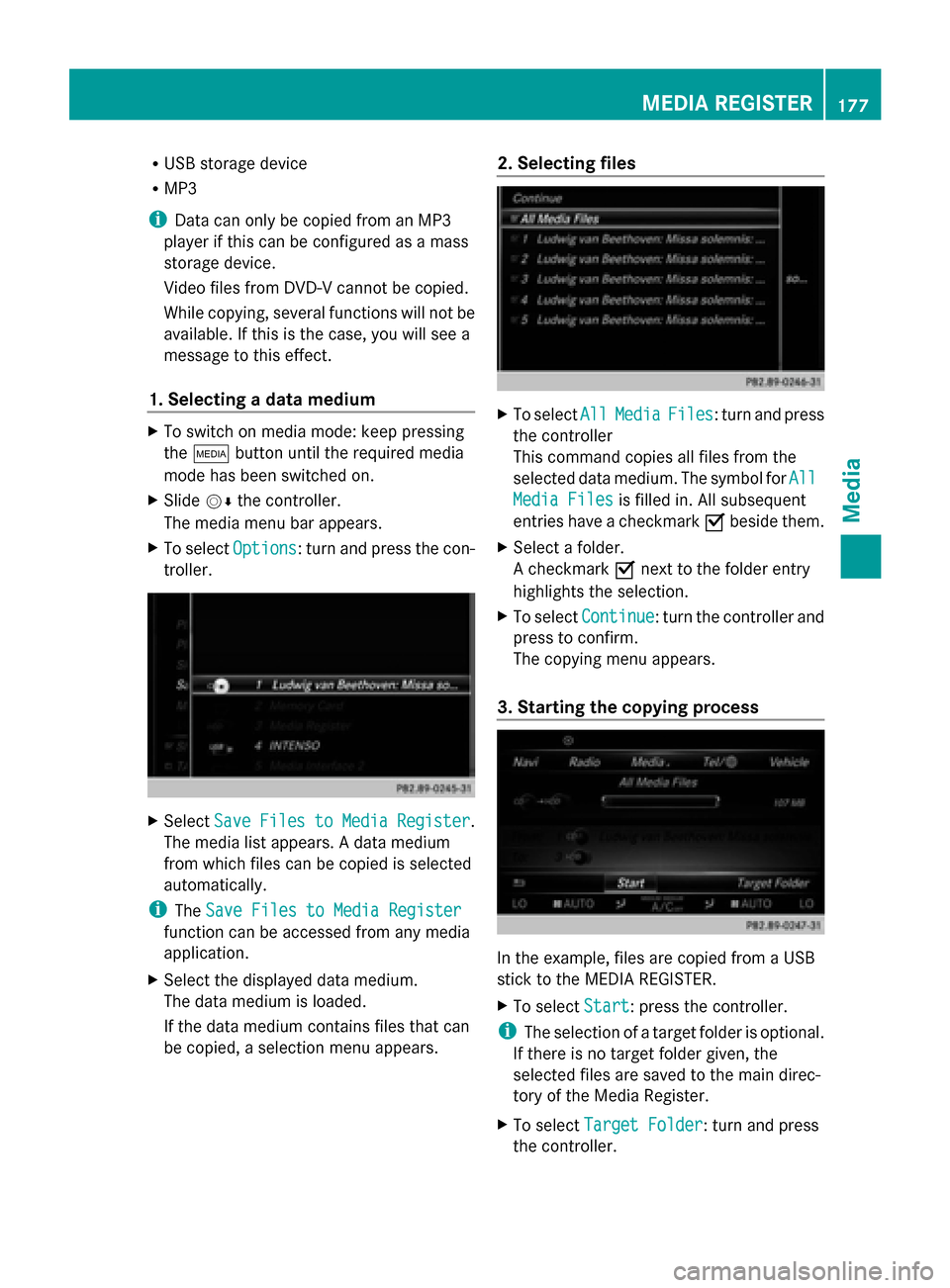
X
To select All AllMedia
Media Files
Files: turn and press
the controller
This command copies all files from the
selected data medium. The symbol for All
All
Media Files
Media Files is filled in. All subsequent
entries have a checkmark 0073beside them.
X Select a folder.
A checkmark 0073next to the folder entry
highlights the selection.
X To select Continue Continue: turn the controller and
press to confirm.
The copying menu appears.
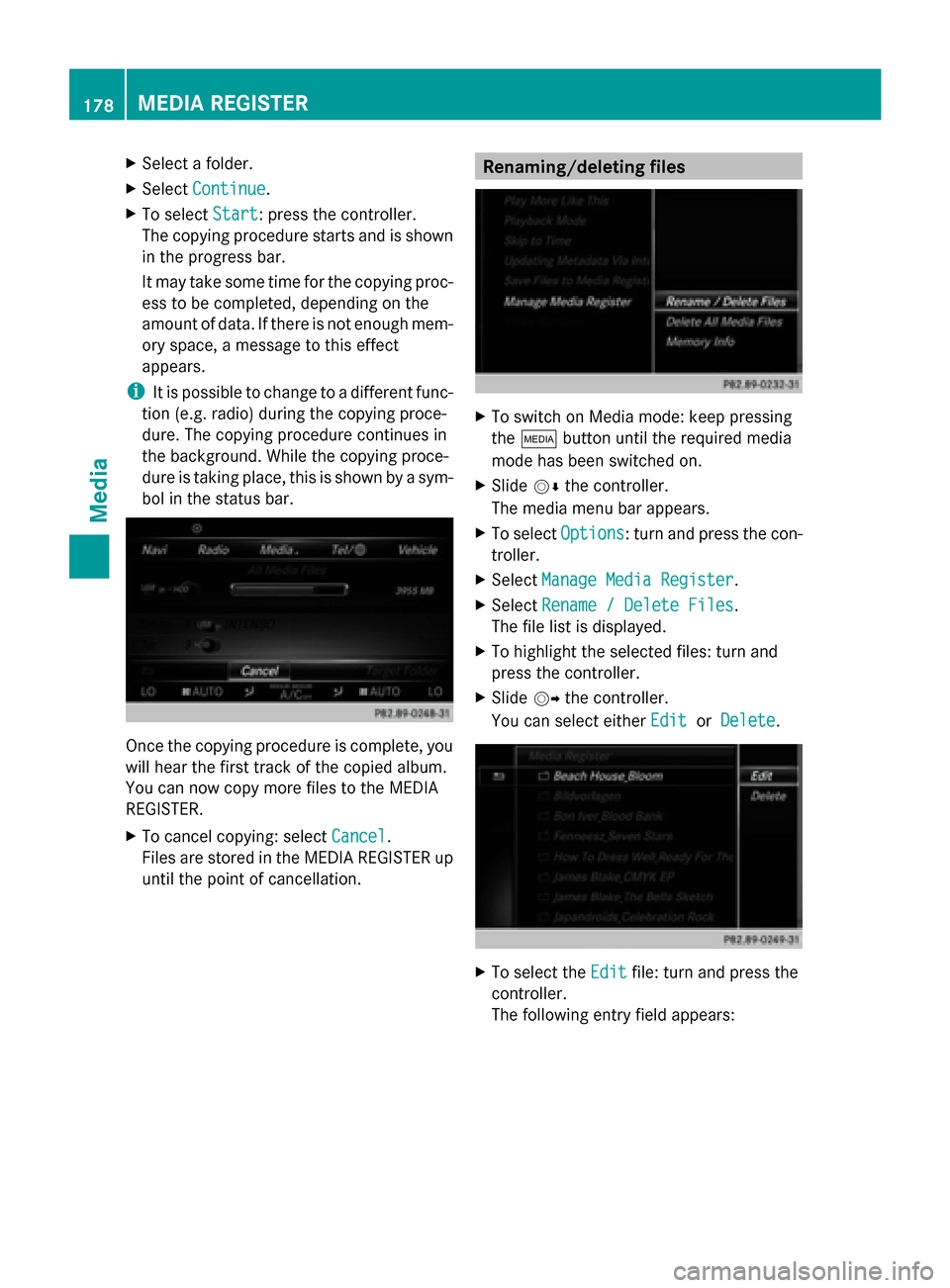
3. Starting the copying process In the example, files are copied from a USB
stick to the MEDIA REGISTER.
X
To select Start Start: press the controller.
i The selection of a target folder is optional.
If there is no target folder given, the
selected files are saved to the main direc-
tory of the Media Register.
X To select Target Folder
Target Folder: turn and press
the controller. MEDIA REGISTER
177Media Z
Page 180 of 214
X
Select a folder.
X Select Continue
Continue.
X To select Start
Start: press the controller.
The copying procedure starts and is shown
in the progress bar.
It may take some time for the copying proc-
ess to be completed, depending on the
amount of data. If there is not enough mem-
ory space, a message to this effect
appears.
i It is possible to change to a different func-
tion (e.g. radio) during the copying proce-
dure. The copying procedure continues in
the background. While the copying proce-
dure is taking place, this is shown by a sym-
bol in the status bar. Once the copying procedure is complete, you
will hear the first track of the copied album.
You can now copy more files to the MEDIA
REGISTER.
X To cancel copying: select Cancel Cancel.
Files are stored in the MEDIA REGISTER up
until the point of cancellation. Renaming/deleting files
X
To switch on Media mode: keep pressing
the 00FD button until the required media
mode has been switched on.
X Slide 00520064the controller.
The media menu bar appears.
X To select Options Options: turn and press the con-
troller.
X Select Manage Media Register
Manage Media Register.
X Select Rename / Delete Files
Rename / Delete Files.
The file list is displayed.
X To highlight the selected files: turn and
press the controller.
X Slide 00520096the controller.
You can select either Edit EditorDelete
Delete . X
To select the Edit
Editfile: turn and press the
controller.
The following entry field appears: 178
MEDIA REGISTERMedia
Page 181 of 214
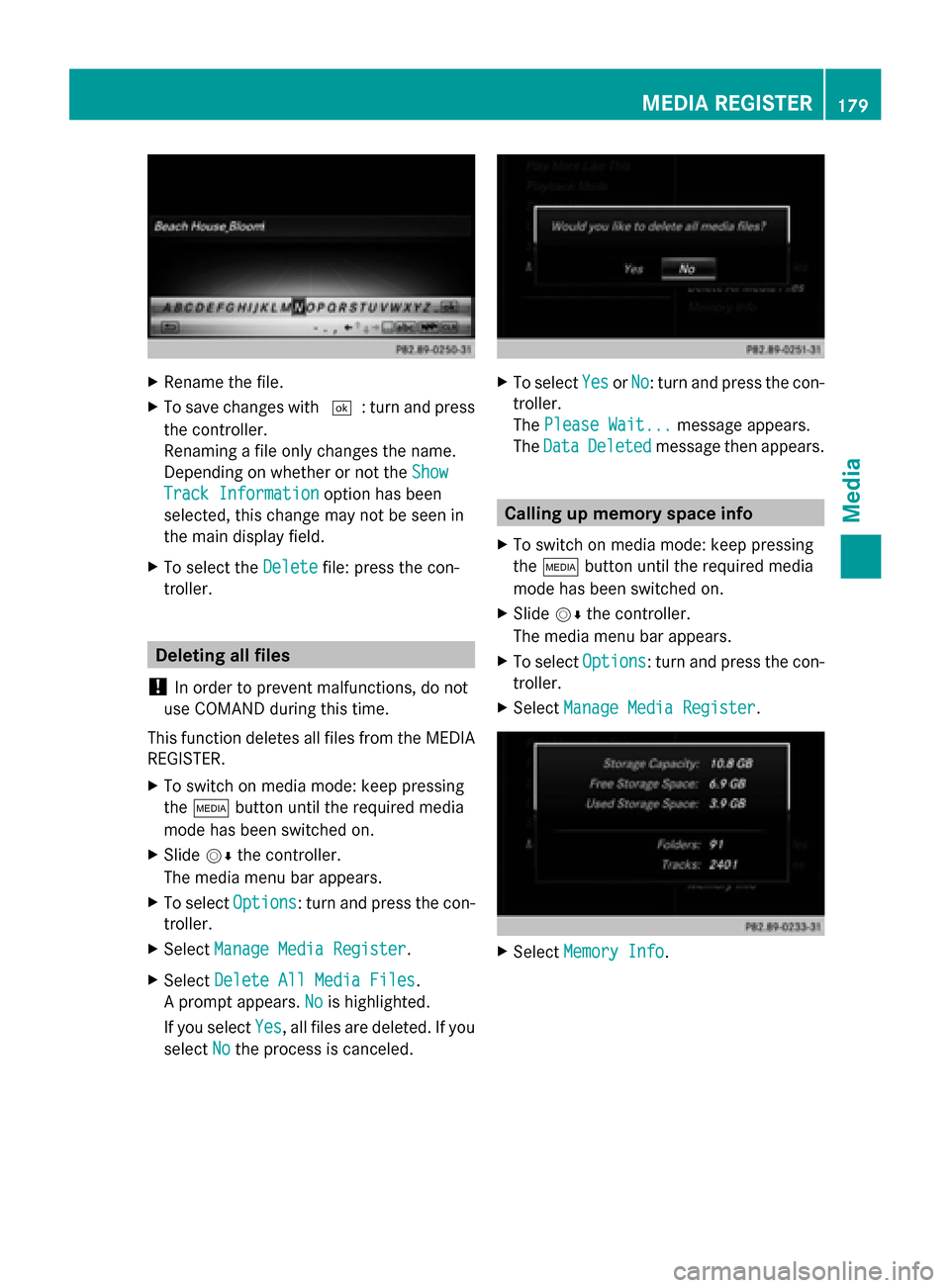
X
Rename the file.
X To save changes with 0054: turn and press
the controller.
Renaming a file only changes the name.
Depending on whether or not the Show Show
Track Information
Track Information option has been
selected, this change may not be seen in
the main display field.
X To select the Delete
Delete file: press the con-
troller. Deleting all files
! In order to prevent malfunctions, do not
use COMAND during this time.
This function deletes all files from the MEDIA
REGISTER.
X To switch on media mode: keep pressing
the 00FD button until the required media
mode has been switched on.
X Slide 00520064the controller.
The media menu bar appears.
X To select Options
Options: turn and press the con-
troller.
X Select Manage Media Register
Manage Media Register.
X Select Delete All Media Files
Delete All Media Files.
A prompt appears. No Nois highlighted.
If you select Yes
Yes , all files are deleted. If you
select No
No the process is canceled. X
To select Yes
YesorNo
No: turn and press the con-
troller.
The Please Wait... Please Wait... message appears.
The Data
Data Deleted
Deleted message then appears. Calling up memory space info
X To switch on media mode: keep pressing
the 00FD button until the required media
mode has been switched on.
X Slide 00520064the controller.
The media menu bar appears.
X To select Options Options: turn and press the con-
troller.
X Select Manage Media Register
Manage Media Register. X
Select Memory Info
Memory Info. MEDIA REGISTER
179Media Z
Page 182 of 214

Selecting a playback mode
X To switch MEDIA REGISTER on: press the
00FD button repeatedly until the MEDIA
REGISTER is switched on.
X Slide 00520064the controller.
The media menu bar appears.
X To select Options
Options: turn and press the con-
troller. X
Select Playback Mode
Playback Mode.
The options list appears. The 003Bdot indi-
cates the current setting.
X Select the desired option.
The option is switched on. For all options
except Normal Track Sequence
Normal Track Sequence, you will
see a corresponding icon in the main dis-
play.
i The Normal Track Sequence Normal Track Sequence option is
automatically selected when you change
the disc you are currently listening to or
when you select a different medium. If an
option is selected, it remains selected after
COMAND is switched on or off.
The following options are available:
R Normal Track Sequence Normal Track Sequence: the tracks are
played in the normal order (e.g. track 1, 2,
3 etc.).
R Random Medium Random Medium: all the tracks on the
medium are played in random order.
R Random Random Track
TrackList
List: the tracks in the cur-
rently active track list are played in random
order. Bluetooth
®
audio mode Connecting Bluetooth
®
audio devices
Prerequisites X
Activate the Bluetooth ®
function in
COMAND (Y page 42).
Bluetooth ®
audio mode requires a Blue-
tooth ®
-capable audio device.
Check your Bluetooth ®
audio device for the
following (see the Bluetooth ®
audio device's
operating instructions):
R Bluetooth ®
audio profile
The Bluetooth ®
audio device must support
the A2DP and AVRCP Bluetooth ®
audio
profiles.
R Bluetooth ®
visibility
Certain Bluetooth ®
audio devices do not
just require activation of the Bluetooth ®
function. In addition, your device must be
made "visible" to other devices.
R Bluetooth ®
device name
This device name is predetermined but can
usually be changed. To make a clear selec-
tion of the Bluetooth ®
device possible,
Mercedes-Benz recommends that you cus-
tomize the device name (see the Blue-
tooth ®
audio device's operating instruc-
tions).
i A2DP (Advanced AudioDistribution
Profile): Bluetooth ®
audio profile for audio
data transmission
AVRCP (Audio VideoRemote Control
Profile): Bluetooth ®
audio profile for audio
data playback.
i The Bluetooth ®
device must be visible for
authorization. After authorization,
COMAND even finds the Bluetooth ®
device
when it is not visible.
X The Bluetooth ®
function in COMAND must
be activated (Y page 42).180
Bluetooth ®
audio modeMedia
Page 183 of 214
General notes
Before using your Bluetooth
®
audio device
with COMAND for the first time, you will need
to authorize it.
When you authorize a new Bluetooth ®
audio
device, it is connected automatically. Con-
nection involves first searching for a Blue-
tooth ®
audio device and then authorizing it.
You can authorize up to fifteen Bluetooth ®
devices.
i If you authorize a mobile phone that sup-
ports Bluetooth ®
audio, the A2DP and
AVRCP Bluetooth ®
audio profiles are con-
nected automatically.
The mobile phone is then entered:
R in the Bluetooth ®
telephone list
(Y page 105)
R in the Bluetooth ®
device list
(Y page 181)
Mercedes-Benz recommends authorizing a
mobile phone in Bluetooth ®
telephony
(Y page 106).
i If the mobile phone that is connected only
supports two Bluetooth ®
profiles at the
same time, COMAND functions may
behave as follows:
R when connecting to the Internet, play-
back is stopped on the Bluetooth ®
audio
device.
R when starting playback on the Blue-
tooth ®
audio device, the Internet con-
nection is ended. Searching for and authorizing a Blue-
tooth ®
audio device
Switching to Bluetooth ®
audio mode
X Press the 00FDbutton.
X To select Bluetooth Audio
Bluetooth Audio in the menu:
turn and press the controller.
A menu appears. If you see the
No Bluetooth Audio No Bluetooth Audio
Device Connected
Device Connected message, you will
need to authorize the Bluetooth ®
audio
device first.
X To select Options
Optionsin the Bluetooth ®
audio
menu: slide 005200C5and press the controller.
X To select Bluetooth Audio Devices
Bluetooth Audio Devices :
press the controller.
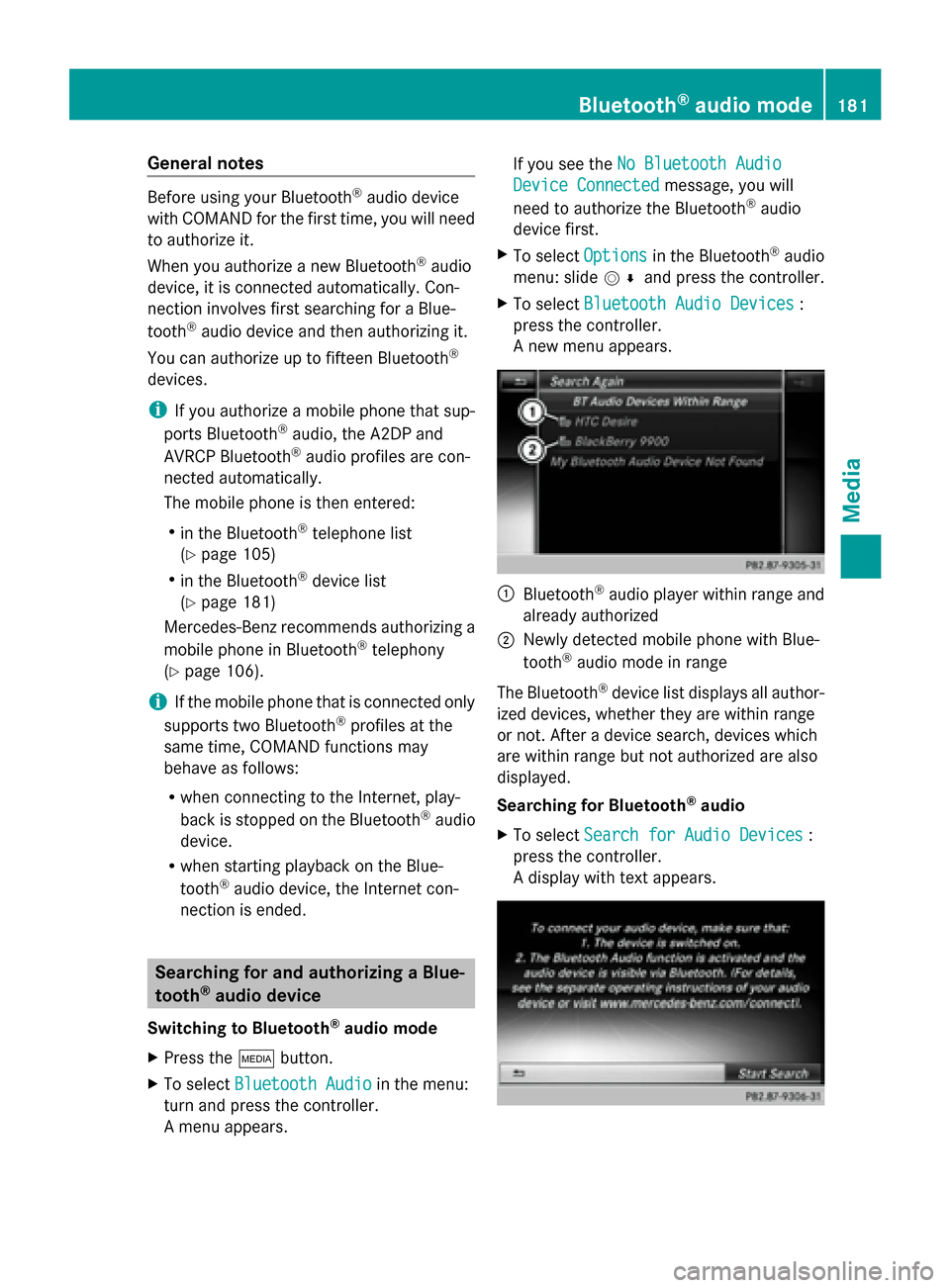
A new menu appears. 0043
Bluetooth ®
audio player within range and
already authorized
0044 Newly detected mobile phone with Blue-
tooth ®
audio mode in range
The Bluetooth ®
device list displays all author-
ized devices, whether they are within range
or not. After a device search, devices which
are within range but not authorized are also
displayed.
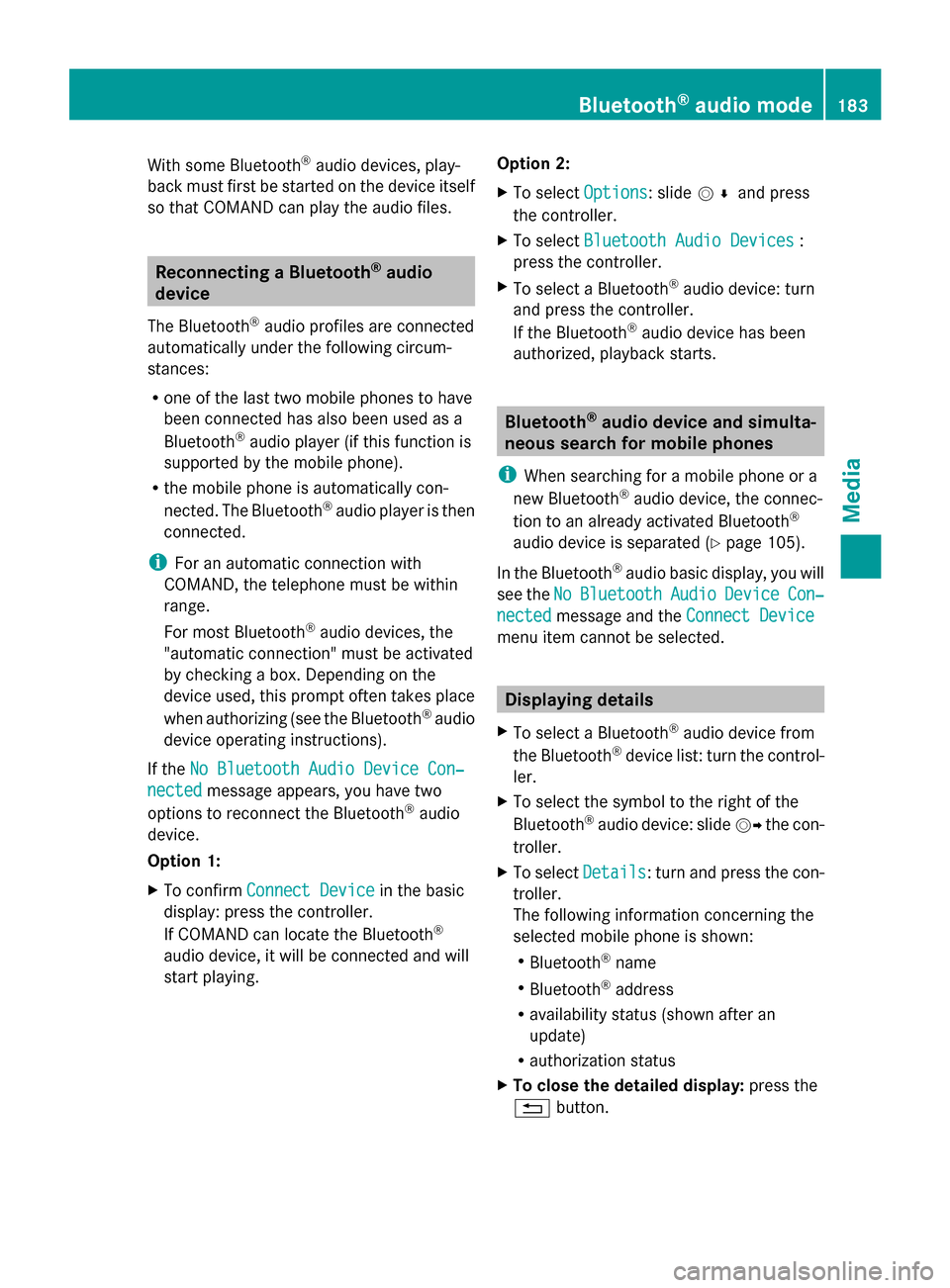
Searching for Bluetooth ®
audio
X To select Search for Audio Devices Search for Audio Devices :
press the controller.
A display with text appears. Bluetooth
®
audio mode 181Media Z
Page 184 of 214

X
Select Start Search
Start Search .
COMAND searches for Bluetooth ®
audio
devices within range and adds them to the
Bluetooth ®
device list.
The duration of the search depends on the
number of Bluetooth ®
audio devices within
range and their characteristics.
i With some Bluetooth ®
audio devices,
playback must first be started on the device
itself so that COMAND can play the audio
files. Bluetooth ®
must also be given as a
media output location for the audio device
used.
Authorizing Bluetooth ®
audio
X Select a Bluetooth ®
audio device that has
not yet been authorized from the list: turn
and press the controller.
Authorization starts.
Depending on the Bluetooth ®
audio device
used, you now have two options for con-
tinuing with authorization.
Option 1: entering the passkey
X You can find information on this in the
"Authorizing (registering) a mobile phone"
section (Y page 106).
After successful authorization, the Blue-
tooth ®
audio device is connected and
starts playing.
Option 2: Secure Simple Pairing
i The Bluetooth ®
audio device must sup-
port Bluetooth ®
version 2.1 for connection
via Secure Simple Pairing. COMAND cre-
ates a six-digit code, which is displayed on
both devices that are to be connected
For some Bluetooth ®
audio devices, the
pairing must be confirmed within 10 sec-
onds.
X If the number code displayed on
COMAND and on the Bluetooth ®
audio device is the same, select
Yes
Yes : press the
controller.
If you select Yes
Yes , authorization continues
and the Bluetooth ®
audio device is con-
nected. Playback starts.
If you select No
No, authorization will be can-
celed. External authorization
If COMAND does not find your Bluetooth ®
audio device, this may be due to particular
security settings on your Bluetooth ®
audio
device. In this case, check whether your Blue-
tooth ®
audio device can locate COMAND.
The Bluetooth ®
device name for COMAND is
MB Bluetooth MB Bluetooth .
X Switch on Bluetooth ®
audio mode
(Y page 184).
X To select Options
Options: slide 005200C5and press
the controller.
X To select Bluetooth Audio Devices
Bluetooth Audio Devices :
press the controller.
X To select Connect via Audio Device
Connect via Audio Device :
turn and press the controller. Authorizing
X
Start the authorization on the Bluetooth ®
audio device; see the operating instruc-
tions of the Bluetooth ®
audio device.
After successful authorization, the Blue-
tooth ®
audio device is connected and
starts playing. 182
Bluetooth ®
audio modeMedia
Page 185 of 214
With some Bluetooth
®
audio devices, play-
back must first be started on the device itself
so that COMAND can play the audio files. Reconnecting a Bluetooth
®
audio
device
The Bluetooth ®
audio profiles are connected
automatically under the following circum-
stances:
R one of the last two mobile phones to have
been connected has also been used as a
Bluetooth ®
audio player (if this function is
supported by the mobile phone).
R the mobile phone is automatically con-
nected. The Bluetooth ®
audio player is then
connected.
i For an automatic connection with
COMAND, the telephone must be within
range.
For most Bluetooth ®
audio devices, the
"automatic connection" must be activated
by checking a box. Depending on the
device used, this prompt often takes place
when authorizing (see the Bluetooth ®
audio
device operating instructions).
If the No Bluetooth Audio Device Con‐
No Bluetooth Audio Device Con‐
nected nected message appears, you have two
options to reconnect the Bluetooth ®
audio
device.
Option 1:
X To confirm Connect Device Connect Device in the basic
display: press the controller.
If COMAND can locate the Bluetooth ®
audio device, it will be connected and will
start playing. Option 2:
X
To select Options
Options: slide 005200C5and press
the controller.
X To select Bluetooth Audio Devices Bluetooth Audio Devices :
press the controller.
X To select a Bluetooth ®
audio device: turn
and press the controller.
If the Bluetooth ®
audio device has been
authorized, playback starts. Bluetooth
®
audio device and simulta-
neous search for mobile phones
i When searching for a mobile phone or a
new Bluetooth ®
audio device, the connec-
tion to an already activated Bluetooth ®
audio device is separated ( Ypage 105).
In the Bluetooth ®
audio basic display, you will
see the No NoBluetooth
Bluetooth Audio
AudioDevice
Device Con‐
Con‐
nected
nected message and the Connect Device
Connect Device
menu item cannot be selected. Displaying details
X To select a Bluetooth ®
audio device from
the Bluetooth ®
device list: turn the control-
ler.
X To select the symbol to the right of the
Bluetooth ®
audio device: slide 00520096the con-
troller.
X To select Details
Details: turn and press the con-
troller.
The following information concerning the
selected mobile phone is shown:
R Bluetooth ®
name
R Bluetooth ®
address
R availability status (shown after an
update)
R authorization status
X To close the detailed display: press the
0038 button. Bluetooth
®
audio mode 183Media Z
Page 186 of 214
De-authorizing (deregistering) a Blue-
tooth ®
audio device
X To select a Bluetooth ®
audio device from
the Bluetooth ®
device list: turn the control-
ler.
X To select the symbol to the right of the
Bluetooth ®
audio device: slide 00520096and
press the controller.
X To select Deauthorize
Deauthorize : press the control-
ler.
A prompt appears asking whether you
really wish to deauthorize this device.
X To select Yes
Yes orNo No: turn and press the con-
troller.
If you select Yes
Yes , the device will be deleted
from the Bluetooth ®
device list.
If you select No
No the process is canceled.
i Before re-authorizing the Bluetooth ®
audio device, you should also delete the
device name MB Bluetooth
MB Bluetooth from your
Bluetooth ®
audio device's Bluetooth ®
list
(see the Bluetooth ®
audio device's operat-
ing instructions). Switching to Bluetooth
®
audio mode
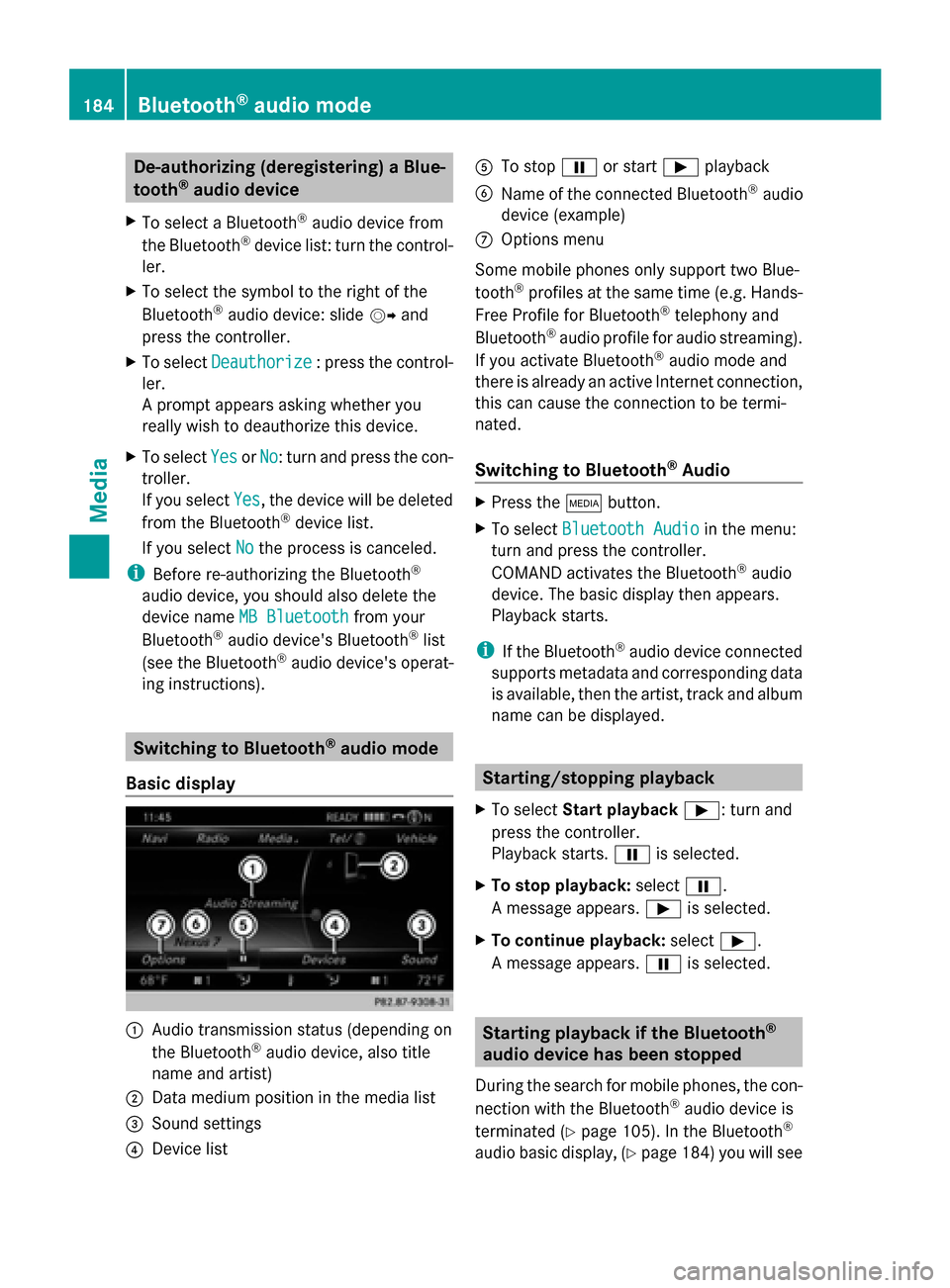
Basic display 0043
Audio transmission status (depending on
the Bluetooth ®
audio device, also title
name and artist)
0044 Data medium position in the media list
0087 Sound settings
0085 Device list 0083
To stop 00CFor start 00D0playback
0084 Name of the connected Bluetooth ®
audio
device (example)
006B Options menu
Some mobile phones only support two Blue-
tooth ®
profiles at the same time (e.g. Hands-
Free Profile for Bluetooth ®
telephony and
Bluetooth ®
audio profile for audio streaming).
If you activate Bluetooth ®
audio mode and
there is already an active Internet connection,
this can cause the connection to be termi-
nated.
Switching to Bluetooth ®
Audio X
Press the 00FDbutton.
X To select Bluetooth Audio Bluetooth Audio in the menu:
turn and press the controller.
COMAND activates the Bluetooth ®
audio
device. The basic display then appears.
Playback starts.
i If the Bluetooth ®
audio device connected
supports metadata and corresponding data
is available, then the artist, track and album
name can be displayed. Starting/stopping playback
X To select Start playback 00D0: turn and
press the controller.
Playback starts. 00CFis selected.
X To stop playback: select00CF.
A message appears. 00D0is selected.
X To continue playback: select00D0.
A message appears. 00CFis selected. Starting playback if the Bluetooth
®
audio device has been stopped
During the search for mobile phones, the con-
nection with the Bluetooth ®
audio device is
terminated (Y page 105). In the Bluetooth ®
audio basic display, (Y page 184) you will see184
Bluetooth ®
audio modeMedia
Page 187 of 214
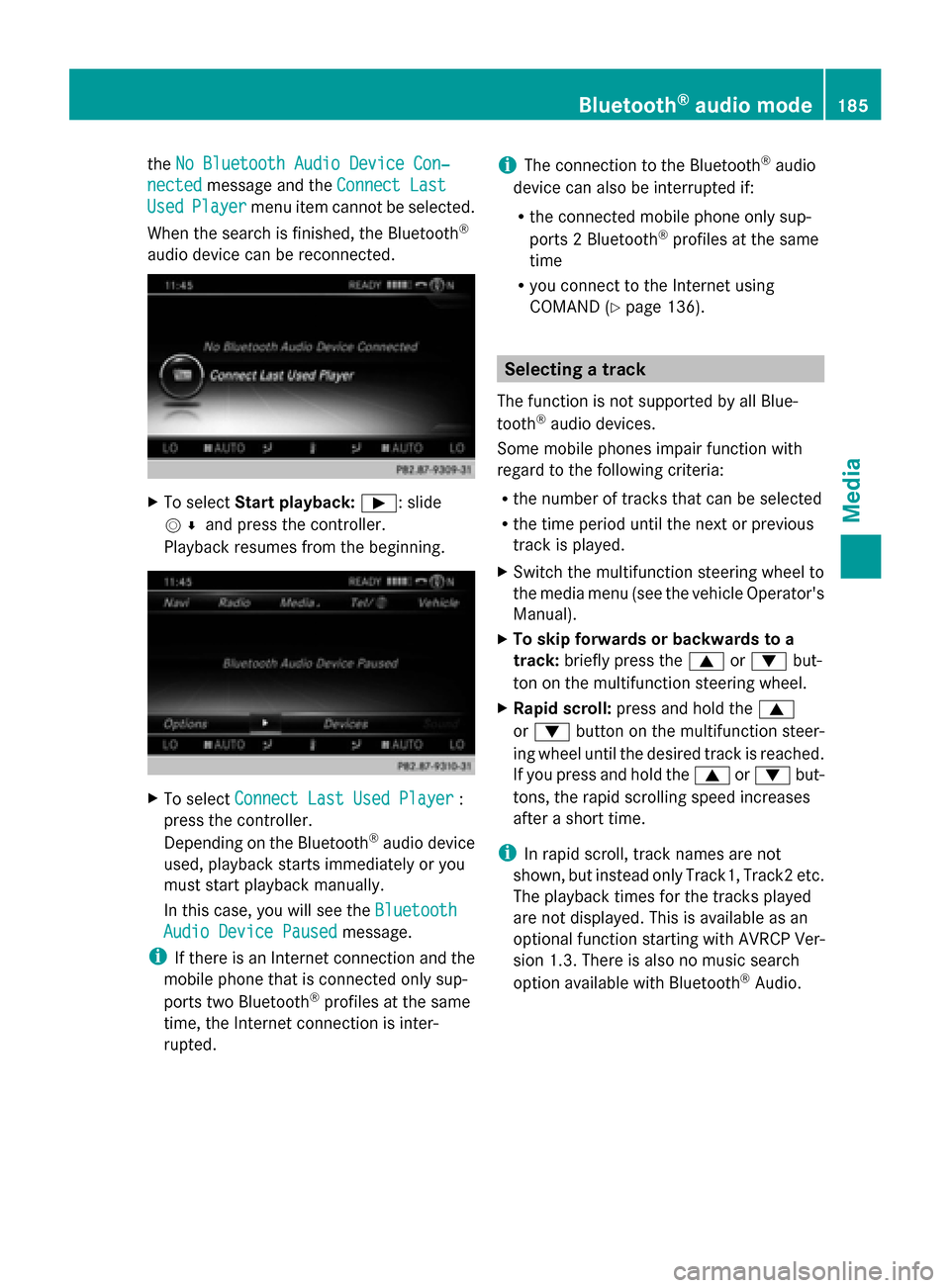
the
No Bluetooth Audio Device Con‐
No Bluetooth Audio Device Con‐
nected
nected message and the Connect Last
Connect Last
Used
Used Player
Player menu item cannot be selected.
When the search is finished, the Bluetooth ®
audio device can be reconnected. X
To select Start playback: 00D0: slide
005200C5 and press the controller.
Playback resumes from the beginning. X
To select Connect Last Used Player
Connect Last Used Player :
press the controller.
Depending on the Bluetooth ®
audio device
used, playback starts immediately or you
must start playback manually.
In this case, you will see the Bluetooth
Bluetooth
Audio Device Paused
Audio Device Paused message.
i If there is an Internet connection and the
mobile phone that is connected only sup-
ports two Bluetooth ®
profiles at the same
time, the Internet connection is inter-
rupted. i
The connection to the Bluetooth ®
audio
device can also be interrupted if:
R the connected mobile phone only sup-
ports 2 Bluetooth ®
profiles at the same
time
R you connect to the Internet using
COMAND (Y page 136). Selecting a track
The function is not supported by all Blue-
tooth ®
audio devices.
Some mobile phones impair function with
regard to the following criteria:
R the number of tracks that can be selected
R the time period until the next or previous
track is played.
X Switch the multifunction steering wheel to
the media menu (see the vehicle Operator's
Manual).
X To skip forwards or backwards to a
track: briefly press the 0063or0064 but-
ton on the multifunction steering wheel.
X Rapid scroll: press and hold the 0063
or 0064 button on the multifunction steer-
ing wheel until the desired track is reached.
If you press and hold the 0063or0064 but-
tons, the rapid scrolling speed increases
after a short time.
i In rapid scroll, track names are not
shown, but instead only Track1, Track2 etc.
The playback times for the tracks played
are not displayed. This is available as an
optional function starting with AVRCP Ver-
sion 1.3. There is also no music search
option available with Bluetooth ®
Audio. Bluetooth
®
audio mode 185Media Z