phone MERCEDES-BENZ C-Class 2015 W205 Comand Manual
[x] Cancel search | Manufacturer: MERCEDES-BENZ, Model Year: 2015, Model line: C-Class, Model: MERCEDES-BENZ C-Class 2015 W205Pages: 214, PDF Size: 5.16 MB
Page 34 of 214
X
To delete a character: touch the touch-sen-
sitive surface with your finger and glide
your finger to the left.
The character last entered is deleted.
X To finish the entry and switch back to the
list: press the touchpad. Favorites
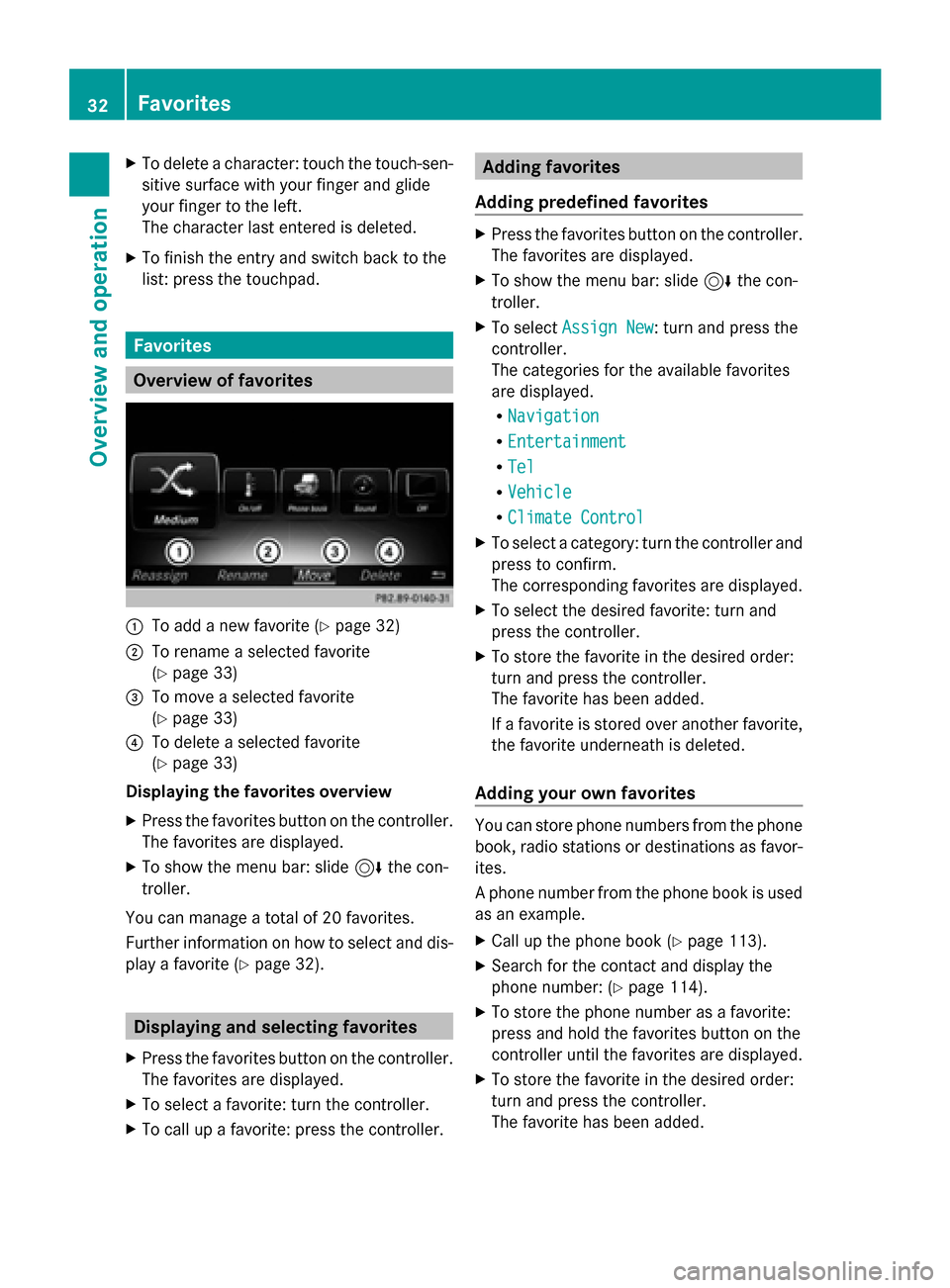
Overview of favorites
0043
To add a new favorite (Y page 32)
0044 To rename a selected favorite
(Ypage 33)
0087 To move a selected favorite
(Ypage 33)
0085 To delete a selected favorite
(Ypage 33)
Displaying the favorites overview
X Press the favorites button on the controller.
The favorites are displayed.
X To show the menu bar: slide 6the con-
troller.
You can manage a total of 20 favorites.
Further information on how to select and dis-
play a favorite (Y page 32). Displaying and selecting favorites
X Press the favorites button on the controller.
The favorites are displayed.
X To select a favorite: turn the controller.
X To call up a favorite: press the controller. Adding favorites
Adding predefined favorites X
Press the favorites button on the controller.
The favorites are displayed.
X To show the menu bar: slide 6the con-
troller.
X To select Assign New Assign New: turn and press the
controller.
The categories for the available favorites
are displayed.
R Navigation Navigation
R Entertainment
Entertainment
R Tel
Tel
R Vehicle
Vehicle
R Climate Control
Climate Control
X To select a category: turn the controller and
press to confirm.
The corresponding favorites are displayed.
X To select the desired favorite: turn and
press the controller.
X To store the favorite in the desired order:
turn and press the controller.
The favorite has been added.
If a favorite is stored over another favorite,
the favorite underneath is deleted.
Adding your own favorites You can store phone numbers from the phone
book, radio stations or destinations as favor-
ites.
A phone number from the phone book is used
as an example.
X Call up the phone book (Y page 113).
X Search for the contact and display the
phone number: (Y page 114).
X To store the phone number as a favorite:
press and hold the favorites button on the
controller until the favorites are displayed.
X To store the favorite in the desired order:
turn and press the controller.
The favorite has been added. 32
FavoritesOverview and operation
Page 41 of 214
Voice Control System settings
Opening/closing the help window
The help window also shows you information
on audible instructions:
R during individualization
R during subsequent operation of the Voice
Control System.
X Press the 00D4button.
The Vehicle
Vehicle menu appears.
X To select System Settings System Settings : slide6the
controller, turn and press to confirm.
A menu appears.
X To select Voice Control
Voice Control: turn and press
the controller.
X Select Help Window
Help Window .
You have switched the help window on
0073 or off 0053.
More information on the Voice Control Sys-
tem is available in the separate operating
instructions. Individualization
Using individualization, you can fine-tune the
Voice Control System to your own voice. This
will help improve voice recognition (see the
separate operating instructions). WLAN
Overview
Conditions:
To establish a WLAN connection between
COMAND and a WLAN-enabled device, such
as a tablet computer or smartphone:
R WLAN must be activated at COMAND and
at the device to be connected. If COMAND is to be used as a WLAN hotspot:
R
COMAND must be connected to an Inter-
net-enabled mobile phone via Bluetooth ®
or USB.
R The Internet access data for the mobile
phone network provider must be selected
or set for COMAND.
R There must be an Internet connection to
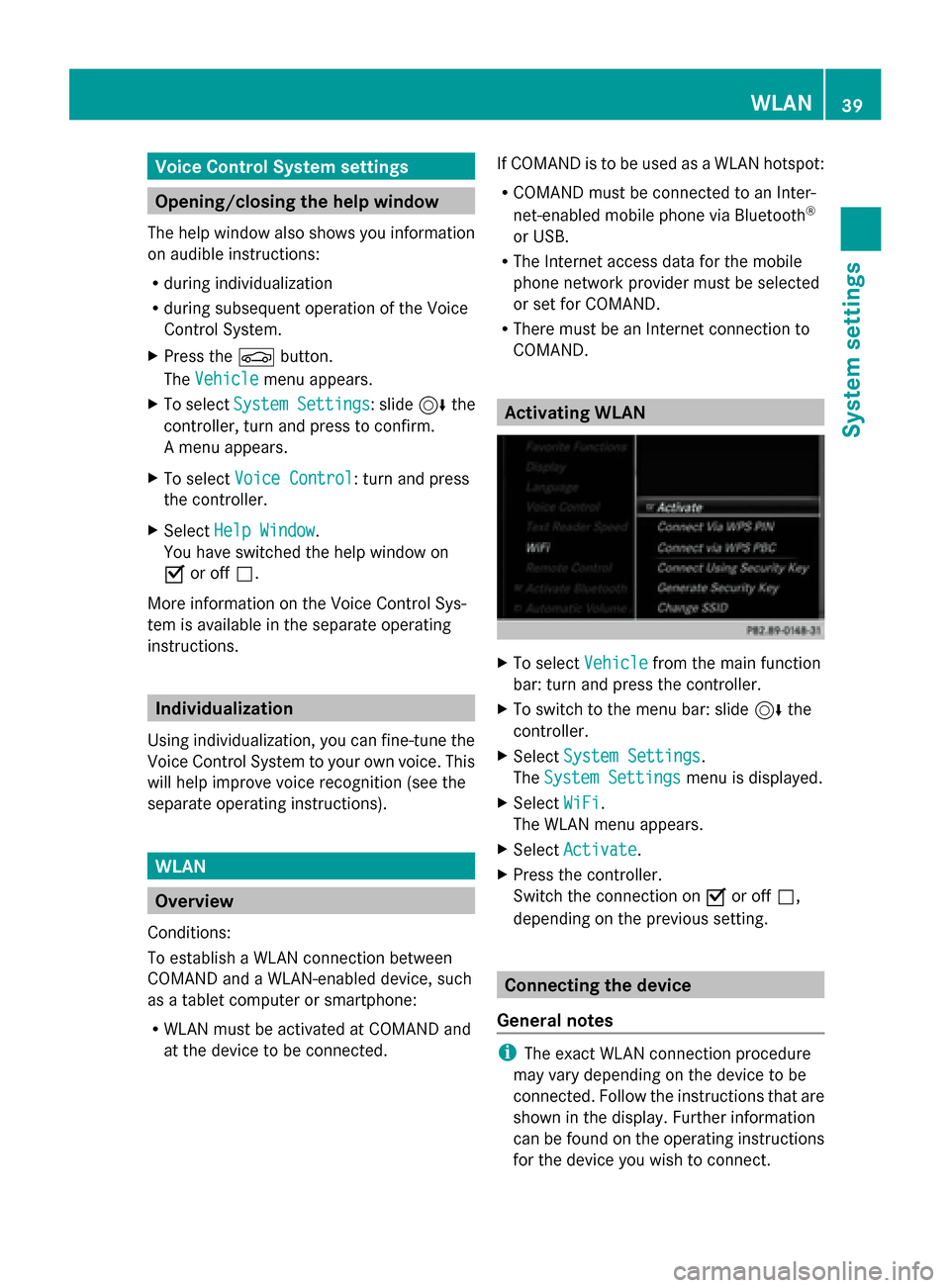
COMAND. Activating WLAN
X
To select Vehicle Vehiclefrom the main function
bar: turn and press the controller.
X To switch to the menu bar: slide 6the
controller.
X Select System Settings
System Settings.
The System Settings
System Settings menu is displayed.
X Select WiFi
WiFi.
The WLAN menu appears.
X Select Activate
Activate.
X Press the controller.
Switch the connection on 0073or off 0053,
depending on the previous setting. Connecting the device
General notes i
The exact WLAN connection procedure
may vary depending on the device to be
connected. Follow the instructions that are
shown in the display. Further information
can be found on the operating instructions
for the device you wish to connect. WLAN
39System settings
Page 43 of 214
X
Enter the security key that appears on the
COMAND display for the device to be con-
nected.
X Confirm the entry. Generating a new security key
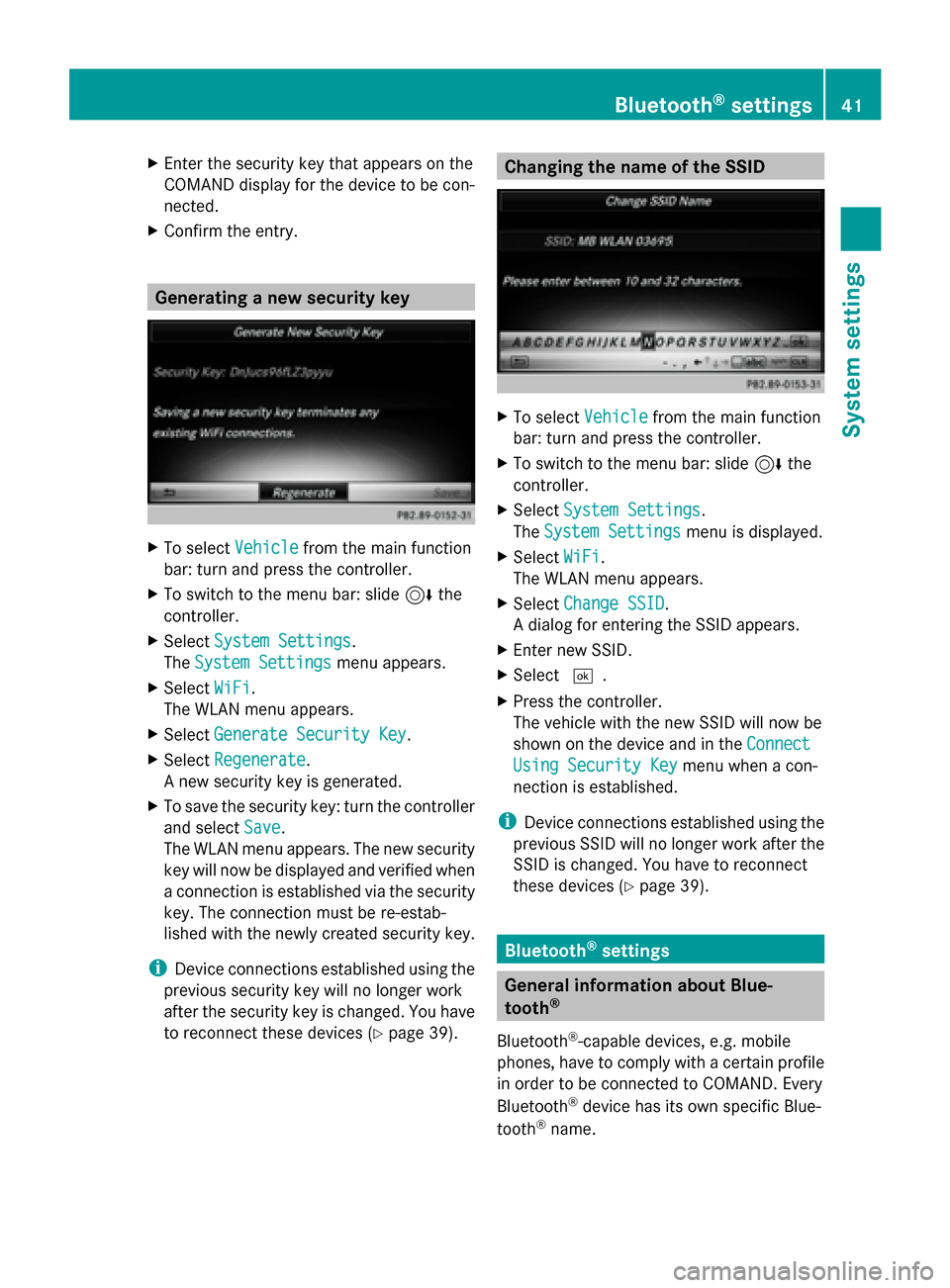
X
To select Vehicle Vehiclefrom the main function
bar: turn and press the controller.
X To switch to the menu bar: slide 6the
controller.
X Select System Settings
System Settings.
The System Settings
System Settings menu appears.
X Select WiFi
WiFi.
The WLAN menu appears.
X Select Generate Security Key
Generate Security Key .
X Select Regenerate
Regenerate.
A new security key is generated.
X To save the security key: turn the controller
and select Save Save.
The WLAN menu appears. The new security
key will now be displayed and verified when
a connection is established via the security
key. The connection must be re-estab-
lished with the newly created security key.
i Device connections established using the
previous security key will no longer work
after the security key is changed. You have
to reconnect these devices ( Ypage 39). Changing the name of the SSID
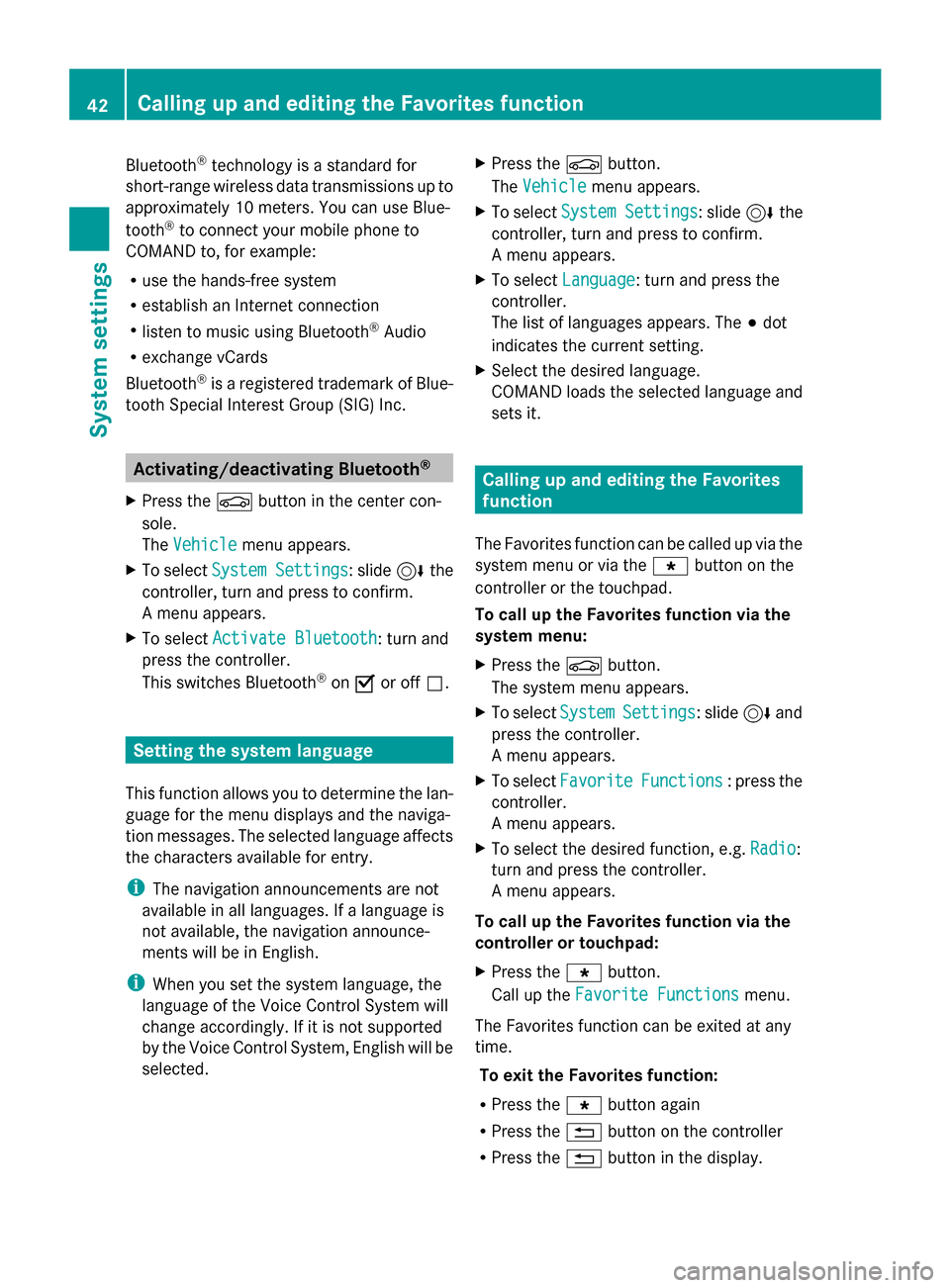
X
To select Vehicle Vehiclefrom the main function
bar: turn and press the controller.
X To switch to the menu bar: slide 6the
controller.
X Select System Settings
System Settings.
The System Settings
System Settings menu is displayed.
X Select WiFi
WiFi.
The WLAN menu appears.
X Select Change SSID
Change SSID.
A dialog for entering the SSID appears.
X Enter new SSID.
X Select 0054.
X Press the controller.
The vehicle with the new SSID will now be
shown on the device and in the Connect Connect
Using Security Key
Using Security Key menu when a con-
nection is established.
i Device connections established using the
previous SSID will no longer work after the
SSID is changed. You have to reconnect
these devices (Y page 39). Bluetooth
®
settings General information about Blue-
tooth
®
Bluetooth ®
-capable devices, e.g. mobile
phones, have to comply with a certain profile
in order to be connected to COMAND. Every
Bluetooth ®
device has its own specific Blue-
tooth ®
name. Bluetooth
®
settings 41System settings
Page 44 of 214
Bluetooth
®
technology is a standard for
short-range wireless data transmissions up to
approximately 10 meters. You can use Blue-
tooth ®
to connect your mobile phone to
COMAND to, for example:
R use the hands-free system
R establish an Internet connection
R listen to music using Bluetooth ®
Audio
R exchange vCards
Bluetooth ®
is a registered trademark of Blue-
tooth Special Interest Group (SIG) Inc. Activating/deactivating Bluetooth
®
X Press the 00D4button in the center con-
sole.
The Vehicle
Vehicle menu appears.
X To select System Settings System Settings : slide6the
controller, turn and press to confirm.
A menu appears.
X To select Activate Bluetooth
Activate Bluetooth: turn and
press the controller.
This switches Bluetooth ®
on 0073 or off 0053. Setting the system language
This function allows you to determine the lan-
guage for the menu displays and the naviga-
tion messages. The selected language affects
the characters available for entry.
i The navigation announcements are not
available in all languages. If a language is
not available, the navigation announce-
ments will be in English.
i When you set the system language, the
language of the Voice Control System will
change accordingly. If it is not supported
by the Voice Control System, English will be
selected. X
Press the 00D4button.
The Vehicle Vehicle menu appears.
X To select System Settings
System Settings : slide6the
controller, turn and press to confirm.
A menu appears.
X To select Language Language : turn and press the
controller.
The list of languages appears. The 003Bdot
indicates the current setting.
X Select the desired language.
COMAND loads the selected language and
sets it. Calling up and editing the Favorites
function
The Favorites function can be called up via the
system menu or via the 007Dbutton on the
controller or the touchpad.
To call up the Favorites function via the
system menu:
X Press the 00D4button.
The system menu appears.
X To select System SystemSettings
Settings: slide 6and
press the controller.
A menu appears.
X To select Favorite Favorite Functions
Functions : press the
controller.
A menu appears.
X To select the desired function, e.g. Radio
Radio:
turn and press the controller.
A menu appears.
To call up the Favorites function via the
controller or touchpad:
X Press the 007Dbutton.
Call up the Favorite Functions Favorite Functions menu.
The Favorites function can be exited at any
time. To exit the Favorites function:
R Press the 007Dbutton again
R Press the 0038button on the controller
R Press the 0038button in the display. 42
Calling up and editing the Favorites functionSystem settings
Page 46 of 214

X
Insert the SD memory card (Y page 168).
or
X Connect a USB device (e.g. a USB memory
stick) (Y page 168).
X Press the 00D4button in the center con-
sole.
The Vehicle
Vehicle menu appears.
X To select System SystemSettings
Settings: slide 6and
press the controller.
A menu appears.
X To select Data Import/Export Data Import/Export: turn and
press the controller.
X Select Import Data
Import Data orExport Data
Export Data.
i If you import data such as address data,
the existing data on COMAND is overwrit-
ten. You will see a message to this effect.
COMAND is restarted after the data import. If PIN protection is activated, a PIN prompt
appears when you select Export Data Export Data.
X To enter the PIN: turn the controller and
press 0054to confirm.
PIN protection is deactivated.
X To select Memory Card
Memory Card, USB 1 USB 1orUSB 2
USB 2:
turn and press the controller.
This function exports all the data to the
selected disc.
A window appears with the message that
the data has been exported.
You can export address data, bookmarks,
system settings that you have made and radio
station lists, for example. Personal music files
in the MEDIA REGISTER cannot be saved and
imported again using this function. Mercedes-Benz is not liable for any loss of
data. Reset function
You can reset COMAND to the factory set-
tings. Amongst other things, this will delete
all personal COMAND data. These include:
R Channel presets
R Entries in the destination memory
R Entries in the list of previous destinations
in the navigation system
R Entries in the address book
R Authorized telephone
In addition, an activated PIN protection,
which you have used to protect your data
against unwanted export, will be deactivated.
Resetting is recommended before selling or
transferring ownership of your vehicle, for
example.
Data on the internal hard drive, e.g. music
files in the MEDIA REGISTER, will be deleted.
Mercedes-Benz is not liable for any loss of
data.
X Press the 00D4button in the center con-
sole.
The Vehicle
Vehicle menu appears.
X To select System Settings System Settings : slide6the
controller, turn and press to confirm.
A menu appears.
X To select Reset Reset: turn and press the con-
troller.
A prompt appears asking whether you wish
to reset.
X Select Yes YesorNo
No.
If you select No
Nothe process is canceled.
If you select Yes
Yesa prompt will appear again
asking whether you really wish to reset.
X Select Yes
YesorNo
No.
If you select Yes
Yesa message will be shown.
COMAND is reset to the factory settings
and restarted. 44
Reset functionSystem settings
Page 64 of 214
Your COMAND equipment
These operating instructions describe all
standard and optional equipment available
for your COMAND system at the time of pur-
chase. Country-specific differences are pos-
sible. Please note that your COMAND system
may not be equipped with all the features
described. This also applies to safety-relevant
systems and functions. Therefore, the equip-
ment on your COMAND system may differ
from that in the descriptions and illustrations.
Should you have any questions concerning
equipment and operation, please consult an
authorized Mercedes-Benz Center. Introduction
Important safety notes
G
WARNING
If you operate information systems and com-
munication equipment integrated in the vehi-
cle while driving, you will be distracted from
traffic conditions. You could also lose control
of the vehicle. There is a risk of an accident.
Only operate the equipment when the traffic
situation permits. If you are not sure that this
is possible, park the vehicle paying attention
to traffic conditions and operate the equip-
ment when the vehicle is stationary.
You must observe the legal requirements for
the country in which you are currently driving
when operating COMAND.
COMAND calculates the route to the destina-
tion without taking account of the following,
for example:
R traffic lights
R stop and yield signs
R merging lanes
R parking or stopping in a no parking/no
stopping zone
R other road and traffic rules and regulations
R narrow bridges COMAND can give incorrect navigation com-
mands if the actual street/traffic situation
does not correspond with the digital map's
data. Digital maps do not cover all areas nor
all routes in an area. For example, a route may
have been diverted or the direction of a one-
way street may have changed.
For this reason, you must always observe
road and traffic rules and regulations during
your journey. Road and traffic rules and reg-
ulations always have priority over the sys-
tem's driving recommendations.
Navigation announcements are intended to
direct you while driving without diverting your
attention from the road and driving.
Please always use this feature instead of con-
sulting the map display for directions. Look-
ing at the icons or map display can distract
you from traffic conditions and driving, and
increase the risk of an accident.
General notes
Operational readiness of the navigation
system The navigation system must determine the
position of the vehicle before first use or
whenever operational status is restored.
Therefore, you may have to drive for a while
before precise route guidance is possible.
GPS reception Among other things, correct functioning of
the navigation system depends on GPS recep-
tion. In certain situations, GPS reception may
be impaired, there may be interference or
there may be no reception at all, e.g. in tun-
nels or parking garages.
i Using roof carriers may impair the correct
functioning of a roof antenna (phone, sat-
ellite radio, GPS). 62
Int
roductionNavigation
Page 76 of 214
Selection Instructions
Search By Name
Search By Name
Searches for all POIs on
the digital map or around
one of the three previ-
ously specified positions X
Call up the POI menu (Y page 72).
X To select Search By Name Search By Name: turn and press the controller.
X Select All POIs
All POIs or one of the three previously selected posi-
tions.
The point of interest list with character bar appears.
X Enter a name.
or
X To select Mercedes-Benz Service Mercedes-Benz Service: turn and press the con-
troller. Search
Search
By
ByPhone
Phone Num‐
Num‐
ber
ber
All POIs with a telephone
number can be selected. X
Call up the POI menu (Y page 72).
X To select Search SearchBy
ByPhone
Phone Number
Number : turn and press the con-
troller.
You will see a list of phone numbers.
X Enter the telephone number.
The telephone number consists of:
R the country code (international dialing code)
R the area code
When entering the area code, omit the leading "0".
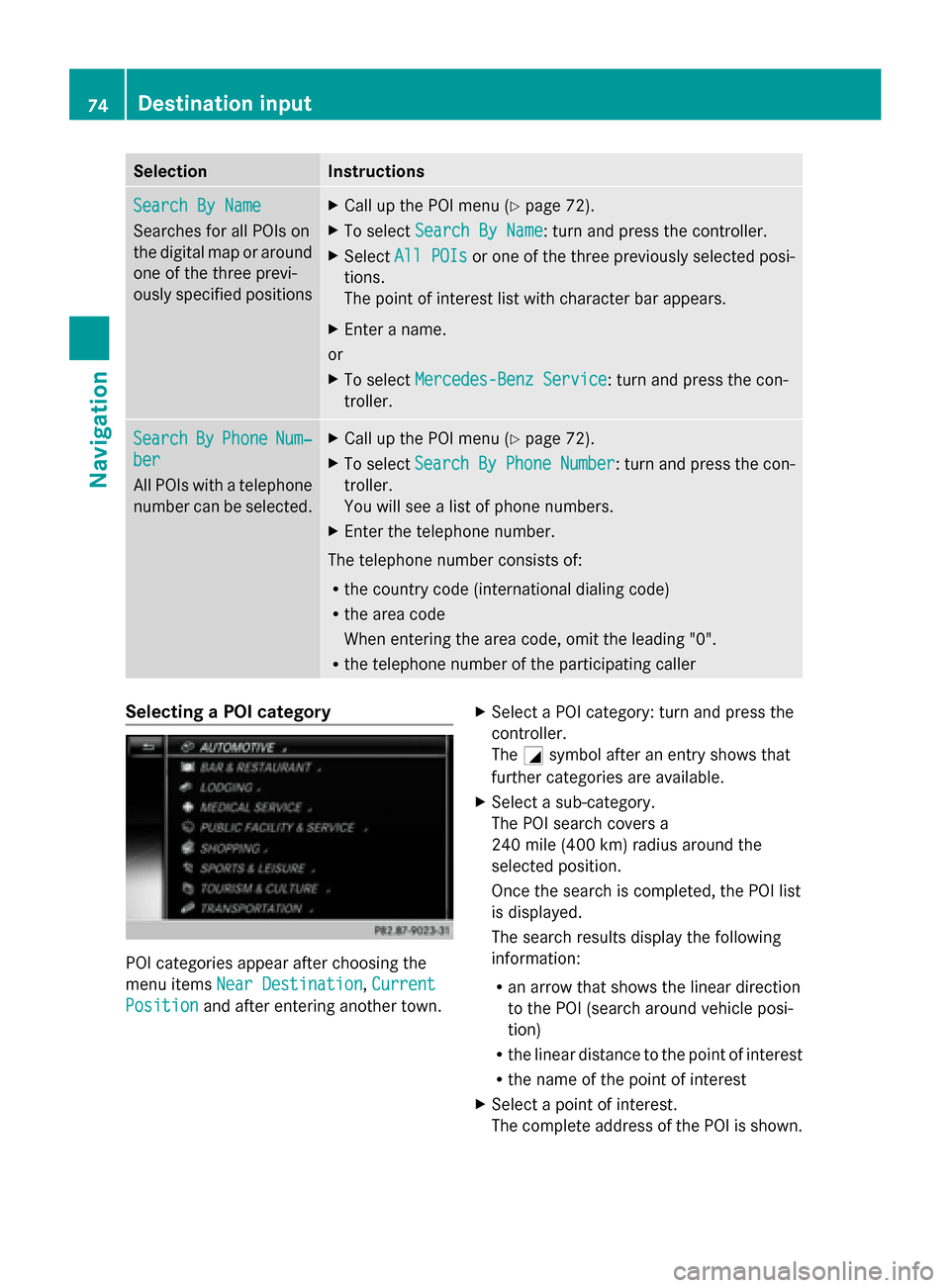
R the telephone number of the participating caller Selecting a POI category
POI categories appear after choosing the
menu items Near Destination Near Destination, Current
Current
Position
Position and after entering another town. X
Select a POI category: turn and press the
controller.
The 0043symbol after an entry shows that
further categories are available.
X Select a sub-category.
The POI search covers a
240 mile (400 km) radius around the
selected position.
Once the search is completed, the POI list
is displayed.
The search results display the following
information:
R
an arrow that shows the linear direction
to the POI (search around vehicle posi-
tion)
R the linear distance to the point of interest
R the name of the point of interest
X Select a point of interest.
The complete address of the POI is shown. 74
Destination inputNavigation
Page 77 of 214
Selecting a point of interest
Requirement for "Calling a POI": a mobile
phone is connected to COMAND
(Y page 104).
Requirements for "Viewing the vicinity of the
destination" and "Loading data from the Inter-
net": mbrace must be activated for Internet
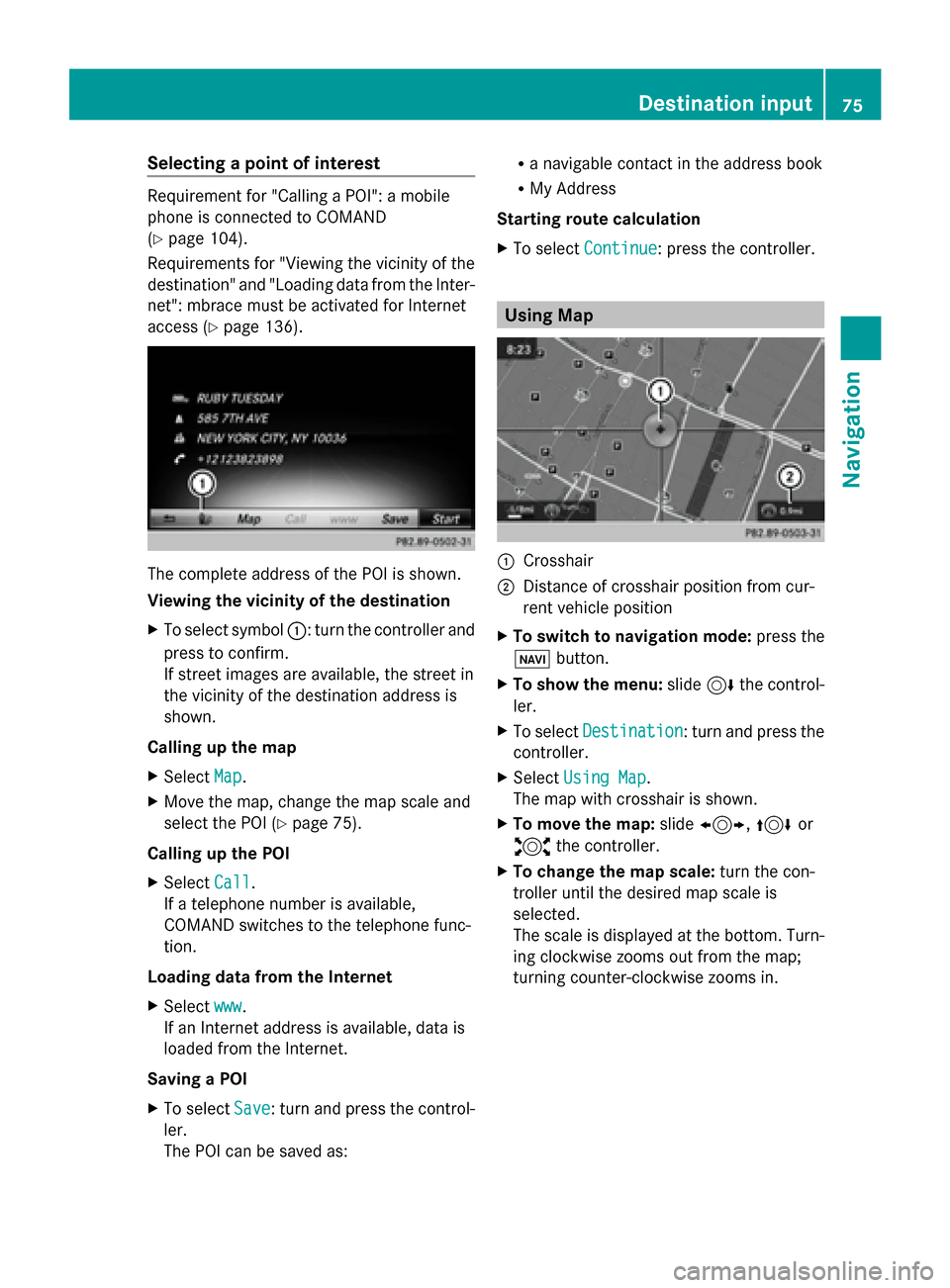
access (Y page 136). The complete address of the POI is shown.
Viewing the vicinity of the destination
X To select symbol 0043: turn the controller and
press to confirm.
If street images are available, the street in
the vicinity of the destination address is
shown.
Calling up the map
X Select Map
Map.
X Move the map, change the map scale and
select the POI (Y page 75).
Calling up the POI
X Select Call Call.
If a telephone number is available,
COMAND switches to the telephone func-
tion.
Loading data from the Internet
X Select www
www.
If an Internet address is available, data is
loaded from the Internet.
Saving a POI
X To select Save
Save: turn and press the control-
ler.
The POI can be saved as: R
a navigable contact in the address book
R My Address
Starting route calculation
X To select Continue Continue: press the controller. Using Map
0043
Crosshair
0044 Distance of crosshair position from cur-
rent vehicle position
X To switch to navigation mode: press the
00CB button.
X To show the menu: slide6the control-
ler.
X To select Destination Destination: turn and press the
controller.
X Select Using Map
Using Map.
The map with crosshair is shown.
X To move the map: slide1, 4or
2 the controller.
X To change the map scale: turn the con-
troller until the desired map scale is
selected.
The scale is displayed at the bottom. Turn-
ing clockwise zooms out from the map;
turning counter-clockwise zooms in. Destination input
75Navigation Z
Page 79 of 214
Selection Action
Address
Address
Entry Entry X
Enter a destination by
address (Y page 68). Keyword Keyword
Search Search X
Select a destination by
means of a keyword
search (Y page 70). From Previ‐ From Previ‐
ous Destina‐ ous Destina‐
tions tions X
Select a destination
from the list of last des-
tinations (Y page 72). From POIs From POIs X
Select a point of inter-
est (Y page 72). Using Map
Using Map X
Enter a destination
using the map
(Y page 75). From From
Mercedes- Mercedes-
Benz Apps Benz Apps X
Enter a destination
from Mercedes-Benz
Apps (Y page 78). Using Geo- Using Geo-
Coordinates Coordinates X
Enter a destination
using the geo-coordi-
nates (Y page 79). X
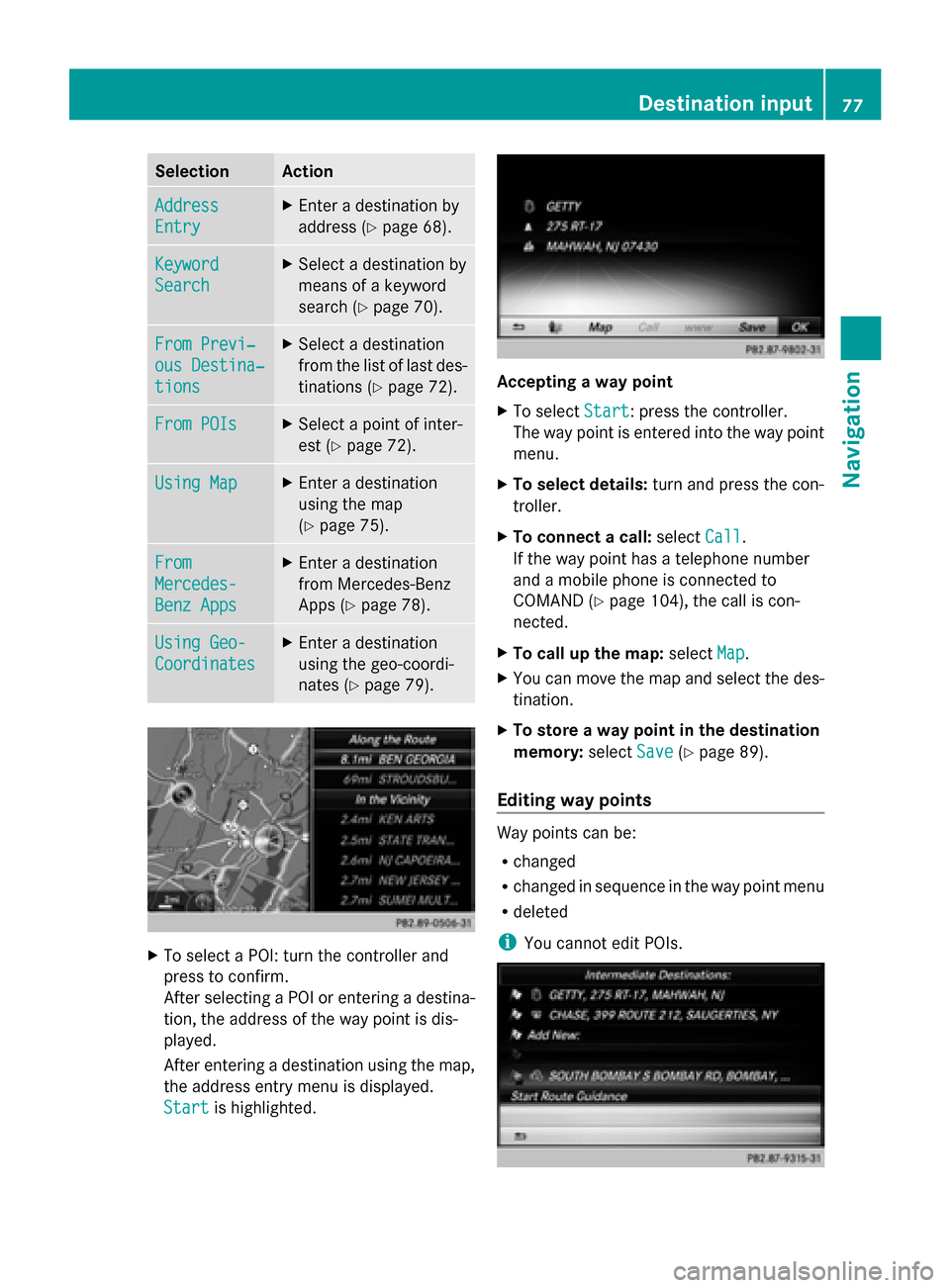
To select a POI: turn the controller and
press to confirm.
After selecting a POI or entering a destina-
tion, the address of the way point is dis-
played.
After entering a destination using the map,
the address entry menu is displayed.
Start
Start is highlighted. Accepting a way point
X
To select Start Start: press the controller.
The way point is entered into the way point
menu.
X To select details: turn and press the con-
troller.
X To connect a call: selectCall
Call.
If the way point has a telephone number
and a mobile phone is connected to
COMAND (Y page 104), the call is con-
nected.
X To call up the map: selectMap Map.
X You can move the map and select the des-
tination.
X To store a way point in the destination
memory: selectSave Save(Ypage 89).
Editing way points Way points can be:
R
changed
R changed in sequence in the way point menu
R deleted
i You cannot edit POIs. Destination input
77Navigation Z
Page 84 of 214
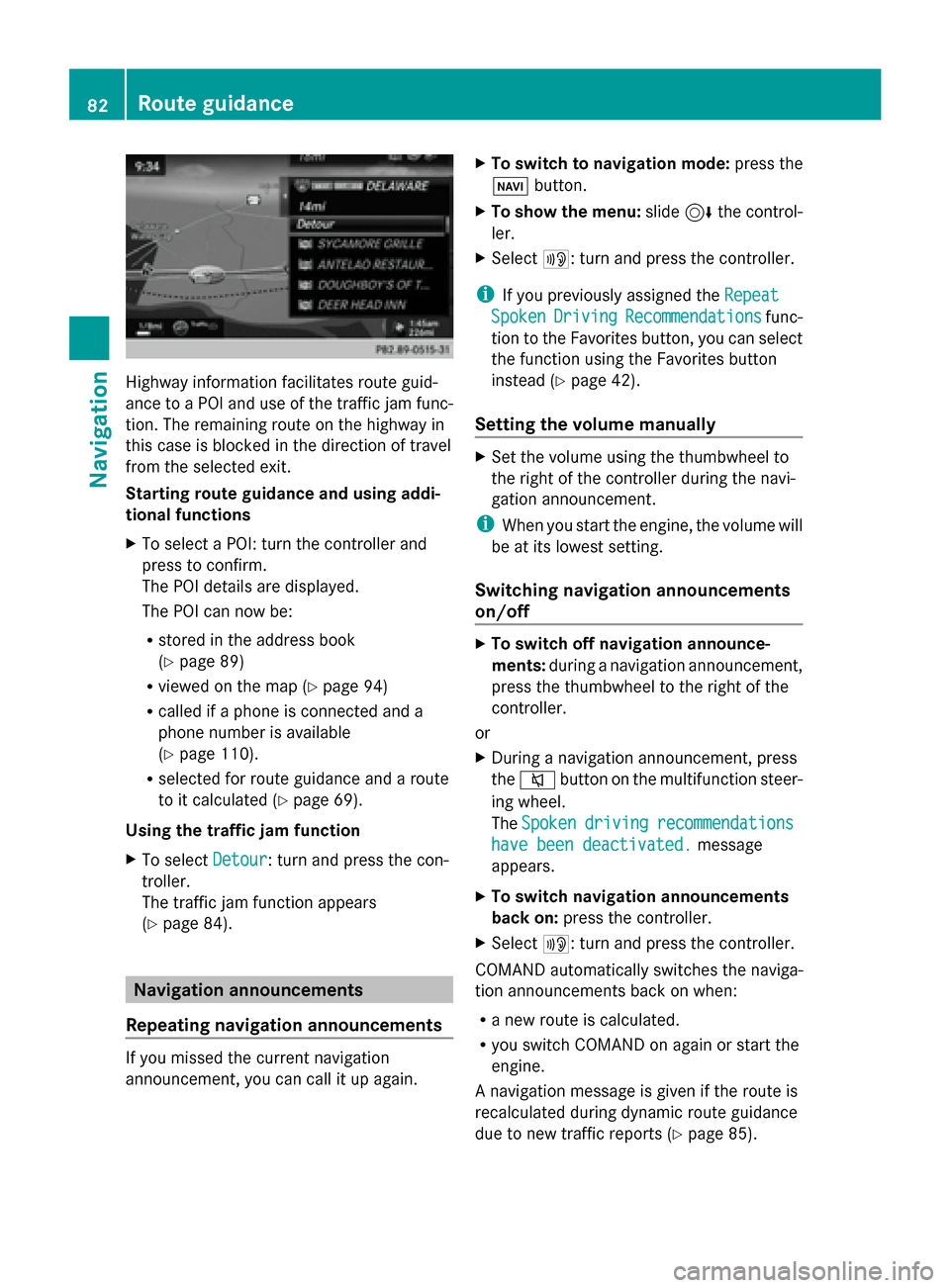
Highway information facilitates route guid-
ance to a POI and use of the traffic jam func-
tion. The remaining route on the highway in
this case is blocked in the direction of travel
from the selected exit.
Starting route guidance and using addi-
tional functions
X To select a POI: turn the controller and
press to confirm.
The POI details are displayed.
The POI can now be:
R stored in the address book
(Y page 89)
R viewed on the map (Y page 94)
R called if a phone is connected and a
phone number is available
(Y page 110).
R selected for route guidance and a route
to it calculated (Y page 69).
Using the traffic jam function
X To select Detour
Detour: turn and press the con-
troller.
The traffic jam function appears
(Y page 84). Navigation announcements
Repeating navigation announcements If you missed the current navigation
announcement, you can call it up again. X
To switch to navigation mode: press the
00BE button.
X To show the menu: slide6the control-
ler.
X Select 006A: turn and press the controller.
i If you previously assigned the Repeat Repeat
Spoken
Spoken Driving
Driving Recommendations
Recommendations func-
tion to the Favorites button, you can select
the function using the Favorites button
instead (Y page 42).
Setting the volume manually X
Set the volume using the thumbwheel to
the right of the controller during the navi-
gation announcement.
i When you start the engine, the volume will
be at its lowest setting.
Switching navigation announcements
on/off X
To switch off navigation announce-
ments: during a navigation announcement,
press the thumbwheel to the right of the
controller.
or
X During a navigation announcement, press
the 0063 button on the multifunction steer-
ing wheel.
The Spoken Spoken driving
driving recommendations
recommendations
have been deactivated.
have been deactivated. message
appears.
X To switch navigation announcements
back on: press the controller.
X Select 006A: turn and press the controller.
COMAND automatically switches the naviga-
tion announcements back on when:
R a new route is calculated.
R you switch COMAND on again or start the
engine.
A navigation message is given if the route is
recalculated during dynamic route guidance
due to new traffic reports (Y page 85).82
Route guidanceNavigation