height MERCEDES-BENZ C CLASS 2016 User Guide
[x] Cancel search | Manufacturer: MERCEDES-BENZ, Model Year: 2016, Model line: C CLASS, Model: MERCEDES-BENZ C CLASS 2016Pages: 398, PDF Size: 11.64 MB
Page 205 of 398
R
Pay attention to the PARKTRONIC
( Y
page 200) warning messages during the
parking procedure. R
You can intervene in the steering procedure
to correct it at any time. Active Parking Assist
will then be canceled. R
When transporting a load which protrudes
from your vehicle, you should not use Active
Parking Assist. R
Never use Active Parking Assist when snow
chains are installed. R
Make sure that the tire pressures are always
correct. This has a direct influence on the
parking characteristics of the vehicle.
Use Active Parking Assist for parking spaces: R
parallel or at right angles to the direction of
travel R
that are on straight roads, not bends R
that are on the same level as the road, e.g. not
on the pavement
Detecting parking spaces Objects located above the height range of Active
Parking Assist will not be detected when the
parking space is measured. These are not taken
into account when the parking procedure is cal-
culated, e.g. overhanging loads, tail sections or
loading ramps of goods vehicles.
G WARNING
If there are objects above the detection range: R
Active Park Assist may steer too early R
the vehicle may not stop in front of these
objects
You may cause a collision as a result. There is
a risk of an accident.
If objects are located above the detection
range, stop and deactivate Active Parking
Assist.
For further information on the detection range
( Y
page 199). Active Parking Assist does not assist you park-
ing in spaces at right angles to the direction of
travel if: R
two parking spaces are located directly next
to one another R
the parking space is directly next to a low
obstacle such as a low curb R
you park forwards
Active Parking Assist does not assist you park-
ing in spaces that are parallel or at right angles
to the direction of travel if: R
the parking space is on a curb R
the system reads the parking space as being
blocked, for example by foliage or grass pav-
ing blocks R
the area is too small for the vehicle to maneu-
ver into R
the parking space is bordered by an obstacle,
e.g. a tree, a post or a trailer
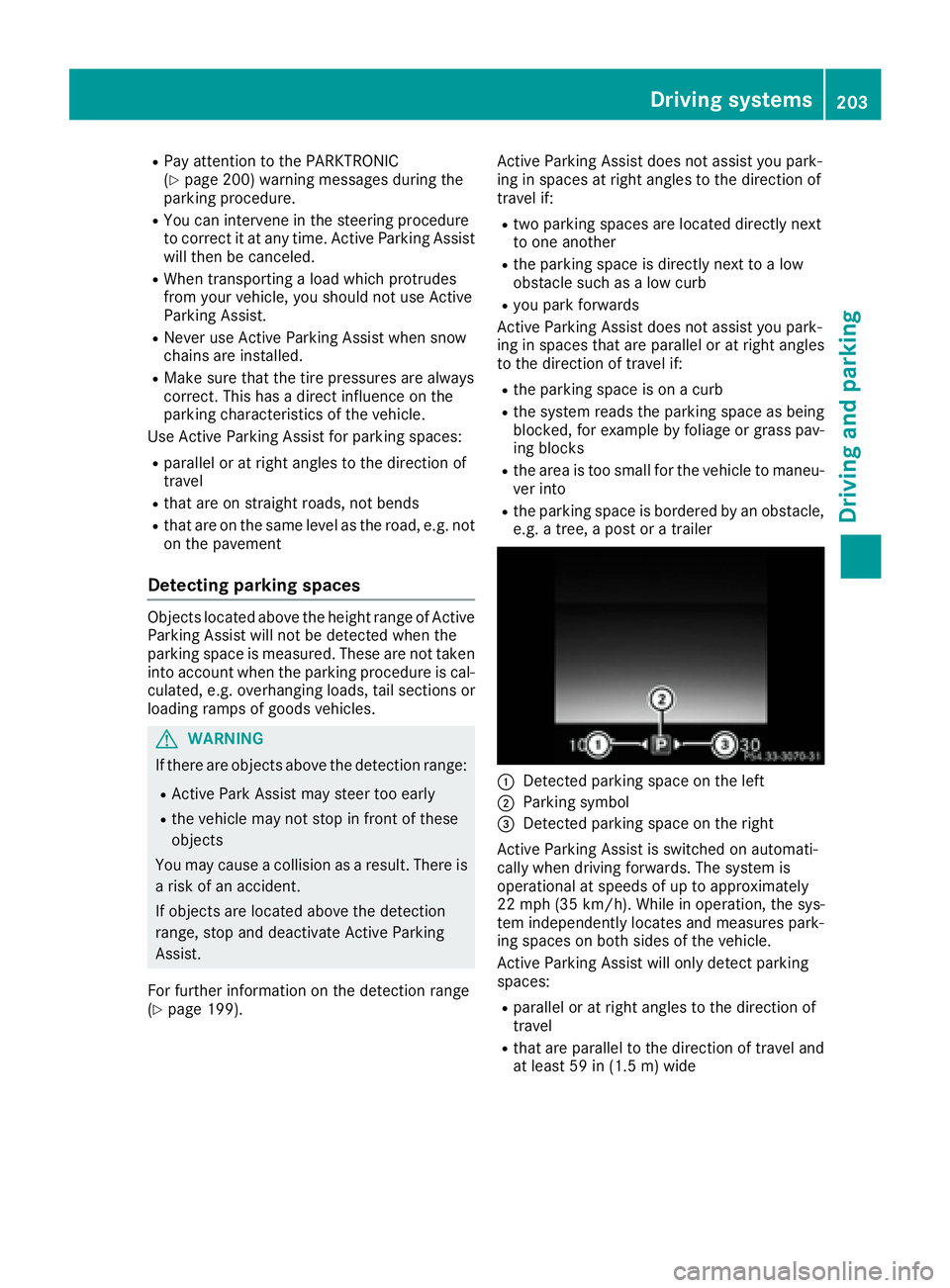
C
Detected parking space on the left D
Parking symbol
Page 213 of 398
make sure that there are no persons, animals or
objects in the area in which you are maneuver-
ing.
You are always responsible for safety, and must
always pay attention to your surroundings when
parking and maneuvering. This applies to the
areas behind, in front of and beside the vehicle.
You could otherwise endanger yourself and oth-
ers.
The 360° camera will not function or will func-
tion in a limited manner: R
if the doors are open R
if the exterior mirrors are folded in R
if the trunk lid is open R
in heavy rain, snow or fog R
at night or in very dark places R
if the cameras are exposed to very bright light R
if the area is lit by fluorescent bulbs or LED
lighting (the display may flicker) R
if the camera lenses fog up, e.g. when driving
into a heated garage in winter, causing a rapid
change in temperature R
if the camera lenses are dirty or covered R
if the vehicle components in which the cam-
eras are installed are damaged. In this event,
have the camera position and setting checked
at a qualified specialist workshop.
Do not use the 360° camera in this case. You
can otherwise injure others or cause damage to
objects or the vehicle.
The guide lines in the COMAND display show the
distances to your vehicle. The distances only
apply to road level.
The camera in the rear area is protected by
means of a flap. This flap opens when the 360°
camera is activated. Observe the notes on
cleaning ( Y
page 339). For technical reasons,
the flap may remain open briefly after the 360°
camera has been deactivated.
On vehicles with height-adjustable chassis,
depending on technical conditions, leaving the
standard height can result in: R
inaccuracies in the guide lines R
inaccuracies in the display of generated
images (top view) Activation conditions The 360° camera image can be displayed if: R
the multimedia system is switched on R
the 360° Camera function is switched on
i If you are driving faster than at a moderate
speed and you turn on the 360° camera, a
warning message appears.
The warning message disappears if: R
you are again driving at a moderate speed
The 360° camera is then activated. R
the message is confirmed with the 8
button.
Switching the 360° camera on and off
using the button
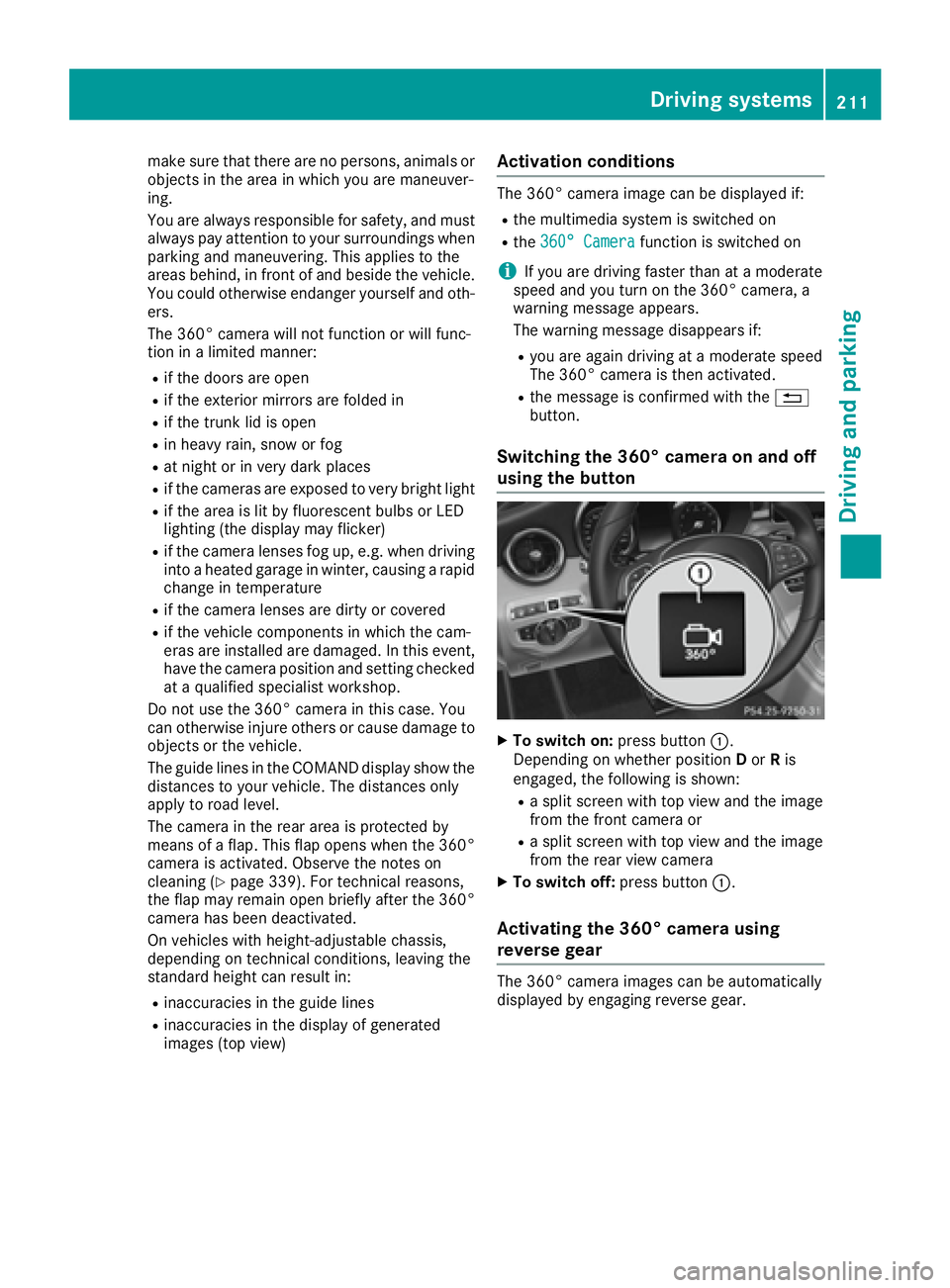
X
To switch on: press button C .
Depending on whether position D or R is
engaged, the following is shown: R
a split screen with top view and the image
from the front camera or R
a split screen with top view and the image
from the rear view camera X
To switch off: press button C .
Activating the 360° camera using
reverse gear The 360° camera images can be automatically
displayed by engaging reverse gear.Driving systems 211
Driving and parking Z
Page 316 of 398
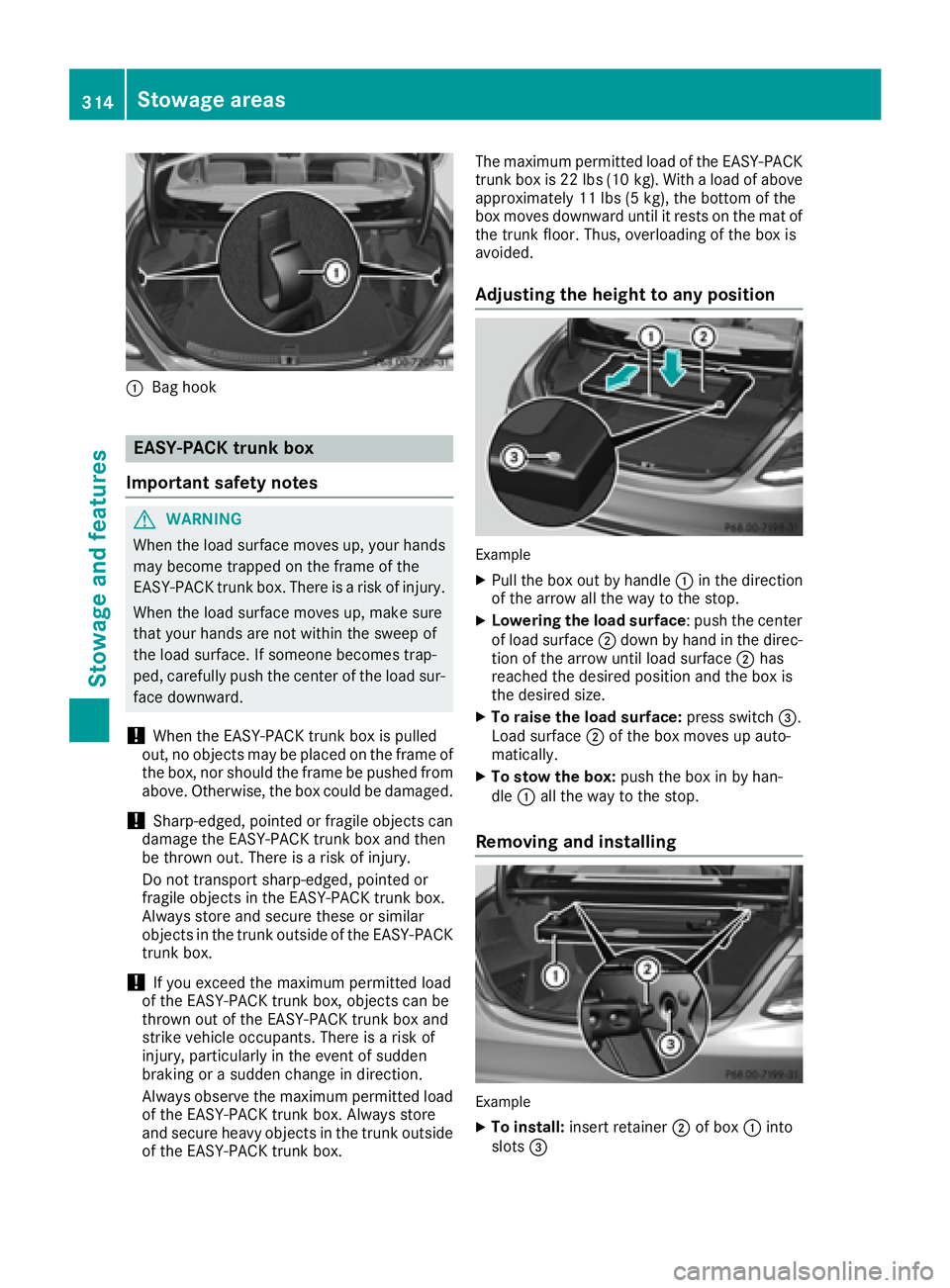
C
Bag hook
EASY-PACK trunk box
Important safety notes
G WARNING
When the load surface moves up, your hands
may become trapped on the frame of the
EASY-PACK trunk box. There is a risk of injury.
When the load surface moves up, make sure
that your hands are not within the sweep of
the load surface. If someone becomes trap-
ped, carefully push the center of the load sur-
face downward.
! When the EASY-PACK trunk box is pulled
out, no objects may be placed on the frame of
the box, nor should the frame be pushed from
above. Otherwise, the box could be damaged.
! Sharp-edged, pointed or fragile objects can
damage the EASY-PACK trunk box and then
be thrown out. There is a risk of injury.
Do not transport sharp-edged, pointed or
fragile objects in the EASY-PACK trunk box.
Always store and secure these or similar
objects in the trunk outside of the EASY-PACK
trunk box.
! If you exceed the maximum permitted load
of the EASY-PACK trunk box, objects can be
thrown out of the EASY-PACK trunk box and
strike vehicle occupants. There is a risk of
injury, particularly in the event of sudden
braking or a sudden change in direction.
Always observe the maximum permitted load
of the EASY-PACK trunk box. Always store
and secure heavy objects in the trunk outside
of the EASY-PACK trunk box. The maximum permitted load of the EASY-PACK
trunk box is 22 lb s( 10 kg). With a load of above
approximately 11 lbs (5 kg), the bottom of the
box moves downward until it rests on the mat of
the tru nk floor. Thus, overloading of the box is
a voided.
Adjusting the height to any position
Example X
Pull the box out by handle C in the direction
of the arrow all the way to the stop. X
Lowering the load surface : push the center
of load surface D down by hand in the direc-
tion of the arrow until load surface D has
reached the desired position and the box is
the desired size. X
To raise the load surface: press switch
Page 333 of 398
X
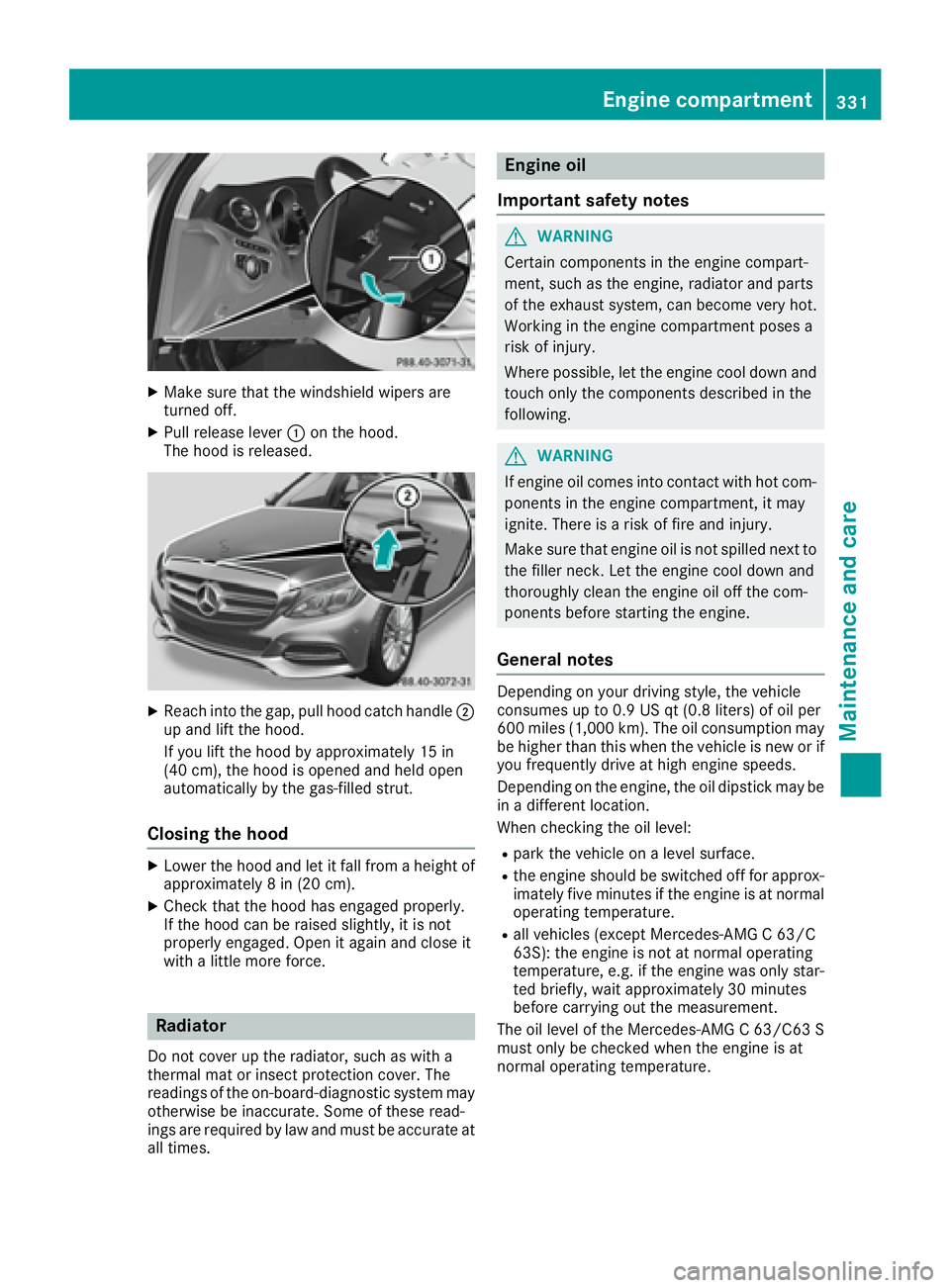
Make sure that the windshield wipers are
turned off. X
Pull release lever C on the hood.
The hood is released.
X
Reach into the gap, pull hood catch handle D
up and lift the hood.
If you lift the hood by approximately 15 in
(40 cm), the hood is opened and held open
automatically by the gas-filled strut.
Closing the hood X
Lower the hood and let it fall from a height of
approximately 8 in (20 cm). X
Check that the hood has engaged properly.
If the hood can be raised slightly, it is not
properly engaged. Open it again and close it
with a little more force.
Radiator
Do not cover up the radiator, such as with a
thermal mat or insect protection cover. The
readings of the on-board-diagnostic system may
otherwise be inaccurate. Some of these read-
ings are required by law and must be accurate at
all times. Engine oil
Important safety notes
G WARNING
Certain components in the engine compart-
ment, such as the engine, radiator and parts
of the exhaust system, can become very hot.
Working in the engine compartment poses a
risk of injury.
Where possible, let the engine cool down and
touch only the components described in the
following.
G WARNING
If engine oil comes into contact with hot com-
ponents in the engine compartment, it may
ignite. There is a risk of fire and injury.
Make sure that engine oil is not spilled next to
the filler neck. Let the engine cool down and
thoroughly clean the engine oil off the com-
ponents before starting the engine.
General notes Depending on your driving style, the vehicle
consumes up to 0.9 US qt (0.8 liters) of oil per
600 miles (1,000 km). The oil consumption may
be higher than this when the vehicle is new or if
you frequently drive at high engine speeds.
Depending on the engine, the oil dipstick may be
in a different location.
When checking the oil level: R
park the vehicle on a level surface. R
the engine should be switched off for approx-
imately five minutes if the engine is at normal
operating temperature. R
all vehicles (except Mercedes-AMG C 63/C
63S): the engine is not at normal operating
temperature, e.g. if the engine was only star-
ted briefly, wait approximately 30 minutes
before carrying out the measurement.
The oil level of the Mercedes-AMG C 63/C63 S
must only be checked when the engine is at
normal operating temperature.Engine compartment 331
Maintenance and care Z
Page 381 of 398
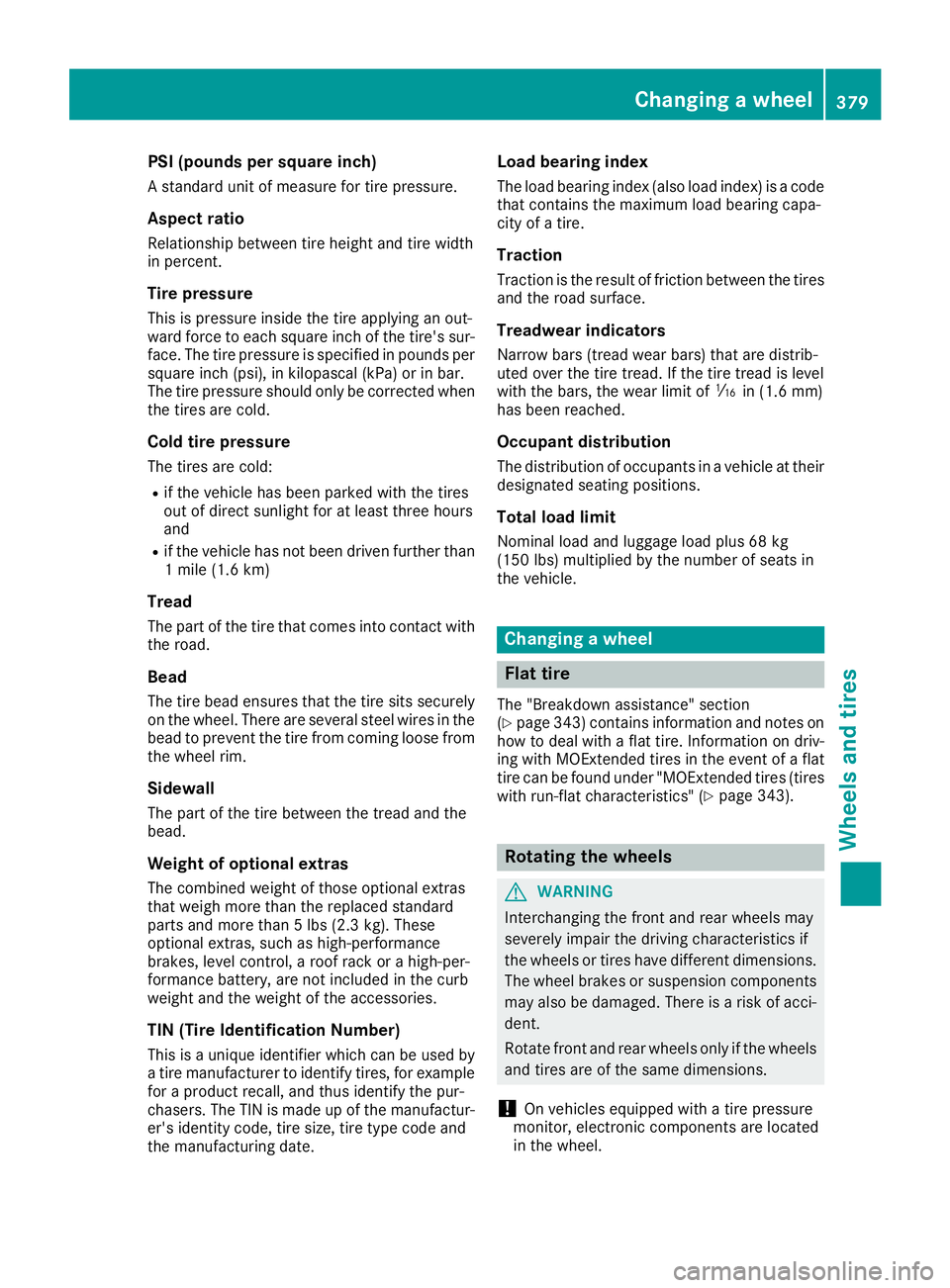
PSI (pounds per square inch) A standard unit of measure for tire pressure.
Aspect ratio Relationship between tire height and tire width
in percent.
Tire pressure This is pressure inside the tire applying an out-
ward force to each square inch of the tire's sur-
face. The tire pressure is specified in pounds per
square inch (psi), in kilopascal (kPa) or in bar.
The tire pressure should only be corrected when
the tires are cold.
Cold tire pressure The tires are cold: R
if the vehicle has been parked with the tires
out of direct sunlight for at least three hours
and R
if the vehicle has not been driven further than
1 mile (1.6 km)
Tread The part of the tire that comes into contact with
the road.
Bead The tire bead ensures that the tire sits securely
on the wheel. There are several steel wires in the
bead to prevent the tire from coming loose from
the wheel rim.
Sidewall The part of the tire between the tread and the
bead.
Weight of optional extras
The combined weight of those optional extras
that weigh more than the replaced standard
parts and more than 5 lbs (2.3 kg). These
optional extras, such as high-performance
brakes, level control, a roof rack or a high-per-
formance battery, are not included in the curb
weight and the weight of the accessories.
TIN (Tire Identification Number)
This is a unique identifier which can be used by
a tire manufacturer to identify tires, for example
for a product recall, and thus identify the pur-
chasers. The TIN is made up of the manufactur-
er's identity code, tire size, tire type code and
the manufacturing date. Load bearing index The load bearing index (also load index) is a code
that contains the maximum load bearing capa-
city of a tire.
Traction Traction is the result of friction between the tires
and the road surface.
Treadwear indicators Narrow bars (tread wear bars) that are distrib-
uted over the tire tread. If the tire tread is level
with the bars, the wear limit of
Page 397 of 398
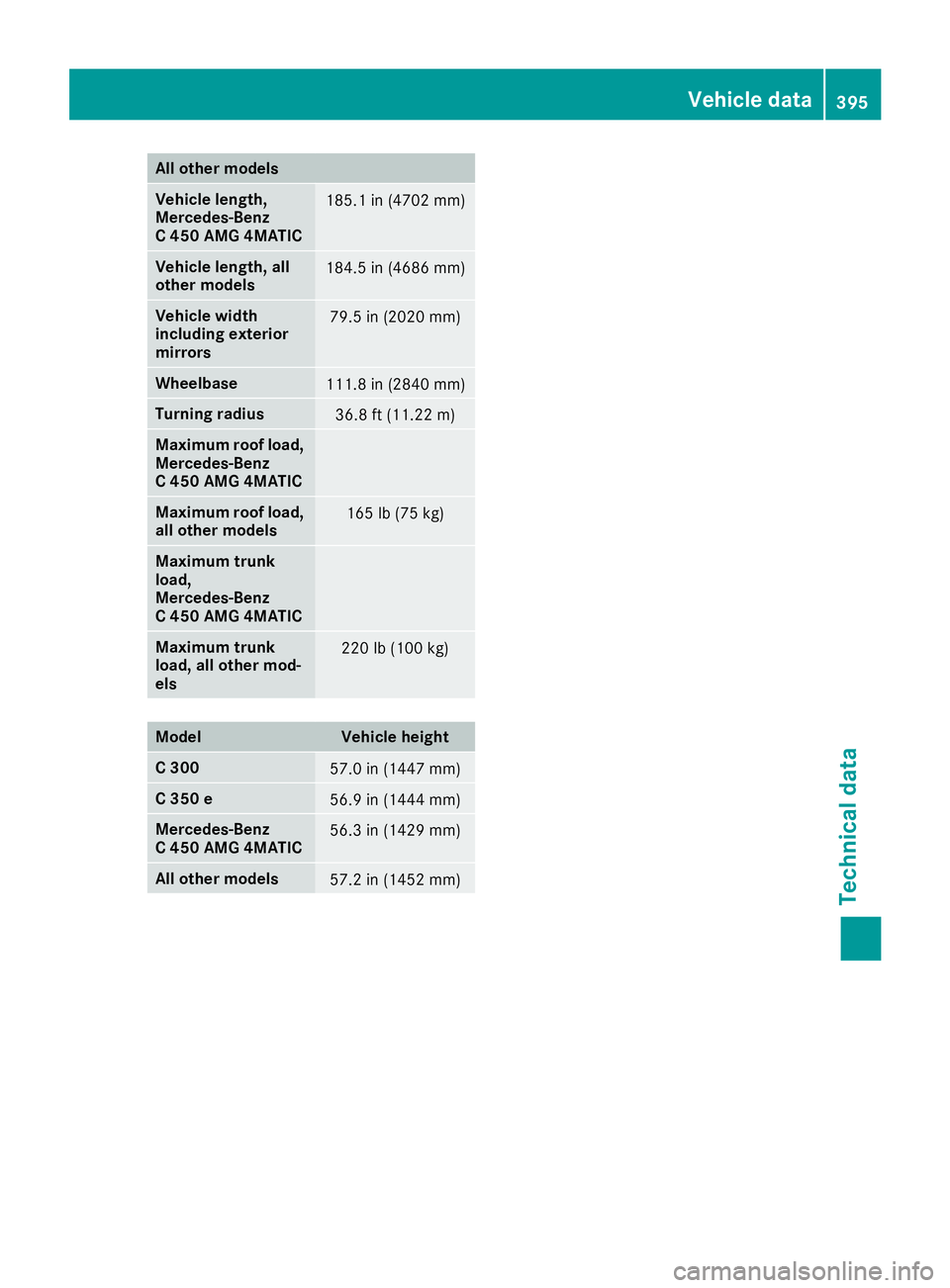
All other mod els
Vehicle length,
Mercedes ‑ Benz
C 450 AMG 4MATIC 185.1 in (4702 mm )
Vehi cle length, all
other models 184.5 in (4686 mm )
Vehi cle width
including exterior
mirrors 79.5 in (2020 mm)
Wheelbase
111.8 in (2840 mm )
Turning radiu s
36.8 ft (11.22 m)
Maximum roof load,
Mercedes ‑ Benz
C 450 AMG 4MATIC
Maximum roof load,
all other models 165 lb (75 kg)
Maximum trunk
load,
Mercedes ‑ Benz
C 450 AMG 4MATIC
Maximum trunk
load, all other mod-
els 220 lb (100 kg)
Model Vehicle height
C 300
57.0 in (1447 mm)
C 350 e
56.9 in (1444 mm)
Mercedes-Benz
C 450 AMG 4MATIC 56.3 in (1429 mm)
All other models
57.2 in (1452 mm) Vehicle data 395
Technical data Z