4 matic MERCEDES-BENZ C-Class 2017 W205 Comand Manual
[x] Cancel search | Manufacturer: MERCEDES-BENZ, Model Year: 2017, Model line: C-Class, Model: MERCEDES-BENZ C-Class 2017 W205Pages: 178, PDF Size: 5.62 MB
Page 4 of 178
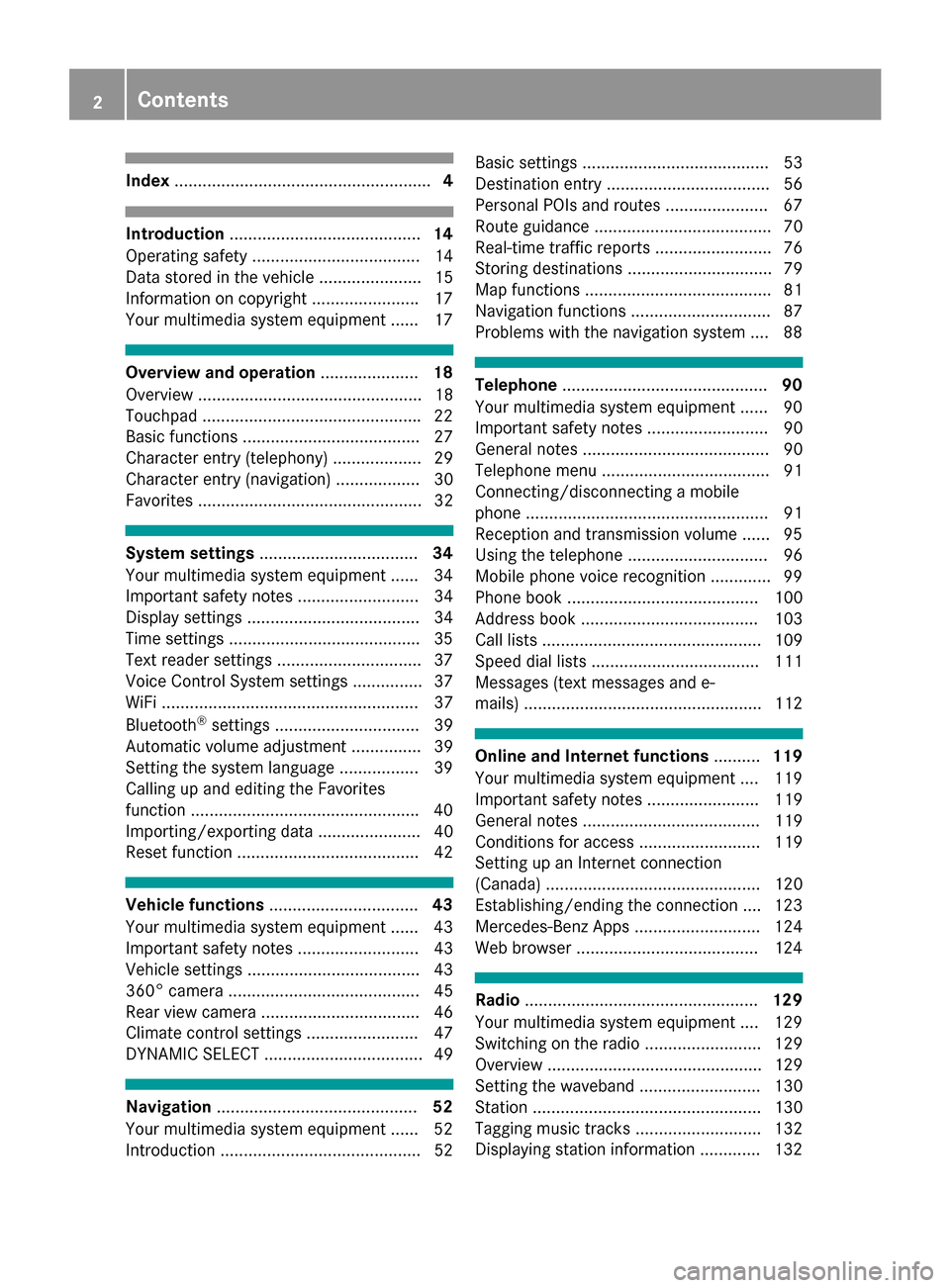
Index....................................................... 4
Introduction......................................... 14
Operating safety .................................... 14
Data stored in the vehicle ...................... 15
Information on copyright ...................... .17
Your multimedia system equipment ...... 17
Overview and operation .....................18
Overview ................................................ 18
Touchpad .............................................. .22
Basic functions ...................................... 27
Character entry (telephony) ................... 29
Character entry (navigation) .................. 30
Favorites ................................................ 32
System settings .................................. 34
Your multimedia system equipment ...... 34
Important safety notes .......................... 34
Display settings ..................................... 34
Time settings .........................................3 5
Text reader settings ...............................3 7
Voice Control System settings ............... 37
WiFi ....................................................... 37
Bluetooth
®settings ............................... 39
Automatic volume adjustment ............... 39
Setting the system language .................3 9
Callin g up and editing the Favorites
function ................................................ .40
Importing/exporting data ...................... 40
Reset function ....................................... 42
Vehicle functions ................................ 43
Your multimedia system equipment ...... 43
Important safety notes .......................... 43
Vehicle settings .....................................4 3
360° camera ......................................... 45
Rear view camera .................................. 46
Climate control settings ........................ 47
DYNAMIC SELECT .................................. 49
Navigation ........................................... 52
Your multimedia system equipment ...... 52
Introduction ...........................................5 2Basic settings ........................................ 53
Destination entry ................................... 56
Personal POIs and routes ...................... 67
Route guidance ...................................... 70
Real-time traffic reports ......................... 76
Storing destinations ............................... 79
Map functions ........................................ 81
Navigation functions .............................. 87
Problems with the navigation system .... 88
Telephone
............................................ 90
Your multimedia system equipment ...... 90
Important safety notes .......................... 90
General notes ........................................ 90
Telephone menu .................................... 91
Connecting/disconnecting a mobile
phone .................................................... 91
Reception and transmission volume ...... 95
Using the telephone .............................. 96
Mobile phone voice recognition ............. 99
Phone book ......................................... 100
Address book ...................................... 103
Call lists ............................................... 109
Speed dial lists .................................... 111
Messages (text messages and e-
mails) ................................................... 112
Online and Internet functions ..........119
Your multimedia system equipment .... 119
Important safety notes ........................ 119
General notes ...................................... 119
Conditions for access .......................... 119
Setting up an Internet connection
(Canada) .............................................. 120
Establishing/ending the connection .... 123
Mercedes-Benz Apps ........................... 124
Web browser .......................................1 24
Radio.................................................. 129
Your multimedia system equipment .... 129
Switching on the radio ......................... 129
Overview .............................................. 129
Setting the waveband .......................... 130
Station ................................................. 130
Tagging music tracks ........................... 132
Displaying station information ............. 132
2Contents
Page 6 of 178
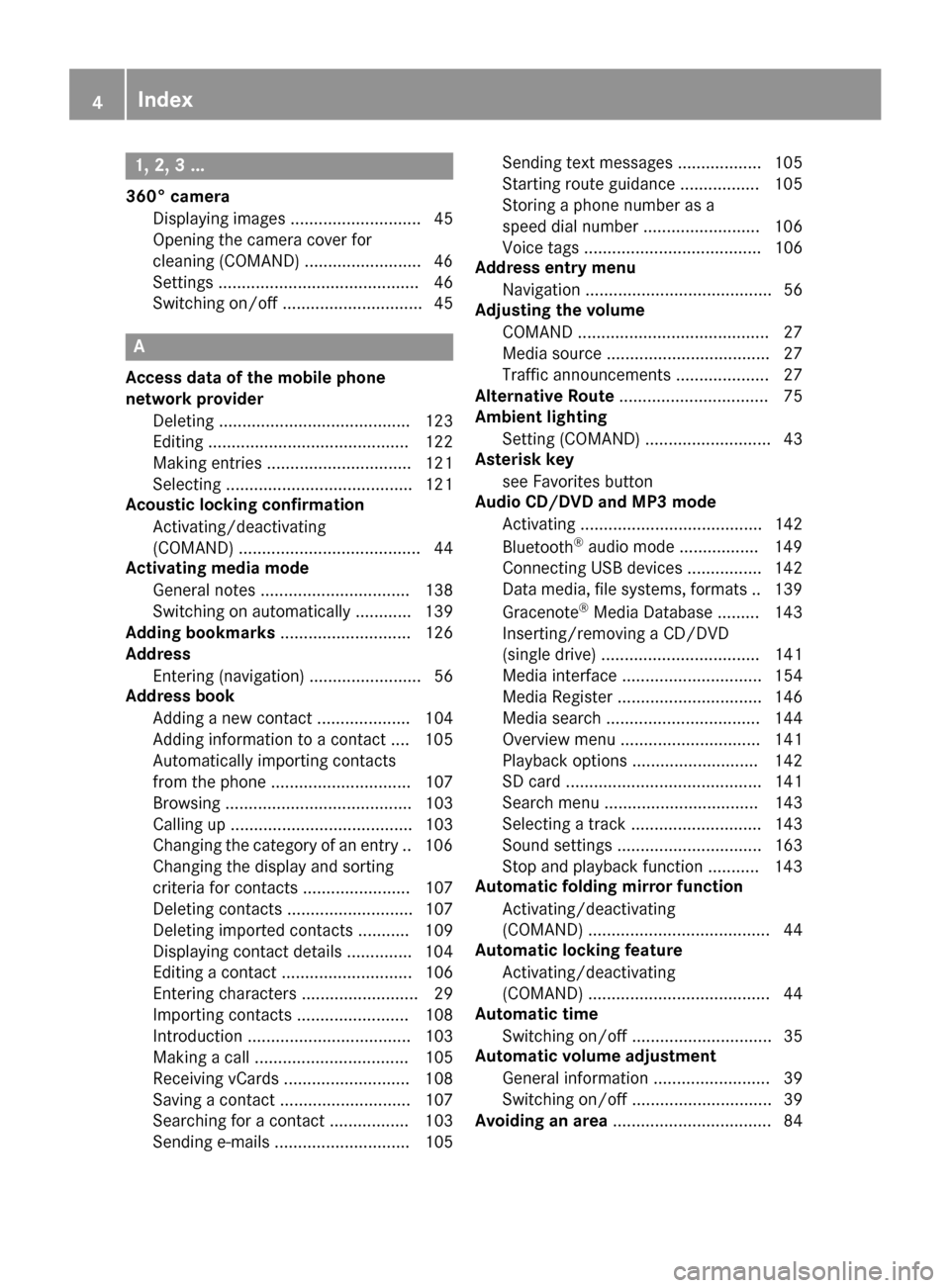
1, 2, 3 ...
360° cameraDisplaying images ............................ 45
Opening the camera cover for
cleaning (COMAND) .........................4 6
Settings ........................................... 46
Switching on/off .............................. 45
A
Access data of the mobile phone
network provider
Deleting ......................................... 123
Editing ........................................... 122
Making entries ............................... 121
Selecting ........................................ 121
Acoustic locking confirmation
Activating/deactivating
(COMAND) ....................................... 44
Activating media mode
General notes ................................ 138
Switching on automatically ............ 139
Adding bookmarks ............................ 126
Address
Entering (navigation) ........................ 56
Address book
Adding a new contact .................... 104
Adding information to a contact .... 105
Automatically importing contacts
from the phone .............................. 107
Browsing ........................................ 103
Calling up ....................................... 103
Changing the category of an entry .. 106
Changing the display and sorting
criteria for contacts ....................... 107
Deleting contacts ........................... 107
Deleting imported contacts ........... 109
Displaying contact details .............. 104
Editing a contact ............................ 106
Entering characters ......................... 29
Importing contacts ........................ 108
Introduction ................................... 103
Making a call ................................. 105
Receiving vCards ........................... 108
Saving a contact ............................ 107
Searching for a contact ................. 103
Sending e-mails ............................. 105 Sending text messages .................. 105
Starting route guidance ................. 105
Storing a phone number as a
speed dial number ......................... 106
Voice tags ...................................... 106
Address entry menu
Navigation ........................................ 56
Adjusting the volume
COMAND ......................................... 27
Media source ................................... 27
Traffic announcements .................... 27
Alternative Route ................................ 75
Ambient lighting
Setting (COMAND) ........................... 43
Asterisk key
see Favorites button
Audio CD/DVD and MP3 mode
Activating ....................................... 142
Bluetooth
®audio mode ................. 149
Connecting USB devices ................ 142
Data medi
a, file systems, formats .. 139
Gracenote®Media Database ......... 143
Inserting/removing a CD/DVD
(single drive) .................................. 141
Media interface .............................. 154
Media Register ............................... 146
Media search ................................. 144
Overview menu .............................. 141
Playback options ........................... 142
SD card .......................................... 141
Search menu ................................. 143
Selecting a track ............................ 143
Sound settings ............................... 163
Stop and playback function ........... 143
Automatic folding mirror function
Activating/deactivating
(COMAND) ....................................... 44
Automatic locking feature
Activating/deactivating
(COMAND) ....................................... 44
Automatic time
Switching on/off .............................. 35
Automatic volume adjustment
General information ......................... 39
Switching on/off .............................. 39
Avoiding an area .................................. 84
4Index
Page 9 of 178
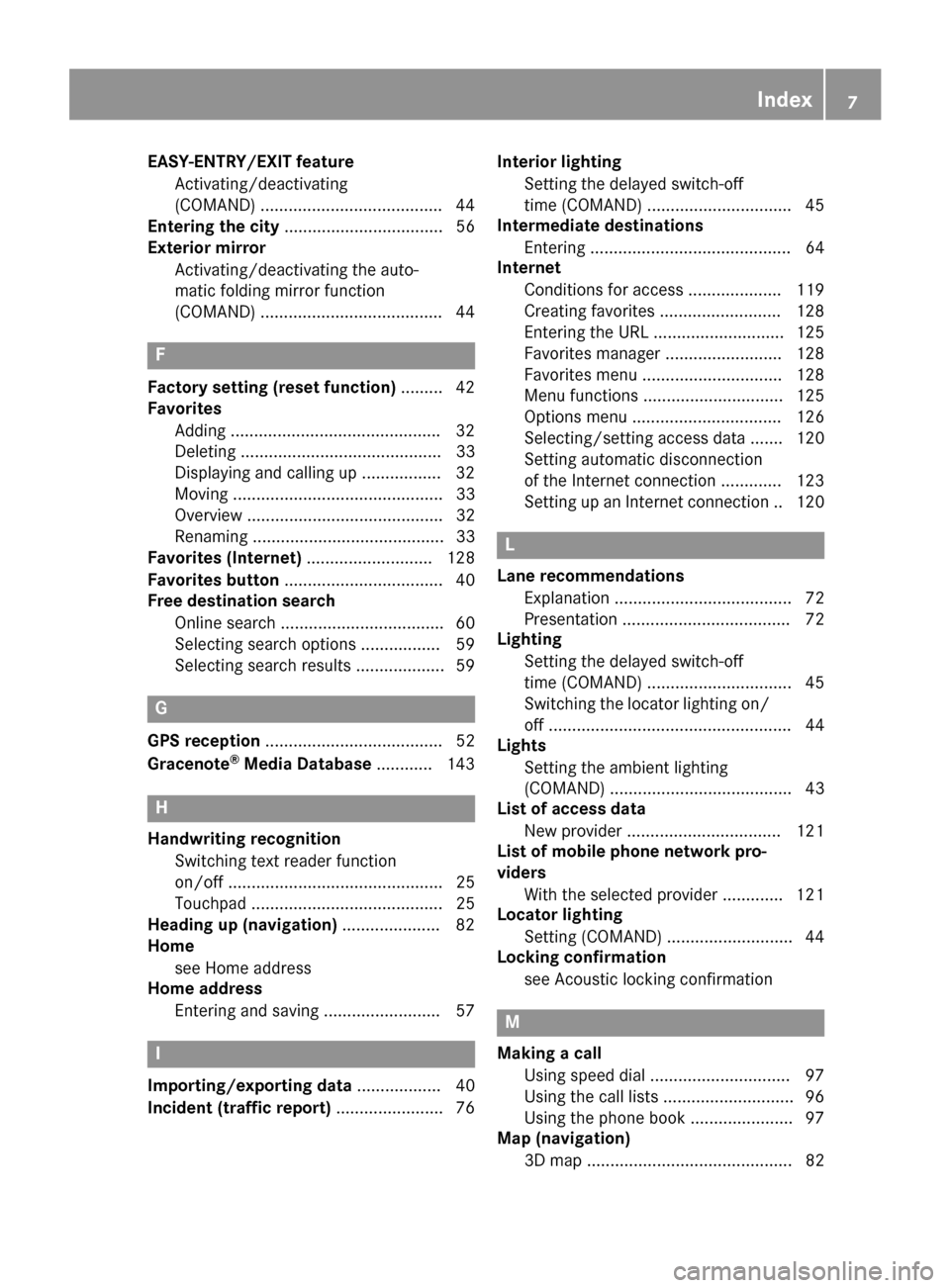
EASY-ENTRY/EXIT featureActivating/deactivating
(COMAND) ...................................... .44
Entering the city .................................. 56
Exterior mirror
Activating/deactivating the auto-
matic folding mirror function
(COMAND) ...................................... .44
F
Factory setting (reset function) .........42
Favorites
Adding ............................................ .32
Deleting ........................................... 33
Displaying and calling up ................. 32
Moving ............................................. 33
Overview .......................................... 32
Renaming ......................................... 33
Favorites (Internet) ........................... 128
Favorites button .................................. 40
Free destination search
Online search ................................... 60
Selecting search options ................. 59
Selecting search results ................... 59
G
GPS reception ...................................... 52
Gracenote®Media Database ............ 143
H
Handwriting recognition
Switching text reader function
on/off .............................................. 25
Touchpad ......................................... 25
Heading up (navigation) ..................... 82
Home
see Home address
Home address
Entering and saving .........................5 7
I
Importing/exporting data.................. 40
Incident (traffic report) .......................76 Interior lighting
Setting the delayed switch-off
time (COMAND) .............................. .45
Intermediate destinations
Entering ........................................... 64
Internet
Conditions for access .................... 119
Creating favorites .......................... 128
Entering the URL ............................ 125
Favorites manager ......................... 128
Favorites menu .............................. 128
Menu functions .............................. 125
Options menu ................................ 126
Selecting/setting access data ....... 120
Setting automatic disconnection
of the Internet connection ............. 123
Setting up an Internet connection .. 120
L
Lane recommendationsExplanation ...................................... 72
Presentation .................................... 72
Lighting
Setting the delayed switch-off
time (COMAND) ............................... 45
Switching the locator lighting on/
off .................................................... 44
Lights
Setting the ambient lighting
(COMAND) ....................................... 43
List of access data
New provider ................................. 121
List of mobile phone network pro-
viders
With the selected provider ............. 121
Locator lighting
Setting (COMAND) ........................... 44
Locking confirmation
see Acoustic locking confirmation
M
Making a callUsing speed dial .............................. 97
Using the call lists ............................ 96
Using the phone book ...................... 97
Map (navigation)
3D map ............................................ 82
Index7
Page 11 of 178
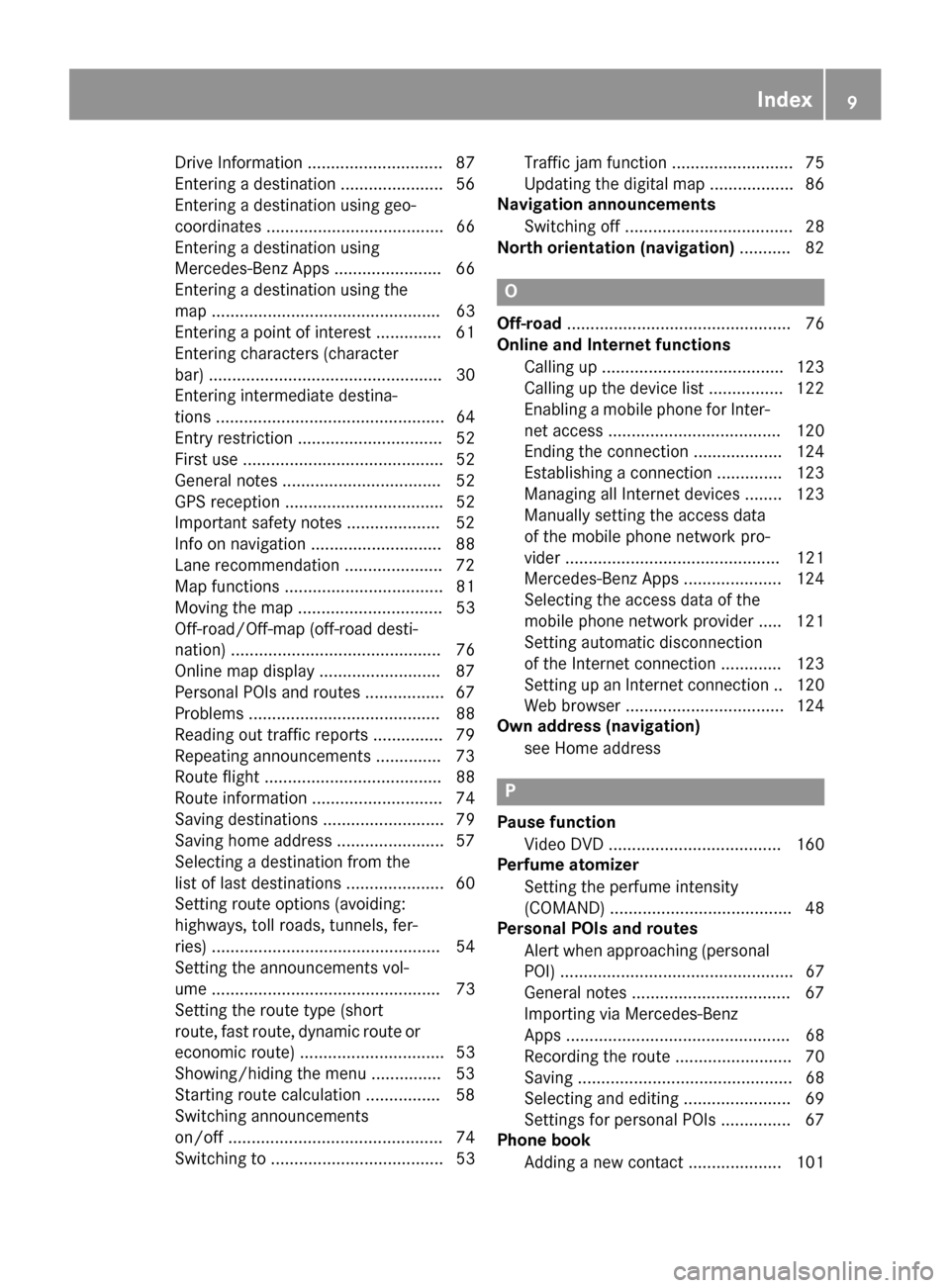
Drive Information ............................. 87
Entering a destination ...................... 56
Entering a destination using geo-
coordinates ...................................... 66
Entering a destination using
Mercedes-Benz Apps ....................... 66
Entering a destination using the
map ................................................. 63
Entering a point of interest .............. 61
Entering characters (character
bar) .................................................. 30
Entering intermediate destina-
tions ................................................. 64
Entry restriction ............................... 52
First use ........................................... 52
General notes .................................. 52
GPS reception .................................. 52
Important safety notes .................... 52
Info on navigation ............................ 88
Lane recommendation ..................... 72
Map functions .................................. 81
Moving the map ............................... 53
Off-road/Off-map (off-road desti-
nation) ............................................. 76
Online map display .......................... 87
Personal POIs and routes ................. 67
Problems ......................................... 88
Reading out traffic reports ............... 79
Repeating announcements .............. 73
Route flight ...................................... 88
Route information ............................ 74
Saving destinations .......................... 79
Saving home address ....................... 57
Selecting a destination from the
list of last destinations ..................... 60
Setting route options (avoiding:
highways, toll roads, tunnels, fer-
ries) ................................................. 54
Setting the announcements vol-
ume ................................................. 73
Setting the route type (short
route, fast route, dynamic route or
economic route) ............................... 53
Showing/hiding the menu ............... 53
Starting route calculation ................ 58
Switching announcements
on/off .............................................. 74
Switching to ..................................... 53Traffic jam function .......................... 75
Updating the digital map .................. 86
Navigation announcements
Switching off .................................... 28
North orientation (navigation) ........... 82
O
Off-road
................................................ 76
Online and Internet functions
Calling up ....................................... 123
Calling up the device list ................ 122
Enabling a mobile phone for Inter-
net access ..................................... 120
Ending the connection ................... 124
Establishing a connection .............. 123
Managing all Internet devices ........ 123
Manually setting the access data
of the mobile phone network pro-
vider .............................................. 121
Mercedes-Benz Apps ..................... 124
Selecting the access data of the
mobile phone network provider ..... 121
Setting automatic disconnection
of the Internet connection ............. 123
Setting up an Internet connection .. 120
Web browser .................................. 124
Own address (navigation)
see Home address
P
Pause functionVideo DVD ..................................... 160
Perfume atomizer
Setting the perfume intensity
(COMAND) ....................................... 48
Personal POIs and routes
Alert when approaching (personal
POI) .................................................. 67
General notes .................................. 67
Importing via Mercedes-Benz
Apps ................................................ 68
Recording the route ......................... 70
Saving .............................................. 68
Selecting and editing ....................... 69
Settings for personal POIs ............... 67
Phone book
Adding a new contact .................... 101
Index9
Page 12 of 178
Adding information to a contact .... 102
Calling up ....................................... 100
Deleting a contact ......................... 102
Displaying the details of an entry ... 101
Entering characters ......................... 29
Saving a contact ............................ 102
Searching for a contact ................. 100
Symbol overview ............................ 100
Phone call
Dialing .............................................. 96
Picture viewer
Changing view ............................... 161
Displaying pictures ........................ 161
Exiting the picture viewer .............. 162
General notes ................................ 161
Starting a slide show ..................... 161
PIN protection
Activating/deactivating ...................4 1
POI (navigation)
Calling up the menu .........................6 1
Category .......................................... 61
Defining the position for the POI
search .............................................. 62
Entering .......................................... .61
Rotating 3D POI .............................. .63
Selecting .......................................... 62
Previous destinations (navigation) .... 81
Q
Quick access for telephone
Sending DTMF tones ........................ 27
R
RadioActivating/deactivating the sta-
tion presets display ....................... 132
Deleting a station .......................... 131
Displaying information ................... 133
Displaying station information ....... 132
Displaying the artist and track ....... 132
Mute function ................................ 133
Overview ........................................ 129
Setting the waveband .................... 130
Sound settings (balance, bass,
treble) ............................................ 132
Station list ..................................... 131
Storing stations ............................. 131 Switching on .................................. 129
Tagging music tracks (download-
ing/purchasing tracks from the
iTunes Store
®) ............................... 132
Radio station
Storing ........................................... 131
Read-aloud function
Automatic ........................................ 79
Read-aloud function for e-mails ....... 114
Reading out
Traffic reports on the route .............. 79
Real-time traffic reports ..................... 76
Rear view camera
Displaying the image ........................ 46
Object detection .............................. 46
Opening the camera cover for
cleaning (COMAND) ......................... 47
Switching object detection
on/off .............................................. 46
Switching on/off (COMAND) ........... 46
Receiving vCards ............................... 108
Redialing (telephone) .......................... 96
Reducing the volume
Switching announcements on/off
(COMAND) ....................................... 55
Reserve fuel level
Switching announcements on/off
(COMAND) ....................................... 55
Resetting (factory settings) ............... 42
Road map
see Map (navigation)
Route (navigation)
Selecting an alternative route .......... 75
Setting route options (avoiding:
highways, toll roads, tunnels, fer-
ries) ................................................. 54
Setting the route type (short
route, fast route, dynamic route or
economic route) ............................... 53
Starting calculation .......................... 58
Route guidance
Canceling/continuing ...................... 74
Freeway information ........................ 72
G
eneral notes .................................. 70
Lane recommendations ................... 72
Off-road ........................................... 76
Traffic reports .................................. 76
10Index
Page 13 of 178
S
Safety notesAudio CD/DVD and MP3 mode ..... 139
Using the telephone .........................9 0
Satellite radio
Displaying information ...................1 37
Overview ........................................ 134
Presets menu view ......................... 136
Registering ....................................1 34
Switching to ................................... 134
SatRadio
Channel list updates ......................1 37
Memory functions .......................... 135
Music and sports alerts ................. 136
Notes ............................................. 133
Selecting a category ......................1 34
Selecting a channel ....................... 135
Tagging music tracks ..................... 137
SD card
Inserting ........................................ 141
Inserting/removing ........................ 141
Removing ....................................... 142
Searching for a gas station
When the fuel level is low ................ 66
Seat-belt adjustment function
Activating/deactivating
(COMAND) ....................................... 44
Selecting stations
Radio ............................................. 130
Sending DTMF tones ........................... 98
Setting access data
Online and Internet ........................ 121
Setting the language
COMAND ......................................... 39
Setting the night design ..................... 34
Setting the text reader speed ............ 37
Setting the volume
Telephone calls ................................ 28
Setting the waveband
Radio ............................................. 130
Settings
Sound settings ............................... 163
Short message
see Text messages (SMS)
SIRIUS weather display
5-day forecast ................................ 166
Daily forecast ................................. 166 Detail information .......................... 167
Information chart ........................... 166
Selecting a location for the
weather forecast ............................ 167
Switching on/off ........................... 166
Weather map ................................. 169
Sound
Switchi ng on/off .............................. 28
So
und settings
Balance/fader ............................... 163
Calling up the sound menu ............ 163
Equalizer ........................................ 163
Sound system
see Burmester
®surround sound system
Speed dial
Deleting ......................................... 111
Setting up ...................................... 111
State/province
Selecting .......................................... 57
Stop function
Video DVD ..................................... 160
Storing stations
Radio ............................................. 131
Street name announcements
Switching on/off (COMAND) ........... 55
Switching between summer time
and standard time ............................... 35
Switching on media mode
Using the Media button ................. 138
Via the device list .......................... 139
Via the main function bar ............... 138
System settings
Automatic volume adjustment ......... 39
Bluetooth
®....................................... 39
Date ................................................. 35
Importing/exporting data ................ 40
Language ......................................... 39
Text reader speed ............................ 37
Time ................................................. 35
Time zone ........................................ 35
Voice Control System ...................... 37
T
Telephone
Accepting a call (COMAND) ............. 96
Adding a call .................................... 97
Adjusting the volume for calls .......... 28
Index11
Page 14 of 178
Authorizing a mobile phone (con-
necting) ............................................ 93
Call lists ......................................... 109
Call waiting ...................................... 99
Calling up the telephone menu ........ 91
Calls with several participants ......... 98
Conference calls .............................. 98
Connecting a mobile phone (gen-
eral information) .............................. 91
De-authorizing (disconnecting) a
mobile phone ................................... 95
Deleting a speed dial preset .......... 111
Deleting messages ........................ 118
Displaying Bluetooth
®connection
details .............................................. 95
Downloading messages manually .. 113
E-mail ............................................. 112
E-mail requirements ....................... 112
E-mail settings ............................... 112
Ending an active call ........................ 99
Entering a number ........................... 96
Entering phone numbers .................. 96
Establishing the connection from
the mobile phone ............................. 94
Function restrictions ........................ 91
Functions available during a call ...... 97
General notes .................................. 90
Incoming call during an existing
call ................................................... 99
Making a call .................................... 96
Message conditions ....................... 112
Message settings ........................... 112
Operating options ............................ 90
Phone book .................................... 100
Reading messages ......................... 114
Reception and transmission vol-
ume ................................................. 95
Reconnecting a mobile phone
automatically ................................... 94
Rejecting a call (COMAND) .............. 96
Safety notes ..................................... 90
Sending DTMF tones ........................ 98
Setting up a speed dial .................. 111
Switching between calls (call wait- ing) .................................................. 98
Switching between mobile
phones ............................................. 94
Switching the microphone on/off .... 98 Telephone menu overvi
ew ............... 91
T
ext message conditions ............... 112
Text message settings ................... 112
Text messages (SMS) .................... 112
Toggling ........................................... 98
Using the telephone ......................... 96
Writing e-mails ............................... 116
Writing text messages ................... 115
Telephone number
Entering ........................................... 96
Text messages (SMS)
Calling the sender .......................... 117
Calling up the settings menu ......... 112
Configuring the text messages
displayed ....................................... 112
Deleting ......................................... 118
Displaying details ........................... 115
Downloading manually ................... 113
Editing text templates .................... 117
Inbox .............................................. 114
Reading .......................................... 114
Reading aloud ................................ 114
Settings ......................................... 112
Storing sender in address book ..... 118
Storing the sender as a new
address book entry ........................ 117
Using a phone number in the text .. 117
Using text templates ...................... 117
Writing ........................................... 115
Time
Setting ............................................. 36
Setting summer/standard time ....... 35
Setting the format ............................ 36
Setting the time ............................... 36
Setting the time zone ....................... 35
Setting the time/date format .......... 36
Switching automatic time on/off ..... 35
Touchpad
Calling up quick access for audio
and telephone .................................. 23
Changing the input language for
handwriting recognition ................... 26
Changing the station/music
track ................................................ 27
Character suggestions ..................... 26
Deleting characters ......................... 26
Entering a space .............................. 26
Entering characters ......................... 25
12Index
Page 21 of 178
RNavigation system
-Navigation via the hard drive
-Entering destinations via free destination
search
-Realistic 3D map with textured city models
-Personal POIs and routes using SD memory
card
-Navigation functions, e.g. Drive Informa-
tion
-Dynamic route guidance with traffic reports
via SIRIUS satellite radio
RCommunication
-Messaging functions (text messages,
email)
-Address book
-Internet browser
-Mercedes-Benz Apps with online search,
Facebook, stock prices, news and much
more
-Mercedes-Benz Mobile Website
-WiFi interface for the connection of a
smartphone to the multimedia system
RSIRIUS Weather
-Weather data as an information chart (cur-
rent forecast, 5-day preview, detailed infor-
mation)
-Weather data on the weather map, e.g. rain
radar data, storm characteristics and the
track of tropical cyclones (hurricanes,
typhoons)
RVehicle functions
-Vehicle settings, such as ambient lighting,
belt adjustment and tow-away alarm
-360° camera
-Rear view camera
-Climate control functions, such as climate
mode, perfume atomizer and auxiliary heat-
ing
-DYNAMIC SELECT (individual drive pro-
gram)
RFavorites button
Fast access to favorites fu
nctions using the
favorites button on the controller or on the
touchpad
Display
General notes
!Avoid any direct contact with the display
surface. Pressure on the display surface may
result in impairments to the display, which
could be irreversible.
Wearing polarized sunglasses may impair your
ability to read the display.
The display has an automatic temperature-con-
trolled switch-off feature. The brightness is
automatically reduced if the temperature is too
high. The display may then temporarily switch
off completely.
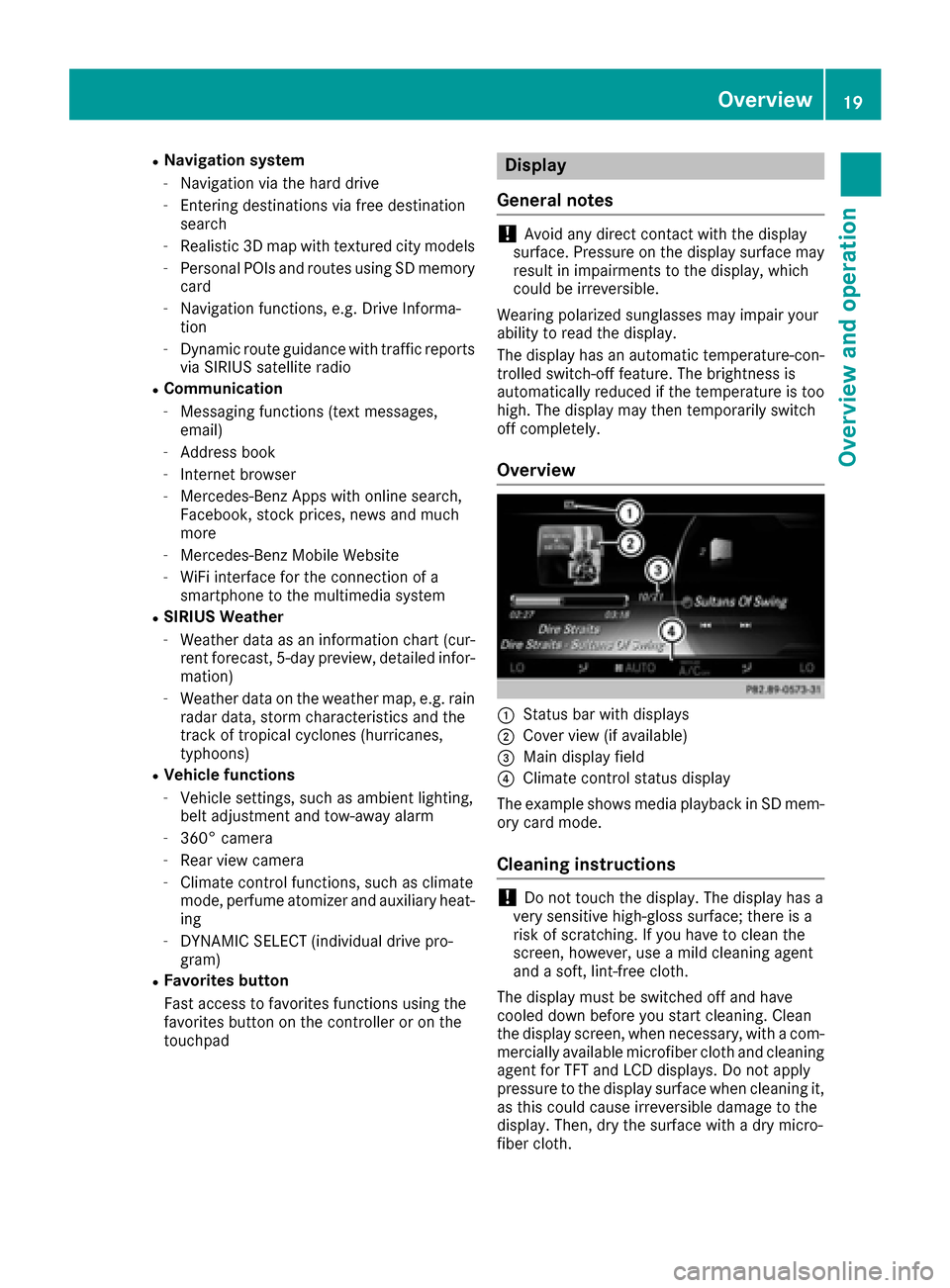
Overview
:Status bar with displays
;Cover view (if available)
=Main display field
?Climate control status display
The example shows media playback in SD mem-
ory card mode.
Cleaning instructions
!Do not touch the display. The display has a
very sensitive high-gloss surface; there is a
risk of scratching. If you have to clean the
screen, however, use a mild cleaning agent
and a soft, lint-free cloth.
The display must be switched off and have
cooled down before you start cleaning. Clean
the display screen, when necessary, with a com- mercially available microfiber cloth and cleaning
agent for TFT and LCD displays. Do not apply
pressure to the display surface when cleaning it,
as this could cause irreversible damage to the
display. Then, dry the surface with a dry micro-
fiber cloth.
Overview19
Overview and operation
Page 28 of 178
Character suggestions
XTo select a character suggestion:turn the
controller.
The selected character is entered instead of
the automatically recognized character. Char-
acter entry can be continued.
Inserting a space
Prerequisite: an input line for text, numbers or
characters has been selected.
XUse your finger to touch the touch-sensitive
surface and swipe to the right.
A space is entered into the input line.
Deleting characters
Prerequisite: an input line for text, numbers or
characters has been selected.
XUse your finger to touch the touch-sensitive
surface and swipe to the left.
The character last entered is deleted.
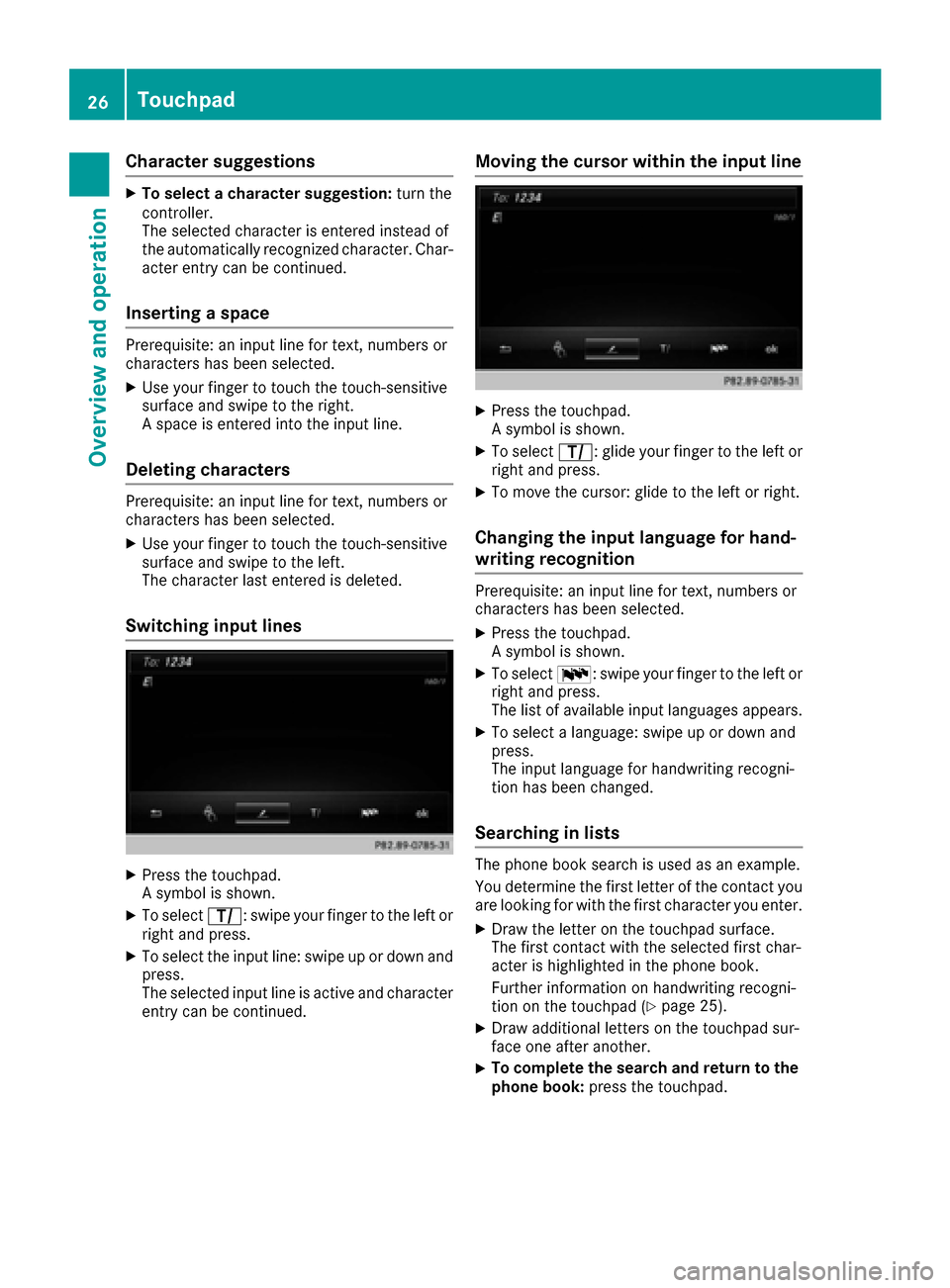
Switching input lines
XPress the touchpad.
A symbol is shown.
XTo select p: swipe your finger to the left or
right and press.
XTo select the input line: swipe up or down and press.
The selected input line is active and character
entry can be continued.
Moving the cursor within the input line
XPress the touchpad.
A symbol is shown.
XTo select p: glide your finger to the left or
right and press.
XTo move the cursor: glide to the left or right.
Changing the input language for hand-
writing recognition
Prerequisite: an input line for text, numbers or
characters has been selected.
XPress the touchpad.
A symbol is shown.
XTo select B: swipe your finger to the left or
right and press.
The list of available input languages appears.
XTo select a language: swipe up or down and
press.
The input language for handwriting recogni-
tion has been changed.
Searching in lists
The phone book search is used as an example.
You determine the first letter of the contact you
are looking for with the first character you enter.
XDraw the letter on the touchpad surface.
The first contact with the selected first char-
acter is highlighted in the phone book.
Further information on handwriting recogni-
tion on the touchpad (
Ypage 25).
XDraw additional letters on the touchpad sur-
face one after another.
XTo complete the search and return to the
phone book: press the touchpad.
26Touchpad
Overview and operation
Page 30 of 178
Adjusting the volumefor phone calls
You can adjust thevolume for hands-free mod e
during atelephon ecall .
XTurn th ethumbwheel to th eright of th econ-
troller .
or
XPress th eW orX buttonon th emulti-
function steering wheel.
iSetting th evolume for th eVoic eControl
Syste mvoice output ;see th eseparat eoper -
ating instructions.
Switching the sound on oroff
Media source sound
XPress th ethumbwheel to th eright of th econ-
troller .
or
XPress th e8 buttonon th emultifunction
steering wheel.
iIf th eaudio output is switched off ,th estatus
lin ewill sho wthe8 symbol. If you switch
th emedia source or chang eth evolume, th e
soun dis automatically switched on .
iEven if thesoun dis switched off ,you will still
hear navigation system announcements .
Switching navigationannouncements
off and onagain
XTo switch off navigation announcements:
press th ethumbwheel to th eright of th econ-
troller during th eannouncement.
The Spoken drivin grecommendations
hav ebee ndeactivated.message
appears.
XTo switch navigation announcement son
again: switch th emultimedia system off and
then on again (
Ypage 27).
or
XStart ane wrout ecalculation (Ypage 58).
or
XWhil erout eguidance is active ,sho wthe
men uand select
(Ypage 74) .
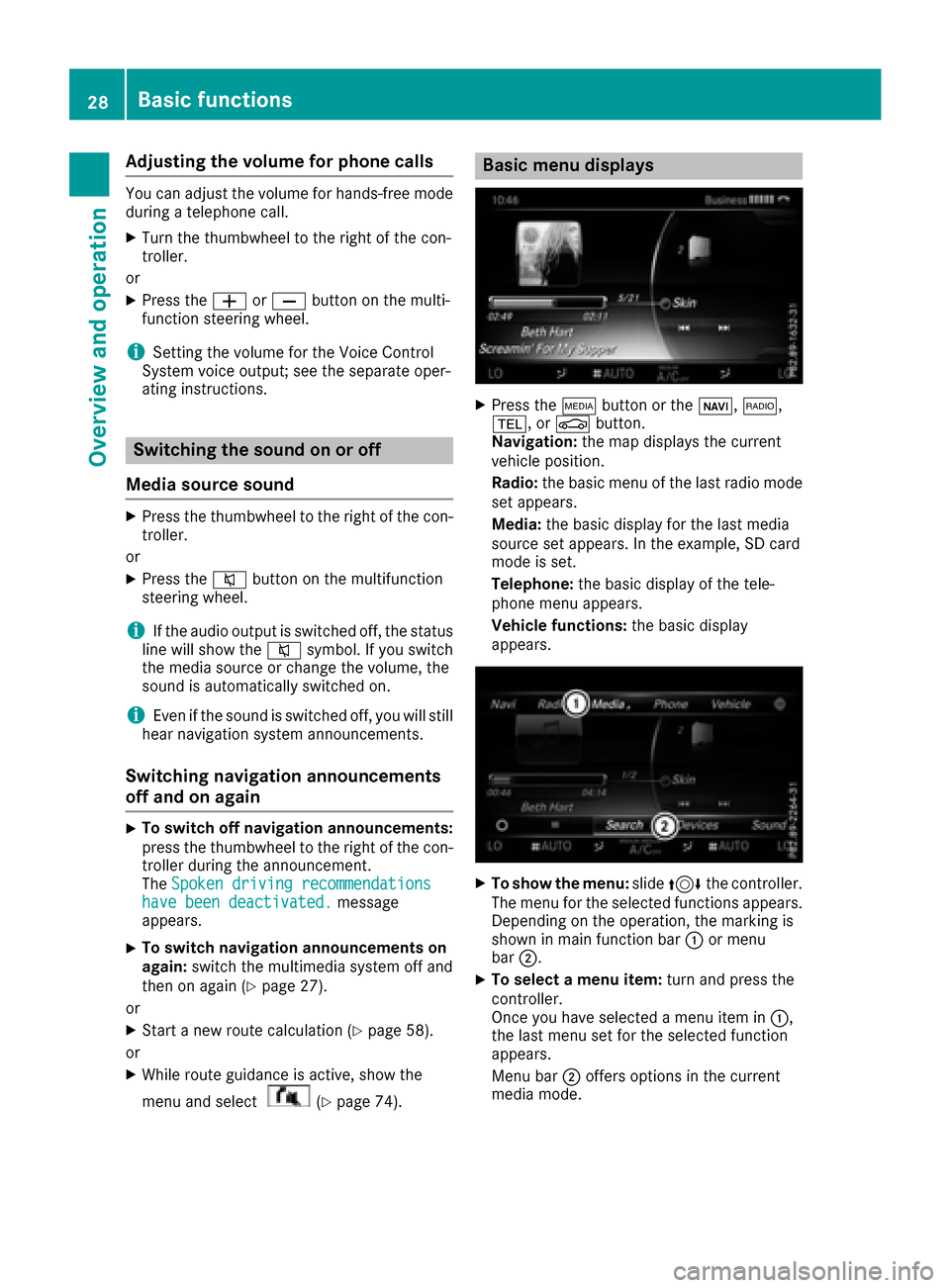
Basic menu displays
XPress theÕ buttonor th eß, $,
%, orØ button.
Navigation: themap displays th ecurren t
vehicl eposition .
Radio :th ebasic men uof th elast radi omod e
set appears.
Media: thebasic display for th elast media
source set appears. In th eexample, SD car d
mod eis set .
Telephone: thebasic display of th etele-
phone men uappears.
Vehicle functions: thebasic display
appears.
XTo sho wth emenu: slide4 thecontroller .
The men ufor th eselected function sappears.
Dependin gon th eoperation ,th emarking is
shown in main function bar :or men u
bar ;.
XTo select amen uitem: turnand press th e
controller .
Once you hav eselected amen uitem in :,
th elast men uset for th eselected function
appears.
Men ubar ;offers option sin th ecurren t
media mode.
28Basic functions
Overview and operation