climate control MERCEDES-BENZ C CLASS 2018 User Guide
[x] Cancel search | Manufacturer: MERCEDES-BENZ, Model Year: 2018, Model line: C CLASS, Model: MERCEDES-BENZ C CLASS 2018Pages: 370, PDF Size: 6.25 MB
Page 41 of 370
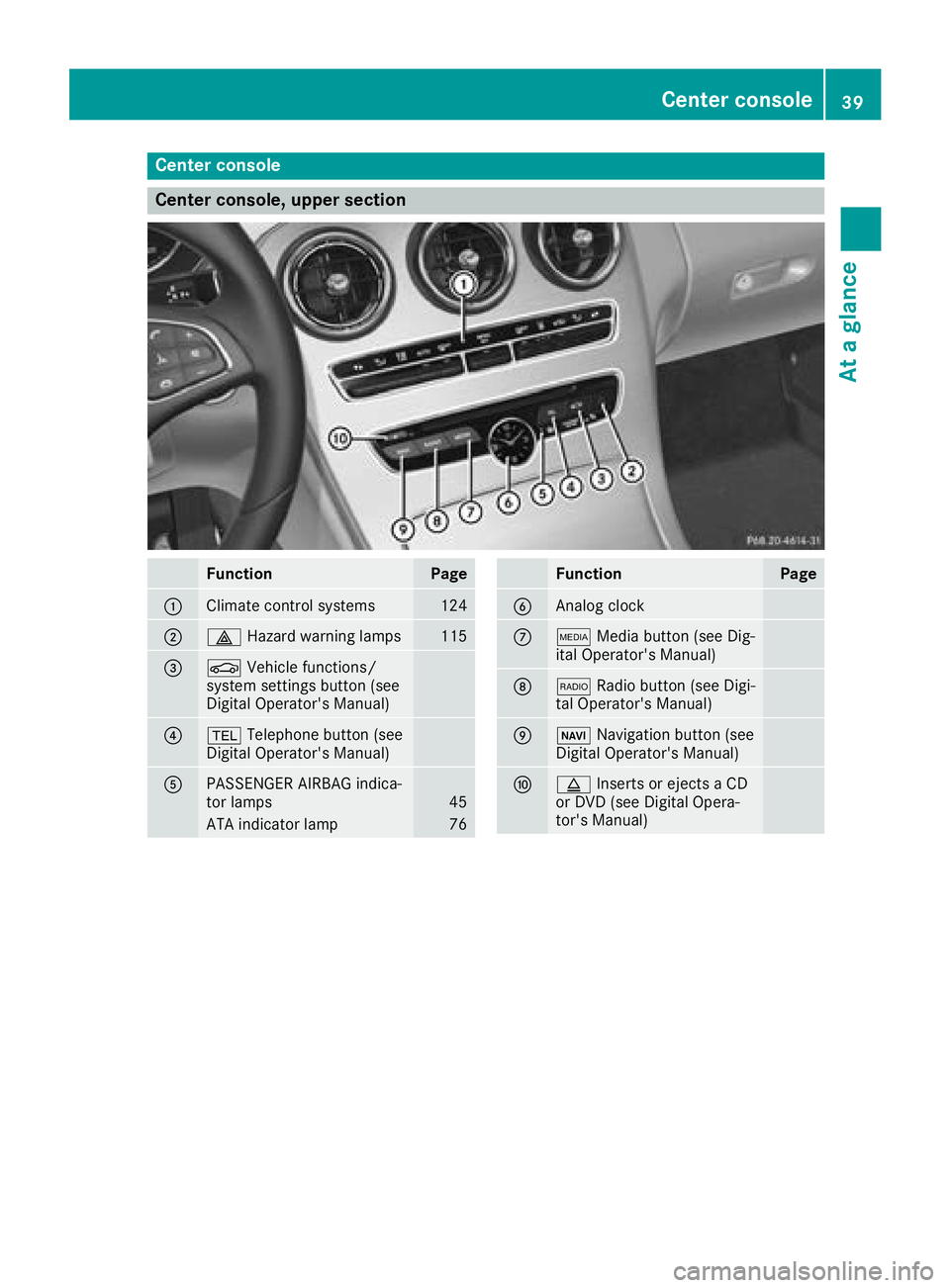
Center console
Center console, upper section
FunctionPage
:Climate control systems124
;£Hazard warning lamps115
=ØVehicle functions/
system settings button (see
Digital Operator's Manual)
?% Telephone button (see
Digital Operator's Manual)
APASSENGER AIRBAG indica-
tor lamps45
ATA indicator lamp76
FunctionPage
BAnalog clock
CÕ Media button (see Dig-
ital Operator's Manual)
D$ Radio button (see Digi-
tal Operator's Manual)
EØ Navigation button (see
Digital Operator's Manual)
Fþ Inserts or ejects a CD
or DVD (see Digital Opera-
tor's Manual)
Center console39
At a glance
Page 126 of 370
Overview of climate control systems
General notes
Observe the settings recommended on the fol-
lowing pages. The windows could otherwise fog
up.
To prevent the windows from fogging up:
Rswitch off climate control only briefly
Rswitch on air-recirculation mode only briefly
Rswitch on the cooling with air dehumidifica-
tion function
Ractivate the "Windshield defrosting" function
briefly, if required
Climate control regulates the temperature and
air humidity in the vehicle interior. The interior
filter cleans the air, thus improving the interior
climate.
The "Cooling with air dehumidification" function
is only available when the engine is running.
Optimum climate control is only achieved with
the side windows and roof closed.
If you start the engine using your smartphone,
the last selected climate control setting is reac-
tivated (
Ypage 139).
The residual heat function can only be activated
or deactivated with the ignition switched off
(
Ypage 131). The integrated filter filters out most particles of
dust and soot and completely filters out pollen.
It also reduces gaseous pollutants and odors. A
clogged filter reduces the amount of air suppliedto the vehicle interior. For this reason, you
should always observe the interval for replacing
the filter, which is specified in the Maintenance
Booklet. As it depends on environmental condi-
tions, e.g. heavy air pollution, the interval may
be shorter than stated in the Maintenance Book-
let.
iVentilate the vehicle for a brief period during
warm weather, e.g. using the convenience
opening feature (
Ypage 92). This will speed
up the cooling process and the desired inte-
rior temperature will be reached more
quickly.
iIt is possible that the blower may be activa-
ted automatically 60 minutes after the Smart-
Key has been removed depending on various
factors, e.g. the outside temperature. The
vehicle is then ventilated for 30 minutes to dry
the automatic climate control.
iHybrid vehicles: be sure to observe the
notes in the supplement. Otherwise, you may
not recognize dangers.
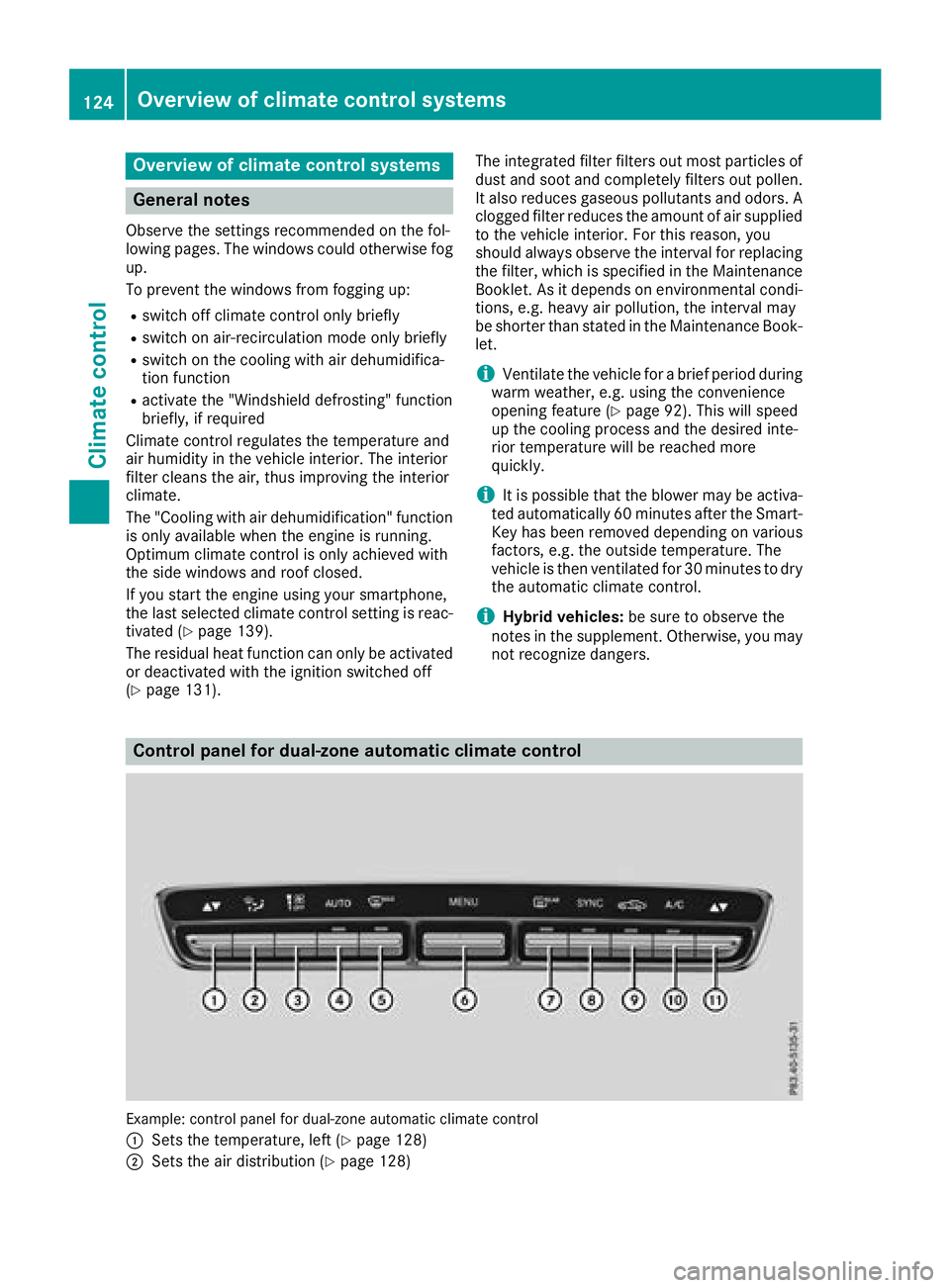
Control panel for dual-zone automatic climate control
Example: control panel for dual-zone automatic climate control
:
Sets the temperature, left (Ypage 128)
;Sets the air distribution (Ypage 128)
124Overview of climate control systems
Climate control
Page 127 of 370
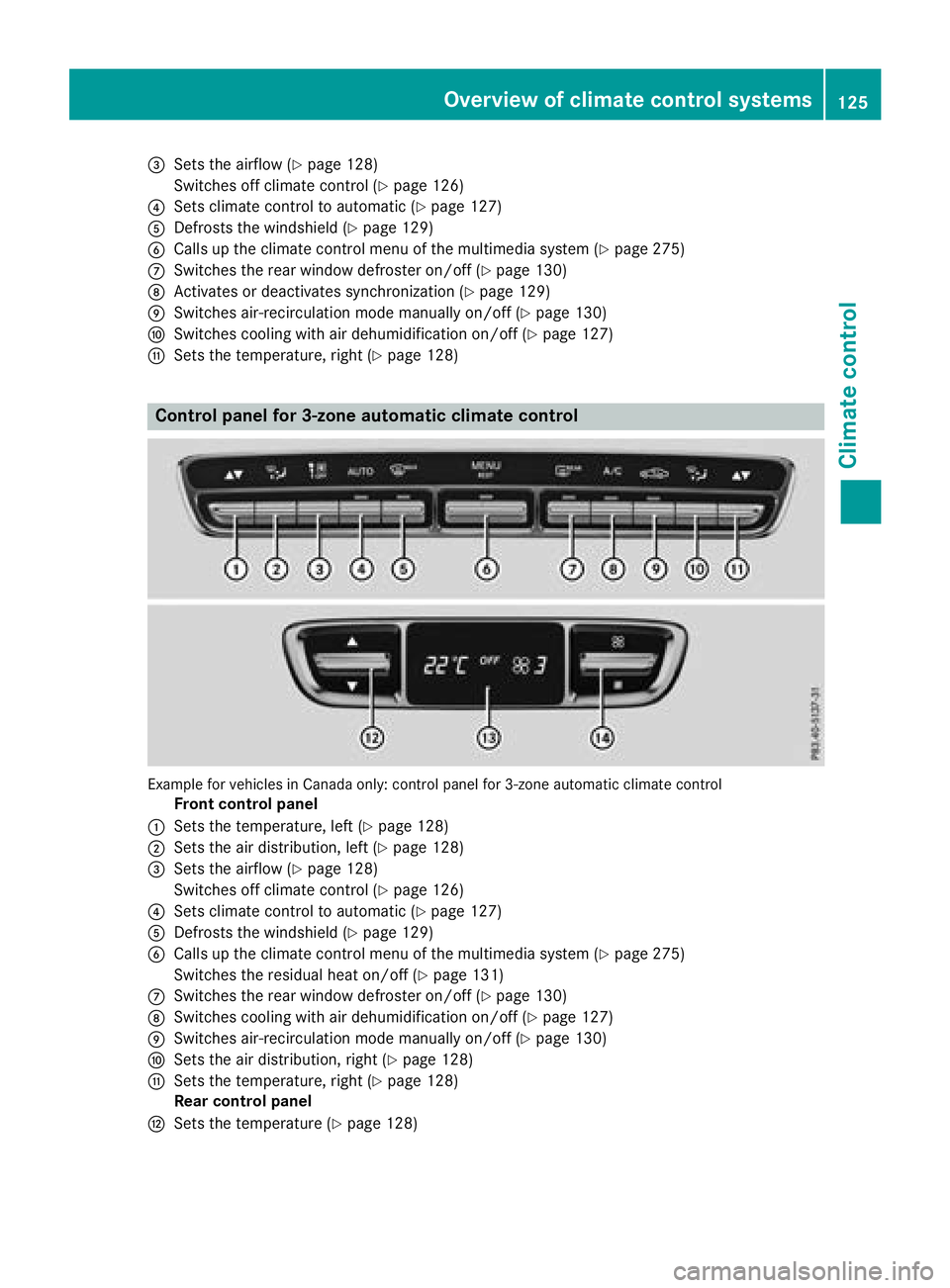
=Sets the airflow (Ypage 128)
Switches off climate control (
Ypage 126)
?Sets climate control to automatic (Ypage 127)
ADefrosts the windshield (Ypage 129)
BCalls up the climate control menu of the multimedia system (Ypage 275)
CSwitches the rear window defroster on/off (Ypage 130)
DActivates or deactivates synchronization (Ypage 129)
ESwitches air-recirculation mode manually on/off (Ypage 130)
FSwitches cooling with air dehumidification on/off (Ypage 127)
GSets the temperature, right (Ypage 128)
Control panel for 3-zone automatic climate control
Example for vehicles in Canada only: control panel for 3-zone automatic climate control
Front control panel
:Sets the temperature, left (Ypage 128)
;Sets the air distribution, left (Ypage 128)
=Sets the airflow (Ypage 128)
Switches off climate control (
Ypage 126)
?Sets climate control to automatic (Ypage 127)
ADefrosts the windshield (Ypage 129)
BCalls up the climate control menu of the multimedia system (Ypage 275)
Switches the residual heat on/off (
Ypage 131)
CSwitches the rear window defroster on/off (Ypage 130)
DSwitches cooling with air dehumidification on/off (Ypage 127)
ESwitches air-recirculation mode manually on/off (Ypage 130)
FSets the air distribution, right (Ypage 128)
GSets the temperature, right (Ypage 128)
Rear control panel
HSets the temperature (Ypage 128)
Overview of climate control systems125
Climate control
Page 128 of 370
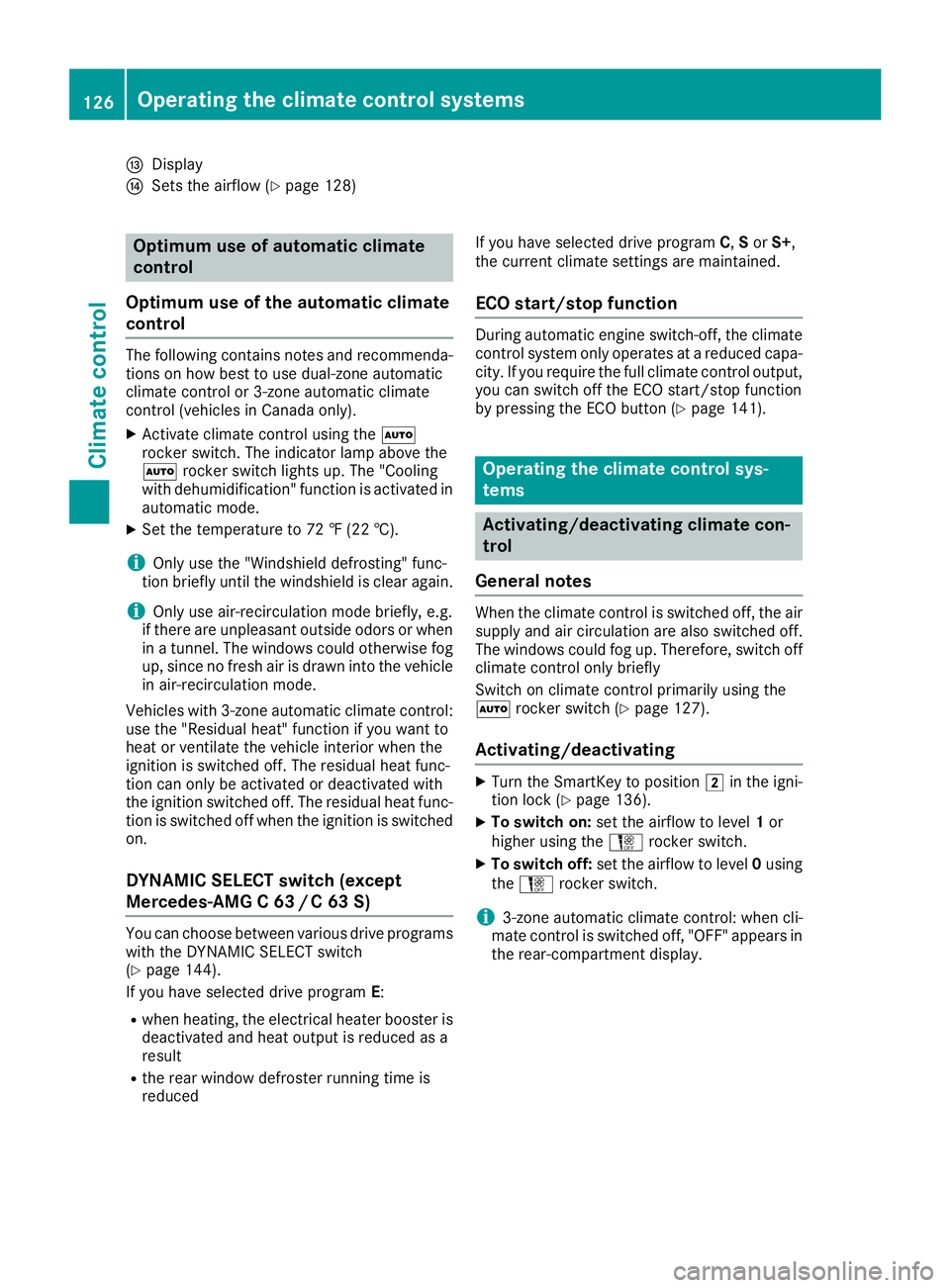
IDisplay
JSets the airflow (Ypage 128)
Optimum use of automatic climate
control
Optimum use of the automatic climate
control
The following contains notes and recommenda-
tions on how best to use dual-zone automatic
climate control or 3-zone automatic climate
control (vehicles in Canada only).
XActivate climate control using the Ã
rocker switch. The indicator lamp above the
à rocker switch lights up. The "Cooling
with dehumidification" function is activated in
automatic mode.
XSet the temperature to 72 ‡ (22 †).
iOnly use the "Windshield defrosting" func-
tion briefly until the windshield is clear again.
iOnly use air-recirculation mode briefly, e.g.
if there are unpleasant outside odors or when
in a tunnel. The windows could otherwise fog
up, since no fresh air is drawn into the vehicle in air-recirculation mode.
Vehicles with 3-zone automatic climate control:
use the "Residual heat" function if you want to
heat or ventilate the vehicle interior when the
ignition is switched off. The residual heat func-
tion can only be activated or deactivated with
the ignition switched off. The residual heat func-
tion is switched off when the ignition is switched on.
DYNAMIC SELECT switch (except
Mercedes-AMG C 63 /C63S)
You can choose between various drive programs
with the DYNAMIC SELECT switch
(
Ypage 144).
If you have selected drive program E:
Rwhen heating, the electrical heater booster is
deactivated and heat output is reduced as a
result
Rthe rear window defroster running time is
reduced If you have selected drive program
C,Sor S+,
the current climate settings are maintained.
ECO start/stop function
During automatic engine switch-off, the climate
control system only operates at a reduced capa-
city. If you require the full climate control output,
you can switch off the ECO start/stop function
by pressing the ECO button (
Ypage 141).
Operating the climate control sys-
tems
Activating/deactivating climate con-
trol
General notes
When the climate control is switched off, the air
supply and air circulation are also switched off.
The windows could fog up. Therefore, switch off
climate control only briefly
Switch on climate control primarily using the
à rocker switch (
Ypage 127).
Activating/deactivating
XTurn the SmartKey to position 2in the igni-
tion lock (Ypage 136).
XTo switch on: set the airflow to level 1or
higher using the Hrocker switch.
XTo switch off: set the airflow to level 0using
the H rocker switch.
i3-zone automatic climate control: when cli-
mate control is switched off, "OFF" appears in
the rear-compartment display.
126Operating the climate control systems
Climate control
Page 129 of 370
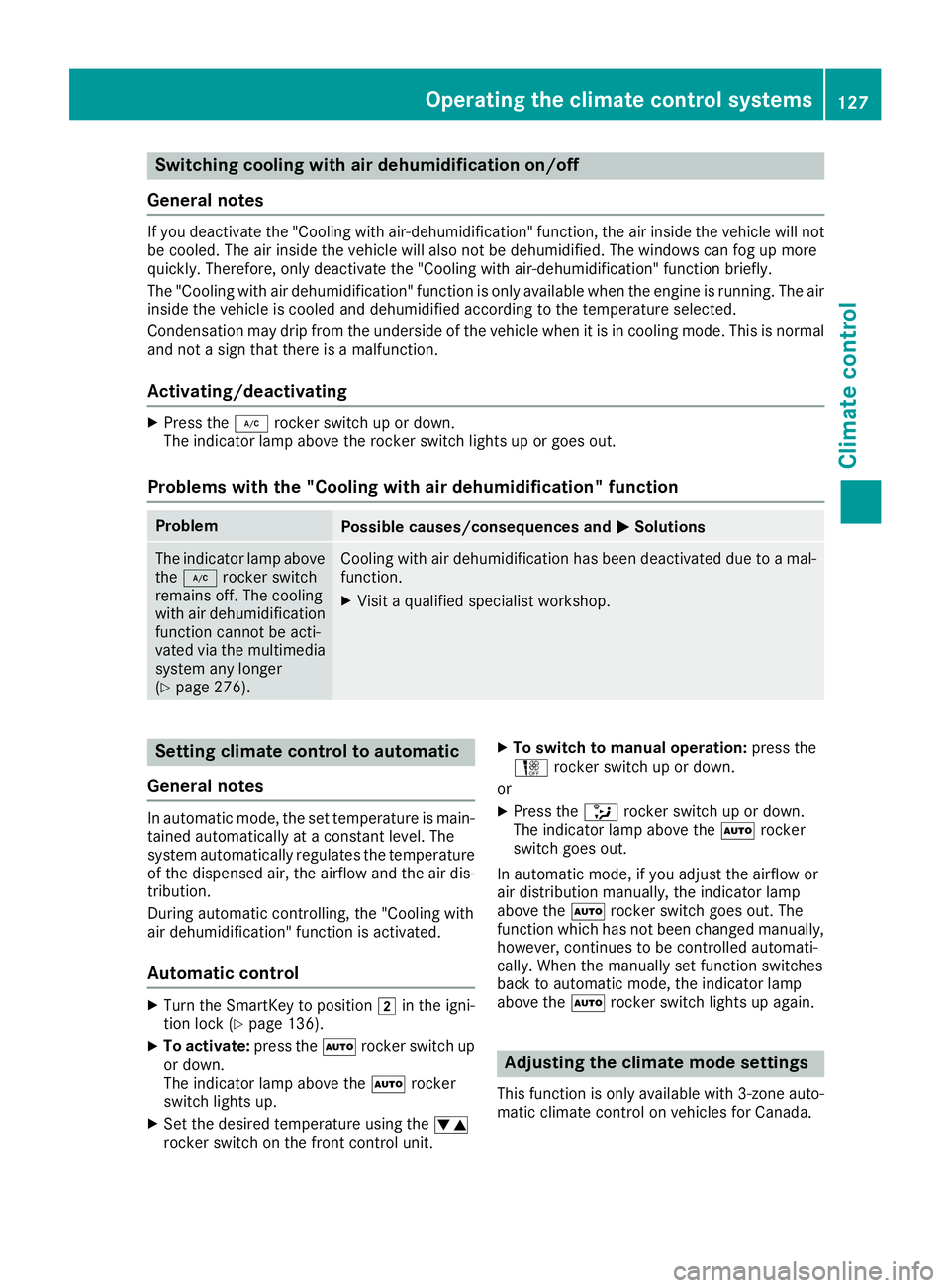
Switching cooling with air dehumidification on/off
General notes
If you deactivate the "Cooling with air-dehumidification" function, the air inside the vehicle will not
be cooled. The air inside the vehicle will also not be dehumidified. The windows can fog up more
quickly. Therefore, only deactivate the "Cooling with air-dehumidification" function briefly.
The "Cooling with air dehumidification" function is only available when the engine is running. The air
inside the vehicle is cooled and dehumidified according to the temperature selected.
Condensation may drip from the underside of the vehicle when it is in cooling mode. This is normal
and not a sign that there is a malfunction.
Activating/deactivating
XPress the ¿rocker switch up or down.
The indicator lamp above the rocker switch lights up or goes out.
Problems with the "Cooling with air dehumidification" function
ProblemPossible causes/consequences and MSolutions
The indicator lamp above
the¿ rocker switch
remains off. The cooling
with air dehumidification
function cannot be acti-
vated via the multimedia
system any longer
(
Ypage 276).
Cooling with air dehumidification has been deactivated due to a mal-
function.
XVisit a qualified specialist workshop.
Setting climate control to automatic
General notes
In automatic mode, the set temperature is main-
tained automatically at a constant level. The
system automatically regulates the temperature
of the dispensed air, the airflow and the air dis-
tribution.
During automatic controlling, the "Cooling with
air dehumidification" function is activated.
Automatic control
XTurn the SmartKey to position 2in the igni-
tion lock (Ypage 136).
XTo activate: press theÃrocker switch up
or down.
The indicator lamp above the Ãrocker
switch lights up.
XSet the desired temperature using the w
rocker switch on the front control unit.
XTo switch to manual operation: press the
H rocker switch up or down.
or
XPress the _rocker switch up or down.
The indicator lamp above the Ãrocker
switch goes out.
In automatic mode, if you adjust the airflow or
air distribution manually, the indicator lamp
above the Ãrocker switch goes out. The
function which has not been changed manually,
however, continues to be controlled automati-
cally. When the manually set function switches
back to automatic mode, the indicator lamp
above the Ãrocker switch lights up again.
Adjusting the climate mode settings
This function is only available with 3-zone auto-
matic climate control on vehicles for Canada.
Operating the climate control systems127
Climate control
Page 130 of 370
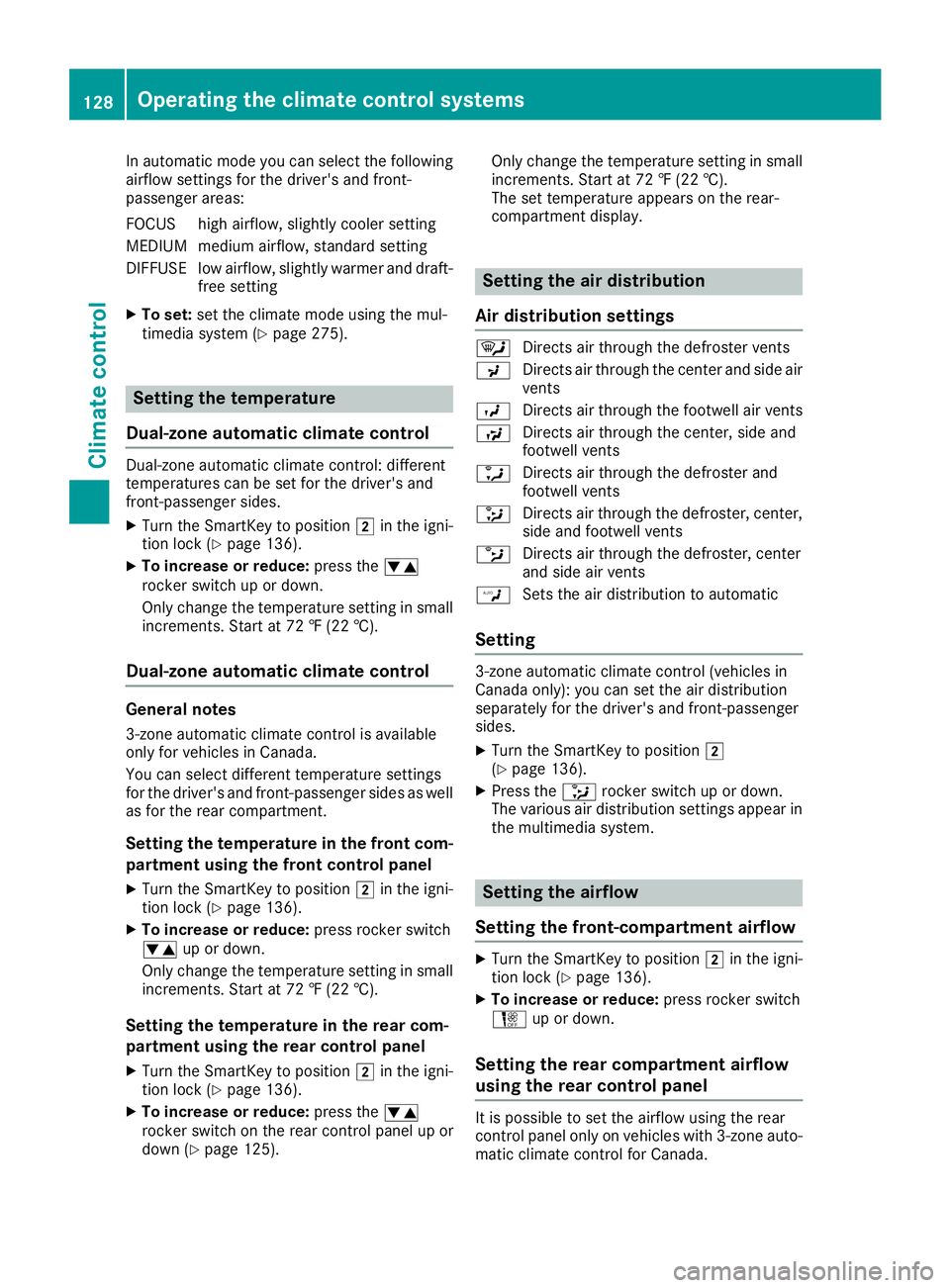
In automatic mode you can select the following
airflow settings for the driver's and front-
passenger areas:
FOCUS high airflow, slightly cooler setting
MEDIUM medium airflow, standard setting
DIFFUSE low airflow, slightly warmer and draft-free setting
XTo set:set the climate mode using the mul-
timedia system (Ypage 275).
Setting the temperature
Dual-zone automatic climate control
Dual-zone automatic climate control: different
temperatures can be set for the driver's and
front-passenger sides.
XTurn the SmartKey to position 2in the igni-
tion lock (Ypage 136).
XTo increase or reduce: press thew
rocker switch up or down.
Only change the temperature setting in small
increments. Start at 72 ‡ (22 †).
Dual-zone automatic climate control
General notes
3-zone automatic climate control is available
only for vehicles in Canada.
You can select different temperature settings
for the driver's and front-passenger sides as well as for the rear compartment.
Setting the temperature in the front com-
partment using the front control panel
XTurn the SmartKey to position 2in the igni-
tion lock (Ypage 136).
XTo increase or reduce: press rocker switch
w up or down.
Only change the temperature setting in small
increments. Start at 72 ‡ (22 †).
Setting the temperature in the rear com-
partment using the rear control panel
XTurn the SmartKey to position 2in the igni-
tion lock (Ypage 136).
XTo increase or reduce: press thew
rocker switch on the rear control panel up or
down (
Ypage 125). Only change the temperature setting in small
increments. Start at 72 ‡ (22 †).
The set temperature appears on the rear-
compartment display.
Setting the air distribution
Air distribution settings
¯ Directs air through the defroster vents
P Directs air through the center and side air
vents
O Directs air through the footwell air vents
S Directs air through the center, side and
footwell vents
a Directs air through the defroster and
footwell vents
_ Directs air through the defroster, center,
side and footwell vents
b Directs air through the defroster, center
and side air vents
W Sets the air distribution to automatic
Setting
3-zone automatic climate control (vehicles in
Canada only): you can set the air distribution
separately for the driver's and front-passenger
sides.
XTurn the SmartKey to position 2
(Ypage 136).
XPress the _rocker switch up or down.
The various air distribution settings appear in
the multimedia system.
Setting the airflow
Setting the front-compartment airflow
XTurn the SmartKey to position 2in the igni-
tion lock (Ypage 136).
XTo increase or reduce: press rocker switch
H up or down.
Setting the rear compartment airflow
using the rear control panel
It is possible to set the airflow using the rear
control panel only on vehicles with 3-zone auto-
matic climate control for Canada.
128Operating the climate control systems
Climate control
Page 131 of 370
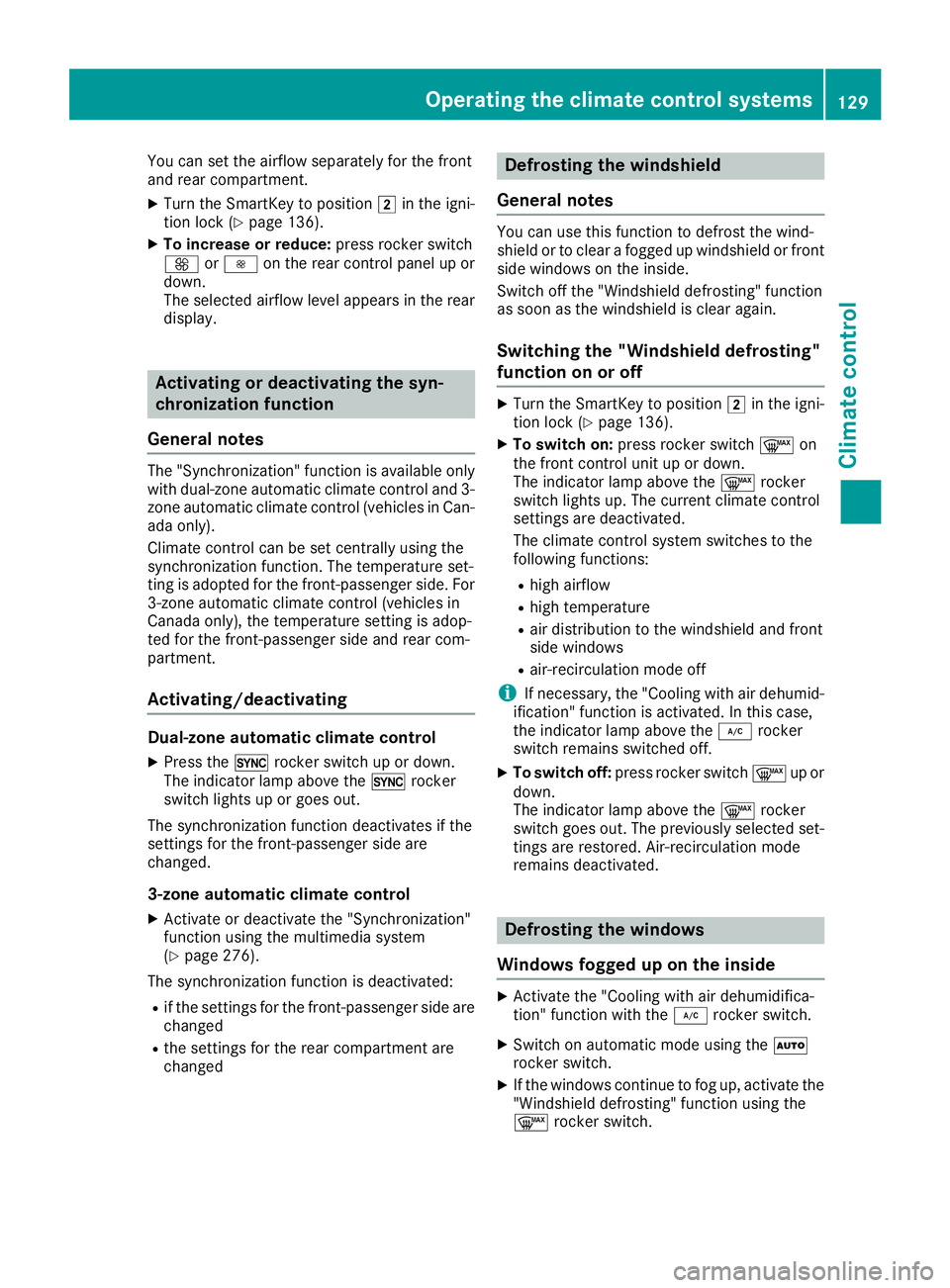
You can set the airflow separately for the front
and rear compartment.
XTurn the SmartKey to position2in the igni-
tion lock (Ypage 136).
XTo increase or reduce: press rocker switch
K orI on the rear control panel up or
down.
The selected airflow level appears in the rear
display.
Activating or deactivating the syn-
chronization function
General notes
The "Synchronization" function is available only
with dual-zone automatic climate control and 3-
zone automatic climate control (vehicles in Can-
ada only).
Climate control can be set centrally using the
synchronization function. The temperature set-
ting is adopted for the front-passenger side. For
3-zone automatic climate control (vehicles in
Canada only), the temperature setting is adop-
ted for the front-passenger side and rear com-
partment.
Activating/deactivating
Dual-zone automatic climate control
XPress the 0rocker switch up or down.
The indicator lamp above the 0rocker
switch lights up or goes out.
The synchronization function deactivates if the
settings for the front-passenger side are
changed.
3-zone automatic climate control
XActivate or deactivate the "Synchronization"
function using the multimedia system
(
Ypage 276).
The synchronization function is deactivated:
Rif the settings for the front-passenger side are
changed
Rthe settings for the rear compartment are
changed
Defrosting the windshield
General notes
You can use this function to defrost the wind-
shield or to clear a fogged up windshield or front
side windows on the inside.
Switch off the "Windshield defrosting" function
as soon as the windshield is clear again.
Switching the "Windshield defrosting"
function on or off
XTurn the SmartKey to position 2in the igni-
tion lock (Ypage 136).
XTo switch on: press rocker switch ¬on
the front control unit up or down.
The indicator lamp above the ¬rocker
switch lights up. The current climate control
settings are deactivated.
The climate control system switches to the
following functions:
Rhigh airflow
Rhigh temperature
Rair distribution to the windshield and front
side windows
Rair-recirculation mode off
iIf necessary, the "Cooling with air dehumid-
ification" function is activated. In this case,
the indicator lamp above the ¿rocker
switch remains switched off.
XTo switch off: press rocker switch ¬up or
down.
The indicator lamp above the ¬rocker
switch goes out. The previously selected set-
tings are restored. Air-recirculation mode
remains deactivated.
Defrosting the windows
Windows fogged up on the inside
XActivate the "Cooling with air dehumidifica-
tion" function with the ¿rocker switch.
XSwitch on automatic mode using the Ã
rocker switch.
XIf the windows continue to fog up, activate the "Windshield defrosting" function using the
¬ rocker switch.
Operating the climate control systems129
Climate control
Page 132 of 370
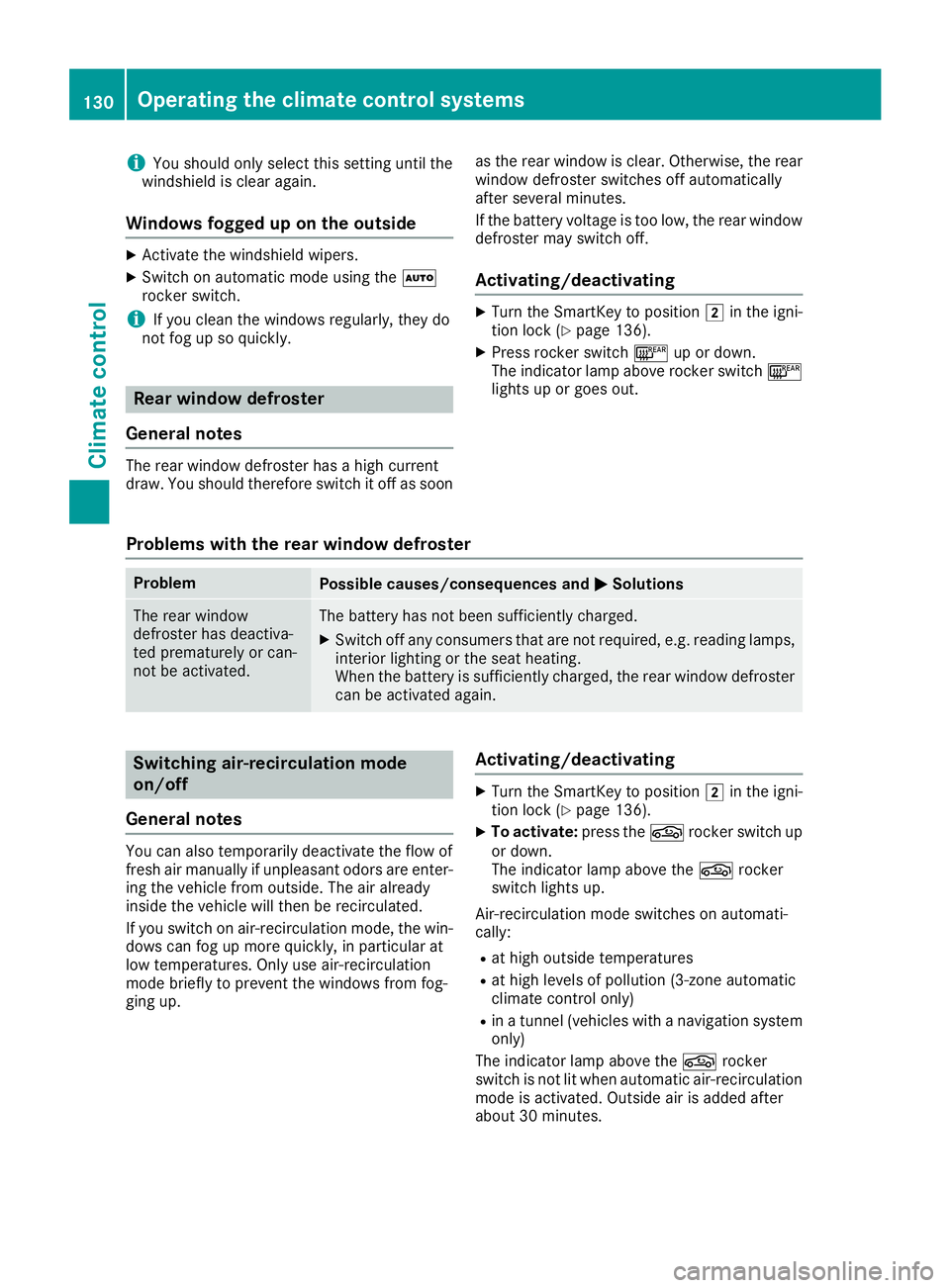
iYou should only select this setting until the
windshield is clear again.
Windows fogged up on the outside
XActivate the windshield wipers.
XSwitch on automatic mode using the Ã
rocker switch.
iIf you clean the windows regularly, they do
not fog up so quickly.
Rear window defroster
General notes
The rear window defroster has a high current
draw. You should therefore switch it off as soon as the rear window is clear. Otherwise, the rear
window defroster switches off automatically
after several minutes.
If the battery voltage is too low, the rear window
defroster may switch off.
Activating/deactivating
XTurn the SmartKey to position 2in the igni-
tion lock (Ypage 136).
XPress rocker switch ¤up or down.
The indicator lamp above rocker switch ¤
lights up or goes out.
Problems with the rear window defroster
ProblemPossible causes/consequences and MSolutions
The rear window
defroster has deactiva-
ted prematurely or can-
not be activated.The battery has not been sufficiently charged.
XSwitch off any consumers that are not required, e.g. reading lamps,
interior lighting or the seat heating.
When the battery is sufficiently charged, the rear window defroster
can be activated again.
Switching air-recirculation mode
on/off
General notes
You can also temporarily deactivate the flow of
fresh air manually if unpleasant odors are enter-
ing the vehicle from outside. The air already
inside the vehicle will then be recirculated.
If you switch on air-recirculation mode, the win-
dows can fog up more quickly, in particular at
low temperatures. Only use air-recirculation
mode briefly to prevent the windows from fog-
ging up.
Activating/deactivating
XTurn the SmartKey to position 2in the igni-
tion lock (Ypage 136).
XTo activate: press thegrocker switch up
or down.
The indicator lamp above the grocker
switch lights up.
Air-recirculation mode switches on automati-
cally:
Rat high outside temperatures
Rat high levels of pollution (3-zone automatic
climate control only)
Rin a tunnel (vehicles with a navigation system
only)
The indicator lamp above the grocker
switch is not lit when automatic air-recirculation
mode is activated. Outside air is added after
about 30 minutes.
130Operating the climate control systems
Climate control
Page 133 of 370
XTo deactivate:press thegrocker switch
up or down.
The indicator lamp above the grocker
switch goes out.
Air-recirculation mode deactivates automati-
cally:
Rafter approximately five minutes at outside
temperatures below approximately 41 ‡
(5 †)
Rafter approximately five minutes if cooling
with air dehumidification is deactivated
Rafter approximately 30 minutes at outside
temperatures above approximately 41 ‡
(5 †) if the "Cooling with dehumidification"
function is activated
Switching the residual heat on or off
General notes
The residual heat function is only available with
3-zone automatic climate control on vehicles for
Canada.
Once the engine is switched off, it is possible to
make use of the residual heat of the engine to
continue heating or ventilating the front com-
partment of the vehicle for approximately
30 minute s. Theheatin gor ventilation time
depends on the interior temperature that has
been set.
Activating/deactivating
XTurn the SmartKey to position uin the igni-
tion lock or remove it (Ypage 136).
XTo activate: press the!rocker switch up
or down.
The indicator lamp above the !rocker
switch lights up.
The blower will run at a low speed regardless of
the airflow setting.
If you activate the residual heat function at high
temperatures, only the ventilation will be acti-
vated. The blower runs at medium speed.
XTo deactivate: press the!rocker switch
up or down.
The indicator lamp above the !rocker
switch goes out.
Residual heat is deactivated automatically:
Rafter approximately 30 minutes
Rwhen the ignition is switched on
Rif the battery voltage drops
Perfume atomizer
Operating the perfume atomizer
GWARNING
If children open the vial, they could drink the
perfume or it could come into contact with
their eyes. There is a risk of injury. Therefore,
do not leave children unsupervised in the vehi-
cle.
If the perfume liquid has been drunk, consult
a doctor. If perfume comes into contact with
your eyes or skin, rinse the eyes with clean
water. If you continue to experience difficul-
ties, consult a doctor.
HEnvironmental note
Full vials must not be dis-
posed of with household
waste. They must be collec-
ted separately and recycled
to protect the environment.
Dispose of full vials in an
environmentally responsible
manner and take them to a
harmful substance collec-
tion point.
Operating the climate control systems131
Climate control
Z
Page 134 of 370
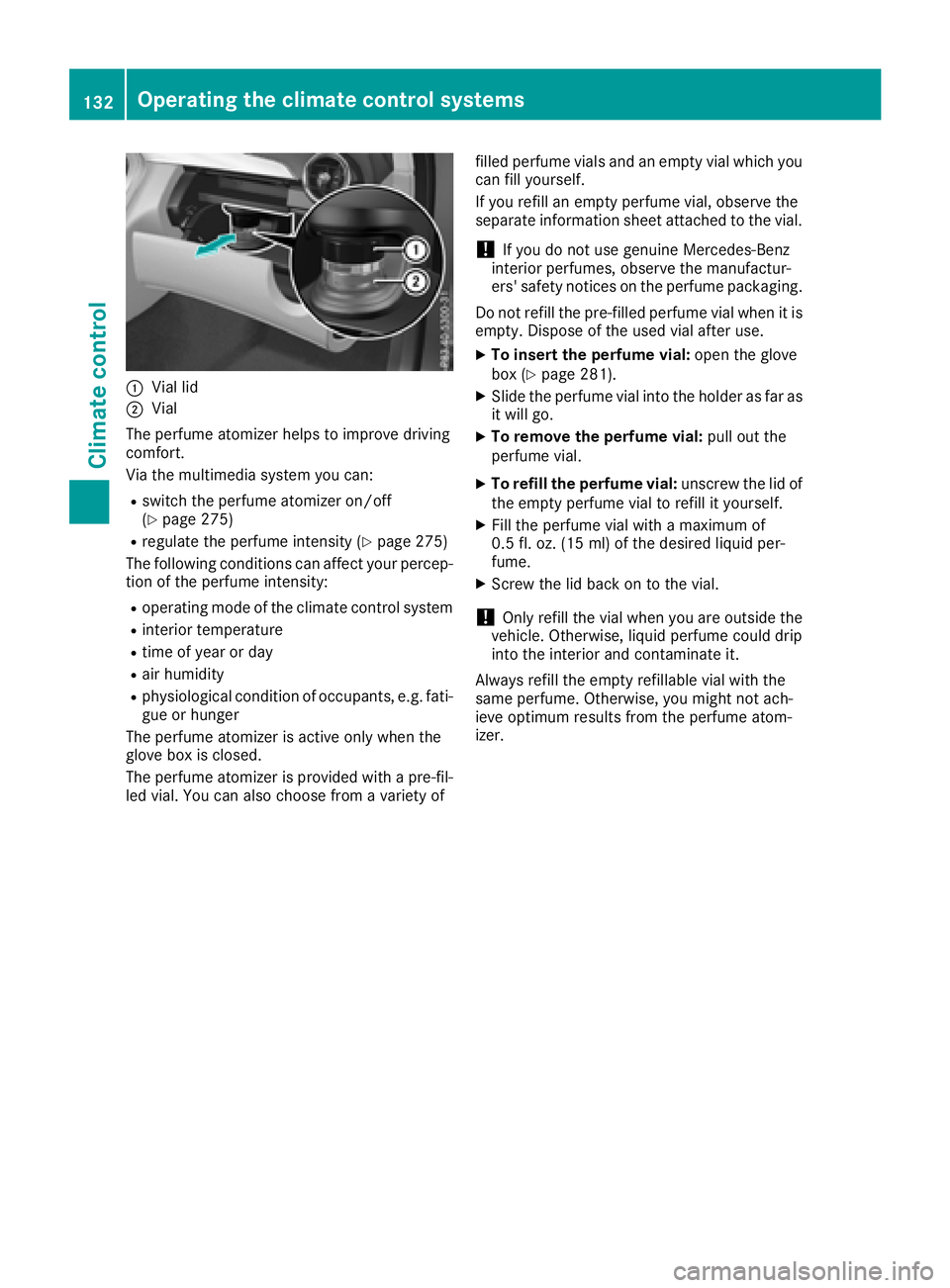
:Vial lid
;Vial
The perfume atomizer helps to improve driving
comfort.
Via the multimedia system you can:
Rswitch the perfume atomizer on/off
(Ypage 275)
Rregulate the perfume intensity (Ypage 275)
The following conditions can affect your percep-
tion of the perfume intensity:
Roperating mode of the climate control system
Rinterior temperature
Rtime of year or day
Rair humidity
Rphysiological condition of occupants, e.g. fati-
gue or hunger
The perfume atomizer is active only when the
glove box is closed.
The perfume atomizer is provided with a pre-fil-
led vial. You can also choose from a variety of filled perfume vials and an empty vial which you
can fill yourself.
If you refill an empty perfume vial, observe the
separate information sheet attached to the vial.
!If you do not use genuine Mercedes-Benz
interior perfumes, observe the manufactur-
ers' safety notices on the perfume packaging.
Do not refill the pre-filled perfume vial when it is
empty. Dispose of the used vial after use.
XTo insert the perfume vial: open the glove
box (Ypage 281).
XSlide the perfume vial into the holder as far as
it will go.
XTo remove the perfume vial: pull out the
perfume vial.
XTo refill the perfume vial: unscrew the lid of
the empty perfume vial to refill it yourself.
XFill the perfume vial with a maximum of
0.5 fl. oz. (15 ml) of the desired liquid per-
fume.
XScrew the lid back on to the vial.
!Only refill the vial when you are outside the
vehicle. Otherwise, liquid perfume could drip
into the interior and contaminate it.
Always refill the empty refillable vial with the
same perfume. Otherwise, you might not ach-
ieve optimum results from the perfume atom-
izer.
132Operating the climate control systems
Climate control