cooling MERCEDES-BENZ C CLASS 2018 Owners Manual
[x] Cancel search | Manufacturer: MERCEDES-BENZ, Model Year: 2018, Model line: C CLASS, Model: MERCEDES-BENZ C CLASS 2018Pages: 370, PDF Size: 6.25 MB
Page 6 of 370
1, 2, 3 ...
4ETS (Electronic Traction System)see ETS/4ETS (Electronic Trac-
tion System)
4MATIC (permanent four-wheel
drive) .................................................. 184
12 V socket
see Socket (12 V)
360° camera
Cleaning .........................................3 13
Display in the multimedia system .. 196
Function/notes .............................1 94
A
ABS (Anti-lock Braking System)
Display message ............................ 231
Function/notes ................................ 66
Warning lamp ................................. 261
Acceleration
see Kickdown
Accident
Automatic measures after an acci-
dent ................................................. 59
Accident warning
see Driving safety system
Activating media mode
General notes ................................ 279
Activating/deactivating cooling
with air dehumidification ................. 127
Active Blind Spot Assist
Activating/deactivating (on-
board computer) ............................ 223
Display message ............................ 248
Function/notes .............................2 04
Active Brake Assist
Activating or deactivating .............. 223
Display message ............................ 236
Function/notes ................................ 67
Active Brake Assist with cross-
traffic function
Activating or deactivating .............. 223
Display message ............................ 237
Function/notes ................................ 73
Important safety notes .................... 73
Warning lamp ................................. 267 Active Lane Keeping Assist
Activating/deactivating (on-
board computer) ............................ 223
Display message ............................ 248
Function/information .................... 207
Active light function
Display message ............................ 242
Active Service System PLUS
see ASSYST PLUS
ADAPTIVE BRAKE ................................. 73
Adaptive Brake Assist
Function/notes ................................ 68
Adaptive Damping System
Function/notes ............................. 183
Adaptive Damping System with
continuous damping adjustment
(ADS PLUS) ........................................ 182
Adaptive Highbeam Assist
Display message ............................ 242
Function/notes ............................. 115
Switching on/off ........................... 116
Additional speedometer ................... 225
Additives (engine oil) ........................ 365
Address book
see also Digital Operator's Man-
ual .................................................. 270
A
djusting the volume
Multimedia system ........................ 271
After-sales service center
see ASSYST PLUS
Air bags
Deployment ..................................... 56
Display message ............................ 240
Front air bag (driver, front
passenger) ....................................... 50
Important safety notes .................... 49
Introduction ..................................... 49
Knee bag .......................................... 51
Occupant Classification System
(OCS) ............................................... 52
PASSENGER AIR BAG indicator
lamps ............................................... 45
Side impact air bag .......................... 51
Window curtain air bag .................... 51
Air filter (display message) .............. 246
Air vents
Important safety notes .................. 133
4Index
Page 9 of 370
Brightness control (instrument
cluster lighting)................................... 36
Buttons on the steering wheel ......... 211
C
California
Important notice for retail cus-
tomers and lessees .......................... 29
Calling up a malfunction
see Display messages
Calling up the climate control bar
Multimedia system ........................ 275
Calling up the climate control
menu
Multimedia system ........................ 275
Camera
see 360° camera
see Rear view camera
Car
see Vehicle
Car wash
see Care
Care
360° camera ................................. 313
AIRPANEL ...................................... 312
Car wash ........................................ 308
Carpets .......................................... 315
Display ........................................... 313
Exhaust pipe .................................. 313
Exterior lights ................................ 312
General notes ................................ 308
Interior ........................................... 313
Matte finish ................................... 311
Paint .............................................. 310
Plastic trim .................................... 314
Power washer ................................ 310
Rear view camera .......................... 313
Roof lining ...................................... 315
Seat belt ........................................ 315
Seat cover ..................................... 314
Selector lever ................................ 314
Sensors ......................................... 312
Steering wheel ............................... 314
Trim pieces .................................... 314
Washing by hand ........................... 309
Wheels ........................................... 311
Windows ........................................ 311 Wiper blades .................................. 312
Wooden trim .................................. 314
Cargo tie down rings ......................... 285
CD
see also Digital Operator's Man-
ual .................................................. 270
CD player (on-board computer) ........ 219
Center console
Lower section .................................. 40
Lower section (Mercedes-AMG
vehicles) .......................................... 41
Upper section .................................. 39
Central locking
Locking/unlocking (SmartKey) ........ 78
Change of address .............................. 30
Change of ownership .......................... 30
Changing the media source ............. 218
Charge-air pressure (on-board
computer, Mercedes-AMG vehi-
cles) .................................................... 226
Child
Restraint system .............................. 61
Child seat
Forward -facing re
straint system ...... 64
LATCH-type (ISOFIX) child seat
anchors ............................................ 62
On the front-passenger seat ............ 63
Rearward-facing restraint system .... 63
Top Tether ....................................... 62
Child-proof locks
Important safety notes .................... 64
Rear doors ....................................... 65
Children
Special seat belt retractor ............... 60
Children in the vehicle
Important safety notes .................... 60
Cigarette lighter ................................ 292
Cleaning
Mirror turn signal ........................... 312
Climate control
Control panel for 3-zone auto-
matic climate control ..................... 125
Control panel for dual-zone auto-
matic climate control ..................... 124
Controlling automatically ............... 127
Cooling with air dehumidification .. 127
Index7
Page 10 of 370
Coolingwit h air dehumidif ication
(multimedia system) ...................... 276
Defrosting the windows ................ .129
Defrosting the windshield .............. 129
ECO start/stop function ................ 126
General notes ................................ 124
Indicator lamp ................................ 127
Ionization ....................................... 133
Ionization (multimedia system) ...... 275
Notes on using the automatic cli-
mate control .................................. 126
Overview ........................................ 274
Overview of systems ......................1 24
Perfume atomizer .......................... 131
Perfume atomizer (multimedia
system) .......................................... 275
Pre-entry climate control (via key)
(multimedia system) ......................2 75
Pre-entry climate control at
departure time (multimedia sys-
tem) ............................................... 275
Problem with the rear window
defroster ........................................ 130
Problems with cooling with air
dehumidification ............................ 127
Rear control panel ......................... 125
Refrigerant ..................................... 367
Refrigerant filling capacity ............. 367
Setting the air distribution ............. 128
Setting the air vents ......................1 33
Setting the airflow ......................... 128
Setting the climate mode ...............1 27
Setting the climate mode (multi-
media system) ............................... 275
Setting the temperature ................ 128
Switching air-recirculation mode
on/off ............................................ 130
Switching on/off ........................... 126
Switching residual heat on/off ...... 131
Switching the rear window
defroster on/off ............................ 130
Switching the synchronization
function on and off ........................ 129
Synchronization function (multi-
media system) ..................... .......... 276
C
limate control settings
Multimedia system ........................ 274 Climate control system
Climate control .............................. 126
Cockpit
Overview .......................................... 36
Code for Apps
see QR code
COMAND display
Cleaning ......................................... 313
Combination switch .......................... 114
Connecting a USB device
see also Digital Operator's Man-
ual ..................................................2 70
Consumption statistics (on-board
computer) .......................................... 215
Controller ...........................................2 71
Controlling the speed
see Distance Pilot DISTRONIC
Convenience box ............................... 286
Convenience closing feature .............. 92
Convenience opening feature ............ 92
Coolant (engine)
Checking the level ......................... 306
Display message ............................ 243
Filling capacity ............................... 366
Important safety notes .................. 365
Temperature display in the instru-
ment cluster .................................. 211
Warning lamp ................................. 265
Cooling
see Climate control
Copyright ............................................. 35
Cornering light function
Display message ............................ 242
Function/notes .............................1 15
Cover
see Roller sunblind
Crosswind Assist ................................. 72
Cruise control
Cruise control lever ....................... 170
Deactivating ................................... 171
Display message ............................ 251
Driving system ............................... 169
Function/notes .............................1 69
General notes ................................ 169
Important safety notes .................. 169
Setting a speed .............................. 170
8Index
Page 126 of 370
Overview of climate control systems
General notes
Observe the settings recommended on the fol-
lowing pages. The windows could otherwise fog
up.
To prevent the windows from fogging up:
Rswitch off climate control only briefly
Rswitch on air-recirculation mode only briefly
Rswitch on the cooling with air dehumidifica-
tion function
Ractivate the "Windshield defrosting" function
briefly, if required
Climate control regulates the temperature and
air humidity in the vehicle interior. The interior
filter cleans the air, thus improving the interior
climate.
The "Cooling with air dehumidification" function
is only available when the engine is running.
Optimum climate control is only achieved with
the side windows and roof closed.
If you start the engine using your smartphone,
the last selected climate control setting is reac-
tivated (
Ypage 139).
The residual heat function can only be activated
or deactivated with the ignition switched off
(
Ypage 131). The integrated filter filters out most particles of
dust and soot and completely filters out pollen.
It also reduces gaseous pollutants and odors. A
clogged filter reduces the amount of air suppliedto the vehicle interior. For this reason, you
should always observe the interval for replacing
the filter, which is specified in the Maintenance
Booklet. As it depends on environmental condi-
tions, e.g. heavy air pollution, the interval may
be shorter than stated in the Maintenance Book-
let.
iVentilate the vehicle for a brief period during
warm weather, e.g. using the convenience
opening feature (
Ypage 92). This will speed
up the cooling process and the desired inte-
rior temperature will be reached more
quickly.
iIt is possible that the blower may be activa-
ted automatically 60 minutes after the Smart-
Key has been removed depending on various
factors, e.g. the outside temperature. The
vehicle is then ventilated for 30 minutes to dry
the automatic climate control.
iHybrid vehicles: be sure to observe the
notes in the supplement. Otherwise, you may
not recognize dangers.
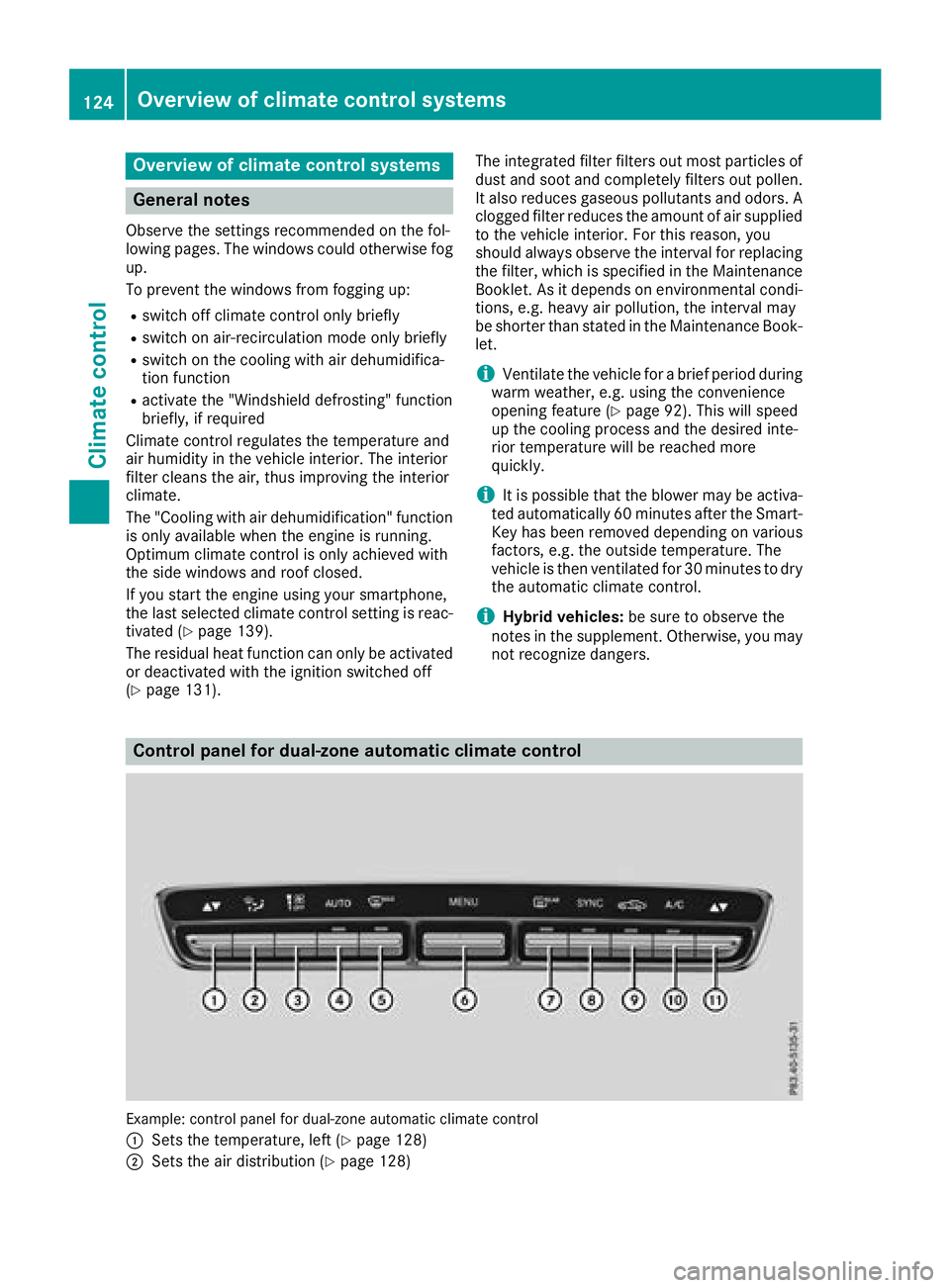
Control panel for dual-zone automatic climate control
Example: control panel for dual-zone automatic climate control
:
Sets the temperature, left (Ypage 128)
;Sets the air distribution (Ypage 128)
124Overview of climate control systems
Climate control
Page 127 of 370
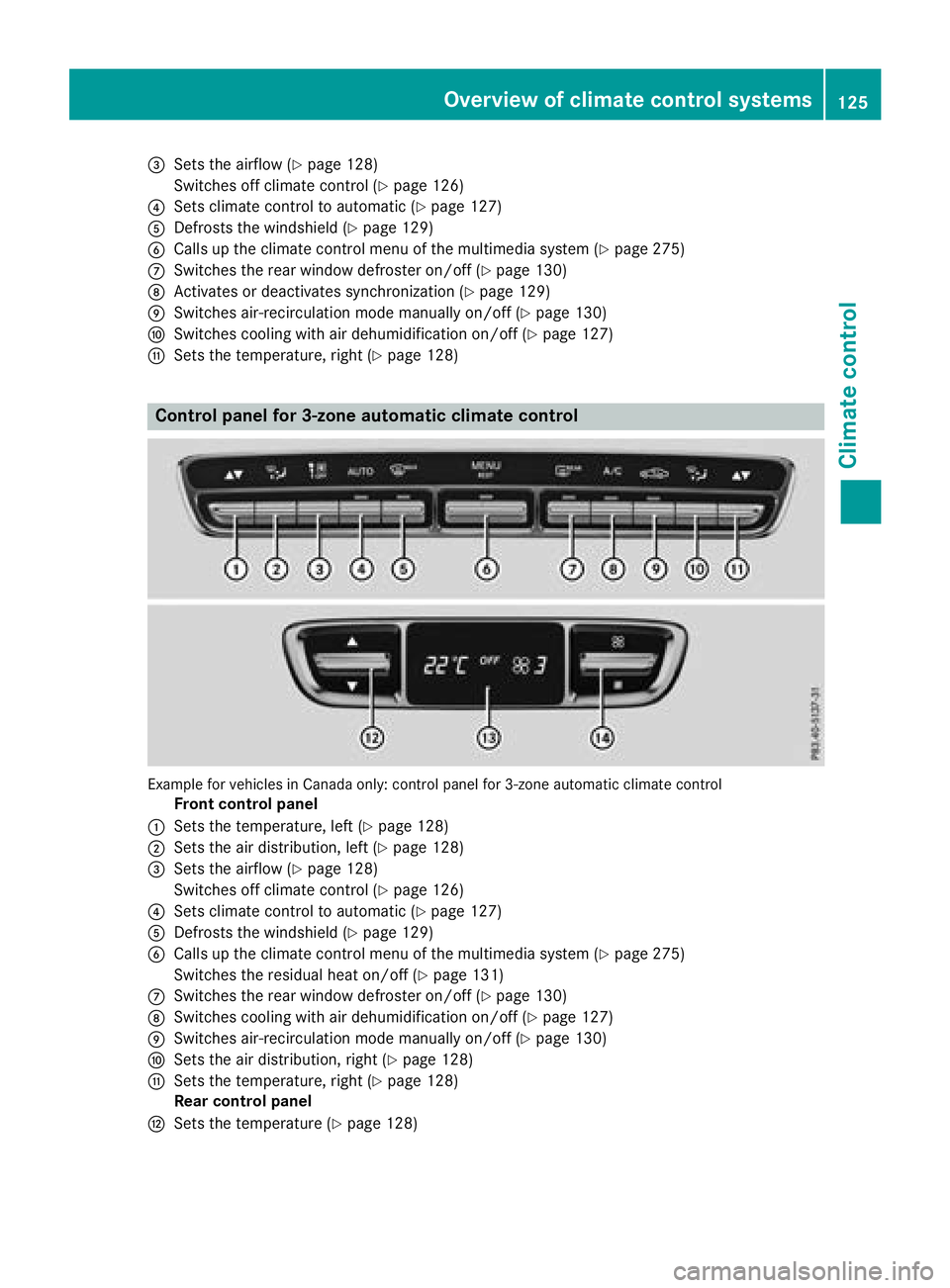
=Sets the airflow (Ypage 128)
Switches off climate control (
Ypage 126)
?Sets climate control to automatic (Ypage 127)
ADefrosts the windshield (Ypage 129)
BCalls up the climate control menu of the multimedia system (Ypage 275)
CSwitches the rear window defroster on/off (Ypage 130)
DActivates or deactivates synchronization (Ypage 129)
ESwitches air-recirculation mode manually on/off (Ypage 130)
FSwitches cooling with air dehumidification on/off (Ypage 127)
GSets the temperature, right (Ypage 128)
Control panel for 3-zone automatic climate control
Example for vehicles in Canada only: control panel for 3-zone automatic climate control
Front control panel
:Sets the temperature, left (Ypage 128)
;Sets the air distribution, left (Ypage 128)
=Sets the airflow (Ypage 128)
Switches off climate control (
Ypage 126)
?Sets climate control to automatic (Ypage 127)
ADefrosts the windshield (Ypage 129)
BCalls up the climate control menu of the multimedia system (Ypage 275)
Switches the residual heat on/off (
Ypage 131)
CSwitches the rear window defroster on/off (Ypage 130)
DSwitches cooling with air dehumidification on/off (Ypage 127)
ESwitches air-recirculation mode manually on/off (Ypage 130)
FSets the air distribution, right (Ypage 128)
GSets the temperature, right (Ypage 128)
Rear control panel
HSets the temperature (Ypage 128)
Overview of climate control systems125
Climate control
Page 128 of 370
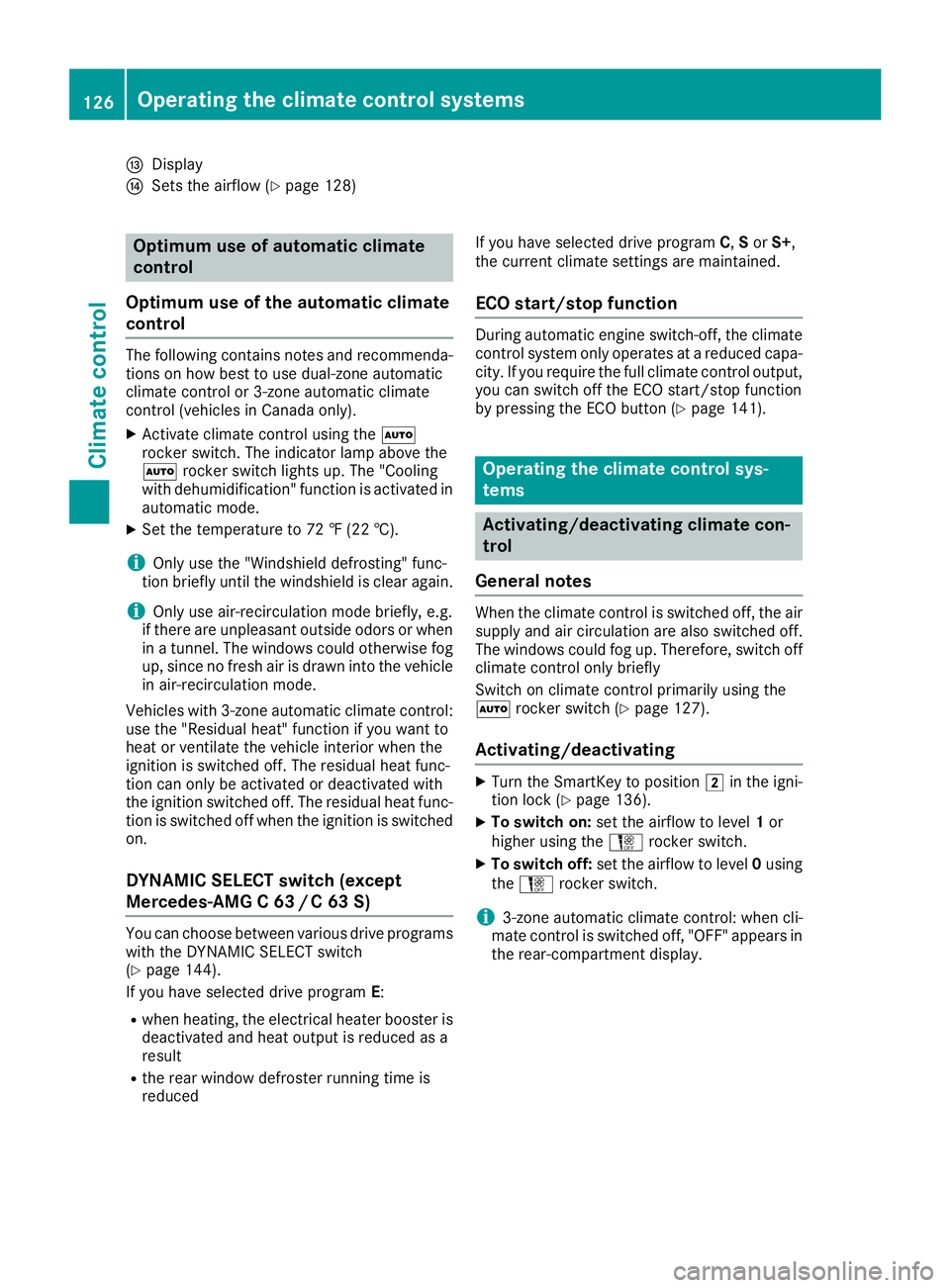
IDisplay
JSets the airflow (Ypage 128)
Optimum use of automatic climate
control
Optimum use of the automatic climate
control
The following contains notes and recommenda-
tions on how best to use dual-zone automatic
climate control or 3-zone automatic climate
control (vehicles in Canada only).
XActivate climate control using the Ã
rocker switch. The indicator lamp above the
à rocker switch lights up. The "Cooling
with dehumidification" function is activated in
automatic mode.
XSet the temperature to 72 ‡ (22 †).
iOnly use the "Windshield defrosting" func-
tion briefly until the windshield is clear again.
iOnly use air-recirculation mode briefly, e.g.
if there are unpleasant outside odors or when
in a tunnel. The windows could otherwise fog
up, since no fresh air is drawn into the vehicle in air-recirculation mode.
Vehicles with 3-zone automatic climate control:
use the "Residual heat" function if you want to
heat or ventilate the vehicle interior when the
ignition is switched off. The residual heat func-
tion can only be activated or deactivated with
the ignition switched off. The residual heat func-
tion is switched off when the ignition is switched on.
DYNAMIC SELECT switch (except
Mercedes-AMG C 63 /C63S)
You can choose between various drive programs
with the DYNAMIC SELECT switch
(
Ypage 144).
If you have selected drive program E:
Rwhen heating, the electrical heater booster is
deactivated and heat output is reduced as a
result
Rthe rear window defroster running time is
reduced If you have selected drive program
C,Sor S+,
the current climate settings are maintained.
ECO start/stop function
During automatic engine switch-off, the climate
control system only operates at a reduced capa-
city. If you require the full climate control output,
you can switch off the ECO start/stop function
by pressing the ECO button (
Ypage 141).
Operating the climate control sys-
tems
Activating/deactivating climate con-
trol
General notes
When the climate control is switched off, the air
supply and air circulation are also switched off.
The windows could fog up. Therefore, switch off
climate control only briefly
Switch on climate control primarily using the
à rocker switch (
Ypage 127).
Activating/deactivating
XTurn the SmartKey to position 2in the igni-
tion lock (Ypage 136).
XTo switch on: set the airflow to level 1or
higher using the Hrocker switch.
XTo switch off: set the airflow to level 0using
the H rocker switch.
i3-zone automatic climate control: when cli-
mate control is switched off, "OFF" appears in
the rear-compartment display.
126Operating the climate control systems
Climate control
Page 129 of 370
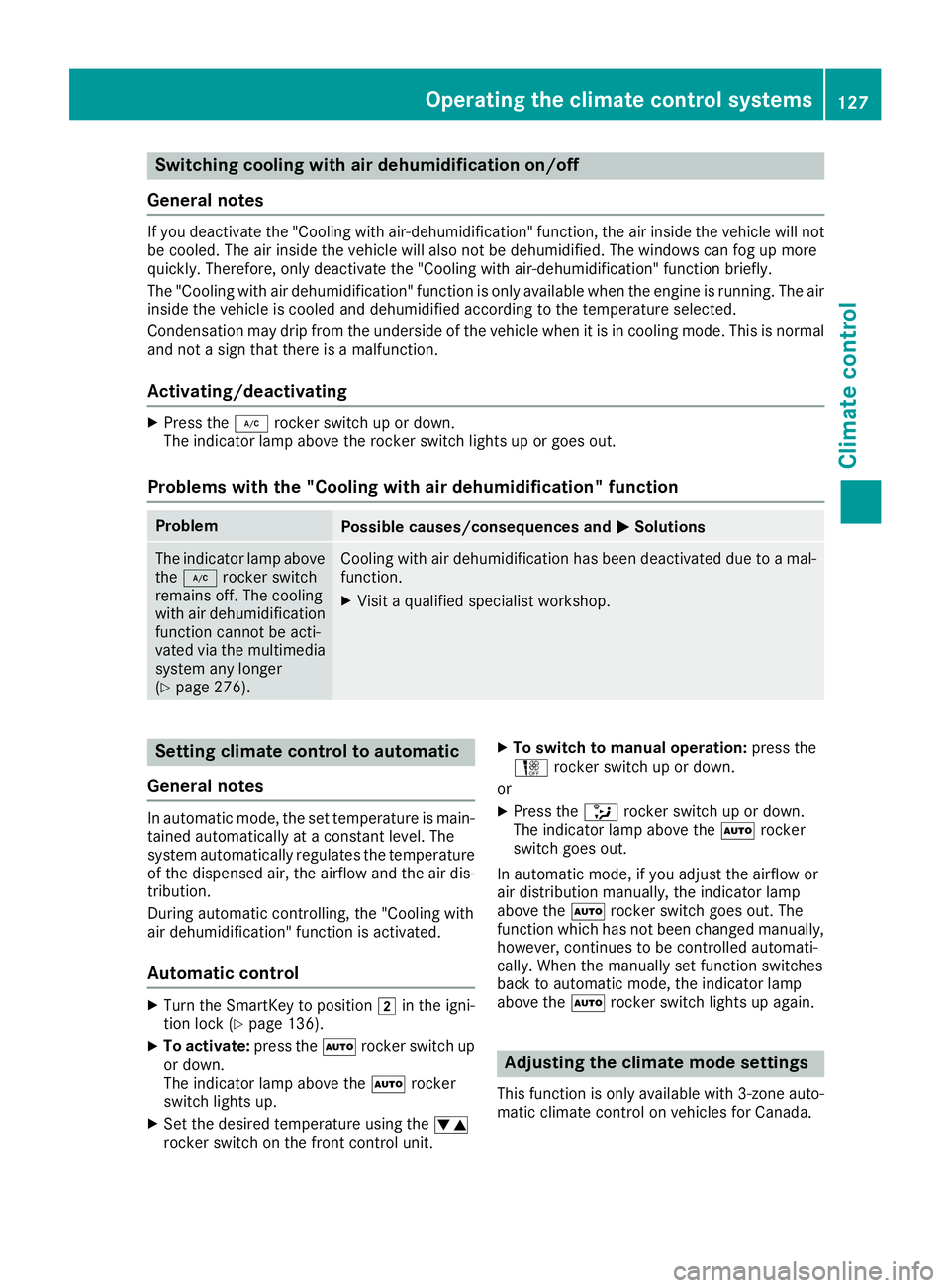
Switching cooling with air dehumidification on/off
General notes
If you deactivate the "Cooling with air-dehumidification" function, the air inside the vehicle will not
be cooled. The air inside the vehicle will also not be dehumidified. The windows can fog up more
quickly. Therefore, only deactivate the "Cooling with air-dehumidification" function briefly.
The "Cooling with air dehumidification" function is only available when the engine is running. The air
inside the vehicle is cooled and dehumidified according to the temperature selected.
Condensation may drip from the underside of the vehicle when it is in cooling mode. This is normal
and not a sign that there is a malfunction.
Activating/deactivating
XPress the ¿rocker switch up or down.
The indicator lamp above the rocker switch lights up or goes out.
Problems with the "Cooling with air dehumidification" function
ProblemPossible causes/consequences and MSolutions
The indicator lamp above
the¿ rocker switch
remains off. The cooling
with air dehumidification
function cannot be acti-
vated via the multimedia
system any longer
(
Ypage 276).
Cooling with air dehumidification has been deactivated due to a mal-
function.
XVisit a qualified specialist workshop.
Setting climate control to automatic
General notes
In automatic mode, the set temperature is main-
tained automatically at a constant level. The
system automatically regulates the temperature
of the dispensed air, the airflow and the air dis-
tribution.
During automatic controlling, the "Cooling with
air dehumidification" function is activated.
Automatic control
XTurn the SmartKey to position 2in the igni-
tion lock (Ypage 136).
XTo activate: press theÃrocker switch up
or down.
The indicator lamp above the Ãrocker
switch lights up.
XSet the desired temperature using the w
rocker switch on the front control unit.
XTo switch to manual operation: press the
H rocker switch up or down.
or
XPress the _rocker switch up or down.
The indicator lamp above the Ãrocker
switch goes out.
In automatic mode, if you adjust the airflow or
air distribution manually, the indicator lamp
above the Ãrocker switch goes out. The
function which has not been changed manually,
however, continues to be controlled automati-
cally. When the manually set function switches
back to automatic mode, the indicator lamp
above the Ãrocker switch lights up again.
Adjusting the climate mode settings
This function is only available with 3-zone auto-
matic climate control on vehicles for Canada.
Operating the climate control systems127
Climate control
Page 131 of 370
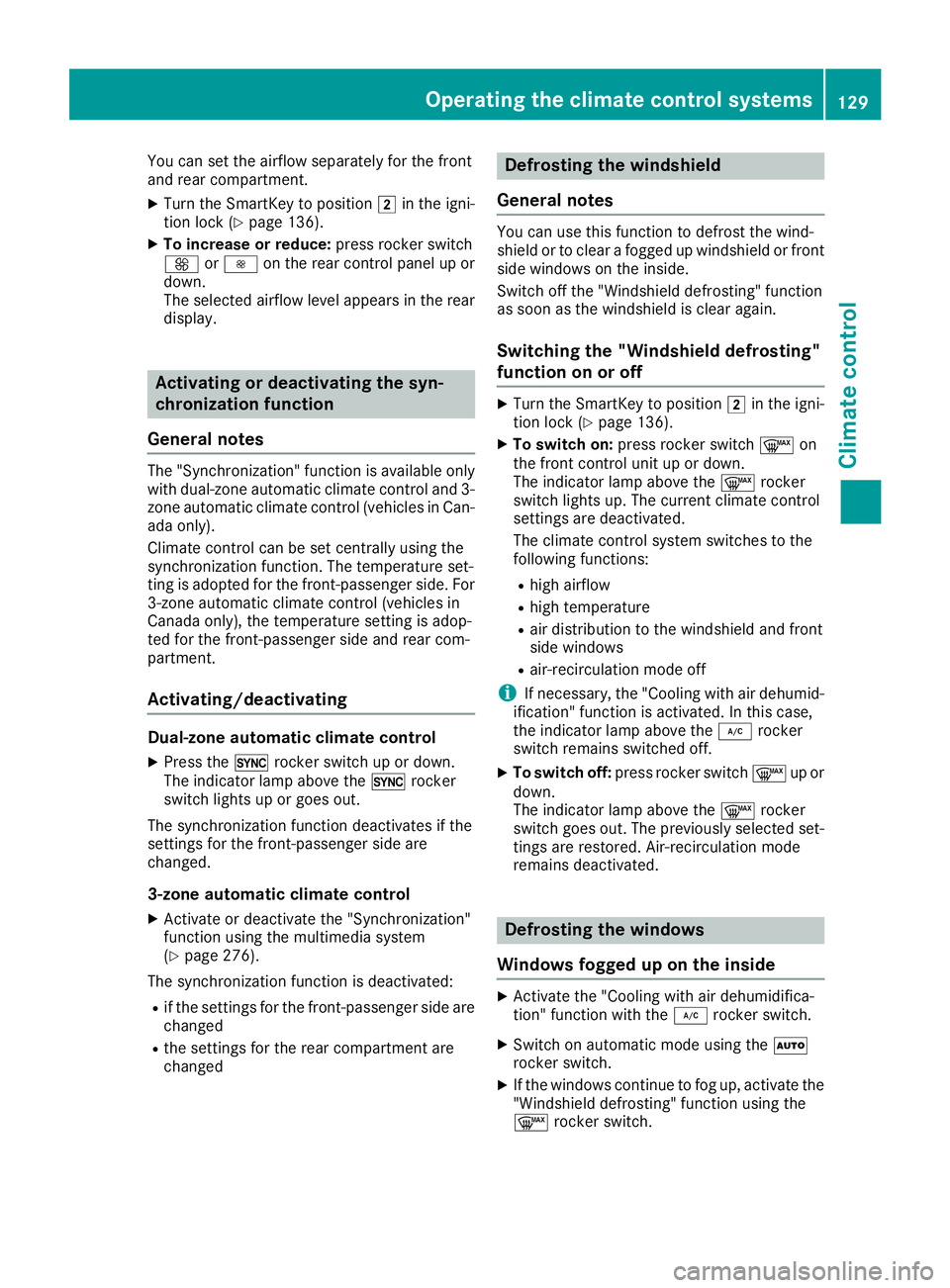
You can set the airflow separately for the front
and rear compartment.
XTurn the SmartKey to position2in the igni-
tion lock (Ypage 136).
XTo increase or reduce: press rocker switch
K orI on the rear control panel up or
down.
The selected airflow level appears in the rear
display.
Activating or deactivating the syn-
chronization function
General notes
The "Synchronization" function is available only
with dual-zone automatic climate control and 3-
zone automatic climate control (vehicles in Can-
ada only).
Climate control can be set centrally using the
synchronization function. The temperature set-
ting is adopted for the front-passenger side. For
3-zone automatic climate control (vehicles in
Canada only), the temperature setting is adop-
ted for the front-passenger side and rear com-
partment.
Activating/deactivating
Dual-zone automatic climate control
XPress the 0rocker switch up or down.
The indicator lamp above the 0rocker
switch lights up or goes out.
The synchronization function deactivates if the
settings for the front-passenger side are
changed.
3-zone automatic climate control
XActivate or deactivate the "Synchronization"
function using the multimedia system
(
Ypage 276).
The synchronization function is deactivated:
Rif the settings for the front-passenger side are
changed
Rthe settings for the rear compartment are
changed
Defrosting the windshield
General notes
You can use this function to defrost the wind-
shield or to clear a fogged up windshield or front
side windows on the inside.
Switch off the "Windshield defrosting" function
as soon as the windshield is clear again.
Switching the "Windshield defrosting"
function on or off
XTurn the SmartKey to position 2in the igni-
tion lock (Ypage 136).
XTo switch on: press rocker switch ¬on
the front control unit up or down.
The indicator lamp above the ¬rocker
switch lights up. The current climate control
settings are deactivated.
The climate control system switches to the
following functions:
Rhigh airflow
Rhigh temperature
Rair distribution to the windshield and front
side windows
Rair-recirculation mode off
iIf necessary, the "Cooling with air dehumid-
ification" function is activated. In this case,
the indicator lamp above the ¿rocker
switch remains switched off.
XTo switch off: press rocker switch ¬up or
down.
The indicator lamp above the ¬rocker
switch goes out. The previously selected set-
tings are restored. Air-recirculation mode
remains deactivated.
Defrosting the windows
Windows fogged up on the inside
XActivate the "Cooling with air dehumidifica-
tion" function with the ¿rocker switch.
XSwitch on automatic mode using the Ã
rocker switch.
XIf the windows continue to fog up, activate the "Windshield defrosting" function using the
¬ rocker switch.
Operating the climate control systems129
Climate control
Page 133 of 370
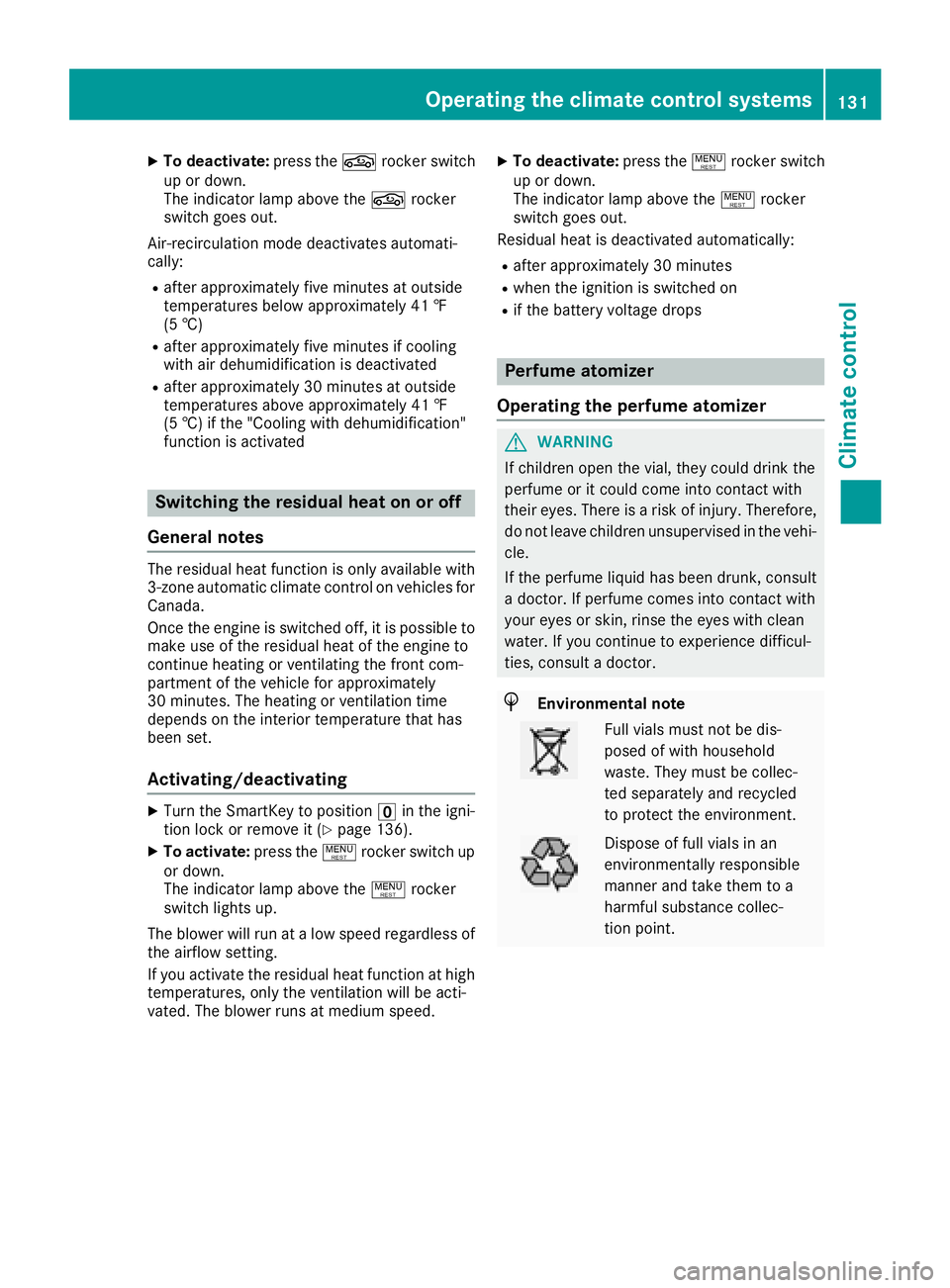
XTo deactivate:press thegrocker switch
up or down.
The indicator lamp above the grocker
switch goes out.
Air-recirculation mode deactivates automati-
cally:
Rafter approximately five minutes at outside
temperatures below approximately 41 ‡
(5 †)
Rafter approximately five minutes if cooling
with air dehumidification is deactivated
Rafter approximately 30 minutes at outside
temperatures above approximately 41 ‡
(5 †) if the "Cooling with dehumidification"
function is activated
Switching the residual heat on or off
General notes
The residual heat function is only available with
3-zone automatic climate control on vehicles for
Canada.
Once the engine is switched off, it is possible to
make use of the residual heat of the engine to
continue heating or ventilating the front com-
partment of the vehicle for approximately
30 minute s. Theheatin gor ventilation time
depends on the interior temperature that has
been set.
Activating/deactivating
XTurn the SmartKey to position uin the igni-
tion lock or remove it (Ypage 136).
XTo activate: press the!rocker switch up
or down.
The indicator lamp above the !rocker
switch lights up.
The blower will run at a low speed regardless of
the airflow setting.
If you activate the residual heat function at high
temperatures, only the ventilation will be acti-
vated. The blower runs at medium speed.
XTo deactivate: press the!rocker switch
up or down.
The indicator lamp above the !rocker
switch goes out.
Residual heat is deactivated automatically:
Rafter approximately 30 minutes
Rwhen the ignition is switched on
Rif the battery voltage drops
Perfume atomizer
Operating the perfume atomizer
GWARNING
If children open the vial, they could drink the
perfume or it could come into contact with
their eyes. There is a risk of injury. Therefore,
do not leave children unsupervised in the vehi-
cle.
If the perfume liquid has been drunk, consult
a doctor. If perfume comes into contact with
your eyes or skin, rinse the eyes with clean
water. If you continue to experience difficul-
ties, consult a doctor.
HEnvironmental note
Full vials must not be dis-
posed of with household
waste. They must be collec-
ted separately and recycled
to protect the environment.
Dispose of full vials in an
environmentally responsible
manner and take them to a
harmful substance collec-
tion point.
Operating the climate control systems131
Climate control
Z
Page 245 of 370
Engine
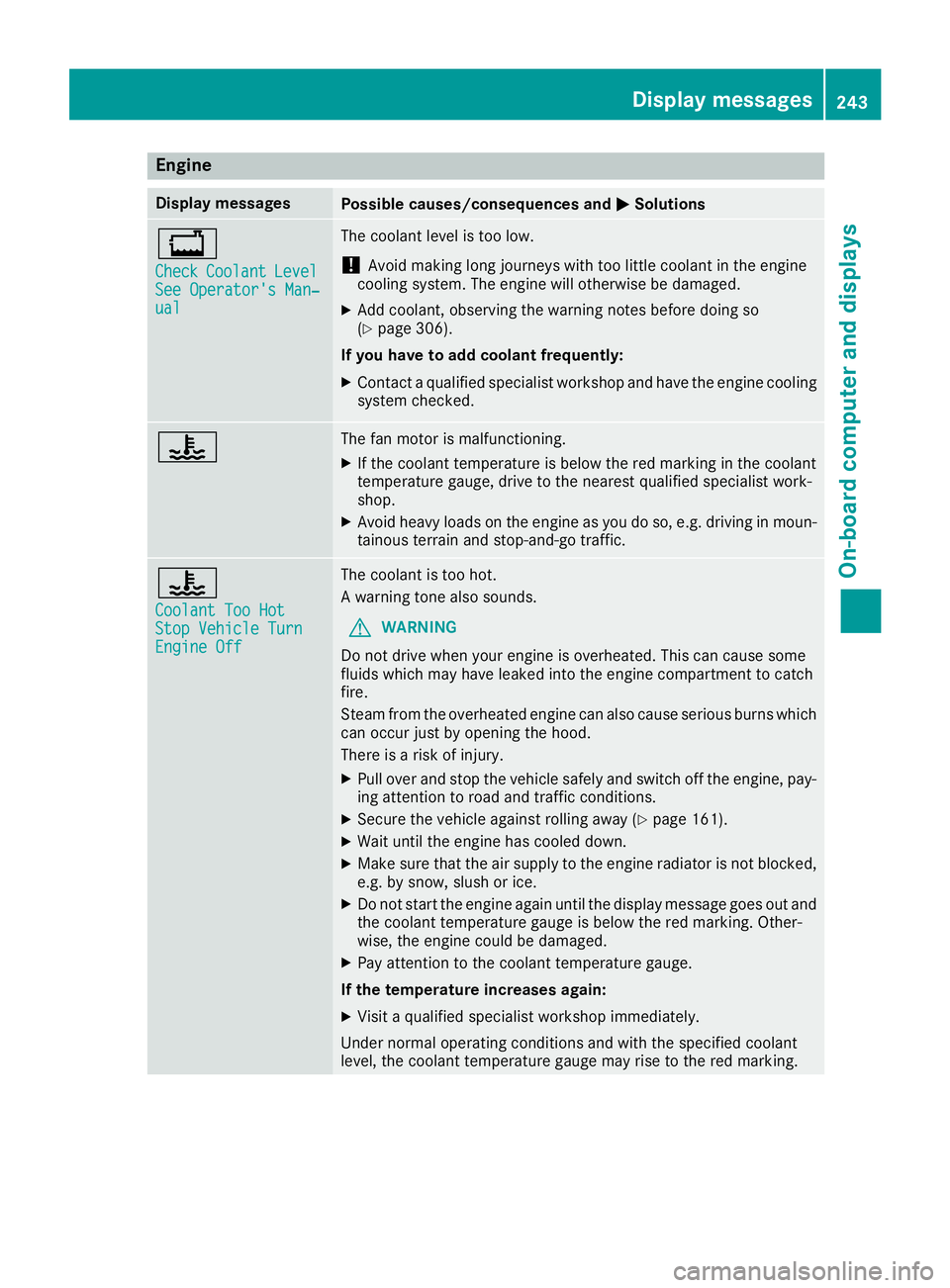
Display messagesPossible causes/consequences andMSolutions
+
CheckCoolantLevelSee Operator's Man‐ual
The coolant level is too low.
!Avoid making long journeys with too little coolant in the engine
cooling system. The engine will otherwise be damaged.
XAdd coolant, observing the warning notes before doing so
(Ypage 306).
If you have to add coolant frequently:
XContact a qualified specialist workshop and have the engine cooling
system checked.
?The fan motor is malfunctioning.
XIf the coolant temperature is below the red marking in the coolant
temperature gauge, drive to the nearest qualified specialist work-
shop.
XAvoid heavy loads on the engine as you do so, e.g. driving in moun-
tainous terrain and stop-and-go traffic.
?
Coolant Too HotStop Vehicle TurnEngine Off
The coolant is too hot.
A warning tone also sounds.
GWARNING
Do not drive when your engine is overheated. This can cause some
fluids which may have leaked into the engine compartment to catch
fire.
Steam from the overheated engine can also cause serious burns which
can occur just by opening the hood.
There is a risk of injury.
XPull over and stop the vehicle safely and switch off the engine, pay- ing attention to road and traffic conditions.
XSecure the vehicle against rolling away (Ypage 161).
XWait until the engine has cooled down.
XMake sure that the air supply to the engine radiator is not blocked,
e.g. by snow, slush or ice.
XDo not start the engine again until the display message goes out and
the coolant temperature gauge is below the red marking. Other-
wise, the engine could be damaged.
XPay attention to the coolant temperature gauge.
If the temperature increases again:
XVisit a qualified specialist workshop immediately.
Under normal operating conditions and with the specified coolant
level, the coolant temperature gauge may rise to the red marking.
Display messages243
On-board computer and displays
Z