ECU MERCEDES-BENZ C-CLASS CABRIOLET 2018 Workshop Manual
[x] Cancel search | Manufacturer: MERCEDES-BENZ, Model Year: 2018, Model line: C-CLASS CABRIOLET, Model: MERCEDES-BENZ C-CLASS CABRIOLET 2018Pages: 589, PDF Size: 10.55 MB
Page 248 of 589
0007
Remo vethe co ver from the ball head and
st ore it in a safe place.
Make sure that the ball on the ball neck is clean.
Check that it is either greased or dr y (grease-
free), depending on the instructions forthe
traile r.
Fo lding the ball neck in 0007
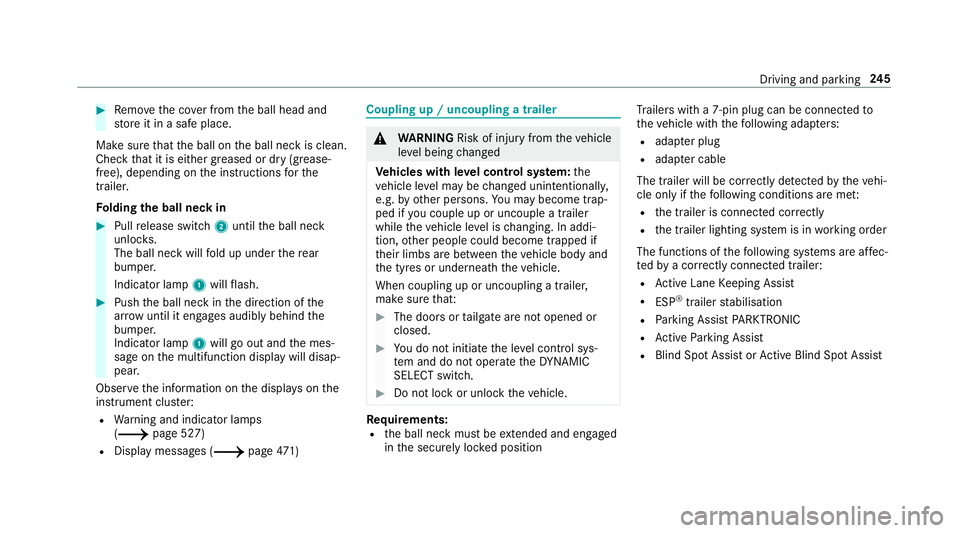
Pull release switch 2until the ball neck
unloc ks.
The ball neck will fold up under there ar
bumper.
Indicator lamp 1will flash. 0007
Push the ball neck in the direction of the
ar row until it en gage s audibly behind the
bumper.
Indicator lamp 1will go out and the mes‐
sage on the multifunction display will disap‐
pear.
Obser vethe information on the displa yson the
instrument clus ter:
R Warning and indicator lamps
(0013 page 527)
R Display messages (0013 page471) Cou
pling up / uncoupling a trailer 000A
WARNING Risk of inju ryfrom theve hicle
le ve l being changed
Ve hicles with le vel control sy stem: the
ve hicle le vel may be changed unin tentional ly,
e.g. by ot her persons. You may become trap‐
ped if you couple up or uncouple a trailer
while theve hicle le vel is changing. In addi‐
tion, other people could become trapped if
th eir limbs are between theve hicle body and
th e tyres or underneath theve hicle.
When coupling up or uncoupling a trailer,
make sure that: 0007
The doors or tailgate are not opened or
closed. 0007
You do not initiate the le vel control sys‐
te m and do not operate theDY NA MIC
SELECT switch. 0007
Do not lock or unlock theve hicle. Re
quirements:
R the ball neck must be extended and engaged
in the securely loc ked position Tr
ailers with a 7-pin plug can be connec tedto
th eve hicle with thefo llowing adap ters:
R adap ter plug
R adapte r cable
The trailer will be cor rectly de tected bytheve hi‐
cle only if thefo llowing conditions are me t:
R the trailer is connected cor rectly
R the trailer lighting sy stem is in working order
The functions of thefo llowing sy stems are af fec‐
te dby a cor rectly connected traile r:
R Active Lane Keeping Assist
R ESP ®
trailer stabilisation
R Parking Assist PARKTRONIC
R Active Parking Assist
R Blind Spot Assist or Active Blind Spot Assi st Driving and pa
rking 245
Page 249 of 589
Coupling up a trailer
000E NO
TEDama getotheve hicle battery due
to full discharge Charging
the trailer battery using the po wer
supply of the trailer can damage theve hicle
batter y. 0007
Do not use theve hicle's po wer supply
to charge the trailer batter y.0007
Remo vethe co ver from the ball head and
st ore it in a safe place (0013 page114). 0007
Position the trailer on a le vel sur face behind
th eve hicle and couple it up totheve hicle. 0007
Open the soc ket cap. 0007
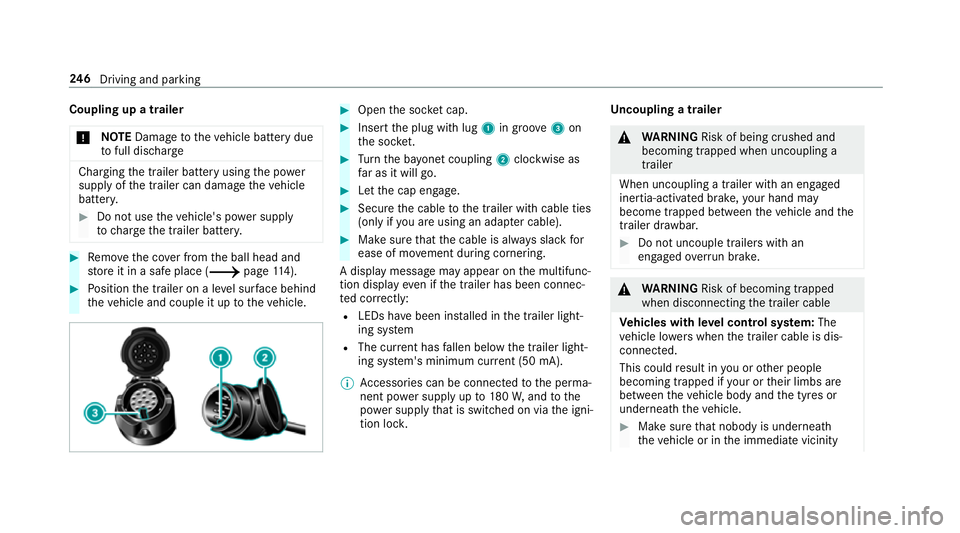
Inse rtthe plug with lug 1in groo ve3 on
th e soc ket. 0007
Turn the ba yonet coupling 2clockwise as
fa r as it will go. 0007
Let the cap engage. 0007
Secure the cable tothe trailer with cable ties
(only if you are using an adap ter cable). 0007
Make sure that the cable is alw ays slack for
ease of mo vement during cornering.
A display messa gemay appear on the multifunc‐
tion display even if the trailer has been connec‐
te d cor rectly:
R LEDs ha vebeen ins talled in the trailer light‐
ing sy stem
R The cur rent has fallen below the trailer light‐
ing sy stem's minimum cur rent (50 mA).
0009 Accessories can be connected tothe perma‐
nent po wer supp lyup to180W, and tothe
po we r supp lythat is swit ched on via the igni‐
tion loc k. Un
coupling a trailer 000A
WARNING Risk of being crushed and
becoming trapped when uncoupling a
trailer
When uncoupling a trailer wi than engaged
ine rtia-activated brake, your hand may
become trapped between theve hicle and the
trailer dr awbar. 0007
Do not uncouple trailers with an
engaged overrun brake. 000A
WARNING Risk of becoming trapped
when disconnecting the trailer cable
Ve hicles with le vel control sy stem: The
ve hicle lo werswhen the trailer cable is dis‐
connected.
This could result in you or other people
becoming trapped if your or their limbs are
between theve hicle body and the tyres or
underneath theve hicle. 0007
Make sure that nobody is unde rneath
th eve hicle or in the immediate vicinity 246
Driving and pa rking
Page 250 of 589

of
the wheel ar ches when you discon‐
nect the trailer cable. 0007
Secure the trailer against rolling away. 0007
Disconnect the electrical connection
between theve hicle and the trailer. 0007
Uncouple the trailer. 0007
Place the co ver on the ball head. Bicycle
rackfunction 000A
WARNING Risk of an accident when
using the bicycle rack incor rectly
The bicycle rack may become de tach ed from
th eve hicle in thefo llowing cases:
R the permissible load capacity of the
trailer hitch is exceeded.
R the bicycle rack is used incor rectl y.
R the bicycle rack is secured tothe ball
neck beneath the ball head. Obser
vethefo llowing foryo ur ow n sa fety
and that of other road users: 0007
always adhere tothe permissible load
capacity of the trailer hitch. 0007
only use the bicycle rack totranspo rt
bicycles. 0007
always proper lysecure the bicycle rack
by attaching it tothe ball head. 0007
only use bicycle rack s appr ovedby
Mercedes-Benz. 0007
always obser vethe bicycle rack operat‐
ing instructions. 000E
NO
TEDama geto, or cra cks on, the
trailer hitch due tounsuitable bic ycle
ra ck s or bicycle rack s being used incor‐
re ctly 0007
use only bicycle rack s appr ovedby
Mercedes-Benz. Depending on
the bicycle rack 's design, up to
th re e bicycles can be transpor ted on the bicycle
ra ck.
When mounted byattaching toball head 1,the
maximum load capacity is 75kg.
The load capacity is calculated from thewe ight
of the bicycle rack and the bicycle rack load. Driving and parking
247
Page 251 of 589
The
vehicle's driving characteristics will change
when a bicycle rack isfitted:
R The vehicle will be heavier.
R Acceleration and slope-climbing ability will
be restricted.
R Braking di stances will be lon ger.
This may impair theve hicle's driving characteris‐
tics. Adapt your driving style accordingly. Drive
carefully and maintain a safe dis tance.
When using a bicycle rack , set the tyre pressure
fo r maximum load on there ar axle of theve hicle.
Fu rther information on the tyre pressure can be
fo und in the tyre pressure table
(0013 page 433).
Note s on loading
The lar gerth e dis tance between the load's
cent reof gr avity and the ball head, the greater
th e load on the trailer hitch.
Therefore, obser vethefo llowing no tes:
R mount heavy bicycles as close totheve hicle
as possible R
always distribute the load on the bicycle rack
as evenly as possible across theve hicle's
longitudinal axis
Mercedes-Benz recommends removing all
de tach able parts from bicycles, e.g. bask ets,
ch ild seats or rech arge able bat teries, before
loading them onto the bicycle rack . This will
impr ovethe aerodynamic resis tance and centre
of gr avity of the bicycle rack.
Alw ays secure the bicycles topreve ntthem from
moving around and check that they are secure at
re gular inter vals.
Do not use tarp aulins or other co vers. The driv‐
ing characteristics and rear view may be
impaired. In addition, the aerodynamic resist‐
ance and the load on the trailer hitch will
increase. Distribution of
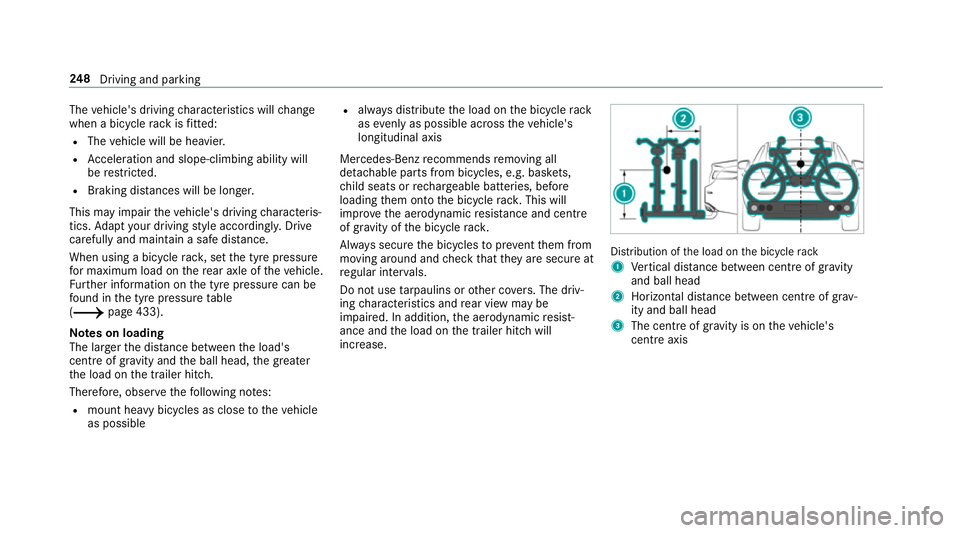
the load on the bicycle rack
1 Vertical dis tance between centre of gr avity
and ball head
2 Horizon tal dis tance between centre of gr av‐
ity and ball head
3 The centre of gr avity is on theve hicle's
centre axis 248
Driving and pa rking
Page 254 of 589
R
Speed limiter (0013 page 196)
R Active Dis tance Assi stDISTRONIC
(0013 page 199)
000E NO
TEEngine dama gedue toexc essively
high engine speeds The engine will be damaged if
you drive with
th e engine in theov errevving range. 0007
Do not drive wi th the engine in theove r‐
re vving range. The fuel supply is inter
rupted toprotect the
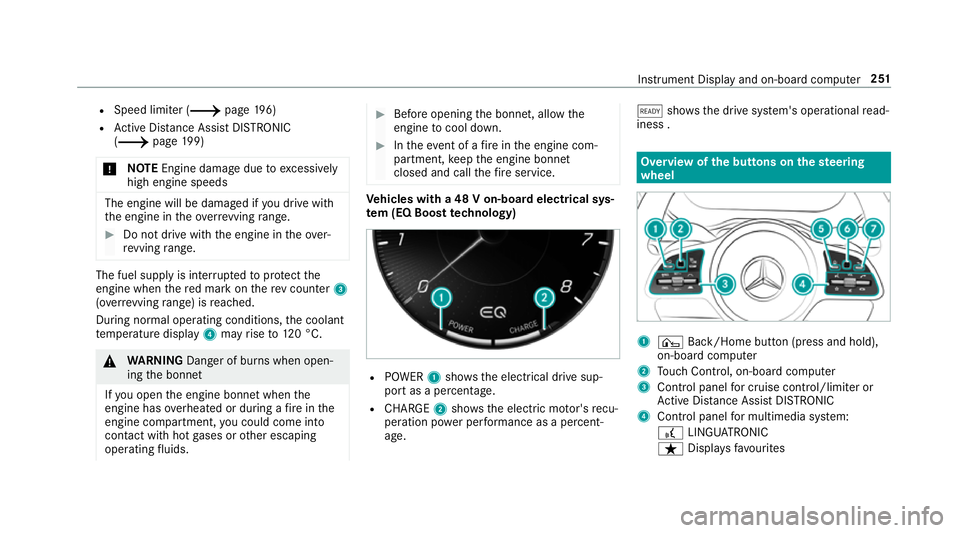
engine when there d mark on there v counter 3
(o ve rrev ving range) is reached.
During no rmal operating conditions, the coolant
te mp erature display 4may rise to120 °C. 000A
WARNING Danger of bu rns when open‐
ing the bonn et
If yo u open the engine bonn etwhen the
engine has overheated or during a fire inthe
engine compartment, you could come into
contact with hot gases or other escaping
operating fluids. 0007
Before opening the bonn et, allow the
engine tocool down. 0007
Intheeve nt of a fire inthe engine com‐
partment, keep the engine bonn et
closed and call thefire service. Ve
hicles with a 48 V on-board electrical sys‐
te m (EQ Boo sttech nology) R
POWER 1shows th e electrical drive sup‐
port as a percentage.
R CHARGE 2showsthe electric mo tor's recu‐
peration po wer per form ance as a percent‐
age. 00D0
showsthe drive sy stem's operational read‐
iness . Overview of
the but tons on thest eering
wheel 1
¤ Back/Home button (press and hold),
on-board computer
2 Touch Control, on-board co mputer
3 Control panel for cruise control/limiter or
Ac tive Dis tance Assi stDISTRONIC
4 Control panel for multimedia sy stem:
£ LINGU ATRO NIC
ß Displa ysfavo urites In
stru ment Display and on-board computer 251
Page 293 of 589
Wi
-Fi Wi
-Fi connection overview
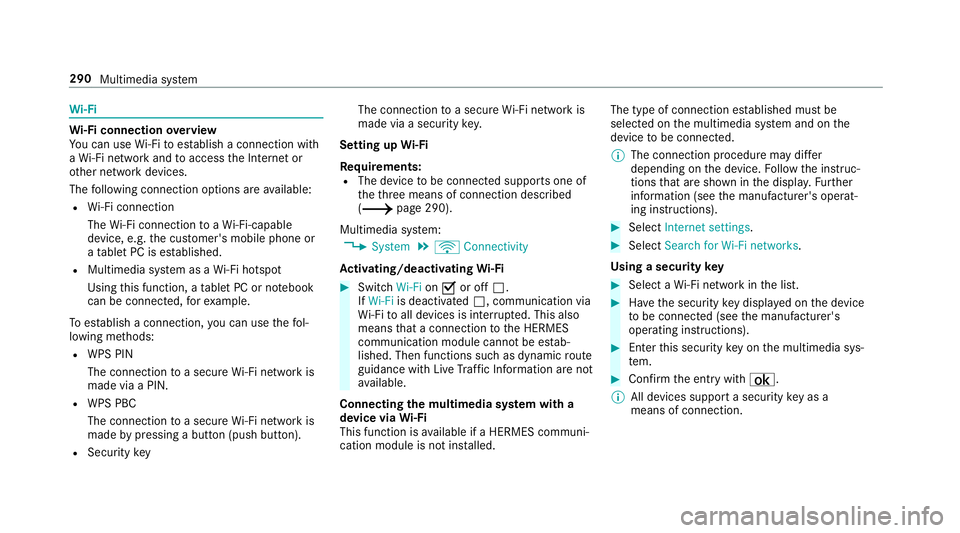
Yo u can use Wi-Fi toestablish a connection with
a Wi -Fi network and toaccess the Internet or
ot her network devices.
The following connection options are available:
R Wi-Fi connection
The Wi-Fi connection toaWi -Fi-capable
device, e.g. the cus tomer's mobile phone or
a ta blet PC is es tablished.
R Multimedia sy stem as a Wi-Fi hotspot
Using this function, a tablet PC or no tebook
can be connec ted, forex ample.
To establish a connection, you can use thefo l‐
lowing me thods:
R WPS PIN
The connection toa secure Wi-Fi network is
made via a PIN.
R WPS PBC
The connection toa secure Wi-Fi network is
made bypressing a button (push button).
R Security key The connection
toa secure Wi-Fi network is
made via a secu rity key.
Setting up Wi-Fi
Requ irements:
R The device tobe connec ted supports one of
th eth re e means of connection described
(0013 page 290).
Multimedia sy stem:
0018 System 0019
ö Connectivity
Ac tivating/deactivating Wi-Fi 0007
Switch Wi-Fion0073 or off 0053.
If Wi-Fi is deactivated 0053, communication via
Wi -Fi toall devices is inter rupte d. This also
means that a connection tothe HERMES
communication module cann otbe es tab‐
lished. Then functions such as dynamic route
guidance with Live Traf fic Information are not
av ailable.
Connecting the multimedia sy stem with a
device via Wi-Fi
This function is available if a HERMES communi‐
cation module is not ins talled. The type of connection es
tablished must be
selected on the multimedia sy stem and on the
device tobe connec ted.
0009 The connection procedure may dif fer
depending on the device. Follow the instruc‐
tions that are shown in the displa y.Fu rther
information (see the manufacturer's operat‐
ing instructions). 0007
Select Internet settings . 0007
Select Search for Wi-Fi networks.
Using a security key 0007
Select a Wi-Fi network in the list. 0007
Have the security key displa yed on the device
to be connec ted (see the manufacturer's
operating instructions). 0007
Ente rth is security key on the multimedia sys‐
te m. 0007
Confirm the entry with¡.
0009 All devices support a security key as a
means of connection. 290
Multimedia sy stem
Page 295 of 589
Connecting using a security
key0007
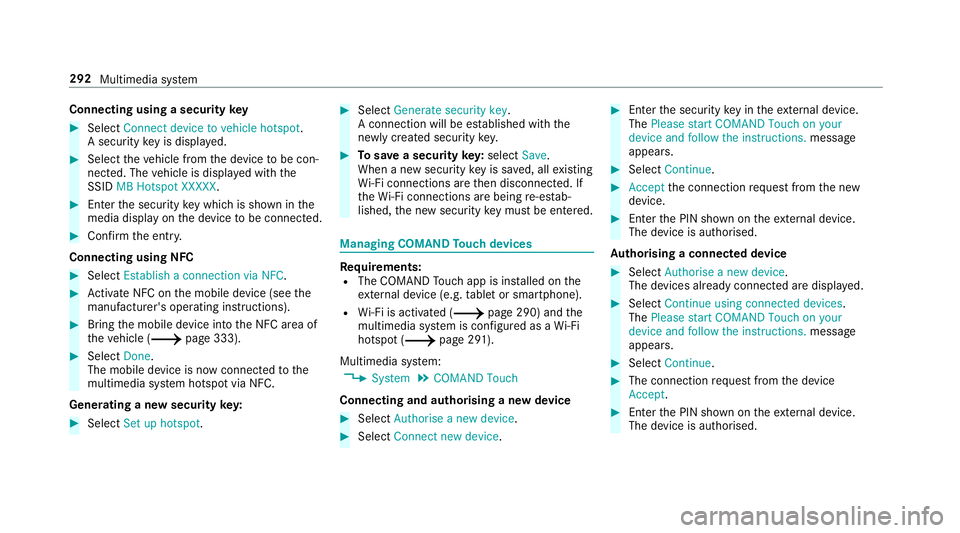
Select Connect device to vehicle hotspot .
A secu rity key is displa yed. 0007
Select theve hicle from the device tobe con‐
nec ted. The vehicle is displa yed with the
SSID MB Hotspot XXXXX .0007
Enter the security key which is shown in the
media display on the device tobe connec ted. 0007
Confirm the entry.
Connecting using NFC 0007
Select Establish a connection via NFC. 0007
Activate NFC on the mobile device (see the
manufacturer's operating instructions). 0007
Bring the mobile device into the NFC area of
th eve hicle (0013 page 333). 0007
Select Done.
The mobile device is now connected tothe
multimedia sy stem hotspot via NFC.
Generating a new security key: 0007
Select Set up hotspot . 0007
Select Generate security key .
A connection will be es tablished with the
newly crea ted security key. 0007
Tosave a security key:select Save.
When a new security key is sa ved, all existing
Wi -Fi connections are then disconnected. If
th eWi -Fi connections are being re-es tab‐
lished, the new security key must be en tere d. Managing COMAND
Touch devices Re
quirements:
R The COMAND Touch app is ins talled on the
ex tern al device (e.g. tablet or smartphone).
R Wi-Fi is acti vated (0013 page 290) and the
multimedia sy stem is confi gured as a Wi-Fi
hotspot (0013 page 291).
Multimedia sy stem:
0018 System 0019
COMAND Touch
Connecting and authorising a new device 0007
Select Authorise a new device. 0007
Select Connect new device. 0007
Ente rth e security key in theex tern al device.
The Please start COMAND Touch on your
device and follow the instructions. message
appears. 0007
Select Continue. 0007
Accept the connection requ est from the new
device. 0007
Ente rth e PIN shown on theex tern al device.
The device is authorised.
Au thorising a connected device 0007
Select Authorise a new device.
The devices already connec ted are displa yed. 0007
Select Continue using connected devices.
The Please start COMAND Touch on your
device and follow the instructions. message
appears. 0007
Select Continue. 0007
The connection requ est from the device
Accept. 0007
Ente rth e PIN shown on theex tern al device.
The device is authorised. 292
Multimedia sy stem
Page 300 of 589
multimedia sy
stem, the Mercedes me connect
services and your vehicle's communication mod‐
ule. These will con veniently be sent to you via
th e mobile phone connection in your vehicle
and, as an option, ins talled automaticall y.Yo u
can moni torth est atus of your updates on the
Mercedes me por tal and find information about
po tential inno vations.
Yo ur advantages at a glance:
R con veniently recei vesoftware update s via
th e mobile phone network
R impr ovesth equ ality and availability of
Mercedes me connect services
R keeps your multimedia sy stem and communi‐
cation module up-to-date
Fu rther information about software updates can
be found at http://me.mercedes-benz.com
Pe rforming a software upda te
Requ irements:
R There is an Internet connection
(0013 page 352). R
For automatic updates: your vehicle has a
permanently ins talled communication mod‐
ule.
Multimedia sy stem:
0018 System 0019
Software update
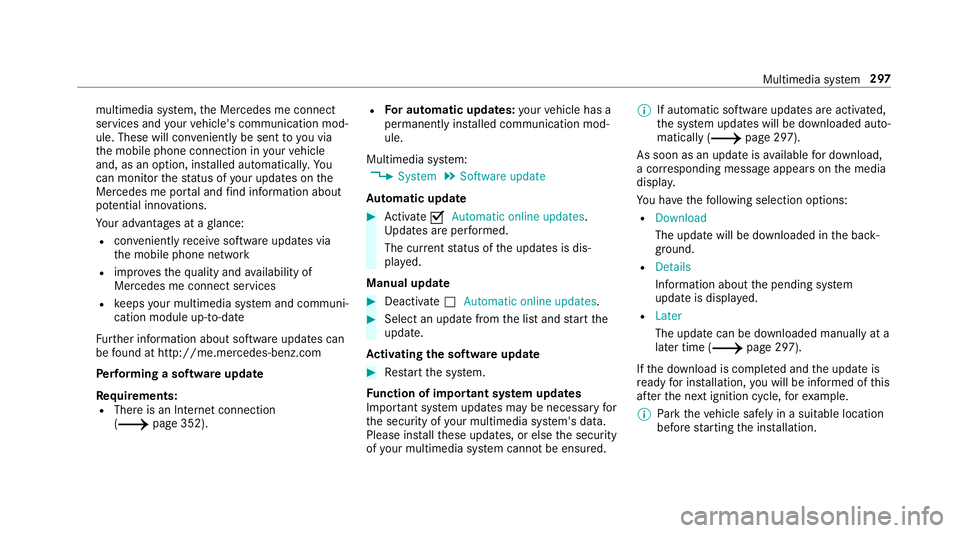
Au tomatic update 0007
Activate 0073Automatic online updates.
Up dates are per form ed.
The cur rent status of the updates is dis‐
pla yed.
Manual update 0007
Deactivate 0053Automatic online updates. 0007
Select an update from the list and start the
update.
Ac tivating the so ftwa reupdate 0007
Restart the sy stem.
Fu nction of important sy stem upda tes
Impor tant sy stem updates may be necessary for
th e security of your multimedia sy stem's data.
Please ins tallth ese updates, or else the security
of your multimedia sy stem cann otbe ensured. 0009
If automatic software updates are activated,
th e sy stem updates will be downloaded auto‐
matically (0013 page 297).
As soon as an update is available for download,
a cor responding message appears onthe media
displa y.
Yo u ha vethefo llowing selection options:
R Download
The update will be downloaded in the back‐
ground.
R Details
Information about the pending sy stem
update is displa yed.
R Later
The update can be downloaded manually at a
later time (0013 page 297).
If th e download is comple ted and the update is
re ady for ins tallation, you will be informed of this
af te rth e next ignition cycle, forex ample.
0009 Park theve hicle safely in a suitable location
before starting the ins tallation. Multimedia sy
stem 297
Page 334 of 589
Connecting a mobile phone (au
thorisation
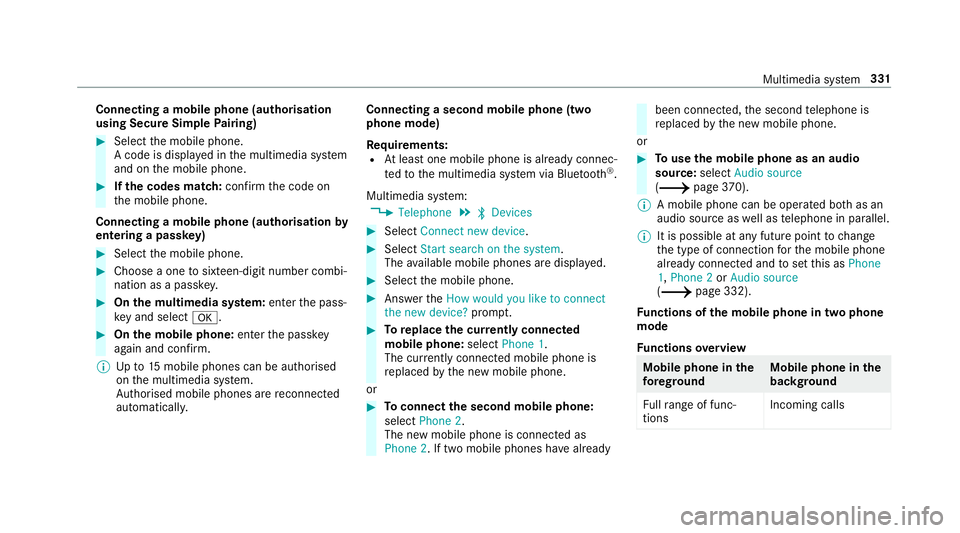
using Secure Simple Pairing) 0007
Select the mobile phone.
A code is displa yed in the multimedia sy stem
and on the mobile phone. 0007
Ifth e codes match: confirm the code on
th e mobile phone.
Connecting a mobile phone (authorisation by
entering a passk ey) 0007
Select the mobile phone. 0007
Choose a one tosixteen-digit number combi‐
nation as a passk ey. 0007
On the multimedia sy stem: enter the pass‐
ke y and select 0076. 0007
On the mobile phone: enterthe passk ey
again and con firm.
0009 Upto15 mobile phones can be auth orised
on the multimedia sy stem.
Auth orised mobile phones are reconnected
au tomatical ly. Connecting a second mobile phone (two
phone mode)
Re
quirements:
R Atleast one mobile phone is already connec‐
te dto the multimedia sy stem via Blue tooth ®
.
Multimedia sy stem:
0018 Telephone 0019
00A5 Devices 0007
Select Connect new device. 0007
Select Start search on the system .
The available mobile phones are displa yed. 0007
Select the mobile phone. 0007
Answer theHow would you like to connect
the new device? prompt. 0007
Toreplace the cur rently connected
mobile phone: selectPhone 1.
The cur rently connected mobile phone is
re placed bythe new mobile phone.
or 0007
Toconnect the second mobile phone:
select Phone 2.
The new mobile phone is connec ted as
Phone 2. If two mobile phones ha vealready been connec
ted, the second telephone is
re placed bythe new mobile phone.
or 0007
Touse the mobile phone as an audio
source: selectAudio source
(0013 page370).
0009 A mobile phone can be operated bo thas an
audio source as well as telephone in parallel.
0009 It is possible at any future point tochange
th e type of connection forth e mobile phone
already connected and toset this as Phone
1, Phone 2 orAudio source
(0013 page 332).
Fu nctions of the mobile phone in two phone
mode
Fu nctions overview Mobile phone in
the
fo re gr ound Mobile phone in
the
bac kground
Fu llra nge of func‐
tions Incoming calls Multimedia sy
stem 331
Page 349 of 589
This data is only transfer
red while the navigation
sy stem is active in order toimpr oveit (e.g. so it
can continue functioning when in a tunnel). Mercedes me connect
Note
s on Mercedes me connect
Mercedes me connect pr ovides thefo llowing
services:
R Accident and breakdown mana gement (me
button)
R Concierge Service (when the service is acti‐
va ted), appointment requests or similar (me
button)
R Mercedes-Benz emer gency call sy stem (auto‐
matic emer gency call or SOS button)
The Mercedes-Benz Cu stomer Centre and the
Mercedes-Benz emer gency call centre are availa‐
ble foryo u around the cloc k.
The me button and the SOS button can be found
on theve hicle's overhead control panel
(0013 page 346). Yo
u can also call the Mercedes-Benz Cus tomer
Centre using the multimedia sy stem
(0013 page 346).
Please no tethat Mercedes me connect is a
Mercedes-Benz service. In emer gencies, al ways
call the national emer gency services firs t using
th est andard national emer gency service phone
numbe rs. In emergencies, you can also use the
Mercedes-Benz emer gency call sy stem
(0013 page 349).
Obser vethe conditions of use for Mercedes me
connect and other services. These can be
obtained in the Mercedes me por tal: https://
me.secure.mercedes-benz.com
Fu rther information on Mercedes me connect,
th e pr ovided service scope and operation:
http://manuals.daimler.com/baix/cars/
connectme/en_GB/index.html
Calling the Mercedes-Benz Cus tomer Centre
using the multimedia sy stem
Requ irements:
R You ha veaccess toa GSM networ k. R
The contra ct partner's GSM network co ver‐
age is available in there spective region.
R The ignition is switched on so that vehicle
data can be transfer red automaticall y.
Multimedia sy stem:
0018 Telephone 0019
ª Contacts 0007
Call Mercedes me connect.
The call is made.
Af ter confirmation, the multimedia sy stem
sends there qu ired vehicle data. The data
transfer is shown in the media displa y.
Then, you can select a service and be con‐
nected toa specialist at the Mercedes-Benz
Cus tomer Centre.
Fu rther information on Mercedes me connect,
th e pr ovided service scope and operation is
av ailable at: http://manuals.daimler.com/baix/
cars/connectme/de_DE/ind ex.html
Making a call via the overhead control panel
Re quirements:
R You ha veaccess toa GSM networ k.346
Multimedia sy stem