service MERCEDES-BENZ C-Class COUPE 2012 CL204 Owner's Guide
[x] Cancel search | Manufacturer: MERCEDES-BENZ, Model Year: 2012, Model line: C-Class COUPE, Model: MERCEDES-BENZ C-Class COUPE 2012 CL204Pages: 336, PDF Size: 12.67 MB
Page 145 of 336
Exhaust checkGWARNING
Inhalation of exhaust gas is hazardous to your
health. All exhaust gas contains carbon
monoxide (CO), and inhaling it can cause
unconsciousness and possible death.
Do not run the engine in confined areas (such
as a garage) which are not properly ventilated.
If you think that exhaust gas fumes are
entering the vehicle while driving, have the
cause determined and corrected
immediately. If you must drive under these
conditions, drive only with at least one
window fully open at all times.
Certain engine systems are designed to keep
the level of poisonous components in exhaust
fumes within legal limits.
These systems only work at peak efficiency
when they are maintained exactly in
accordance with the manufacturer's
specifications. For this reason, all work on the
engine must be carried out only by qualified
and authorized Mercedes-Benz technicians.
The engine settings must not be changed in
any circumstances. Furthermore, all specific
service work must be carried out at regular
intervals and in accordance with the
Mercedes-Benz service requirements. Details
can be found in the Service Booklet.
Brakes
Important safety notes
GWARNING
On slippery road surfaces, never downshift in
order to obtain braking action. This could
result in drive wheel slip and reduced vehicle
control. Your vehicle's ABS will not prevent
this type of loss of control.
GWARNING
Make sure that you do not endanger other
road users when you apply the brakes.
Downhill gradients
! On long and steep gradients, you must
reduce the load on the brakes by shifting
early to a lower gear. This allows you to take
advantage of the engine braking effect and
helps avoid overheating and excessive
wear of the brakes.
When you take advantage of the engine
braking effect, a drive wheel may not turn
for some time, e.g. on a slippery road
surface. This could cause damage to the
drive train. This type of damage is not
covered by the Mercedes-Benz warranty.
Heavy and light loads
GWARNING
Depressing the brake pedal constantly results
in excessive and premature wear to the brake
pads.
It may also cause the brakes to overheat,
seriously impairing their effectiveness. It may
then not be possible to stop the vehicle in
sufficient time to avoid an accident.
If the brakes have been subjected to a heavy
load, do not stop the vehicle immediately, but
drive on for a short while. This allows the
airflow to cool the brakes more quickly.
Wet roads
GWARNING
After driving in heavy rain for some time
without applying the brakes or through water
deep enough to wet brake components, the
first braking action may be somewhat
reduced. You have to depress the brake pedal
more firmly. Maintain a safe distance from
vehicles in front.
After driving on a wet road or having the
vehicle washed, brake firmly while paying
attention to the traffic conditions. This will
warm up the brake discs, thereby drying them
more quickly and protecting them against
corrosion.
Driving tips143Driving and parkingZ
Page 188 of 336
Menus and submenus
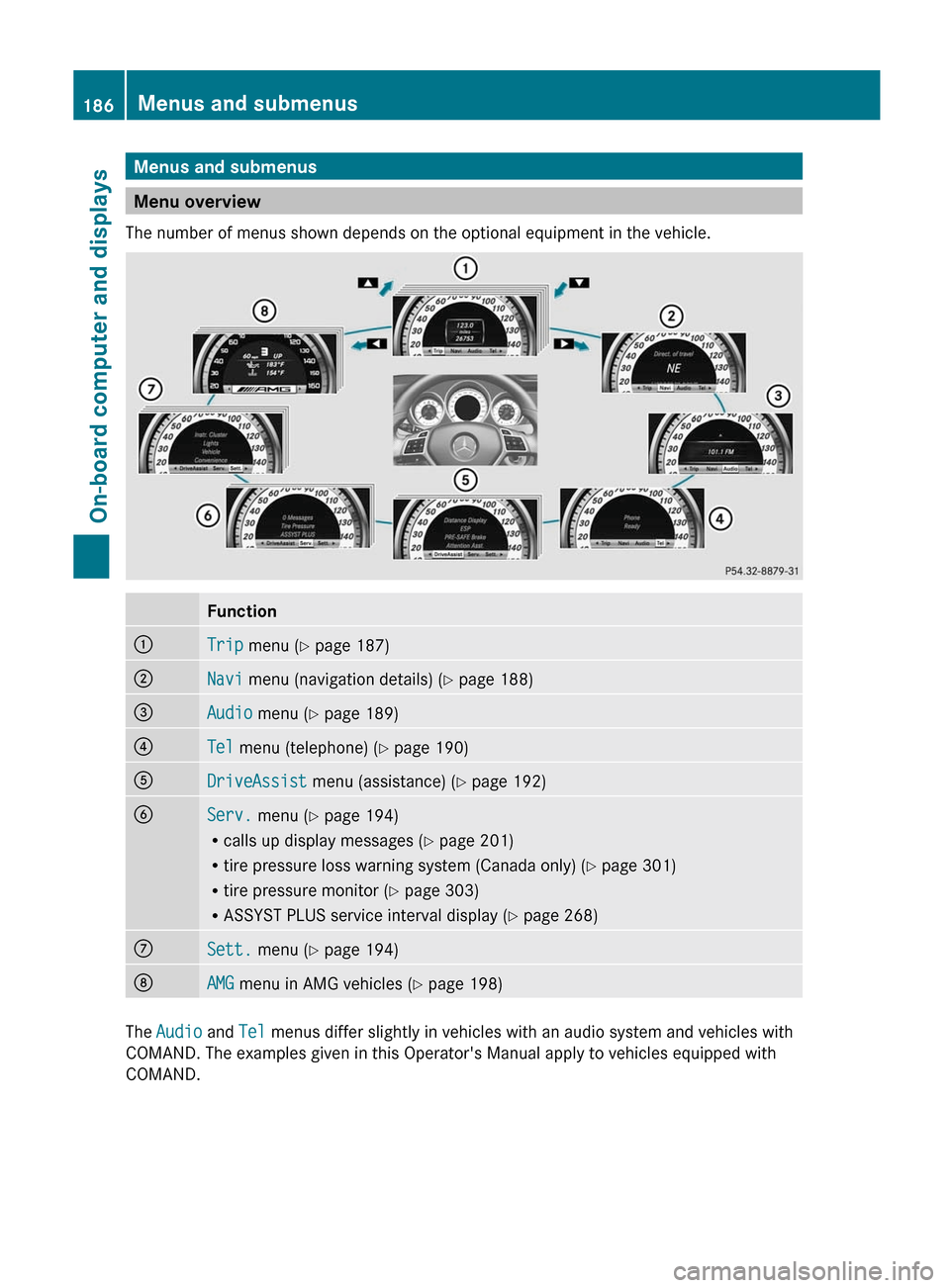
Menu overview
The number of menus shown depends on the optional equipment in the vehicle.
Function:Trip menu ( Y page 187);Navi menu (navigation details) ( Y page 188)=Audio menu ( Y page 189)?Tel menu (telephone) ( Y page 190)ADriveAssist menu (assistance) ( Y page 192)BServ. menu ( Y page 194)
R calls up display messages ( Y page 201)
R tire pressure loss warning system (Canada only) ( Y page 301)
R tire pressure monitor ( Y page 303)
R ASSYST PLUS service interval display ( Y page 268)CSett. menu ( Y page 194)DAMG menu in AMG vehicles ( Y page 198)
The Audio and Tel menus differ slightly in vehicles with an audio system and vehicles with
COMAND. The examples given in this Operator's Manual apply to vehicles equipped with
COMAND.
186Menus and submenusOn-board computer and displays
Page 193 of 336
You will see one of the following display
messages in the multifunction display:
R Telephone Ready or the name of the
network provider: the mobile phone has
found a network and is ready to receive.
R Telephone No Service : no network is
available, or the mobile phone is searching
for a network.
Accepting a call
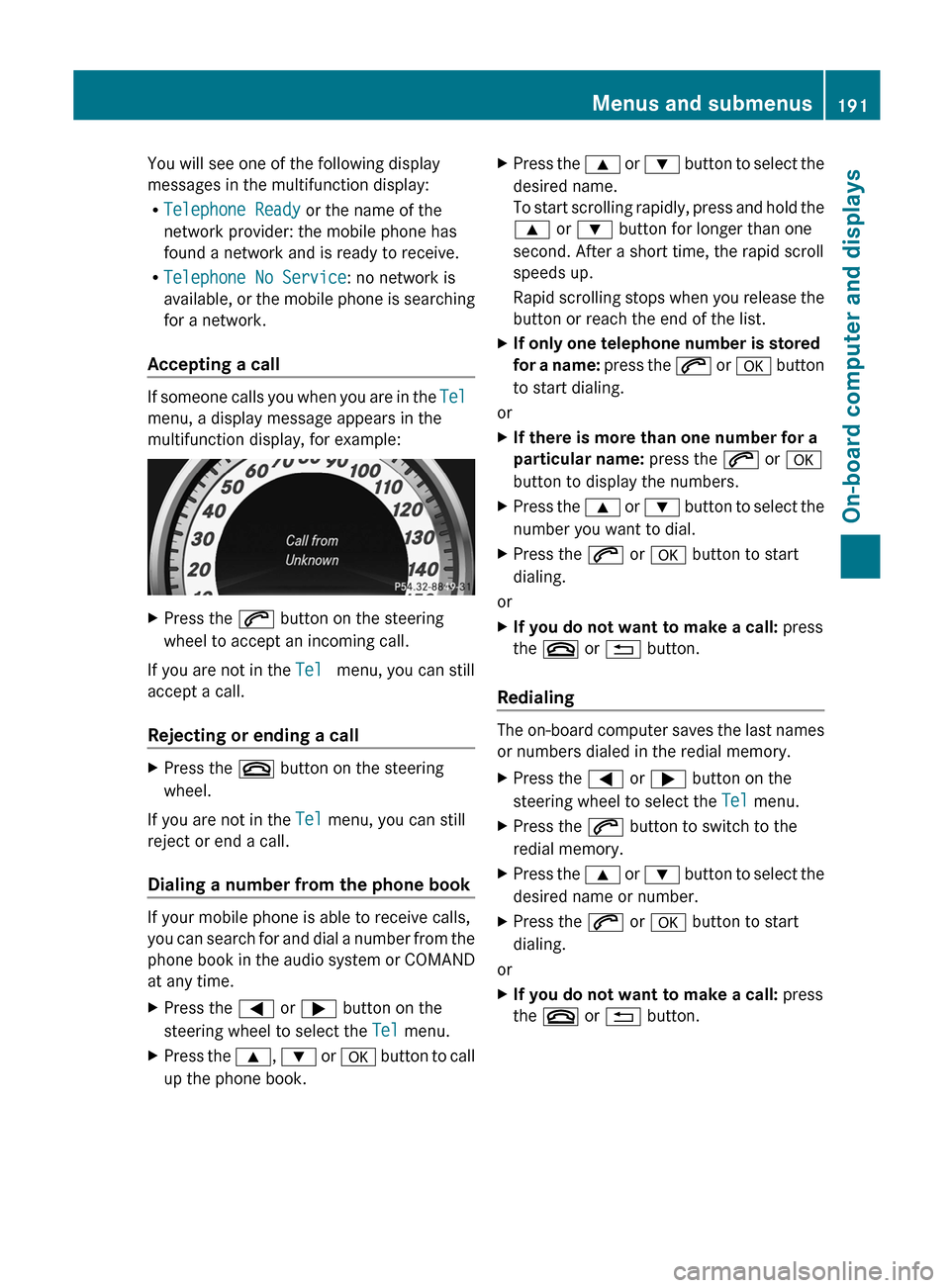
If someone calls you when you are in the Tel
menu, a display message appears in the
multifunction display, for example:
XPress the 6 button on the steering
wheel to accept an incoming call.
If you are not in the Tel menu, you can still
accept a call.
Rejecting or ending a call
XPress the ~ button on the steering
wheel.
If you are not in the Tel menu, you can still
reject or end a call.
Dialing a number from the phone book
If your mobile phone is able to receive calls,
you can search for and dial a number from the
phone book in the audio system or COMAND
at any time.
XPress the = or ; button on the
steering wheel to select the Tel menu.XPress the 9, : or a button to call
up the phone book.XPress the 9 or : button to select the
desired name.
To start scrolling rapidly, press and hold the
9 or : button for longer than one
second. After a short time, the rapid scroll
speeds up.
Rapid scrolling stops when you release the
button or reach the end of the list.XIf only one telephone number is stored
for a name: press the 6 or a button
to start dialing.
or
XIf there is more than one number for a
particular name: press the 6 or a
button to display the numbers.XPress the 9 or : button to select the
number you want to dial.XPress the 6 or a button to start
dialing.
or
XIf you do not want to make a call: press
the ~ or % button.
Redialing
The on-board computer saves the last names
or numbers dialed in the redial memory.
XPress the = or ; button on the
steering wheel to select the Tel menu.XPress the 6 button to switch to the
redial memory.XPress the 9 or : button to select the
desired name or number.XPress the 6 or a button to start
dialing.
or
XIf you do not want to make a call: press
the ~ or % button.Menus and submenus191On-board computer and displaysZ
Page 196 of 336
Service menu
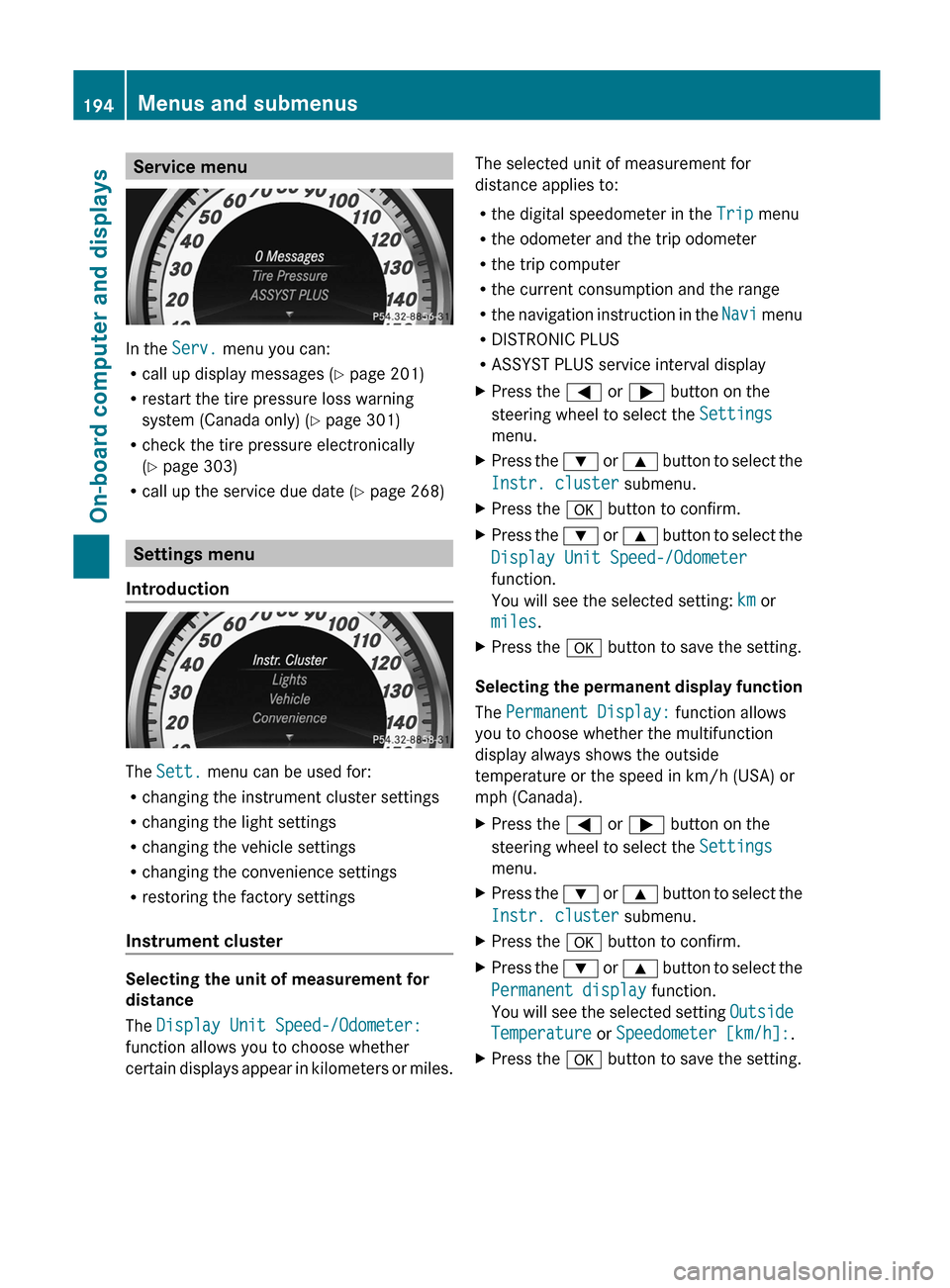
In the Serv. menu you can:
R call up display messages ( Y page 201)
R restart the tire pressure loss warning
system (Canada only) ( Y page 301)
R check the tire pressure electronically
( Y page 303)
R call up the service due date ( Y page 268)
Settings menu
Introduction
The Sett. menu can be used for:
R changing the instrument cluster settings
R changing the light settings
R changing the vehicle settings
R changing the convenience settings
R restoring the factory settings
Instrument cluster
Selecting the unit of measurement for
distance
The Display Unit Speed-/Odometer:
function allows you to choose whether
certain displays appear in kilometers or miles.
The selected unit of measurement for
distance applies to:
R the digital speedometer in the Trip menu
R the odometer and the trip odometer
R the trip computer
R the current consumption and the range
R the navigation instruction in the Navi menu
R DISTRONIC PLUS
R ASSYST PLUS service interval displayXPress the = or ; button on the
steering wheel to select the Settings
menu.XPress the : or 9 button to select the
Instr. cluster submenu.XPress the a button to confirm.XPress the : or 9 button to select the
Display Unit Speed-/Odometer
function.
You will see the selected setting: km or
miles .XPress the a button to save the setting.
Selecting the permanent display function
The Permanent Display: function allows
you to choose whether the multifunction
display always shows the outside
temperature or the speed in km/h (USA) or
mph (Canada).
XPress the = or ; button on the
steering wheel to select the Settings
menu.XPress the : or 9 button to select the
Instr. cluster submenu.XPress the a button to confirm.XPress the : or 9 button to select the
Permanent display function.
You will see the selected setting Outside
Temperature or Speedometer [km/h]: .XPress the a button to save the setting.194Menus and submenusOn-board computer and displays
Page 209 of 336
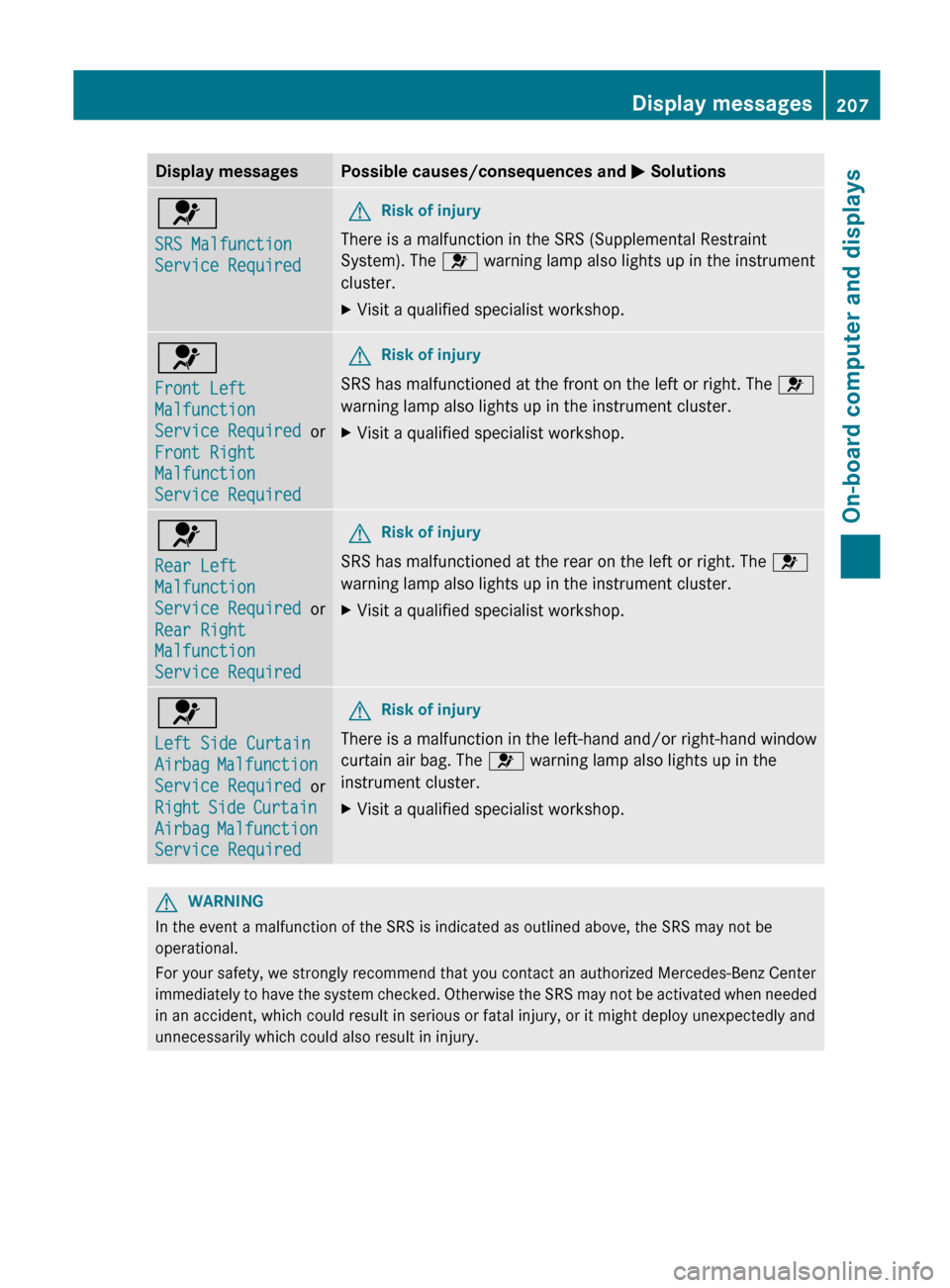
Display messagesPossible causes/consequences and M Solutions6
SRS Malfunction
Service RequiredGRisk of injury
There is a malfunction in the SRS (Supplemental Restraint
System). The 6 warning lamp also lights up in the instrument
cluster.
XVisit a qualified specialist workshop.6
Front Left
Malfunction
Service Required or
Front Right
Malfunction
Service RequiredGRisk of injury
SRS has malfunctioned at the front on the left or right. The 6
warning lamp also lights up in the instrument cluster.
XVisit a qualified specialist workshop.6
Rear Left
Malfunction
Service Required or
Rear Right
Malfunction
Service RequiredGRisk of injury
SRS has malfunctioned at the rear on the left or right. The 6
warning lamp also lights up in the instrument cluster.
XVisit a qualified specialist workshop.6
Left Side Curtain
Airbag Malfunction
Service Required or
Right Side Curtain
Airbag Malfunction
Service RequiredGRisk of injury
There is a malfunction in the left-hand and/or right-hand window
curtain air bag. The 6 warning lamp also lights up in the
instrument cluster.
XVisit a qualified specialist workshop.GWARNING
In the event a malfunction of the SRS is indicated as outlined above, the SRS may not be
operational.
For your safety, we strongly recommend that you contact an authorized Mercedes-Benz Center
immediately to have the system checked. Otherwise the SRS may not be activated when needed
in an accident, which could result in serious or fatal injury, or it might deploy unexpectedly and
unnecessarily which could also result in injury.
Display messages207On-board computer and displaysZ
Page 227 of 336
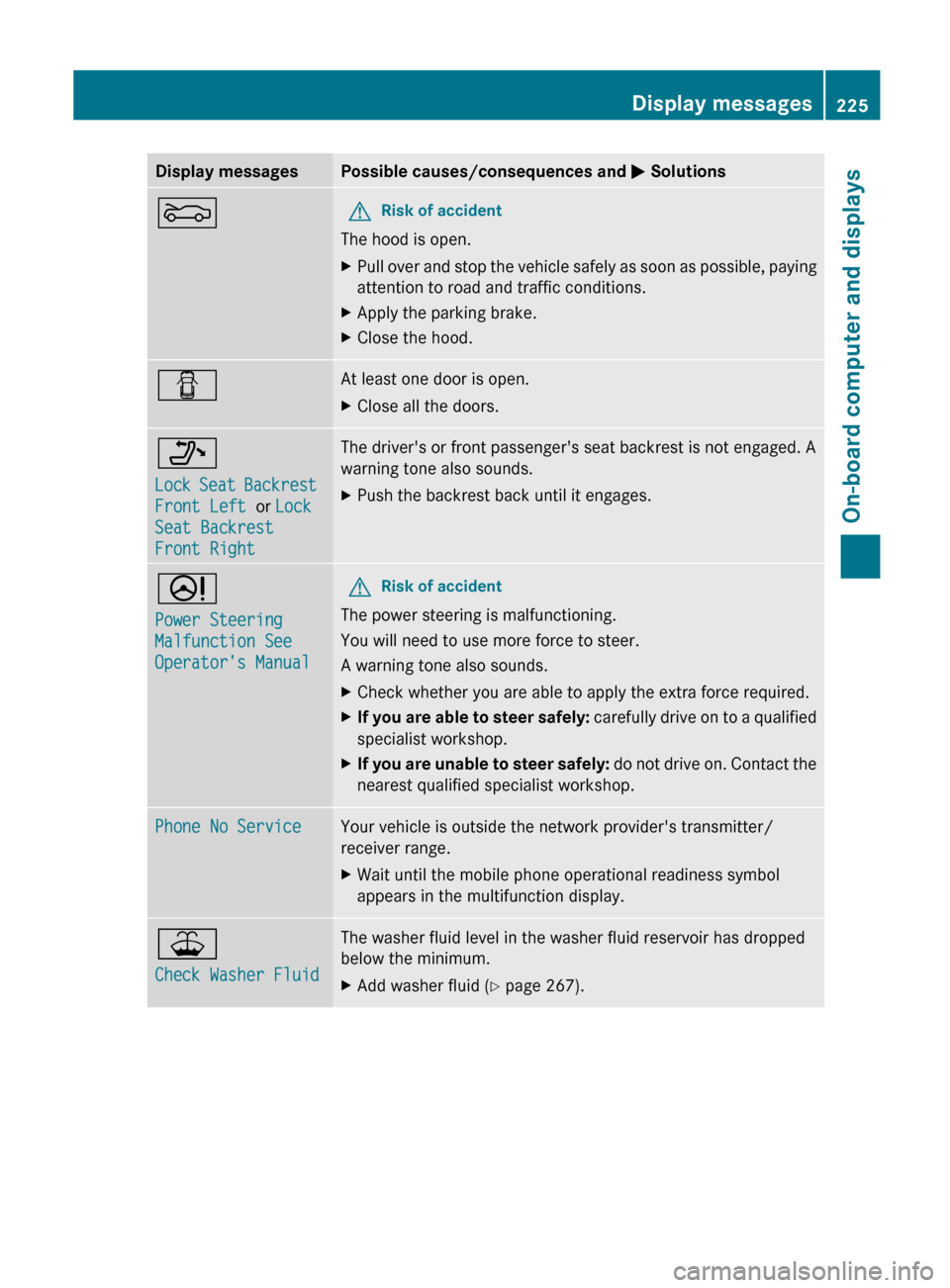
Display messagesPossible causes/consequences and M SolutionsMGRisk of accident
The hood is open.
XPull over and stop the vehicle safely as soon as possible, paying
attention to road and traffic conditions.XApply the parking brake.XClose the hood.CAt least one door is open.XClose all the doors._
Lock Seat Backrest
Front Left or Lock
Seat Backrest
Front RightThe driver's or front passenger's seat backrest is not engaged. A
warning tone also sounds.XPush the backrest back until it engages.D
Power Steering
Malfunction See
Operator's ManualGRisk of accident
The power steering is malfunctioning.
You will need to use more force to steer.
A warning tone also sounds.
XCheck whether you are able to apply the extra force required.XIf you are able to steer safely: carefully drive on to a qualified
specialist workshop.XIf you are unable to steer safely: do not drive on. Contact the
nearest qualified specialist workshop.Phone No ServiceYour vehicle is outside the network provider's transmitter/
receiver range.XWait until the mobile phone operational readiness symbol
appears in the multifunction display.¥
Check Washer FluidThe washer fluid level in the washer fluid reservoir has dropped
below the minimum.XAdd washer fluid ( Y page 267).Display messages225On-board computer and displaysZ
Page 252 of 336
cover in the closed position, when not in use.
Otherwise, you could suffer an electric shock
and be seriously or even fatally injured.GWARNING
Any device that you connect must have a
suitable plug and meet U.S. standards. Never
pull at a cable to disconnect a plug from a
115 V AC power socket. Never use a damaged
connection cable. The 115 V AC power socket
must never be connected to another 115 V
AC power source. Do not use a converter with
an earthed plug for the 115 V AC power
socket. This could cause serious injury to you
and/or other people.
GWARNING
If the 115V AC socket is damaged or torn out
of the trim, do not use or touch the 115V AC
socket. Using a 115V AC socket that is
damaged or torn out of the trim could cause
serious personal injury to you and/or others.
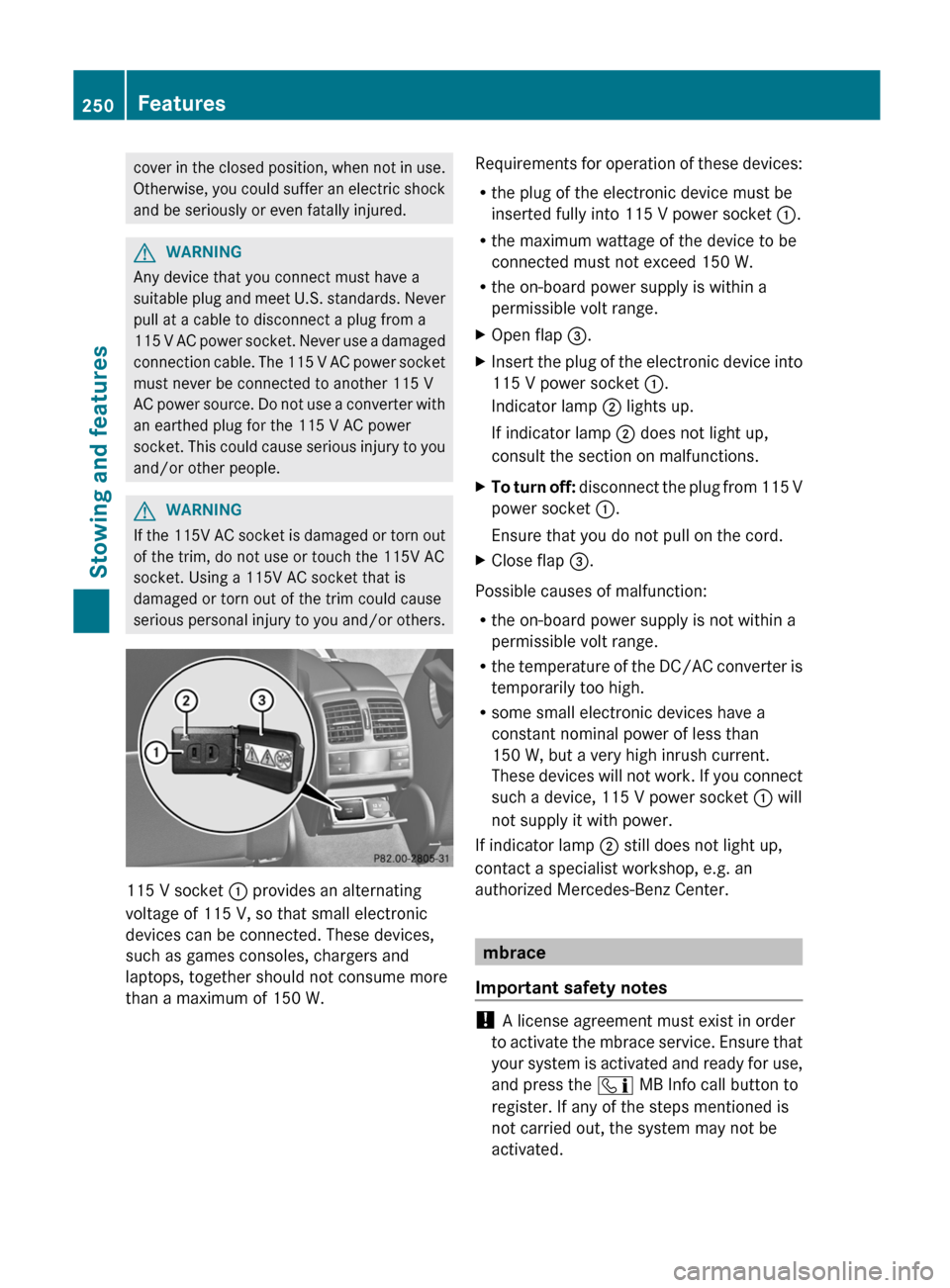
115 V socket : provides an alternating
voltage of 115 V, so that small electronic
devices can be connected. These devices,
such as games consoles, chargers and
laptops, together should not consume more
than a maximum of 150 W.
Requirements for operation of these devices:
R the plug of the electronic device must be
inserted fully into 115 V power socket :.
R the maximum wattage of the device to be
connected must not exceed 150 W.
R the on-board power supply is within a
permissible volt range.XOpen flap =.XInsert the plug of the electronic device into
115 V power socket :.
Indicator lamp ; lights up.
If indicator lamp ; does not light up,
consult the section on malfunctions.XTo turn off: disconnect the plug from 115 V
power socket :.
Ensure that you do not pull on the cord.XClose flap =.
Possible causes of malfunction:
R the on-board power supply is not within a
permissible volt range.
R the temperature of the DC/AC converter is
temporarily too high.
R some small electronic devices have a
constant nominal power of less than
150 W, but a very high inrush current.
These devices will not work. If you connect
such a device, 115 V power socket : will
not supply it with power.
If indicator lamp ; still does not light up,
contact a specialist workshop, e.g. an
authorized Mercedes-Benz Center.
mbrace
Important safety notes
! A license agreement must exist in order
to activate the mbrace service. Ensure that
your system is activated and ready for use,
and press the ï MB Info call button to
register. If any of the steps mentioned is
not carried out, the system may not be
activated.
250FeaturesStowing and features
Page 253 of 336
If you have questions about the activation,
contact one of the following telephone
assistance services:
R USA: Mercedes-Benz Customer
Assistance Center under
1-800-FOR-MERCedes
(1-800-367-6372) or 1-888-990-9007
R Canada: Customer Service at
1-888-923-8367
Shortly after successfully registering with the
mbrace service, a user ID and password will
be sent to you by post. You can use this
password to log in to the mbrace section
under "Owners Online" at http://
www.mbusa.com 13
.
The mbrace system is available if:
R it has been activated and is operational.
R the corresponding mobile phone network
is available for transmitting data to the
Customer Center.
R a service subscription is available.
R the starter battery is sufficiently charged.
i Determining the location of the vehicle on
a map is only possible if there is sufficient
GPS reception and the vehicle position can
be forwarded to the Customer Center.
The mbrace system
The mbrace system provides different
services, e.g.:
R automatic and manual emergency call
R Roadside Assistance call
R MB Info call
To adjust the volume during an mbrace call,
proceed as follows:
XPress the W or X button on the
multifunction steering wheel.
or
XUse the volume controller of the audio
system.You can find further information and a
description of all available features under
"Owners Online" at http://
www.mbusa.com 14
.
System self-test
After you have switched on the ignition, the
system carries out a self-diagnosis.
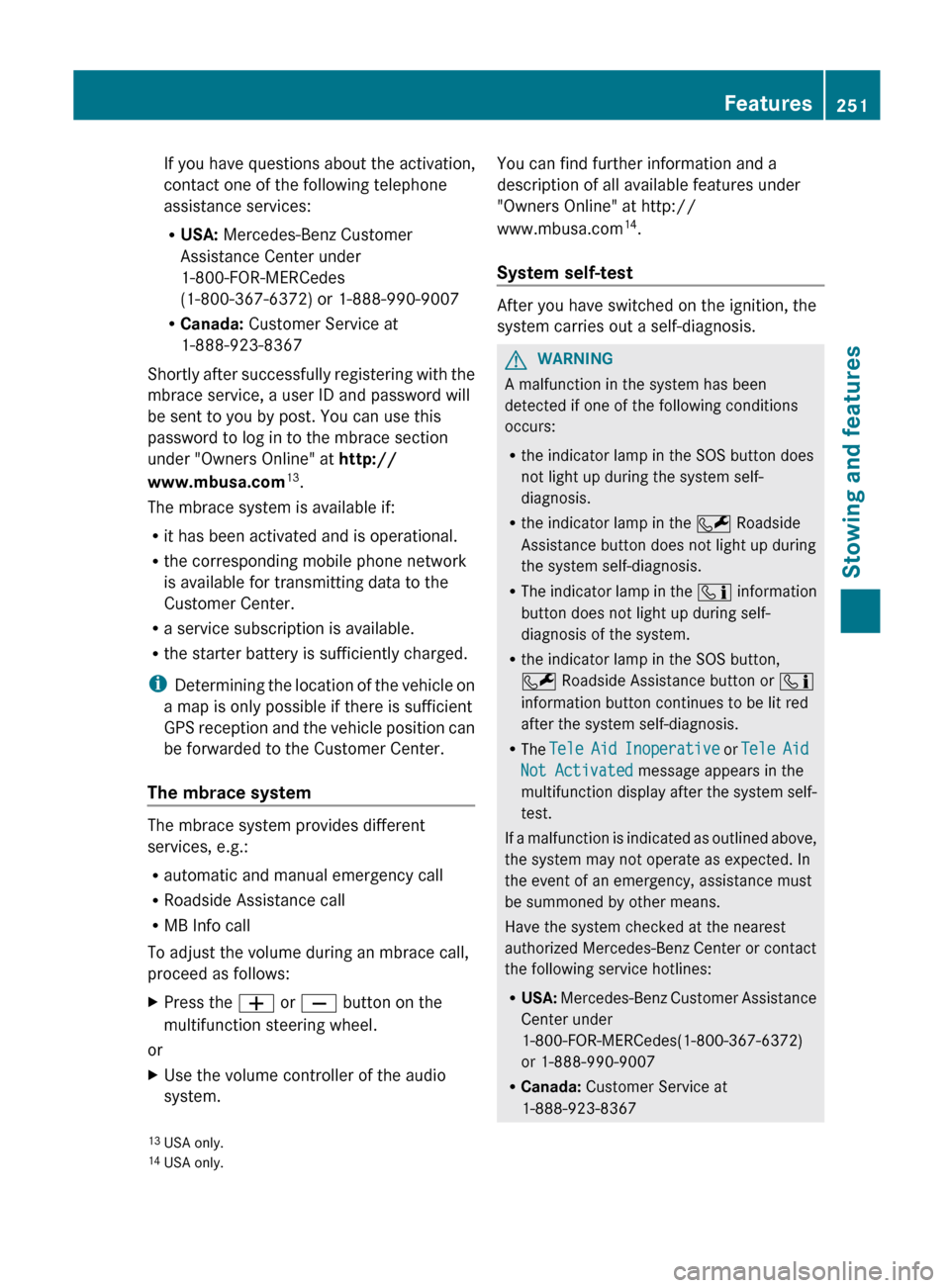
GWARNING
A malfunction in the system has been
detected if one of the following conditions
occurs:
R the indicator lamp in the SOS button does
not light up during the system self-
diagnosis.
R the indicator lamp in the F Roadside
Assistance button does not light up during
the system self-diagnosis.
R The indicator lamp in the ï information
button does not light up during self-
diagnosis of the system.
R the indicator lamp in the SOS button,
F Roadside Assistance button or ï
information button continues to be lit red
after the system self-diagnosis.
R The Tele Aid Inoperative or Tele Aid
Not Activated message appears in the
multifunction display after the system self-
test.
If a malfunction is indicated as outlined above,
the system may not operate as expected. In
the event of an emergency, assistance must
be summoned by other means.
Have the system checked at the nearest
authorized Mercedes-Benz Center or contact
the following service hotlines:
R USA: Mercedes-Benz Customer Assistance
Center under
1-800-FOR-MERCedes(1-800-367-6372)
or 1-888-990-9007
R Canada: Customer Service at
1-888-923-8367
13 USA only.
14 USA only.Features251Stowing and featuresZ
Page 254 of 336
Emergency call
Important safety notes
! A license agreement must exist in order
to activate the mbrace service. Ensure that
your system is activated and ready for use,
and press the ï MB Info call button to
register. If any of the steps mentioned is
not carried out, the system may not be
activated.
If you have questions about the activation,
contact one of the following telephone
assistance services:
R USA: Mercedes-Benz Customer
Assistance Center under
1-800-FOR-MERCedes
(1-800-367-6372) or 1-888-990-9007
R Canada: Customer Service at
1-888-923-8367
An emergency call is dialed automatically if
an air bag or Emergency Tensioning Device is
triggered.
i An mbrace emergency call that has been
initiated automatically cannot be
terminated by the customer.
An emergency call can also be initiated
manually.
As soon as the emergency call has been
initiated, the indicator lamp in the SOS button
flashes. The Connecting Call message
appears on the multifunction display.
The audio output is muted.
Once a connection has been established, the
Call Connected message appears in the
multifunction display.
All important information on the emergency
is transmitted, for example:
R current location of the vehicle (as
determined by the GPS system)
R vehicle identification number
R information on the type of emergency
Shortly after the emergency call has been
initiated, a voice connection is automatically
established between the Mercedes-Benz
Customer Assistance Center and the vehicle
occupants. If the vehicle occupants respond,
the Mercedes-Benz Customer Assistance
Center attempts to get more information on
the emergency.
i If no vehicle occupant answers, an
ambulance is immediately sent to the
vehicle.GWARNING
If the indicator lamp in the SOS button is
flashing continuously and no voice
connection to the Mercedes-Benz Customer
Assistance Center was established, then the
mbrace system could not initiate an
emergency call (e.g. the relevant cellular
phone network is not available).
The message Call Failed appears in the
multifunction display for approximately
10 seconds.
Should this occur, assistance must be
summoned by other means.
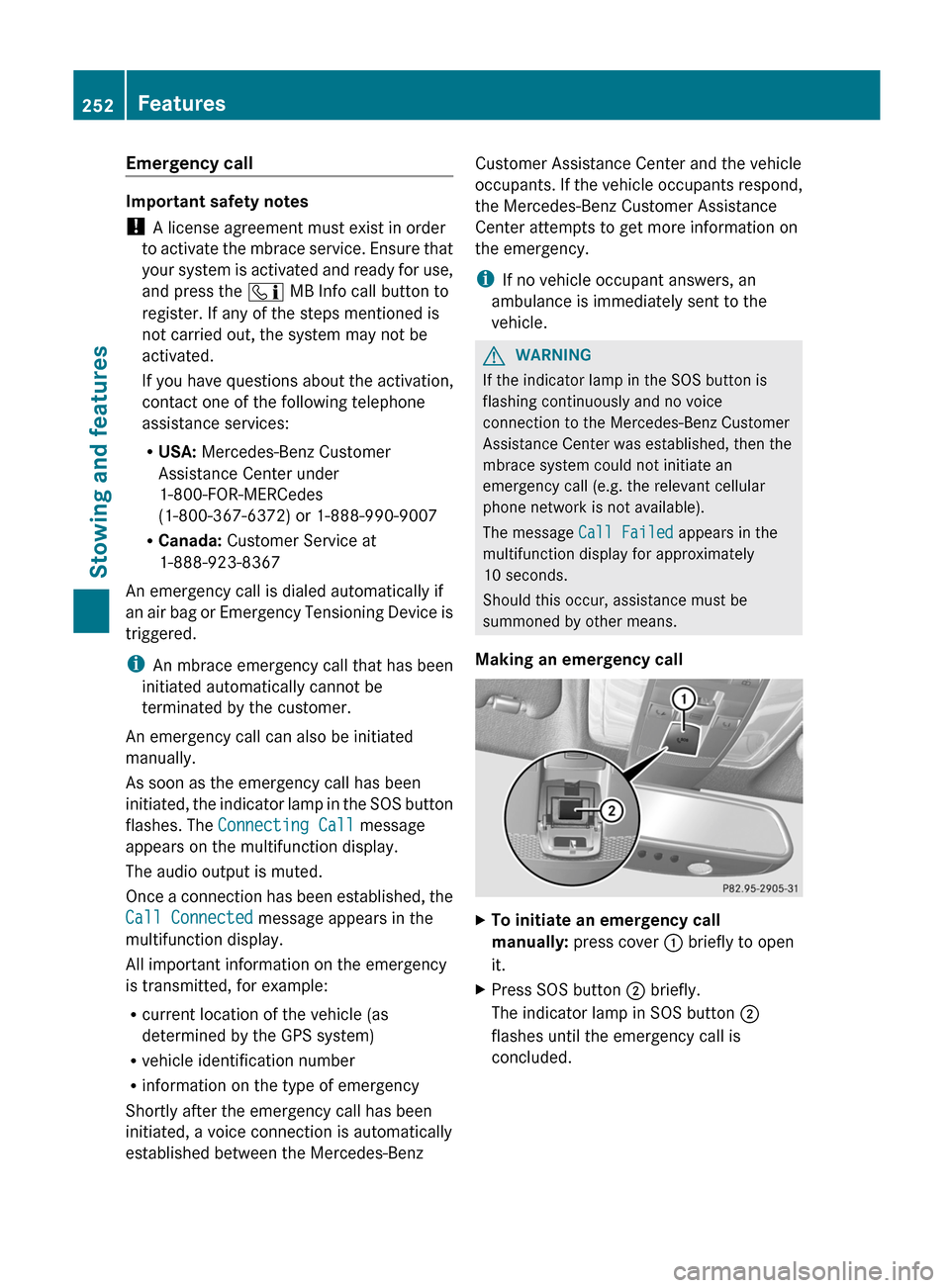
Making an emergency call
XTo initiate an emergency call
manually: press cover : briefly to open
it.XPress SOS button ; briefly.
The indicator lamp in SOS button ;
flashes until the emergency call is
concluded.252FeaturesStowing and features
Page 255 of 336
XWait for a voice connection to the
Mercedes-Benz Customer Assistance
Center.XAfter the emergency call is ended, close
cover :.GWARNING
If you feel in any way in jeopardy when in the
vehicle (e.g. smoke or fire in the vehicle,
vehicle in a dangerous road location), please
do not wait for voice contact after you have
pressed the SOS button. Carefully leave the
vehicle and move to a safe location. The
Mercedes-Benz Customer Assistance Center
will automatically contact local emergency
officials with the vehicle's approximate
location if they receive an automatic SOS
signal and cannot make voice contact with the
vehicle occupants.
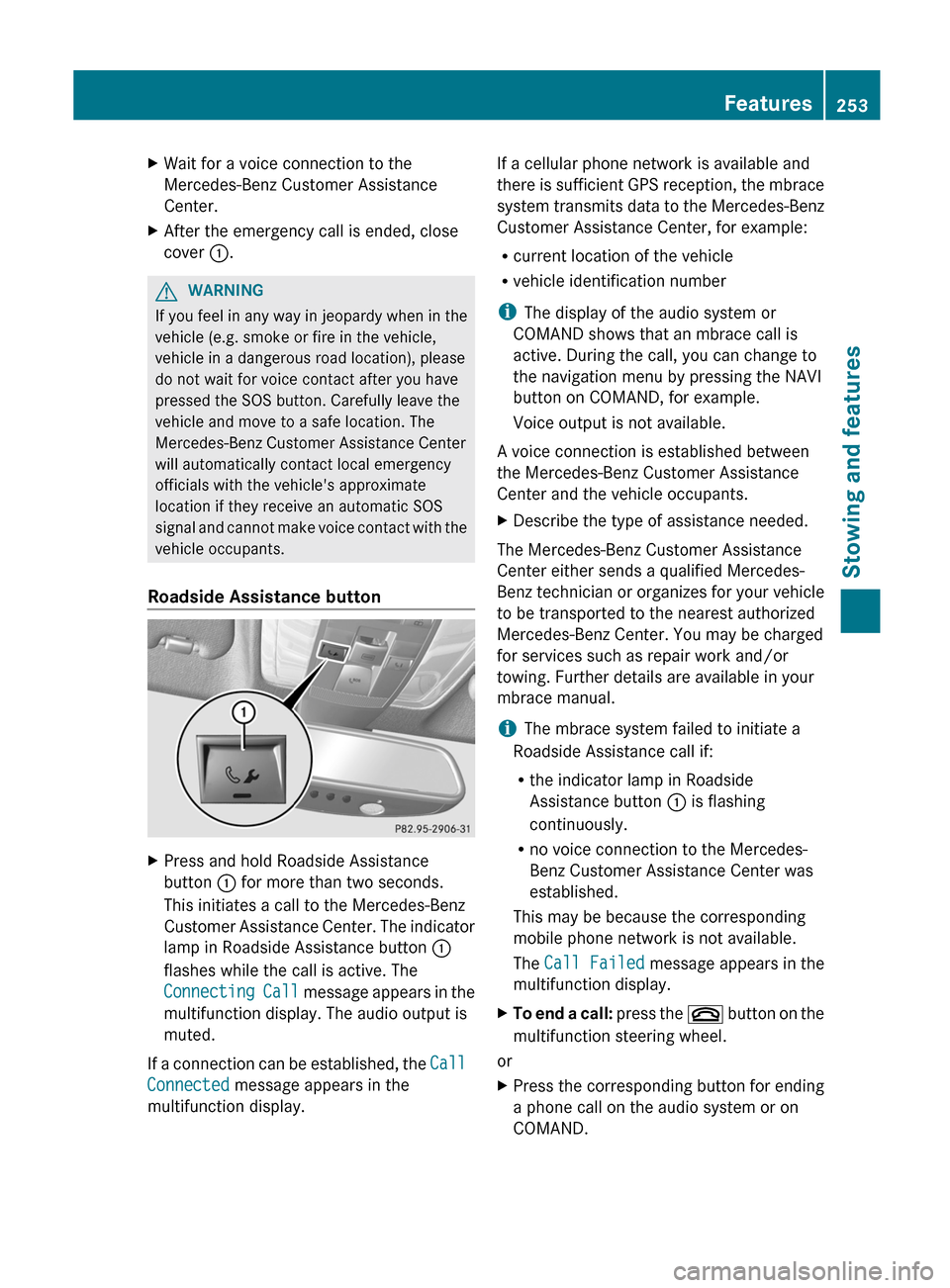
Roadside Assistance button
XPress and hold Roadside Assistance
button : for more than two seconds.
This initiates a call to the Mercedes-Benz
Customer Assistance Center. The indicator
lamp in Roadside Assistance button :
flashes while the call is active. The
Connecting Call message appears in the
multifunction display. The audio output is
muted.
If a connection can be established, the Call
Connected message appears in the
multifunction display.
If a cellular phone network is available and
there is sufficient GPS reception, the mbrace
system transmits data to the Mercedes-Benz
Customer Assistance Center, for example:
R current location of the vehicle
R vehicle identification number
i The display of the audio system or
COMAND shows that an mbrace call is
active. During the call, you can change to
the navigation menu by pressing the NAVI
button on COMAND, for example.
Voice output is not available.
A voice connection is established between
the Mercedes-Benz Customer Assistance
Center and the vehicle occupants.XDescribe the type of assistance needed.
The Mercedes-Benz Customer Assistance
Center either sends a qualified Mercedes-
Benz technician or organizes for your vehicle
to be transported to the nearest authorized
Mercedes-Benz Center. You may be charged
for services such as repair work and/or
towing. Further details are available in your
mbrace manual.
i The mbrace system failed to initiate a
Roadside Assistance call if:
R the indicator lamp in Roadside
Assistance button : is flashing
continuously.
R no voice connection to the Mercedes-
Benz Customer Assistance Center was
established.
This may be because the corresponding
mobile phone network is not available.
The Call Failed message appears in the
multifunction display.
XTo end a call: press the ~ button on the
multifunction steering wheel.
or
XPress the corresponding button for ending
a phone call on the audio system or on
COMAND.Features253Stowing and featuresZ