center console MERCEDES-BENZ C-Class COUPE 2012 CL204 Owner's Manual
[x] Cancel search | Manufacturer: MERCEDES-BENZ, Model Year: 2012, Model line: C-Class COUPE, Model: MERCEDES-BENZ C-Class COUPE 2012 CL204Pages: 336, PDF Size: 12.67 MB
Page 8 of 336
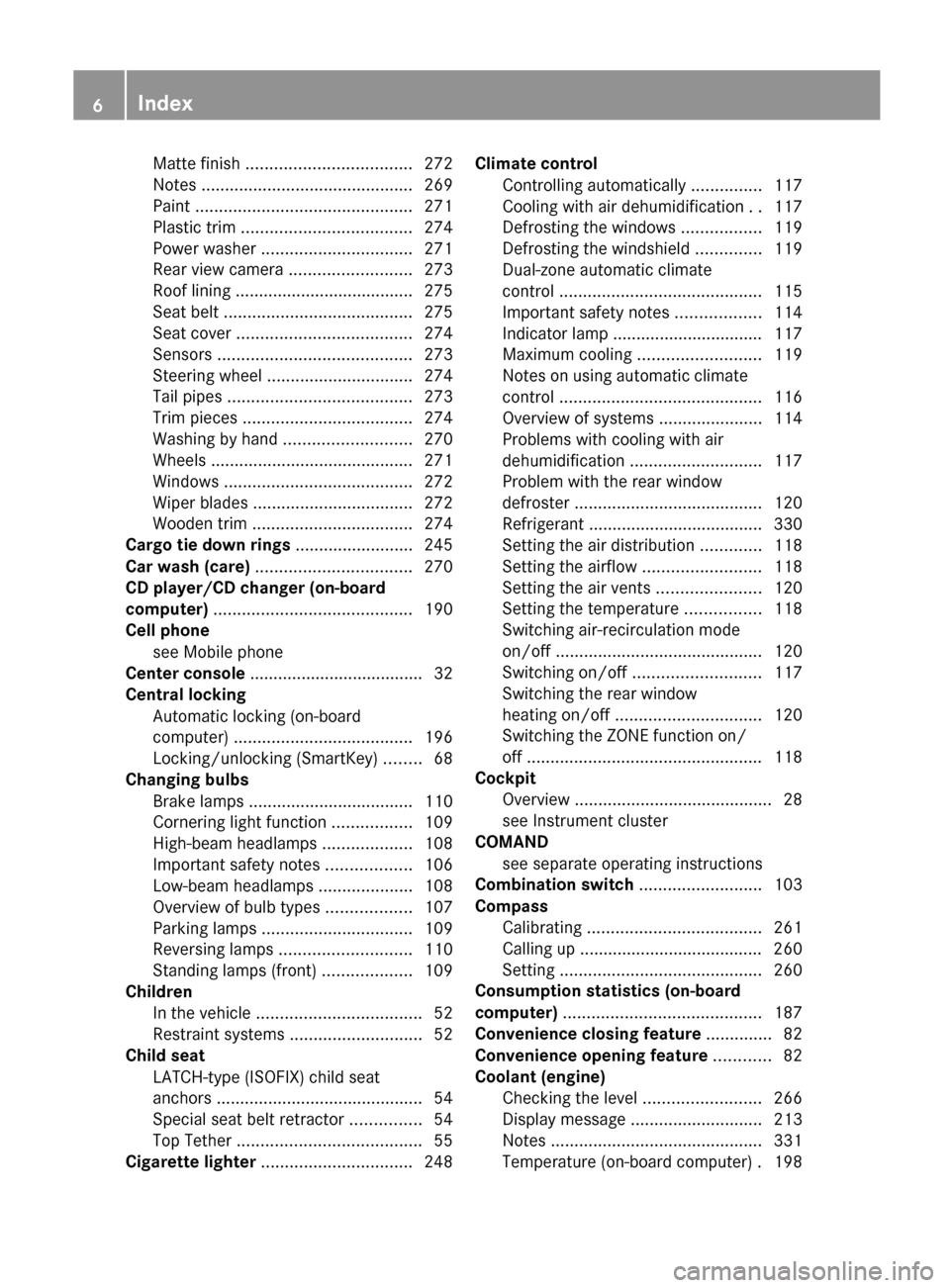
Matte finish ................................... 272
Notes ............................................. 269
Paint .............................................. 271
Plastic trim .................................... 274
Power washer ................................ 271
Rear view camera .......................... 273
Roof lining ...................................... 275
Seat belt ........................................ 275
Seat cover ..................................... 274
Sensors ......................................... 273
Steering wheel ............................... 274
Tail pipes ....................................... 273
Trim pieces .................................... 274
Washing by hand ........................... 270
Wheels ........................................... 271
Windows ........................................ 272
Wiper blades .................................. 272
Wooden trim .................................. 274
Cargo tie down rings ......................... 245
Car wash (care) ................................. 270
CD player/CD changer (on-board
computer) .......................................... 190
Cell phone see Mobile phone
Center console ..................................... 32
Central locking Automatic locking (on-board
computer) ...................................... 196
Locking/unlocking (SmartKey) ........68
Changing bulbs
Brake lamps ................................... 110
Cornering light function .................109
High-beam headlamps ...................108
Important safety notes ..................106
Low-beam headlamps ....................108
Overview of bulb types ..................107
Parking lamps ................................ 109
Reversing lamps ............................ 110
Standing lamps (front) ...................109
Children
In the vehicle ................................... 52
Restraint systems ............................ 52
Child seat
LATCH-type (ISOFIX) child seat
anchors ............................................ 54
Special seat belt retractor ...............54
Top Tether ....................................... 55
Cigarette lighter ................................ 248Climate control
Controlling automatically ...............117
Cooling with air dehumidification ..117
Defrosting the windows .................119
Defrosting the windshield ..............119
Dual-zone automatic climate
control ........................................... 115
Important safety notes ..................114
Indicator lamp ................................ 117
Maximum cooling .......................... 119
Notes on using automatic climate
control ........................................... 116
Overview of systems ......................114
Problems with cooling with air
dehumidification ............................ 117
Problem with the rear window
defroster ........................................ 120
Refrigerant ..................................... 330
Setting the air distribution .............118
Setting the airflow .........................118
Setting the air vents ......................120
Setting the temperature ................118
Switching air-recirculation mode
on/off ............................................ 120
Switching on/off ........................... 117
Switching the rear window
heating on/off ............................... 120
Switching the ZONE function on/
off .................................................. 118
Cockpit
Overview .......................................... 28
see Instrument cluster
COMAND
see separate operating instructions
Combination switch .......................... 103
Compass Calibrating ..................................... 261
Calling up ....................................... 260
Setting ........................................... 260
Consumption statistics (on-board
computer) .......................................... 187
Convenience closing feature .............. 82
Convenience opening feature ............ 82
Coolant (engine) Checking the level .........................266
Display message ............................ 213
Notes ............................................. 331
Temperature (on-board computer) . 1986Index
Page 9 of 336
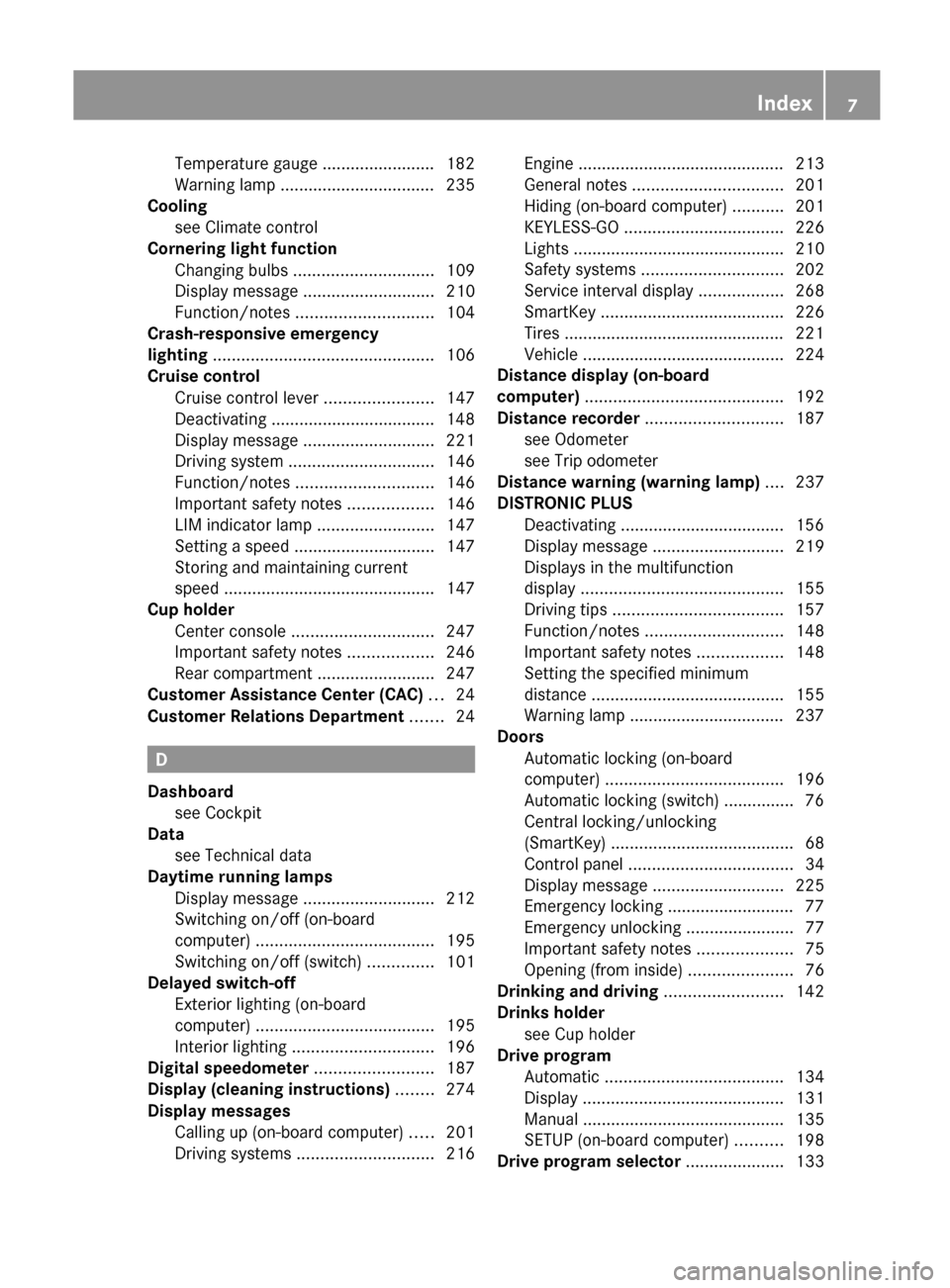
Temperature gauge ........................ 182
Warning lamp ................................. 235
Cooling
see Climate control
Cornering light function
Changing bulbs .............................. 109
Display message ............................ 210
Function/notes ............................. 104
Crash-responsive emergency
lighting ............................................... 106
Cruise control Cruise control lever .......................147
Deactivating ................................... 148
Display message ............................ 221
Driving system ............................... 146
Function/notes ............................. 146
Important safety notes ..................146
LIM indicator lamp .........................147
Setting a speed .............................. 147
Storing and maintaining current
speed ............................................. 147
Cup holder
Center console .............................. 247
Important safety notes ..................246
Rear compartment .........................247
Customer Assistance Center (CAC) ... 24
Customer Relations Department ....... 24
D
Dashboard see Cockpit
Data
see Technical data
Daytime running lamps
Display message ............................ 212
Switching on/off (on-board
computer) ...................................... 195
Switching on/off (switch) ..............101
Delayed switch-off
Exterior lighting (on-board
computer) ...................................... 195
Interior lighting .............................. 196
Digital speedometer ......................... 187
Display (cleaning instructions) ........ 274
Display messages Calling up (on-board computer) .....201
Driving systems ............................. 216
Engine ............................................ 213
General notes ................................ 201
Hiding (on-board computer) ...........201
KEYLESS-GO .................................. 226
Lights ............................................. 210
Safety systems .............................. 202
Service interval display ..................268
SmartKey ....................................... 226
Tires ............................................... 221
Vehicle ........................................... 224
Distance display (on-board
computer) .......................................... 192
Distance recorder ............................. 187
see Odometer
see Trip odometer
Distance warning (warning lamp) .... 237
DISTRONIC PLUS Deactivating ................................... 156
Display message ............................ 219
Displays in the multifunction
display ........................................... 155
Driving tips .................................... 157
Function/notes ............................. 148
Important safety notes ..................148
Setting the specified minimum
distance ......................................... 155
Warning lamp ................................. 237
Doors
Automatic locking (on-board
computer) ...................................... 196
Automatic locking (switch) ............... 76
Central locking/unlocking
(SmartKey) ....................................... 68
Control panel ................................... 34
Display message ............................ 225
Emergency locking ........................... 77
Emergency unlocking .......................77
Important safety notes ....................75
Opening (from inside) ......................76
Drinking and driving ......................... 142
Drinks holder see Cup holder
Drive program
Automatic ...................................... 134
Display ........................................... 131
Manual ........................................... 135
SETUP (on-board computer) ..........198
Drive program selector ..................... 133Index7
Page 29 of 336
Cockpit ................................................. 28
Instrument cluster ..............................29
Multifunction steering wheel .............31
Center console .................................... 32
Overhead control panel ......................33
Door control panel .............................. 3427At a glance
Page 34 of 336
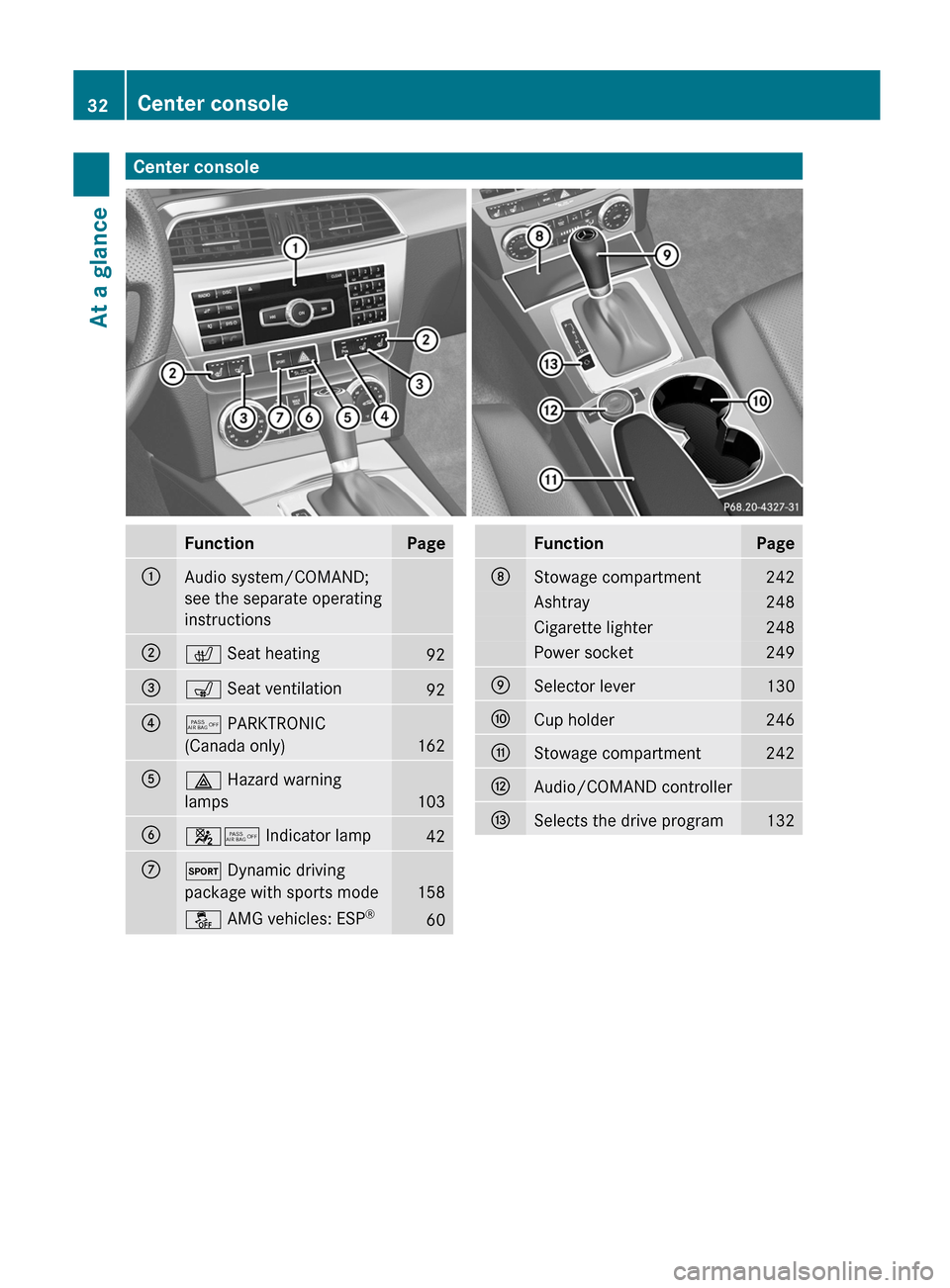
Center consoleFunctionPage:Audio system/COMAND;
see the separate operating
instructions;c Seat heating92=s Seat ventilation92?5 PARKTRONIC
(Canada only)
162
A£ Hazard warning
lamps
103
B45 Indicator lamp42CM Dynamic driving
package with sports mode
158
å AMG vehicles: ESP ®60FunctionPageDStowage compartment242Ashtray248Cigarette lighter248Power socket249ESelector lever130FCup holder246GStowage compartment242HAudio/COMAND controllerISelects the drive program13232Center consoleAt a glance
Page 42 of 336
Your vehicle has adaptive, two-stage front air
bags. In the event of a collision, the air bag
control unit evaluates the vehicle
deceleration. In the first deployment stage,
the front air bag is filled with enough
propellant gas to reduce the risk of injuries.
The front air bag is fully deployed if a second
deployment threshold is exceeded within a
few milliseconds.
The deployment of the front-passenger front
air bag is also influenced by the weight
category of the front passenger, which is
determined by the Occupant Classification
System (OCS) ( Y page 42).
The lighter the passenger side occupant, the
higher the vehicle deceleration rate required
(predicted at the start of the impact) for
second stage inflation of the front-passenger
front air bag. In the second stage, the front
air bags are inflated with the maximum
amount of propellant gas available.
The front air bags are not deployed in
situations where a low impact severity is
predicted. You will then be protected by the
fastened seat belt.
The front-passenger front air bag will only
deploy if:
R the system, based on the OCS weight
sensor readings, detects that the front-
passenger seat is occupied.
R the 45 indicator lamp in the center
console is not lit, ( Y page 42).
R the air bag control unit predicts a high
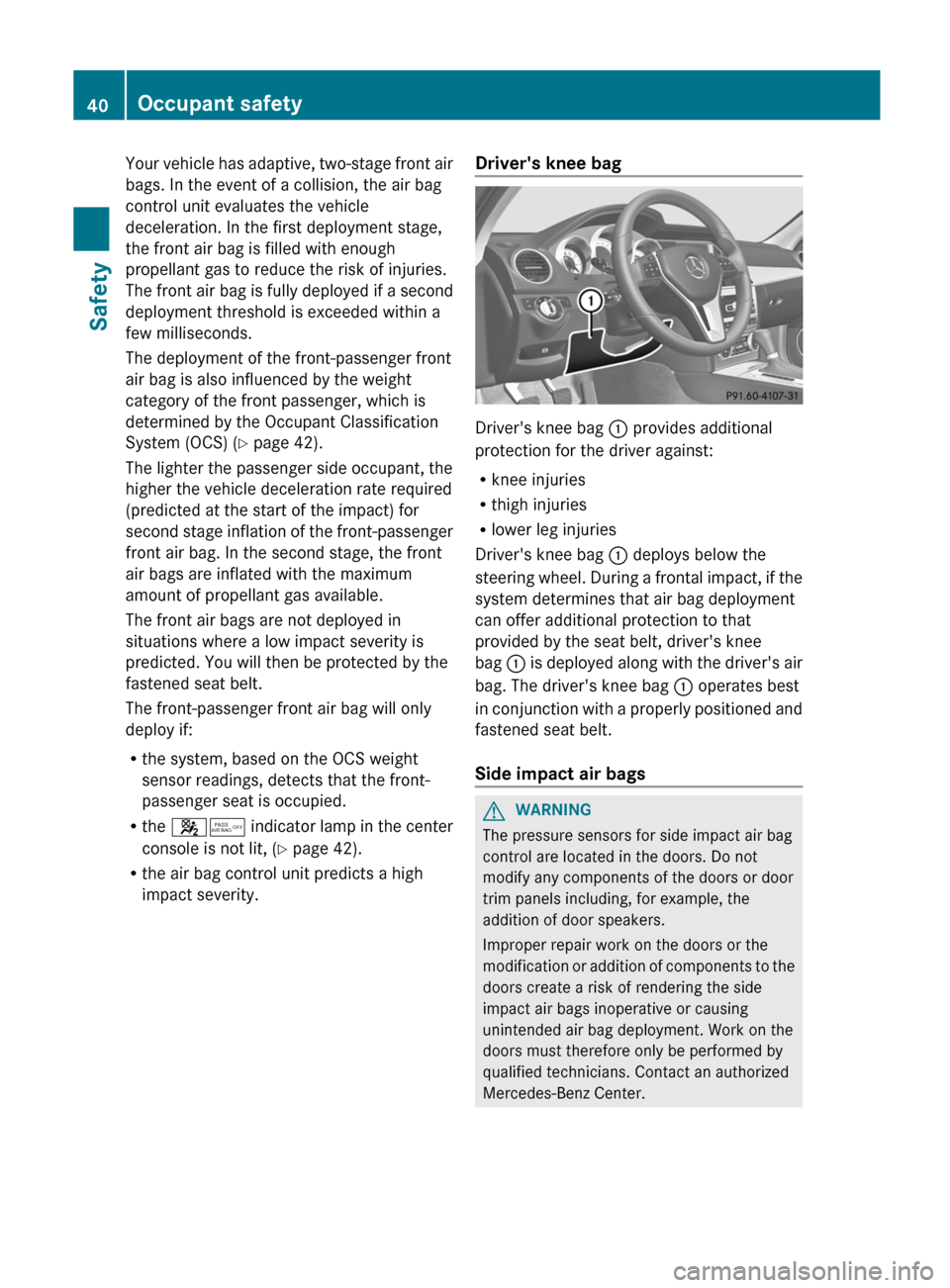
impact severity.Driver's knee bag
Driver's knee bag : provides additional
protection for the driver against:
R knee injuries
R thigh injuries
R lower leg injuries
Driver's knee bag : deploys below the
steering wheel. During a frontal impact, if the
system determines that air bag deployment
can offer additional protection to that
provided by the seat belt, driver's knee
bag : is deployed along with the driver's air
bag. The driver's knee bag : operates best
in conjunction with a properly positioned and
fastened seat belt.
Side impact air bags
GWARNING
The pressure sensors for side impact air bag
control are located in the doors. Do not
modify any components of the doors or door
trim panels including, for example, the
addition of door speakers.
Improper repair work on the doors or the
modification or addition of components to the
doors create a risk of rendering the side
impact air bags inoperative or causing
unintended air bag deployment. Work on the
doors must therefore only be performed by
qualified technicians. Contact an authorized
Mercedes-Benz Center.
40Occupant safetySafety
Page 139 of 336
Problems with the transmissionProblemPossible causes/consequences and M SolutionsThe transmission has
problems shifting gear.The transmission is losing oil.XHave the transmission checked at a qualified specialist
workshop, e.g. an authorized Mercedes-Benz Center,
immediately.The acceleration ability
is deteriorating.
The transmission no
longer changes gear.The transmission is in emergency mode.
It is only possible to shift into second gear and reverse gear.XStop the vehicle.XShift the transmission to position P.XSwitch off the engine.XWait at least 10 seconds before restarting the engine.XShift the transmission to position D or R.
If D is selected, the transmission shifts into second gear; if R is
selected, the transmission shifts into reverse gear.XHave the transmission checked at a qualified specialist
workshop, e.g. an authorized Mercedes-Benz Center,
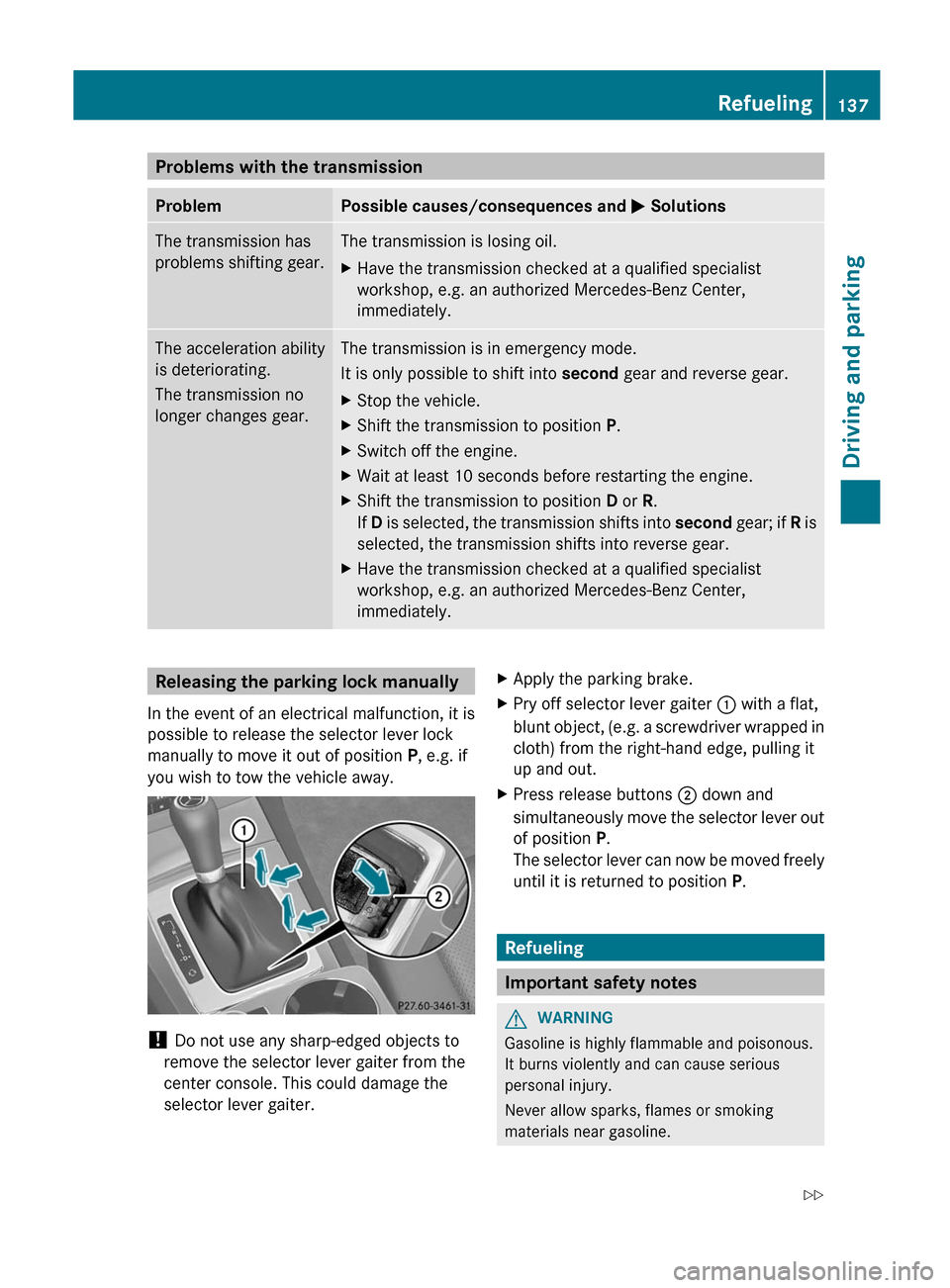
immediately.Releasing the parking lock manually
In the event of an electrical malfunction, it is
possible to release the selector lever lock
manually to move it out of position P, e.g. if
you wish to tow the vehicle away.
! Do not use any sharp-edged objects to
remove the selector lever gaiter from the
center console. This could damage the
selector lever gaiter.
XApply the parking brake.XPry off selector lever gaiter : with a flat,
blunt object, (e.g. a screwdriver wrapped in
cloth) from the right-hand edge, pulling it
up and out.XPress release buttons ; down and
simultaneously move the selector lever out
of position P.
The selector lever can now be moved freely
until it is returned to position P.
Refueling
Important safety notes
GWARNING
Gasoline is highly flammable and poisonous.
It burns violently and can cause serious
personal injury.
Never allow sparks, flames or smoking
materials near gasoline.
Refueling137Driving and parkingZ
Page 170 of 336
XStop as soon as you hear a warning tone,
The vehicle has reached the position in
which you need to countersteer.
The Please steer to the left or
Please steer to the right message
appears in the multifunction display.XCountersteering: while the vehicle is
stationary, turn the steering wheel in the
specified direction until the arrow is white
and a warning tone sounds.XTo reverse into the parking space:
maintain the steering wheel angle and
reverse carefully.XStop as soon as you hear a warning tone,
at the latest when PARKTRONIC sounds the
continuous warning tone.
The Parking Guidance finished
message appears in the multifunction
display and a warning tone sounds. You
may be asked to steer in a different
direction and then change gear. In this
case, further displays in the multifunction
display will direct you to the final position.XManeuver if necessary.XAlways observe the warning messages
displayed by PARKTRONIC ( Y page 163).
Canceling Parking Guidance
XPress the PARKTRONIC button on the
center console ( Y page 164).
Parking Guidance is canceled immediately
and PARKTRONIC is deactivated.
Parking Guidance is canceled automatically if
it is no longer possible to guide you into the
parking space, or if a malfunction occurs.
The parking space symbol goes out and a
warning tone sounds. The Parking
Guidance Canceled message appears in the
multifunction display.
Rear view camera
Important safety notes
The rear view camera is an optical parking aid.
It shows the area behind your vehicle in the
COMAND display.
GWARNING
Make sure that no persons or animals are in
the maneuvering range. Otherwise, they
could be injured.
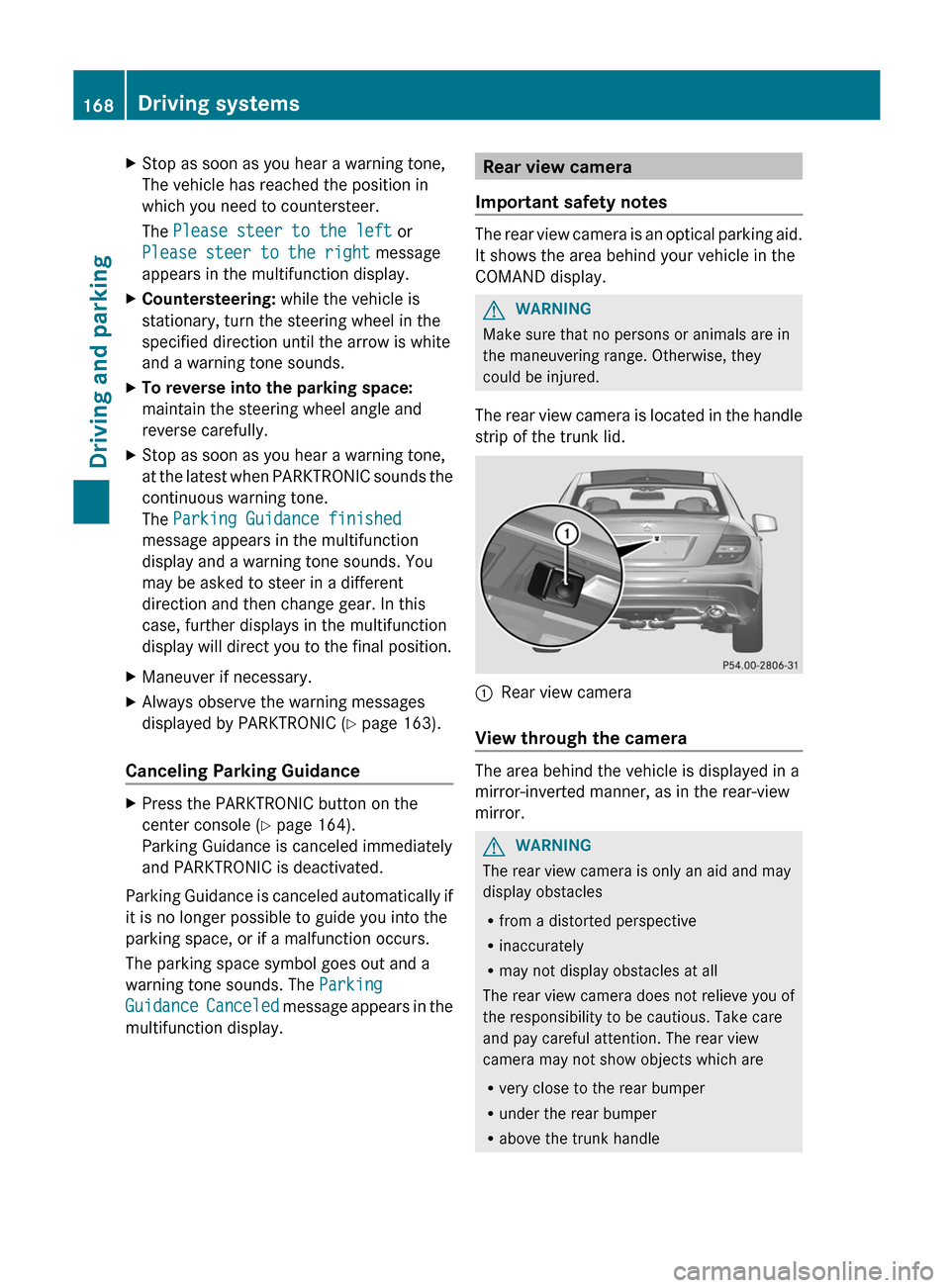
The rear view camera is located in the handle
strip of the trunk lid.
:Rear view camera
View through the camera
The area behind the vehicle is displayed in a
mirror-inverted manner, as in the rear-view
mirror.
GWARNING
The rear view camera is only an aid and may
display obstacles
R from a distorted perspective
R inaccurately
R may not display obstacles at all
The rear view camera does not relieve you of
the responsibility to be cautious. Take care
and pay careful attention. The rear view
camera may not show objects which are
R very close to the rear bumper
R under the rear bumper
R above the trunk handle
168Driving systemsDriving and parking
Page 249 of 336
contents, especially hot liquids, could spill
during braking, vehicle maneuvers, or in an
accident. Liquids spilled on vehicle occupants
may cause serious personal injury. Liquids
spilled on vehicle equipment may cause
damage not covered by the Mercedes-Benz
Limited Warranty.
When not in use, keep the cup holder closed.
An open cup holder may cause injury to you
or others when contacted during braking,
vehicle maneuvers, or in an accident.
Keep in mind that objects placed in the cup
holder may come loose during braking,
vehicle maneuvers, or in an accident and be
thrown around in the vehicle interior. Objects
thrown around in the vehicle interior may
cause an accident and/or serious personal
injury.
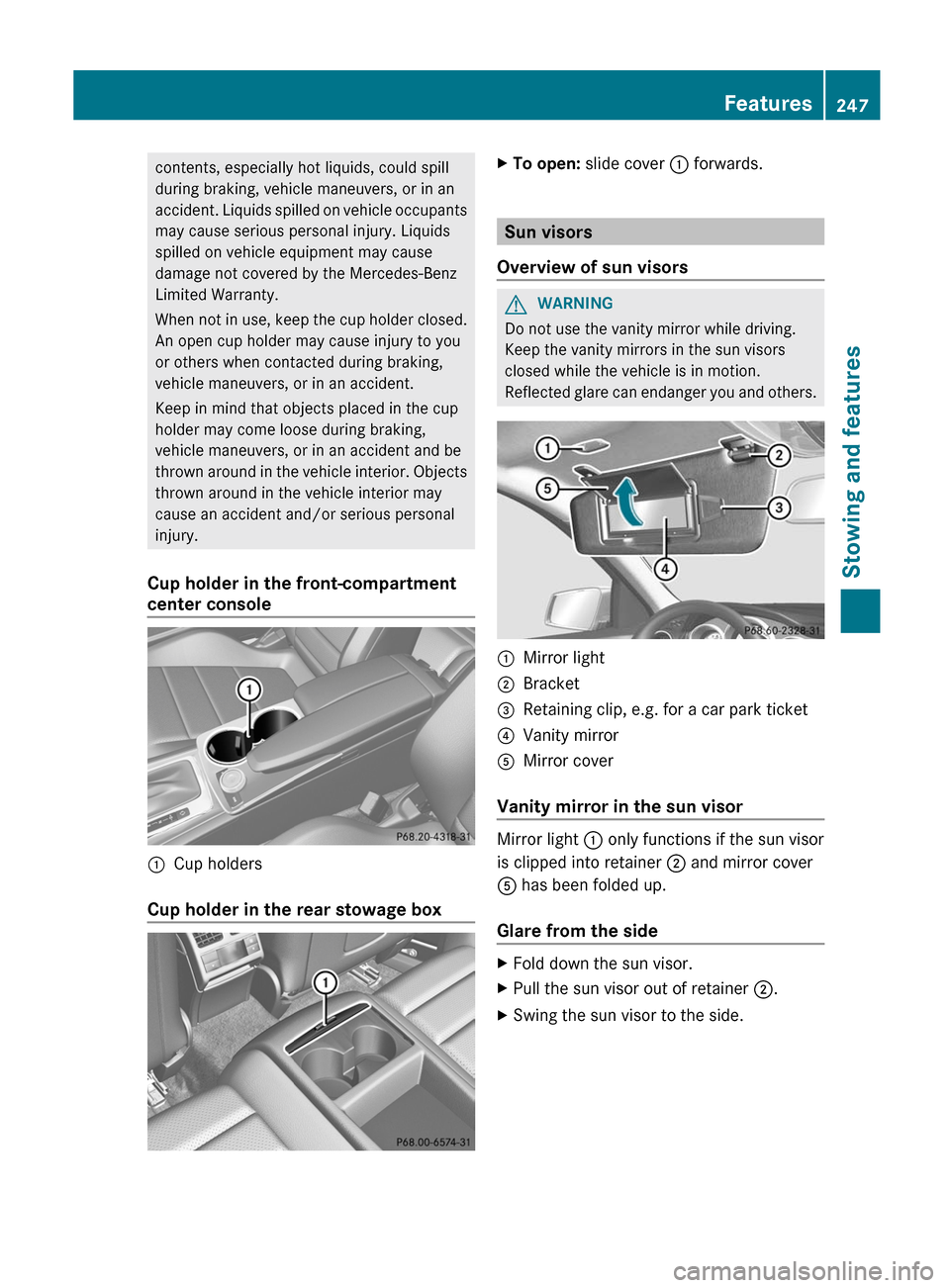
Cup holder in the front-compartment
center console:Cup holders
Cup holder in the rear stowage box
XTo open: slide cover : forwards.
Sun visors
Overview of sun visors
GWARNING
Do not use the vanity mirror while driving.
Keep the vanity mirrors in the sun visors
closed while the vehicle is in motion.
Reflected glare can endanger you and others.
:Mirror light;Bracket=Retaining clip, e.g. for a car park ticket?Vanity mirrorAMirror cover
Vanity mirror in the sun visor
Mirror light : only functions if the sun visor
is clipped into retainer ; and mirror cover
A has been folded up.
Glare from the side
XFold down the sun visor.XPull the sun visor out of retainer ;.XSwing the sun visor to the side.Features247Stowing and featuresZ
Page 250 of 336
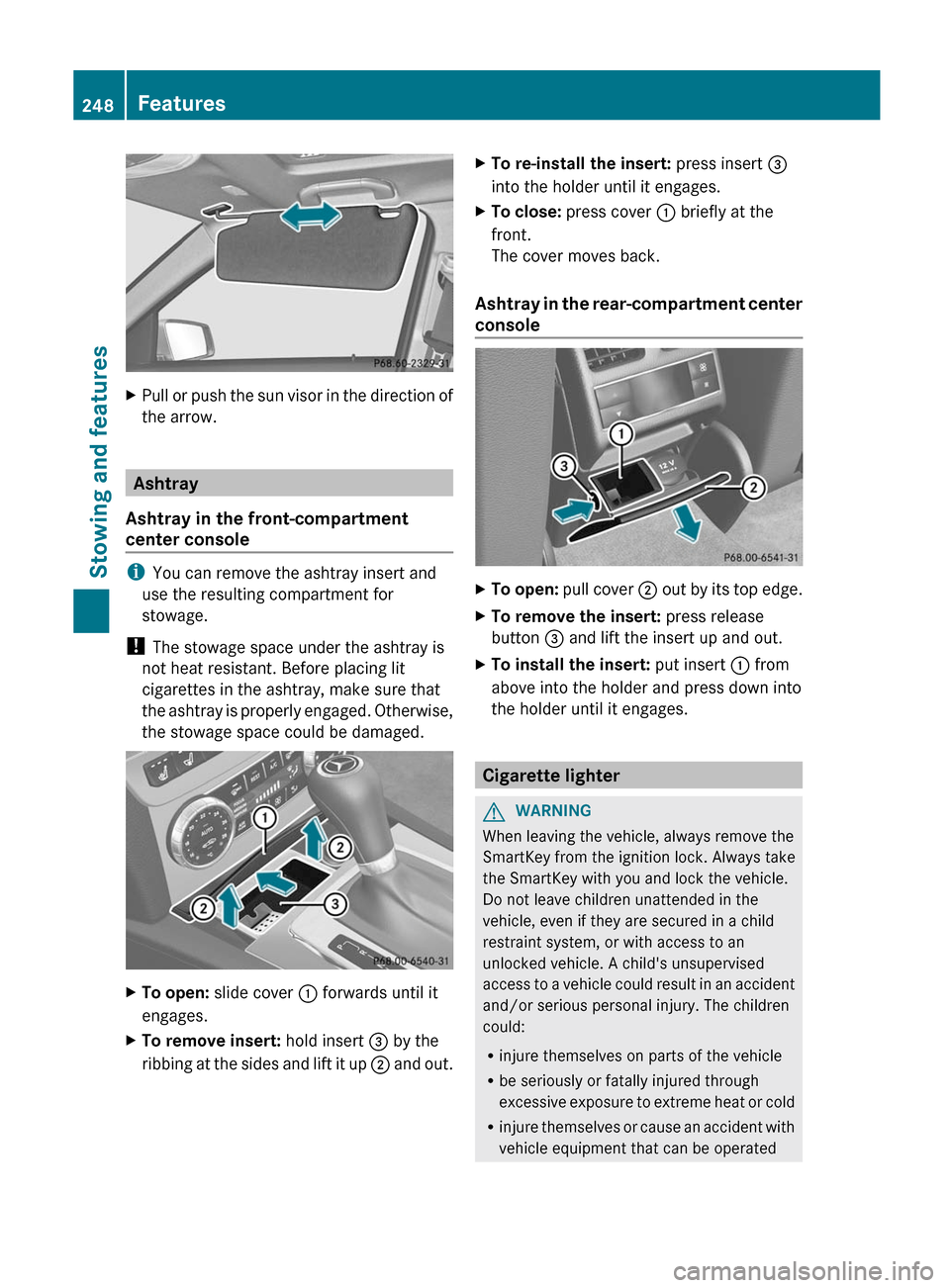
XPull or push the sun visor in the direction of
the arrow.
Ashtray
Ashtray in the front-compartment
center console
i You can remove the ashtray insert and
use the resulting compartment for
stowage.
! The stowage space under the ashtray is
not heat resistant. Before placing lit
cigarettes in the ashtray, make sure that
the ashtray is properly engaged. Otherwise,
the stowage space could be damaged.
XTo open: slide cover : forwards until it
engages.XTo remove insert: hold insert = by the
ribbing at the sides and lift it up ; and out.XTo re-install the insert: press insert =
into the holder until it engages.XTo close: press cover : briefly at the
front.
The cover moves back.
Ashtray in the rear-compartment center
console
XTo open: pull cover ; out by its top edge.XTo remove the insert: press release
button = and lift the insert up and out.XTo install the insert: put insert : from
above into the holder and press down into
the holder until it engages.
Cigarette lighter
GWARNING
When leaving the vehicle, always remove the
SmartKey from the ignition lock. Always take
the SmartKey with you and lock the vehicle.
Do not leave children unattended in the
vehicle, even if they are secured in a child
restraint system, or with access to an
unlocked vehicle. A child's unsupervised
access to a vehicle could result in an accident
and/or serious personal injury. The children
could:
R injure themselves on parts of the vehicle
R be seriously or fatally injured through
excessive exposure to extreme heat or cold
R injure themselves or cause an accident with
vehicle equipment that can be operated
248FeaturesStowing and features
Page 251 of 336
even if the SmartKey is removed from the
ignition lock or removed from the vehicle,
such as seat adjustment, steering wheel
adjustment, or the memory function
If children open a door, they could injure other
persons or get out of the vehicle and injure
themselves or be injured by following traffic.
Do not expose the child restraint system to
direct sunlight. The child restraint system's
metal parts, for example, could become very
hot, and the child could be burned on these
parts.GWARNING
Never touch the heating element or sides of
the lighter; they are extremely hot. Hold the
knob only.
Make sure any children traveling with you do
not injure themselves or start a fire with the
hot cigarette lighter.
XTurn the SmartKey to position 2 in the
ignition lock.XTo open: slide cover : forwards until it
engages.XPress in cigarette lighter ;.
Cigarette lighter ; will pop out
automatically when the heating element is
red-hot.XTo close: press cover : briefly at the
front.
The cover moves back.12 V sockets
Points to observe before use
The sockets can be used for accessories, e.g.
lamps or mobile phone chargers with a
maximum current draw of 180 W (15 A).
If you use the sockets for long periods when
the engine is switched off, the battery may
discharge.
XTurn the SmartKey to position 1 in the
ignition lock.
i An emergency cut-out ensures that the
on-board voltage does not drop too low. If
the on-board voltage is too low, the power
to the sockets is automatically cut. This
ensures that there is sufficient power to
start the engine.
Socket in the rear-compartment center
console
XPull cover ; out by its top edge.XLift up the cover of socket :.
115 V socket
GWARNING
The 115V AC socket operates at high voltage.
Use the 115V AC socket in the vehicle with
the same caution and prudence that you
exercise when using power outlets at home.
Keep any fluids away from the 115V AC
socket. Do not clean the socket with fluids or
tapered objects. Keep the 115V AC socket
Features249Stowing and featuresZ