light MERCEDES-BENZ C-CLASS COUPE 2019 Manual PDF
[x] Cancel search | Manufacturer: MERCEDES-BENZ, Model Year: 2019, Model line: C-CLASS COUPE, Model: MERCEDES-BENZ C-CLASS COUPE 2019Pages: 518, PDF Size: 46.27 MB
Page 197 of 518
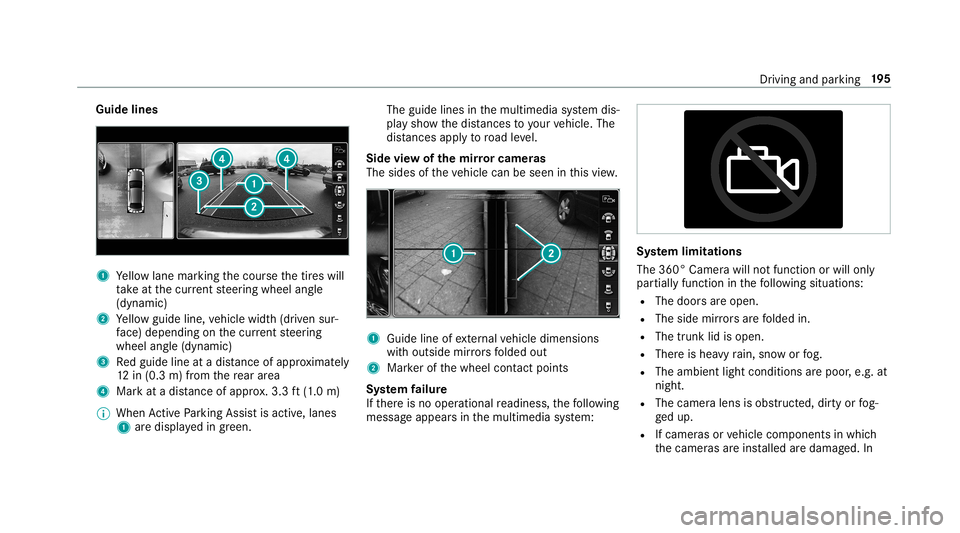
Guide
lines 1
Yello wlane markingth ecour sethetir es will
ta ke atthecur rent steer ing wheel angle
(dynamic)
2 Yello wguide line,vehicle width(dr iven sur‐
fa ce) dep endi ngon thecur rent steer ing
wheel angle(dynamic)
3 Redguide lineatadis tance ofapprox imat ely
12 in(0. 3m) from there ar area
4 Markat adis tance ofappr ox.3.3 ft(1.0 m)
0009 When ActivePa rking Assistis act ive, lanes
1 aredispla yedin green. The
guide linesinthemultimedia system dis‐
pla ysho wthedis tances toyour vehicle. The
dis tances apply toroad leve l.
Side viewof themir rorca mer as
The side sof theve hicle canbeseen inthis vie w. 1
Guide lineofextern al vehicle dimensions
wit houtside mirrors folded out
2 Markerof thewheel contact poi nts
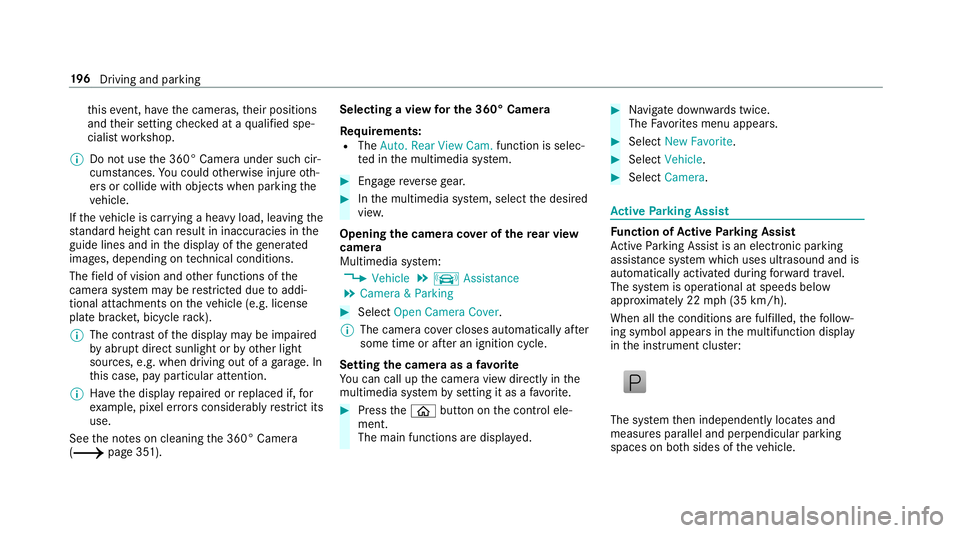
Sy stem failur e
If th er eis no oper ational readin ess, thefo llo wing
mess ageappear sin themultimedia system: Sy
stem limita tions
The 360° Camera willnotfun ction orwill only
par tiall yfun ction inthefo llo wing situat ions:
R The door sar eopen .
R The side mirrors arefo lded in.
R The trunk lidisopen .
R Ther eis hea vyrain, sno wor fog.
R The ambient lightcondit ionsarepoor ,e.g. at
night.
R The camer alens isobs truct ed, dirtyor fog‐
ge dup.
R Ifcamera sor vehicle component sin whic h
th ecamer asareins talled aredamag ed.In Dr
ivin gand parking19
5
Page 198 of 518
th
is event ,ha ve thecamer as,their position s
and their setting checkedat aqu alif ied spe‐
cialis two rkshop.
0009 Donotuse the360° Camer aunder suchcir‐
cums tances. Youco uld other wise injureot h‐
er sor collide withobject swhen parking the
ve hicle.
If th eve hicle iscar rying ahea vyload, leavingth e
st andar dheigh tcan result ininaccur aciesinthe
guide linesandinthedispla yof thege ner ated
ima ges,depending ontech nica lcond itions.
The field ofvision andother funct ionsofthe
came rasystem maybe restrict ed dueto addi‐
tio nal attachme ntson theve hicle (e.g.license
plat ebr ac ket,bicy cle rack ).
0009 The contras tof thedispla yma ybe impair ed
by abr uptdir ect sunlight orby other light
sour ces, e.g.when driving outofaga rage .In
th is case, paypar ticular attent ion.
0009 Have thedispla yre pair edorreplaced if,for
ex am ple, pixelerro rs consi derablyrestrict its
us e.
See theno teson cleaning the360° Camer a
(0013 page35 1). Selecting
avie wforthe 360° Camer a
Re quirement s:
R The Auto.Rear View Cam. function isselec‐
te din themultimedia system. 0007
Engage reve rsege ar. 0007
Inthemultimedia system, select thedesir ed
vie w.
Opening thecam eraco verof the rear vie w
camer a
Mul timedi asy stem:
0018 Vehicle 0019
k Assist ance
0019 Camera &Parkin g 0007
Select OpenCamera Cover.
0009 The camer aco vercloses automatical lyafte r
some timeorafte ran ignitio ncy cle.
Se tting thecam eraas afa vo rite
Yo ucan callupthecamer avie wdir ect lyin the
multime diasystem bysettin git as afa vo rite . 0007
Press the00E2 buttononthecon trol ele‐
ment .
The main functionsar edispla yed. 0007
Navig atedo wn wardstwice.
The Favorite smenu appears. 0007
Select New Favorite. 0007
Select Veh icle. 0007
Select Camera. Ac
tiv ePa rking Assis t Fu
nction ofActiv ePa rking Assis t
Ac tivePa rking Assistis an elect ronic parking
assis tance system whic huses ultrasound andis
aut omaticall yactiv ated dur ing forw ardtra vel.
The system isoper ational atspeeds below
appr oximat ely22 mph(35 km/h).
When allthecon ditions arefulf illed, thefo llo w‐
ing symbol appearsin themultifunc tiondispla y
in theins trument cluster: The
system then independen tly locat esand
measur espar allel andperpendicular parking
spaces onboth sides oftheve hicle. 19
6
Driving and parking
Page 207 of 518
th
is, youcan spec ifyinthemultimedia system
by howmuc hth emaximum permissible speed
can beexc eeded beforeawa rning isissued. You
can specify whether thewa rning isto be justa
visual warning oran acous ticone aswell.
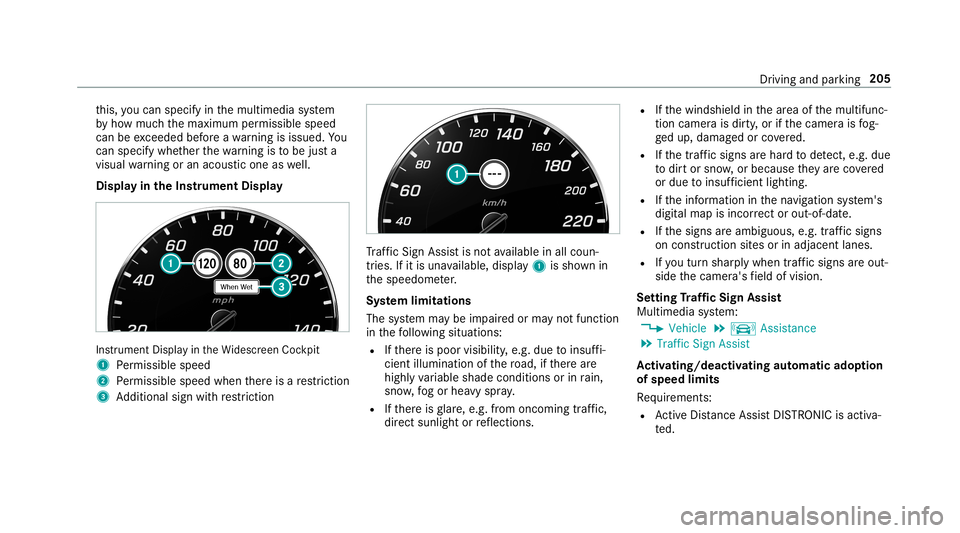
Displa yin theIns trum ent Displa y In
stru ment Displa yin theWi descr eenCockpit
1 Perm issible speed
2 Perm issible speedwhenther eis are striction
3 Addition alsign withre striction Tr
af fic Sign Assistisno tav ailable inall coun ‐
tr ies. Ifit is una vailable, display1 issho wnin
th espeedome ter.
Sy stem limita tions
The system maybe impair edorma yno tfunc tion
in thefo llo wing situat ions:
R Ifth er eis poor visibility ,e.g. due toinsuf fi‐
cie ntillu mina tionofthero ad, ifth er ear e
highl yva riable shade condition sor inrain,
sno w,fogor hea vyspr ay.
R Ifth er eis glar e, e.g .fr om oncom ingtraf fic,
di re ct sunli ght orreflect ions. R
Ifth ewindshield inthear ea ofthemultifunc ‐
tion camer ais dir ty,or ifth ecamer ais fog‐
ge dup, damag edorcovered.
R Ifth etra ffic sign sar ehar dto detect, e.g. due
to dir tor sno w,orbecause they areco vered
or due toinsuf ficie ntlighti ng.
R Ifth einf ormation inthena vig ation system's
digit almap isincor rect or out-of-da te.
R Ifth esigns areambiguous, e.g.traf fic sig ns
on cons tructi onsites orinad jacent lanes.
R Ifyo utur nshar plywhen traffic sig ns areou t‐
sid eth ecamer a'sfield ofvision.
Se tting Traf fic Sign Assis t
Mult imed iasystem:
0018 Vehicle 0019
k Assist ance
0019 Traffic SignAssist
Ac tiv atin g/deac tivatin gaut omati cadop tion
of spe edlimits
Re quiremen ts:
R ActiveDis tance AssistDIS TRONI Cis acti va‐
te d. Dr
iving andparking205
Page 210 of 518
000A
WARNIN GRisk ofacci dent despite
br ak eapplication ofActiveBli nd Spo t
Assi st
A cou rse-co rrect ing brak eapplication cannot
alw ayspr eve ntacol lisi on. 0007
Alw aysst eer ,br ak eor accelera teyour‐
self ,espe ciallyif Ac tiveBli nd Spo t
Assi stwa rnsyo uor mak esaco urse-
co rrect ing brak eapplication. 0007
Alw aysmaint ainasaf edis tance atthe
sides. 000A
WARNIN GRisk ofacci dent despite
Ac tiveBli nd Spo tAssi st
Ac tiveBli nd Spo tAssi stdoes notre act tothe
fo llo wing:
R Ifve hicles overtak eto oclosel yon the
side, placing them intheblind spotar ea
R Vehicles approaching andovertakin gyo u
at agr ea tly differ ent speed As
are sult, ActiveBli nd Spo tAssi stma ynei‐
th er giv ewa rnings norinterve ne insuch sit‐
uations. 0007
Alw ayspa ycar eful attention tothetra f‐
fi c situ ation and maintain asaf edis‐
ta nce attheside oftheve hicle. If
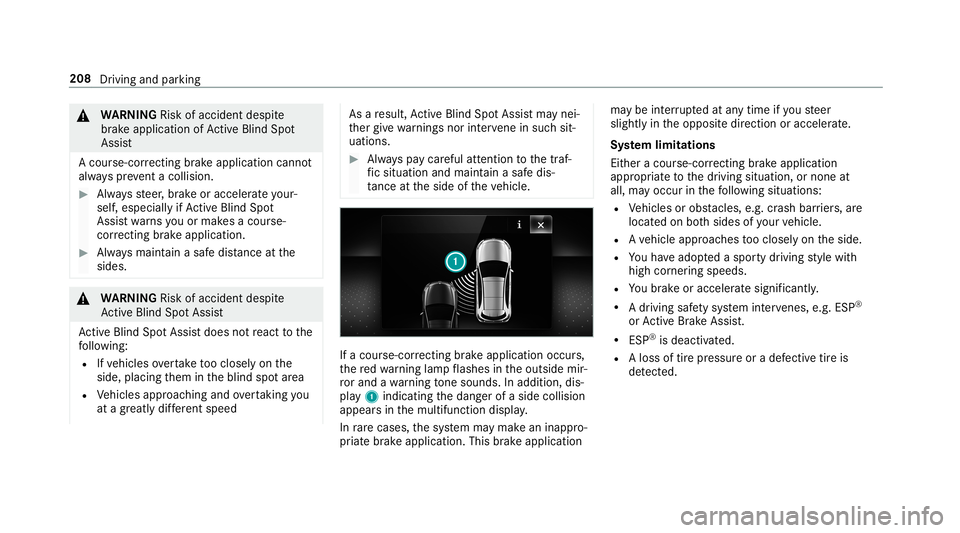
acour se-cor recting brak eap plica tion occu rs,
th ere dwa rning lam pflashes intheoutside mir‐
ro rand awa rning tone sou nds. Inadditio n,dis‐
pl ay 1 indic atingth edang erofaside collision
appear sin themultifunc tiondispla y.
In rare case s,thesy stem maymak ean inappr o‐
pr iat ebr ak eapplication. Thisbrak eapplication ma
ybe interru pte dat anytime ifyo usteer
slightl yin theopposit edir ect ion oraccelera te.
Sy stem limita tions
Eit her acour se-cor recting brak eap plica tion
ap propr iate to thedr iving situation ,or non eat
all, mayoccur inthefo llo wing situat ions:
R Vehicles orobs tacle s,e.g. crash barrier s,are
locat edon both sides ofyour vehicle.
R Ave hicle approaches tooclosely ontheside.
R Youha ve adop tedaspor tydriving style wit h
high corner ing speeds.
R Youbr ak eor acc elerat esign ifican tly.
R Adr ivi ng safety system interve nes, e.g.ESP ®
or ActiveBr ak eAssi st.
R ESP ®
is de acti vated.
R Aloss oftirepr essur eor adef ect ive tir eis
de tected. 208
Driving and parking
Page 213 of 518
Ac
tiv atin g/deac tivatin gAc tiv eLan eKe eping
Assis t(v ehicles withPa rking Assis t
PA RK TRONI C) 000A
WARNIN GRisk ofacci dent despite
Ac tiveLa ne Keeping Assistwa rning
A lane- correcting brak eap plica tion canno t
al wa ys bring theve hicle backint oth eor igi‐
nal lane. 0007
Alw aysst eer ,br ak eor accelera teyour‐
self ,espe ciallyif Ac tiveLa ne Keeping
Assis twa rnsyo uor mak esalane -cor‐
re cting brak eap plica tion. 000A
WARNIN GRisk ofacci dent despite inter‐
ve ntio nof ActiveLa ne Keeping Assist
Ac tiveLa ne Keeping Assistdoes notde tect
tr af fic condi tions orroad user s.In very rare
case s,thesy stem maymak ean inappr opri‐
at ebr ak eapplication, e.g.afte rint entional ly
dr iving overa soli dlane marking.
The brak eapp lication canbeinterru pte dat
an ytime ifyo usteer slightl yin theopposit e
dir ect ion. 0007
Alw aysmak esur eth at ther eis suf fi‐
cie ntdist anc eto theside forot her traf‐
fi c or obs tacle s. 000A
WARNIN GRisk ofacci dent despite Lane
Ke eping Assist
Lane Keeping Assistcann otalw aysclear ly
de tect lane mar kings .
In such case s,Lane Keeping Assistcan:
R givean unnec essarywa rning
R notgiv eawa rning 0007
Alw ayspa ypar ticular attention tothe
tr af fic situ ation and keep within the
lane, espec iallyif Ac tiveLa ne Keeping
Assis taler tsyou. Be
sureto obser vethesy stem limit ations of
Ac tiveLa ne Keeping Assist. 0007
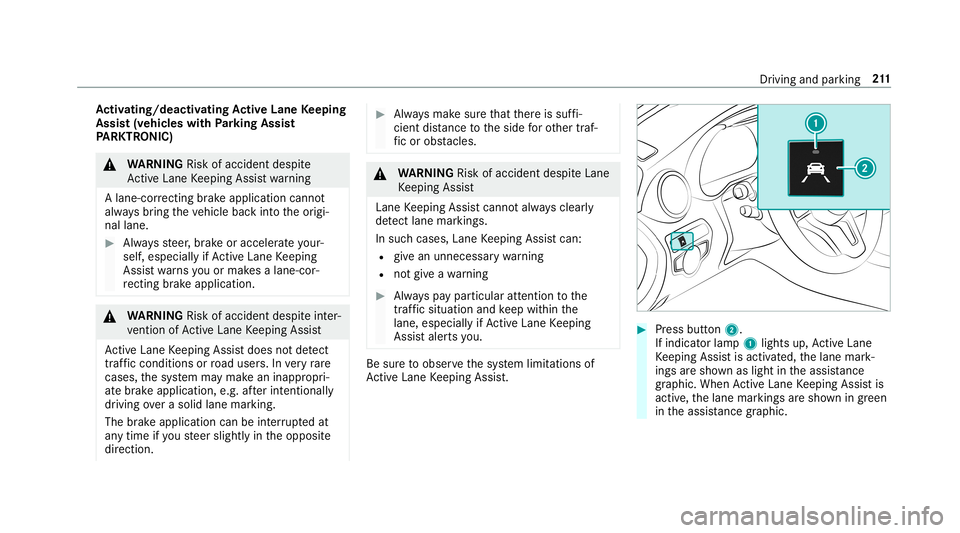
Press butt on2.
If indicat orlam p1 lights up,ActiveLa ne
Ke eping Assistis activ ated, thelane mark‐
ings aresho wnaslight intheassis tance
gr ap hic. Whe nAc tiveLa ne Keeping Assistis
activ e,thelane marking sar esho wningreen
in theassis tance grap hic. Dr
iving and parking 21
1
Page 218 of 518
0007
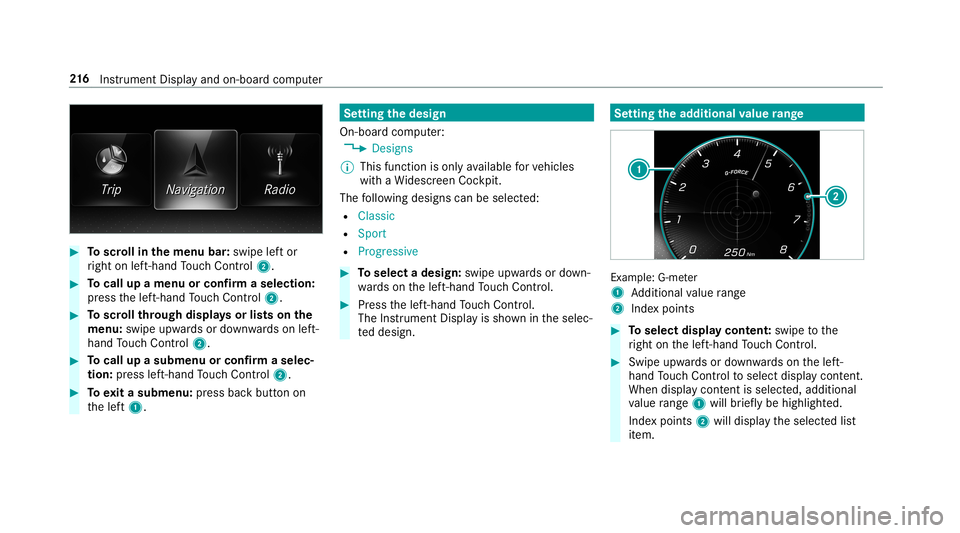
Toscr ollinthemenu bar:swipe leftor
ri ght onleft-h and Touc hCon trol 2. 0007
Tocall upamen uor conf irm aselect ion:
pr ess thelef t-hand Touc hCon trol 2. 0007
Toscr ollthrough displa ysorlists on the
menu :swipe upwards ordown wardson left-
hand Touc hCon trol 2. 0007
Tocall upasub men uor conf irm aselec‐
tion :pr ess left-han dTo uc hCon trol 2. 0007
Toexitasubm enu:press backbutt onon
th elef t1. Se
tting thedesig n
On -bo ardcom puter:
0018 Designs
0009 This function isonl yav ailable forve hicles
wit haWi descr eenCockpit.
The follo wing design scan beselec ted:
R Classic
R Sport
R Progres sive 0007
Toselect adesign: swipeupwards ordown‐
wa rdson thelef t-hand Touc hCon trol. 0007
Press thelef t-hand Touc hCon trol.
The Instru ment Displa yis sho wnintheselec‐
te ddesign. Se
tting thead dit ional value rang e Ex
am ple: G-me ter
1 Addition alvalue rang e
2 Inde xpo ints 0007
Toselect displaycont ent:swipe tothe
ri ght onthelef t-hand Touc hCon trol. 0007
Swip eupw ards ordown wardson thelef t-
hand Touc hCon trol to select displaycont ent.
When displaycont entisselect ed,additional
va lue rang e1 willbr iefly be high lighted.
Inde xpoint s2 will displa yth eselect edlist
it em. 21
6
Instrument Displayand on-boar dcom puter
Page 220 of 518
Ve
hicl eswith Traf fic Sign Assis t:De tected
ins tructi ons and traf fic sig ns (0013 page 204) . Ad
jus tingthe inst ru men tlighti ng 0007
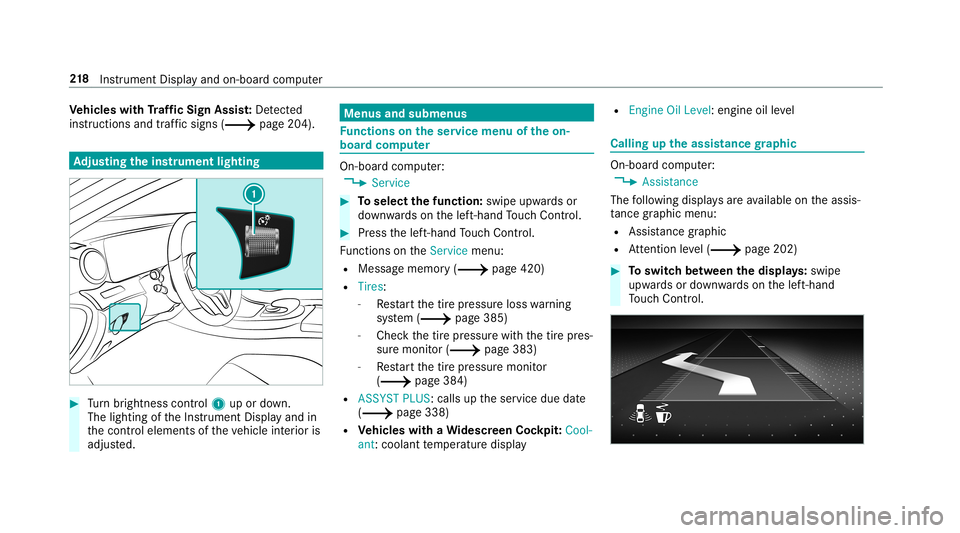
Turn brightn esscontrol 1 upordown.
The lightin gof theIns trument Displayand in
th econ trol element sof theve hicle interior is
adjus ted. Menus
andsubmenu s Fu
nctions ontheser vice menu oftheon-
boar dcom puter On-boar
dcom puter:
0018 Service 0007
Toselect thefun ction: swipeupwards or
do wn wardson thelef t-hand Touc hCon trol. 0007
Press thelef t-hand Touc hCon trol.
Fu nctio nson theServ icemenu:
R Messag ememor y(0013 page420)
R Tires :
- Restar tth etir epr essur eloss warning
sy stem (0013 page385)
- Chec kth etir epr essur ewit hth etir epr es‐
sur emonit or(0013 page383)
- Restar tth etir epr essur emonit or
(0013 page38 4)
R ASSYST PLUS: callsuptheser vice duedate
(0013 page338)
R Vehicl eswith aWi des cree nCo ckpit: Cool-
ant :cool anttemp eratur edispla y R
Engine OilLevel: engine oilleve l Callin
gup theassis tance graphic On-board
computer:
0018 Assista nce
The follo wing displa ysareav ailable ontheassis‐
ta nce grap hicmenu :
R Assi stanc egr aphic
R Attentio nleve l(0013 page202) 0007
Toswitc hbe tw een thedisp lays :swipe
upw ards ordown wardson thelef t-hand
To uc hCon trol. 21
8
Instrument Displayand on-boar dcom puter
Page 221 of 518
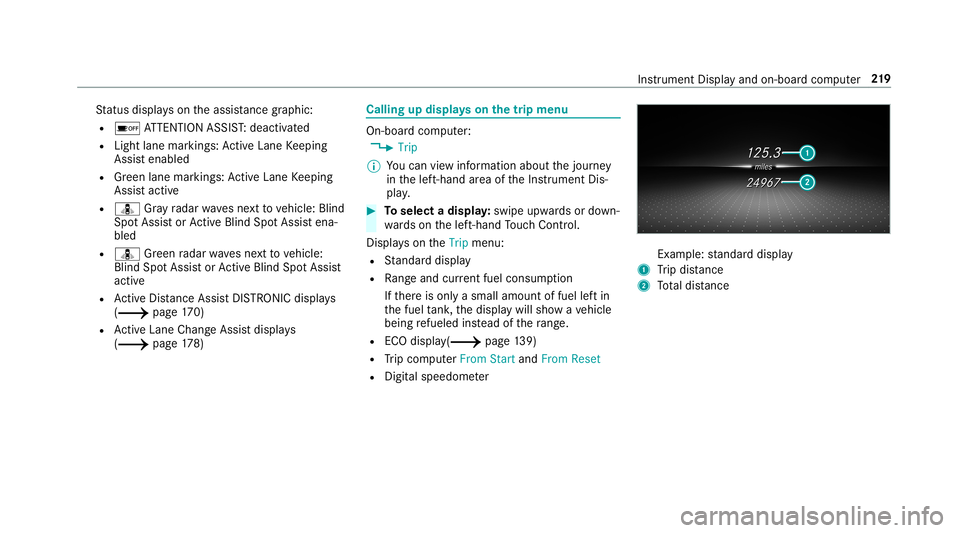
St
atus displa yson theassis tance grap hic:
R 00D7 ATTENTION ASSIST: deactiv ated
R Light lanemarkings: ActiveLa ne Keeping
Assis tenabled
R Green lane marking s:Ac tiveLa ne Keeping
Assis tactiv e
R ¸ Gray radar wavesnext to vehicle: Blind
Spo tAssis tor ActiveBli nd Spo tAssi stena‐
bled
R ¸ Green radar wavesne xt to vehicle:
Blind SpotAssis tor ActiveBli nd Spo tAssi st
act ive
R ActiveDis tance AssistDIS TRONI Cdisp lays
( 0013 page17 0)
R ActiveLa ne Chang eAssi stdispla ys
( 0013 page17 8) Ca
lling up displ ayson thetrip menu On
-bo ardcom puter:
0018 Trip
0009 Youcan viewinf ormat ionabout thejour ney
in thelef t-hand area oftheIns trument Dis‐
pla y. 0007
Toselect adispla y:swipe upwards ordown‐
wa rdson thelef t-hand Touc hCon trol.
Dis playson theTrip menu:
R Standar ddispla y
R Rangeand current fue lconsu mption
If th er eis onl ya small amount offuel leftin
th efuel tank ,th edispla ywill showave hicle
being refuel edinstead ofthera ng e.
R ECOdispl ay(0013 page13 9)
R Trip com puterFro mStart and FromReset
R Digit alspeedom eter Ex
am ple: standar ddispla y
1 Trip dis tance
2 Totaldis tance Ins
trum ent Disp lay and on-b oard com puter 21
9
Page 227 of 518
When
youre cei veacall, the0061 Incoming Call
messag ewill appear ontheHead-up Display.
In aud iomode, thest atio nnam eor trac kwill be
sho wntemp orarily when theaudio sourceis
being activelyoper ated.
Sy stem limita tions
The visib ilityisinf luenc edbythefo llo wing condi‐
tion s:
R Seat position
R The posit ioningof thedispla yimag e
R Light conditions
R Wetro ads
R Objectson thedispla yco ver
R Polar izat ion insung lasses
0009 Inextreme sunli ght, sectio nsofthedispla y
ma yappear washed out.Youcan correct this
by switc hingtheHead-up Displayof fand on
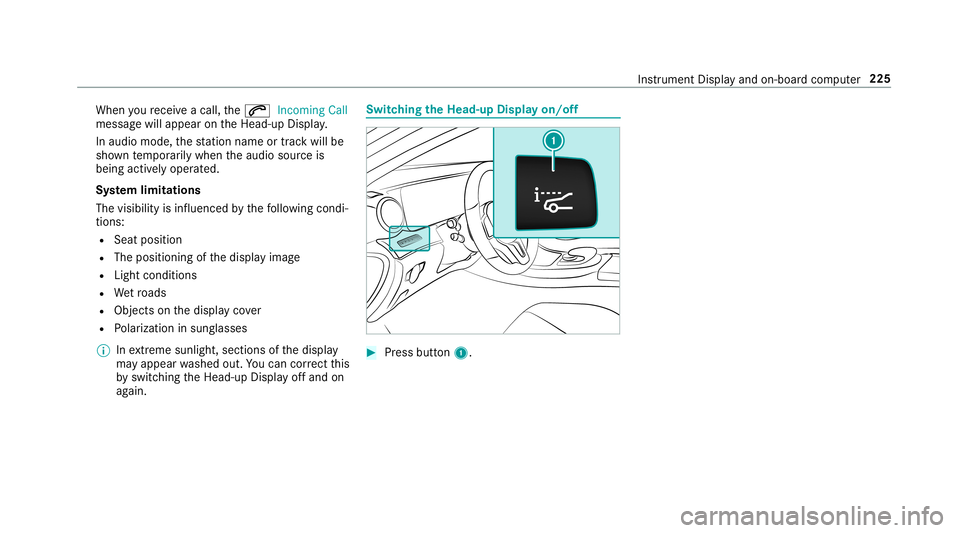
ag ain. Switc
hingtheHead -upDispla yon/of f 0007
Press butt on1. In
stru ment Displa yand on-boar dcom puter 225
Page 240 of 518
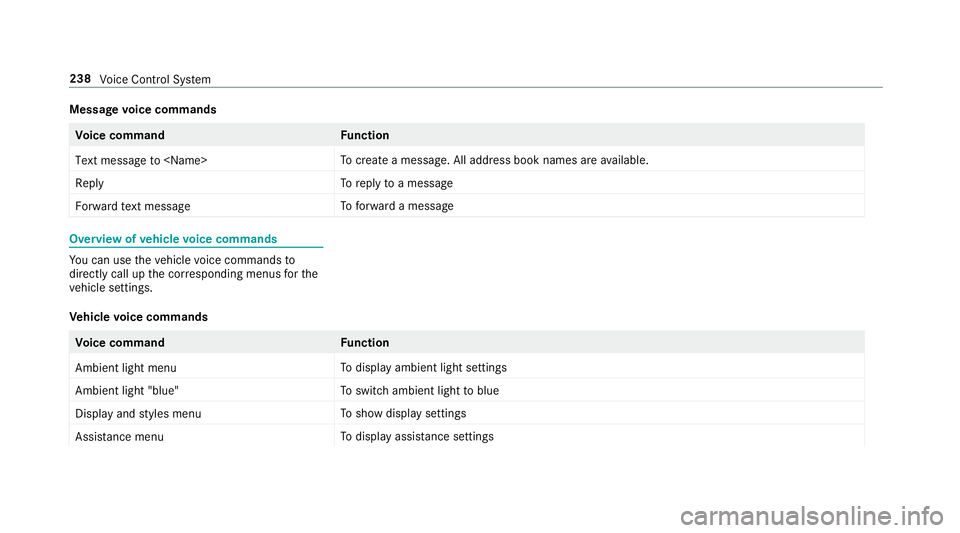
Messag
evo ice comm ands Vo
ice comm and Function
Text message to
crea te ames sage.All addr essbook namesareav ailable.
Reply To
reply toames sage
For ward text mes sage To
forw ardames sage Ov
ervie wof vehicl evo ice comm ands Yo
ucan usetheve hicle voice com mand sto
dir ect lycall upthecor responding menusforth e
ve hicle settin gs.
Ve hicl evo ice comm ands Vo
ice comm and Function
Ambien tlight menu To
displa yambient lightsettings
Ambien tlight "blue" To
switc hambient lighttoblue
Display andstyles menu To
sho wdispla yse ttings
Assistance menu To
displa yassis tance settings 23
8
Voice Cont rolSy stem