ad blue MERCEDES-BENZ C-CLASS ESTATE 2020 User Guide
[x] Cancel search | Manufacturer: MERCEDES-BENZ, Model Year: 2020, Model line: C-CLASS ESTATE, Model: MERCEDES-BENZ C-CLASS ESTATE 2020Pages: 565, PDF Size: 10.27 MB
Page 324 of 565
Te
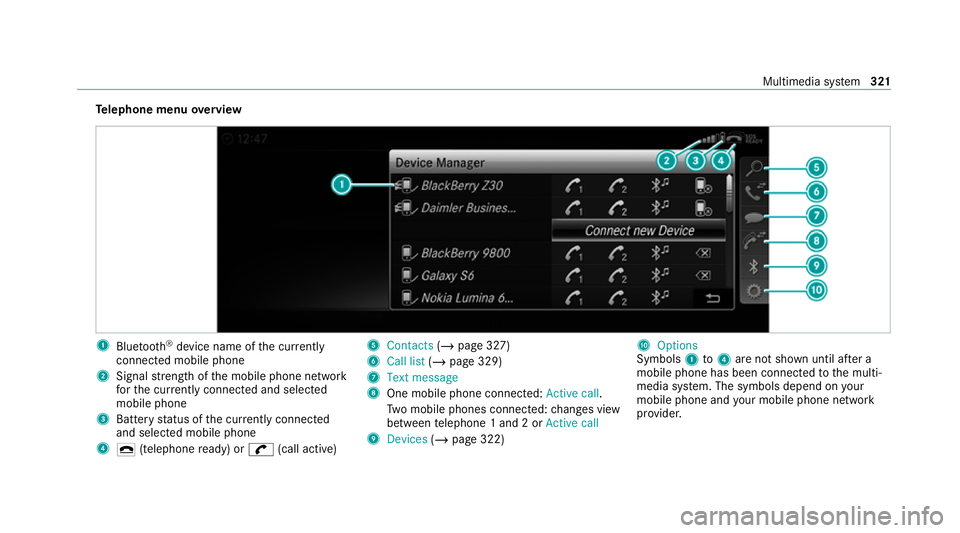
lephone menu overview 1
Blue tooth ®
device name of the cur rently
connected mobile phone
2 Signal stre ngth of the mobile phone network
fo rth e cur rently connected and selected
mobile phone
3 Battery status of the cur rently connected
and selected mobile phone
4 ¢ (telephone ready) or w(call active) 5
Contacts (/page 327)
6 Call list (/page 329)
7 Text message
8 One mobile phone connec ted: Active call.
Tw o mobile phones connected: changes view
between telephone 1 and 2 or Active call
9 Devices (/page 322) A
Options
Symbols 1to4 are not shown until af ter a
mobile phone has been connected tothe multi‐
media sy stem. The symbols depend on your
mobile phone and your mobile phone network
pr ov ider. Multimedia sy
stem 321
Page 325 of 565
Blue
tooth ®
profile overview Blue
tooth ®
profile
of the mobile phone Fu
nction
PBAP (Phone Book
Access Profile) Contacts are auto‐
matically displa
yed in
th e multimedia sys‐
tem
MAP (Message
Access Profile) Message functions
can be used Te
lephony operating modes overview
Depending on your equipment, thefo llowing tel‐
ephony operating modes are available:
R A mobile phone is connec tedto the multime‐
dia sy stem via Blue tooth®
(/ page 322).
R Two mobile phones are connected with the
multimedia sy stem via Blue tooth®
(two
phone mode) (/ page 323). Information on
telephony
The following situations can lead tothe call
being disconnected while theve hicle is in
motion:
R there is insuf ficient network co verage inthe
area
R you mo vefrom one GSM or UMTS transmit‐
te r/receiver area (cell) into ano ther and no
communication channels are free
R the SIM card used is not compatible with the
network available
R a mobile phone with "Twincard" is logged into
the network with the second SIM card at the
same time
The multimedia sy stem supports calls in HD
Vo ice ®
for impr oved speech qualit y.Arequ ire‐
ment forth is is that the mobile phone and the
mobile phone network pr ovider of the person
yo u are calling suppo rtHD Voice ®
.
Depending on thequ ality of the connection, the
vo ice quality may fluctuate. Connecting a mobile phone (Blue
tooth ®
te l‐
ephony)
Re quirements:
R Blue tooth ®
is activated on the mobile phone
(see the manufacturer's operating instruc‐
tions).
R Blue tooth ®
is activated on the multimedia
sy stem (/ page 282).
Multimedia sy stem:
4 Telephone 5
ª Devices
Sear ching for a mobile phone #
Select Connect new device . #
Select Start search on the system .
The available mobile phones are displa yed. If
a new mobile phone is found, it is indicated
by the# symbol.
Connecting a mobile phone (authorisation
using Secure Simple Pairing) #
Select the mobile phone.
A code is displa yed in the multimedia sy stem
and on the mobile phone. 322
Multimedia sy stem
Page 326 of 565
#
Ifth e codes match: confirm the code on
th e mobile phone.
Connecting a mobile phone (authorisation by
entering a passk ey) #
Select the mobile phone. #
Choose a one tosixteen-digit number combi‐
nation as a passk ey. #
On the multimedia sy stem: enter the pass‐
ke y and select a. #
On the mobile phone: enterthe passk ey
again and con firm.
% Upto15 mobile phones can be auth orised
on the multimedia sy stem.
Auth orised mobile phones are reconnected
au tomatical ly.
Connecting a second mobile phone (two
phone mode)
Re quirements:
R Atleast one mobile phone is already connec‐
te dto the multimedia sy stem via Blue tooth ®
. Multimedia sy
stem:
4 Telephone 5
ª Devices #
Select Connect new device. #
Select Start search on the system.
The available mobile phones are displa yed. #
Select the mobile phone. #
Answer theHow would you like to connect
the new device? prompt. #
Toreplace the cur rently connected
mobile phone: selectPhone 1.
The cur rently connected mobile phone is
re placed bythe new mobile phone.
or #
Toconnect the second mobile phone:
select Phone 2.
The new mobile phone is connec ted as
Phone 2. If two mobile phones ha vealready
been connec ted, the second telephone is
re placed bythe new mobile phone.
or #
Touse the mobile phone as an audio
source: selectAudio source (/page 361). %
A mobile phone can be operated bo thas an
audio source as well as telephone in parallel.
% The type of connection forth e connected
mobile phone, forex ample as Phone 1,
Phone 2 or asAudio source , can berede‐
fi ned at any time. (/ page 323).
Fu nctions of the mobile phone in two phone
mode
Fu nctions overview Mobile phone in
the
fo re gr ound Mobile phone in
the
bac kground
Fu llra nge of func‐
tions Incoming calls In
terc hanging mobile phones (two phone
mode)
Re quirements:
R The mobile phones are authorised
(/ page 322). Multimedia sy
stem 323
Page 327 of 565
Multimedia sy
stem:
4 Telephone 5
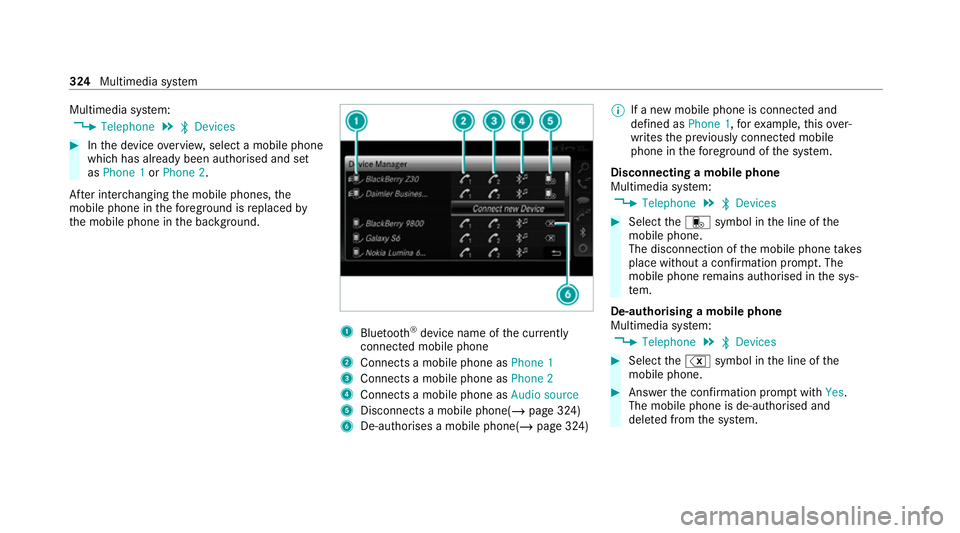
ª Devices #
Inthe device overview, select a mobile phone
which has already been authorised and set
as Phone 1 orPhone 2.
Af ter inter changing the mobile phones, the
mobile phone in thefo re ground isreplaced by
th e mobile phone in the bac kground. 1
Blue tooth ®
device name of the cur rently
connected mobile phone
2 Connects a mobile phone as Phone 1
3 Connects a mobile phone as Phone 2
4 Connects a mobile phone as Audio source
5 Disconnects a mobile phone( /page 324)
6 De-au thorises a mobile phone(/ page 324)%
If a new mobile phone is connected and
defined as Phone 1,forex ample, this ov er‐
writes the pr eviously connec ted mobile
phone in thefo re ground of the sy stem.
Disconnecting a mobile phone
Multimedia sy stem:
4 Telephone 5
ª Devices #
Select thei symbol in the line of the
mobile phone.
The disconnection of the mobile phone takes
place without a confi rmation prom pt. The
mobile phone remains auth orised inthe sys‐
te m.
De-authorising a mobile phone
Multimedia sy stem:
4 Telephone 5
ª Devices #
Select the% symbol in the line of the
mobile phone. #
Answer the confi rmation prom ptwith Yes.
The mobile phone is de-authorised and
dele ted from the sy stem. 324
Multimedia sy stem
Page 331 of 565
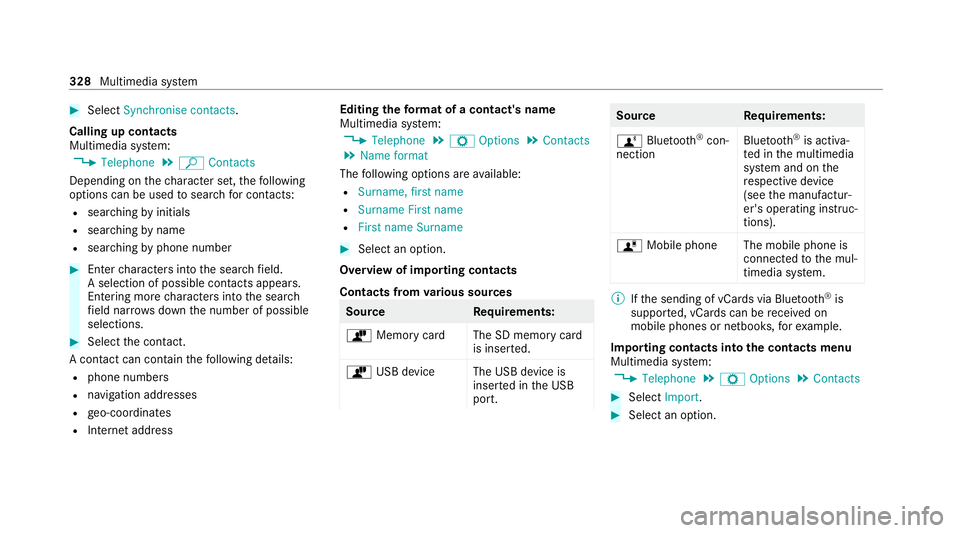
#
Select Synchronise contacts .
Calling up contacts
Multimedia sy stem:
4 Telephone 5
ª Contacts
Depending on thech aracter set, thefo llowing
options can be used tosear chfor contacts:
R sear ching byinitials
R sear ching byname
R searching byphone number #
Ente rch aracters into the sear chfield.
A selection of possible conta cts appears.
Entering more characters into the sear ch
fi eld nar rows down the number of possible
selections. #
Select the conta ct.
A contact can contain thefo llowing de tails:
R phone numbers
R navigation addresses
R geo-coordinates
R Internet address Editing
thefo rm at of a contact's name
Multimedia sy stem:
4 Telephone 5
Z Options 5
Contacts
5 Name format
The following options are available:
R Surname, first name
R Surname First name
R First name Surname #
Select an option.
Overview of importing contacts
Contacts from various sources Source
Requirements:
ò Memory car dThe SD memory card
is inser ted.
ò USB device The USB device is
inserted in the USB
port. Source
Requirements:
ñ Bluetooth ®
con‐
nection Blu
etoo th®
is activa‐
te d in the multimedia
sy stem and on the
re spective device
(see the manufactur‐
er's operating instruc‐
tions).
ó Mobile phone The mobile phone is
connectedtothe mul‐
timedia sy stem. %
Ifth e sending of vCards via Blue tooth®
is
suppor ted, vCards can be recei ved on
mobile phones or netbooks, forex ample.
Importing contacts into the contacts menu
Multimedia sy stem:
4 Telephone 5
Z Options 5
Contacts #
Select Import. #
Select an option. 328
Multimedia sy stem
Page 332 of 565
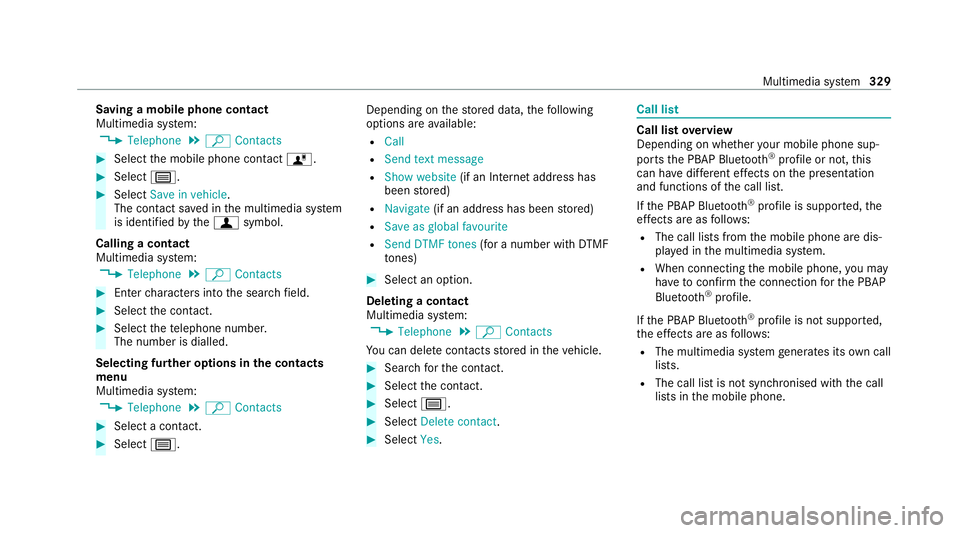
Saving a mobile phone contact
Multimedia sy
stem:
4 Telephone 5
ª Contacts #
Select the mobile phone conta ctó. #
Select p. #
Select Save in vehicle .
The contact sa ved in the multimedia sy stem
is identified bythef symbol.
Calling a contact
Multimedia sy stem:
4 Telephone 5
ª Contacts #
Ente rch aracters into the sear chfield. #
Select the conta ct. #
Select thete lephone number.
The number is dialled.
Selecting fur ther options in the contacts
menu
Multimedia sy stem:
4 Telephone 5
ª Contacts #
Select a conta ct. #
Select p. Depending on
thestored data, thefo llowing
options are available:
R Call
R Send text message
R Show website (if an Intern et address has
been stored)
R Navigate (if an address has been stored)
R Save as global favourite
R Send DTMF tones (for a number with DTMF
to nes) #
Select an option.
Deleting a contact
Multimedia sy stem:
4 Telephone 5
ª Contacts
Yo u can dele tecontacts stored in theve hicle. #
Sear chforth e conta ct. #
Select the conta ct. #
Select p. #
Select Delete contact . #
Select Yes. Call li
st Call list
overview
Depending on whe ther your mobile phone sup‐
ports the PBAP Blue tooth®
profile or not, this
can ha vediffere nt ef fects on the presentation
and functions of the call list.
If th e PBAP Blue tooth ®
profile is suppor ted, the
ef fects are as follo ws:
R The call lists from the mobile phone are dis‐
pla yed in the multimedia sy stem.
R When connecting the mobile phone, you may
ha ve toconfirm the connection forth e PBAP
Blue tooth ®
profile.
If th e PBAP Blue tooth ®
profile is not suppor ted,
th e ef fects are as follo ws:
R The multimedia sy stem generates its own call
li st s.
R The call list is not synchronised with the call
lists in the mobile phone. Multimedia sy
stem 329
Page 333 of 565
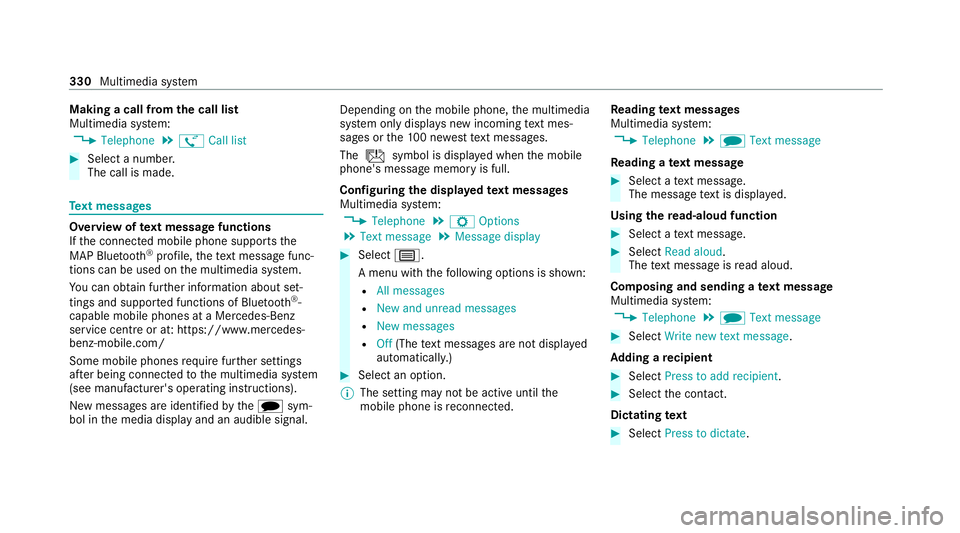
Making a call from
the call list
Multimedia sy stem:
4 Telephone 5
ø Call list #
Select a number.
The call is made. Te
xt messages Overview of
text message functions
If th e connected mobile phone supports the
MAP Blue tooth®
profile, thete xt messa gefunc‐
tions can be used on the multimedia sy stem.
Yo u can obtain fur ther information about set‐
tings and suppor ted functions of Blue tooth ®
-
capable mobile phones at a Mercedes-Benz
service centre or at: https://www.mercedes-
benz-mobile.com/
Some mobile phones require fur ther settings
af te r being connected tothe multimedia sy stem
(see manufacturer's operating instructions).
New messages are identified bythei sym‐
bol in the media display and an audible signal. Depending on
the mobile phone, the multimedia
sy stem only displa ysnew incoming text mes‐
sa ge s or the10 0 ne westtext messa ges.
The ú symbol is displa yed when the mobile
phone's message memory is full.
Configuring the displa yedte xt messages
Multimedia sy stem:
4 Telephone 5
Z Options
5 Text message 5
Message display #
Select p.
A menu with thefo llowing options is shown:
R All messages
R New and unread messages
R New messages
R Off (The text messa ges are not displa yed
automaticall y.) #
Select an option.
% The setting may not be acti veuntil the
mobile phone is reconnected. Re
ading text messages
Multimedia sy stem:
4 Telephone 5
i Text message
Re ading a text message #
Select a text messa ge.
The message text is displ ayed.
Using there ad-aloud function #
Select a text messa ge. #
Select Read aloud .
The text messa geisread aloud.
Composing and sending a text message
Multimedia sy stem:
4 Telephone 5
i Text message #
Select Write new text message.
Ad ding a recipient #
Select Press to add recipient. #
Select the conta ct.
Dictating text #
Select Press to dictate. 330
Multimedia sy stem
Page 337 of 565
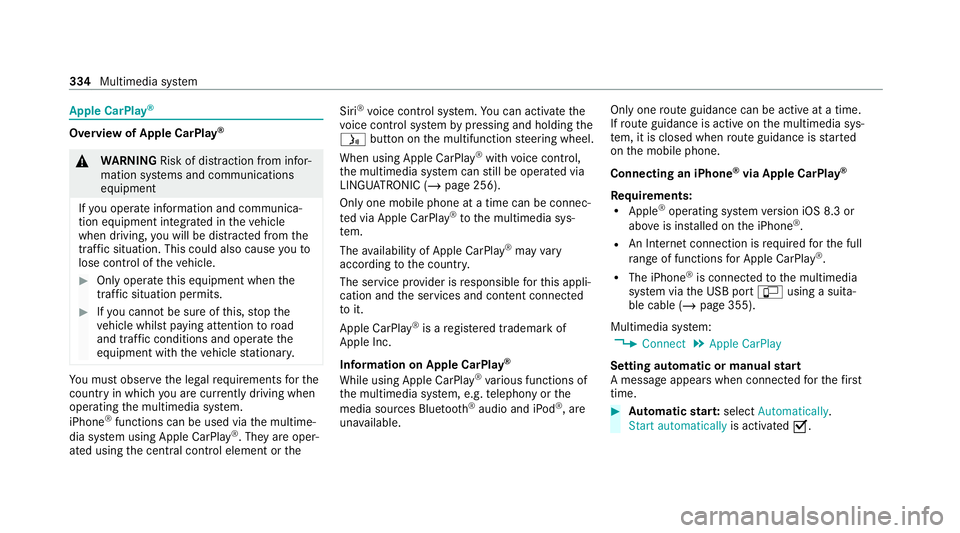
Apple CarPlay
®Overview of Apple CarPlay
®&
WARNING Risk of dist raction from infor‐
mation sy stems and communications
equipment
If yo u operate information and communica‐
tion equipment integ rated in theve hicle
when driving, you will be distracted from the
traf fic situation. This could also cause youto
lose control of theve hicle. #
Only operate this equipment when the
traf fic situation permits. #
Ifyo u cannot be sure of this, stop the
ve hicle whilst paying attention toroad
and traf fic conditions and ope rate the
equipment with theve hicle stationar y. Yo
u must obse rveth e legal requirements forthe
country in whi chyou are cur rently driving when
operating the multimedia sy stem.
iPhone ®
functions can be used via the multime‐
dia sy stem using Apple CarPlay ®
. They are oper‐
ated using the cent ral control element or theSiri
®
vo ice control sy stem. You can activate the
vo ice control sy stem bypressing and holding the
ó button on the multifunction steering wheel.
When using Apple CarPlay ®
with voice control,
th e multimedia sy stem can still be operated via
LINGU ATRO NIC (/ page 256).
Only one mobile phone at a time can be connec‐
te d via Apple CarPlay ®
to the multimedia sys‐
te m.
The availability of Apple CarPlay ®
may vary
according tothe count ry.
The service pr ovider is responsible forth is appli‐
cation and the services and conte nt connected
to it.
Apple CarPlay ®
is a regis tere d trademark of
Apple Inc.
Information on Apple CarPlay ®
While using Apple CarPlay ®
va rious functions of
th e multimedia sy stem, e.g. telephony or the
media sources Blue tooth ®
audio and iPod ®
, are
una vailable. Only one
route guidance can be active at a time.
If ro ute guidance is active on the multimedia sys‐
te m, it is closed when route guidance is star ted
on the mobile phone.
Connecting an iPhone ®
via Apple CarPlay ®
Re quirements:
R Apple ®
operating sy stem version iOS 8.3 or
abo veis ins talled on the iPhone ®
.
R An Internet connection is requiredforth e full
ra nge of functions for Apple CarPlay ®
.
R The iPhone ®
is connected tothe multimedia
sy stem via the USB port çusing a suita‐
ble cable (/ page 355).
Multimedia sy stem:
4 Connect 5
Apple CarPlay
Setting automatic or manual start
A messa geappears when connec tedfo rth efirst
time. #
Automatic star t:select Automatically.
Start automatically is activatedO. 334
Multimedia sy stem
Page 339 of 565
using
the cent ral control element or voice con‐
trol sy stem. You can activate thevo ice control
sy stem bypressing and holding theó button
on the multifunction steering wheel.
When using Android Autowith voice control, the
multimedia sy stem can still be operated using
LINGU ATRO NIC (/ page 256).
Only one mobile phone at a time can be connec‐
te d via Android Autowith the multimedia sys‐
te m.
The availability of Android Autoand Android Auto
apps may vary according tothe count ry.
The service pr ovider is responsible forth is appli‐
cation and the services and conte nt connected
to it.
Information on Android Auto
While using Android Auto,va rious functions of
th e multimedia sy stem, forex ample the media
source Blue tooth ®
audio, are not available.
On lyone route guidance can be active at a time.
If ro ute guidance is active on the multimedia sys‐
te m, it is closed when route guidance is star ted
on the mobile phone. Connecting a mobile phone via Android
Auto
Requ irements:
R The firs t acti vation of Android Autoon the
multimedia sy stem must be car ried out when
th eve hicle is stationary for saf etyre asons.
R The mobile phone suppo rts Android Auto
from Android 5.0.
R The Android Autoapp is ins talled on the
mobile phone.
R In order touse thete lephone functions, the
mobile phone must be connected tothe mul‐
timedia sy stem via Blue tooth®
( / page 322).
If th ere was no prior Internet connection, this
is es tablished with the use of the mobile
phone with Android Auto.
R The mobile phone is connected tothe multi‐
media sy stem via the USB port çusing a
suitable cable (/ page 355).
R An Internet connection is requiredforth e full
ra nge of functions for Android Auto. Multimedia sy
stem:
4 Connect 5
Android Auto #
Select the mobile phone from the device list.
Ac cepting/rejecting the data pr otection reg‐
ulations
A message with the data pr otection regulations
appears. #
Select Accept & Start .
or #
Select Decline & End.
Ac tivating automatic start #
Select Start automatically O.
St arting manually #
Select the mobile phone from the device list.
Exiting Android Auto #
Press theò button on the multifunction
st eering wheel, forex ample. 336
Multimedia sy stem
Page 350 of 565
Depending on
theve hicle's equipment, you can
es tablish an Internet connection in thefo llowing
wa ys:
R Vehicles with a communication module:
Internet use including Mercedes me connect
services and data roaming (/ page 347).
R Vehicles without a communication mod‐
ule:
- viaWi-Fi wi tha data-enabled mobile
phone (/ page 347)
- via Blue tooth®
with a data-enabled
mobile phone (/ page 348)
The In tern et functions can only be used toa limi‐
te d degree whilst driving.
Fu nction of the communication module
On vehicles with a built-in communication mod‐
ule, the Internet connection is es tablished via an
integrated SIM card.
To use In tern et access via the communication
module thefo llowing conditions must be me t:
R The vehicle is equipped with a permanently
ins talled communication module. R
Mercedes me connect is active and ready for
operation.
R Mercedes me connect is activated for Inter‐
net access.
Fo r most Mercedes me connect services, data
vo lume is available when pur chasing the serv‐
ices.
Ad ditional data volume is requiredtouse some
functions, e.g. In tern et radio or Wi-Fi hotspot.
If th e data volume limit is reached, theav ailabil‐
ity of Mercedes me connect services is limited.
The data volume can be pur chased directly
from a mobile phone network pr ovider viathe
Mercedes me Portal.
% Visit a Mercedes-Benz service centre tofind
out wh ether it is possible topur chase data
vo lume in your count rydirectly from a
mobile phone network pr ovider .
Setting up an Internet connection via Wi-Fi
Re quirements:
R theWi -Fi function is acti vated on the multi‐
media sy stem (/ page 283). R
theWi -Fi function is acti vated on theex tern al
device (see the manufacturer's operating
instructions).
R Internet access via Wi-Fi is acti vated (see the
manufacturer's operating instructions).
The Internet connection via Wi-Fi is restricted or
does not function if:
R the mobile phone is switched off
R mobile data use is deactivated on the mobile
phone
R theWi -Fi function is deacti vated on the multi‐
media sy stem
R theWi -Fi function is deacti vated on theex ter‐
nal device
R Internet access via Wi-Fi is deacti vated on
th eex tern al device
Multimedia sy stem:
4 System 5
ö Connectivity
5 Internet settings
5 Search for Wi-Fi networks #
Select the networ k. #
Log in totheWi -Fi network (/ page 283). Multimedia sy
stem 347