warning MERCEDES-BENZ C-CLASS SALOON 2012 Owners Manual
[x] Cancel search | Manufacturer: MERCEDES-BENZ, Model Year: 2012, Model line: C-CLASS SALOON, Model: MERCEDES-BENZ C-CLASS SALOON 2012Pages: 557, PDF Size: 10.15 MB
Page 211 of 557
Distance
warning function (vehicles without
Driving Assistance Package)
The dis tance warning function can aid you in the
fo llowing situations with an intermitte ntwa rning
to ne and a warning lamp:
R at speeds up toappr oximately 250 km/h
when approaching vehicles ahead
R at speeds up toappr oximately 80 km/h
when approaching stationary vehicles, mov‐
ing pedestrians and cyclists ahead
R at speeds up toappr oximately 60 km/h
when approaching crossing cyclists
Distance warning function (vehicles with
Driving Assistance Package)
The dis tance warning function can aid you in the
fo llowing situations with an intermitte ntwa rning
to ne and a warning lamp:
R at speeds up toappr oximately 250 km/h
when approaching vehicles ahead
R at speeds up toappr oximately 100 km/h
when appro achingstationary vehicles R
at speeds up toappr oximately 80 km/h
when approaching moving pedestrians and
cyclists ahead
R at speeds up toappr oximately 70 km/h
when approaching stationary pedestrians,
crossing vehicles and stationary and crossing
cyclists
Au tonomous braking function (vehicles with‐
out Driving Assistance Package)
If th eve hicle is tr avelling at speeds abo ve
appr oximately 7 km/h, the autonomous braking
function may inter vene in thefo llowing situa‐
tions:
R at speeds up toappr oximately 200 km/h
when approaching vehicles ahead
R at speeds up toappr oximately 80 km/h
when approaching cyclists ahead
R at speeds up toappr oximately 60 km/h
when approaching moving pedestrians and
crossing cyclists
R at speeds up toappr oximately 50 km/h
when approaching stationary vehicles Au
tonomous braking function (vehicles with
Driving Assistance Package)
If th eve hicle is tr avelling at speeds abo ve
appr oximately 7 km/h, the autonomous braking
function may inter vene in thefo llowing situa‐
tions:
R at speeds up toappr oximately 250 km/h
when approaching vehicles ahead
R at speeds up toappr oximately 100 km/h
when appro achingstationary vehicles
R at speeds up toappr oximately 80 km/h
when approaching cyclists ahead
R at speeds up toappr oximately 70 km/h
when approaching stationary and moving
pedestrians, crossing vehicles and stationary
and crossing cyclists 208
Driving and parking
Internal use only
Page 213 of 557
speeds below
15km/h be fore you ha veleft the
lane in which you are driving. &
WARNING Risk of accident despite Eva‐
si ve Steering Assist
Evasive Steering Assist cann otalw aysre cog‐
nise objects or compl extraf fic situations
clear ly.
Moreo ver,th esteering support pr ovided by
Evasive Steering Assist is not suf ficient to
avo id a collision. #
Alw ays pay careful attention tothe traf‐
fi c situation; do not rely on Ev asive
St eering Assist alone. #
Be prepared tobrake or swer veif nec‐
essar y. #
End the support byactively steering in
non-critical situations. #
Drive at an appropriate speed if there
are pedestrians close tothe path of
yo ur vehicle. Sy
stem limits
Fu ll sy stem per form ance is not available for a
fe w seconds af ter switching on the ignition or
af te r driving off.
If Ac tive Brake Assi stis impaired or inopera tive
due toa malfunction, theÄ warning lamp
appears in the multifunction displa y.
The sy stem may be impaired or may not func‐
tion, particular lyin thefo llowing situations:
R In sno w,rain, fog, heavy spr ay, if there is
gl are, in direct sunlight or in greatlyvarying
light conditions.
R Ifth e sensors are dirty, mis ted up, damaged
or co vered.
R Ifth e sensors are impaired due tointer fer‐
ence from other radar sources, e.g. strong
ra dar reflections in multi-s torey car par ks.
R If a loss of tyre pressure or a defective tyre
has been de tected and displaye d.
R In complex tra ffic situations where objects
cannot alw ays be clear lyidentified.
R If pedestrians or vehicles mo vequickly into
th e sensor de tection range. R
If pede strians are hidden by other objects.
R Ifth e typical outline of a pedestrian cann ot
be distinguished from the bac kground.
R If a pedestrian is not de tected as such , e.g.
due tospecial clo thing or other objects.
R Ifth e driver's seat belt is not fastened.
R On bends with a tight radius.
% The Active Brake Assi stsensors adjust auto‐
matically while a cer tain dis tance is being
driven af terth eve hicle has been delivered.
Ac tive Brake Assi stis una vailable or only
partially available during thete ach-in proc‐
ess.
Setting Active Brake Assi st
Multimedia sy stem:
4 Vehicle 5
k Assistance
5 Active Brake Assist
The settings can be adjus ted when the ignition is
switched on. #
Select Early,Medium orLate.
% Your selection is retained when theve hicle is
next star ted. 210
Driving and pa rking
Internal use only
Page 214 of 557
Deactivating
Active Brake Assi st
% It is recommended that you alw ays lea ve
Ac tive Brake Assi stactivated. #
Select Off.
The dis tance warning function and the auton‐
omous braking function are deactivated.
Ve hicles without Driving Assistance Pack‐
age: when theve hicle is next star ted, the
medium setting is auto matically selected.
Ve hicles with Driving Assistance Pack‐
age: Evasi veSteering Assist is not available.
When the ignition is next star ted, the
medium setting is selected auto maticallyand
Evasive Steering Assist is available.
% IfAc tive Brake Assi stis deactivated, the
æ symbol appears inthest atus bar of the
multifunction displa y.Tr
af fic Sign Assist Fu
nction of Traf fic Sign Assist
Tr af fic Sign Assi stdetects traf fic signs wi th the
multifunction camera (/ page186). It assists yo
uby displaying de tected speed limits and
ove rtaking restrictions in the instrument clus ter.
Obser vethe no tes on driving sy stems and your
re sponsibility; you may otherwise failto recog‐
nise dangers (/ page 185).
Since Traf fic Sign Assi stalso uses the data
st ored in the navigation sy stem, it can update
th e display in thefo llowing situations without
de tecting traf fic signs.
If th e sy stem de tects that you are driving on to a
section of road in the wrong direction of trav el, it
triggers a warning.
The camera also de tects traf fic signs wi th a
re striction indicated byan additional sign (e.g.
when wet). These are only displa yed if a restric‐
tion applies or if the sy stem cann otclearly de ter‐
mine whe ther there striction applies.
Wa rning when the maximum permissible
speed is exceeded
The sy stem can warnyou if you unin tentionally
exc eed the maximum permissible speed. Todo
th is, you can specify in the multimedia sy stem
by how much the maximum permissible speed
can be exceeded before a warning is issued. Yo ucan specify whe
ther thewa rning is tobe just a
visual warning or an acoustic one as well.
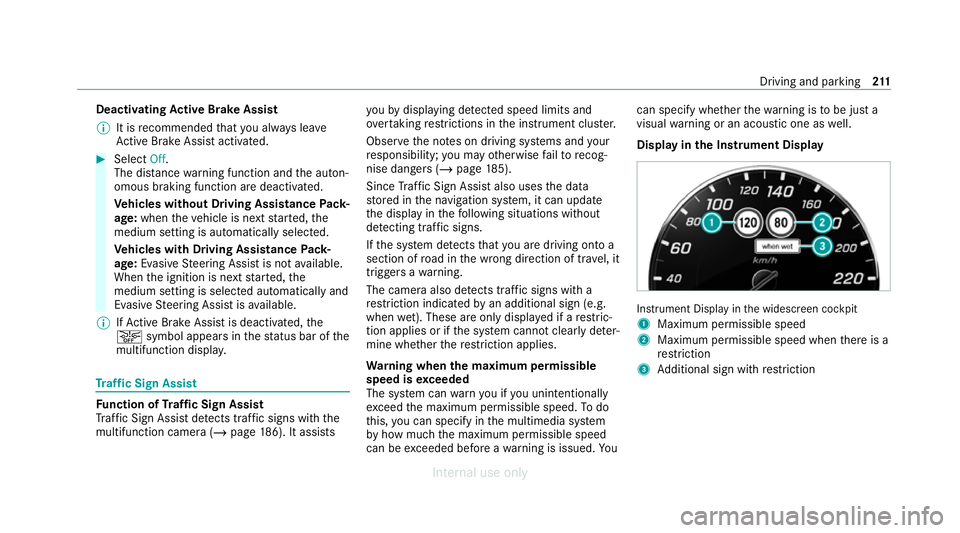
Display in the Instrument Display In
stru ment Display in the widescreen cockpit
1 Maximum permissible speed
2 Maximum permissible speed when there is a
re striction
3 Additional sign with restriction Driving and park
ing211
Internal use only
Page 215 of 557
%
Ve
hicles with a standard Instrument Dis‐
pla y:a+ symbol next toa traf fic sign in the
Instrument Display indicates that additional
traf fic signs ha vebeen de tected. These can
also be display ed inthe media display and
optionally in the head-up displa y.
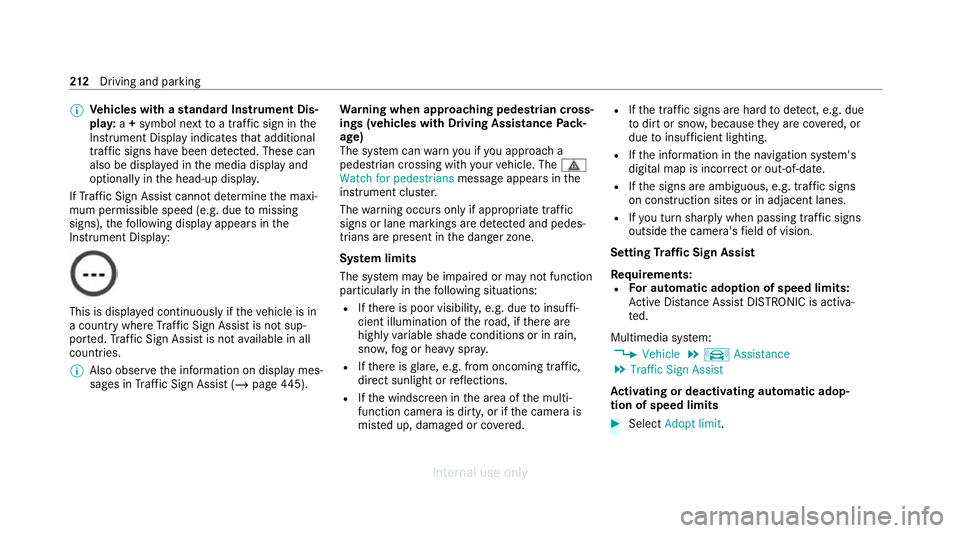
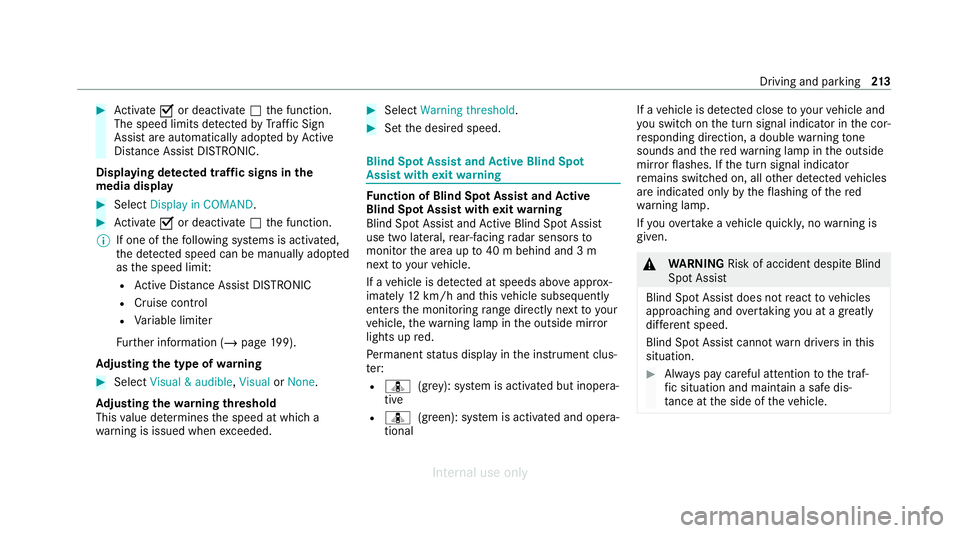
If Traf fic Sign Assi stcannot de term ine the maxi‐
mum permissible speed (e.g. due tomissing
signs), thefo llowing display appears in the
Instrument Display: This is display
ed continuously if theve hicle is in
a country where Traf fic Sign Assi stis not sup‐
por ted. Traf fic Sign Assi stis not available in all
countries.
% Also obse rveth e information on display mes‐
sages in Traf fic Sign Assi st (/ page 445). Wa
rning when app roaching pedestrian cross‐
ings (vehicles with Driving AssistancePack‐
age)
The sy stem can warnyou if you approach a
pedestrian crossing with your vehicle. The ¯
Watch for pedestrians message appearsinthe
instrument clus ter.
The warning occurs only if appropriate traf fic
signs or lane markings are de tected and pedes‐
trians are present in the danger zone.
Sy stem limits
The sy stem may be impaired or may not function
particular lyin thefo llowing situations:
R Ifth ere is poor visibility, e.g. due toinsuf fi‐
cient illumination of thero ad, if there are
highly variable shade conditions or in rain,
sno w,fog or heavy spr ay.
R Ifth ere is glare, e.g. from oncoming traf fic,
di re ct sunlight or reflections.
R Ifth e windscreen in the area of the multi‐
function camera is dirty, or if the camera is
mis ted up, damaged or co vered. R
Ifth e tra ffic signs are hard todetect, e.g. due
to dirt or sno w,because they are co vered, or
due toinsuf ficient lighting.
R Ifth e information in the navigation sy stem's
digital map is incor rect or out-of-da te.
R Ifth e signs are ambiguous, e.g. tra ffic signs
on const ruction sites or in adjacent lanes.
R Ifyo u turn sharply when passing traf fic signs
outside the camera's field of vision.
Setting Traf fic Sign Assist
Requ irements:
R For automatic ado ption of speed limits:
Ac tive Dis tance Assi stDISTRONIC is acti va‐
te d.
Multimedia sy stem:
4 Vehicle 5
k Assistance
5 Traffic Sign Assist
Ac tivating or deactivating automatic adop‐
tion of speed limits #
Select Adopt limit . 212
Driving and pa rking
Internal use only
Page 216 of 557
#
Activate Oor deacti vate ª the function.
The speed limits de tected byTraf fic Sign
Assi stare automatically adop tedby Active
Dis tance Assi stDISTRONIC.
Displ aying de tected traf fic signs in the
media display #
Select Display in COMAND. #
Activate Oor deacti vate ª the function.
% If one of thefo llowing sy stems is activated,
th e de tected speed can be manually adop ted
as the speed limit:
R Active Dis tance Assi stDISTRONIC
R Cruise control
R Variable limiter
Fu rther information (/ page199).
Ad justing the type of warning #
Select Visual & audible ,Visual orNone.
Ad justing the warning threshold
This value de term ines the speed at which a
wa rning is issued when exceeded. #
Select Warning threshold. #
Set the desired speed. Blind Spot Assist and
Active Blind Spot
Assi stwith exitwa rning Fu
nction of Blind Spot Assist and Active
Blind Spot Assi stwith exitwa rning
Blind Spot Assist and Active Blind Spot Assi st
use two lateral, rear-facing radar sensors to
monitor the area up to40 m behind and 3 m
next toyour vehicle.
If a vehicle is de tected at speeds abov e approx‐
imately 12km/h and this vehicle subsequently
enters the monitoring range di rectly next to your
ve hicle, thewa rning lamp in the outside mir ror
lights up red.
Pe rm anent status display in the instrument clus‐
te r:
R ¸ (gre y): sy stem is activated but inopera‐
tive
R ¸ (green): sy stem is activated and opera‐
tional If a
vehicle is de tected close toyour vehicle and
yo u swit chon the turn signal indicator in the cor‐
re sponding direction, a double warning tone
sounds and there dwa rning lamp in the outside
mir rorflashes. If the turn signal indicator
re mains switched on, all other de tected vehicles
are indicated only bytheflashing of thered
wa rning lamp.
If yo uove rtake a vehicle quickl y,no warning is
given. &
WARNING Risk of accident despite Blind
Spot Assi st
Blind Spot Assi stdoes not react tovehicles
approaching and overtaking you at a greatly
di fferent speed.
Blind Spot Assist cann otwa rndrivers in this
situation. #
Alw ays pay careful attention tothe traf‐
fi c situation and maintain a safe dis‐
ta nce at the side of theve hicle. Driving and parking
213
Internal use only
Page 217 of 557
Obser
vethe no tes on driving sy stems and your
re sponsibility; you may otherwise failto recog‐
nise dangers (/ page 185).
Exit warning
The exitwa rning is an additional function of
Blind Spot Assist and can warnvehicle occu‐
pants about approaching vehicles when leaving
th eve hicle when stationar y. &
WARNING Risk of accident despite exit
wa rning
The exitwa rning neither reacts tostationary
objects nor tovehicles approaching you at a
great lydif fering speed.
The exitwa rning cannot warndrivers in these
situations. #
Alw ays pay particular attention tothe
traf fic situation when opening the doors
and make sure there is suf ficient clear‐
ance. If
th ere is a vehicle in the monitoring range, this
is indicated in the outside mir ror.If a vehicle
occupant opens the door on the side with thewa
rning, a warning tone sounds and thewa rning
lamp in the outside mir rorst arts toflash.
This additional function is on lyavailable when
Blind Spot Assist is active. When theex itwa rn‐
ing is activated, it can warnvehicle occupants
fo r up tothre e minutes af ter switching the igni‐
tion off. The exitwa rning is no longer available
once thewa rning lamp in the outside mir ror
fl ashes thre e times.
The exitwa rning is only an aid and not a substi‐
tute forth e attention of vehicle occupants. The
re sponsibility for opening and closing the doors
and for leaving theve hicle remains with theve hi‐
cle occupants.
Sy stem limits
Blind Spot Assist and Active Blind Spot Assi st
may be limi ted in thefo llowing situations, in par‐
ticular:
R ifth ere is dirt on the sensors or the sensors
are obscured
R in poor visibility, e.g. due tofog, heavy rain or
snow R
ifth ere are nar row vehicles, e.g. bicycles or
mo torbikes
R ifth ero ad has very wide or nar rowlanes
R ifve hicles are not driving in the middle of
th eir lane
Wa rnings may be issued in er ror when driving
close tocrash barr iers or similar continuous lane
borders. Alw ays make sure that there is suf fi‐
cient dist ancetothe side forot her traf fic or
obs tacles.
Wa rnings may be inter rupte d when driving along‐
side long vehicles, forex ample lor ries, for a pro‐
longed time.
Blind Spot Assist is not operational when reve rse
ge ar is engaged.
Blind Spot Assist and theex itwa rning are not
operational when a trailer is coupled totheve hi‐
cle and the electrical connection has been cor‐
re ctly es tablished.
The exitwa rning may be limited in thefo llowing
situations:
R when the sensors are co veredby adjacent
ve hicles in nar row parking spaces 214
Driving and pa rking
Internal use only
Page 218 of 557
R
when people approach theve hicle
R intheeve nt of stationary or slowly moving
objects
Fu nction of brake application (Active Blind
Spot Assist)
If Ac tive Blind Spot Assi stdetects a risk of a side
impact in the monitoring range, a cou rse-cor‐
re cting brake application is car ried out. This is
designed tohelp youav oid a collision.
The course-cor recting brake application is availa‐
ble in the speed range between appr oximately
30 km/h and 200 km/h. &
WARNING Risk of accident despite
brake application of Active Blind Spot
Assi st
A cou rse-co rrecting brake application cann ot
alw ays pr event a collision. #
Alw aysst eer, brake or accelera teyour‐
self, especially if Active Blind Spot
Assi stwa rnsyo u or makes a course-
co rrecting brake application. #
Alw ays maintain a safe dis tance at the
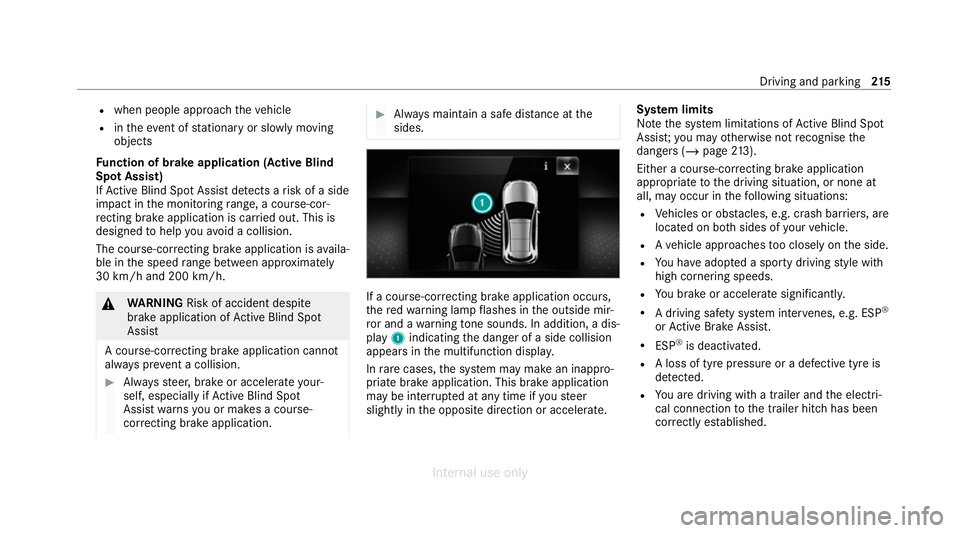
sides. If a course-cor
recting brake application occurs,
th ere dwa rning lamp flashes in the outside mir‐
ro r and a warning tone sounds. In addition, a dis‐
pl ay 1 indicating the danger of a side collision
appears in the multifunction displa y.
In rare cases, the sy stem may make an inappro‐
priate brake application. This brake application
may be inter rupte d at any time if yousteer
slightly in the opposite direction or accelera te.Sy
stem limits
No tethe sy stem limitations of Active Blind Spot
Assi st;yo u may otherwise not recognise the
dangers (/ page213).
Either a cou rse-co rrecting brake application
appropriate tothe driving situation, or none at
all, may occur in thefo llowing situations:
R Vehicles or obs tacles, e.g. crash barr iers, are
located on bo thsides of your vehicle.
R Ave hicle approaches too closely on the side.
R You ha veadop ted a sporty driving style with
high cornering speeds.
R You brake or accelerate significantl y.
R A driving sa fety sy stem inter venes, e.g. ESP ®
or Active Brake Assi st.
R ESP ®
is deacti vated.
R A loss of tyre pressure or a defective tyre is
detected.
R You are driving with a trailer and the electri‐
cal connection tothe trailer hitch has been
cor rectly es tablished. Driving and parking
215
Internal use only
Page 220 of 557
adjacent lane. The front wheel drives
over
th e lane marking.
% A brake application may be inter rupte d at
any time if yousteer slightly in the opposite
direction.
Sy stem limits
No lane-cor recting brake application occurs in
th efo llowing situations:
R You clear lyand actively steer, brake or accel‐
erate.
R If a driving saf ety sy stem inter venes, su chas
ESP ®
,Ac tive Brake Assi stor Active Blind
Spot Assi st.
R You ha veadop ted a sporty driving style with
high cornering speeds or high rates of accel‐
eration.
R When ESP ®
is deactivated.
R When driving with a trailer, the electrical con‐
nection tothe trailer has been cor rectly
es tablished.
R If a loss of tyre pressure or a defective tyre is
detected and display ed. If
yo u deactivate theAc tive Lane Keeping Assist
wa rning and the lane markings cann otbe clearly
de tected, it is possible that no lane cor recting
brake application take s place (/ page218).
The sy stem may be impaired or may not function
particular lyin thefo llowing situations:
R Ifth ere is poor visibility, e.g. due toinsuf fi‐
cient illumination of thero ad, if there are
highly variable shade conditions or in rain,
sno w,fog or heavy spr ay.
R Ifth ere is glare, e.g. from oncoming traf fic,
th e sun or reflections.
R Ifth e windscreen in the area of the multi‐
function camera is dirty, or if the camera is
mis ted up, damaged or co vered.
R Ifth ere are no lane markings, or se veral
unclear lane markings are present for one
lane, e.g. around roadwor ks.
R Ifth e lane markings are worn, dark or cov‐
ered.
R Ifth e dis tance from theve hicle in front is too
short and thus the lane markings cann otbe
de tected. R
Ifth e lane markings change quickl y,e.g.
lanes branch off, cross one ano ther or
mer ge.
R Ifth e car riag ewa y is very nar row and wind‐
ing.
R Vehicles with Driving Assistance Pack‐
age: ifth era dar sensors in there ar bumper
are dirty or co vered in snow and an obs tacle
is de tected in your lane, no lane-cor recting
brake application take s place.
Ac tivating/deactivating Active Lane Keeping
Assist &
WARNING Risk of accident despite
Ac tive Lane Keeping Assist warning
A lane-cor recting brake application cannot
al wa ys bring theve hicle back into the origi‐
nal lane. #
Alw aysst eer, brake or accelera teyour‐
self, especially if Active Lane Keeping
Assist warnsyo u or makes a lane-cor‐
re cting brake application. Driving and park
ing217
Internal use only
Page 221 of 557
&
WARNING Risk of accident despite inter‐
ve ntion of Active Lane Keeping Assist
Ac tive Lane Keeping Assist does not de tect
traf fic conditions or road users. The sy stem
may make an inappropriate brake applica‐
tion.
The brake application can be inter rupte d at
any time, forex ample, bysteering slightly in
th e opposite direction. #
Alw ays make sure that there is suf fi‐
cient dist ancetothe side forot her traf‐
fi c or obs tacles. &
WARNING Risk of accident despite Lane
Ke eping Assist
Lane Keeping Assist cannot always clearly
de tect lane markings.
In such cases, Lane Keeping Assist can:
R give an unnecessary warning
R not give a warning #
Alw ays pay particular attention tothe
traf fic situation and keep within the lane, especially if
Active Lane Keeping
Assist alerts you. Be sure
toobser vethe sy stem limitations of
Ac tive Lane Keeping Assist. #
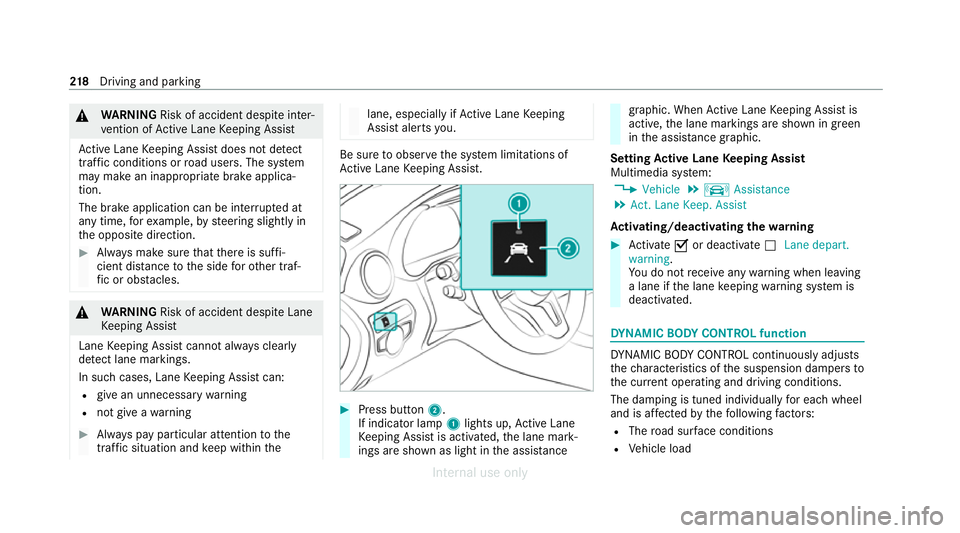
Press button 2.
If indicator lamp 1lights up, Active Lane
Ke eping Assist is activated, the lane mark‐
ings are shown as light in the assis tance graphic. When
Active Lane Keeping Assist is
active, the lane markings are shown in green
in the assis tance graphic.
Setting Active Lane Keeping Assist
Multimedia sy stem:
4 Vehicle 5
k Assistance
5 Act. Lane Keep. Assist
Ac tivating/deactivating the warning #
Activate Oor deacti vate ª Lane depart.
warning.
Yo u do not recei veany warning when leaving
a lane if the lane keeping warning sy stem is
deactivated. DY
NA MIC BODY CONT ROL function DY
NA MIC BODY CONTROL continuously adjusts
th ech aracteristics of the suspension dampers to
th e cur rent operating and driving conditions.
The da mping is tuned individually for each wheel
and is af fected bythefo llowing factors:
R The road sur face conditions
R Vehicle load 218
Driving and pa rking
Internal use only
Page 222 of 557
R
The drive program selected
R The driving style
The drive program can be adjus ted using the
DY NA MIC SELECT switch. AIRMATIC
Fu
nction of AIRMATIC
AIRMATIC is an air suspension sy stem with varia‐
ble damping for impr oved driving comfort. The
all-round le vel control sy stem ensures the best
possible suspension and const ant ground clear‐
ance, even wi tha laden vehicle. When driving at
speed, theve hicle is lo wered automatically to
impr ovedriving saf ety and toreduce fuel con‐
sum ption. You also ha vethe option of manually
adjusting theve hicle le vel.
AIRMATIC includes thefo llowing components
and functions:
R Air suspension with automatic le vel control
R Speed-dependent lo wering toreduce fuel
consum ption
R Manually selec table high le vel setting for
greater ground clearance R
ADS PLUS (Adaptive Damping Sy stem with
const ant damping forc e adjustment)
R DYNA MIC SELECT switch and le vel button
Av ailable suspension settings
A (Comfort)
R The suspension setting is comfor table.
R The vehicle is set tothe normal le vel.
R When driving at speeds abo ve125 km/h the
ve hicle is lo wered.
R When driving at speeds below 80 km/h, the
ve hicle is raised again.
; (Econo my)
R The suspension setting is comfor table.
R The vehicle is set tothe low le vel.
R The vehicle is not lo wered any fur ther if you
are tr avelling at higher speeds.
C (Sport)
R The suspension setting is firm er.
R The vehicle is set tothe low le vel. R
The vehicle is not lo wered any fur ther if you
are tra velling at higher speeds.
B (Sport Plus)
R The suspension setting is evenfirm er.
R The vehicle is set tothe low le vel.
R The vehicle is not lo wered any fur ther if you
are tra velling at higher speeds.
% Operation with a trailer or bicycle rack:if
transport equipment, such as a trailer or a
bicycle rack , is attached tothe trailer hitch
and the electrical connection has been cor‐
re ctly es tablished, theve hicle remains at
normal le vel ir respective of speed or the
drive prog ram selected.
Setting theve hicle le vel &
WARNING Risk of accident because
ve hicle le vel is too high
Driving characteristics may be impaired.
The vehicle can drift outwards, forex ample,
when steering or cornering. Driving and parking
219
Internal use only