ad blue MERCEDES-BENZ C-CLASS SALOON 2012 Owner's Manual
[x] Cancel search | Manufacturer: MERCEDES-BENZ, Model Year: 2012, Model line: C-CLASS SALOON, Model: MERCEDES-BENZ C-CLASS SALOON 2012Pages: 557, PDF Size: 10.15 MB
Page 345 of 557
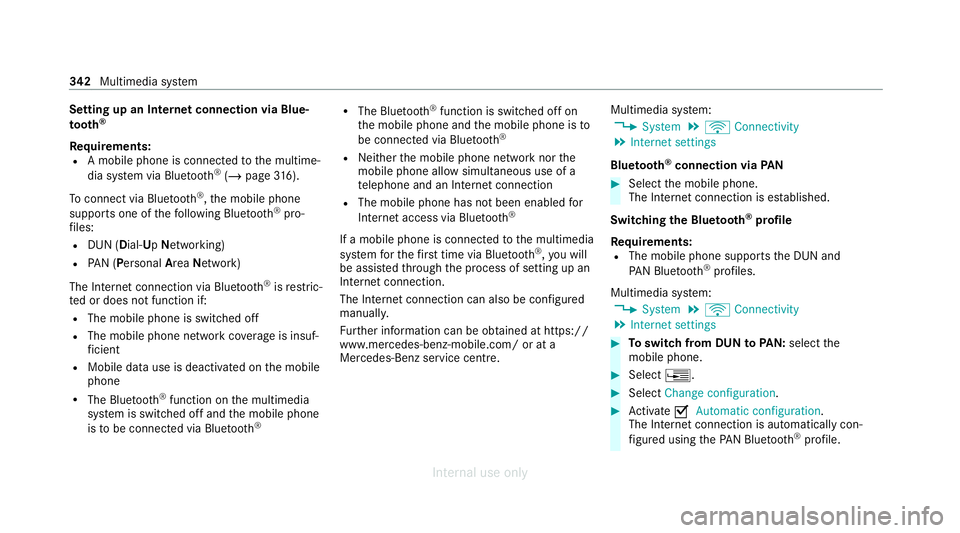
Setting up an Internet connection via Blue‐
to
oth ®
Re quirements:
R A mobile phone is connecte dto the multime‐
dia sy stem via Blue tooth®
(/ page 316).
To connect via Blu etoo th®
,th e mobile phone
supports one of thefo llowing Blue tooth®
pro‐
fi les:
R DUN (Dial- UpNet working)
R PAN (Personal AreaNet work)
The Internet connection via Blue tooth®
is restric‐
te d or does not function if:
R The mobile phone is switched off
R The mobile phone network co verage is insuf‐
fi cient
R Mobile da tause is deactivated on the mobile
phone
R The Blue tooth®
function on the multimedia
sy stem is switched off and the mobile phone
is to be connec ted via Blue tooth ® R
The Blue tooth®
function is switched off on
th e mobile phone and the mobile phone is to
be connec ted via Blue tooth®
R Neither the mobile phone network nor the
mobile phone allow simultaneous use of a
te lephone and an Internet connection
R The mobile phone has not been enabled for
Internet access via Blue tooth ®
If a mobile phone is connected tothe multimedia
sy stem forth efirs t time via Blu etoo th®
,yo u will
be assis tedth ro ugh the process of setting up an
Internet connection.
The Internet connection can also be confi gured
manuall y.
Fu rther information can be obtained at https://
www.mercedes-benz-mobile.com/ or at a
Mercedes-Benz service centre. Multimedia sy
stem:
4 System 5
ö Connectivity
5 Internet settings
Blue tooth ®
connection via PAN #
Select the mobile phone.
The Internet connection is es tablished.
Switching the Blu etoo th®
pr ofile
Re quirements:
R The mobile phone supports the DUN and
PA N Blue tooth®
profiles.
Multimedia sy stem:
4 System 5
ö Connectivity
5 Internet settings #
Toswitch from DUN toPAN: select the
mobile phone. #
Select ¥. #
Select Change configuration. #
Activate OAutomatic configuration.
The Internet connection is au tomatical lycon‐
fi gured using thePA N Blue tooth®
profile. 342
Multimedia sy stem
Internal use only
Page 346 of 557
#
Toswitch from PANto DUN: select the
mobile phone. #
Select ¥. #
Select Change configuration. #
Deactivate ªAutomatic configuration. #
Select Configure settings using COMAND .#
Configuri ngthe Internet connection using
preset or manual access data (/ page 342).
Editing Internet access data
Re quirements:
R The mobile phone supports the Blue tooth®
DUN profile.
Multimedia sy stem:
4 System 5
ö Connectivity
5 Internet settings #
Highlight the mobile phone. #
Select ¥. #
Select Change configuration .#
For mobile phones with PAN and DUN:
select Configure settings using COMAND. #
Configure the Internet connection using pre‐
set or manual access data (/ page 342).
Cancelling Internet access permission for a
mobile phone
Multimedia sy stem:
4 System 5
ö Connectivity
5 Internet settings #
Highlight the mobile phone. #
Select ¥. #
Select Delete configuration. #
Select Yes.
Displaying mobile phone details
Multimedia sy stem:
4 System 5
ö Connectivity
5 Internet settings #
Highlight the mobile phone. #
Select ¥. #
Select Details. Connection
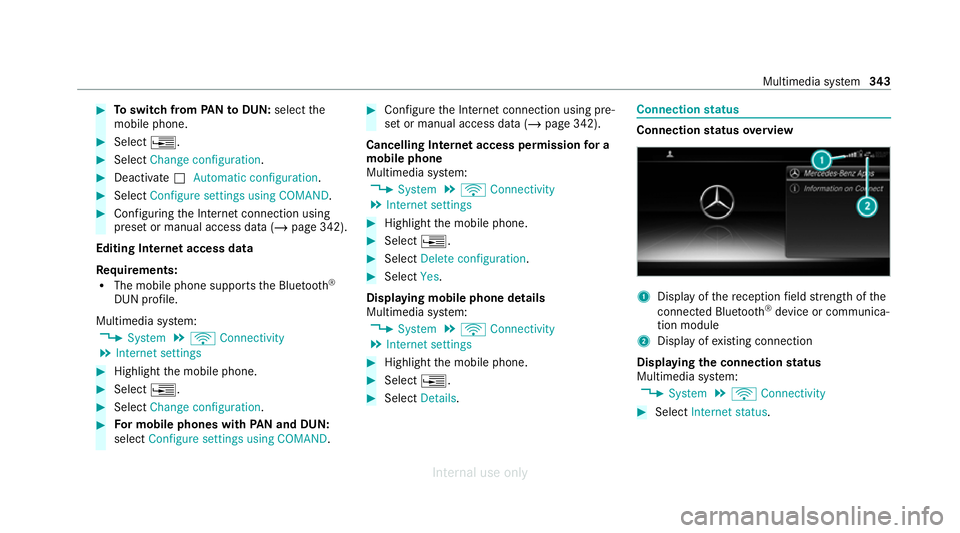
status Connection
status overview 1
Display of there ception field stre ngth of the
connected Blu etoo th®
device or communica‐
tion module
2 Display of existing connection
Displaying the connection status
Multimedia sy stem:
4 System 5
ö Connectivity #
Select Internet status . Multimedia sy
stem 343
Internal use only
Page 349 of 557
Setting
theTu neIn Radio options
Multimedia sy stem:
4 Radio 5
Þ Radio source
5 TuneIn Radio 5
Z Options
The following options are available:
R Select stream: select thest re am quality
R Login to TuneIn account: log in to your
Tu neIn user account
R Log out of account: log out of your TuneIn
user account #
Select an option. Media
Au
dio mode In
fo rm ation on the audio mode &
WARNING Risk of dist raction when han‐
dling data storage media
If yo u handle a data storage medium while
driving, your attention is diver ted from the traf
fic conditions. This could also cause you
to lose control of theve hicle. #
Only handle a data storage medium
when theve hicle is stationar y. Pe
rm issible file sy stems:
R FAT32
R exFAT
R NTFS
Pe rm issible data storage medium:
R SD card
R USB storage device
R iPod ®
/iPhone ®
R MTP devices
R Blue tooth ®
audio equipment
% Obse rveth efo llowing no tes:
R The multimedia sy stem supports a total
of up to50,000 files.
R Data storage media up to2 TB are sup‐
por ted (32‑bit address space). Suppor
tedfo rm ats:
R MP3
R WMA
R AAC
R WAV
R FLAC
R ALAC
% Obser vethefo llowing no tes:
R Due tothe lar gevariet y of available
music files rega rding encoders, sampling
ra tes and data rates, playback cannot
alw ays be guaranteed.
R Due tothe wide range of USB devices
av ailable on the mar ket, pl ayback cann ot
be guaranteed for all USB devices.
R Cop y-pr otected music files or DRM
enc rypte dfiles cannot be pla yed bac k.
R MP3 pla yers must support Media Trans‐
fe r Pr otocol (MTP). 346
Multimedia sy stem
Internal use only
Page 358 of 557
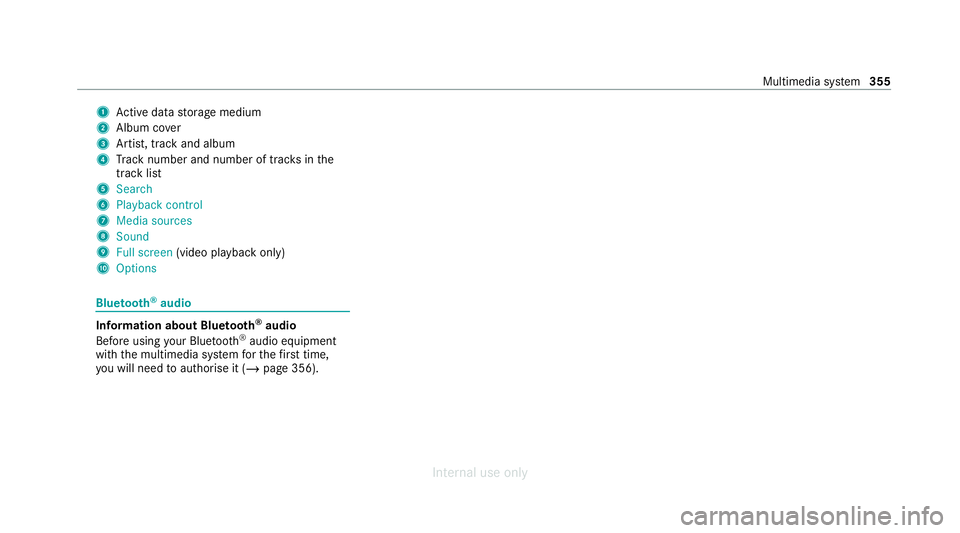
1
Active da tastorage medium
2 Album co ver
3 Artist, track and album
4 Track number and number of trac ksinthe
track li st
5 Search
6 Playback control
7 Media sources
8 Sound
9 Full screen (video playback only)
A Options Blue
tooth ®
audio Information about Blue
tooth ®
audio
Before using your Blue tooth®
audio equipment
with the multimedia sy stem forth efirs t time,
yo u will need toauthorise it (/ page 356). Multimedia sy
stem 355
Internal use only
Page 359 of 557
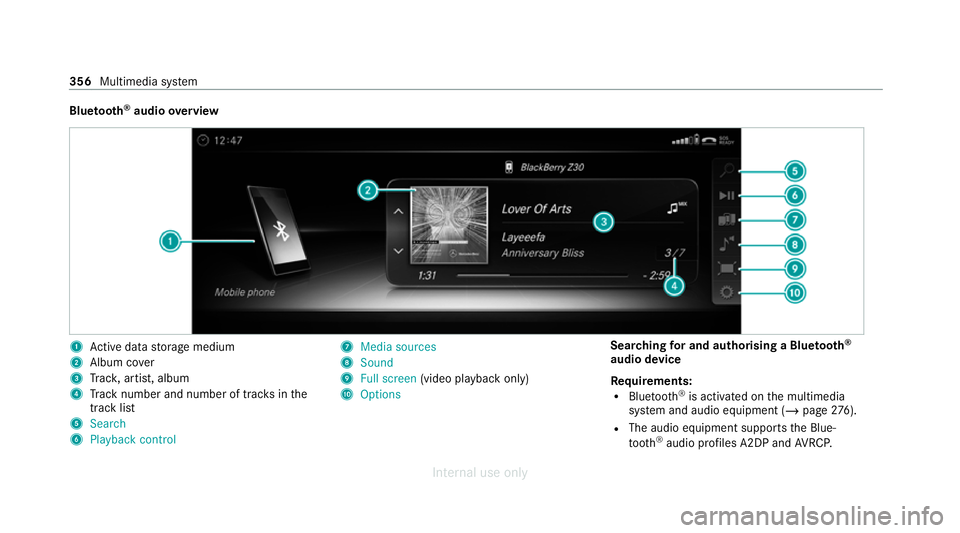
Blue
tooth ®
audio overview 1
Active da tastorage medium
2 Album co ver
3 Trac k, artist, album
4 Track number and number of trac ksinthe
track li st
5 Search
6 Playback control 7
Media sources
8 Sound
9 Full screen (video playback only)
A Options Sear
ching for and authorising a Blue tooth ®
audio device
Requ irements:
R Blue tooth ®
is activated on the multimedia
sy stem and audio equipment (/ page276).
R The audio equipment supports the Blue‐
to oth ®
audio profiles A2DP and AVRC P. 356
Multimedia sy stem
Internal use only
Page 360 of 557
R
The audio equipment is "visible" forot her
devices.
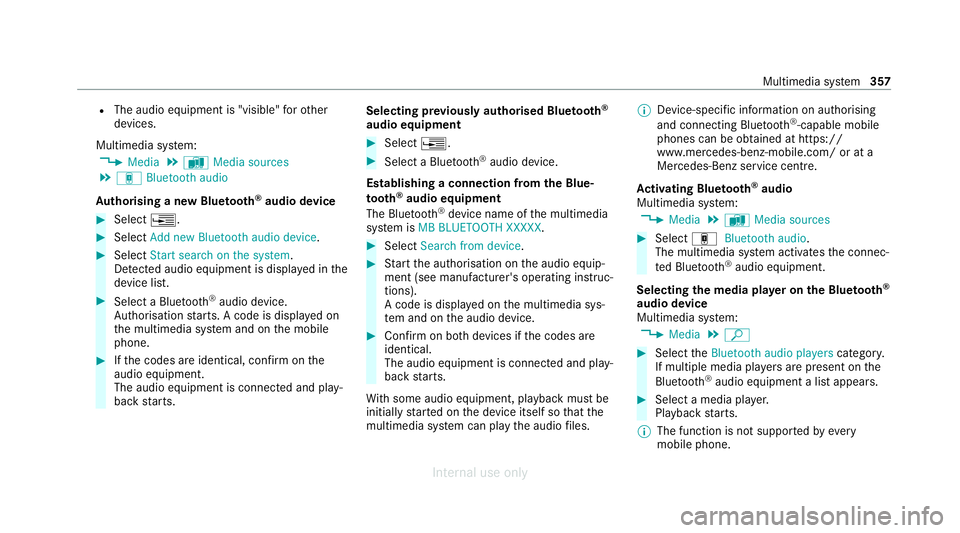
Multimedia sy stem:
4 Media 5
à Media sources
5 á Bluetooth audio
Au thorising a new Blu etoo th®
audio device #
Select ¥. #
Select Add new Bluetooth audio device. #
Select Start search on the system .
De tected audio equipment is displ ayed in the
device list. #
Select a Blue tooth®
audio device.
Auth orisation starts. A code is displa yed on
th e multimedia sy stem and on the mobile
phone. #
Ifth e codes are identical, confi rmonthe
audio equipment.
The audio equipment is connec ted and play‐
back starts. Selecting pr
eviously authorised Blue tooth ®
audio equipment #
Select ¥. #
Select a Blue tooth®
audio device.
Establishing a connection from the Blue‐
to oth ®
audio equipment
The Blue tooth®
device name of the multimedia
sy stem is MB BLUETOOTH XXXXX. #
Select Search from device. #
Start the authorisation on the audio equip‐
ment (see manufacturer's operating instruc‐
tions).
A code is displa yed on the multimedia sys‐
te m and on the audio device. #
Confirm on bo thdevices if the codes are
identical.
The audio equipment is connected and play‐
back starts.
Wi th some audio equipment, playback must be
initially star ted on the device itself so that the
multimedia sy stem can play the audio files. %
Device-specific information on authorising
and connecting Blue tooth®
-capable mobile
phones can be ob tained at https://
www.me rcedes-benz-mobile.com/ or at a
Mercedes-Benz service cent re.
Ac tivating Blue tooth ®
audio
Multimedia sy stem:
4 Media 5
à Media sources #
Select áBluetooth audio.
The multimedia sy stem activates the connec‐
te d Blue tooth®
audio equipment.
Selecting the media pla yer on the Blue tooth ®
audio device
Multimedia sy stem:
4 Media 5
ª #
Select theBluetooth audio players category.
If multiple media pla yers are present on the
Blu etoo th®
audio equipment a list appears. #
Select a media pla yer.
Playback starts.
% The function is not suppo rted byeve ry
mobile phone. Multimedia sy
stem 357
Internal use only
Page 361 of 557
Sear
ching for a music track on the Blue‐
to oth ®
audio device
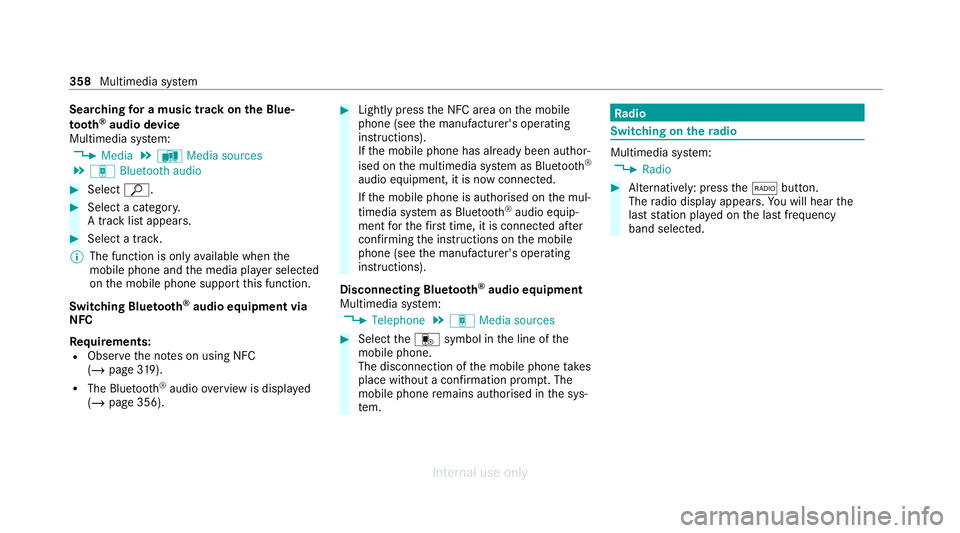
Multimedia sy stem:
4 Media 5
à Media sources
5 á Bluetooth audio #
Select ª. #
Select a categor y.
A track li stappears. #
Select a trac k.
% The function is only available when the
mobile phone and the media pla yer selected
on the mobile phone support this function.
Switching Blu etoo th®
audio equipment via
NFC
Requ irements:
R Obser vethe no tes on using NFC
(/ page 319).
R The Blue tooth®
audio overview is displa yed
( / page 356). #
Lightly press the NFC area on the mobile
phone (see the manufacturer's operating
instructions).
If th e mobile phone has already been author‐
ised on the multimedia sy stem as Blue tooth®
audio equipment, it is now connec ted.
If th e mobile phone is authorised on the mul‐
timedia sy stem as Blue tooth ®
audio equip‐
ment forth efirs t time, it is connected af ter
confirming the instructions on the mobile
phone (see the manufacturer's operating
instructions).
Disconnecting Blue tooth ®
audio equipment
Multimedia sy stem:
4 Telephone 5
á Media sources #
Select thei symbol in the line of the
mobile phone.
The disconnection of the mobile phone takes
place without a confi rmation prom pt. The
mobile phone remains auth orised inthe sys‐
te m. Ra
dio Switching on the
radio Multimedia sy
stem:
4 Radio #
Alternatively: press the$ button.
The radio display appears. You will hear the
last station pla yed on the last frequency
band selected. 358
Multimedia sy stem
Internal use only
Page 370 of 557
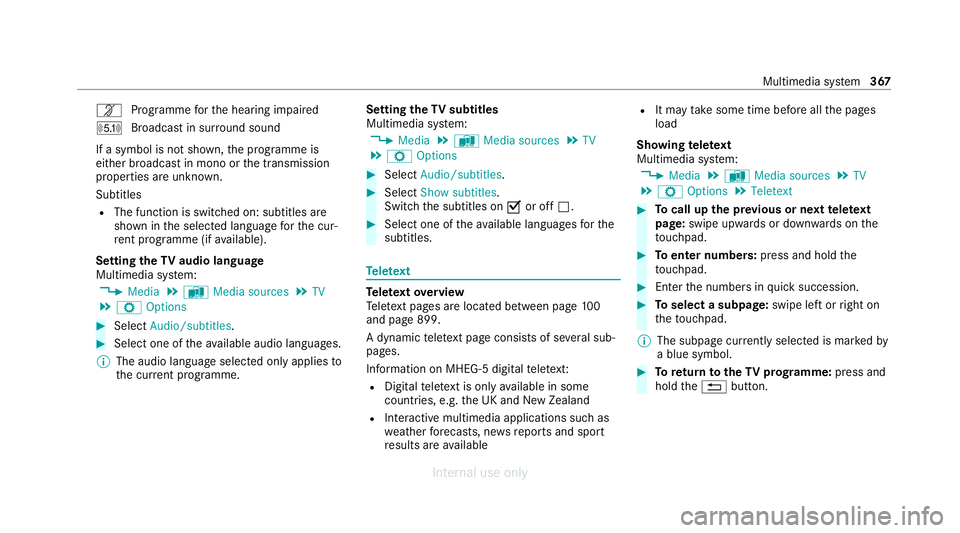
n
Programme forth e hearing impaired
O Broadcast in sur round sound
If a symbol is not shown, the prog ramme is
either broadca stin mono or the transmission
properties are unkn own.
Subtitles
R The function is switched on: subtitles are
shown in the selected language forth e cur‐
re nt programme (if available).
Setting theTV audio language
Multimedia sy stem:
4 Media 5
à Media sources 5
TV
5 Z Options #
Select Audio/subtitles. #
Select one of theav ailable audio languages.
% The audio language selec ted only applies to
th e cur rent programme. Setting the
TVsubtitles
Multimedia sy stem:
4 Media 5
à Media sources 5
TV
5 Z Options #
Select Audio/subtitles. #
Select Show subtitles.
Switch the subtitles on Oor off ª. #
Select one of theav ailable languages forthe
subtitles. Te
lete xt Te
lete xt ove rview
Te lete xt pa ges are located between page 100
and page 899.
A dynamic telete xt pa geconsi sts of se veral sub‐
pages.
Information on MHEG-5 digital telete xt:
R Digital telete xt is only available in some
countries, e.g. the UK and New Zealand
R Interactive multimedia applications such as
weather fore casts, ne wsreports and sport
re sults are available R
It may take some time before all the pages
load
Showing telete xt
Multimedia sy stem:
4 Media 5
à Media sources 5
TV
5 Z Options 5
Teletext #
Tocall up the pr evious or next telete xt
page: swipe upwards or down wards on the
to uchpad. #
Toenter numbers: press and holdthe
to uchpad. #
Enterth e numbers in quick succession. #
Toselect a subpage: swipe left orright on
th eto uchpad.
% The subpage cur rently selected is ma rked by
a blue symbol. #
Toreturn totheTV prog ramme: press and
hold the% button. Multimedia sy
stem 367
Internal use only
Page 433 of 557
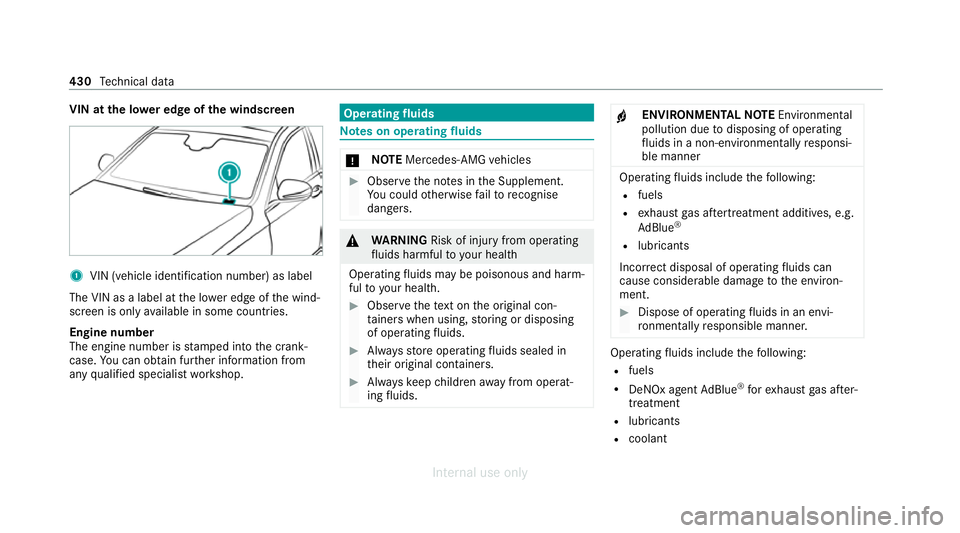
VIN at the lo
wer edge of the windscreen 1
VIN (vehicle identi fication number) as label
The VIN as a label at the lo wer edge of the wind‐
screen is only available in some countries.
Engine number
The engine number is stamped into the crank‐
case. You can obtain fur ther information from
any qualified specialist workshop. Operating
fluids Note
s on operating fluids *
NO
TEMercedes-AMG vehicles #
Obser vethe no tes in the Supplement.
Yo u could otherwise failto recognise
dangers. &
WARNING Risk of injury from operating
fl uids harmful to your health
Operating fluids may be poisonous and harm‐
ful to yo ur health. #
Obser vethete xt on the original con‐
ta iners when using, storing or disposing
of operating fluids. #
Alw aysst ore operating fluids sealed in
th eir original conta iners. #
Alw ayske ep children away from operat‐
ing fluids. +
ENVIRONMEN
TALNO TEEnvironmental
pollution due todisposing of operating
fl uids in a non-environmen tally responsi‐
ble manner Operating
fluids include thefo llowing:
R fuels
R exhaust gas af tertre atment additives, e.g.
Ad Blue ®
R lubricants
Incor rect disposal of opera tingfluids can
cause considerable damage tothe environ‐
ment. #
Dispose of operating fluids in an envi‐
ro nmentally responsible manner. Operating
fluids include thefo llowing:
R fuels
R DeNOx agent AdBlue ®
forex haust gas af ter‐
treatment
R lubri cants
R coolant 430
Tech nical da ta
Internal use only
Page 438 of 557
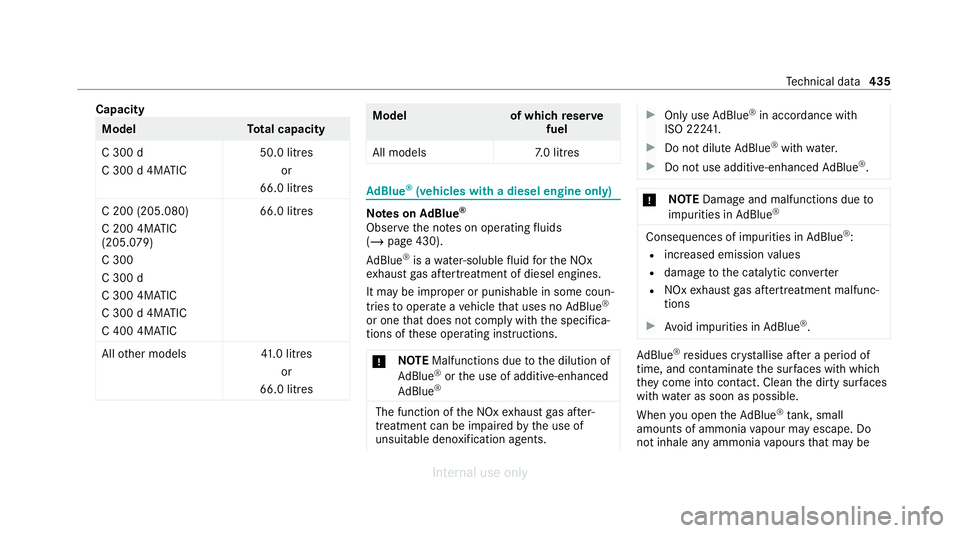
Capacity
Model
Total capacity
C 300 d
C 300 d 4MAT IC 50.0 litres
or
66.0 litres
C 200 (205.080)
C 200 4MATIC
(205.079)
C 300
C 300 d
C 300 4MATIC
C 300 d 4MATIC
C 400 4MATIC 66.0 litres
All other models 41.0 litres
or
66.0 litres Mode
lo f whichreser ve
fuel
All model s7 .0 litres Ad
Blue ®
(vehicles with a diesel engine only) Note
s onAdBlue ®
Obser vethe no tes on operating fluids
(/ page 430).
Ad Blue ®
is a wate r-soluble fluid forth e NOx
ex haust gas af tertre atment of diesel engines.
It may be improper or punishable in some coun‐
tries tooperate a vehicle that uses no AdBlue ®
or one that does not comply with the specifica‐
tions of these operating instructions.
* NO
TEMalfunctions due tothe dilution of
Ad Blue ®
or the use of additive-enhanced
Ad Blue ® The function of
the NOx exhaust gas af ter‐
treatment can be impaire dby the use of
unsuitable denoxification agents. #
Only use AdBlue ®
in acco rdance with
ISO 22 241. #
Do not dilu teAd Blue ®
wi th wate r. #
Do not use additive-enhanced AdBlue ®
. *
NO
TEDama geand malfunctions due to
impurities in AdBlue ® Consequences of impuri
ties inAdBlue ®
:
R increased emission values
R damage tothe catalytic con verter
R NOx exhaust gas af tertre atment malfunc‐
tions #
Avoid impurities in AdBlue ®
. Ad
Blue ®
re sidues cr ystallise af ter a period of
time, and contaminate the sur faces wi thwhich
th ey come into contact. Clean the dirty sur faces
wi th wate r as soon as possible.
When you open theAd Blue ®
tank, small
amounts of ammonia vapour may escape. Do
not inhale any ammonia vapours that may be Te
ch nical da ta435
Internal use only