audio MERCEDES-BENZ C-CLASS SALOON 2014 Workshop Manual
[x] Cancel search | Manufacturer: MERCEDES-BENZ, Model Year: 2014, Model line: C-CLASS SALOON, Model: MERCEDES-BENZ C-CLASS SALOON 2014Pages: 489, PDF Size: 14.88 MB
Page 404 of 489
X
Turn the key to position 2in the ignition
lock.
Shutters :open automatically after
approximately 120 seconds.
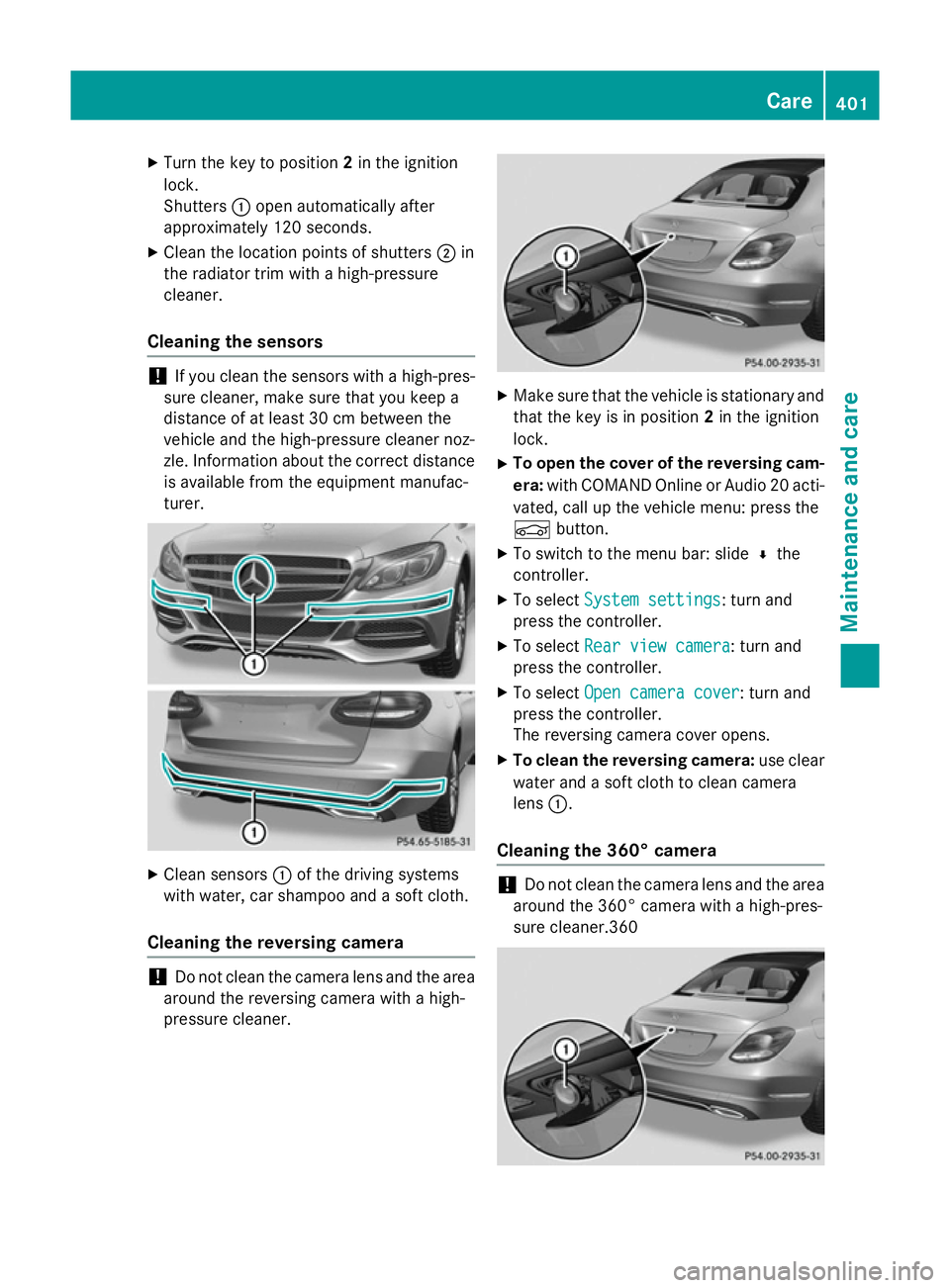
X Clean the location points of shutters ;in
the radiator trim with a high-pressure
cleaner.
Cleaning the sensors !
If you clean the sensors with a high-pres-
sure cleaner, make sure that you keep a
distance of at least 30 cm between the
vehicle and the high-pressure cleaner noz-
zle. Information about the correct distance is available from the equipment manufac-
turer. X
Clean sensors :of the driving systems
with water, car shampoo and a soft cloth.
Cleaning the reversing camera !
Do not clean the camera lens and the area
around the reversing camera with a high-
pressure cleaner. X
Make sure that the vehicle is stationary and
that the key is in position 2in the ignition
lock.
X To open the cover of the reversing cam-
era: with COMAND Online or Audio 20 acti-
vated, call up the vehicle menu: press the
Ñ button.
X To switch to the menu bar: slide ¬the
controller.
X To select System settings System settings: turn and
press the controller.
X To select Rear view camera
Rear view camera: turn and
press the controller.
X To select Open camera cover
Open camera cover: turn and
press the controller.
The reversing camera cover opens.
X To clean the reversing camera: use clear
water and a soft cloth to clean camera
lens :.
Cleaning the 360° camera !
Do not clean the camera lens and the area
around the 360° camera with a high-pres-
sure cleaner.360 Care
401Maintenance and care Z
Page 405 of 489
X
Make sure that the vehicle is stationary and
that the key is in position 2in the ignition
lock.
X To open the cover of the 360° camera:
with COMAND Online or Audio 20 activa-
ted, call up the vehicle menu: press the
Ñ button.
X To switch to the menu bar: slide ¬the
controller.
X To select System settings System settings: turn and
press the controller.
X To select the 360°
360°camera
camera: turn and press
the controller.
X To select Open camera cover
Open camera cover: turn and
press the controller.
The cover of the 360° camera opens.
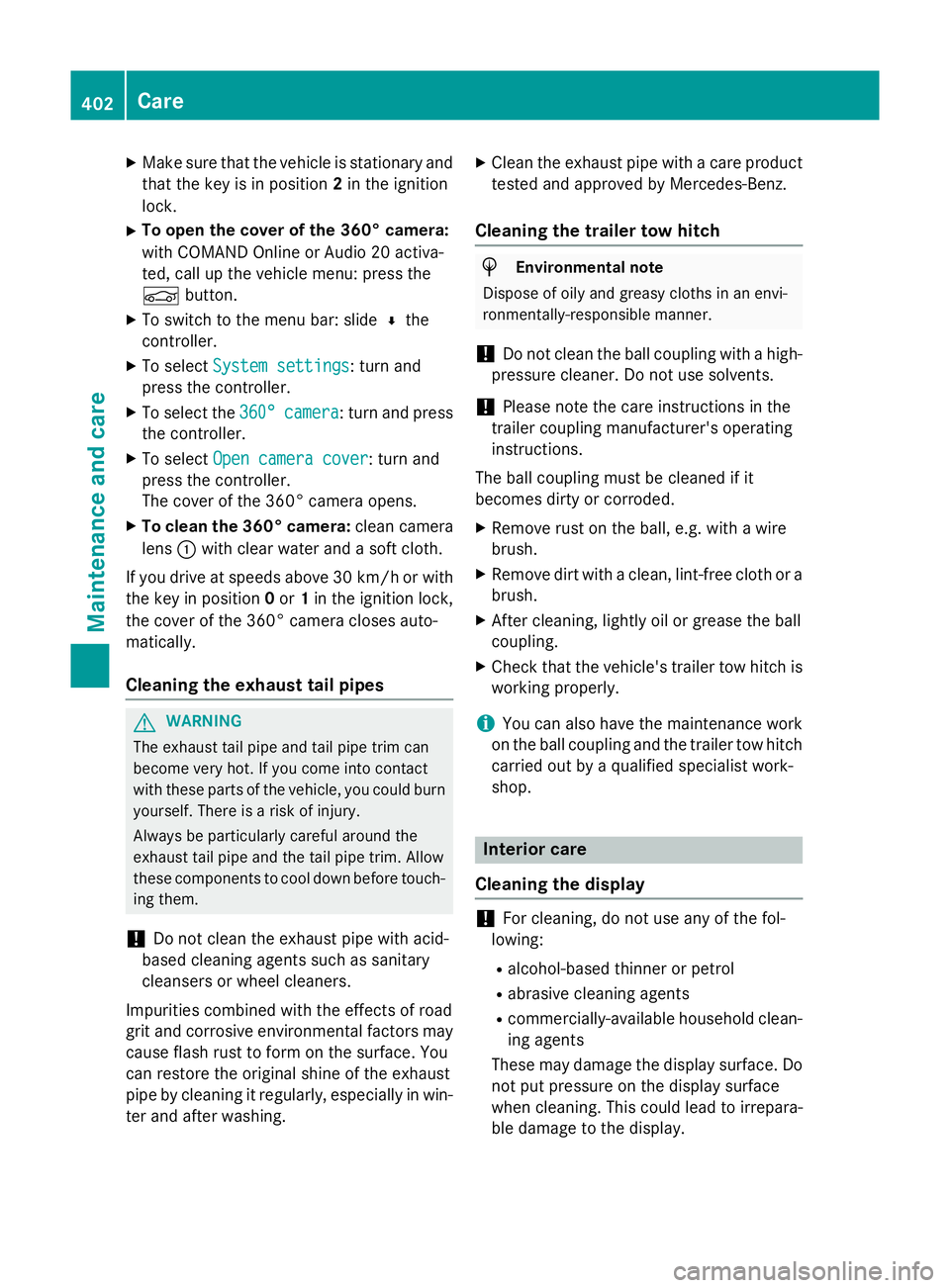
X To clean the 360° camera: clean camera
lens :with clear water and a soft cloth.
If you drive at speeds above 30 km/h or with the key in position 0or 1in the ignition lock,
the cover of the 360° camera closes auto-
matically.
Cleaning the exhaust tail pipes G
WARNING
The exhaust tail pipe and tail pipe trim can
become very hot. If you come into contact
with these parts of the vehicle, you could burn
yourself. There is a risk of injury.
Always be particularly careful around the
exhaust tail pipe and the tail pipe trim. Allow
these components to cool down before touch-
ing them.
! Do not clean the exhaust pipe with acid-
based cleaning agents such as sanitary
cleansers or wheel cleaners.
Impurities combined with the effects of road
grit and corrosive environmental factors may cause flash rust to form on the surface. You
can restore the original shine of the exhaust
pipe by cleaning it regularly, especially in win- ter and after washing. X
Clean the exhaust pipe with a care product
tested and approved by Mercedes-Benz.
Cleaning the trailer tow hitch H
Environmental note
Dispose of oily and greasy cloths in an envi-
ronmentally-responsible manner.
! Do not clean the ball coupling with a high-
pressure cleaner. Do not use solvents.
! Please note the care instructions in the
trailer coupling manufacturer's operating
instructions.
The ball coupling must be cleaned if it
becomes dirty or corroded. X Remove rust on the ball, e.g. with a wire
brush.
X Remove dirt with a clean, lint-free cloth or a
brush.
X After cleaning, lightly oil or grease the ball
coupling.
X Check that the vehicle's trailer tow hitch is
working properly.
i You can also have the maintenance work
on the ball coupling and the trailer tow hitch
carried out by a qualified specialist work-
shop. Interior care
Cleaning the display !
For cleaning, do not use any of the fol-
lowing:
R alcohol-based thinner or petrol
R abrasive cleaning agents
R commercially-available household clean-
ing agents
These may damage the display surface. Do not put pressure on the display surface
when cleaning. This could lead to irrepara-
ble damage to the display. 402
CareMaintenance and care