stop start MERCEDES-BENZ C-CLASS SALOON 2014 Repair Manual
[x] Cancel search | Manufacturer: MERCEDES-BENZ, Model Year: 2014, Model line: C-CLASS SALOON, Model: MERCEDES-BENZ C-CLASS SALOON 2014Pages: 489, PDF Size: 14.88 MB
Page 258 of 489
Object detection only functions in both full-
screen modes.
To ensure that you can use the function, it
must be switched on in COMAND Online (see
the separate operating instructions).
Stopping the 360° camera display As soon as the vehicle exceeds a speed of
30 km/h, the function switches off. The view
which was active before the 360° camera
was displayed appears in the COMAND dis-
play. You can also stop the 360° camera dis-
play from split-screen view by selecting the
% symbol in the display and then confirm-
ing with the COMAND controller.
Vehicles with automatic transmission: the
360° camera display is also ended if you
select transmission position P.ATTENTION ASSIST
General notes ATTENTION ASSIST helps you during long,
monotonous journeys such as on motorways and trunk roads. It is active in the 60 km/h to
200 km/h range. If ATTENTION ASSIST
detects typical indicators of fatigue or
increasing lapses in concentration on the part
of the driver, it suggests taking a break.
Important safety notes ATTENTION ASSIST is only an aid. It may not
always detect fatigue or lapses in concentra-
tion until too late, or may not detect them at
all. The system is not a substitute for a well-
rested and attentive driver.
The functionality of ATTENTION ASSIST is
restricted, and warnings may be delayed or
not occur at all:
R if the length of the journey is less than
approximately 30 minutes
R if the road condition is poor, e.g. if the sur-
face is uneven or if there are potholes
R if there is a strong side wind R
if you have adopted a sporty driving style
with high cornering speeds or high rates of
acceleration
R if you are predominantly driving at a speed
below 60 km/h or above 200 km/h
R if you are driving with the active Steer
Assist of DISTRONIC PLUS
R if the time has been set incorrectly
R in active driving situations, such as when
you change lanes or change your speed
ATTENTION ASSIST is reset and starts
assessing your tiredness again when you con- tinue your journey if:
R you switch off the engine
R you take off your seat belt and open the
driver's door, e.g. for a change of drivers or
to take a break
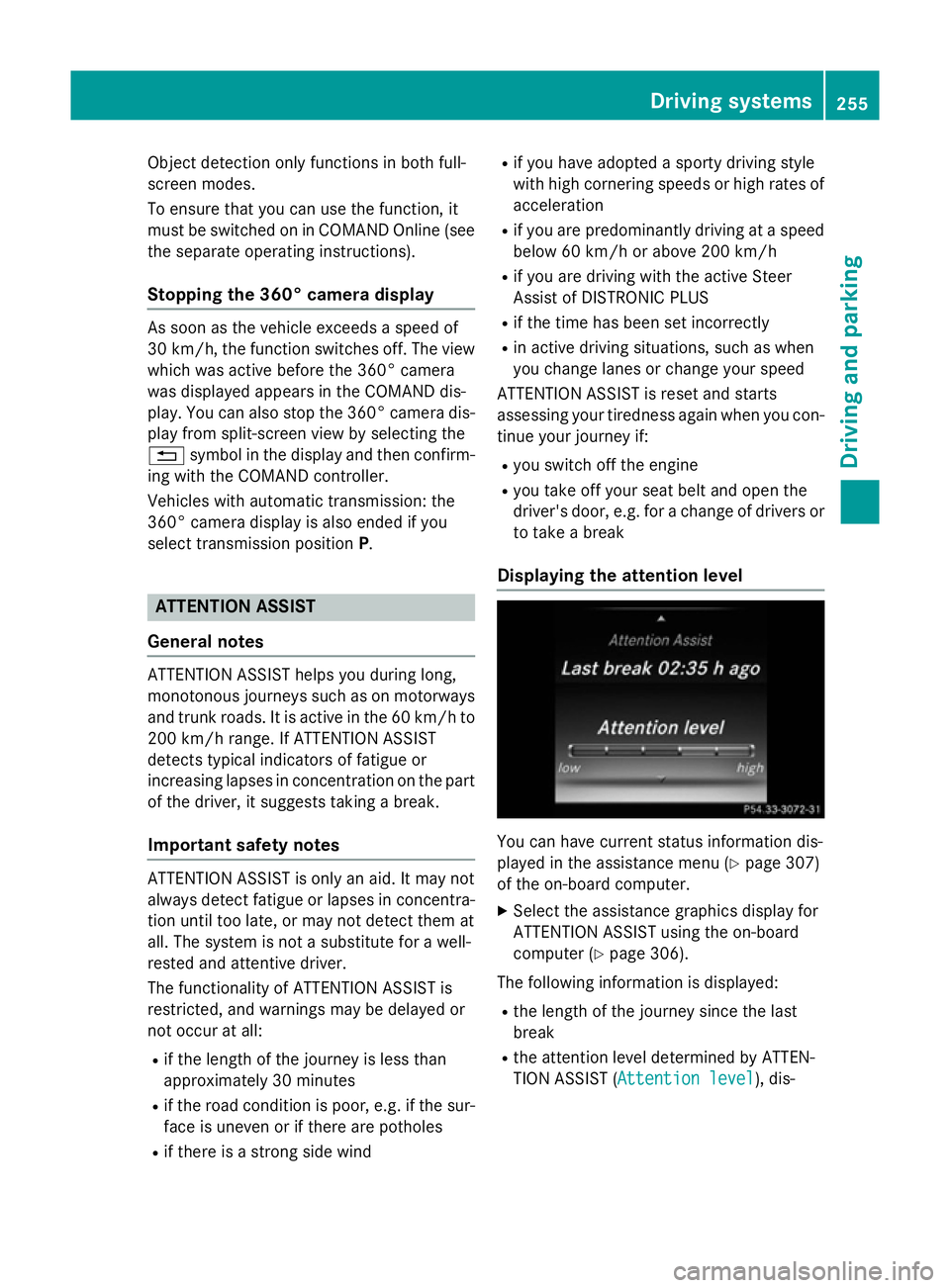
Displaying the attention level You can have current status information dis-
played in the assistance menu (Y
page 307)
of the on-board computer.
X Select the assistance graphics display for
ATTENTION ASSIST using the on-board
computer (Y page 306).
The following information is displayed:
R the length of the journey since the last
break
R the attention level determined by ATTEN-
TION ASSIST ( Attention level Attention level), dis- Driving systems
255Driving and parking Z
Page 272 of 489
R
you have switched on the turn signals. In
this event, the warnings are suppressed
for a certain period of time.
R a driving safety system intervenes, such
as ABS, BAS or ESP ®
.
R you accelerate hard, e.g. kickdown.
R you brake hard.
R you steer actively, e.g. swerve to avoid an
obstacle or change lane quickly.
R you cut the corner on a sharp bend.
In order that you are warned only when nec-
essary and in good time if you cross the lane marking, the system recognises certain con-
ditions and warns you accordingly.
The warning vibration occurs earlier if:
R you approach the outer lane marking on a
bend.
R the road has very wide lanes, e.g. a motor-
way.
R the system recognises solid lane markings.
The warning vibration occurs later if:
R the road has narrow lanes.
R you cut the corner on a bend.
Towing a trailer
If you couple up a trailer, make sure that you have correctly established the electrical con-
nection. This can be accomplished by check- ing the trailer lighting. Hybrid operation
Points to remember
General notes Hybrid technology combines a fuel efficient
internal combustion engine with a powerful
electric motor. The hybrid system automati-
cally selects the most efficient operating
mode for every driving situation. Drive the
vehicle in the usual manner.
To save fuel, the hybrid system switches off
the combustion engine as often as possible
during the journey when power output requirements are low. When power output
requirements are low, the electric motor pow-
ers the vehicle. When power output require-
ments are high, the combustion engine is
switched on, even during a journey. When the vehicle is stationary, the combustion engine
is usually switched off. Consequently, there is
usually no engine idling as with combustion
engine vehicles.
For pulling away and accelerating, the electric motor supports the internal combustion
engine using the power stored in the high-
voltage battery. In addition, the power is used
for partially electric driving, operation of the
electric coolant compressor and to support
the 12 V on-board electrical system. In this
way the hybrid drive helps to reduce your
vehicle's fuel consumption.
Observe the driving tips on hybrid operation
(Y page 278).
RBS (Recuperative Brake System) If you release the accelerator pedal when the
vehicle is in motion, overrun recuperation is
initiated. The electric motor is operated as a
generator when in overrun mode and when
you brake. Hybrid technology converts the
kinetic energy of the vehicle into electricity
and stores it in the high-voltage battery. Important safety notes
All of the vehicle's systems remain active, if: R the vehicle is stationary,
R the combustion engine is switched off and
R the READY-indicator in the instrument clus-
ter is lit.
If you remove your foot from the brake pedal
while in transmission position D or R, the
vehicle could pull away automatically.
Observe the notes on the READY display of
the ECO start/stop function (Y page 279).
Vehicles with an electric motor generate sig-
nificantly less noise than vehicles with inter-
nal combustion engines. As a result, in certain Hybrid operation
269Driving and parking Z
Page 280 of 489
X
Observe the notes on starting the engine
(Y page 183).
X Turn the key to position 3in the ignition
lock (Y page 183) or press the Start/Stop
button once (Y page 184).
The vehicle is operational when READY indi-
cator :lights up.
Noiseless start The vehicle starts in electric mode without the
internal combustion engine. The internal
combustion engine starts only after the
power demanded by the driver exceeds the
available power that the electric motor can
currently provide.
Noiseless start operation is dependent on the
outside temperature and the operating tem-
perature of the internal combustion engine.
The vehicle is operational when READY indi-
cator :lights up. Pulling away
X Depress the brake pedal and keep it
depressed.
X Shift the transmission to position Dor R.
X Release the brake pedal.
Further information on pulling away
(Y page 184). Driving
AGILITY SELECT switch Driving programs
Use the AGILITY SELECT switch to change the
drive program. Depending on the drive pro-
gram selected, the following vehicle charac-
teristics will change:
R the drive (engine and transmission man-
agement)
R the suspension
R the steering R
the availability of the ECO start/stop func-
tion (Y page 279)
R the climate control settings
- THERMATIC (Y page 153)
- THERMOTRONIC (Y page 156)
R the rear window heating operation period
(Y page 164)
R the performance of the seat heating
(Y page 123)
If the ignition is switched off for less than four
hours, the previously selected drive program
is activated when the engine is next started. If the ignition is switched off for more than four
hours, drive program Cis activated when the
engine is next started. X
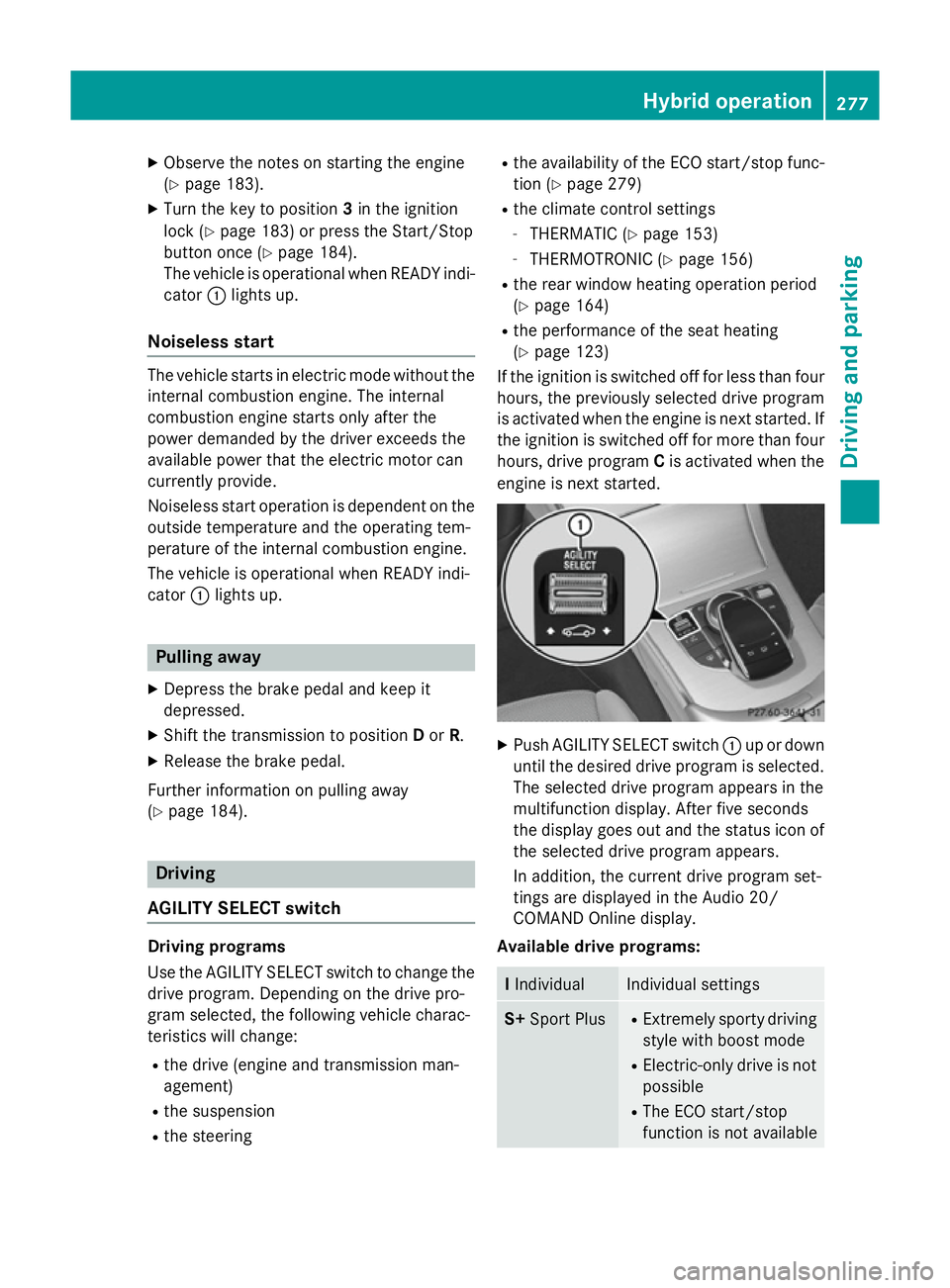
Push AGILITY SELECT switch :up or down
until the desired drive program is selected. The selected drive program appears in the
multifunction display. After five seconds
the display goes out and the status icon of
the selected drive program appears.
In addition, the current drive program set-
tings are displayed in the Audio 20/
COMAND Online display.
Available drive programs: I
Individual Individual settings
S+
Sport Plus R
Extremely sporty driving
style with boost mode
R Electric-only drive is not
possible
R The ECO start/stop
function is not available Hybrid operation
277Driving and parking Z
Page 281 of 489
S
Sport R
Sporty driving style with
boost mode
R Electric-only drive is not
possible
R The ECO start/stop
function is not available C
Comfort R
Comfortable, economi-
cal driving style
R Electric-only drive is
possible
R The ECO start/stop
function is available E
Eco R
Particularly economical
driving style
R Electric operation mode
is used as often as pos-
sible
R The ECO start/stop
function is available Additional information for drive programs
(Y page 197).
Using the steering wheel gearshift paddles,
you can temporarily change gear yourself.
Further information on the manual drive pro-
gram (Y page 278).
Manual gearshifting
Using the steering wheel gearshift paddles,
you can temporarily change gear yourself.
The transmission must be in position D. Elec-
tric-only operation is not possible when man-
ually changing gear.
Activating when driving with the electric
motor:
X Pull the left-hand steering wheel gearshift
paddle (Y page 198).
The combustion engine is switched on.
Manual gearshifting is activated tempora-
rily. The selected gear and Mappear in the
multifunction display.
Pulling on the right-hand steering wheel
gearshift paddle when manual gear chang- ing is not active switches to overrun mode
(Y page 280).
Activating when driving with the combustion
engine:
X Pull the left-hand steering wheel gearshift
paddle (Y page 198).
Manual gearshifting is activated tempora-
rily. The selected gear and Mappear in the
multifunction display.
The ECO start/stop function is not available
when manually changing gear.
Further information on the manual drive pro-
gram (Y page 198).
Driving tips General driving tips
Drive carefully and maintain a suitable dis-
tance from the vehicle in front. Avoid frequent
and sudden acceleration as well as abrupt
braking.
During partially electric driving, pulling away
and acceleration, the electric motor supports the internal combustion engine.
During overrun in transmission position Dand
braking, the electric motor operates as an
alternator.
To reduce fuel consumption, use:
R recuperative braking (Y page 269)
R overrun mode (Y page 280) or extended
overrun mode (Y page 280)
For further information on the ECO start/stop
function; see (Y page 279).
Additional driving tips (Y page 211).
Stationary vehicle
If the vehicle is stopped, the combustion
engine is, for the most part, switched off.
Automatic climate control continues to func-
tion. The electro-mechanically assisted steer-
ing gear allows use of the power steering
without loss of comfort. 278
Hybrid operationDriving and parking
Page 282 of 489
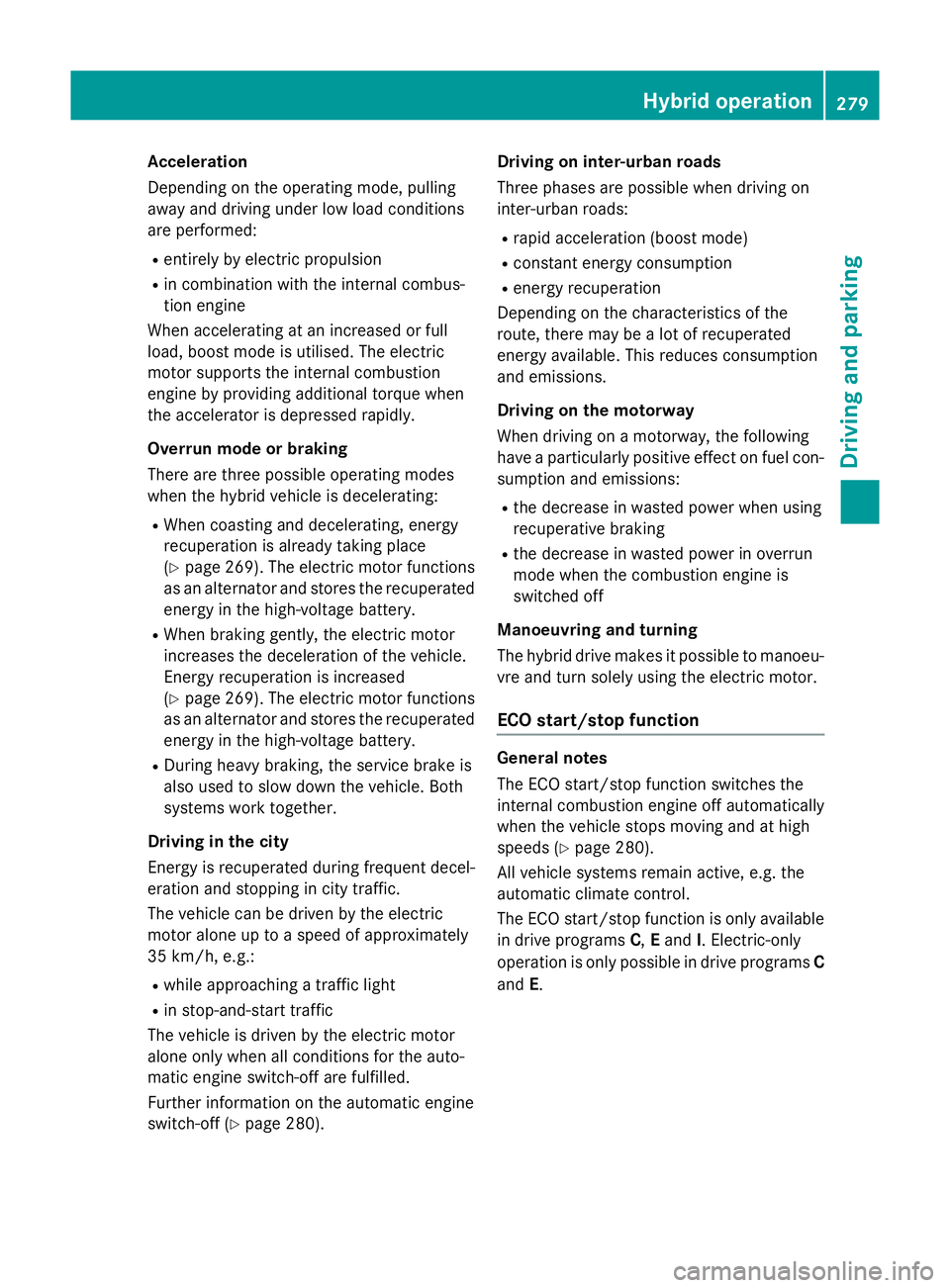
Acceleration
Depending on the operating mode, pulling
away and driving under low load conditions
are performed:
R entirely by electric propulsion
R in combination with the internal combus-
tion engine
When accelerating at an increased or full
load, boost mode is utilised. The electric
motor supports the internal combustion
engine by providing additional torque when
the accelerator is depressed rapidly.
Overrun mode or braking
There are three possible operating modes
when the hybrid vehicle is decelerating: R When coasting and decelerating, energy
recuperation is already taking place
(Y page 269). The electric motor functions
as an alternator and stores the recuperated
energy in the high-voltage battery.
R When braking gently, the electric motor
increases the deceleration of the vehicle.
Energy recuperation is increased
(Y page 269). The electric motor functions
as an alternator and stores the recuperated energy in the high-voltage battery.
R During heavy braking, the service brake is
also used to slow down the vehicle. Both
systems work together.
Driving in the city
Energy is recuperated during frequent decel-
eration and stopping in city traffic.
The vehicle can be driven by the electric
motor alone up to a speed of approximately
35 km/h, e.g.:
R while approaching a traffic light
R in stop-and-start traffic
The vehicle is driven by the electric motor
alone only when all conditions for the auto-
matic engine switch-off are fulfilled.
Further information on the automatic engine
switch-off (Y page 280). Driving on inter-urban roads
Three phases are possible when driving on
inter-urban roads:
R rapid acceleration (boost mode)
R constant energy consumption
R energy recuperation
Depending on the characteristics of the
route, there may be a lot of recuperated
energy available. This reduces consumption
and emissions.
Driving on the motorway
When driving on a motorway, the following
have a particularly positive effect on fuel con- sumption and emissions:
R the decrease in wasted power when using
recuperative braking
R the decrease in wasted power in overrun
mode when the combustion engine is
switched off
Manoeuvring and turning
The hybrid drive makes it possible to manoeu- vre and turn solely using the electric motor.
ECO start/stop function General notes
The ECO start/stop function switches the
internal combustion engine off automatically
when the vehicle stops moving and at high
speeds (Y page 280).
All vehicle systems remain active, e.g. the
automatic climate control.
The ECO start/stop function is only available in drive programs C,Eand I. Electric-only
operation is only possible in drive programs C
and E. Hybrid operation
279Driving and parking Z
Page 285 of 489
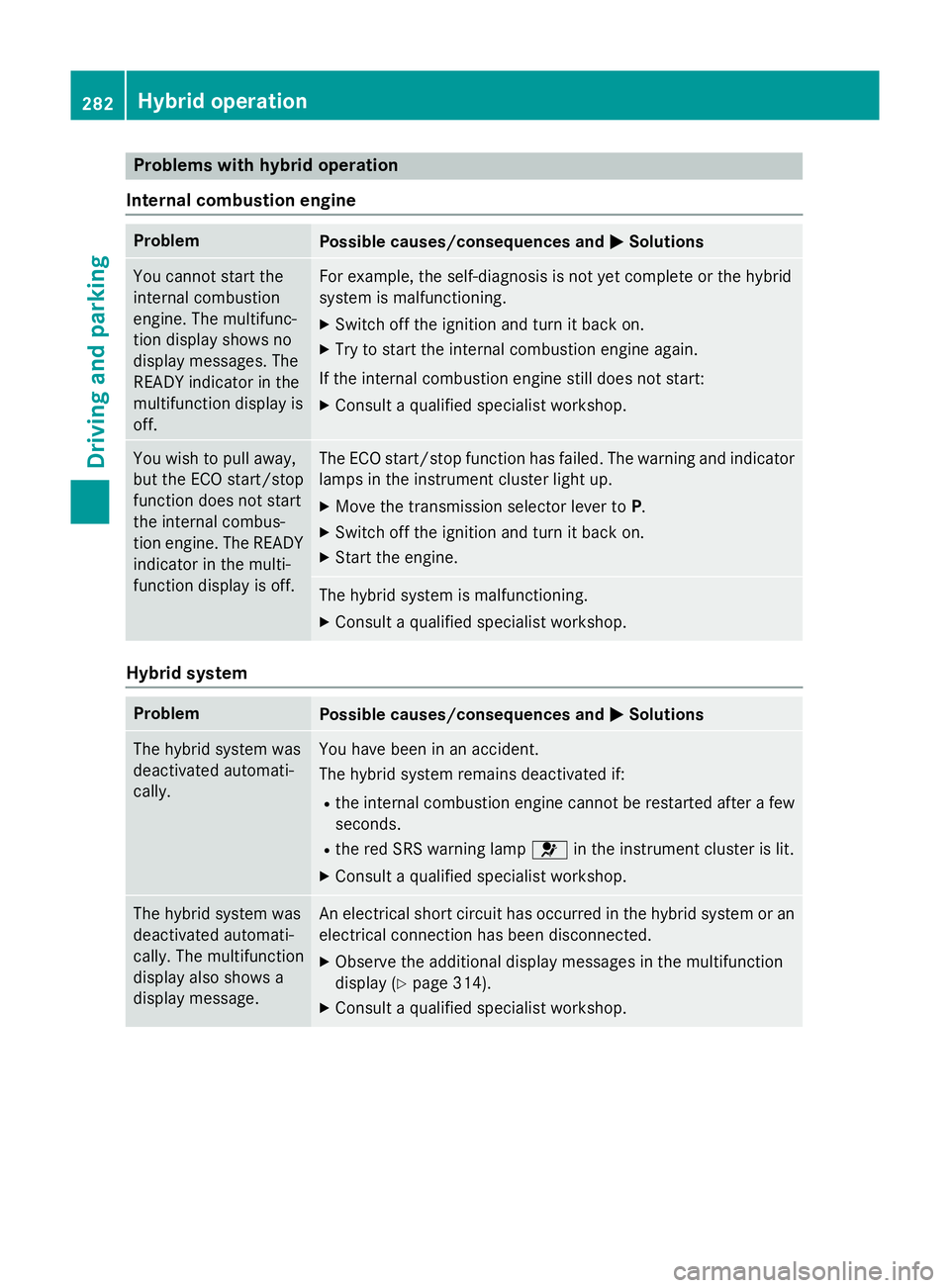
Problems with hybrid operation
Internal combustion engine Problem
Possible causes/consequences and
M
MSolutions You cannot start the
internal combustion
engine. The multifunc-
tion display shows no
display messages. The
READY indicator in the
multifunction display is
off. For example, the self-diagnosis is not yet complete or the hybrid
system is malfunctioning.
X Switch off the ignition and turn it back on.
X Try to start the internal combustion engine again.
If the internal combustion engine still does not start: X Consult a qualified specialist workshop. You wish to pull away,
but the ECO start/stop
function does not start
the internal combus-
tion engine. The READY
indicator in the multi-
function display is off. The ECO start/stop function has failed. The warning and indicator
lamps in the instrument cluster light up.
X Move the transmission selector lever to P.
X Switch off the ignition and turn it back on.
X Start the engine. The hybrid system is malfunctioning.
X Consult a qualified specialist workshop. Hybrid system
Problem
Possible causes/consequences and
M MSolutions The hybrid system was
deactivated automati-
cally. You have been in an accident.
The hybrid system remains deactivated if:
R the internal combustion engine cannot be restarted after a few
seconds.
R the red SRS warning lamp 6in the instrument cluster is lit.
X Consult a qualified specialist workshop. The hybrid system was
deactivated automati-
cally. The multifunction
display also shows a
display message. An electrical short circuit has occurred in the hybrid system or an
electrical connection has been disconnected.
X Observe the additional display messages in the multifunction
display (Y page 314).
X Consult a qualified specialist workshop. 282
Hybrid operationDriving and parking
Page 287 of 489
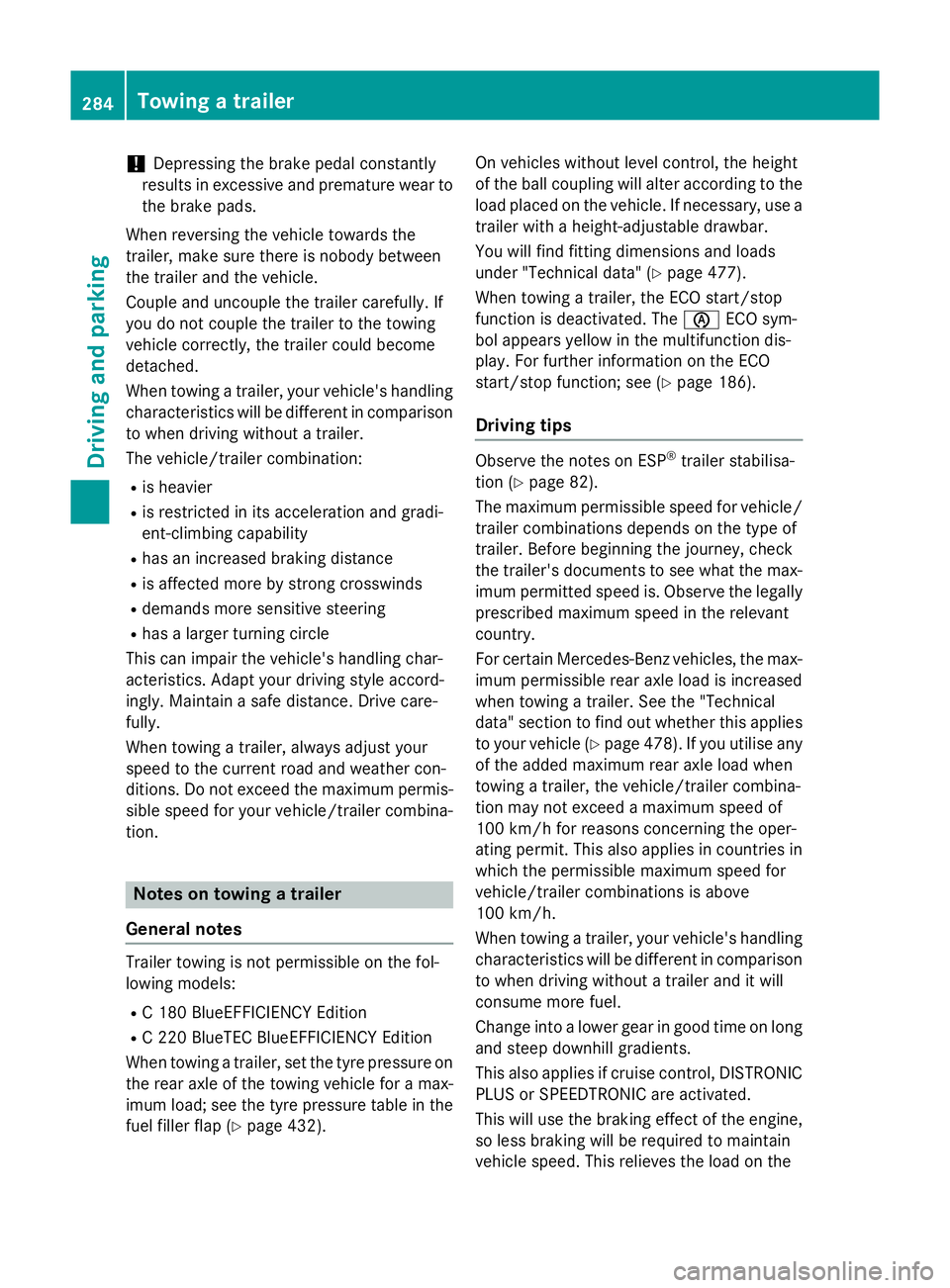
!
Depressing the brake pedal constantly
results in excessive and premature wear to
the brake pads.
When reversing the vehicle towards the
trailer, make sure there is nobody between
the trailer and the vehicle.
Couple and uncouple the trailer carefully. If
you do not couple the trailer to the towing
vehicle correctly, the trailer could become
detached.
When towing a trailer, your vehicle's handling
characteristics will be different in comparison to when driving without a trailer.
The vehicle/trailer combination:
R is heavier
R is restricted in its acceleration and gradi-
ent-climbing capability
R has an increased braking distance
R is affected more by strong crosswinds
R demands more sensitive steering
R has a larger turning circle
This can impair the vehicle's handling char-
acteristics. Adapt your driving style accord-
ingly. Maintain a safe distance. Drive care-
fully.
When towing a trailer, always adjust your
speed to the current road and weather con-
ditions. Do not exceed the maximum permis- sible speed for your vehicle/trailer combina-
tion. Notes on towing a trailer
General notes Trailer towing is not permissible on the fol-
lowing models:
R C 180 BlueEFFICIENCY Edition
R C 220 BlueTEC BlueEFFICIENCY Edition
When towing a trailer, set the tyre pressure on
the rear axle of the towing vehicle for a max-
imum load; see the tyre pressure table in the fuel filler flap (Y page 432). On vehicles without level control, the height
of the ball coupling will alter according to the
load placed on the vehicle. If necessary, use a
trailer with a height-adjustable drawbar.
You will find fitting dimensions and loads
under "Technical data" (Y page 477).
When towing a trailer, the ECO start/stop
function is deactivated. The èECO sym-
bol appears yellow in the multifunction dis-
play. For further information on the ECO
start/stop function; see (Y page 186).
Driving tips Observe the notes on ESP
®
trailer stabilisa-
tion (Y page 82).
The maximum permissible speed for vehicle/ trailer combinations depends on the type of
trailer. Before beginning the journey, check
the trailer's documents to see what the max- imum permitted speed is. Observe the legally
prescribed maximum speed in the relevant
country.
For certain Mercedes-Benz vehicles, the max-
imum permissible rear axle load is increased
when towing a trailer. See the "Technical
data" section to find out whether this applies
to your vehicle (Y page 478). If you utilise any
of the added maximum rear axle load when
towing a trailer, the vehicle/trailer combina-
tion may not exceed a maximum speed of
100 km/h for reasons concerning the oper-
ating permit. This also applies in countries in
which the permissible maximum speed for
vehicle/trailer combinations is above
100 km/h.
When towing a trailer, your vehicle's handling
characteristics will be different in comparison to when driving without a trailer and it will
consume more fuel.
Change into a lower gear in good time on long
and steep downhill gradients.
This also applies if cruise control, DISTRONIC
PLUS or SPEEDTRONIC are activated.
This will use the braking effect of the engine,
so less braking will be required to maintain
vehicle speed. This relieves the load on the 284
Towing a trailerDriving and parking
Page 298 of 489
8 R
Mute ó
Switches on LINGUATRONIC, see
the separate operating instructions
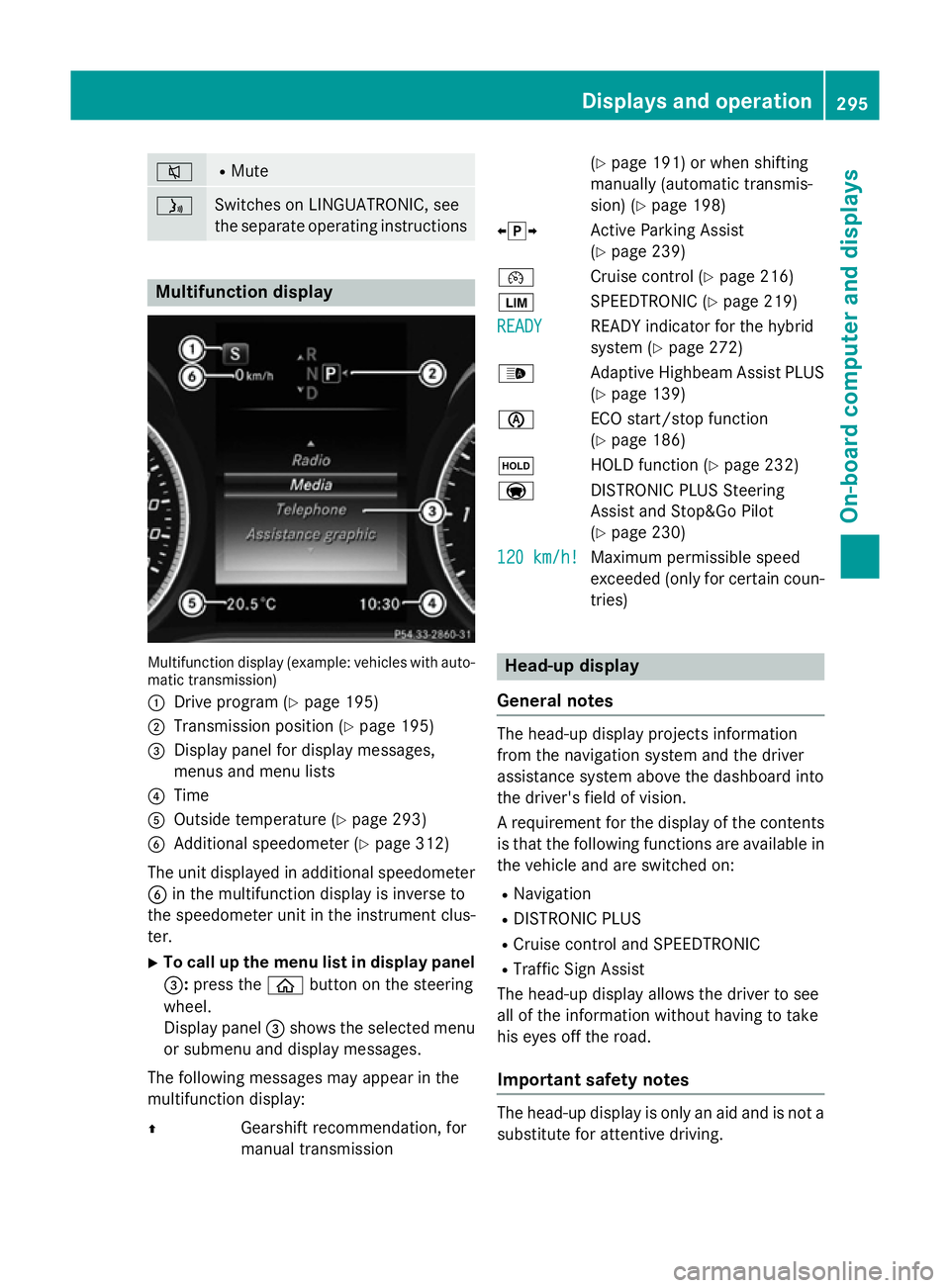
Multifunction display
Multifunction display (example: vehicles with auto-
matic transmission)
: Drive program (Y page 195)
; Transmission position (Y page 195)
= Display panel for display messages,
menus and menu lists
? Time
A Outside temperature (Y page 293)
B Additional speedometer (Y page 312)
The unit displayed in additional speedometer
B in the multifunction display is inverse to
the speedometer unit in the instrument clus-
ter.
X To call up the menu list in display panel
=: press the òbutton on the steering
wheel.
Display panel =shows the selected menu
or submenu and display messages.
The following messages may appear in the
multifunction display:
Z Gearshift recommendation, for
manual transmission (Y
page 191) or when shifting
manually (automatic transmis-
sion) (Y page 198)
XjY Active Parking Assist
(Y page 239)
¯ Cruise control (Y page 216)
È SPEEDTRONIC (Y page 219)
READY
READY READY indicator for the hybrid
system (Y
page 272)
_ Adaptive Highbeam Assist PLUS
(Y page 139)
è ECO start/stop function
(Ypage 186)
ë HOLD function (Y page 232)
a DISTRONIC PLUS Steering
Assist and Stop&Go Pilot
(Ypage 230)
120 km/h! 120 km/h! Maximum permissible speed
exceeded (only for certain coun-
tries) Head-up display
General notes The head-up display projects information
from the navigation system and the driver
assistance system above the dashboard into
the driver's field of vision.
A requirement for the display of the contents
is that the following functions are available in the vehicle and are switched on:
R Navigation
R DISTRONIC PLUS
R Cruise control and SPEEDTRONIC
R Traffic Sign Assist
The head-up display allows the driver to see
all of the information without having to take
his eyes off the road.
Important safety notes The head-up display is only an aid and is not a
substitute for attentive driving. Displays and operation
295On-board computer and displays Z
Page 308 of 489
X
Insert the mobile phone into the bracket
(Y page 386).
or
X Establish a Bluetooth ®
connection to Audio
20 or COMAND Online, see the separate
operating instructions.
X Use ò on the steering wheel to call up
the list of menus.
X Press :or9 on the steering wheel
to select the Telephone
Telephone menu.
X Confirm by pressing aon the steering
wheel.
You will see one of the following display mes-
sages in the multifunction display:
R Telephone ready
Telephone ready or the name of the net-
work provider: the mobile phone has found a network and is ready to receive.
R Telephone No service
Telephone No service: there is no net-
work available or the mobile phone is
searching for a network.
i You can obtain further information about
suitable mobile phones and connecting
mobile phones via Bluetooth ®
:
R from any Mercedes-Benz Service Centre
R on the Internet at http://
www.mercedes-benz.com/connect
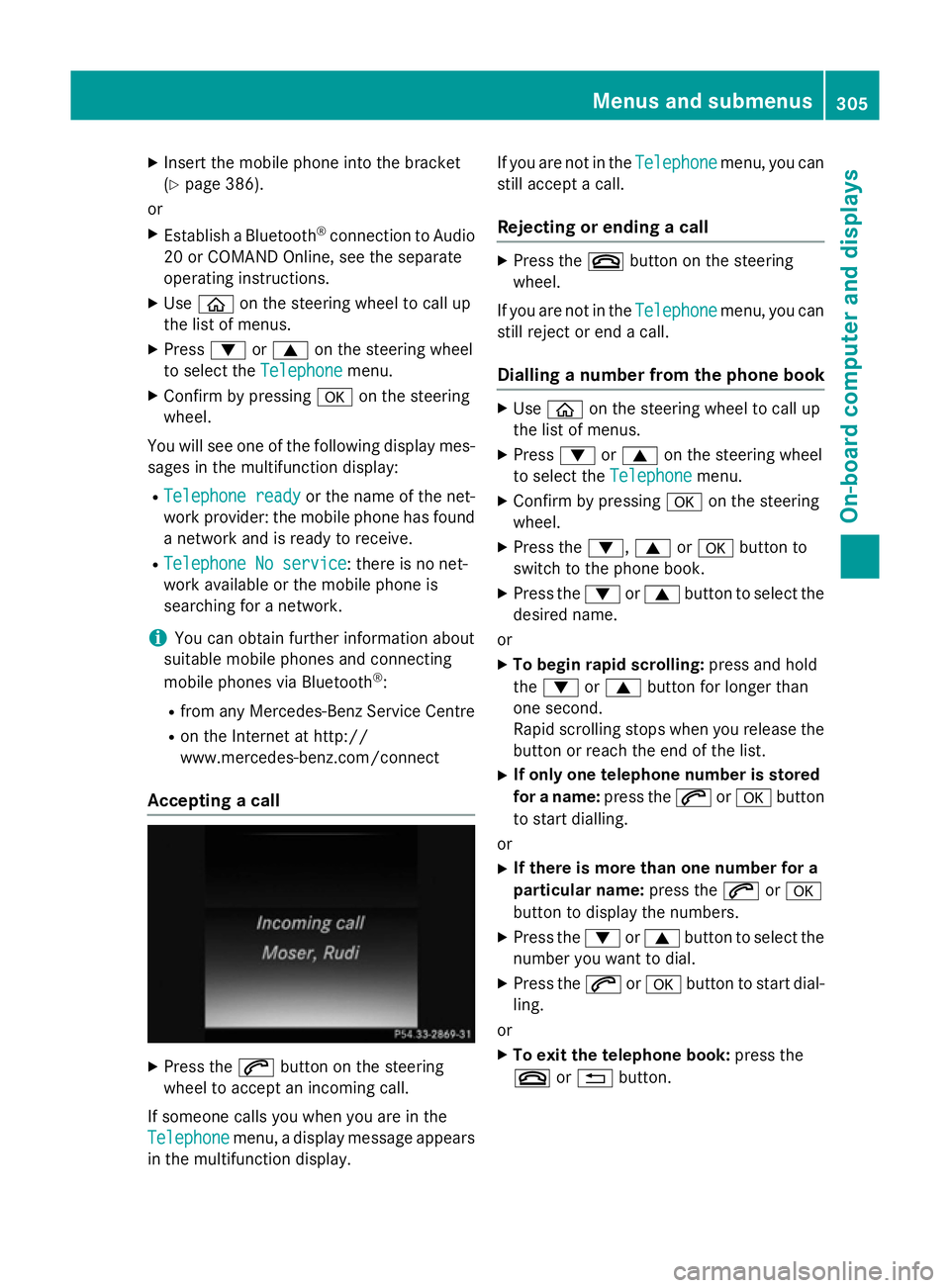
Accepting a call X
Press the 6button on the steering
wheel to accept an incoming call.
If someone calls you when you are in the
Telephone
Telephone menu, a display message appears
in the multifunction display. If you are not in the
Telephone
Telephone menu, you can
still accept a call.
Rejecting or ending a call X
Press the ~button on the steering
wheel.
If you are not in the Telephone Telephonemenu, you can
still reject or end a call.
Dialling a number from the phone book X
Use ò on the steering wheel to call up
the list of menus.
X Press :or9 on the steering wheel
to select the Telephone
Telephonemenu.
X Confirm by pressing aon the steering
wheel.
X Press the :,9ora button to
switch to the phone book.
X Press the :or9 button to select the
desired name.
or X To begin rapid scrolling: press and hold
the : or9 button for longer than
one second.
Rapid scrolling stops when you release the button or reach the end of the list.
X If only one telephone number is stored
for a name: press the6ora button
to start dialling.
or X If there is more than one number for a
particular name: press the6ora
button to display the numbers.
X Press the :or9 button to select the
number you want to dial.
X Press the 6ora button to start dial-
ling.
or X To exit the telephone book: press the
~ or% button. Menus and submenus
305On-board computer and displays Z
Page 325 of 489
Display messages
Possible causes/consequences and
M
MSolutions !
Turn on the igni‐ Turn on the igni‐
tion to release tion to release
the parking brake the parking brake The red
!indicator lamp lights up.
You attempted to release the electric parking brake while the igni-
tion was switched off.
X Switch the ignition on. J
Check brake fluid Check brake fluid
level level There is insufficient brake fluid in the brake fluid reservoir.
In addition, the red Jwarning lamp lights up in the instrument
cluster and a warning tone sounds.
G WARNING
Braking efficiency may be impaired.
There is a risk of an accident. X Pull over and stop the vehicle safely as soon as possible, paying
attention to road and traffic conditions. Do not continue driving
under any circumstances.
X Secure the vehicle against rolling away (Y page 207).
X Consult a qualified specialist workshop.
X Do not top up the brake fluid. This does not correct the fault. #
Check brake pad Check brake pad
wear wear The brake pads/linings have reached their wear limit.
X Visit a qualified specialist workshop. Collision Preven‐
Collision Preven‐
tion Assist Plus tion Assist Plus
currently unavail‐ currently unavail‐
able See Owner's able See Owner's
Manual Manual COLLISION PREVENTION ASSIST PLUS is temporarily inoperative.
Possible causes:
R the radar sensor system is temporarily inoperative, e.g. due to
electromagnetic radiation emitted by nearby TV or radio sta-
tions or other sources of electromagnetic radiation
R the system is outside the operating temperature range
R the on-board voltage is too low
Once the causes listed above no longer apply, the display message goes out.
COLLISION PREVENTION ASSIST PLUS is operational again.
If the display message does not disappear:
X Pull over and stop the vehicle safely as soon as possible, paying
attention to road and traffic conditions.
X Secure the vehicle against rolling away (Y page 207).
X Restart the engine. 322
Display
messagesOn-board computer and displays