weight MERCEDES-BENZ C-CLASS SALOON 2018 User Guide
[x] Cancel search | Manufacturer: MERCEDES-BENZ, Model Year: 2018, Model line: C-CLASS SALOON, Model: MERCEDES-BENZ C-CLASS SALOON 2018Pages: 609, PDF Size: 11.19 MB
Page 477 of 609
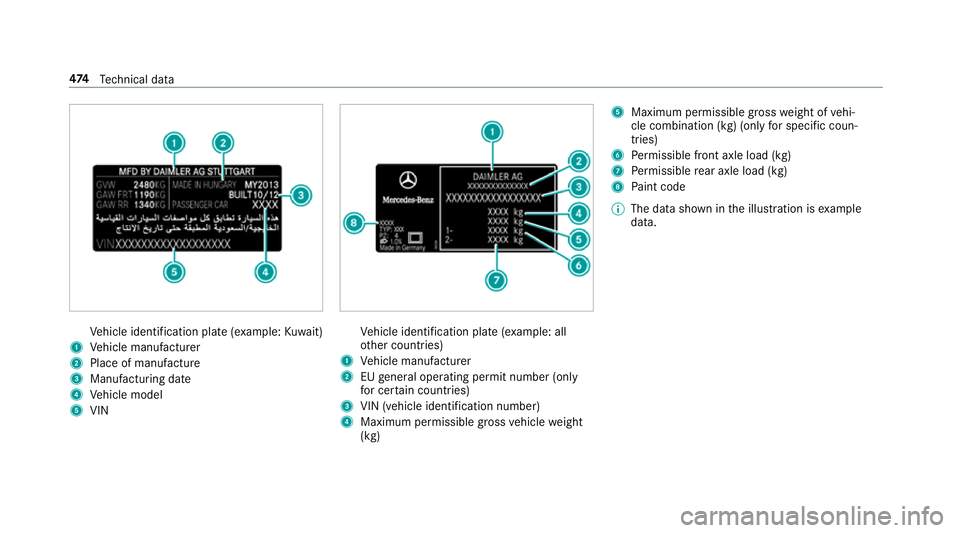
Ve
hicle identification plate (e xample:Kuwa it)
1 Vehicle manufacturer
2 Place of manufacture
3 Manufacturing date
4 Vehicle model
5 VIN Ve
hicle identification plate (e xample: all
ot her countries)
1 Vehicle manufacturer
2 EUgeneral operating pe rmit number (only
fo r cer tain countries)
3 VIN (vehicle identification number)
4 Maximum permissible gross vehicle weight
(kg) 5
Maximum permissible gross weight of vehi‐
cle combination (kg) (only for specific coun‐
tries)
6 Perm issible front axle load (kg)
7 Perm issible rear axle load (kg)
8 Paint code
0009 The data shown in the illustration is example
data. 474
Tech nical da ta
Page 489 of 609
Model
Vehicle
height
C 300 1447 mm
C 200 4MATIC (205.079) 1449 mm
All other models 1452 mm We
ights and loads Please no
tethat forth e specified vehicle data:
R items of optional equipment increase the
unladen weight and reduce the pa yload.
R vehicle-specific weight information can be
fo und on theve hicle identification plate .
Ro of load All models
Maximum
roof load 75kg Tr
ailer hitch Gene
ral no tes on the trailer hit ch Not all models can be used
for trailer operation
(0013 page 262).
Modi fications tothe engine cooling sy stem may
be necessar y,depending on theve hicle model.
The retrofitting of a trailer hitch is only pe rmissi‐
ble if a towing capacity is specified in your vehi‐
cle documents.
Fu rther information can be obtained at a quali‐
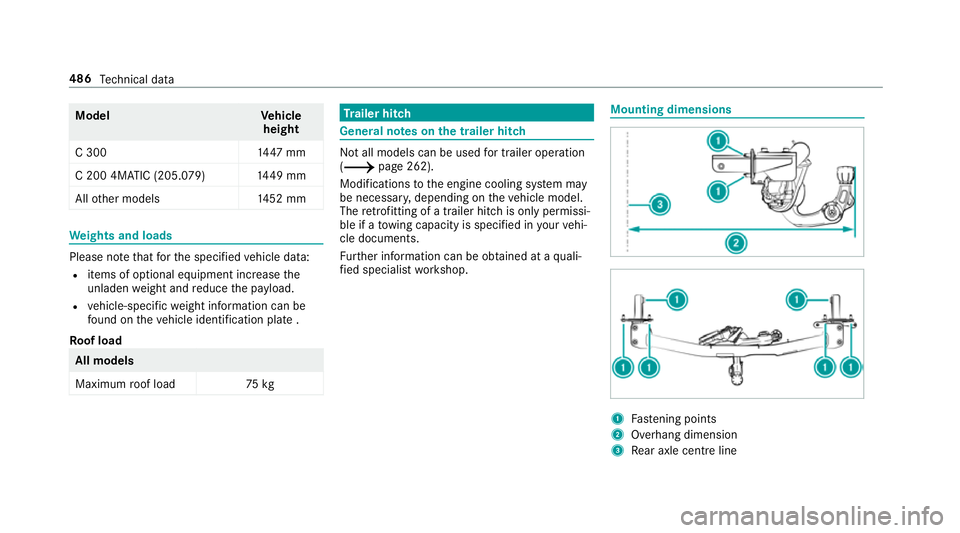
fi ed specialist workshop. Mounting dimensions
1
Fastening points
2 Overhang dimension
3 Rear axle centre line 486
Tech nical da ta
Page 490 of 609
The
overhang dimension and fastening points
are valid for a trailer hitch ins talled at thefa c‐
to ry. Model
2 2Over‐
hang dimen‐ sion
All model s1 158 mm Pe
rm issible towing capacity The
tongue weight is not included in theto wing
capacity. Pe
rm issible towing capacit y,braked (at a
minimum start-off gradeability of 8% from a
st andstill) Model
Manual
trans‐
mission Au
to‐
matic
trans‐
mission
C 16 0
C 180 14
00 kg 1800 kg
C 18 0 d
C 200 d 18
00 kg 1800 kg
All other models —1800kg Pe
rm issible towing capacit y,braked (at a
minimum start-off gradeability of 12% from a
st andstill) Model
Manual
trans‐
mission Au
to‐
matic
trans‐
mission
C 16 0
C 180 14
00 kg 1800 kg
C 18 0 d
C 200 d 18
00 kg 1800 kg
All other models —1800kg Te
ch nical da ta487
Page 491 of 609
Pe
rm issible towing capacit y,unbraked Model
Manual
trans‐
mission Au
to‐
matic
trans‐
mission
C 16 0
C 180 72
0kg 730kg
C 18 0 d
C 200 d 71
0kg 750kg
C 200 (205. 077) —710kg
All other models —750kg Maximum
tongue weight 000E
NO
TEDama gecaused bythe trailer
coming loose If
th eto ngue weight used is too lo w,the
trailer may come loose. 0007
The tongue weight must not be below
50 kg. 0007
Use a tongue weight that is as close as
possible tothe maximum permissible
to ngue weight. To
ngue weight Model
Maximumtongue
we ight
All models 75kg Pe
rm issible rear axle load during trailer
operation Axle load
Model
Axle load
C 16 0, manual trans‐
mission
C 18 0, manual trans‐
mission 11
85 kg
C 16 0, auto matic
transmission
C 18 0, auto matic
transmission 11
95 kg
C 200 (205. 077)
C 200 d (205.0 11 )
C 220 d 12
45 kg
C 200 4MATIC 1260 kg
C 220 d 4MATIC 1255 kg
C 300 d1 280kg 488
Tech nical da ta
Page 503 of 609
Display messages
Possible causes/consequences and 0050
0050Solutions 0007
Consult a qualified specialist workshop immediatel y.
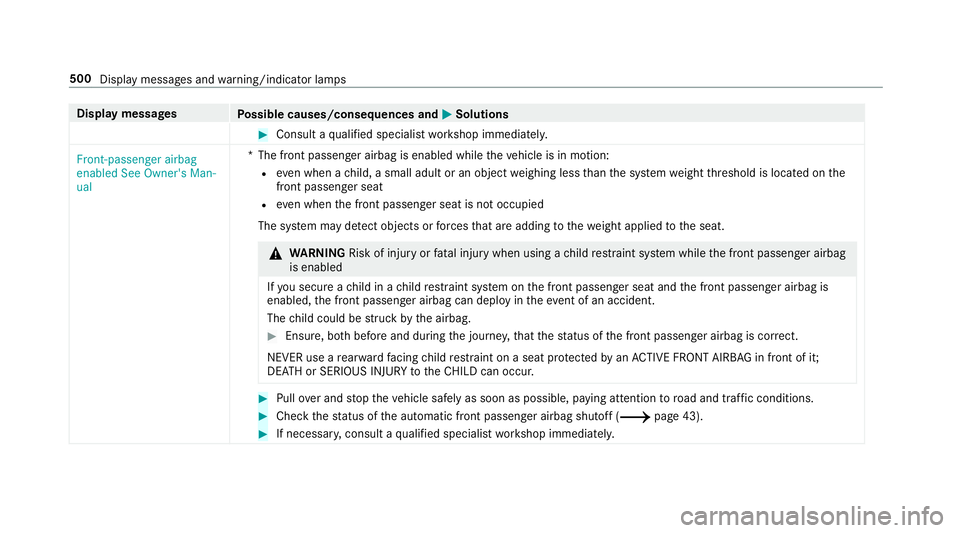
Front-passenger airbag
enabled See Owner's Man-
ual *T
he front passenger airbag is enabled while theve hicle is in motion:
R even when a child, a small adult or an object weighing less than the sy stem weight thre shold is located on the
front passenger seat
R even when the front passenger seat is not occupied
The sy stem may de tect objects or forc es that are adding tothewe ight applied tothe seat. 000A
WARNING Risk of inju ryor fata l injury when using a child restra int sy stem while the front passenger airbag
is enabled
If yo u secure a child in a child restra int sy stem on the front passenger seat and the front passenger airbag is
enabled, the front passenger airbag can deploy in theev ent of an accident.
The child could be stru ck bythe airbag. 0007
Ensure, bo thbefore and during the journe y,that thest atus of the front passenger airbag is cor rect.
NEVER use a rear wa rdfacing child restra int on a seat pr otected byan ACTIVE FRONT AIRB AGin front of it;
DE ATH or SERIOUS INJU RYtotheCH ILD can occur. 0007
Pull over and stop theve hicle safely as soon as possible, paying attention toroad and traf fic conditions. 0007
Check thest atus of the automatic front passenger airbag shutoff (0013 page 43).0007
If necessar y,consult a qualified specialist workshop immediatel y.500
Display messages and warning/indicator lamps
Page 585 of 609
Maintenance
see ASS YST PLUS
Malfunction Restra int sy stem ................................... 33
Manual transmission Operating thege arshift le ver ............... 17 9
Map .......................................... .338, 340, 341
Av oiding an area ..................................3 43
Av oiding an area (o verview) ................ .343
Changing an area ................................ 343
Deleting an area .................................. 344
Displ aying Qibla .................................. 345
Displaying the compass ....................... 345
Displaying the map version ................ .343
Displ aying the next intersecting
st re et ................................................... 342
Displaying the satellite map ................3 46
Displ aying the tra ffic map .................. .338
Displ aying weather information .......... .346
Map data ............................................. 344
Moving ................................................. 341
Overview ............................................. 340
Selecting POI symbols ......................... 342
Selecting text information ................... 342
Selecting the map orientation .............3 42Setting
the map scale .......................... 341
Setting the map scale automatically ....3 45
Up dating .............................................3 44
Map and compass Overview ............................................. 340
Massage prog rammes
Overview ............................................ .108
Re setting the settings .......................... 109
Massage prog rams
Selecting the front seats ..................... 109
Massage settings Resetting ............................................. 109
Matt finish (cleaning instructions) .........417
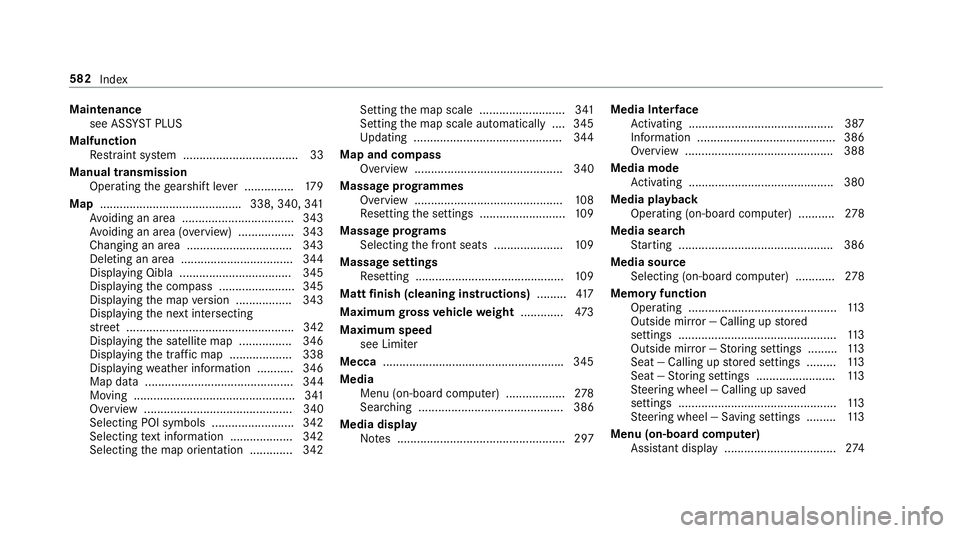
Maximum gross vehicle weight ............ .473
Maximum speed see Limiter
Mecca ...................................................... .345
Media Menu (on-boa rdcompu ter) .................. 278
Sea rching ............................................ 386
Media display Notes ................................................... 297 Media Inter
face
Ac tivating ............................................ 387
Information .......................................... 386
Overview ............................................ .388
Media mode Activating ............................................ 380
Media playba ck
Operating (on-board computer) ........... 278
Media sear ch
St arting .............................................. .386
Media source Selecting (on-boa rdcompu ter) ............ 278
Memory function Operating ............................................. 11 3
Outside mir ror — Calling up stored
settings ................................................ 11 3
Outside mir ror — Storing settings ......... 11 3
Seat — Calling up stored settings ......... 11 3
Seat — Storing settings ........................ 11 3
St eering wheel — Calling up sa ved
settings ................................................ 11 3
St eering wheel — Saving settings ......... 11 3
Menu (on-board computer) Assis tant displ ay.................................. 274582
Index
Page 596 of 609
Sur
round lighting .................................... 14 3
Setting ................................................. 14 3
Sur round View
see 360° Camera
Suspension Setting the suspension le vel (AIR‐
MATIC) ................................................ 234
Suspension see AIRMATIC
Suspension le vel (AIRMATIC)
Setting ................................................ .234
SV HC (substances of very high con‐
cern ).......................................................... .28
Switch-off delay time Exterior ................................................ 14 3
Interior ................................................. 14 5
Switching the sur round sound on/off
Burmes ter®
sur round sound sy stem ... 405
Synchronisation function Activating/deactivating (multimedia
sy stem) ................................................ 15 8
Switching on/off (control panel) ......... 15 8Sy
stem settings
Ac tivating/deactivating PIN pr otec‐
tion ...................................................... 313
Re set function (multimedia sy stem) ..... 317
Setting the dis tance unit ...................... 312
Setting the time and date automati‐
cally ..................................................... 307
Setting the time zone .......................... 307
Setting the time/date form at .............. 308
Swit ching transmission of theve hicle
position on/off .................................... 308
Sy stem settings
see Blue tooth®
see Data import/export
see Language
see Software update
see Wi-Fi T
Ta ilpipes (Care) ........................................ 420
Ta ke -back of end-of-life vehicles .............. 21
Pr otection of the environment ............... 21
Ta nk content
Ad Blue ®
............................................... 481 Fu
el ..................................................... 479
Re ser ve(fuel) ...................................... 479
Te ch nical data
Axle load (trailer operation) ................. 488
Fa stening points (trailer hitch) .............4 86
Information .......................................... 471
Mounting dimensions (trailer hitch) ..... 486
No tes (trailer hitch) ............................. 486
Overhang dimension (trailer hitch) ...... 486
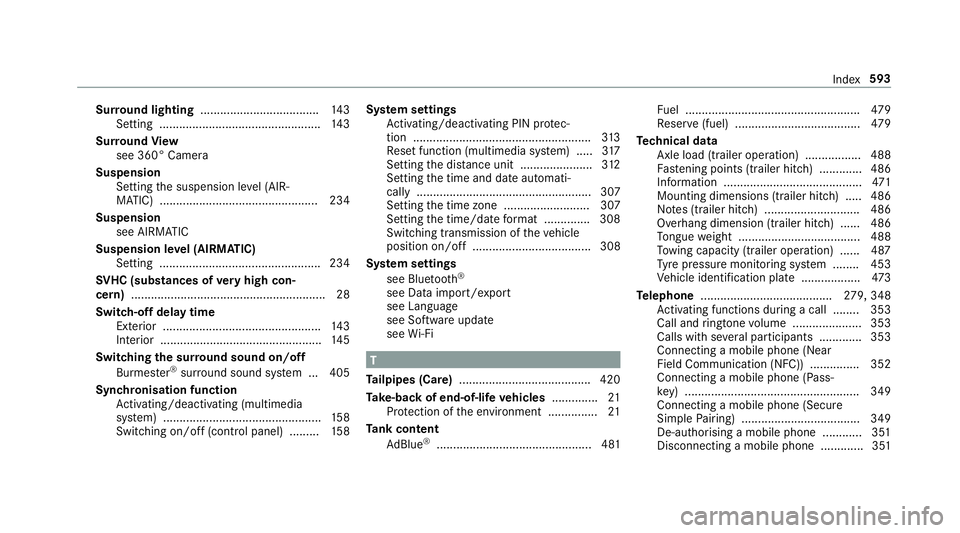
To ngue weight .................................... .488
To wing capacity (trailer operation) ...... 487
Ty re pressure monitoring sy stem ........ 453
Ve hicle identification plate .................. 473
Te lephone ........................................ 279, 348
Ac tivating functions du ring a call ........ 353
Call and ringtone volume .................... .353
Calls with se veral participants ............ .353
Connecting a mobile phone (Near
Field Communication (NFC)) .............. .352
Connecting a mobile phone (Pass‐
ke y) .................................................... .349
Connecting a mobile phone (Secu re
Simple Pairing) .................................... 349
De-authorising a mobile phone ............ 351
Disconnecting a mobile phone ............ .351 Index
593
Page 597 of 609
Importing contacts .............................. 356
Importing contacts (o
verview) ............ .355
Incoming call during an existing call .... 354
Information .......................................... 349
Inter changing mobile phones .............. .351
Locking theve hicle (mobile phone) .......78
Menu (on-board computer) .................. 279
Mobile phone voice recognition .......... 353
No tes .................................................. 346
Operating modes ................................. 349
Re ception and transmission volume .... 352
St arting theve hicle (mobile phone) ..... 16 8
Switching mobile phones (Near Field
Communication (NFC)) ........................ 352
Te lephone menu overview ...................3 48
Te lephone operation ............................ 353
Un locking theve hicle (mobile phone) ....78
Using Near Field Communication
(NFC) ................................................... 352
Vo ice commands (LINGU ATRO NIC) .....2 90
Wi reless charging (mobile phone) ........ 13 3
Te lephone
see Second telephone
Te lephone number
Dialling (on-board computer) .............. .279 Te
lephone operation
see Calls
Te lephony operating modes
Blue tooth ®
Te lephony .......................... 349
Business telephony ............................ .349
Te lephony operating modes
see Second telephone
Te lete xt
Displaying ............................................ 402
Overview ............................................. 402
Te levision
see TV
Te mp erature ............................................ 15 5
Te xt messages ......................................... 357
Calling a message sender .................... 358
Changing folders ................................ .359
Composing .......................................... 358
Configu ring the displa yedte xt mes‐
sa ge s ................................................... 357
Deleting ............................................... 359
Drafts .................................................. 359
No tes ................................................... 357
Options ................................................ 359
Outbox ................................................ 359 Re
ad-aloud function ............................ 358
Re ading .............................................. .358
Re plying .............................................. 358
Sending ...............................................3 58
Vo ice commands (LINGU ATRO NIC) .....2 93
Through-loading feature
see Seat
Ti e-d owney es .......................................... 12 0
Time Manual time setting ............................. 308
Setting summer time ........................... 307
Setting the time and date automati‐
cally ..................................................... 307
Setting the time zone .......................... 307
Setting the time/date form at .............. 308
TIREFIT kit ................................................ 429
Declaration of con form ity ...................... 26
St orage location ..................................4 29
Using ................................................... 429
To ne settings ...........................................4 03
Calling up the sound menu .................. 403
Information .......................................... 403
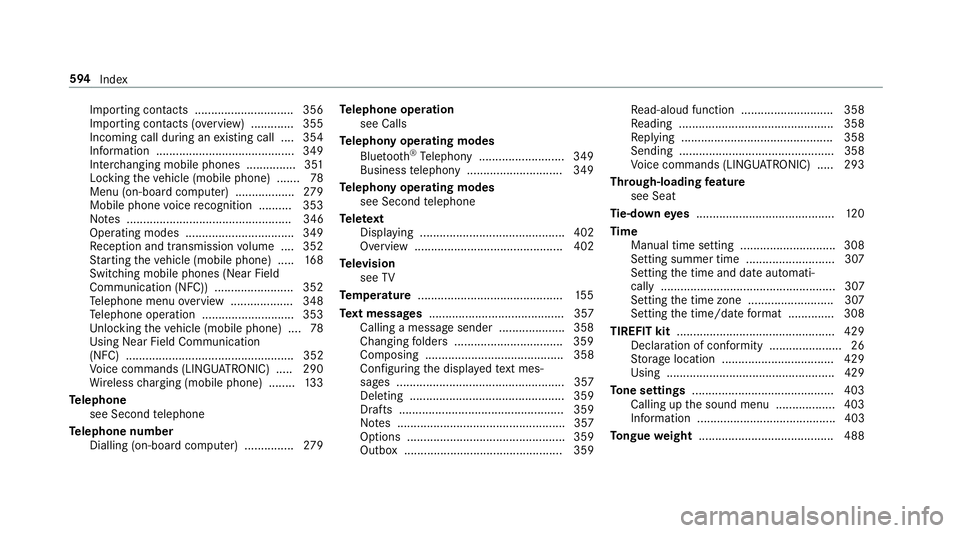
To ngue weight ........................................ .488 594
Index
Page 598 of 609
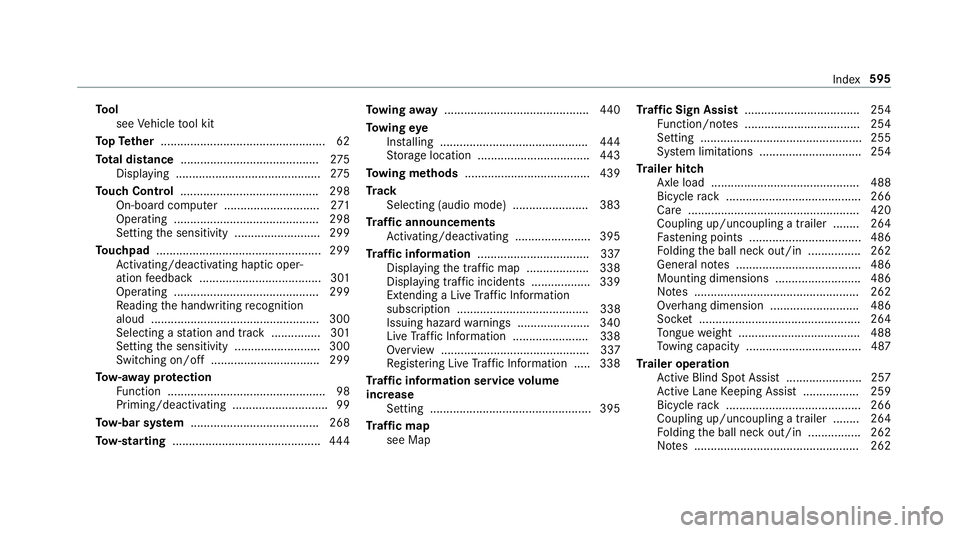
To
ol
see Vehicle tool kit
To pTe ther .................................................. 62
To tal di stance .......................................... 275
Displ aying ............................................ 275
To uch Control .......................................... 298
On-board computer ............................. 271
Operating ............................................ 298
Setting the sensitivity .......................... 299
To uchpad .................................................. 299
Ac tivating/deactivating ha ptic oper‐
ation feedback .....................................3 01
Operating ............................................ 299
Re ading the handwriting recognition
aloud ................................................... 300
Selecting a station and track .............. .301
Setting the sensitivity .......................... 300
Switching on/off ................................. 299
To w- aw ay protection
Fu nction ................................................ 98
Priming/deactivating ............................. 99
To w- bar sy stem ...................................... .268
To w- starting ............................................. 444To
wing away ............................................ 440
To wing eye
Ins talling ............................................ .444
St orage location ..................................4 43
To wing me thods ...................................... 439
Tr ack
Selecting (audio mode) ....................... 383
Tr af fic announcements
Ac tivating/deactivating ...................... .395
Tr af fic information .................................. 337
Displaying the tra ffic map .................. .338
Displ aying traf fic incidents .................. 339
Extending a Live Traf fic Information
subscription ........................................ 338
Issuing hazard warnings ...................... 340
Live Traf fic Information ....................... 338
Overview ............................................. 337
Re gis tering Live Traf fic Information ..... 338
Tr af fic information service volume
increase
Setting ................................................ .395
Tr af fic map
see Map Tr
af fic Sign Assist .................................. .254
Fu nction/no tes ................................... 254
Setting .................................................2 55
Sy stem limitations ...............................2 54
Tr ailer hitch
Axle load ............................................. 488
Bicycle rack ......................................... 266
Ca re .................................................... 420
Coupling up/uncoupling a trailer ........ 264
Fa stening points ..................................4 86
Fo lding the ball neck out/in ................2 62
Gene ral no tes ...................................... 486
Mounting dimensions .......................... 486
No tes .................................................. 262
Overhang dimension ........................... 486
Soc ket ................................................. 264
To ngue weight .................................... .488
To wing capacity .................................. .487
Tr ailer operation
Ac tive Blind Spot Assi st....................... 257
Ac tive Lane Keeping Assist ................. 259
Bicycle rack ......................................... 266
Coupling up/uncoupling a trailer ........ 264
Fo lding the ball neck out/in ................2 62
No tes .................................................. 262 Index
595