check engine MERCEDES-BENZ C-CLASS SALOON 2018 Owner's Guide
[x] Cancel search | Manufacturer: MERCEDES-BENZ, Model Year: 2018, Model line: C-CLASS SALOON, Model: MERCEDES-BENZ C-CLASS SALOON 2018Pages: 609, PDF Size: 11.19 MB
Page 560 of 609
Wa
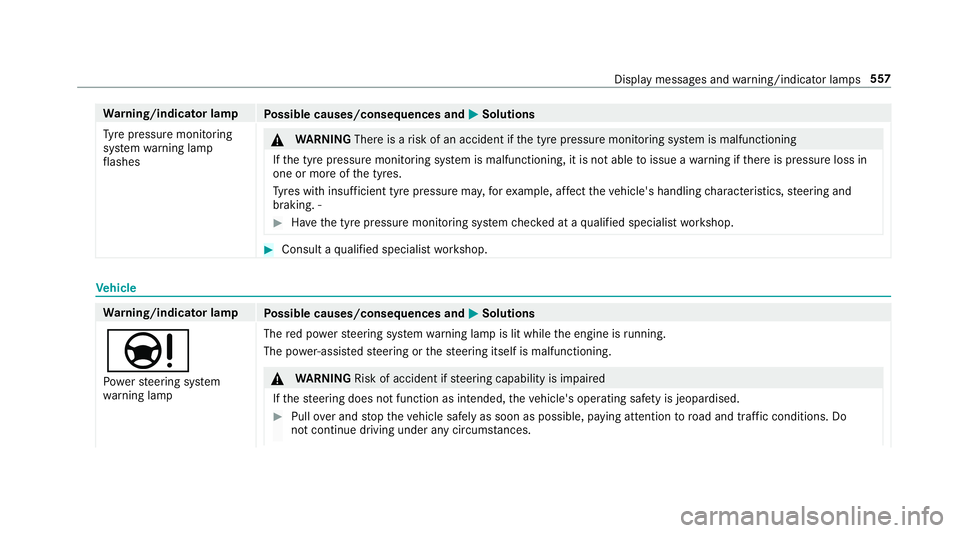
rning/indicator lamp
Possible causes/consequences and 0050
0050Solutions
Ty re pressure monitoring
sy stem warning lamp
fl ashes 000A
WARNING Thereis a risk of an accident if the tyre pressure monitoring sy stem is malfunctioning
If th e tyre pressure monitoring sy stem is malfunctioning, it is not able toissue a warning if there is pressure loss in
one or more of the tyres.
Ty res with insuf ficient tyre pressure ma y,forex ample, af fect theve hicle's handling characteristics, steering and
braking. ‑ 0007
Have the tyre pressure monitoring sy stem checked at a qualified specialist workshop. 0007
Consult a qualified specialist workshop. Ve
hicle Wa
rning/indicator lamp
Possible causes/consequences and 0050
0050Solutions
00CC Po we rst eering sy stem
wa rning lamp The
red po werst eering sy stem warning lamp is lit while the engine is running.
The po wer-assis tedsteering or thesteering itself is malfunctioning. 000A
WARNING Risk of accident if steering capability is impaired
If th esteering does not function as intended, theve hicle's operating saf ety is jeopardised. 0007
Pull over and stop theve hicle safely as soon as possible, paying attention toroad and traf fic conditions. Do
not continue driving under any circums tances. Display messa
ges and warning/indicator lamps 557
Page 570 of 609

Climate
style
Fu nction .............................................. 157
Setting ................................................. 157
Cockpit ........................................................ .6
Overview .................................................6
Cof fee cup symbol
see ATTENTION ASSIST
Collapsible spare wheel .......................... 469
No tes .................................................. 469
COMAND Online see Multimedia sy stem
COMAND Touch
Managing devices ................................ 311
Combination switch ................................137
Compass .................................................. 345
Compu ter
see On-board computer
Connection status
Displ aying ............................................ 374
Overview ..............................................3 74Connectivity
Swit ching transmission of theve hicle
position on/off .................................... 308
Contacts ................................................... 354
Calling up ............................................ 355
Deleting ............................................... 356
Downloading (from mobile phone) ...... 355
Importing ............................................ 356
Importing (o verview) .......................... .355
Information .......................................... 354
Making a call ....................................... 356
Na me form at ...................................... .355
Options ................................................ 356
St oring ................................................ 356
Controller Operating ............................................ 299
Con venience closing ................................. 90
Con venience opening ................................ 90
Coolant (engine) Check le vel .......................................... 413
No tes .................................................. 483
Cooling see Climate control Co
pyright .................................................... 31
Cornering light ........................................ .139
Cross Traf fic Alert .................................... 251
Crosswind Assist Function/no tes ................................... 207
Cruise control .......................................... 214
Ac tivating ............................................ .216
Buttons ................................................ 216
Calling up a speed .............................. .216
Deactivating ......................................... 216
Fu nction ............................................... 214
Re quirements ...................................... 216
Selecting .............................................. 216
Setting a speed .................................... 216
St oring a speed .................................... 216
Sy stem limitations ...............................2 14
Cup holder Rear .................................................... .128
Cup holder in the centre console
In stalling/removing ............................ .127
ins talling/ removing (auto matic
transmission) ....................................... 12 6 Index
567
Page 573 of 609
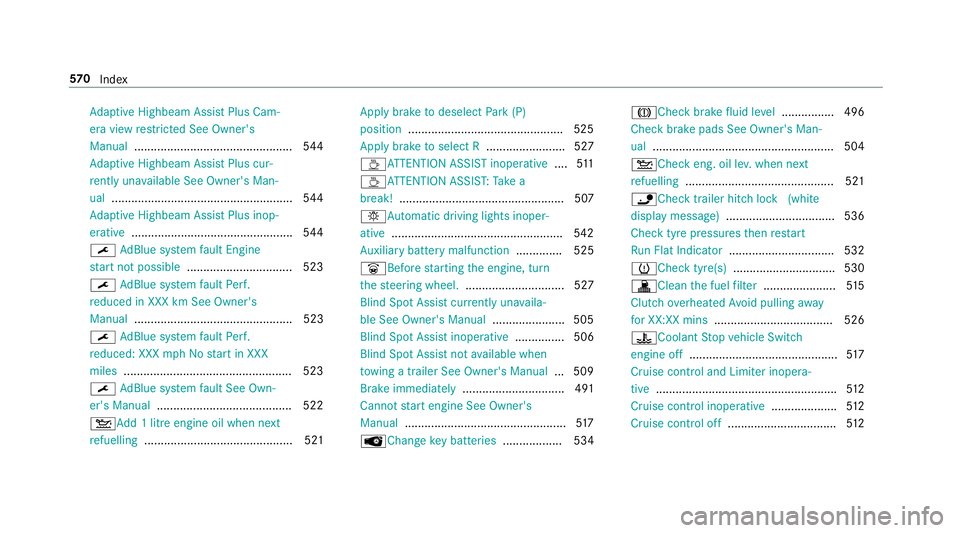
Ad
aptive Highbeam Assist Plus Cam‐
era view restricted See Owner's
Manual ................................................ 544
Ad aptive Highbeam Assist Plus cur‐
re ntly una vailable See Owner's Man‐
ual ...................................................... .544
Ad aptive Highbeam Assist Plus inop‐
erative ................................................ .544
0099 AdBlue sy stem fault Engine
st art not possible ................................ 523
0099 AdBlue sy stem fault Perf.
re duced in XXX km See Owner's
Manual ................................................ 523
0099 AdBlue sy stem fault Perf.
re duced: XXX mph No start in XXX
miles .................................................. .523
0099 AdBlue sy stem fault See Own‐
er's Manual ........................................ .522
00B2Ad d 1 litre engine oil when next
re fuelling ............................................. 521 Apply brake
todeselect Park (P)
position ...............................................5 25
Apply brake toselect R ........................ 527
00ADAT TENTION ASSIST inoperative ....511
00AD ATTENTION ASSIS T:Take a
break! .................................................. 507
0049Au tomatic driving lights inoper‐
ative .................................................... 542
Au xilia rybattery malfunction .............. 525
0044Before starting the engine, turn
th esteering wheel. .............................. 527
Blind Spot Assist cur rently una vaila‐
ble See Owner's Manual ...................... 505
Blind Spot Assist inope rative ............... 506
Blind Spot Assi stnot available when
to wing a trailer See Owner's Manual ...5 09
Brake immediate ly............................... 491
Cannot start engine See Owner's
Manual ................................................ .517
00AF Changekey bat teries .................. 534 004DCheck brake
fluid le vel................ 496
Check brake pads See Owner's Man‐
ual ...................................................... .504
00B2Che ckeng. oil le v.when next
re fuelling ............................................. 521
00CAChe cktrailer hitch lo ck(white
display message) .................................5 36
Che cktyre pressu resth en restart
Ru n Flat Indicator ................................ 532
0077Check tyre(s) ............................... 530
003AClean the fuel filter ...................... 51 5
Clutch overheated Avoid pulling away
fo r XX:XX mins .................................... 526
00ACCoolant Stop vehicle Switch
engine off ............................................. 517
Cruise cont rol and Limiter inope ra‐
tive ....................................................... 512
Cruise cont rol inope rative .................... 512
Cruise cont rol off ................................ .512 57 0
Index
Page 578 of 609
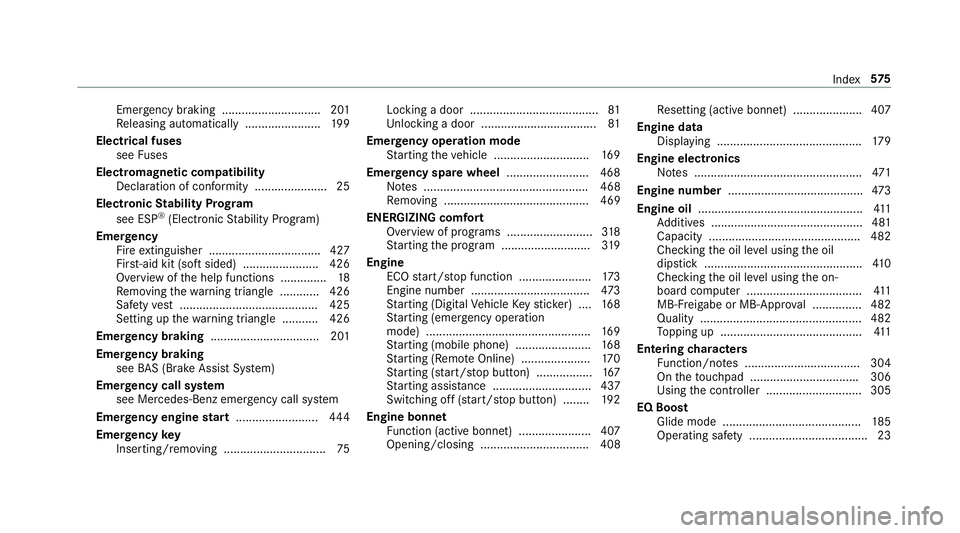
Emergency braking .............................. 201
Re leasing automatically ...................... .199
Electrical fuses see Fuses
Electromagnetic compatibility Declaration of conformity ......................25
Electronic Stability Prog ram
see ESP ®
(Electronic Stability Prog ram)
Emer gency
Fire extinguisher ................................. .427
Fir st-aid kit (so ftsided) ....................... 426
Overview of the help functions .............. 18
Re moving thewa rning triangle ............ 426
Saf etyve st .......................................... 425
Setting up thewa rning triangle .......... .426
Emer gency braking ................................. 201
Emer gency braking
see BAS (Brake Assi stSystem)
Emer gency call sy stem
see Mercedes-Benz emer gency call sy stem
Emer gency engine start ......................... 444
Emer gency key
Inserting/removing ............................... 75Locking a door .......................................
81
Un locking a door .................................. .81
Emer gency operation mode
St arting theve hicle ............................. 16 9
Emer gency spare wheel .........................4 68
No tes .................................................. 468
Re moving ............................................ 469
ENERGIZI NGcomfort
Overview of programs .......................... 318
St arting the program ........................... 319
Engine ECO start/ stop function ......................1 73
Engine number .................................... 473
St arting (Digital Vehicle Keyst icke r) .... 16 8
St arting (eme rgency operation
mode) .................................................. 16 9
St arting (mobile phone) ...................... .168
St arting (Remo teOnline) ..................... 17 0
St arting (s tart/s top button) .................1 67
St arting assis tance .............................. 437
Switching off (s tart/s top button) ........ 19 2
Engine bonnet Function (active bonnet) ...................... 407
Opening/closing ................................. 408 Re
setting (active bonnet) ..................... 407
Engine data Displaying ............................................ 17 9
Engine electronics Notes ................................................... 471
Engine number ........................................ .473
Engine oil .................................................. 411
Ad ditives .............................................. 481
Capacity .............................................. 482
Checking the oil le vel using the oil
dipstick ................................................ 41 0
Checking the oil le vel using the on-
board computer ................................... 411
MB-F reigabe or MB-Appr oval .............. .482
Quality ................................................. 482
To pping up ...........................................4 11
Entering characters
Fu nction/no tes ................................... 304
On theto uchpad ................................ .306
Using the controller ............................. 305
EQ Boost Glide mode .......................................... 185
Operating saf ety .................................... 23 Index
575