fuse MERCEDES-BENZ C-Class SEDAN 2012 W204 Owner's Manual
[x] Cancel search | Manufacturer: MERCEDES-BENZ, Model Year: 2012, Model line: C-Class SEDAN, Model: MERCEDES-BENZ C-Class SEDAN 2012 W204Pages: 356, PDF Size: 13.49 MB
Page 11 of 356
E
EASY-ENTRY feature Activating/deactivating .................209
Function/notes ............................. 100
EASY-EXIT feature
Crash-responsive ........................... 101
Function/notes ............................. 100
Switching on/off ........................... 209
EBD (electronic brake force
distribution) Display message ............................ 216
Function/notes ................................ 64
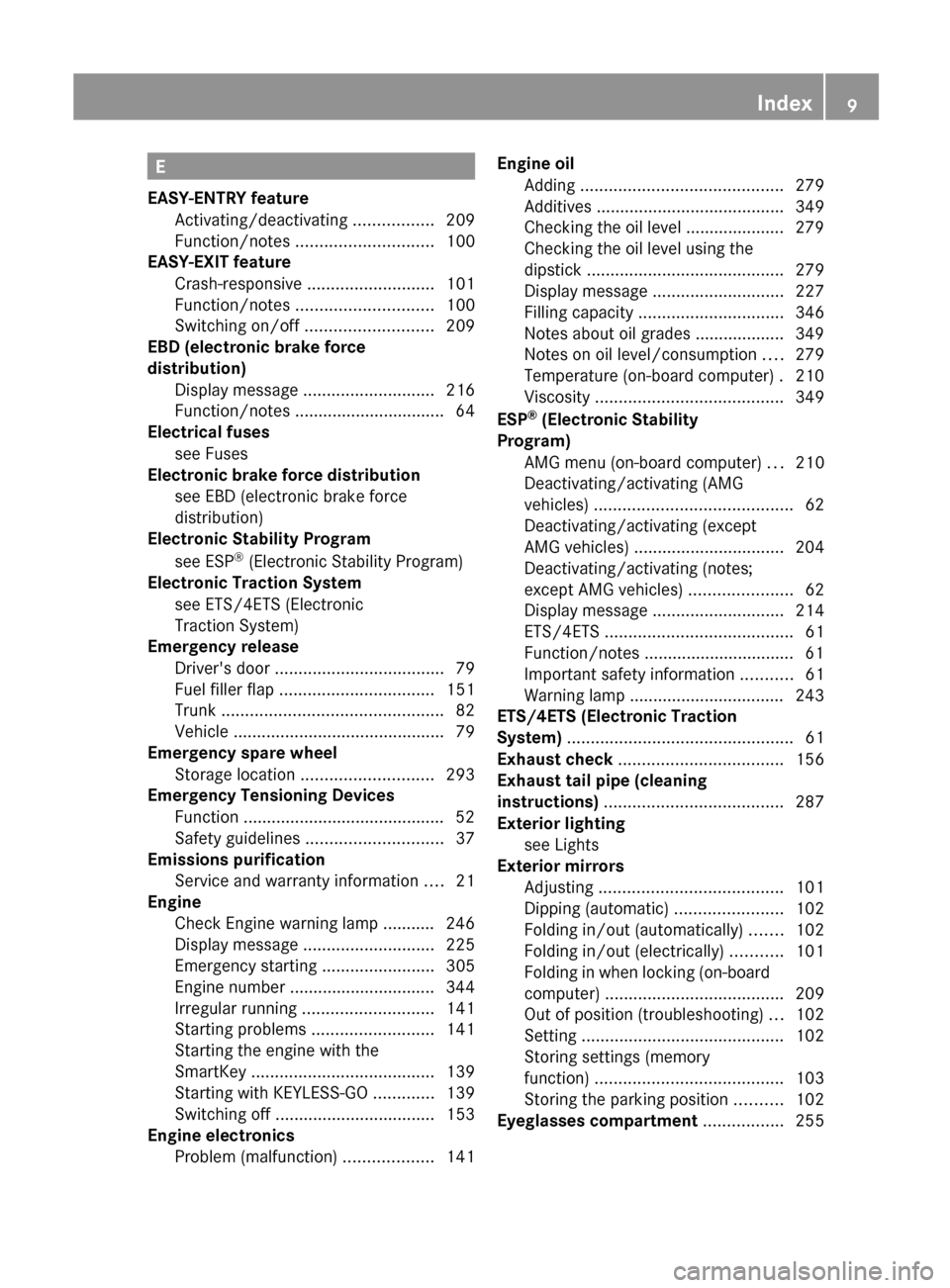
Electrical fuses
see Fuses
Electronic brake force distribution
see EBD (electronic brake force
distribution)
Electronic Stability Program
see ESP ®
(Electronic Stability Program)
Electronic Traction System
see ETS/4ETS (Electronic
Traction System)
Emergency release
Driver's door .................................... 79
Fuel filler flap ................................. 151
Trunk ............................................... 82
Vehicle ............................................. 79
Emergency spare wheel
Storage location ............................ 293
Emergency Tensioning Devices
Function ........................................... 52
Safety guidelines ............................. 37
Emissions purification
Service and warranty information ....21
Engine
Check Engine warning lamp ........... 246
Display message ............................ 225
Emergency starting ........................305
Engine number ............................... 344
Irregular running ............................ 141
Starting problems ..........................141
Starting the engine with the
SmartKey ....................................... 139
Starting with KEYLESS-GO .............139
Switching off .................................. 153
Engine electronics
Problem (malfunction) ...................141Engine oil
Adding ........................................... 279
Additives ........................................ 349
Checking the oil level ..................... 279
Checking the oil level using the
dipstick .......................................... 279
Display message ............................ 227
Filling capacity ............................... 346
Notes about oil grades ................... 349
Notes on oil level/consumption ....279
Temperature (on-board computer) . 210
Viscosity ........................................ 349
ESP ®
(Electronic Stability
Program) AMG menu (on-board computer) ...210
Deactivating/activating (AMG
vehicles) .......................................... 62
Deactivating/activating (except
AMG vehicles) ................................ 204
Deactivating/activating (notes;
except AMG vehicles) ......................62
Display message ............................ 214
ETS/4ETS ........................................ 61
Function/notes ................................ 61
Important safety information ...........61
Warning lamp ................................. 243
ETS/4ETS (Electronic Traction
System) ................................................ 61
Exhaust check ................................... 156
Exhaust tail pipe (cleaning
instructions) ...................................... 287
Exterior lighting see Lights
Exterior mirrors
Adjusting ....................................... 101
Dipping (automatic) .......................102
Folding in/out (automatically) .......102
Folding in/out (electrically) ...........101
Folding in when locking (on-board
computer) ...................................... 209
Out of position (troubleshooting) ...102
Setting ........................................... 102
Storing settings (memory
function) ........................................ 103
Storing the parking position ..........102
Eyeglasses compartment ................. 255Index9
Page 12 of 356
F
Filler cap see Fuel filler flap
First-aid kit ......................................... 292
Flat tire Changing a wheel/mounting the
spare wheel ................................... 293
MOExtended run-flat system .........297
Preparing the vehicle .....................293
Raising the vehicle .........................295
Floormat ............................................. 276
Frequencies Garage door opener .......................275
Front fog lamps ................................. 108
Display message ............................ 223
Switching on/off ........................... 108
Front windshield
see Windshield
Fuel
Additives ........................................ 348
Consumption statistics ..................199
Displaying the current
consumption .................................. 199
Displaying the range ......................199
Driving tips .................................... 155
Flexible fuel vehicles ......................347
Fuel gauge ....................................... 29
Important safety notes ..................347
Premium-grade unleaded gasoline . 347
Problem (malfunction) ...................153
Refueling ........................................ 150
Specifications ................................ 348
Tank content/reserve fuel .............346
Fuel filler flap
Emergency release ........................151
Opening/closing ............................ 151
Fuel level
Calling up the range (on-board
computer) ...................................... 199
Fuel tank
Capacity ........................................ 346
Problem (malfunction) ...................153
Fuse allocation chart (vehicle tool
kit) ...................................................... 292
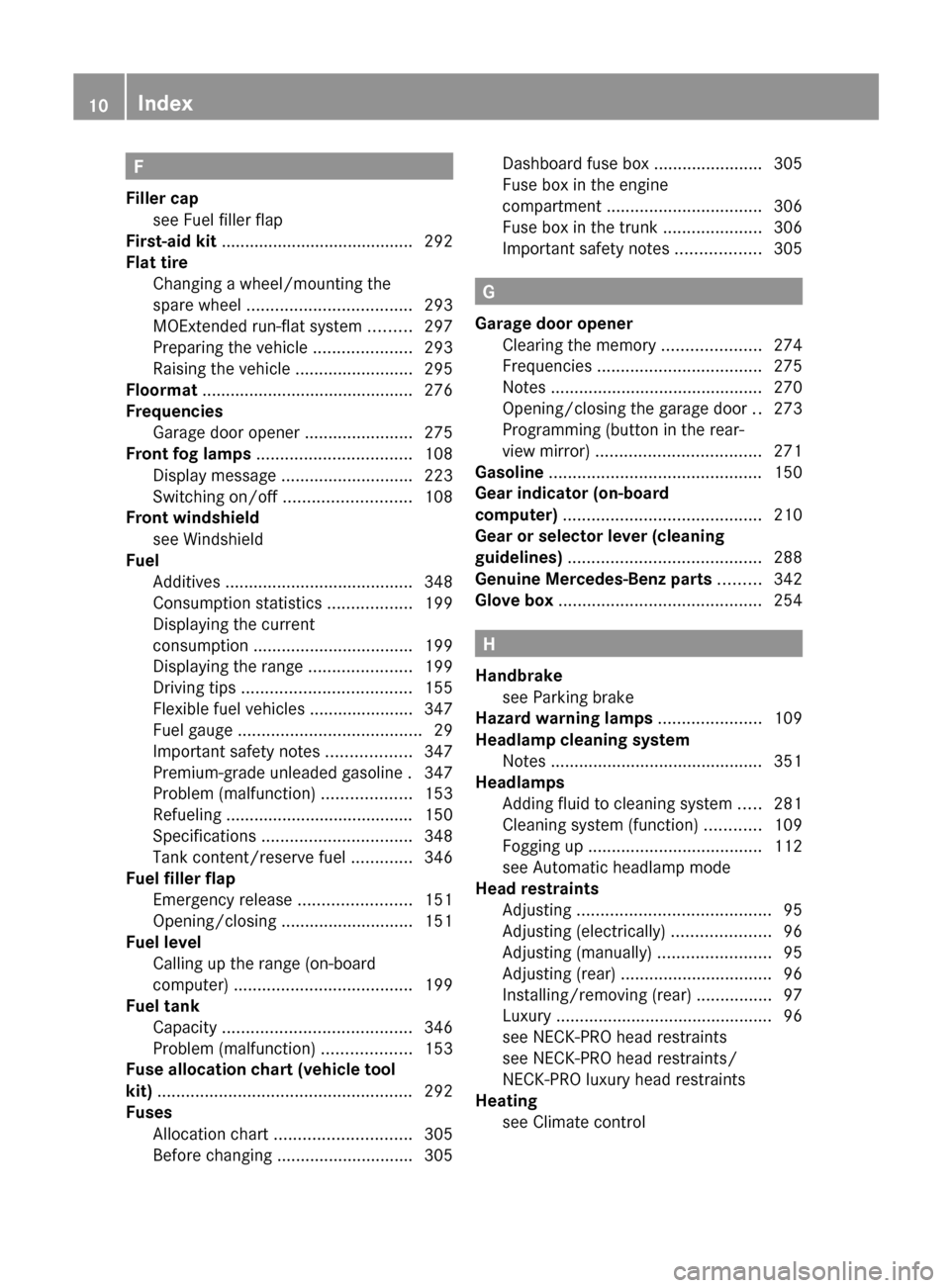
Fuses Allocation chart ............................. 305
Before changing ............................. 305Dashboard fuse box .......................305
Fuse box in the engine
compartment ................................. 306
Fuse box in the trunk .....................306
Important safety notes ..................305
G
Garage door opener Clearing the memory .....................274
Frequencies ................................... 275
Notes ............................................. 270
Opening/closing the garage door ..273
Programming (button in the rear-
view mirror) ................................... 271
Gasoline ............................................. 150
Gear indicator (on-board
computer) .......................................... 210
Gear or selector lever (cleaning
guidelines) ......................................... 288
Genuine Mercedes-Benz parts ......... 342
Glove box ........................................... 254
H
Handbrake see Parking brake
Hazard warning lamps ...................... 109
Headlamp cleaning system Notes ............................................. 351
Headlamps
Adding fluid to cleaning system .....281
Cleaning system (function) ............109
Fogging up ..................................... 112
see Automatic headlamp mode
Head restraints
Adjusting ......................................... 95
Adjusting (electrically) .....................96
Adjusting (manually) ........................95
Adjusting (rear) ................................ 96
Installing/removing (rear) ................97
Luxury .............................................. 96
see NECK-PRO head restraints
see NECK-PRO head restraints/
NECK-PRO luxury head restraints
Heating
see Climate control
10Index
Page 128 of 356
Notes on using 3-zone automatic
climate control
The following contains instructions and
recommendations to enable you to get the
most out of your automatic climate control.
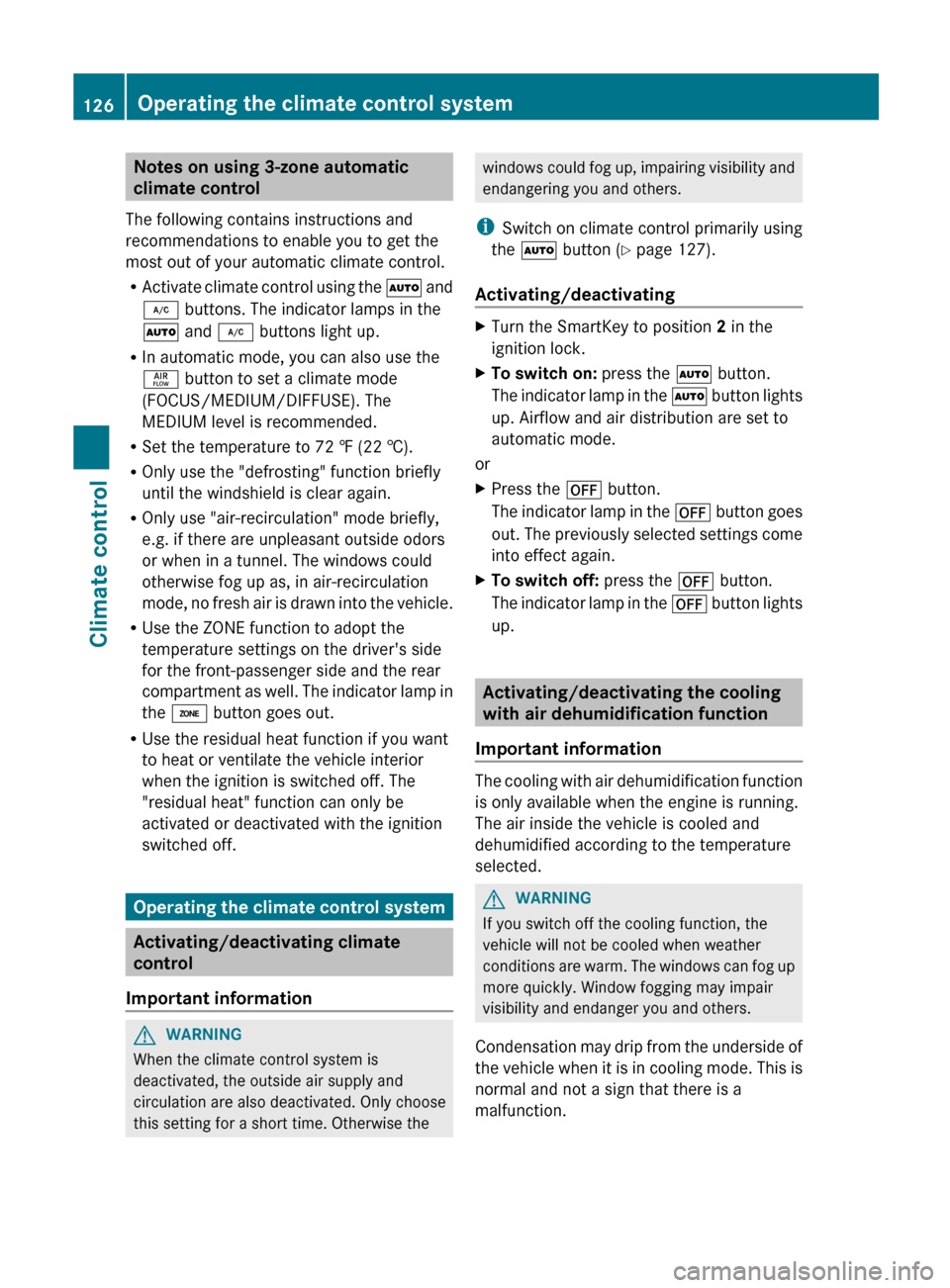
R Activate climate control using the à and
¿ buttons. The indicator lamps in the
à and ¿ buttons light up.
R In automatic mode, you can also use the
ñ button to set a climate mode
(FOCUS/MEDIUM/DIFFUSE). The
MEDIUM level is recommended.
R Set the temperature to 72 ‡ (22 †).
R Only use the "defrosting" function briefly
until the windshield is clear again.
R Only use "air-recirculation" mode briefly,
e.g. if there are unpleasant outside odors
or when in a tunnel. The windows could
otherwise fog up as, in air-recirculation
mode, no fresh air is drawn into the vehicle.
R Use the ZONE function to adopt the
temperature settings on the driver's side
for the front-passenger side and the rear
compartment as well. The indicator lamp in
the á button goes out.
R Use the residual heat function if you want
to heat or ventilate the vehicle interior
when the ignition is switched off. The
"residual heat" function can only be
activated or deactivated with the ignition
switched off.
Operating the climate control system
Activating/deactivating climate
control
Important information
GWARNING
When the climate control system is
deactivated, the outside air supply and
circulation are also deactivated. Only choose
this setting for a short time. Otherwise the
windows could fog up, impairing visibility and
endangering you and others.
i Switch on climate control primarily using
the à button ( Y page 127).
Activating/deactivatingXTurn the SmartKey to position 2 in the
ignition lock.XTo switch on: press the à button.
The indicator lamp in the à button lights
up. Airflow and air distribution are set to
automatic mode.
or
XPress the ^ button.
The indicator lamp in the ^ button goes
out. The previously selected settings come
into effect again.XTo switch off: press the ^ button.
The indicator lamp in the ^ button lights
up.
Activating/deactivating the cooling
with air dehumidification function
Important information
The cooling with air dehumidification function
is only available when the engine is running.
The air inside the vehicle is cooled and
dehumidified according to the temperature
selected.
GWARNING
If you switch off the cooling function, the
vehicle will not be cooled when weather
conditions are warm. The windows can fog up
more quickly. Window fogging may impair
visibility and endanger you and others.
Condensation may drip from the underside of
the vehicle when it is in cooling mode. This is
normal and not a sign that there is a
malfunction.
126Operating the climate control systemClimate control
Page 129 of 356
iThe cooling with air dehumidification
function uses refrigerant R134a. This
coolant does not contain
chlorofluorocarbons, and therefore does
not damage the ozone layer.
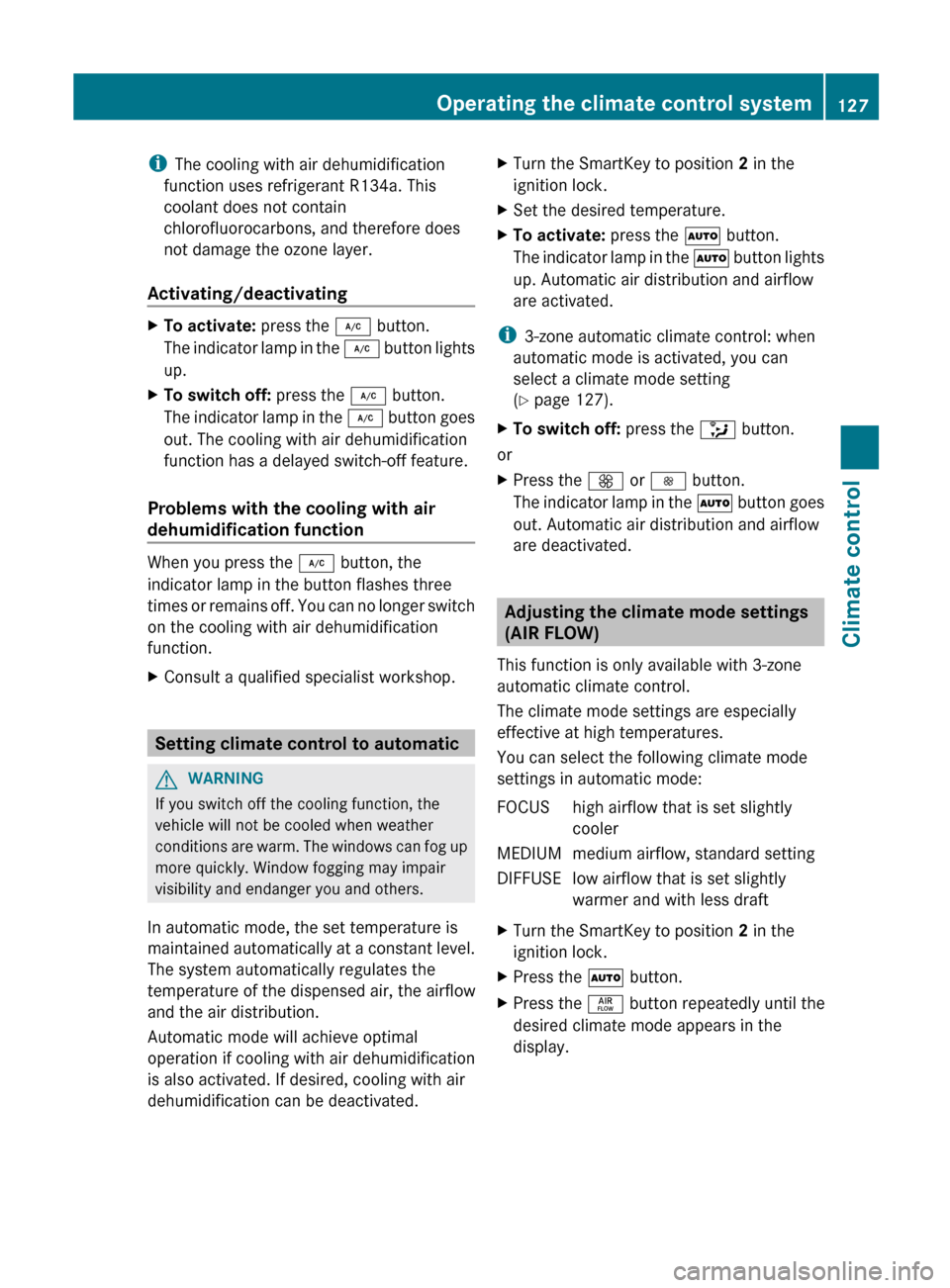
Activating/deactivatingXTo activate: press the ¿ button.
The indicator lamp in the ¿ button lights
up.XTo switch off: press the ¿ button.
The indicator lamp in the ¿ button goes
out. The cooling with air dehumidification
function has a delayed switch-off feature.
Problems with the cooling with air
dehumidification function
When you press the ¿ button, the
indicator lamp in the button flashes three
times or remains off. You can no longer switch
on the cooling with air dehumidification
function.
XConsult a qualified specialist workshop.
Setting climate control to automatic
GWARNING
If you switch off the cooling function, the
vehicle will not be cooled when weather
conditions are warm. The windows can fog up
more quickly. Window fogging may impair
visibility and endanger you and others.
In automatic mode, the set temperature is
maintained automatically at a constant level.
The system automatically regulates the
temperature of the dispensed air, the airflow
and the air distribution.
Automatic mode will achieve optimal
operation if cooling with air dehumidification
is also activated. If desired, cooling with air
dehumidification can be deactivated.
XTurn the SmartKey to position 2 in the
ignition lock.XSet the desired temperature.XTo activate: press the à button.
The indicator lamp in the à button lights
up. Automatic air distribution and airflow
are activated.
i 3-zone automatic climate control: when
automatic mode is activated, you can
select a climate mode setting
( Y page 127).
XTo switch off: press the _ button.
or
XPress the K or I button.
The indicator lamp in the à button goes
out. Automatic air distribution and airflow
are deactivated.
Adjusting the climate mode settings
(AIR FLOW)
This function is only available with 3-zone
automatic climate control.
The climate mode settings are especially
effective at high temperatures.
You can select the following climate mode
settings in automatic mode:
FOCUShigh airflow that is set slightly
coolerMEDIUMmedium airflow, standard settingDIFFUSElow airflow that is set slightly
warmer and with less draftXTurn the SmartKey to position 2 in the
ignition lock.XPress the à button.XPress the ñ button repeatedly until the
desired climate mode appears in the
display.Operating the climate control system127Climate controlZ
Page 168 of 356
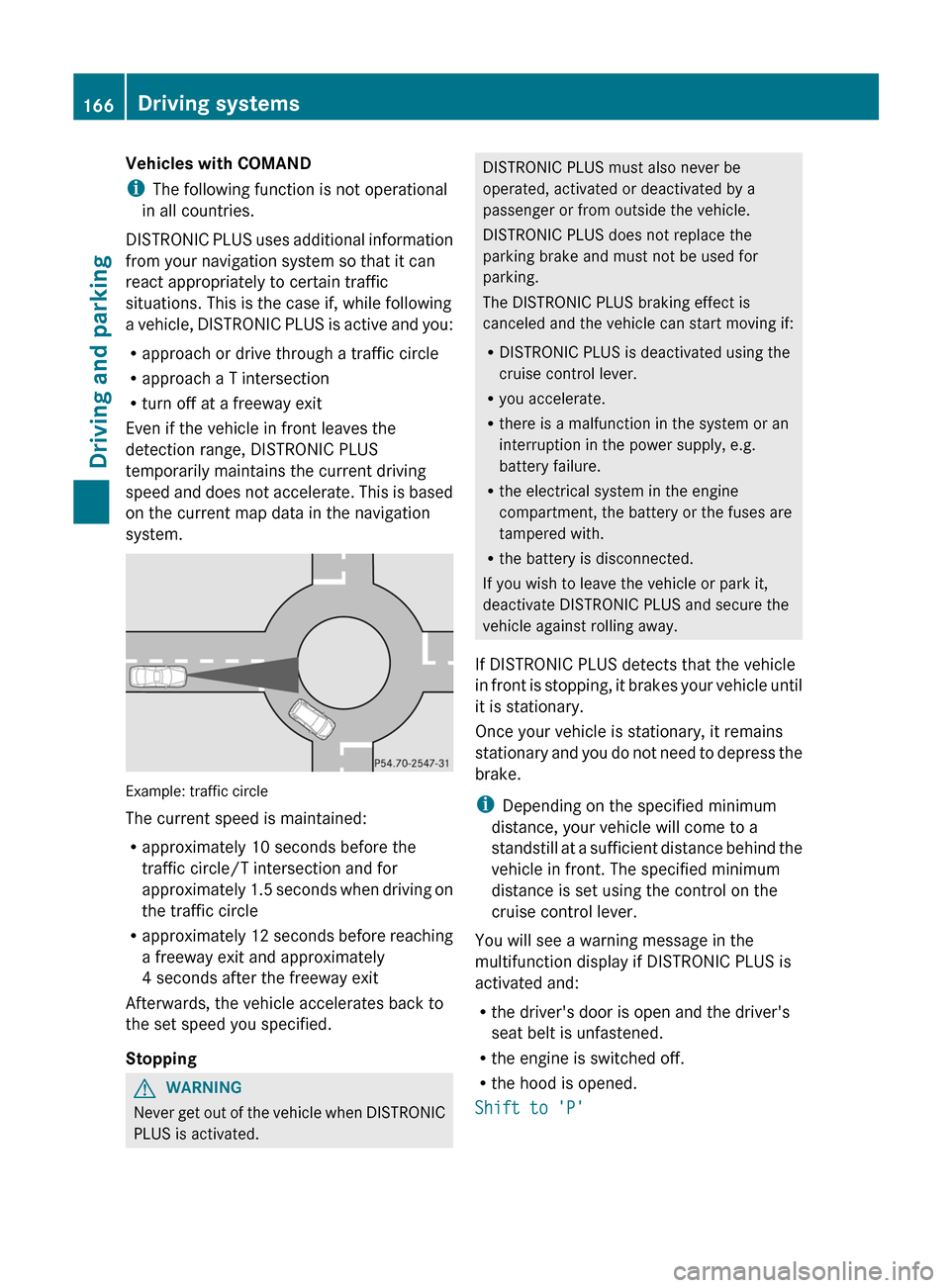
Vehicles with COMAND
i The following function is not operational
in all countries.
DISTRONIC PLUS uses additional information
from your navigation system so that it can
react appropriately to certain traffic
situations. This is the case if, while following
a vehicle, DISTRONIC PLUS is active and you:
R approach or drive through a traffic circle
R approach a T intersection
R turn off at a freeway exit
Even if the vehicle in front leaves the
detection range, DISTRONIC PLUS
temporarily maintains the current driving
speed and does not accelerate. This is based
on the current map data in the navigation
system.
Example: traffic circle
The current speed is maintained:
R approximately 10 seconds before the
traffic circle/T intersection and for
approximately 1.5 seconds when driving on
the traffic circle
R approximately 12 seconds before reaching
a freeway exit and approximately
4 seconds after the freeway exit
Afterwards, the vehicle accelerates back to
the set speed you specified.
Stopping
GWARNING
Never get out of the vehicle when DISTRONIC
PLUS is activated.
DISTRONIC PLUS must also never be
operated, activated or deactivated by a
passenger or from outside the vehicle.
DISTRONIC PLUS does not replace the
parking brake and must not be used for
parking.
The DISTRONIC PLUS braking effect is
canceled and the vehicle can start moving if:
R DISTRONIC PLUS is deactivated using the
cruise control lever.
R you accelerate.
R there is a malfunction in the system or an
interruption in the power supply, e.g.
battery failure.
R the electrical system in the engine
compartment, the battery or the fuses are
tampered with.
R the battery is disconnected.
If you wish to leave the vehicle or park it,
deactivate DISTRONIC PLUS and secure the
vehicle against rolling away.
If DISTRONIC PLUS detects that the vehicle
in front is stopping, it brakes your vehicle until
it is stationary.
Once your vehicle is stationary, it remains
stationary and you do not need to depress the
brake.
i Depending on the specified minimum
distance, your vehicle will come to a
standstill at a sufficient distance behind the
vehicle in front. The specified minimum
distance is set using the control on the
cruise control lever.
You will see a warning message in the
multifunction display if DISTRONIC PLUS is
activated and:
R the driver's door is open and the driver's
seat belt is unfastened.
R the engine is switched off.
R the hood is opened.
Shift to 'P'166Driving systemsDriving and parking
Page 175 of 356
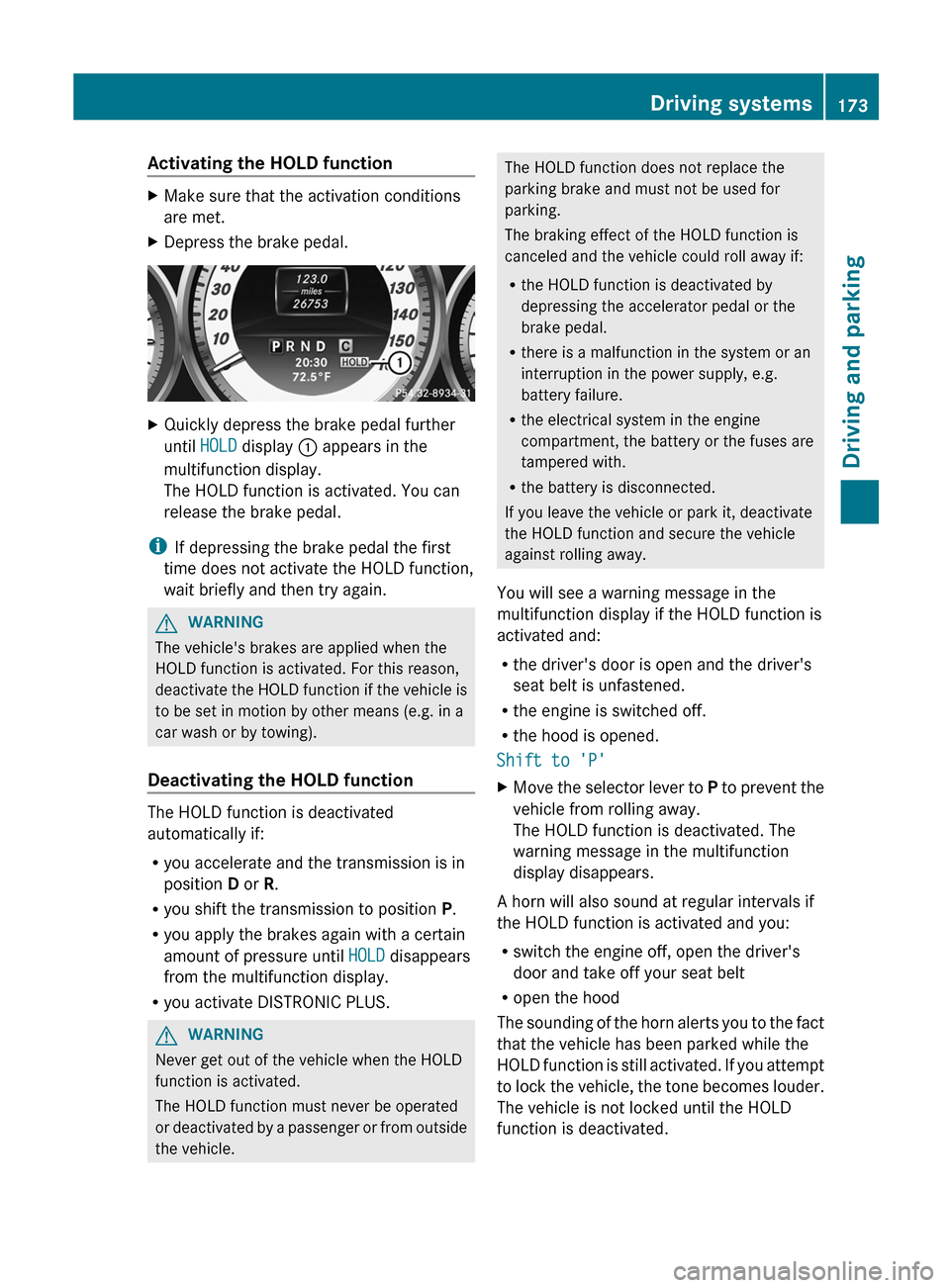
Activating the HOLD functionXMake sure that the activation conditions
are met.XDepress the brake pedal.XQuickly depress the brake pedal further
until HOLD display : appears in the
multifunction display.
The HOLD function is activated. You can
release the brake pedal.
i If depressing the brake pedal the first
time does not activate the HOLD function,
wait briefly and then try again.
GWARNING
The vehicle's brakes are applied when the
HOLD function is activated. For this reason,
deactivate the HOLD function if the vehicle is
to be set in motion by other means (e.g. in a
car wash or by towing).
Deactivating the HOLD function
The HOLD function is deactivated
automatically if:
R you accelerate and the transmission is in
position D or R.
R you shift the transmission to position P.
R you apply the brakes again with a certain
amount of pressure until HOLD disappears
from the multifunction display.
R you activate DISTRONIC PLUS.
GWARNING
Never get out of the vehicle when the HOLD
function is activated.
The HOLD function must never be operated
or deactivated by a passenger or from outside
the vehicle.
The HOLD function does not replace the
parking brake and must not be used for
parking.
The braking effect of the HOLD function is
canceled and the vehicle could roll away if:
R the HOLD function is deactivated by
depressing the accelerator pedal or the
brake pedal.
R there is a malfunction in the system or an
interruption in the power supply, e.g.
battery failure.
R the electrical system in the engine
compartment, the battery or the fuses are
tampered with.
R the battery is disconnected.
If you leave the vehicle or park it, deactivate
the HOLD function and secure the vehicle
against rolling away.
You will see a warning message in the
multifunction display if the HOLD function is
activated and:
R the driver's door is open and the driver's
seat belt is unfastened.
R the engine is switched off.
R the hood is opened.
Shift to 'P'XMove the selector lever to P to prevent the
vehicle from rolling away.
The HOLD function is deactivated. The
warning message in the multifunction
display disappears.
A horn will also sound at regular intervals if
the HOLD function is activated and you:
R switch the engine off, open the driver's
door and take off your seat belt
R open the hood
The sounding of the horn alerts you to the fact
that the vehicle has been parked while the
HOLD function is still activated. If you attempt
to lock the vehicle, the tone becomes louder.
The vehicle is not locked until the HOLD
function is deactivated.
Driving systems173Driving and parkingZ
Page 293 of 356
Useful information ............................292
Where will I find...? ...........................292
Flat tire .............................................. 293
Battery ............................................... 298
Jump-starting .................................... 301
Towing and tow-starting ..................302
Fuses .................................................. 305291Breakdown assistance
Page 294 of 356
Useful information
i This Operator's Manual describes all
models and all standard and optional
equipment of your vehicle available at the
time of publication of the Operator's
Manual. Country-specific differences are
possible. Please note that your vehicle may
not be equipped with all features
described. This also applies to safety-
related systems and functions.
i Please read the information on qualified
specialist workshops ( Y page 24).
Where will I find...?
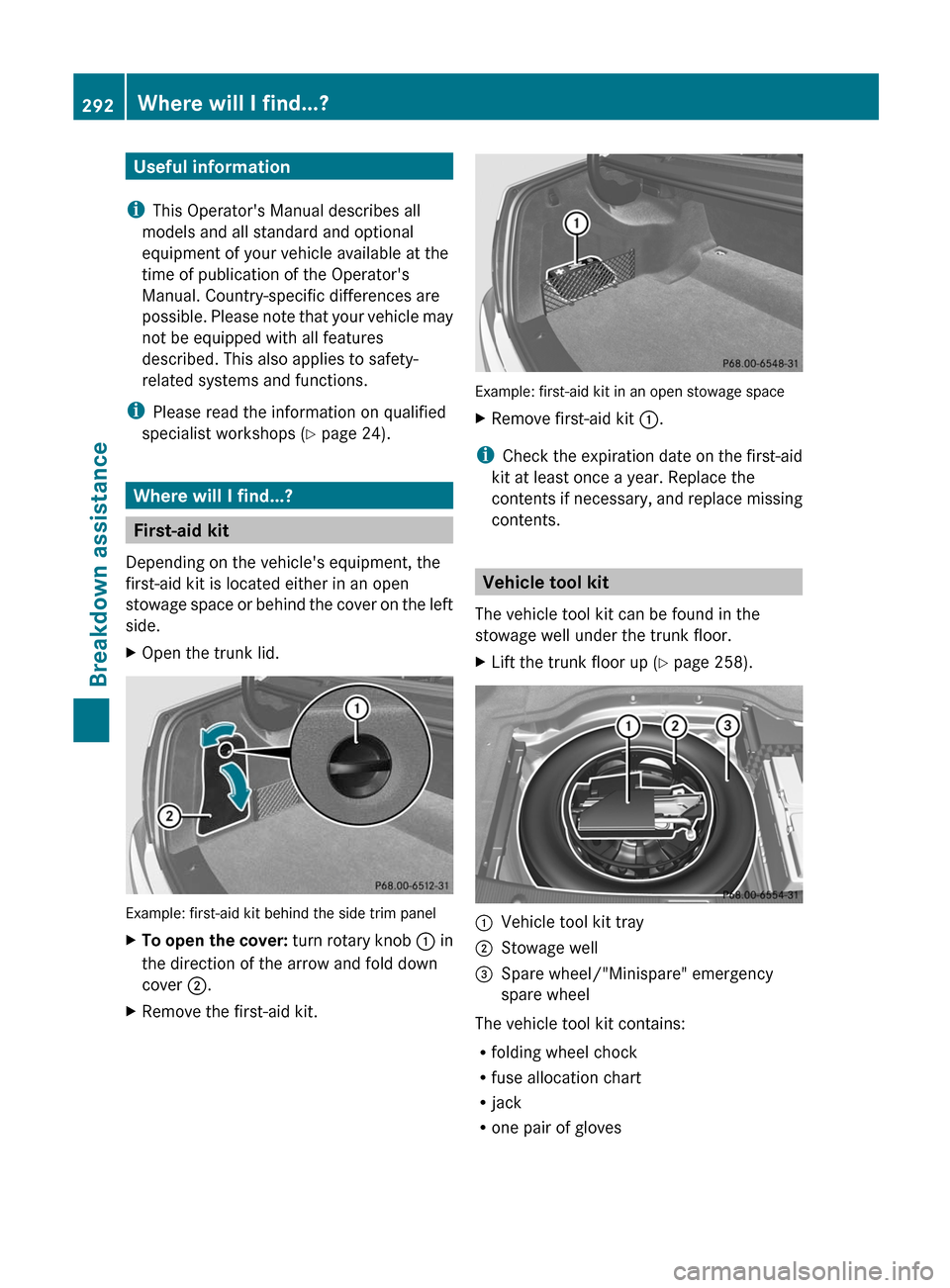
First-aid kit
Depending on the vehicle's equipment, the
first-aid kit is located either in an open
stowage space or behind the cover on the left
side.
XOpen the trunk lid.
Example: first-aid kit behind the side trim panel
XTo open the cover: turn rotary knob : in
the direction of the arrow and fold down
cover ;.XRemove the first-aid kit.
Example: first-aid kit in an open stowage space
XRemove first-aid kit :.
i
Check the expiration date on the first-aid
kit at least once a year. Replace the
contents if necessary, and replace missing
contents.
Vehicle tool kit
The vehicle tool kit can be found in the
stowage well under the trunk floor.
XLift the trunk floor up ( Y page 258).:Vehicle tool kit tray;Stowage well=Spare wheel/"Minispare" emergency
spare wheel
The vehicle tool kit contains:
R folding wheel chock
R fuse allocation chart
R jack
R one pair of gloves
292Where will I find...?Breakdown assistance
Page 307 of 356
Notes for 4MATIC vehicles
! Vehicles with 4MATIC must not be towed
with either the front or the rear axle raised,
as doing so will damage the transmission.
If the vehicle has transmission damage or
damage to the front or rear axle, have it
transported on a transporter or trailer.
In the event of damage to the electrical
system
If the battery is defective, the automatic
transmission will be locked in position P. To
shift the automatic transmission to position
N , you must provide power to the vehicle's
electrical system in the same way as when
jump-starting ( Y page 301).
Have the vehicle transported on a transporter
or trailer.
Tow-starting (emergency starting)
! Vehicles with automatic transmission
must not be started by tow-starting. This
could otherwise damage the transmission.
Fuses
Important safety notes
The fuses in your vehicle serve to close down
faulty circuits. If a fuse blows, all the
components on the circuit and their functions
stop operating.
GWARNING
Only use fuses approved by Mercedes-Benz
with the specified amperage for the system in
question and do not attempt to repair or
bridge a blown fuse. Using other than
approved fuses or using repaired or bridged
fuses may cause an overload leading to a fire,
and/or cause damage to electrical
components and/or systems. Have the cause
determined and remedied by an authorized
Mercedes-Benz Center.
Blown fuses must be replaced with fuses of
the same rating, which you can recognize by
the color and value. The fuse ratings are listed
in the fuse allocation chart. An authorized
Mercedes-Benz Center will be happy to
advise you.
i If a fuse has blown, contact a breakdown
service or an authorized Mercedes-Benz
Center.
If the newly inserted fuse also blows, have the
cause traced and rectified at a qualified
specialist workshop, e.g. an authorized
Mercedes-Benz Center.
! Only use fuses that have been approved
for Mercedes-Benz vehicles and which
have the correct fuse rating for the system
concerned. Otherwise, components or
systems could be damaged.
Before changing a fuse
XPark the vehicle and apply the parking
brake.XSwitch off all electrical consumers.XRemove the SmartKey from the ignition
lock.
The fuses are located in various fuse boxes:
R fuse box on the driver's side of the
dashboard
R fuse box in the engine compartment on the
left-hand side of the vehicle, when viewed
in the direction of travel
R fuse box in the trunk on the right-hand side
of the vehicle, when viewed in the direction
of travel
The fuse allocation chart is located in the
vehicle tool kit ( Y page 292) in the stowage
compartment under the trunk floor.
Dashboard fuse box
! Do not use a pointed object such as a
screwdriver to open the cover in the
Fuses305Breakdown assistanceZ
Page 308 of 356
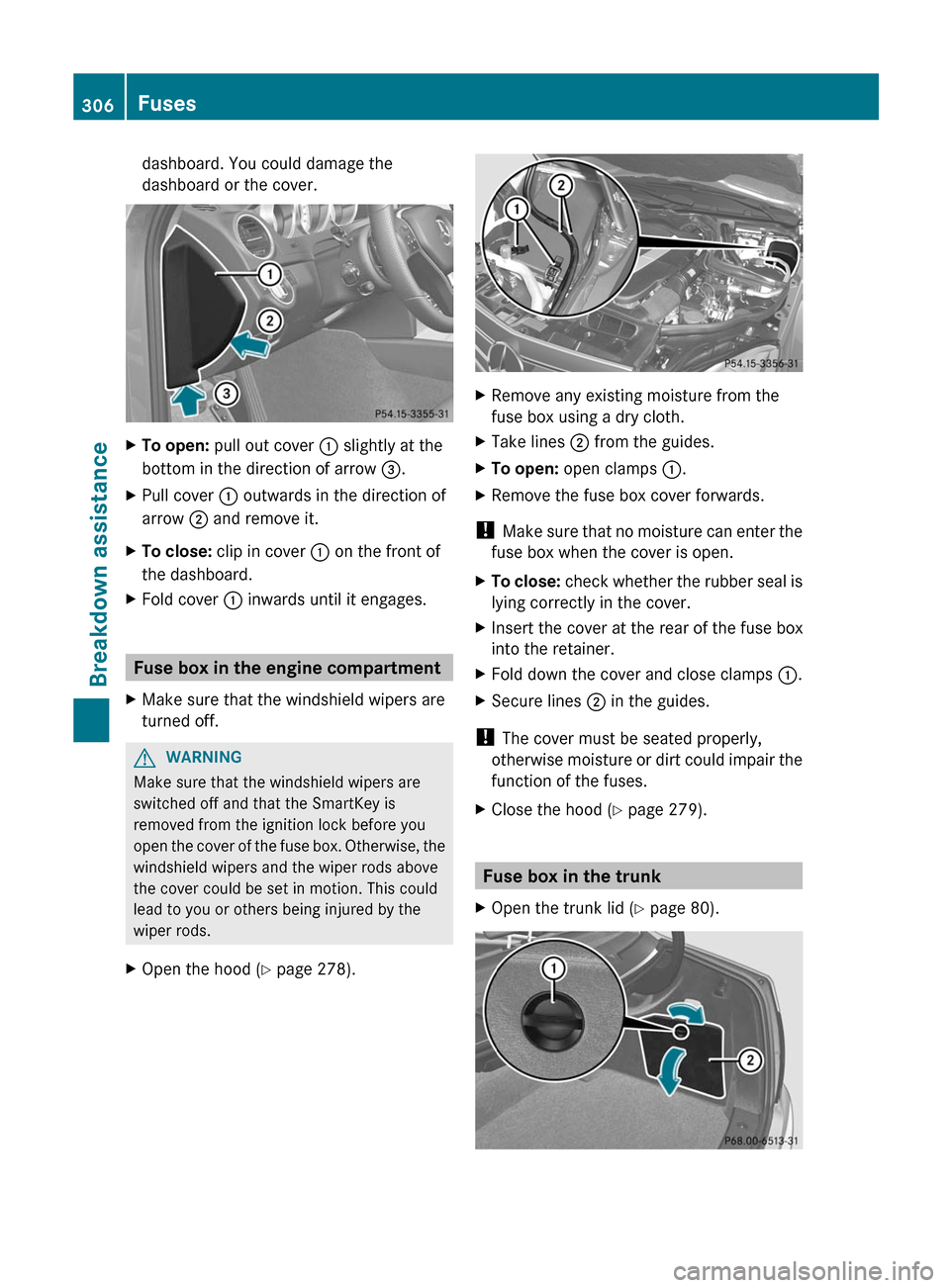
dashboard. You could damage the
dashboard or the cover.XTo open: pull out cover : slightly at the
bottom in the direction of arrow =.XPull cover : outwards in the direction of
arrow ; and remove it.XTo close: clip in cover : on the front of
the dashboard.XFold cover : inwards until it engages.
Fuse box in the engine compartment
XMake sure that the windshield wipers are
turned off.GWARNING
Make sure that the windshield wipers are
switched off and that the SmartKey is
removed from the ignition lock before you
open the cover of the fuse box. Otherwise, the
windshield wipers and the wiper rods above
the cover could be set in motion. This could
lead to you or others being injured by the
wiper rods.
XOpen the hood ( Y page 278).XRemove any existing moisture from the
fuse box using a dry cloth.XTake lines ; from the guides.XTo open: open clamps :.XRemove the fuse box cover forwards.
!
Make sure that no moisture can enter the
fuse box when the cover is open.
XTo close: check whether the rubber seal is
lying correctly in the cover.XInsert the cover at the rear of the fuse box
into the retainer.XFold down the cover and close clamps :.XSecure lines ; in the guides.
!
The cover must be seated properly,
otherwise moisture or dirt could impair the
function of the fuses.
XClose the hood ( Y page 279).
Fuse box in the trunk
XOpen the trunk lid ( Y page 80).306FusesBreakdown assistance