language MERCEDES-BENZ C-Class SEDAN 2017 W205 Comand Manual
[x] Cancel search | Manufacturer: MERCEDES-BENZ, Model Year: 2017, Model line: C-Class SEDAN, Model: MERCEDES-BENZ C-Class SEDAN 2017 W205Pages: 178, PDF Size: 9.47 MB
Page 61 of 178
Starting route calculation
0043
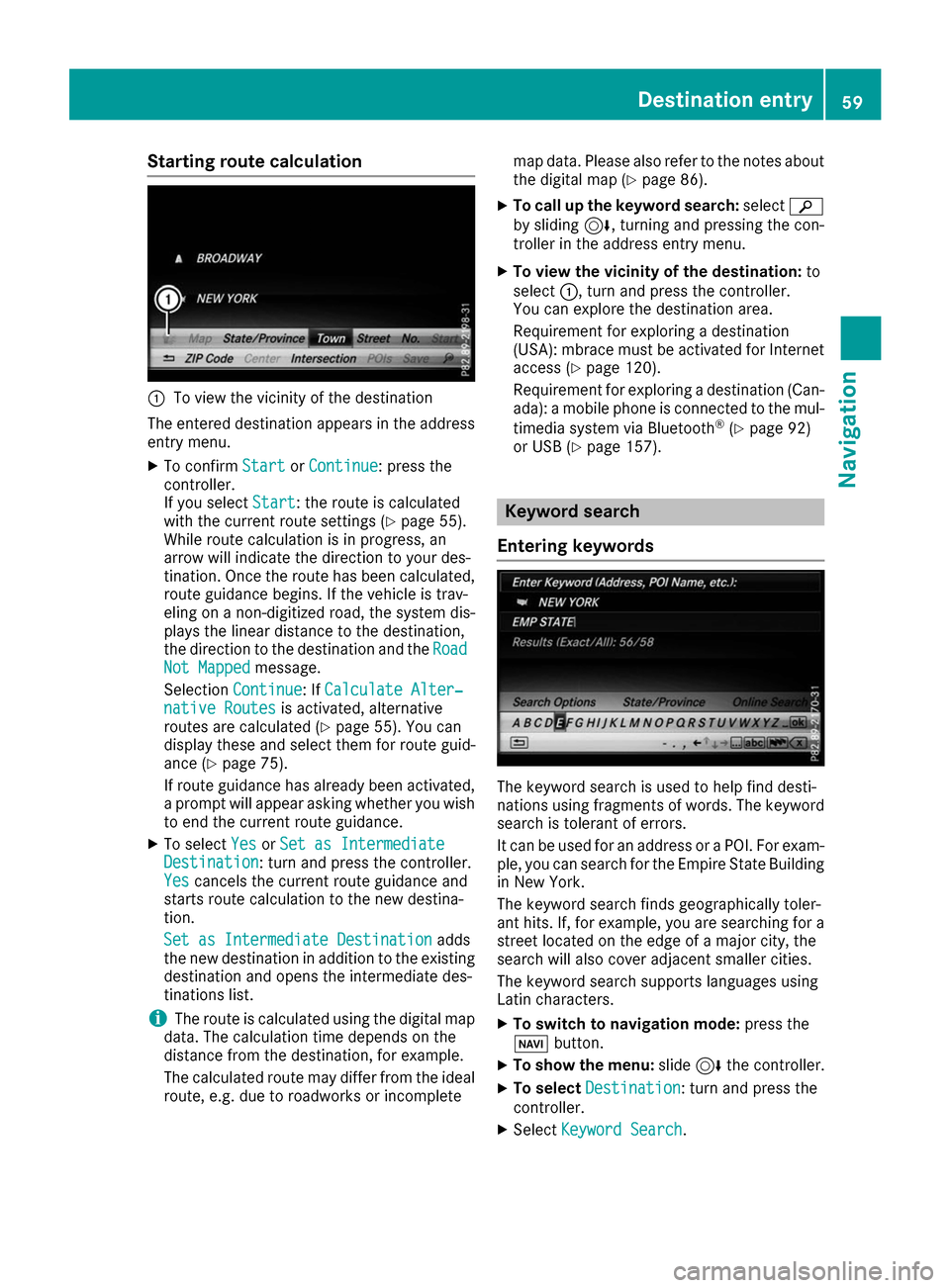
To view the vicinity of the destination
The entered destination appears in the address
entry menu.
X To confirm Start
Start orContinue
Continue: press the
controller.
If you select Start Start: the route is calculated
with the current route settings (Y page 55).
While route calculation is in progress, an
arrow will indicate the direction to your des-
tination. Once the route has been calculated,
route guidance begins. If the vehicle is trav-
eling on a non-digitized road, the system dis-
plays the linear distance to the destination,
the direction to the destination and the Road Road
Not Mapped
Not Mapped message.
Selection Continue
Continue: If Calculate Alter‐
Calculate Alter‐
native Routes
native Routes is activated, alternative
routes are calculated (Y page 55). You can
display these and select them for route guid-
ance (Y page 75).
If route guidance has already been activated,
a prompt will appear asking whether you wish to end the current route guidance.
X To select Yes
YesorSet as Intermediate
Set as Intermediate
Destination
Destination: turn and press the controller.
Yes Yes cancels the current route guidance and
starts route calculation to the new destina-
tion.
Set as Intermediate Destination Set as Intermediate Destination adds
the new destination in addition to the existing
destination and opens the intermediate des-
tinations list.
i The route is calculated using the digital map
data. The calculation time depends on the
distance from the destination, for example.
The calculated route may differ from the ideal
route, e.g. due to roadworks or incomplete map data. Please also refer to the notes about
the digital map (Y page 86).
X To call up the keyword search: select00D3
by sliding 6, turning and pressing the con-
troller in the address entry menu.
X To view the vicinity of the destination: to
select 0043, turn and press the controller.
You can explore the destination area.
Requirement for exploring a destination
(USA): mbrace must be activated for Internet access (Y page 120).
Requirement for exploring a destination (Can- ada): a mobile phone is connected to the mul-
timedia system via Bluetooth ®
(Y page 92)
or USB (Y page 157). Keyword search
Entering keywords The keyword search is used to help find desti-
nations using fragments of words. The keyword
search is tolerant of errors.
It can be used for an address or a POI. For exam-
ple, you can search for the Empire State Building
in New York.
The keyword search finds geographically toler-
ant hits. If, for example, you are searching for a
street located on the edge of a major city, the
search will also cover adjacent smaller cities.
The keyword search supports languages using
Latin characters.
X To switch to navigation mode: press the
00BE button.
X To show the menu: slide6the controller.
X To select Destination Destination: turn and press the
controller.
X Select Keyword Search
Keyword Search. Destination entry
59Navigation Z
Page 80 of 178
Displaying real-time traffic reports
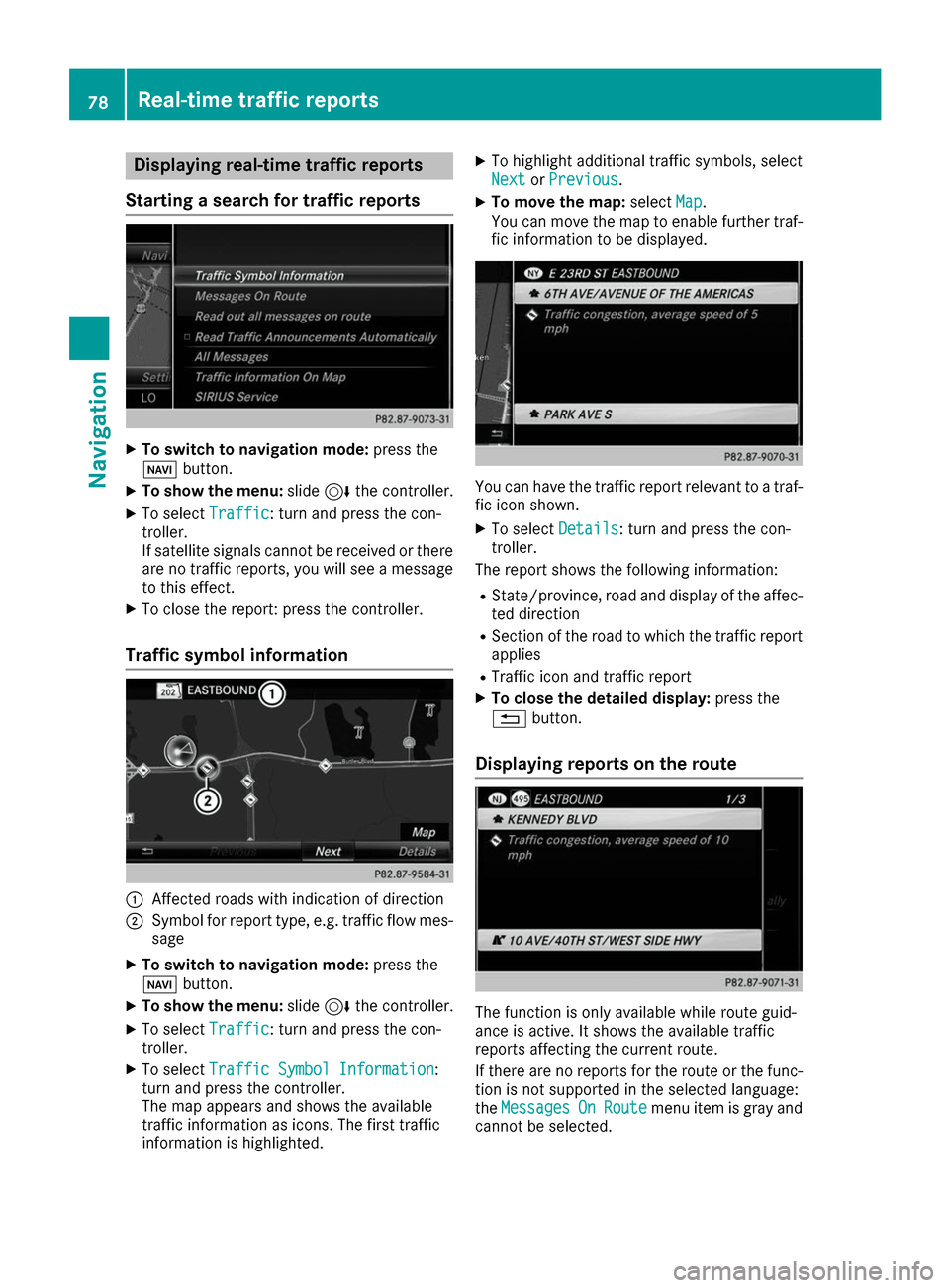
Starting a search for traffic reports X
To switch to navigation mode: press the
00BE button.
X To show the menu: slide6the controller.
X To select Traffic
Traffic: turn and press the con-
troller.
If satellite signals cannot be received or there are no traffic reports, you will see a message
to this effect.
X To close the report: press the controller.
Traffic symbol information 0043
Affected roads with indication of direction
0044 Symbol for report type, e.g. traffic flow mes-
sage
X To switch to navigation mode: press the
00BE button.
X To show the menu: slide6the controller.
X To select Traffic Traffic: turn and press the con-
troller.
X To select Traffic Symbol Information
Traffic Symbol Information:
turn and press the controller.
The map appears and shows the available
traffic information as icons. The first traffic
information is highlighted. X
To highlight additional traffic symbols, select
Next
Next orPrevious Previous.
X To move the map: selectMap
Map.
You can move the map to enable further traf-
fic information to be displayed. You can have the traffic report relevant to a traf-
fic icon shown.
X To select Details
Details: turn and press the con-
troller.
The report shows the following information:
R State/province, road and display of the affec-
ted direction
R Section of the road to which the traffic report
applies
R Traffic icon and traffic report
X To close the detailed display: press the
0038 button.
Displaying reports on the route The function is only available while route guid-
ance is active. It shows the available traffic
reports affecting the current route.
If there are no reports for the route or the func- tion is not supported in the selected language:
the Messages Messages On
OnRoute
Route menu item is gray and
cannot be selected. 78
Real-time traffic
reportsNavigation
Page 81 of 178
X
To switch to navigation mode: press the
00BE button.
X To show the menu: slide6the controller.
X To select Traffic
Traffic: turn and press the con-
troller.
X To select Messages On Route
Messages On Route: turn and
press the controller.
The traffic report window appears. Several
traffic reports may be available for the calcu-
lated route, marked for example by 1/3.
The report shows the following information:
R State/province, road and display of the
affected direction
R Section of the road to which the traffic
report applies
R Traffic icon and traffic report
X To display the next/previous traffic
report: turn the controller.
X To close the display: press the0038button.
Displaying all traffic reports X
To switch to navigation mode: press the
00BE button.
X To show the menu: slide6the controller.
X To select Traffic
Traffic: turn and press the con-
troller.
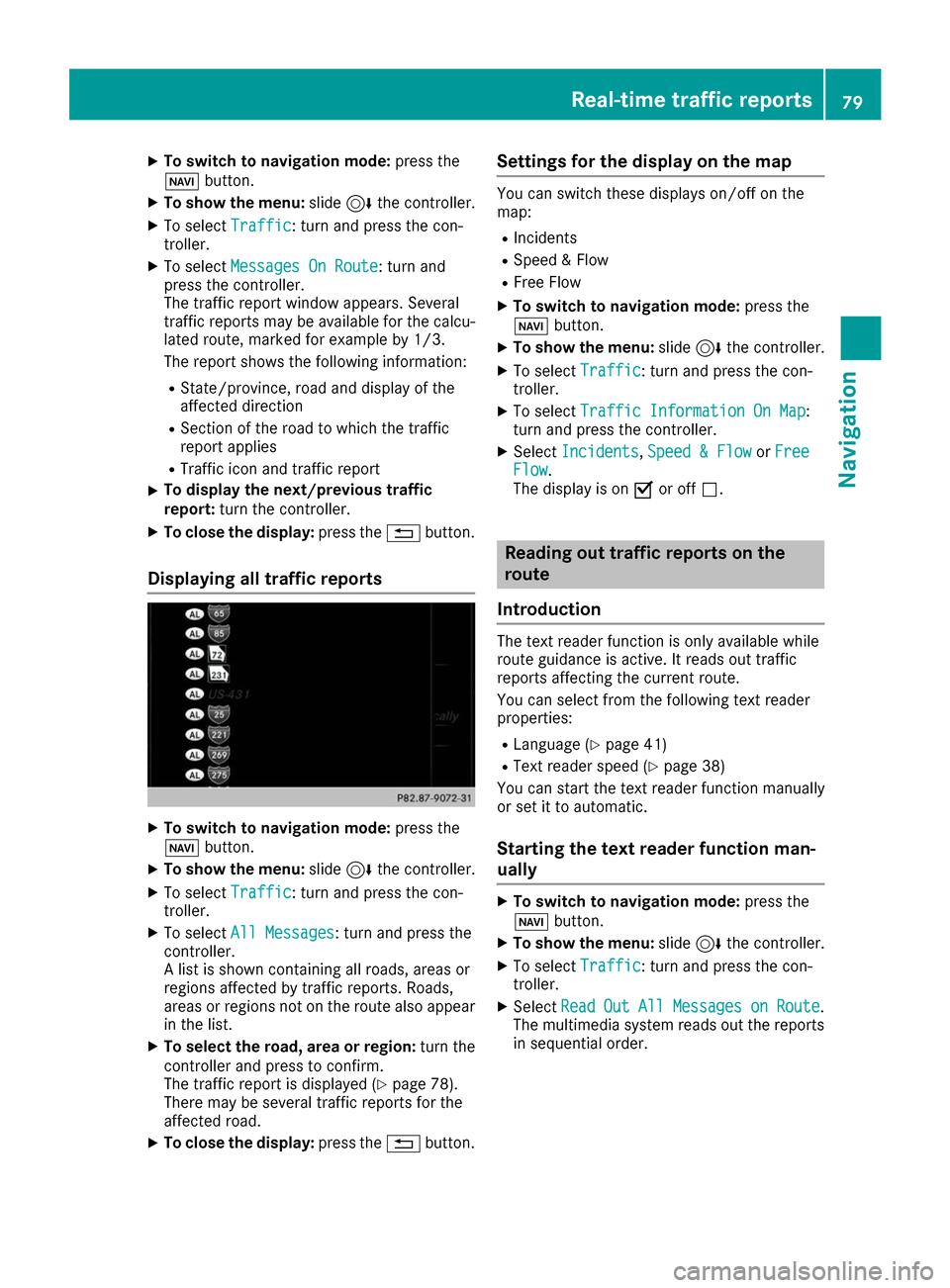
X To select All Messages All Messages: turn and press the
controller.
A list is shown containing all roads, areas or
regions affected by traffic reports. Roads,
areas or regions not on the route also appear in the list.
X To select the road, area or region: turn the
controller and press to confirm.
The traffic report is displayed (Y page 78).
There may be several traffic reports for the
affected road.
X To close the display: press the0038button. Settings for the display on the map You can switch these displays on/off on the
map:
R Incidents
R Speed & Flow
R Free Flow
X To switch to navigation mode: press the
00BE button.
X To show the menu: slide6the controller.
X To select Traffic Traffic: turn and press the con-
troller.
X To select Traffic Information On Map
Traffic Information On Map :
turn and press the controller.
X Select Incidents
Incidents ,Speed & Flow
Speed & Flow orFree
Free
Flow
Flow.
The display is on 0073or off 0053. Reading out traffic reports on the
route
Introduction The text reader function is only available while
route guidance is active. It reads out traffic
reports affecting the current route.
You can select from the following text reader
properties:
R Language (Y page 41)
R Text reader speed (Y page 38)
You can start the text reader function manually
or set it to automatic.
Starting the text reader function man-
ually X
To switch to navigation mode: press the
00BE button.
X To show the menu: slide6the controller.
X To select Traffic Traffic: turn and press the con-
troller.
X Select Read
Read Out
OutAll
AllMessages
Messages on
onRoute
Route .
The multimedia system reads out the reports in sequential order. Real-time traffic reports
79Navigation Z
Page 96 of 178
X
To select Connect Device
Connect Device: turn and press
the controller.
The device list is displayed.
X To select Search for Phones
Search for Phones: turn and
press the controller.
A message is displayed that Bluetooth ®
must
be activated on the mobile phone and must be
made visible to other devices.
X To select Start
Start Search Search: press the controller.
The available mobile phones are displayed in
the device list.
The duration of the search depends on the num- ber of Bluetooth ®
telephones within range and
their characteristics.
If a new phone is found, it appears in the device list with the 00D3symbol. You can now author-
ize (connect) the mobile phone found
(Y page 94).
If the maximum number of authorized devices in the device list is reached, you will be requested
to de-authorize a mobile phone (Y page 96).
When you call up the device list again, de-
authorized devices will be removed from the list.
To update the device list, start the search again.
Symbols in the device list Sym-
bol Explanation
00D3
New mobile phone found, not yet
authorized.
00DC
Mobile phone is authorized, but is
not connected
0036
Mobile phone is authorized and
connected
Authorizing a mobile phone (connect-
ing)
Authorization via Secure Simple Pairing If the multimedia system has found your mobile
phone, you can authorize (connect) it.
X To select a mobile phone from the device list:
turn the controller and press to confirm.
A code is displayed in the multimedia system
and on the mobile phone. The code is the same
X Multimedia system: selectYes Yes.
X Mobile phone: confirm the code. Depending
on the mobile phone used, you may have to
confirm the connection to the multimedia sys-
tem and for the PBAP and MAP Bluetooth ®
profiles. The prompt to confirm may take up
to two minutes to be displayed. You may also save the confirmation on the mobile phone
(see the manufacturer's operating instruc-
tions).
The mobile phone is now authorized and con-
nected to the multimedia system. You can
now speak using the hands-free system.
To ensure an optimum language quality, you can
set the mobile phone's transmission and recep- tion volume (Y page 96).
The code is different
X Multimedia system: selectNo No.
The process is canceled. Repeat the authori-
zation.
Authorization via passkey entry (access
code) If the multimedia system has found your mobile
phone, you can authorize (connect) it.
X To select the Bluetooth ®
name of the desired
mobile phone in the device list: turn and press the controller.
The input menu for the passkey is displayed.
The passkey is a one- to sixteen-digit number combination which you can choose yourself.
X Multimedia system: enter the passkey using
the character bar.
X Select 0054once all the numbers have been
entered.
X Mobile phone: enter the same passkey and
confirm your entry. Depending on the mobile phone used, you may have to confirm the
connection to the multimedia system and for
the PBAP and MAP Bluetooth ®
profiles. The
prompt to confirm may take up to two
minutes to be displayed. You may also save
the confirmation on the mobile phone (see the manufacturer's operating instructions).
The mobile phone is now authorized and con-
nected to the multimedia system. You can
now speak using the hands-free system. 94
Connecting/disconnecting a mobile phoneTelephone
Page 97 of 178
To ensure an optimum language quality, you can
set the mobile phone's transmission and recep-
tion volume (Y page 96).
If the Authorization Failed
Authorization Failed message
appears, you may have entered a different pass-
key or exceeded the prescribed time limit.
Repeat the procedure.
i Some mobile phones require a passkey with
four or more digits.
i If you wish to re-authorize the mobile phone
after de-authorizing it, you can choose
another passkey for it. Establishing the connection from the
mobile phone
The Bluetooth ®
device name of the multimedia
system is MB Bluetooth
MB Bluetooth.
X Multimedia system: call up the telephone
menu.
X To switch to the menu bar: slide 6the con-
troller.
X To select Connect Device
Connect Device: turn and press
the controller.
The device list is displayed.
X To select Connect via Phone
Connect via Phone: turn and
press the controller.
A message is displayed, stating that you can
start the search on your mobile phone.
X Mobile phone: start the search for a Blue-
tooth ®
device (see manufacturer's operating
instructions).
The multimedia system is displayed with the
name MB Bluetooth
MB Bluetooth in the mobile phone's
device list.
X Select MB Bluetooth MB Bluetooth.
A prompt appears in the multimedia system's display asking if the mobile phone should be
authorized.
X Multimedia system: selectYes Yes.
If No
No is selected, the procedure is canceled.
If your mobile phone supports Secure Simple
Pairing, a code is now displayed on both devi- ces.
The code is the same
X Multimedia system: selectYes
Yes.
X Mobile phone: confirm the code. Depending
on the mobile phone used, you may have to
confirm the connection to the multimedia sys- tem and for the PBAP and MAP Bluetooth
®
profiles. The prompt to confirm may take up
to two minutes to be displayed. You may also save the confirmation on the mobile phone
(see the manufacturer's operating instruc-
tions).
The mobile phone is now authorized and con-
nected to the multimedia system. You can
now speak using the hands-free system.
To ensure an optimum language quality, you can
set the mobile phone's transmission and recep- tion volume (Y page 96).
The code is different
X Multimedia system: selectNo No.
The process is canceled. Repeat the proce-
dure.
If your mobile phone does not support Secure
Simple Pairing, an input menu is displayed for
the passkey. The passkey is a one- to sixteen-
digit number combination which you can choose
yourself. Enter the same passkey in both the
multimedia system and on the mobile phone and
confirm. Depending on the mobile phone used,
you may have to confirm the connection to the
multimedia system and for the PBAP and MAP
Bluetooth ®
profiles. Reconnecting automatically
The multimedia system always searches for the last connected mobile phone.
If no connection can be made to the most
recently connected mobile phone, the system
searches for the mobile phone that was con-
nected before that one. Switching between mobile phones
If you have authorized more than one mobile
phone, you can switch between the individual
phones.
X To call up the telephone menu: press the
002B button.
X To show the menu bar: slide 6the control-
ler. Connecting/disconnecting a mobile phone
95Telephone Z
Page 118 of 178
You can set the language (Y
page 41) and the
speed (Y page 38) of the read-aloud function.
Displaying details and phone numbers The multimedia system can also show a short-
ened sender display in full.
X To call up the telephone menu: press the
002B button.
X To switch to the menu bar: slide 6the con-
troller.
X To select 0083: turn and press the controller.
The message menu is displayed.
X To switch to the menu bar: slide 6the con-
troller.
X To select Folder Folder: turn and press the control-
ler.
X To select Text Message
Text Message orE-Mail
E-Mail: turn and
press the controller.
The selected folder is displayed.
X To highlight the desired message: turn the
controller.
X To select G: slide 9the controller.
X To select Details Details: turn and press the con-
troller.
The detailed view appears.
X To close the detailed display: slide8 the
controller.
X To return to the telephone menu: press the
0038 button. Writing text messages
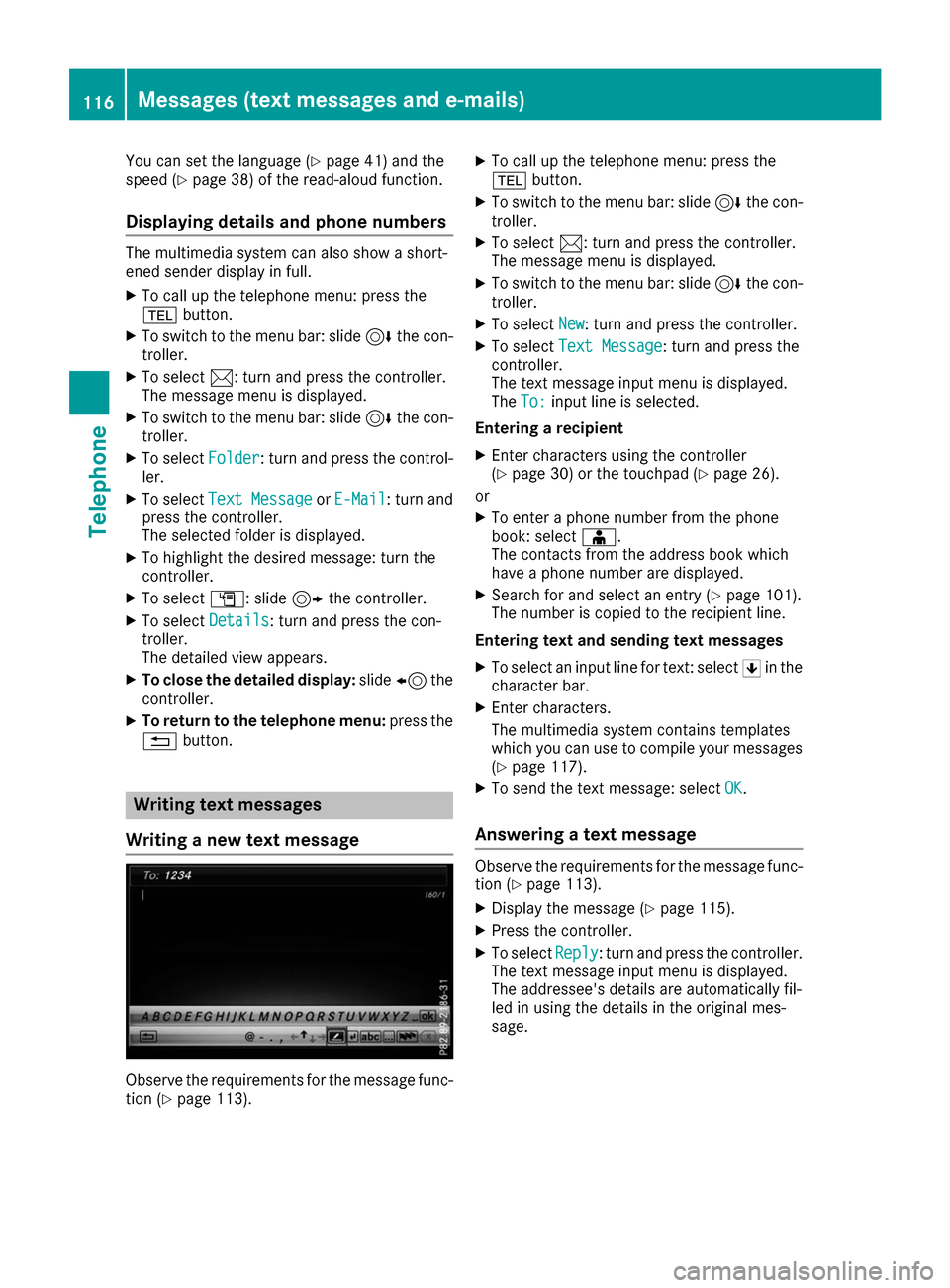
Writing a new text message Observe the requirements for the message func-
tion (Y page 113). X
To call up the telephone menu: press the
002B button.
X To switch to the menu bar: slide 6the con-
troller.
X To select 0083: turn and press the controller.
The message menu is displayed.
X To switch to the menu bar: slide 6the con-
troller.
X To select New New: turn and press the controller.
X To select Text Message
Text Message: turn and press the
controller.
The text message input menu is displayed.
The To: To: input line is selected.
Entering a recipient X Enter characters using the controller
(Y page 30) or the touchpad (Y page 26).
or
X To enter a phone number from the phone
book: select 00D8.
The contacts from the address book which
have a phone number are displayed.
X Search for and select an entry (Y page 101).
The number is copied to the recipient line.
Entering text and sending text messages X To select an input line for text: select 0060in the
character bar.
X Enter characters.
The multimedia system contains templates
which you can use to compile your messages
(Y page 117).
X To send the text message: select OK
OK.
Answering a text message Observe the requirements for the message func-
tion (Y page 113).
X Display the message (Y page 115).
X Press the controller.
X To select Reply Reply: turn and press the controller.
The text message input menu is displayed.
The addressee's details are automatically fil-
led in using the details in the original mes-
sage. 116
Messages (text messages and e-mails)Telephone
Page 162 of 178
DVD playback conditions
The multimedia system can play back video
DVDs produced according to the following
standards:
R Region code 1 or region code 0 (no region
code)
R PAL or NTSC standard
You will generally find the relevant details either
on the DVD itself or on the DVD case.
With DVDs that do not meet the standard
requirements, you may encounter playback
problems.
i Observe the following notes:
R It is also possible to play video DVDs with a
different region code, provided that they
are produced in accordance with the PAL or NTSC standard. If you insert a video DVD
with a different region code, a message to
this effect appears.
R The multimedia system is set to region
code 1 at the factory. This setting can be
changed at an authorized Mercedes-Benz
Center. The region code can be changed up
to five times.
R If a DVD cannot be played back according
to national color transfer methods (PAL or
NTSC standards), problems with the image, sound or playback may occur.
Control options There are four control menus available in video
DVD mode.
Most DVDs have their own control menu. The
DVD is operated directly using the controller or
DVD functions. Control menu and
function Operation
R
DVD's control
menu
Selection of title,
scene, language,
subtitles ... Operation with the
controller
R
Options Options menu
Selection of bright-
ness, contrast,
color, format Operation using the
menu bar
Options Options,
video settings Control menu and
function Operation
R
Video menu
Selection of scene,
fast forward or
rewind In full-screen mode,
slide
6the control-
ler R
DVD functions
Selection of title,
scene, language,
subtitles ... In full-screen mode,
press the controller
Function restrictions
Depending on the DVD, certain functions or
actions may not function at all. The symbol
0047
appears in the display. Switching on video DVD mode
R Insert and eject a disc from the single drive
(Y page 144)
Further options for switching on:
R Using the main function bar (Y page 141)
R Using the device list (Y page 142)
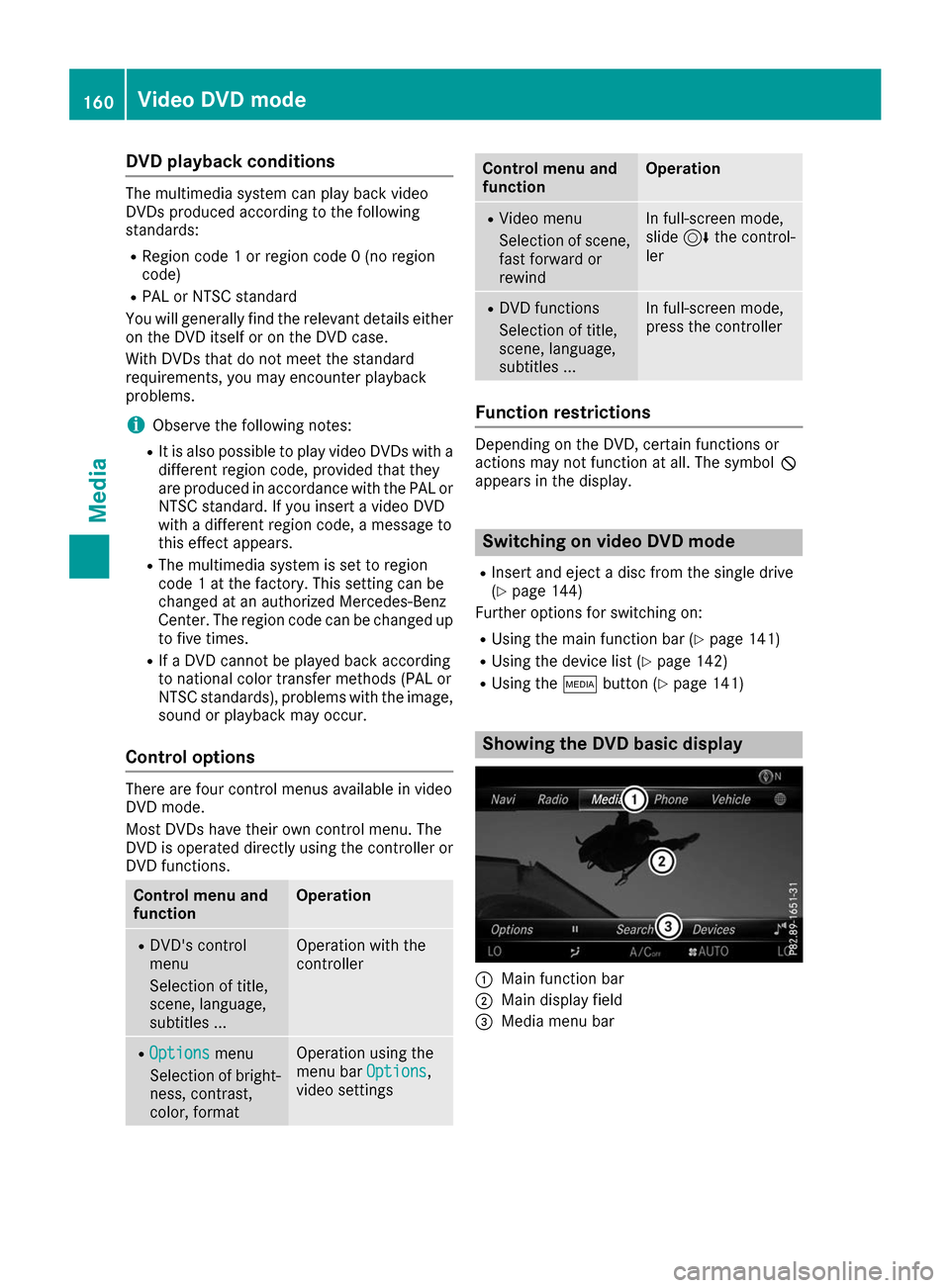
R Using the 00FDbutton (Y page 141) Showing the DVD basic display
0043
Main function bar
0044 Main display field
0087 Media menu bar 160
Video DVD
modeMedia
Page 164 of 178
Setting the picture format
The following screen format options are availa-
ble for the DVD currently being played:
R Auto Auto
R 16:9
16:9
R 4:3
4:3
R Zoom
Zoom
X To set the picture format: turn and press the
controller.
The dot before the menu entry shows the
selected format. Showing the DVD's control menu
Most DVDs have their own control menuwhich
can be operated using the controller.
Showing the DVD's control menu
X To show DVD functions: in full screen video
mode, press the controller.
The DVD functions menu is shown.
X To select Menu
Menu from the DVD functions menu:
turn and press the controller.
The DVD functions menu is hidden and the
DVD's menu entries (e.g. scenes, language,
trailers) are displayed.
X To select a menu entry: turn and press the
controller. Operating the video menu
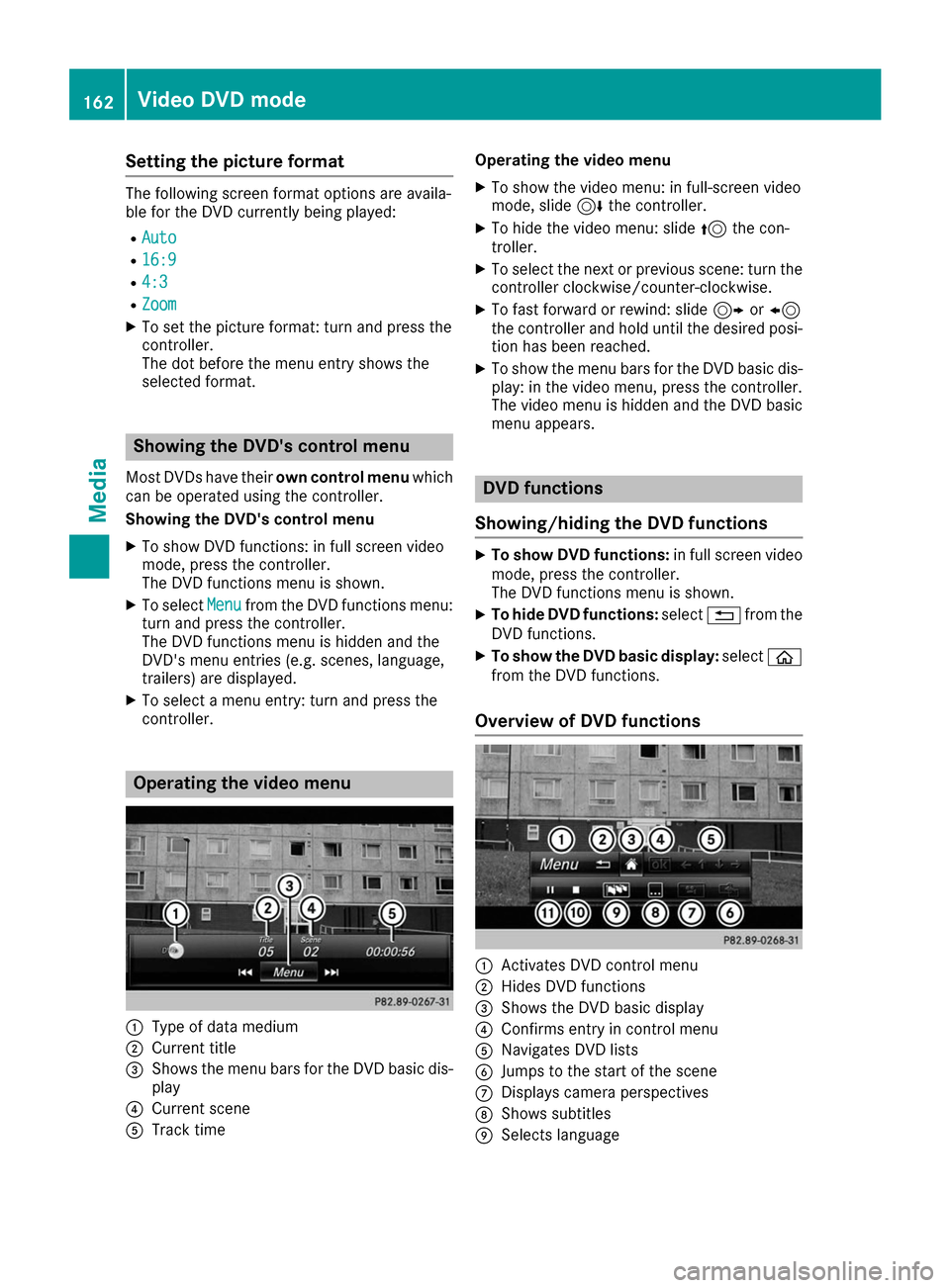
0043
Type of data medium
0044 Current title
0087 Shows the menu bars for the DVD basic dis-
play
0085 Current scene
0083 Track time Operating the video menu
X To show the video menu: in full-screen video
mode, slide 6the controller.
X To hide the video menu: slide 5the con-
troller.
X To select the next or previous scene: turn the
controller clockwise/counter-clockwise.
X To fast forward or rewind: slide 9or8
the controller and hold until the desired posi- tion has been reached.
X To show the menu bars for the DVD basic dis-
play: in the video menu, press the controller.
The video menu is hidden and the DVD basic
menu appears. DVD functions
Showing/hiding the DVD functions X
To show DVD functions: in full screen video
mode, press the controller.
The DVD functions menu is shown.
X To hide DVD functions: select0038from the
DVD functions.
X To show the DVD basic display: select00E2
from the DVD functions.
Overview of DVD functions 0043
Activates DVD control menu
0044 Hides DVD functions
0087 Shows the DVD basic display
0085 Confirms entry in control menu
0083 Navigates DVD lists
0084 Jumps to the start of the scene
006B Displays camera perspectives
006C Shows subtitles
006D Selects language 162
Video DVD modeMedia