Page 274 MERCEDES-BENZ C240 2001 W203 Owner's Manual
[x] Cancel search | Manufacturer: MERCEDES-BENZ, Model Year: 2001, Model line: C240, Model: MERCEDES-BENZ C240 2001 W203Pages: 381, PDF Size: 19.92 MB
Page 98 of 381
89 Instrument cluster
Te ch n i c a l
data Instruments
and controlsOperationDrivingInstrument
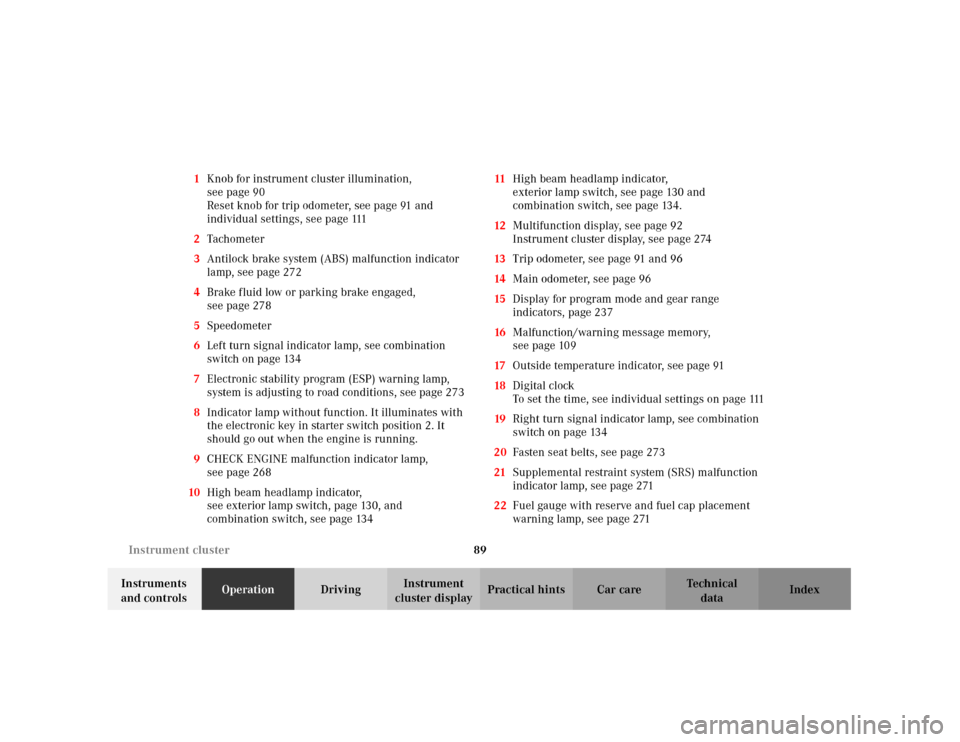
cluster displayPractical hints Car care Index 1Knob for instrument cluster illumination,
seepage90
Reset knob for trip odometer, see page 91 and
individual settings, see page 111
2Tachometer
3Antilock brake system (ABS) malfunction indicator
lamp, see page 272
4Brake fluid low or parking brake engaged,
seepage278
5Speedometer
6Left turn signal indicator lamp, see combination
switch on page 134
7Electronic stability program (ESP) warning lamp,
system is adjusting to road conditions, see page 273
8Indicator lamp without function. It illuminates with
the electronic key in starter switch position 2. It
should go out when the engine is running.
9CHECK ENGINE malfunction indicator lamp,
seepage268
10High beam headlamp indicator,
seeexterior lamp switch, page130, and
combination switch, see page 13411High beam headlamp indicator,
exterior lamp switch, see page 130 and
combination switch, see page 134.
12Multifunction display, see page 92
Instrument cluster display, see page 274
13Trip odometer, see page 91 and 96
14Main odometer, see page 96
15Display for program mode and gear range
indicators, page 237
16Malfunction/warning message memory,
seepage109
17Outside temperature indicator, see page 91
18Digital clock
To set the time, see individual settings on page 111
19Right turn signal indicator lamp, see combination
switch on page 134
20Fasten seat belts, see page 273
21Supplemental restraint system (SRS) malfunction
indicator lamp, see page 271
22Fuel gauge with reserve and fuel cap placement
warning lamp, see page 271
Page 118 of 381
109 Multifunction steering wheel, multifunction display
Te ch n i c a l
data Instruments
and controlsOperationDrivingInstrument
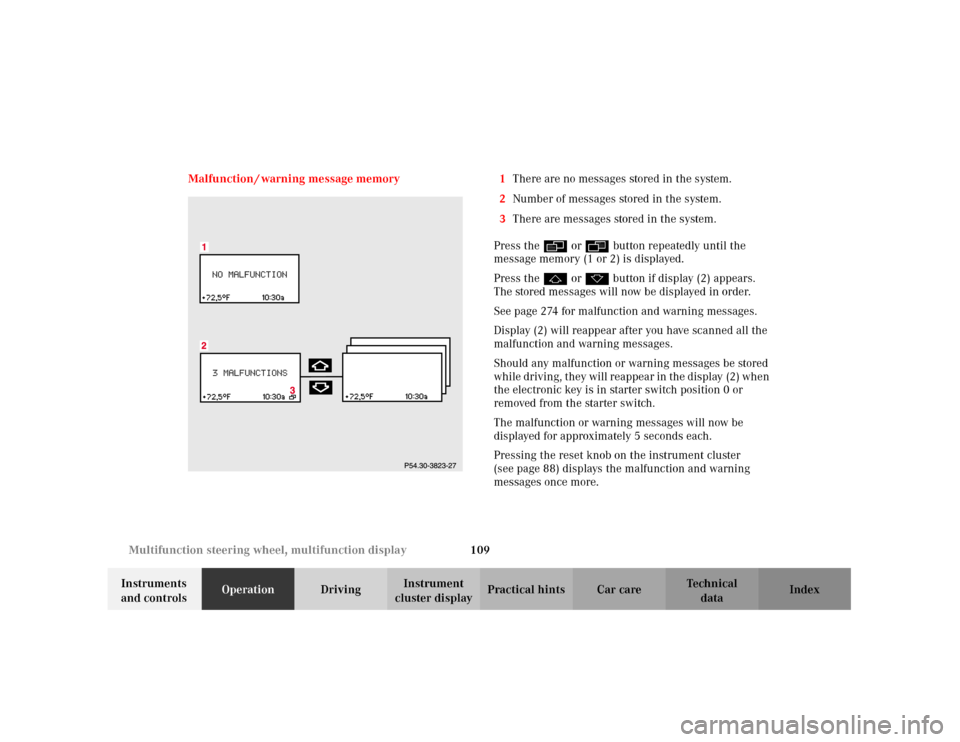
cluster displayPractical hints Car care Index Malfunction / warning message memory 1There are no messages stored in the system.
2Number of messages stored in the system.
3There are messages stored in the system.
Press the è or ÿ button repeatedly until the
message memory (1 or 2) is displayed.
Press the j or k button if display (2) appears.
The stored messages will now be displayed in order.
See page 274 for malfunction and warning messages.
Display (2) will reappear after you have scanned all the
malfunction and warning messages.
Should any malfunction or warning messages be stored
while driving, they will reappear in the display (2) when
the electronic key is in starter switch position 0 or
removed from the starter switch.
The malfunction or warning messages will now be
displayed for approximately 5 seconds each.
Pressing the reset knob on the instrument cluster
(see page 88) displays the malfunction and warning
messages once more.
Page 119 of 381
110 Multifunction steering wheel, multifunction display
Te ch n i c a l
data Instruments
and controlsOperationDrivingInstrument
cluster displayPractical hints Car care Index
The message memory will be cleared when the
electronic key is turned in the starter switch to
position 1 or 2. Should any subsequent faults occur,
they will be displayed in the message memory.
Pressing the è or ÿ button displays the next or
previous system.Important!
Malfunction and warning messages are only indicated
for certain systems and displayed to a low level of detail.
The malfunction and warning messages are simply a
reminder with respect to the operation of certain
systems and do not replace the driver’s responsibility to
maintain the vehicle’s operating safety by having all
required maintenance and safety checks performed on
the vehicle and by bringing the vehicle to an authorized
Mercedes-Benz Center to address the malfunction and
warning messages. See page 274, for malfunction and
warning messages.
Page 138 of 381
129 Engine oil level indicator
Te ch n i c a l
data Instruments
and controlsOperationDrivingInstrument
cluster displayPractical hints Car care Index One of the following messages will subseq uently appear
on the indicator:
“ENGINE OIL LEVEL – O.K.”
No oil needs to be added.
“ENGINE OIL LEVEL – ADD 1.0 QUART”
(Canada: 1.0 L)
“ENGINE OIL LEVEL – ADD 1.5 QUART”
(Canada: 1.5 L)
“ENGINE OIL LEVEL – ADD 2.0 QUART”
(Canada: 2.0 L)
See “Checking engine oil level”, on page 300 for
instructions on adding engine oil.
“ENGINE OIL LEVEL – REDUCE OIL LEVEL”
Do not overfill the engine.
Excessive oil must be siphoned or drained off. It could
cause damage to the engine and catalytic converter not
covered by the Mercedes-Benz Limited Warranty.The “PERF. SERV. ON TIME” message will be displayed
if a proper oil level check cannot be performed. The
engine oil level check can be repeated after a short
while.
Perform the engine oil level check with the dipstick, if it
cannot be completed via the multifunction display.
See “Checking engine oil level”, on page 300.
In this case we recommend that you have the system
checked at a Mercedes-Benz Center.
Notes:
See malfunction and warning messages on page 274
and page 283 if an engine oil level indicator appears on
the multifunction display when the engine is running.
The engine oil level cannot be checked while the engine
is running. The “ENGINE OIL LEVEL – NOT WHEN
ENGINE ON” message will appear.
Engine oil consumption
Engine oil consumption checks should only be made
after the break-in period. During the break-in period,
higher oil consumption may be noticed and is normal.
Frequent driving at high engine speeds results in
increased consumption.
Page 283 of 381
274 Malfunction and warning messages
Te ch n i c a l
data Instruments
and controlsOperation DrivingInstrument
cluster displayPractical hints Car care Index
Malfunction and warning messages in the
multifunction display
Malfunction and warning messages for the following
systems will be displayed immediately in the
multifunction display.
They are divided into three categories.
Category C1:
Messages of most immediate priority.
These cannot be cleared from the instrument cluster
using the reset knob on the instrument cluster (see
page 90).
Categories C2 and C3:
Messages of less immediate priority.
These can be cleared from the instrument cluster using
the reset knob on the instrument cluster (see page 90)
and are then stored in the malfunction message
memory. See page 109 Note:
Certain malfunction and warning messages are
accompanied by an audible signal.
Malfunction and warning messages in red are always
accompanied by an audible signal.
Temporary messages such as “TRUNK OPEN!” will not
be stored in the malfunction message memory.
Wa r n i n g !
All categories of messages contain important
information which should be taken note of and,
where malfunction indicated, addressed as soon as
possible at an authorized Mercedes-Benz Center.Failure to repair condition noted may cause
damage not covered by the Mercedes-Benz Limited
Warranty, or result in property damage or personal
injury.
Page 284 of 381
275 Malfunction and warning messages
Te ch n i c a l
data Instruments
and controlsOperation DrivingInstrument
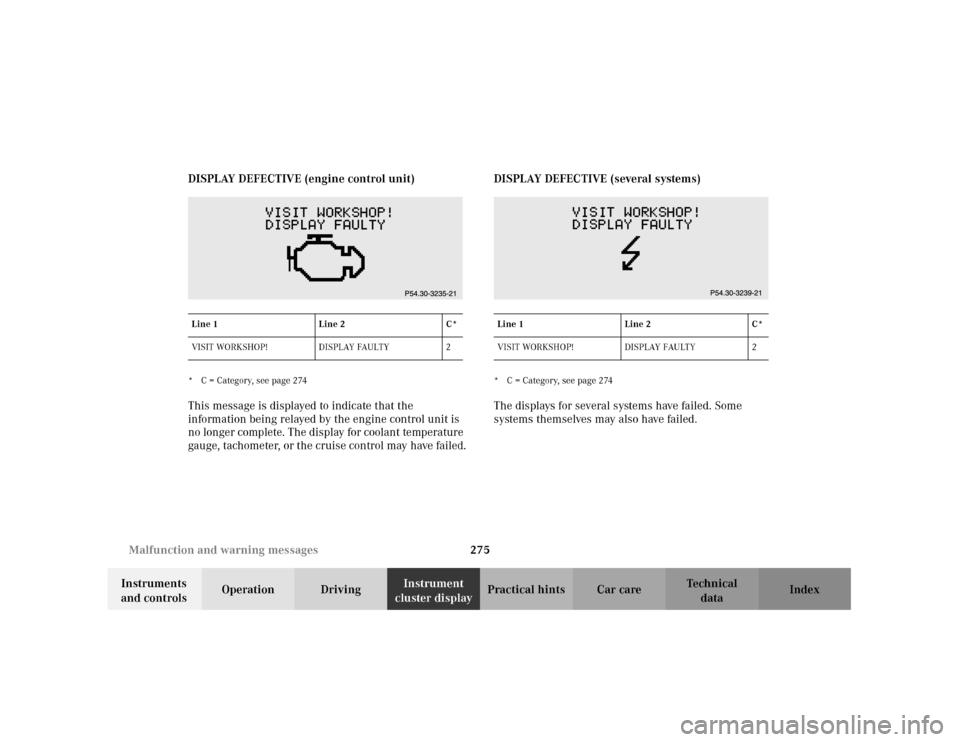
cluster displayPractical hints Car care Index DISPLAY DEFECTIVE (engine control unit)
* C = Category, see page 274This message is displayed to indicate that the
information being relayed by the engine control unit is
no longer complete. The display for coolant temperature
gauge, tachometer, or the cruise control may have failed.DISPLAY DEFECTIVE (several systems)
* C = Category, see page 274The displays for several systems have failed. Some
systems themselves may also have failed.
Line 1 Line 2 C*
VISIT WORKSHOP! DISPLAY FAULTY 2
Line 1 Line 2 C*
VISIT WORKSHOP! DISPLAY FAULTY 2
Page 285 of 381
276 Malfunction and warning messages
Te ch n i c a l
data Instruments
and controlsOperation DrivingInstrument
cluster displayPractical hints Car care Index
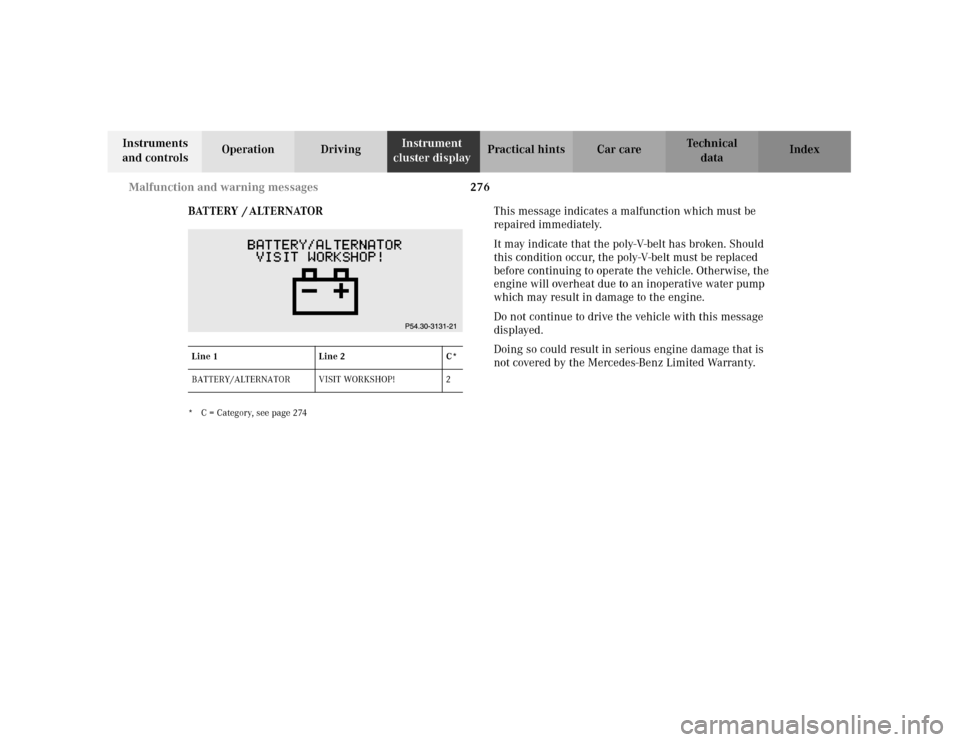
BATTERY / ALTERNATOR
* C = Category, see page 274
This message indicates a malfunction which must be
repaired immediately.
It may indicate that the poly-V-belt has broken. Should
this condition occur, the poly-V-belt must be replaced
before continuing to operate the vehicle. Otherwise, the
engine will overheat due to an inoperative water pump
which may result in damage to the engine.
Do not continue to drive the vehicle with this message
displayed.
Doing so could result in serious engine damage that is
not covered by the Mercedes-Benz Limited Warranty.
Line 1 Line 2 C*
BATTERY/ALTERNATOR VISIT WORKSHOP! 2
Page 286 of 381
277 Malfunction and warning messages
Te ch n i c a l
data Instruments
and controlsOperation DrivingInstrument
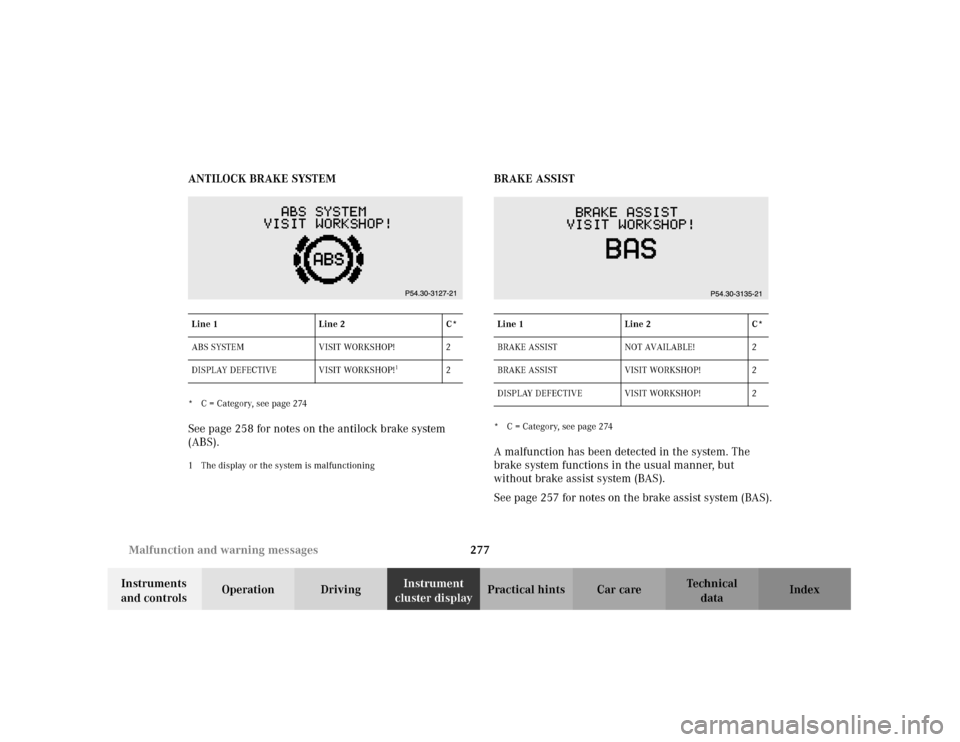
cluster displayPractical hints Car care Index ANTILOCK BRAKE SYSTEM
* C = Category, see page 274See page 258 for notes on the antilock brake system
(ABS).1 The display or the system is malfunctioning
BRAKE ASSIST* C = Category, see page 274A malfunction has been detected in the system. The
brake system functions in the usual manner, but
without brake assist system (BAS).
See page 257 for notes on the brake assist system (BAS).
Line 1 Line 2 C*
ABS SYSTEM VISIT WORKSHOP! 2
DISPLAY DEFECTIVE VISIT WORKSHOP!
1
2
Line 1 Line 2 C*
BRAKE ASSIST NOT AVAILABLE! 2
BRAKE ASSIST VISIT WORKSHOP! 2
DISPLAY DEFECTIVE VISIT WORKSHOP! 2
Page 287 of 381
278 Malfunction and warning messages
Te ch n i c a l
data Instruments
and controlsOperation DrivingInstrument
cluster displayPractical hints Car care Index
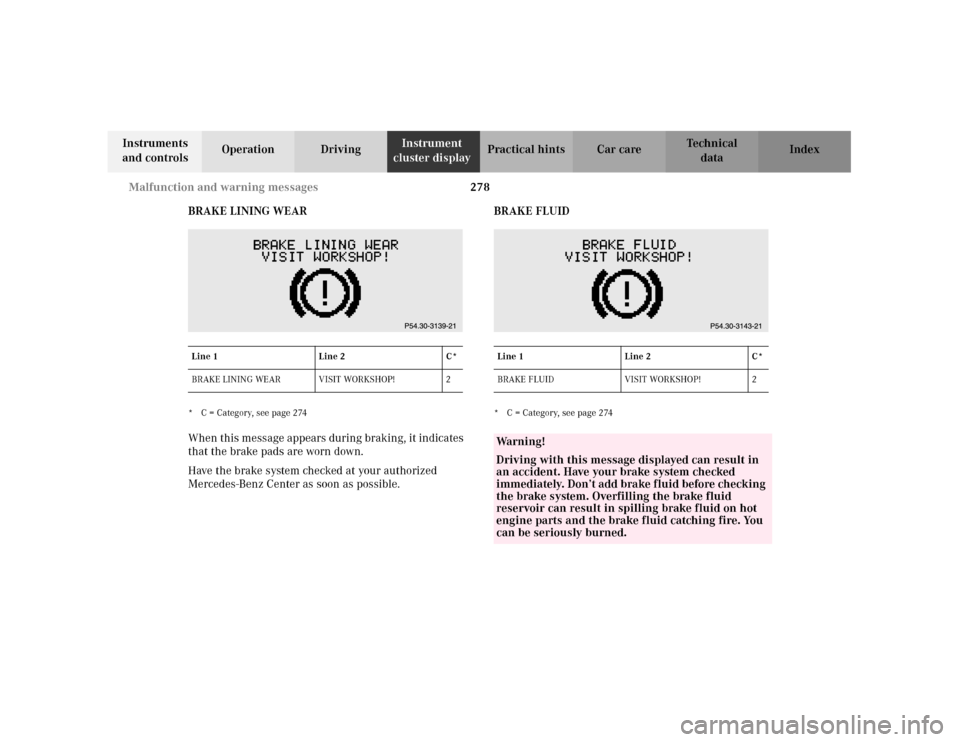
BRAKE LINING WEAR
* C = Category, see page 274When this message appears during braking, it indicates
that the brake pads are worn down.
Have the brake system checked at your authorized
Mercedes-Benz Center as soon as possible.BRAKE FLUID
* C = Category, see page 274 Line 1 Line 2 C*
BRAKE LINING WEAR VISIT WORKSHOP! 2Line 1 Line 2 C*
BRAKE FLUID VISIT WORKSHOP! 2Wa r n i n g !
Driving with this message displayed can result in
an accident. Have your brake system checked
immediately. Don’t add brake fluid before checking
the brake system. Overfilling the brake fluid
reservoir can result in spilling brake fluid on hot
engine parts and the brake fluid catching fire. You
can be seriously burned.
Page 288 of 381
279 Malfunction and warning messages
Te ch n i c a l
data Instruments
and controlsOperation DrivingInstrument
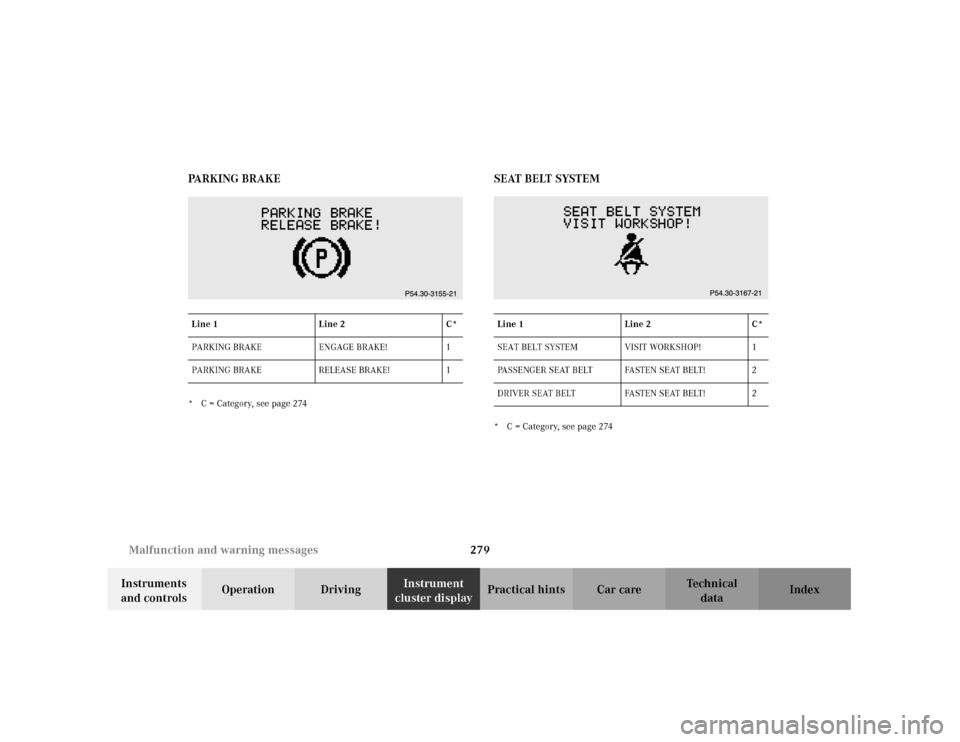
cluster displayPractical hints Car care Index PA R K I N G B R A K E
* C = Category, see page 274
SEAT BELT SYSTEM* C = Category, see page 274 Line 1 Line 2 C*
PARKING BRAKE ENGAGE BRAKE! 1
PARKING BRAKE RELEASE BRAKE! 1Line 1 Line 2 C*
SEAT BELT SYSTEM VISIT WORKSHOP! 1
PASSENGER SEAT BELT FASTEN SEAT BELT! 2
DRIVER SEAT BELT FASTEN SEAT BELT! 2