dashboard MERCEDES-BENZ C320 2001 W203 Owner's Manual
[x] Cancel search | Manufacturer: MERCEDES-BENZ, Model Year: 2001, Model line: C320, Model: MERCEDES-BENZ C320 2001 W203Pages: 381, PDF Size: 19.92 MB
Page 4 of 381

Contents
IntroductionProduct information .......................... 1
Operator’s manual ............................. 2
Where to find it .................................. 7
Reporting Safety Defects .................. 9Instruments and controlsInstruments and controls ............... 12
Door control panel ....................... 14
Overhead control panel ............... 15
Dashboard ..................................... 16
Center console .............................. 18OperationVehicle keys ...................................... 22
Start lock-out .................................... 24
General notes on the
central locking system ............... 24
Central locking system ................... 25
Radio frequency and
infrared remote control ............... 25
Locking and unlocking ................ 27Choosing global or selective
mode on remote control ............. 27
Opening the trunk ....................... 28
Opening and closing windows
and sliding / pop-up roof
from outside ................................. 29
Panic button ................................. 30
Mechanical keys .......................... 30
Doors ..................................................31
Central locking switch .................... 33
Automatic central locking .............. 34
Emergency unlocking
in case of accident ...................... 34
Trunk ................................................. 35
Trunk lid release switch ................ 37
Antitheft alarm system ................... 38
Tow-away alarm ............................... 39
Easy-entry/exit feature ................... 41
Front seat adjustment ..................... 42
Removal and installation of
front seat head restraints .......... 47
Multicontour seat ............................ 49
Heated seats ..................................... 50
Rear seat head restraints ............... 52Seat belts and integrated
restraint system .......................... 55
Seat belts ........................................... 55
Seat belt nonusage
warning system ........................... 56
BabySmart
TM airbag
deactivation system .................... 62
Supplemental Restraint
System (SRS) ............................... 63
Emergency tensioning
retractor (ETR) ............................. 64
Airbags .............................................. 65
Safety guidelines for the seat
belt, emergency tensioning
retractor and airbag .................... 72
Infant and child
restraint systems ......................... 73
Steering wheel adjustment
(manual) ....................................... 77
Steering wheel adjustment
(electrical) .................................... 79
Rear view mirrors ............................ 80
Instrument cluster ........................... 88
Multifunction steering wheel,
multifunction display ................. 92
Page 20 of 381
11 Contents - Instruments and controls
Te ch n i c a l
data Instruments
and controlsOperation DrivingInstrument
cluster displayPractical hints Car care Index
Instruments and controlsInstruments and controls ............... 12
Door control panel ....................... 14
Overhead control panel ............... 15
Dashboard ..................................... 16
Center console .............................. 18
Page 22 of 381
13 Instruments and controls
Te ch n i c a l
data Instruments
and controlsOperation DrivingInstrument
cluster displayPractical hints Car care Index 1Door control panel, see page 14
2Overhead control panel, see page 153Dashboard, see page 16
4Center console, see page 18
Page 25 of 381
16 Instruments and controls
Te ch n i c a l
data Instruments
and controlsOperation DrivingInstrument
cluster displayPractical hints Car care Index
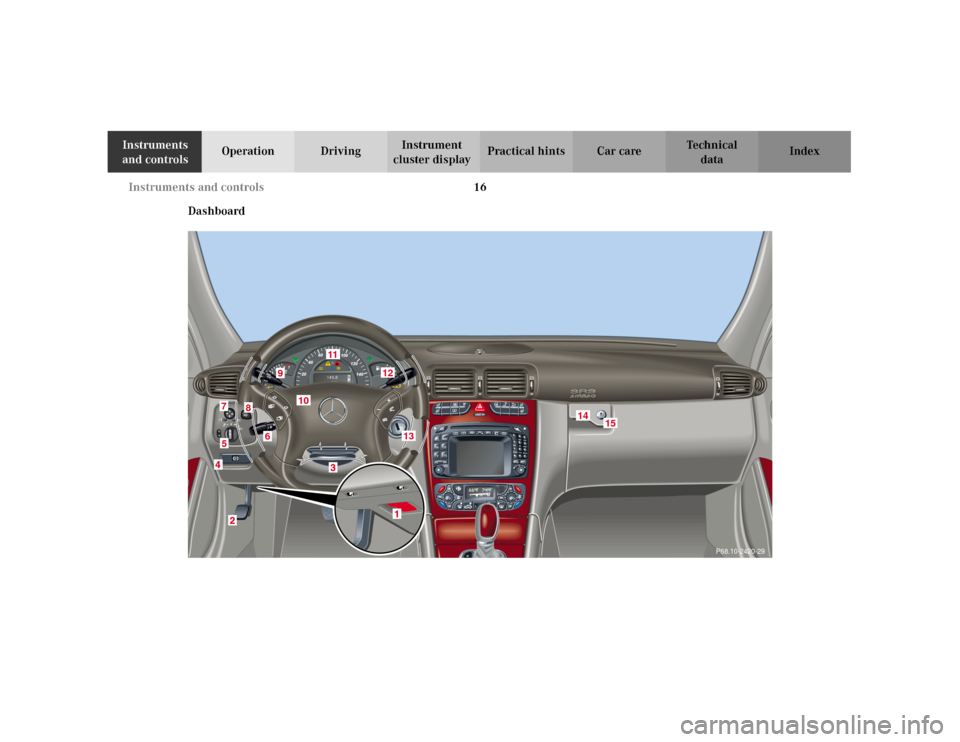
Dashboard
P68.10-2420-29
6
5
8
9
10
11
12
13
14
15
7
Page 80 of 381
71 Restraint systems
Te ch n i c a l
data Instruments
and controlsOperationDrivingInstrument
cluster displayPractical hints Car care Index
• Sit properly belted in an upright position with
your back against the backrest.• Adjust the driver seat as far as possible
rearward, still permitting proper operation of
vehicle controls. The distance from the center
of the driver’s breastbone to the center of the
airbag cover on the steering wheel must be at
least ten inches (25 cm) or more. You should be
able to accomplish this by a combination of
adjustments to the seat and steering wheel. If
you have any problems, please see your
authorized Mercedes-Benz Center.• Do not lean with your head or chest close to the
steering wheel or dashboard.• Keep hands on the outside of steering wheel
rim. Placing hands and arms inside the rim
can increase the risk and potential severity of
hand / arm injury when driver front airbag
inflates.• Adjust the front passenger seat as far as
possible rearward from the dashboard when
the seat is occupied.
• Occupants, especially children, should never
lean their heads in the area of the door where
the side airbag inflates. This could result in
serious injuries or death should the airbag be
triggered.• Children 12 years old and under must never
ride in the front seat, except in a
Mercedes-Benz authorized Baby Smart
TM
compatible child seat, which operates with the
BabySmart
TM system installed in the vehicle to
deactivate the passenger side front airbag
when it is properly installed. Otherwise they
will be struck by the airbag when it inflates in
a crash. If this happens, serious or fatal injury
can result.
Failure to follow these instructions can result in
severe injuries to you or other occupants.
Page 108 of 381
99 Multifunction steering wheel, multifunction display
Te ch n i c a l
data Instruments
and controlsOperationDrivingInstrument
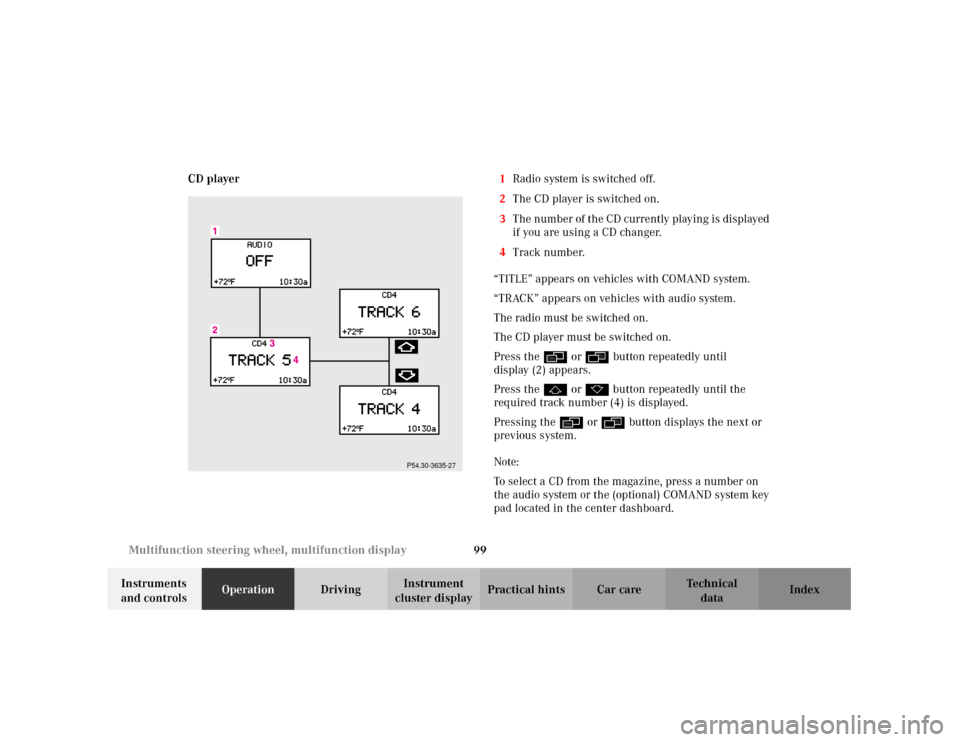
cluster displayPractical hints Car care Index CD player1Radio system is switched off.
2The CD player is switched on.
3The number of the CD currently playing is displayed
if you are using a CD changer.
4Track number.
“TITLE” appears on vehicles with COMAND system.
“TRACK” appears on vehicles with audio system.
The radio must be switched on.
The CD player must be switched on.
Press the è or ÿ button repeatedly until
display (2) appears.
Press the j or k button repeatedly until the
required track number (4) is displayed.
Pressing the è or ÿ button displays the next or
previous system.
Note:
To select a CD from the magazine, press a number on
the audio system or the (optional) COMAND system key
pad located in the center dashboard.
P54.30-3635-27
Page 109 of 381
100 Multifunction steering wheel, multifunction display
Te ch n i c a l
data Instruments
and controlsOperationDrivingInstrument
cluster displayPractical hints Car care Index
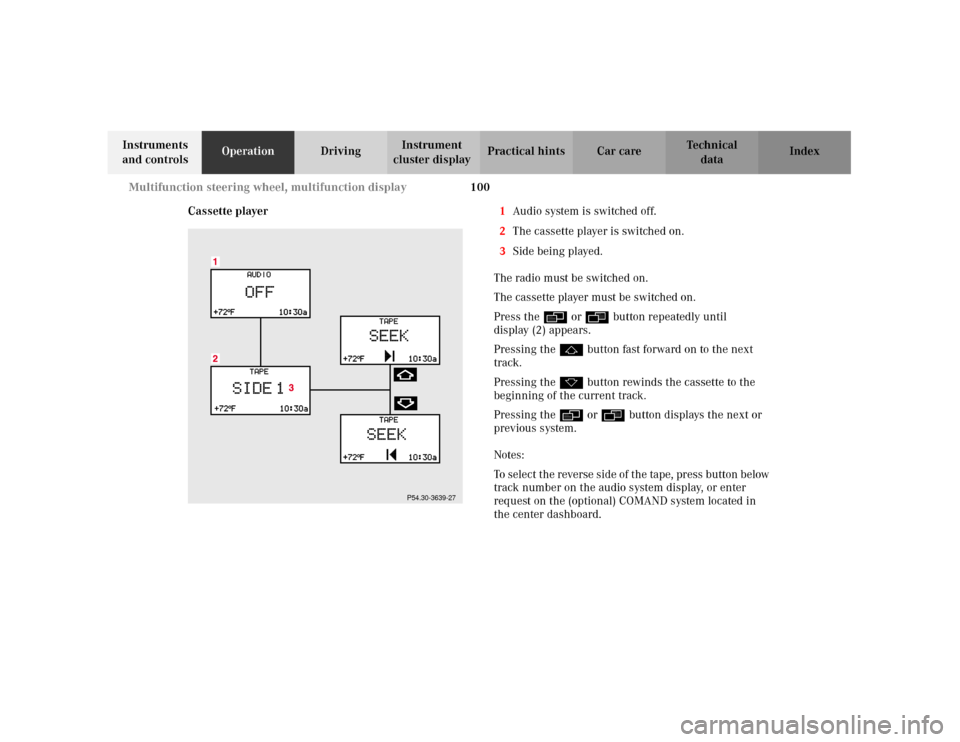
Cassette player1Audio system is switched off.
2The cassette player is switched on.
3Side being played.
The radio must be switched on.
The cassette player must be switched on.
Press the è or ÿ button repeatedly until
display (2) appears.
Pressing the j button fast forward on to the next
track.
Pressing the k button rewinds the cassette to the
beginning of the current track.
Pressing the è or ÿ button displays the next or
previous system.
Notes:
To select the reverse side of the tape, press button below
track number on the audio system display, or enter
request on the (optional) COMAND system located in
the center dashboard.
P54.30-3639-27
Page 146 of 381
137 Hazard warning flasher
Te ch n i c a l
data Instruments
and controlsOperationDrivingInstrument
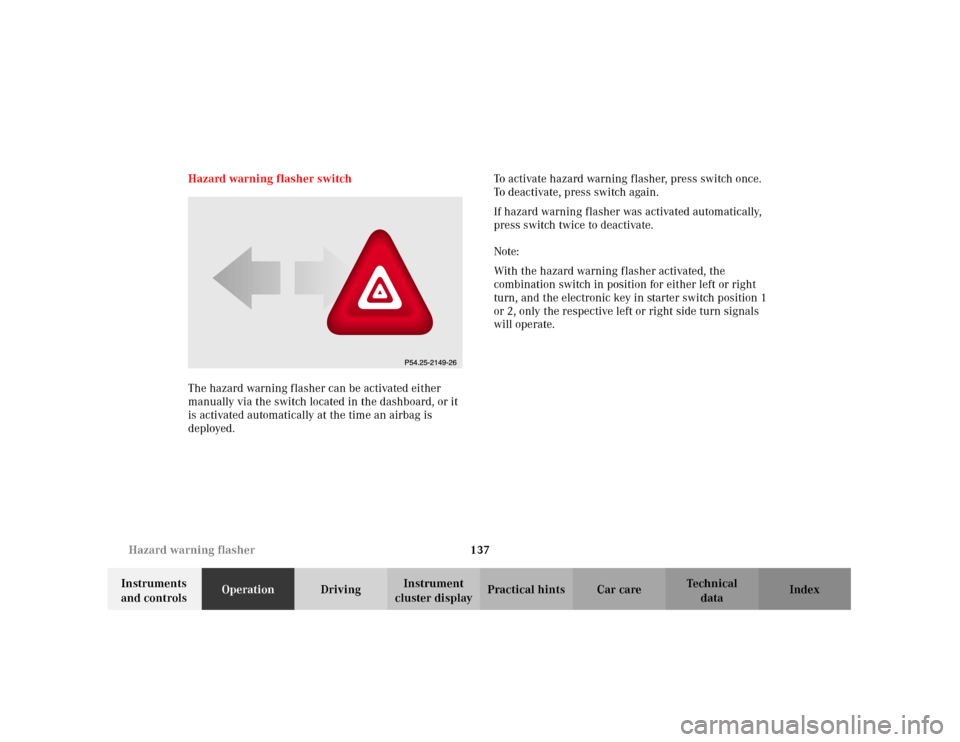
cluster displayPractical hints Car care Index Hazard warning flasher switch
The hazard warning flasher can be activated either
manually via the switch located in the dashboard, or it
is activated automatically at the time an airbag is
deployed.To activate hazard warning flasher, press switch once.
To deactivate, press switch again.
If hazard warning flasher was activated automatically,
press switch twice to deactivate.
Note:
With the hazard warning flasher activated, the
combination switch in position for either left or right
turn, and the electronic key in starter switch position 1
or 2, only the respective left or right side turn signals
will operate.
Page 148 of 381
139 Climate control
Te ch n i c a l
data Instruments
and controlsOperationDrivingInstrument
cluster displayPractical hints Car care Index 1Display and controls
2Air volume control for left center air outlet
3Center air outlet, left, adjustable
4Thumbwheel for adding outside air at air outlets for
center, left and right sides, as well as dashboard top
center and rear passenger compartment
5Center air outlet, right, adjustable6Air volume control for right center air outlet
7Air volume control and air outlet on dashboard top
center
8Air volume control for side air outlet
9Side air outlet, adjustable
10Side defroster outlet, fixed
Page 151 of 381
142 Climate control
Te ch n i c a l
data Instruments
and controlsOperationDrivingInstrument
cluster displayPractical hints Car care Index
Basic setting – automatic mode
Press U button. Air volume and distribution are
controlled automatically.
Set the left and right temperature to 72
°F (22
°C). This
provides for comfortable conditions in the vehicle.
Heating mode:
To lower headroom temperature, use thumbwheel
(4, page 138).
Air conditioning mode:
Open air outlets at dashboard top center (7, page 138)
for an even air distribution.Special settings (use only for short duration)
Air distribution and air volume, manual
Press U button. The indicator lamp in the button will
go out.
Select any of the six air volume speeds and the air
distribution.
Air distribution, manual:
hAir from the center, side, dashboard top center
and rear passenger compartment air outlets.
jAir from the windshield, side defroster and rear
passenger compartment air outlets.
kAir from the center, side, footwell, rear footwell
and rear passenger compartment air outlets.
To return to automatic mode:
Press the U button. The indicator lamp in the button
illuminates.