lock MERCEDES-BENZ CL-CLASS 2000 Repair Manual
[x] Cancel search | Manufacturer: MERCEDES-BENZ, Model Year: 2000, Model line: CL-CLASS, Model: MERCEDES-BENZ CL-CLASS 2000Pages: 424, PDF Size: 26.09 MB
Page 185 of 424
182 Interior equipment
Te ch n ica l
data Instruments
and controlsOperationDrivingInstrument
cluster displayPractical hints Car care Index
Express opening and closing of sliding/pop-up roof
To select a sunroof opening position, press the switch to
resistance point and release it when the sunroof has
reached the required position.
The sliding/pop-up roof now opens to the position set if
the switch is pressed past resistance point in the “open”
direction.
If you wish to change the opening position of the
sunroof, move the switch to resistance point in the
direction you require.
Stopping the sliding/pop-up roof:
Move the switch in any direction.
If the movement of the sliding/pop-up roof is blocked
during the closing procedure, the sunroof will stop and
reopen slightly.
Note:
Opening the sliding/pop-up roof automatically almost
fully (less approximately 1 inch [3 cm]), the sunroof
must have been opened first by pressing the switch to
resistance point and releasing it when the sunroof has
reached an almost fully open position.
Wa r n i n g !
When closing the sliding/pop-up roof, be sure that
there is no danger of anyone being harmed by the
closing procedure.In case of obstruction, the automatic reversal will
not operate if the sliding/pop-up roof is being
closed by moving the switch to its resistance point
and holding it there, or when using the electronic
main key or the lock button at each door handle
(vehicles with KEYLESS-GO).The closing procedure of the sliding/pop-up roof
can be immediately reversed by either moving the
switch in any direction, or pressing buttonŒon
the electronic main key and holding it; or (vehicles
with KEYLESS-GO) when carrying the KEYLESS-
GO-card, pull and hold a door handle.When leaving the vehicle, always remove the
electronic key from starter switch and take the
KEYLESS-GO-card (if so equipped) with you, and
lock your vehicle. Do not leave children unattended
in the vehicle, or with access to an unlocked
vehicle. Unsupervised use of vehicle equipment
can cause serious personal injury.
ProCarManuals.com
Page 187 of 424
184 Interior equipment
Te ch n ica l
data Instruments
and controlsOperationDrivingInstrument
cluster displayPractical hints Car care Index
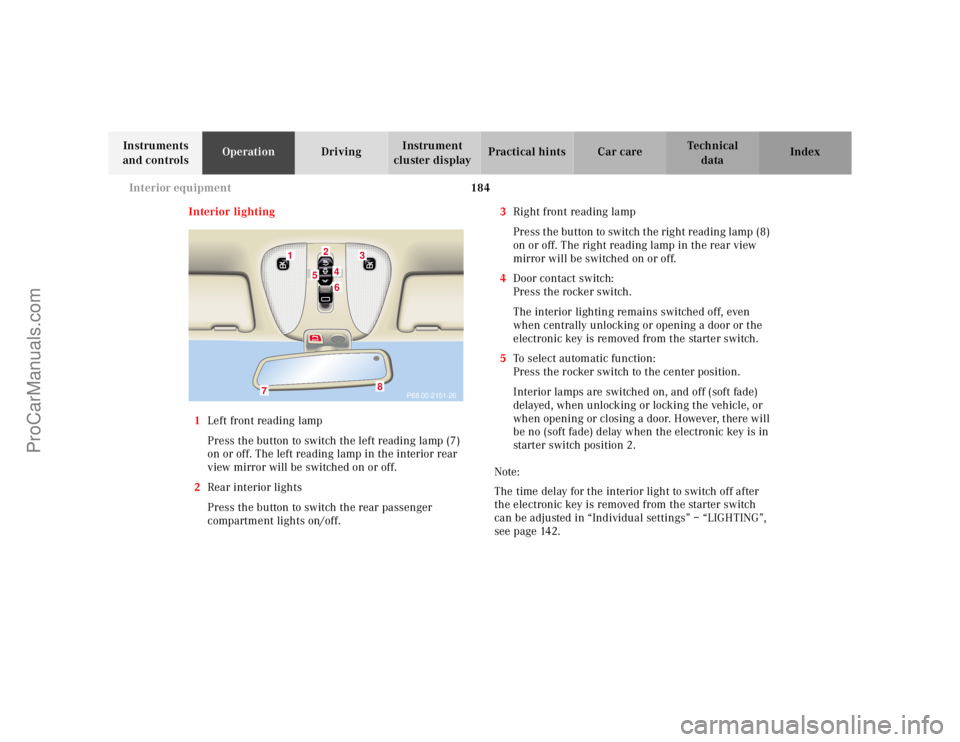
Interior lighting
1Left front reading lamp
Press the button to switch the left reading lamp (7)
on or off. The left reading lamp in the interior rear
view mirror will be switched on or off.
2Rear interior lights
Press the button to switch the rear passenger
compartment lights on/off.3Right front reading lamp
Press the button to switch the right reading lamp (8)
on or off. The right reading lamp in the rear view
mirror will be switched on or off.
4Door contact switch:
Press the rocker switch.
The interior lighting remains switched off, even
when centrally unlocking or opening a door or the
electronic key is removed from the starter switch.
5To select automatic function:
Press the rocker switch to the center position.
Interior lamps are switched on, and off (soft fade)
delayed, when unlocking or locking the vehicle, or
when opening or closing a door. However, there will
be no (soft fade) delay when the electronic key is in
starter switch position 2.
Note:
The time delay for the interior light to switch off after
the electronic key is removed from the starter switch
can be adjusted in “Individual settings” – “LIGHTING”,
seepage142.
P68.00-2151-26
1
3
24
5
6
7
8
ProCarManuals.com
Page 189 of 424
186 Interior equipment
Te ch n ica l
data Instruments
and controlsOperationDrivingInstrument
cluster displayPractical hints Car care Index
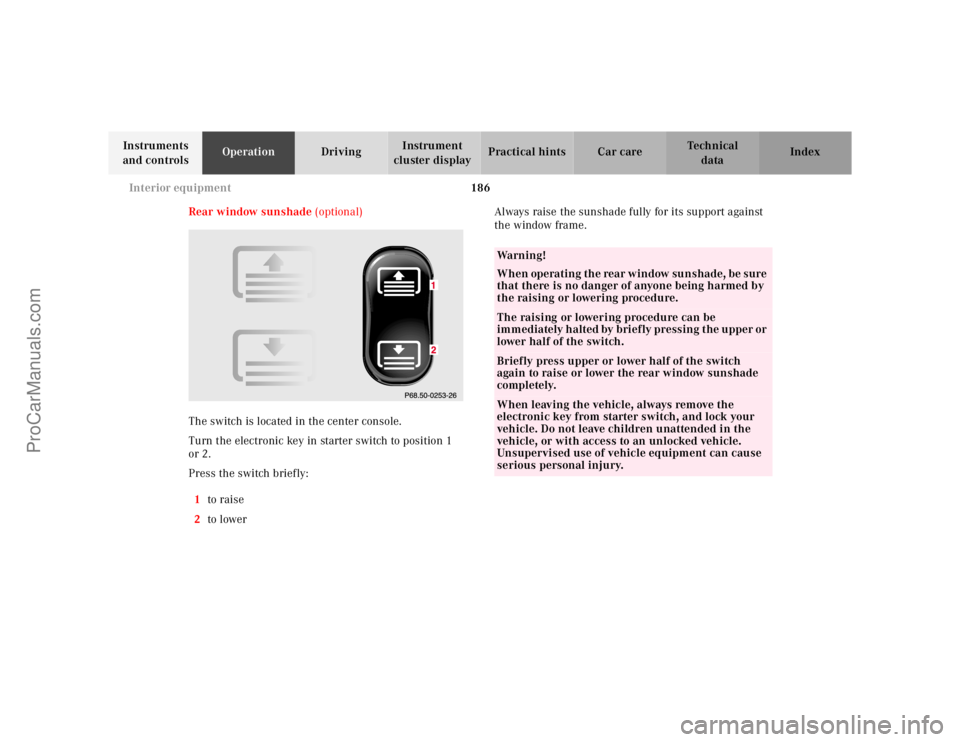
Rear window sunshade (optional)
The switch is located in the center console.
Turn the electronic key in starter switch to position 1
or 2.
Press the switch briefly:
1to raise
2to lowerAlways raise the sunshade fully for its support against
the window frame.
Wa r n i n g !
When operating the rear window sunshade, be sure
that there is no danger of anyone being harmed by
the raising or lowering procedure.The raising or lowering procedure can be
immediately halted by briefly pressing the upper or
lower half of the switch.Briefly press upper or lower half of the switch
again to raise or lower the rear window sunshade
completely.When leaving the vehicle, always remove the
electronic key from starter switch, and lock your
vehicle. Do not leave children unattended in the
vehicle, or with access to an unlocked vehicle.
Unsupervised use of vehicle equipment can cause
serious personal injury.
ProCarManuals.com
Page 192 of 424
189 Interior equipment
Te ch n ica l
data Instruments
and controlsOperationDrivingInstrument
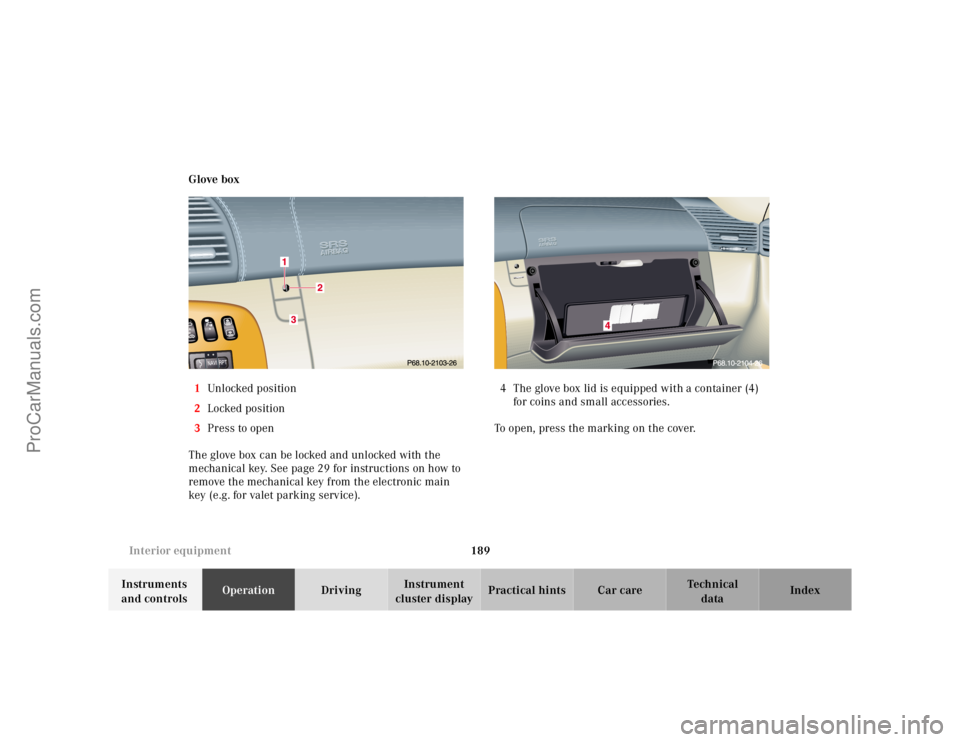
cluster displayPractical hints Car care Index Glove box
1Unl ocked position
2Locked position
3Press to open
The glove box can be locked and unlocked with the
mechanical key. See page 29 for instructions on how to
remove the mechanical key from the electronic main
key (e.g. for valet parking service).4 The glove box lid is equipped with a container (4)
for coins and small accessories.
To open, press the marking on the cover.
ProCarManuals.com
Page 193 of 424
190 Interior equipment
Te ch n ica l
data Instruments
and controlsOperationDrivingInstrument
cluster displayPractical hints Car care Index
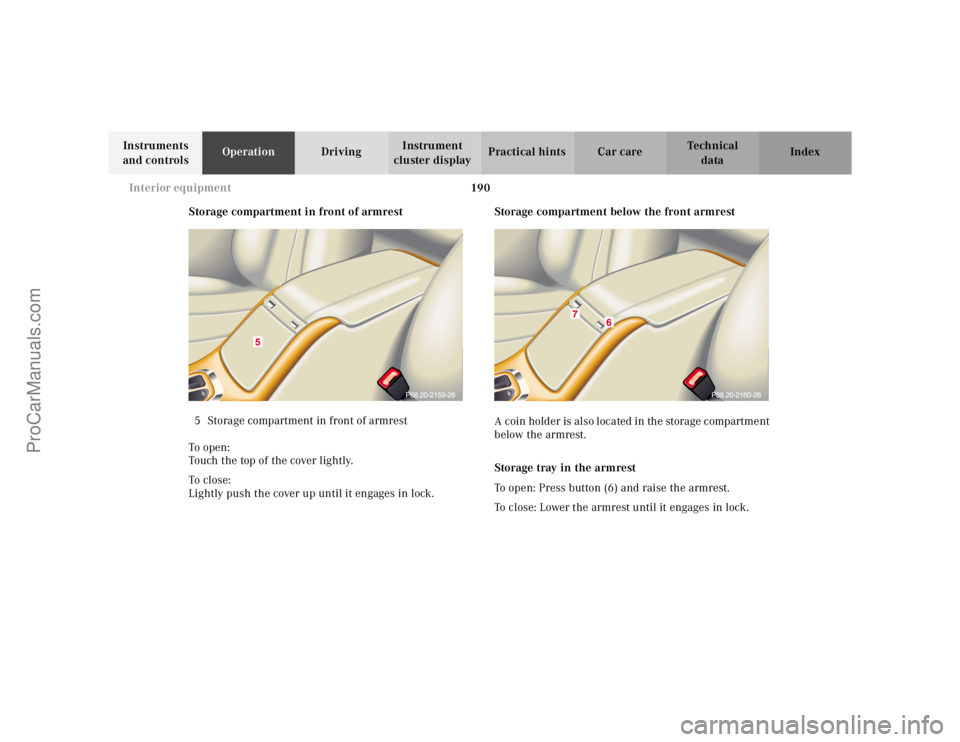
Storage compartment in front of armrest
5 Storage compartment in front of armrest
To o pen :
Touch the top of the cover lightly.
To cl os e:
Lightly push the cover up until it engages in lock.Storage compartment below the front armrest
A coin holder is also located in the storage compartment
below the armrest.
Storage tray in the armrest
To open: Press button (6) and raise the armrest.
To close: Lower the armrest until it engages in lock.
ProCarManuals.com
Page 194 of 424
191 Interior equipment
Te ch n ica l
data Instruments
and controlsOperationDrivingInstrument
cluster displayPractical hints Car care Index Storage space below the armrest
To open: Press button (7) and raise the armrest.
To close: Lower the armrest until it engages in lock.
Notes:
The storage compartment can be heated or cooled, see
page 175.
The compartment can get very warm due to its confined
space. When storing heat sensitive objects in the
compartment, close the air outlet while heating the
passenger compartment.
Do not obstruct the air outlet in the storage
compartment.
The storage space below the armrest is illuminated with
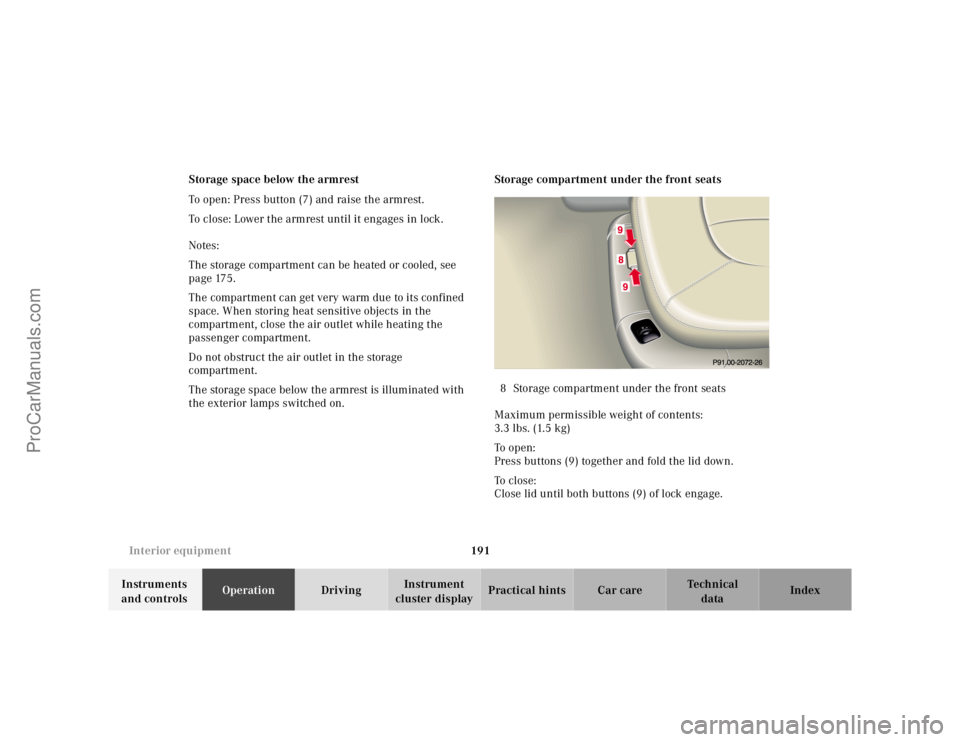
the exterior lamps switched on.Storage compartment under the front seats
8 Storage compartment under the front seats
Maximum permissible weight of contents:
3.3 lbs. (1.5 kg)
To o p e n :
Press buttons (9) together and fold the lid down.
To c l o s e :
Close lid until both buttons (9) of lock engage.
ProCarManuals.com
Page 197 of 424
194 Interior equipment
Te ch n ica l
data Instruments
and controlsOperationDrivingInstrument
cluster displayPractical hints Car care Index
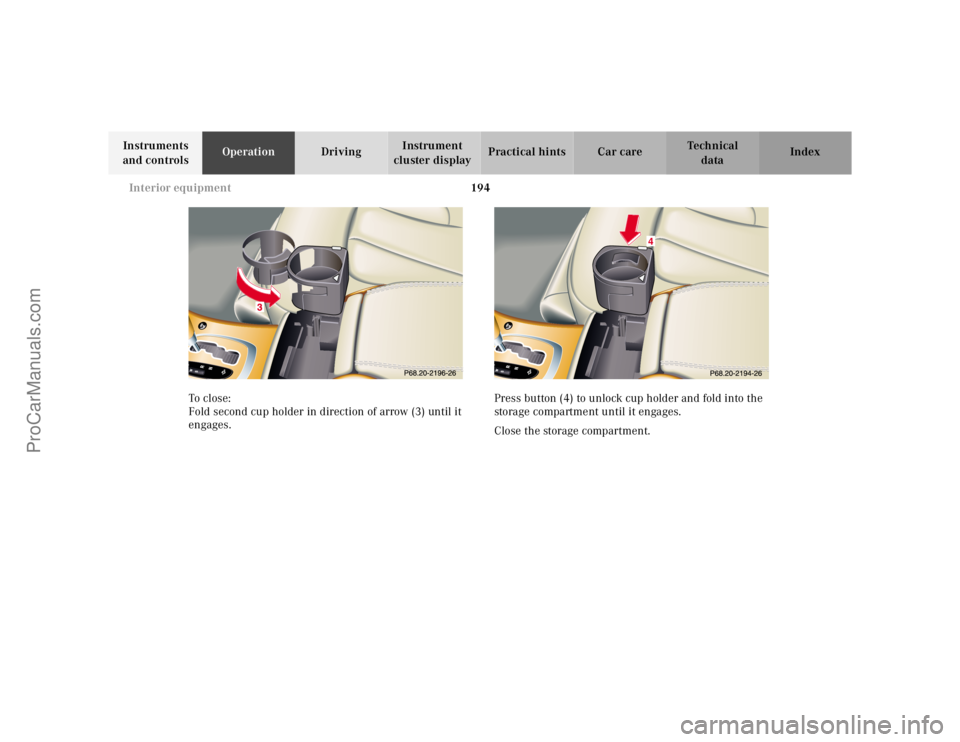
To cl os e:
Fold second cup holder in direction of arrow (3) until it
engages.Press button (4) to unlock cup holder and fold into the
storage compartment until it engages.
Close the storage compartment.
4
ProCarManuals.com
Page 201 of 424
198 Interior equipment
Te ch n ica l
data Instruments
and controlsOperationDrivingInstrument
cluster displayPractical hints Car care Index
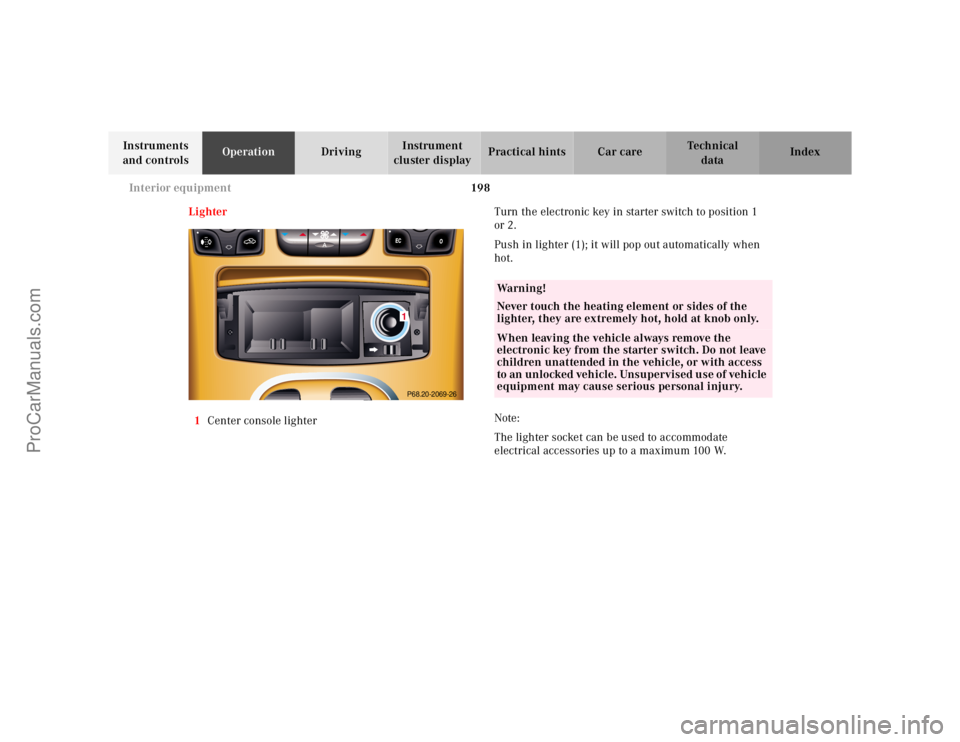
Lighter
1Center console lighterTurn the electronic key in starter switch to position 1
or 2.
Push in lighter (1); it will pop out automatically when
hot.
Note:
The lighter socket can be used to accommodate
electrical accessories up to a maximum 100 W.
P68.20-2069-261
Wa r n i n g !
Never touch the heating element or sides of the
lighter, they are extremely hot, hold at knob only.When leaving the vehicle always remove the
electronic key from the starter switch. Do not leave
children unattended in the vehicle, or with access
to an unlocked vehicle. Unsupervised use of vehicle
equipment may cause serious personal injury.
ProCarManuals.com
Page 212 of 424
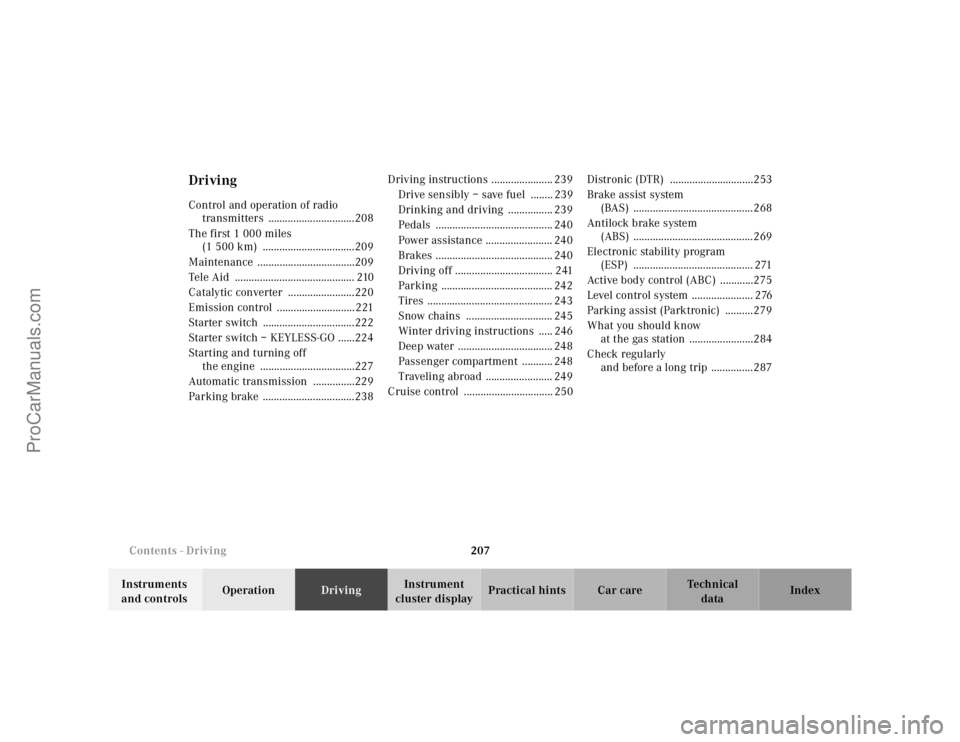
207 Contents - Driving
Te ch n ica l
data Instruments
and controlsOperationDrivingInstrument
cluster displayPractical hints Car care Index
DrivingControl and operation of radio
transmitters ...............................208
The first 1 000 miles
(1 500 km) .................................209
Maintenance ...................................209
Tele Aid ........................................... 210
Catalytic converter ........................220
Emission control ............................221
Starter switch .................................222
Starter switch – KEYLESS-GO ......224
Starting and turning off
the engine ..................................227
Automatic transmission ...............229
Parking brake .................................238Driving instructions ...................... 239
Drive sensibly – save fuel ........ 239
Drinking and driving ................ 239
Pedals .......................................... 240
Power assistance ........................ 240
Brakes .......................................... 240
Driving off ................................... 241
Parking ........................................ 242
Tires ............................................. 243
Snow chains ............................... 245
Winter driving instructions ..... 246
Deep water .................................. 248
Passenger compartment ........... 248
Traveling abroad ........................ 249
Cruise control ................................ 250Distronic (DTR) ..............................253
Brake assist system
(BAS) ...........................................268
Antilock brake system
(ABS) ...........................................269
Electronic stability program
(ESP) ........................................... 271
Active body control (ABC) ............275
Level control system ...................... 276
Parking assist (Parktronic) ..........279
What you should know
at the gas station .......................284
Check regularly
and before a long trip ...............287
ProCarManuals.com
Page 215 of 424
210 Tele Aid
Te ch n ica l
data Instruments
and controlsOperationDrivingInstrument
cluster displayPractical hints Car care Index
Te l e A i d
Important!
The initial activation of the Tele Aid system may only be
performed by completing the subscriber agreement and
placing an acquaintance call using the “SOS” button.
Failure to complete either of these steps will result in a
system that is not activated. If the system is not
activated the indicator lamp in the “SOS” button stays
on after turning electronic key in starter switch to
position 2 (vehicles with KEYLESS-GO:
operating position, see page 224) and the message
“TELE AID – NOT ACTIVATED” will be shown in the
multifunction display for approx. 10 seconds.
If you have any questions regarding activation, please
call the Response Center at 1-800-756-9018 (in the USA)
or 1-888-923-8367 (in Canada).
(Te l ematic Alarm Identification on Demand)
The Tele Aid system consists of three types of response;
automatic and manual emergency, roadside assistance
and information.
The Tele Aid system is operational providing that the
vehicle’s battery is charged, properly connected, not
damaged and cellular and GPS coverage is available.The speaker volume of a Tele Aid call can be adjusted
when using the volume control on the multifunction
steering wheel, for raising press buttonæand for
lowering press buttonç.
To activate, press the “SOS” button, the Roadside
Assistance button• or the Information button¡,
depending on the type of response required.
Shortly after the completion of your Acquaintance Call,
you will receive a user ID and password via first call
mail. By visiting www.mbusa.com and selecting
“Tele Aid” (USA only), you will have access to account
information, remote door unlock, Info Services* profile
and more.
* Optional System self-check
Initially, after turning the electronic key in starter
switch to position 2, malfunctions are detected and
indicated (the indicator lamps in the “SOS” button, the
Roadside Assistance button• and the Information
button¡ stay on longer than 10 seconds or do not
come on). The message “TELE AID – VISIT
WORKSHOP” appears for approx. 10 seconds in the
multifunction display.
ProCarManuals.com