CD changer MERCEDES-BENZ CL CLASS 2010 User Guide
[x] Cancel search | Manufacturer: MERCEDES-BENZ, Model Year: 2010, Model line: CL CLASS, Model: MERCEDES-BENZ CL CLASS 2010Pages: 500, PDF Size: 9.32 MB
Page 183 of 500
:
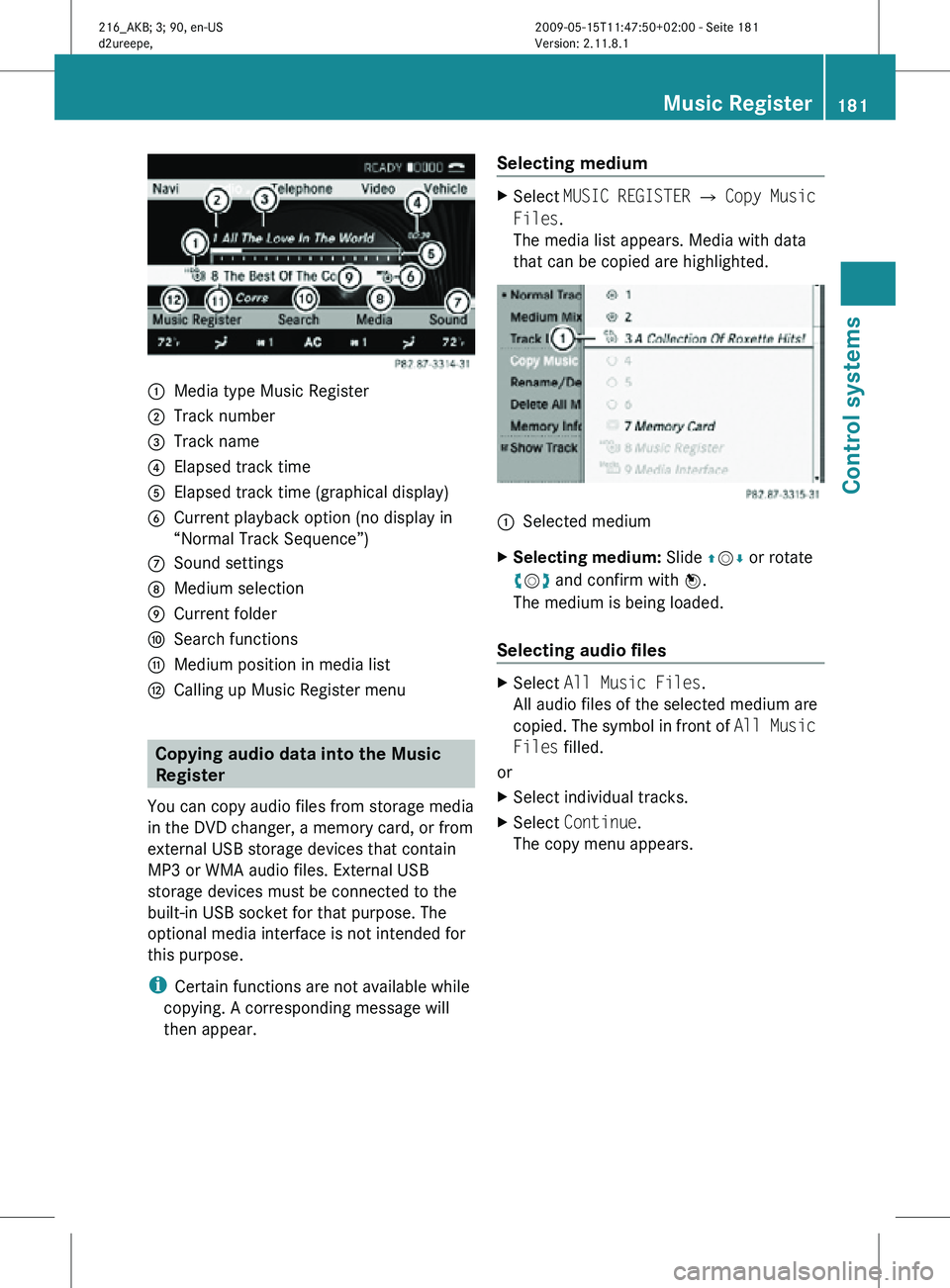
Media type Music Register
; Track number
= Track name
? Elapsed track time
A Elapsed track time (graphical display)
B Current playback option (no display in
“Normal Track Sequence”)
C Sound settings
D Medium selection
E Current folder
F Search functions
G Medium position in media list
H Calling up Music Register menu Copying audio data into the Music
Register
You can copy audio files from storage media
in the DVD changer, a memory card, or from
external USB storage devices that contain
MP3 or WMA audio files. External USB
storage devices must be connected to the
built-in USB socket for that purpose. The
optional media interface is not intended for
this purpose.
i Certain functions are not available while
copying. A corresponding message will
then appear. Selecting medium X
Select MUSIC REGISTER Q Copy Music
Files.
The media list appears. Media with data
that can be copied are highlighted. :
Selected medium
X Selecting medium: Slide ZVÆ or rotate
cVd and confirm with W.
The medium is being loaded.
Selecting audio files X
Select All Music Files.
All audio files of the selected medium are
copied. The symbol in front of All Music
Files filled.
or
X Select individual tracks.
X Select Continue.
The copy menu appears. Music Register
181Control systems
216_AKB; 3; 90, en-US
d2ureepe, Version: 2.11.8.1 2009-05-15T11:47:50+02:00 - Seite 181 Z
Page 219 of 500
Voice Control System introduction
Safety notes
G
Warning!
Only use the Voice Control System when road
and traffic conditions permit you to do so.
Otherwise you could be involved in an
accident in which you or others could be
injured. G
Warning!
Please devote your attention first and
foremost to the traffic situation you are in.
While the system permits hands-free phone
operation, attention
to traffic may be diverted
not only by physical operation of a phone, but
also by the distraction of a phone
conversation while driving. As such, for safety
reasons, we encourage the driver to stop the
vehicle in a safe place before answering or
placing a phone call.
For safety reasons, you should only select a
destination when the vehicle is stationary.
While the navigation system provides
directional assistance, the driver must remain
focused on safe driving behavior, especially
attention to traffic and street signs, and
should utilize the system’s audio cues while
driving.
The navigation system does not supply any
information on stop signs, yield signs, traffic
regulations or traffic safety rules. Their
observance always remains in the driver’s
personal responsibility. Maps do not cover all
areas nor all routes within an area.
Traffic regulations always have priority over
any route recommendations given.
Bear in mind that at a speed of just 30 mph
(approximately 50 km/h), your vehicle is
covering a distance of 44 feet (approximately
14 m) every second. G
Warning!
Navigation announcements are intended to
direct you
while driving without diverting your
attention from the road and driving.
Please always use navigation announcements
instead of consulting the map display for
directions. Consulting the symbols or map
display for directions may cause you to divert
your attention from driving and increase your
risk of an accident. G
Warning!
Please do not use the Voice Control System
in an emergency, as the tone of your voice
may change
in a stressful situation. This could
cause a delay in completing your phone call
in a timely manner. This could distract you in
an emergency situation and cause you to be
involved in an accident. General information
Depending on vehicle equipment, you can
operate the following systems via the Voice
Control System:
R Telephone ( Y page 225)
R Navigation ( Y page 219)
R Address book (Y page 229)
R Audio ( Y page 231) (AM/FM radio,
Satellite radio, CD/DVD changer, MP3
mode (SD
card, USB, Music Register, Media
Interface), AUX)
R Video
You control these systems using spoken
commands. Moreover, controls such as the
buttons on the multifunction steering wheel
(Y page 218) allow you to keep your hands
on the steering wheel.
The Voice Control System recognizes
commands and number sequences,
irrespective of the speaker. To optimize
speech recognition for your voice follow the
individualization process ( Y page 250). Voice Control System introduction
217
Control systems
216_AKB; 3; 90, en-US
d2ureepe, Version: 2.11.8.1 2009-05-15T11:47:50+02:00 - Seite 217 Z
Page 236 of 500
To select a station:
X
Press button ?, when the system reads
the desired station.
X Canceling the dialog: Press button %.
The dialog is concluded. The system
confirms “Cancel”.
“Delete station” You can use the “Delete station” command to
delete a voice name for a station from the
Presets.
Sample dialog:
\
Delete station.
^ Which station name do you want to
delete?
\ Favorite station 30
.
^ Do you want to delete Favorite
station 30
?
\ Yes.
^ Favorite station 30
deleted.
“Delete station list” You can use the “Delete station list”
command to delete all voice names or
individual ones from the stations of the
Presets.
Sample dialog:
\
Delete station list.
^ Do you want to delete them all?
\ Yes.
^ Are you sure you want to delete all
voice names?
\ Yes.
^ All voice names have been deleted
from the station list.
The system permanently deletes all voice
names in the Presets.
or
^ No The system reads out the list of stations.
When the system reads the station to be
deleted:
X
Press button ?.
The station to be deleted is selected. The
system reads out the selected station
again.
^ Do you want to delete “Favorite
Station 30
”?
\ Yes.
^ Station deleted.
The system deletes the station and reads out
the remaining entries in the Presets.
or
^ No.
The system continues reading the Presets
entry by entry.
“HD Radio on”, “HD Radio off” Use “HD Radio on” or “HD Radio off” to switch
the HD Radio™ on or off.
“Sirius”
Use “Sirius” to switch to SIRIUS XM Satellite
Radio.
Voice Control System CD/DVD
changer/MP3
Safety notes
G
Warning!
Please devote your attention first and
foremost to the traffic situation you are in.
Before your journey, please familiarize
yourself with the audio functions.
Only use
the Voice Control System when road
and traffic conditions permit you to do so.
Otherwise you could be involved in an
accident in which you or others could be
injured.
30 Example for a voice name. 234
Voice Control System CD/DVD changer/MP3
Control systems
216_AKB; 3; 90, en-US
d2ureepe,
Version: 2.11.8.1 2009-05-15T11:47:50+02:00 - Seite 234
Page 237 of 500
Operation
You can use the Voice Control System to
R select a CD/DVD or another medium
R select a track
R select a folder in MP3 mode
R change the category when in media
interface mode
R select a group in audio DVD mode
R select a chapter or scene when in video
DVD mode
i Upon the
command “Next/Previous CD/
DVD”, the DVD changer switches from one
CD/DVD to the next. It will skip empty
slots. When you select an empty slot using
the commands “CD/DVD 1” through “CD/
DVD 6”, the current slot remains selected.
i The following commands “DVD audio”,
“DVD video”, “Next/Previous CD/DVD”
and “CD/DVD 1” to “CD/DVD 6”, cause
the DVD changer to switch from one slot to
another, regardless of the type of medium
found in the selected slot. In your
command, you can therefore replace the
term “CD/DVD” with “Medium”.
Selecting CD/DVD mode X
Press button ? on the multifunction
steering wheel.
X Speak one of the following commands:
R
“CD player”
R “CD changer”
R “DVD audio”
R “DVD video”
R “Hard disk”
R “Memory card”
R “Media interface”
R “USB”
R “Music Register” X
Press button ? on the multifunction
steering wheel.
X Speak one of the following commands. Commands
For a list of commands, see ( Y page 237).
Help commands Use the following commands and the Voice
Control
System
will read out a list of available
commands for the audio/video functions:
R “Help CD”
R “Help DVD audio”
R “Help DVD video”
R “Help MP3”
R “Help hard disk”
R “Help memory card”
R “Help media interface”
R “Help USB”
R “Help music register”
“Next CD/DVD/Medium” Use the command “Next CD”, “Next DVD” or
“Next Medium” to select the next available
medium in the CD/DVD changer.
“Previous CD/DVD/Medium”
Use the command “Previous CD”, “Previous
DVD” or “Previous Medium” to select the
previous medium in the CD/DVD change.
“CD/DVD/Medium 1” to “CD/DVD/
Medium 6”
Use commands “CD/DVD/Medium 1” to
“CD/DVD/Medium 6” to select one of up to
six mediums in your CD/DVD changer.Voice Control System CD/DVD changer/MP3
235
Control systems
216_AKB; 3; 90, en-US
d2ureepe,Version: 2.11.8.1 2009-05-15T11:47:50+02:00 - Seite 235 Z
Page 239 of 500
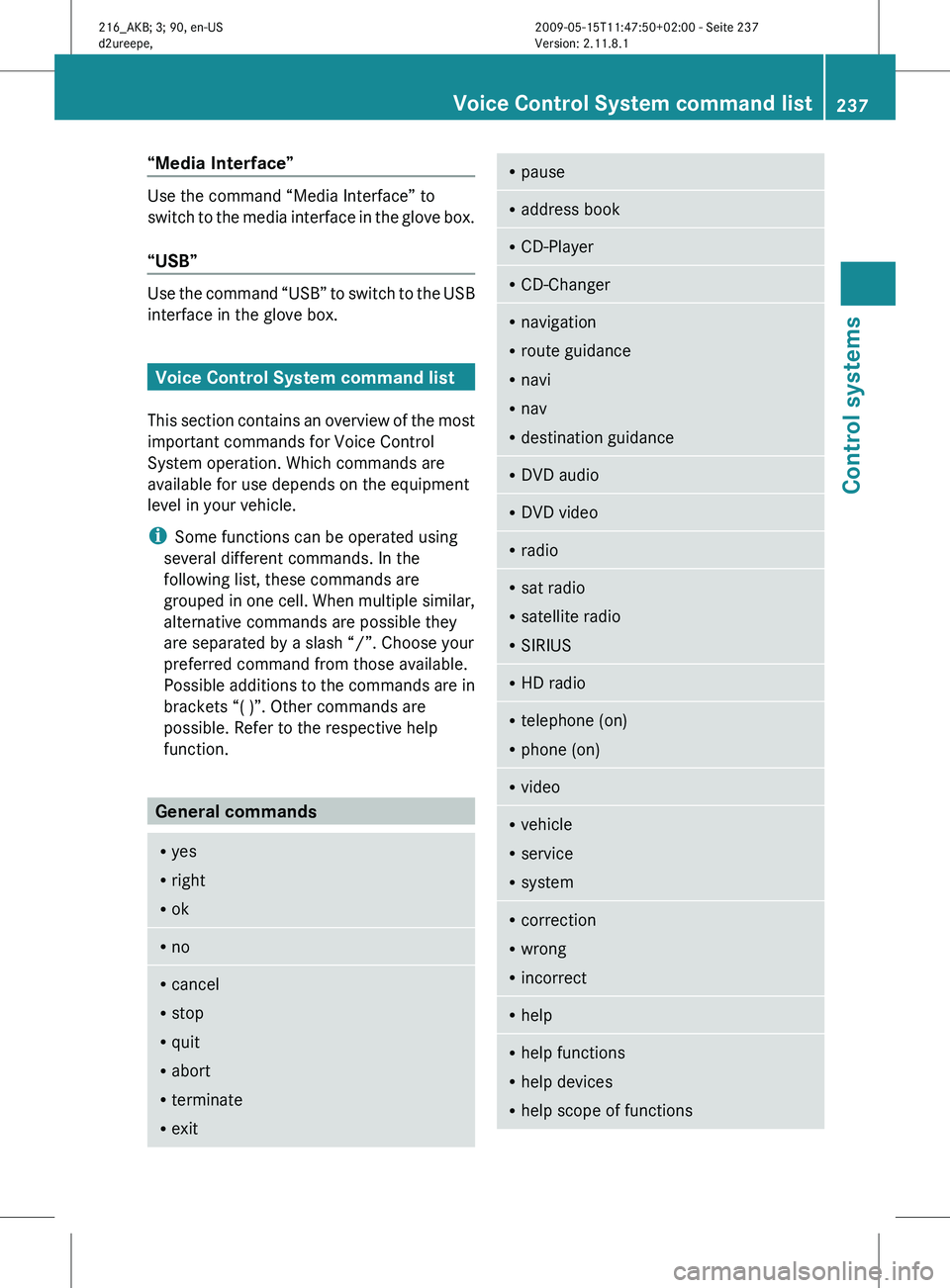
“Media Interface”
Use the command “Media Interface” to
switch
to
the media interface in the glove box.
“USB” Use the command “USB” to switch to the USB
interface in the glove box.
Voice Control System command list
This section
contains an overview of the most
important commands for Voice Control
System operation. Which commands are
available for use depends on the equipment
level in your vehicle.
i Some functions can be operated using
several different commands. In the
following list, these commands are
grouped in one cell. When multiple similar,
alternative commands are possible they
are separated by a slash “/”. Choose your
preferred command from those available.
Possible additions to the commands are in
brackets “( )”. Other commands are
possible. Refer to the respective help
function. General commands
R
yes
R right
R ok R
no R
cancel
R stop
R quit
R abort
R terminate
R exit R
pause R
address book R
CD-Player R
CD-Changer R
navigation
R route guidance
R navi
R nav
R destination guidance R
DVD audio R
DVD video R
radio R
sat radio
R satellite radio
R SIRIUS R
HD radio R
telephone (on)
R phone (on) R
video R
vehicle
R service
R system R
correction
R wrong
R incorrect R
help R
help functions
R help devices
R help scope of functions Voice Control System command list
237
Control systems
216_AKB; 3; 90, en-US
d2ureepe, Version: 2.11.8.1 2009-05-15T11:47:50+02:00 - Seite 237 Z
Page 240 of 500
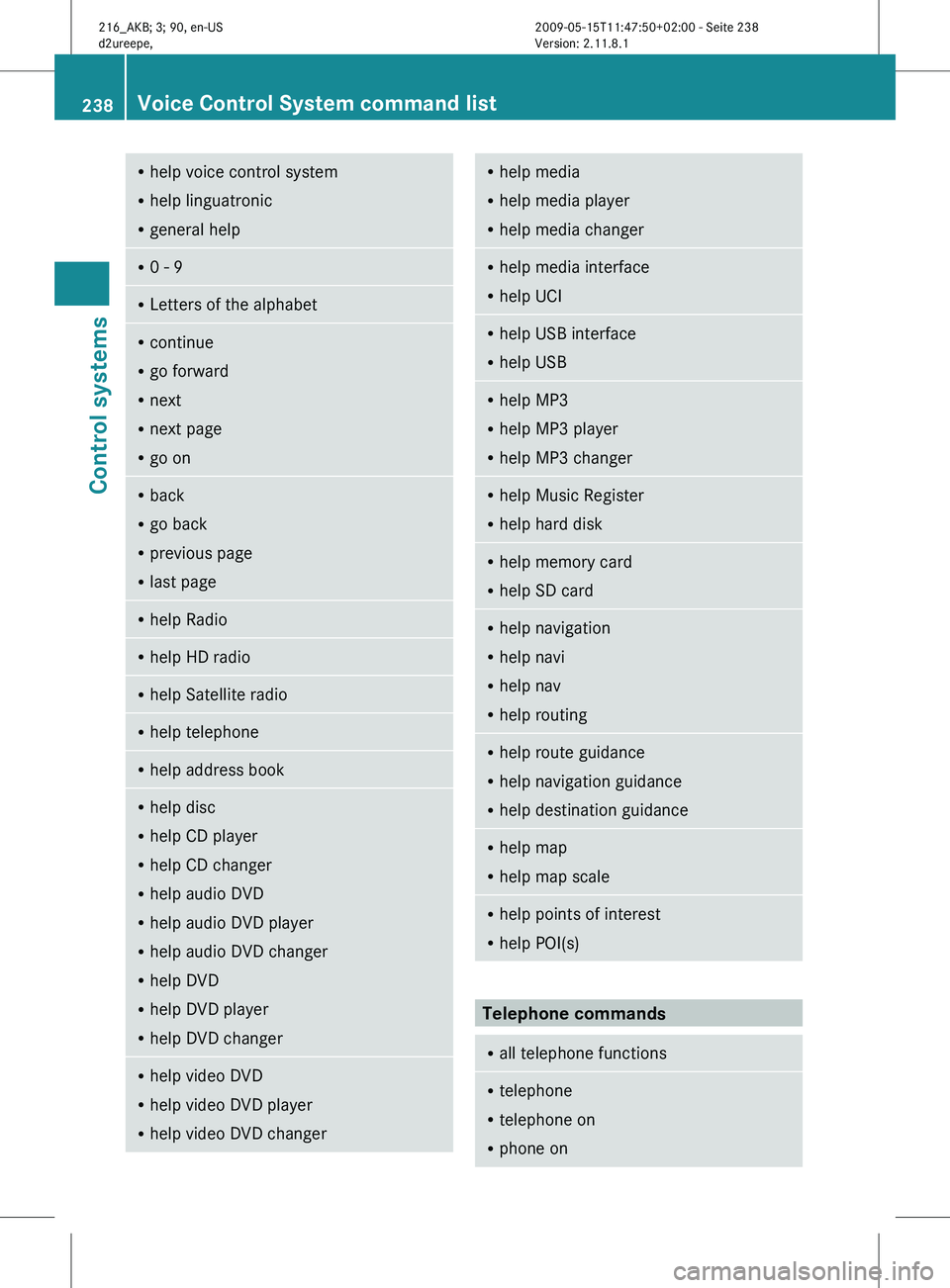
R
help voice control system
R help linguatronic
R general help R
0 - 9 R
Letters of the alphabet R
continue
R go forward
R next
R next page
R go on R
back
R go back
R previous page
R last page R
help Radio R
help HD radio R
help Satellite radio R
help telephone R
help address book R
help disc
R help CD player
R help CD changer
R help audio DVD
R help audio DVD player
R help audio DVD changer
R help DVD
R help DVD player
R help DVD changer R
help video DVD
R help video DVD player
R help video DVD changer R
help media
R help media player
R help media changer R
help media interface
R help UCI R
help USB interface
R help USB R
help MP3
R help MP3 player
R help MP3 changer R
help Music Register
R help hard disk R
help memory card
R help SD card R
help navigation
R help navi
R help nav
R help routing R
help route guidance
R help navigation guidance
R help destination guidance R
help map
R help map scale R
help points of interest
R help POI(s) Telephone commands
R
all telephone functions R
telephone
R telephone on
R phone on 238
Voice Control System command listControl systems
216_AKB; 3; 90, en-US
d2ureepe,
Version: 2.11.8.1 2009-05-15T11:47:50+02:00 - Seite 238
Page 247 of 500
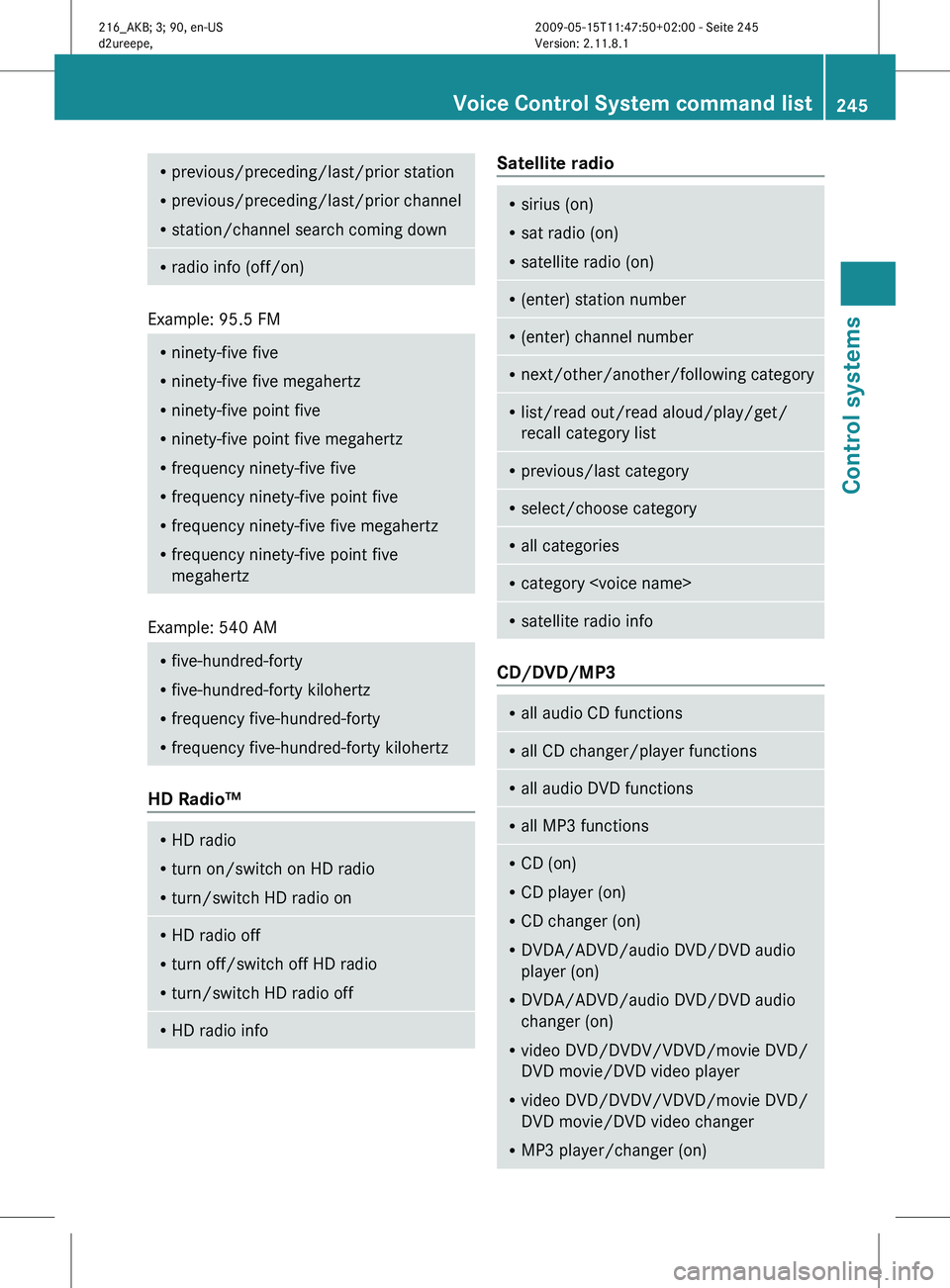
R
previous/preceding/last/prior station
R previous/preceding/last/prior channel
R station/channel search coming down R
radio info (off/on) Example: 95.5 FM
R
ninety-five five
R ninety-five five megahertz
R ninety-five point five
R ninety-five point five megahertz
R frequency ninety-five five
R frequency ninety-five point five
R frequency ninety-five five megahertz
R frequency ninety-five point five
megahertz Example: 540 AM
R
five-hundred-forty
R five-hundred-forty kilohertz
R frequency five-hundred-forty
R frequency five-hundred-forty kilohertz HD Radio™
R
HD radio
R turn on/switch on HD radio
R turn/switch HD radio on R
HD radio off
R turn off/switch off HD radio
R turn/switch HD radio off R
HD radio info Satellite radio
R
sirius (on)
R sat radio (on)
R satellite radio (on) R
(enter) station number R
(enter) channel number R
next/other/another/following category R
list/read out/read aloud/play/get/
recall category list R
previous/last category R
select/choose category R
all categories R
category
satellite radio info CD/DVD/MP3
R
all audio CD functions R
all CD changer/player functions R
all audio DVD functions R
all MP3 functions R
CD (on)
R CD player (on)
R CD changer (on)
R DVDA/ADVD/audio DVD/DVD audio
player (on)
R DVDA/ADVD/audio DVD/DVD audio
changer (on)
R video DVD/DVDV/VDVD/movie DVD/
DVD movie/DVD video player
R video DVD/DVDV/VDVD/movie DVD/
DVD movie/DVD video changer
R MP3 player/changer (on) Voice Control System command list
245Control systems
216_AKB; 3; 90, en-US
d2ureepe, Version: 2.11.8.1 2009-05-15T11:47:50+02:00 - Seite 245 Z