radio MERCEDES-BENZ CL CLASS 2010 Workshop Manual
[x] Cancel search | Manufacturer: MERCEDES-BENZ, Model Year: 2010, Model line: CL CLASS, Model: MERCEDES-BENZ CL CLASS 2010Pages: 500, PDF Size: 9.32 MB
Page 429 of 500

Display messages
Possible causes/consequences and
X SolutionsWheel
Sensor(s) Missing At least one sensor is defect (e.g. battery is empty).
The respective tire is indicated by
– – instead of the tire
inflation pressure in the multifunction display.
X Have the Advanced TPMS checked at an authorized
Mercedes-Benz Center.
X Have the wheel sensors installed at an authorized
Mercedes-Benz Center. At least one wheel without appropriate wheel sensors is
mounted (e.g. spare wheel).
The respective tire is indicated by
– – instead of the tire
inflation pressure in the multifunction display.
X Have the Advanced TPMS checked at an authorized
Mercedes-Benz Center.
X Have the wheel sensors installed at an authorized
Mercedes-Benz Center. Tire
Pressure
Monitor Currently
Unavailabl
e The Advanced TPMS cannot monitor the tire inflation pressure
due to a nearby radio interference source or insufficient
power supply.
As
soon
as the causes of the malfunction have been rectified,
the Advanced TPMS becomes active again automatically after
a few minutes of driving. Tire
Pressure
Please
Rectify The tire inflation pressure is too low in at least one tire.
or
The tire inflation pressures of the individual tires differ from
each other significantly.
The tire inflation pressure values are shown in the
multifunction display.
X
Check and correct tire inflation pressure as required
(Y page 377).
X Restart the Advanced TMPS ( Y page 380).Caution
Tire
Defect At least one tire is deflating.
The respective tire is indicated in the multifunction display.
X
Carefully bring the vehicle to a halt, avoiding abrupt
steering and braking maneuvers.
X If necessary, change the wheel (Y page 465). Vehicle status messages in the multifunction display
427
Practical hints
216_AKB; 3; 90, en-US
d2ureepe,Version: 2.11.8.1 2009-05-15T11:47:50+02:00 - Seite 427 Z
Page 443 of 500
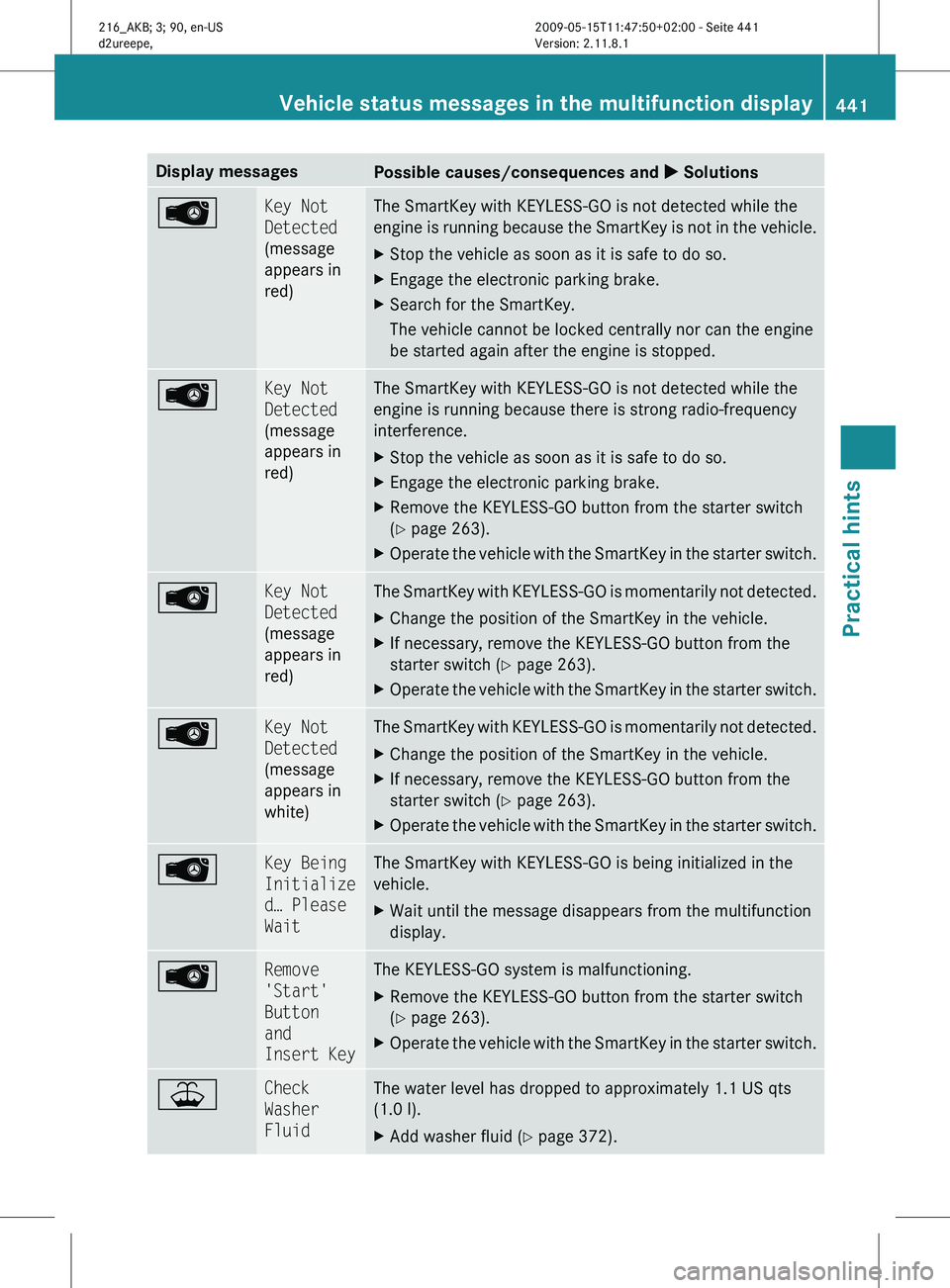
Display messages
Possible causes/consequences and
X Solutions Key Not
Detected
(message
appears in
red) The SmartKey with KEYLESS-GO is not detected while the
engine
is
running because the SmartKey is not in the vehicle.
X Stop the vehicle as soon as it is safe to do so.
X Engage the electronic parking brake.
X Search for the SmartKey.
The vehicle cannot be locked centrally nor can the engine
be started again after the engine is stopped. Â Key Not
Detected
(message
appears in
red) The SmartKey with KEYLESS-GO is not detected while the
engine is running because there is strong radio-frequency
interference.
X
Stop the vehicle as soon as it is safe to do so.
X Engage the electronic parking brake.
X Remove the KEYLESS-GO button from the starter switch
(Y page 263).
X Operate the vehicle with the SmartKey in the starter switch. Â Key Not
Detected
(message
appears in
red) The SmartKey with KEYLESS-GO is momentarily not detected.
X
Change the position of the SmartKey in the vehicle.
X If necessary, remove the KEYLESS-GO button from the
starter switch ( Y page 263).
X Operate the vehicle with the SmartKey in the starter switch. Â Key Not
Detected
(message
appears in
white) The SmartKey with KEYLESS-GO is momentarily not detected.
X
Change the position of the SmartKey in the vehicle.
X If necessary, remove the KEYLESS-GO button from the
starter switch ( Y page 263).
X Operate the vehicle with the SmartKey in the starter switch. Â Key Being
Initialize
d… Please
Wait The SmartKey with KEYLESS-GO is being initialized in the
vehicle.
X
Wait until the message disappears from the multifunction
display. Â Remove
'Start'
Button
and
Insert Key The KEYLESS-GO system is malfunctioning.
X
Remove the KEYLESS-GO button from the starter switch
(Y page 263).
X Operate the vehicle with the SmartKey in the starter switch. ¥ Check
Washer
Fluid The water level has dropped to approximately 1.1 US qts
(1.0 l).
X
Add washer fluid ( Y page 372). Vehicle status messages in the multifunction display
441
Practical hints
216_AKB; 3; 90, en-US
d2ureepe,Version: 2.11.8.1 2009-05-15T11:47:50+02:00 - Seite 441 Z